Project Description:
HomeAssistant is currently the most playable open-source smart home platform, offering highly flexible and intelligent automation configuration. The smart infrared remote control connects to the HomeAssistant platform as a WiFi smart device, allowing remote control of home air conditioners, fans, lights, and other infrared smart devices.
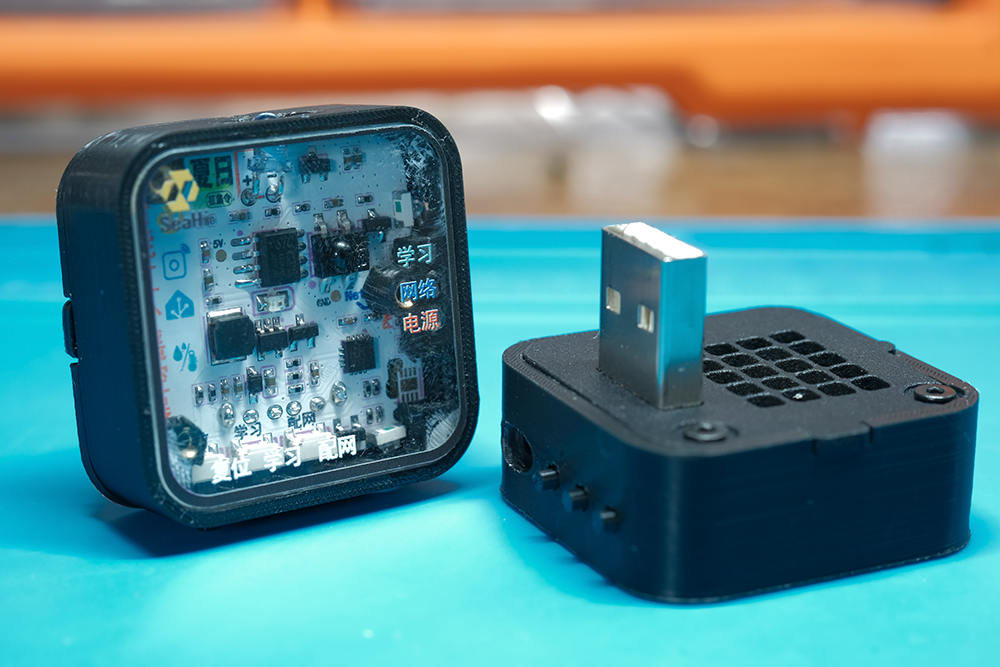
Basic Version Explanation (Software Functionality):
Due to the project's deadline of June 24th, it was impossible to complete all the envisioned functions; only basic functionality was implemented. The project was planned to include the following features:
remote control support, including mobile phone control (basic version supported)
; support for most infrared air conditioning devices on the market (the basic version only supports Midea air conditioners and only learned Midea's infrared codes);
infrared code learning support (the basic version does not support this);
fan control support (the basic version does not support this);
BLE wireless network configuration support (the basic version does not support this);
AT command configuration for WiFi connection and MQTT server support (the basic version supported this);
air conditioner device selection support (the basic version does not support this)
; temperature and humidity detection support (the basic version does not support this)
; control distance > 5 meters (the basic version supported this).
My development timeline was extremely tight, so many functions were not implemented. Most importantly, the infrared codes are not stored in Flash memory, wasting a significant amount of the module's RAM. Even so, it's still usable, and I'll continue to update these features. I'll release a full-featured version later.
The implementation
uses the Ai-WB2 series WiFi+BLE module from Anxinke Technology as the main controller, connecting to Home Assistant via MQTT. It outputs infrared signals through a serial interface to the infrared control chip to control infrared devices in the home, such as air conditioners.
Then, using automated configuration, it can display and schedule cooling!
In the sweltering summer, why would a maker be looking for an air conditioner remote? The original plan
for modifying the infrared solution
was to use the HXD019DU chip to control the infrared, but after much trial and error, I couldn't get it to work. Then I discovered that the Ai-WB2 has built-in hardware infrared functionality, which involved another round of experimentation. Unfortunately, the Ai-WB2 module only supports three common infrared protocols and doesn't support air conditioner control from major brands, so I had to abandon that approach.
A Twist of Fate (May 27, 2024):
During the 618 shopping festival, I stumbled upon a module on Taobao. The more I looked at the details, the more excited I became. I received it late on May 27th and couldn't wait to try it out. Following the seller's tutorial, I learned about infrared technology, then sent infrared signals, and finally, the air conditioner was successfully controlled. So
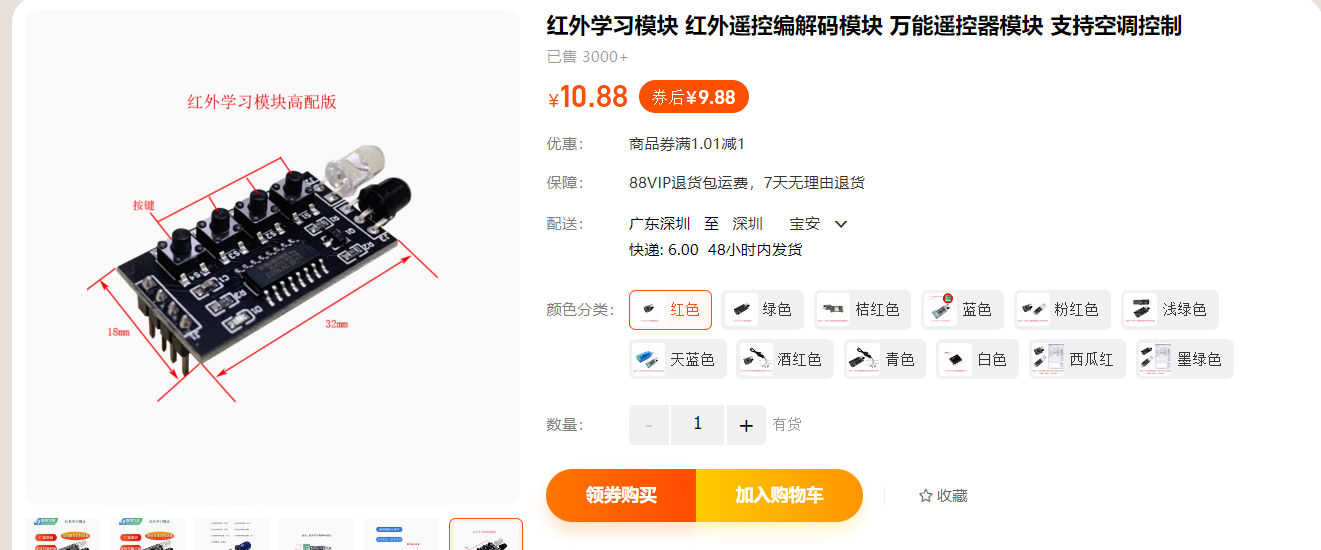
, I immediately ordered the chip and drew the schematic.
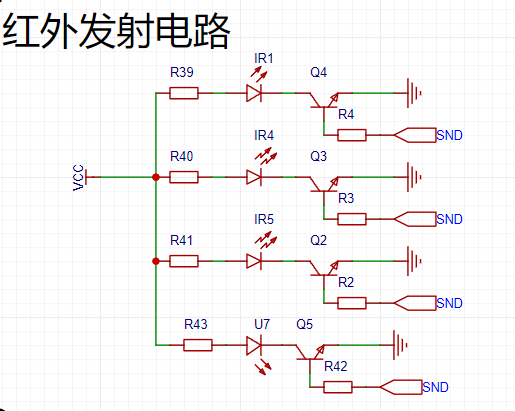
The infrared transmitting circuit
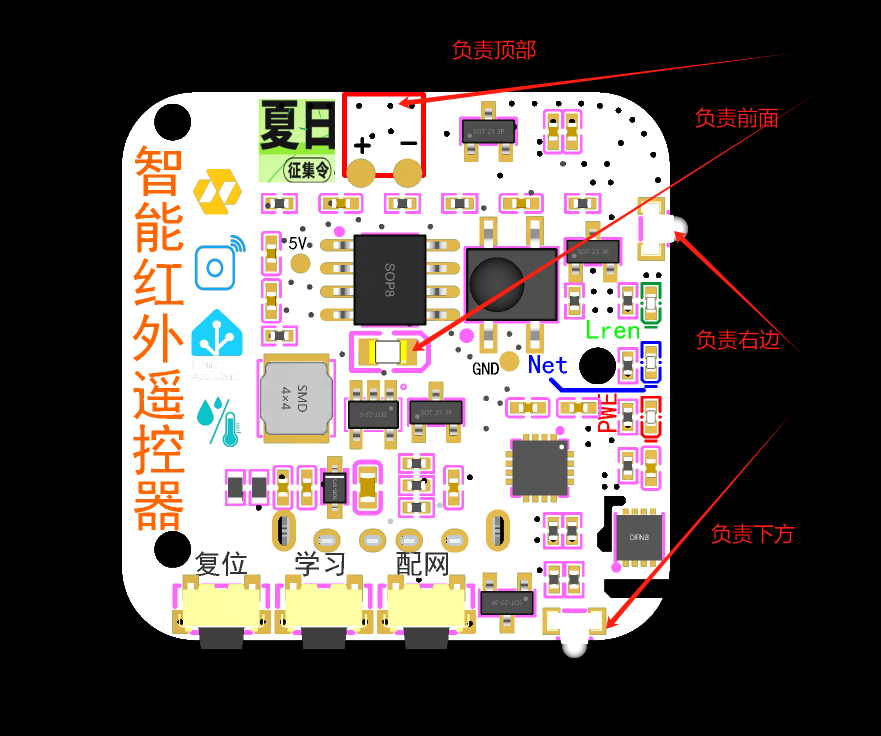
I bought was pre-programmed by the seller; I just needed to follow the provided module schematic to draw the infrared schematic. Considering the need to use components from LCSC (LCSC Electronics Mall), I selected components from the mall as much as possible. Because the remote control needs to control in all directions, I used four 940nm infrared LEDs to control each of the four directions.
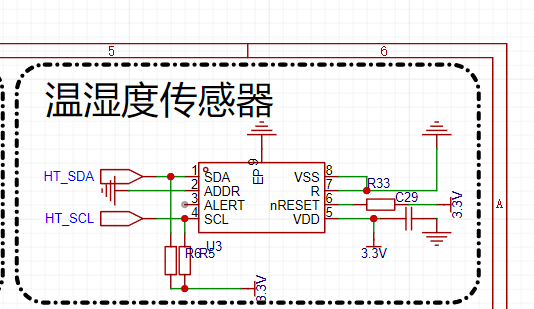
Temperature and humidity sensor (not soldered on the basic version):
I added an SHT30 temperature and humidity sensor because I planned to implement automatic control scenarios later (but the module heats up, affecting the temperature and humidity data, so I didn't include it). PCB structure:
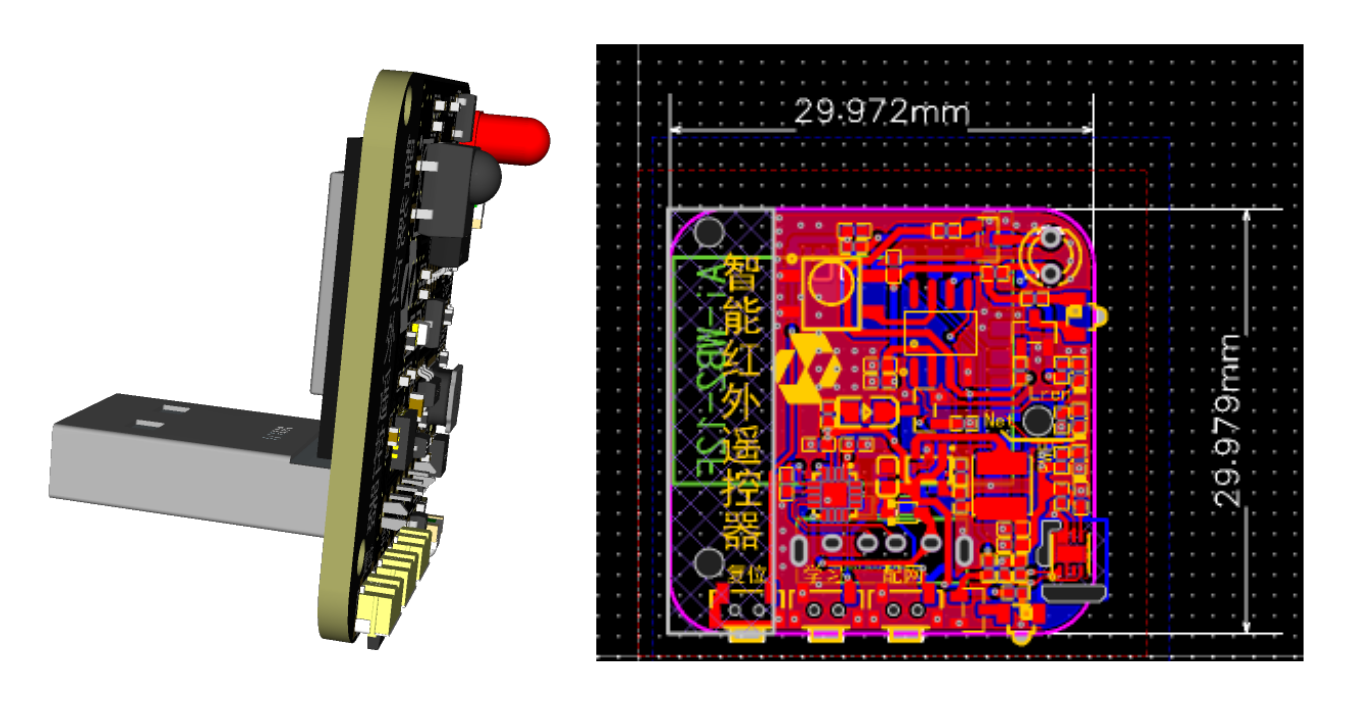
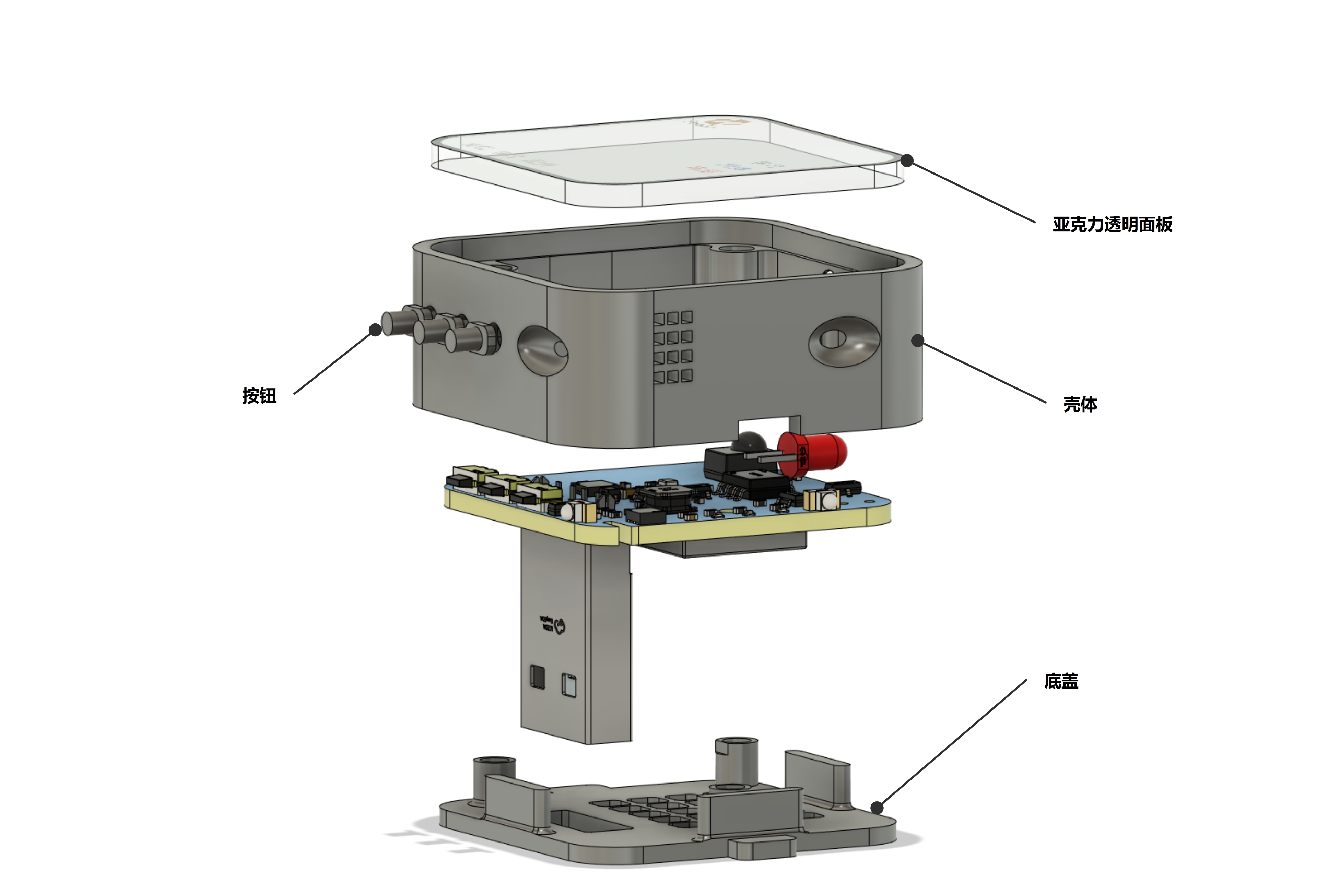
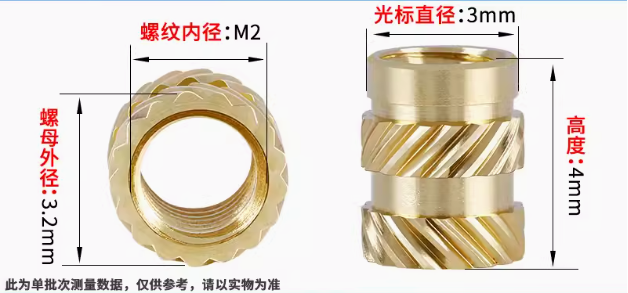
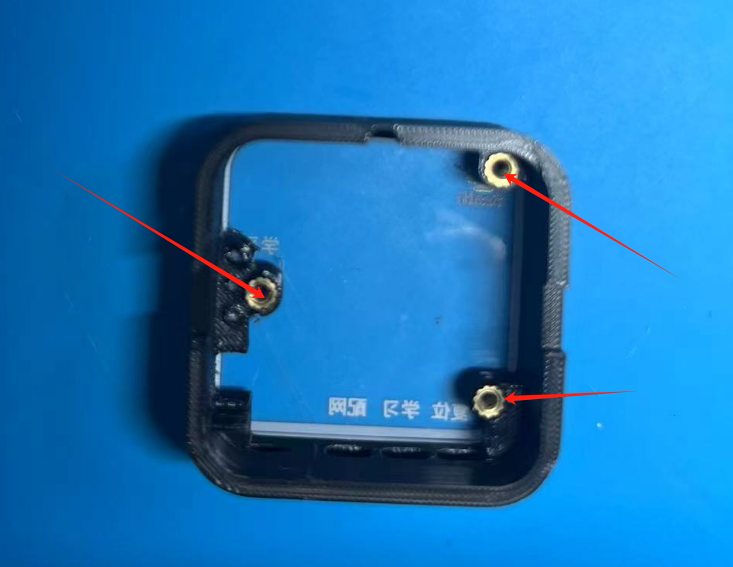
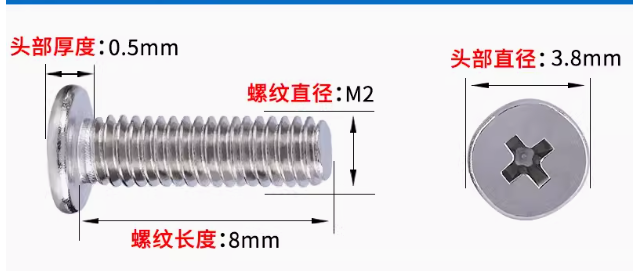
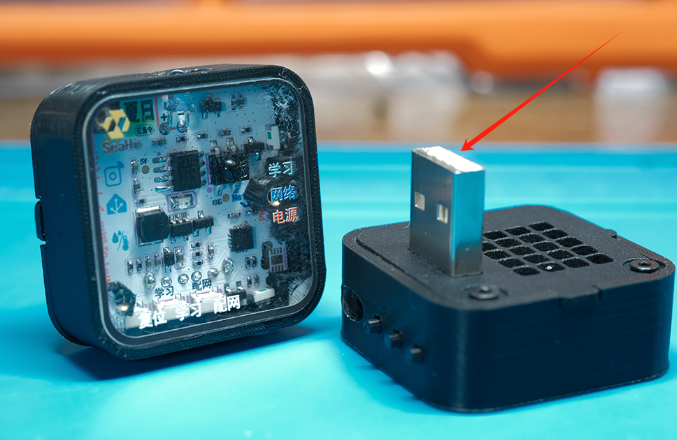
Since I planned to use a USB power adapter for power, I used a USB-A male connector. This reminds me of the charger Apple designed earlier, small and round, so I directly designed the PCBA to be 30*30mm in size. The entire shell structure is mainly composed of three parts: shell + top panel + bottom + cover plate: the panel can be glued with 502 glue. For 3D printing , I recommend using 3Dmonkey, because some structures require high precision to print perfectly. If you really want to print it yourself, I recommend using a 0.2 print head, otherwise the printing will fail. Mine is a Tuozhu Mini 0.2 print head. The bottom shell and shell are connected with M2 screws, and the shell is fitted with knurled nuts. Use these 8mm screws: Instructions for Use (Basic Version) 1. AT Command Instructions (Baud Rate: 115200) Connect the USB interface to the computer and it will be recognized. Configure WiFi connection: AT+WIFIJAP=,,[
,,] For example: AT+WIFIJAP=ssid123,12345678 Other notes: Parameters within square brackets are not required; configuration only once will allow automatic connection upon power-on. Configure MQTT server : AT+HAMQTTCFG=host,port,[clientID],[username],[password] For example: AT+HAMQTTCFG=192.168.2.1,1883 Other notes: Parameters within square brackets are not required; configuration only once will allow automatic connection upon power-on. After configuration, please restart Home Assistant. Device name and manufacturer name: AT+HADEVICEMSGCFG=name,manufacturer For example: AT+HADEVICEMSGCFG=IRAirHAIntegrate,Seahi. Seahi configuration allows for automatic connection upon power-on. Please restart after configuration. Currently, this is the basic version (so the learning function and button network configuration function are not yet implemented). Only these configurations are required; subsequent functions will be configured through the Home Assistant platform. Other usage instructions: Smart Infrared Remote Control Bilibili video introduction. Source code and files: All source code and 3D files are available in the remote repository. You can download them if needed: Github: https://github.com/SeaHi-Mo/IRAirHAIntegrate Gitee: https://gitee.com/seahi007/IRAirHAIntegrate








 京公网安备 11010802033920号


 T700233.504DH



