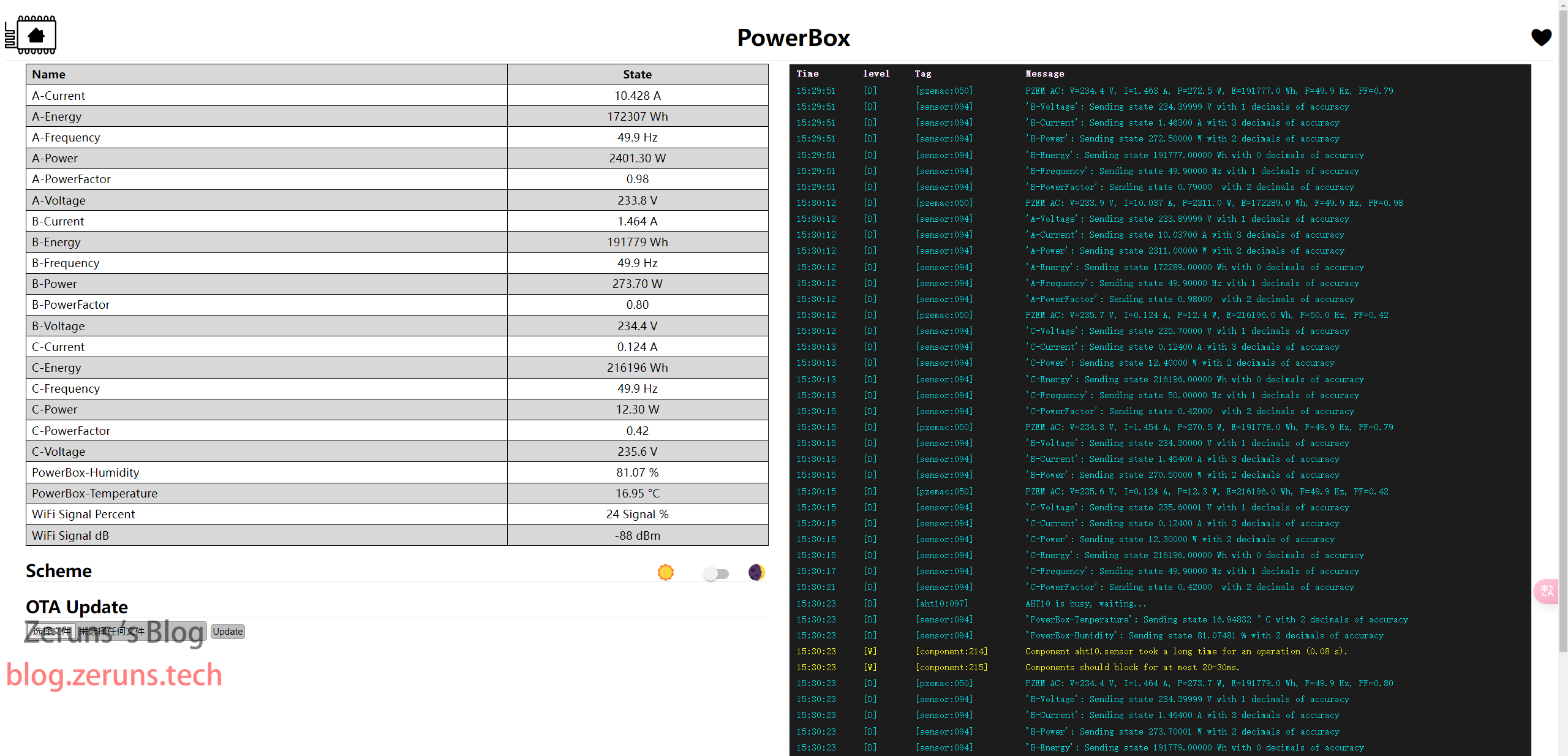
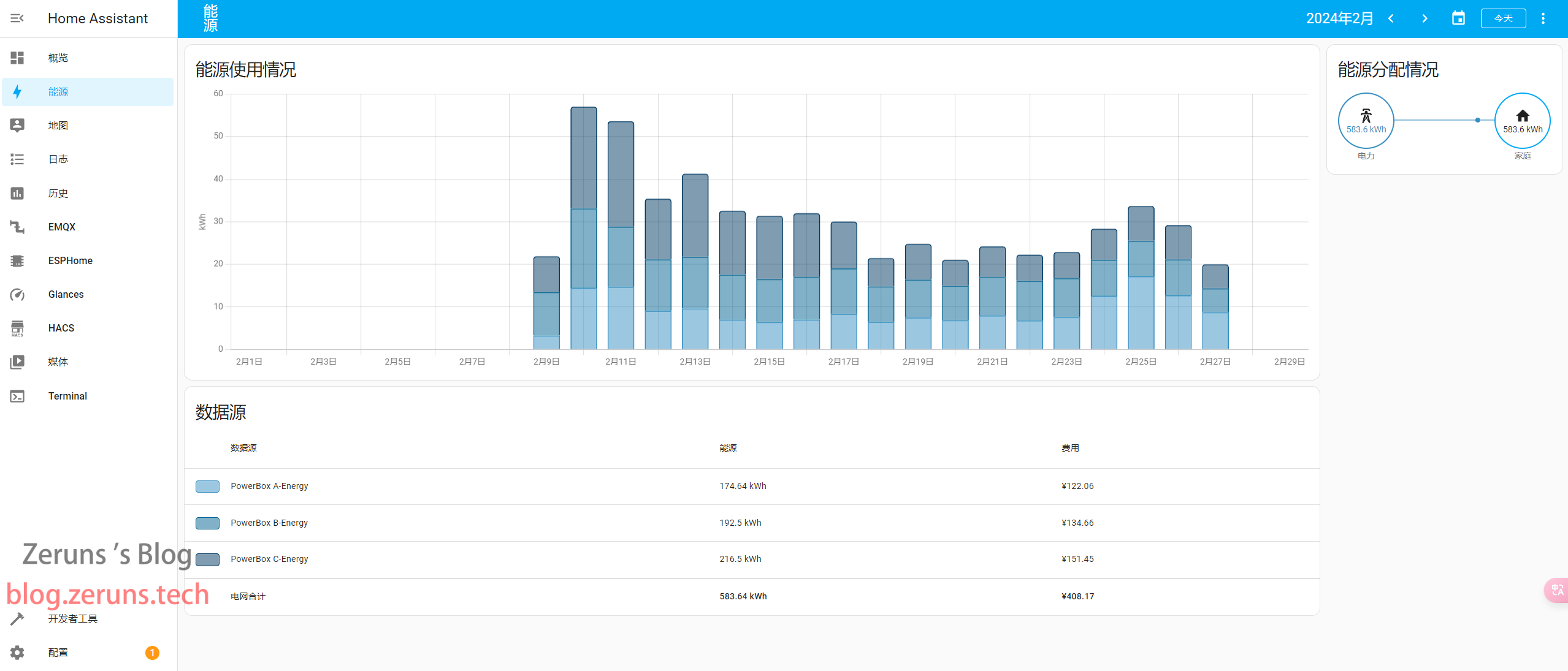
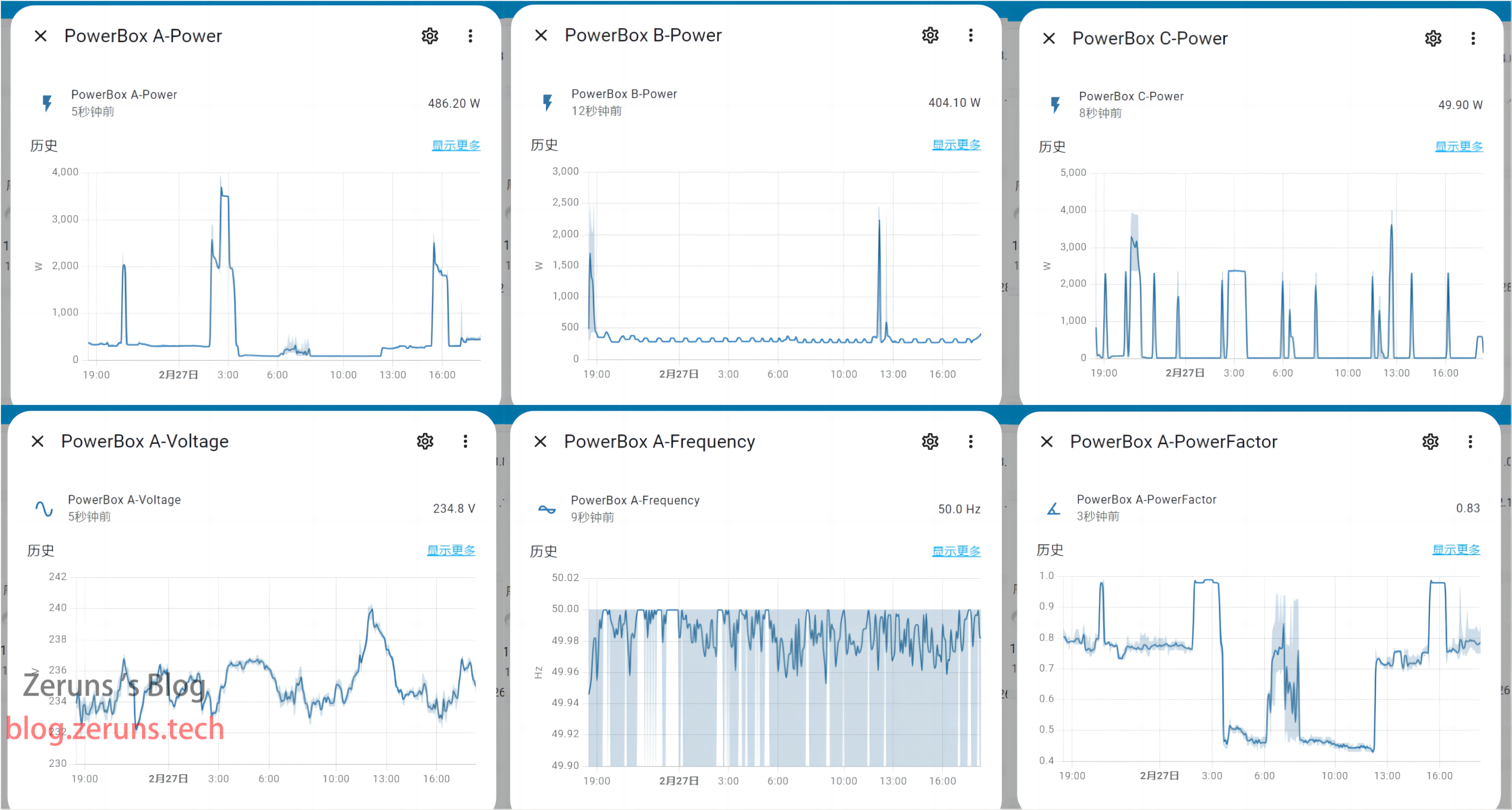
I built a three-phase power data acquisition unit that can measure the current, voltage, power, power factor, and power consumption of all three phases. The data is uploaded to HomeAssistant for easy monitoring of household power consumption and real-time power usage.
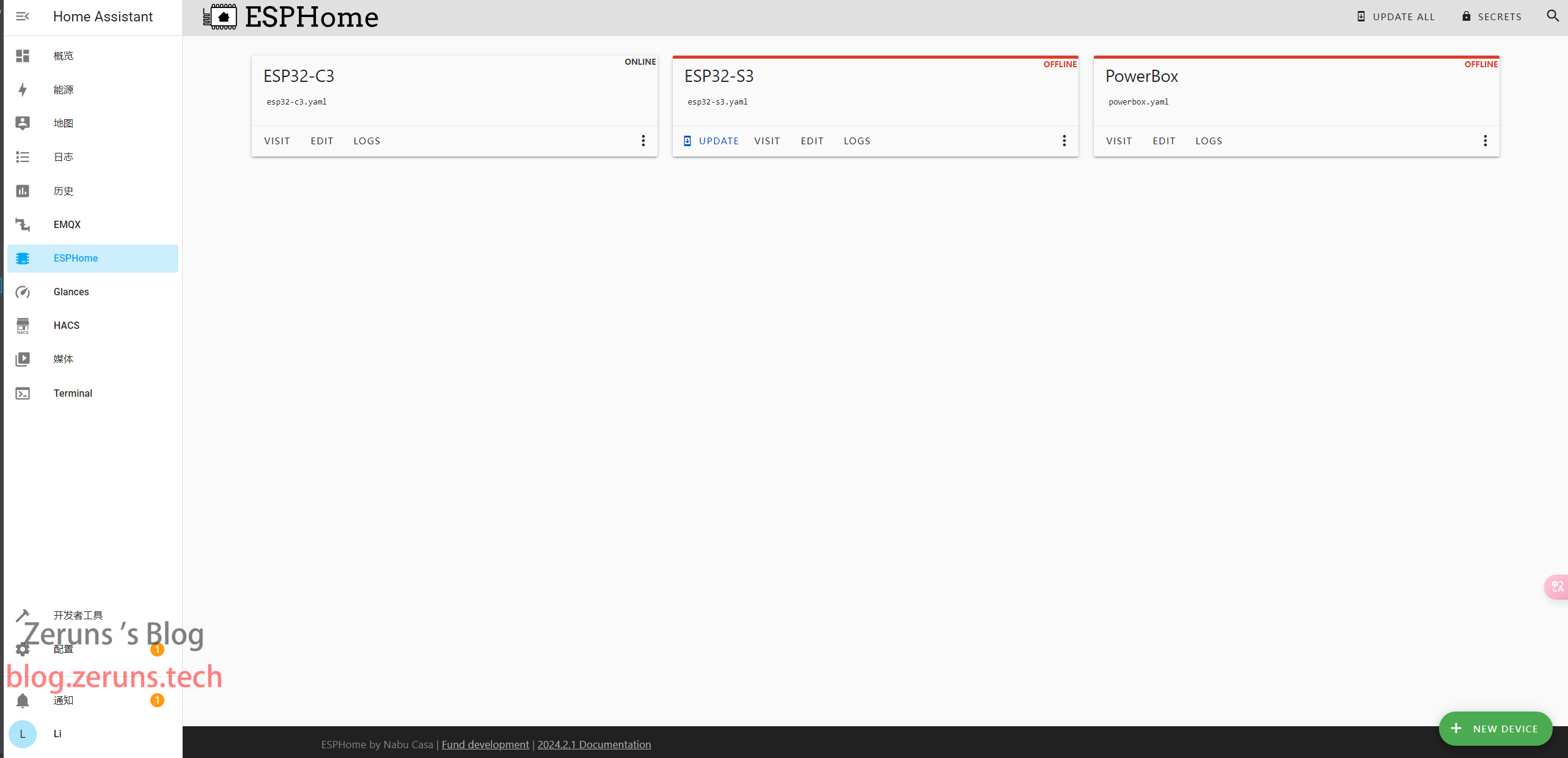
It uses three Pzem004T electrical parameter sensors, communicates with an ESP32-C3 microcontroller via serial port, and then uploads the data to HomeAssistant via WiFi (this requires custom setup; I used a Raspberry Pi 4). The ESP32-C3 uses firmware developed with ESPHome.
This module can only measure the voltage between each phase and the neutral wire, not the line voltage (voltage between phases).
The voltage measurement range is 80-260V, the current range is 100A, and the measurement accuracy is 0.5%.
You need to manually set the addresses of the three Pzem004T sensors to 0x01, 0x02, and 0x03 respectively using the host computer software.
This involves high-voltage electricity; installation requires caution and must be performed with the power off!
For tutorials on setting up and using HomeAssistant + ESPHome, please search online.
Electronics/Microcontroller Technology Exchange Group: 820537762.
Hardware images,
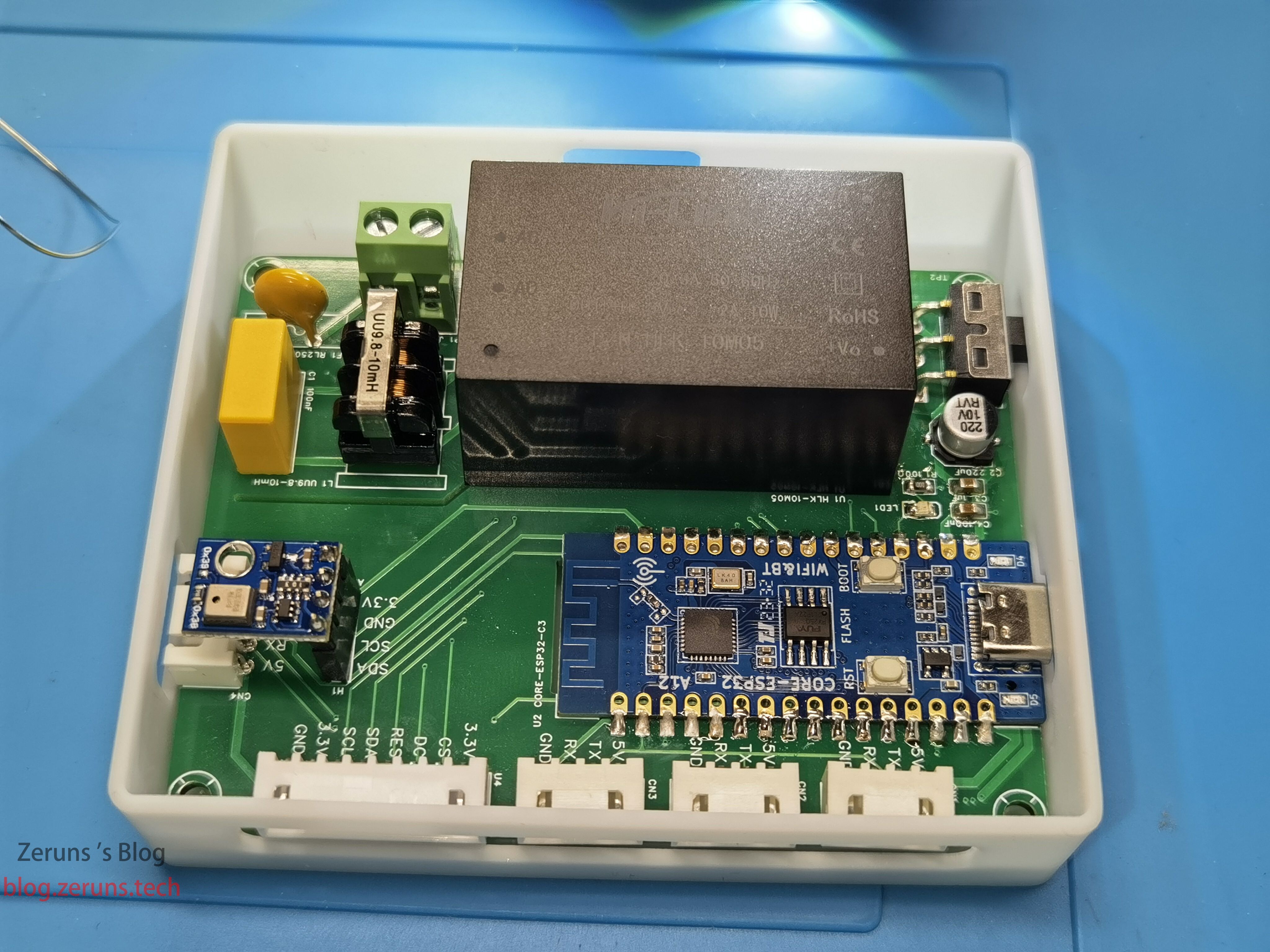
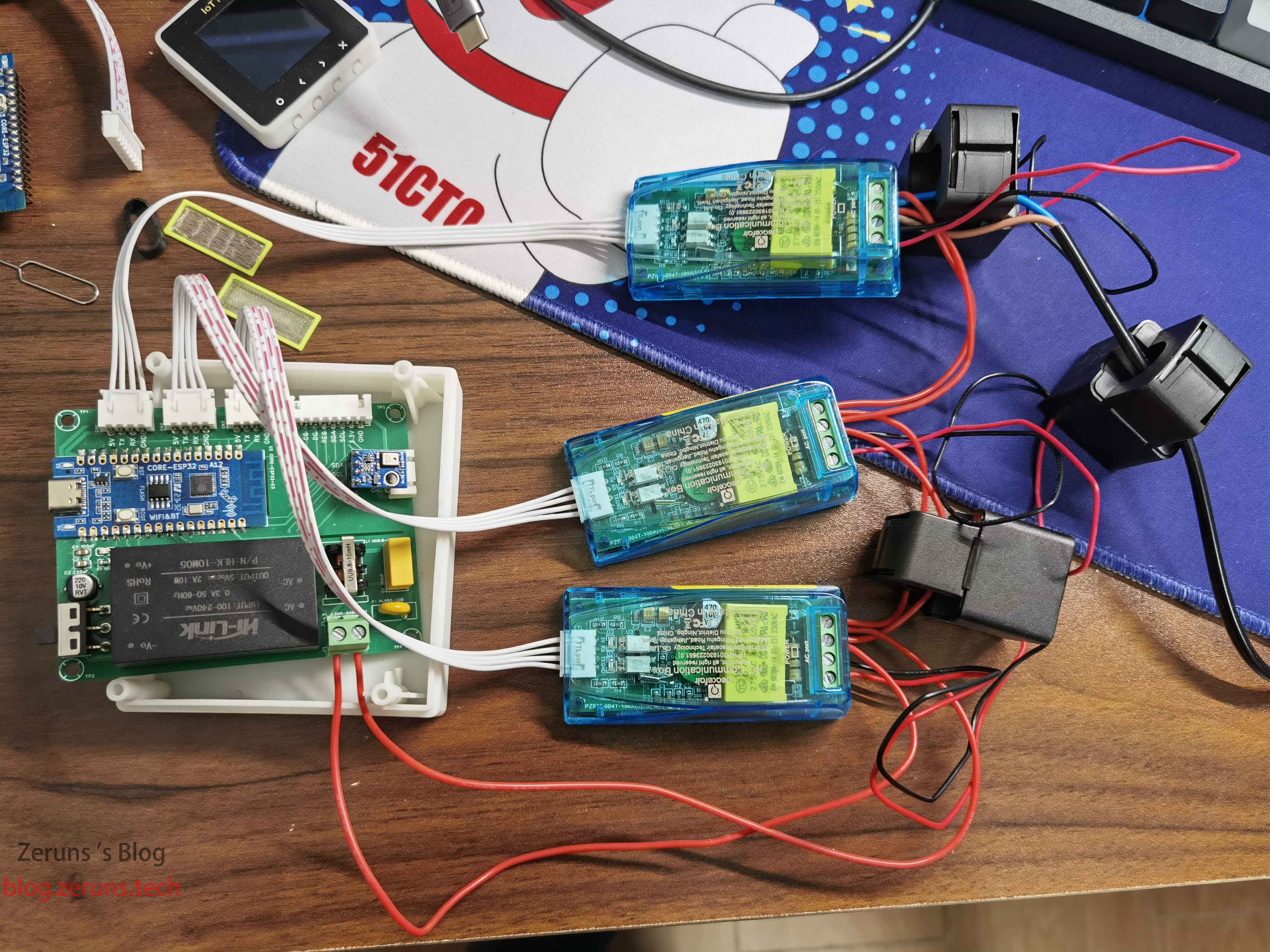
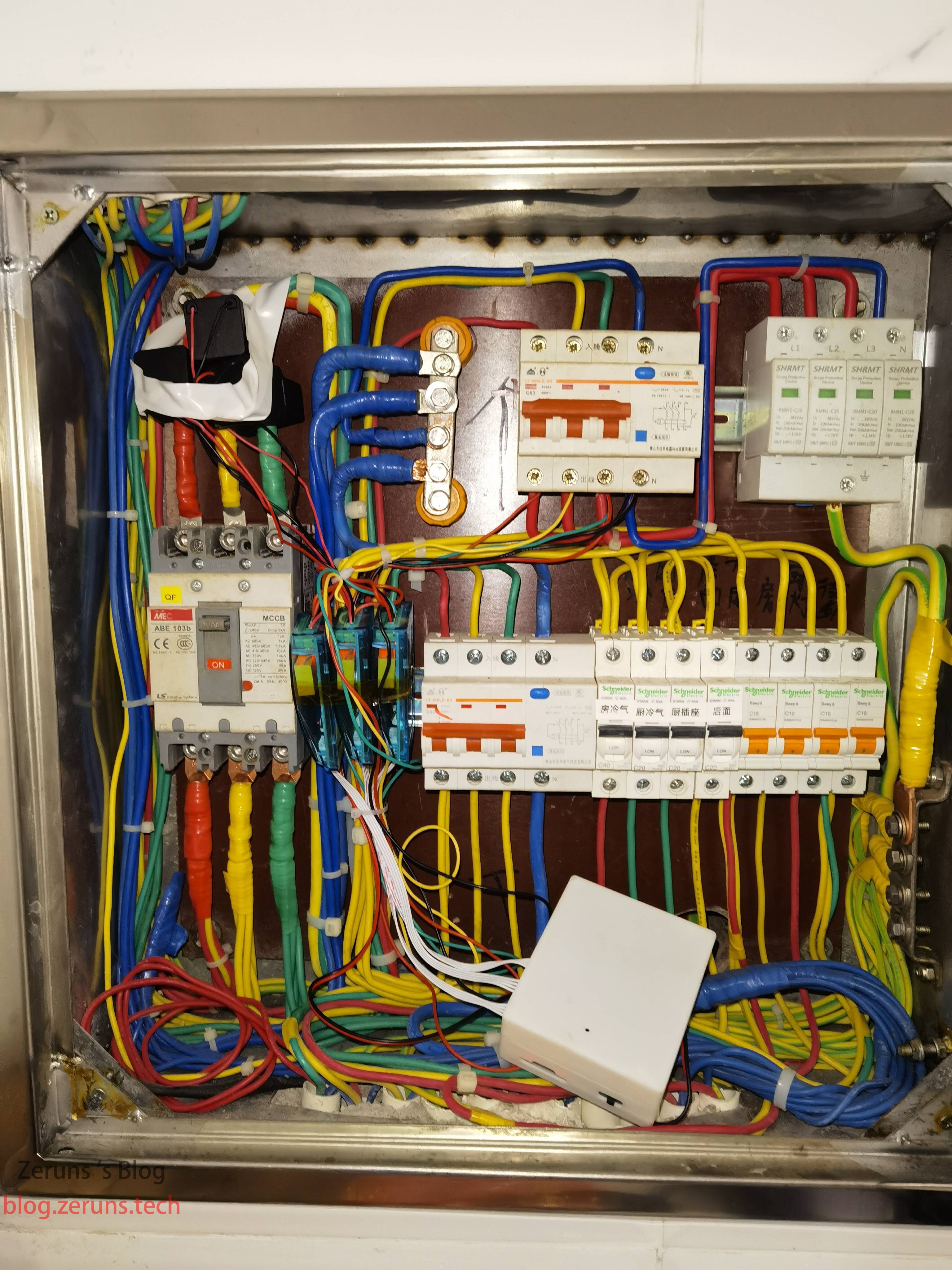
renderings,
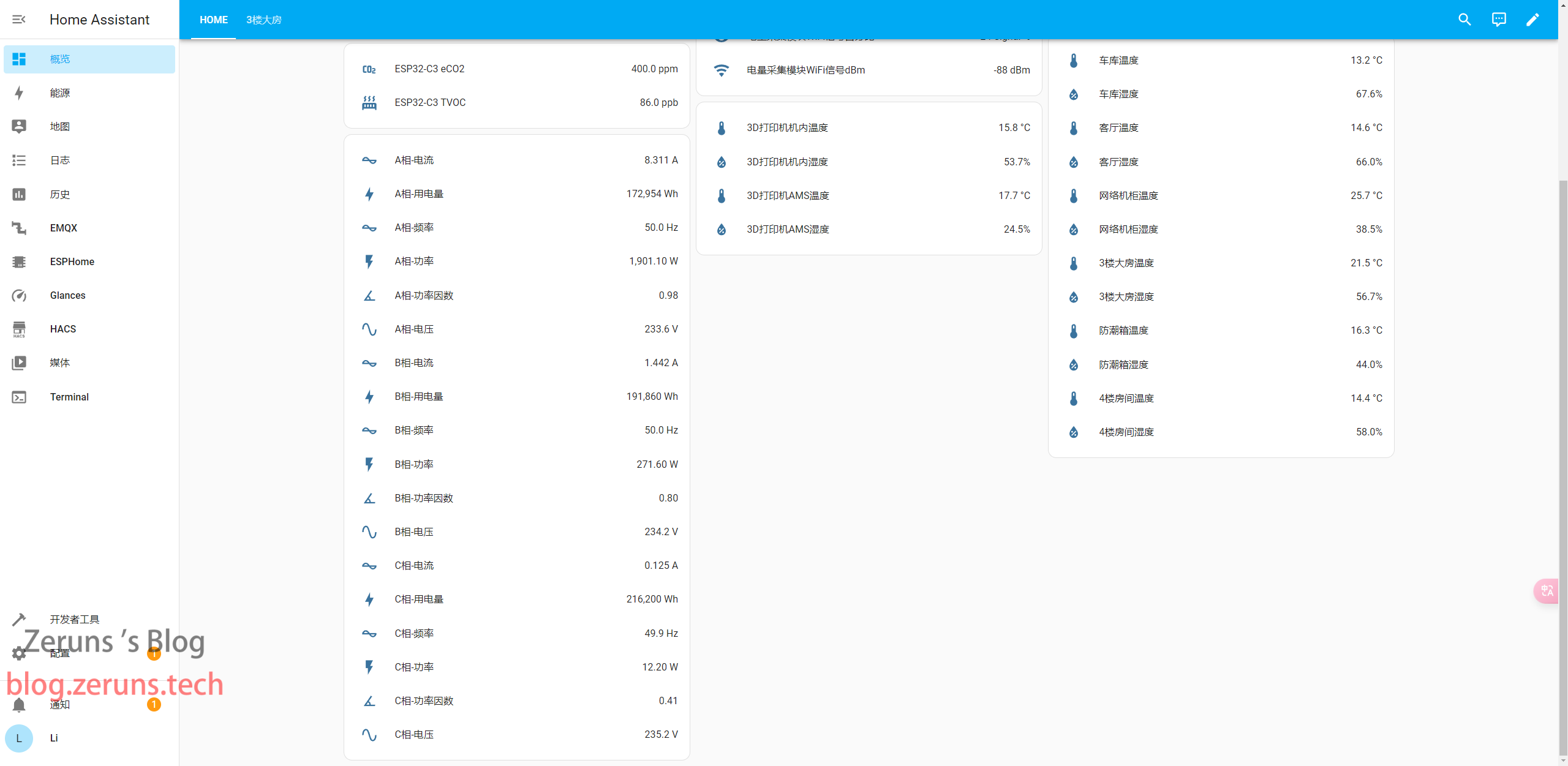
schematics,
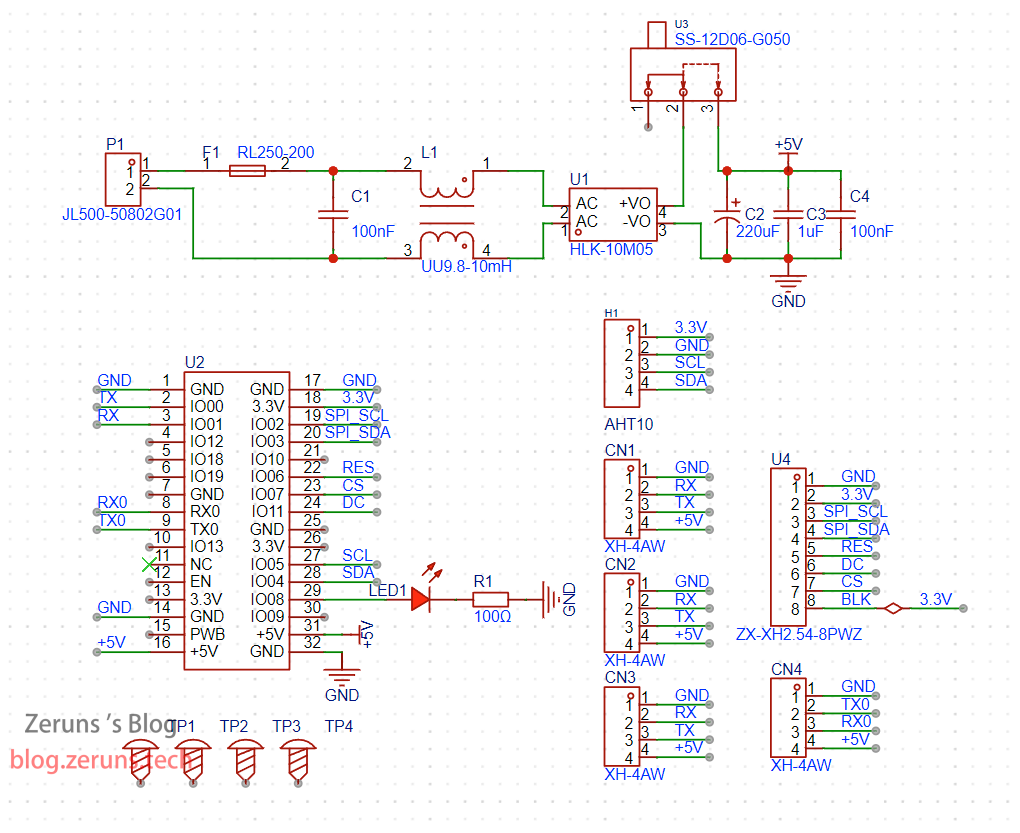
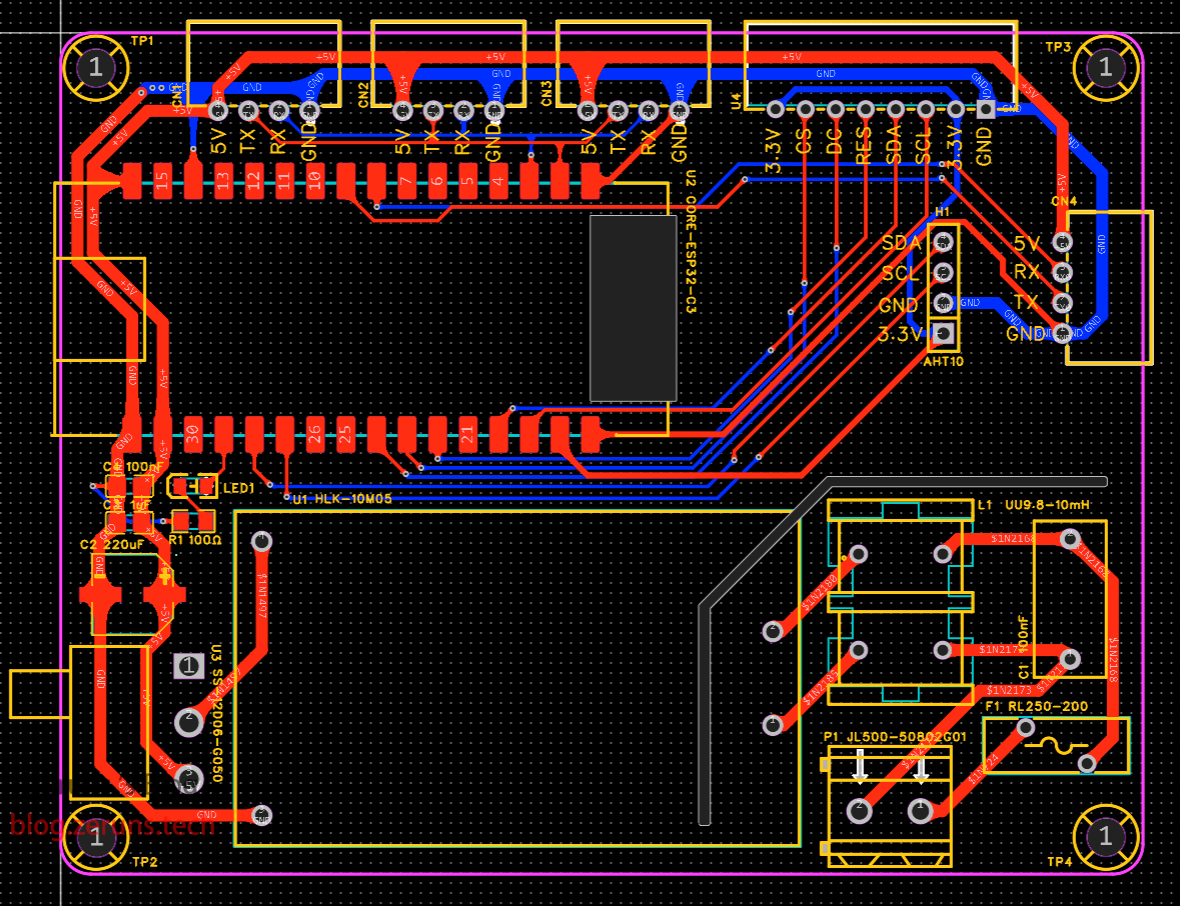
PCB layouts,
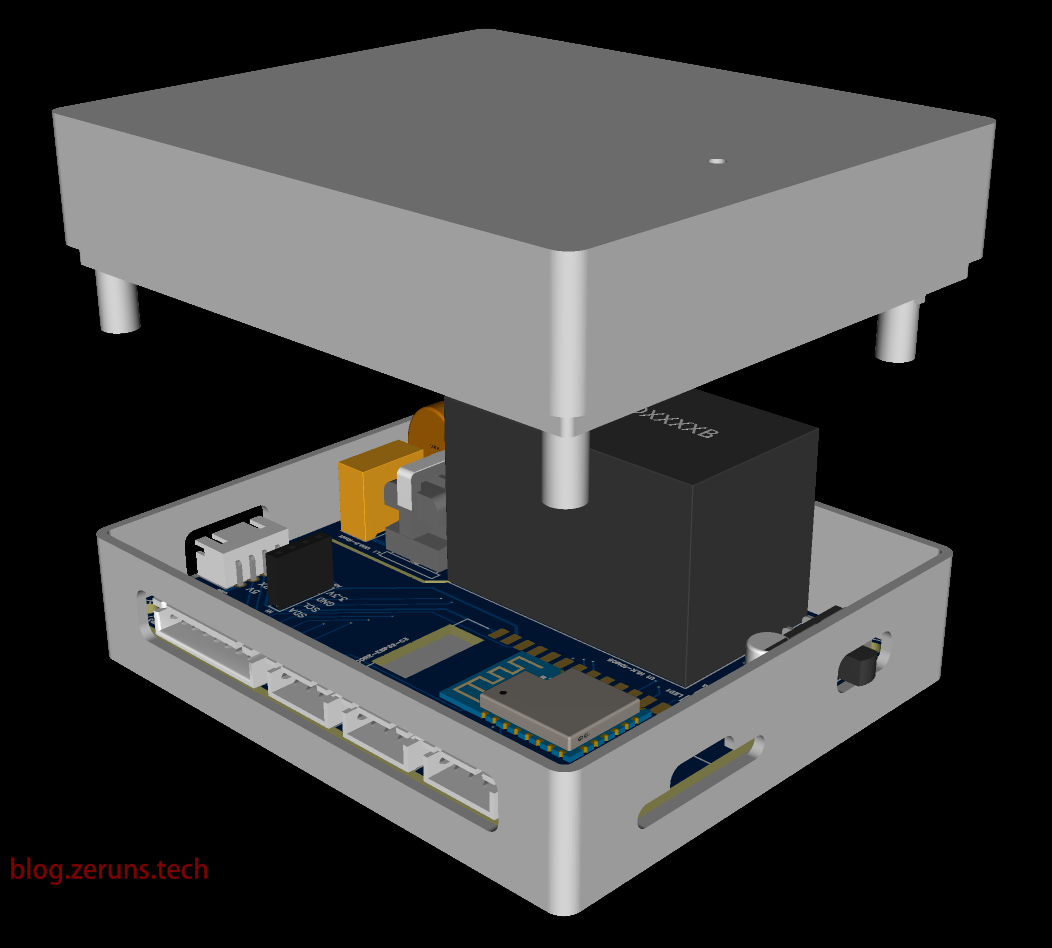
3D enclosure
data downloads
: 123 Cloud Drive (unlimited speed): https://www.123pan.com/s/2Y9Djv-tGcvH.html Extraction code: jjRr
Baidu Cloud Drive: https://pan.baidu.com/s/1XCi1AY6M1G0weNuuVJu01w?pwd=qhrc Extraction code: qhrc
Includes: 3D enclosure model, Gerber PCB layout file for three-phase power acquisition unit, LCSC EDA project file, PZEM-004T module manual, PZEM-004T module host computer software, and ESPHome configuration file.
Purchase links for the components used
: CORE-ESP32C3 development board: https://s.click.taobao.com/GsKSHxt
PZEM-004T module: https://s.click.taobao.com/cnHOHxt
HLK-10M05 power module: https://s.click.taobao.com/quMNHxt
0805 resistor and capacitor module: https://u.jd.com/fqAElBD
AHT10: https://s.click.taobao.com/WuhMHxt
Recommended purchase from LCSC: https://activity.szlcsc.com/invite/D03E5B9CEAAE70A4.html
ESPHome configuration file
: #include "esphome.h"
#include "esphome/time/real_time_clock.h"
#include "esphome/sntp/sntp_component.h"
#include "esphome/core/time.h
" Define the project name and friendly name
esphome:
name: powerbox
friendly_name: PowerBox
# Specify the development board and framework to use
platformio_options:
board_build.flash_mode: dio
board_build.mcu: esp32c3
esp32:
board: esp32-c3-devkitm-1
framework:
#type: esp-idf
type: arduino
# Enable logging
logger:
#hardware_uart: USB_SERIAL_JTAG
#level: DEBUG # defaults to DEBUG, NONE ERROR WARN INFO DEBUG VERBOSE VERY_VERBOSE
# Enable Home Assistant API and set the encryption key
api:
encryption:
key: "wZG666DZ5zsg6666Po6204w666kA+8u666soeGlKtBU=" # Please replace with your key
# Enable OTA updates and set the password
ota:
password: "c368c9c66658f3433f6226667d4d2232" # Please replace with your key
network:
enable_ipv6: true
wifi:
ssid: "blog.zeruns.tech" # WiFi network name
password: "123456789" # WiFi password
reboot_timeout: 60s # Set the reboot timeout to 60 seconds if the connection fails
# Enable AP hotspot mode as a backup for WiFi connection
ap:
ssid: "Powerbox Fallback Hotspot"
password: "ZMpKTpHJ67EF"
# Manually set the IP address for use without a DHCP server
manual_ip: # Set a static IP
static_ip: 192.168.0.201
gateway: 192.168.0.1
subnet: 255.255.255.0
dns1: 192.168.0.1
captive_portal:
# Enable the web server to allow device control via HTTP.
web_server:
port: 80
# Enable I2C communication interface
i2c:
- id: bus_a
sda: 4
scl: 5
scan: true
# Enable UART communication interface
uart:
rx_pin: 1
tx_pin: 0
baud_rate: 9600
# Enable Modbus protocol support
modbus:
# Configure sensors, including temperature, humidity, current sensors, etc.
sensor:
# AHT10 sensor configuration
- platform: aht10
variant: AHT20
i2c_id: bus_a
temperature:
name: "PowerBox-Temperature" # Temperature sensor name
id: AHT20_T
humidity:
name: "PowerBox-Humidity" # Humidity sensor name
id: AHT20_H
update_interval: 30s # Update interval is 30 seconds
- platform: pzemac
id: pzemac_A
address: 0x01
current:
name: "A-Current" # Current sensor name
voltage:
name: "A-Voltage" # Voltage sensor name
energy:
name: "A-Energy" # Energy sensor name
power:
name: "A-Power" # Power sensor name
id: A_POWER
frequency:
name: "A-Frequency" # Frequency sensor name
power_factor:
name: "A-PowerFactor" # Power factor sensor name
update_interval: 9s # Update interval is 9 seconds
- platform: pzemac
id: pzemac_B
address: 0x02
current:
name: "B-Current" # Current sensor name
voltage:
name: "B-Voltage" # Voltage sensor name
energy:
name: "B-Energy" # Energy sensor name
power:
name: "B-Power" # Power sensor name
id: B_POWER
frequency:
name: "B-Frequency" # Frequency sensor name
power_factor:
name: "B-PowerFactor" # Power factor sensor name
update_interval: 10s # Update interval is 10 seconds
- platform: pzemac
id: pzemac_C
address: 0x03
current:
name: "C-Current" # Current sensor name
voltage:
name: "C-Voltage" # Voltage sensor name
energy:
name: "C-Energy" # Energy sensor name
power:
name: "C-Power" # Power sensor name
id: C_POWER
frequency:
name: "C-Frequency" # Frequency sensor name
power_factor:
name: "C-PowerFactor" # Power factor sensor name
update_interval: 11s # Update interval is 11 seconds
- platform: wifi_signal # Reports the WiFi signal strength/RSSI in dB
name: "WiFi Signal dB"
id: wifi_signal_db
update_interval: 60s
entity_category:"diagnostic"
- platform: copy # Reports the WiFi signal strength in %
source_id: wifi_signal_db
name: "WiFi Signal Percent"
filters:
- lambda: return min(max(2 * (x + 100.0), 0.0), 100.0);
unit_of_measurement: "Signal %"
entity_category: "diagnostic"
device_class: ""
status_led:
pin: GPIO8
time:
- platform: sntp
id: current_time
timezone: Asia/Shanghai
servers:
- ntp.aliyun.com
- ntp.tencent.com
- stdtime.gov.hk
on_time:
- seconds: 0
minutes
: 0 hours: 0 days_of_month
: 1
then:
- pzemac.reset_energy: pzemac_A # Reset the energy count of sensor A at 00:00:00
on the first day of each month - pzemac.reset_energy: pzemac_B # Reset the energy count of sensor B at 00:00:00 on the first day of each month
- pzemac.reset_energy: pzemac_C # Reset the energy count of sensor C at 00:00:00 on the first day of each month
on_time_sync:
then:
- logger.log: "Synchronized system clock"
Other open source projects recommended:
STM32F030C8T6 minimum system board and LED display (schematics and PCB): https://blog.zeruns.tech/archives/715.html
A minimum system board for MSP430F149 has been drawn and open-sourced: https://blog.zeruns.tech/archives/713.html
2007 Electronics Design Contest Power Supply Problem: 30 to 36V Adjustable Boost DC-DC Module (UC3843): https://oshwhub.com/zeruns/36v-sheng-ya-dcdc-mo-kuai-uc3842
STC12C5A60S2 Minimum System Board / 51 Microcontroller Temperature Display and Temperature Control Fan: https://blog.zeruns.tech/archives/721.html
STM32F407 Standard Library Project Template with Ported U8g2 Graphics Library: https://blog.zeruns.tech/archives/722.html
Qinheng CH32V307VCT6 Minimum System Board Open Source: https://blog.zeruns.tech/archives/726.html
LM25118 Automatic Buck-Boost Adjustable DC-DC Power Supply Module: https://blog.zeruns.tech/archives/727.html
The EG1164 high-power synchronous rectification boost module is open source, with a maximum efficiency of 97%: https://blog.zeruns.tech/archives/730.html
A 4G environmental monitoring node based on the Zeruns Air700E (data on temperature, humidity, air pressure, etc.) uploads data to the Alibaba Cloud IoT platform via MQTT: https://blog.zeruns.tech/archives/747.html








 京公网安备 11010802033920号


 M38C32M1MXXXFP



