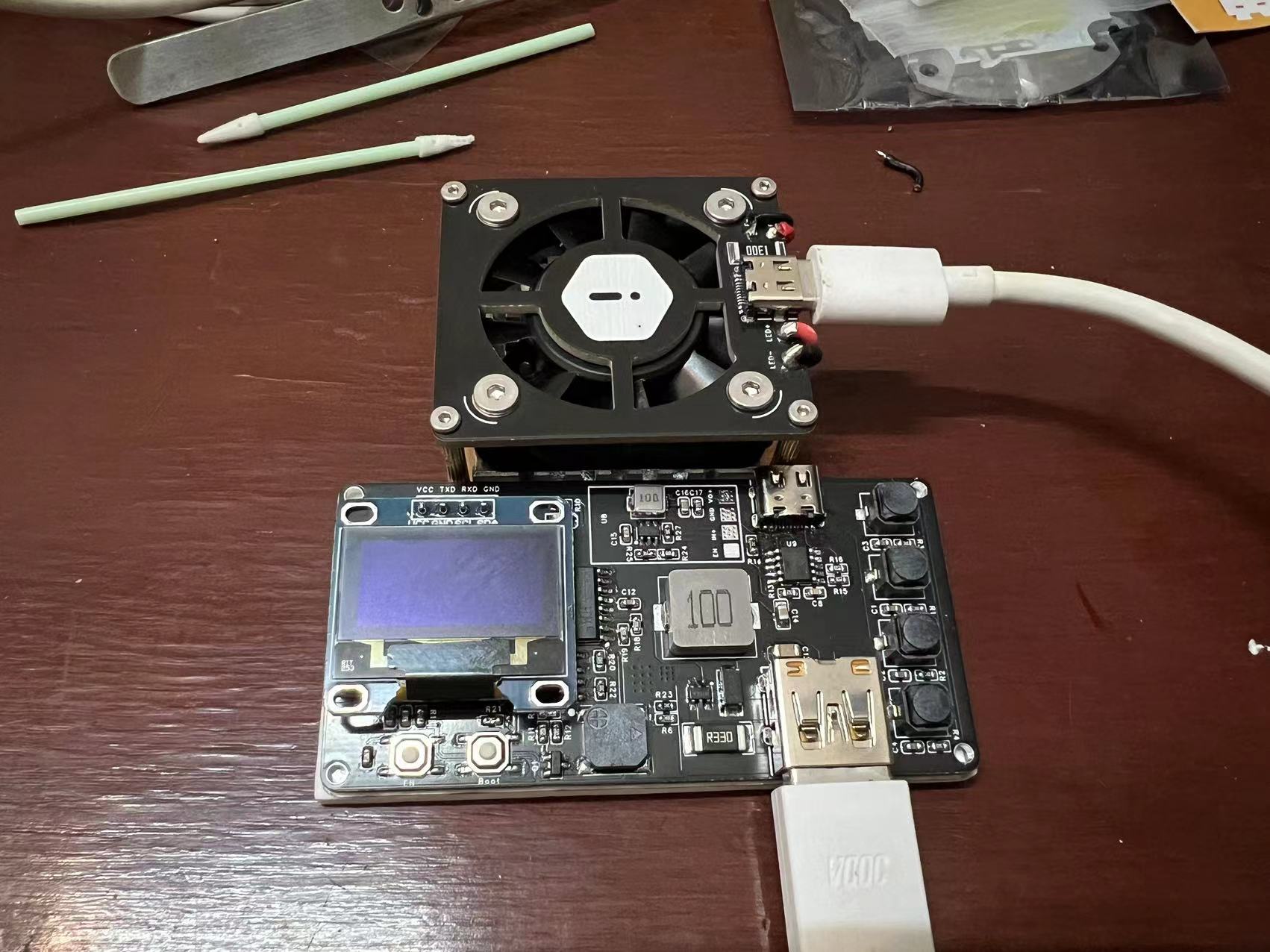
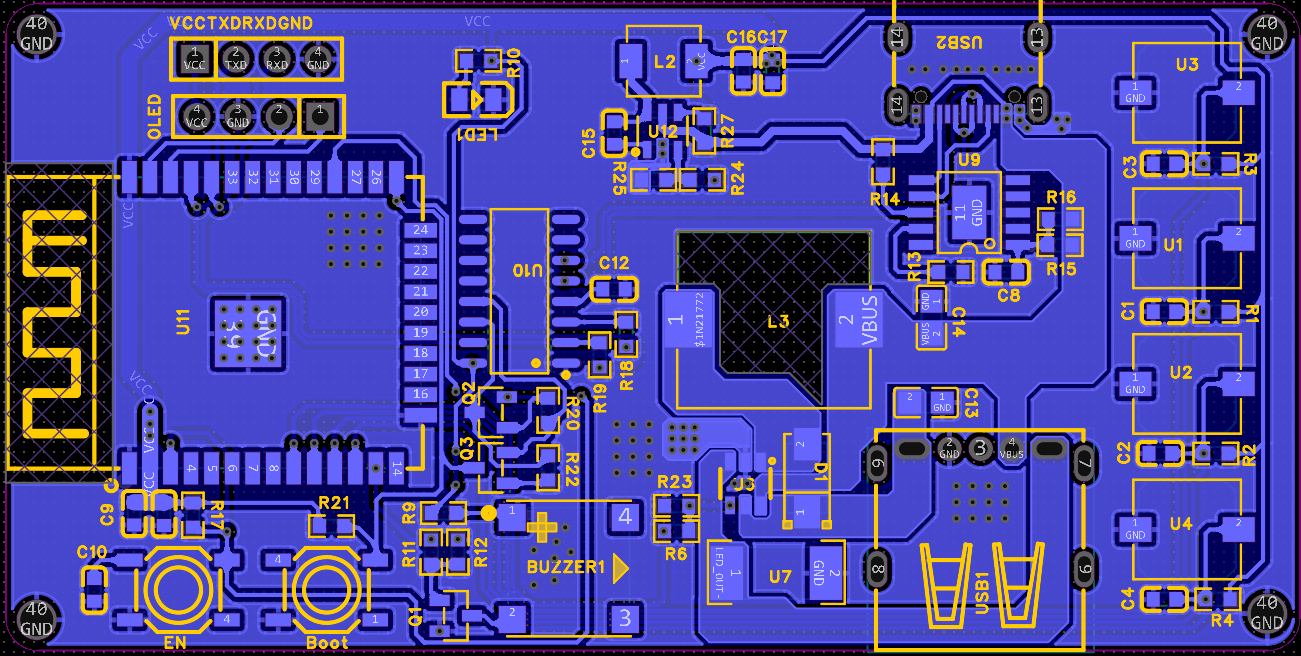
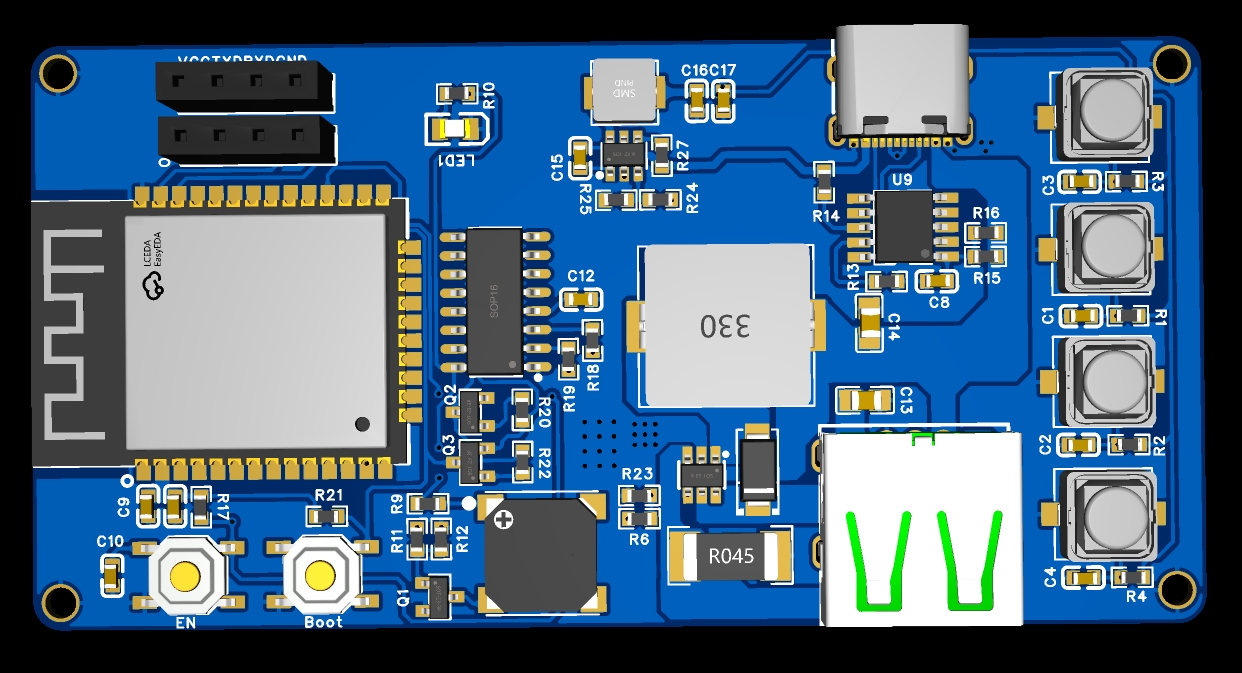
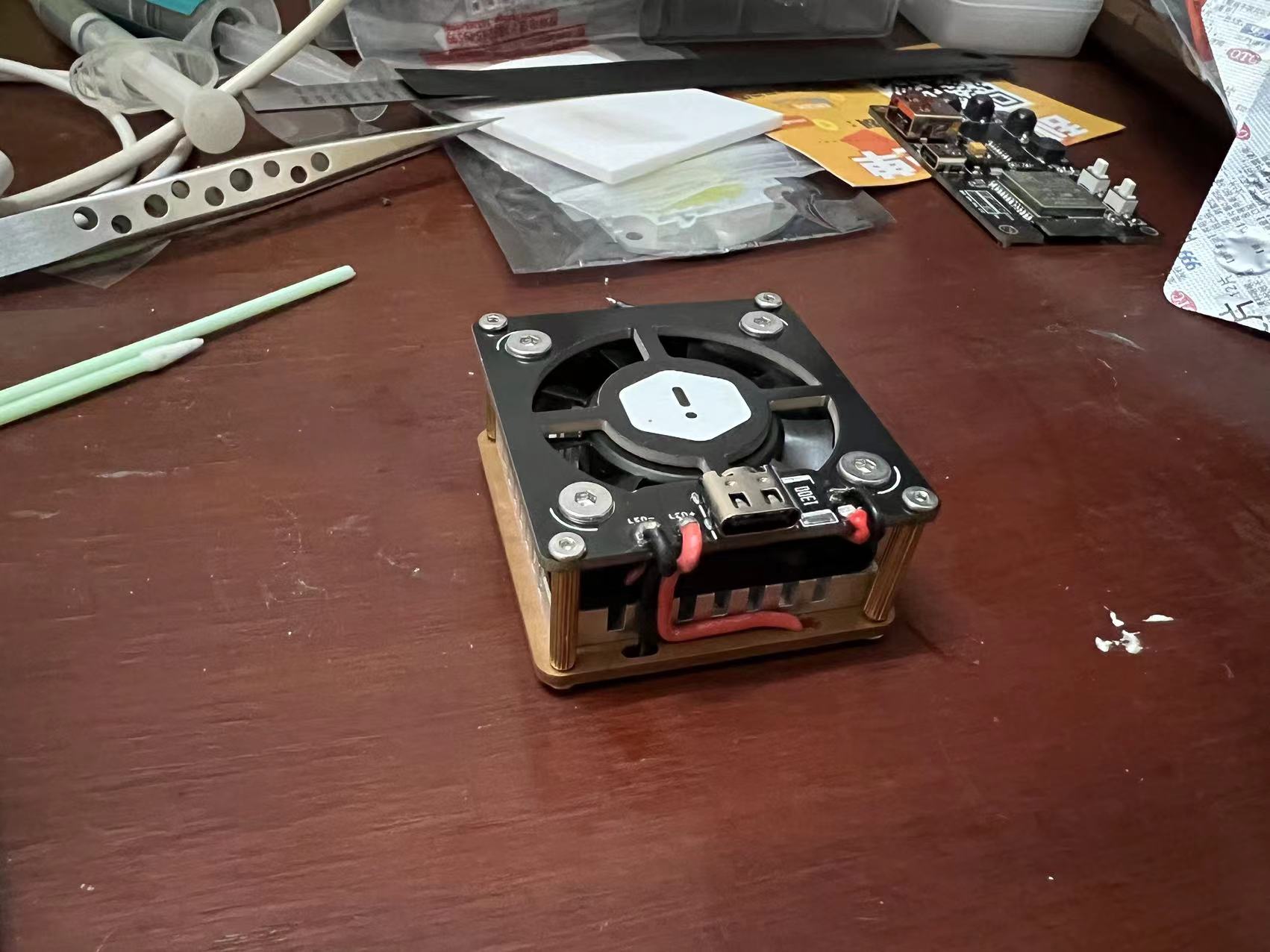
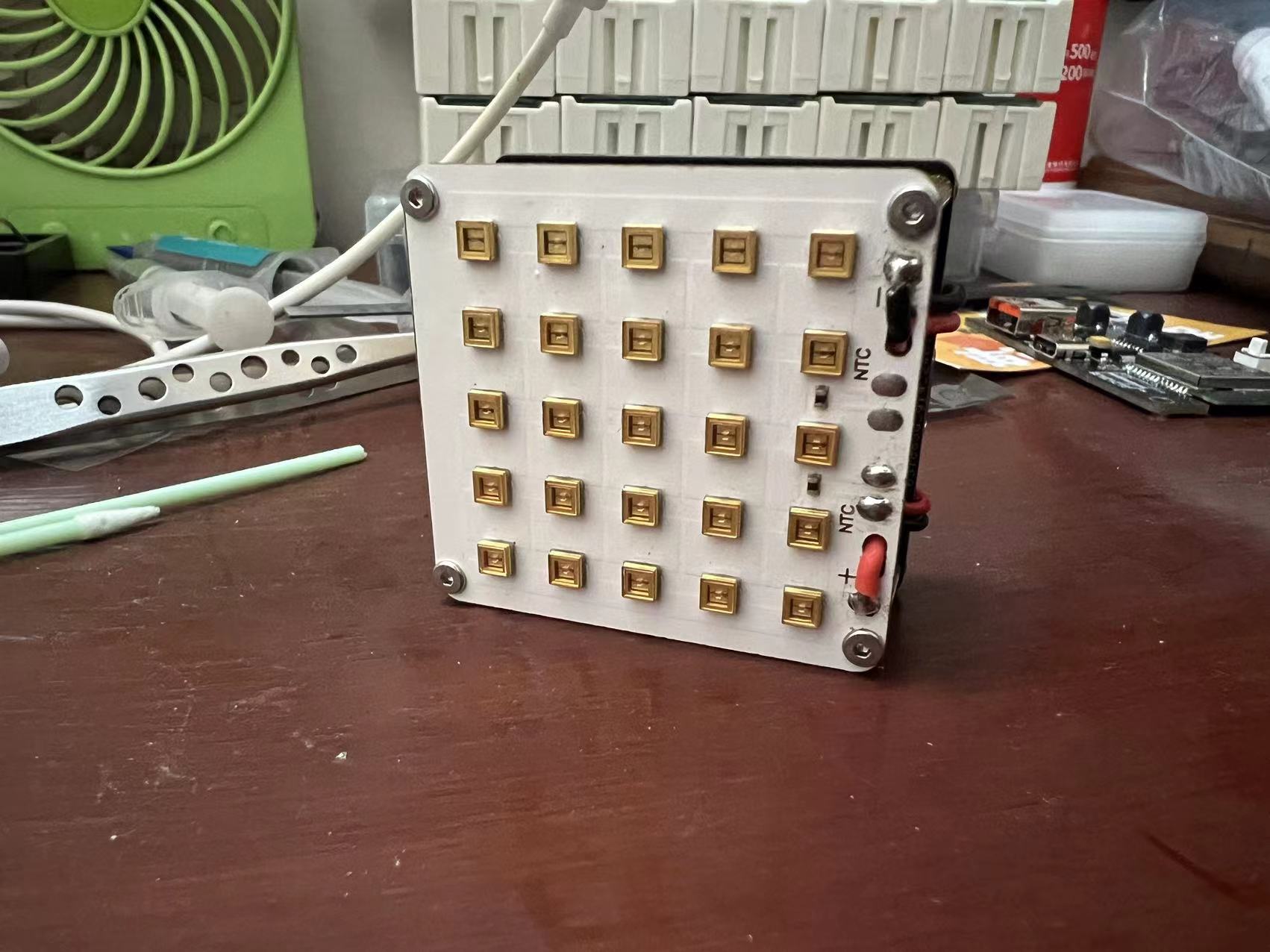
The system consists of a control board and a UV lamp module, including a heat dissipation module.
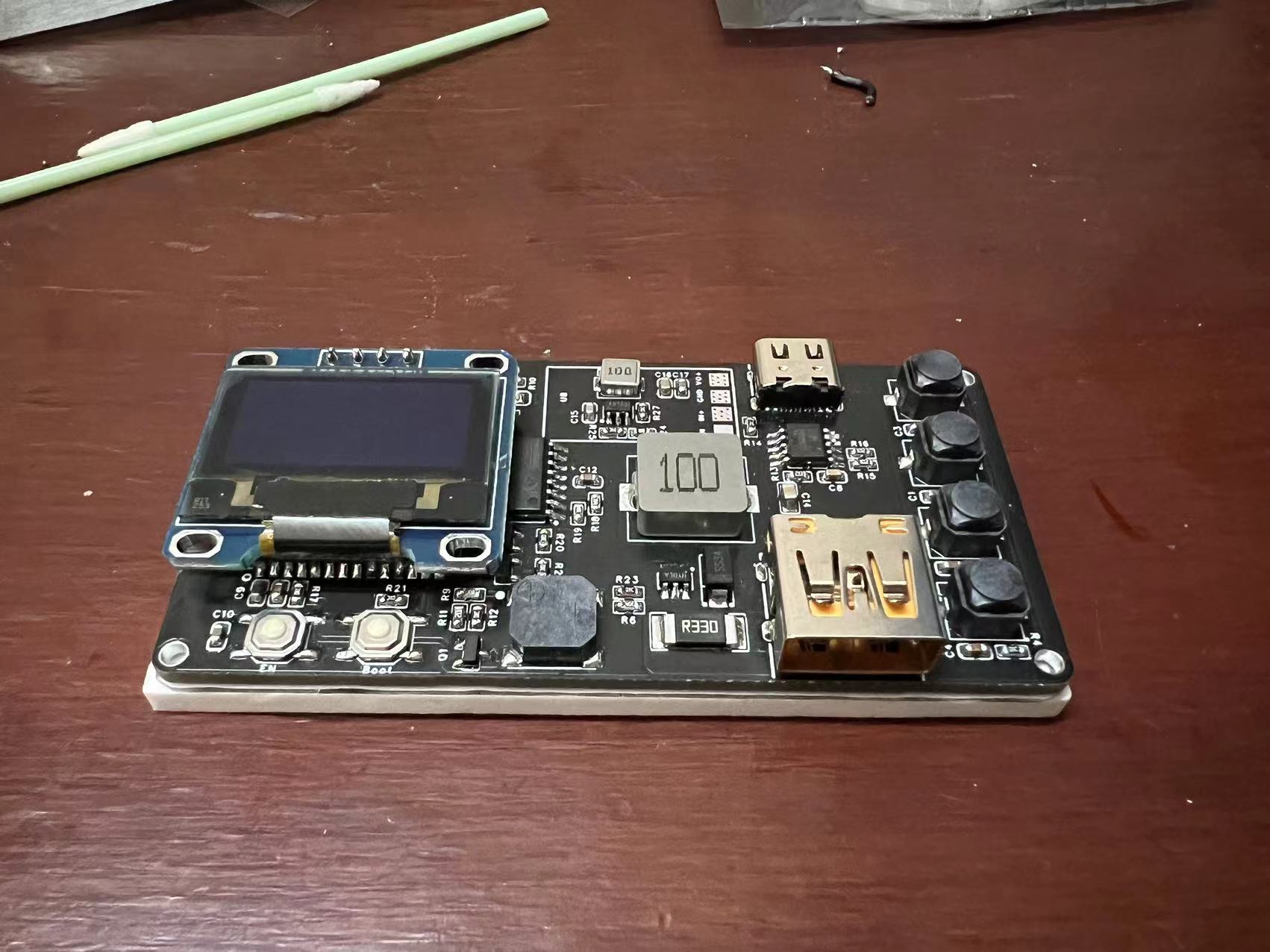
Power is supplied using a CH224K chip to trigger a 12V power supply. The control board includes four buttons (+, ---start, --reset) for time control.
The LED driver uses a constant current driver (SY7200A), paired with an ESP32 to control the on/off time, achieving a timed start-up effect.
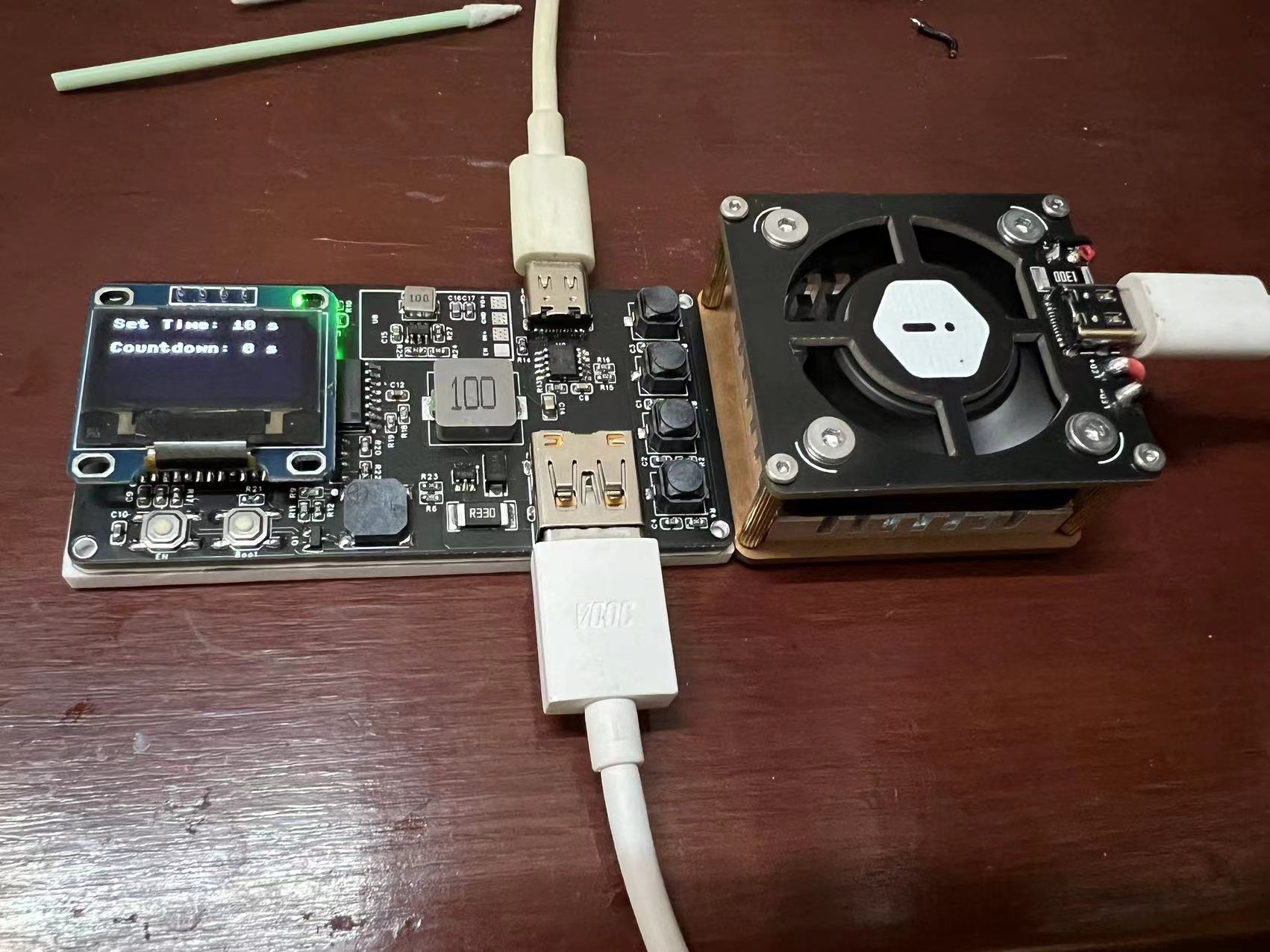
A buzzer on the control board provides a countdown timer.
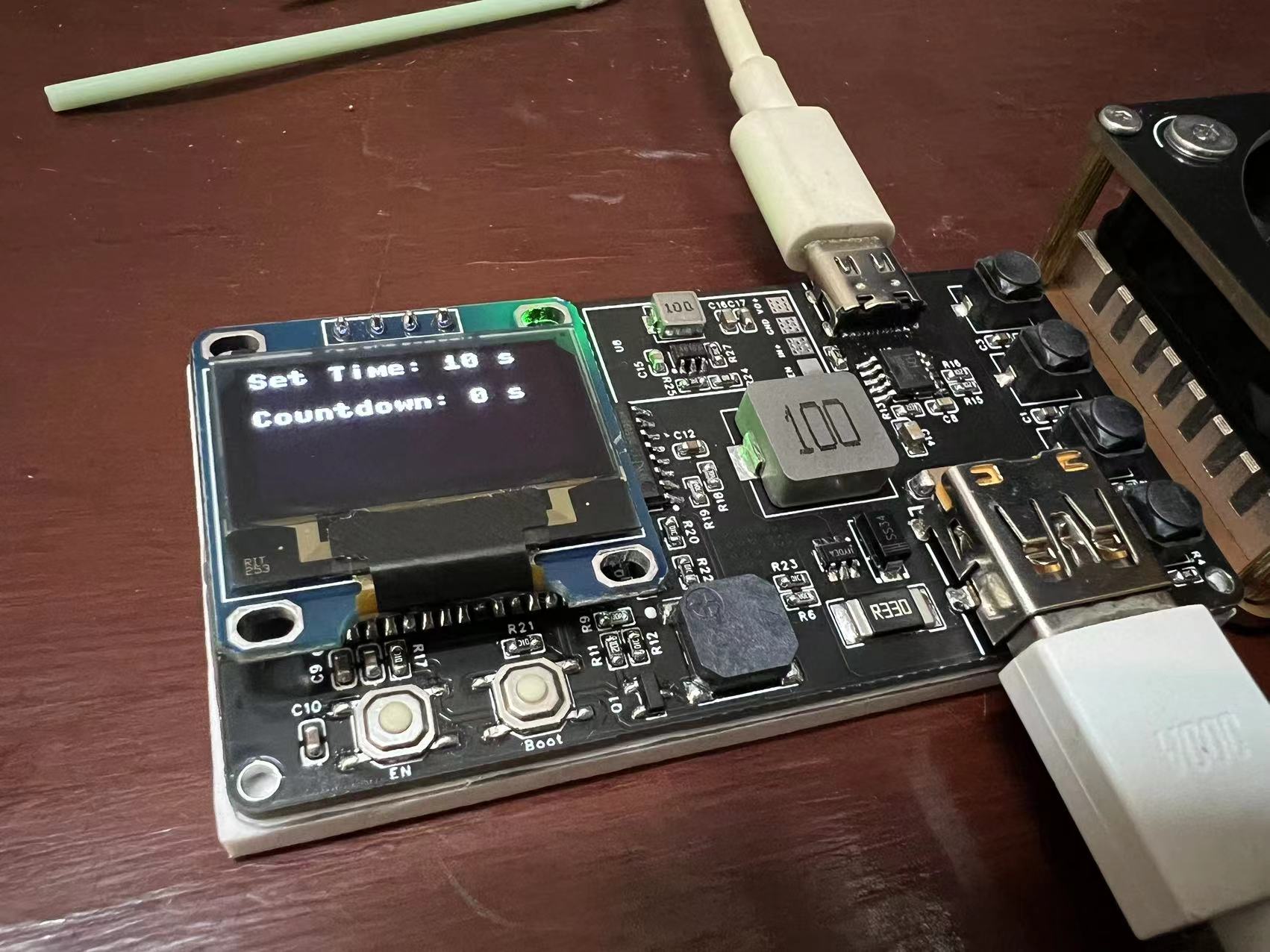
Being a beginner and still learning programming, I only created a simple system. After setting the countdown, pressing the button starts the countdown and illuminates the LEDs; the buzzer sounds when the countdown ends.
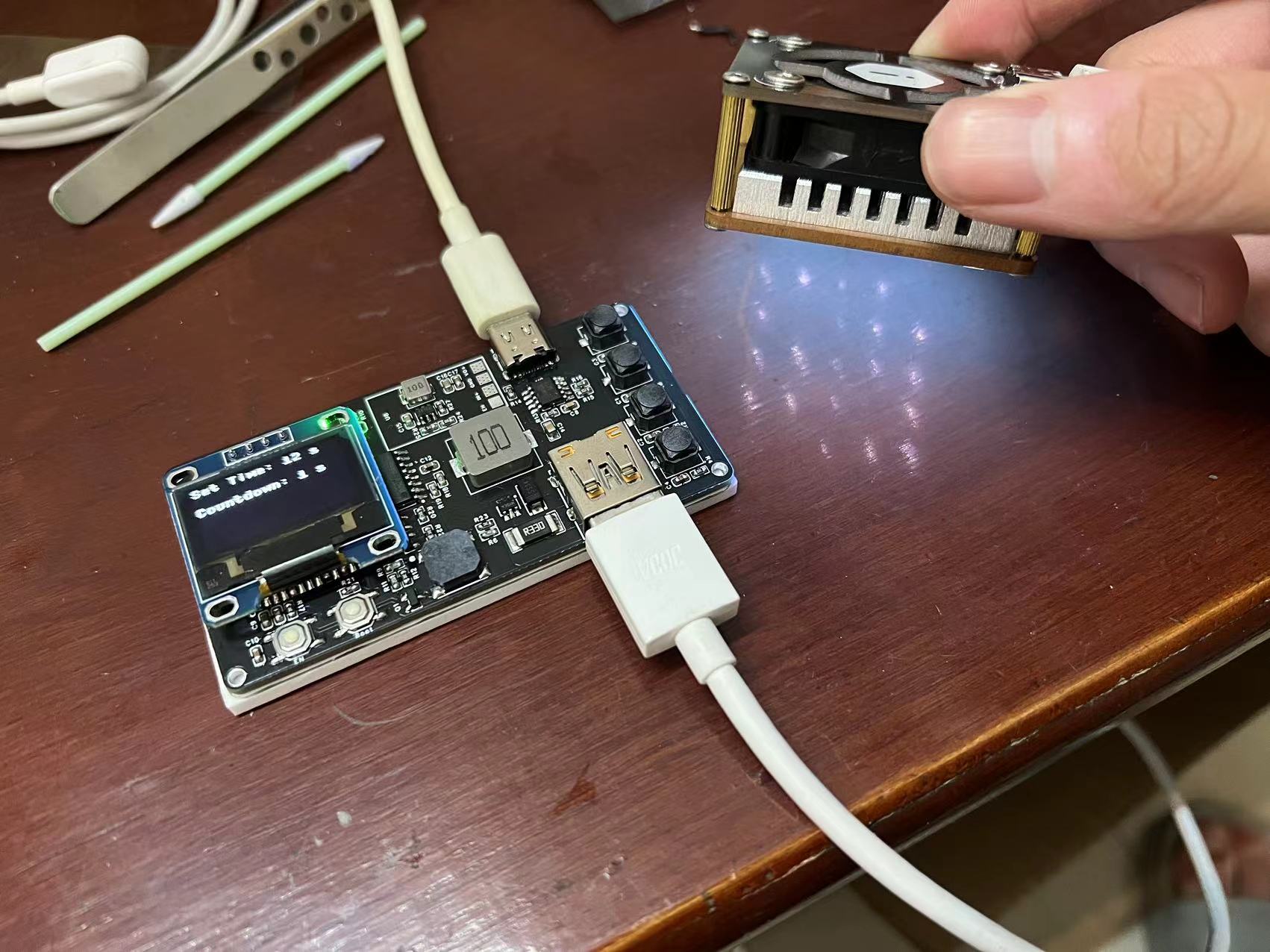
The lamp board arrived a month ago, and I only started working on it after returning from a school holiday trip to Shenzhen. I found that several LEDs wouldn't light up. The seller said they were tested before shipping, but given the long delay and the courier service disruption, I'll leave it as is for now.
The control board outputs 600mA of current to power the lamp board.
I learned circuit design on my own. I initially wanted to use a ready-made step-down module instead of a standard
step-down circuit to reduce the chance of errors. However, after trying the module, I found it difficult to solder. Ultimately, I found a step-down solution, and the solder pads of the original module are still on the board. Thankfully, the step-down circuit didn't fail. After verifying the DC-DC step-down circuit, I removed the solder pads from the original module. The program still has some issues; the buzzer sounds upon power-on, but it works normally after one startup. I'm busy during the Chinese New Year holiday and will fix it when I have time. I would be extremely grateful if an expert could improve the program!
The code is written in MicroPython. ~~~~
import machine
import ssd1306
import utime
Initialize GPIO pins
GPIO33 pin is used to increase countdown
button1 = machine.Pin(33, machine.Pin.IN, machine.Pin.PULL_UP)
GPIO25 pin is used to decrease countdown
button2 = machine.Pin(25, machine.Pin.IN, machine.Pin.PULL_UP)
GPIO26 pin is used to stop countdown
button3 = machine.Pin(26, machine.Pin.IN, machine.Pin.PULL_UP)
GPIO27 pin is used to start countdown
button4 = machine.Pin(27, machine.Pin.IN, machine.Pin.PULL_UP)
led = machine.Pin(17, machine.Pin.OUT)
oled_scl = machine.Pin(23)
oled_sda = machine.Pin(22)
Initialize OLED display
i2c = machine.I2C(scl=oled_scl, sda=oled_sda)
oled = ssd1306.SSD1306_I2C(128, 64, i2c)
Set the initial countdown time and flag variable
countdown_time = 0
countdown_running = False
Display the set time and remaining time
def display_time():
oled.fill(0)
oled.text("Set Time: {} s".format(set_time), 0, 0)
oled.text("Countdown: {} s".format(countdown_time), 0, 20)
oled.show()
Press the GPIO13 button to increase the countdown by 2 seconds
def button1_pressed(pin):
global set_time
if not countdown_running:
set_time += 2
display_time()
Press the GPIO12 button to decrease the countdown by 2 seconds
def button2_pressed(pin):
global set_time
if not countdown_running and set_time >= 2:
set_time -= 2
`display_time()`
starts the countdown when GPIO27 is pressed.
`def button3_pressed(pin):
global countdown_running, countdown_time, set_time
if not countdown_running and set_time > 0:
led.on()
countdown_time = set_time
countdown_running = True`
`display_time()`
stops and clears the countdown when GPIO26 is pressed.
`def button4_pressed(pin):
global countdown_running, countdown_time
if countdown_running:
led.off()
countdown_running = False
countdown_time = 0`
`display_time()`
stops the countdown.
`def stop_countdown():
global countdown_running
led.off()
countdown_running = False`
`display_time()`
debounces the delay time (in milliseconds).
`debounce_delay = 50`
configures the interrupt handler and performs debounce processing.
def button1_interrupt_handler(pin):
utime.sleep_ms(debounce_delay)
if button1.value() == 0:
button1_pressed(pin)
def button2_interrupt_handler(pin):
utime.sleep_ms(debounce_delay)
if button2.value() == 0:
button2_pressed(pin)
def button3_interrupt_handler(pin):
utime.sleep_ms(debounce_delay)
if button3.value() == 0:
button3_pressed(pin)
def button4_interrupt_handler(pin):
utime.sleep_ms(debounce_delay)
if button4.value() == 0:
button4_pressed(pin)
configure the interrupt handler function
button1.irq(trigger=machine.Pin.IRQ_FALLING, handler=button1_interrupt_handler)
button2.irq(trigger=machine.Pin.IRQ_FALLING, handler=button2_interrupt_handler)
button3.irq(trigger=machine.Pin.IRQ_FALLING, handler=button3_interrupt_handler)
button4.irq(trigger=machine.Pin.IRQ_FALLING, handler=button4_interrupt_handler)
Display initial time
set_time = 0
display_time()
Passive buzzer
buzzer = machine.PWM(machine.Pin(14))
buzzer.freq(3000) # Set the frequency to 1000Hz
and the buzzer sounds for 1 second
def buzz():
buzzer.duty(512) # Set the duty cycle to 50% (i.e., 50% high level, 50% low level)
utime.sleep(0.5)
buzzer.duty(0) # Stop the buzzer
from looping and detecting the countdown time
while True:
if countdown_running and countdown_time > 0:
countdown_time -= 1
display_time()
if countdown_time == 0:
stop_countdown()
buzz() # Trigger the buzzer when the countdown ends
utime.sleep(1)








 京公网安备 11010802033920号


 2SB1185/DF



