Project Description
: Project Name: Unmanned Water Quality Monitoring Vessel Based on NB-IoT
Project Introduction: This team designed an unmanned water quality monitoring vessel, equipped with FreeRTOS on an STM32F4 series MPU chip. It features water quality monitoring, autonomous navigation, dual motion remote control, data cloud transmission, and WeChat mini-program functionality. The aim is to address the challenges of harsh working environments, repetitive tasks, and long sampling times in water quality monitoring, achieving rapid, efficient, and accurate completion of water quality monitoring tasks.
Open Source License :
GPL 3.0
Project Functions
: 1. Using the unmanned vessel as a monitoring platform, it can achieve autonomous navigation through GPS and BeiDou dual-mode positioning, combined with an electronic compass and GPS, along with PID and greedy algorithms.
2. It can monitor various water quality and meteorological information, including water temperature, pH value, turbidity, TDS, air pressure, altitude, ambient humidity and temperature, and light intensity.
3. It can remotely transmit data via an NB-IoT module.
4. Remote control is achieved via a 433M module for distance transmission. Unrestricted distance control is achieved through a WeChat mini-program, which can be switched freely. Communication with the WeChat mini-program is achieved through an MQTT server, displaying the boat's position and trajectory in real time and issuing movement commands, enabling the boat to intelligently navigate to designated coordinates and complete map navigation.
5. Real-time video transmission is achieved via a 4G module network camera.
6. Water quality is monitored using a water pump, and a cleaning net can be installed to conduct multi-point patrols based on planned lake surface map points.
7. The mini-program includes functions such as battery level display, boat status prompts, and low battery alarm values.
Project Progress:
Basically Completed
Design Principles
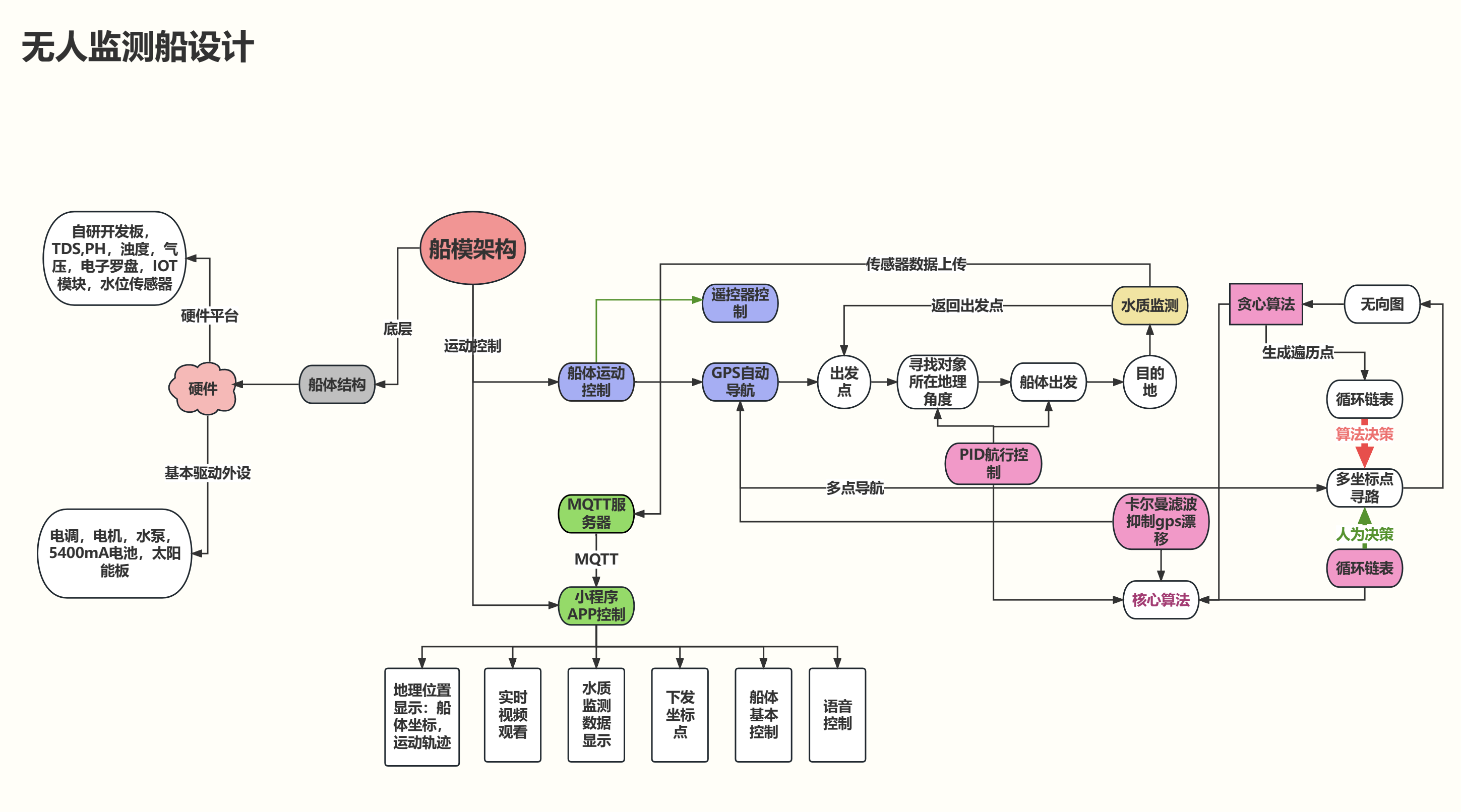
Unmanned Boat Design Process
1. Technical Specifications
The system uses an STM32F405 as the control core. The perception layer collects corresponding water quality data through TDS sensors, turbidity sensors, water temperature sensors, and pH sensors. The HMC5883L electronic compass module is used to obtain the boat's course angle and can be used with the BC20 Beidou/GPS positioning module to achieve course control and automatic cruise. The transport layer uses NB-IoT technology to connect to the base station and uses the MQTT protocol to achieve data transmission between the ship and the Huawei Cloud platform and mini-programs. On the software side, the system is equipped with the FreeRTOS real-time operating system. It achieves automatic navigation and return by using PID control of the heading angle and Kalman filter to suppress GPS drift, and uses a greedy algorithm to plan the shortest path for multi-point water quality sampling.
- Dimensions: 60x20cm
- Weight: 1.3KG
- Cruise speed: 1m/s-3m/s
- Maximum sailing time: ≥ 30 minutes
- Sensor types: pH, TDS, water temperature, light intensity, altitude, ambient humidity, ambient temperature
- Communication methods: 2.4GHz, NB-IoT, 4GLTE
- Battery capacity: 5400mAh
- Operating temperature range: 0~+70℃
2. Instructions for use
2.1 Hardware description
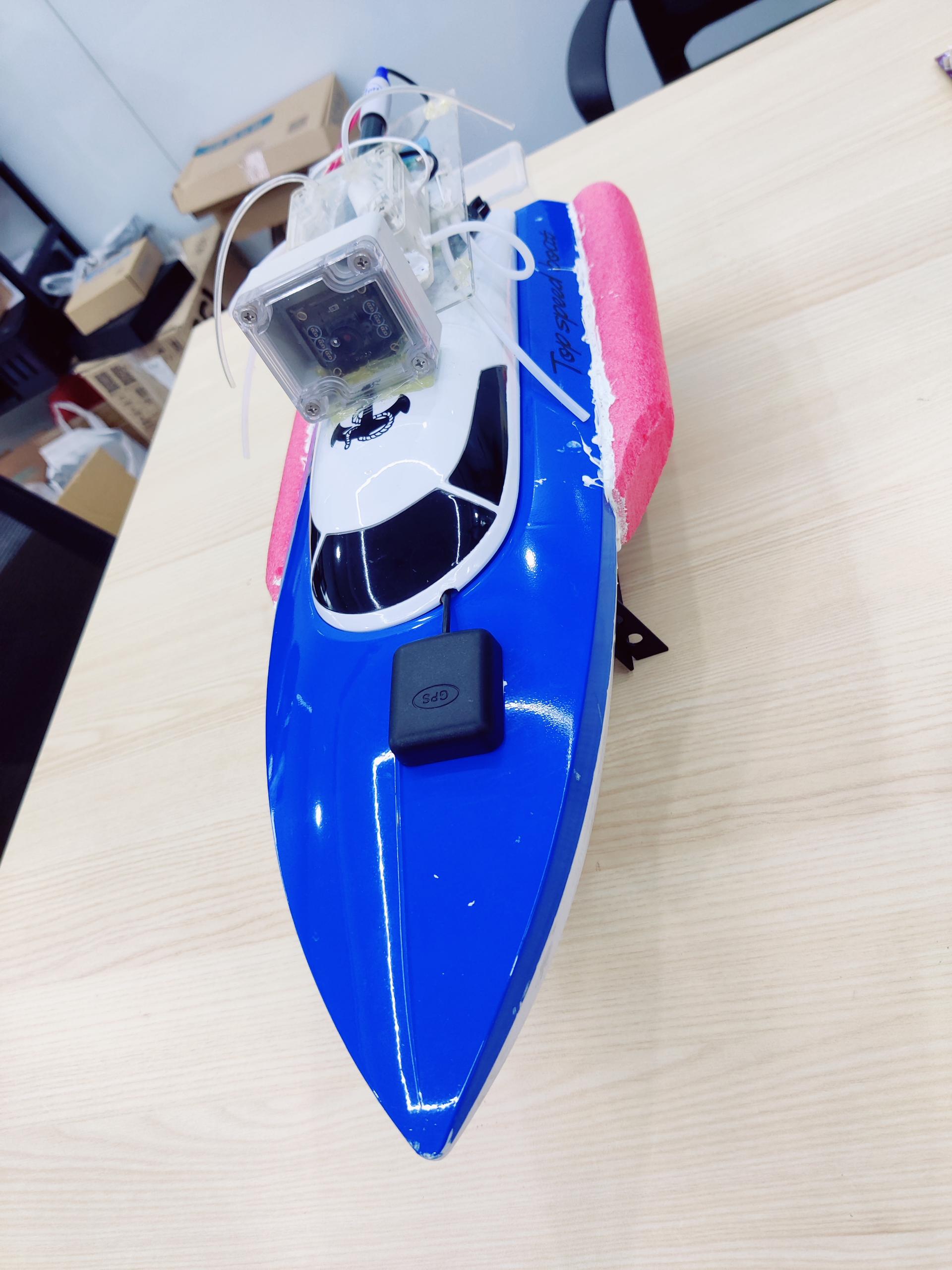
The hardware system of this unmanned vessel is mainly divided into four parts:
(1) Hull frame and propeller motor
(2) Circuit drive system composed of main circuit and peripheral sensor devices
(3) Image transmission system composed of 4G modem and UVC camera
(4) It is worth noting
that, in order to ensure the stability of the ship's movement, we separated the image transmission module and the main circuit. The ship's control information and data are transmitted to the cloud server through the NB-IoT module, while the image information is transmitted directly to the host computer through the 4G modem. The network transmission part uses two links working simultaneously to avoid the ship losing connection when the image transmission line is abnormal. Although this will increase the power consumption of the overall system, we believe it is a necessary trade-off.
2.1.1 Ship assembly and modification
(1) Ship assembly
The purchased parts can be assembled.
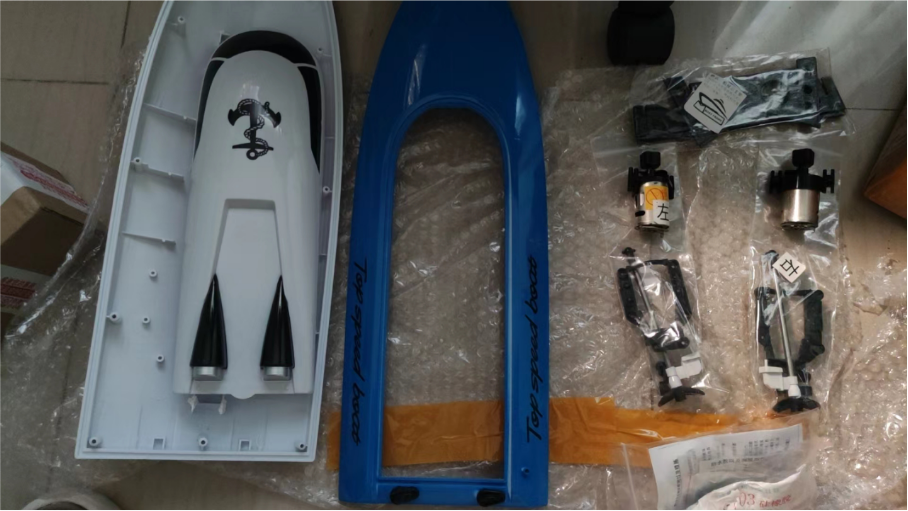
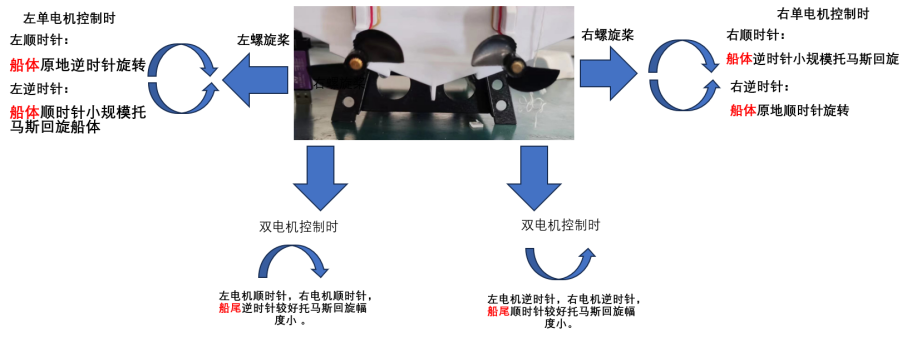
Propeller installation diagram
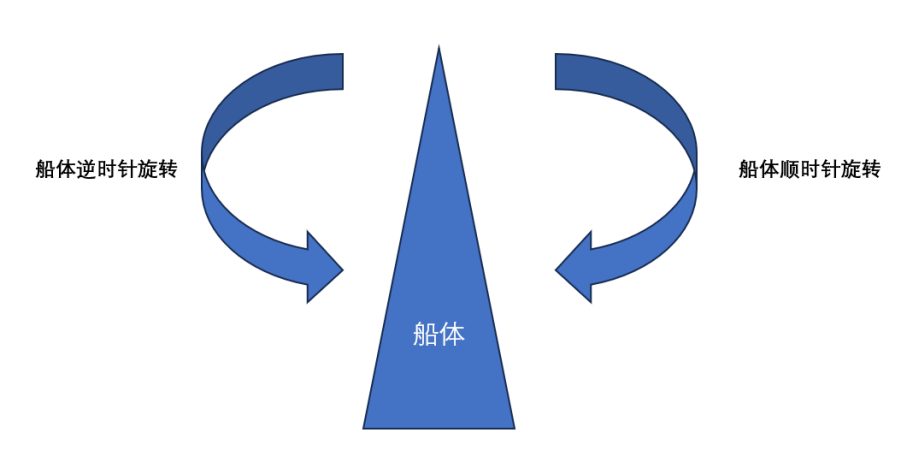
(2) Ship drilling and modification
In order to enable the ship to have the ability to collect and detect water quality, it is necessary to drill holes in the existing ship frame and install the corresponding sensors and sampling devices.
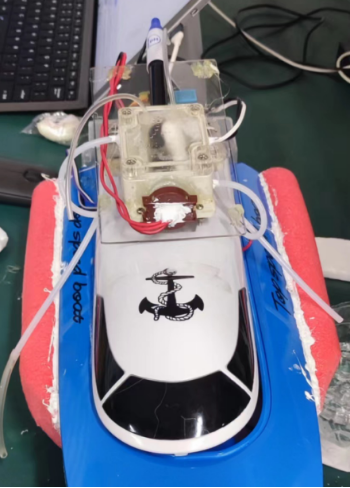
As shown in the figure above, we installed an acrylic platform on the ship's cover plate, placed a sealed sampling box on the platform, and inserted the sensor into the sampling box. When water quality is sampled, the water pump will draw water into the box, read the corresponding parameters, and then discharge it.
Of course, this is just one layout scheme. You can adjust the layout according to your own preferences.
If you do not like this design of pumping water for sampling, you can also directly place the sensor externally and put it into the river for sampling, but you must take appropriate measures to drain the water.
(Note: pH sensor is relatively fragile, and soaking time may cause inaccurate measurement data or damage)
(3) Add buoyancy rods
The hull contains various devices, which increases the mass of the hull. During the unmanned boat's navigation, it may cause the risk of sinking due to excessive speed. Therefore, buoyancy rods need to be added to both sides of the hull to increase the buoyancy of the hull.
2.1.2 Circuit assembly
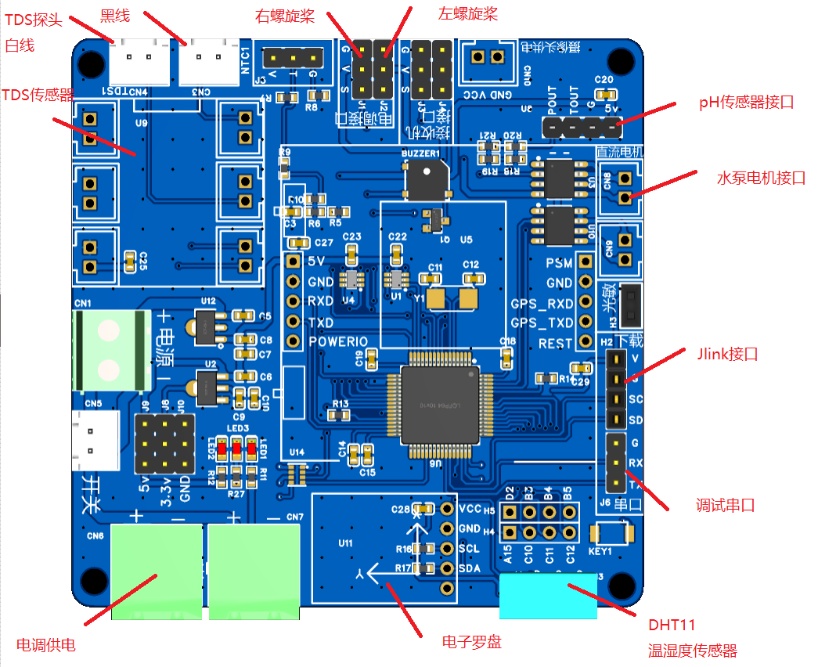
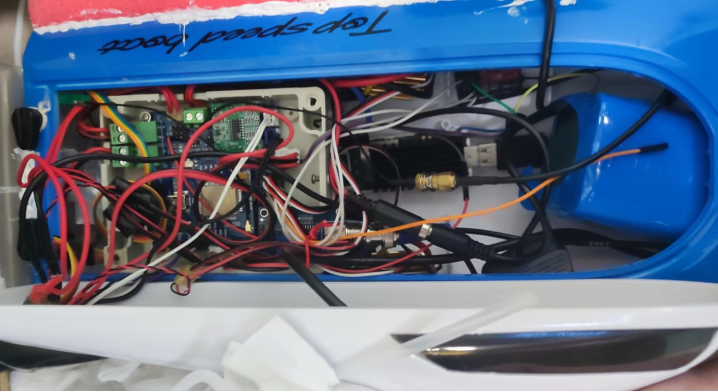
Weld according to the circuit schematic diagram of the project, put the circuit board into the cabin and connect the power supply and various cables. The cover on the top of the hull must be closed before launching.
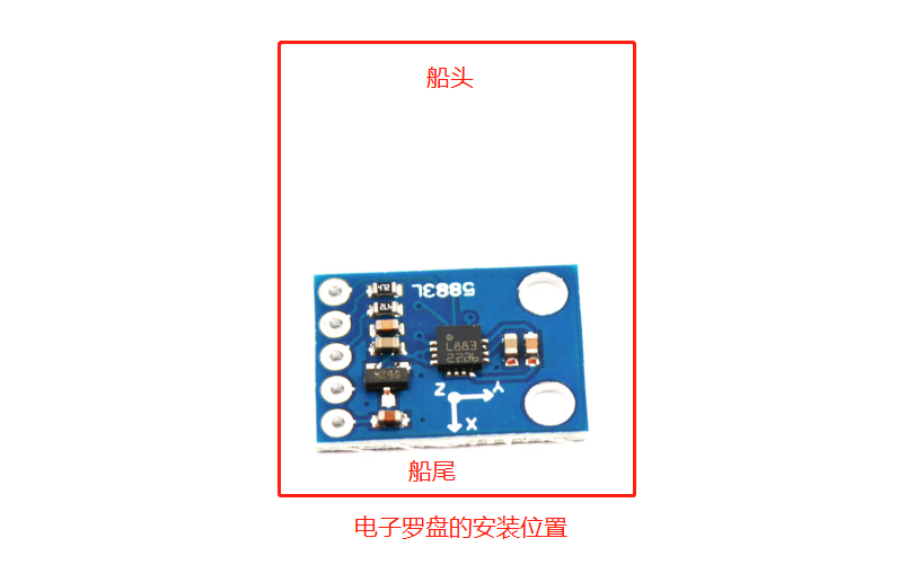
The electronic compass needs to pay attention to its installation position. It is recommended to wire it out and install it in the middle of the stern of the hull. There are many factors that can interfere with the placement of the electronic compass. Therefore, adjust the position yourself during installation. It is best to wire it out, install the electronic compass and fix it.
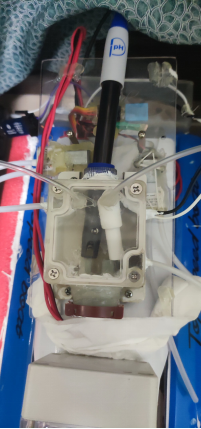
The sensors need to be placed inside the pumping system box. After drilling holes, the pH, turbidity, and TDS sensors should be securely glued with waterproof 704 adhesive to prevent leaks. The pumping system consists of two pumps: one to draw water into the box and the other to drain water from the box. The box cannot be completely sealed, so two holes are made at the top for air circulation to prevent poor ventilation and ensure proper pumping. Pay attention to the polarity of the pump motor; it cannot be reversed, otherwise water will not be drawn in.
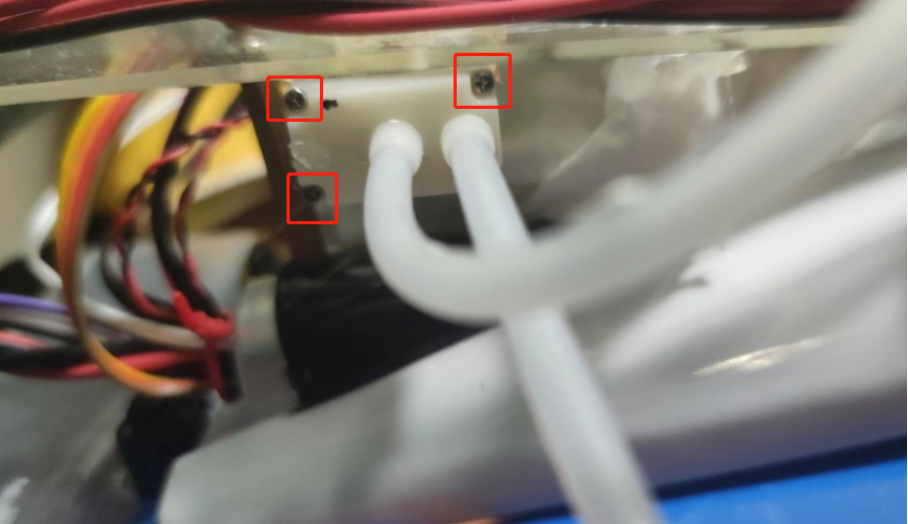
The water pipe of the pump that draws water from the surface needs some minor modification to prevent sediment from clogging the pump and causing it to malfunction. If the surface pump is not working properly and cannot draw water, it may be blocked by sediment. In this case, remove the screws at the bottom and rinse the membrane with water. The white membrane inside the removed head cannot be removed directly; simply rinse it. Then try reinstalling it. The power
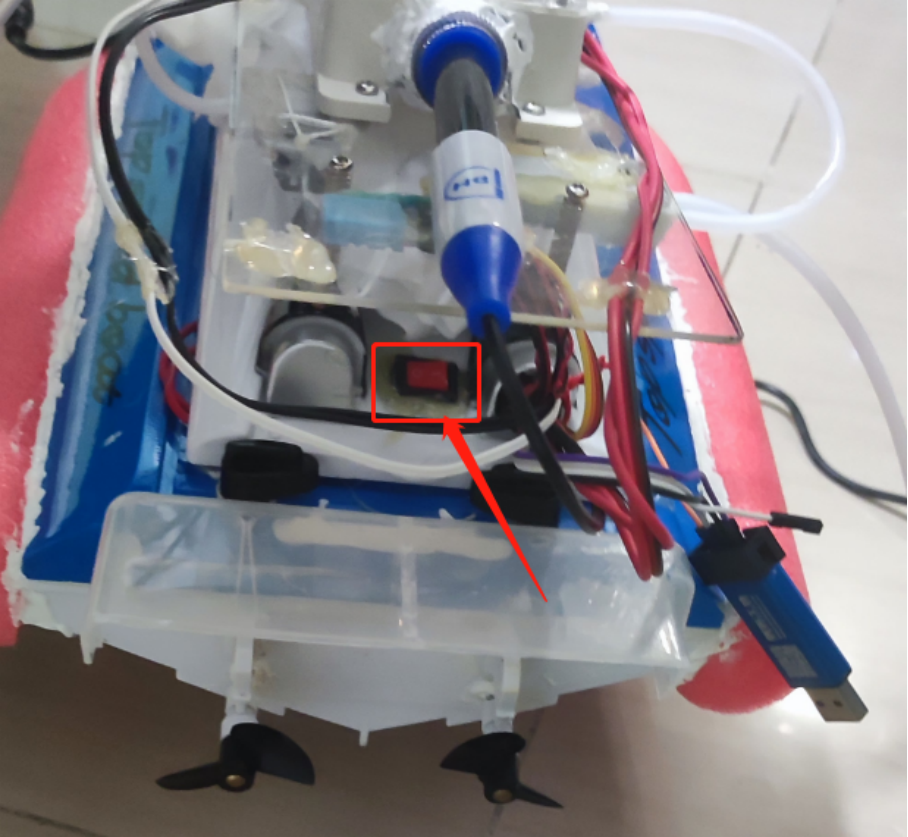
switch is located at the stern of the boat. Before launching the boat, make sure the cover on top of the hull is properly closed. When opening the cover after launching, be careful not to splash water onto the main control board or wiring. It is recommended to have paper towels ready to wipe away any water on the hull.
2.1.3 Image Transmission Module Installation:
Compared to traditional image transmission modules, this 4G image transmission module can work anywhere with 4G signal coverage, truly eliminating distance limitations. Although image transmission is less efficient than traditional modules and often involves image delay, 4G image transmission is more suitable for scenarios with low real-time requirements due to its low cost.
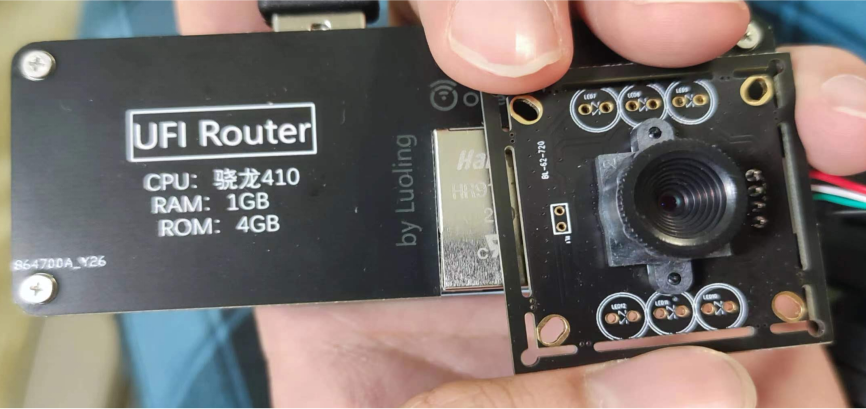
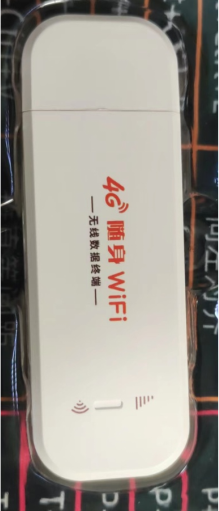
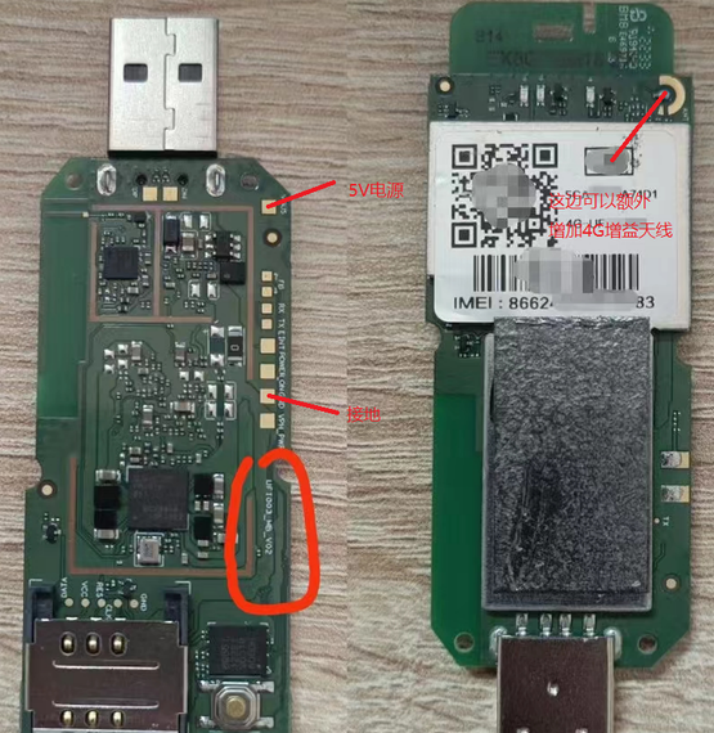
The 4G modem used in the project was a modified UFI device sold on the market. These devices are typically used as portable internet access devices, running an Android system. By modifying the internal Android system to a standard Linux system and adding a generic camera, image acquisition can be achieved.
The advantages of this type of device are low cost and the convenience of having a built-in 4G modem. The disadvantage is that not all models on the market can run Linux; only certain specific models can operate it.
For detailed information, please refer to the GitHub open source project: https://github.com/OpenStick/OpenStick
(1)
For the steps to flash the Armbian system, please refer to: https://blog.csdn.net/molun1101/article/details/127961397
(2) There are two ways to connect the UVC camera
:
1. Use the USBhub1 to 4 circuit to expand the motherboard's USB ports. You can use open source PCB engineering
examples: https://oshwhub.com/zy143l/ufi_hub_lite_share
https://oshwhub.com/zy143l/ufi_hub_rj45_share
https://oshwhub.com/led_terminator/ji-yu-SL2.2sde-USB-HUBkuo-zhan-w
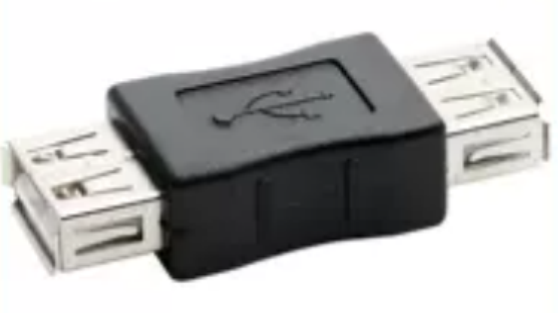
Insert the device into the USB port and pull the power cable from the camera interface on the core board to connect it. Then, plug in the UVC camera. 2. Advantages of
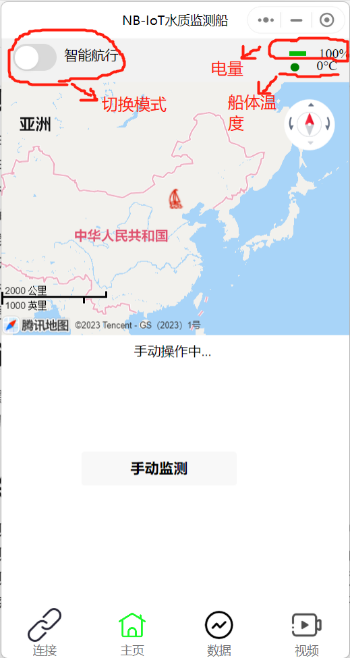
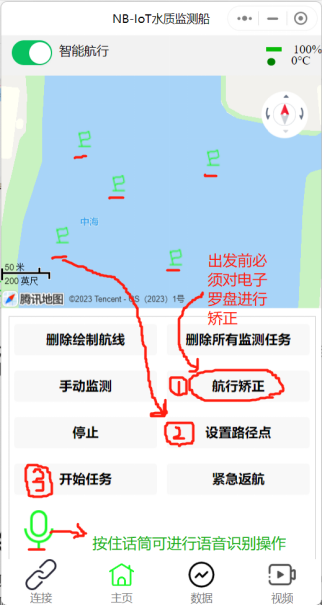
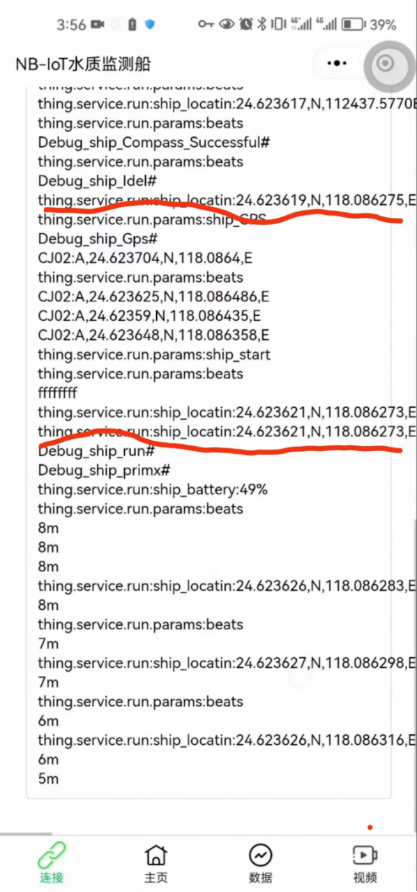
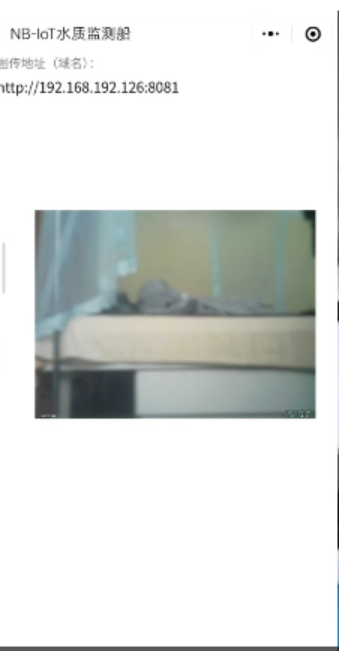
directly connecting the UVC camera using a USB female-to-female adapter : No need to solder an adapter board (but two power cables need to be soldered). Disadvantages: Inconvenient for future functional expansion (the hardware structure needs to be changed if other USB devices need to be connected). 2.2 WeChat Mini Program Host Computer Operation Instructions : Open the WeChat Mini Program list and search for "IOT Solar Water Quality Ship" to obtain the WeChat Mini Program host computer for the unmanned water quality monitoring ship. 2.2.1 Operation Modes : The ship control modes can be switched on the Mini Program: remote control mode and autonomous navigation mode. Remote Control Mode: The ship is controlled using a 2.4G remote control. In remote control mode, you can click on the Mini Program to manually monitor and control the water pump to fill the water tank, then perform water quality monitoring and upload the sensor data to the Mini Program. Autonomous Navigation Mode: This mode allows sampling and setting coordinate points on the map to control the ship to autonomously navigate to the coordinate points and automatically perform water quality monitoring. After completing the coordinate traversal and monitoring, it will autonomously return to the starting point without manual control. Autonomous navigation steps: 1. Click the navigation correction button. Note: If the compass correction is successful, the mini-program will display "Compass_Successful". If it displays "Compass_error", please recalibrate until you see "Compass_Successful". Otherwise, you cannot proceed to the next step. 2. Click the "Set Waypoint" button to set coordinates on the map. 3. Click "Start Task," and the ship will begin autonomous navigation. Status prompts include: ship_Idel (Idle) , ship_forward (Manual control via app), ship_rotate (Navigation correction) , ship_Gps (Set point) , ship_run (Autonomous navigation ) , ship_check_water (Water quality monitoring), ship_error_stop (Error stop), ship_back (Autonomous return), ship_Please_Compass_Check! (Please perform navigation correction) , ship_Compass_Successful (Electronic compass correction successful) , ship_Compass_error (Electronic compass correction failed) , ship_hight_temp_warning (High temperature warning) , ship_powerlose_Warning (Low battery warning) , ship_pumping (Pumping water), and ship_release (Releasing water) . 2.2.2 Other Page Descriptions : Debugging Terminal Page: The debugging terminal can display other information such as latitude and longitude, signal strength, distance during autonomous navigation, and real-time display. 2.2.3 Setting up an MQTT server for real-time video display To enable cloud functionality for the ship, a dedicated MQTT service platform needs to be built. This platform must have a public IP address. An MQTT server can be obtained in two ways: 1. Using EMQX Cloud trial quota (not recommended): The EMQX Cloud platform provides users with a free trial quota of 1 million connection minutes and 1GB of traffic per month. See details: 2. Setting up a private MQTT service using the EMQX open-source version (recommended): The advantage of setting up your own MQTT server is unlimited traffic and device connections. If you have a large number of device connection needs, please use this method. Before this, you need a public VPS running a Linux operating system. See details: 2.2.3 Installing image transmission software 1. Installing Motion First, you need to install the Motion monitoring software in the image transmission software to drive the UVC camera. (1) Use ssh to enter the shell terminal of the image transmission (2) Enter the command in the terminal: apt install motion (3) Edit the configuration file 2. Install zerotier software Because the network environment used by the image transmission and the host computer is not the public network, peer-to-peer access is not possible. It can only be achieved by remotely connecting the WeChat mini program host computer and the image transmission through a P2P remote network to enable mutual access. (1) Use ssh to enter the shell terminal of the image transmission (2) Enter the command in the terminal: curl -s | sudo bash This command will automatically install the components and program body required by zerotier.








 京公网安备 11010802033920号


 IDT72V36103L10PF



