Preface
Remember the AiPi-LRW-TH1 board?
Probably not. It was a small, portable board that used the Ra-08 as the main controller, read data from an AHT3x temperature and humidity sensor, and uploaded data via the LoRa protocol. It also supported the LoRaWAN protocol. Because receiving data from the AiPi-LRW-TH1 required a LoRaWAN gateway, but gateways were too expensive, the AiPi-LoRaBoard was created.
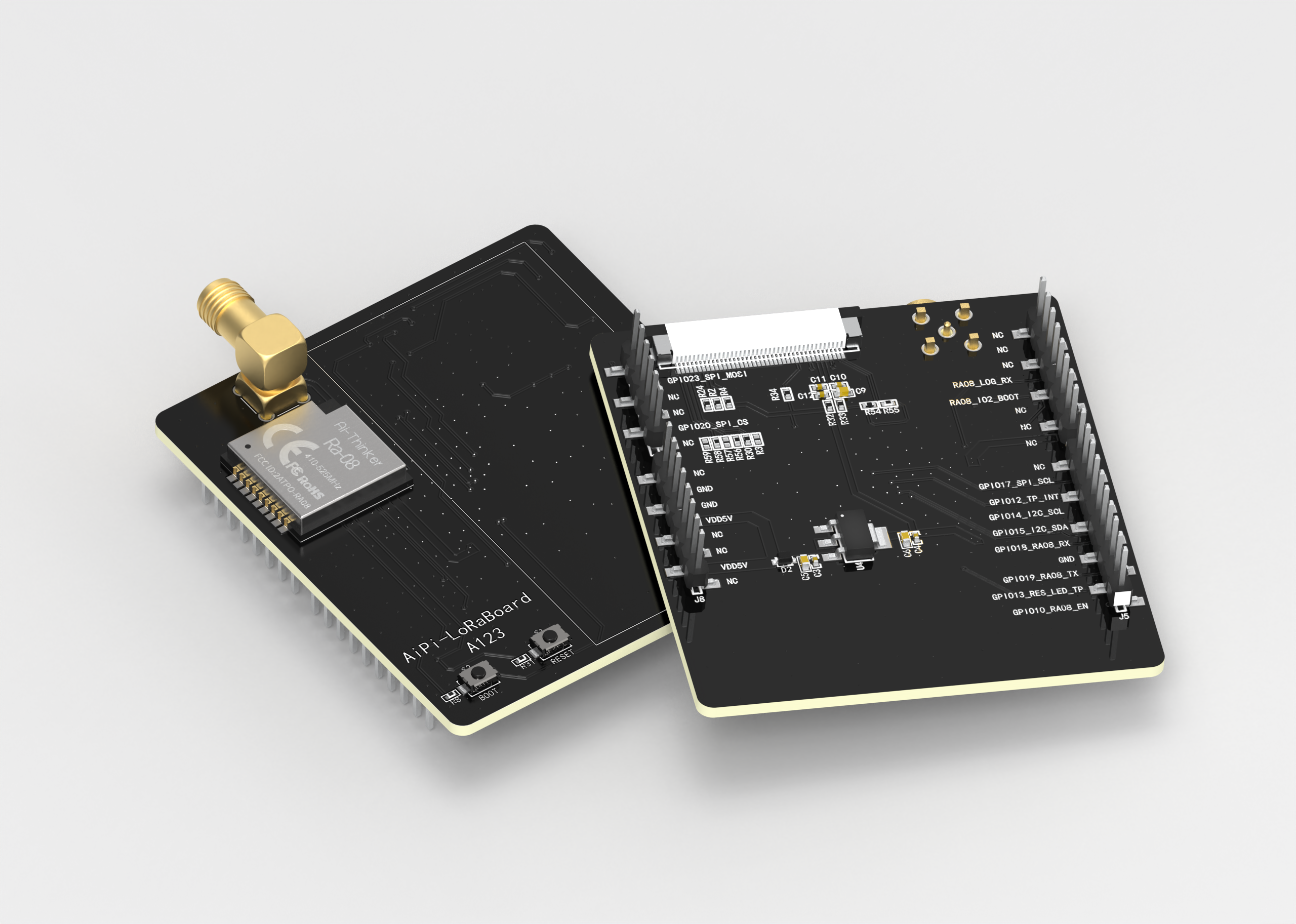
AiPi-LoRaBoard Introduction
The AiPi-LoRaBoard is an expansion board for the AiPi-UNO-ET485 development board, featuring a Ra-08 module and a 1.9-inch MIPI-DBI capacitive touchscreen.
The Ra-08 operates in the 410MHz~525MHz frequency band and is compatible with Ra-01/SC, Ra-02, and other LoRa modules. The default antenna is a 433MHz "Little Pepper" antenna (communication distance was not measured). Replacing with the Ra-08H allows the use of the 803MHz~930MHz frequency band.
The 1.9-inch screen uses a MIPI-DBI interface, has 170*320 pixels, and supports capacitive touch.
Default firmware descriptions:
There are two default firmware versions:
AiPi-LoRaBoard_v0.0.5.bin
and AiPi_uno_loraBoard.bin
. AiPi-LoRaBoard_v0.0.5.bin is the firmware for the Ra-08, which can be configured in two modes: master and slave. When working in master mode, it acts as a gateway, receiving data from slave devices. When working in slave mode, it can actively send data to the master.
AiPi_uno_loraBoard.bin is the firmware for the AiPi-UNO-ET485, whose main function is to configure the Ra-08 as the master and display slave data on the 1.9-inch screen. It also allows setting the Ra-08's operating frequency band and some LoRa parameters, such as the spreading factor. Therefore, this firmware requires the Ra-08 to run the AiPi-LoRaBoard_v0.0.5.bin firmware to work.
AiPi-LoRaBoard is
recommended for self-organizing networking by default, acting as a gateway. Therefore, the Ra-08 node also needs to have AiPi-LoRaBoard_v0.0.5.bin flashed. Firmware address: https://docs.ai-thinker.com/aipi-loraboard.
After installing the AiPi-LoRaBoard on the AiPi-UNO-ET485 and powering it on, the AiPi-LoRaBoard's LoRa will operate with the following parameters:
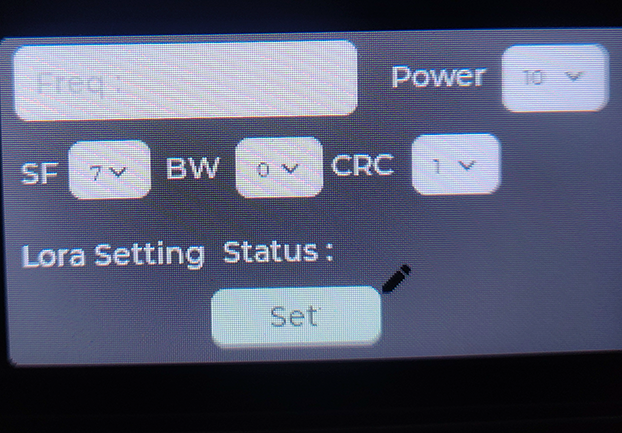
Frequency (Freq): 470000000
Spreading Factor (SF): 7
Bandwidth (BW): 0
Checksum (CRC): 1
The default interface displays data monitoring, showing the data from the AiPi-LRW-TH1 by default.
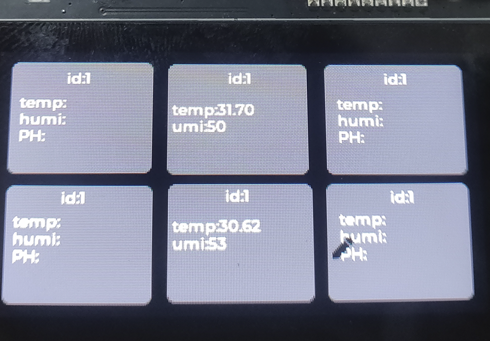
Swiping left will take you to the configuration page, where you can configure the main LoRa parameters.
LoRa Node Usage Instructions :
To enable the AiPi-LoRaBoard to receive and display data, you need to burn the AiPi-LoRaBoard_v0.0.5.bin file and configure it in slave mode. After successful burning,
use a serial port assistant to send AT commands (baud rate 115200): AT+MODE=1.
After configuration, the AiPi-LRW-TH1 will automatically send temperature and humidity data to the host.
For further
usage information regarding Ra-08, please refer to: Ra-08 Transparent Transmission Firmware Application
Discussion Group. Please contact the forum administrator: IoT Developer Community – Anxinke Forum.
Important Note: The BOM in this document is not the final BOM; please apply for it in the discussion group if needed.








 京公网安备 11010802033920号


 1106VFREQ1BE



