This document describes a project for a 2.9-inch programmable e-ink weather clock based on ESP32.
Many 2.9-inch weather clocks can be found online, but some have many features but are not open source, while others have fewer open source features.
Some are not designed using LCSC EDA and therefore cannot enjoy LCSC's discounts.
To enable everyone to quickly DIY their own e-ink weather clock and participate in its development,
and to complete the unfinished Lua interpreter from the "Campus Life Assistant 7" project,
I decided to design a highly scalable, beginner-friendly, feature-rich, and low-cost e-ink weather clock during the summer vacation.
The Github repository is available here. An introductory video has been released; click here for
firmware burning/update; and click here for
the latest information, which will be released on Github later. This page was last updated on January 18, 2024 at 10:38 AM.
HW3.0 hardware has been updated. The
EDA
project is licensed under CC-BY-SA 3.0, where:
CC: Creative Commons license;
BY: Attribution; you must give appropriate credit, provide a link to this license, and indicate whether modifications were made (to the original work);
SA: ShareAlike; if you remix, transform, or create based on this work, you must share and release your contributions under the same license as the original.
The source code is licensed under GPL-3.0, allowing commercial use under open-source conditions, but please credit the original author and project link, and do not sell the source code or release it as a closed-source project.
Furthermore, according to the GPL-3.0 license, any code derived from this project that is shared or used commercially must be open-source under GPL 3.0 and clearly state that
this open-source declaration means anyone can freely and freely obtain, modify, and/or the hardware project source files.
Additionally, because the Caiyun Weather API is used, it is for learning and research purposes only. If commercial use is required, this source code or its binary files must not be included.
Project-related functions:
This project's backend uses Arduino (C++). Developed using PlatformIO and ported with a Lua interpreter for executing graphical programming code,
the main design features are as follows:
Local weather is obtained and displayed via the Caiyun Weather API
; a clock signal is provided by the ESP32's internal RTC, and linear offset compensation is performed through two NTP synchronizations, achieving a daily error of less than 2 seconds;
a built-in web server is used for configuring weather location and managing internal files;
a built-in GUI framework includes dialog boxes and menus;
a simple e-book function
; a Bilibili fan display with
a complete settings menu;
transcoded MIDI music is played via a buzzer
; a simple alarm clock
; and a built-in Blocky graphical development environment, allowing for the addition of features with just a browser
. This project prioritizes ease of use and secondary development:
the system framework is decoupled from the App; each "App" source code is a single cpp file, automatically recognized, compiled, and added to the App list after being copied to the app directory, requiring no further modifications. TF cards, sensors, and other peripherals are automatically recognized upon first power-on and managed by the system. They automatically power off when not in use (sensors enter power-saving mode).
The app is event-driven with a well-developed GUI framework, allowing for quick implementation of desired functions. Furthermore, built-in apps like the e-book app consume the same amount of power as when the device is powered off, without refreshing the screen (note: the GUI framework does not enter sleep mode while waiting for user input).
No API key configuration, manual clock error correction settings, or Bilibili UID configuration (mobile phone QR code login) is required; simply enter the weather GPS coordinates (GCJ-02) and WiFi password
. For users unfamiliar with environment configuration, a full-featured binary file is provided for direct burning and running to experience all functions.
A built-in Lua language interpreter and Google... The Blockly development environment allows you to write apps in Lua, upload them to a web browser, and run them directly. Apps can be seamlessly added to the app list and set as the home screen app.
For security and stability,
the PCB design includes an automatic power switching circuit, eliminating concerns about potential hazards from battery cycling.
The software automatically shuts down after a certain period of inactivity to prevent battery depletion (this only applies to app selection screens and network reconfiguration screens; it does not automatically shut down in other areas requiring user confirmation).
A battery detection function is also included.
In case of infinite rebooting, press and hold the left arrow key, then press the reset button on the back; this will immediately shut down the device to prevent screen damage from frequent refreshes.
Project Attributes:
This is the first public release of this project; it is my original work. This project has not won any awards in other competitions.
Project Progress:
2023/07/24 Functional design, development board purchase;
2023/07/27 Functional feasibility analysis completed, basic development approach determined;
2023/08/06 Functional testing of each circuit module passed;
2023/08/08 EDA project created;
2023/08/09 Component selection completed, PCB design completed, awaiting approval and production;
2023/10/02 Source code released to Github;
2023/10/17 Project introduction completed .
The design principles
and hardware are relatively simple. Except for the automatic power switching circuit, which I found online and don't know the principle behind, but it works and is very stable.
Overall Framework Diagram:
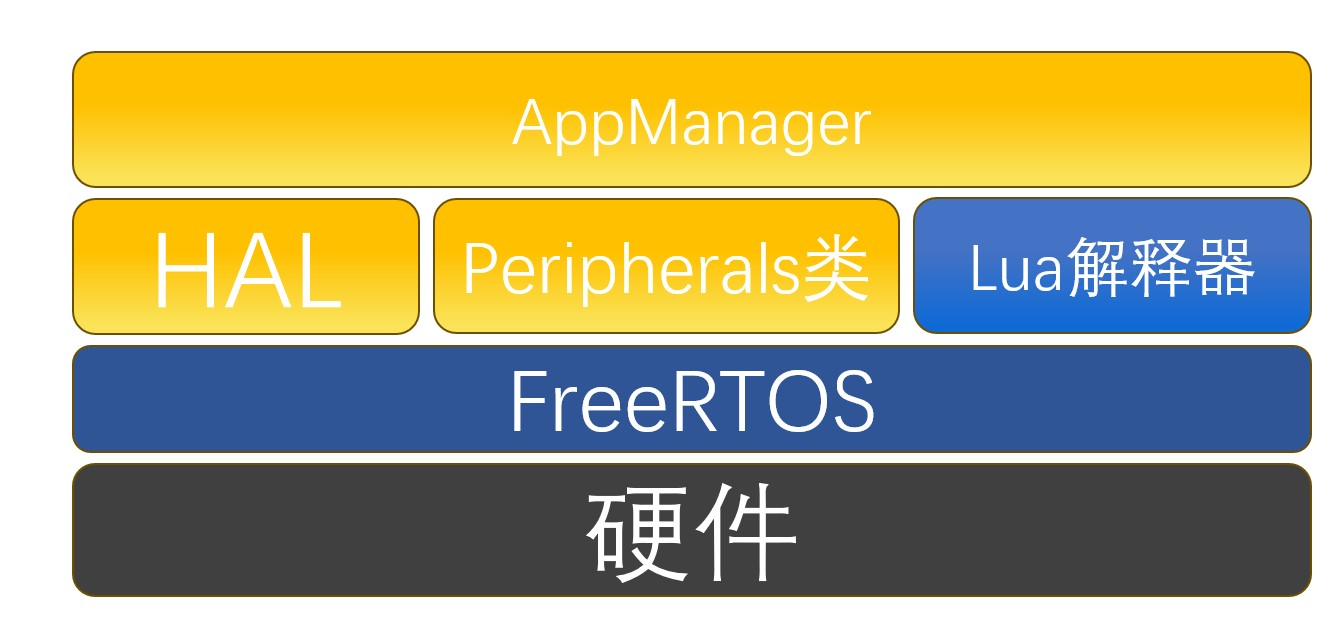
The AppManager class manages the lifecycle of all Apps (including Lua Apps).
The HAL class handles hardware-related functions and provides services such as automatic WiFi connection and NTP synchronization.
The Peripheral class manages installed peripherals and, during App runtime, switches peripheral power on/off (or enters/exits power-saving mode) as needed.
The Lua interpreter interprets and runs Lua Apps, enabling dynamic addition and deletion of Apps
. FreeRTOS is a real-time operating system provided by ESP-IDF, primarily used here to implement multi-threaded
software.
The system mainly runs the following three tasks
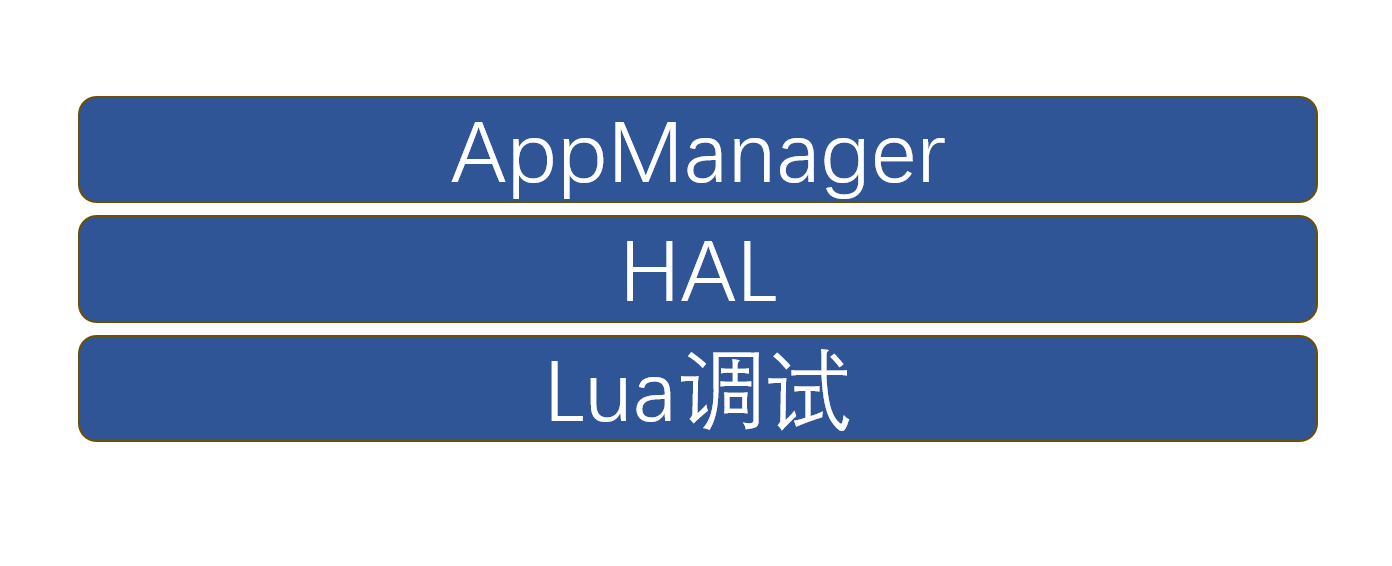
: AppManager: Executes App code and determines the next sleep time.
HAL: Automatically updates time and battery voltage and handles button events.
Lua Debugging: Created for debugging Lua on the web interface, facilitating immediate termination of program execution when needed and preventing Lua processes from blocking the web server.
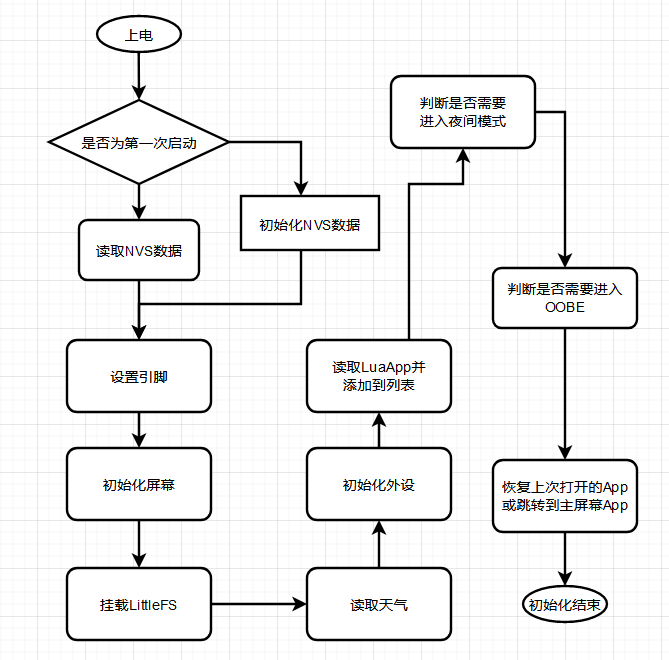
System initialization steps are as follows:
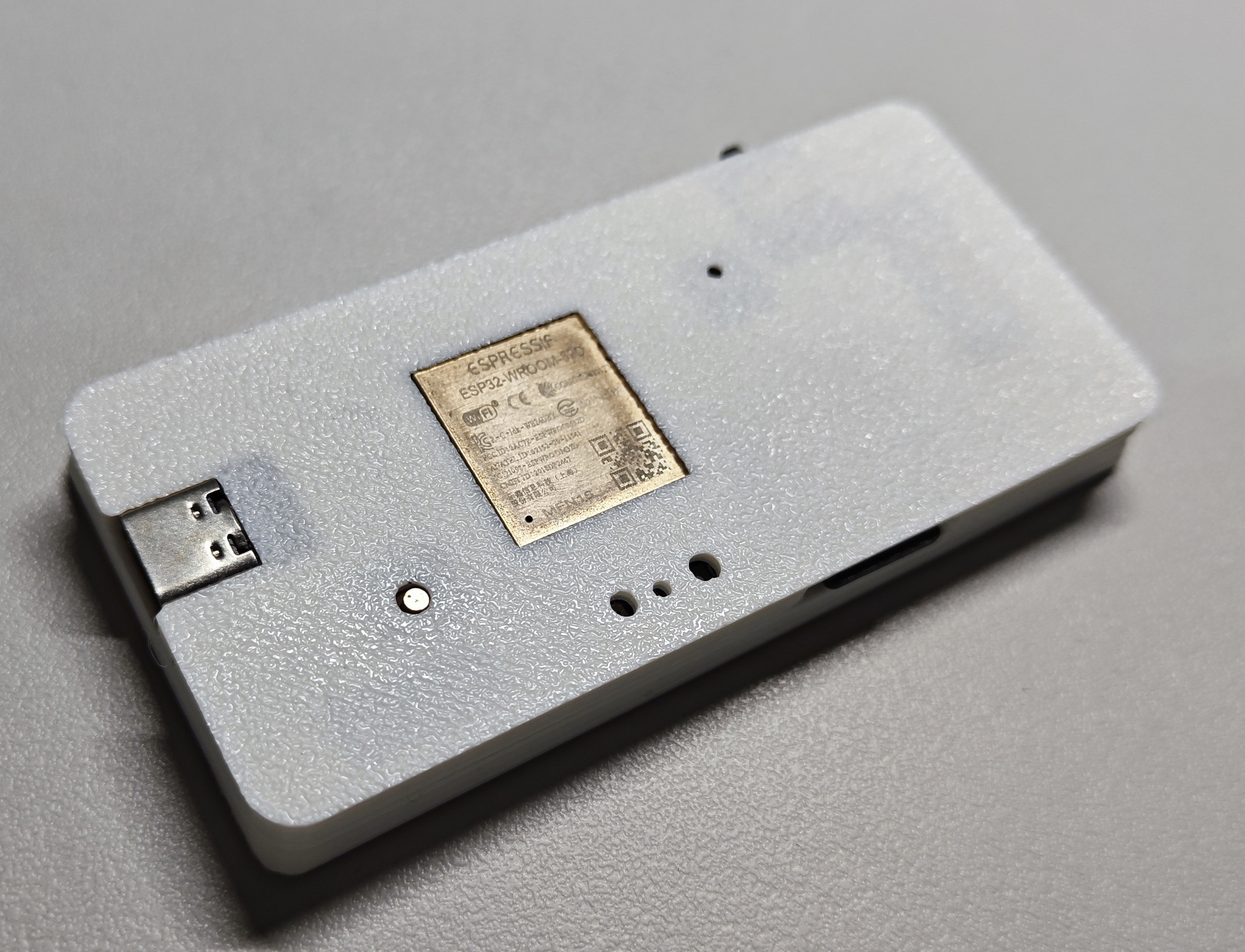
Physical Demonstration
Back
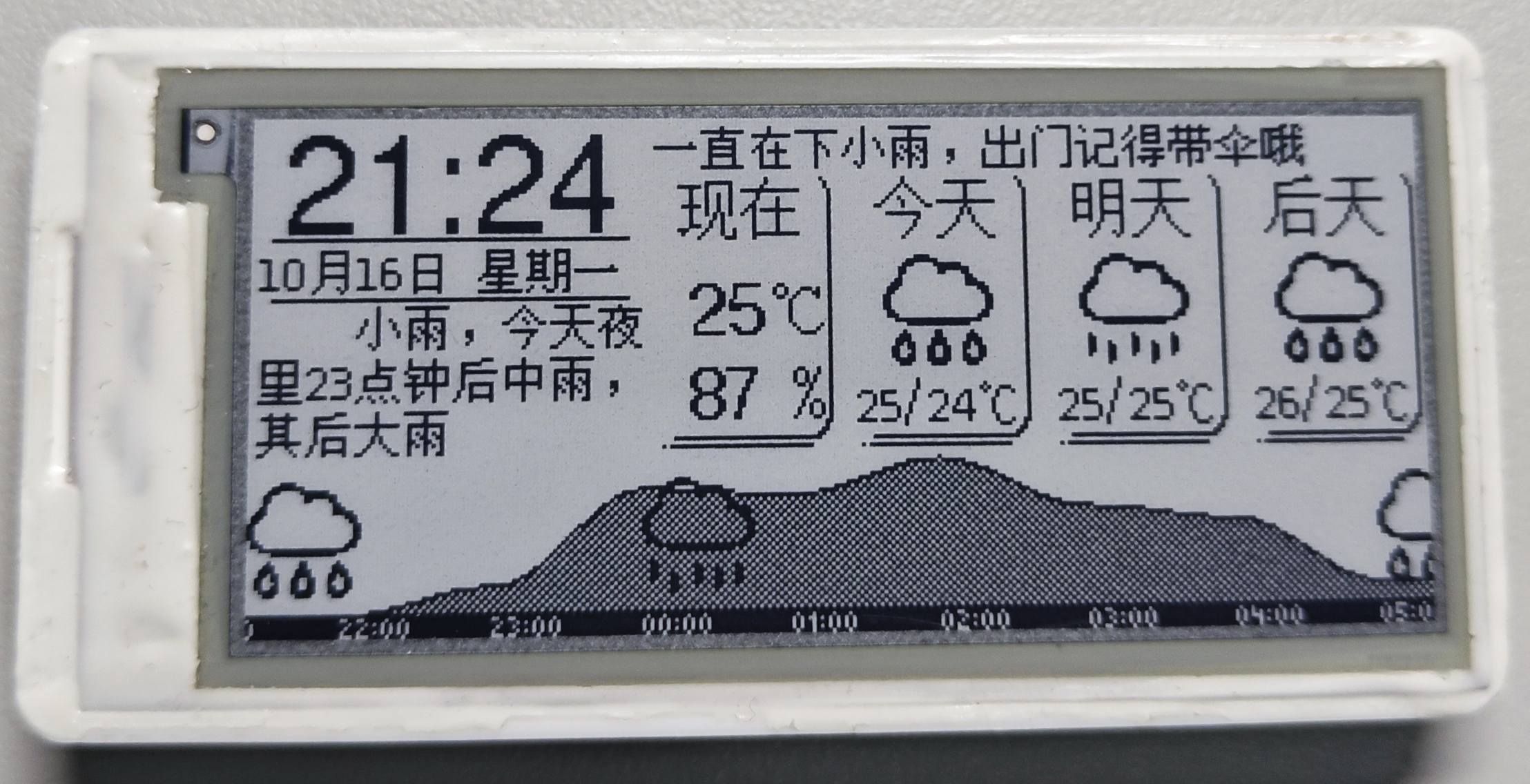
panel (shaded area below indicates rainfall)
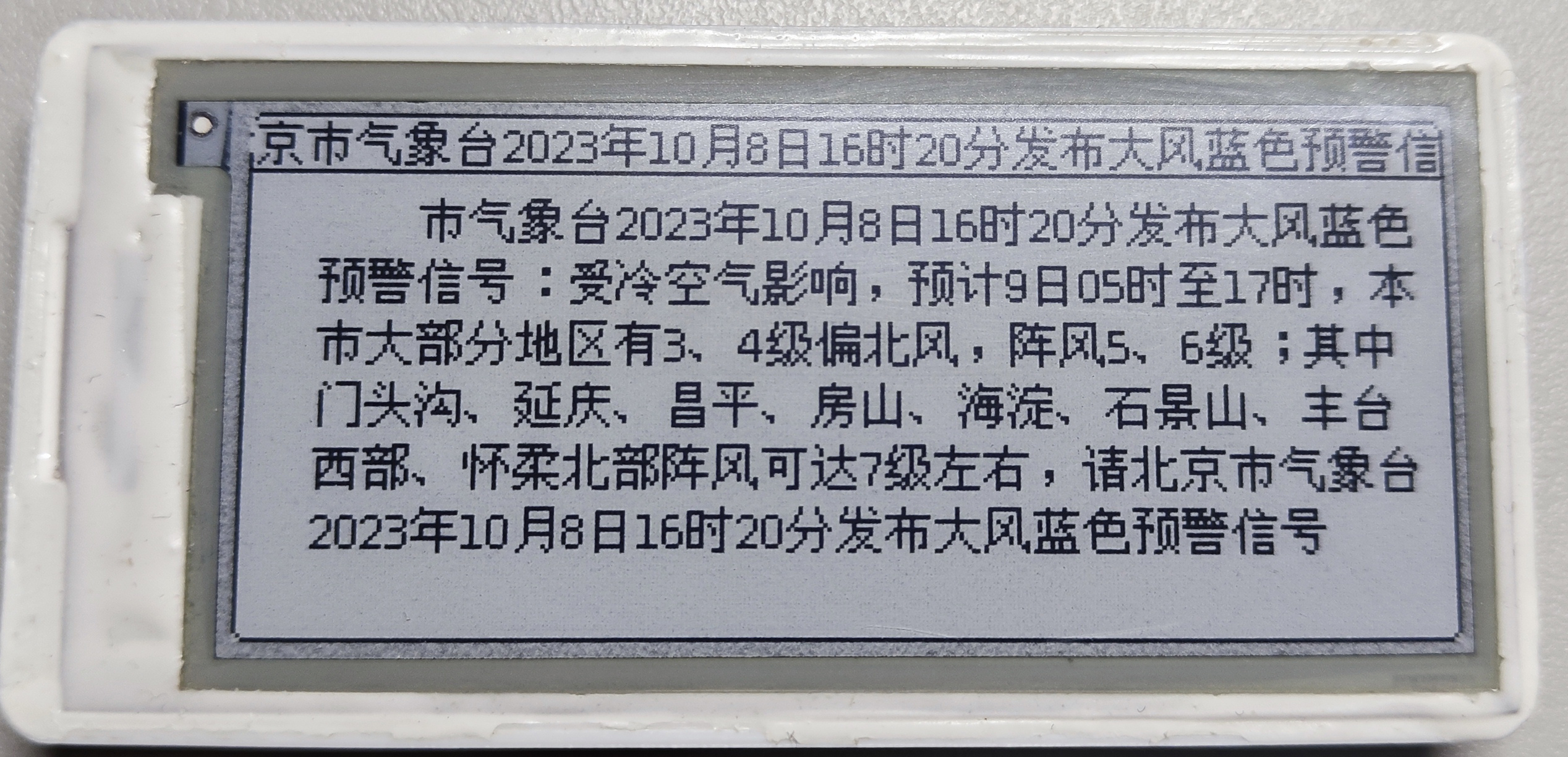
, warning information (press any key to return)
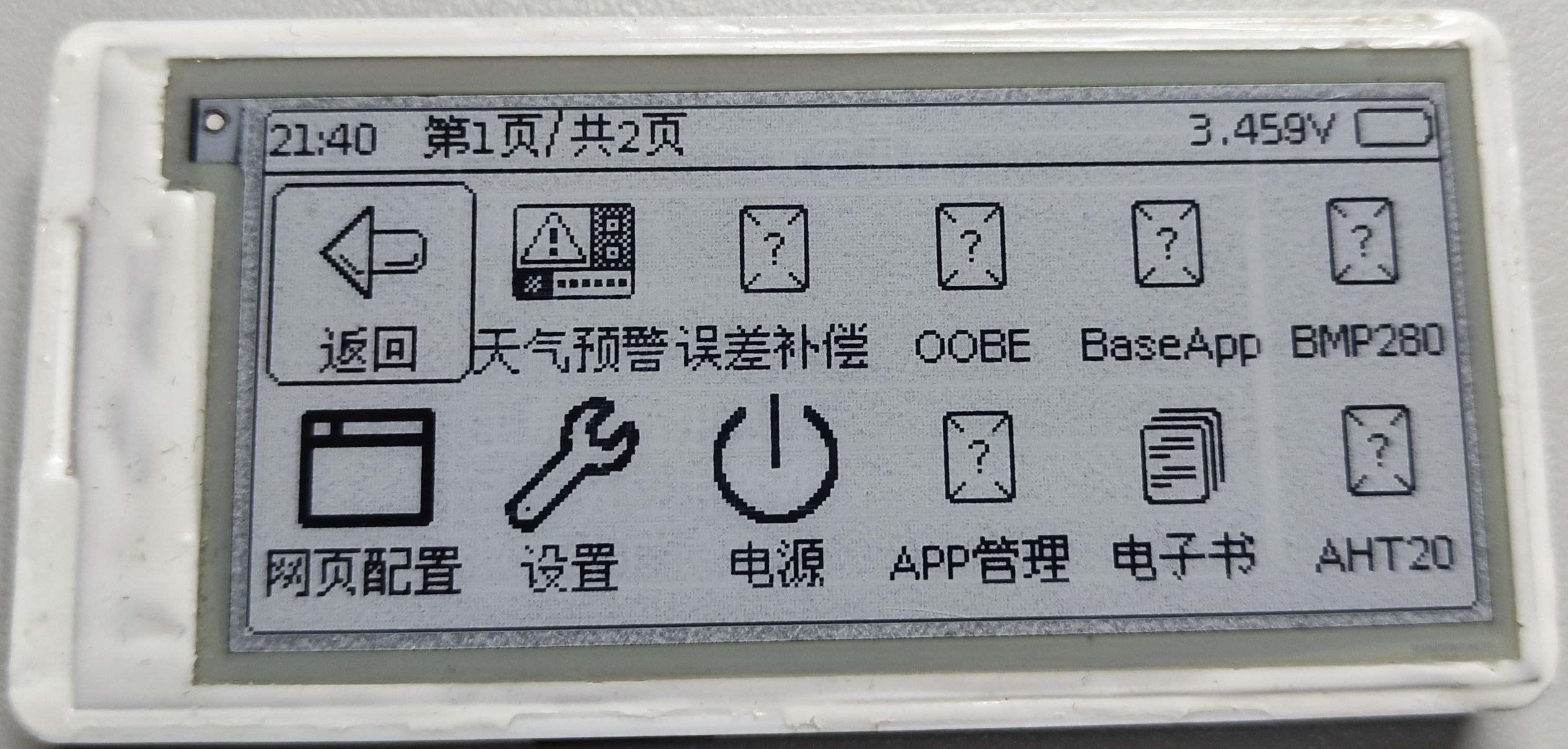
, app selection (long press the middle button in any app other than the e-book app, or select any app as the home screen app in settings),
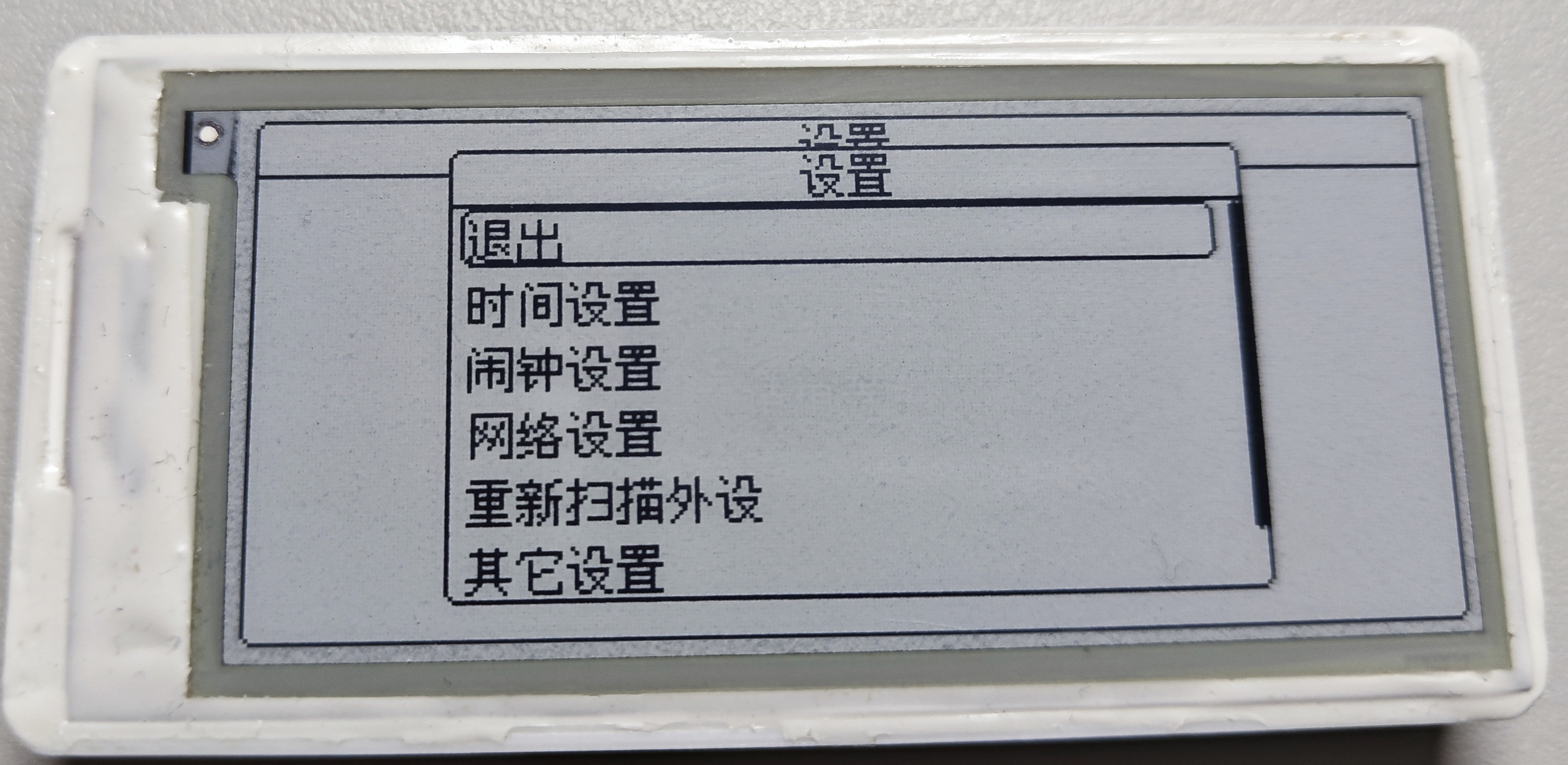
comprehensive settings menu
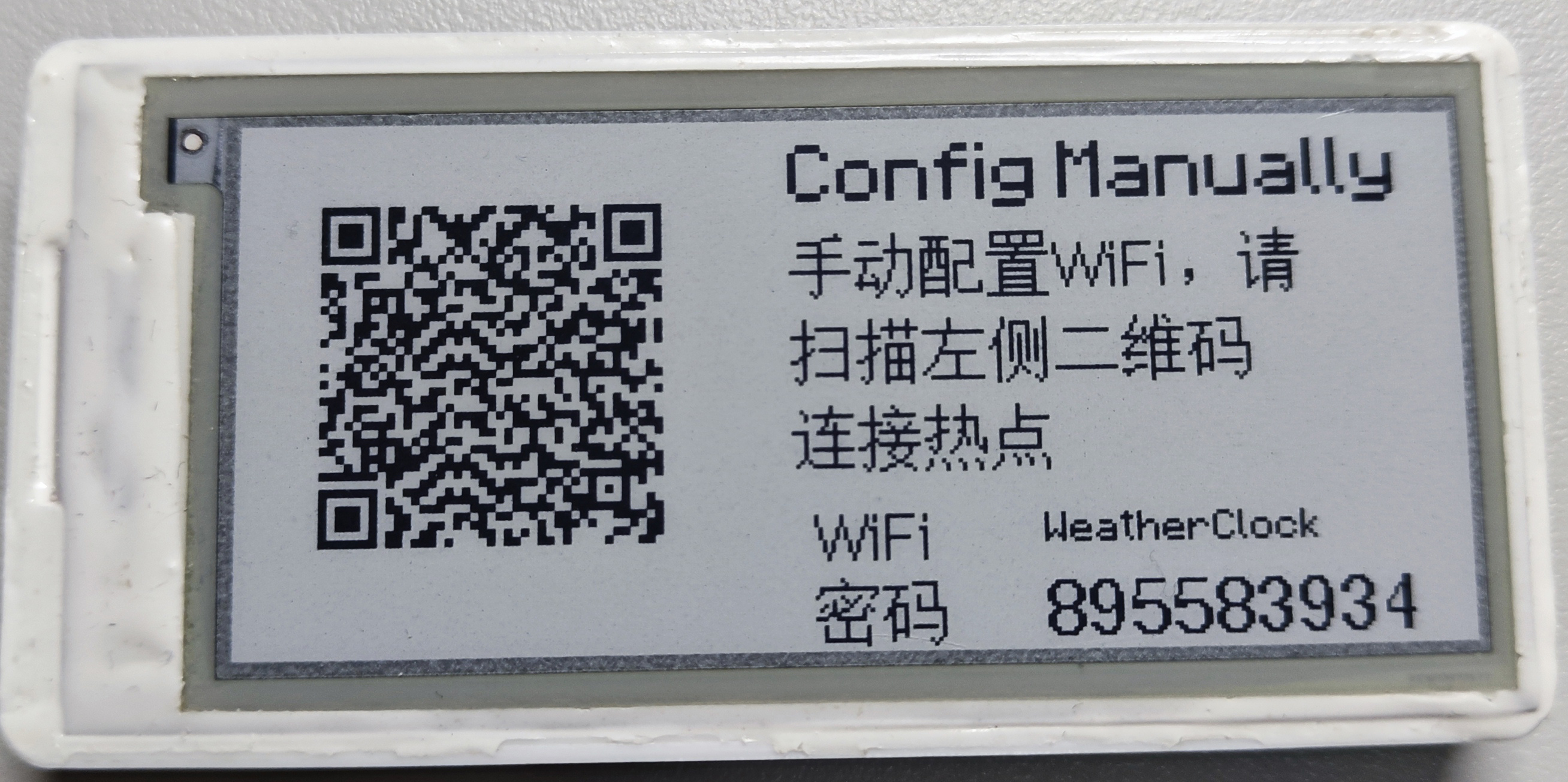
, QR code connection, configuration hotspot (you can also manually enter the password or use SmartConfig),
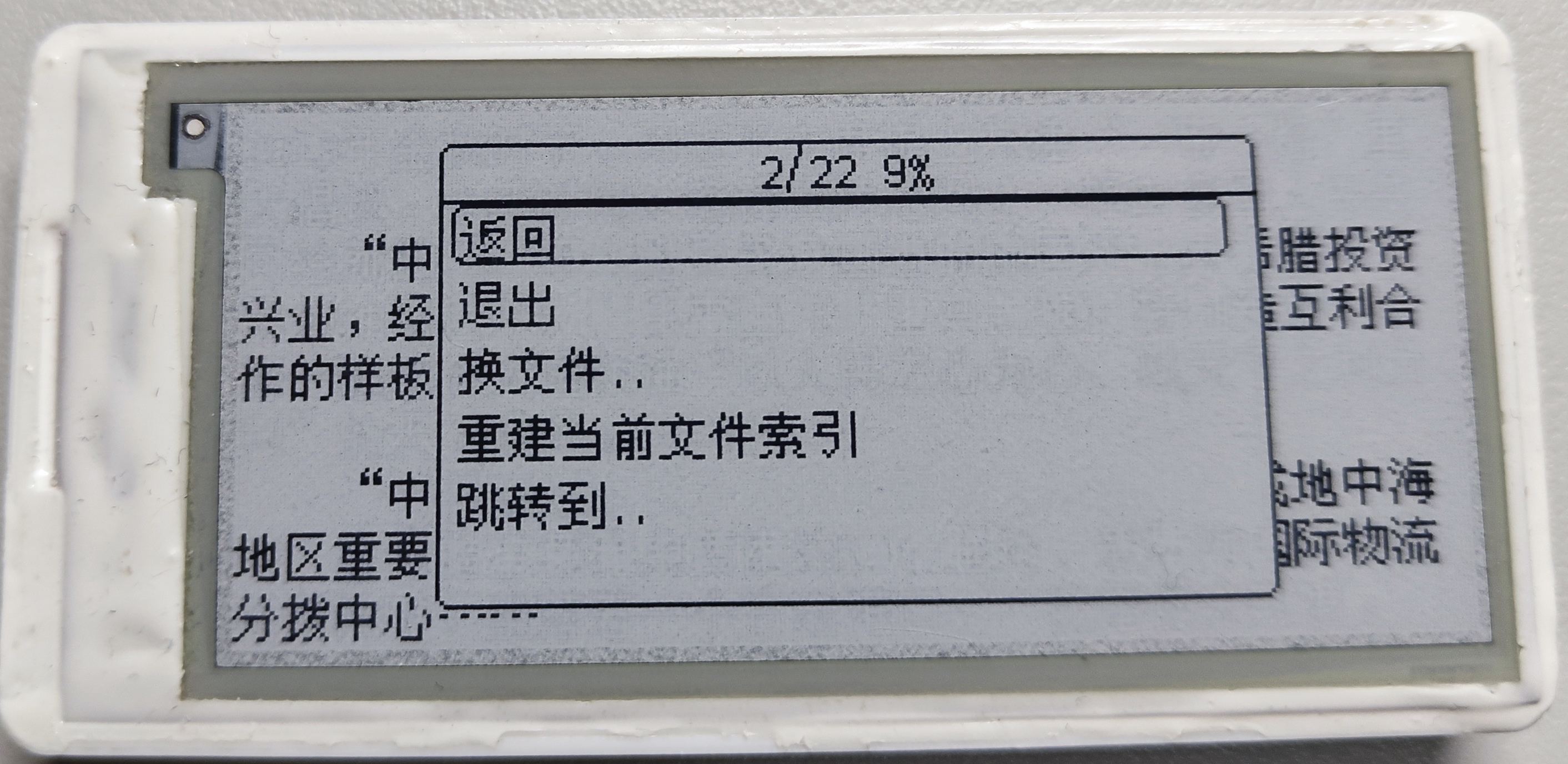
e-book (long press the left button to go to the previous page, long press the right button to go to the next page, and continue long pressing the right button to enter the menu) ,
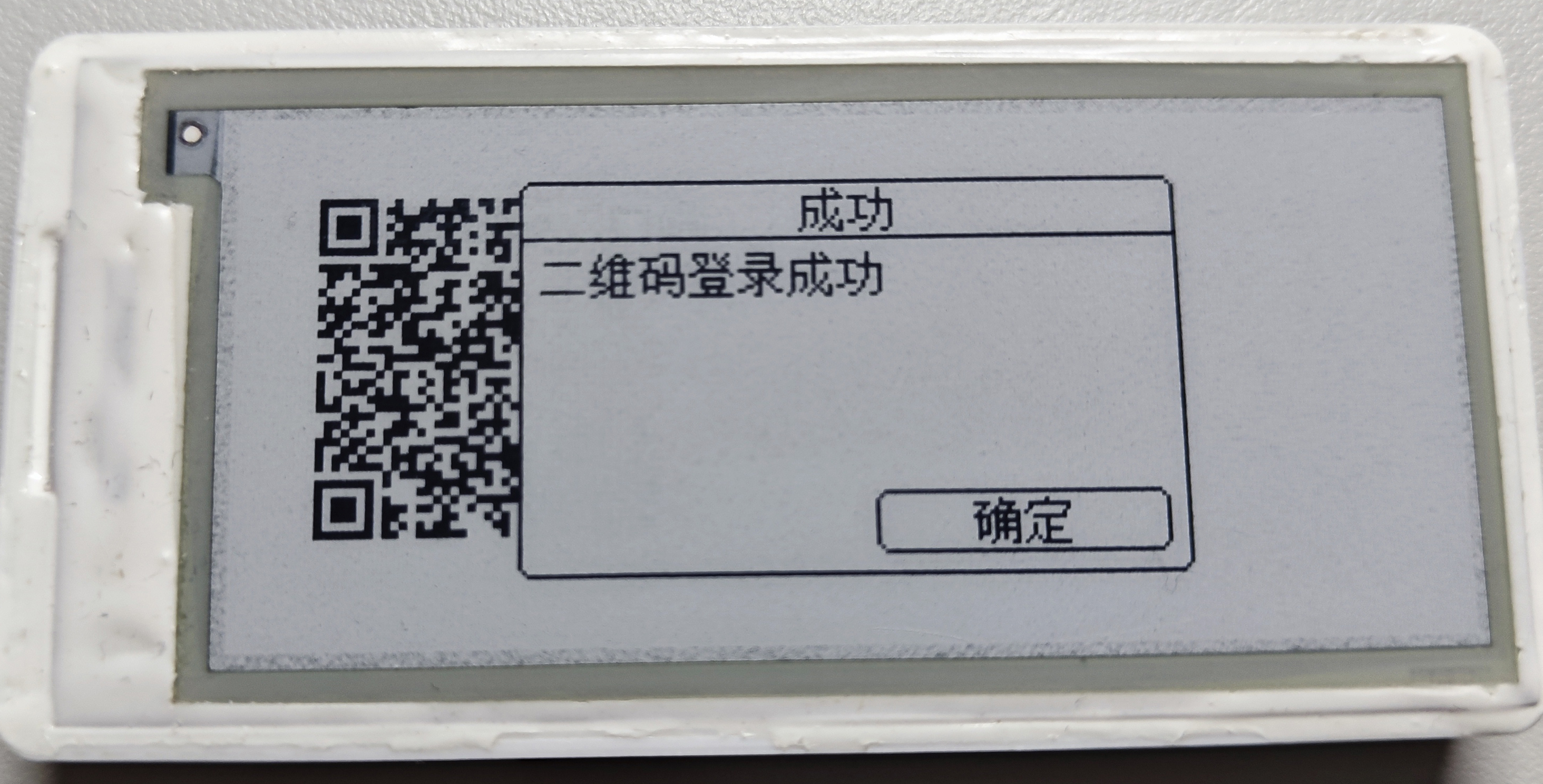
Bilibili QR code login
. Cookies have been obtained; the remaining functions are up to you. Actually, it's because I don't know how to design UI [doge].
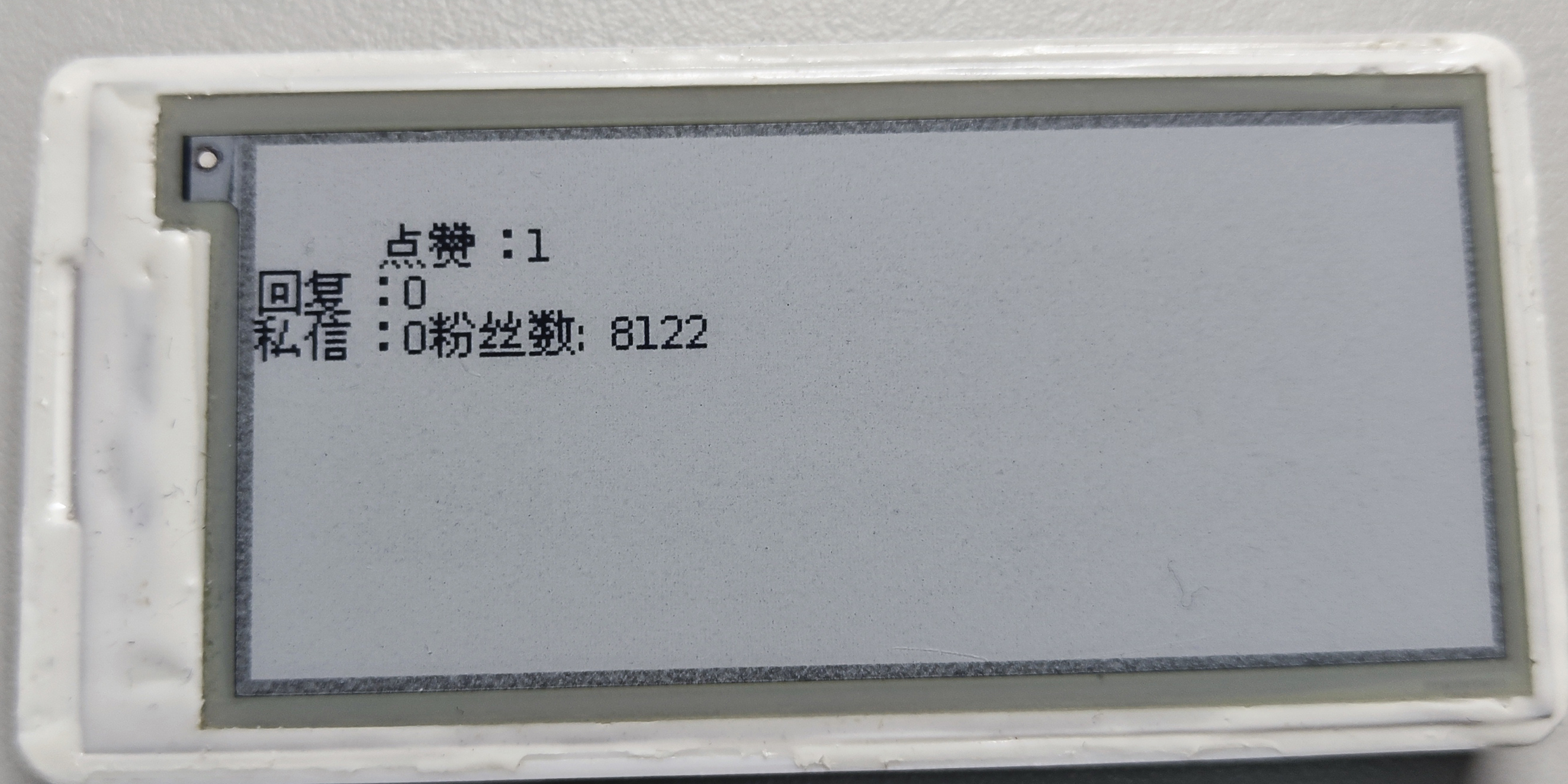
A simple Bilibili follower count display interface (very simple UI, but more functional than 80% of online works).
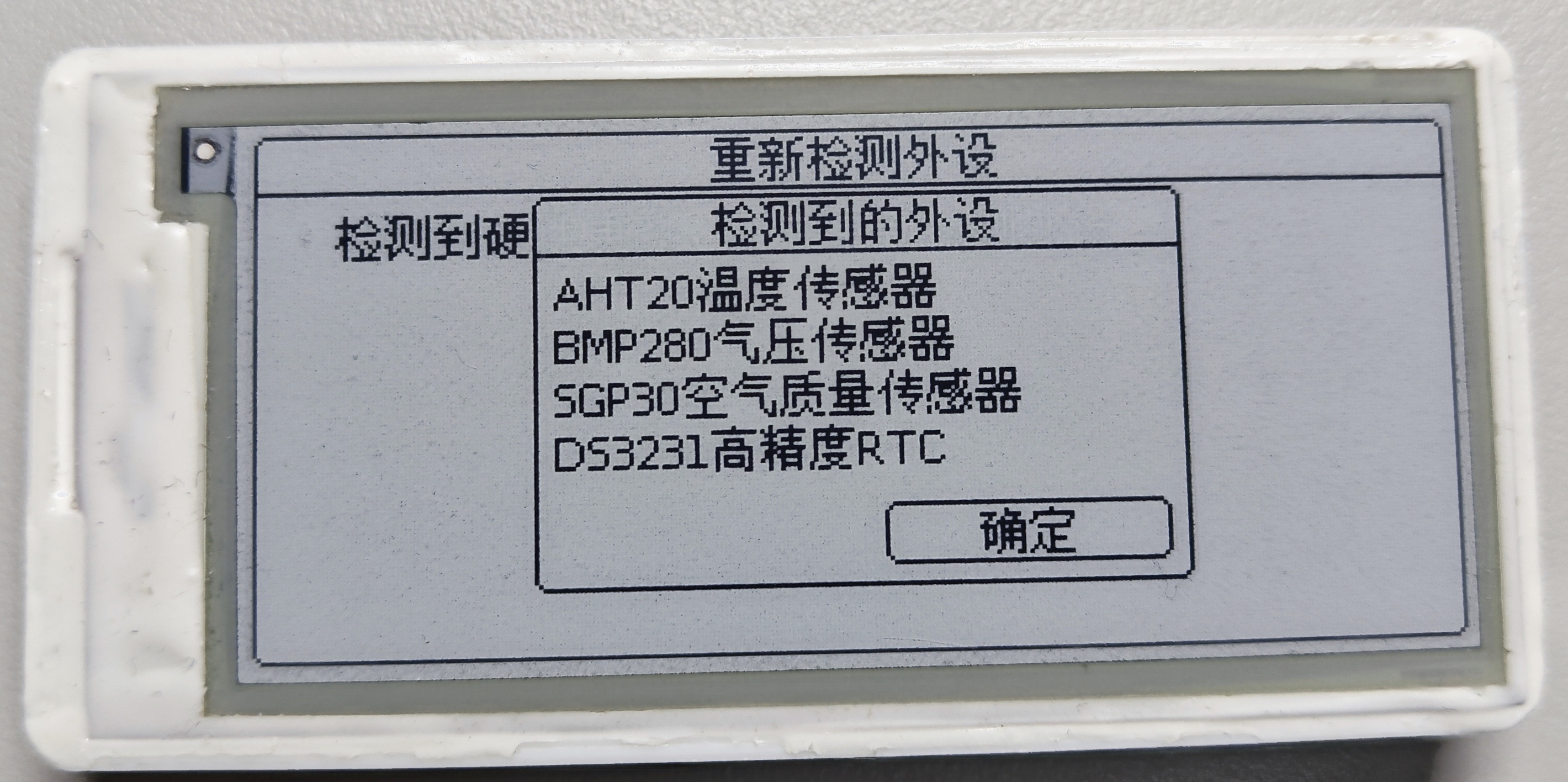
Automatic peripheral detection, which can be used to check if the sensor is correctly soldered
-- Blockly IDE. Introduction --
This feature was developed to solve the problem of custom watch faces.
It allows for easy code modification, project sharing, and reduced compilation and upload time for debugging.
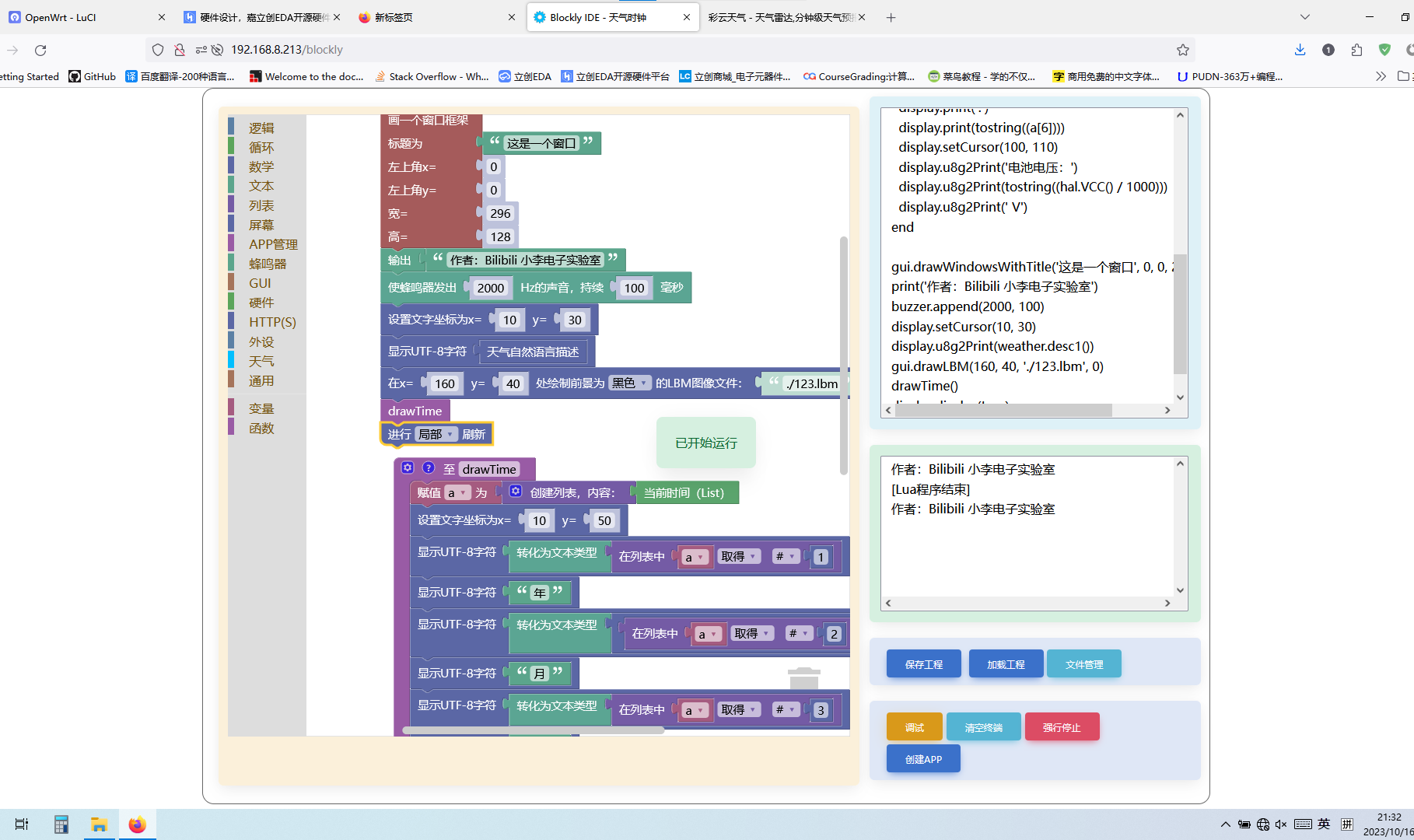
Web interface (you can program using "blocks" on the left or directly edit Lua code, but Lua reverse conversion to Blockly is not supported).
Terminal functionality is implemented using WebSocket; Lua output and errors will be redirected here.
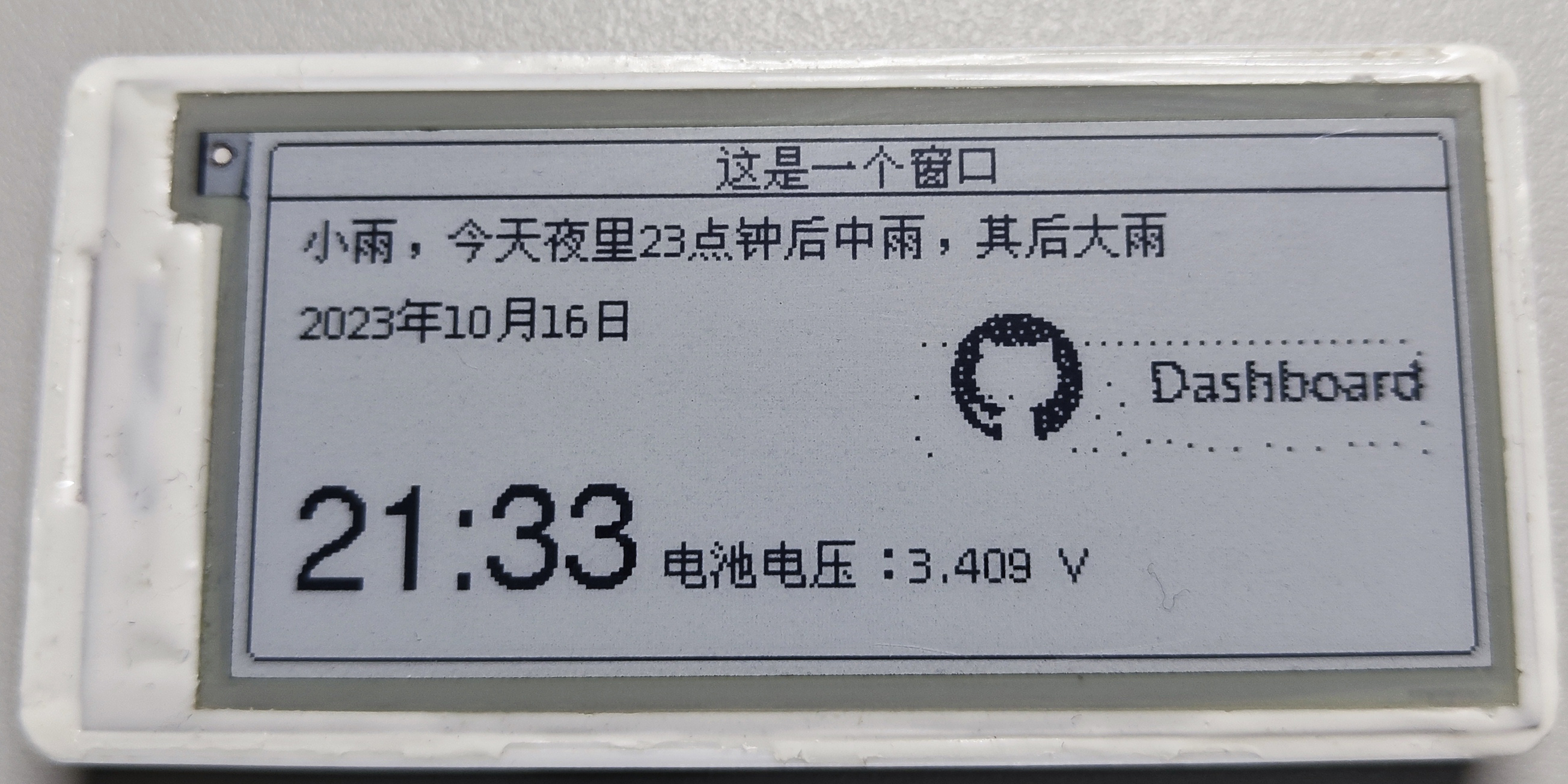
Lua execution results.
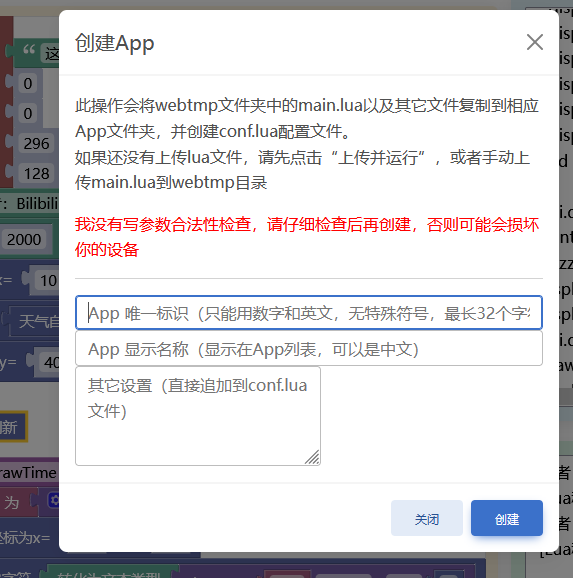
App creation: The
created app, except for being uninstallable or installable from a TF card, functions exactly the same as the built-in app (the built-in app is based on C++).
Detailed program writing instructions can be found in the Github Readme
file management
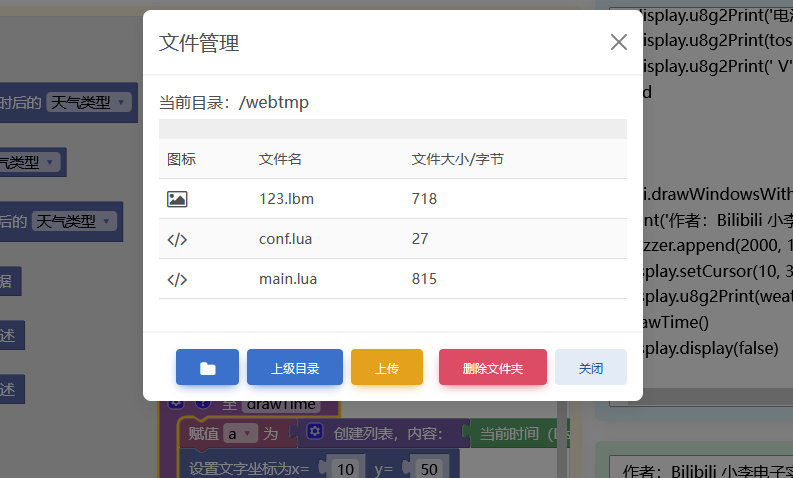
preview. The "lbm" image file (actually an xbm binary, which can be saved as xbm using GIMP and then converted using the xbm to lbm tool in the GitHub repository's tools directory) is also
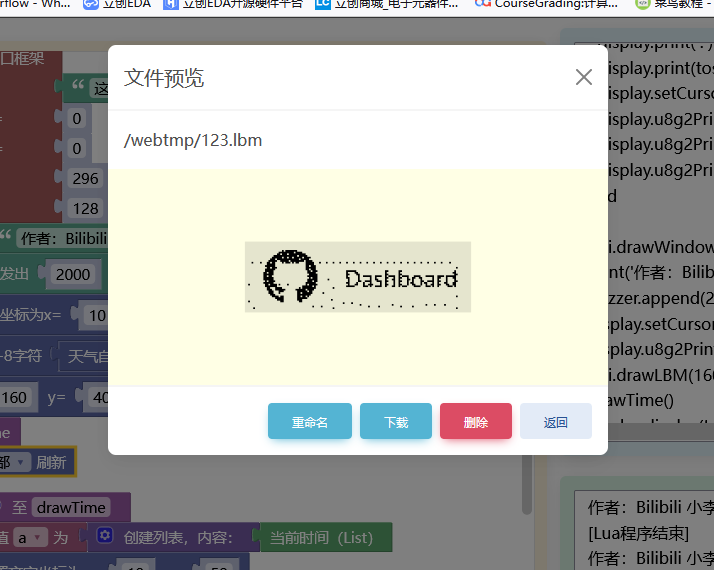
supported. Lua has implemented relative directories (if you need to access resource files, please place them in the webtmp folder; they will be copied when creating the app; "." represents the current directory, but ".." folders are not supported).
The SD card is mounted to /sd/, and the built-in littlefs is mounted to /littlefs.
The buzzer supports playing .buz files (the Python program for converting MIDI to buz is also located in the tools directory on GitHub).
More Lua functions are being added, and everyone is welcome to contribute their own code or project files.
DIY Notes:
This time the BOM is very complete, so you can buy directly according to it.
After small-batch production testing, the hardware is no longer buggy. If you encounter problems such as not being able to burn the program, it is only because the soldering is not done properly.
HW3.0 hardware has fixed all the previously mentioned problems. The software only supports version 2.0 and above.
If you choose a connector for the battery interface, it may not be able to fit into the casing.
Schematic Diagram: The entire page of "Optional Functions" can be left unsoldered. The system will automatically recognize what has been soldered.
ESP32 can use the ESP32-WROOM series. The system will automatically adjust the LittleFS partition size according to the remaining Flash capacity.
Do not buy an ESP32 with PSRAM!!!
After soldering, burn the program and follow the OOBE configuration.
One-click firmware flashing: https://diylxy.github.io/LiClockWebFlash/
The latest source code and pre-compiled firmware are at the top of this webpage
(the attachments include the source code updated on December 2, 2023, in accordance with open-source platform requirements).
The 3D model is also in the Github repository.
If you like the project, please remember to like and bookmark it. Thank you!








 京公网安备 11010802033920号


 BD6041GUL



