The ESP32-C3 Panda Tube Light
is designed for lazy people, eliminating the need to get out of bed to find the light switch. Simply pull down the notification bar and tap to enjoy an elegant and convenient lighting control experience. Let the panda handle the switch with its feet; lazy people should be able to lie flatter and more comfortably. This project essentially solves the major problem of needing to turn off the lights before bed in winter.
Production and usage introduction videos: [Open Source] [DIY] ESP32 Panda Tube Light Directly Connects to iPhone - 15-Minute Replica! A Lazy Person's Must-Have Controllable Tool! _Bilibili_
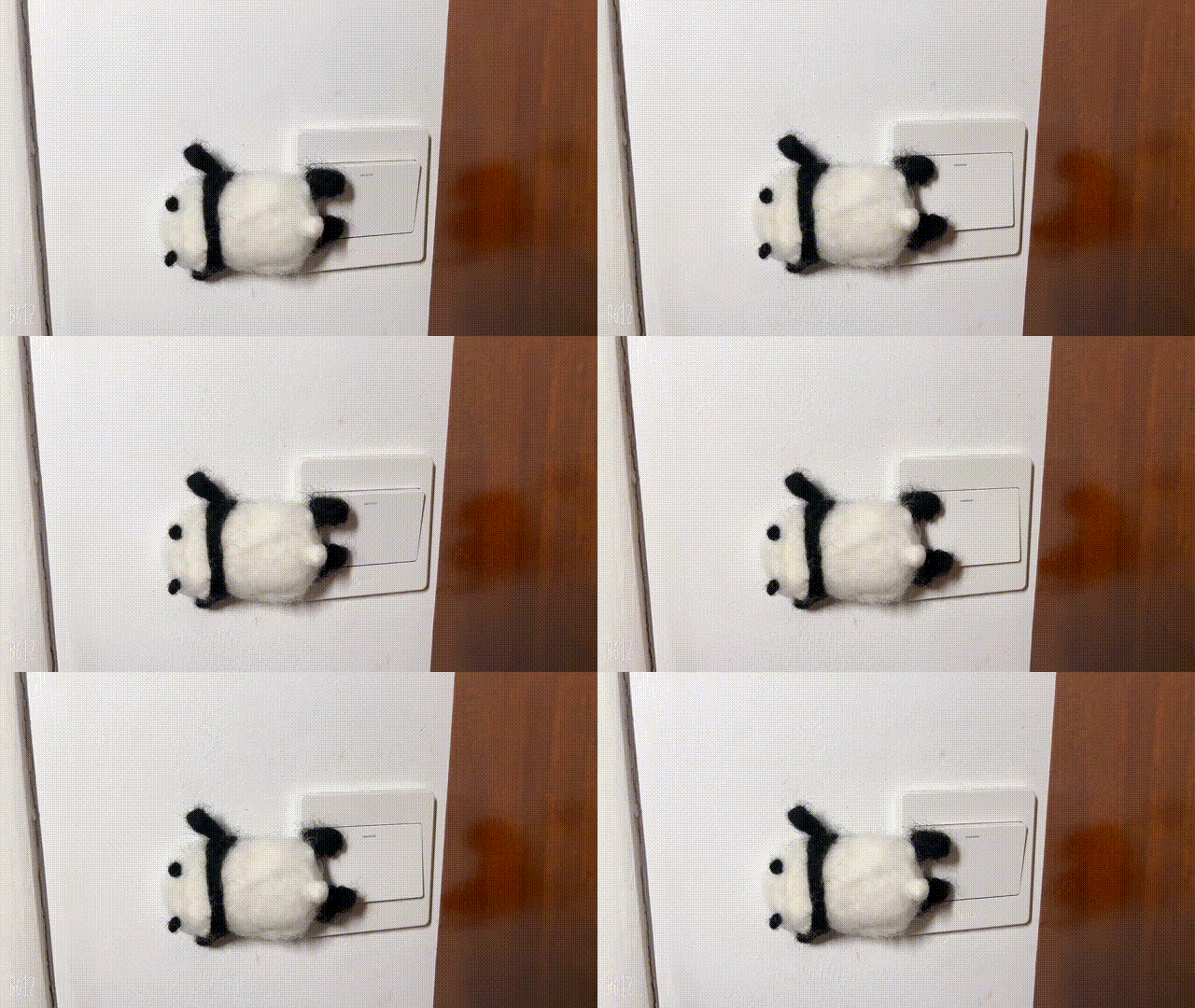
Project Advantages:
Direct connection to HomeKit for local area network control, supports Siri control and direct notification bar control, fast response, and can be connected to the ESP Rainmaker cloud platform for remote control.
Easy Configuration: Configuration is completed with just two QR code scans, and you can start using it happily.
Low-power configuration, balancing fast response and long battery life. With a 2000mAh battery, standby time is approximately 90 days using ESP Rainmaker alone, and approximately 45 days with HomeKit + ESP Rainmaker.
Super easy to replicate:
The code, hardware, and structure are completely open source.
Firmware supports one-click burning, requiring no burning tools or development environment downloads.
All components are in easy-to-solder packages, and as many as possible, components from the LCSC basic library are used.
Links to purchase key components are provided.
Supports low battery alarm and automatic shutdown, with stable functionality.
Elegant design, total material cost is approximately 30 RMB.
Zero-code replication
prerequisite: Create an ESP32-C3 switch panda. Other ESP32-C3 development boards can also be used, but you will need to connect the servo motor yourself; otherwise, you can only observe the control effect using LOG*.
Burning:
Click the image below to jump to the burning page:
![Try it with ESP Launchpad]()
2. Connect the switch panda to the computer.
3. Press and hold the reset button and BOOT button (IO9) on the Panda Switch simultaneously. Then release the BOOT button first, followed by the reset button, to force the chip into programming mode.
4. Click "connect" and select the corresponding serial port on the Panda Switch for connection. The serial port name is usually similar to "USB JTAG/serial debug unit (COMXX) - Paired".
5. Click "Flash" to start programming.
Network Configuration:
After programming is complete, click the reset button on the Panda Switch.
On the webpage, click "connect" and select the serial port corresponding to the device.
On the webpage, click "Console" to enter the console page, and click "Reset Device".
After a short wait, two QR codes will be displayed on the console, one large and one small. First, use the Rainmaker APP to scan the large QR code to configure the device. After completion, you can control the device on the APP. Simultaneously, a small QR code will be generated on the console.
Use the Apple Home App to scan the small QR code to bind the device.
Done!
Instructions for Use:
1. Adjust the servo installation angle: You can adjust the position of the servo motor that is pressed to turn on and off in the Rainmaker APP.
2. Reset network configuration information: Press and hold the Boot button for more than 5 seconds to reset the network configuration information.
3. Low voltage protection: The device has onboard voltage sampling; it will automatically shut down when the voltage is too low. It can be charged directly via USB.
Open source code link: lisir233/esp_smart_light_controller (github.com)








 京公网安备 11010802033920号


 RM222-100-211-6409



