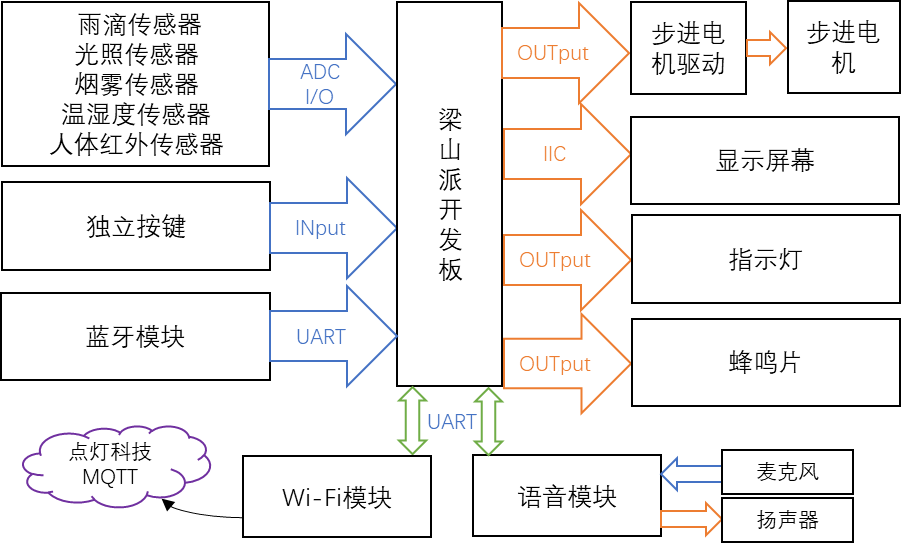
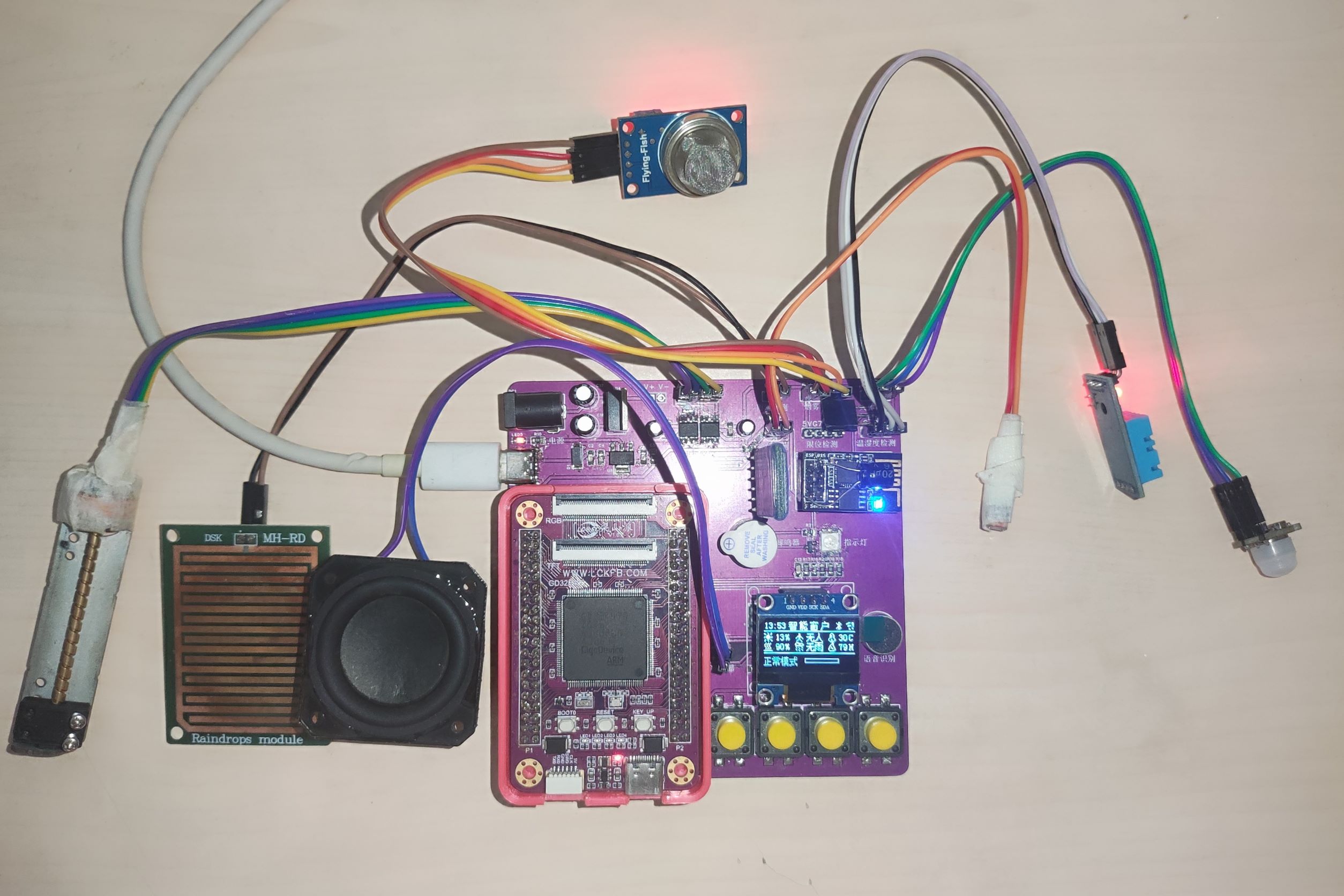
This project is a smart furniture window based on the Liangshanpai development board, referencing the official smart curtain case study. It features raindrop, light, human body, smoke, and temperature/humidity sensors to detect environmental data and automatically open and close the window according to set modes. The window can be controlled via buttons, Bluetooth, Wi-Fi, and voice. The Diandeng Technology APP allows users to view environmental sensor data and control window functions.
Window opening and closing and mode selection are controlled via buttons, Bluetooth, Wi-Fi (APP), and voice.
Real-time monitoring of environmental data (raindrops, light, human body, smoke, temperature, and humidity).
Environmental thresholds can be set via four independent buttons.
Features include smoke and intrusion alarms.
uses SWD programmer.
Connect ESP01s and programmer according to the table below.
Connect the downloader to the computer and use Arduion to download.
HLKv20 firmware download , disconnect all power and connect the HLKv20 and downloader according to the table below. Connect the downloader to the computer, open the software, select the firmware, and download. When
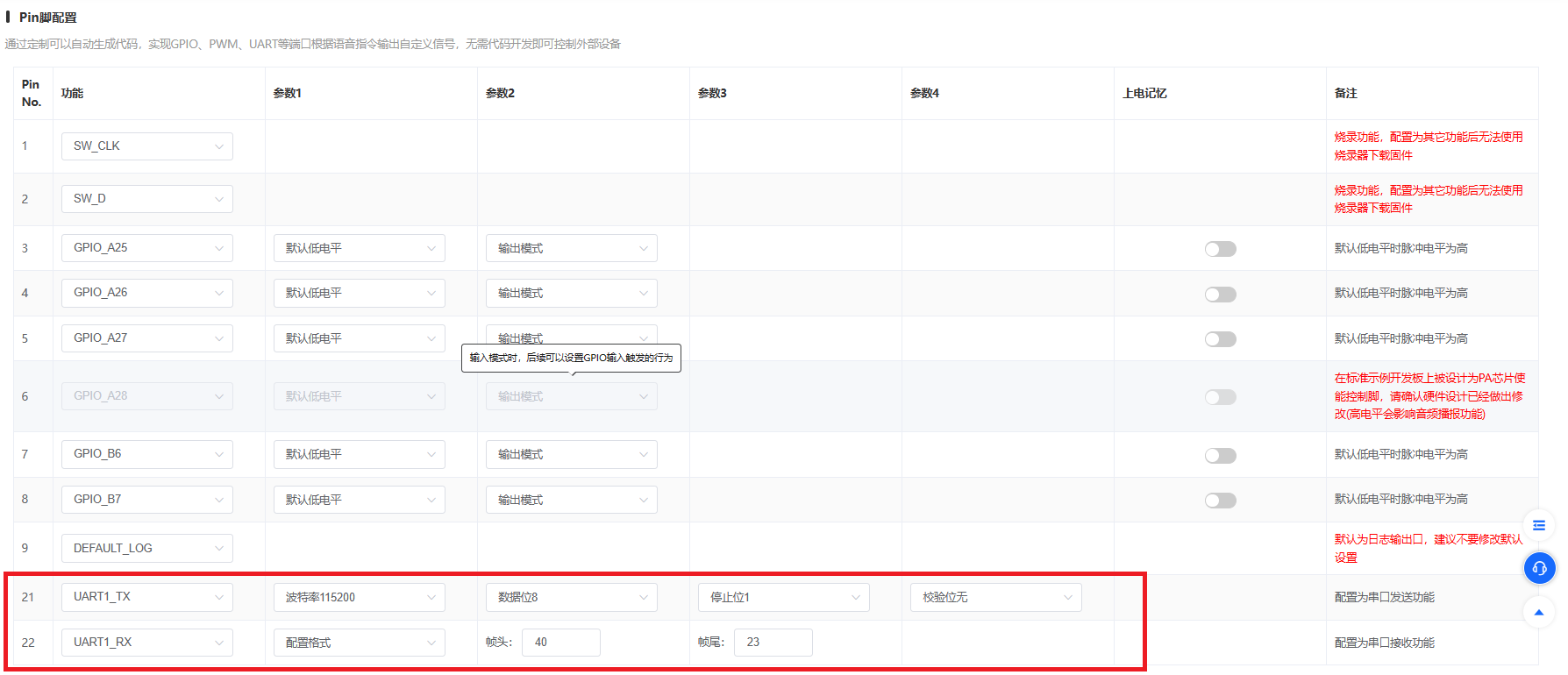
the COM port number appears, plug in the development board power and wait for the download to complete. For software configuration , copy the image configuration file below for the DianDeng Technology APP and ESP01s software configuration . {¨config¨{¨headerColor¨¨transparent¨¨headerStyle¨¨light¨¨background¨{¨img¨´´}}¨dashboard¨|{¨type¨¨btn¨¨ico¨¨fad fa-blinds¨¨mode¨Ê¨t0¨¨window¨¨t1¨¨text2¨¨bg¨É¨cols¨Í¨rows¨Í¨key¨¨btn_mado¨´x´É´y´Ê¨speech¨|÷¨lstyle¨Ë¨clr¨¨#076EEF¨}{ß8¨deb¨ßCÉßHÉßIÑßJÌßK¨debug¨´x´É´y´¤EßNÉ}{ß8ß9ßA¨fad fa-atom¨ßCÉßD¨Normal mode¨ßFßGßHÉßIÍßJÍßK¨btn_mode0¨´x´Í´y´ÊßNËßOßP}{ß8¨num¨ßD¨Light sensor¨ßA¨fal fa-question¨ßO¨#389BEE¨¨min¨É¨max¨¢1c¨uni¨´%´ßHÉßIÍßJËßK¨num_light¨´x´É´y´ÑßN˨rt¨«}{ß8ßVßD¨Smoke sensor¨ßA¨fad fa-chart-network¨ßOßYßZÉßaº0ßb´%´ßHÉßIÍßJËßK¨num_smoke¨´x´Í´y´ÑßNËßd«}{ß8¨tex¨ßD¨rain sensor¨ßF´´¨size¨¨¨18¨ßHÉßA¨fad fa-tint¨ßIÍßJËßK¨tex_rain¨´x´É´y´¤CßNÌ}{ß8ßhßD¨human sensor¨ßF´´ßjßkßHÉßA¨fad fa-house-return¨ßIÍßJËßK¨tex_body¨´x´Í´y´¤CßNÌ}{ß8¨ran¨ßD¨Window position¨ßOßPßaÍßZÉßHÉßIÑßJÊßK¨ran_num¨´x´É´y´ÐßNÌßd«}{ß8ß9ßA¨fad fa-server¨ßCÉßD¨Smart mode¨ßFßGßHÉßIËßJËßK¨btn_mode1¨´x´É´y´ÎßNÉßOßP}{ß8ß9ßA¨fad fa-bed¨ßCÉßD¨Sleep mode¨ßFßGßHÉßIËßJËßK¨btn_mode2¨´x´Ë´y´ÎßNÉßOßP}{ß8ß9ßA¨fad fa-sun¨ßCÉßD¨Sunlight mode¨ßFßGßHÉßIËßJËßK¨btn_mode3¨´x´Í´y´ÎßOßP}{ß8ß9ßA¨fad fa-fan¨ßCÉßD¨Ventilation mode¨ßFßGßHÉßIËßJËßK¨btn_mode4¨´x´Ï´y´ÎßOßPßNÉ}{ß8ßhßD¨-----------------Smart window control-----------------¨ßFßGßj´24´ßHËßA´´ßIÑßJÊßK´0´´x´É´y´ÉßNÎßOßP}{ß8ßVßD¨Temperature sensor¨ßA¨fad fa-thermometer-three-quarters¨ßOßYßZÉßaº0ßb´°C´ßHÉßIÍßJËßK¨num_temp¨´x´É´y´¤AßNÊ}{ß8ßVßD¨humidity sensor¨ßA¨fad fa-humidity¨ßOßYßZÉßaº0ßb´Hm´ßHÉßIÍßJËßK¨num_hum¨´x´Í´y´¤AßNÊ}÷¨actions¨|¦¨cmd¨¦ßL‡¨text¨‡´on´¨Open Window¨¨off¨¨Close Window¨—{ß1D{¨btn_mode¨´on´}ß1E¨Automatic Mode¨}{ß1D{ß1Iß1G}ß1E¨Manual Mode¨}÷¨triggers¨|{¨source¨¨switch¨¨source_zh¨¨Switch Status¨¨state¨|´on´ß1G÷¨state_zh¨|´Open´´Close´÷}÷ßd|÷} Follow the instructions in the image. Paste the copied key into the code to modify the WIFI name and password. char auth[] = "1122334455"; //Lighting Key char ssid[] = "NiseKana"; //Wi-Fi Name char pswd[] = "12345678"; //Wi-Fi Password Re-download after compiling firmware. Bluetooth Control APP Configuration Function Mode Normal Mode Smart Mode Sleep Mode Sunlight Mode Ventilation Mode Open Window Open Window 2/3 Open Window 1/2 Open Window 1/3 Close Window Send Data @mode0 @mode1 @mode2 @mode3 @mode4 #0 #1 #2 #3 #4 Voice Module Software Configuration Voice Module Configuration Platform: Smart Pi/AI Product Zero-Code Platform (smartpi.cn) Voice Module Configuration Reference: 15. Software Design - Voice Recognition Command Configuration - Platform 2 [Graduation Project - Smart Curtain Project] Hailing Technology Download Tool: Hailing Technology Download Tool First set the serial communication pins, command words, and serial input configuration, then set the wake-up word, exit reply, etc. according to personal preferences. Set the serial port parameters according to the picture, configure the frame header to 40 and the frame tail to 23. Configure serial port data sending and receiving. Serial port send configuration includes: behavior name, command word, and response.
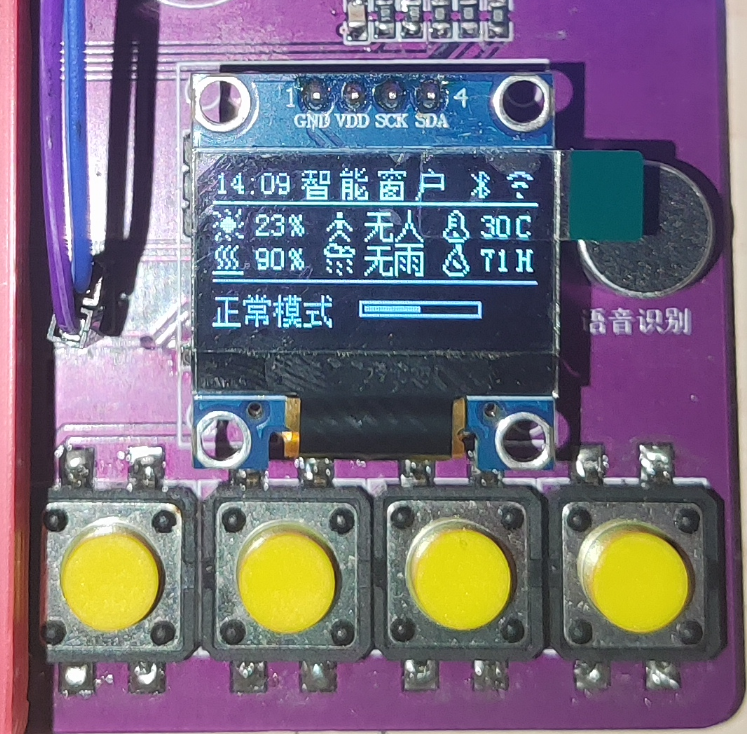
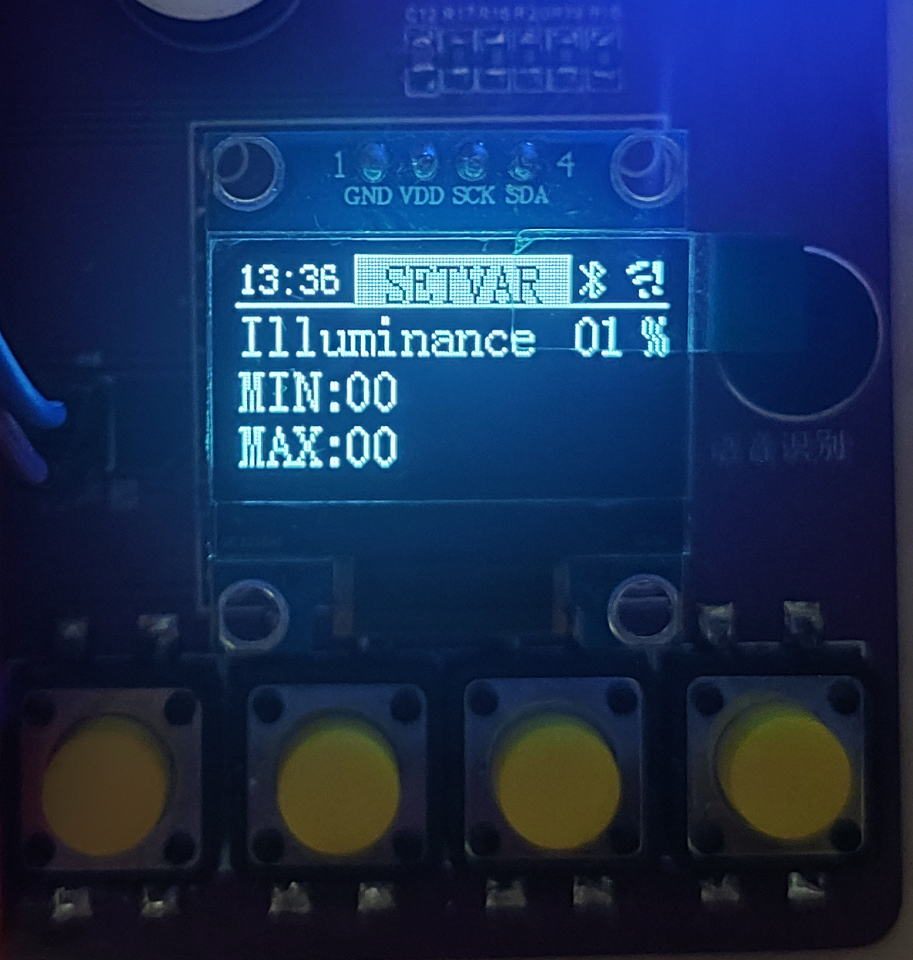
one-third Close window to two-thirds OK Window 2 Open window to one-half Close window to one-half Open window half Window 3 Open window to two-thirds Close window to one-third OK Mode0 Normal mode Set window to normal mode Set to normal mode Mode1 Smart mode Set window to smart mode Set to smart mode Mode2 Sleep mode Set window to sleep mode Set to sleep mode Mode3 Sunshine mode Set window to sunshine mode Set to sunshine mode Mode4 Raindrop mode Set window to ventilation mode Set to ventilation mode volumeUpUni Increase volume volumeDownUni Decrease volume volumeMinUni Minimum volume volume max volumeMaxUni Maximum volume serial port input configuration behavior name Serial port input parameters Speed test (send) message value Play voice NO1 no 40 01 01 23 Window open OFF1 off 40 02 02 23 Window closed MODE00 mode0 40 03 03 23 Set to Normal Mode MODE11 mode1 40 04 04 23 Set to Smart Mode MODE22 mode2 40 05 05 23 Set to Sleep Mode MODE33 mode3 40 06 06 23 Set to Sunlight Mode MODE44 mode4 40 07 07 23 Set to Ventilation Mode OK ok 40 08 08 23 Got it SMOKE smoke 40 09 09 23 Detected a lot of smoke, window opened LIGHT light 40 0A 0A 23 It's getting dark, window closed RAIN rain 40 0B 0B 23 It's raining, window closed BODY body 40 0C 0C 23 Someone passed by, window closed LIGHT1 light1 40 0D 0D 23 It's getting light, window opened RAIN1 rain1 40 0E 0E 23 The rain has stopped, and the windows are open. WINDOW1 window1 40 0F 0F 23 The window is open to one-third. WINDOW2 window2 40 11 11 23 The window is open to one-half. WINDOW3 window3 40 12 12 23 The window is open to two-thirds. Note: 1. Add a 100ms delay before voice broadcast and data transmission. 2. The capitalization of the letters in the action name and serial port input parameters cannot be changed. After verifying the configuration is correct, generate the firmware and download it. Project Demonstration: After powering on, the motor will automatically reset, and then the screen will display the main menu. The main menu is divided into three columns. The top column displays status information: time, title, and connection information. The middle column displays sensor information. The bottom column displays window mode, current window position, and alarm information (not displayed if no alarm occurs). The four buttons below the main menu are parameter setting, mode selection, window opening button, and window closing button. Pressing the parameter setting button will enter the secondary menu, with the button functions of OK, Back, Previous Page, and Next Page. After selecting the parameter to be set in the second-level menu, press the OK button to enter the second-level sub-menu. The button functions are to switch, save, increase, and decrease.
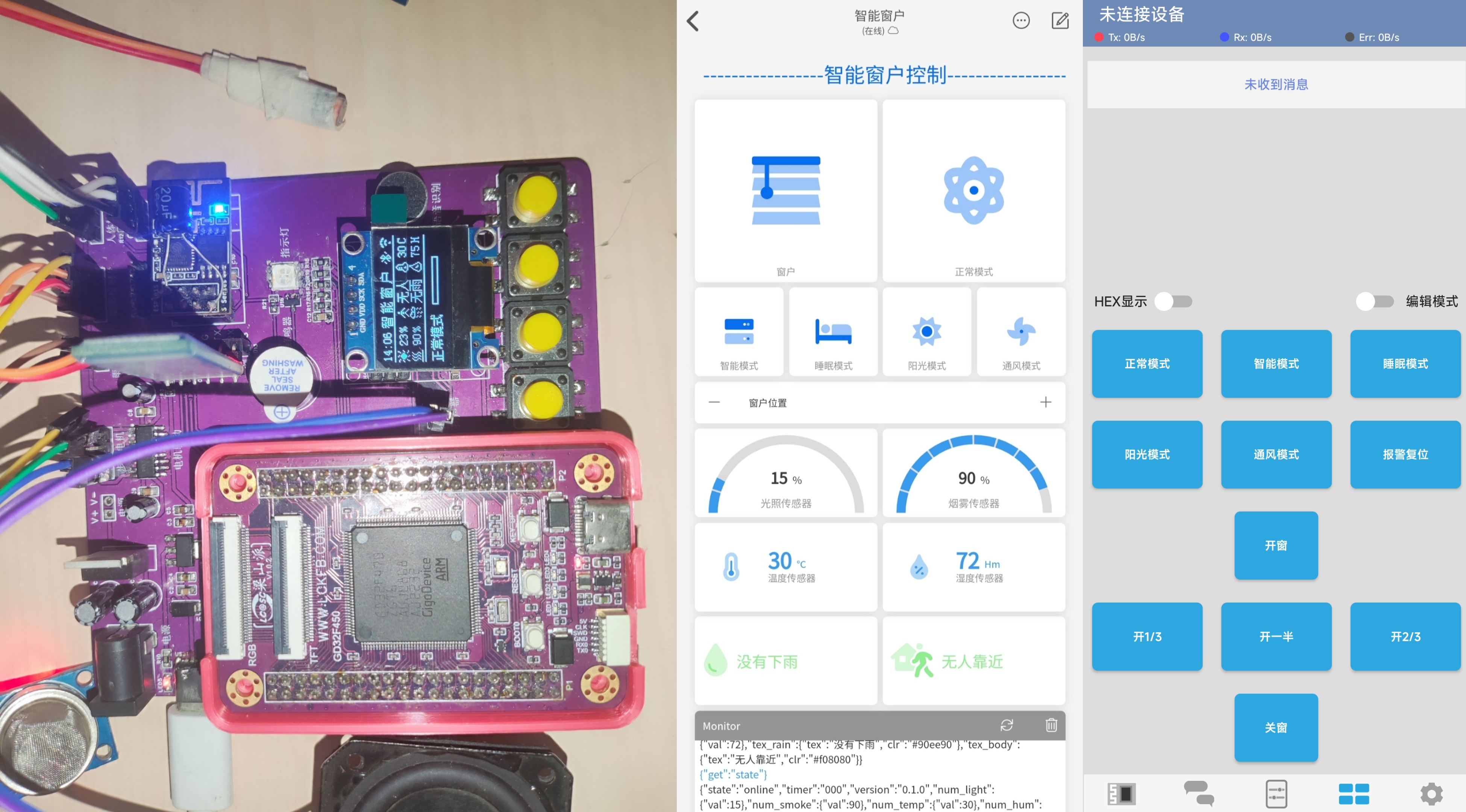
Remotely control windows and view environmental data via the DianDeng Technology APP. Windows can also be controlled via Bluetooth remote control or voice assistant.
Overall demonstration.
I originally planned to do more, but the recent project proposal took too long, affecting my schedule.
This project uses the Dikuoxing development board, controlling the night light via a relay. A three-pin 2.54" connector is used to connect to an external DHT11 temperature and humidity sensor module, and a six-pin connector is used to connect to an external ESP8266 (powered at 5V here; this module supports 3.3-5V).
The back also includes external pins for a photosensitive sensor, a thermal sensor, a buzzer, Bluetooth, a servo motor, and an XY joystick for future study and research.
If this project is open-sourced, I will upload a video of the process to blbl. Welcome to exchange ideas and learn together.
Project Name: ESP32-Type-C Ammeter (with PD Spoofing Function)
Project Description:
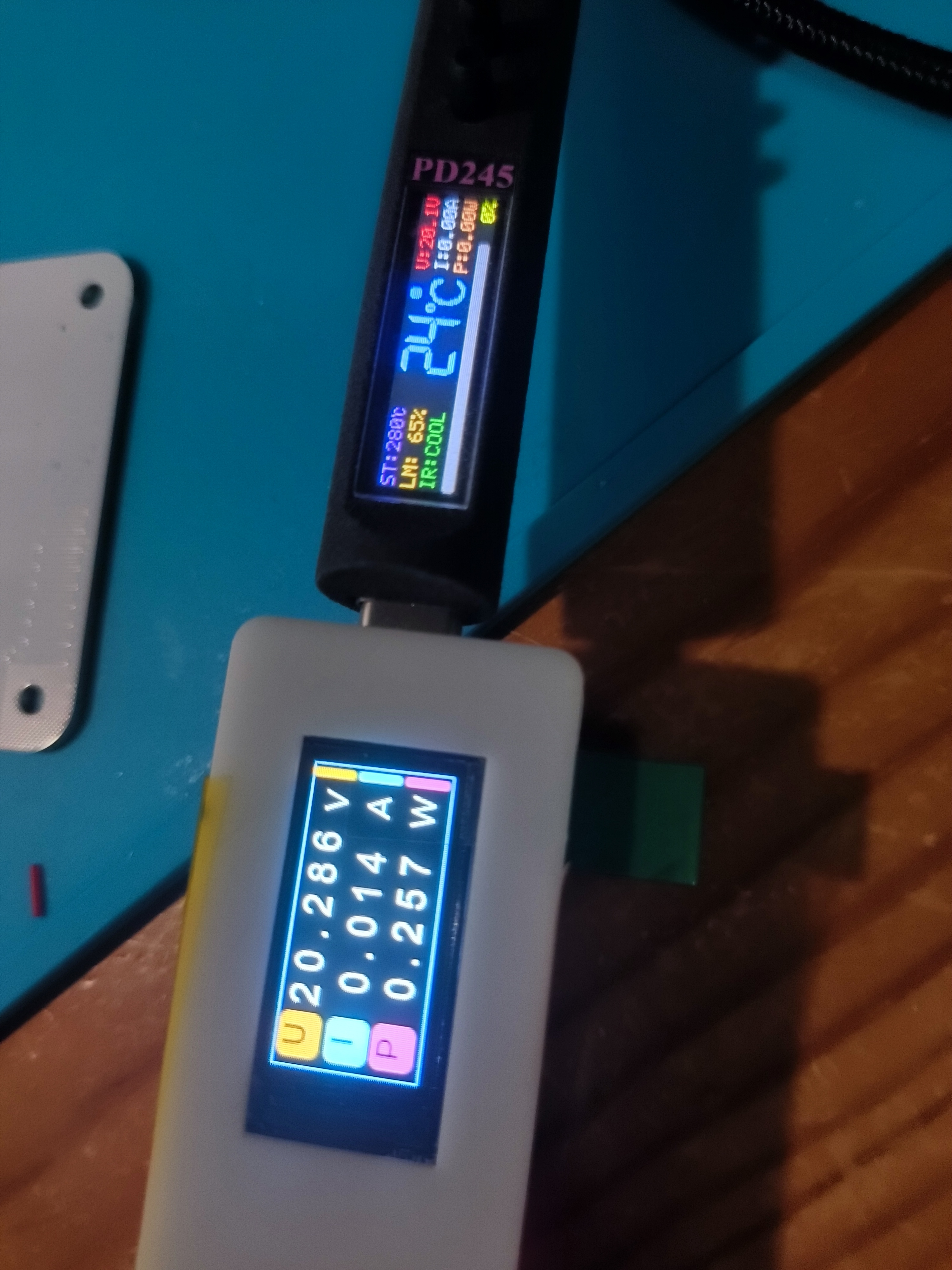
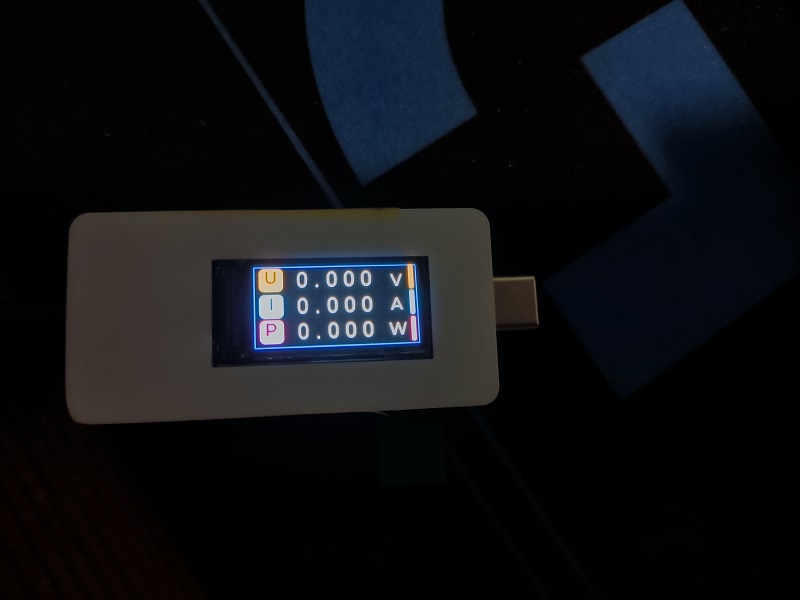
This project is a Type-C ammeter based on the ESP32 microcontroller, using a button and a CH224 chip for PD (Power Delivery) spoofing. It implements PD protocol power management through the Type-C interface, monitors current and voltage in the circuit in real time, and displays the data on a 0.96-inch TFT screen. The project integrates a TI INA226 sensor for high-precision current and voltage acquisition, providing accurate reference for power management of USB devices.
Hardware Components:
ESP32 Microcontroller:
- Model: ESP32S3R8N8
- Provides Wi-Fi and Bluetooth functionality, with rich peripheral interfaces.
- Communicates with the INA226 sensor via I2C and drives the TFT screen via SPI.
TFT Screen:
- Size: 0.96 inches
- Interface: SPI
- Function: Displays parameters such as voltage, current, and power.
TI INA226 Current Sensor:
- Function: Used for accurate measurement of current and voltage.
- Features: Supports I2C communication, built-in 10 milliohm sampling resistor.
USB Type-C Interface:
- Connects devices via the USB-C interface for current and voltage monitoring, and supports PD protocol power management.
CH224 PD Spoofing Chip:
- Function: Triggers the PD protocol, simulating device PD fast charging voltage selection.
- Features: Can be triggered by a button to select different voltage levels, spoofing the device to output a specified voltage (e.g., 5V, 9V, 12V).
Buttons:
- Two physical buttons are designed:
1. Voltage Level Selection: Used to select different voltage levels for the PD fast charging protocol.
2. Display Mode Switching: Used to switch the content displayed on the TFT screen (e.g., display modes for different parameters such as voltage, current, and power).
Working Principle:
Data Acquisition: The INA226 sensor communicates with the ESP32 via I2C to acquire voltage and current data in the circuit in real time.
PD Spoofing Function: Through the PD spoofing function of the CH224 chip, users can select different voltage levels by pressing a button to simulate the device's request for a fast charging power source.
Data Processing: The ESP32 processes the acquired data and displays the current voltage, current, power, and other information in real time on the TFT screen.
Type-C Interface Monitoring: Power and data transmission are handled via the Type-C interface, monitoring the current and voltage passing through this interface.
Project Features:
PD Spoofing Function: Using the CH224 chip, a button allows for PD protocol fast charging voltage selection, enabling users to choose different charging voltages for monitoring.
Button Interaction: Two buttons switch between PD voltage levels and TFT screen display modes, increasing user interaction flexibility.
High-Precision Current and Voltage Monitoring: The TI INA226 sensor ensures high-precision current and voltage measurements.
Real-Time Display: Power, current, and voltage information are intuitively displayed on a 0.96-inch TFT screen.
Application Scenarios:
USB PD Charger Testing: Can be used to test whether USB chargers supporting the PD protocol correctly output the target voltage.
Electronic Device Power Consumption Monitoring: Monitors the power consumption of various PD devices.
Development and Debugging: Suitable for developing and debugging electronic devices requiring PD spoofing functionality, facilitating verification of power consumption performance under different voltages.
By integrating the PD spoofing function, this project not only monitors current and voltage but also has PD protocol voltage selection capabilities, suitable for scenarios requiring fast charging management.
firmware.bin
PDF_ESP32-Typec Ammeter.zip
Altium_ESP32-Typec Ammeter.zip
PADS_ESP32-Typec Ammeter.zip
BOM_ESP32-Typec Ammeter.xlsx
91536
An autonomous driving vehicle based on the Earth Spirit Star MSPM0G3507
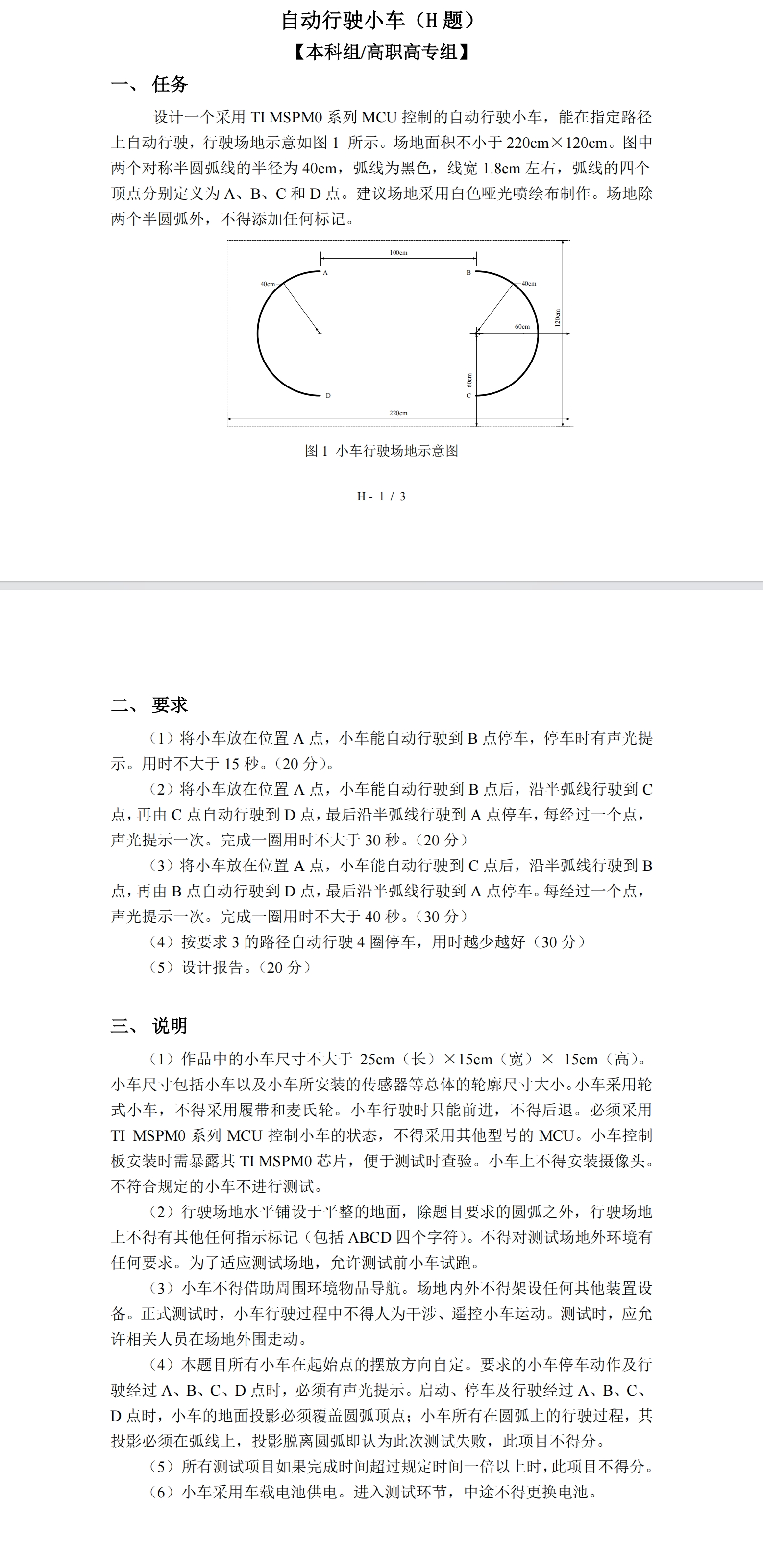
This project, based on the LCSC MSPMOG3507 development board, fabricated a car's power supply board, main control board, and tracking board, suitable for the 2024 Provincial Electronics Competition, Problem H.
I. Awards
This work won the second prize in the Jiangxi Division of the 2024 National Undergraduate Electronic Design Contest.
II. Topic Requirements
III. Design Summary
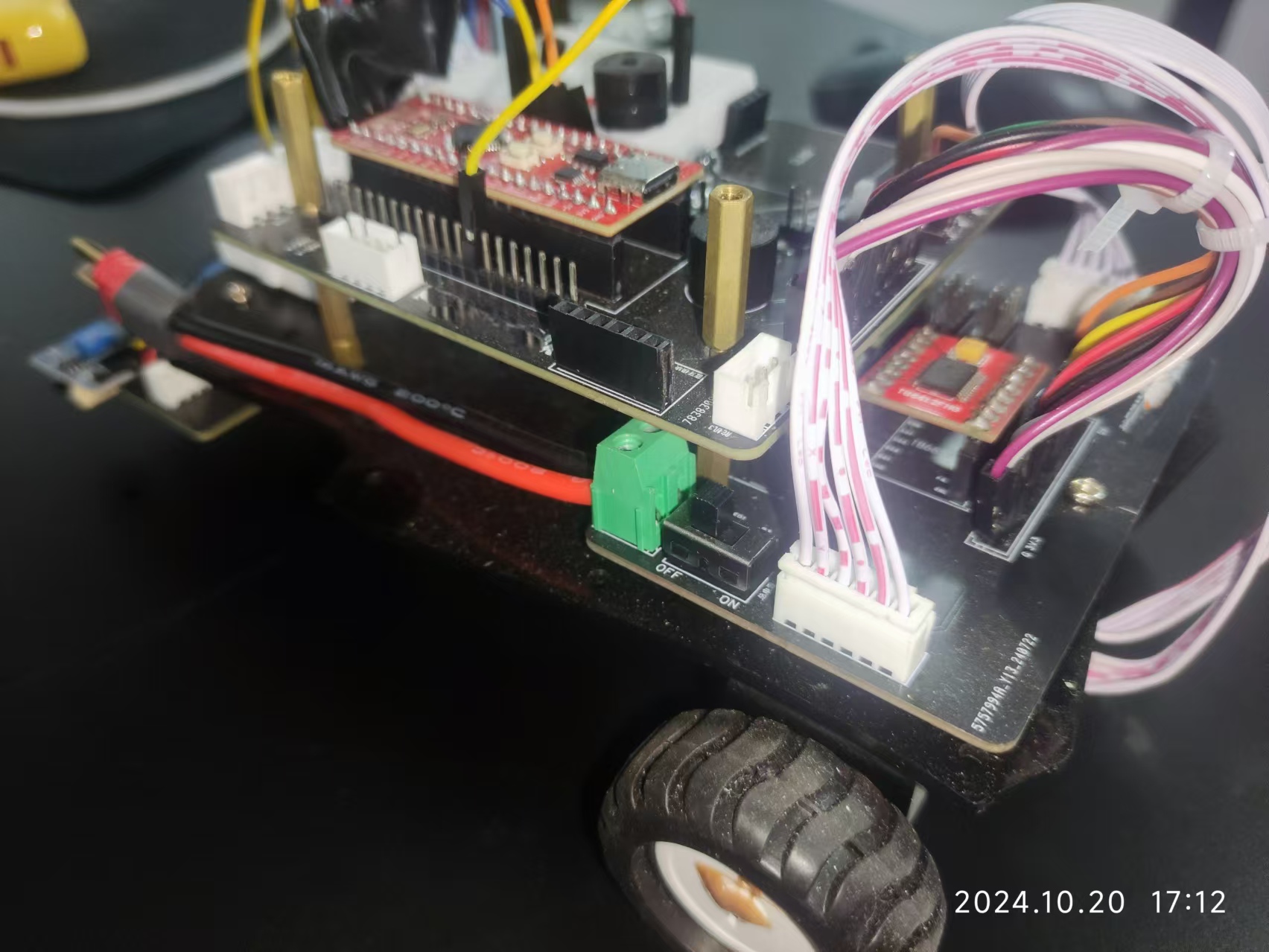
This work adopts a modular design. The control board uses the LCSC development board MSPMOG3507 as the main controller, integrating common modules such as OLED display module, buttons, and buzzer; the power board uses two adjustable switching power supplies to step down the 12V power input to 10V and 5V, and uses a TB6612 motor driver to drive two MG310 motors; the tracking board simply places two rows of corner headers, and infrared tracking or grayscale sensors can be freely added as needed.
IV. Physical Demonstration
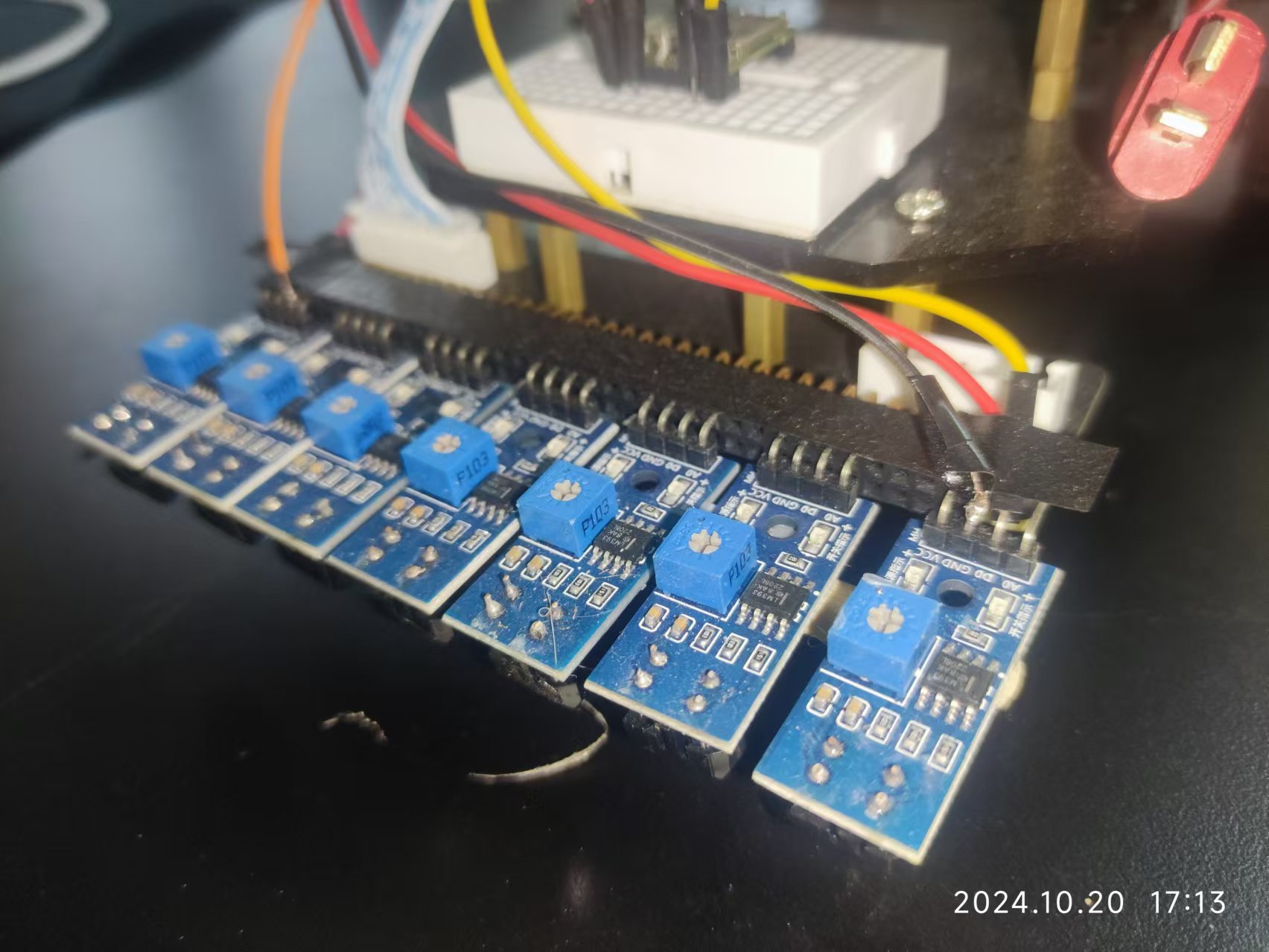
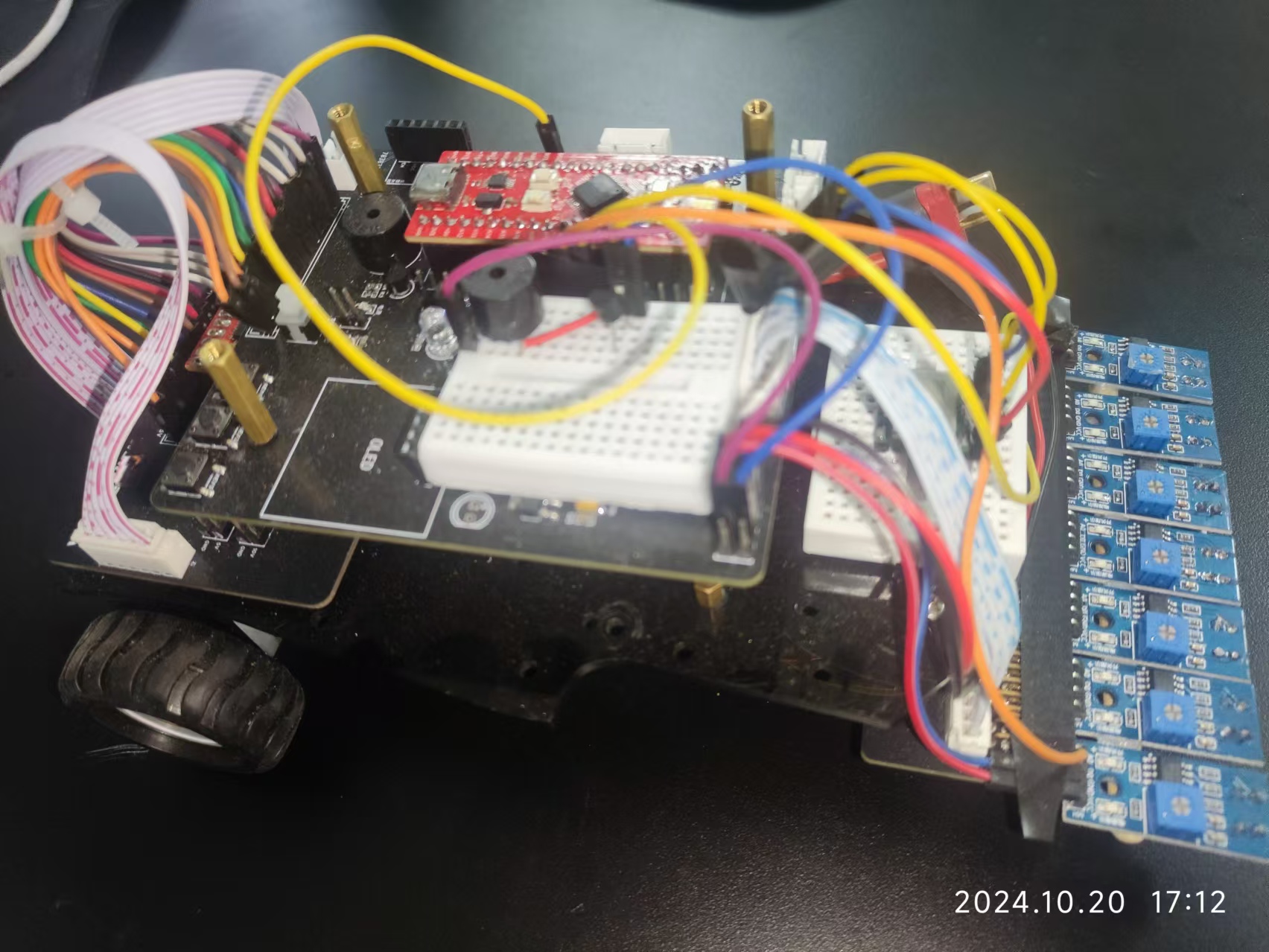
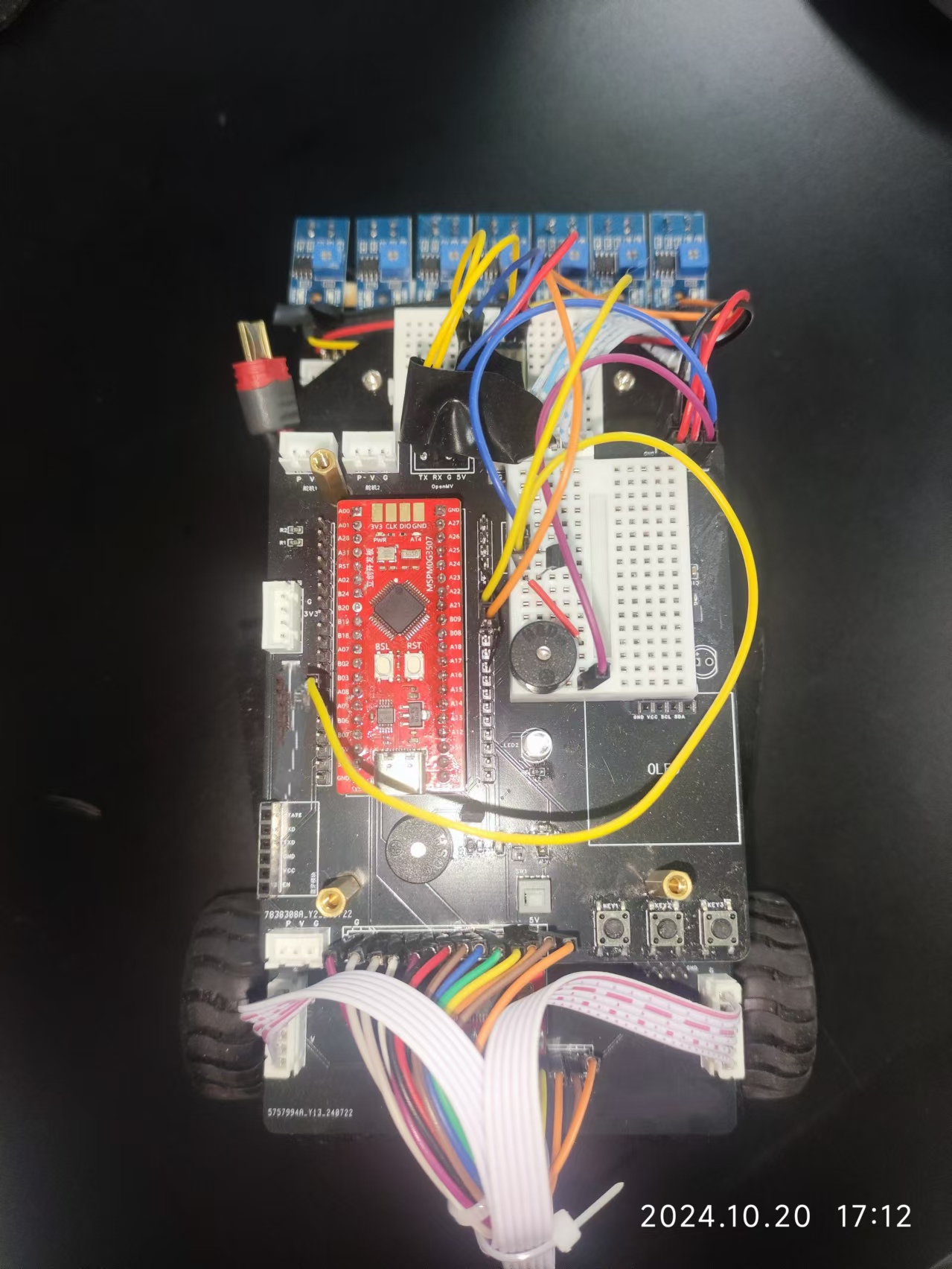
V. Precautions
For better results, an external Witt serial port gyroscope was also connected.
VI. Demonstration Video
See the attached video for the demonstration video.
VII. Code
The software part of this project was developed using the CCS Theia platform. The program was burned using the Type-C port on the Dimengxing development board. The burning tool was UniFlash.
Part of the code is given below; the complete code is in the attached file. Car_v4.1
{
SYSCFG_DL_init(); // Chip initialization
DL_TimerG_startCounter(Motor_PWM_INST); // Motor PWM enable
NVIC_EnableIRQ(TIMER_Encoder_Read_INST_INT_IRQN); // Encoder timer enable NVIC_EnableIRQ(
GPIO_MULTIPLE_GPIOA_INT_IRQN); // GPIOA interrupt enable
DL_Timer_startCounter(TIMER_Encoder_Read_INST); // Start encoder timer
NVIC_ClearPendingIRQ(UART_0_INST_INT_IRQN); // Clear UART0 interrupt flag
NVIC_EnableIRQ(UART_0_INST_INT_IRQN); // Enable UART0 interrupt
NVIC_ClearPendingIRQ(UART_1_INST_INT_IRQN); // Clear UART1 interrupt flag
NVIC_EnableIRQ(UART_1_INST_INT_IRQN); // Enable UART1 interrupt
NVIC_EnableIRQ(ADC12_1_INST_INT_IRQN); // Enable ADC interrupt
OLED_Init(); // Hardware I2C-OLED initialization
OLED_Clear(); // OLED screen clear
control_PID_Init(); // PID controller initialization
motor_Direction_Set(0,0); // Motor initialization
tracking_Init(); // Tracking initialization
/* Task system time initialization */
current_time = Get_Tick();
uint32_t last_task01_time = current_time;
uint32_t last_task02_time = current_time;
Mode = 0; //test
while (1)
{
control_Proc(); //main control process
display_Remind_Proc(); //audio-visual prompt process
com_UART0Receive_Handle(); //data processing after the UART0 data packet reception success flag is set
current_time = Get_Tick();
/*button process*/
if(current_time - last_task01_time >= TASK_BUTTON_DELAY)
{
// TODO Task01
last_task01_time = current_time;
button_Proc();
}
/*OLED process*/
if(current_time - last_task02_time >= TASK_OLED_DELAY)
{
// TODO Task02
last_task02_time = current_time;
display_OLED_Proc(display_OLED_mode);
}
}
}
Demo video.mp4
Car_v4.1.zip
PDF_Autonomous Driving Car Based on MSPMOG3507.zip
Altium-based autonomous vehicle (based on the MSPMOG3507).zip
PADS_Autonomous Driving Car Based on MSPMOG3507.zip
BOM_Automatic Driving Car Based on Earth-based MSPM0G3507.xlsx
91537
A simple waveform generator based on LCSC SkyStar
Using LCSC SkyStar as the main controller, an extended version was designed to support the generation of waveforms such as sine waves, square waves, triangle waves, and noise waves of different frequencies.
Output channels: 2 (independently controlled)
; Duty cycle: 0-100%;
Output range: -3.3V to +3.3V.
To optimize cost, parameters such as frequency and duty cycle are all software-controlled. Amplitude is controlled via a PCM5102APW chip. Multiple expansion options are available for ease of use.
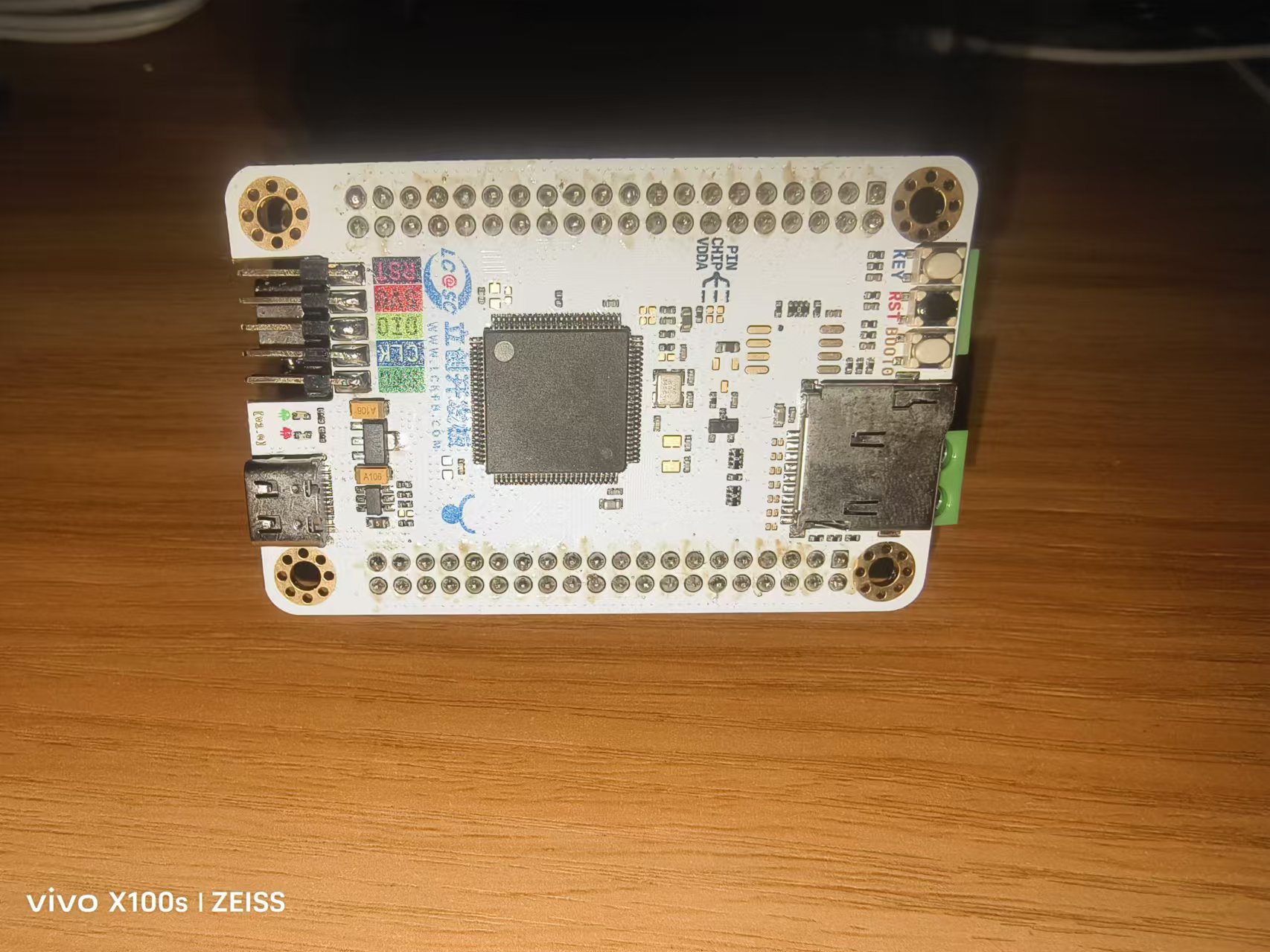
Two rotary encoders are used to adjust various parameters, including waveform type, duty cycle, amplitude, and frequency. A 0.96-inch OLED screen displays parameter information. The expansion board provides various output interfaces for convenient use.
Simple Waveform Generator Demonstration Video.mp4
Simple waveform generator source code.zip
PDF_Simple Waveform Generator Based on LCSC SkyStar.zip
Altium - A Simple Waveform Generator Based on LCSC Skystar.zip
PADS - A Simple Waveform Generator Based on LCSC Skystar.zip
BOM_Simple Waveform Generator Based on LCSC SkyStar.xlsx
91538
Traffic lights at an intersection, first association training session
A very simple PCB for a traffic light at an intersection.
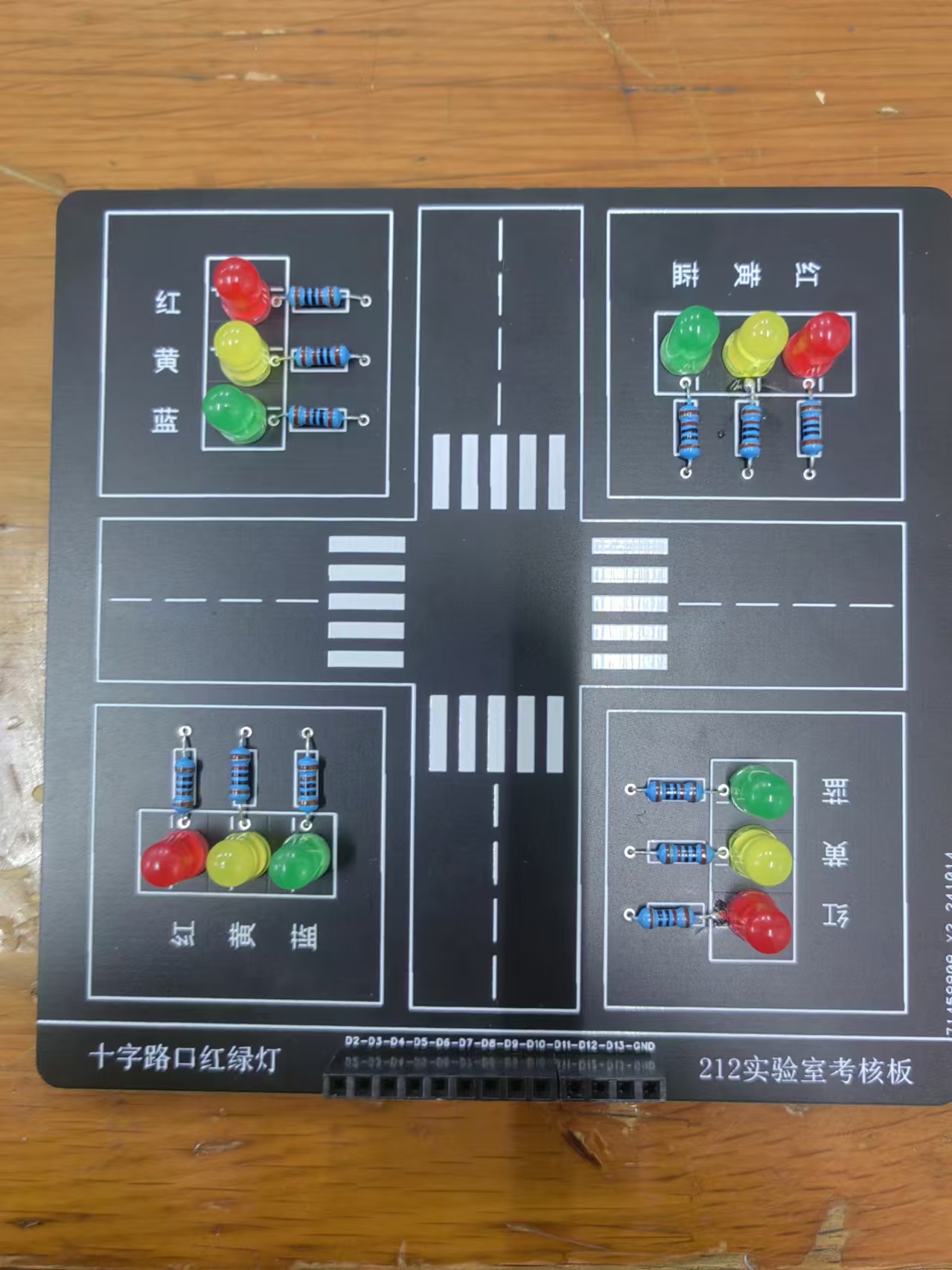
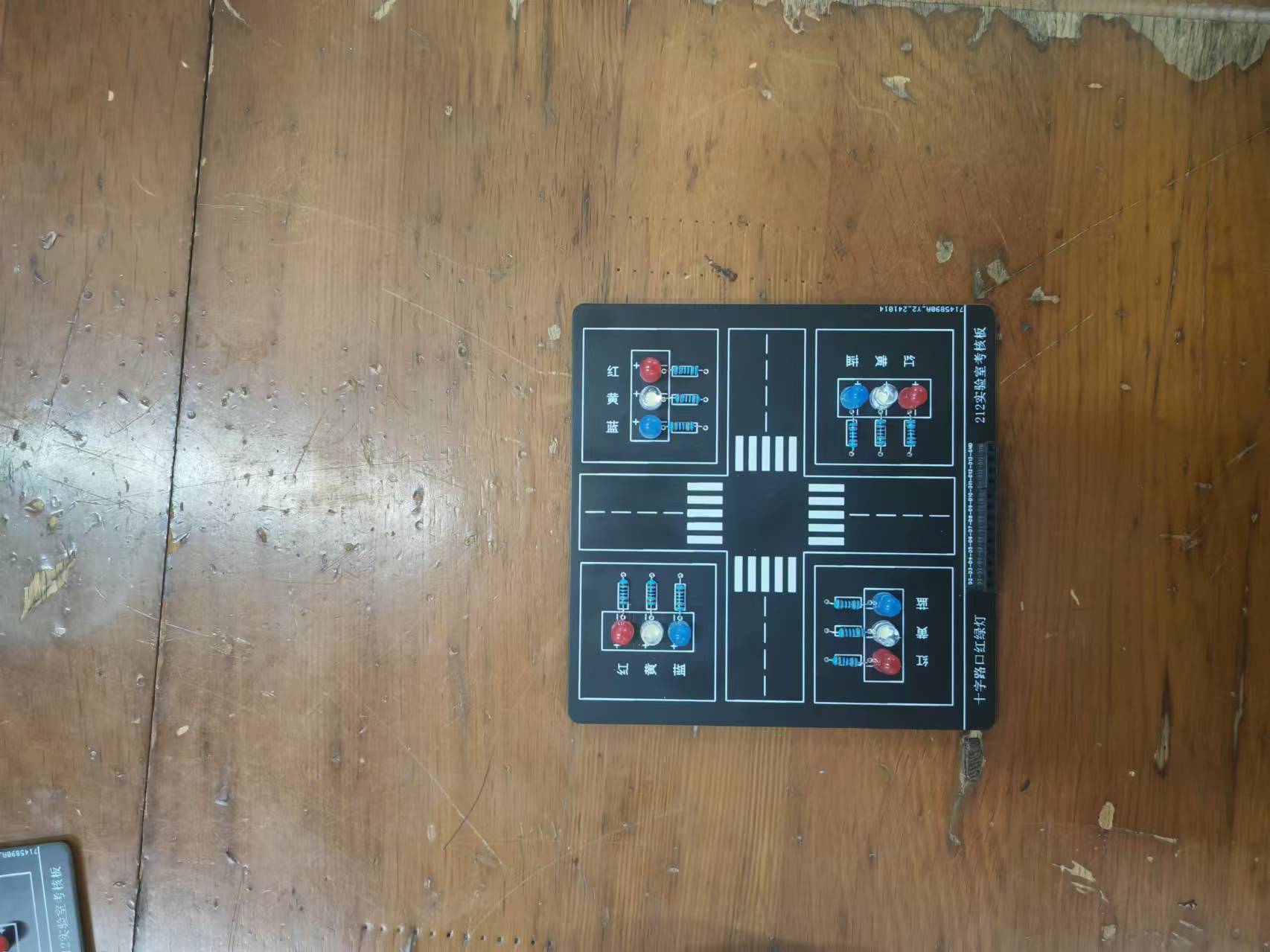
This is a training program for new students at Shenyang University of Technology. It's simple and easy to learn, using a microcontroller.
After connecting the microcontroller to this PCB, it controls the LEDs by outputting high and low levels. The soldering is simple and the cost is very low, making it suitable for new students. The Bill of Materials
(BOM) is not included; it only includes a few LEDs and resistors.
PDF_Traffic Lights at Crossroads, First Association Training.zip
Altium_Traffic Lights at Crossroads, First Association Training.zip
PADS_Traffic Lights at Intersections, First Association Training.zip
BOM_Traffic Lights at an Intersection, First Association Training.xlsx
91539
electronic
 I/O Assignment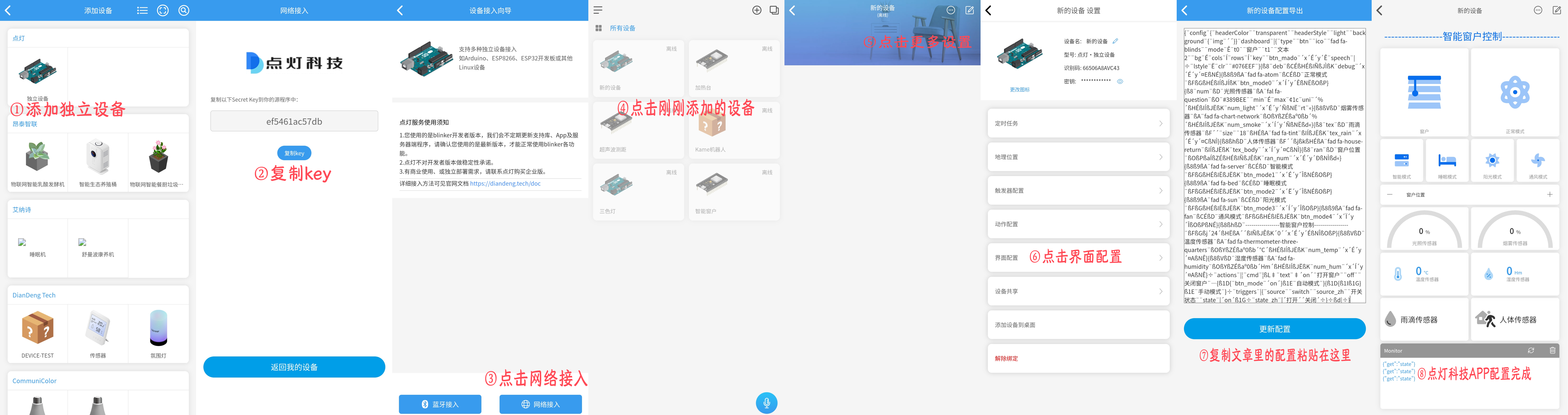








 京公网安备 11010802033920号


 G5131-47-T23UF



