1. Project Introduction
This project designs and builds a low-cost Linux development board with a 4.3-inch 480*800 LCD based on the Allwinner F1C200S SOC, mainly for Qt4.8.7 or LVGL graphical interface development. The development board is equipped with 256Mbit SPI Flash, ESP8089 WIFI (SPI interface), RGB666 LCD, IIC touch interface, headphone jack, USB2.0 & UART (typec), etc., which can meet most of the needs of Linux development.
Reference project: https://oshwhub.com/fanhuacloud/f1c200s_lcd_backup
2. Hardware Design Summary
This SOC needs to provide 1.1V, 2.5V and 3.3V digital power supply and 2.8V analog power supply. The digital section uses an EA3036 three-channel DC-DC chip, the analog 2.8V is provided by an RT9193-28GB LDO (note the output voltage of this LDO when purchasing), and the LCD backlight constant current driver is implemented using an SGM3732.
All hardware has been verified to be usable! The actual PCB diagram is shown below:
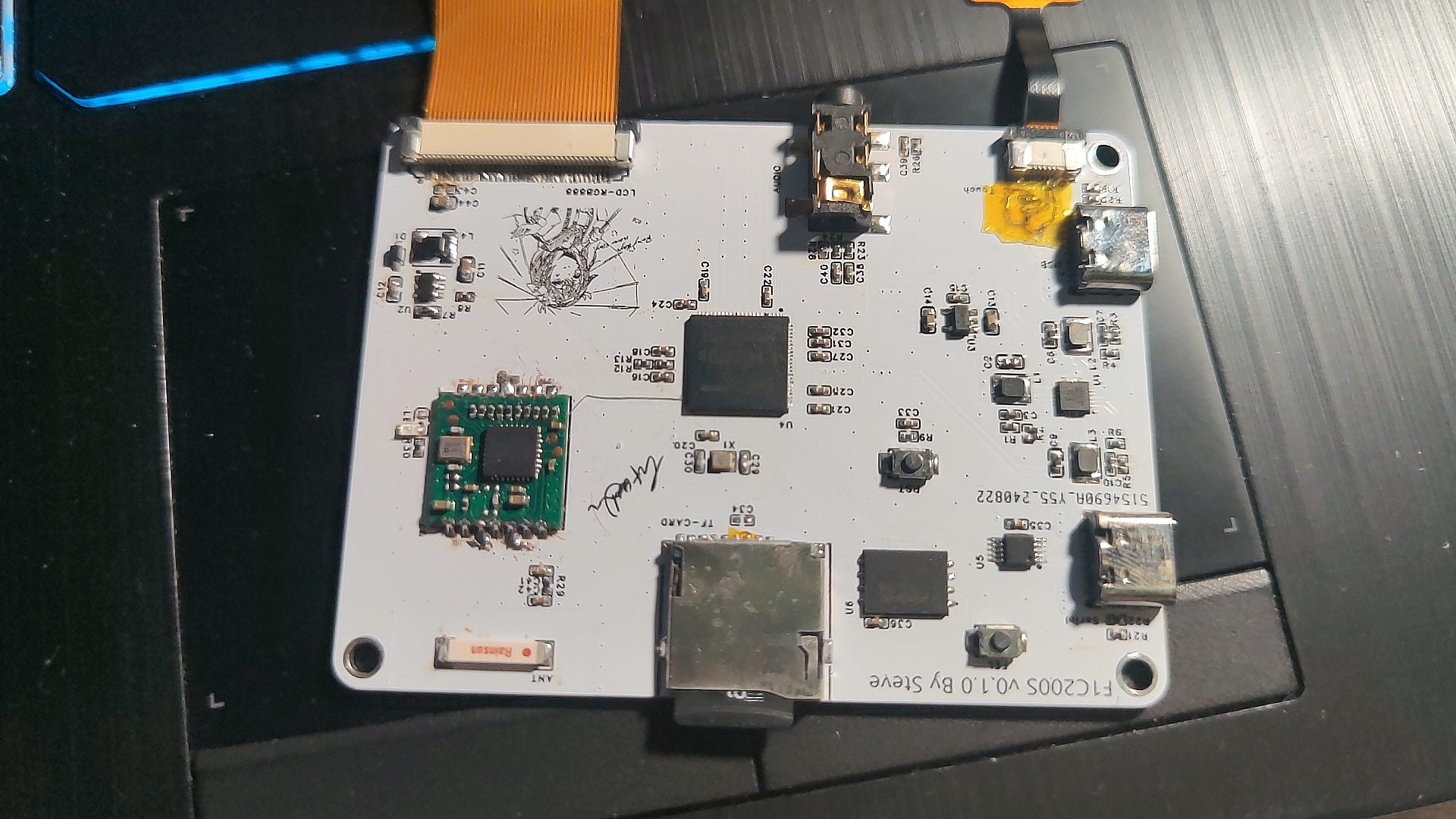
The LCD screen used in this article is a 4.3-inch 800*480 GT911 touch chip LCD screen from "Yoyuan Hong Technology". If you do not want to modify the screen timings of the kernel and uboot, you can directly purchase the same model from Taobao.
3. Software Porting
Full text reference tutorial for software and driver porting: https://blog.csdn.net/qq_41709234/category_12158774.html
First, it is recommended to configure the system environment and compiler. I compiled U-Boot and the Kernel using Ubuntu 20.04 with the compiler arm-linux-gnueabi (gcc version 7.2.1 20171011). However, it's important to note that the F1C200S kernel is based on the ARMv5 architecture. Compiling either tslib or Qt requires an older compiler, while Qt5 and later versions require a higher gcc version. Therefore, the older compiler wouldn't work, and I had to port Qt 4.8.7. If I continued using the above compiler, the compiled software would display an "illegal instruction" error when run on the board. Later, during the porting process, I switched to Ubuntu 16 & arm-none-linux-gnueabi (gcc version 4.8.3 20140320), and the programs compiled with this version ran normally on the F1C200S. (U-Boot and kernel were compiled using a newer compiler; older ones were used instead of the newer ones.)
3.1 For pulling and compiling U-Boot,
refer to the Lichee Pi tutorial: https://wiki.sipeed.com/soft/Lichee/zh/Nano-Doc-Backup/get_started/first_eat.html
sudo apt-get install git
git clone https://gitee.com/LicheePiNano/u-boot.git
cd u-boot# View branches
git branch -a
# Switch to the Nano branch
git checkout nano-lcd800480# Here, make is informed to use all cross-compilation tools under arm-linux-gnueabi, the target architecture is Arm, and the default configurations are set to the nano spiflash support version
make ARCH=arm CROSS_COMPILE=arm-linux-gnueabi-f1c100s_nano_uboot_defconfig
Change the default serial port to serial port 1 under U-Boot:
1. /arch/arm/dts/suniv-f1c100s-lichepi-nano.dts:
aliases { //serial0 = &uart0; serial1 = &uart1; };
chosen { //stdout-path = "serial0:115200n8"; stdout-path = "serial1:115200n8"; };
&uart0 { //pinctrl-names = "default"; //pinctrl-0 = ; //status = "okay";};
&uart1 { pinctrl-names = "default"; pinctrl-0 = ; status = "okay";};
2. /arch/arm/dts/suniv.dtsi:
pio modification:
uart0_pins_a: uart-pins-pe {
//pins = "PE0", "PE1";
//function = "uart0";
};
uart1_pins_a: uart-pins-pa {
pins = "PA2", "PA3";
function = "uart1";
};
3. /arch/arm/include/asm/arch-sunxi/gpio.h:
#define SUNIV_GPE_UART0 5+#define SUNIV_GPA_UART1 5+#define SUNIV_GPE_UART2 3
4. /arch/arm/mach-sunxi/board.c:
@@ -87,6 +87,14 @@ static int gpio_init(void) sunxi_gpio_set_cfgpin(SUNXI_GPE(0), SUNIV_GPE_UART0); sunxi_gpio_set_cfgpin(SUNXI_GPE(1), SUNIV_GPE_UART0); sunxi_gpio_set_pull(SUNXI_GPE(1), SUNXI_GPIO_PULL_UP);+#elif CONFIG_CONS_INDEX == 2 && defined(CONFIG_MACH_SUNIV)+ sunxi_gpio_set_cfgpin(SUNXI_GPA(2), SUNIV_GPA_UART1);+ sunxi_gpio_set_cfgpin(SUNXI_GPA(3), SUNIV_GPA_UART1);+ sunxi_gpio_set_pull(SUNXI_GPA(3), SUNXI_GPIO_PULL_UP);+#elif CONFIG_CONS_INDEX == 3 && defined(CONFIG_MACH_SUNIV)+ sunxi_gpio_set_cfgpin(SUNXI_GPE(7), SUNIV_GPE_UART2);+ sunxi_gpio_set_cfgpin(SUNXI_GPE(8), SUNIV_GPE_UART2);+ sunxi_gpio_set_pull(SUNXI_GPA(8), SUNXI_GPIO_PULL_UP); #elif CONFIG_CONS_INDEX == 1 && (defined(CONFIG_MACH_SUN4I) || defined(CONFIG_MACH_SUN7I) || defined(CONFIG_MACH_SUN8I_R40))
5. `/include/configs/suniv.h
+#undef CONFIG_CONS_INDEX+#define CONFIG_CONS_INDEX 3`
*Finally, add the following to u-boot's bootargs: `setenv bootargs console=tty0 console=ttyS1,115200 panic=5 rootwait root=/dev/mmcblk0p2 earlyprintk rw`
*Note that you should add the following to bootcmd to boot the kernel: `load mmc 0:1 0x80008000 zImage;load mmc 0:1 0x80c08000 suniv-f1c100s-licheepi-nano.dtb;bootz 0x80008000 - 0x80c08000;
` *If you need to use an LCD under u-boot, please configure ARM architecture --> Enable graphical u-boot console on HDMI, LCD, or VGA to Y, and then configure the sibling LCD panel timing details. The timing parameters are: x:800, y:480, depth:18, pclkkhz:25000, le:8, ri:8, up:16, lo:16, hs:4, vs:4, sync:3, vmode:0 (Please modify the timing parameters according to your own LCD).
3.2 Kernel porting and driver porting compilation
complete reference tutorial: https://blog.csdn.net/qq_41709234/category_12158774.html (See sections 3-10). However, some peripheral addresses in the device tree need to be modified according to the corresponding hardware by referring to the F1C100S datasheet (such as the SPI interface for Wi-Fi).
The GT1151 touch chip driver in this tutorial is fully compatible with GT911 without any modifications.
*Regarding modifications to the kernel audio section, refer to: https://linux-sunxi.narkive.com/3zRXUcrE/rfc-patch-00-10-add-support-for-dma-and-audio-codec-of-f1c100s
3.3 Regarding tslib 1.21 and qt 4.8.7
, refer to: https://whycan.com/p_58590.html
and https://www.cnblogs.com/guanglun/p/9277667.html
qt 4.8.7 compilation options: ./configure -prefix /home/steve/arm/arm-qt -opensource -embedded arm -confirm-license -qt-sql-sqlite -qt-gfx-linuxfb -plugin-sql-sqlit -no-qt3support -no-phonon -no-svg -no-webkit -no-javascript-jit -no-script -no-scripttools -no-declarative -no-declarative-debug -qt-zlib -no-gif -qt-libtiff -qt-libpng -no-libmng -qt-libjpeg -no-rpath -no-pch -no-3dnow -no-avx -no-neon -no-openssl -no-nis -no-cups -no-dbus -embedded arm -platform linux-g++ -little-endian -qt-freetype -no-opengl -no-glib -qt-mouse-tslib -I/home/steve/arm/arm-tslib/include -L/home/steve/arm/arm-tslib/lib -no-neon
Environment variables added:
export PATH=/bin:/sbin:/usr/bin/:/usr/sbin:/opt/tslib/binexport TSLIB_ROOT=/usr/lib/arm-tslibexport TSLIB_CONSOLEDEVICE=noneexport TSLIB_FBDEVICE=/dev/fb0export TSLIB_TSDEVICE=/dev/input/event0export TSLIB_CONFFILE=$TSLIB_ROOT/etc/ts.confexport TSLIB_PLUGINDIR=$TSLIB_ROOT/lib/tsexport LD_PRELOAD=$TSLIB_ROOT/lib/libts.so
export LD_LIBRARY_PATH=/lib:/usr/lib:$TSLIB_ROOT/arm-tslib/lib:/home/steve/arm/aarm-qt/libexport QT_ROOT=/home/steve/arm/arm-qtexport QT_QWS_FONTDIR=$QT_ROOT/lib/fontsexport QT_QWS_PLATFORM_PLUGIN_PATH=$QT_ROOT/pluginsexport QT_QWS_PLATFORM=linuxfb:tty=/dev/fb0export QT_PLUGIN_PATH=$QT_ROOT/pluginsexport LD_LIBRARY_PATH=$LD_LIBRARY_PATH:$TSLIB_ROOT/lib:$QT_ROOT/lib:/usr/lib/arrm-linux-gnueabi/libexport QWS_MOUSE_PROTO=tslib:/dev/input/event0
(Please modify the paths, fb0, and event0 as needed)
4. System Run Configuration
4.1 U-Boot Burning:
Write to SD card: sudo dd If=u-boot-sunxi-with-spl.bin of=/dev/sdb bs=1024 seek=8
Write to SPI (requires sunxi-tools): sunxi-fel -p spiflash-write 0 ./u-boot-sunxi-with-spl.bin (Connect to computer via USB, remove TF, press fel)
4.2 Write Kernel:
Partitioning: Using gpart tool: 32MB FAT16 partition for storing kernel and DTSI, remaining space ext4 partition, rootfs.
After partitioning, directly copy the compiled device tree and kernel image to partition 0.
4.3 Write to rootfs:
Directly extract the compressed package you created or that I provided to the ext4 partition.
4.4 Copy tslib and qt4.8.7
: Please copy these two compiled files to the corresponding location yourself. The rootfs package uploaded in this project does not include them.
5. Test Photos:
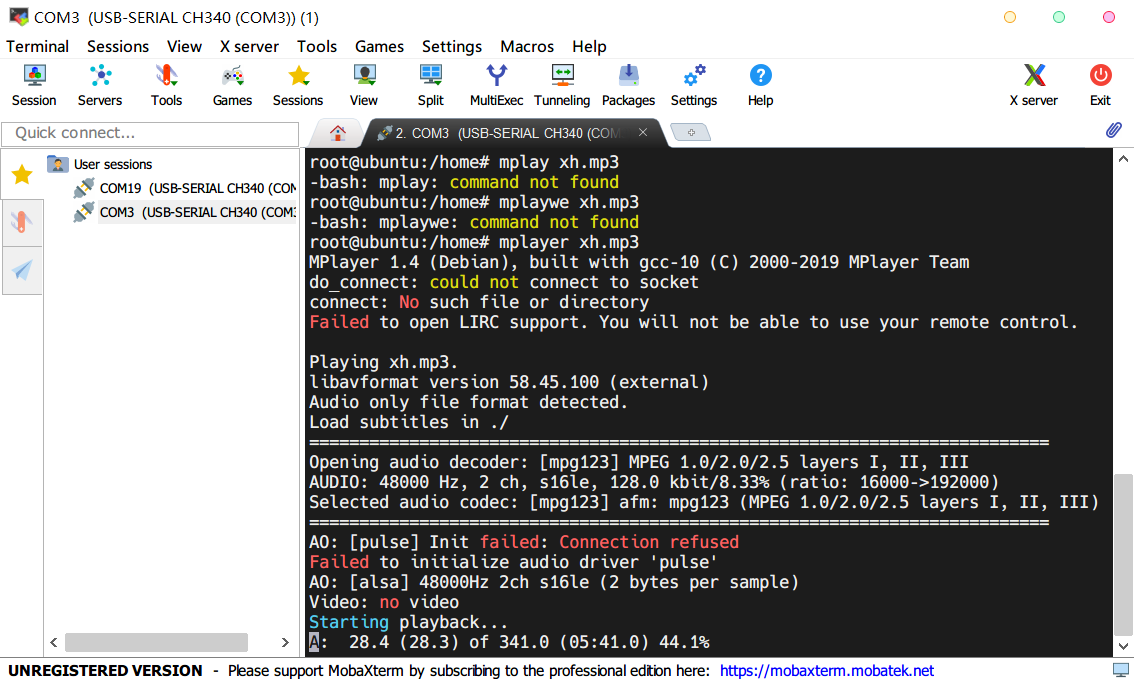
MP3 Audio Playback: (using mplayer)
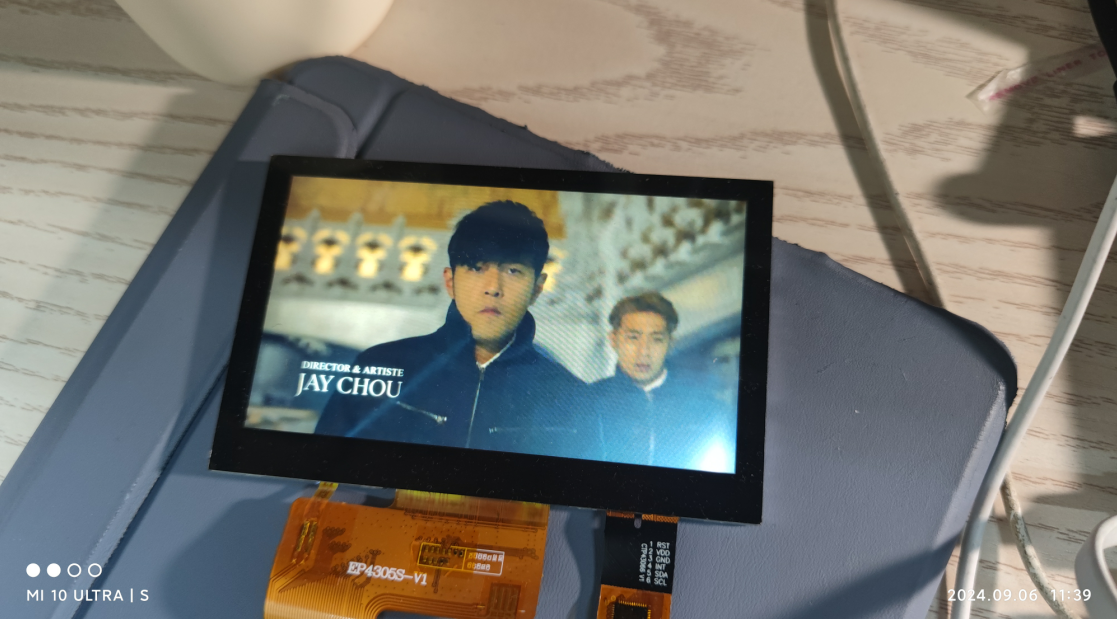
MP4 Video Playback: (mplayer, very laggy)
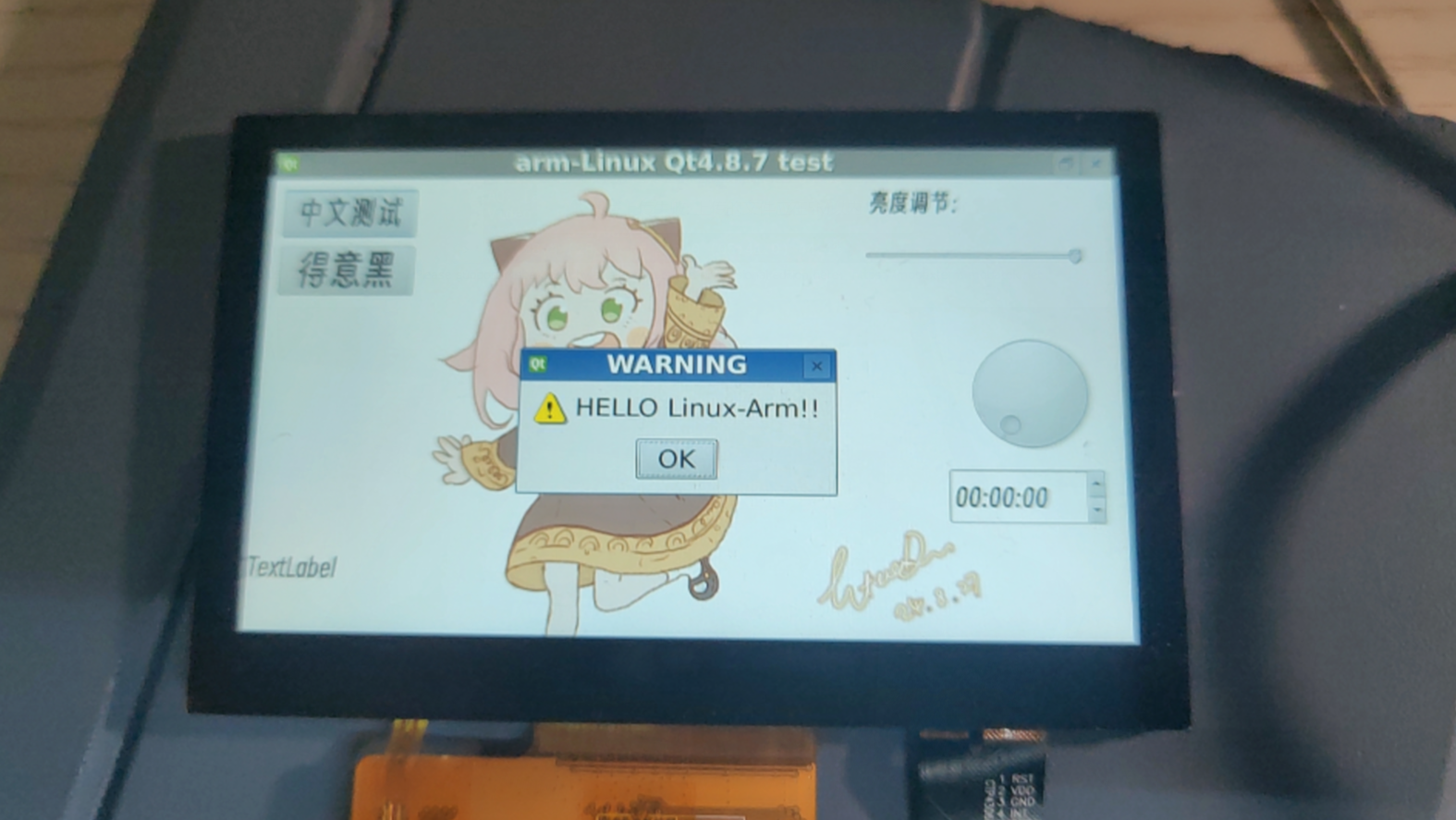
Qt4.8.7 Test:
WIFI Test: (very slow)
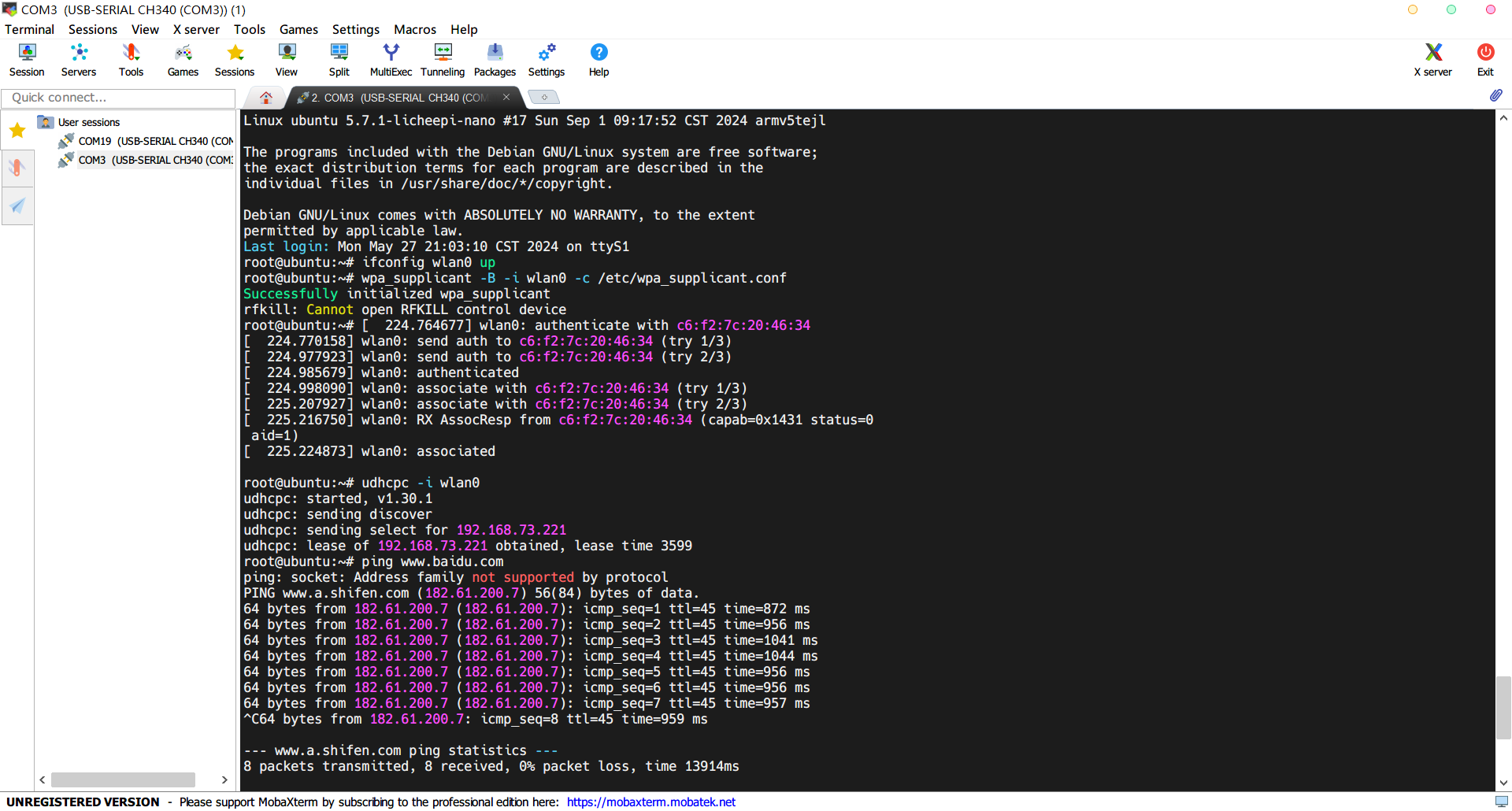
Regarding uploaded files:
First, the pre-compiled arm-qt & arm-tslib packages in the attachments at the end of the webpage can be directly extracted to the root file system for configuration;
the datasheet is the datasheet for the relevant chip (F1C100S has detailed register and interrupt information);
uboot, kernel, rootfs, compiler (gcc4.8.3), Qt4.8.7 source code, etc. are uploaded to Baidu Cloud Drive due to their large size. Address:
Files shared via cloud drive: f1C200s Link: https://pan.baidu.com/s/1v4qLWt4PDbzkcm0mK4IMMg?pwd=twtj Extraction code: twtj








 京公网安备 11010802033920号


 HD64F3672



