Project Overview:
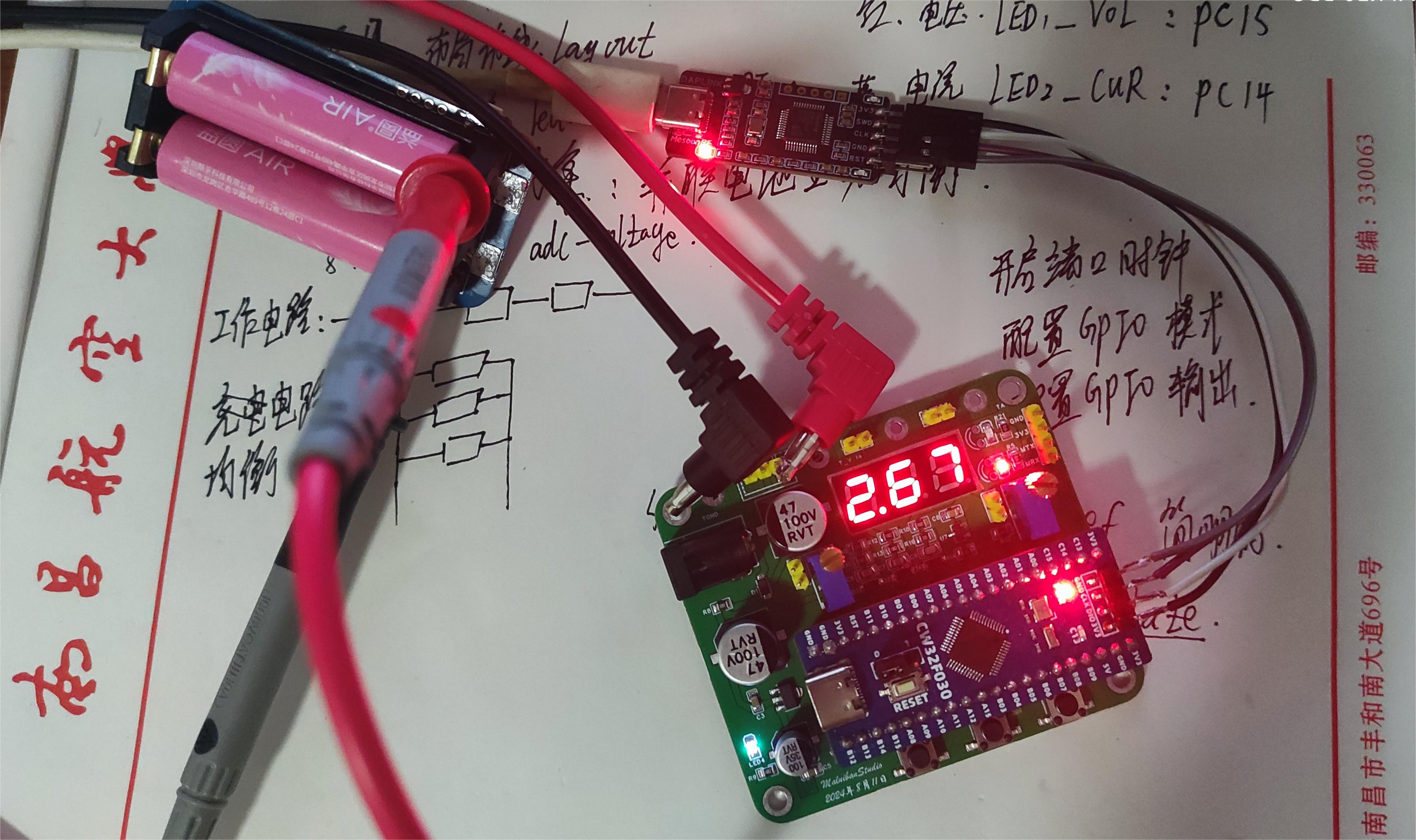
This project is a simple digital voltage and current meter based on the LCSC CW32F030C8T6 development board, with minor modifications based on official examples.
The project
uses the development board's built-in ADC to acquire data and performs mean filtering. It uses one 0.28-inch red LED digital tube for display, with two LEDs (blue and red) for each value. Blue indicates the current value, and red indicates the voltage value. There are three independent buttons: K1 for current (0-3A), K2 for voltage (0-3V), and K3 for voltage (0-30V).
Project Parameters :
CW32 as the main controller;
one 0.28-inch common cathode digital tube;
two LED indicators;
three buttons. Principle Analysis (Hardware Description):
This project mainly consists of the following parts: digital tube display circuit, voltage and current indicator circuit, DC power input circuit, main control unit, voltage sampling circuit, current sampling circuit, voltage measurement and calibration circuit, and button control circuit. The project primarily uses the sampling circuit to acquire data, and the main controller processes the data and drives the LED digital tube to display the measured values.
[Digital Tube Display Circuit]:
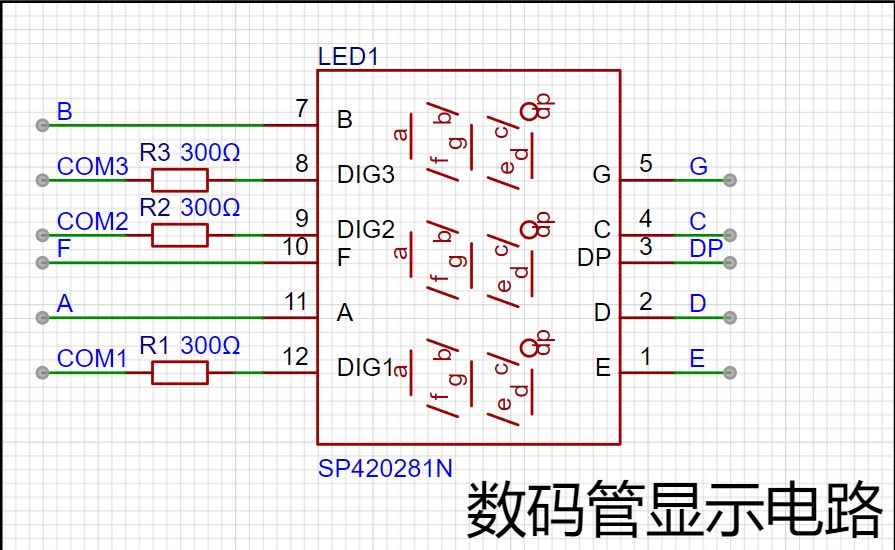
A single 0.28-inch 3-digit common cathode LED digital tube is used for display, saving one tube, but the display accuracy is insufficient.
[Voltage and Current Indication Circuit]:
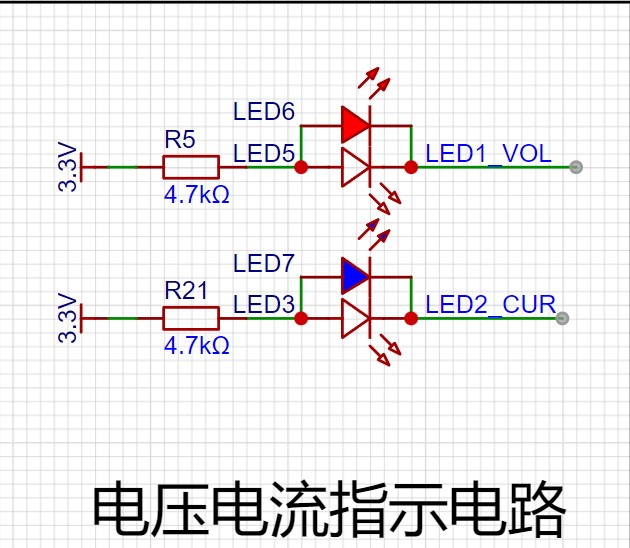
Two different colored LEDs are used for indication; blue indicates current and red indicates voltage. 3mm LED beads or 0805 packaged surface-mount LEDs can be used.
[Main Control Circuit]:
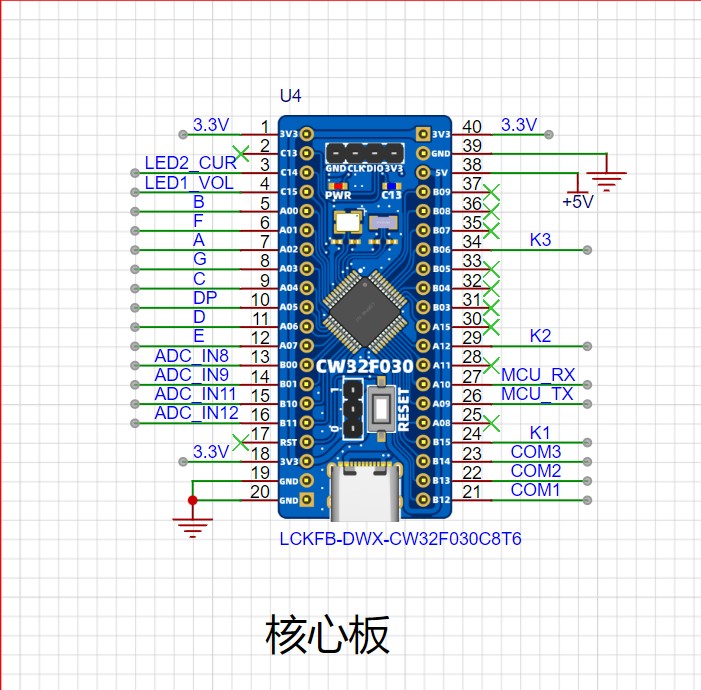
Many pins of the main control circuit are still unused; we'll utilize them next time.
...
Software code
is attached
and needs improvement.
A 4mm banana-head female connector is used so that the probes can be directly inserted.
Part of the schematic diagram has been deleted to reduce components.
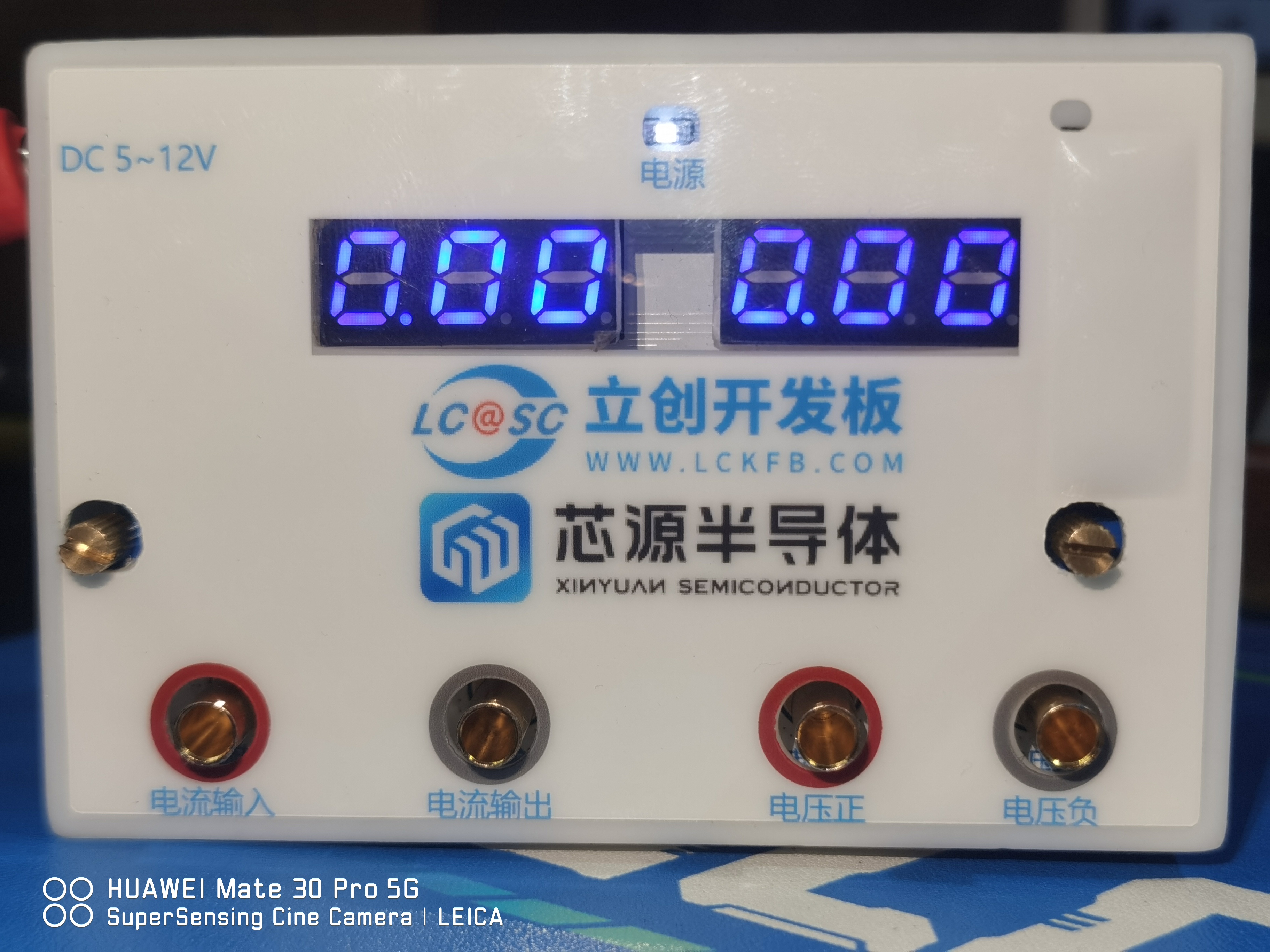
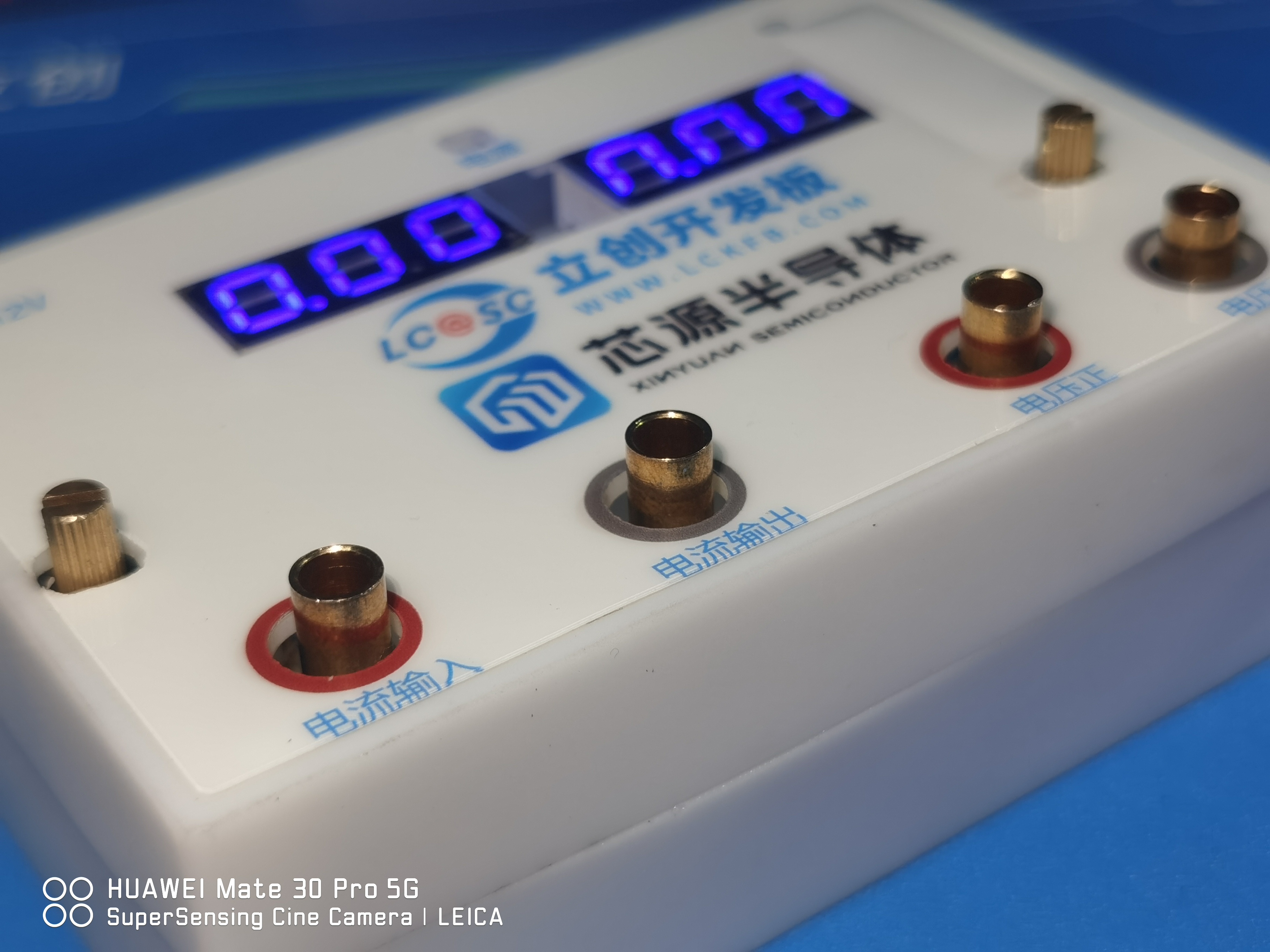
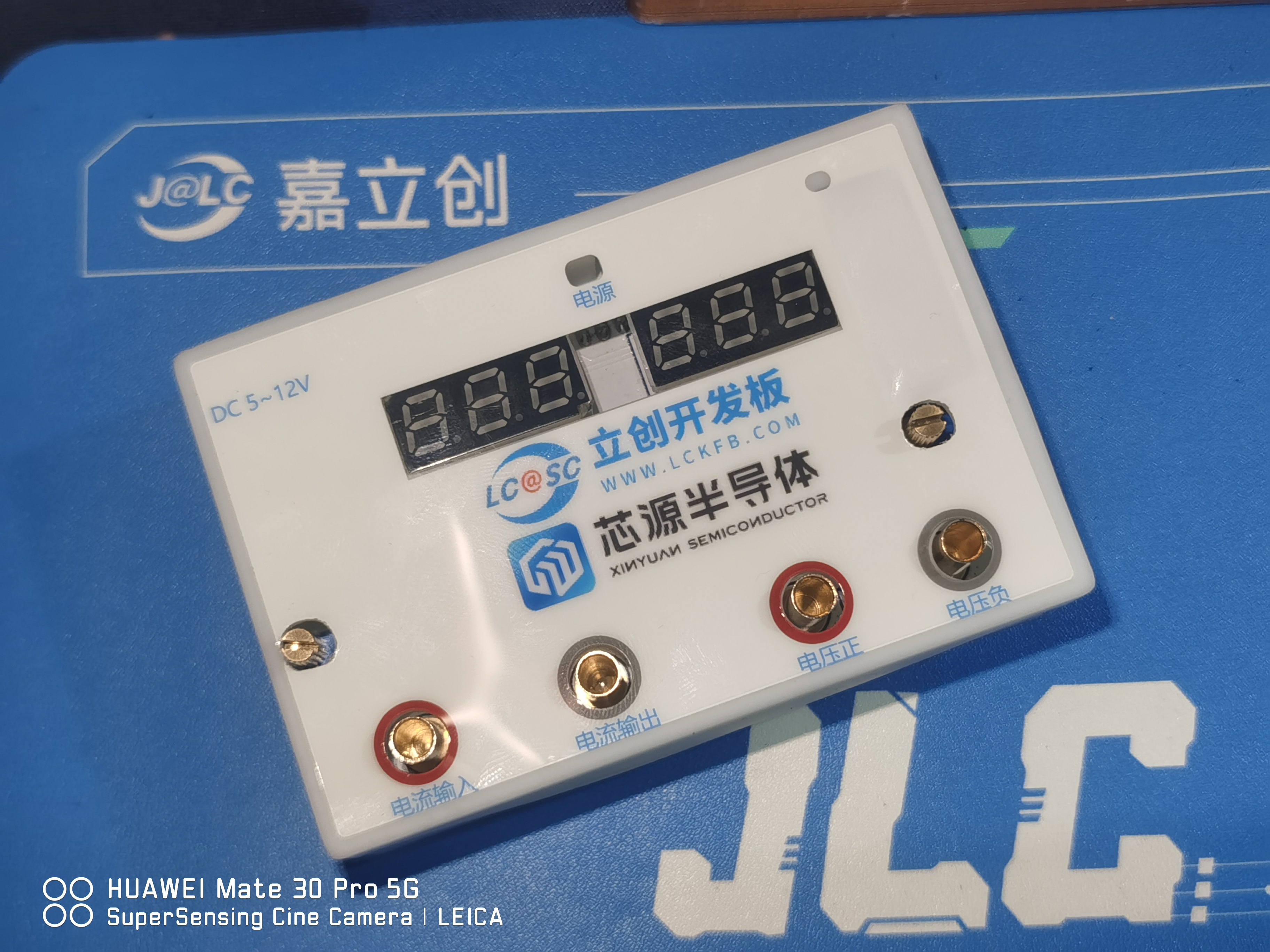
The casing will be added later; it will look like a finished product. Actual product image.
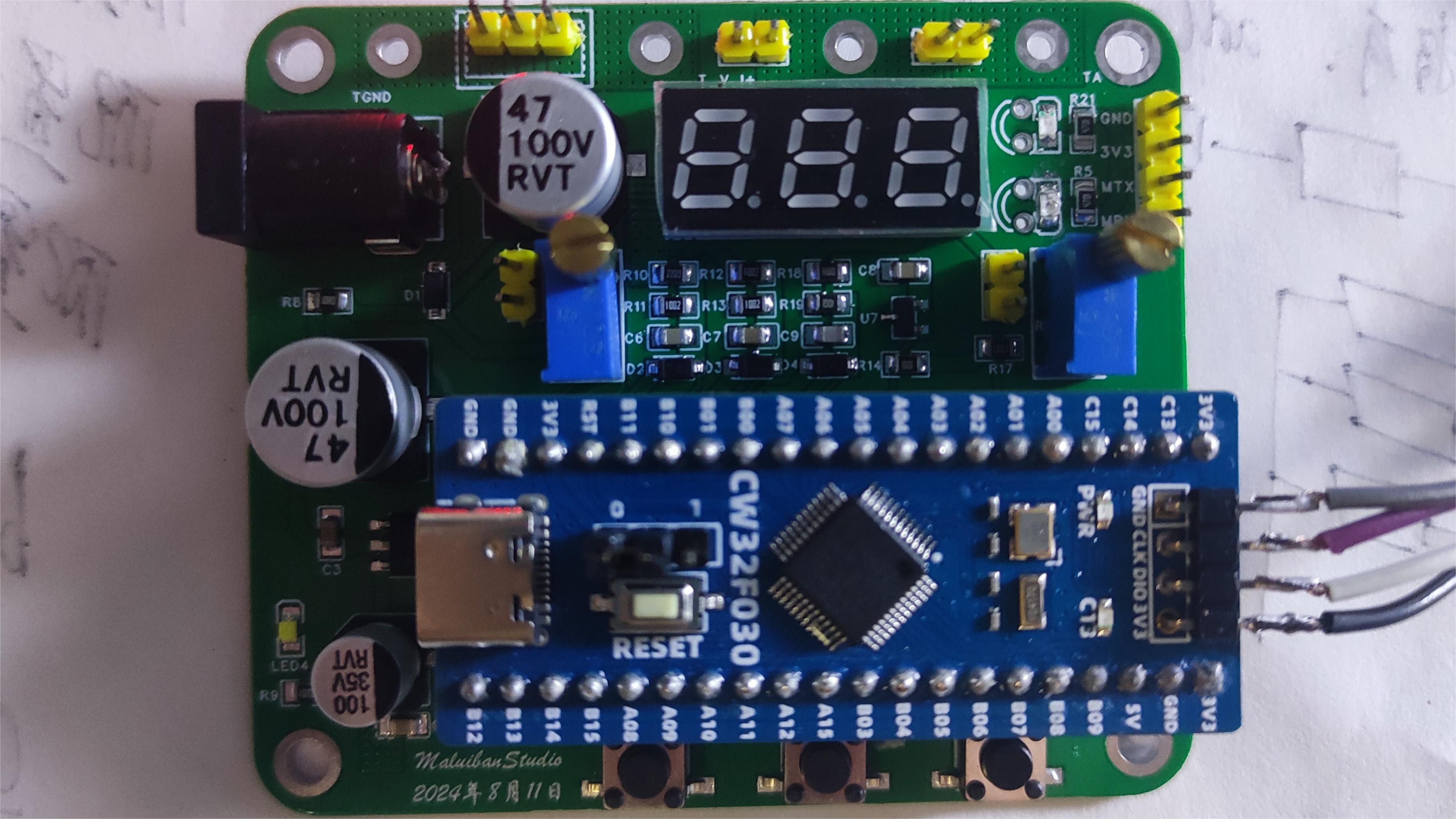
VoltageAndCurrent.rar
PDF_#JALCIC Training Camp#【1712472A】#Voltage and Current Meter.zip
Altium_#JALCIC Training Camp#【1712472A】#Voltage and Current Meter.zip
PADS_#JALCIC Training Camp#【1712472A】#Voltage and Current Meter.zip
BOM_#JALCIC Training Camp#【1712472A】#Voltage and Current Meter.xlsx
92809
Based on the [LCSC-Geostar Development Board] voltage and current meter
Based on the voltage and current meter project of the [LCSC-Geostar Development Board]
Hardware:
The main controller used is the LCSC CW32F030C8T6 development board, which I got for 1 yuan during a promotion (LCSC's promotions are always very generous).
The key advantages of the CW32 in this project are:
Wide operating temperature range: -40~105℃;
Wide operating voltage: 1.65V~5.5V (STM32 only supports 3.3V systems);
Strong anti-interference: HBM ESD 8KV; All ESD reliability reaches the highest international standard level (STM32 ESD 2KV);
A key focus of this project – a better ADC: 12-bit high-speed ADC, achieving ±1.0LSB INL 11.3ENOB; Multiple Vref reference voltages... (STM32 only supports VDD=Vref);
Stable and reliable eFLASH technology. (Flash0 is pending).
The main characteristics of the CW32's ADC
require special attention in this project: 4 reference voltage sources. The content is based on the "CW32x030 User Manual."
The circuit is basically drawn 1:1 following the original project. For easier routing, the button I/O ports on the development board were changed from PB13, PB14, and PB15 to PC13, PC14, and PC15.
The original circuit used a 0.28mm common cathode seven-segment display, but I happened to have a common anode one on hand, so I used that instead. The code can be modified later.
Most other components were replaced with surface-mount components, as all the ones I had were surface-mount. Except for the 100mR sampling resistor, which requires a high-power resistor, 0805 resistors were sufficient for most other components.
The PCB used LCSC's color silkscreen printing (a free coupon from the training camp), which produced excellent results. It didn't fade even with industrial board cleaning fluid, and the colors were very beautiful, with high resolution and precision. For the
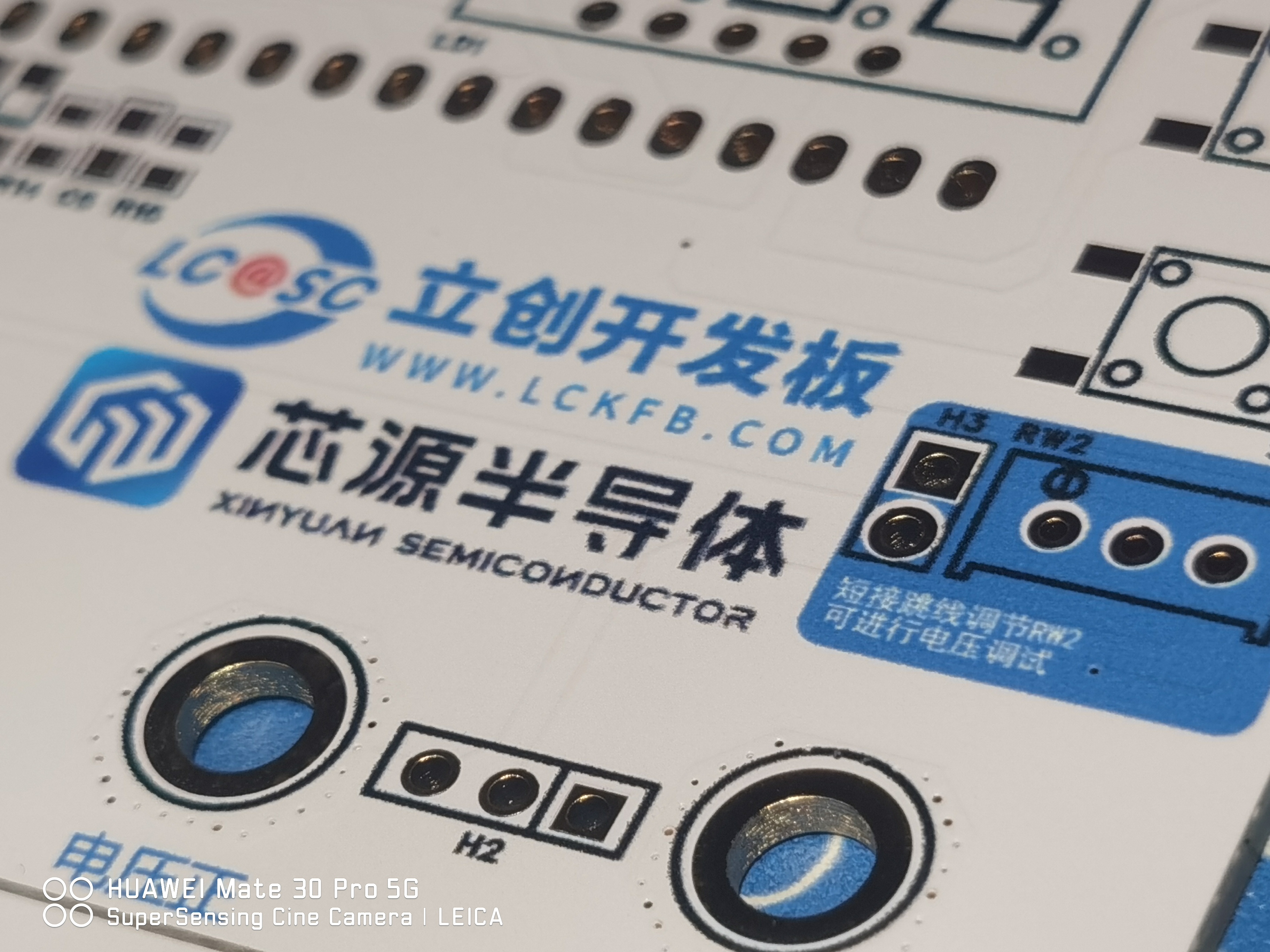
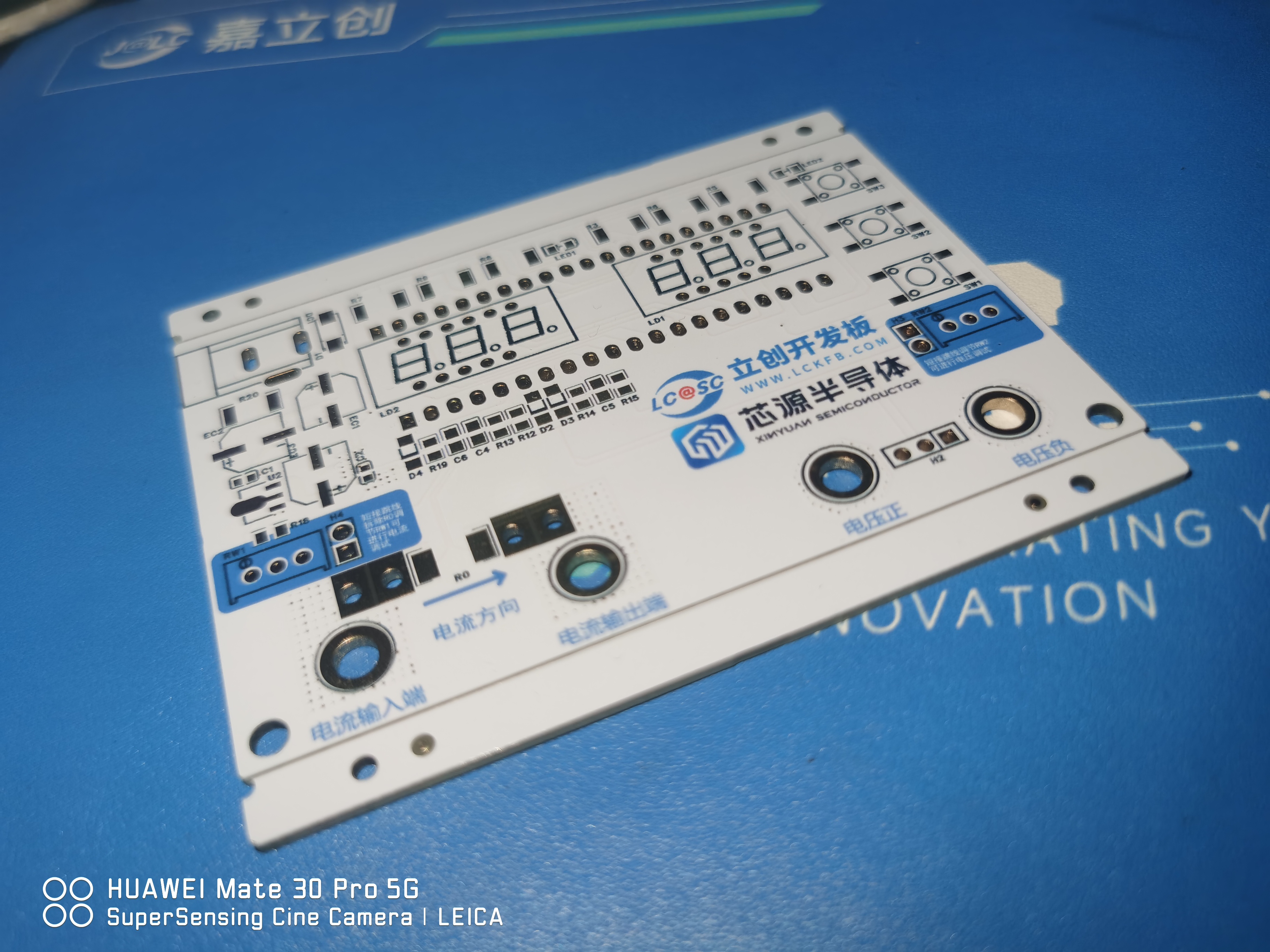
banana plug, I used a 4mm plug with an M3 thread, with a height similar to the multi-turn fine-tuning mechanism with a handle. This allowed me to design the casing with the height slightly lower than the fine-tuning height. The hole is slightly higher than the outer casing for easy insertion and removal. (This was my first time designing an outer casing. I found that 1.5mm was too thin and the printed result was distorted. Don't try this at home. The thickness should be at least 2mm.)
To reduce the size, the development board is placed on the reverse side, and the digital display is placed on the front of the development board to save space.
Program Download:
For firmware download, I used DAP_LINK, which is the Liangshanpai-compatible firmware. Just solder a header and it's ready to use. The wiring method is as follows.
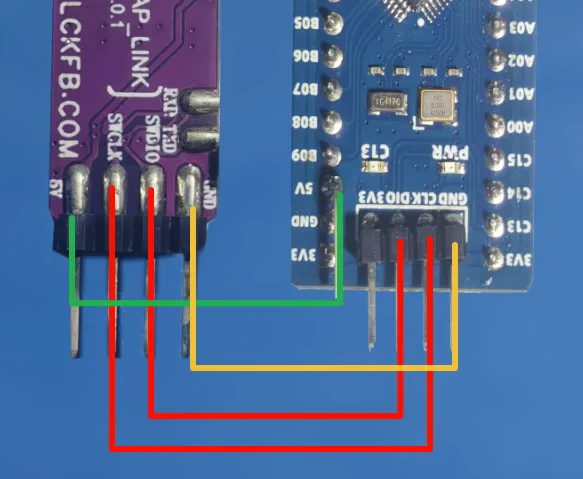
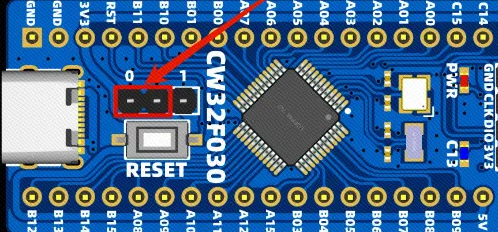
Even without the BOOT connection, you can download using the Liangshanpai downloader.
Keil settings are as follows

:
Software: I modified the LED and KEY I/O ports, as well as the digital tube display code, changing it to common anode. The specific code is as follows:
#include "Seg_Dis.h"
/ Common Cathode Digital Tube Encoding Table:
0x3f 0x06 0x5b 0x4f 0x66 0x6d 0x7d 0x07 0x7f 0x6f
0 1 2 3 4 5 6 7 8 9
0xbf 0x86 0xdb 0xcf 0xe6 0xed 0xfd 0x87 0xff 0xef
0. 1. 2. 3. 4. 5. 6. 7. 8. 9. /
/ Common anode digital tube encoding table:
0xc0 0xf9 0xa4 0xb0 0x99 0x92 0x82 0xf8 0x80 0x90
0 1 2 3 4 5 6 7 8 9
0x40 0x79 0x24 0x30 0x19 0x12 0x02 0x78 0x00 0x10
0. 1. 2. 3. 4. 5. 6. 7. 8. 9.
0x88 0x83 0xc6 0xa1 0x86 0x8e
A BCDEF
/
/ Replace the data in the array Seg_Table with the above common anode encoding table /
uint8_t Seg_Table[21] = { 0xc0,0xf9,0xa4,0xb0,0x99,0x92,0x82,0xf8,0x80,0x90,
0x40,0x79,0x24,0x30,0x19,0x12,0x02,0x78,0x00,0x10};// 0xF7:A.
uint8_t Seg_Reg[6] = {1,2,3,4,5,6};
/The configuration of the digital tube's IO port does not need to be changed/
void Seg_Init(void)
{
__RCC_GPIOA_CLK_ENABLE();//Turn on the clock of GPIOA__RCC_GPIOB_CLK_ENABLE
();
GPIO_InitTypeDef GPIO_InitStruct; //Configure GPIO
GPIO_InitStruct.Pins = GPIO_PIN_0 | GPIO_PIN_1|GPIO_PIN_2|GPIO_PIN_3 | GPIO_PIN_4|GPIO_PIN_5|GPIO_PIN_6 | GPIO_PIN_7|GPIO_PIN_8|GPIO_PIN_11|GPIO_PIN_12|GPIO_PIN_15; //PA00,E;PA04,G
GPIO_InitStruct.Mode = GPIO_MODE_OUTPUT_PP;
GPIO_InitStruct.IT = GPIO_IT_NONE;
GPIO_InitStruct.Speed = GPIO_SPEED_HIGH;
GPIO_Init(CW_GPIOA, &GPIO_InitStruct);
GPIO_InitStruct.Pins = GPIO_PIN_3 | GPIO_PIN_4;
GPIO_Init(CW_GPIOB, &GPIO_InitStruct);
}
This section remains unchanged.
void Seg_Dis(uint8_t Pos,uint8_t Num)
{
int i;
uint8_t Dis_Value;
Dis_Value = Seg_Table[Num];
for(i = 0; i < 8; i++)
{
switch(i)
{
case 0:
GPIO_WritePin(CW_GPIOA,GPIO_PIN_2,(Dis_Value >> i) & 0x01); //PA02,A
break;
case 1:
GPIO_WritePin(CW_GPIOA,GPIO_PIN_0,(Dis_Value >> i) & 0x01); //PA00,B
break;
case 2:
GPIO_WritePin(CW_GPIOA,GPIO_PIN_4,(Dis_Value >> i) & 0x01); //PA04,C
break;
case 3:
GPIO_WritePin(CW_GPIOA,GPIO_PIN_6,(Dis_Value >> i) & 0x01); //PA06,D
break;
case 4:
GPIO_WritePin(CW_GPIOA,GPIO_PIN_7,(Dis_Value >> i) & 0x01); //PA07,E
break;
case 5:
GPIO_WritePin(CW_GPIOA,GPIO_PIN_1,(Dis_Value >> i) & 0x01); //PA01,F
break;
case 6:
GPIO_WritePin(CW_GPIOA,GPIO_PIN_3,(Dis_Value >> i) & 0x01); //PA03,G
break;
case 7:
GPIO_WritePin(CW_GPIOA,GPIO_PIN_5,(Dis_Value >> i) & 0x01); //PA05,DP
break;
default:
break; /*The common terminal level here should all be changed to high level*/</span> switch(Pos) { case 0: GPIO_WritePin(CW_GPIOA,GPIO_PIN_8,GPIO_Pin_SET); //PA8,COM1
break
; case 1: GPIO_WritePin(CW_GPIOA,GPIO_PIN_11,GPIO_Pin_SET); //PA9,COM2 break; case 2: GPIO_WritePin(CW_GPIOA,GPIO_PIN_12,GPIO_Pin_SET); //PA10,COM3 break; case 3: GPIO_WritePin(CW_GPIOA,GPIO_PIN_15,</code><code><span style="color:#e03e2d">GPIO_Pin_SET</span></code><code>); //PA11,COM4 break; case 4: GPIO_WritePin(CW_GPIOB,GPIO_PIN_3,</code><code><span style="color:#e03e2d">GPIO_Pin_SET</span></code><code>); //PA12,COM5 break; case 5: GPIO_WritePin(CW_GPIOB,GPIO_PIN_4,</code><code><span style="color:#e03e2d">GPIO_Pin_SET</span></code><code>); //PA15,COM6 break; default: break; } } /** @brief Close all common pins. Change all common pin levels to low. / void Close_Com(void) { GPIO_WritePin(CW_GPIOA,GPIO_PIN_8,GPIO_Pin_RESET);
GPIO_WritePin(CW_GPIOB,GPIO_PIN_3,GPIO_Pin_RESET);
GPIO_WritePin(CW_GPIOB,GPIO_PIN_4,GPIO_Pin_RESET);
GPIO_WritePin(CW_GPIOA,GPIO_PIN_11,GPIO_Pin_RESET);
GPIO_WritePin(CW_GPIOA,GPIO_PIN_12,GPIO_Pin_RESET);
GPIO_WritePin(CW_GPIOA,GPIO_PIN_15,GPIO_Pin_RESET);
}
Voltage and current meter common anode.rar
video.mp4
PDF_Based on the [LCSC-Geostar Development Board] Voltage and Current Meter.zip
Altium_Based on the [LCSC-Geostar Development Board] Voltage and Current Meter.zip
PADS_Based on the [LCSC-Diwenxing Development Board] Voltage and Current Meter.zip
BOM_Based on the [LCSC-Diwenxing Development Board] Voltage and Current Meter.xlsx
92810
Huawei Server_CSPS Power Supply_ESP8266 Smart Power Supply Board
This is a smart Huawei server CSPS power supply board. After plugging into a Huawei server power supply, it can start drawing 12V power.
It supports both 5557 and XT60 connectors. It also supports Wi-Fi connectivity for remote monitoring and control.
Preface: This project
draws heavily on the designs of many experts; thank you to all the predecessors for their open-source contributions.
Video Link:
Project Introduction
This is an intelligent Huawei server CSPS power supply board. After plugging into a Huawei server power supply, it can start to obtain 12V power.
It supports output from 5557 sockets and XT60 sockets. It supports WIFI connection for remote viewing and control
of project functions .
Power
Supply Project Testing Progress:
Manual shutdown and transistor shutdown have been verified to be usable. IIC is still under testing, but a voltage converter has been made, so theoretically there should be no problem.
Project Parameters
25557 4-pin 12VO
15557 4-pin 12SB
2*XT60 12VO
Supports manual and remote shutdown
Principle Analysis (Hardware Description)
The peripheral circuit design is completely based on the PS-2751-7H-LF Lite-On 750W Platinum Power Supply datasheet. The tested power supplies are PS-2751-7H,
PS-2461-7H
, and DPS-460DB-12. (Theoretically, any Huawei CSPS can be used, but this design is only responsible for the tested power supplies. If you have the datasheet for your power supply and the signal pin definitions match those in the attached 2751 power supply datasheet, you can use it directly.)
All power signal lines have been brought out. I plan to add an auxiliary control to monitor the hardware PSOK and Load Monitoring (IMON) statuses (in fact, you can also use the ADC of the 8266 directly, but I think the auxiliary control shouldn't be too idle, plus the 8266 doesn't have enough pins). I also plan to further control the power relays after the power supply (for example, separately shutting down the 12V power supply for the soldering smoking machine, the 12V power supply for the soldering pen, and the 12V input for the lithium battery charging system among a group of devices). (Sir, you don't want to forget to turn off the power when you leave and have to come back, do you? (Huang Dou's humorous comment)). Alternatively, you can skip soldering the 8266 and directly use a separate board for control. All necessary lines have been brought out.
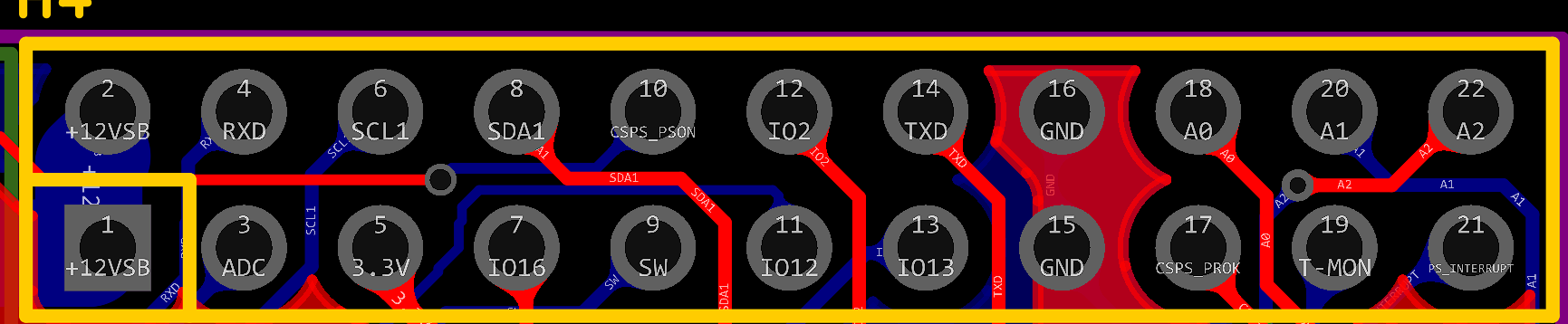
Current status:
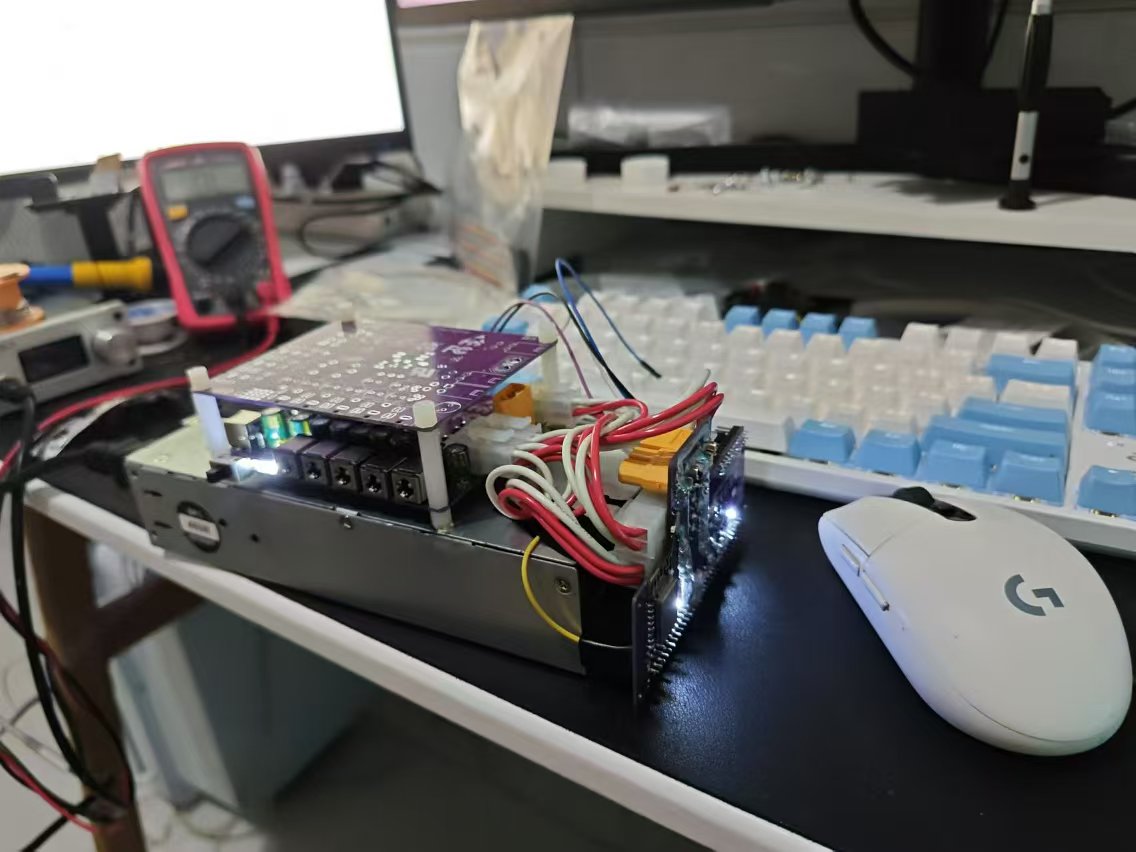
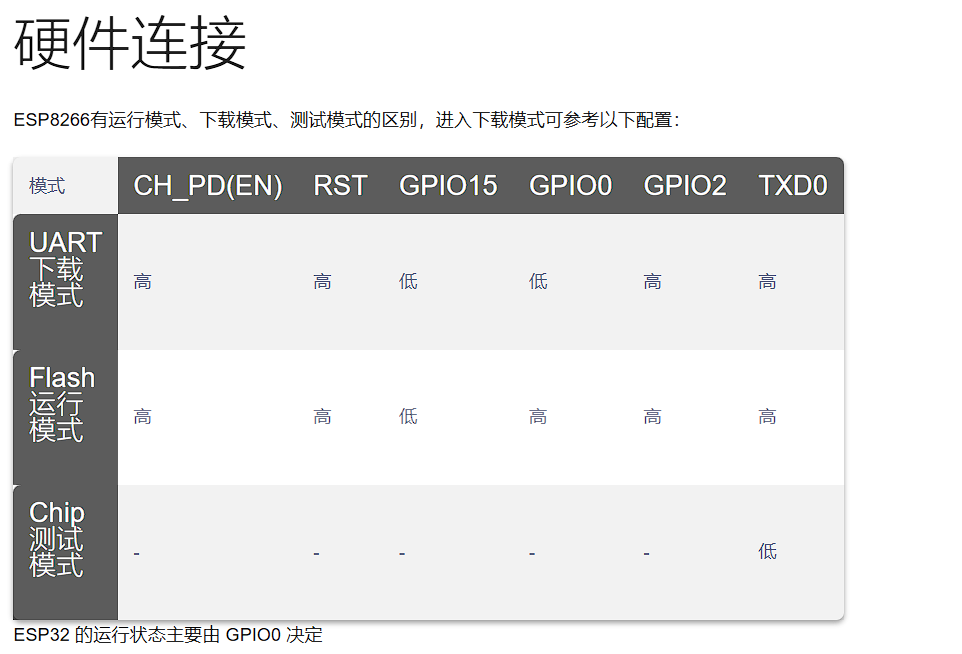
The yellow wire is used to pull GPIO0 low. Normally it's a 3.3V pull-up, but for flashing the program, this pin requires a pull-down, so a jumper wire was added. It's strongly recommended to flash the program before soldering it onto the board. This power board has too little space. There's not enough room for many components, so there will be a power distribution board later to support powering more devices. We also plan to build a fast-charging board and stack it up to create a desktop power station.
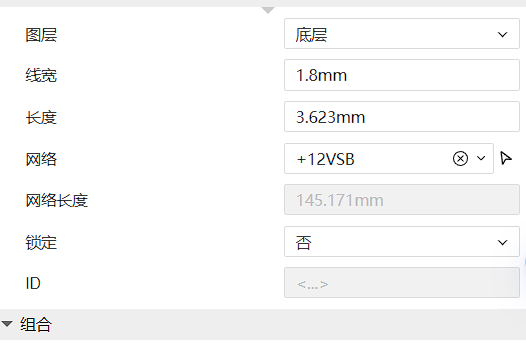
Hardware-wise, we've implemented windowing, and all lines have been calculated to ensure current carrying capacity and prevent board burnout. The 12VSB has a maximum output of 2.5A, and the design uses a minimum 1.8mm trace width. The traces have four vias with an inner diameter of 0.4mm and an outer diameter of 0.6mm for current carrying. This is more than sufficient.
According to the IPC-2221 standard, a 1.8mm wide, 1oz thick copper trace can carry approximately 6.5A of current at a 10°C temperature rise.
Line width: 1.8 mm;
Copper thickness: 1 oz (35 µm);
Current carrying capacity: Approximately 6.5 A (10°C temperature rise).
According to IPC-2221 (a common standard for printed circuit boards), a via with an inner diameter of 0.4 mm and a copper thickness of 1 oz has a current carrying capacity of approximately 1A to 2A, but this will vary depending on the PCB design, copper distribution, and heat dissipation.
Current carrying capacity: Approximately 1A to 2A.
Note: In practical applications, to ensure reliability and avoid overheating, it is recommended that the actual operating current be as low as possible below the estimated maximum current carrying capacity.
If your application requires more accurate current carrying capacity calculations, it is recommended to perform further analysis using thermal simulation software.
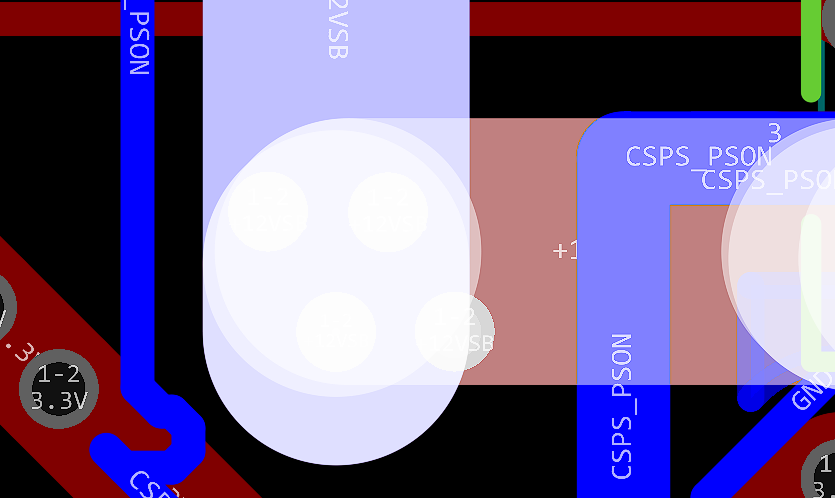
Please fully solder the window area to ensure current carrying capacity. The 12V and GND windows on the circuit board are at least 4mm narrow. Without solder, a single circuit board can only handle a maximum of 13A according to the IPC-2221 standard. However, the Huawei 460W design has a 38A output on 12V, so please be sure to add solder or solder copper strips. My
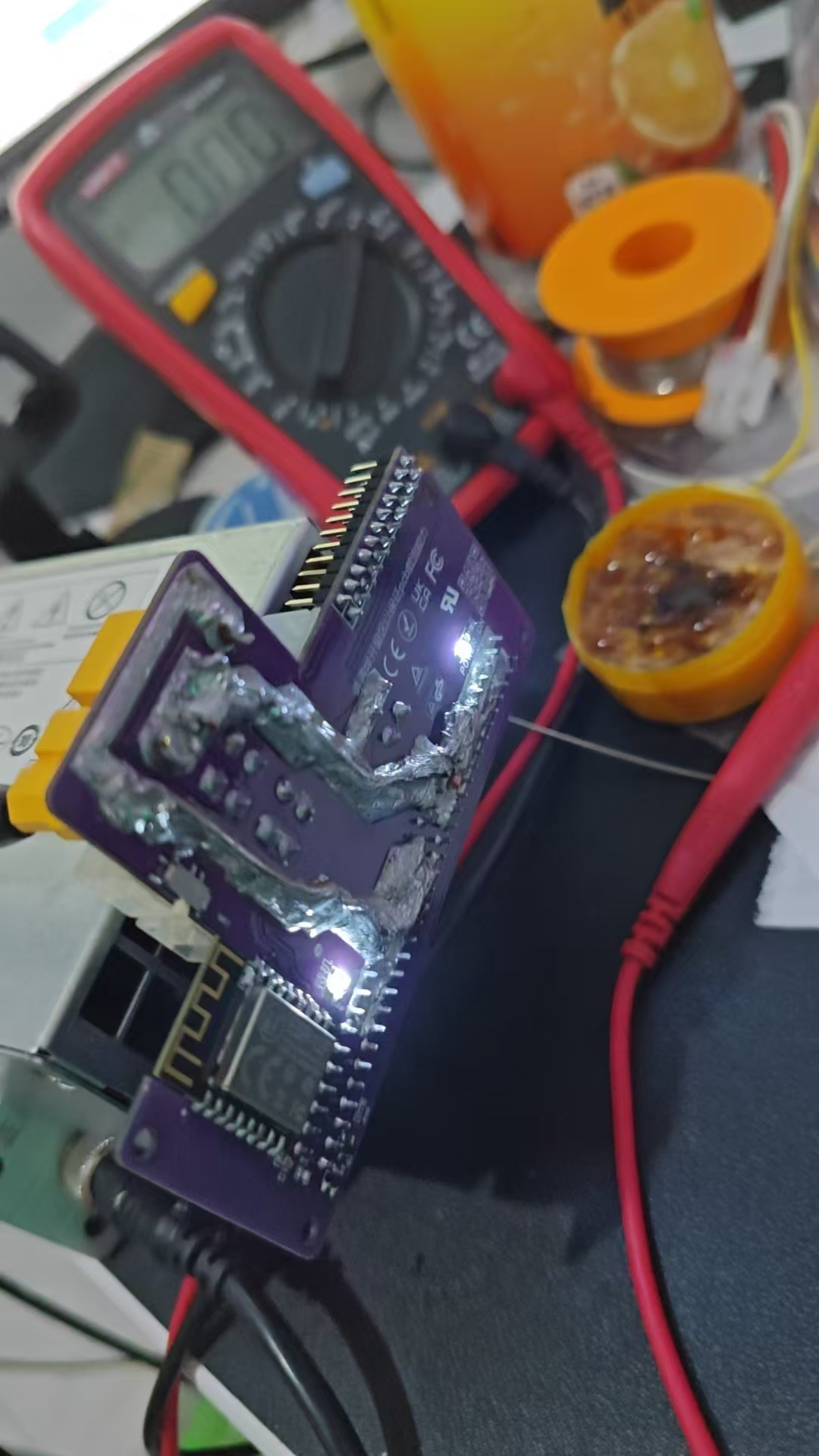
soldering station power was insufficient, resulting in poor soldering (crying). My
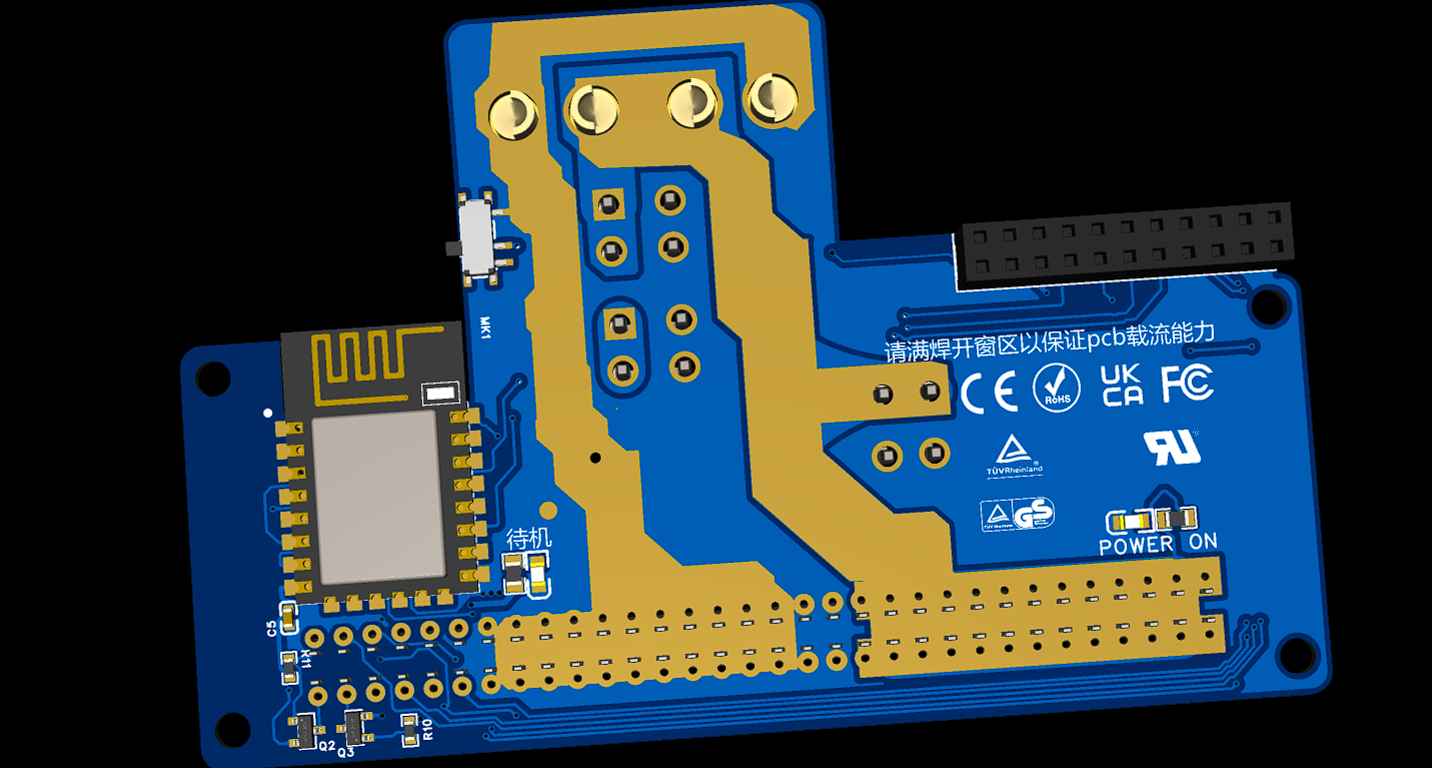
software code
is not yet finished (I'm a complete novice)
, but you can use Wuyu's code to implement remote switching. The hardware is compatible.
Here's the link: https://oshwhub.com/wuyu233/wuyu-huawei-460w-csps-esp8266-zhi-neng-qu-dian-ban
Note:
Remember to add solder to the window area during soldering. Theoretically, as long as you add enough, it can easily handle 70-80A. A single XT60 can handle 60A, two can handle 120A, which is more than enough. According to Molex specifications,
the current carrying capacity of a 4-pin 5557 connector is as follows
for the 5557 series connectors:
Rated current per pin: typically 9A (when using 18AWG wire).
The total current carrying capacity of the 4-pin connector: ideally, it can reach 36A (9A per pin). However, this depends on the heat dissipation and current distribution in the actual application.
(Mainly because XT60 is too expensive, and 5557s are only a few cents each; if the current is not high, you can consider directly wiring with 5557s).
Further update:
The attached file contains the 12V distribution board shown in the above photo. Feel free to click on it if you like; it's too simple to dedicate a separate page to. It uses a 007B12V Songle T90 relay with optocoupler-isolated I/O control and manual control.
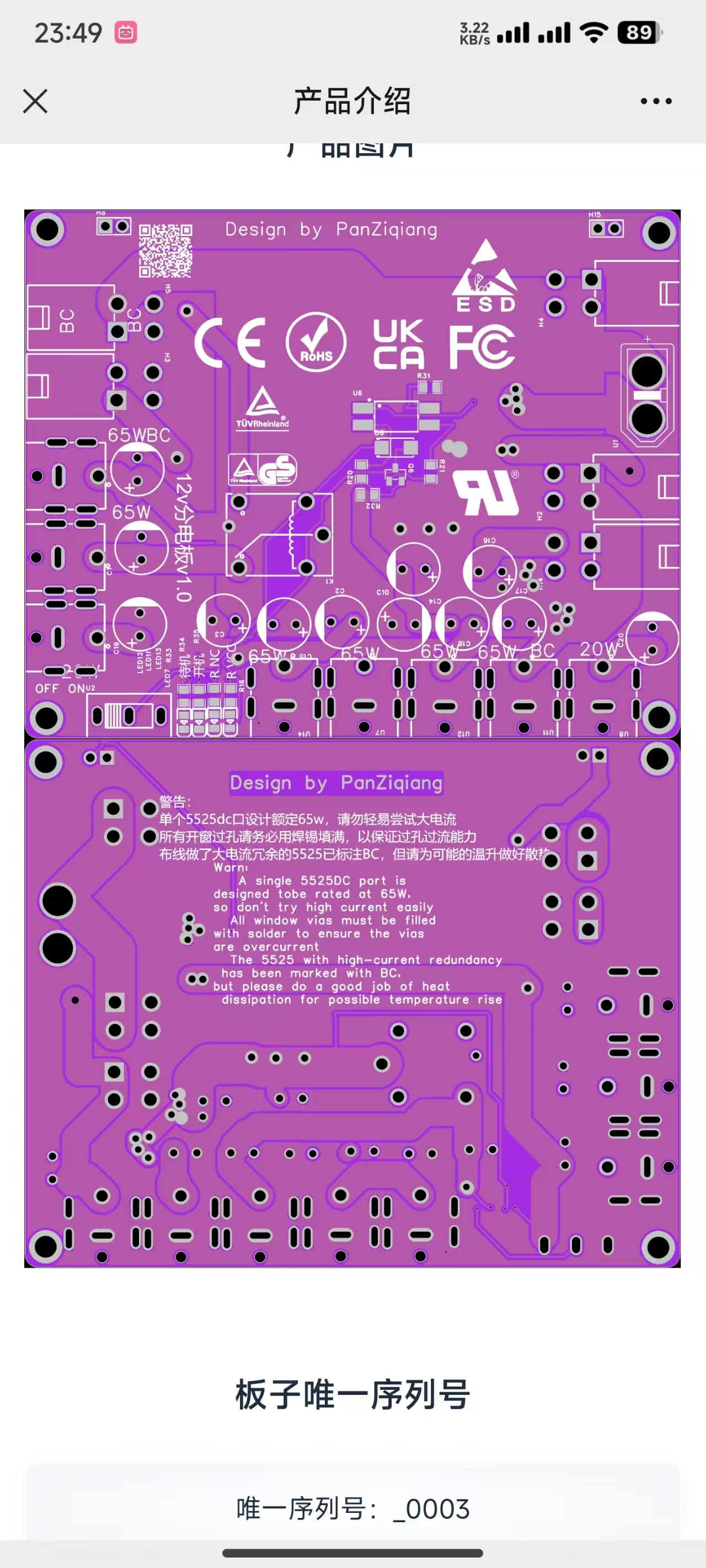
Project contributions:
Everyone is welcome to participate and contribute to this project, improving the hardware or software code. I am a student, and the design has many shortcomings. Please feel free to point out any flaws in my work; I will optimize and improve it promptly.
PS-2751-7H-LF Lite-On 750W Platinum Power Supply Datasheet (VDpdf)
Gerber_PowerPad_2_2024-08-18 (6).zip
Gerber_Level 1 Power Supply_5_2024-08-16.zip
ProDoc_Level 1 Power Supply Board {12V} Simplified Version_1_2024-08-24.epro
csps_esphome_code.zip
ProPrj_Huawei Server_CSPS Power Supply_esp8266 Smart Power Supply Board_2024-08-25 (1).epro
BOM_Huawei Server_CSPS Power Supply_ESP8266 Smart Power Supply Board.xlsx
92811
electronic








 京公网安备 11010802033920号


 SMCJ13



