DK8p8s

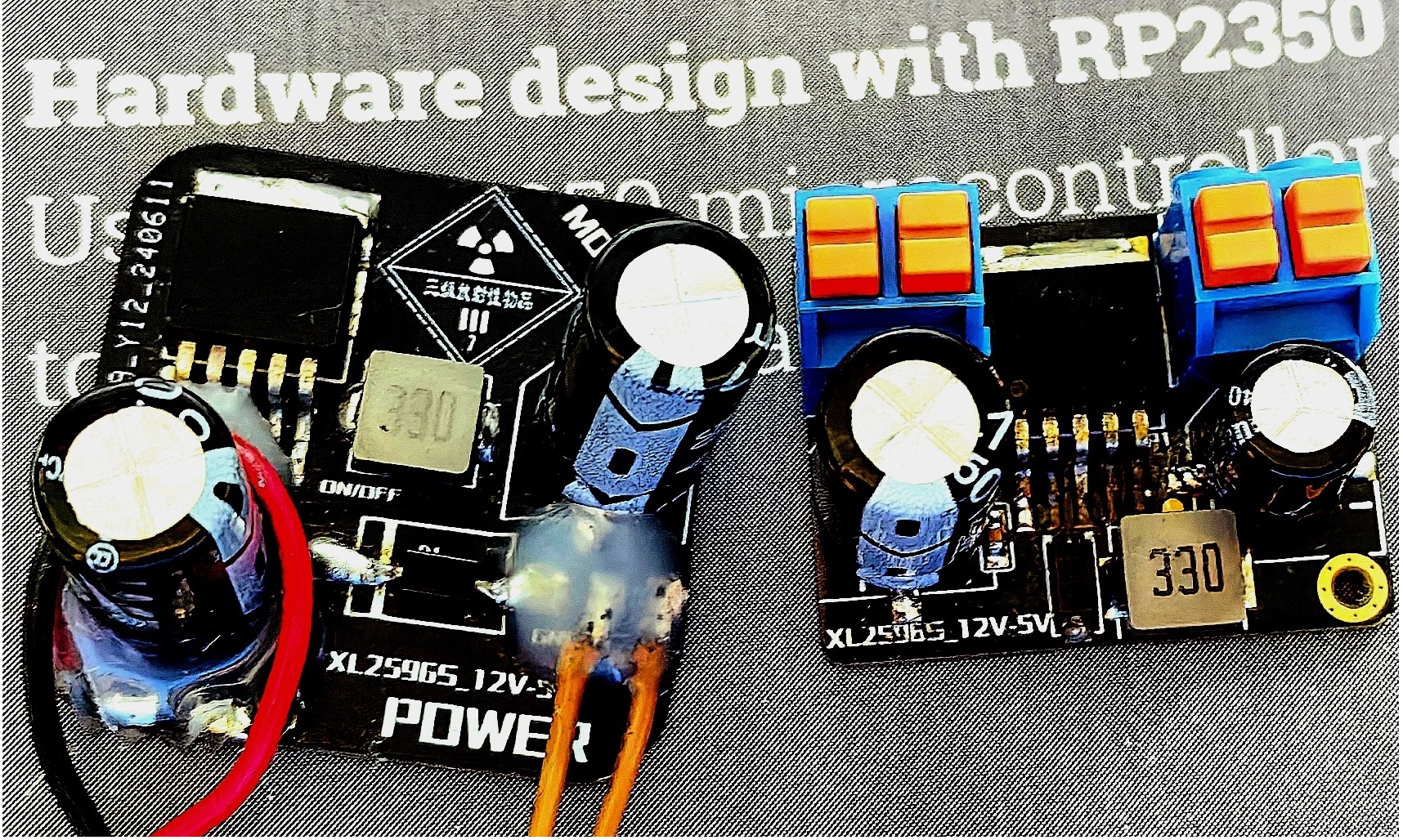
XL2596S_3A Constant Current Power Supply - 12V_5V (Not sampled and verified)

 
Overview
PDF_XL2596S_3A Constant Current Power Supply - 12V_5V (Unsampled and Verified).zip
Altium_XL2596S_3A Constant Current Power Supply - 12V_5V (Unsampled and verified).zip
PADS_XL2596S_3A Constant Current Power Supply - 12V_5V (Unsampled and verified).zip
BOM_XL2596S_3A Constant Current Power Supply - 12V_5V (Unsampled and verified).xlsx
93067
ICM 3D printer auxiliary motion axis control module
ICM (Integrated Control Module) is a 3D printer auxiliary motion axis control module.
I. Module Introduction
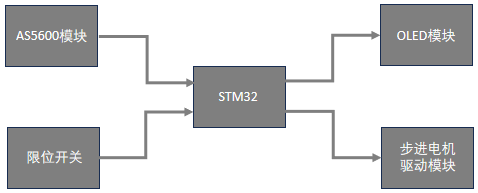
Common 3D printers, especially pull-type 3D printers, typically only have one Z-axis. Adding a scraper or other auxiliary axes is difficult to implement directly. To improve compatibility, this module uses an AS5600 magnetic encoder to acquire signals from the stepper motor's axis. The acquired signals are sent to an STM32 microcontroller. After a trigger condition is met, the microcontroller sends a control signal to the stepper motor driver module to activate an additional auxiliary axis. The movement of the detected motor triggers the auxiliary axis's motor. The source code can be modified to achieve the desired triggering method according to individual needs.
II. Design Summary
*This is version R4. Version R3 was prototyped and tested, but R4 has not been tested or verified.
*R4 adds pads for adjusting the subdivision of the drive module (back of the PCB). Solder 0-ohm resistors at the corresponding positions according to the situation and the stepper motor drive module manual.
*Main controller: STM32F103C8T6 or STM32F103CBT6. The attached firmware is STM32F103CBT6 version (for function verification).
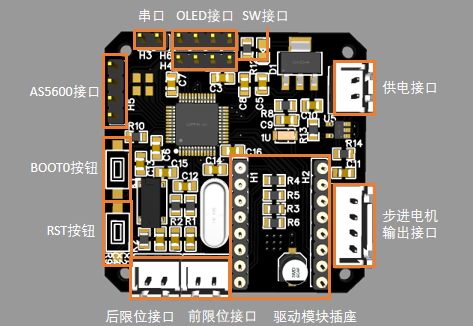
*USART interface*1, SWD debugging interface*1, IIC OLED display interface*1, IIC AS5600 interface*1; Limit interface: external trigger interrupt;
*Power input: approximately 12V 2A;
*Module output: approximately 12V 1A;
III. Design Block Diagram
IV. Hardware Circuit
 #Interface connection details refer to the pin definitions on the PCB drawing;
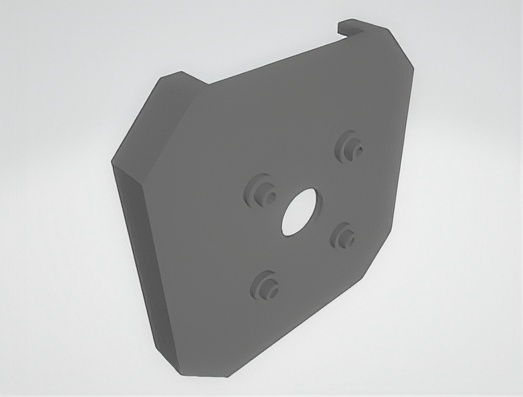
 #42 AS5600 magnetic encoder mounting bracket for stepper motors (may not be applicable to different specifications);
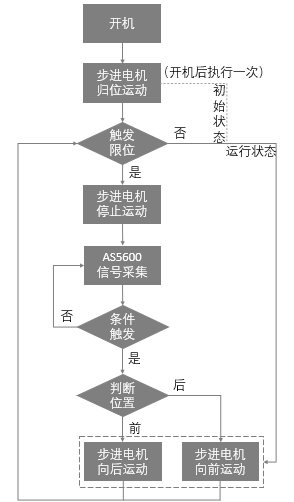
V. Program Flowchart
VI. Physical Display
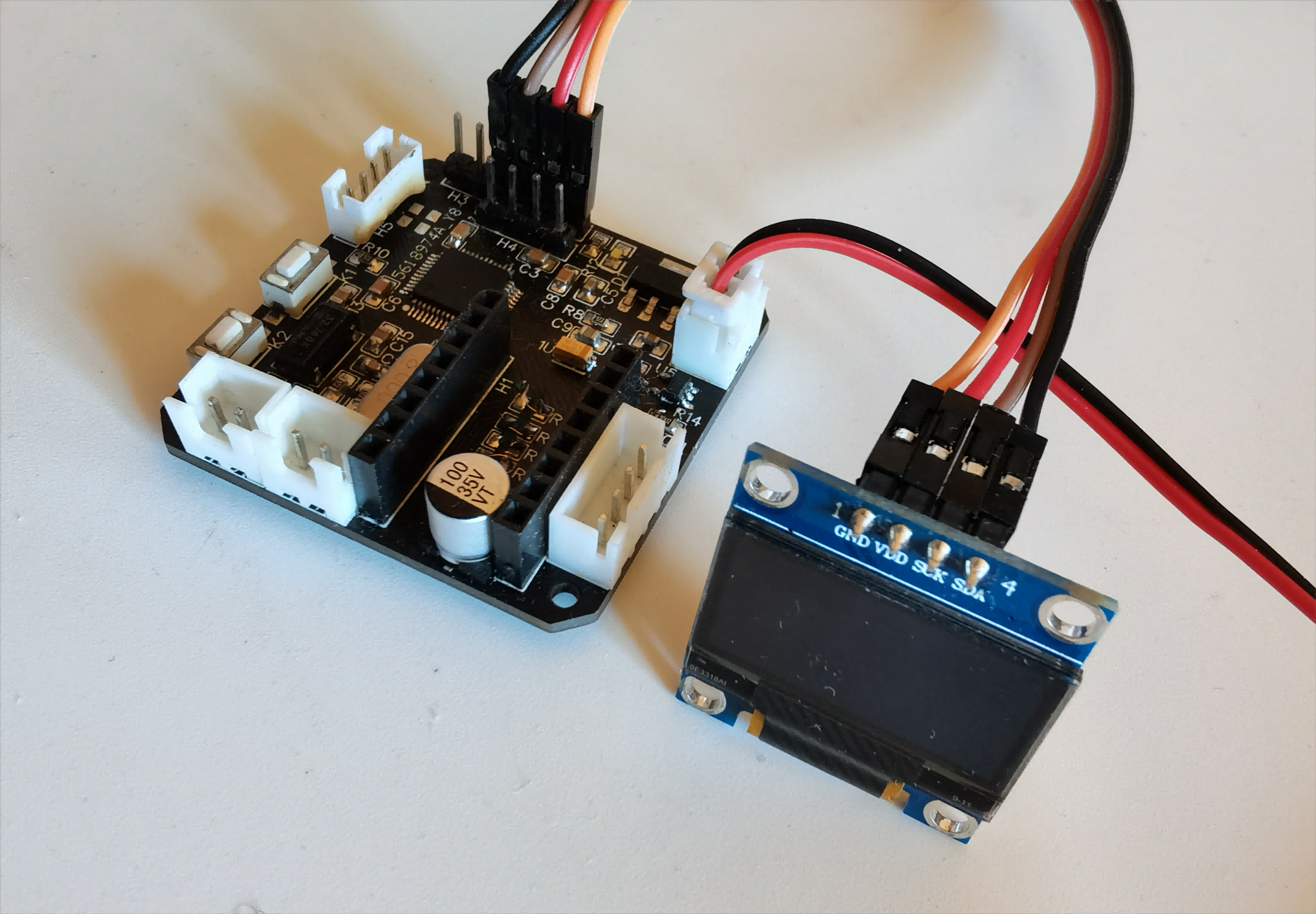
#Control module + 12864 OLED display;
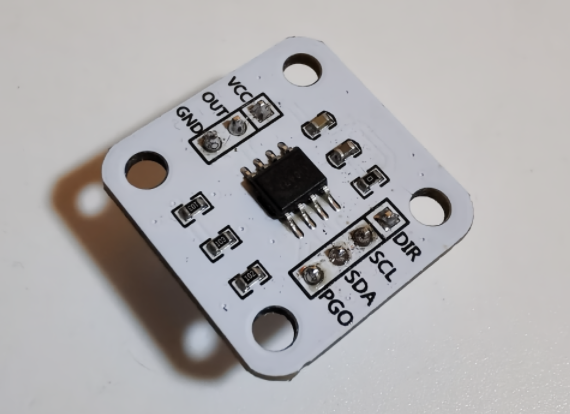
#AS5600 magnetic encoder module;
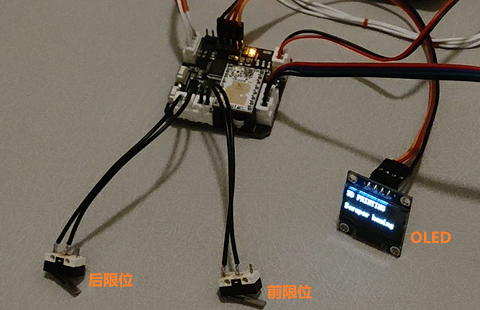
#Front and rear limit switches;
VII. Problems Found:
        * Devices may be subject to interference and trigger falsely. Adjust or modify accordingly based on the specific situation.
VIII. Precautions:
* Adjust the distance between the AS5600 module magnet and the module chip to the best possible trigger distance based on actual conditions;
* Pay attention to the VM pin position and MS1, MS2, and MS3 pin configuration when installing the stepper motor module;
* Software parameters need to be adjusted according to actual conditions;
* Conduct thorough testing; ensure reliable connections of wires and terminals;
* Pay attention to static and dynamic interference of the mechanical mechanism;
* Implement necessary and strict safety precautions; do not overload the machine;
* Errors may occur; corrections are welcome; for exchange and learning purposes only.
AS5600 bracket.stl
ICM with F103CBT6.bin
ICM.zip
PDF_ICM 3D Printer Auxiliary Motion Axis Control Module.zip
Altium_ICM 3D Printer Auxiliary Motion Axis Control Module.zip
PADS_ICM 3D Printer Auxiliary Motion Axis Control Module.zip
BOM_ICM 3D Printer Auxiliary Motion Axis Control Module.xlsx
93068
electronic
参考设计图片
×
 
 
Search Datasheet?

Supported by EEWorld Datasheet

Forum More
Update:2026-03-28 12:32:53

EEWorld
subscription
account

EEWorld
service
account

Automotive
development
community

Robot
development
community

About Us Customer Service Contact Information Datasheet Sitemap LatestNews



Room 1530, 15th Floor, Building B, No.18 Zhongguancun Street, Haidian District, Beijing, Postal Code: 100190 China Telephone: 008610 8235 0740

Copyright © 2005-2024 EEWORLD.com.cn, Inc. All rights reserved 京ICP证060456号 京ICP备10001474号-1 电信业务审批[2006]字第258号函 京公网安备 11010802033920号