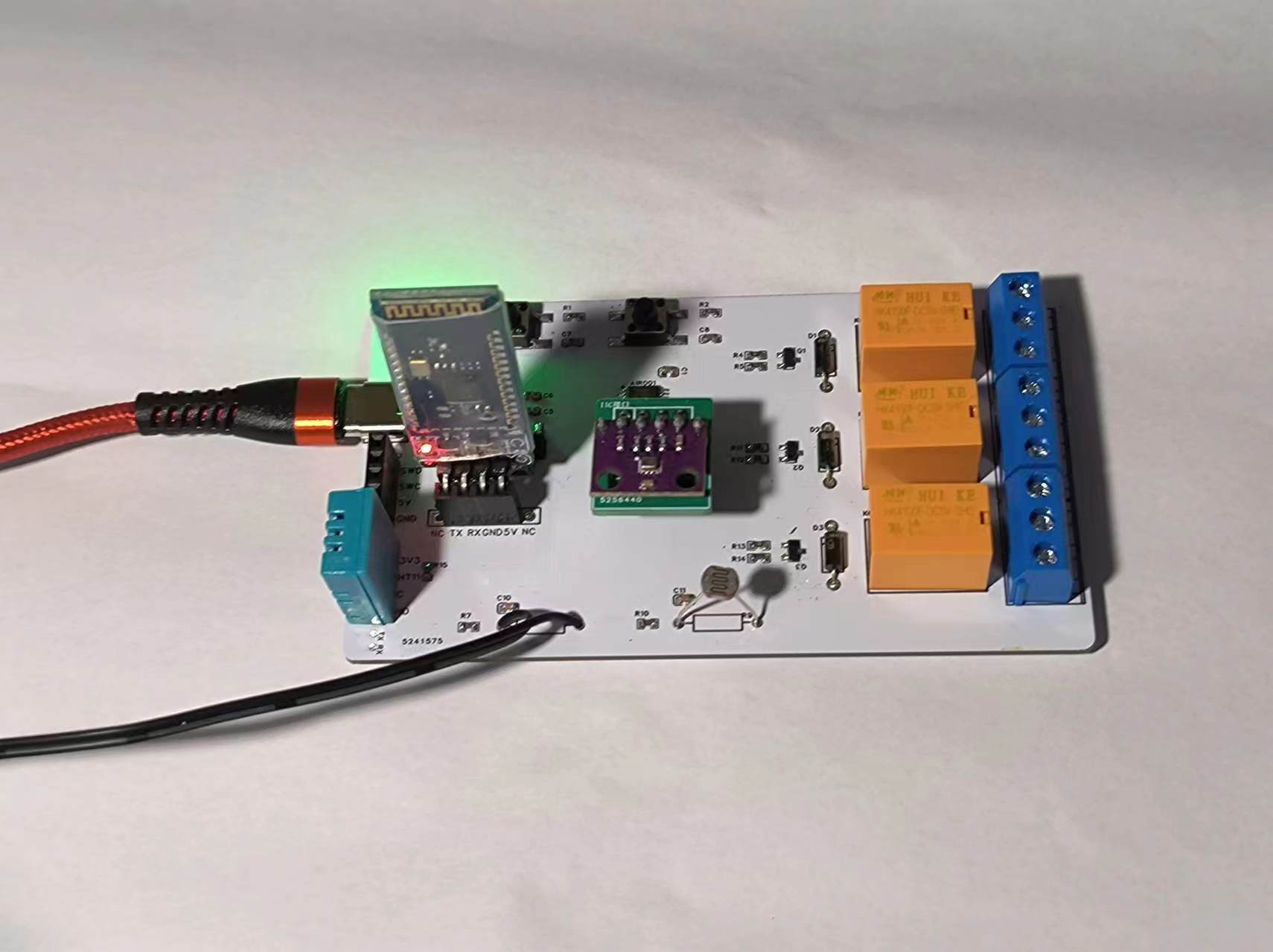
Based on the Hezhou AIR001 data acquisition and control board, it supports one bus-type temperature and humidity sensor, two NTC thermistor temperature measurements, one I2C interface for screen connection, one serial port for downloading and Bluetooth pass-through, a three-color LED and three relay outputs (
tested and working on the board). The temperature and humidity sensor connects to a DHT11, and the resistor positions R6 and R9 can be connected to thermistors or photoresistors for measuring temperature and illuminance. The I2C interface can connect to a screen; it was tested and working with a 0.96-inch OLED. The serial port can connect to a Bluetooth module for pass-through.
The Hezhou Air001 chip supports Arduino and Keil development. Using Arduino library functions to drive the screen consumes a lot of flash memory; a simple "Hello World" program alone uses 91% of the space. For screen use, Keil development is probably the best option, or Arduino development could be modified by removing some unnecessary library functions and
using 0603 capacitors and resistors, with an S8050 transistor driving the relay. The relay can handle a maximum current of 3A.
(Updated 24-6-13: Due to the high resource consumption of OLED screens, it can be replaced with an I2C-supporting atmospheric pressure sensor board, model BMP280. Note the positions of VCC and GND; slight modifications to the schematic are needed. If you purchased a 3.3V power supply, the VCC voltage also needs to be drawn from 3.3V.)
(Note 1: The BMP280 sensor supports temperature, humidity, and air pressure detection, eliminating the need for a DHT11 temperature and humidity module, but the BMP280 consumes more flash resources than the DHT11.)
(Note 2: The image below shows a newly made adapter board for screen pin order compatibility with the BMP280 module.)
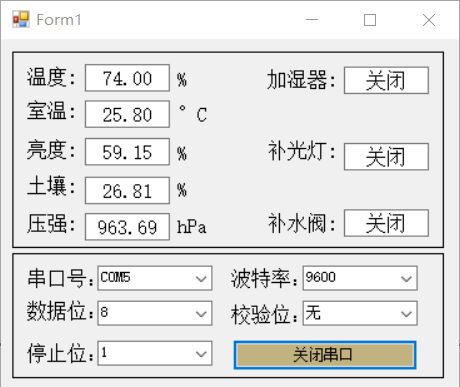
(Updated 24-06-15: The host computer displays the data sent via Bluetooth. The serial port connects to the Bluetooth module, using Bluetooth pass-through mode. The host computer selects the Bluetooth port, reads and parses the data, and displays it.)
MP4_20240608_141249VLOG.mp4
Test program.ino
Data Acquisition Host Computer.7z
PDF_Hezhou AIR001 Data Acquisition and Control Board (Smart Agriculture Course Project).zip
Altium_HezhouAIR001 Data Acquisition and Control Board (Smart Agriculture Course Project).zip
PADS_HezhouAIR001 Data Acquisition and Control Board (Smart Agriculture Course Project).zip
BOM_HezhouAIR001 Data Acquisition and Control Board (Smart Agriculture Course Project).xlsx
94235
Desktop weather pointer model
Desktop weather pointer model
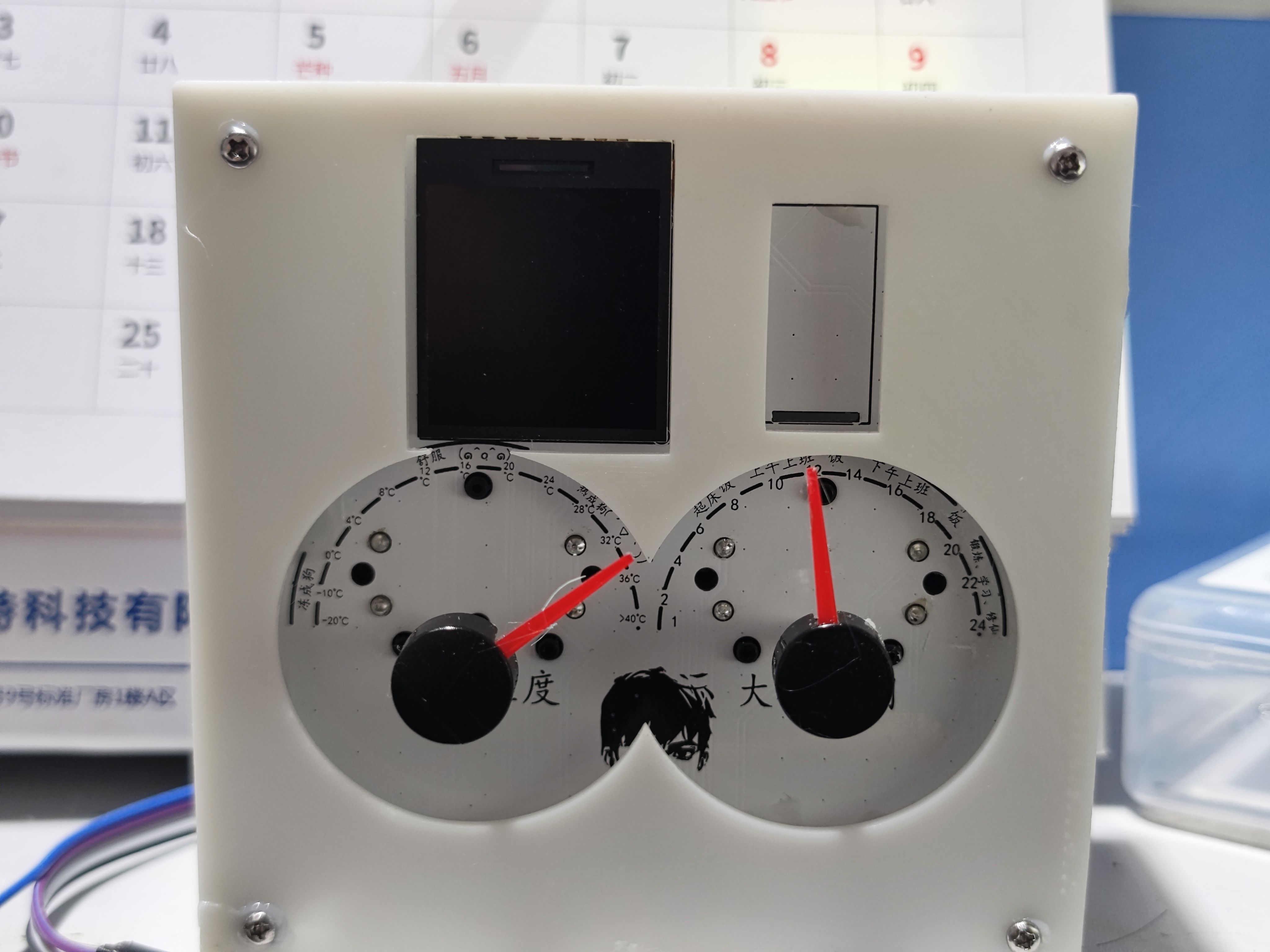
Currently, the main implementations include:
1. PWM motor control;
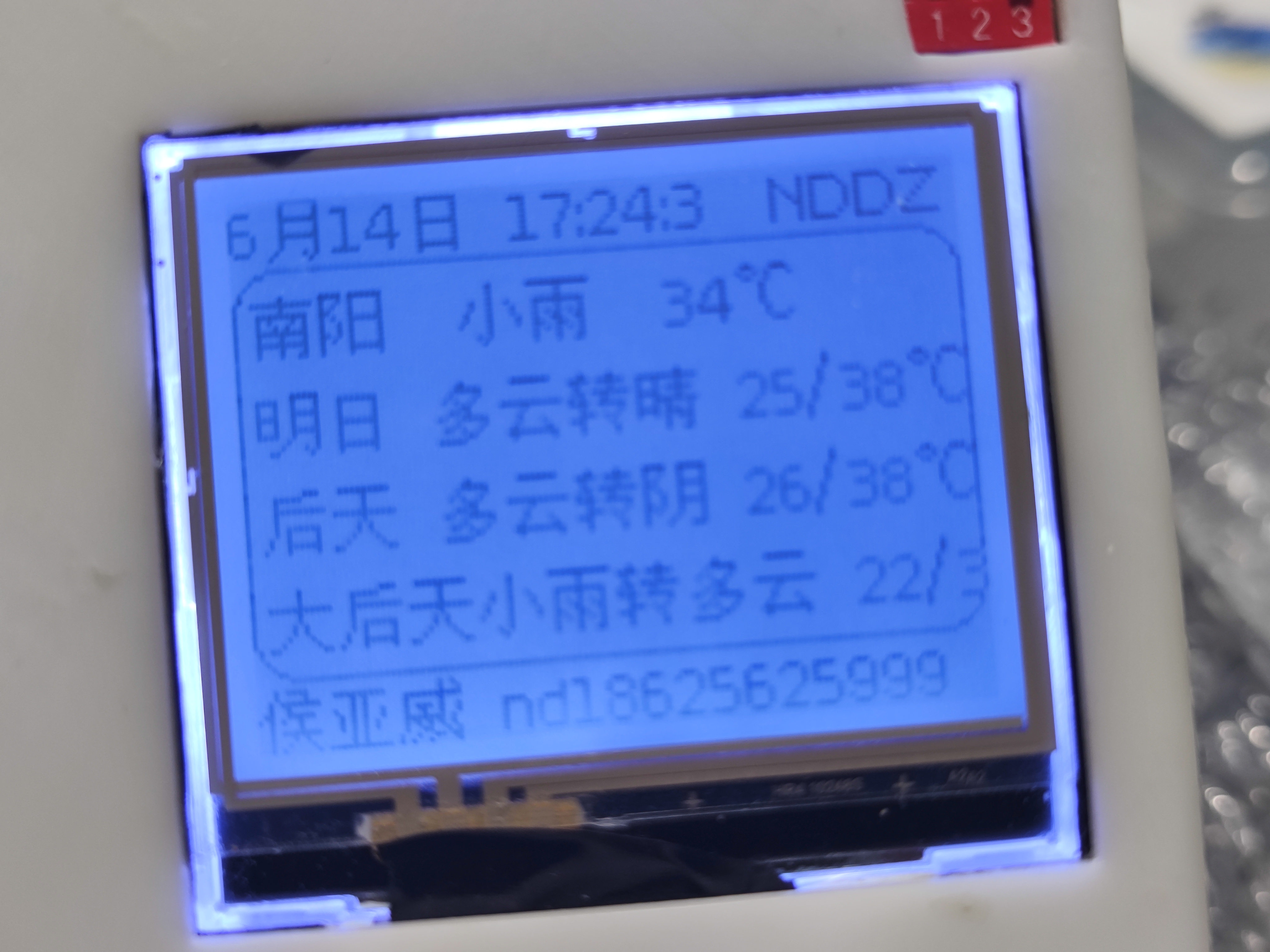
2. ESP32 network configuration, weather requests, and Wi-Fi information storage;
3. U8G2 driver for a screen, drawing a rounded rectangle, displaying Chinese fonts, and displaying logs at the bottom of the screen (horizontal alignment is not possible; the first two screens were damaged during soldering, so only the last screen can be driven).
Source code and a video are attached. The video demonstration confirms the functionality.
The source code only requires modifying the weather address and API key, using the Juhe Weather API:
`String url="http://apis.juhe.cn/simpleWeather/query"; // Request URL Response
String city="Nanyang"; // Input the desired city
String key="Add yours, mine can only be used 50 times per day";`
9b27630cdef87203f5a813b6988c21a8.mp4
8a87871c0e603cc353e707215a1f014c.mp4
WeatherStation.zip
PDF_Desktop Weather Pointer Version.zip
Altium Desktop Weather Pointer Version.zip
PADS Desktop Weather Pointer Version.zip
BOM_Desktop Weather Pointer Version.xlsx
94236
N5105 adapter board e-KEY to m-KEY
This adapter is compatible with Changwang N5105 motherboards (versions V1-V5), and supports EKEY to MKEY conversion. Note: At least one of the two SSDs must have a controller with a built-in clock module (e.g., a Silicon Motion controller). Otherwise, it will not be compatible. Alternatively, one of the SSDs can be a SATA converter for compatibility.
Commercial use is strictly prohibited.
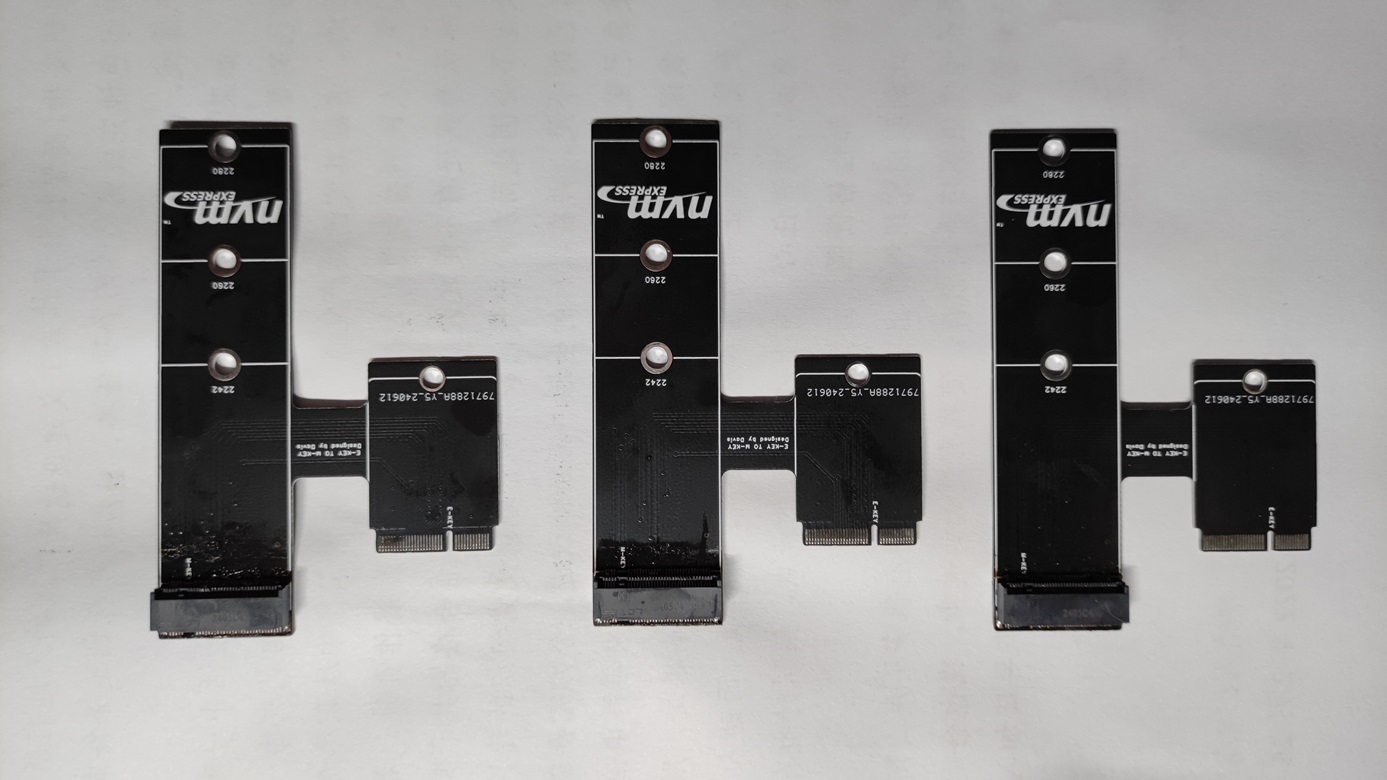
front of board,
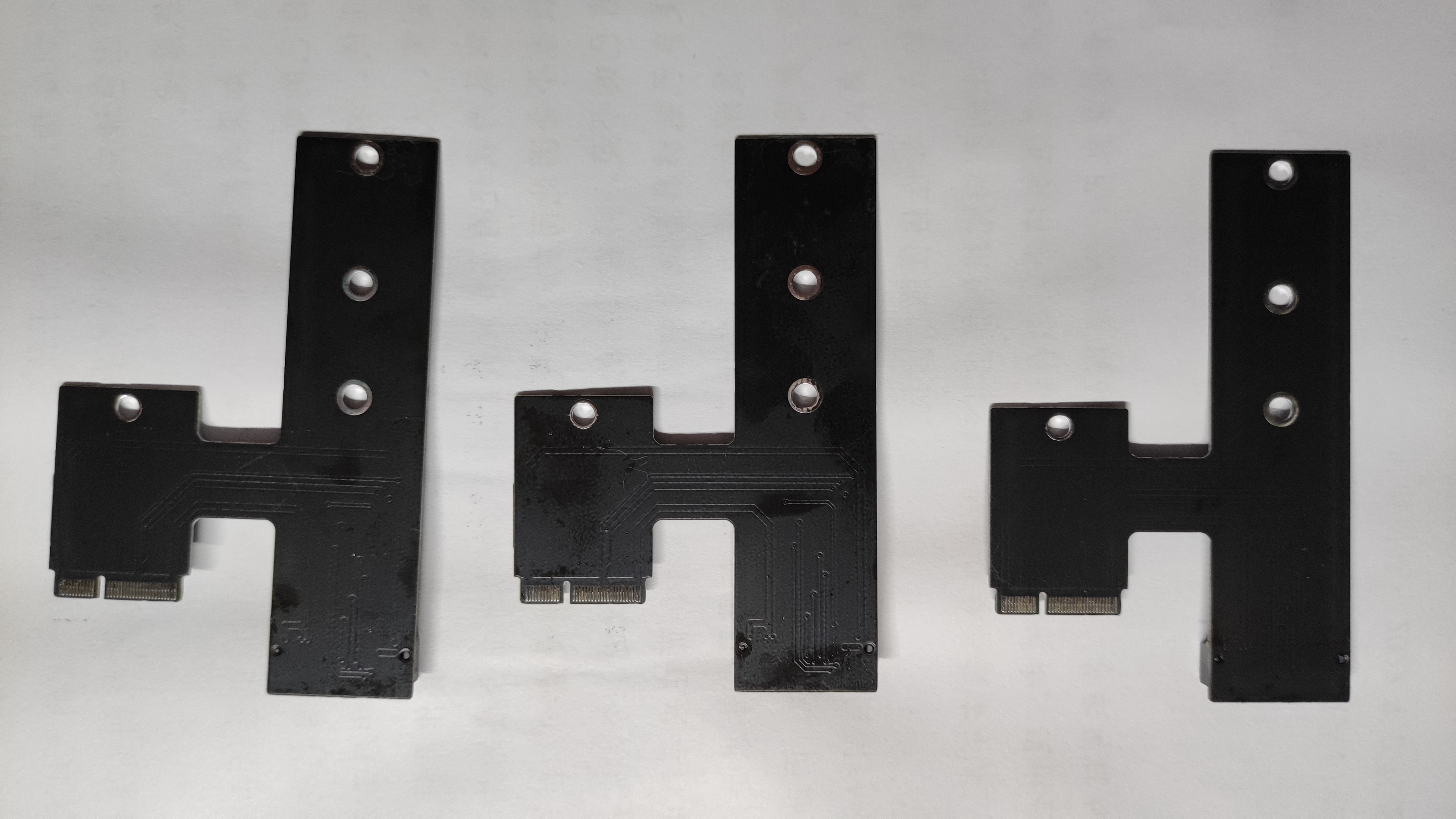
back of board
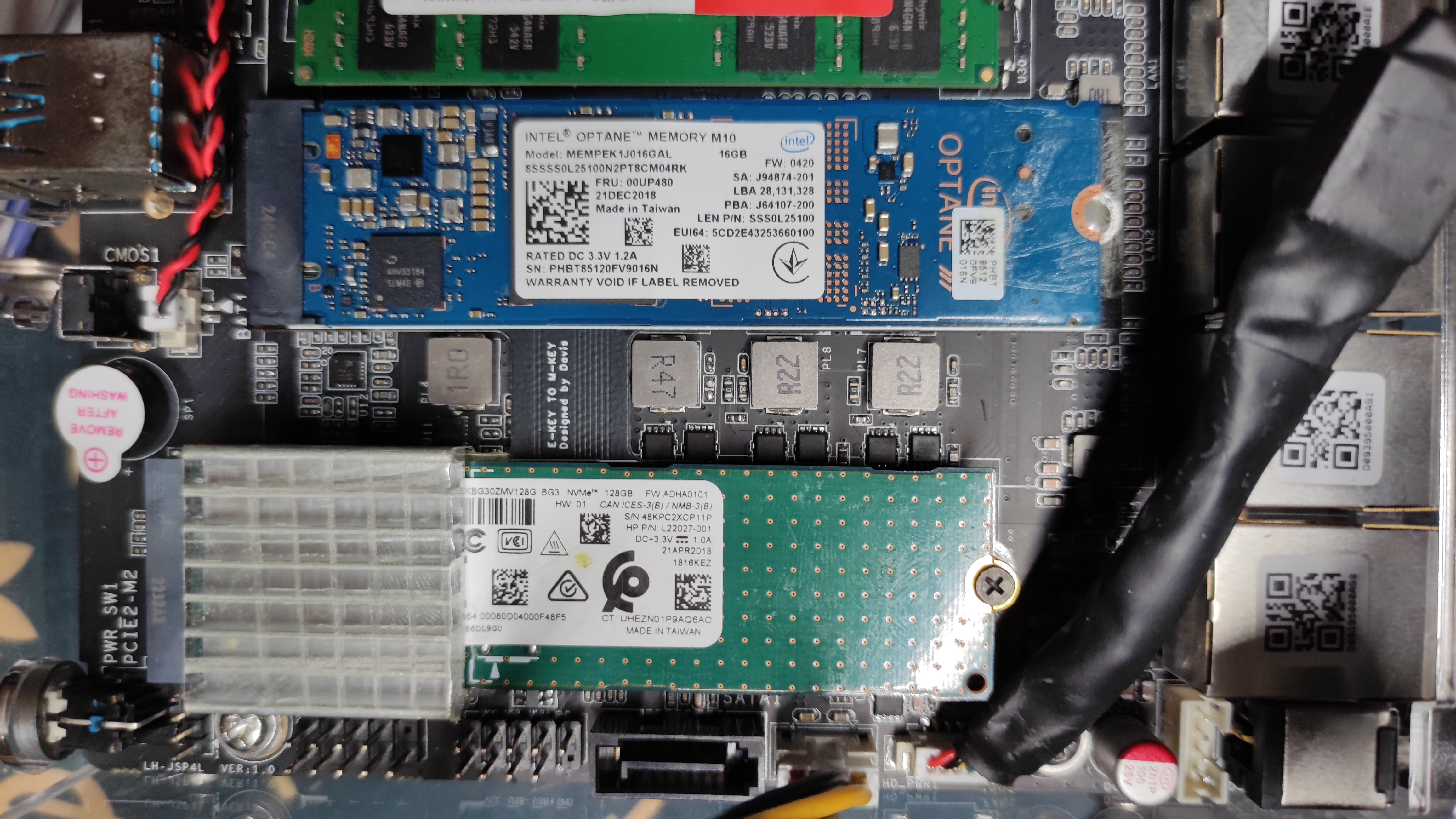
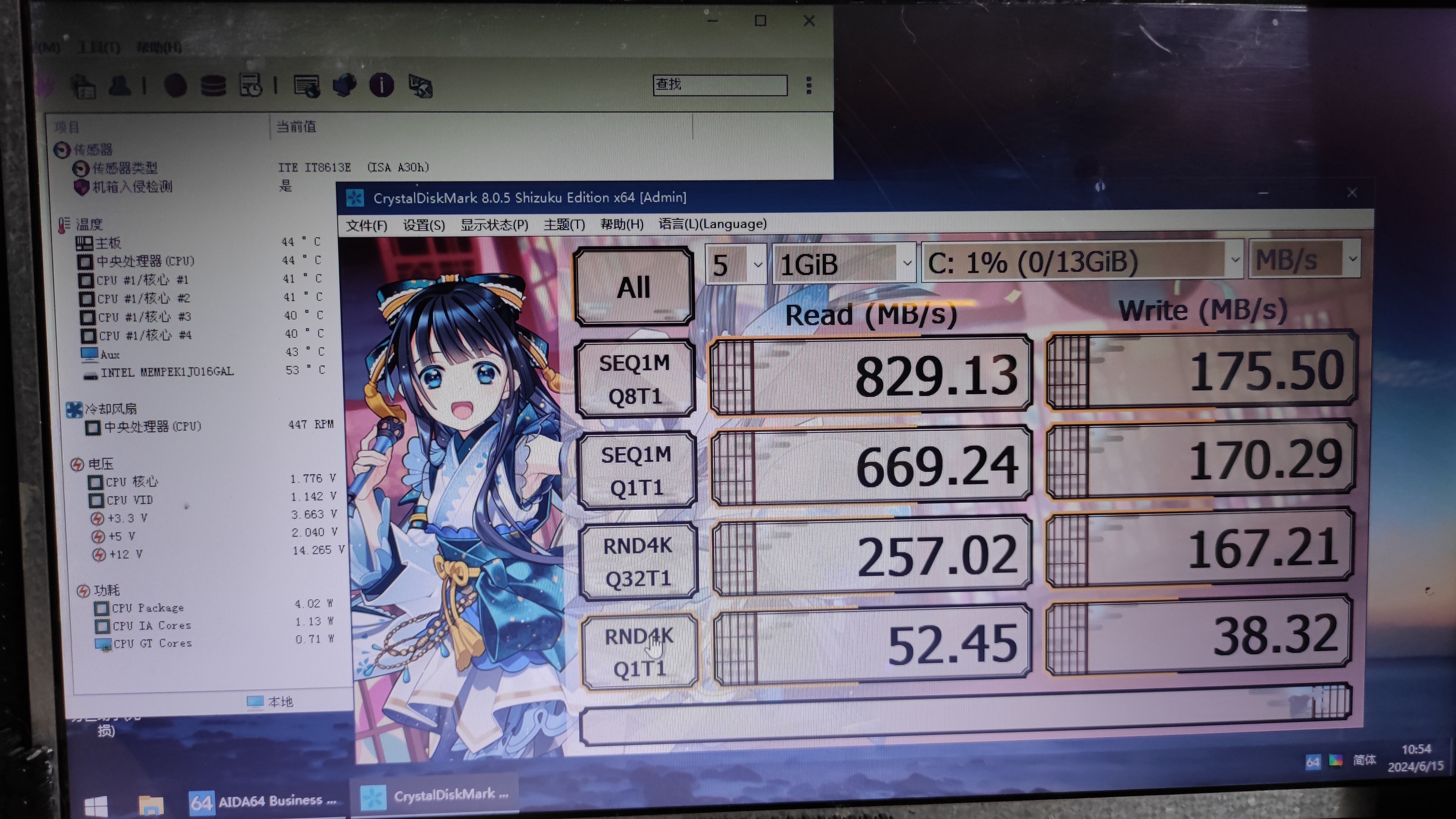
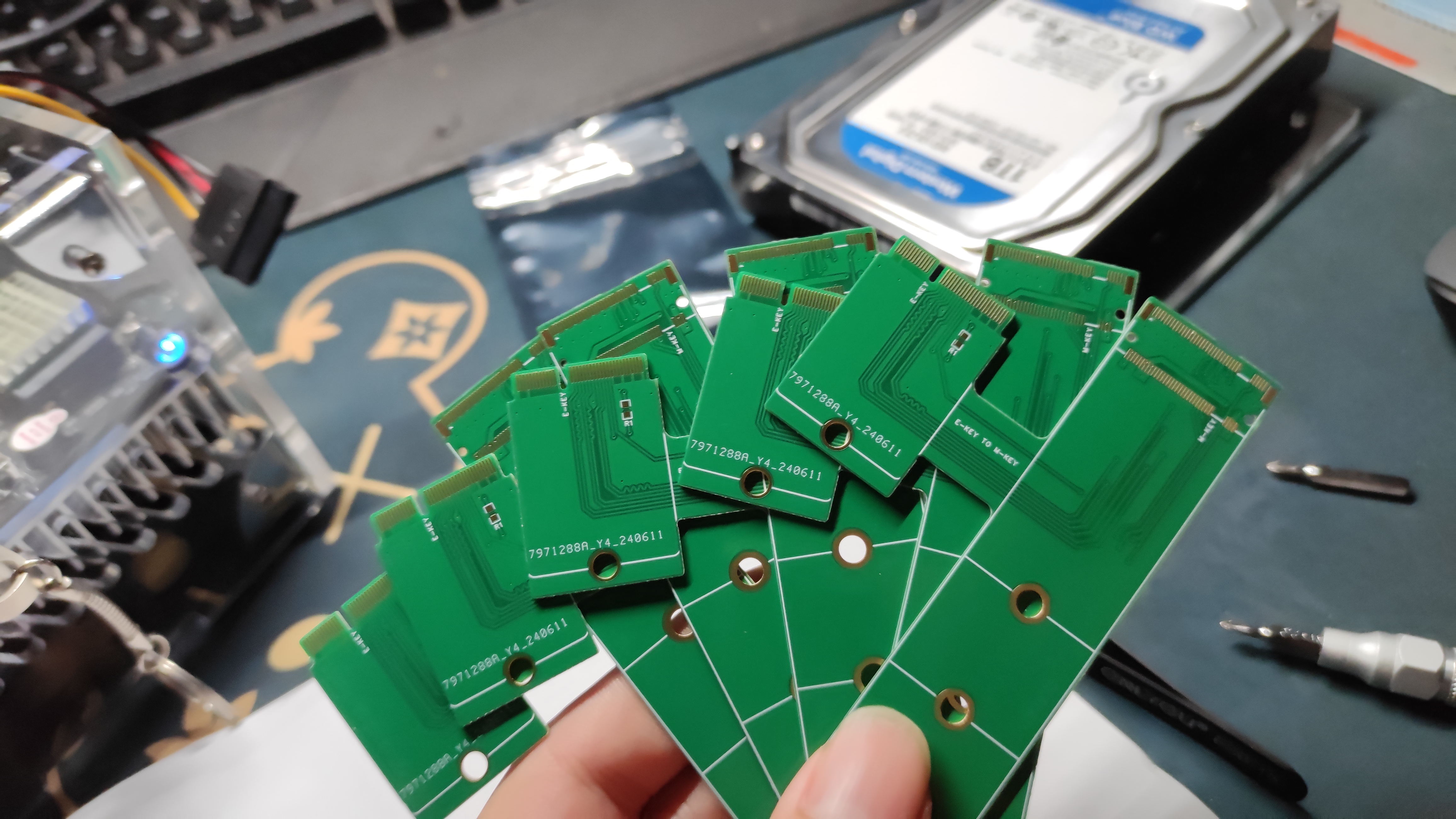
PDF_N5105 Adapter Board e-KEY to m-KEY.zip
Altium_N5105 adapter board e-KEY to m-KEY.zip
PADS_N5105 adapter board e-KEY to m-KEY.zip
BOM_N5105 adapter board e-KEY to m-KEY.xlsx
94237
Temperature and humidity clock using DWIN serial port display and ESP8266 main controller.
This temperature and humidity clock uses a DWIN serial port display and an ESP8266 main controller, and can be synchronized over a network.
Special thanks to LCSC Open Source for their support of the Summer Electronics Fun Activity. This
motivated me to utilize my previously idle 5-inch DWIN serial port COF screen to practice serial communication between a microcontroller and the screen. I also plan to integrate a previously borrowed graffiti module to implement a graffiti-enabled smart thermometer. The overall design is incomplete and is for reference only; it is not suitable for direct replication.
The
overall circuit is relatively simple and easy to understand. I originally considered using an ESP32 as the main controller, but later felt it would be wasteful, so I used an ESP8266 instead, which is easier to solder and has enough pins. It does not include a battery, making it convenient for long-term plug-in use.
The clock module circuit board includes a PCF8563, but an external clock module can also be connected via the reserved I2C interface; I used an existing DS3231 module. The temperature and humidity sensor can use the on-board SHT30 sensor, and an interface is also reserved for connecting an external DHT11 sensor. The circuit also includes an I2S audio output for the NS4168, as a backup audio output.
The software
only implements basic temperature and humidity clock functions. After powering on, the WiFi manager starts network configuration, requiring the mobile phone to connect to the ESP8266's hotspot to configure WiFi. Upon successful configuration, the system automatically updates the DS3231 time to the network time, then reads and writes the DS3231 time and the temperature and humidity data from the SHT30 sensor and displays them on the DWIN screen. Other backup and audio functions are not yet implemented. The ESP8266 software is designed using Arduino IDE, while the DWIN screen uses the official software interface, referencing the open-source content of the DWIN forum post: http://inforum.dwin.com.cn:20080/forum.php?mod=viewthread&tid=5649&extra=page%3D1. Thanks to the poster. Regarding
the physical product demonstration and
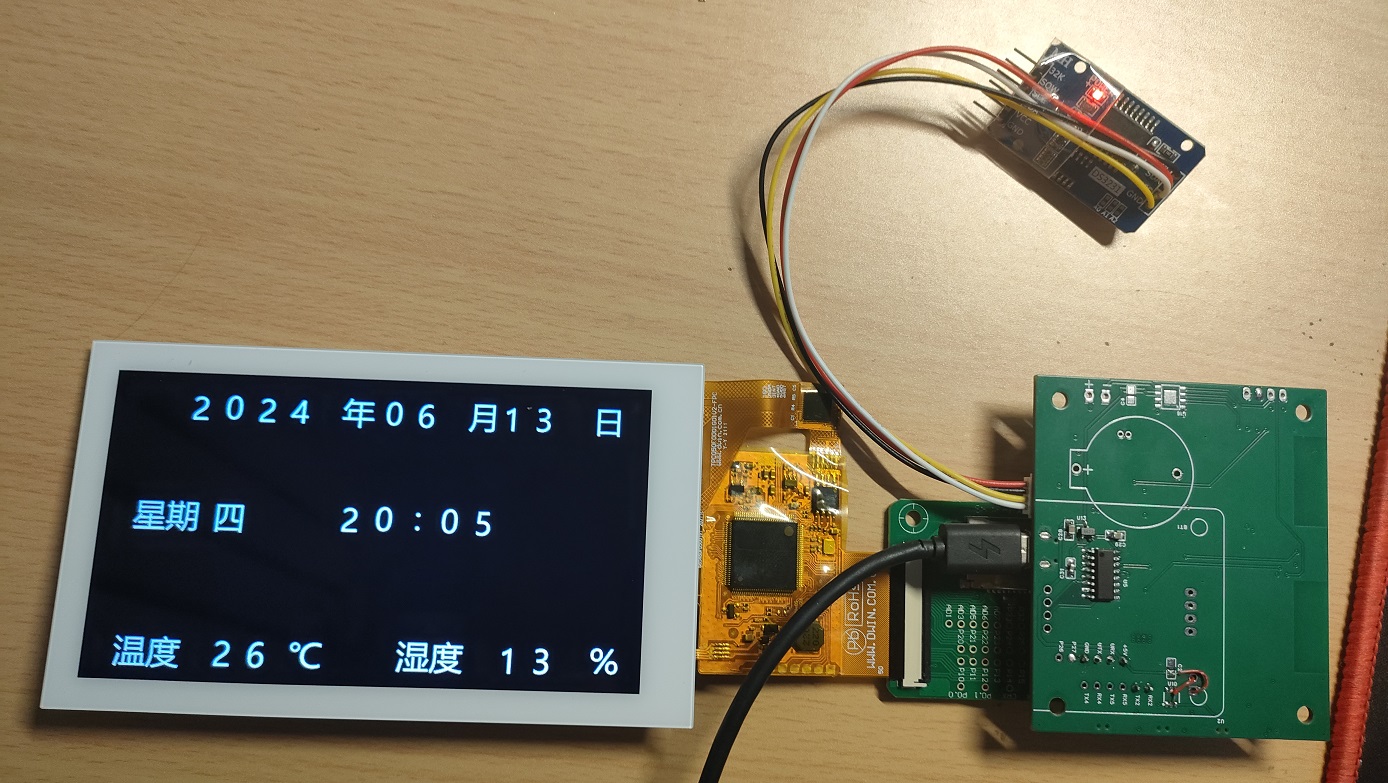
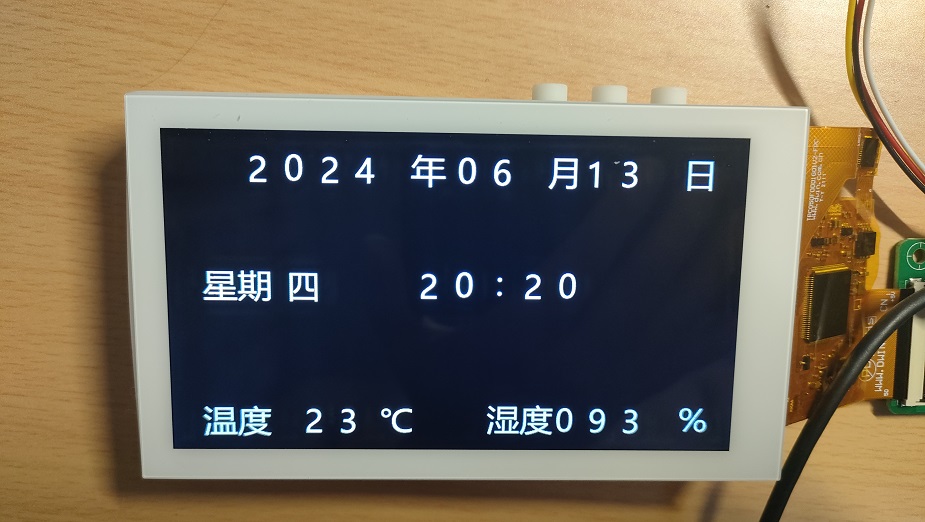
precautions
: The casing currently has design issues and is not well-matched with the PCB. This is mainly due to the motherboard and DWIN screen adapter board connector pins being too high, preventing the screen from fully resting, and the button positions lacking spacing. These issues will be addressed in future updates.
In addition, the main controller of the DWIN screen generates a lot of heat, which affects temperature measurement and requires internal isolation.
Diwen Screen.zip
8266DIWENclock.zip
PDF_Temperature and Humidity Clock Using DWIN Serial Port Screen and ESP8266 Main Control.zip
Altium_Temperature and Humidity Clock Using DWIN Serial Port Screen and ESP8266 Main Control.zip
PADS Temperature and Humidity Clock Using DWIN Serial Port Screen and ESP8266 Main Control.zip
BOM_Temperature and Humidity Clock Using DWIN Serial Port Screen and ESP8266 Main Control.xlsx
94239
electronic








 京公网安备 11010802033920号


 RVT24YGL15SA102K



