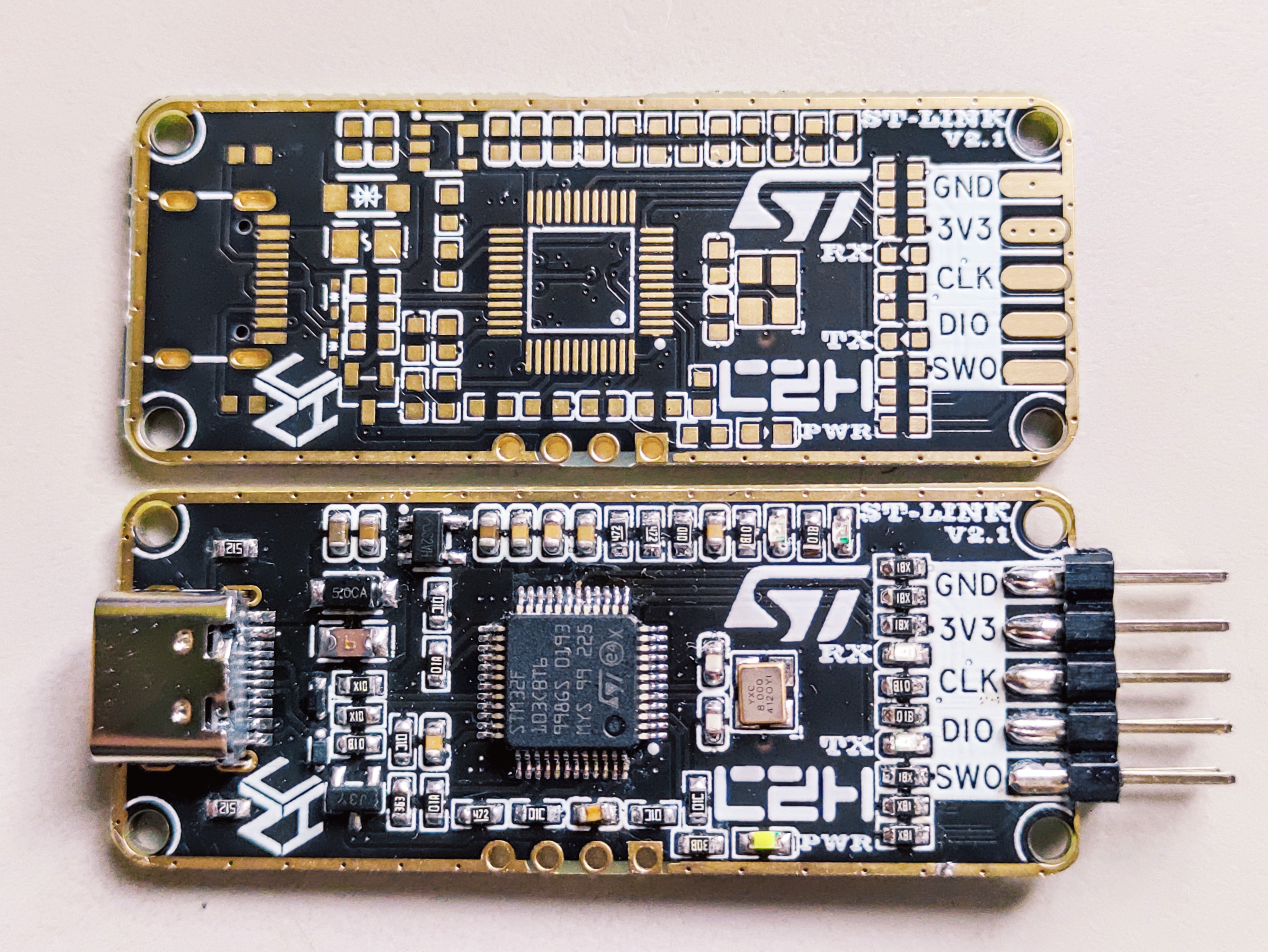
Thanks to JLC for opening up the immersion gold process, I've created a custom, high-end black and gold version of the STLINK programmer
(although I already had a Daplink, its compatibility with the official STM32CubeIDE software wasn't great, so I decided to make another one) .
-----------------------------------------------------------------------------------------------
Modified from the original open-source project https://oshwhub.com/CYIIOT/ST_LINK-V2_1#P6
Thanks to @攻城狮晨哲 for sharing the open-source code; it's very detailed.
-----------------------------------------------------------------------------------------------
Based on the above open-source project, the following modifications were made:
1. Added a TVS diode
. 2. Used an existing fuse
. 3. Used an existing NPN transistor
. 4. Added an ESD protection
diode. 5. Optimized the D+/D- differential routing.
6. Re-laid out the traces, optimized the crystal oscillator layout to be closer to the IC, and changed the crystal oscillator to the commonly used 3225 package, which is smaller, has lower PPM, and is relatively cheaper. Crystal Oscillator Layout Reference Document: [PCB Design] Crystal Oscillator Clock Circuit Layout Design_Crystal Oscillator Layout - CSDN Blog
7. The USB-A male connector was changed to a USB-C female connector, making it easier to connect to the computer, programmer, and board, and reducing the length of DuPont wires used.
8. The 2*5P pins were changed from bent to straight, with side-mounted clamps for soldering. The spacing is 2.54mm, so the thickest 1.6mm PCB was used.
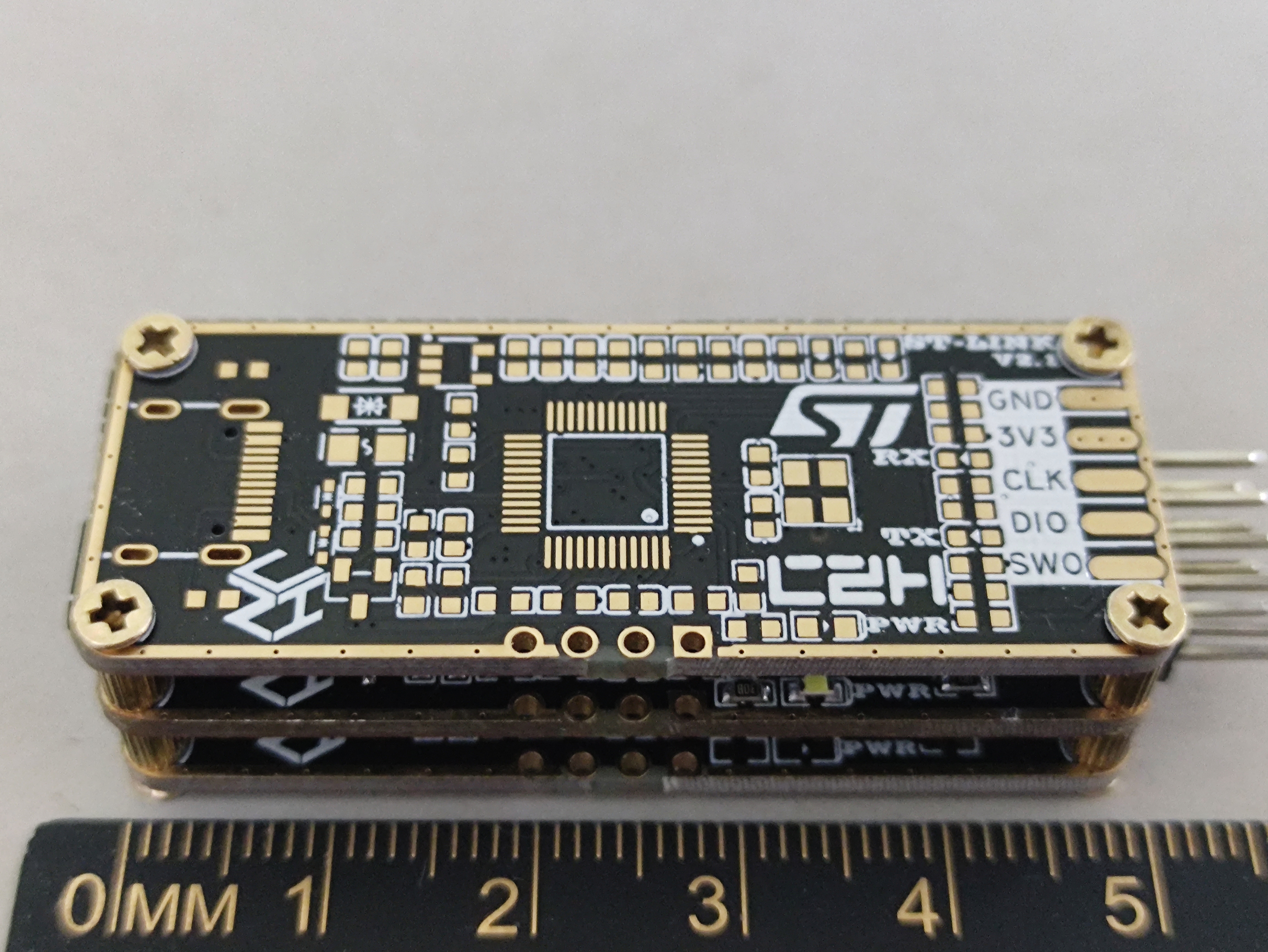
9. Four M2 screw holes were added.
10. Solder mask was removed from the frame, and the two sides were simply edged with immersion gold plating for a better appearance (be careful not to touch it when soldering; if necessary, use high-temperature tape to cover it first).
The simplest method is to use the excess immersion gold PCB clamps, which already looks very good. The only drawback is that it's inconvenient to see the indicator lights.
An acrylic transparent panel can also be used; transparent resin 3D printing results in a frosted finish and is not transparent enough. Originally, I planned to adapt it to a common USB case online, but I found the shipping cost uneconomical.
-----------------------------------------------------------------------------------------------
Firmware burning:
"Which came first, the chicken or the egg?"
I didn't have an ST-LINK programmer, only a Daplink, which isn't very compatible with the official STM software. In the end, I used jumper wires to bring out RX and TX, and used USB-TTL for UART serial programming.
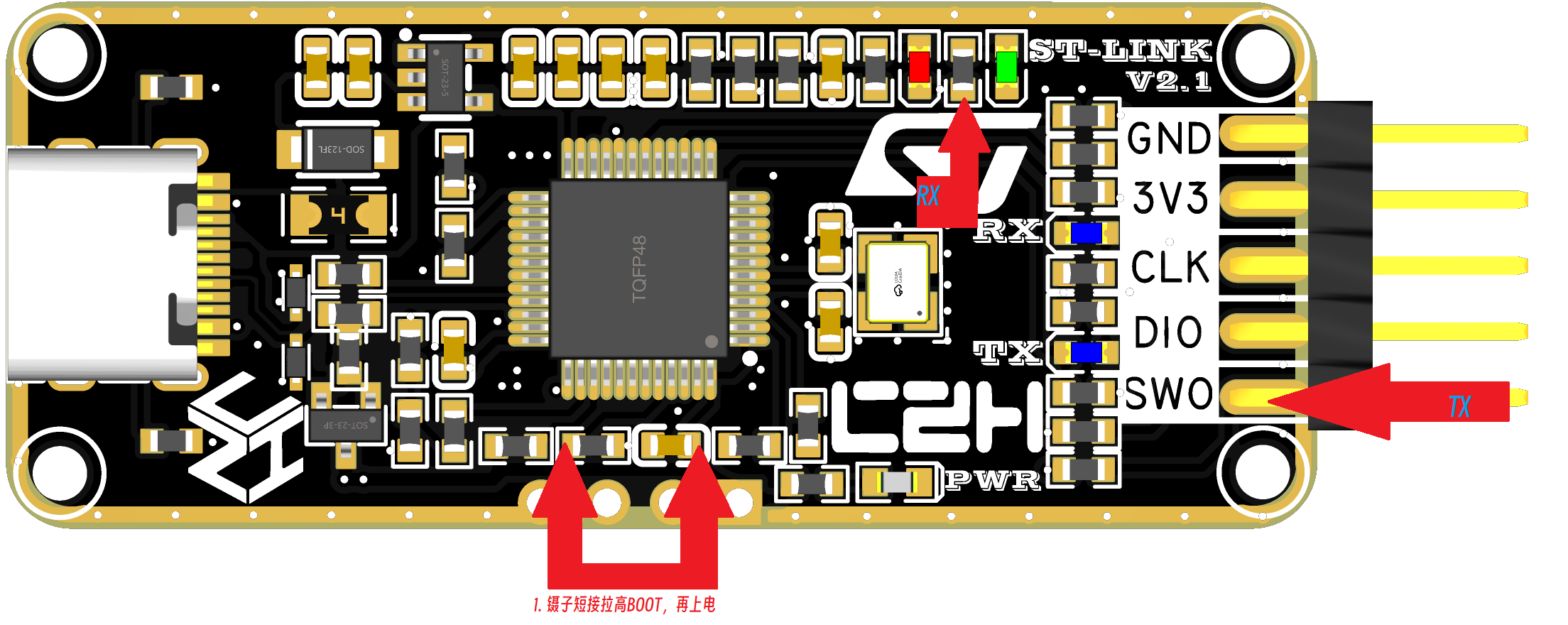
You can use tweezers to short-circuit as shown in the diagram above, pulling BOOT0 high to 3V3. Simultaneously, power on the device and
connect serial port 1 (PA9, P10) and GND to the USB-TTL port.
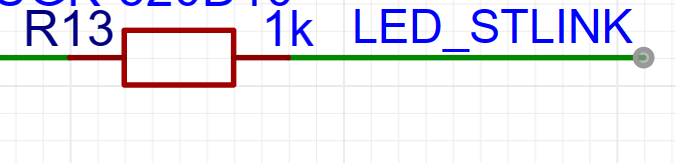
On this project's board, BOOT0 and PA9 are not brought out; PA10 is brought out as SWO, acting as RX. Jumper wires are needed. Resistor R13 is required; one pin of LED_STLINK is TX. Note that this must be the opposite of the programmer's TX/RX connection.

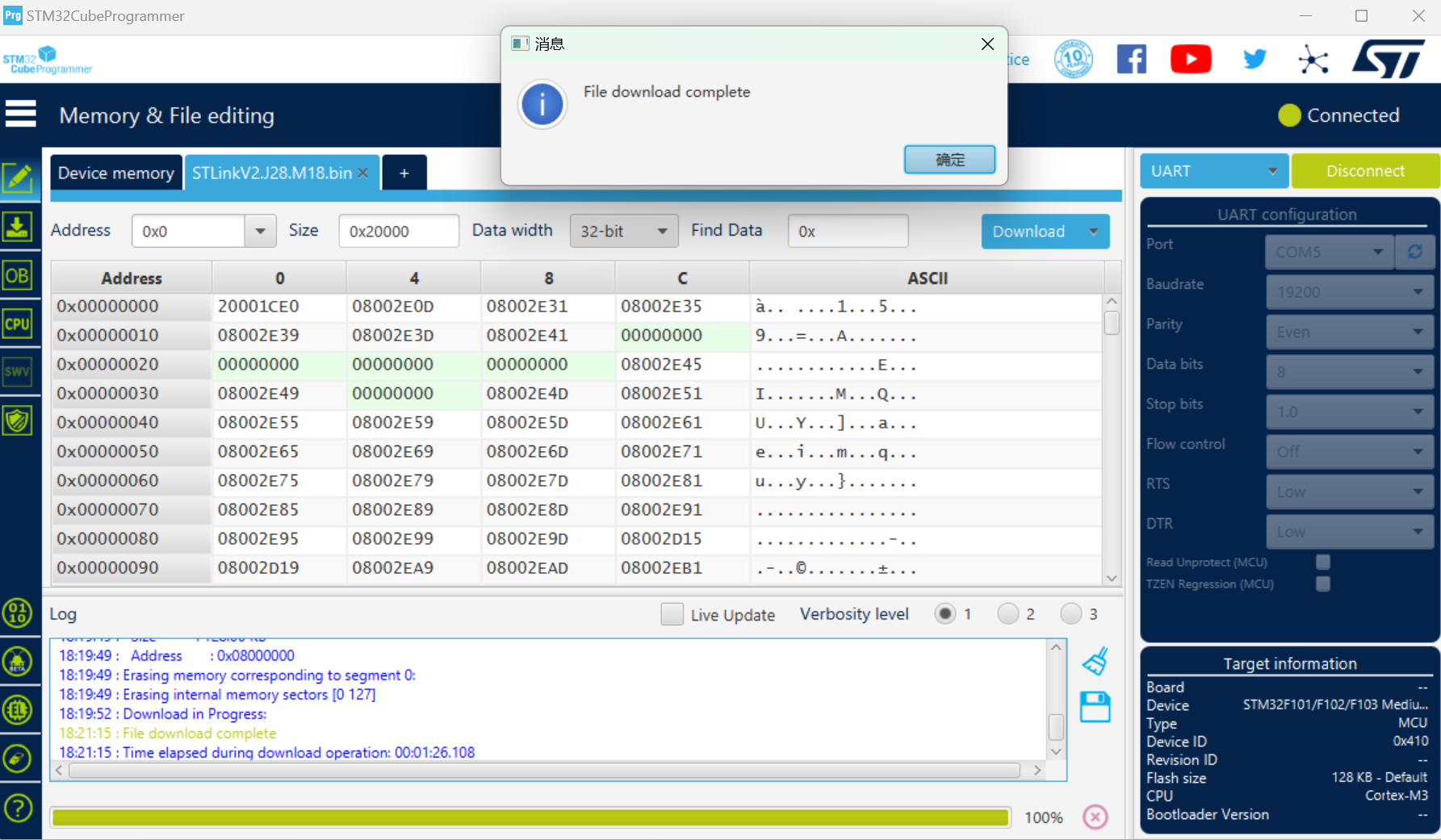
3: Use STM32program to download the firmware via serial port, and then you can update the firmware.
After successful programming, ST-LINK COM and ST-LINK Debug
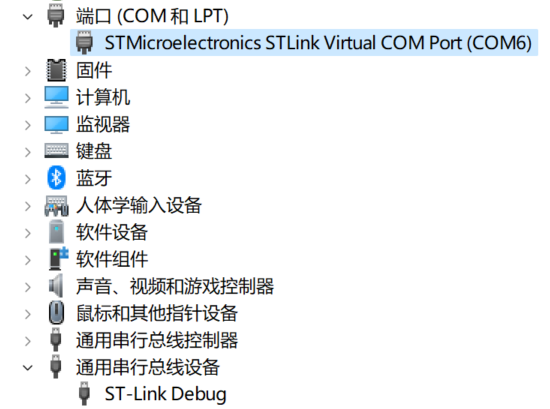
firmware upgrade to
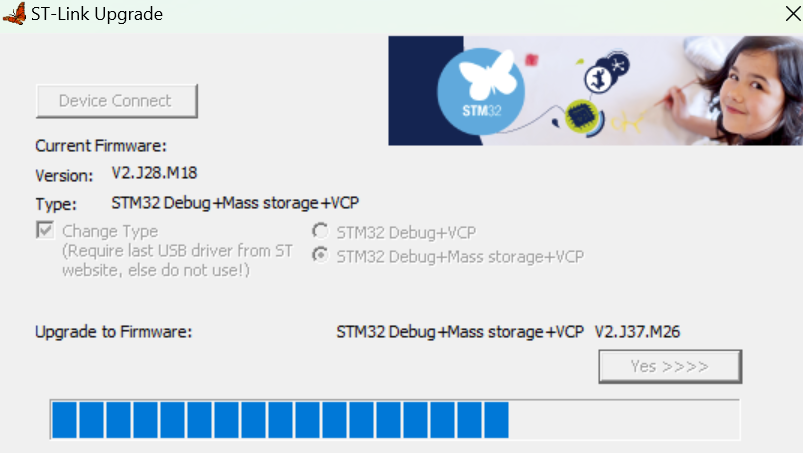
the latest version number can be recognized
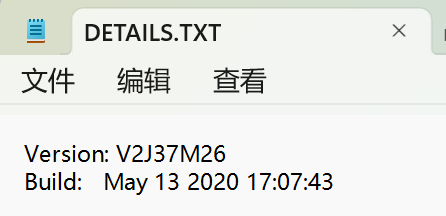
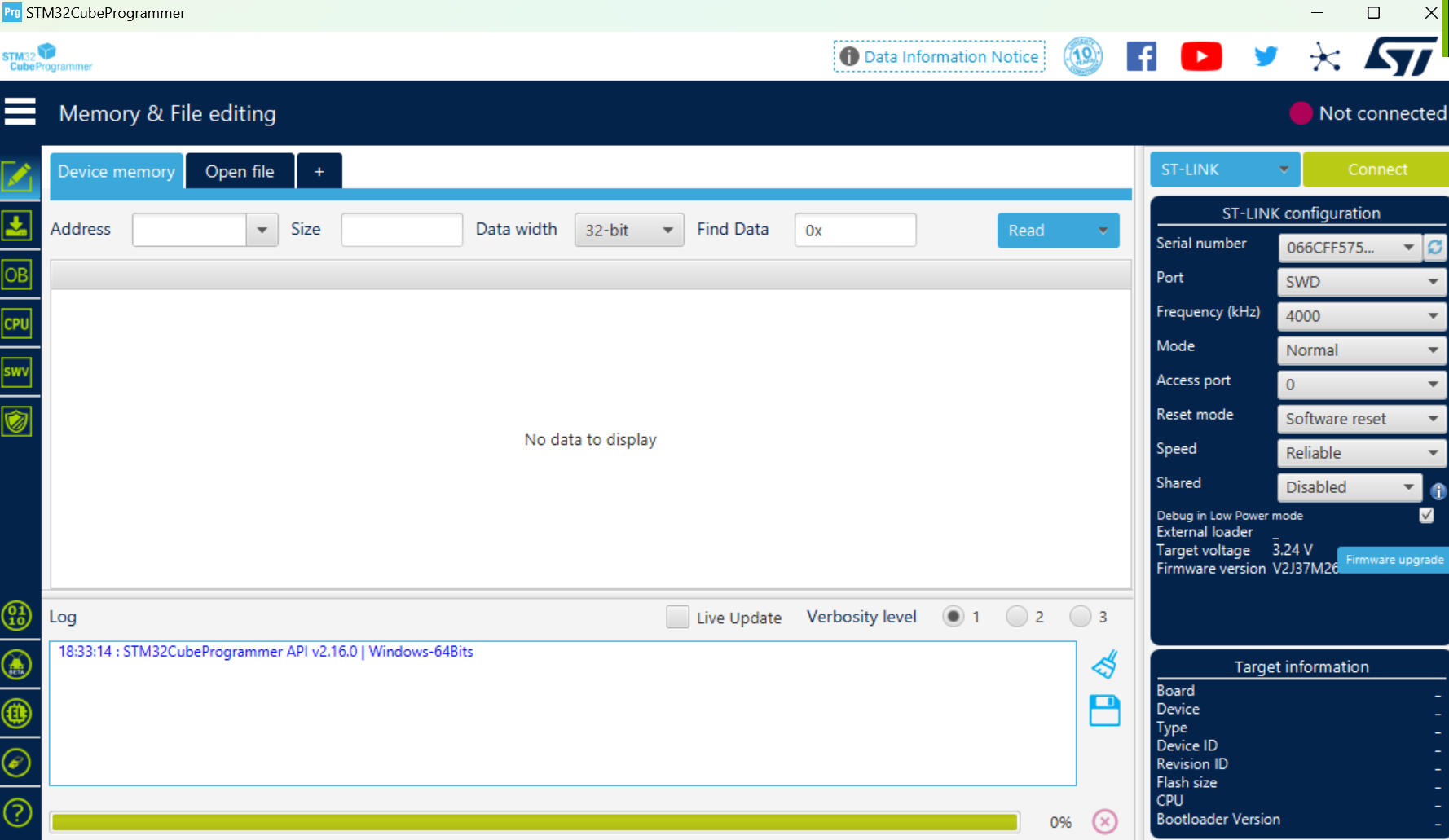
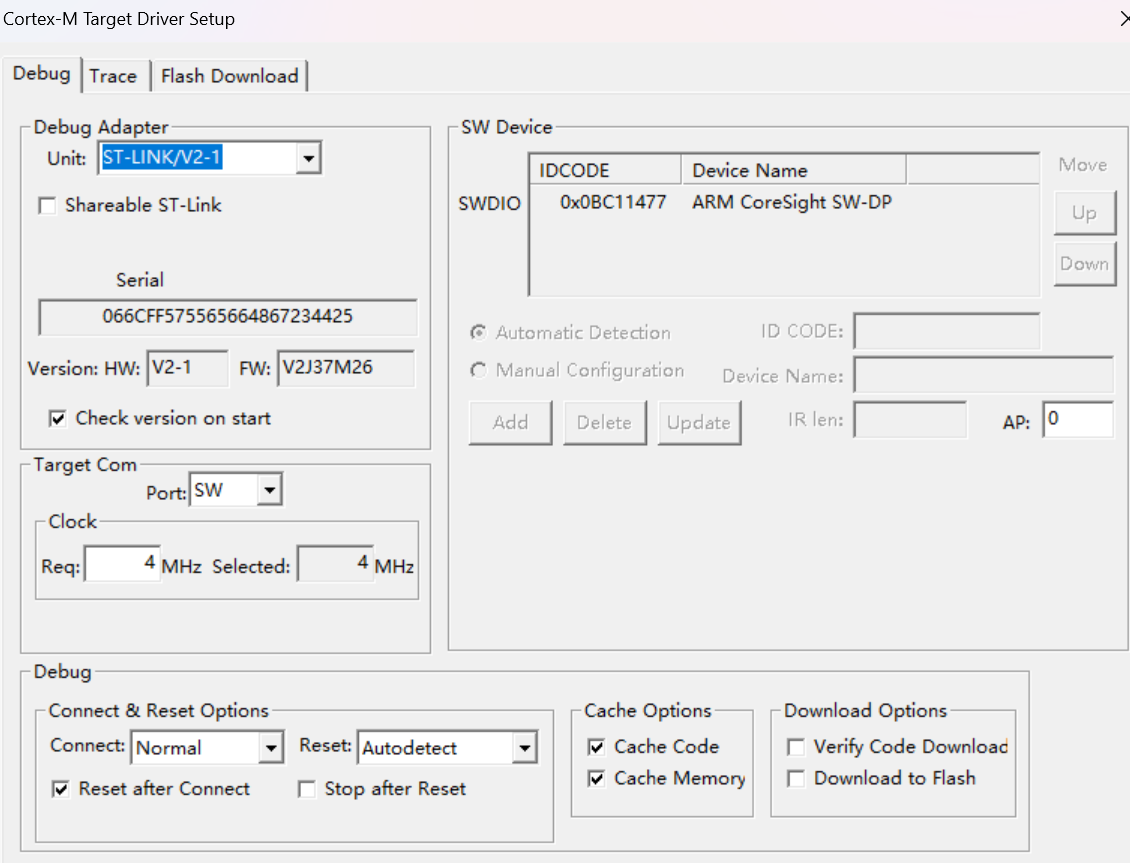
. STM32CubeProgrammer and Keil V5 can also be successfully recognized.
SWD and TTL modes can be successfully programmed.
Note: For virtual USB flash drive programming, the board and programmer must be connected first, then connected to the computer; otherwise, it will display an error message indicating insufficient remaining Flash size (4KB) for the programmer IC. A .bin file is required; the name of the dragged-and-drop .bin file should ideally not contain Chinese characters or numbers. Also, pay attention to the BOOT issue.
----------------------------------------------------------------------------------------------------------------------------------------------------
[Open Source] ST-LINK V2.1 Black Gold Edition_Bilibili_bilibili








 京公网安备 11010802033920号


 LT-1524410024



