Changelog
2024.03.27: Fixed the issue of missing copper pour on 'Inner Layer 1' GND. Please check if copper pour is present on each layer before board fabrication.
Copyright Notice:
This project is copyrighted by Shuangqiu Linran.
This project is licensed under CC-BY-NC-SA (Creative Commons Attribution-NonCommercial-ShareAlike) and unauthorized derivative works are prohibited (a new project created by taking parts of the original project or modifying the original project is called a "derivative").
Even if authorized, the project must be shared in the same way before derivative works can be performed (the original author's name and source must be credited). Please consciously abide by the open-source license and jointly maintain the open-source environment.
This project is for DIY and learning purposes only. It is prohibited to use this project for any commercial activities (selling, distributing, or copying for profit), including but not limited to the above three points.
Attention!! This product has not been authorized for sale to any organization or individual. If there is any authorization, it will be announced here. This studio refuses to provide after-sales service and technical support for products purchased from other channels.
Please adhere to the open-source license and jointly maintain the open-source environment. Thank you. (
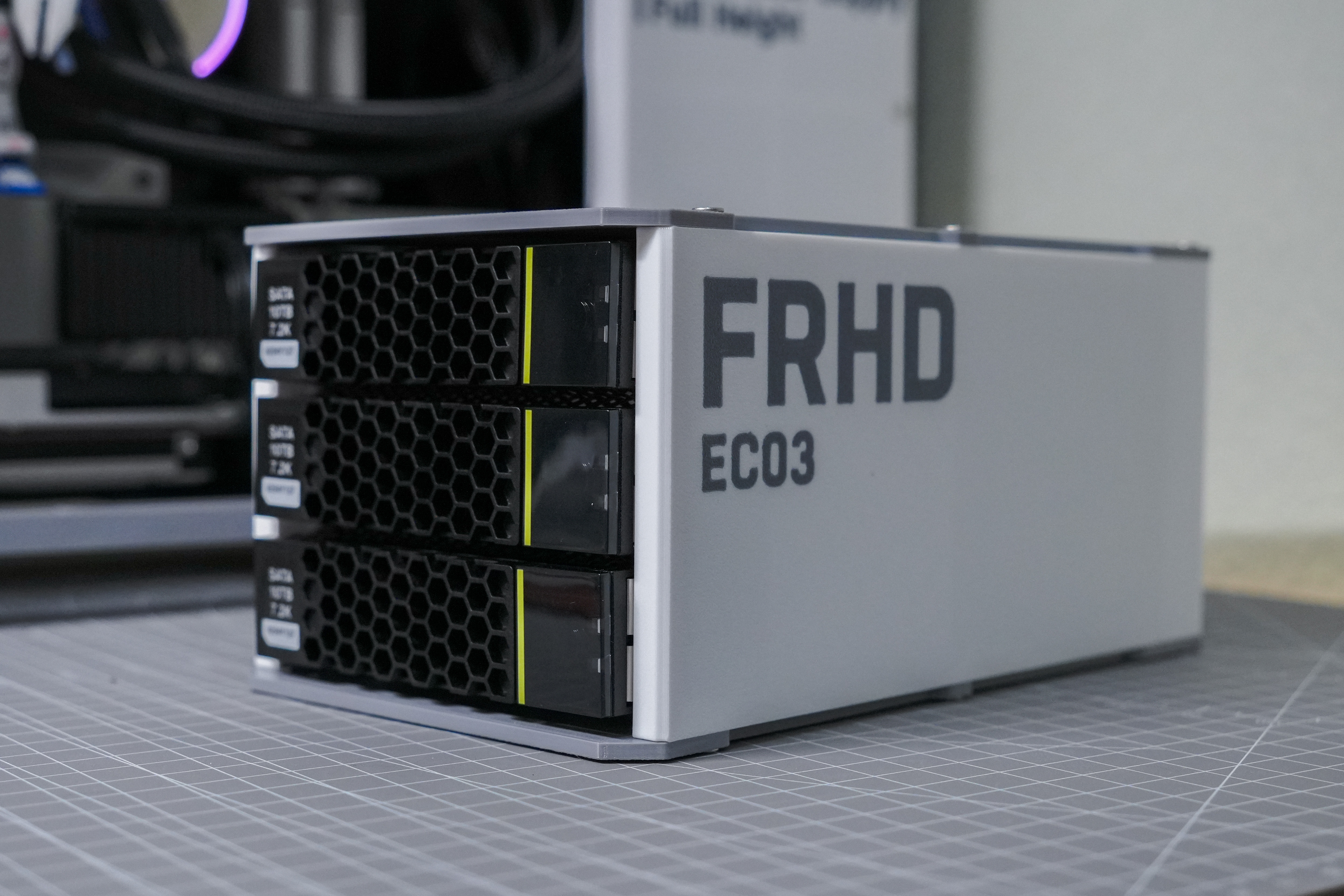
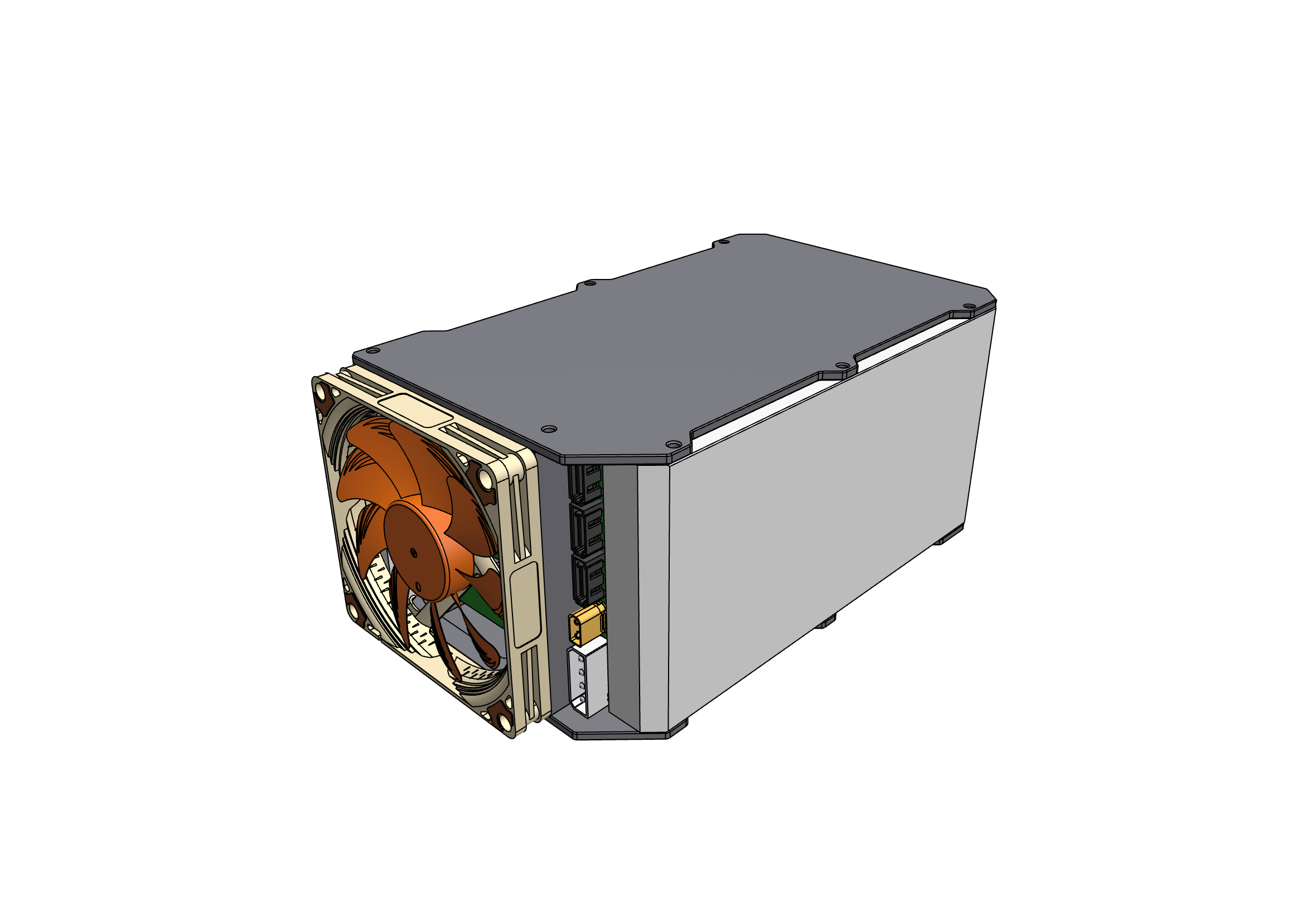
【Overview】A 3-bay 3.5-inch SATA/SAS compatible hard drive enclosure with an airtight airflow for efficient heat dissipation.
【Parameters】Can install 3.5-inch disks, backward compatible with 2.5-inch disks via adapter brackets.
Can install a 90mm cooling fan
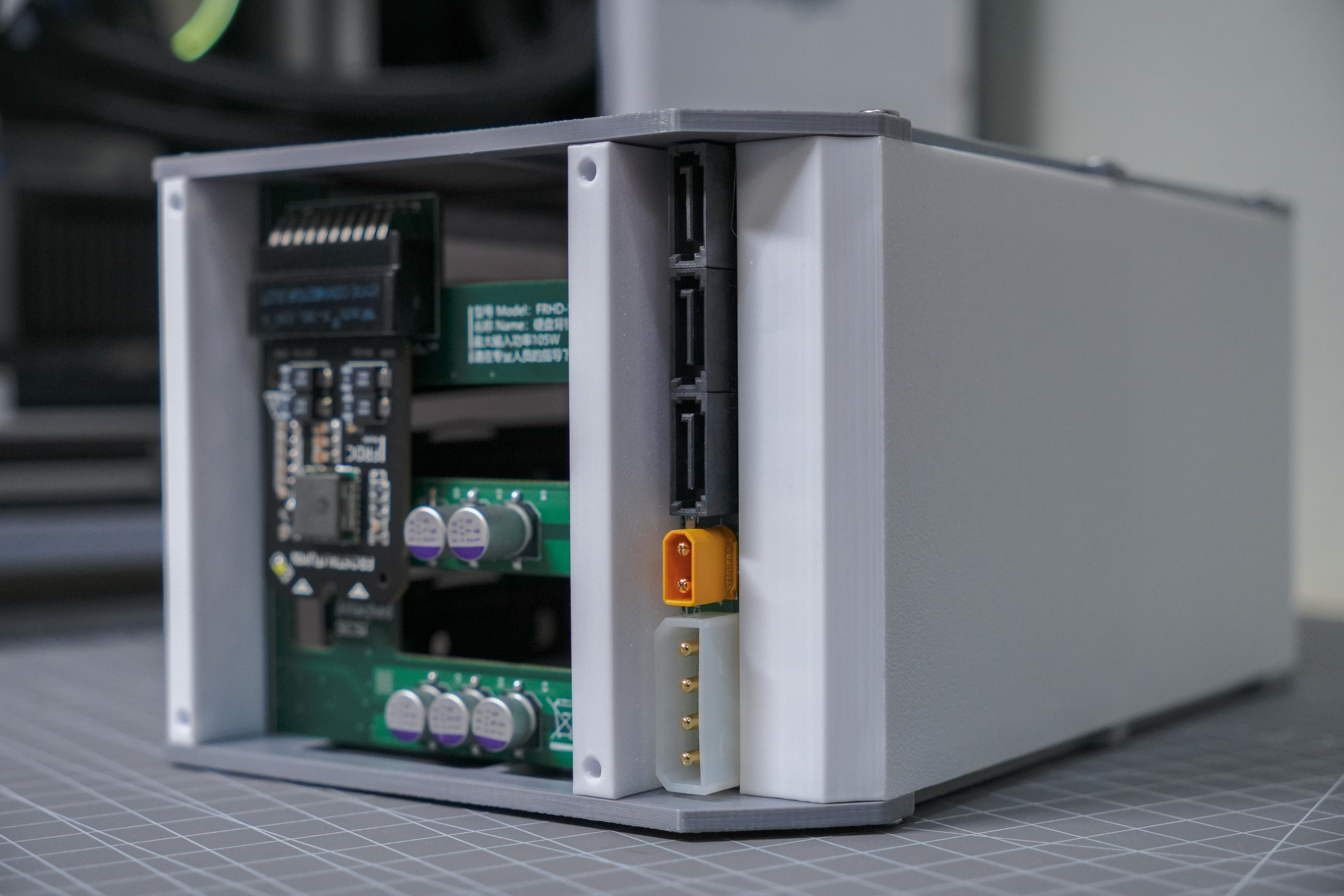
. The back panel has 3 SATA data interfaces, one large 4D power interface, one XT30 power interface, and a 20-pin power module slot.
The back panel has power indicator lights and hard drive read/write lights.
Compatible with Huawei RH2288V3 and V5 hard drive trays.
Four-layer PCB (size can be sampled free of charge). Impedance matching must be selected when ordering (free and subject to requirements).
PCB soldering tutorial【Three-bay hot-swappable hard drive enclosure back panel soldering tutorial】 https://www.bilibili.com/video/BV1mK421a7f1/?share_source=copy_web&vd_source=9ba9c2a4a9a29c0f587ea40cfed8c93d)
[Introduction] This open-source project is relatively easy to build, and the cost is relatively low if you have all the necessary equipment. However, for a better chance of a successful completion, it is still recommended to read the following instructions.
Tools needed: Heating table (teppanyaki grill), soldering iron, recommended stencil cutter, 3D printer with a printing area of at least 25cm x 25cm.
For some component purchase links, please refer to the attached document. (The original capacitors used are Panasonic Sanyo SVP series, which are relatively expensive; other capacitors of the same size and voltage can be used as substitutes.)
Usage: Connect to the computer motherboard using three SATA cables, or connect to the hard drive enclosure using a RAID card and adapter cables.
Powered by a PC power supply: No power module is required; connect a large 4D printer to the backplane (if the cable is not long enough, you can buy an extension cable).
Powered by an external 12V power supply: A power module is required; input via an XT30 interface (round-port DC power supplies can be purchased with adapter cables). Power supply must be at least 12V. 8A.
Power module: Features a gold-finger pluggable structure for easy replacement
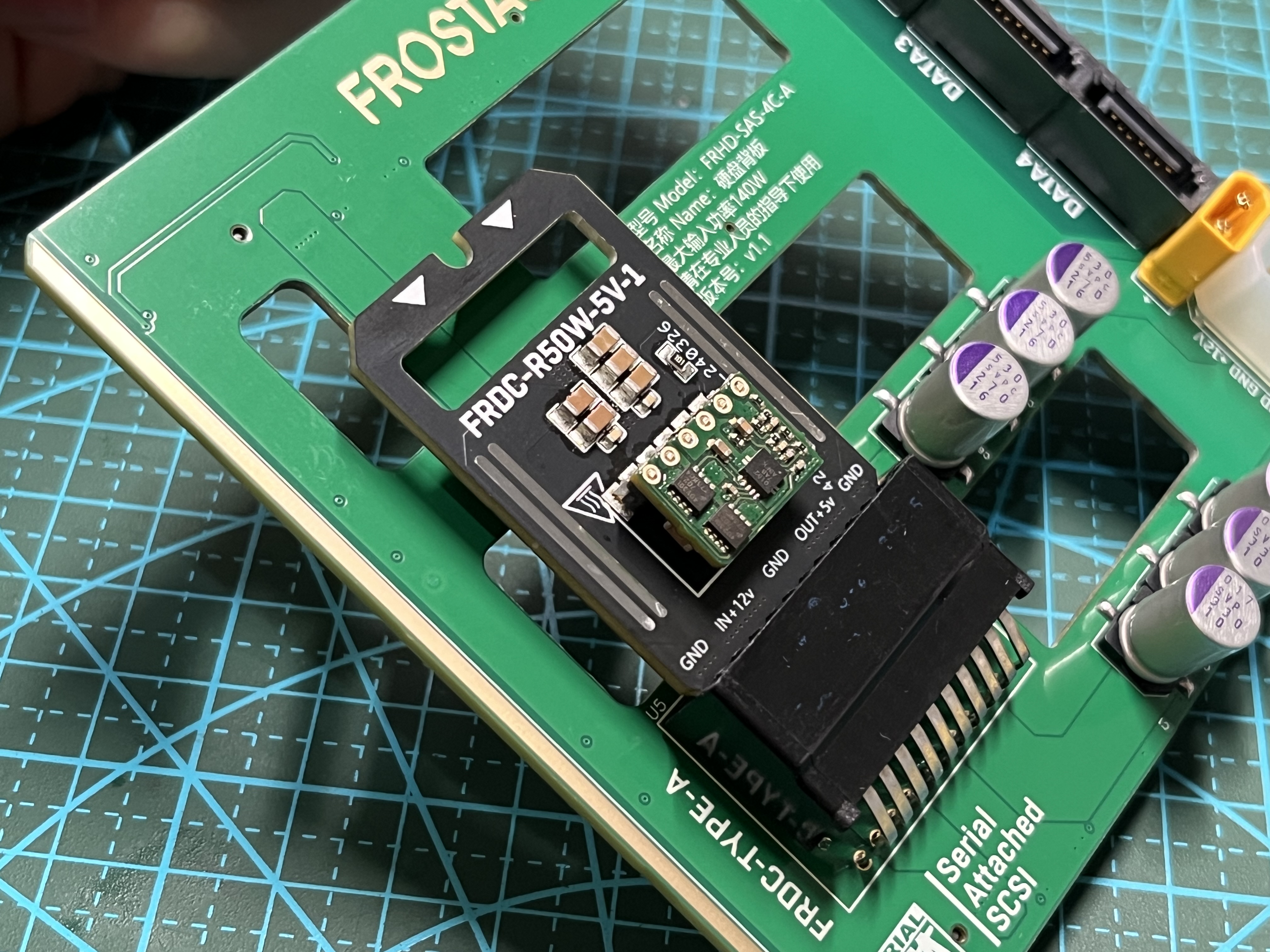
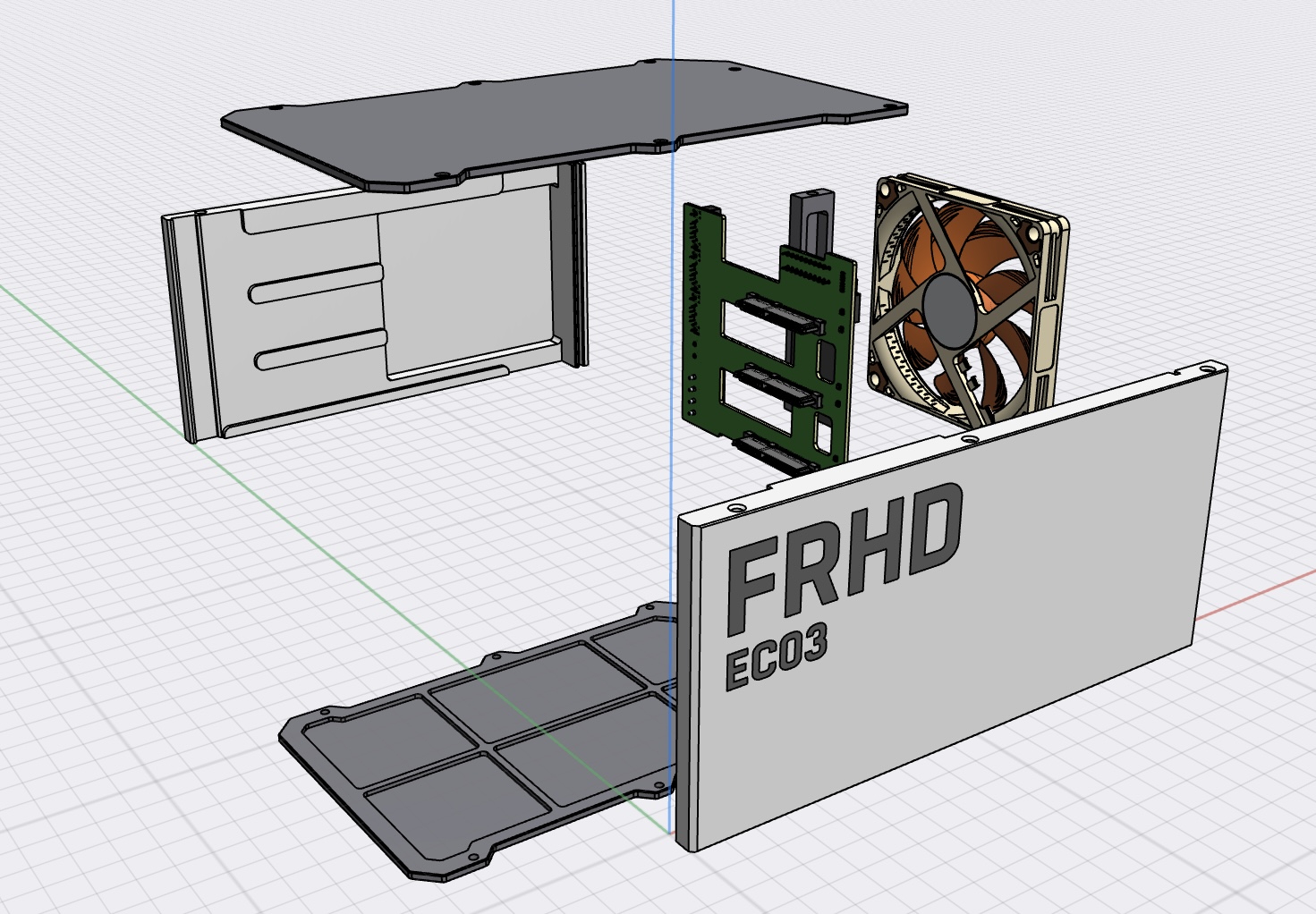
. Casing: FDM printing is recommended (6 layers top and bottom, 4 layers outer wall, fill thickness no less than 20%).
Assembly: Use M3×8 screws for the casing; the M3 length of the cooling fan mounting screws is calculated as fan thickness + 5mm.
Still have questions? Welcome to join our discussion group QQ 816142505








 京公网安备 11010802033920号


 MC1GU032NDCB-0QC00



