/* ***************************************************************************************** */
Let's start with some basic information qwq
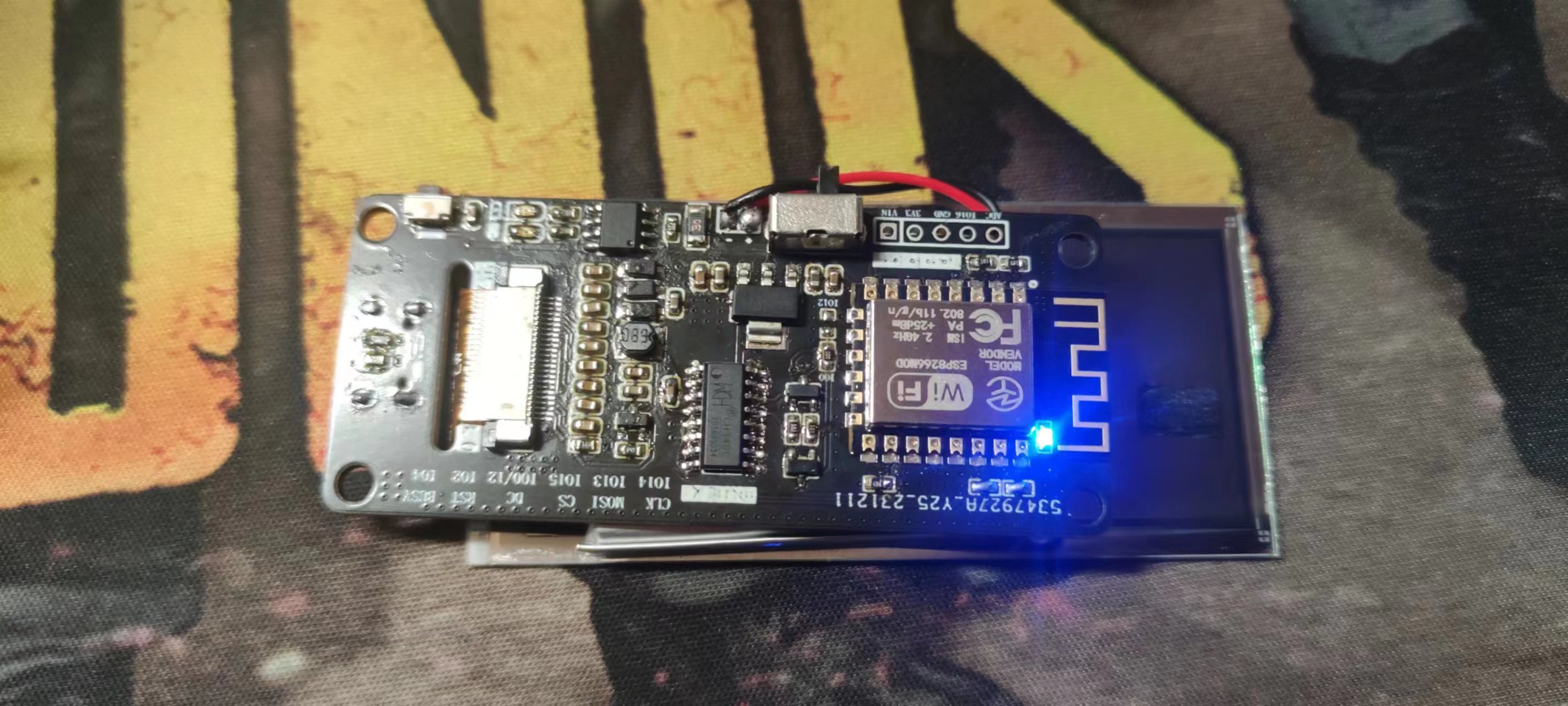
Before introducing this e-ink screen driver board based on the ESP8266, we first need to understand its core components:
/* ***************************************************************************************** */
ESP8266: This is a high-performance Wi-Fi module with a complete TCP/IP protocol stack and microcontroller functions. It can communicate with the e-ink screen via the SPI/SD card interface to achieve data transmission and processing.
TP4056: This is a module for lithium battery charging management, supporting overcharge protection, over-discharge protection, and other functions to ensure the safe use of lithium batteries.
CH340C: This is a commonly used USB to UART chip, used to realize serial communication between the computer and the ESP8266, facilitating program writing and debugging for users.
AMS1117: This is a linear regulator used to reduce the input voltage to a stable 3.3V to provide power to the ESP8266. /* **************************************************************************************** */
Now, let's take a closer look at the features of this e-ink driver board:
/* ************************************************************************************* */
Compact Design: The board is small in size and compact in layout, making full use of space and giving the entire driver board a very elegant appearance.
Low Power Consumption: The ESP8266 has low power consumption characteristics, combined with the power-saving advantages of e-ink displays, allowing the entire system to work for extended periods in standby mode.
Lithium Battery Charge and Discharge Management: Utilizing the TP4056 module, intelligent charging management of the lithium battery is achieved, ensuring battery safety and a longer lifespan.
Stable Power Supply: The AMS1117 voltage regulator provides a stable 3.3V power supply to the ESP8266, ensuring stable system operation.
Convenient Debugging: An onboard CH340 serial port chip allows users to easily connect to a computer via USB for program writing and debugging.
/* ************************************************************************************* */
/* ************************************************************************************* */
Okay, enough with the formalities, let's talk about
how to use the board's software (chew it all up):
/* **************************************************************************************** */
/* 1. Driver library: https://github.com/HalfSweetStudio/EPaperDrive */
/* 2. Font library: https://github.com/earlephilhower/arduino-littlefs-upload */
/* 3. Note the need to modify the screen model, pinout, and font library to be used */
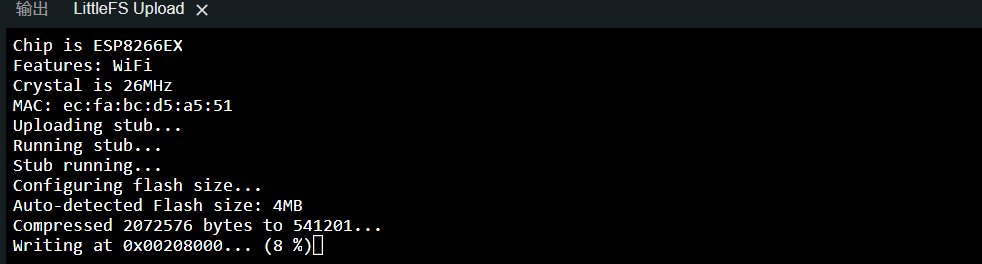
/* 4. The font library needs to be burned into the board's EEPROM. Copy the downloaded VSIX file and restart the IDE. Place the font library in the following location: ~/.arduinoIDE/plugins/ */
/* 5. Then create a new project, save it, and then create a folder called data and put the font library in it. The folder should be at the same level as the ino file (skip this step if the project is not newly created) */
/* 6. Finally, enter the project [Ctrl] + [Shift] + [P], and enter: Upload LittleFS to Pico/ESP8266 to burn the font library to the board */
/* ********************************************************************************* */
The reason for this is:
In Arduino IDE 1.x, there were plugins such as ESP8266FS-0.5.0 and ESP8266LittleFS-2.6.0 to transfer files to the SPI FLASH, but the new version has removed the plugin function, and these plugins cannot be installed.
/* ************************************************************************************* */

/* ************************************************************************************* */

/* ************************************************************************************* */

/* ******************************************************************************************** */
Finally, let's talk about the example program I provided below (the driver library also includes its own example program).
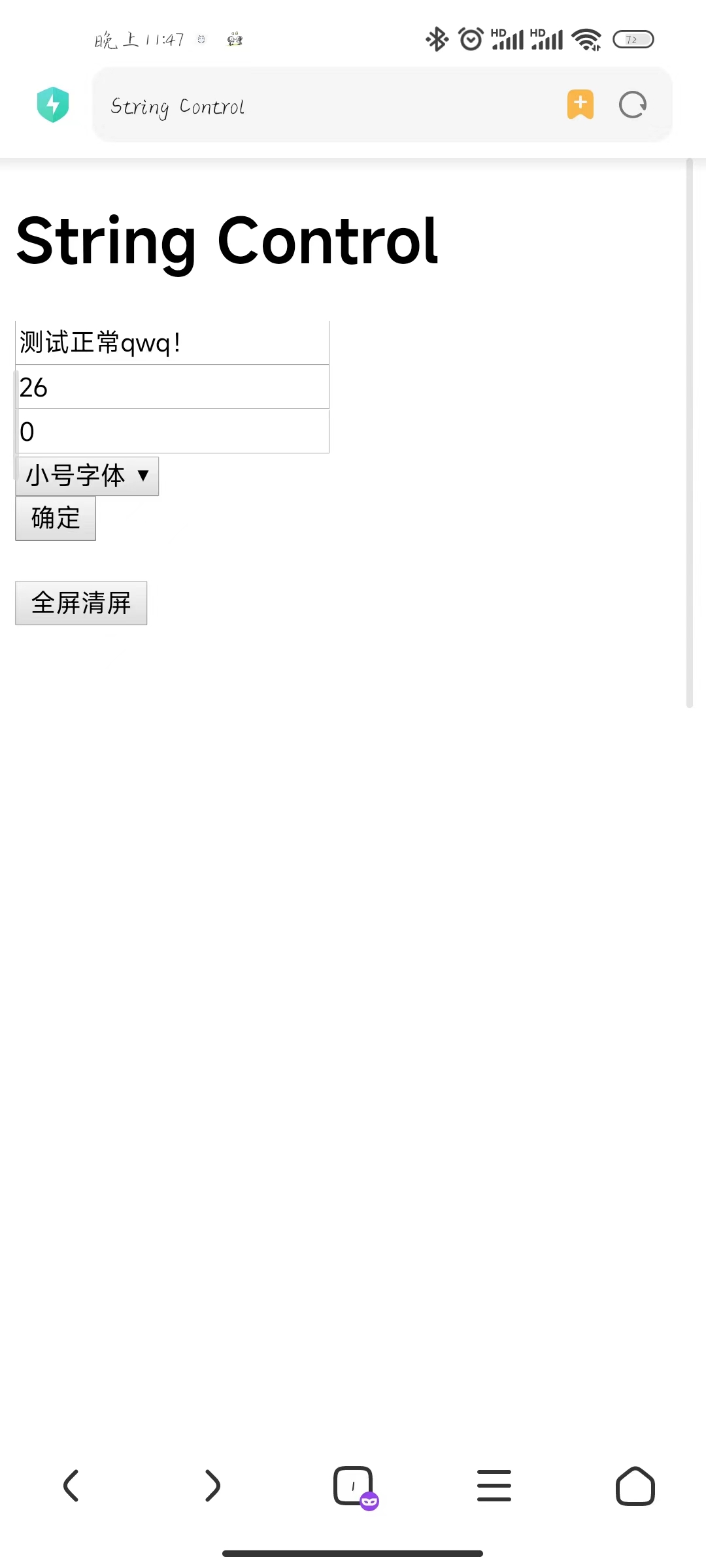
After the board is powered on, it creates a Wi-Fi network. Once a mobile phone or computer connects, you enter the IP address in your browser to access a webpage.
The webpage has multiple text output boxes: one text box for entering a string, two text boxes for selecting the screen position,
a dropdown menu for selecting the font size, and an "OK" button.
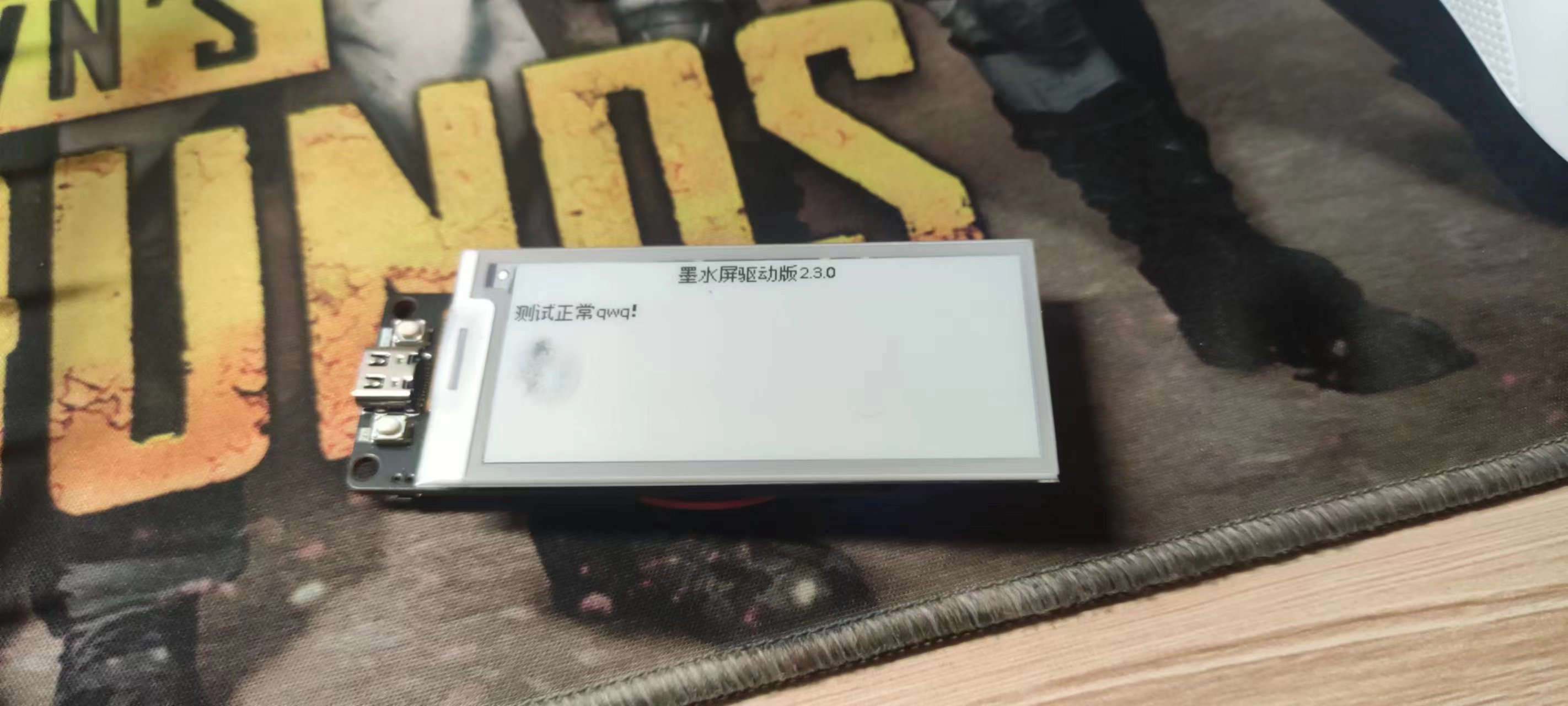
After entering the string in the text boxes, selecting the display position and font size, and pressing "OK," the screen displays the corresponding content,
and there is also a full-screen clear button (the default IP is 192.168.4.1).
/* **************************************************************************************** */
/* ************************************************************************************* */
/* ************************************************************************************* */
Summary:
1. I'm not very good at front-end development (not because I'm lazy!!!). It's good enough as is. If you have any better suggestions, please share them!
2. There are some minor issues with the code, and the webpage is a bit slow (I'll fix it when I have time!!!). It's good enough as is. If you have any improvements, please share them!
3. I'll work on the casing later when I have time. I'll leave it as a project for now (I'll definitely draw it later!!!). If you have any finished designs, please share them!
4. When buying an e-ink screen, remember to ask how many pins it has, and try to buy one that's already disassembled (to avoid the hassle of breaking it).
/* **************************************************************************************** */








 京公网安备 11010802033920号


 1111B0M35000BD



