Project Introduction:
The ESP Dongle is a multi-functional USB device solution developed based on the Espressif ESP32-S3 microcontroller. This project seamlessly integrates the functions of a USB MSC wireless flash drive and a USB wireless network adapter into a single device, switching between these functions via a sliding switch.
In USB MSC wireless flash drive mode, the device acts as a wirelessly accessible USB disk, allowing users to access and manage data on the onboard flash memory or SD card via USB connection. Simultaneously, the device provides a built-in file server via Wi-Fi, supporting file uploads and downloads, thereby improving the flexibility and convenience of data management.
In USB wireless network adapter mode, the device acts as a network adapter, allowing the host to establish a wireless network connection and featuring hot-swapping capability, further enhancing operational flexibility and convenience.
Physical Product Demonstration:
The physical product image
is shown below.
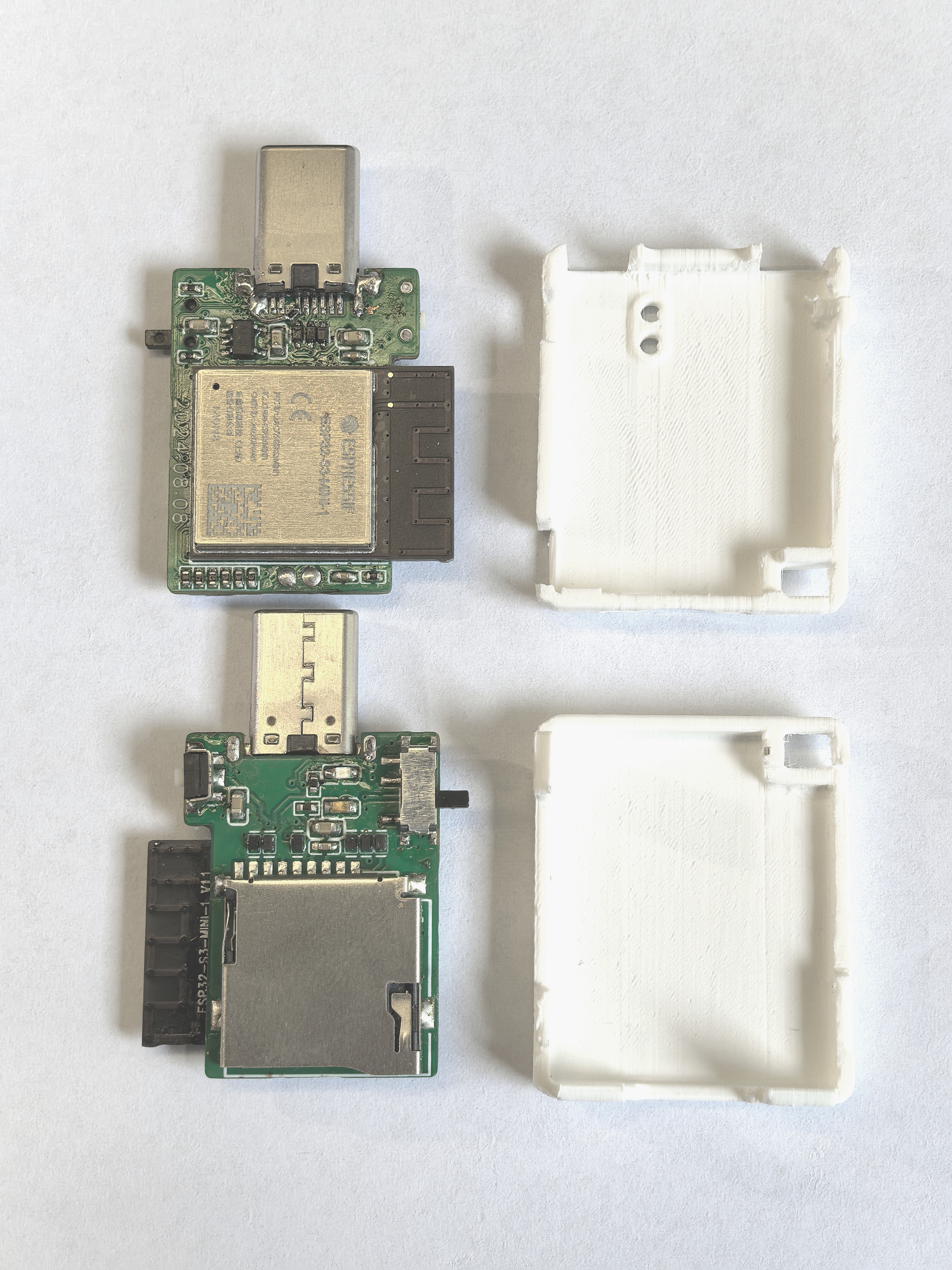
The 3D file of the casing can be downloaded from the attachment!
Video Demonstration:
Building a multi-functional USB Dongle with the ESP32-S3
is not easy, so please like, comment, and subscribe after watching!
Project Related Functions:
The sliding switch allows users to switch between USB MSC wireless flash drive and USB wireless network adapter functions.
In USB MSC wireless network drive mode, ensure the device and ESP32-S3 are on the same local area network. Users can access and manage the SD card content on the ESP32-S3 via a browser by accessing 192.168.4.1.
In USB wireless network adapter mode, the device can be used as a network adapter. Users need to pre-configure the room's Wi-Fi SSID and password. When the device is connected to a computer, the system will automatically connect to the pre-configured Wi-Fi network.
Hardware Description
:
The SD card interface supports 1-wire, 4-wire SDIO mode, and SPI mode. Furthermore, to ensure signal stability, each pin is pulled up with a 10kΩ resistor and uses ESD protection devices to prevent damage from electrostatic discharge.
The HE9073A33M5R low dropout regulator (LDO) chip is used for power supply regulation, stabilizing the input voltage range from 3.3V to 7V and outputting it to 3.3V, ensuring system power supply stability.
The two ends of the slider switch are pulled up and pulled down respectively. The current on/off state of the switch is determined by reading the level status through GPIO4.
The differential signal lines D- and D+ of the USB Type-C interface are directly connected to the USB interface of the ESP32-S3. The D-, D+, and VUSB pins are protected against electrostatic discharge (ESD) to prevent damage to the circuit. Note that the CC pin needs to be pulled down with a 5.1K resistor; otherwise, it will not be recognized by the host.
Hardware Components
: The hardware system consists of the following components:
Main controller: ESP32-S3-MINI-1-N8;
Type-C interface
; SD card slot
; voltage regulator circuit;
slide switch;
tactile switch
; LED indicator
; power option ; powered
via Type-C interface.
Software Description:
Version information:
ESP-IDF
chip
Flash
release/v5.2;
ESP32-S3-MINI-1-N8
8 MB.
Programming Instructions:
Download the programming software: Espressif Systems official website - Support - Related Downloads - Tools - Flash Download Tool
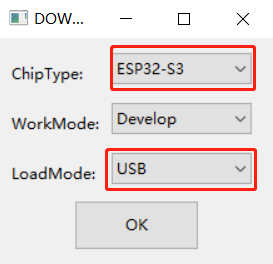
. After downloading, extract the file and find flash_download_tool_3.9.7.exe. Double-click it. Then select ESP32-S3 and USB, and click OK.
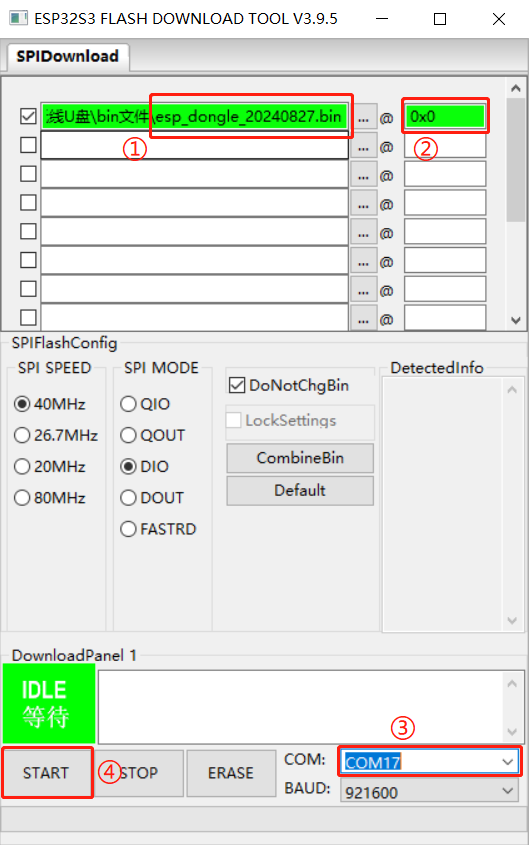
4. Open the software and directly burn the esp_dongle_20240827.bin file from the attachment into address 0x0. The steps are as follows.
User Instructions for ESP-Dongle
Wireless Disk
: After plugging in the device, your phone needs to connect to a Wi-Fi hotspot named "ESP-Wireless-Disk". Then, open your browser and access 192.168.4.1 to transfer files. Network Adapter:
When using the network adapter's function, the firmware (i.e., the bin file) sets the Wi-Fi hotspot username and password to esp_dongle. Therefore, users need to manually create a Wi-Fi hotspot (both username and password must be: esp_dongle). The ESP-Dongle will then automatically connect to this hotspot.








 京公网安备 11010802033920号


 MI-P5Y1-MYY



