【TSPINAS】 Taishanpai NAS Server
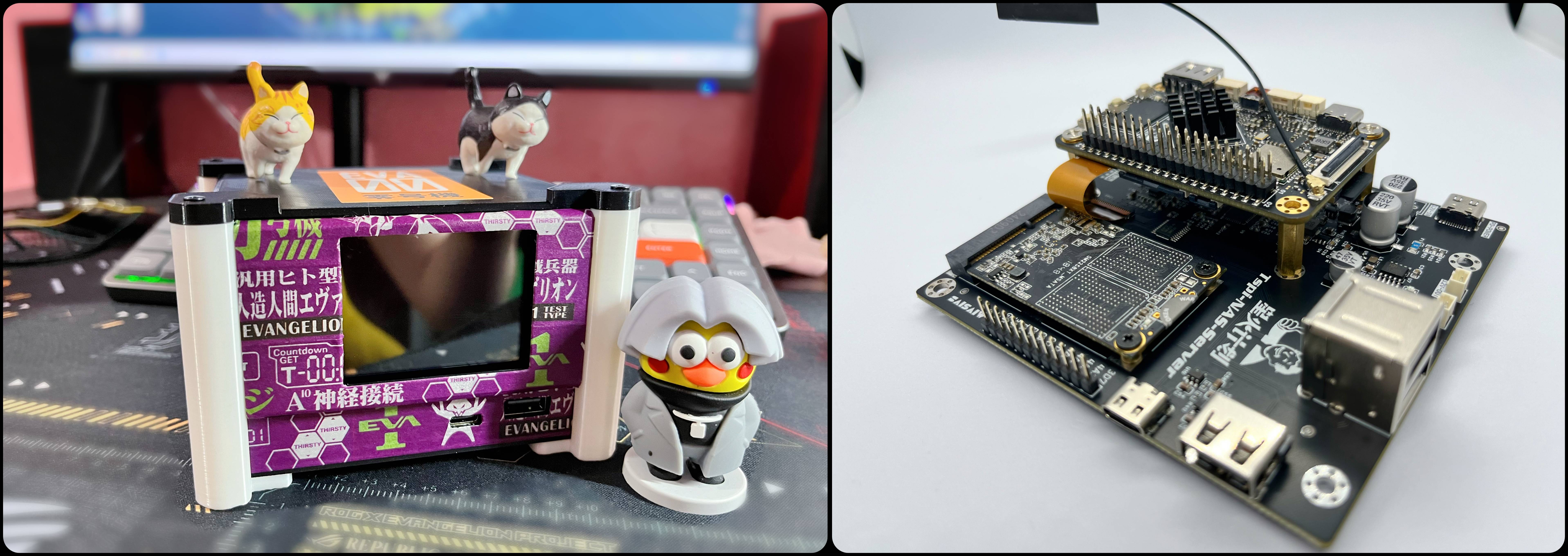
This is a mini NAS server based on the Taishanpai development board.
Bilibili demo video: https://www.bilibili.com/video/BV1j9Kxe9ECW/?vd_source=b29a942b9dc3778c6cf0be85efa96cd1
1.2
Open
Source License
This project is licensed under the GNU General Public License (GPL). The GPL is a free software license that ensures all users enjoy the following fundamental freedoms:
1. Free to run: can be used for any purpose.
2. Free to research: can study how it works and modify it as needed.
3. Free to share: can distribute original copies to help others.
4. Free to improve: can release your modified versions and share your improvements.
Notes
a. If you distribute a modified version of this project, you must provide the source files upon release.
b. Any derivative works based on this project must also be released under the GPL license to ensure continued open source freedom.
c. This license does not apply to the software program, only to the hardware.
Thank you for your support and contributions to the open-source community!
Project Attributes This project is being publicly released for the first time
and is my original work. The project has not won any awards in other competitions.
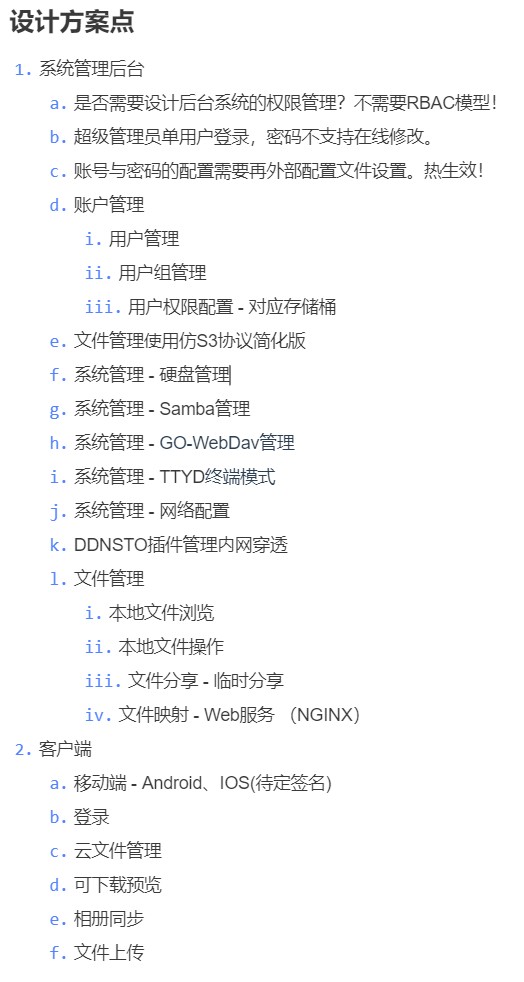
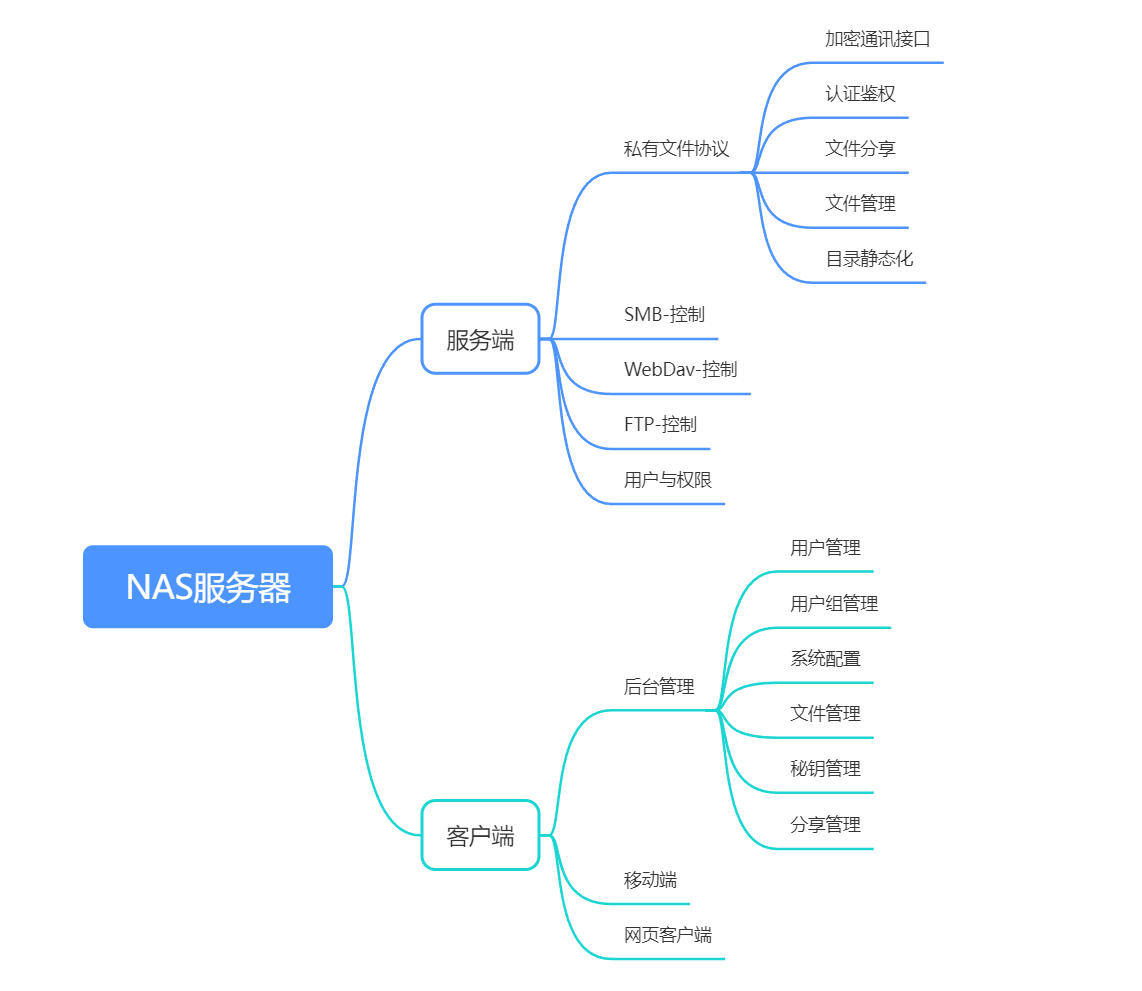
Project Progress Updates 2024-02 Writing requirements documents, developing server front-end and back-end 2024-03 Back-end and front-end development, simultaneous development of mobile APP 2024-04 Front-end, back-end + APP first version completed, starting hardware design 2024-05 Prototype verification, system environment deployment and setup, 3D printing shell design. Table of Contents Preface Requirements Analysis Development Environment Function Introduction Material Description Effects Demonstration NAS System User Manual 1. Preface Why just open source? Give a man a fish and you feed him for a day; teach a man to fish and you feed him for a lifetime! What's the point of simply replicating something verbatim? Therefore, I suggest you treat this article as a tutorial sharing practical experience. My goal is to help beginners like myself who are just starting out with Linux development to independently design their own excellent projects after reading this experience sharing article. To this end, I have written a series of articles to record my development notes. Hopefully, this content will be helpful to beginners like myself, helping you avoid some pitfalls! What can you learn from these notes? Disclaimer: This note represents only my personal development experience summary; my abilities are limited and I cannot guarantee 100% accuracy. If you mind, please read with caution or leave aside some design points in the schematic and PCB design, as well as some precautions for PCB routing. Experience in designing and routing 100Mbps Ethernet RMII and Gigabit Ethernet RGMII, including some pitfalls. Detailed explanation of how to modify the DTS device tree file to achieve SATA and GMAC 100Mbps Ethernet adaptation. Sharing experience in debugging GMAC and SATA. How to build your own customized Ubuntu system (secondary development and modification method). How to split update.img and modify the image files inside after splitting before repackaging. How to drive a TFT screen with standard SPI protocol ; how to drive the touch part of a TFT screen with capacitive touch screen; how to simulate I2C using GPIO (extended knowledge point) ; how to simulate SPI using GPIO (extended knowledge point); the difference between simulated SPI and hardware SPI driving the screen; tutorial on implementing a screen monitor and small clock using LVGL9.1 integration; how to configure and use: SMB, FTP, WebDAV; how to connect and configure WIFI connection under Ubuntu; TODO... This article series will be continuously updated on my personal blog and LCSC platform. 2. Requirements Analysis : Initially, my server software design was very complex, and after one month of development, I found that there was simply not enough time to fully complete it. So, the core functions were implemented first, and the others will be written later. The following diagram is only my project plan, but the actual completed functions are subject to specific use. 3. Function Introduction: Developing a complete solution using Taishanpai : We chose Taishanpai as the main controller and developed a complete solution. The operating system uses Ubuntu 20, supports 10/100M Ethernet, and can use both network ports and WiFi simultaneously. 3.1 Extended Functions : Storage Expansion: Large-capacity storage is achieved by expanding SSD (mSATA) solid-state drives. Display and Monitoring: Equipped with a 2.4-inch TFT capacitive touchscreen, it can monitor system metrics or be used as a desktop clock. The casing leads to 4 USB-A ports, 1 standard USB-C port, 1 OTG-enabled USB-C port, 1 Mini HDML port, and 1 PD fast-charging USB-C port . 3.2 TSPINAS Server Private Cloud Drive: We have developed our own TSPINAS server, paired with a dedicated app, enabling remote file and media management, creating your own private cloud drive. Access Control: Provides a flexible and secure access control mechanism. Through the backend management page, users can flexibly configure access control lists (ACLs) to achieve fine-grained control over operations, read/write, and deletion. File Sharing: Supports free file sharing, similar to Baidu Cloud. (2024-05-22: Currently, sharing is not available; the page experience is good, but a password is required; otherwise, you need to manually construct request parameters with a password). Segmented Download and Resume Download: All file downloads within the system support mainstream segmented downloads (multi-point downloads) and resume interrupted downloads. 3.3 Data Synchronization and Management : Difference File Scanning: The service automatically scans for difference files upon startup to ensure consistency between the local database and the data files in the physical folder. Real-time File Synchronization: Enables real-time file synchronization across multiple devices; operations on the physical disk are synchronized to the system in real time (this feature is currently disabled due to issues encountered during testing on Ubuntu). 3.4 More features are pending development...
3.5
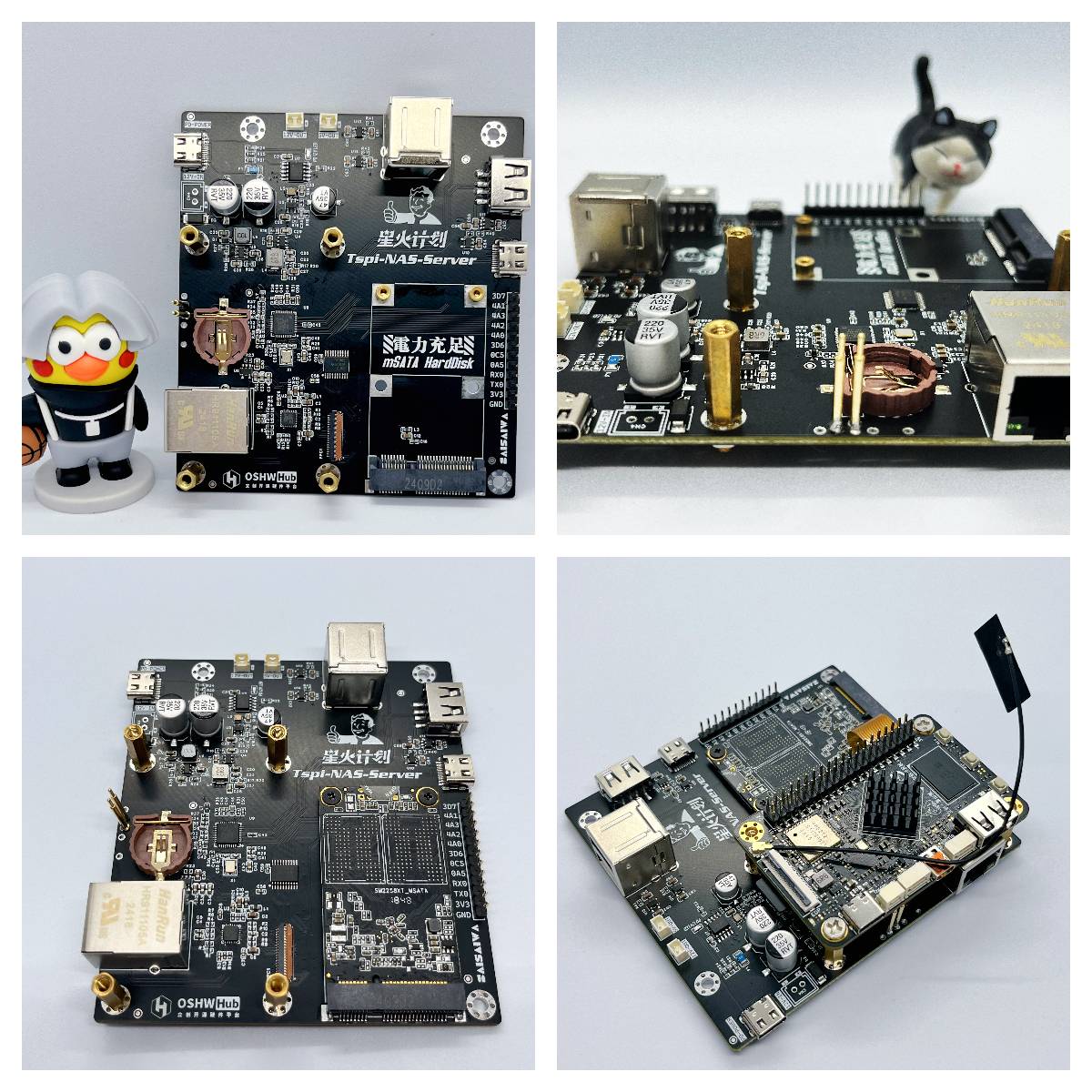
The PCB hardware for expanding peripherals uses the Taishanpai development board as the main controller, working in conjunction with the baseboard to achieve expansion functions.
A 100Mbps Ethernet PHY chip was chosen (simple wiring and design). A gigabit version is also available, but due to SATA issues, this version was omitted. For gigabit conversion, please refer to the development notes.
It supports mSATA slot SSDs, supports half-height and full-height
PD power supply with a maximum 12V trigger, and has a built-in 12V boost regulator circuit supporting 5V power supply . It
supports external DC-DC adapter power supply, with a PH2.54 connector (without fuse) allowing switching
between PH2.0 connectors for 5V and 12V power supply. It supports external fan power supply or RGB power supply, etc.
Due to the use of the 100Mbps RMII protocol, many I/O ports are freed up from the EXP interface. The board provides 10 expansion I/O ports via headers,
supports USB 2.0 hub expansion, three USB A ports, and one USB C port expansion. An
RTC battery can be added
. For more design details, please refer to the development notes; further details are omitted here.
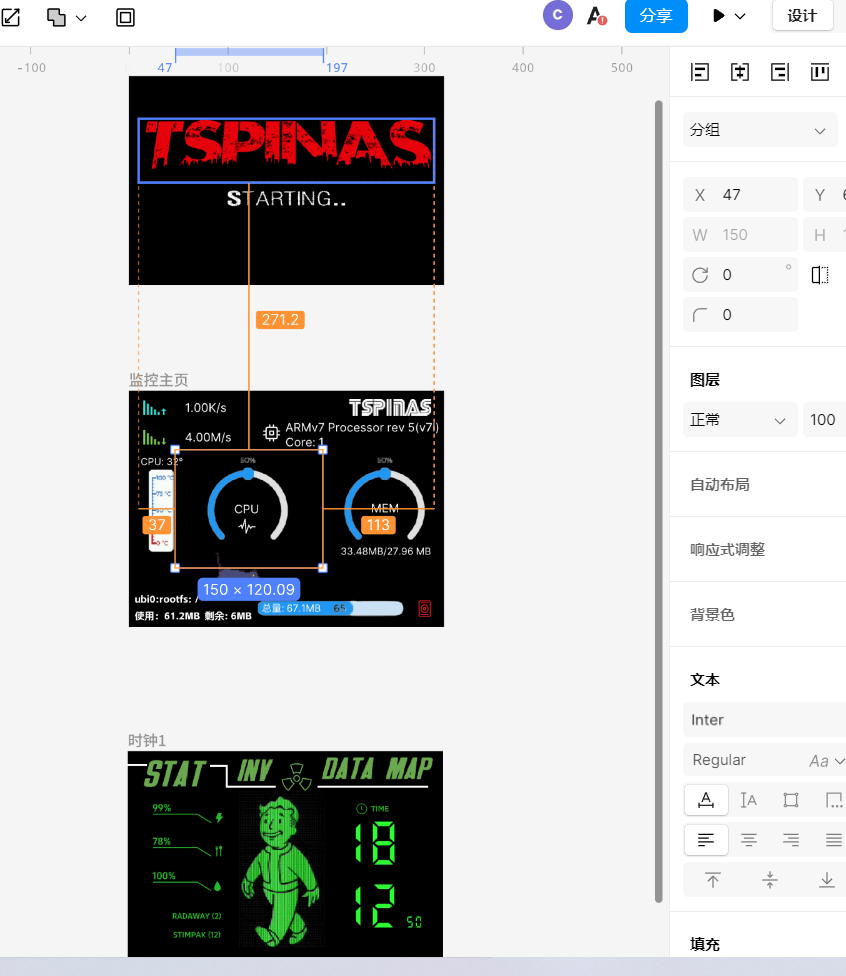
3.6 System Monitor:
Initially, we planned to use analog SPI and I2C to drive the screen, but the speed was too low and the effect was poor. Ultimately, we removed the ribbon cable and brought out the I/O for expansion, choosing to use hardware SPI to drive from the top I/O port of the Taishanpai (a component).
We await someone to modify it to use MIPI .
A 2.4-inch TFT capacitive touchscreen module is used as the display component .
The software is built using LVGL9.1 and
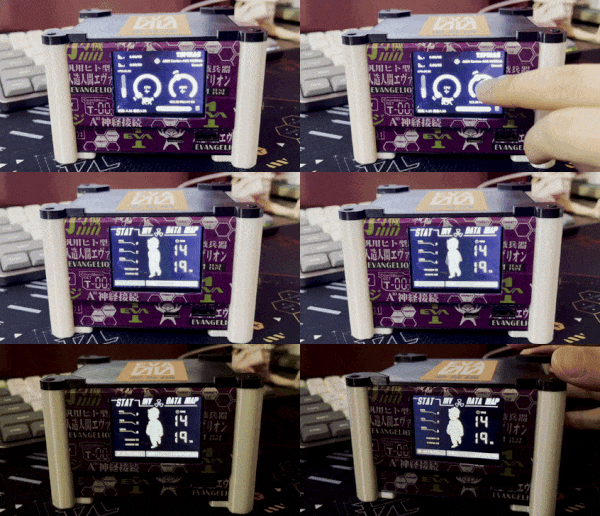
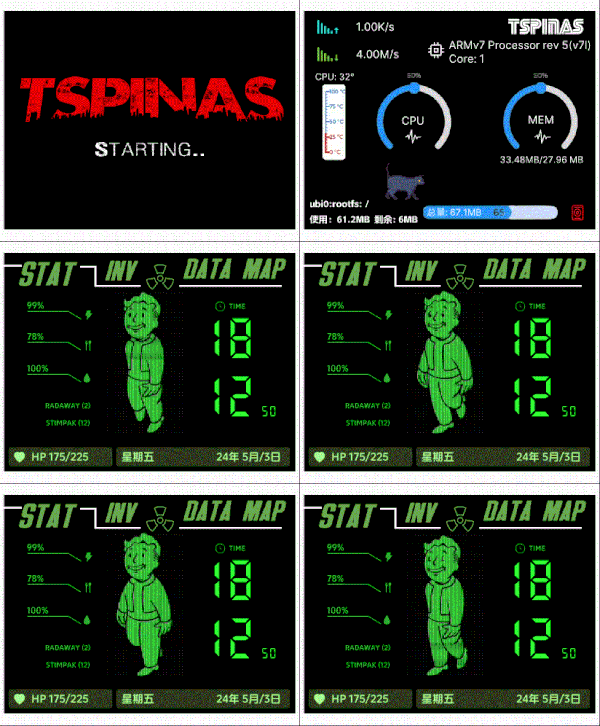
supports system monitoring: uplink and downlink network speed monitoring, storage size and usage, CPU temperature, CPU usage, and memory usage.
Left and right swipes switch display content. A desktop real-time clock (Fallout Shelter) and a game-style UI theme are available; design materials can be obtained upon request. 4. Material Specifications: This project used JLCPCB's SMT (first-time experience, excellent results!), so the BOOM description at the bottom contains actual material parameters. The table below will specifically describe material information not included in the BOOM. Item No. | Item Name | Purchase Link 1 | 39-pin Flexible Flat Cable, 0.3mm Spacing, Same Direction, 30mm Length | https://item.taobao.com/item.htm?_u=n1v3prvpbb4a&id=589957580932&spm=a1z09.2.0.0.3df52e8dU9geH7 2 | SATA Soldering Copper Pillars: M2x3x4 3 | POGOPIN: 16.0MM | https://item.taobao.com/item.htm?spm=a1z09.2.0.0.67002e8dowsFnW&id=587069006439&_u=n1v3prvp9c8a 4 | M3 Copper Pillars: M3x15+6 5 | Injection Molded Hot Melt Copper Nuts M3: M3x4x4.2 https://item.taobao.com/item.htm?spm=a1z09.2.0.0.67002e8dowsFnW&id=673367228604&_u=n1v3prvpd660 6 M2x10x5 7 Thermoplastic knurled nuts: M2x3x3.2 8 2.4-inch TFT capacitive touchscreen https://item.taobao.com/item.htm?spm=a1z09.2.0.0.17e02e8dAxjxdK&id=748318527653&_u=r1v3prvp465a 5. Software Development Environment Backend Development Language: Java Environment: JDK17 System: Ubuntu, WIN11 Core Framework: SpringBoot3 Database: MySQL8 Frontend Development Language: JS+HTML+TS+CSS Core Framework: Vue3 + Vite Package Management: pnpm UI Framework: Element UI Plus App Language: Dart Framework: Flutter Cross-platform Adaptation: Android + iOS System Monitor Language: C Core Framework: LVGL9.1 Open Source Git Address Server-side Spring Boot Project: https://github.com/ccy-studio/tspi-nas-server Backend Management Page: https://github.com/ccy-studio/tspi-nas-web Flutter Mobile Client: https://github.com/ccy-studio/tspi-nas-app LVGL9.1 Small Screen Monitor: https://github.com/ccy-studio/tspi-nas-lvgl Related Resources NAS System Image update.img Download: https://115.com/s/swzvzer3h3x?password=h990&#Access Code: h990 Accompanying App Client Download (Android only, iOS requires self-packaging and signing): Link: https://pan.baidu.com/s/1VgCXAvpNXgYR71Q-ElzEIw?pwd=3j4i Extraction code: 3j4i Miscellaneous materials download: see attachment at the bottom Reference articles : LCSC official expansion boards and materials: https://lceda001.feishu.cn/wiki/IJtRwVu5kiylHykl3RJcQ8ANncY Ubuntu creation tutorial: https://oshwhub.com/forum/post/a81bfab590fa4d2b9312c95c8c8c3f9b Technical exchange group QQ: 676436122
---------Those with similar aspirations are welcome to continue developing this service system together! Exchanges are welcome!---------
6. Demonstration
6.1
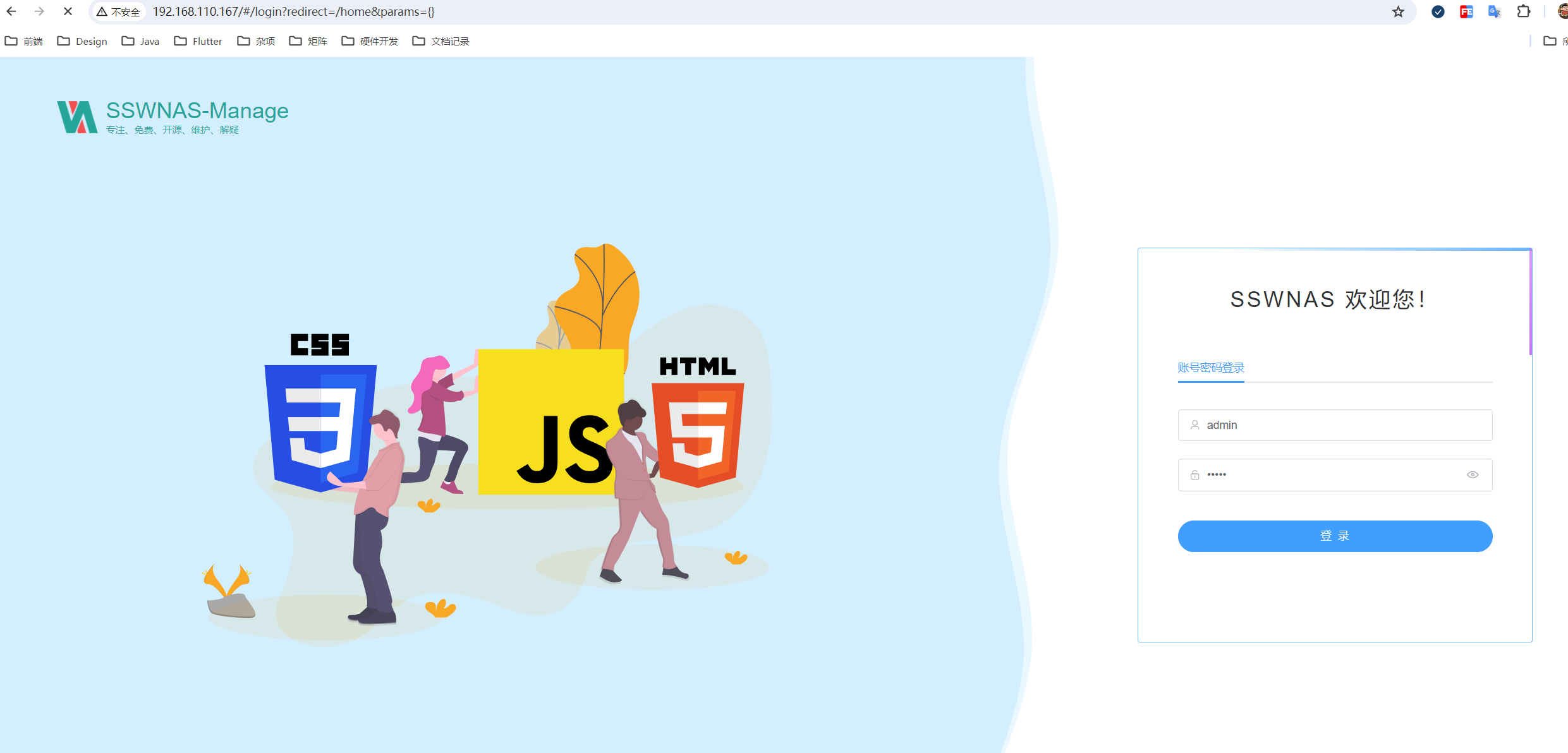
For instructions on using the backend management, please watch the video released on Bilibili.
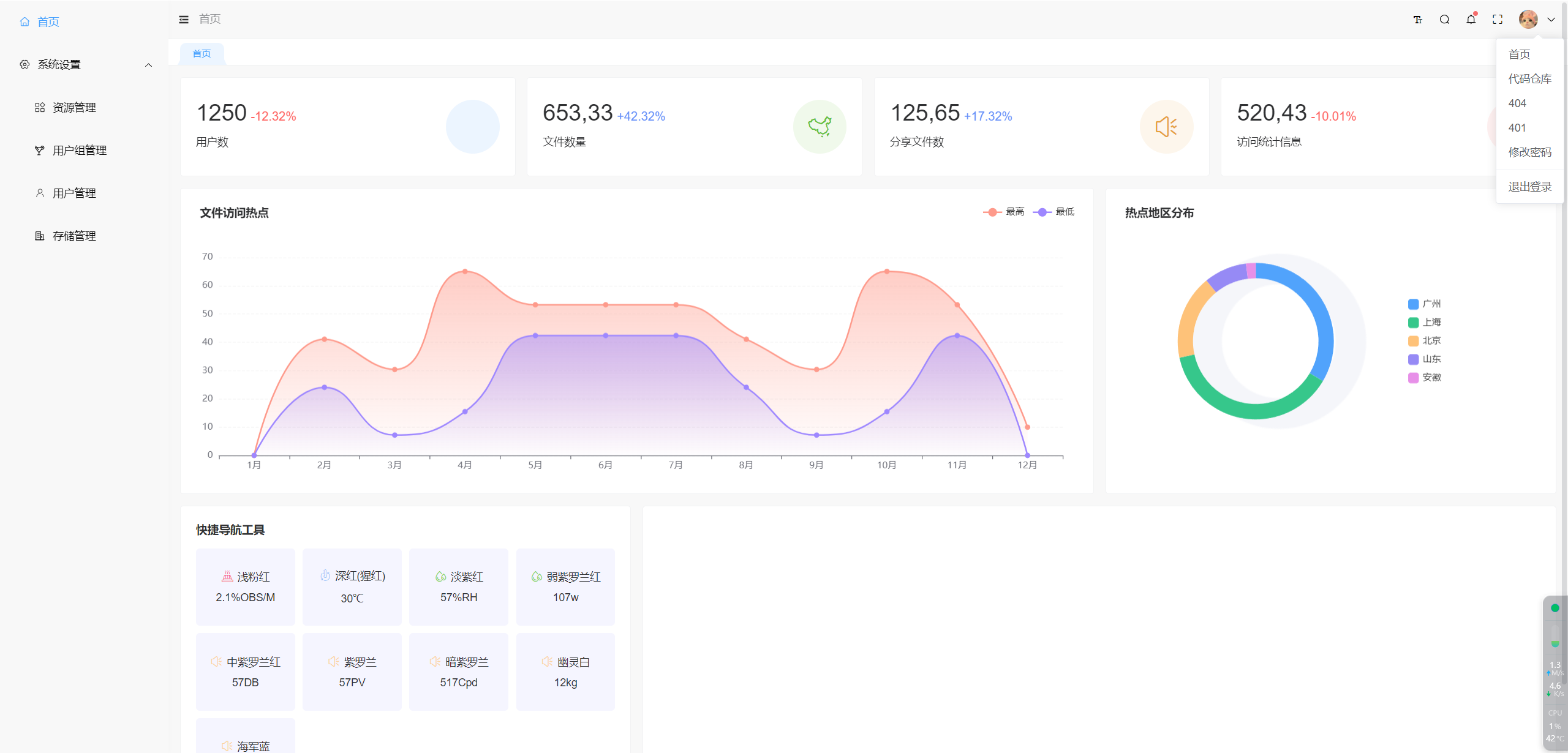
6.1.2 Brief description of the currently implemented backend functions:
The system will be empty upon first use. Please configure basic data before using the system normally.
The permission function protects data within device files through access control. You can authorize or cancel ACL access control policies for anyone at will. Specific functions are as follows:
1. Resource Management:
Resource management describes a group of resources, which can include file management for SMB, FTP, and private file protocols. Resource paths typically apply to non-private file protocol resource types. For example, configuring the SMB path as /mnt/ssd/res1 as a resource item.
2. User Group Management:
User group management is used to group a group of users for better management. A user group can be bound to multiple resources, i.e., there is a one-to-many relationship between resources and user groups.
3. User Management:
User management is used to add new user accounts. Users need to be bound to user groups and can be assigned to multiple user groups. Bound users will have access to all resources bound to multiple user groups.
4. Storage Management:
Storage management is used to allocate and manage ACL policies for storage under resources. Root files can be created, similar to disk functionality. Creating a new storage bucket requires binding resources; the binding relationship is one-to-one. The mount path also needs to be described, and subsequent file operations will be performed according to the described mount path. New storage buckets need permissions set, which can be set to private, public write/public read, or private write/public read, and need to be further described in conjunction with the permission scope, such as: private, public within the resource group, or fully public.
5. Storage Management - ACL Policy Management:
You can set more granular permission settings for specific users, collectively called ACL policies (Access Control Lists). ACLs are used to define and manage policies for access permissions to resources, widely used in computer security and network management, to finely control the access permissions of users or system processes to specific resources (such as files, directories, network devices, services, etc.).
To add an ACL policy to a storage bucket, you need to define a target user and set their read, write, delete, and share permissions.
These features allow you to flexibly manage and control access permissions for data within device files, ensuring data security and access efficiency.
6.2 Client APP
1
2
3
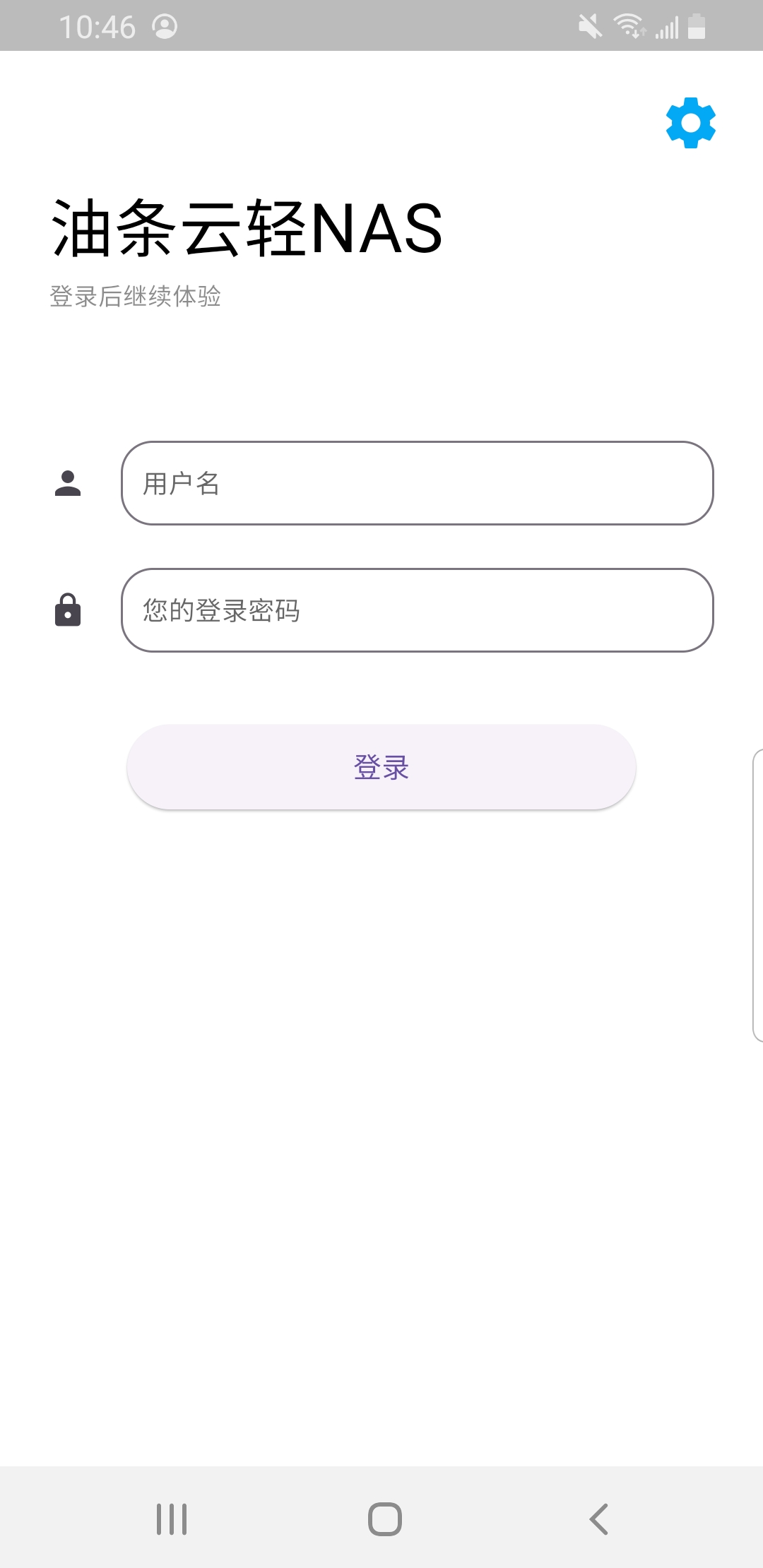
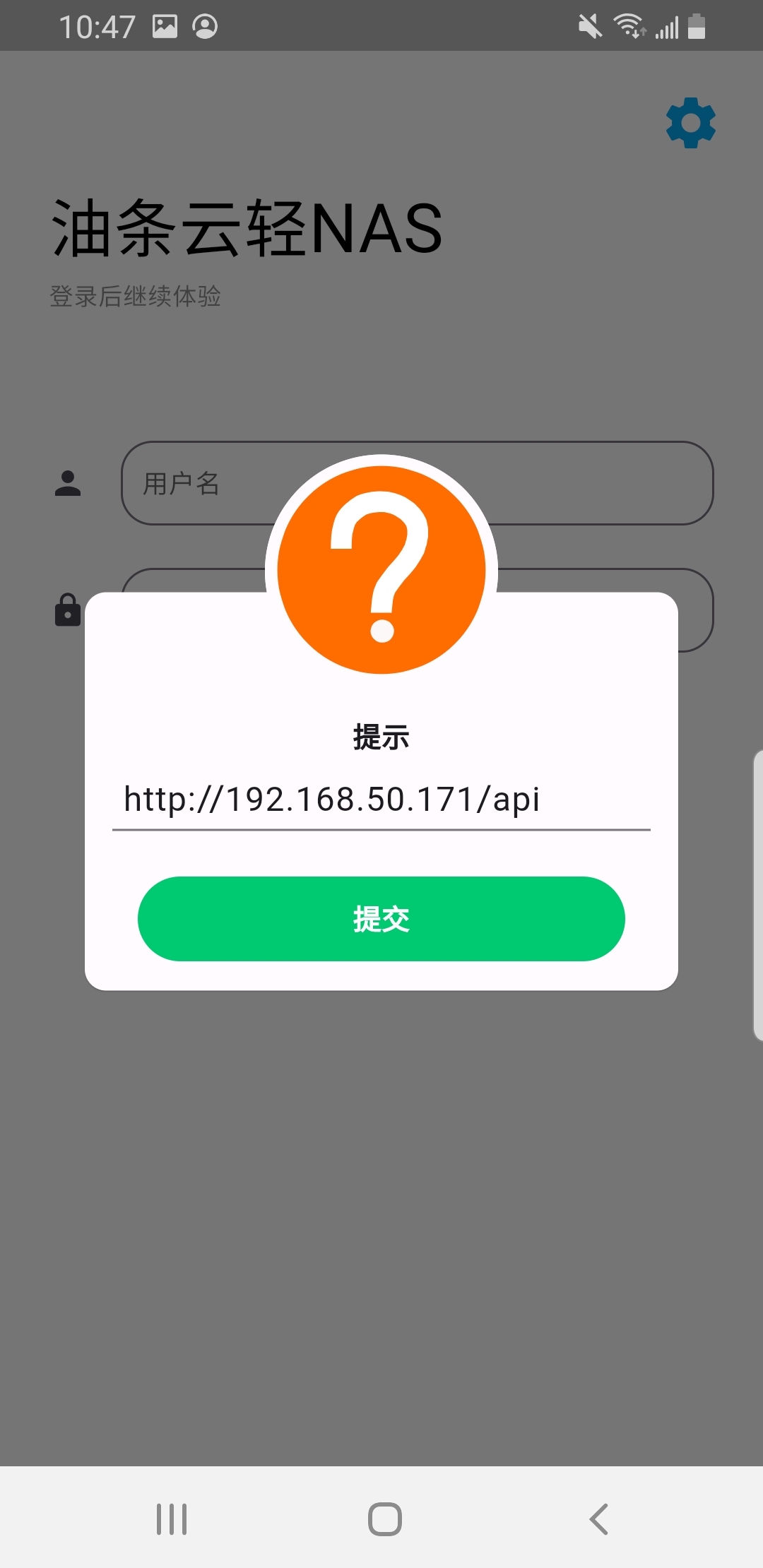
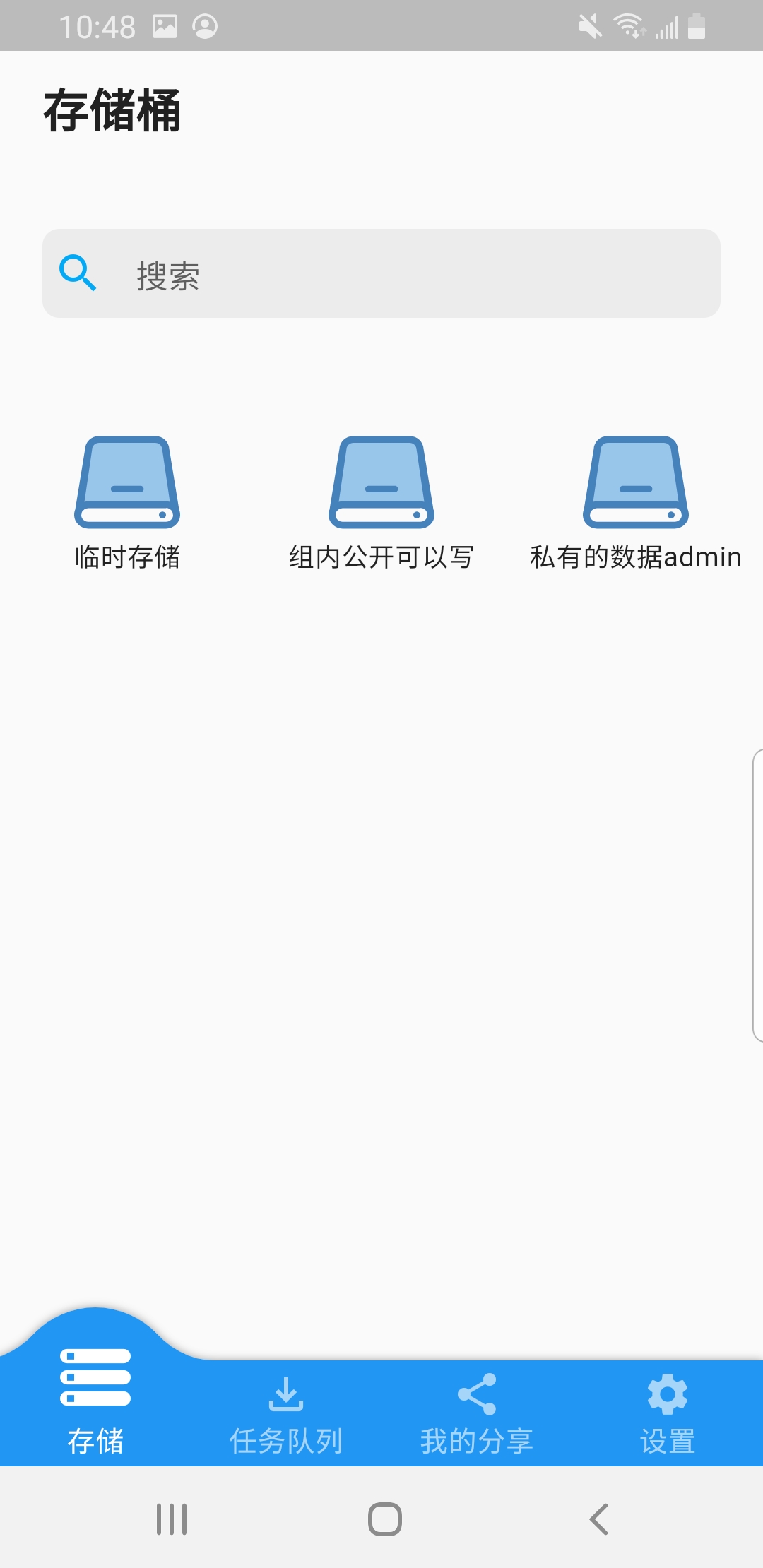
Login Page
Click the upper right corner to configure the server address or domain name backend address (ending in /api)
. The main interface displays the storage permissions currently granted to the user .
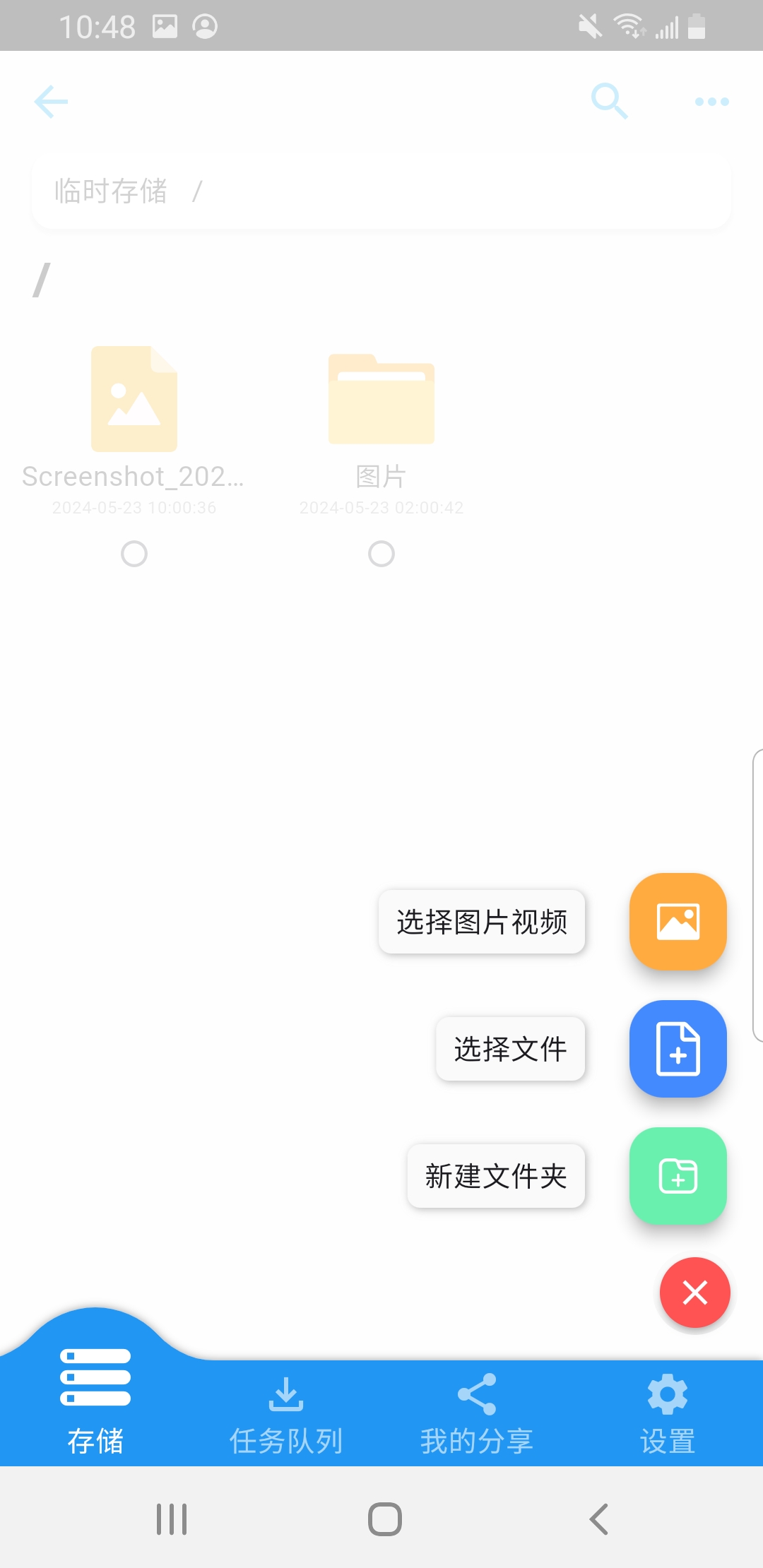
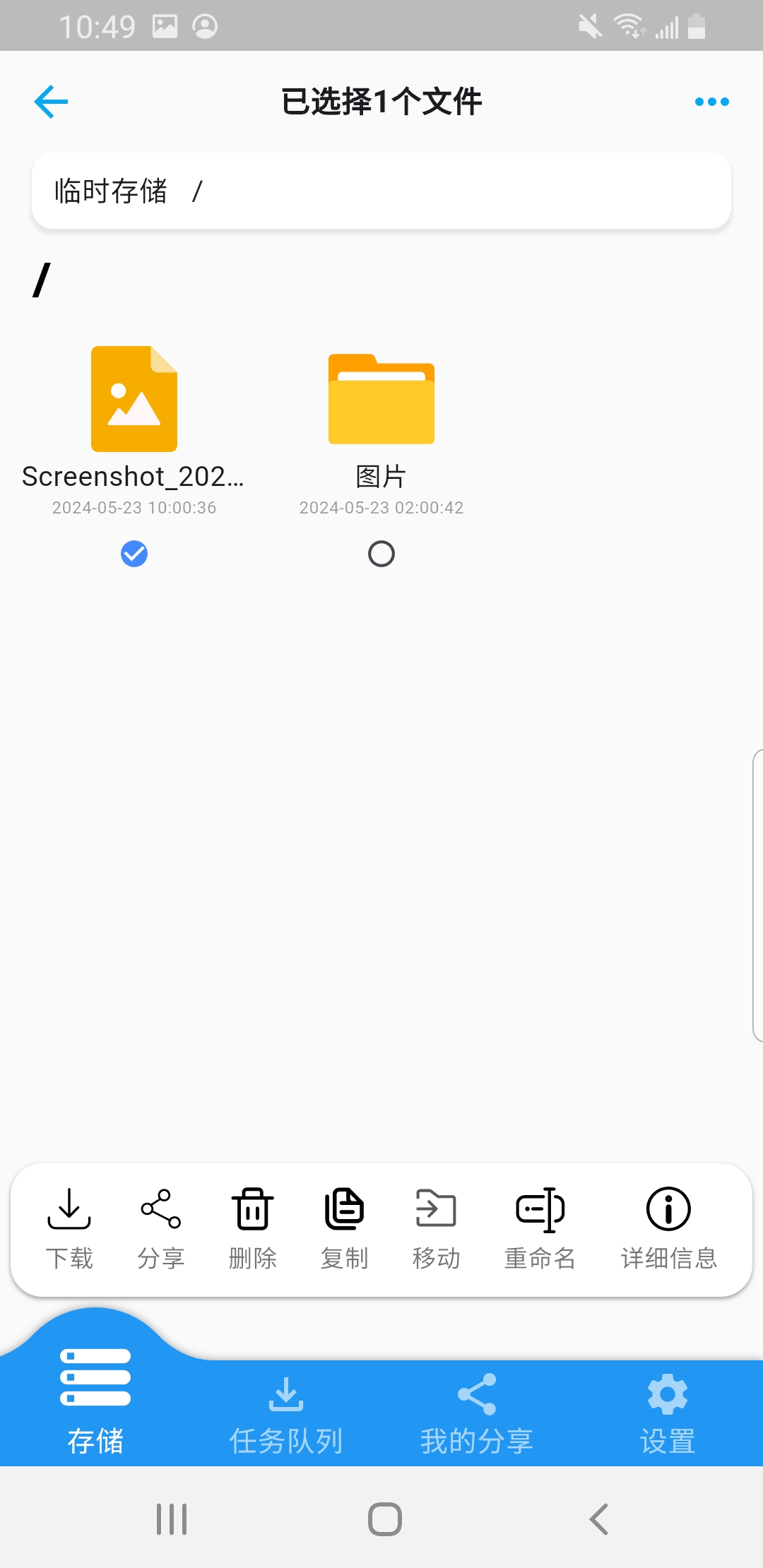
You can create new folders and upload files of any format.
Clicking allows for previewing and performing operations on files: Operation buttons are dynamically displayed based on user permissions
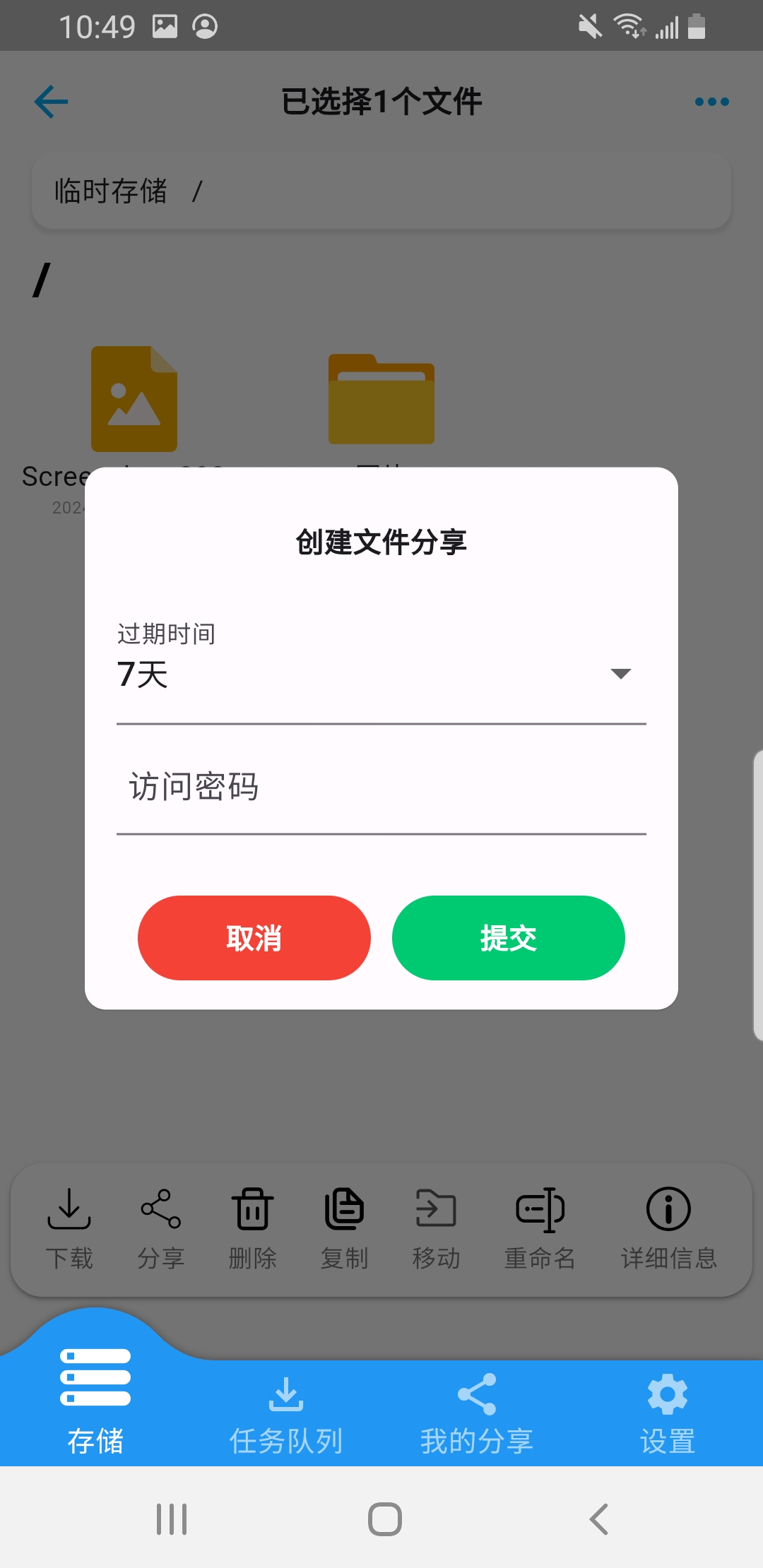
. Create file sharing.
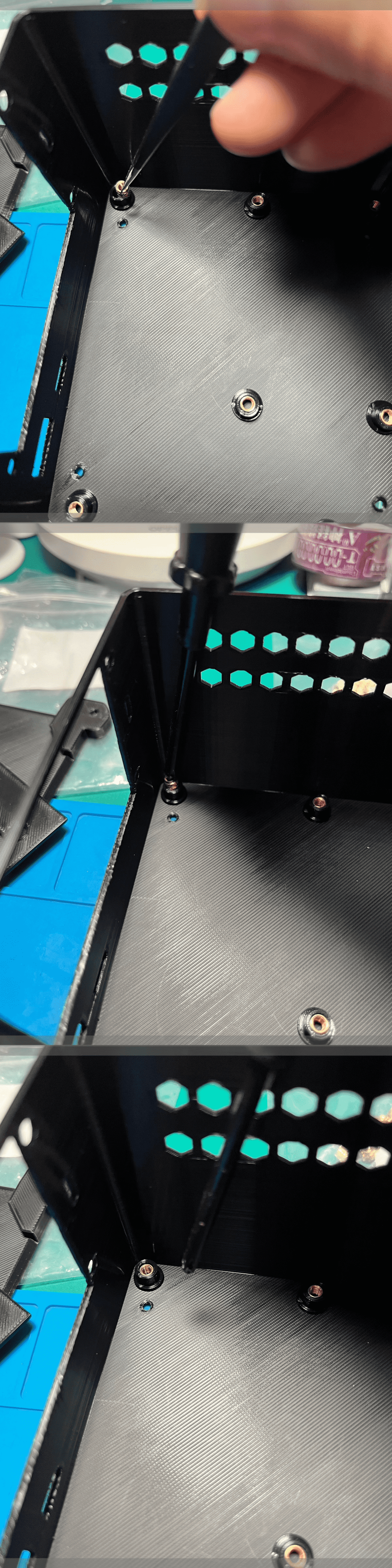
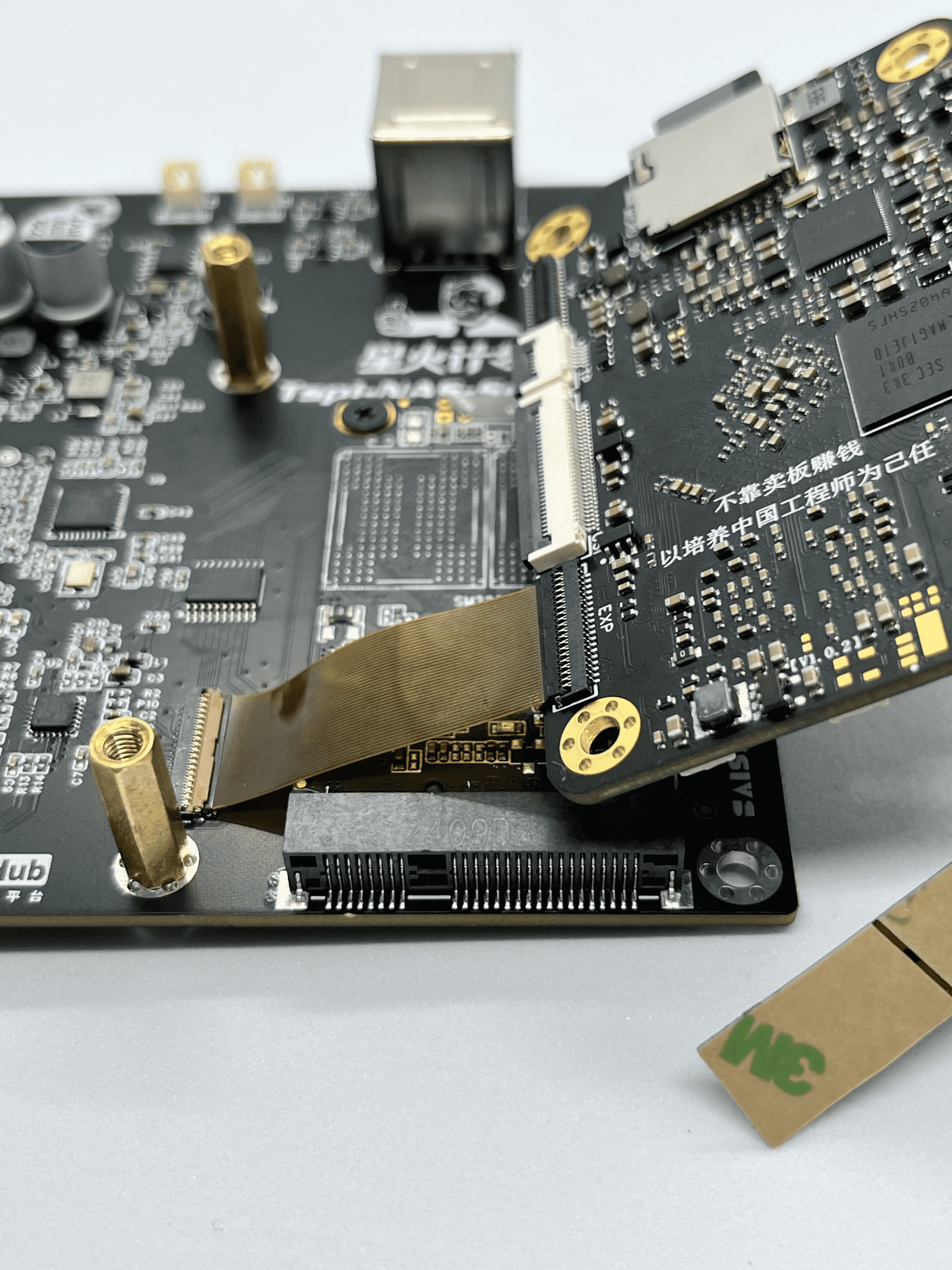
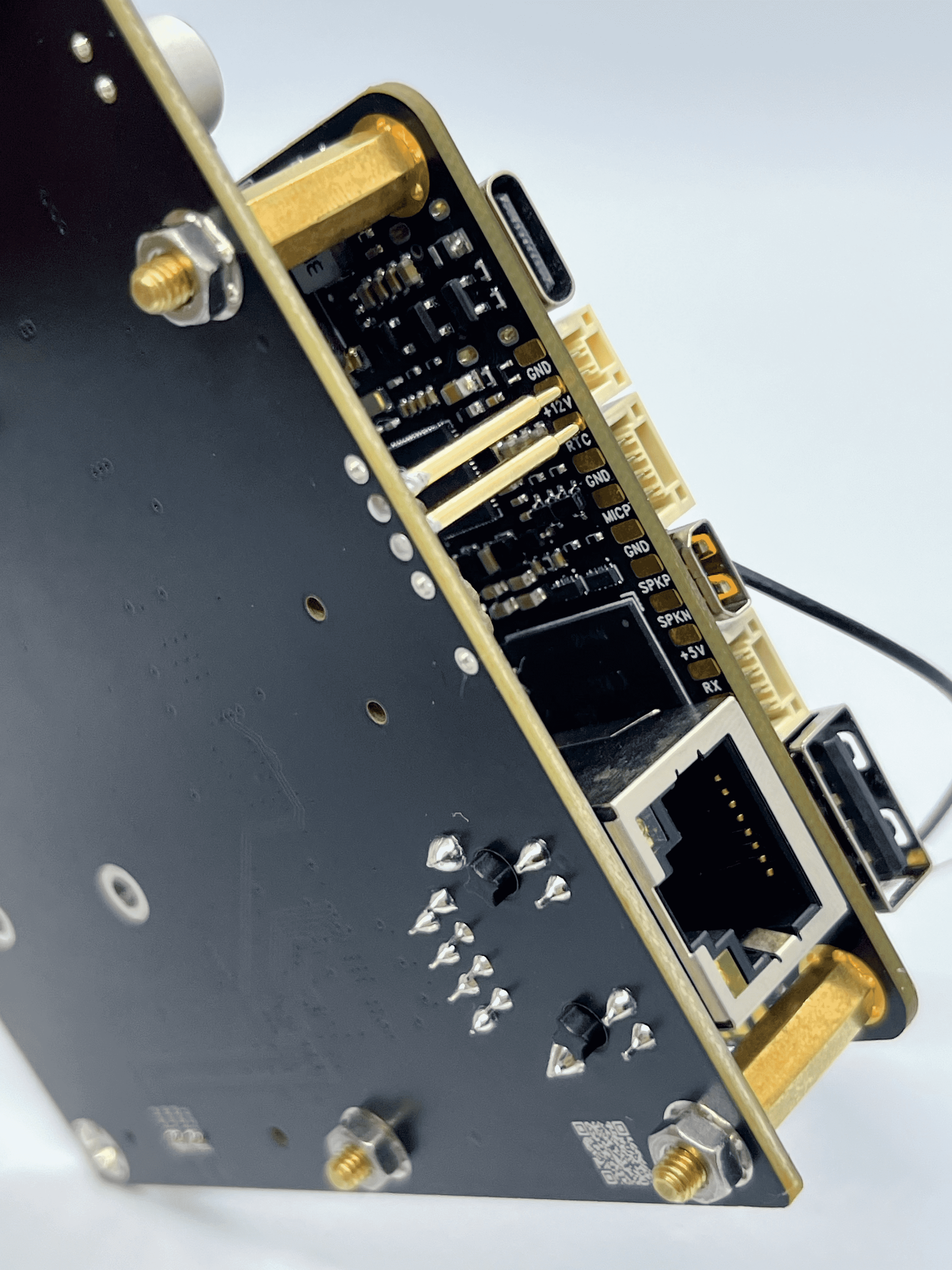
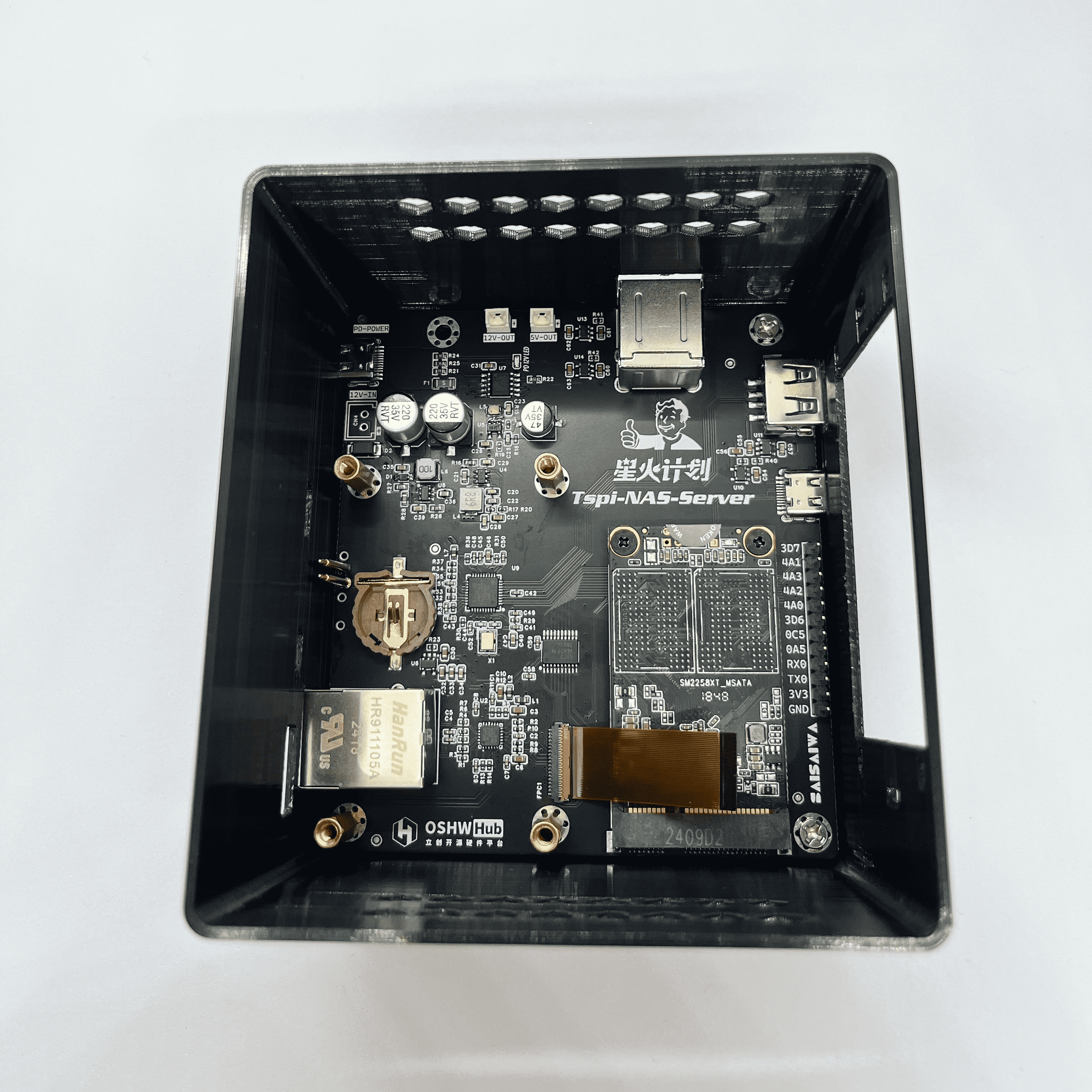
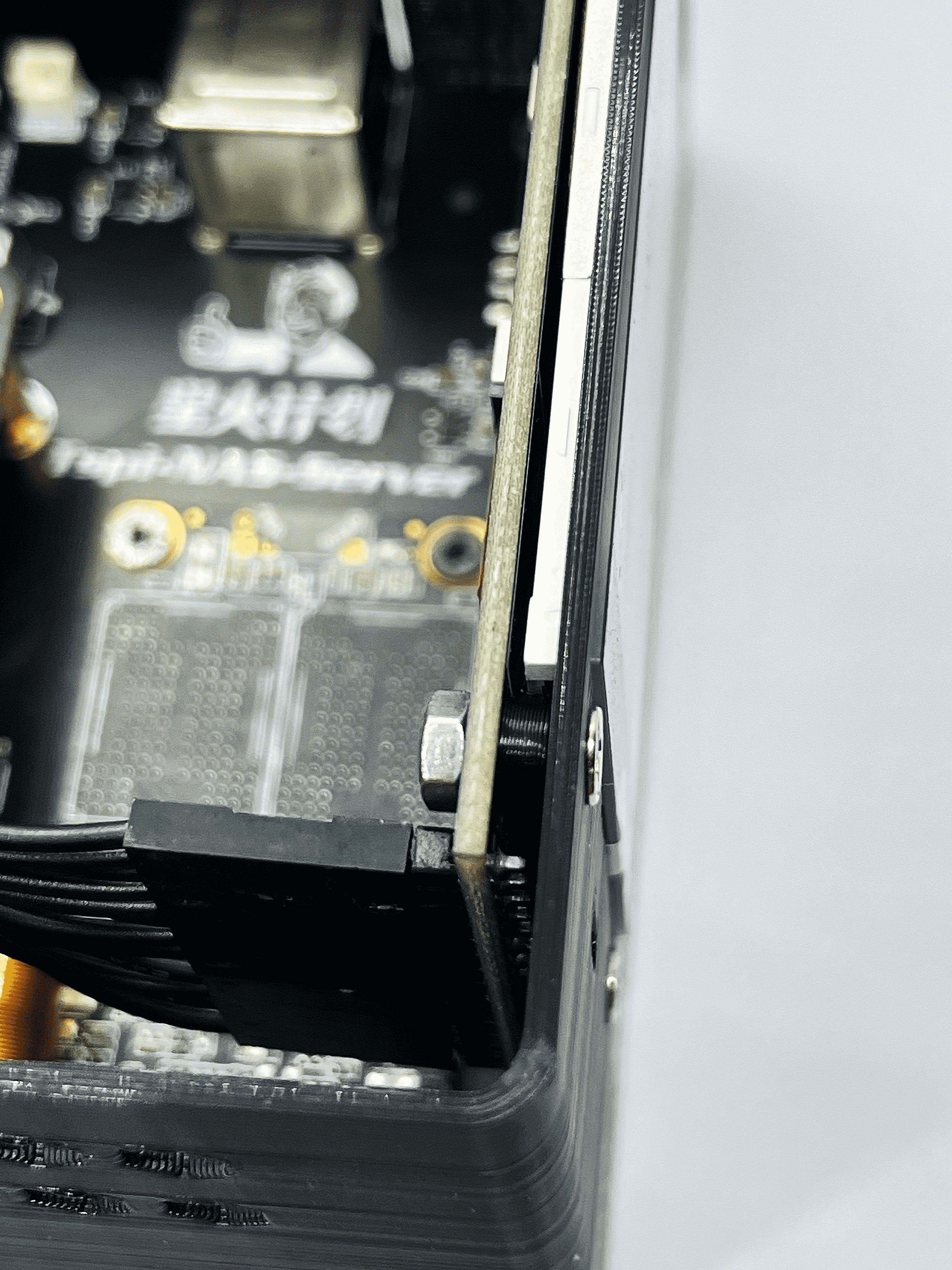
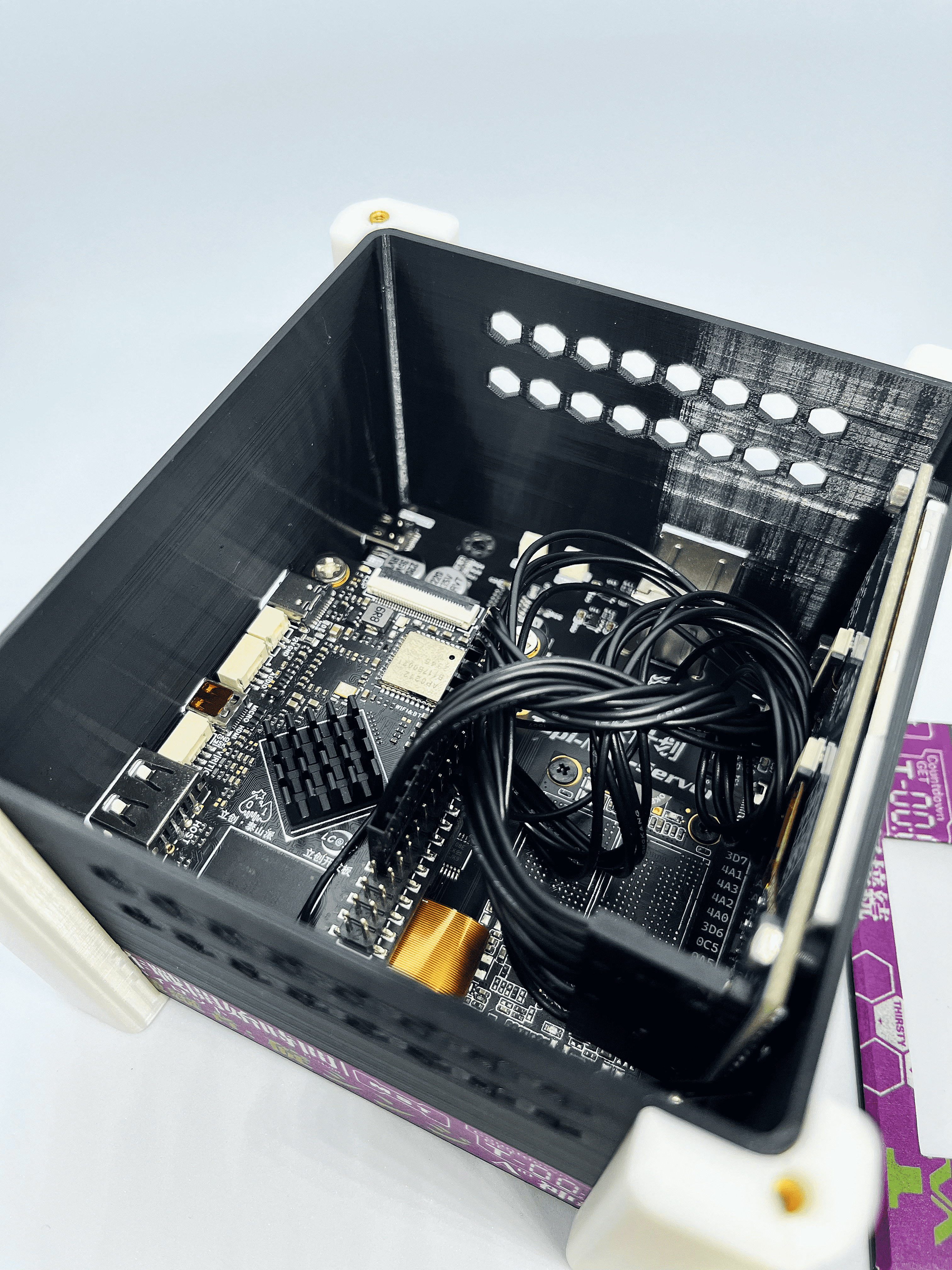
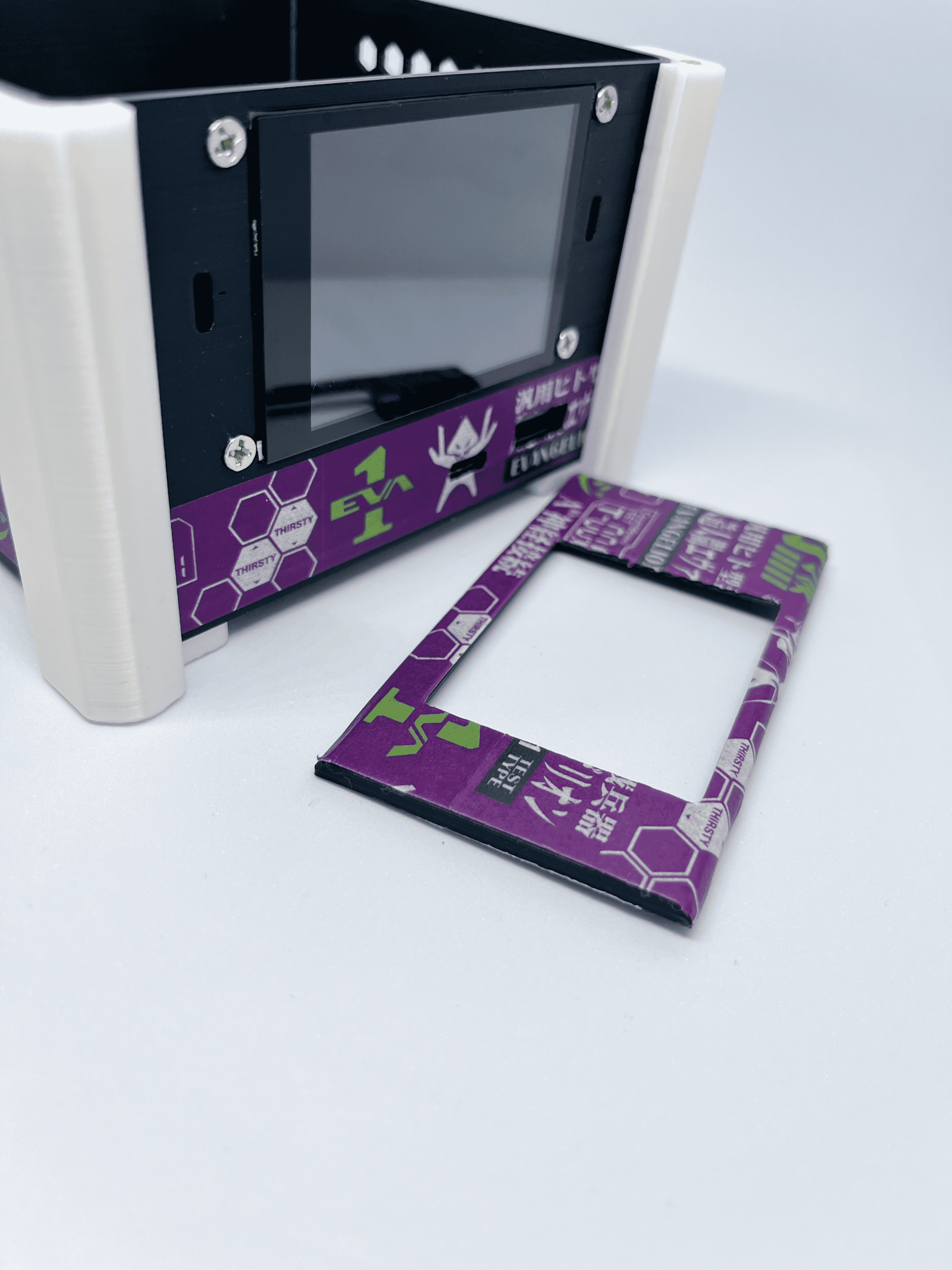
7. Quick Assembly
1
2
3








 京公网安备 11010802033920号


 PS2521L-1-E4



