Project Description
: Apply your knowledge in practice; build your own smartwatch that you can wear yourself and modify as you wish using your acquired skills. Sounds fun, right? That's the goal of this project!
We provide a complete and practical design, offering long-term software and hardware updates through open-source methods, helping smart wearable device enthusiasts customize their own health smartwatch.
Open-source license:
OHL.
Project features:
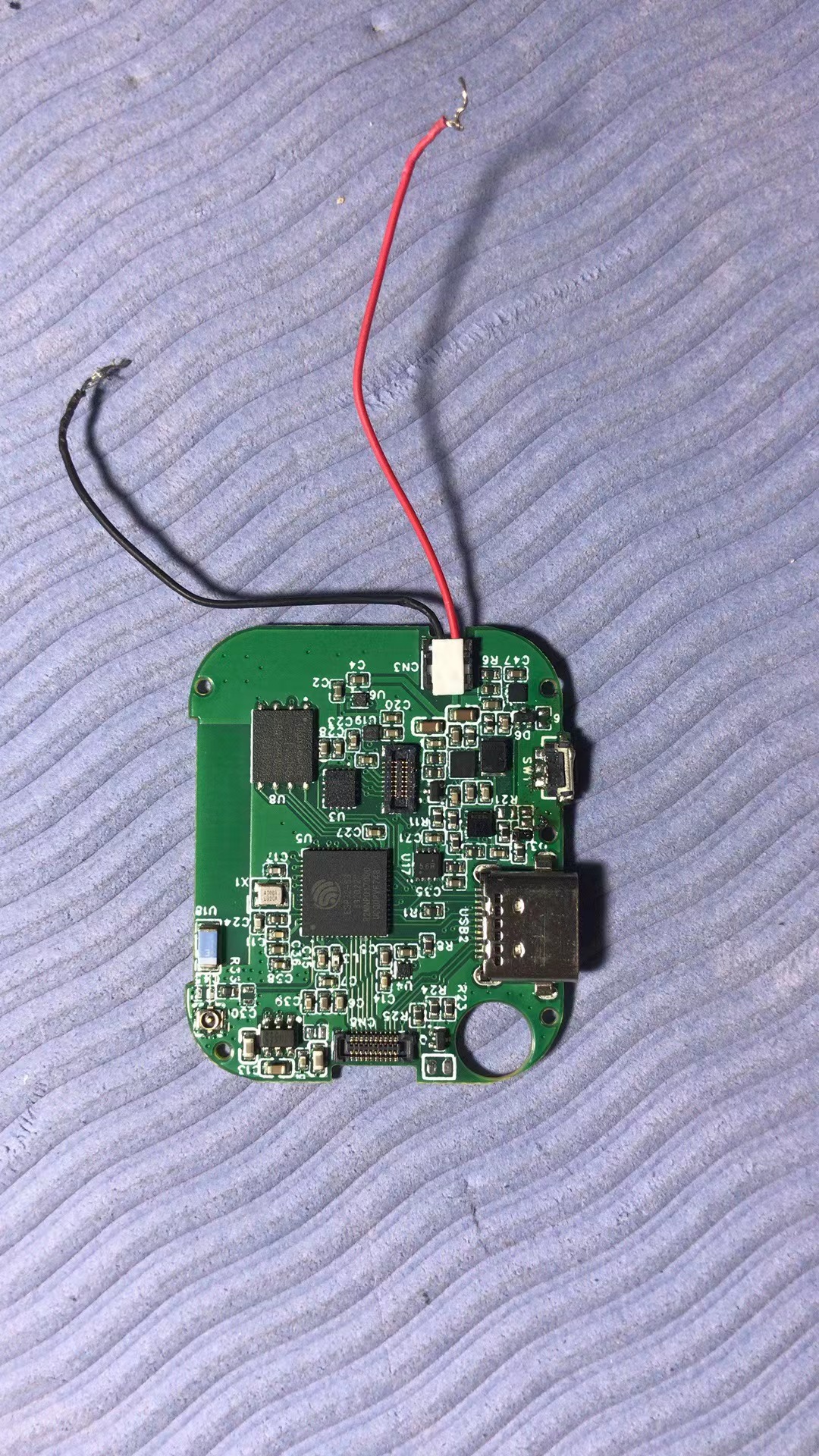
The project uses the Espressif ESP32-S3 as the main controller, supporting Bluetooth and Wi-Fi communication; in standby mode, only the ESP32-S3's built-in low-power RISV-V processor runs, maintaining long battery life. Features: 240x280 color LCD touchscreen; built-in 9D motion sleep sensor for continuous online heart rate, blood oxygen, and blood pressure trend monitoring; supports a standard USB Type-C charging interface, which also supports external sensors such as ECG, EEG, EMG, respiration, body fat, body impedance, body temperature, and blood pressure, providing hardware interfaces and software algorithm evaluation and testing platforms for various cutting-edge wearable technologies.

Project attributes
: Original and freely copyable and modifiable.
Project Schedule:
June-July 2023: Project initiation and design of the external CAD structure, schematics, and PCB were completed.
July-August 2023: PCBA prototyping, application for PCB/SMT prototyping consumables, and confirmation of 3D printing of the external shape were completed.
August-September 2023: Software debugging and application for CNC consumables are underway. Currently, the 9D sensor, LCD touch, battery charging/discharging drivers, and BLE/WIFI networking debugging have been completed; the LVGL-related GUI framework has been successfully ported, and the LCD touch is now functional.
From September 2023 onwards, the overall user experience will be optimized, especially the UI and other functions.
The design principle
is shown in the figure. The project uses the Espressif ESP32-S3 as the main controller, supporting WIFI & Bluetooth 5 (LE) network connectivity; it connects to the 9D motion sensor, touchscreen, and charging/discharging management unit via the I2C bus interface; one SPI interface supports a 240x280 color LCD screen; another SPI interface connects to a health data acquisition unit to realize human health functions such as heart rate and blood oxygenation.
A multi-functional external button is provided to enable power on/off, Home, and long-press reset functions.
The device supports USB Debug functionality; leveraging the compatibility of the Type-C USB interface, it also supports the expansion of other hardware sensors: such as electrodes necessary for measuring ECG/EMG/EEG or impedance; or various new wearable cutting-edge technology hardware interfaces such as piezoelectric/resistance sensors.
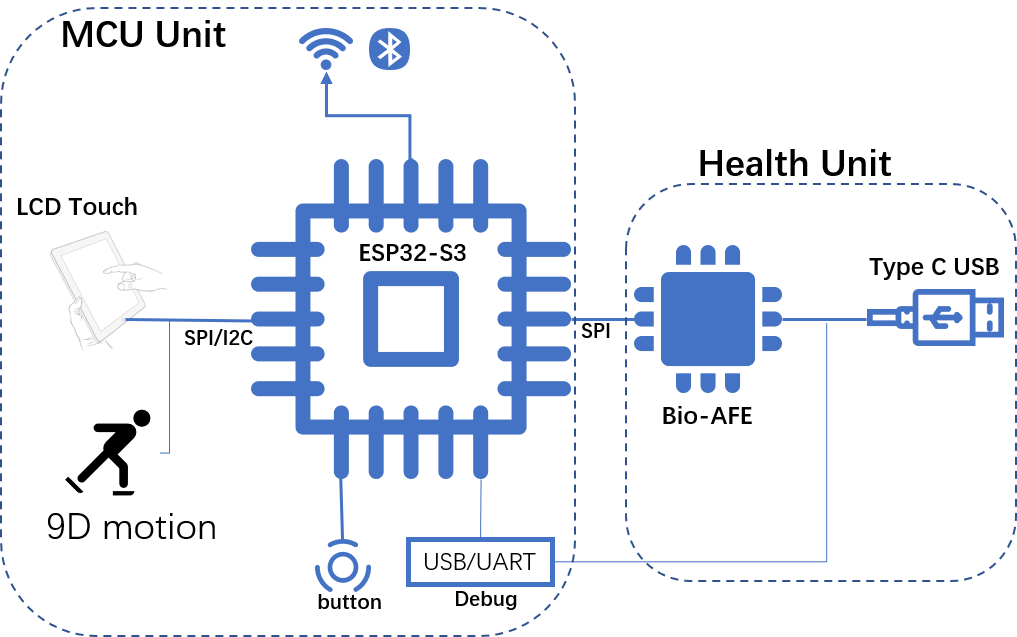
Software Description:
The firmware of the ESP32-S3 watch project is designed based on the Espressif ESP-IDF v5.2 development framework and can be ported and debugged based on the example esp-idfexamplesperipheralslcdspi_lcd_touch:
1> Hardware Driver Porting:
A> For the GUI, and related screen, touch, and button configurations, modify the component dependency file idf_component, adding the following content:
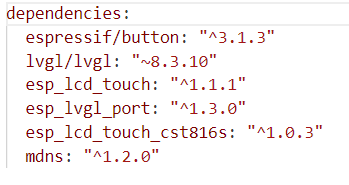
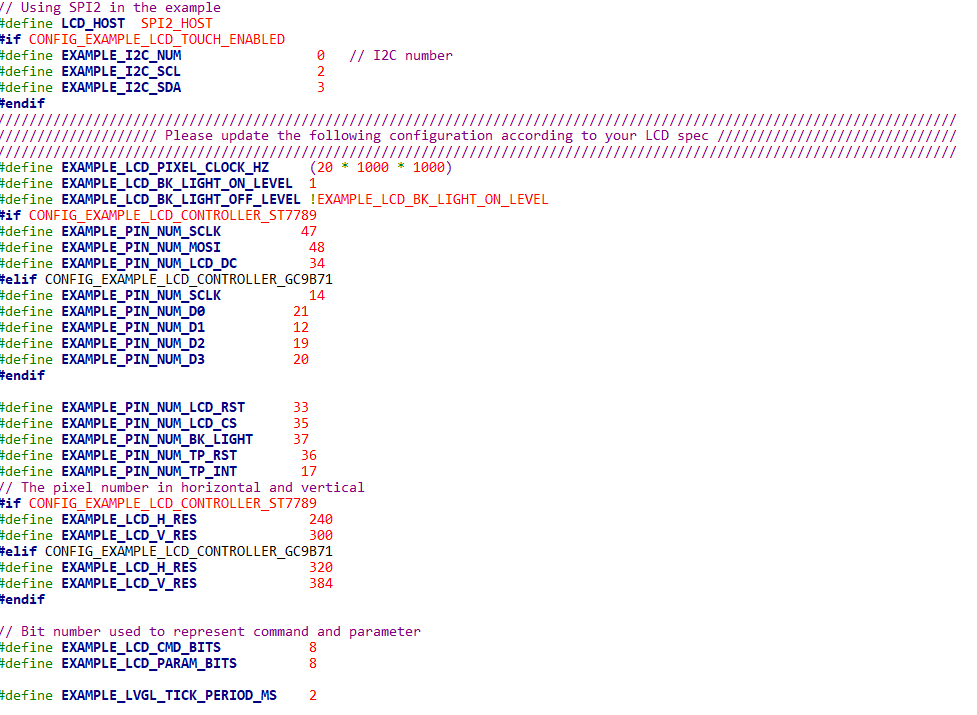
B> Modify the relevant hardware IO configuration, as follows:
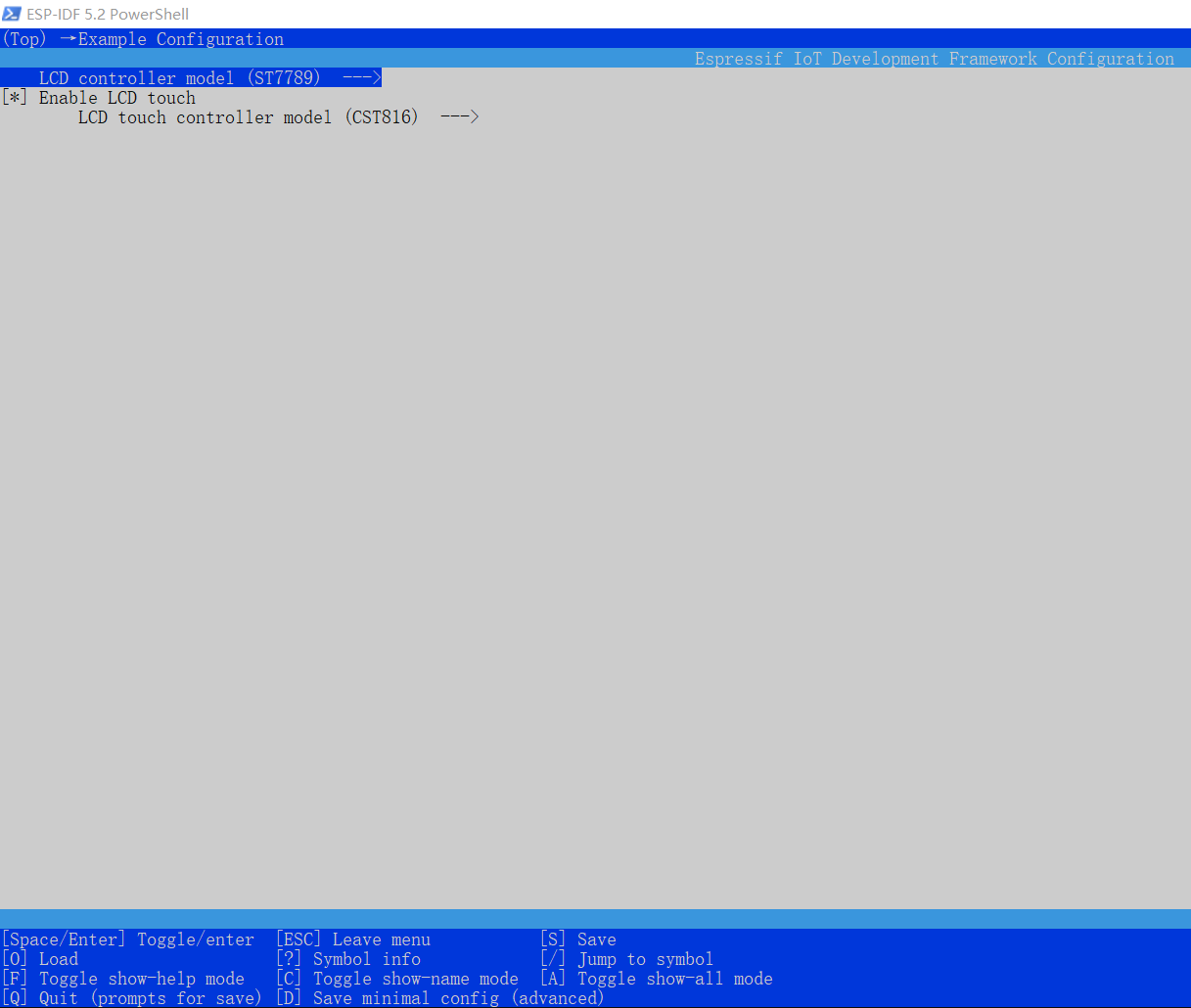
C> Configure the project predefined configurations through idf.py menuconfig:
2> UI Design:
Design the UI using the UI design tool SquareLine Studio 1.3.3 and generate the code.
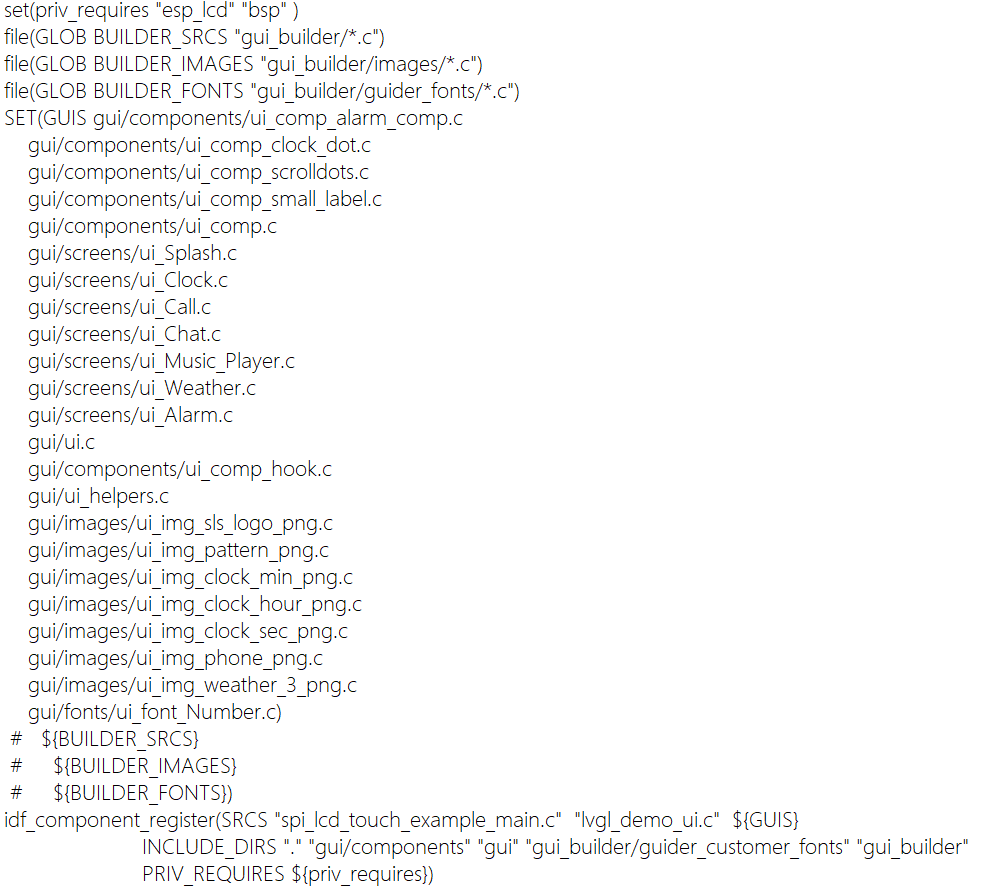
A> Modify the CMakeLists.txt file and import the generated code into the compilation project:
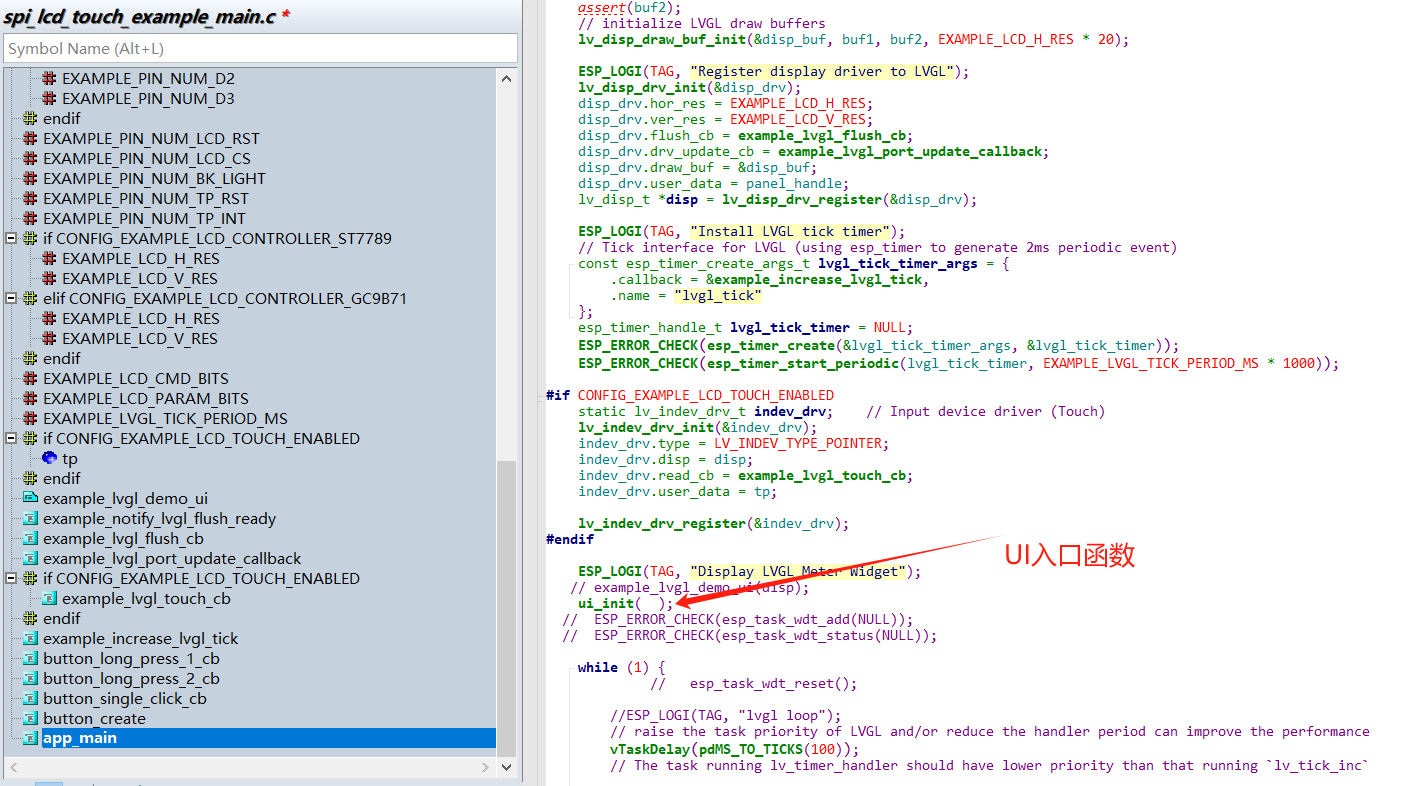
B> As shown in the image below, modify and add the UI entry function and compile the project:
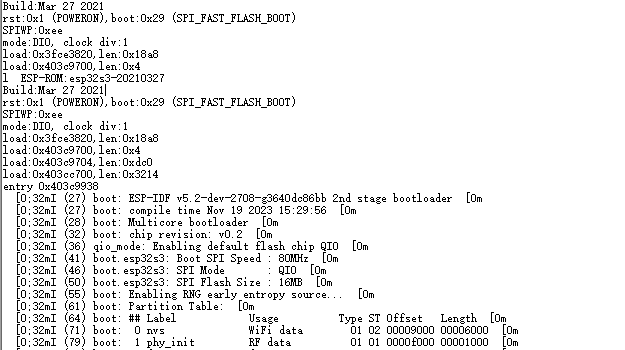
C> Debugging and running Logo illustration:
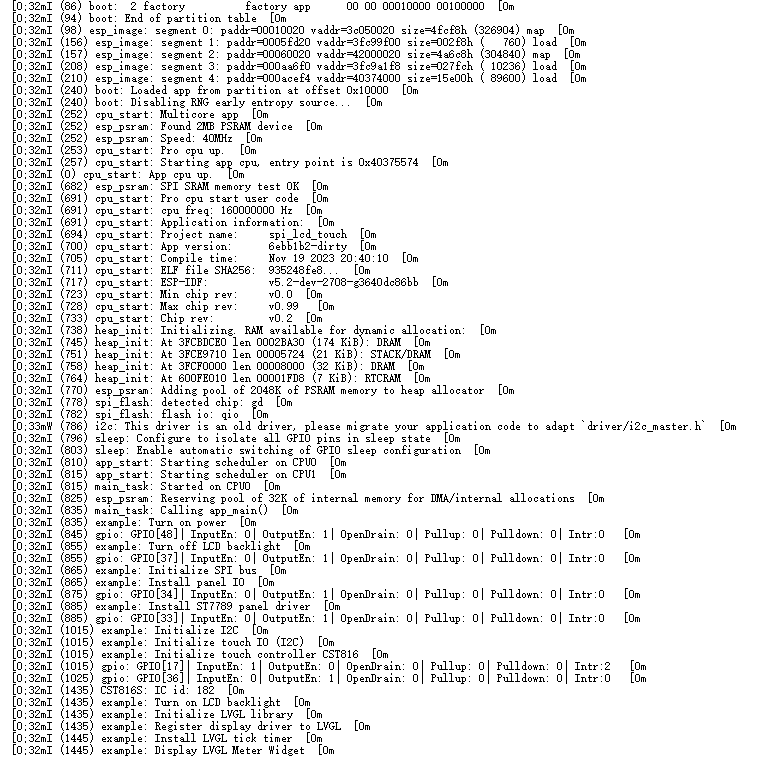
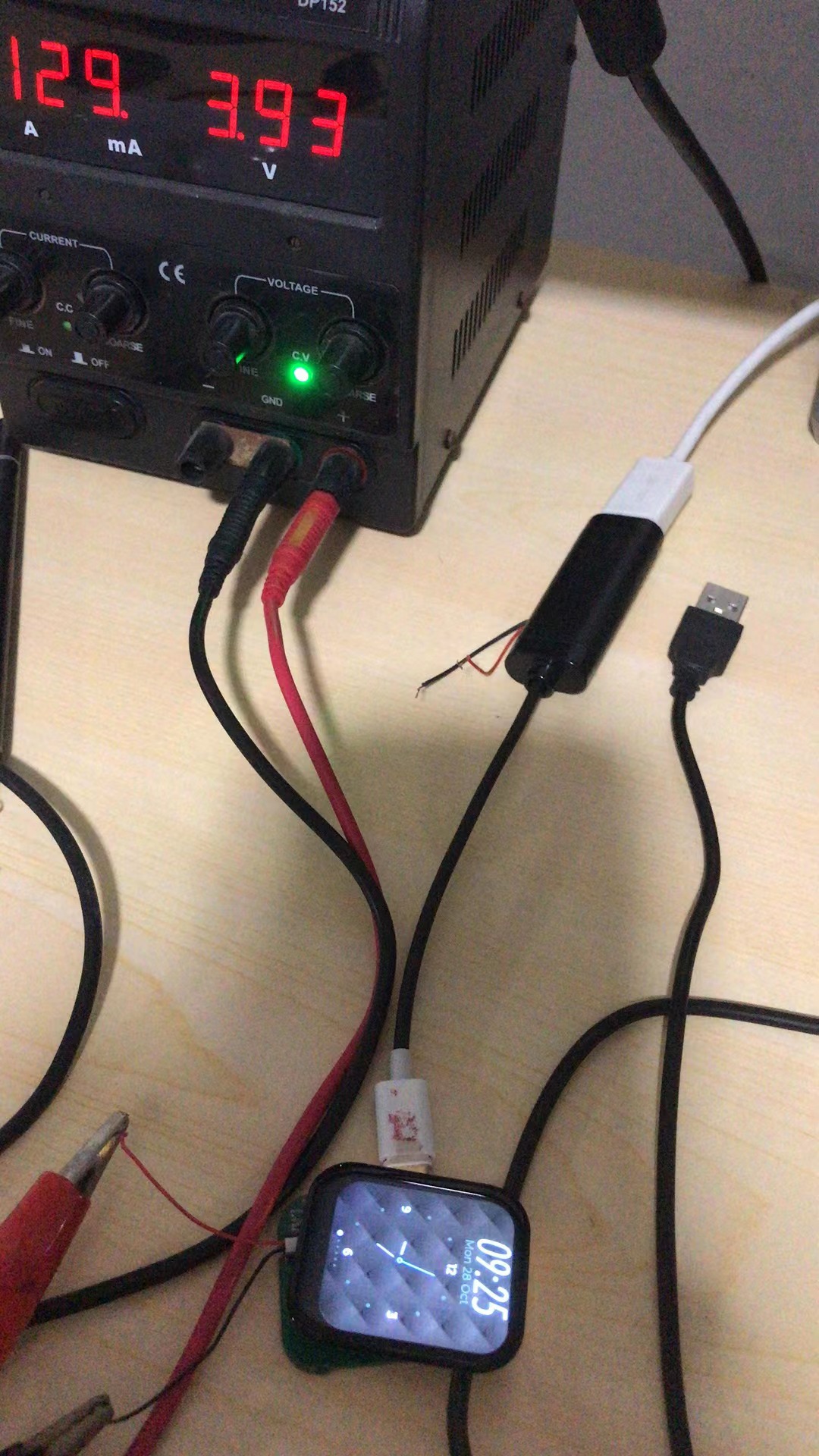
D> Software debugging scene images:
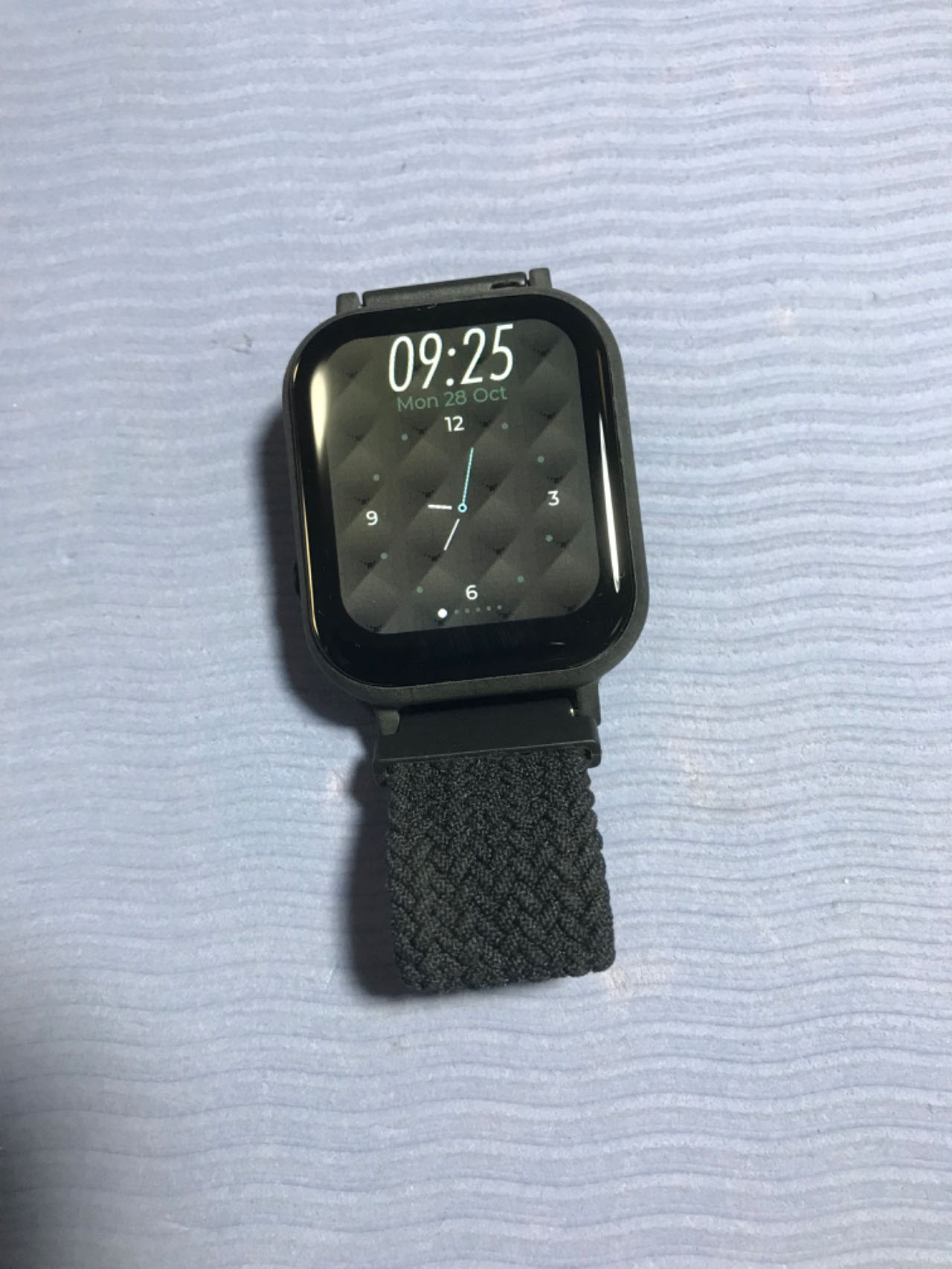
Physical watch demonstration
image 1:
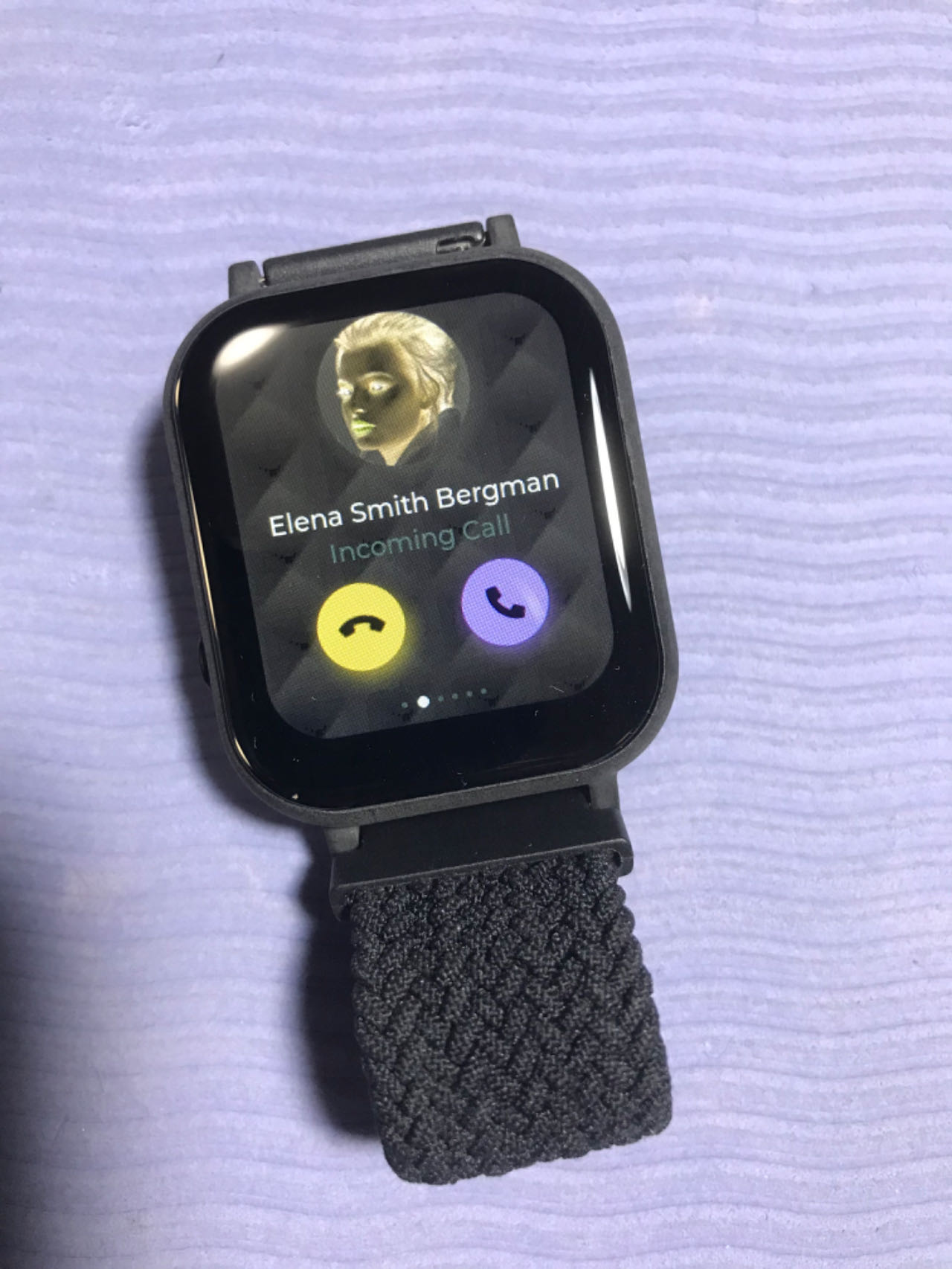
Watch image 2:
PCB motherboard:
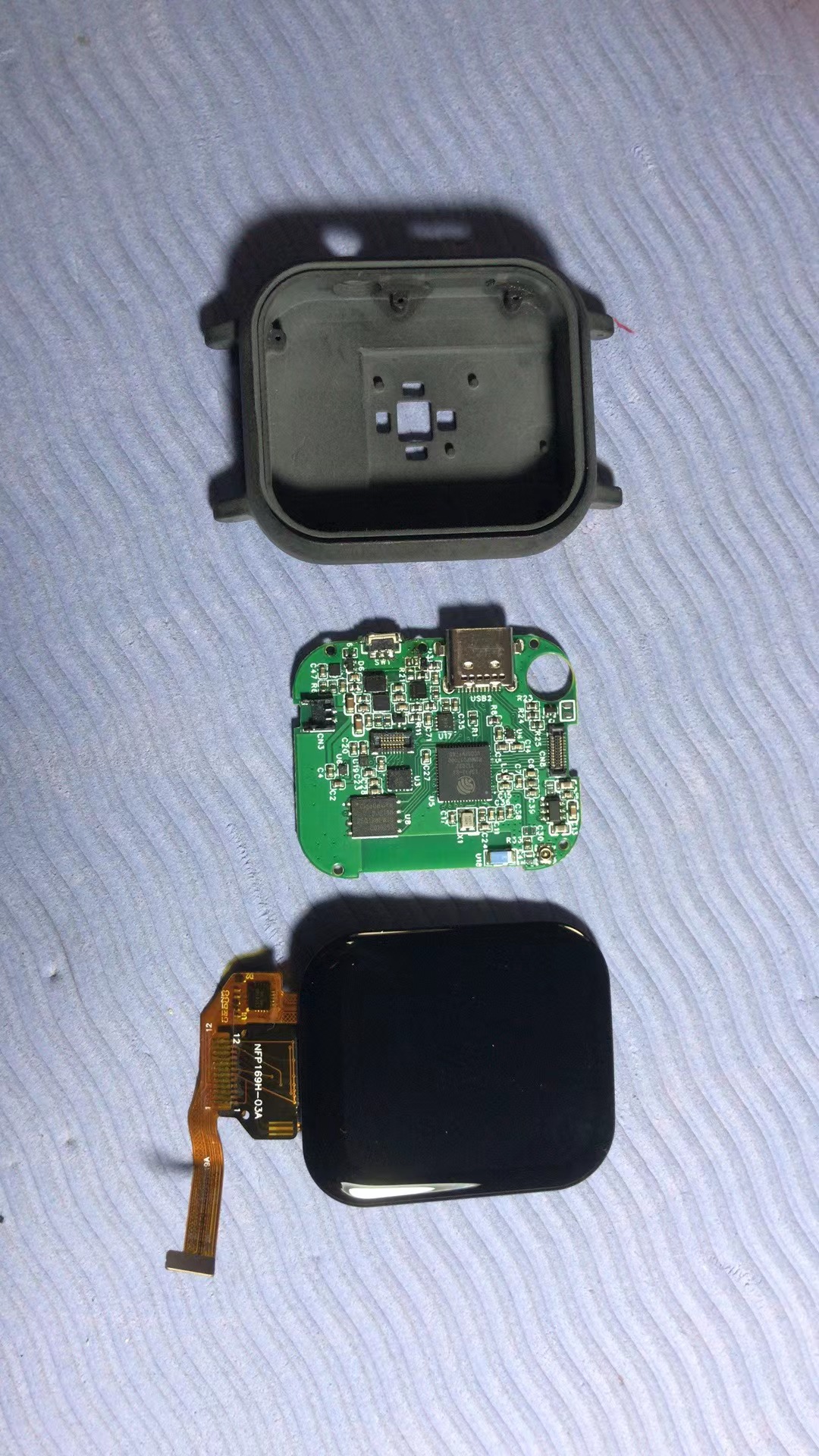
Watch structure physical object:
Other
1> Attached DEMO software source code
2> Attached screen test DEMO video








 京公网安备 11010802033920号


 1-A-03-048.0-04-H-2



