Finished Product Showcase:
DIY Universal Remote Control - Bilibili
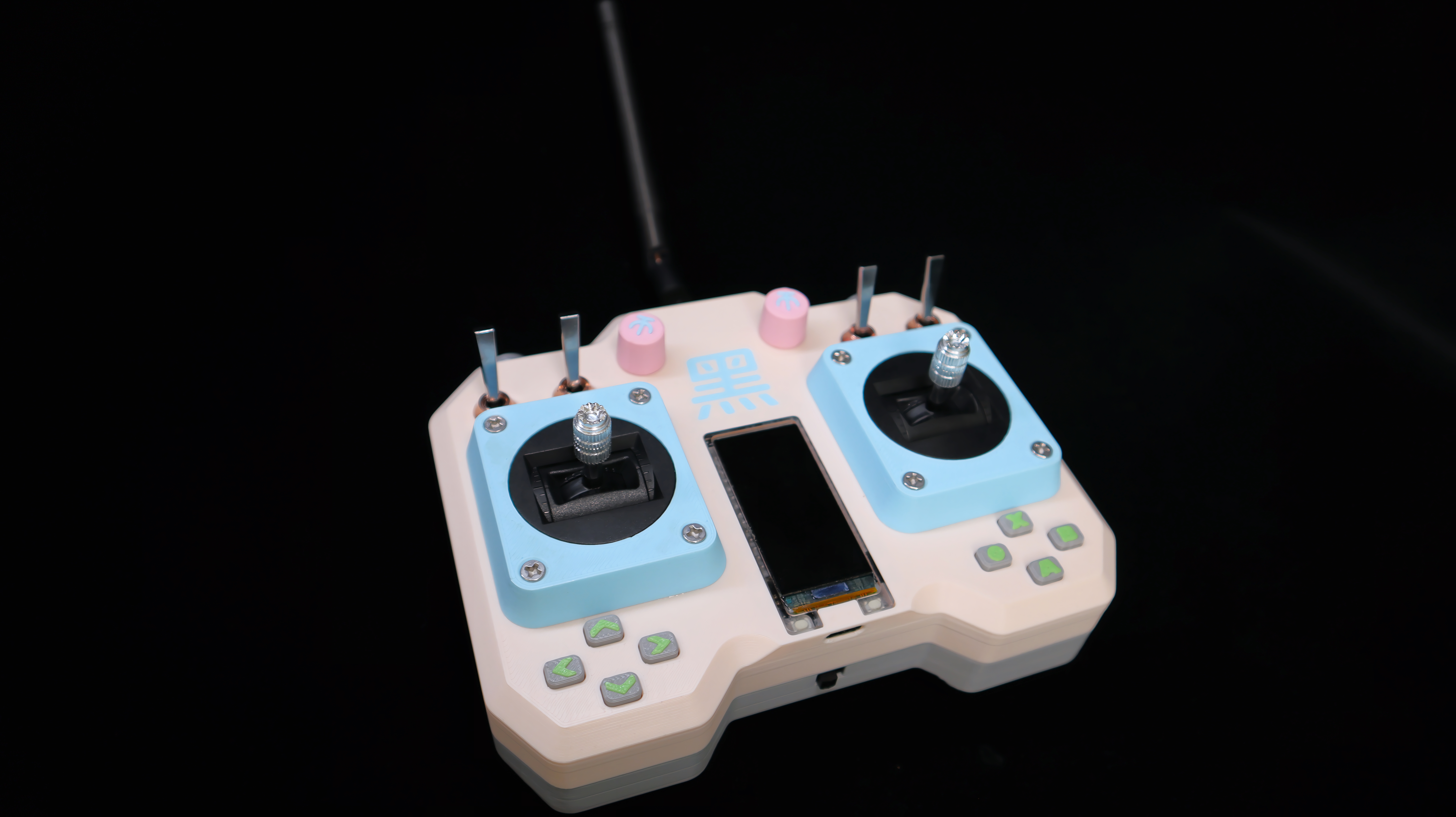
Project Description:
When playing with various RC models, robots, or other toys, each has its own remote control, which can be quite messy. Therefore, I wanted to create a universal, multi-functional remote control.
It can not only control numerous devices but also connect to a computer via Bluetooth to play AAA games as a Bluetooth gamepad. It can even be used to create and play small games.
Achieving the elegance of "one control in hand, the world at my fingertips!"
Project Features
: 1. This remote control is based on the ESP32-S3 chip. For ease of construction, a development board with a screen was used. The 1.91-inch screen boasts a high resolution of 240*536, providing excellent display quality.
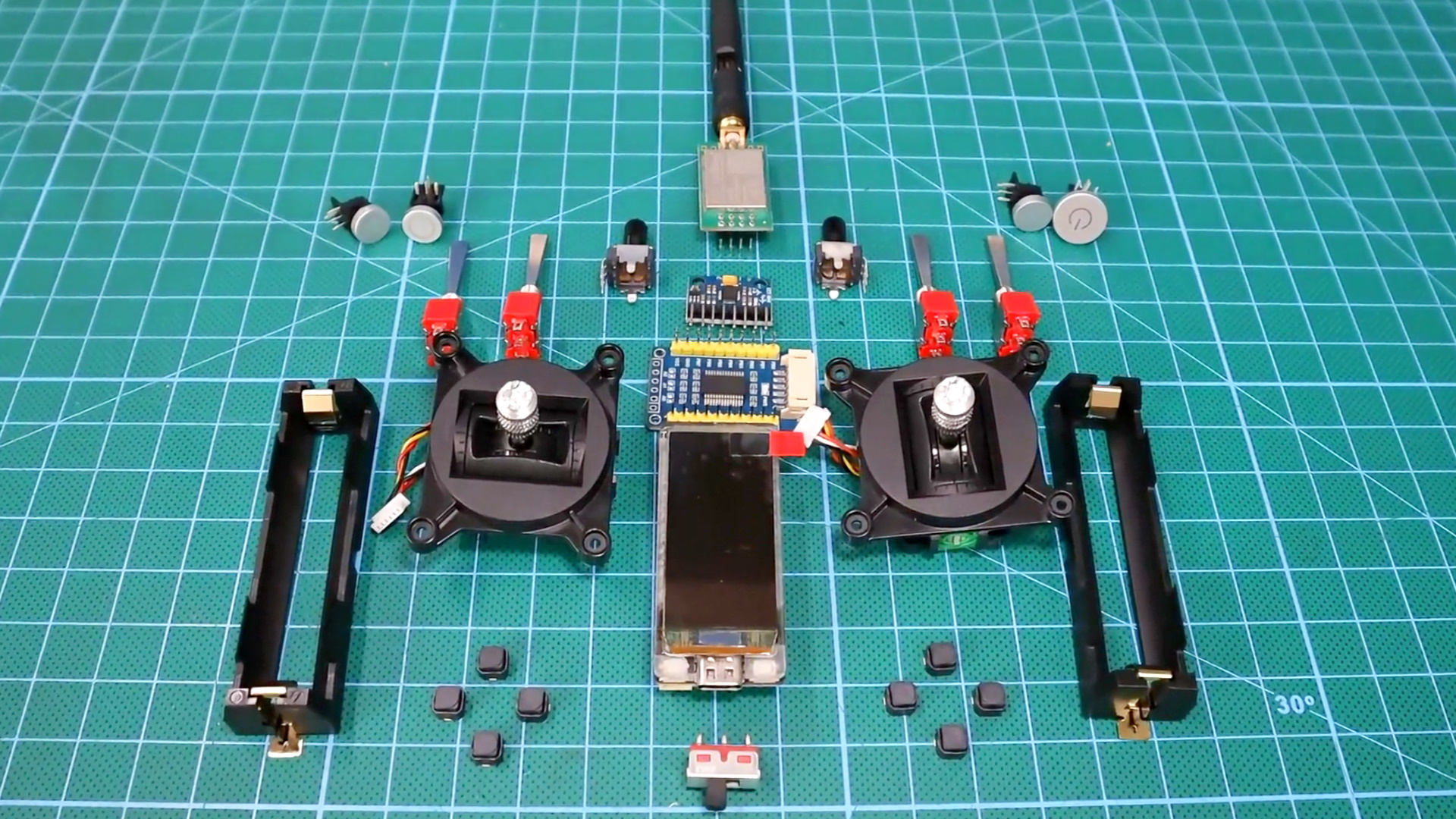
2. The remote control features 4 standard buttons, 4 toggle switches, 2 potentiometer knobs, 2 high-precision RC joysticks, 8 function buttons, 2 onboard buttons, and 1 MPU-6050 electronic gyroscope.
3. The communication module uses a 20dBm nRF24L01 module, paired with a 3dBi gain antenna, achieving a remote control distance of over 2000 meters.
4. Two 2600mAh high-capacity 18650 lithium batteries ensure long battery life for the remote control, and the development board integrates a charging and discharging module, eliminating battery anxiety.
Design Principle:
The remote control's working principle is simple: it continuously reads the status of each button and joystick, combines the button values and joystick analog values into a self-designed structure, and sends this data to the receiving end via the nRF24L01. The receiving end parses the data and responds accordingly.
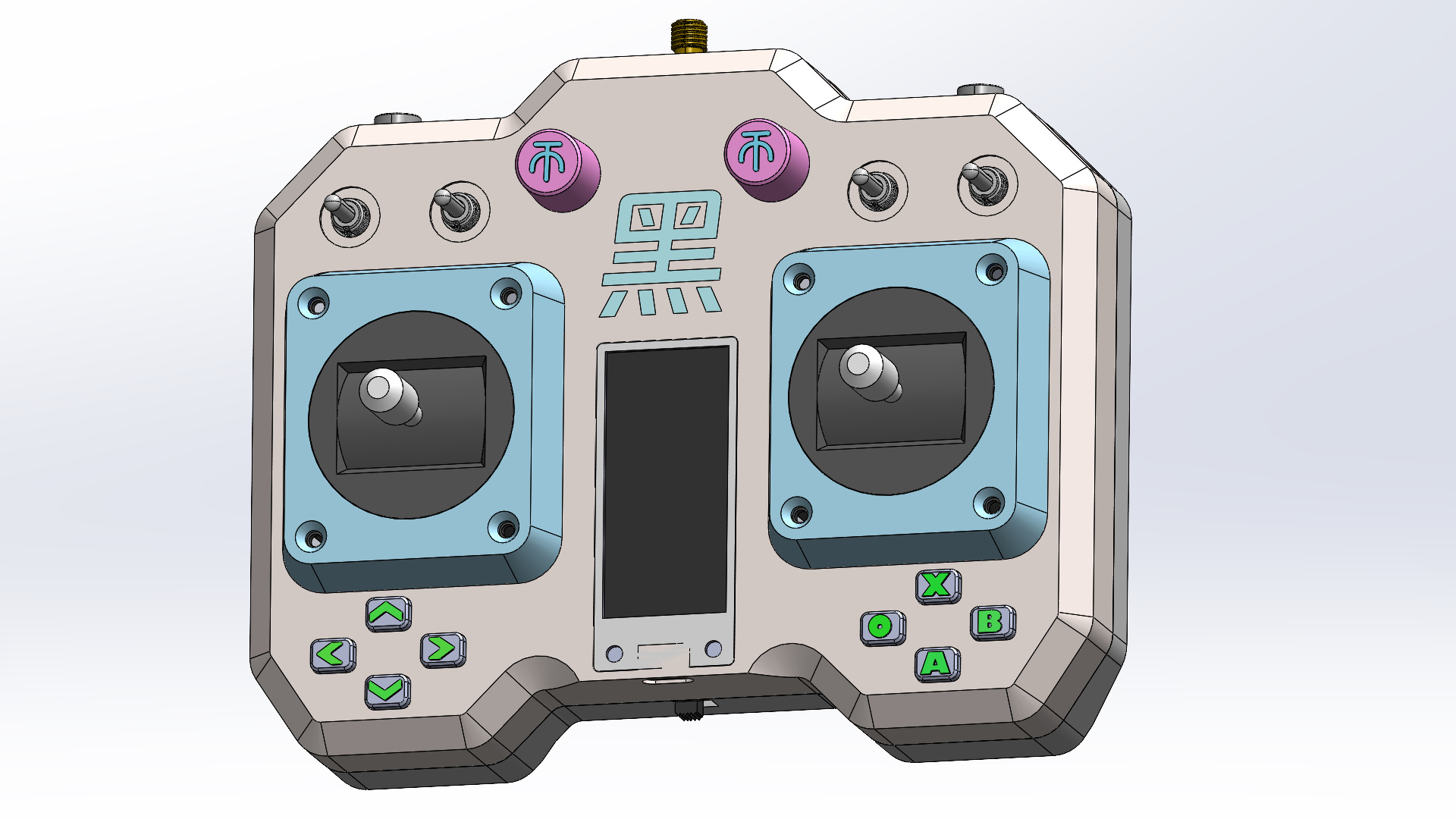
Shell Design:
The shell design has three requirements:
1. Comfortable grip:
Numerous chamfers and rounded corners conform to the hand, preventing gripping and slippage.
2. Ease of manufacturing
: Irregularly shaped parts are separated into components, maximizing flat surfaces for subsequent 3D printing. Separate components also facilitate multi-color printing.
3. Aesthetics:
While meeting the first two points, strive for a visually appealing design, or add some unique features.
Production Process
: 1. First, purchase all components from the assembly list (detailed list in the attachment).
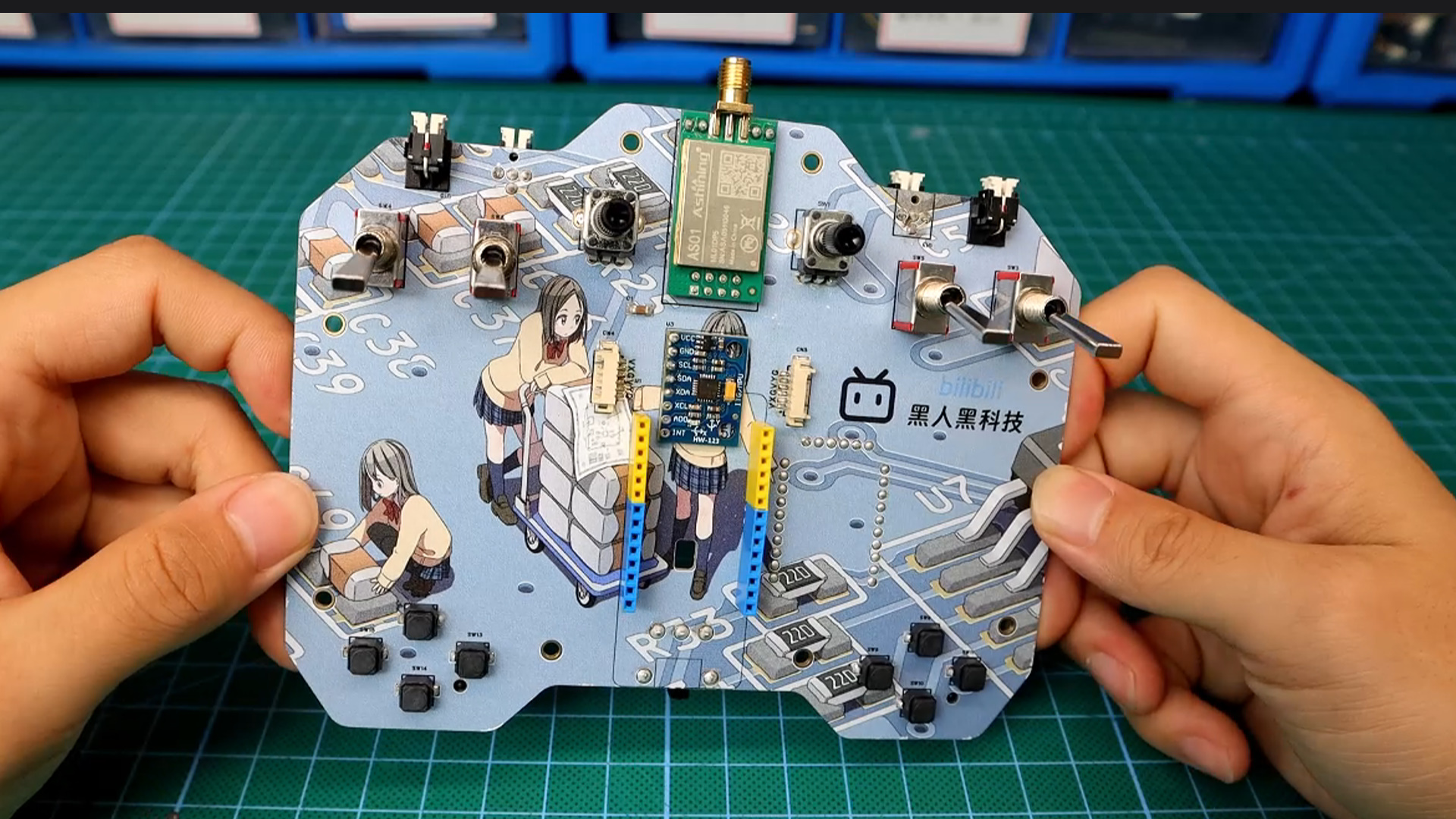
2. Solder the components onto the pre-made PCB (component list in the attachment)
and install the development board and battery onto the board. Connect the development board and PCB power supply through the central hole using a wire.
3. 3D print the outer shell and all buttons and knobs (printing files in the attachment; the outer shell includes a blank version).
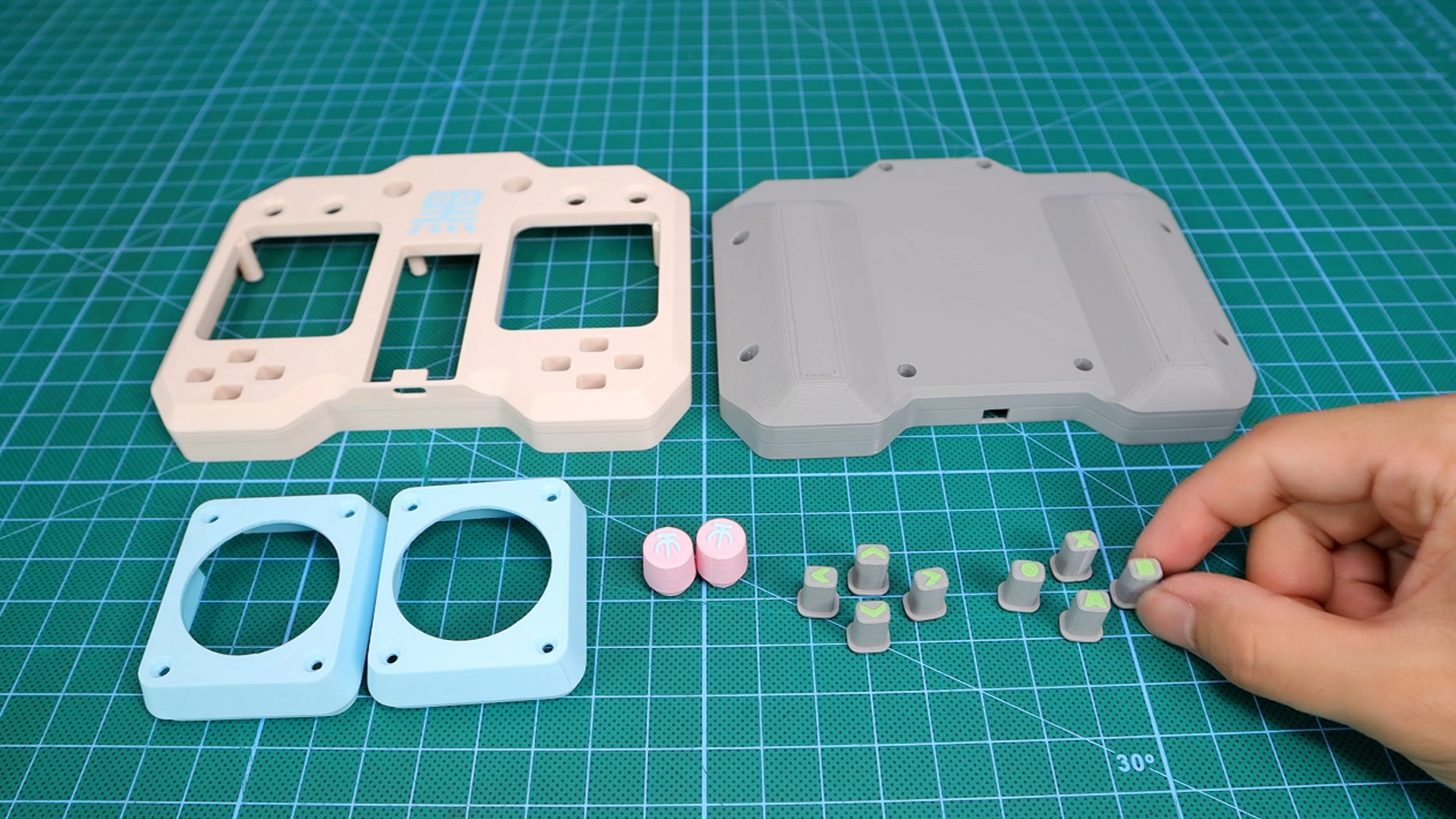
4. Install the electronic components onto the outer shell (like putting an elephant in a refrigerator).
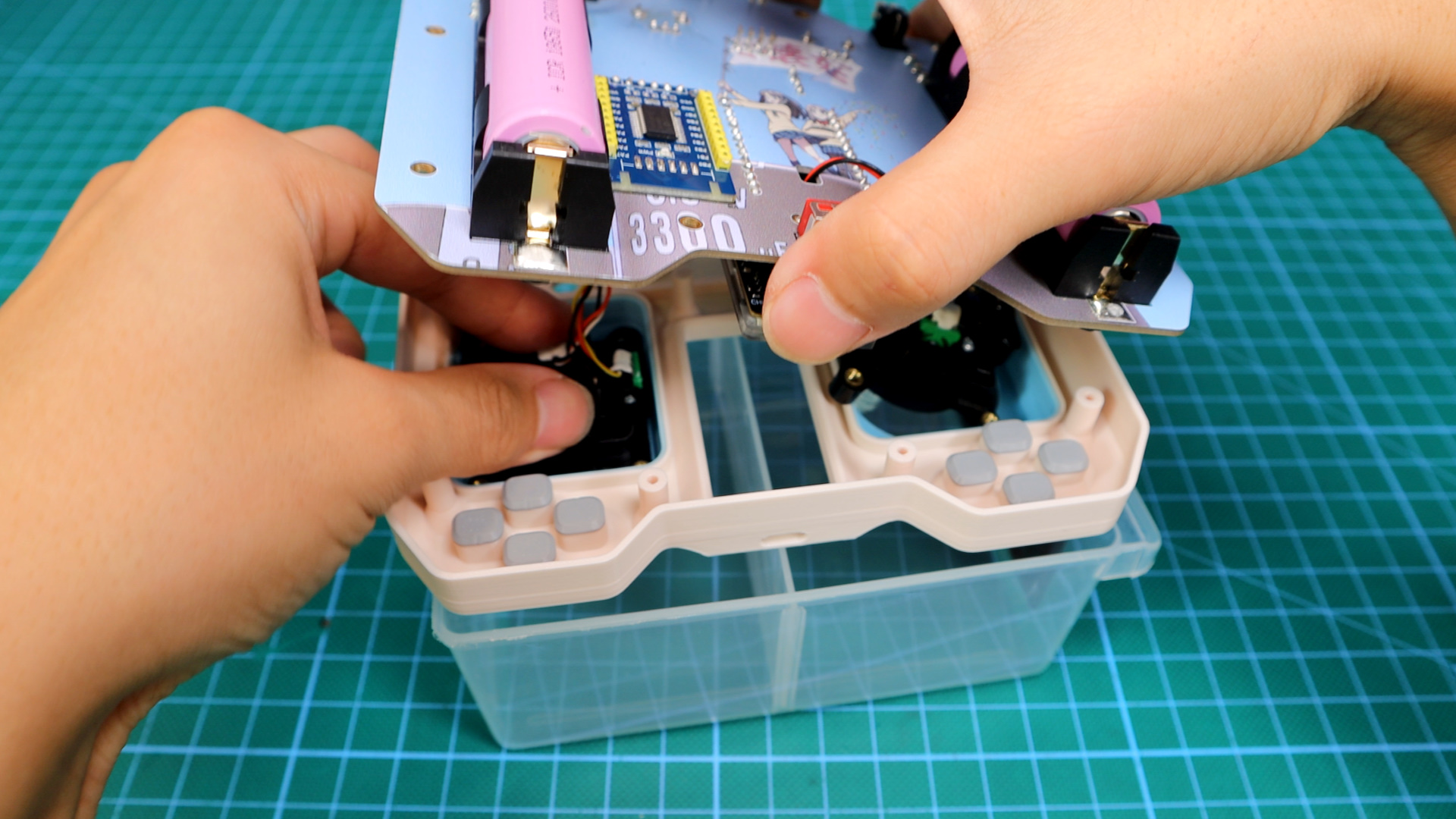
5. Finally, install the button caps and antenna; the remote control hardware is now complete.
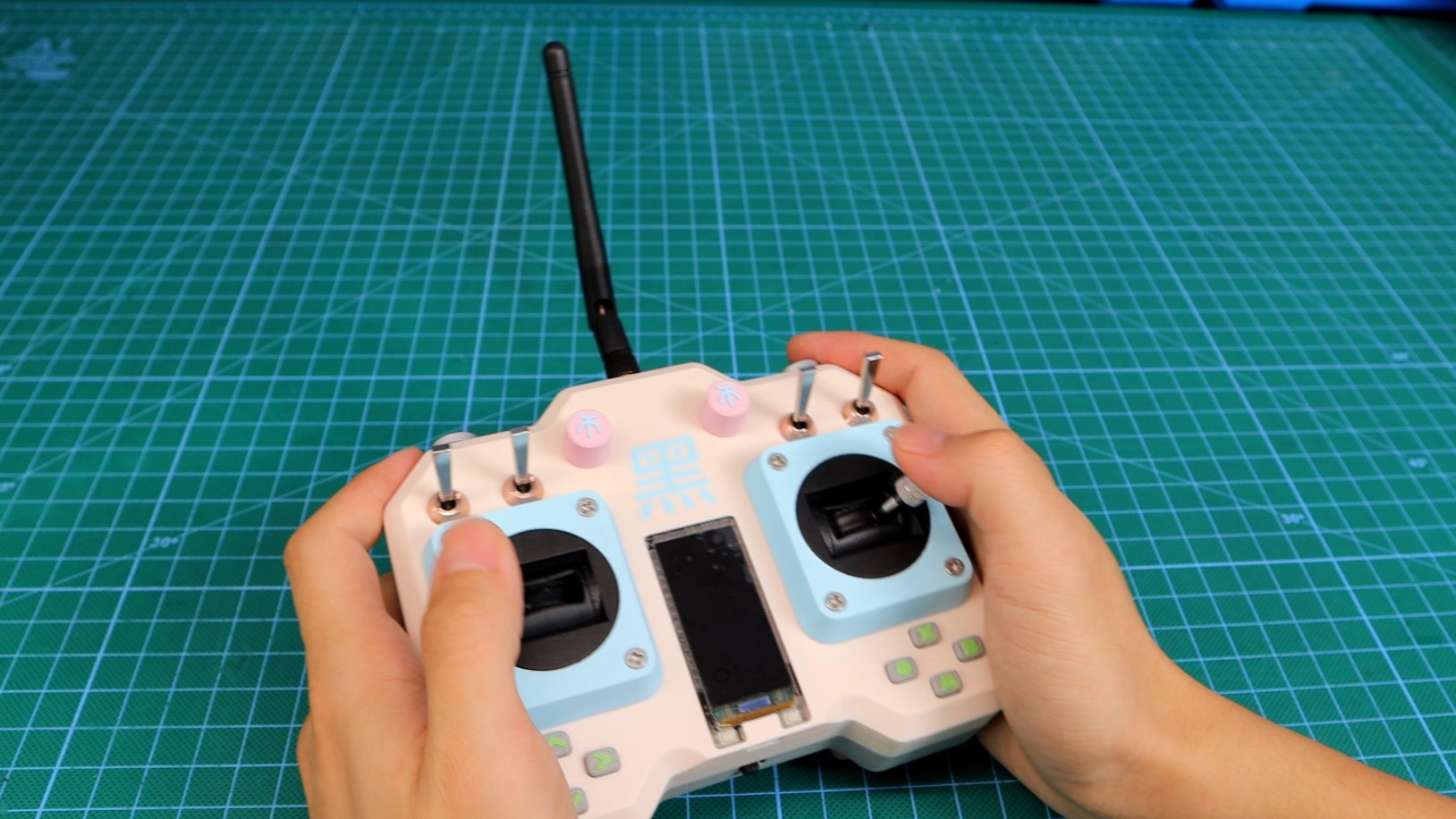
The remote control test code
works by continuously polling all buttons and displaying their status on the screen.
Programming is based on the Arduino environment, using the TFT_eSPI graphics library; detailed code is in the attachment.
Actual Test Results:
You might wonder why the small screen is facing down in the test video below.
For details, please see the video: DIY Universal Remote Control_Bilibili_Bilibili
Updated September 27, 2023:
Menu System Structure -
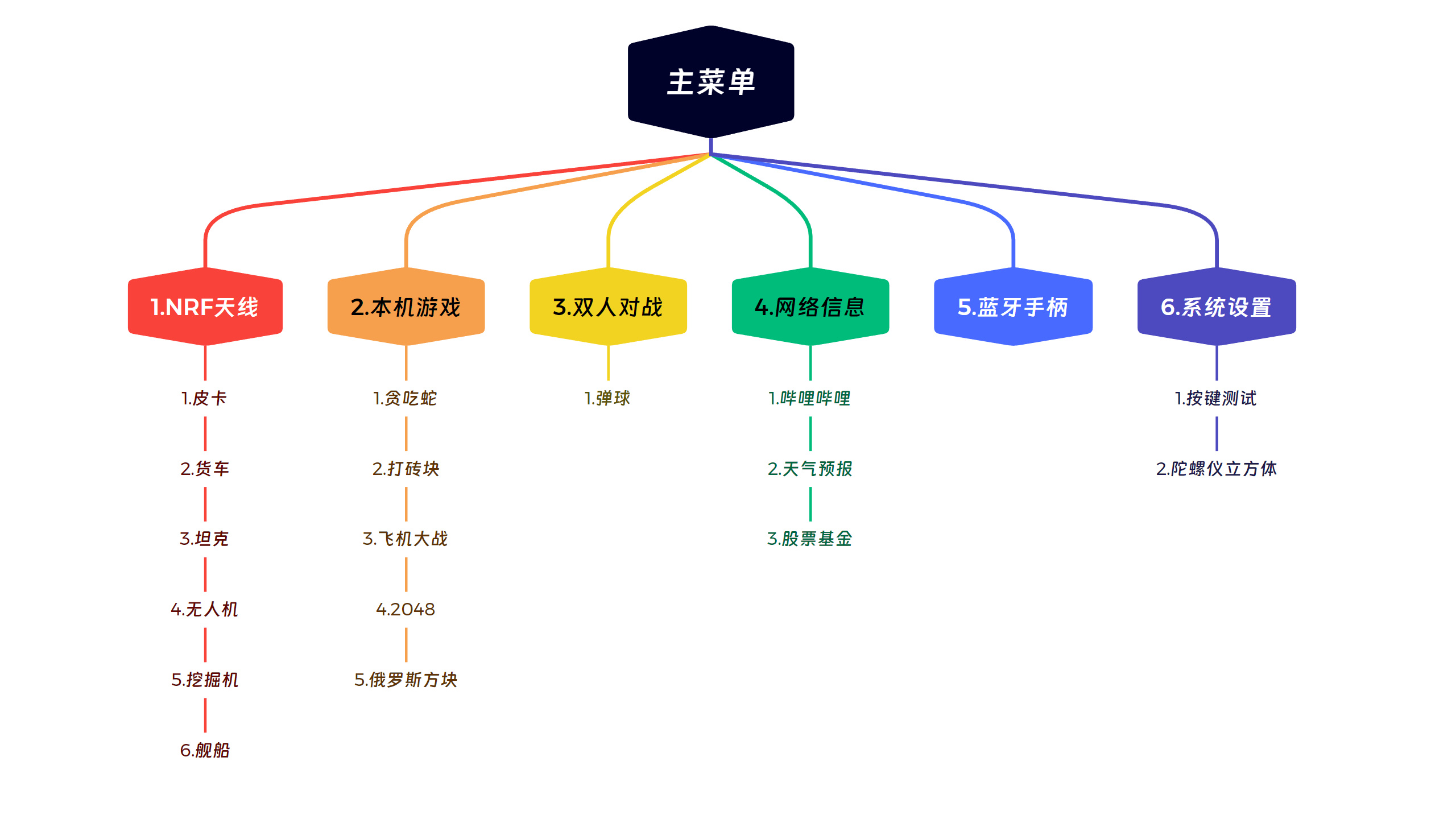
First and Second Level Menu Preview -
First Level Menu:
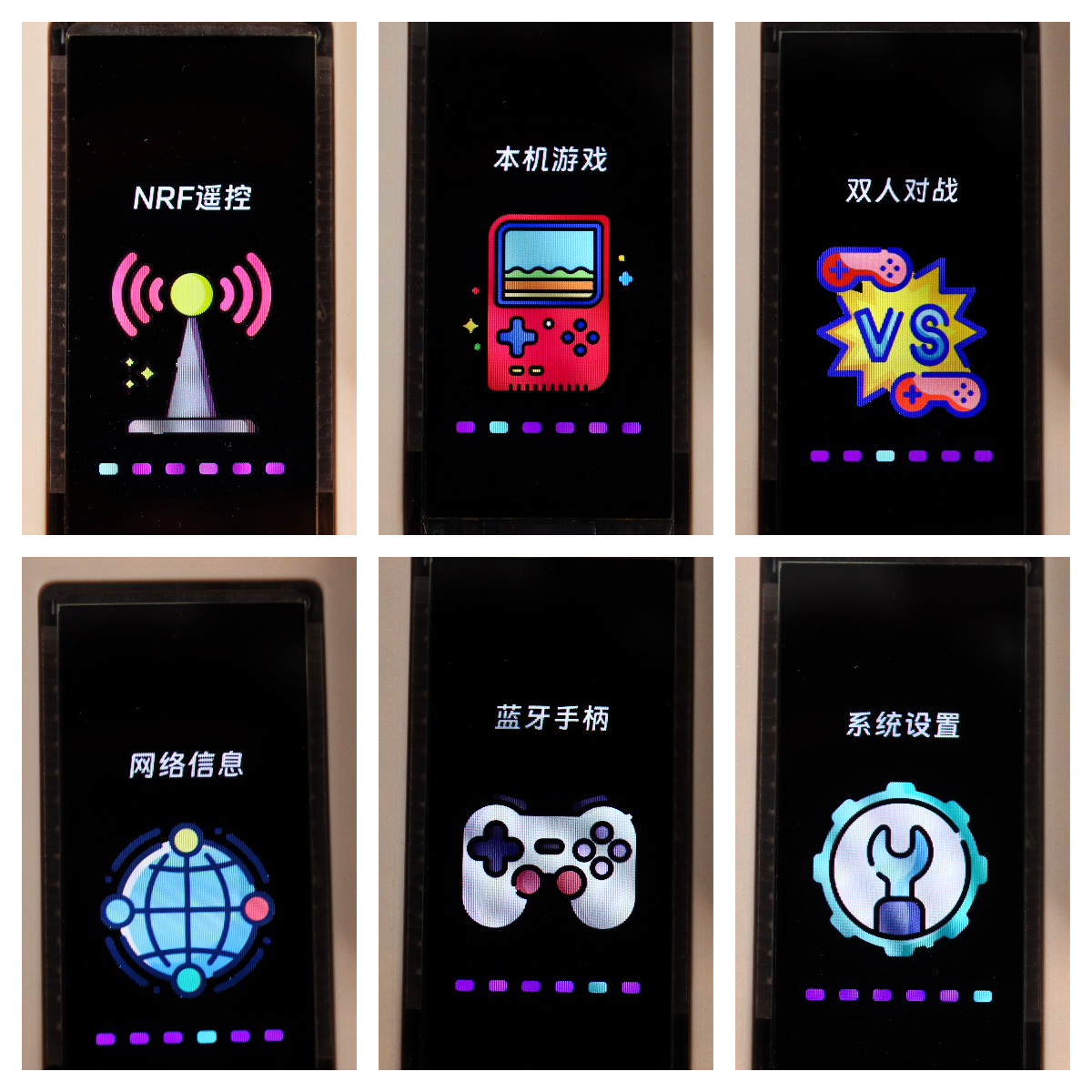
Partial Second Level Menu:
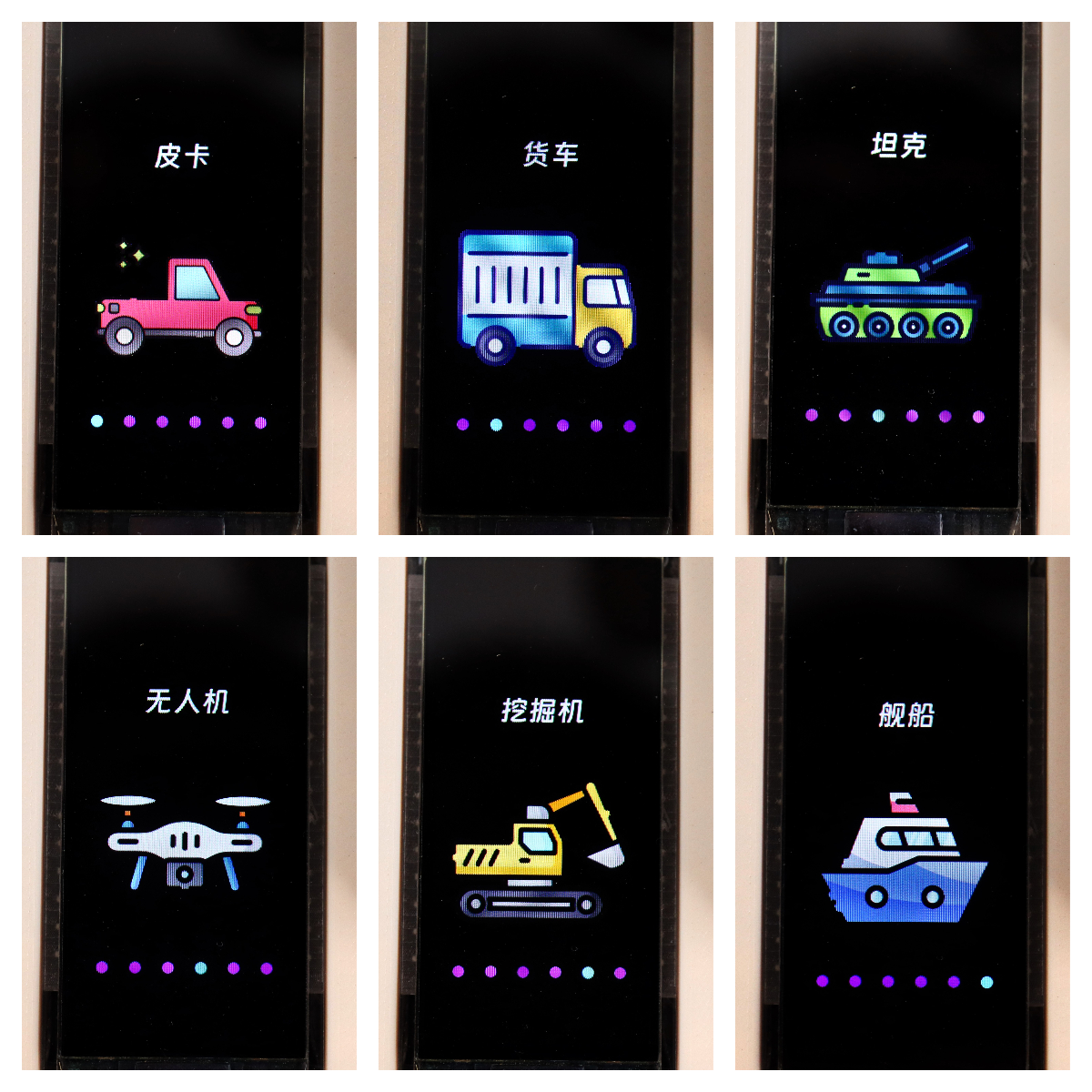
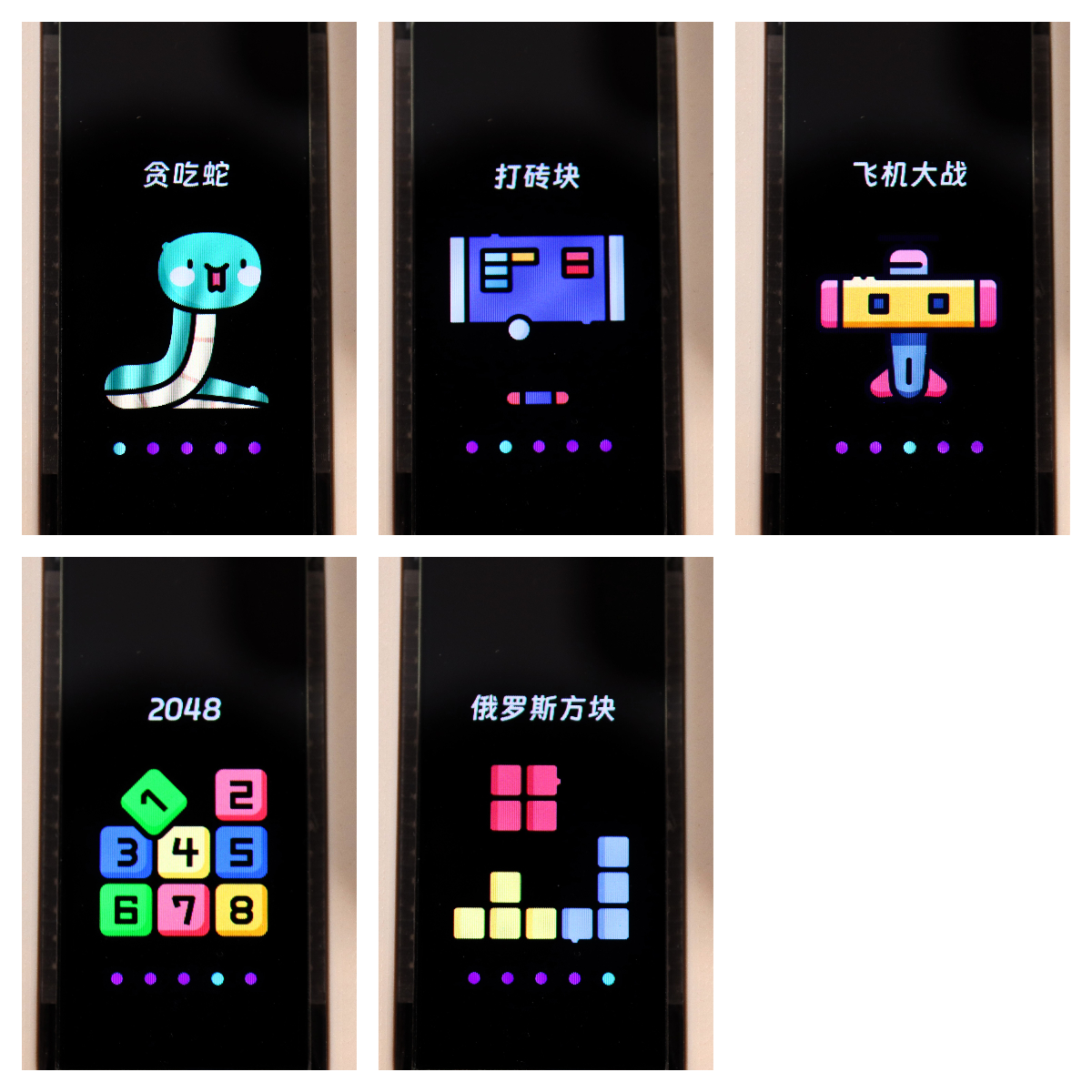
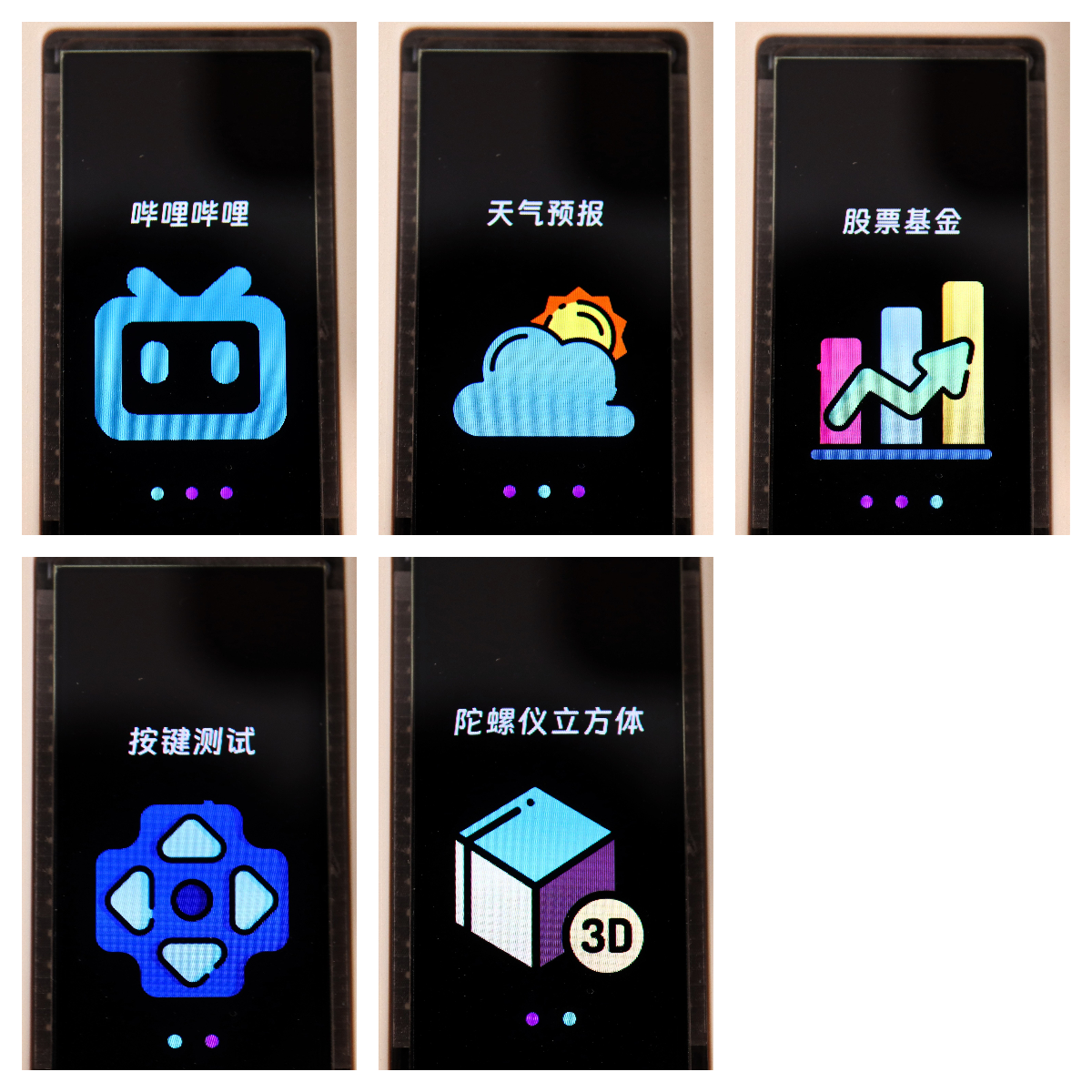
Menu and Remote Control Effect Test.
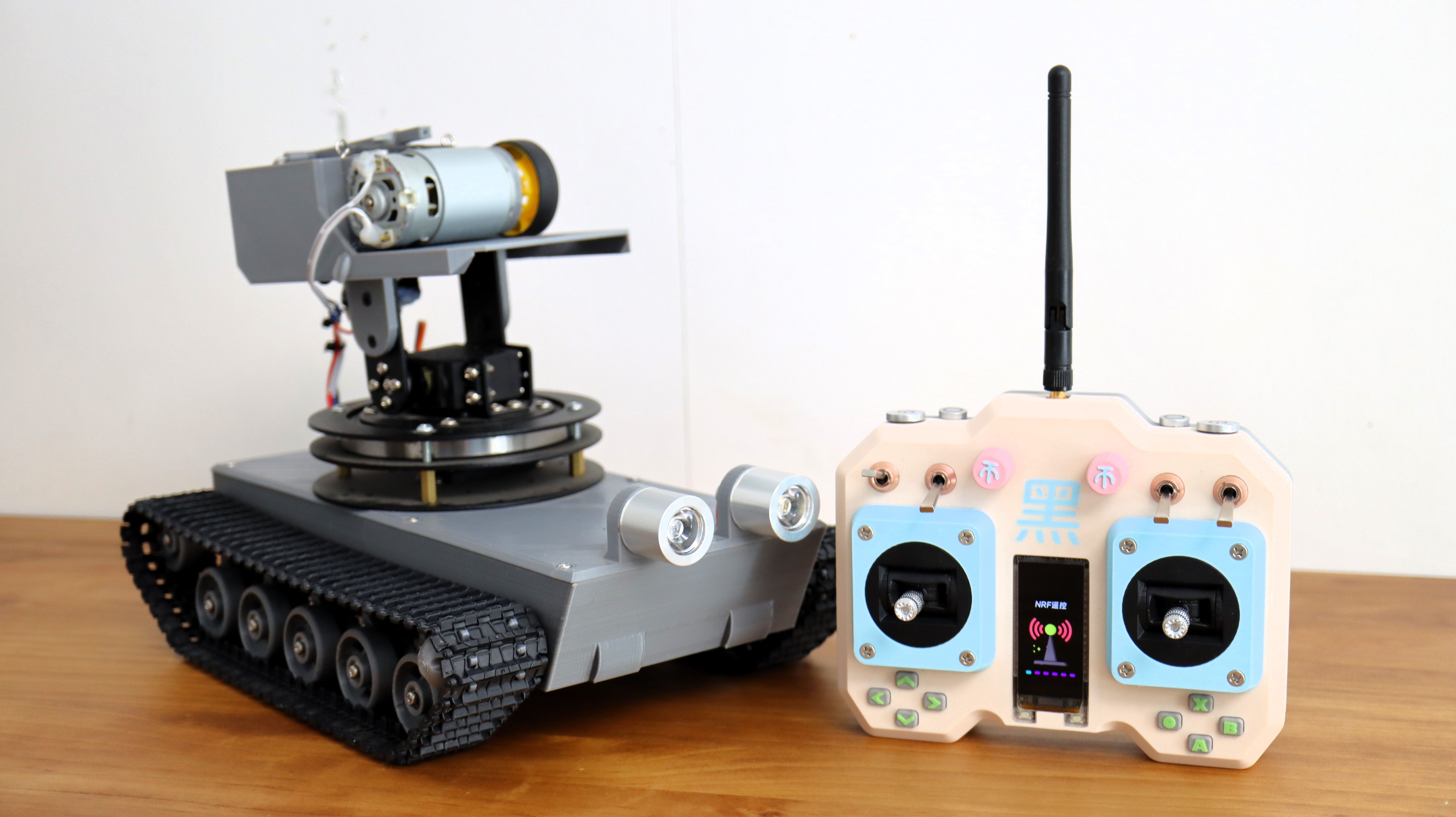
I used a previous tracked chassis for testing, and the results were good.
See the Bilibili video for details.
Menu Source Code and Icons
: The complete source code and icons are attached.
This system will be improved periodically; please follow the Bilibili account 【黑黑黑科技】 or this project.








 京公网安备 11010802033920号


 DUD512



