The problem requires
a thermocouple thermometer with an extreme temperature measurement capability of 1024℃.
Analysis:
I recently made a thermocouple thermometer with an extreme temperature measurement capability of 1024℃ in my spare time. Although it's called a thermometer, it's more like a development tool for learning. The code is extremely simple, and you can develop it according to your own needs. You can create whatever functions you need yourself; it can function as a thermometer or an alarm clock. The files are being organized and will be open-sourced on the LCSC open-source platform later. Everyone can replicate it. I've made five so far, and they will be available on Xiaohuangyu (a second-hand marketplace). If you're interested, come and join! For communication, contact me here: QQ 493952442.
Schematic design description:
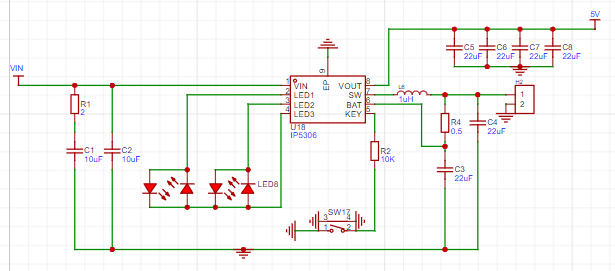
Charge and discharge using an IP5306 single-cell lithium battery. The chip charges the battery and simultaneously boosts the lithium battery voltage from 3.7V to 5V, stabilizing it to power the microcontroller and digital tube chip. Its main functions are voltage stabilization and lithium battery charge/discharge management. It can provide the microcontroller with a continuous output capacity of up to 2A, and the machine also has a 5V interface that, with the right program, can drive peripheral devices with a voltage of 5V 1.5A or less, eliminating the need for separate power supplies for these devices.
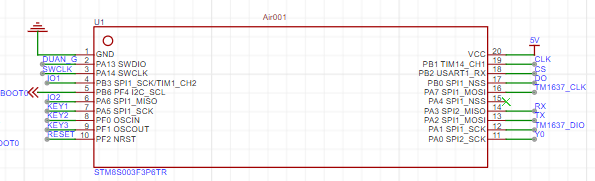
The Hezhou Air001 is a TSSOP20 packaged MCU using a high-performance 32-bit ARM® Cortex®-M0+ core, with 32Kbytes of Flash and 4Kbytes of RAM. The chip integrates multiple USART, IIC, SPI, and other communication peripherals, five 16-bit timers, one 12-bit ADC, and two comparators.
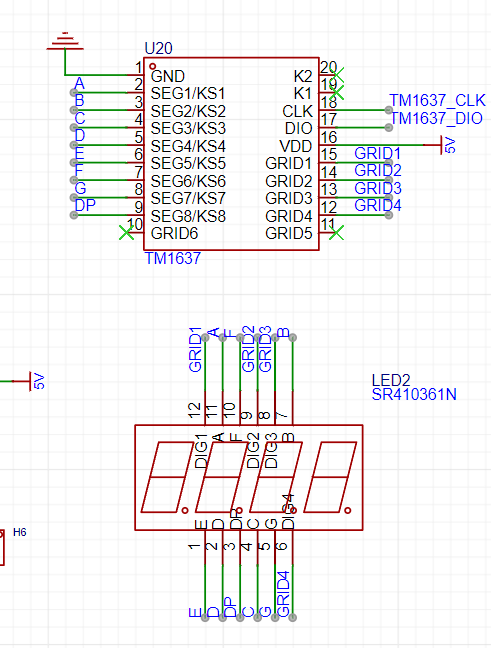
The TM1637 is controlled by a microcontroller to drive four common-anode diodes. Why not use I/O ports to drive transistors to control the digital tube? It's for beginners. With this chip, you only need to input data via DIO and CLK, without worrying about array issues. Furthermore, brightness doesn't need to be controlled manually with PWM; simply output data to the TM1637 for control—it's very simple.
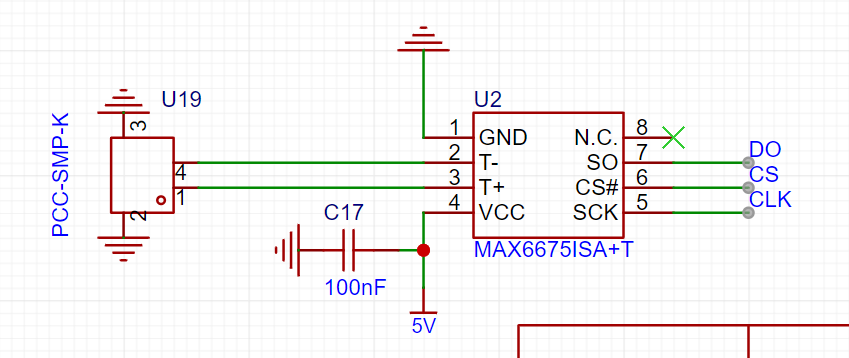
The MAX6675 internally has a signal conditioning amplifier that converts thermocouple signals into voltages compatible with the ADC input channel. The T and T- inputs are connected to a low-noise amplifier A1 to ensure high-precision input detection and isolate the thermocouple connection wires from interference sources. The thermoelectric potential output by the thermocouple is amplified by the low-noise amplifier A1, buffered by the voltage follower A2, and then sent to the ADC input.
The PCB design documentation for converting temperature and voltage values into equivalent temperature values
still needs optimization. However, the current version works normally; it can be used directly after board fabrication. The
software
code can be copied and pasted directly, but the corresponding library file needs to be downloaded. Without the library file, it will not run properly.
#include
#include
#include
// Define the pins for the digital tube connection
#define CLK PA7
#define DIO PA1
// Create a TM1637Display instance
TM1637Display display(CLK, DIO);
// MAX6675 pin definitions
#define MAX6675_CLK PB1
#define MAX6675_CS PB2
#define MAX6675_DO PB0
// Button pin definitions
#define SET_BUTTON PA5
#define INC_BUTTON PF0
#define DEC_BUTTON PF1
// Output pin definitions
#define OUTPUT_PIN PA0
MAX6675 thermocouple(MAX6675_CLK, MAX6675_CS, MAX6675_DO);
bool isSettingMode = false;
unsigned long lastBlinkTime = 0;
bool blinkState = false;
int setTemperature = 0;
const int minTemp = 0; // Minimum set temperature
const int maxTemp = 300; // Maximum set temperature
const unsigned long debounceDelay = 50; // Debounce delay
const unsigned long longPressDelay = 1000; // Long press detection delay
void setup() {
// Initialize digital tube
display.setBrightness(0x0f); // Set brightness, value range is 0-0x0f
// Initialize button input
pinMode(SET_BUTTON, INPUT_PULLUP);
pinMode(INC_BUTTON, INPUT_PULLUP);
pinMode(DEC_BUTTON, INPUT_PULLUP);
// Initialize output pin
pinMode(OUTPUT_PIN, OUTPUT);
// Read the set temperature from EEPROM
setTemperature = EEPROM.read(0); // Read the set temperature from address 0
// If the value in EEPROM is the initial value (255), then set the initial set temperature to 50
if (setTemperature == 255) {
setTemperature = 50;
saveSetTemperature(); // Save the initial set temperature to EEPROM
}
}
void loop() {
static unsigned long setButtonPressTime = 0;
// Check if the set button is long-pressed
if (digitalRead(SET_BUTTON) == LOW) {
if (setButtonPressTime == 0) {
setButtonPressTime = millis();
} else if (millis() - setButtonPressTime > longPressDelay) {
isSettingMode = !isSettingMode; // Switch mode
setButtonPressTime = 0; // Reset timer
}
} else {
setButtonPressTime = 0;
}
if (isSettingMode) {
// Display set temperature
display.showNumberDec(setTemperature);
// Increase temperature setting
if (digitalRead(INC_BUTTON) == LOW) {
delay(debounceDelay); // Debounce delay
if (digitalRead(INC_BUTTON) == LOW && setTemperature < maxTemp) {
setTemperature++;
saveSetTemperature(); // Save set temperature to EEPROM
delay(30); // Prevent continuous triggering
}
}
// Decrease temperature setting
if (digitalRead(DEC_BUTTON) == LOW) {
delay(debounceDelay); // Debounce delay
if (digitalRead(DEC_BUTTON) == LOW && setTemperature > minTemp) {
setTemperature--;
saveSetTemperature(); // Save the set temperature to EEPROM
delay(30); // Prevent continuous triggering
}
}
} else {
// Read the temperature
double temperature = thermocouple.readCelsius();
// Display the temperature
displayTemperature(temperature);
// Compare the actual temperature with the set temperature
if (temperature >= setTemperature) {
digitalWrite(OUTPUT_PIN, HIGH);
} else {
digitalWrite(OUTPUT_PIN, LOW);
}
// Wait for a period of time
delay(200);
}
}
void displayTemperature(double temp) {
// Convert the temperature value to an integer
int tempInt = int(temp);
// Display the temperature value on the digital tube
display.showNumberDec(tempInt);
}
void saveSetTemperature() {
EEPROM.write(0, setTemperature); // Write the set temperature to address 0
EEPROM.update(0, setTemperature); // Update EEPROM data
}
Physical demonstration, instructions, and
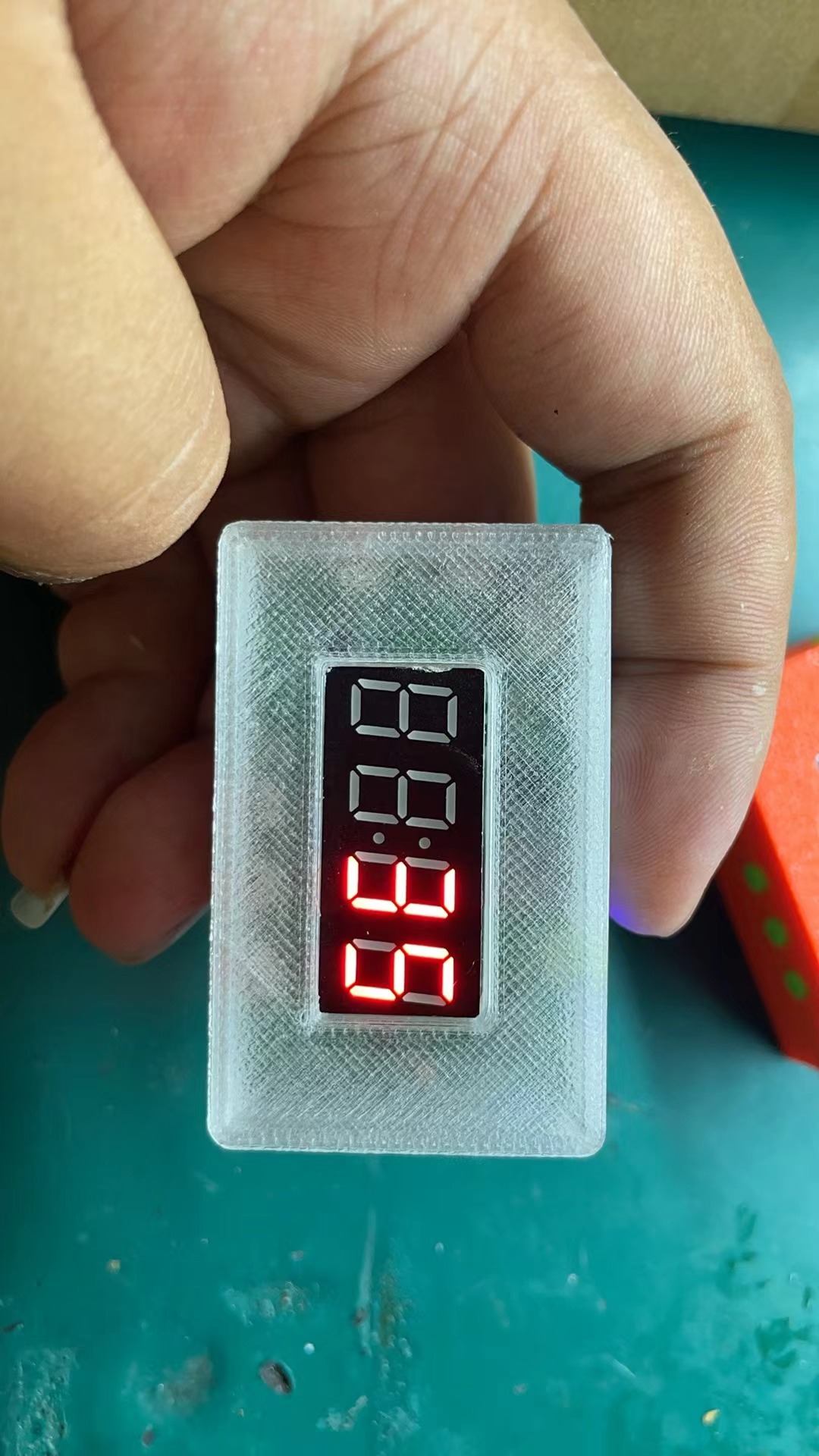
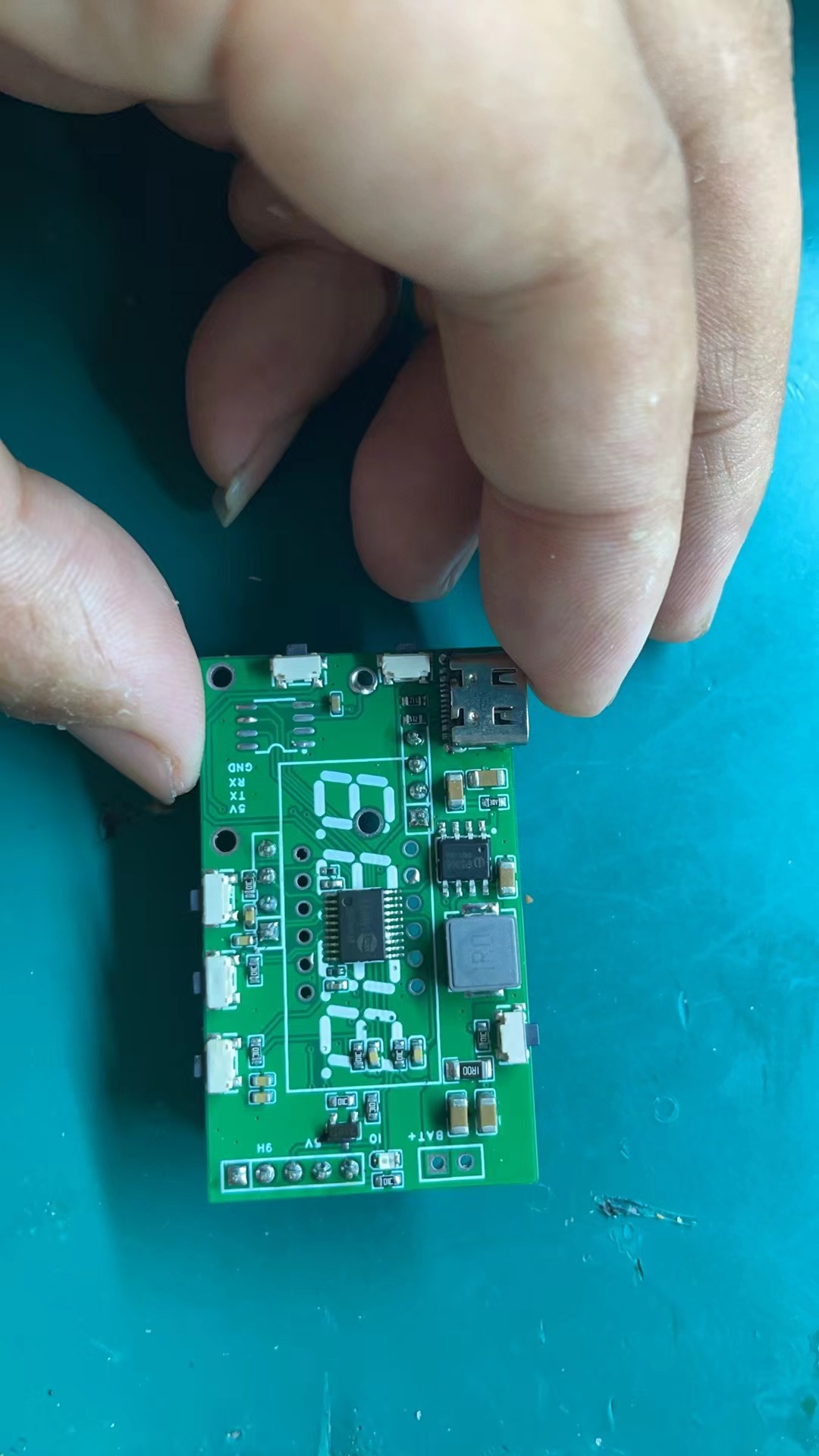
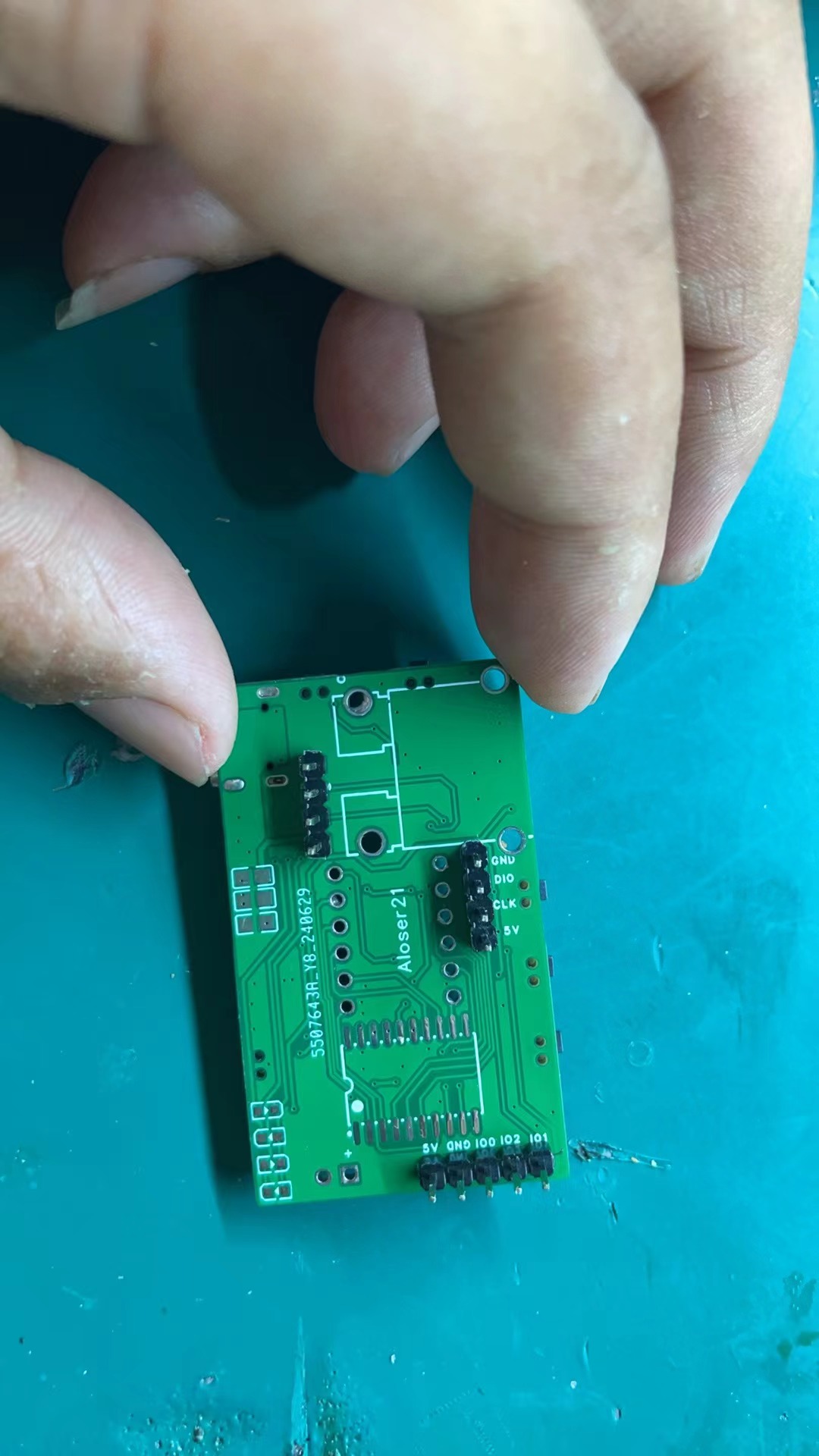
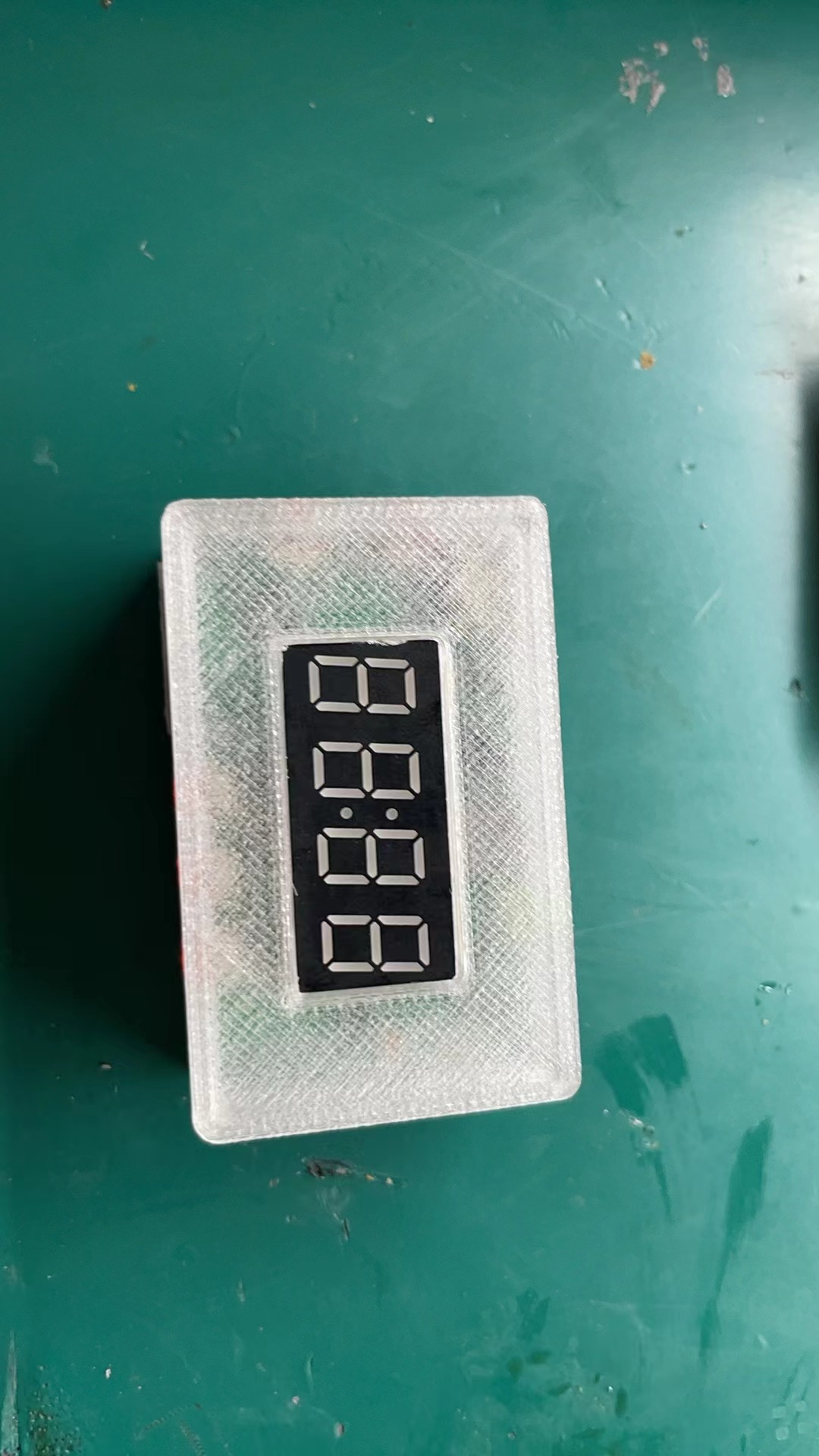
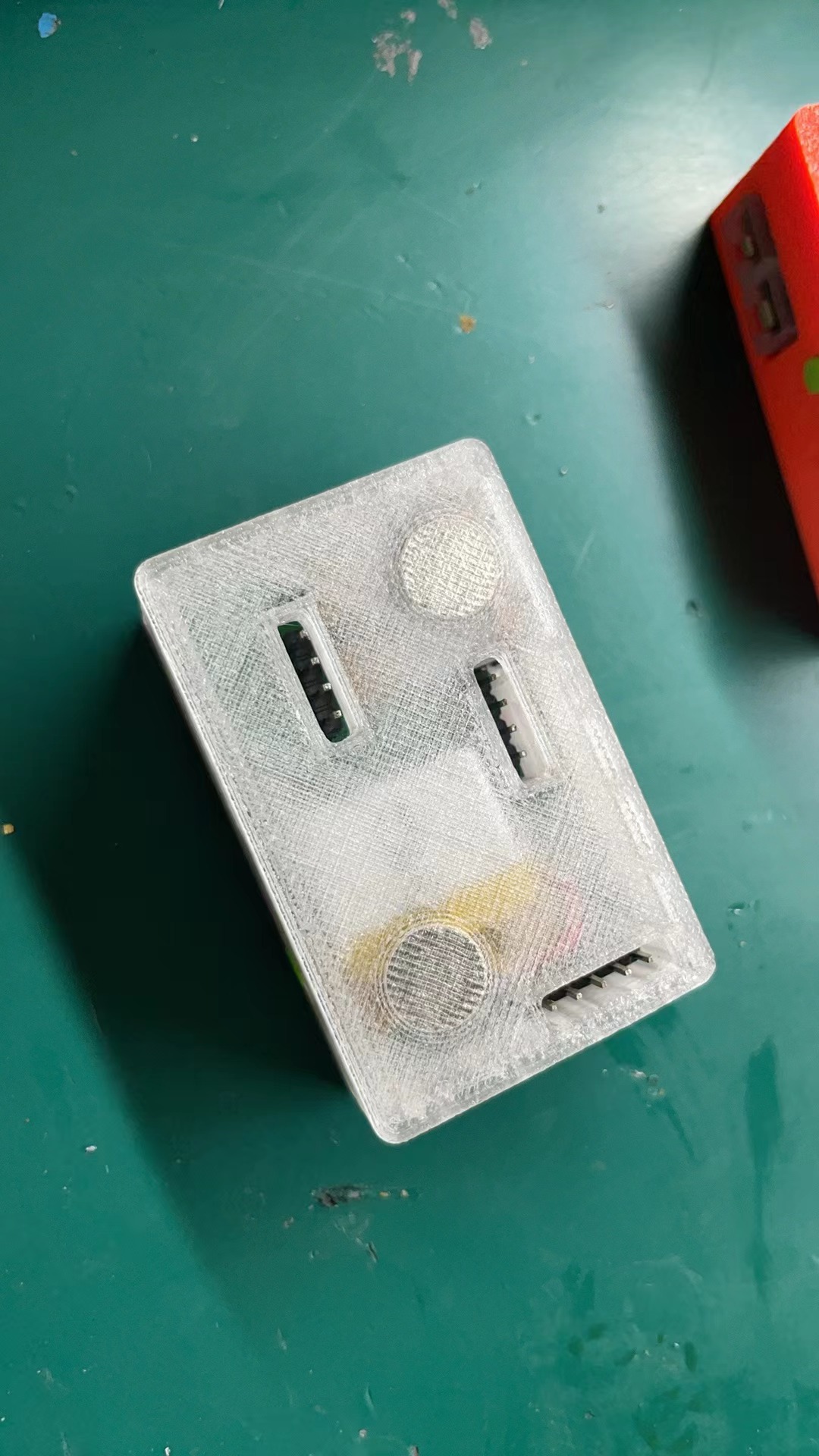
precautions :
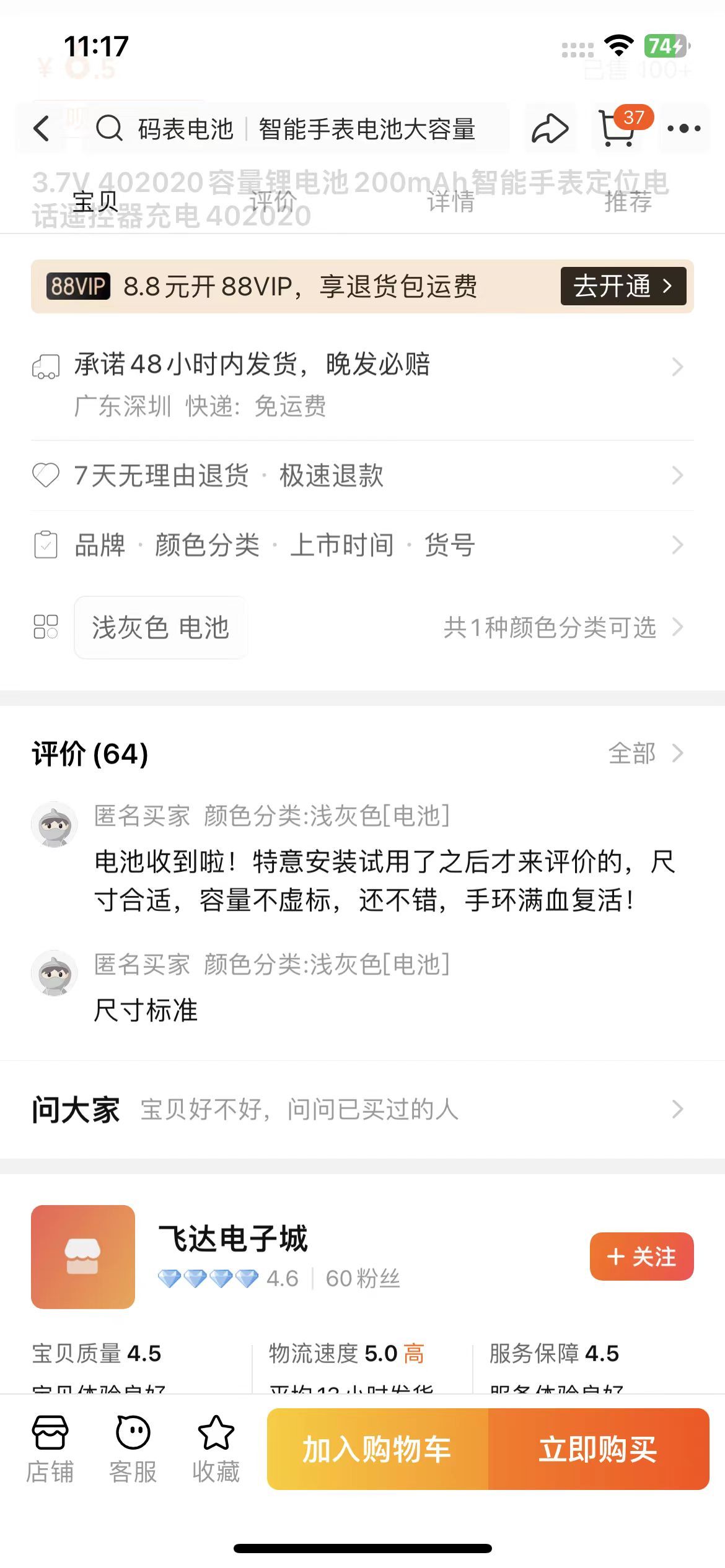
Note the battery size. I bought this one from this brand; I don't know about other brands.
Demo video:
[Extreme Temperature Measurement 1024℃ (Open Source Thermometer) - Bilibili] https://b23.tv/mNy7Age
For any questions about replicating, you can join the group for discussion: 493952442
Note: Entries participating in the event must upload the relevant program attachments to the open source platform or personal code storage cloud. The maximum upload size for attachments is 50MB (please do not upload to the LCSC workspace, as there are limitations).








 京公网安备 11010802033920号


 EMW9GT33-200.010-2.5/-10+60



