Common programmers used for programming ARM core microcontrollers include ST-Link, J-Link, and DAP-Link.
Hardware Design:
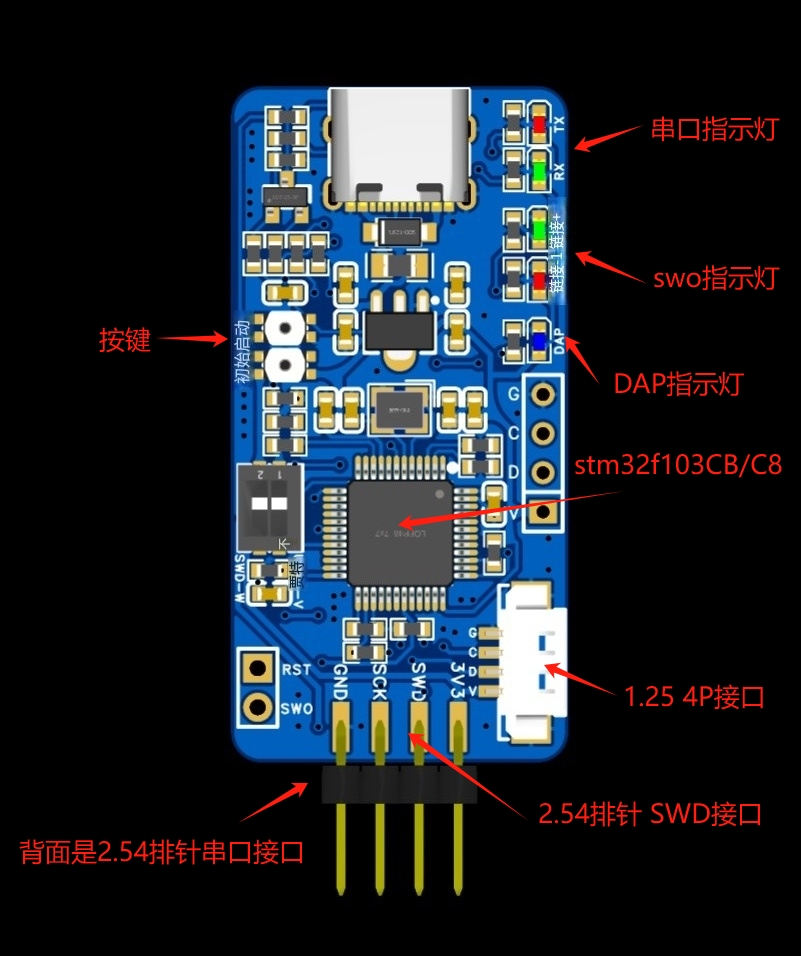
1. Uses a Type-C interface, adds indicator lights, power output switching, a reset button, anti-backflow Schottky diodes, and a resettable fuse.
2. Two SWD interfaces: Interface 1 uses a 2.54mm pin header, with the common pinout as 3V3--SWD---SCK---GND. Interface 2 uses an MX1.25-4p connector (purchased with a 16-15 coupon). This design utilizes
three solutions, all supporting virtual serial ports. It allows for direct programming and serial port debugging.
4. The pin configuration is compatible with ST-Link, J-Link, and DAP-Link.
Component availability, price, and soldering difficulty:
1. Common components are used, mostly obtainable from platform vendors with a 16-15 coupon, reducing personal DIY costs. (Thanks to LCSC!)
2. The components are arranged somewhat densely, requiring a steady hand for soldering. Solder paste and heating plate are relatively simple.
Apply solder
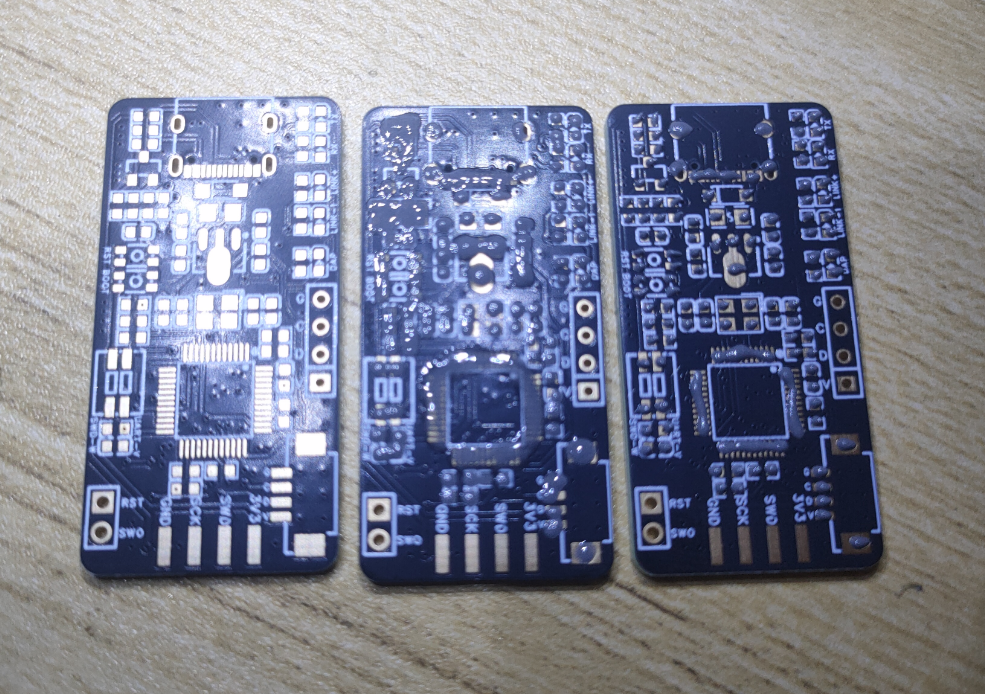
paste, mount the components, and place them on the heating plate. Key point
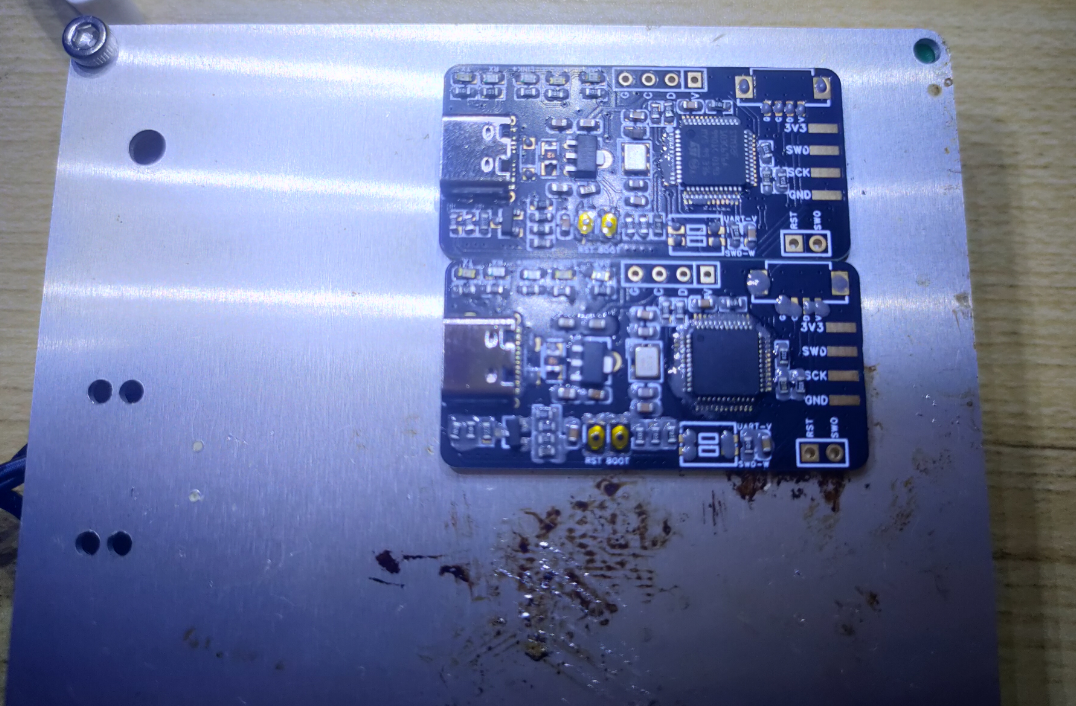
complete
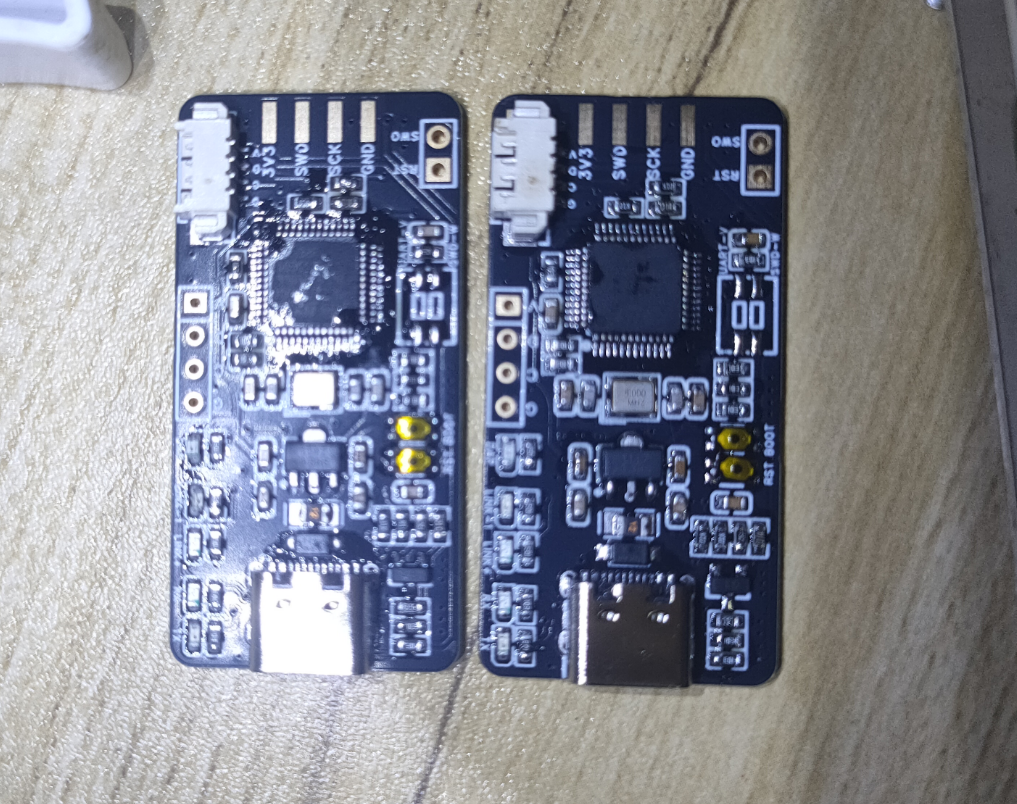
!!!
Firmware burning and testing
: First, the ST-Link firmware is burned: Two versions are used depending on whether F103CBT6 or F103C8T6 is used.
Version 1: STMF103CBT6, 128k flash version, burning STLinkV2.J28.M18_CB.bin firmware
. I used my old programmer to burn the new one;
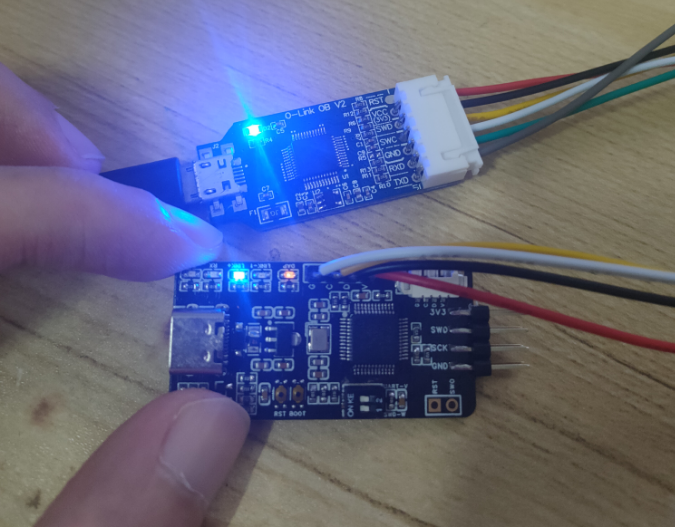
opened J-flash Lite
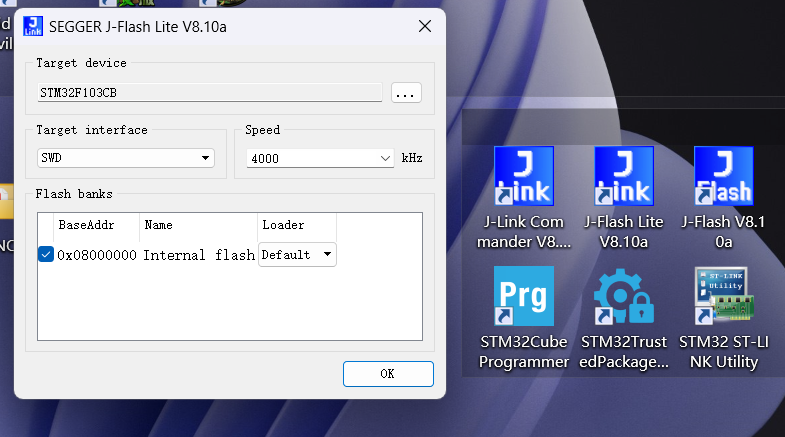
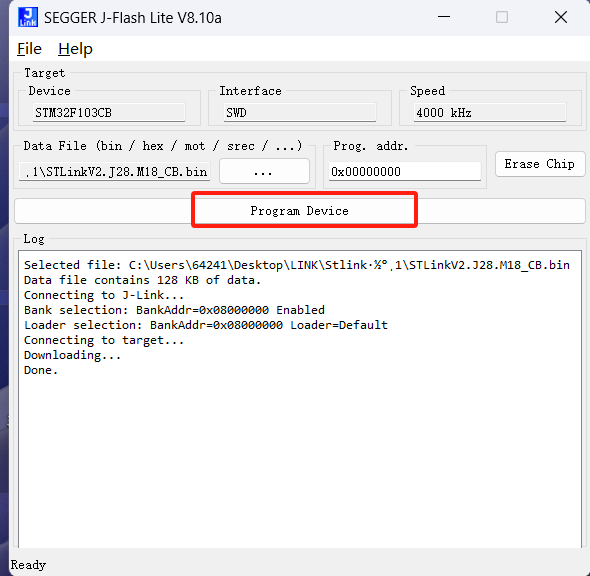
, selected firmware, clicked burn, and the burning was successful.
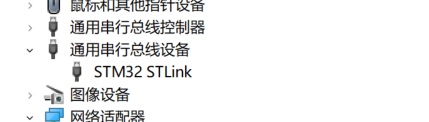
Connect the new programmer to USB; the Link+ LED will stay on. Device Manager will display an STM32 STLink serial bus device.
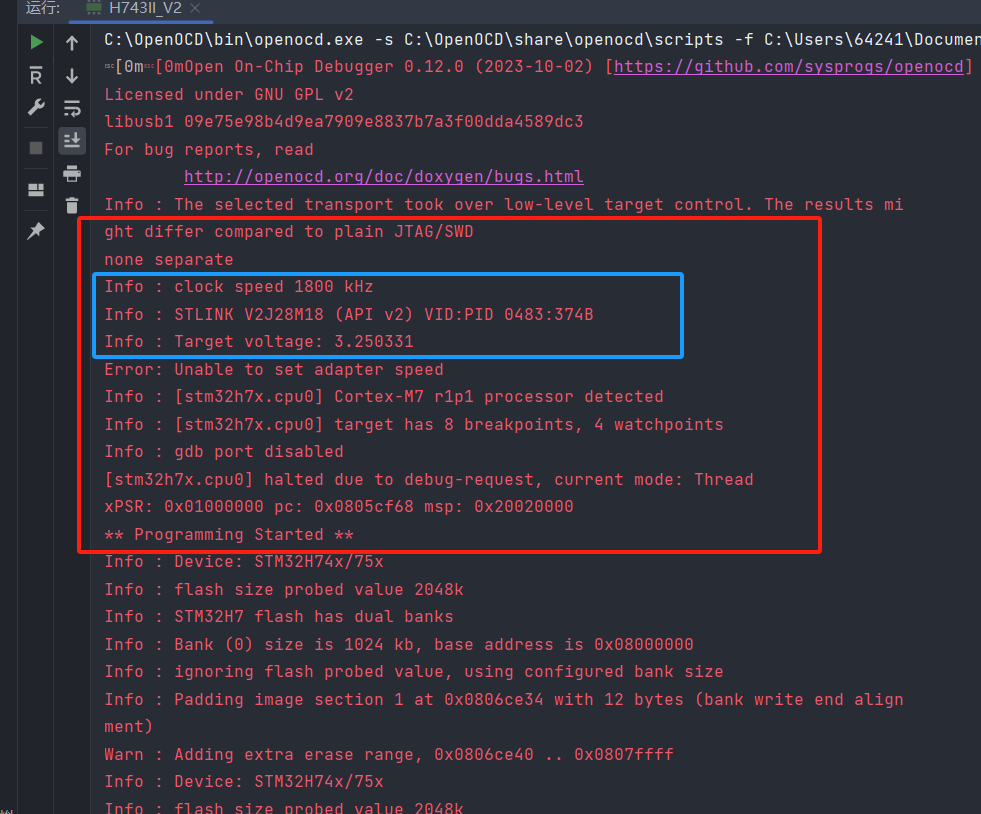
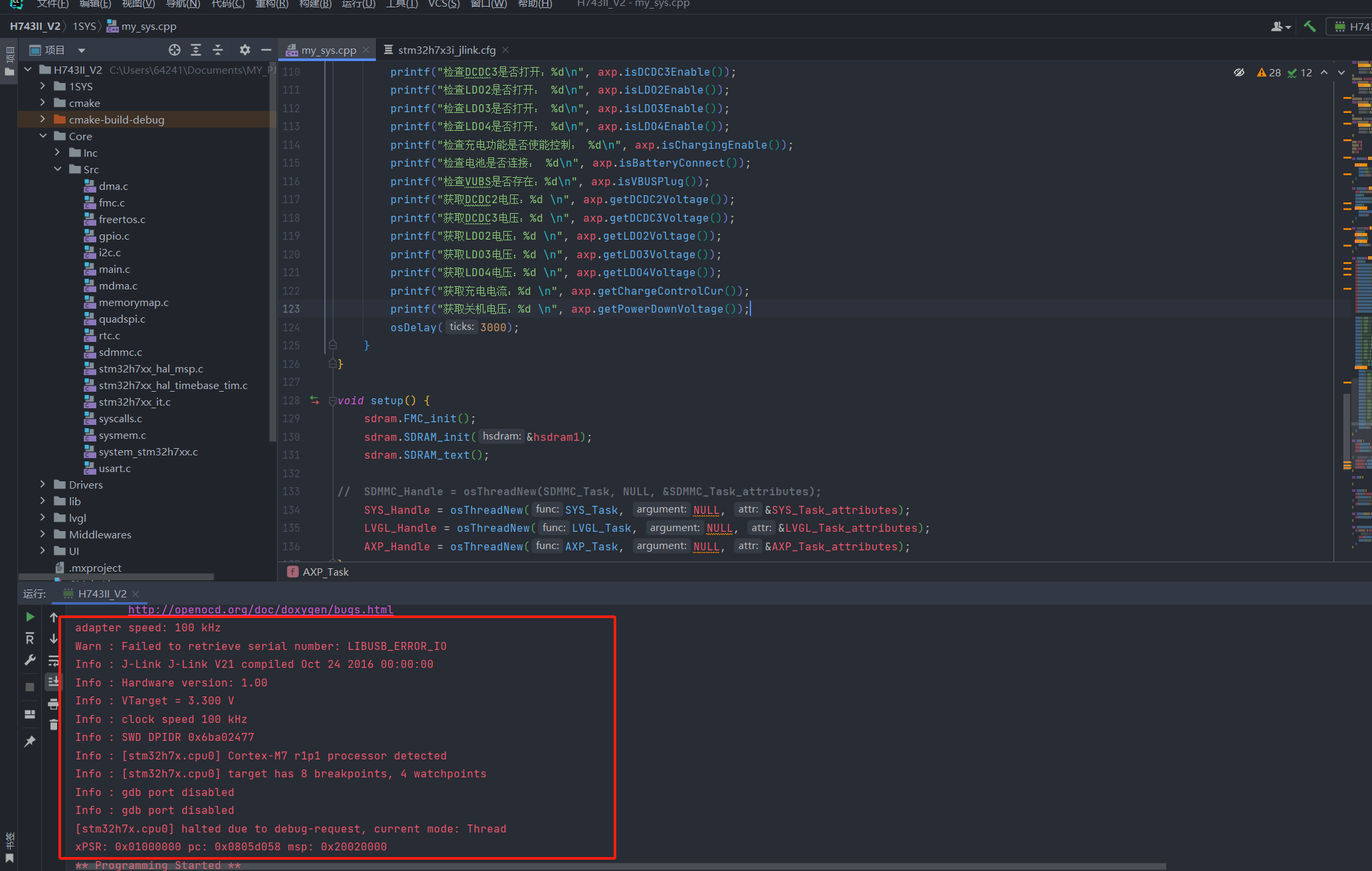
Testing was performed using OpenOCD configured in the CLion IDE development environment. The ST-Link information was successfully displayed, the firmware version was v2, and the burning was successfully recognized.
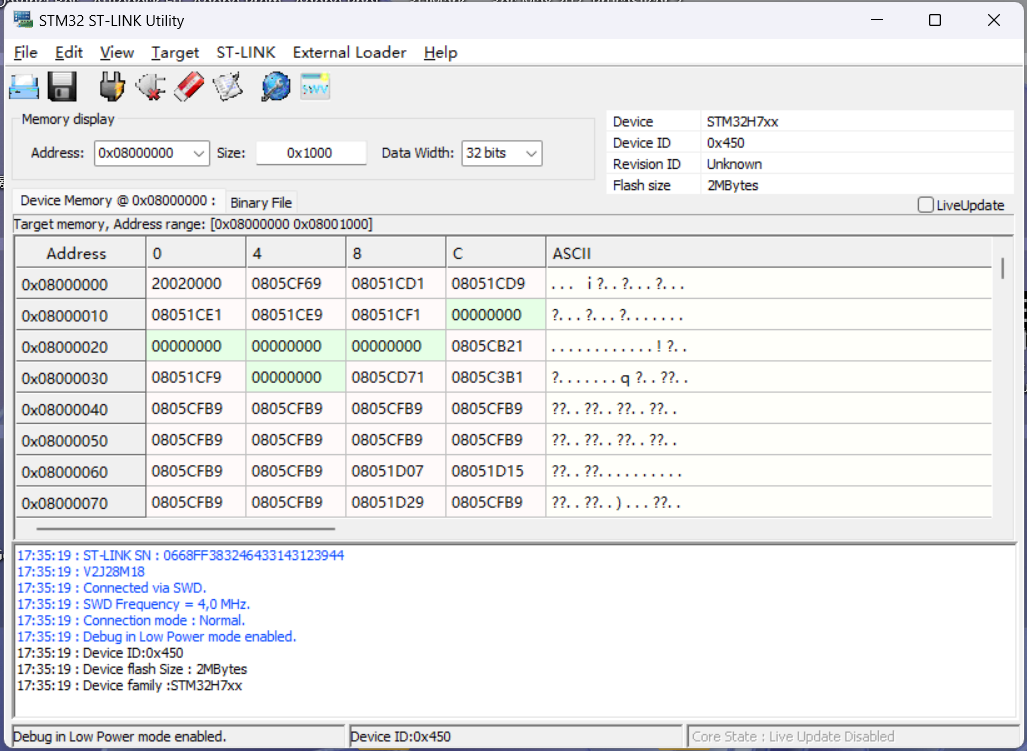
The test used ST's official programming tool, ST-LINK Utility, and successfully connected, recognized the MCU core, and successfully programmed it. (Note: The SWD interface must be connected to the MCU to be programmed for a successful connection.)
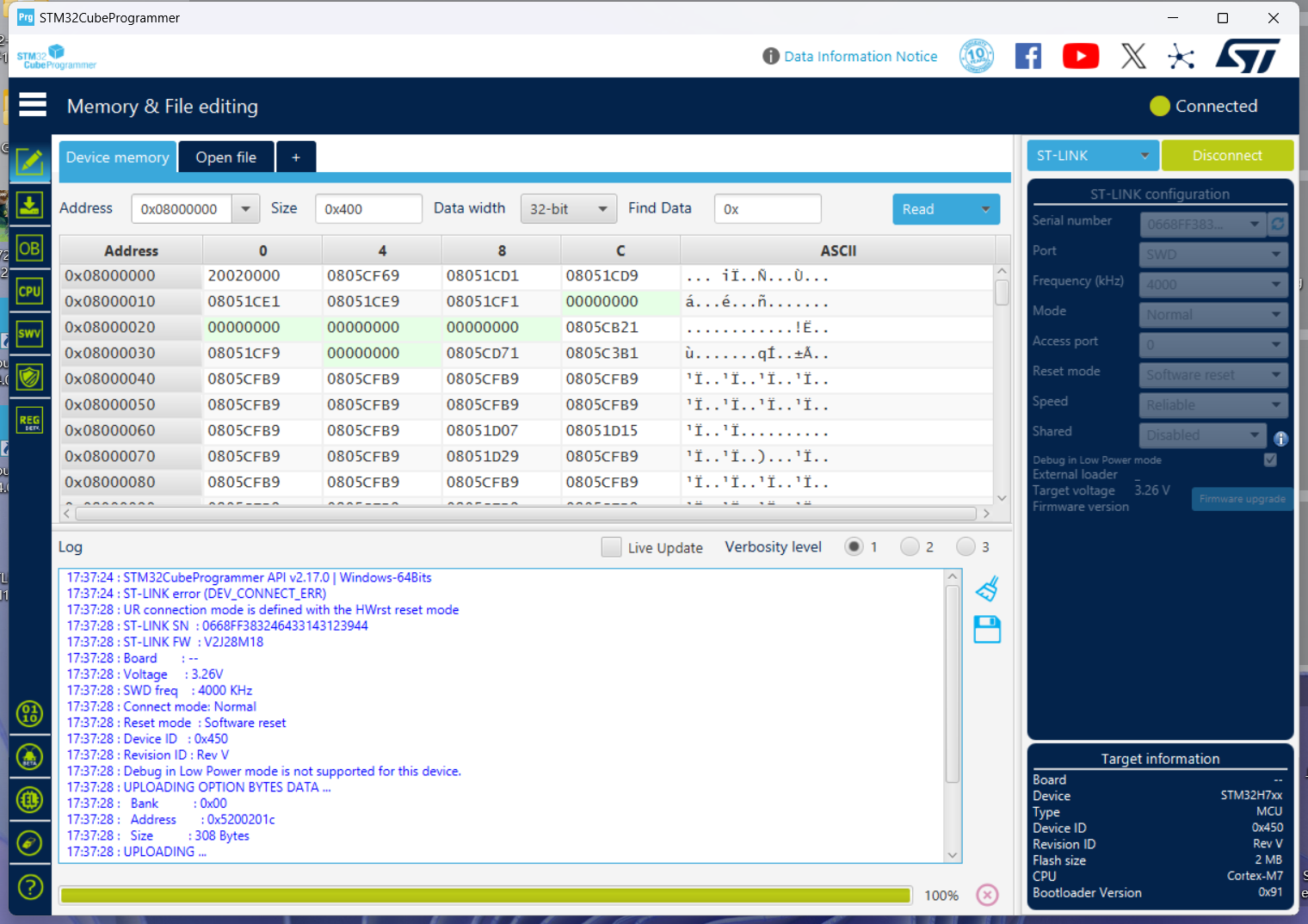
The new version of ST's official programming tool, STM32CubeProgrammer, also successfully connected and recognized it. (Note: The SWD interface must be connected to the MCU to be programmed for a successful connection.)
Firmware upgrade:
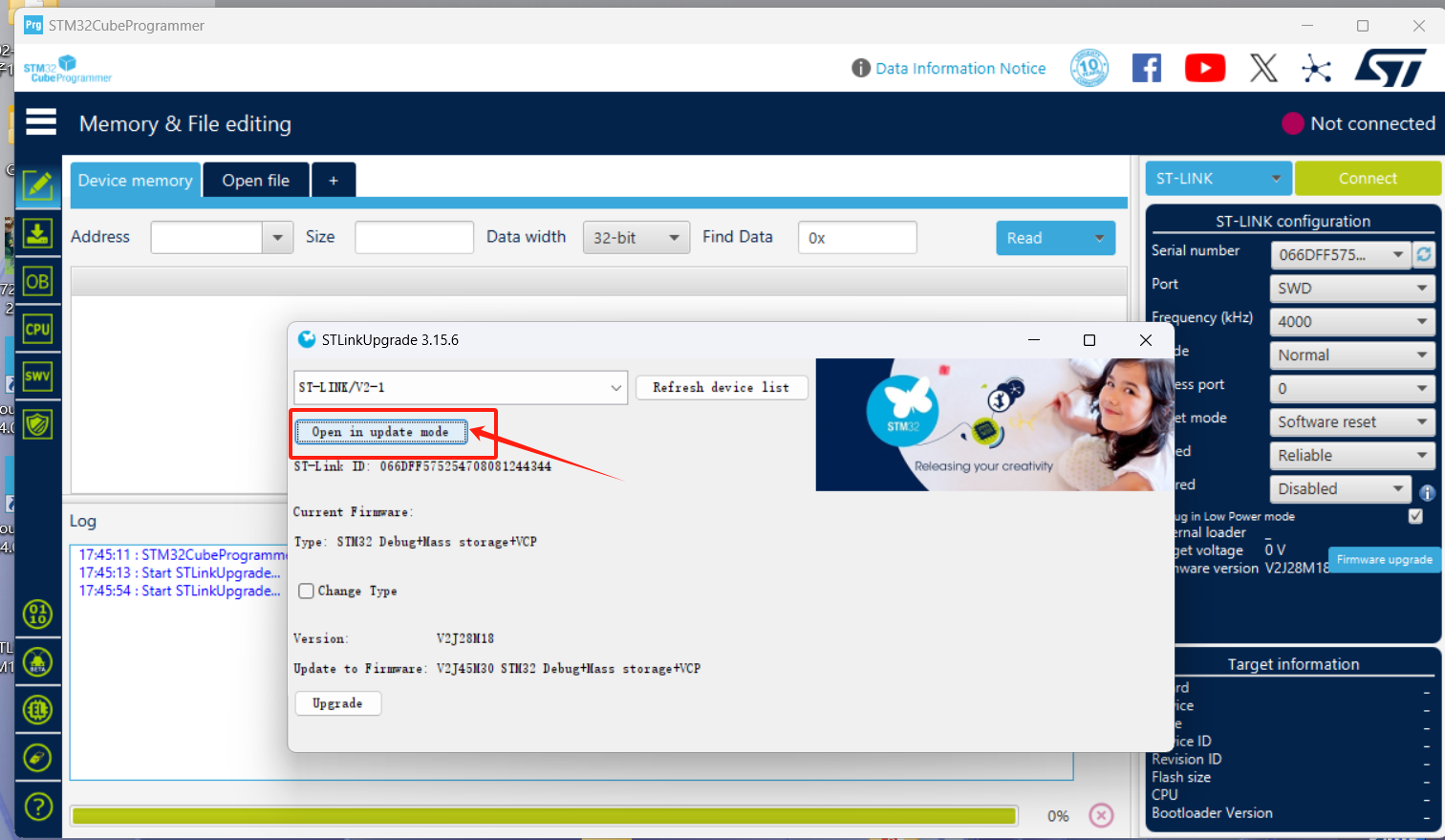
Using the upgrade tool included with the new version of ST's official programming tool, STM32CubeProgrammer,
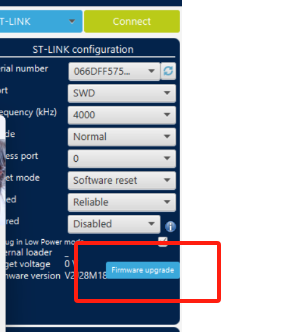
the firmware was upgraded based on this version. Click "Open in update made" several times until the new firmware version appears, then click "Upgrade" to complete the upgrade. The upgraded firmware version is V2J45M30.
Now you can happily use ST-LINK.
It can be directly recognized and used in various IDEs without changing the driver. However, the J-Link solution requires driver switching in the OpenOCD and J-FLASH IDEs. The following describes the firmware programming and testing of the J-Link solution.
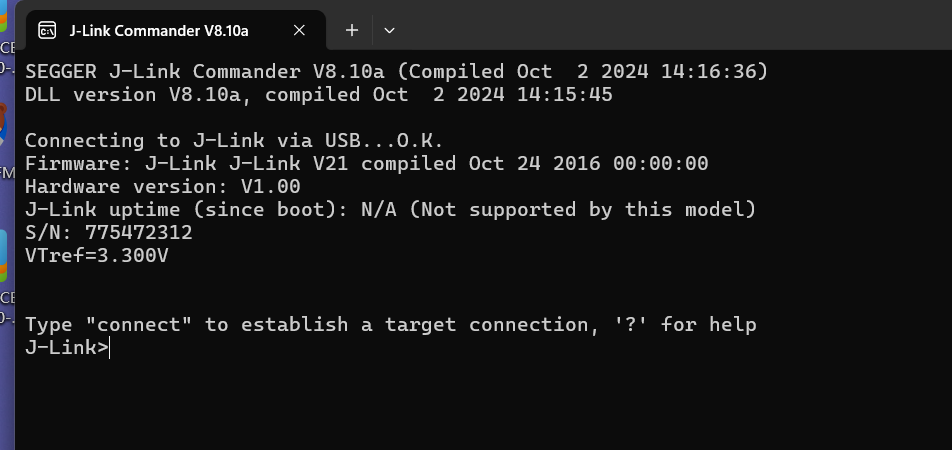
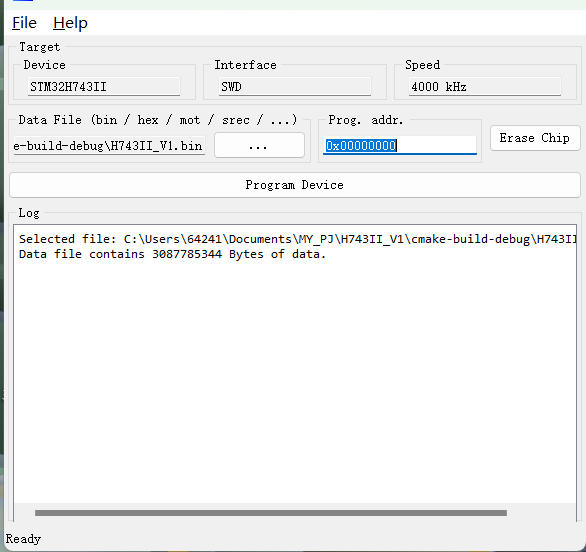
When the program driver is J-Link, the device displays as J-Link driver. At this time, official supporting programs such as J-FLASH can be used,
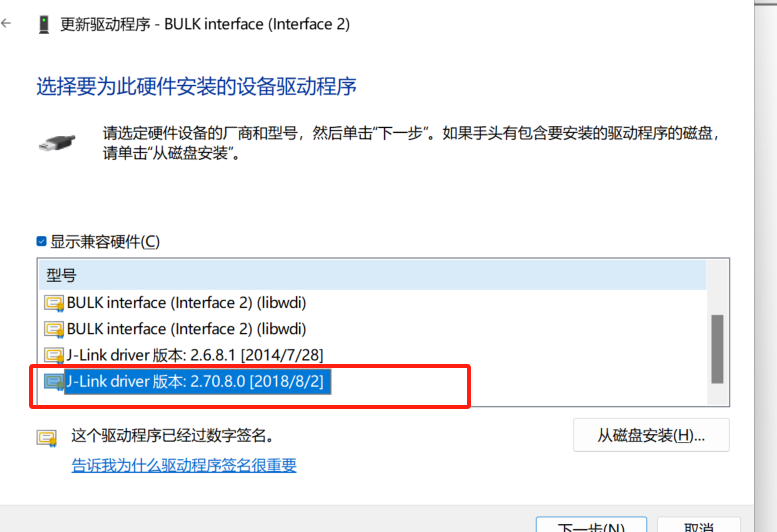
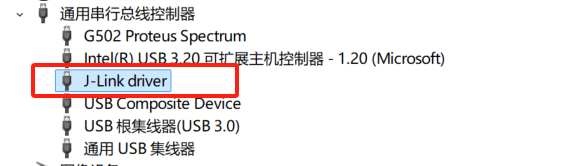
but the CLion environment's OpenOCD will not recognize J-Link. In this case, the driver needs to be changed
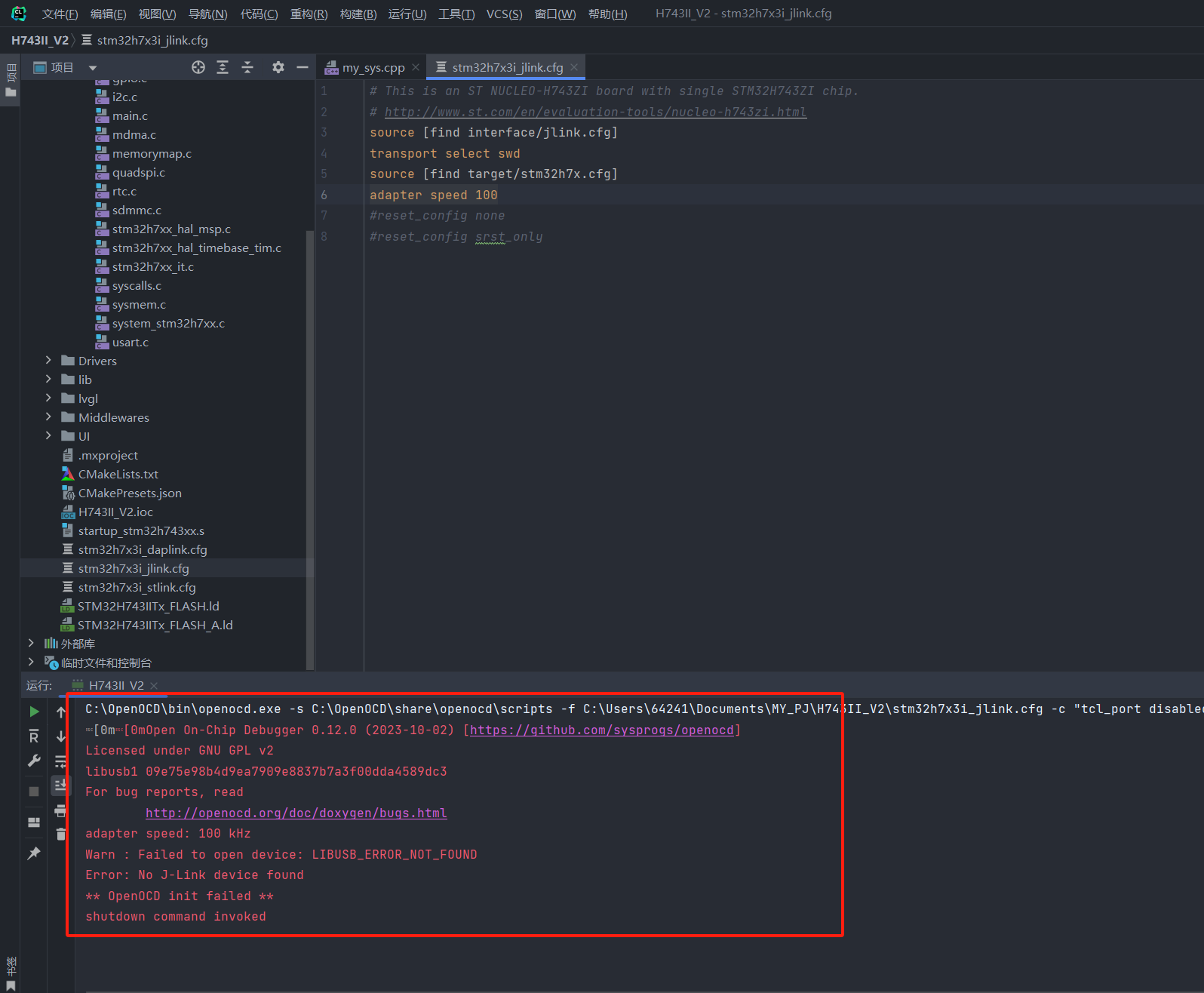
to libusdk. The first time using it, you need to use Zadig to change the program; afterwards, you can directly update and switch the driver in Device Manager.
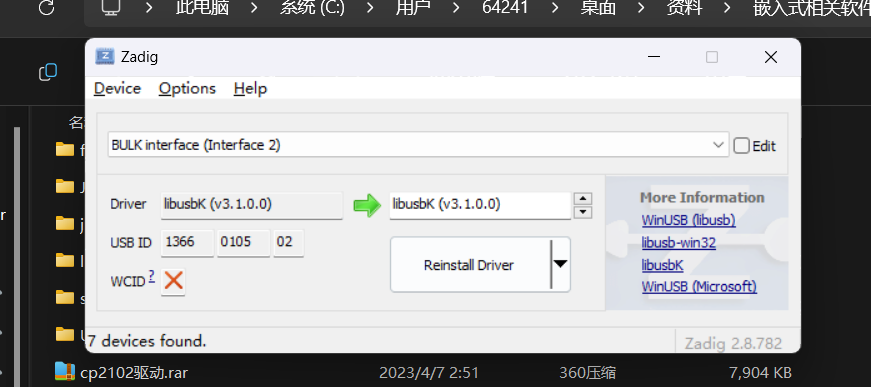
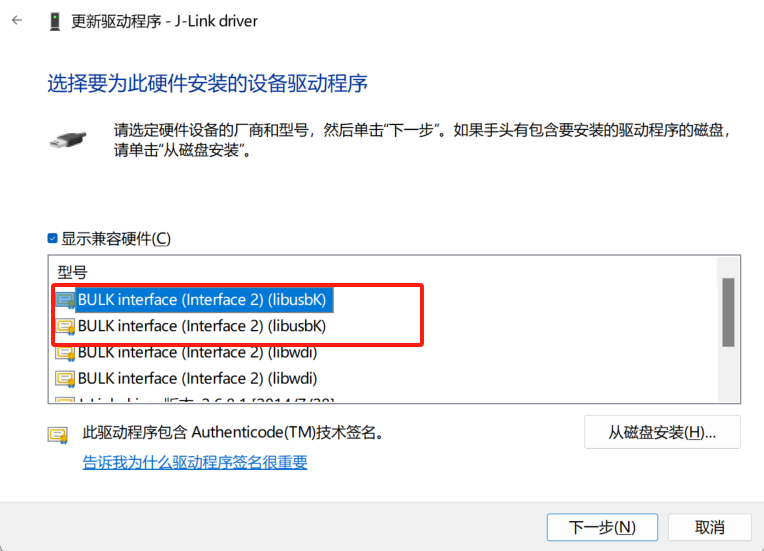
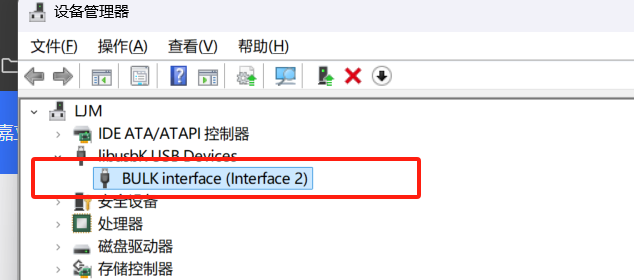
After updating to the libusdk driver, CLion OpenOCD can recognize and program normally. If you need to use J-Flash, you need to switch the driver back to J-Link. (To avoid this pitfall!!)
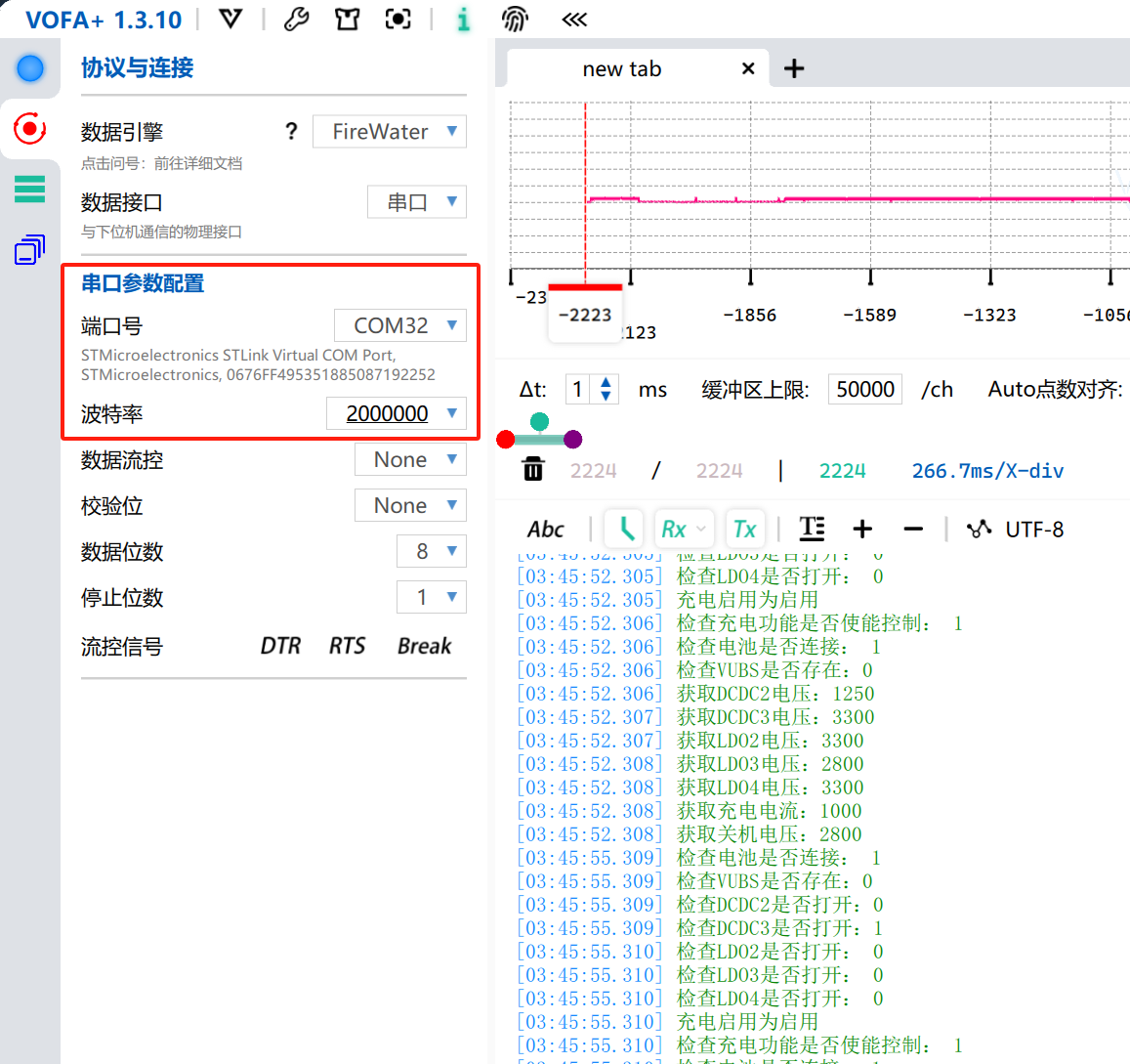
Serial port tests for both ST-Link and J-Link solutions are normal. The serial port baud rate is set to a maximum of 200000 for stable output.
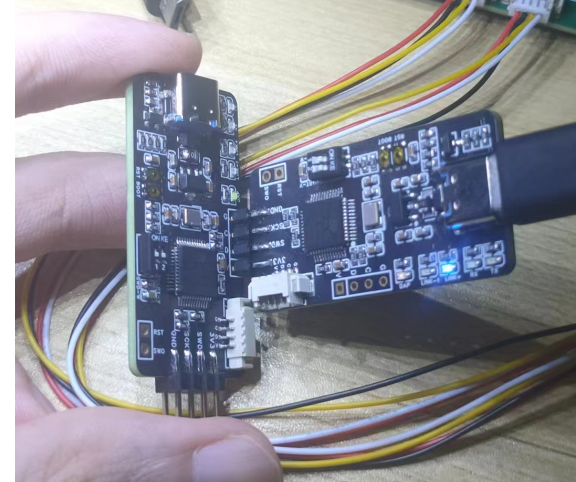
----Recommended simple connection schemes for SWD:
Self-programming. For the through-hole type, design a 4-pin header interface on the edge of the board, as close to the edge as possible, with the distance from the center of the hole to the edge of the board less than 2.3. This PCB layout is generally easy to achieve.
To facilitate direct programming, pay attention to the pin order. If the interface is located on the right or top of the board, the pin order is GND--SCK--SWA---3V3; the order is reversed on the left and bottom. Otherwise, direct programming via the pin header will be impossible,
or the pins may be blocked by the serial port header. In this case, a programming cable will be required.
STLinkV2.J28.M18_CB.bin
JLink-ob V21_C8.bin
CMSIS_DAP_C8.hex
STM32 ST-LINK Utility v4.6.0_setup.zip
JLink_Windows_V810a_x86_64.zip
PDF_Supports DapLink, STLink, and JLink programmers.zip
Altium programmer that supports DapLink, STLink, and JLink solutions. (zip file)
PADS_Provides a programmer that supports DapLink, STLink, and JLink solutions. (zip file)
BOM (Bill of Materials) supports DapLink, STLink, and JLink programmers. (xlsx)
91693
Encoder module
The encoder module can count the number of times.
This is a rotary encoder module:
The basic internal schematic is as follows:
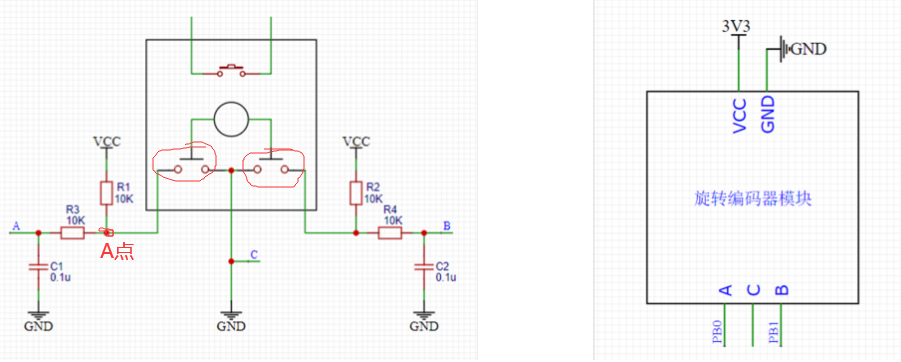
The two unconnected pins at the top are a switch, which is the switch used when the encoder is pressed down. It can be connected to the circuit if needed.

The principle is as follows:
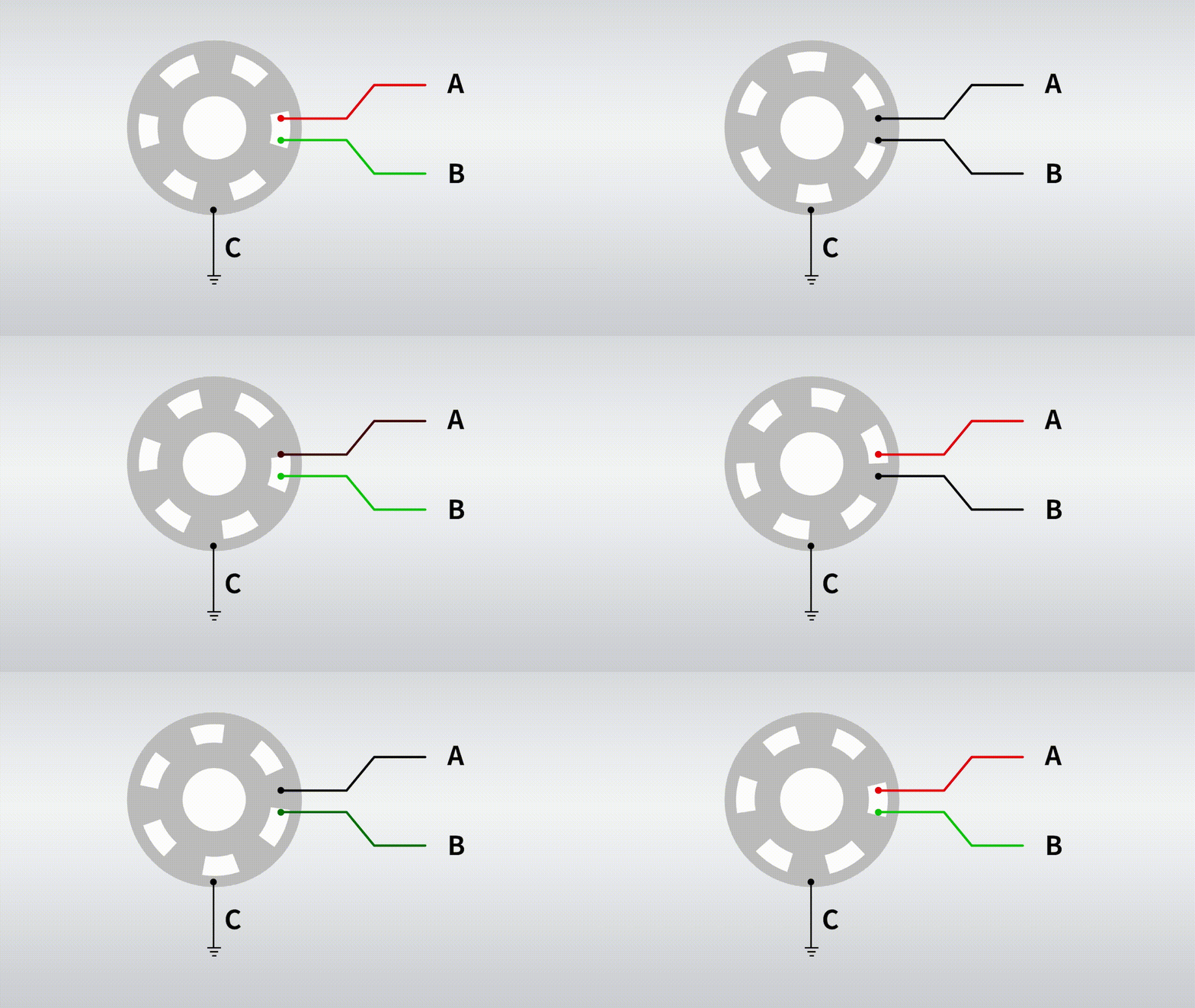

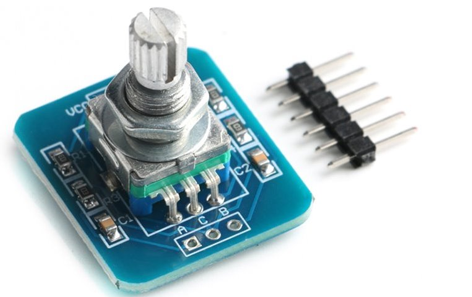
The physical diagram is as follows:
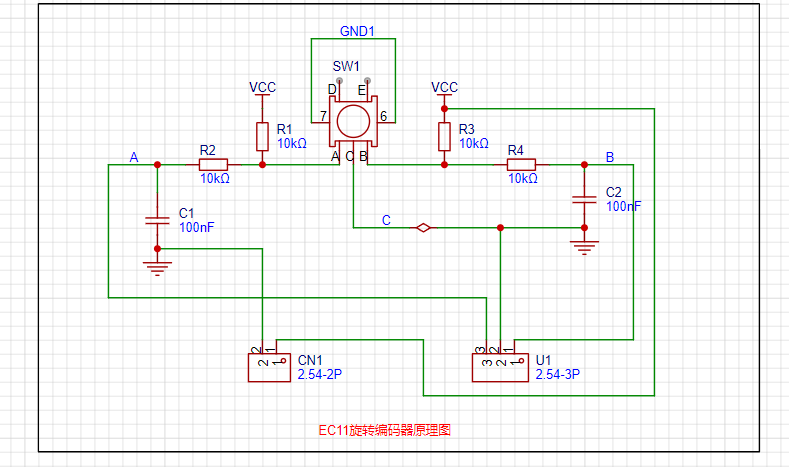
The schematic diagram is as follows: My switch pins D and E are not connected; you can connect them based on my schematic diagram if needed.
The 3D diagram is as follows:
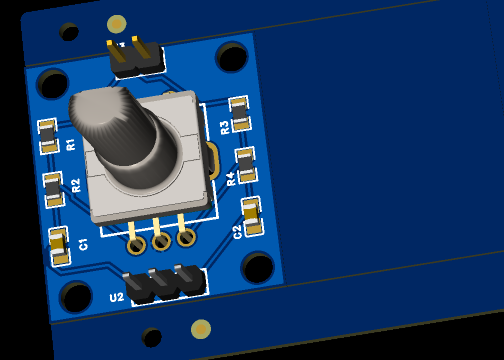
PDF_encoder module.zip
Altium_encoder_module.zip
PADS_encoder module.zip
BOM_14.EncoderModule.xlsx
91695
Ultra-small and easy-to-use current and voltage meter
Thanks to @wffg for the open-source project. This project is characterized by its extremely small size, lack of a USB-C port, and low cost.
This is a cloned and modified version of the simple ammeter project by @wffg, with only the PCB modified. Thanks to the open-source
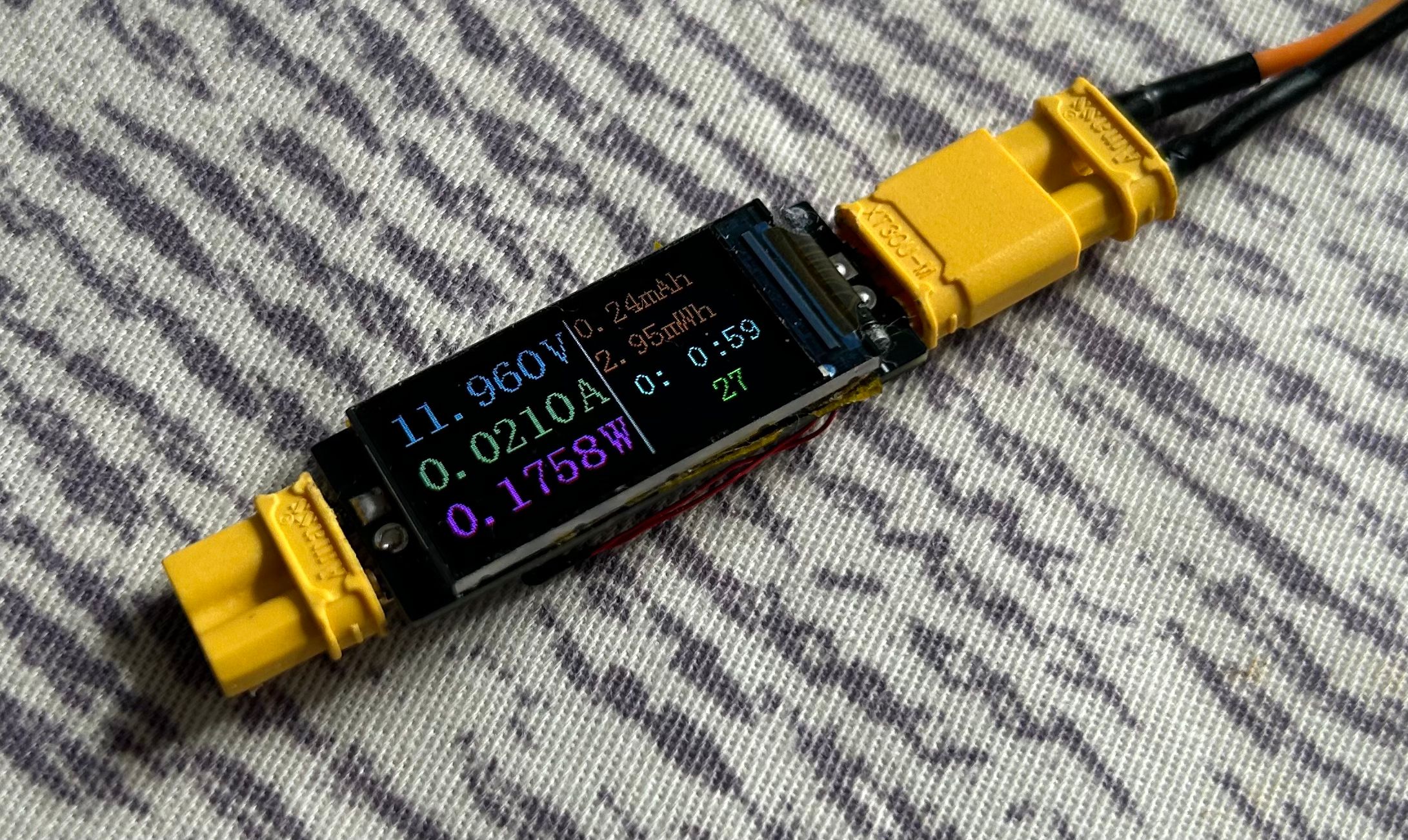
project for its features:
ultra-small (only the size of a 0.96-inch TFT screen)
, minimalist design, no CC port (can be used as a meter head),
inexpensive, and needs no further explanation
. Notes on replicating:
When soldering the TFT screen, each pin needs to be soldered individually; the temperature should not be too high;
the back of the screen needs to be insulated; the windowed area needs to be tinned to meet overcurrent requirements.
For the BOM (Bill of Materials), please be sure to open the schematic and purchase the meter yourself.
Except for the sampling resistor, all resistors and capacitors use 0603 for easy soldering.
See the original project for more details.
jdf9.hex
PDF_Miniature and Simple Current and Voltage Meter.zip
Altium_Miniature Simple Current and Voltage Meter.zip
PADS_Ultra-small and easy-to-use current and voltage meter.zip
BOM_Ultra-small and easy-to-use current and voltage meter.xlsx
91696
LED current limiting resistor selection test
Visually observe the corresponding LED brightness under different sizes of current-limiting resistors.
In engineering applications, LEDs are often used to indicate the operating status of a PCB, such as power-on and communication. However, a troublesome problem is that improper selection of the current-limiting resistor can result in LEDs that are too bright or too dim, severely impacting the visual experience (especially being blindingly bright). The purpose of this board is to visually demonstrate the corresponding LED brightness under different current-limiting resistor sizes, manually adjust it to a satisfactory brightness, and then apply it to my own project.
3ab6c4eaaa8ffc6a26f802cbc80f204f.mp4
PDF_LED Current Limiting Resistor Selection Test.zip
Altium_LED Current Limiting Resistor Selection Test.zip
PADS_LED Current Limiting Resistor Selection Test.zip
BOM_LED Current Limiting Resistor Selection Test.xlsx
91697
STC32 Development Board
Learn how to use STC32G12K128
Introduction:
This project is a learning board based on the STC89C51/52 microcontroller. It features a USB direct programming port, infrared, dot matrix, motor driver, LCD, OLED, buzzer, NRF24L01 interface, DS18B20 module, and digital tube circuitry.
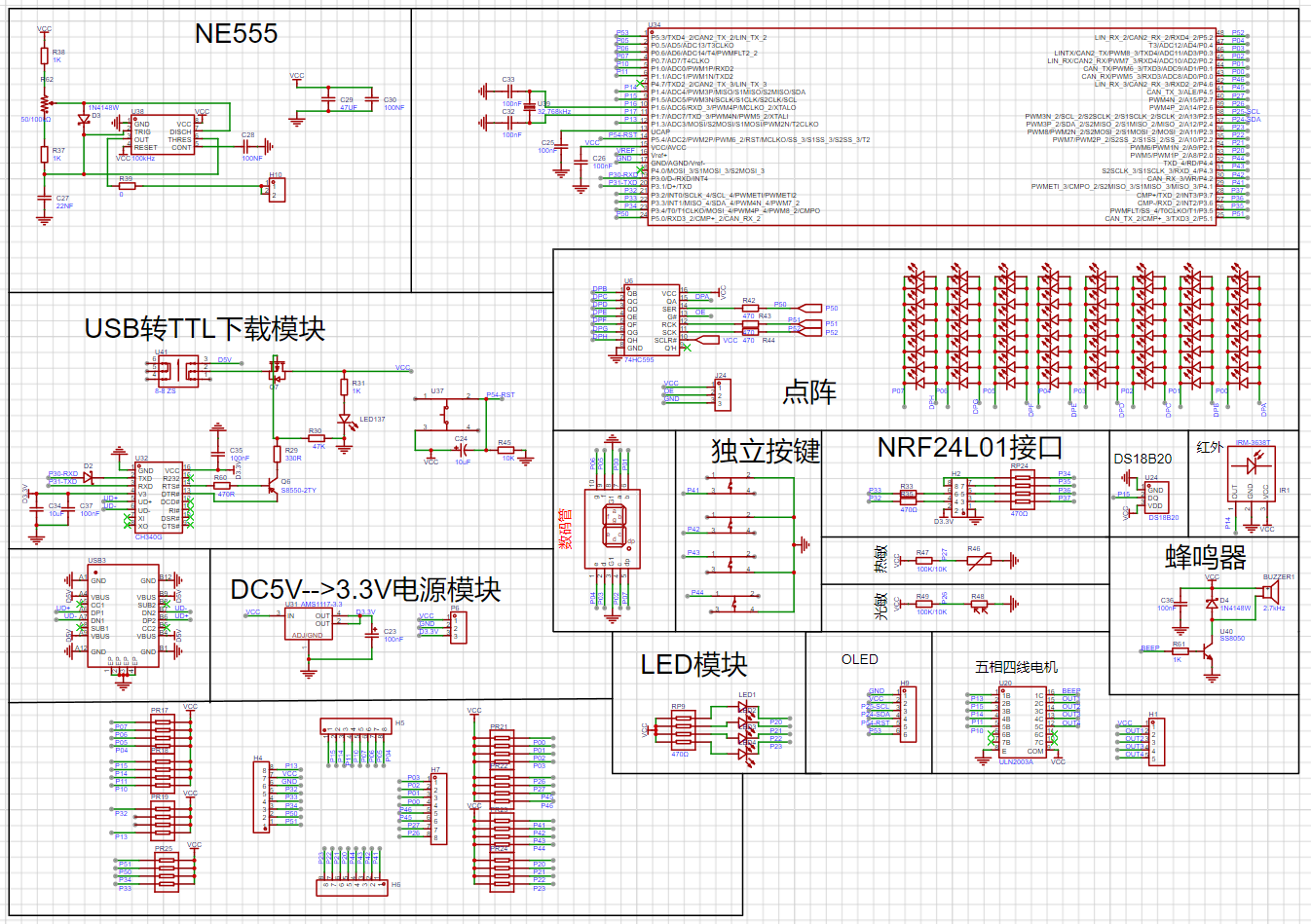
Functionally,
this design is based on the STC89C51/52 microcontroller. It has four independent buttons, all with customizable functions. Pins are brought out using headers. Most circuit modules can be used simultaneously.
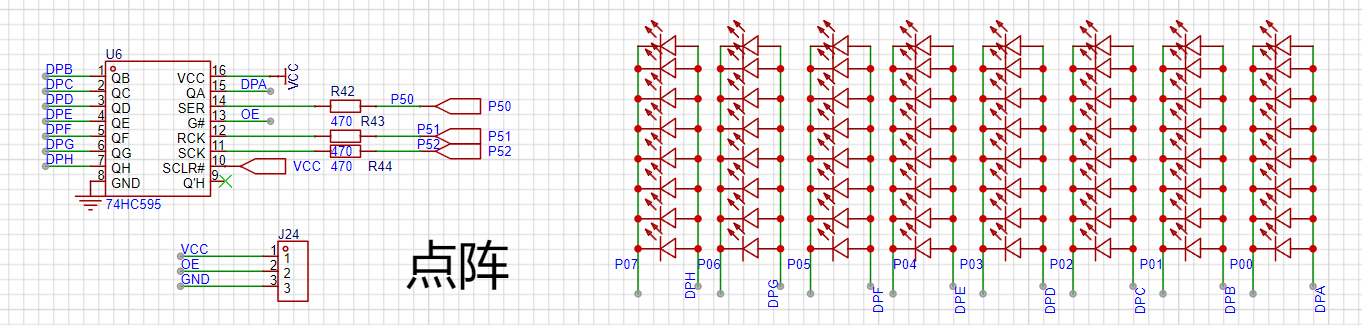
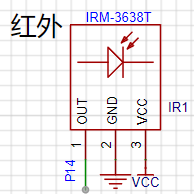
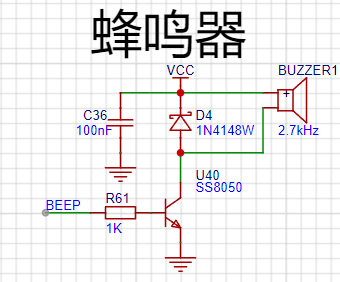
Appropriate screen learning
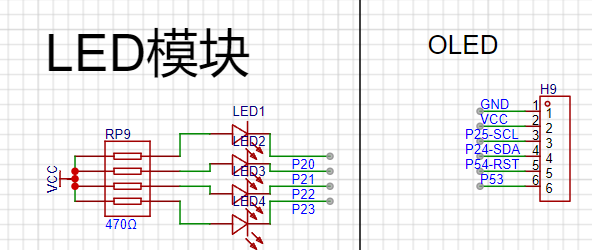
software can be selected according to requirements. The software code
is included in the project attachments.
BOM_Board1_Schematic1_2024-10-14.xlsx
Program source code (2).zip
PDF_STC32 development board.zip
Altium_STC32 development board.zip
PADS_STC32 development board.zip
BOM_STC32 development board.xlsx
91698
ESP32-C3FH4 Development Board
Development board based on Espressif ESP32-C3FH4
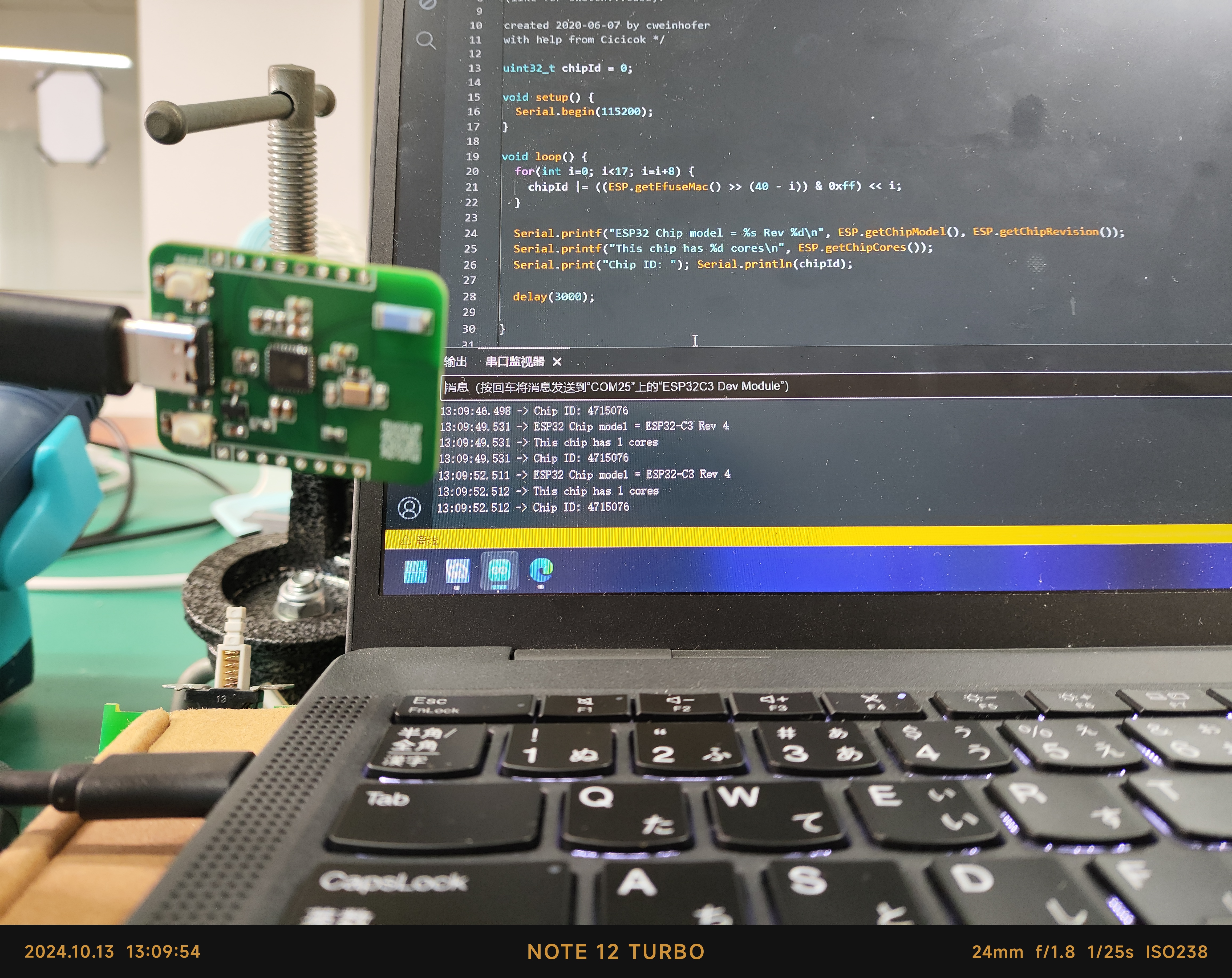
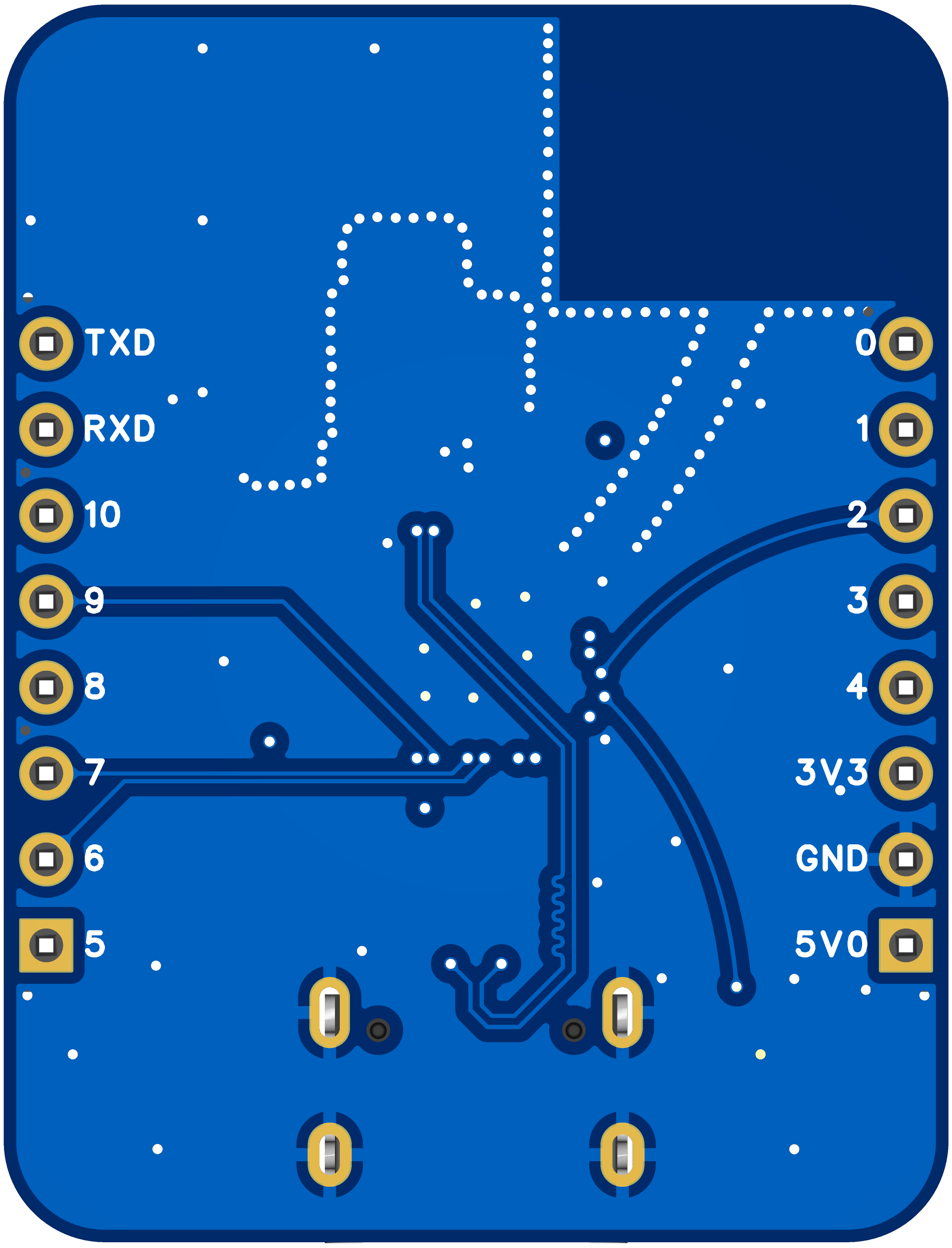
This development board is based on the Espressif ESP32-C3FH4 microcontroller, with a 160MHz main frequency, 4MB of built-in Flash memory, an onboard ceramic antenna, and a USB port on the C3 microcontroller for programming. Its dimensions are 27.95*36.6mm. All resistors and capacitors on the board are 0603 packages for easy manual soldering.
To ensure signal quality, please select the free 3313 ±20% impedance control
. [Images: ![IMG_20241013_133730.jpg]
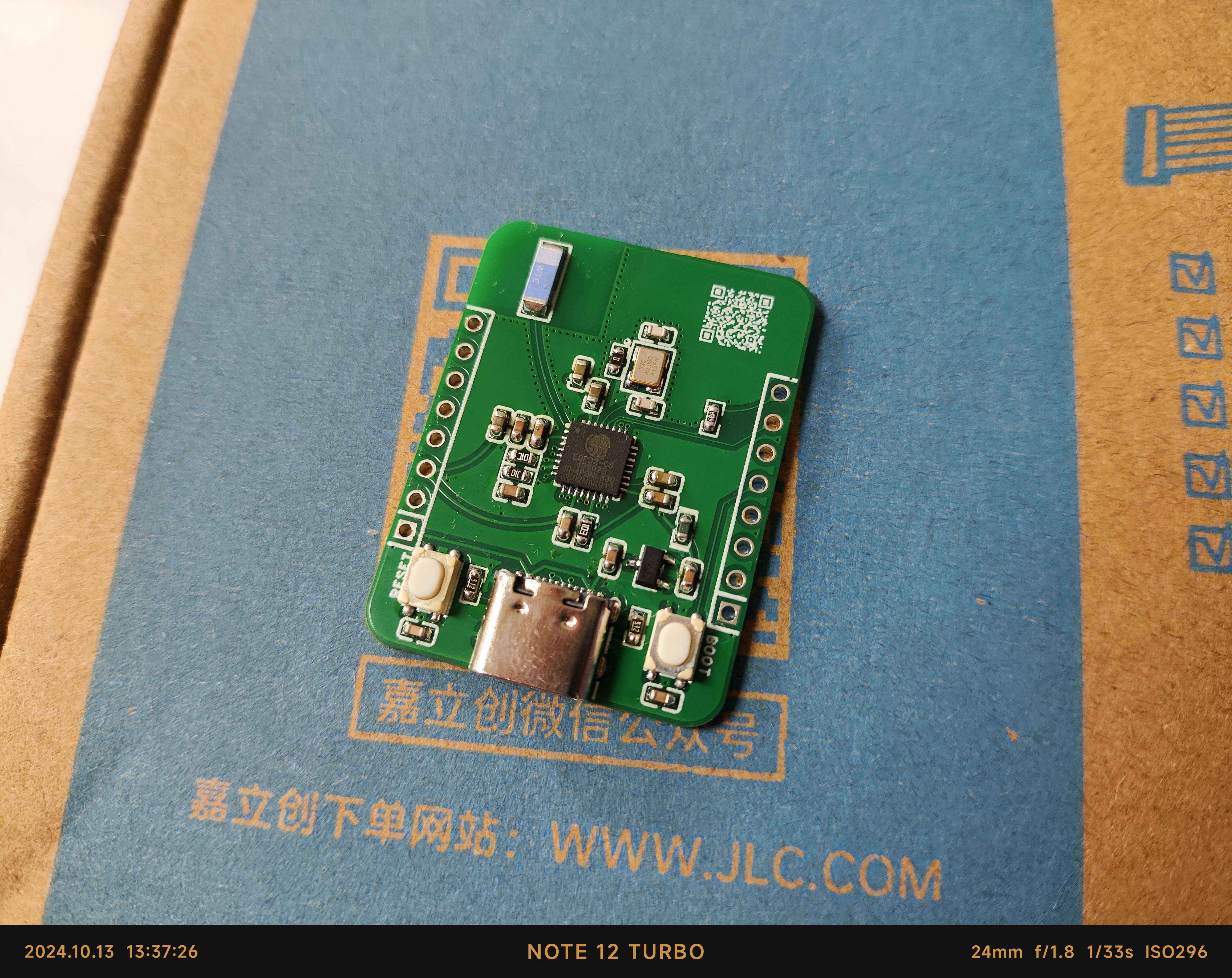
![IMG_20241013_130954.jpg]]
Pin diagram: [Image:
![3D_PCB26_2024-10-13.png]]
PDF_ESP32-C3FH4 development board.zip
Altium_ESP32-C3FH4 development board.zip
PADS_ESP32-C3FH4 development board.zip
BOM_ESP32-C3FH4 Development Board.xlsx
91699
RDA5807FP Card Radio - VERITAS
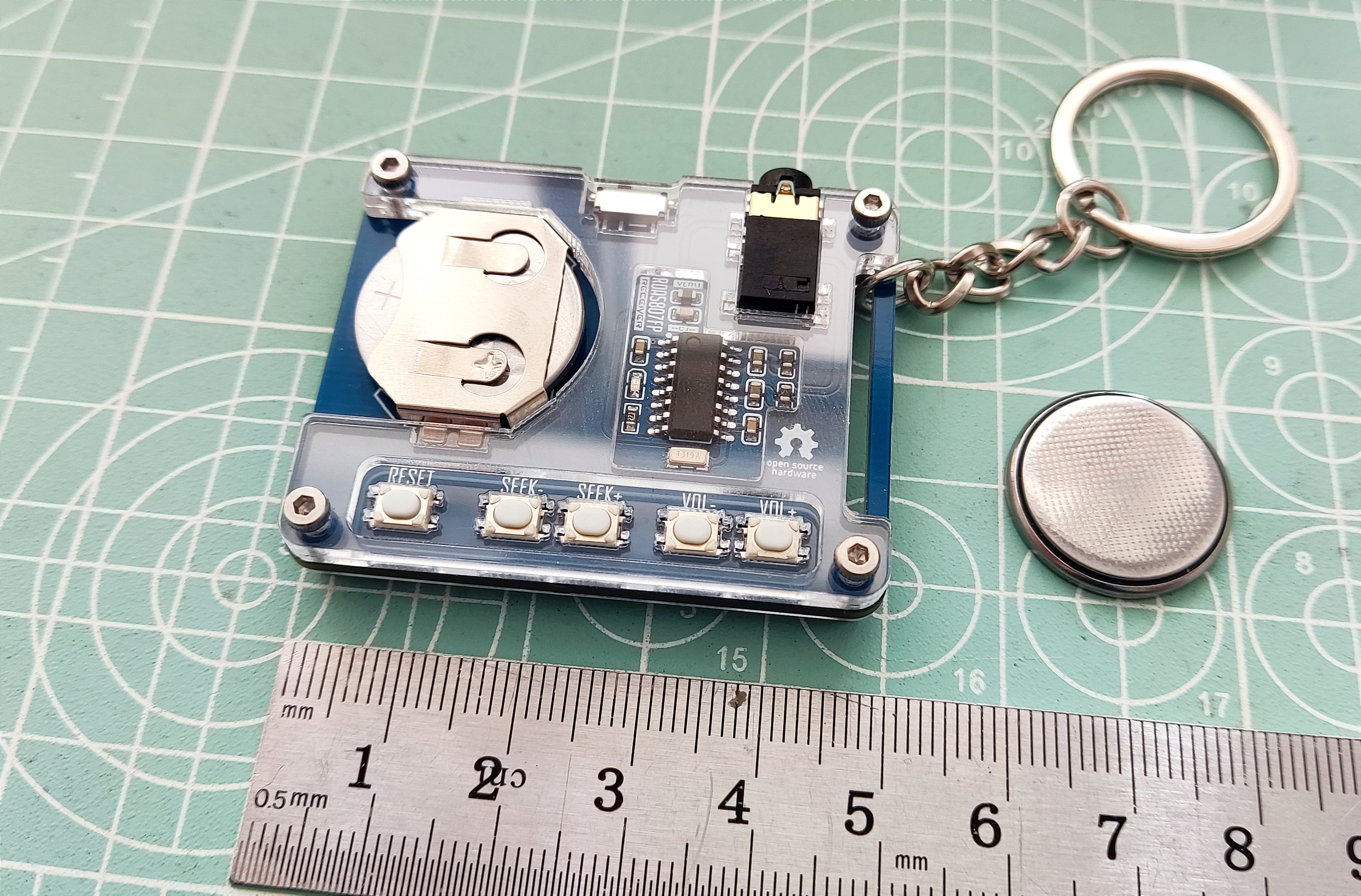
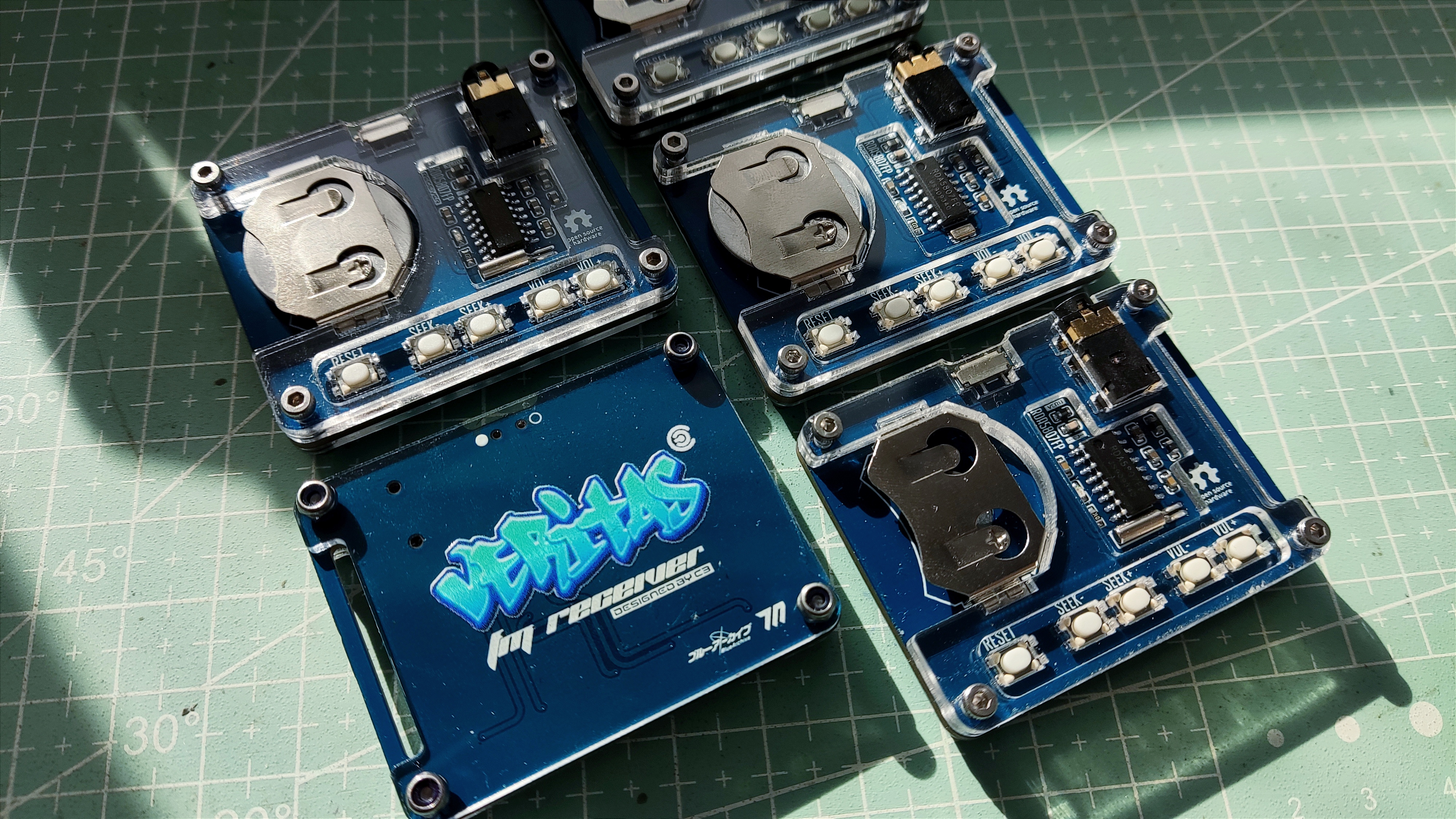
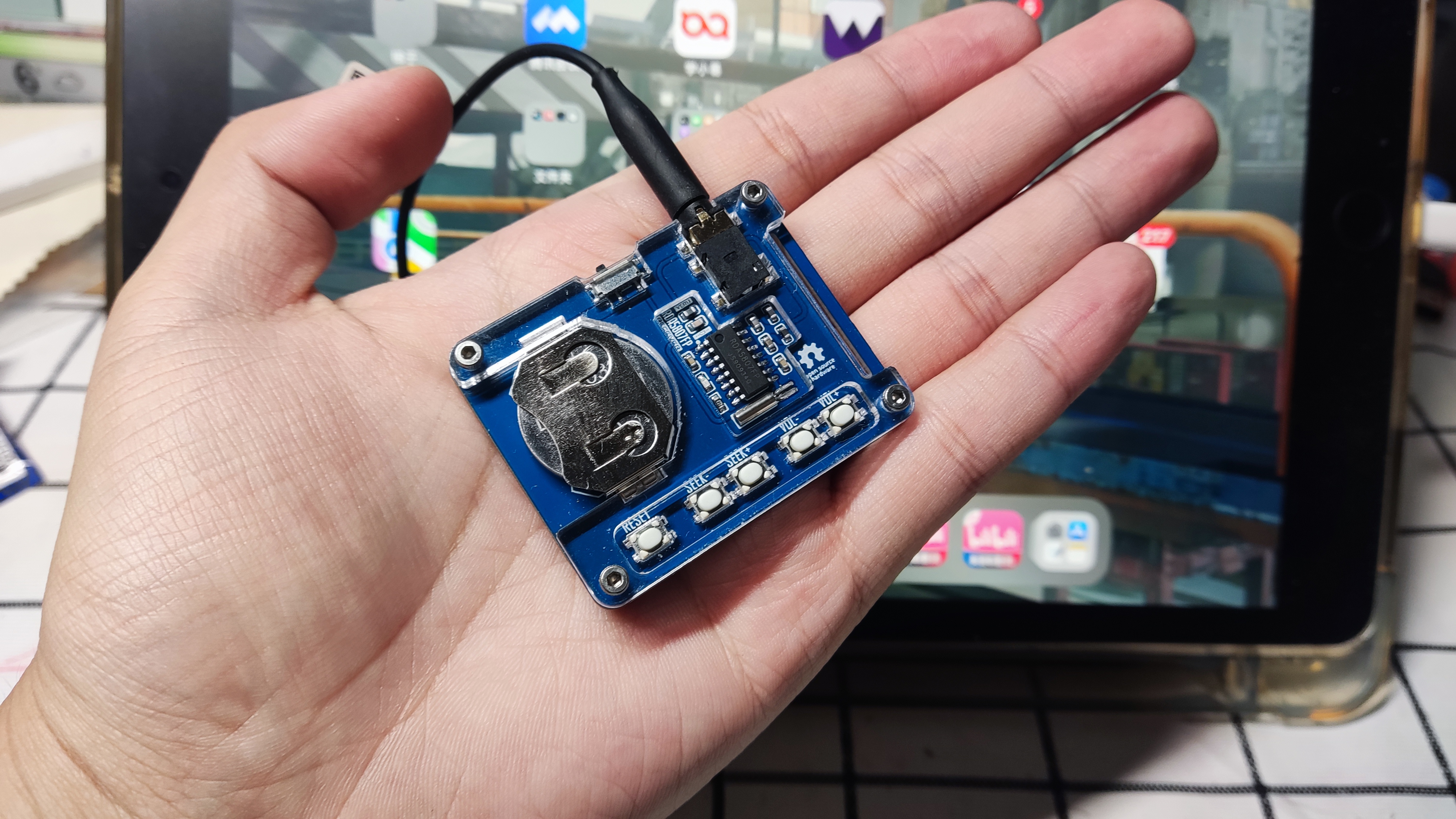
This mini card radio, based on the RD5807FP, has undergone peripheral optimization and can receive FM frequencies using headphones as an antenna. The direct output sound is still quite pure.
This project is a simple RDA58087FP card radio, powered by CR2032 batteries and using an earphone cable as the antenna. It provides basic FM radio functionality.
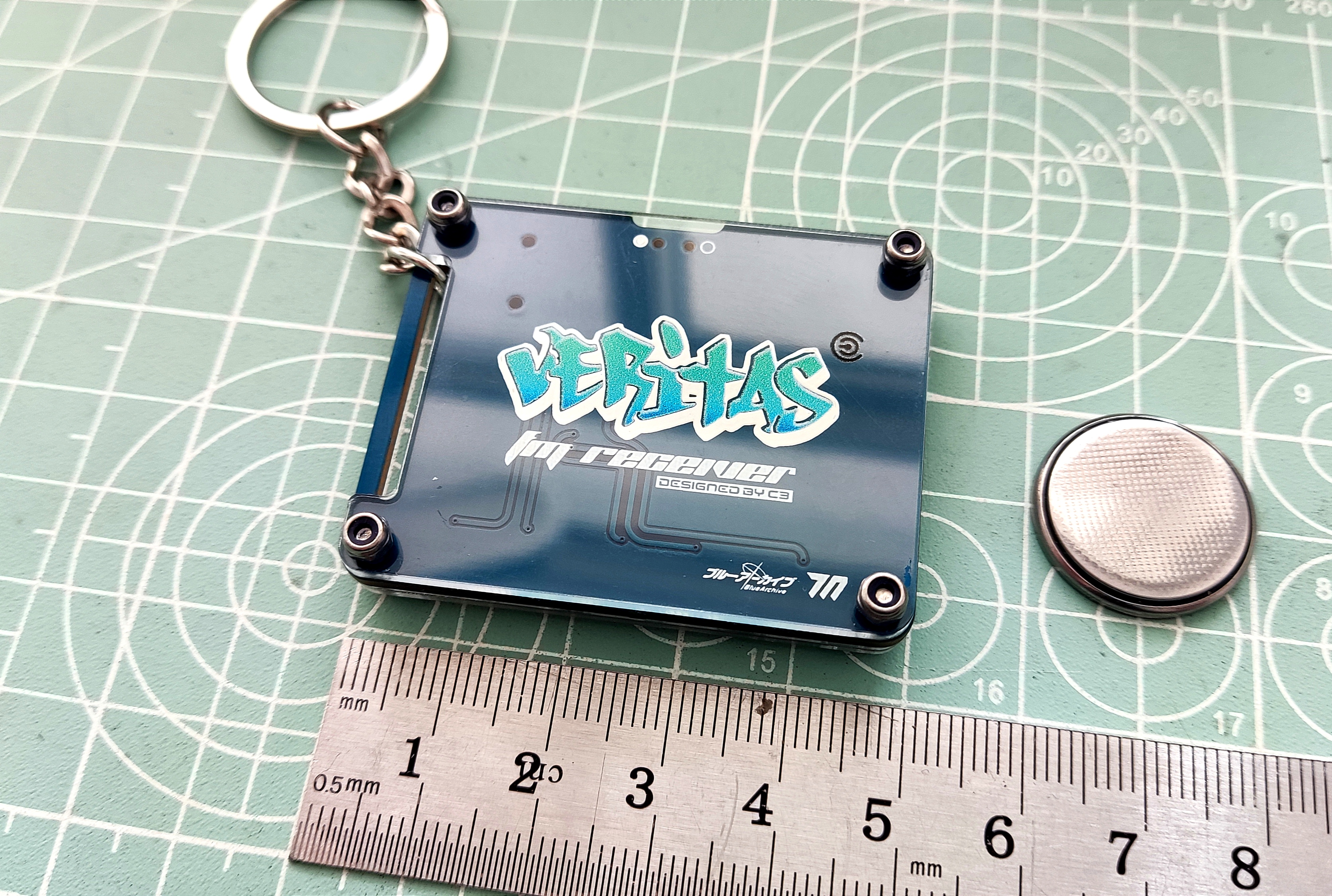
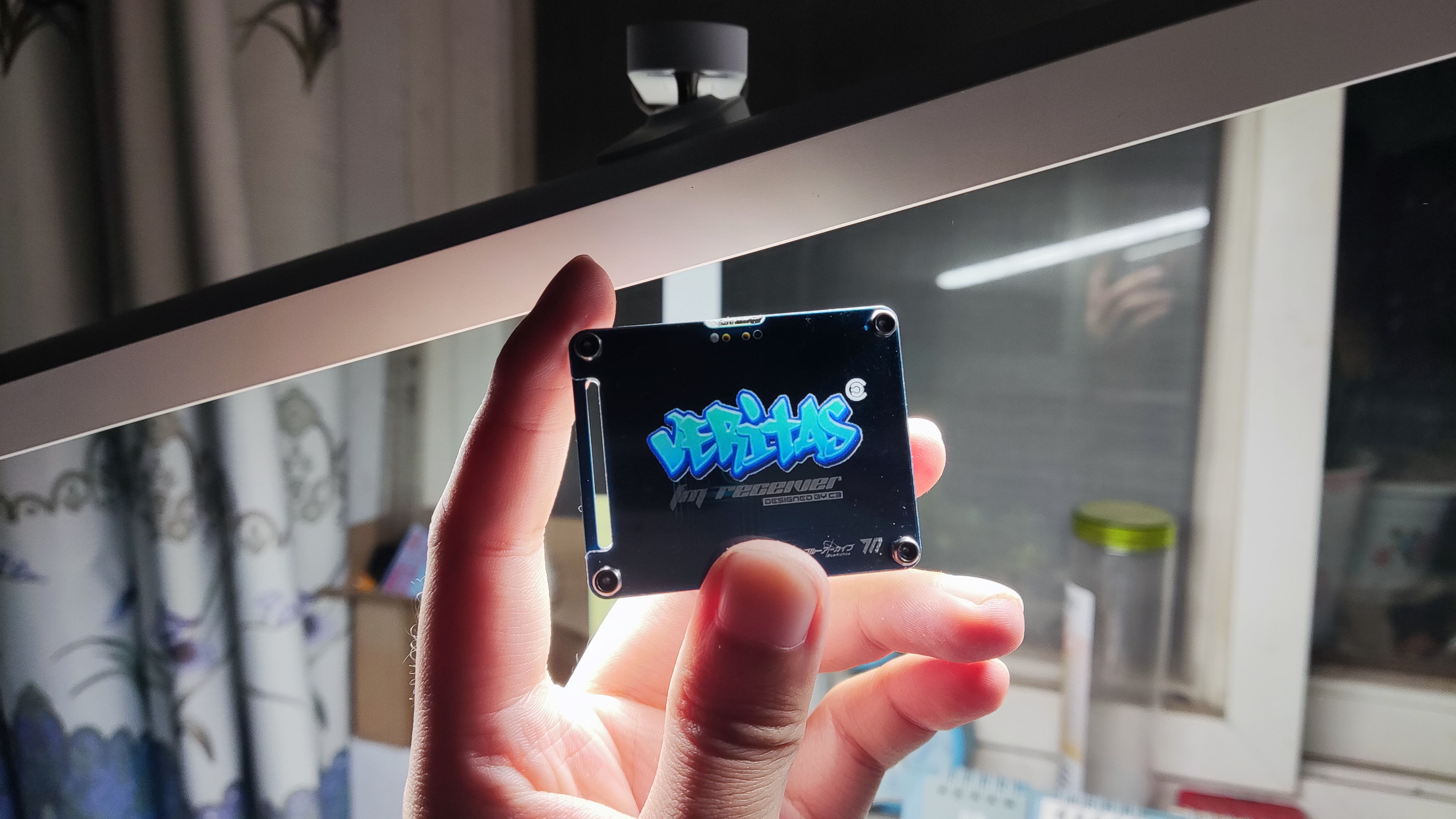
I've also added a small custom design element: a small acrylic radio keychain combining a blue-architectural Beritas-style back panel and front panel. No programming is required; simple soldering is all it takes. It's suitable for beginners practicing soldering.
Instructions: Insert the batteries and earphones, turn it on, and press seek+ or seek- to automatically search for stations. It will stop when a station is found.
Points to note: 1. It's best to use CR2032 batteries. Rechargeable batteries like LI2032 may have issues with insufficient voltage or short battery life.
2. The front panel printing thickness is 1.5mm. It's best to print from the bottom; the logo will have a glowing effect under side lighting. Thanks to LCSC for their efficient and high-quality front panel printing.
3. Saving the project may revert to the default font. Include a Gerber file in the attachment; you can edit the project with your preferred image. 4.
Hardware includes four M2x9 hex socket screws and four M2 lock nuts.
5. Custom LCSC panel is used; the file is in the project file at the bottom.
To be added.
![1728648876664.jpg]
![1728648876675.jpg]
![1728648876691.jpg]
![1728648876705.jpg]
![1728648876721.jpg]
Gerber_PCB1_Surface Mount Crystal Oscillator_Differential Buttons_Beritas_2024-10-11.zip
PDF_RDA5807FP Card Radio - VERITAS.zip
Altium_RDA5807FP Card Radio - VERITAS.zip
PADS_RDA5807FP Card Radio - VERITAS.zip
BOM_RDA5807FP Card Radio-VERITAS.xlsx
91700
electronic








 京公网安备 11010802033920号


 CDR11BP131AGZM



