Because this project involves the use of mains power, we are not responsible for any electric shock accidents during debugging and use. By adopting this open-source project, you agree to accept and assume the risks involved!
Functional
Temperature Range: Current room temperature ~ 500℃
Fan Speed Range: 20 ~ 100%, will not start below 20%
Display: 1.3-inch TFT color screen
Data Storage: Five preset temperature and fan speed settings
Power-on Memory: Last selected preset
Firmware Update: USB upgrade (upgrade software DfuSe v3.0.6), refer to the article.
Before powering on, press the rotary encoder to enter upgrade mode.
Component Description
: Main Controller: STM32F103CBT6 (development uses air32f103cct6, C8T6 is not recommended due to space constraints)
Screen: 1.3-inch ST7789V 240240 The screen used is from Jin Yichen (screen sizes from other brands may not be compatible).
The controller is an 858 aviation plug controller with a 24V fan. The power supply, purchased from Taobao's City Repair Network
, is HLK-10M24 (some stores offer it for under 5 RMB during promotions).
The optocoupler is selected with built-in zero-crossing detection. The step-
down module is a self-made open-source DC-DC step-down module; when using other modules, ensure a withstand voltage of 30V and an output of 5V 1A. The
casing dimensions are 76mm x 35mm * 100mm (length) .
Soldering instructions:
First, solder the low-voltage components on the PCB, including the screen, rotary encoder, and aviation plug.
After burning the code, attach the hot air gun handle and power it with the programmer; the buzzer will sound once upon power-on.
Check if the screen displays and if the encoder works.
Check if the hot air gun temperature displayed on the screen is normal and if the hot air gun's operating status changes.
Measure the resistance at the "220V" mark on the PCB; it should be between 60Ω and 90Ω. If
all of the above is normal, then solder the high-voltage components, using 18AWG wire.
Pay close attention to the soldering order for the sockets!!!
Remember to close the cover before powering on to prevent injury from an explosion.
You can use toothpicks, popsicle sticks, etc., to hold the screen in place, then glue it in place to prevent it from falling off.
Update Log
2024/07/09 – Initial firmware completed, only basic control functions available; more features are under development.
2024/08/02 – Added STM32 firmware, fixed the bug where the screen wouldn't display after powering on, fixed the bug where the screen would occasionally freeze.
2024/09/22 – Updated as follows:
Added delayed heating function.
Added a buzzer to indicate heating completion; alerts when the detected temperature error is within 5%.
Modified the long-press judgment mechanism; holding down the button will not frequently switch pages.
Burning Address Instructions
: DFU firmware burning address: 0x8000000;
Main program burning address: 0x8005000
; C8T6 burning address: 0x8000000.
A DFU file with a version number can be upgraded via USB using dfuse.
Other
QQ group numbers: 984566019.
Firmware update time is unpredictable. The following are possible updated features (C8T6 may not update these):
Display custom images.
USB update images.
More function adjustments, such as buzzer sound, TFT brightness, etc
...
Front view:
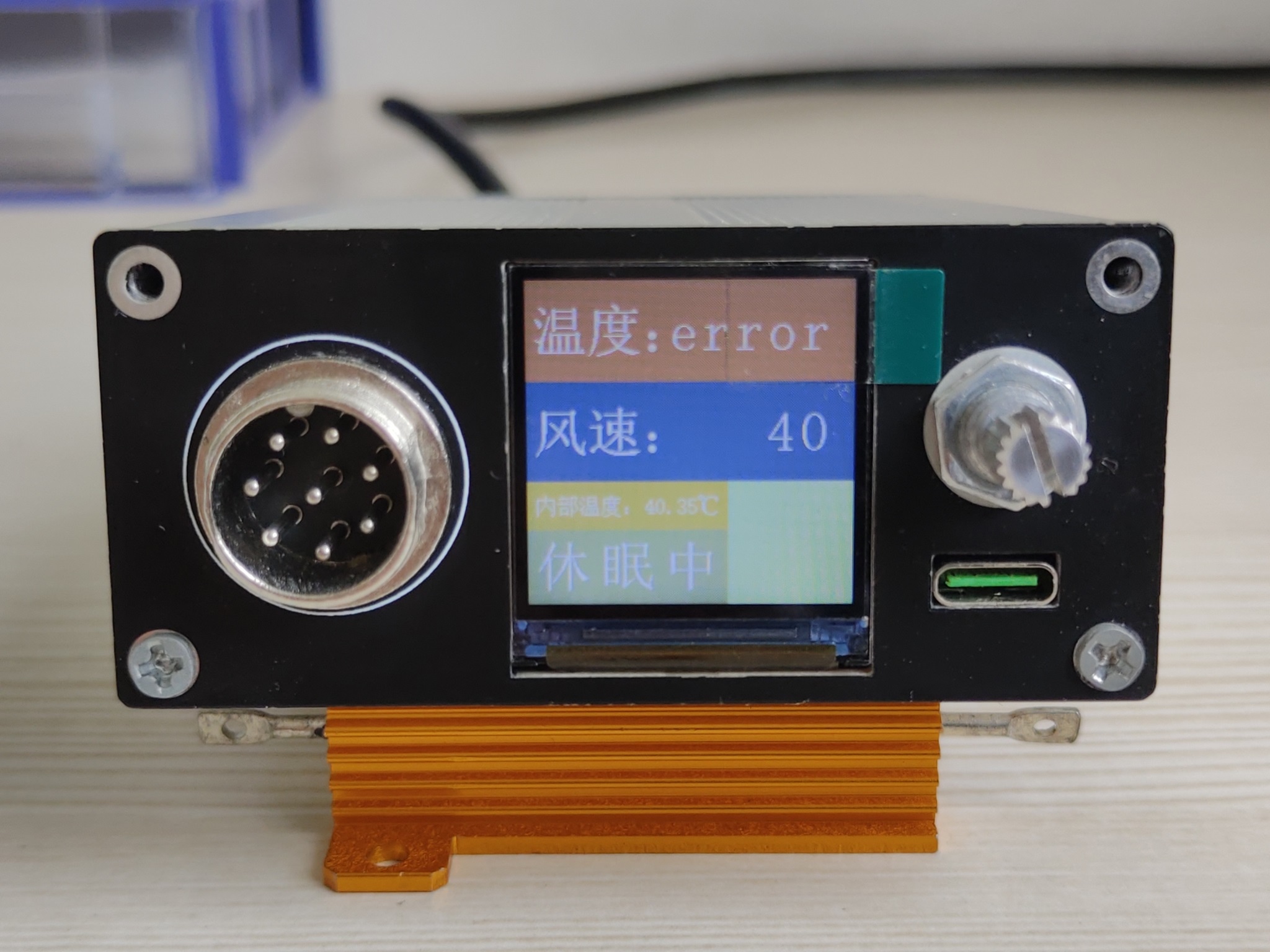
Front panel
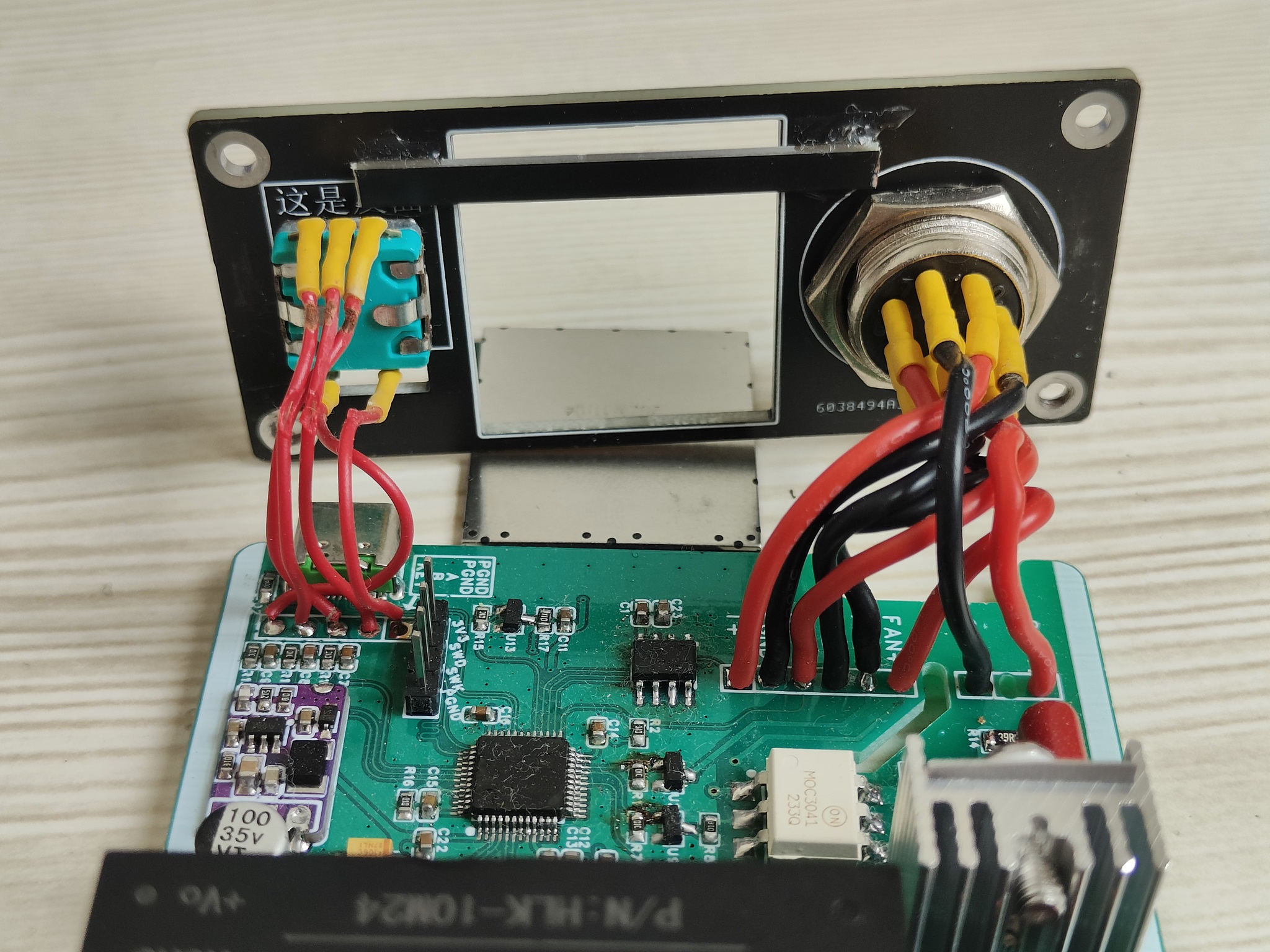
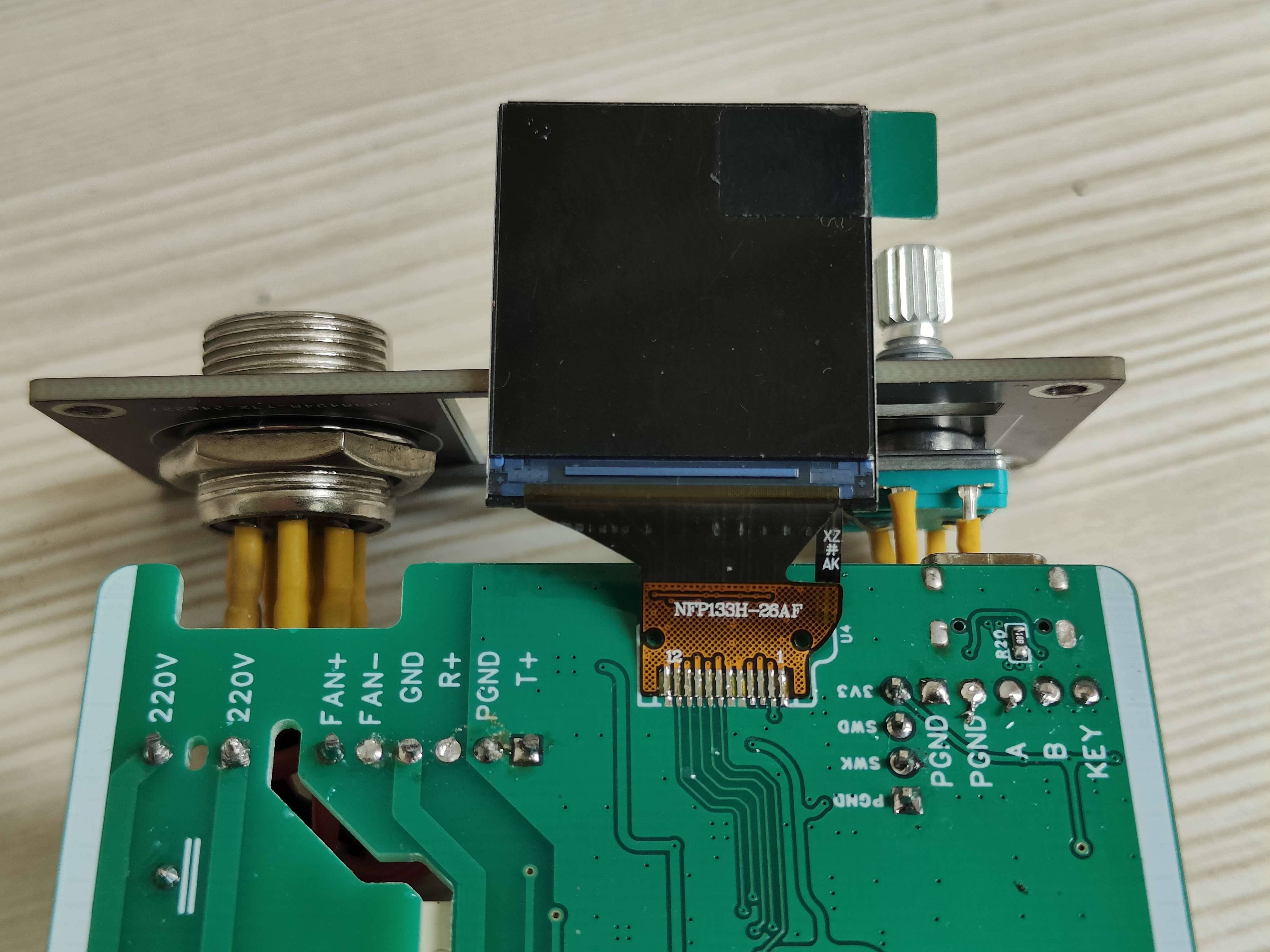
, rear panel,
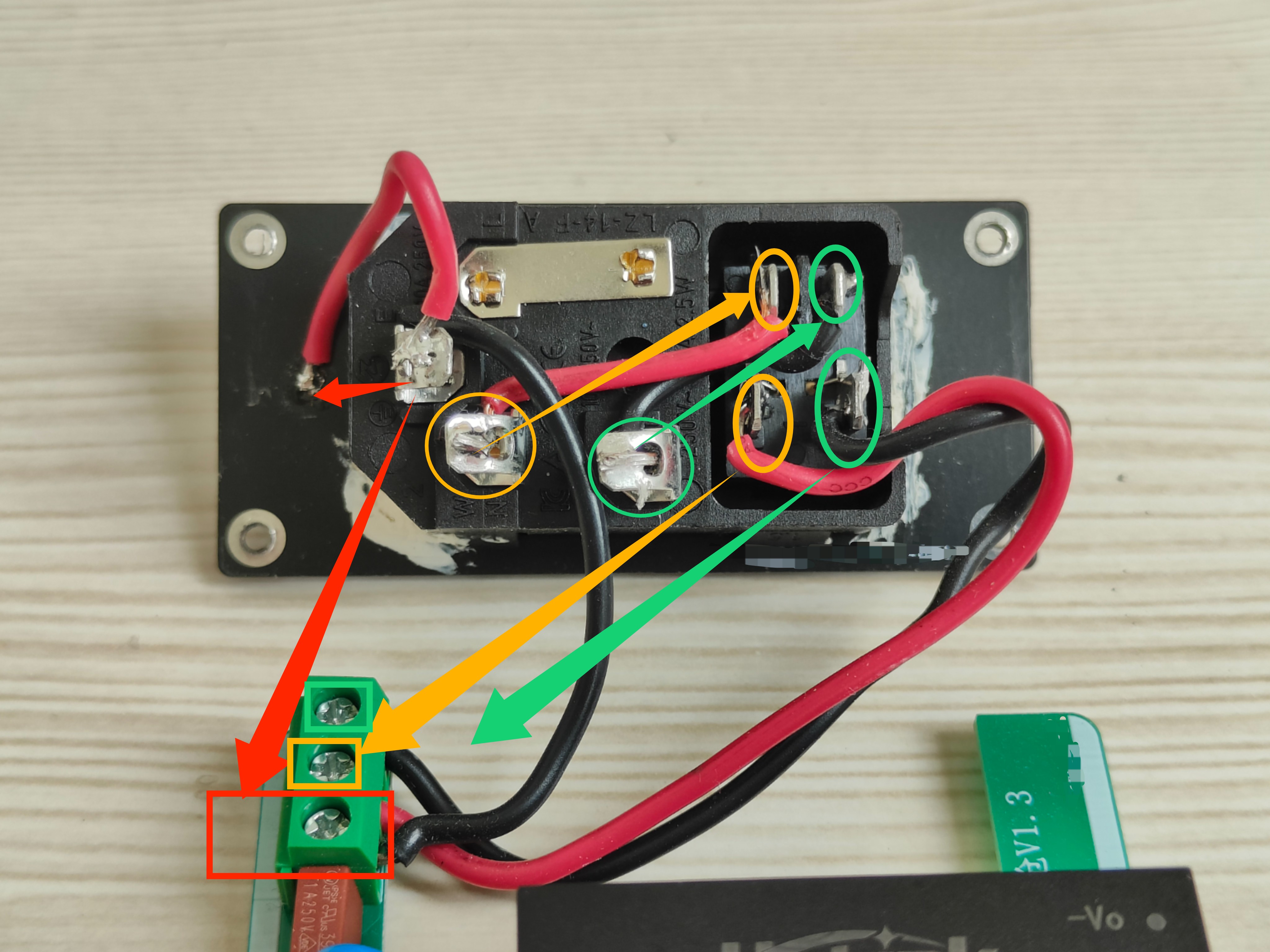
bottom should ideally be insulated with something.

Heat gun BOM.xlsx
Heat_Gun_FreeRTOS_DFU.hex
V1.0.2.20240922_AIR32.dfu
V1.0.2.20240922_AIR32.hex
V1.0.2.20240922_C8T6.hex
PDF_Portable Heat Gun Controller.zip
Altium Portable Heat Gun Controller.zip
PADS_Portable Heat Gun Controller.zip
BOM_Portable Heat Gun Controller.xlsx
91940
Ink screen temperature and humidity meter
"Bring down the price of e-ink displays," just kidding. This refers to the CH571+GXHT30 e-ink Bluetooth thermometer with a domestically produced solution.
Project Introduction:
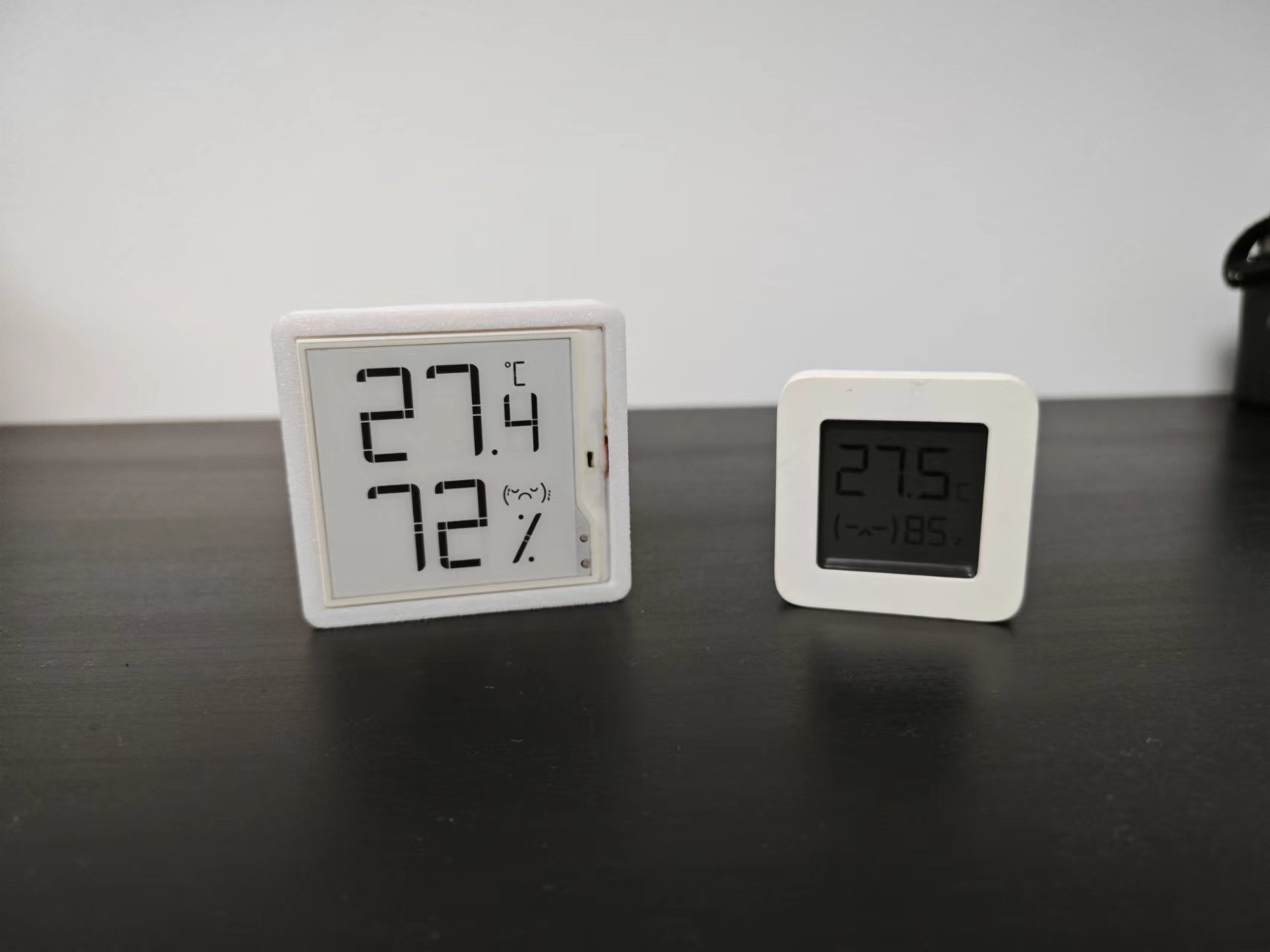
While browsing on Xianyu (a Chinese online marketplace), I found a segmented e-ink screen and bought it because it was cheap. I discovered it was the screen for a Miaomiao thermometer and hygrometer, so I intercepted its communication protocol and got it working. After that, I wanted to make something with it, and that's how this e-ink thermometer and hygrometer came about. E-
ink screens far surpass LCD screens in terms of visibility, maintaining good readability even at wide viewing angles and in low-light environments. This project uses a domestically produced CH571+GXHT30 e-ink Bluetooth thermometer and hygrometer (to cut costs, haha).
Project Functions
: 1. Implemented a temperature and humidity meter function with minimal power consumption, aiming for one year of use in 2032.
2. Temperature and humidity data are broadcast via beacon, allowing integration with smart platforms
. 3. Bluetooth parameters can be modified, including full refresh interval, temperature and humidity change interval, and sampling interval.
4. Utilizes Qinheng's official OTA function, eliminating the need for computer connection for firmware updates.
Power Consumption Analysis
Conditions: Temperature and humidity data are collected every 10 seconds, with a change interval of 0.1℃ and 1%, and data is transmitted every 1 second.
Average Beacon power consumption: 20uA. See the attached power consumption analysis report for details.
Segment E-ink Screen:
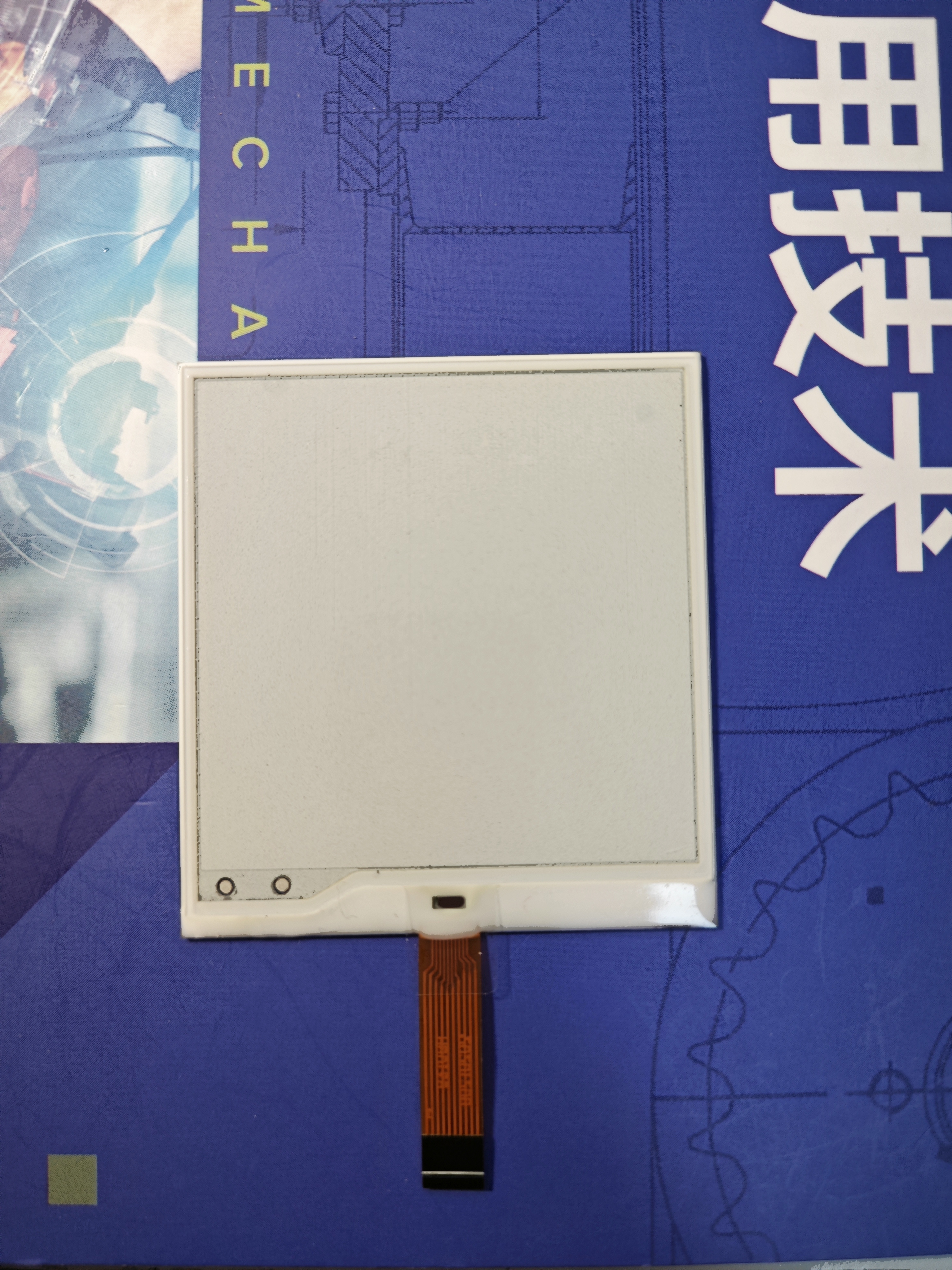
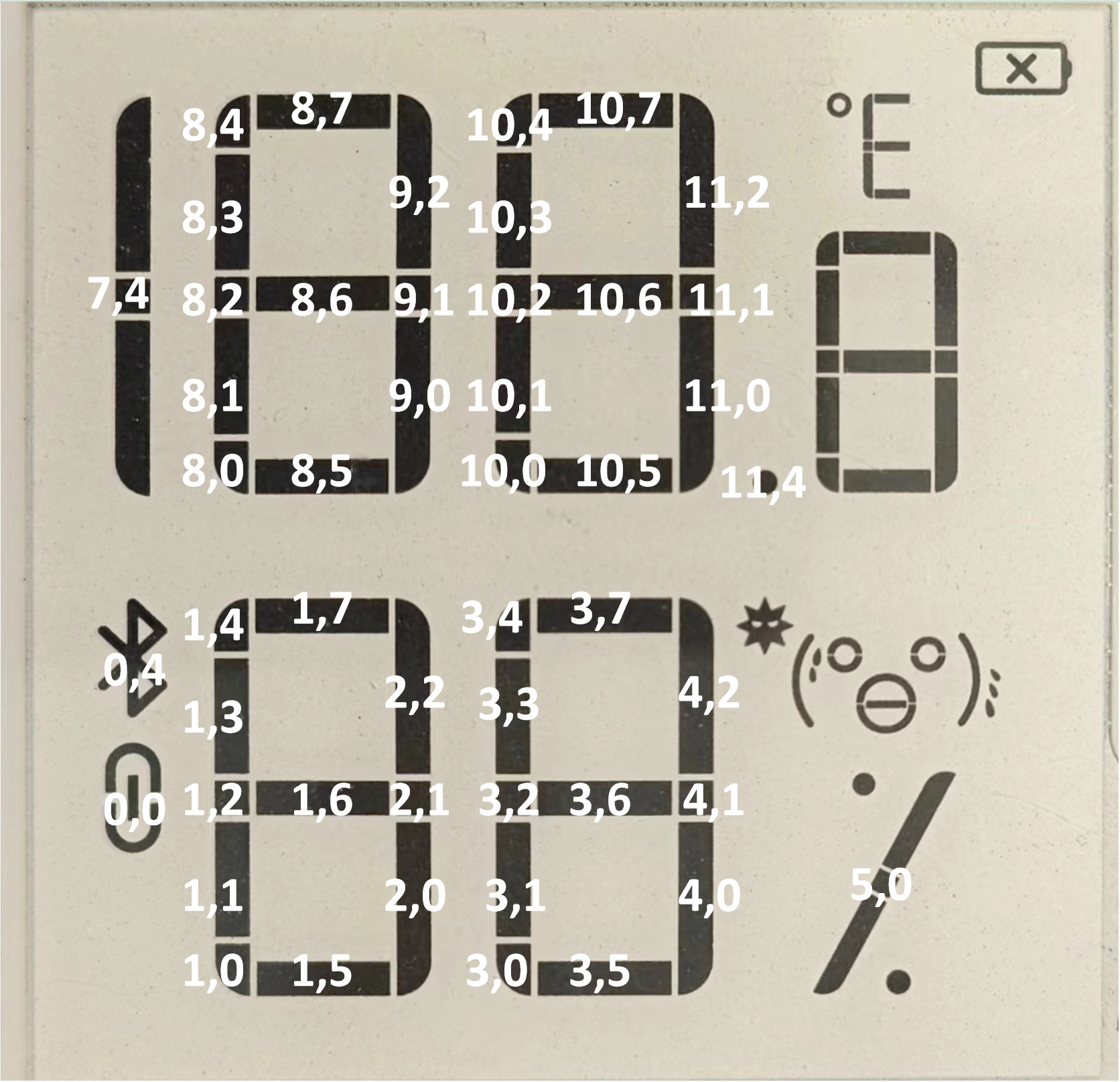
This screen displays temperature and humidity, emojis, and a Bluetooth icon. The position of each segment is marked on the diagram.
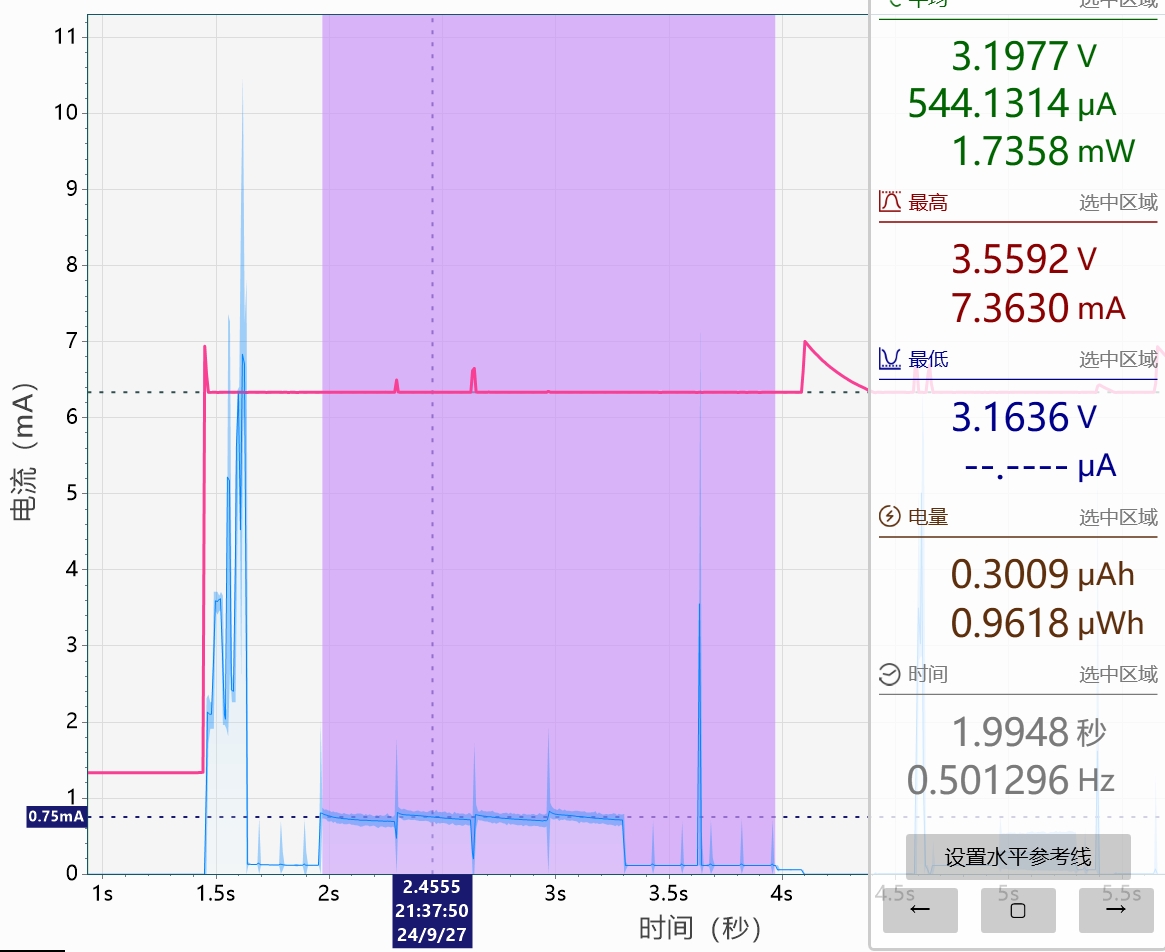
Full-screen refresh time is approximately 2 seconds, with an average current of only about 500uA. The screen requires periodic full-screen refreshes to remove residual artifacts from partial refreshes.
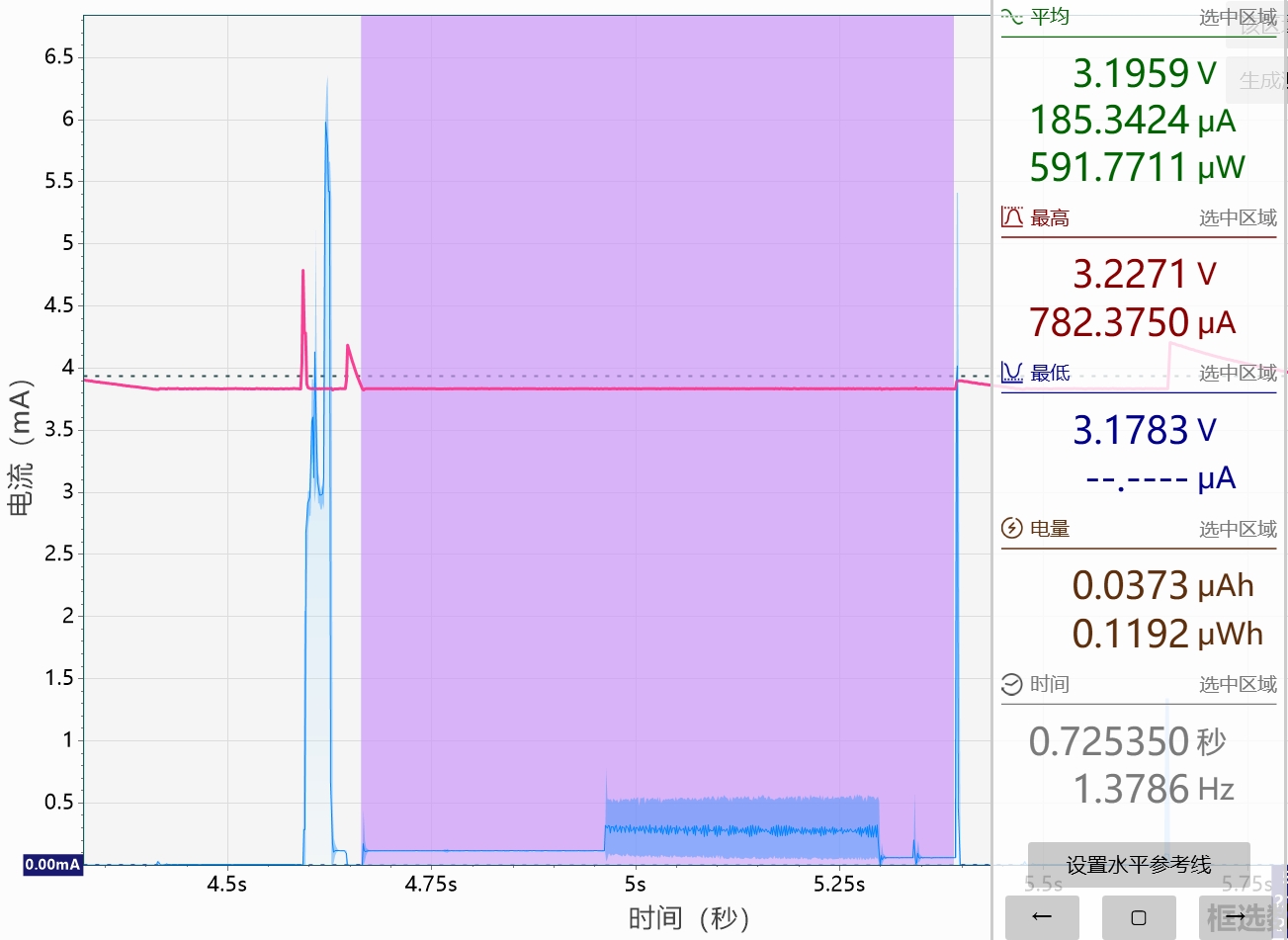
The partial refresh time is approximately 700ms, with an average current of only about 180uA.
The external circuitry of the e-ink screen is simple, requiring only two energy storage capacitors and no external boost circuit for the dot matrix ink bottles. The
software code
references the Bluetooth project provided by Qinheng, and a custom e-ink profile was written to write configuration parameters. Because the CH571 only has 192K of FLASH, OTA updates only update the user app; the Bluetooth library remains unchanged.
Important Note:
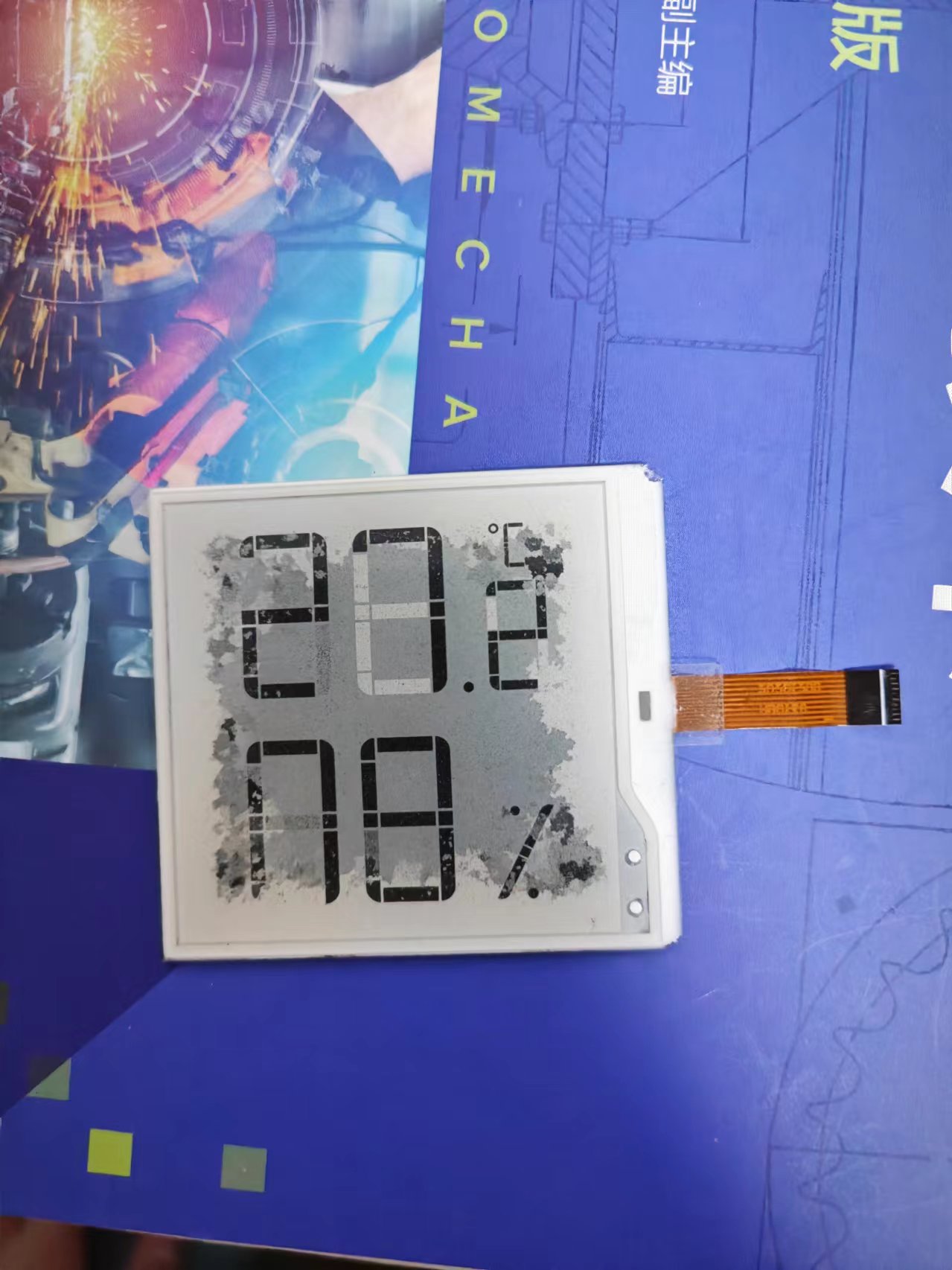
Ensure the 10-pin connector for the e-ink screen is correctly soldered and free of cold solder joints. Otherwise, prolonged incorrect commands can burn the screen, resulting in a disastrous situation like this.
Assembly Process:
The outer shell is 3D printed, and a suspended design is used to accommodate the screen in the front panel. Different materials are recommended for the support during printing to ensure a flat screen recess. I used a PLA body with a PETG support surface.
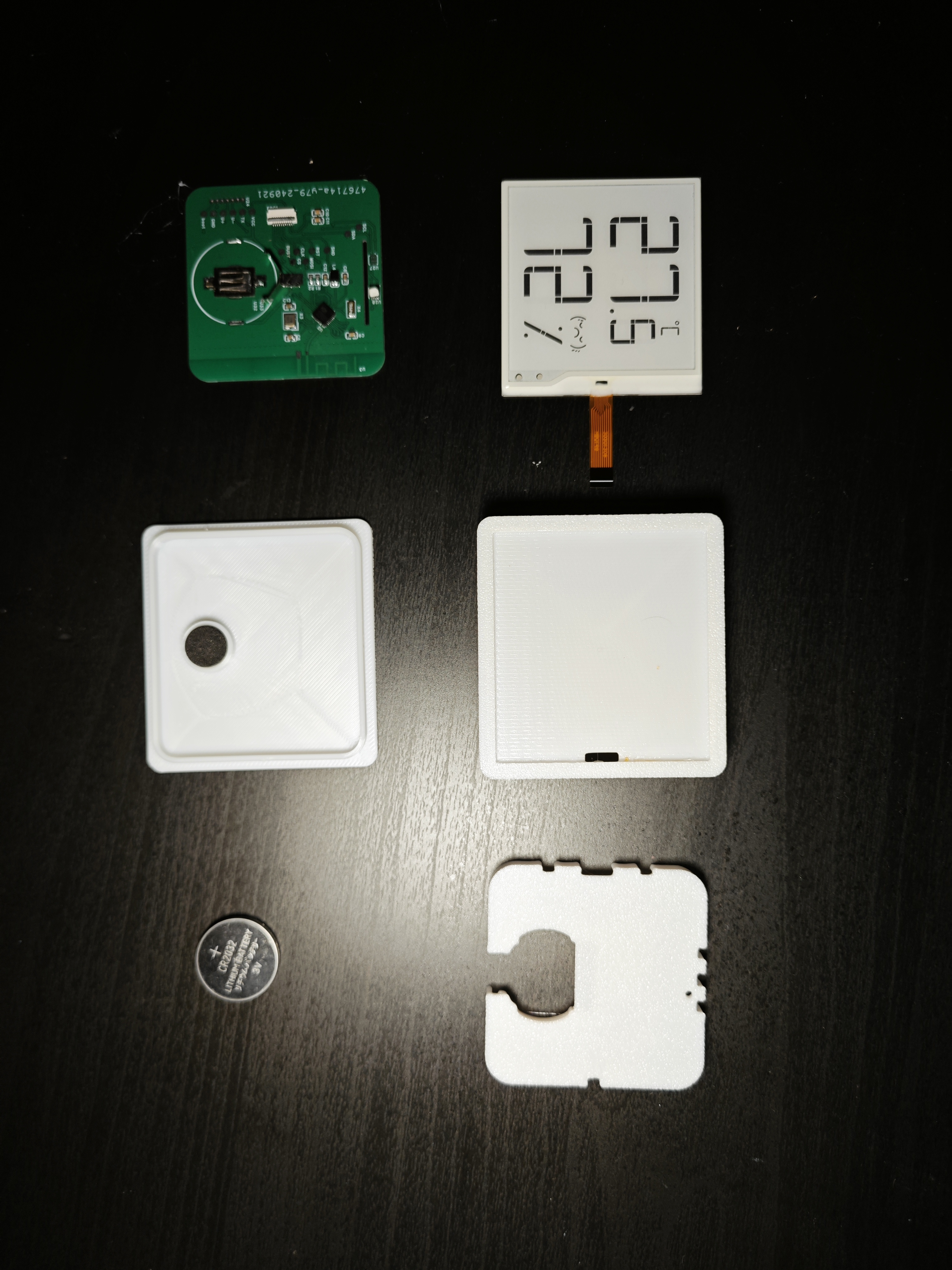
The middle PCB clamp uses an interference fit to hold the main body in place, and the back cover uses four-sided clips. However, because it's 3D printed, the lifespan of these clips might be short.
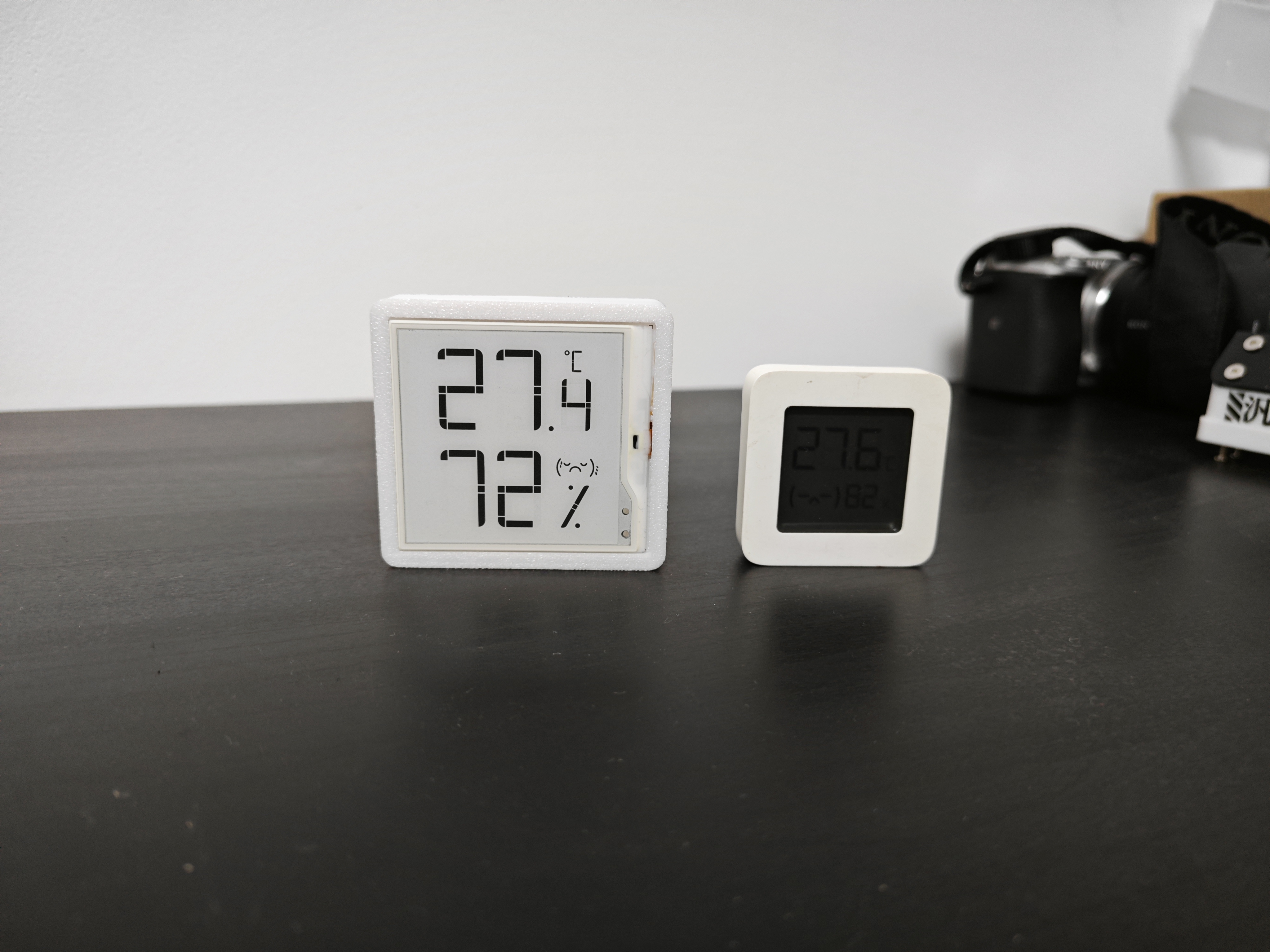
The front panel is covered with a transparent acrylic protective e-ink screen. The acrylic dimensions are 59.8mm*55.8mm, with a 7mm rounded corner diameter and a 2mm thickness, and it can be attached with UV glue. Anyway, the 3D shell isn't expensive and can be easily disassembled. Compared to Xiaomi's LCD screen, the actual product is a complete knockout.
Screen purchase: [Xianyu] https://m.tb.cn/h.gshtxZ0?tk=1dVY38oOH05 CZ3452 "A Xianyu account from 2016, come and follow them!" You can directly ask this person about 2.5-inch screens, but small batches might be more expensive. If anyone's interested in getting their car reinstalled, I'll get the screen wrapped, haha. You can buy the finished product directly from me on Xianyu (a second-hand marketplace app): [Xianyu link: https://m.tb.cn/h.gs3bTGM?tk=sgJ838LNsITCZ0001] "This is my Xianyu account, come check it out!" QQ group: 703920636. Information is being uploaded slowly.
1.bin
Back cover .stl
Front cover .stl
PCB clamp .stl
Power Consumption Test Report.pdf
PDF_E-ink Screen Thermometer and Hygrometer.zip
Altium_e-ink screen temperature and humidity meter.zip
PADS_E-ink Screen Thermometer and Hygrometer.zip
BOM_E-ink Screen Temperature and Humidity Meter.xlsx
91941
IoT Serial Server - Modbus Gateway
This IoT serial server/Modbus gateway features built-in RS232, RS485, and CAN bus interfaces, enabling Modbus polling for active serial data acquisition. It supports 4G and WiFi connectivity to IoT cloud platforms.
Project Overview:
This project is an IoT serial server-Modbus gateway, featuring built-in RS232, RS485, and CAN buses to actively collect serial data via Modbus polling. It supports 4G and WiFi connectivity to IoT cloud platforms.
Project Functionality:
This project is an IoT serial server designed based on the STM32F103C8T6 microcontroller; it supports RS232, RS485, and CAN bus communication; it supports WiFi and 4G communication, enabling MQTT pass-through; it displays server information via an I2C OLED serial port; the upper-computer control section has been completed using Qt, Android, and Python platforms.
Project Parameters:
This section can be used to describe the relevant functional parameters of the project. Example:
This design uses the classic AMS117 voltage regulator circuit.
This design uses a 0.96-inch OLED display; the demonstration section simply displays "This is Liu Tongxue";
it sets up multiple bus communication methods, integrating commonly used bus communication;
it supports WiFi and 4G wireless communication;
the software code
will be synchronized to Github later, but it is currently being organized, as I don't have much time to organize these things normally.
Important Note:
When selecting an OLED, be sure to choose the older version (G, V, SCL, SDA), otherwise the STM32 will emit a wisp of smoke.
Future upgrade plans
will not use the minimum system; instead, we will directly design an STM32F103C8T6. This was due to time constraints.
The circuit was modified to reduce power consumption; the initial plan was simply to make it usable.
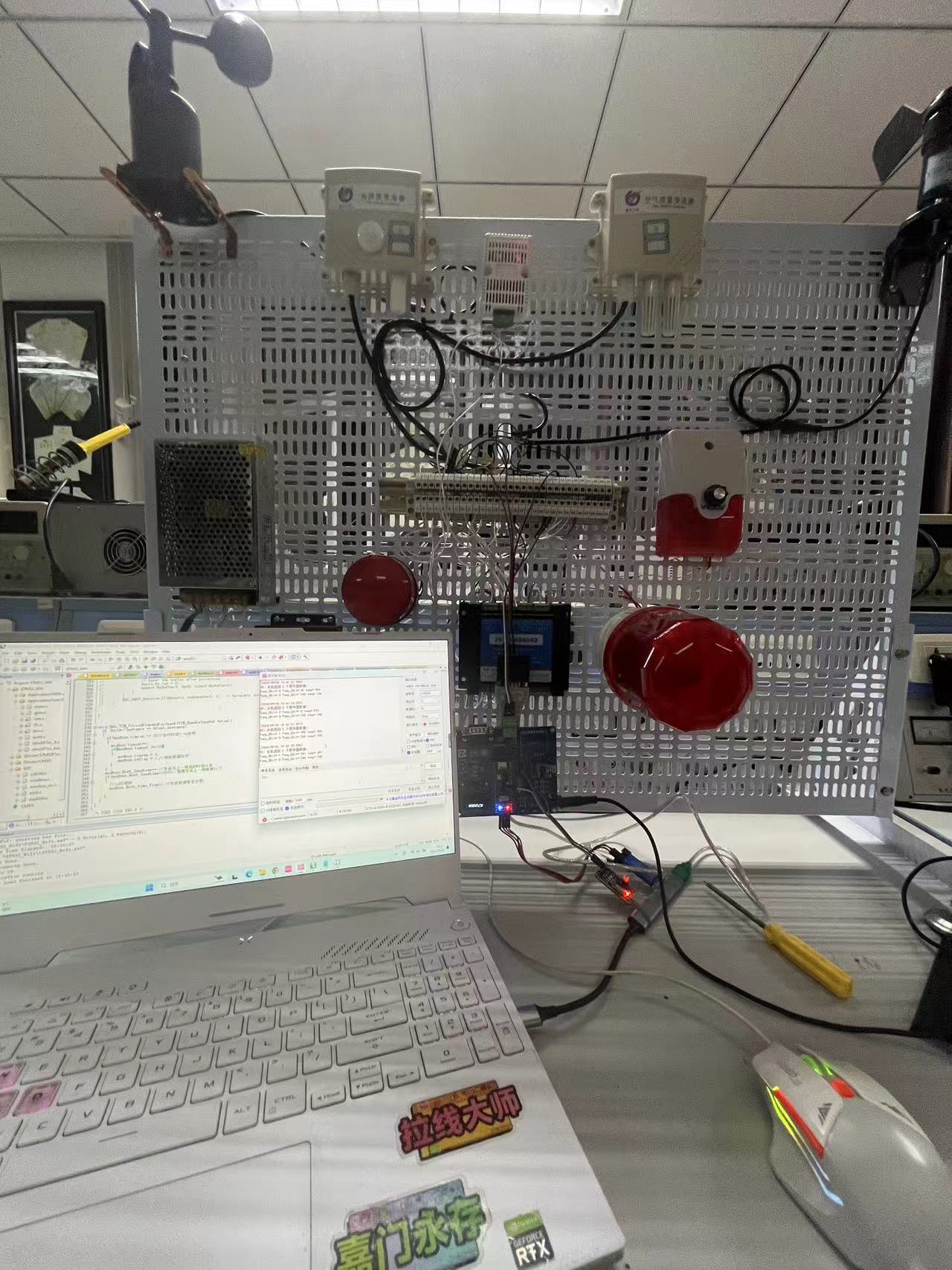
These are recent photos of debugging Modbus polling. This project will replace our current industrial gateway. The initial design purpose was that the gateway required a network cable, and it wasn't suitable for demonstration projects at the university, so we simply designed a small DTU-like design ourselves.
PDF_IoT Serial Server - Modbus Gateway.zip
Altium IoT Serial Server - Modbus Gateway.zip
PADS_IoT Serial Server-Modbus Gateway.zip
BOM_IoT Serial Server-Modbus Gateway.xlsx
91943
electronic








 京公网安备 11010802033920号


 CA00COM-L10SL-1SW-B-03



