BBONSYsYL

Voltmeter and Ammeter

 
Overview
I. Design Background
The CW32 digital voltmeter and ammeter combines ADC technology with circuit measurement principles, accurately converting analog voltage and current signals into digital displays for easy reading and analysis by electronic engineers.
II. Hardware Design
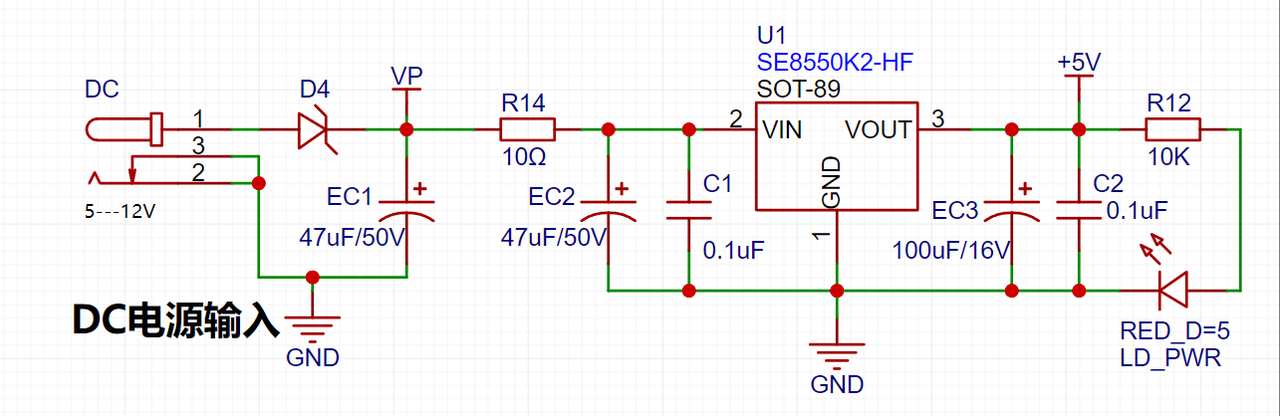
1. Power Supply Circuit: This project uses the SE8550K2 as an LDO (Low Dropout Linear Regulator).
2.
MCU Selection:
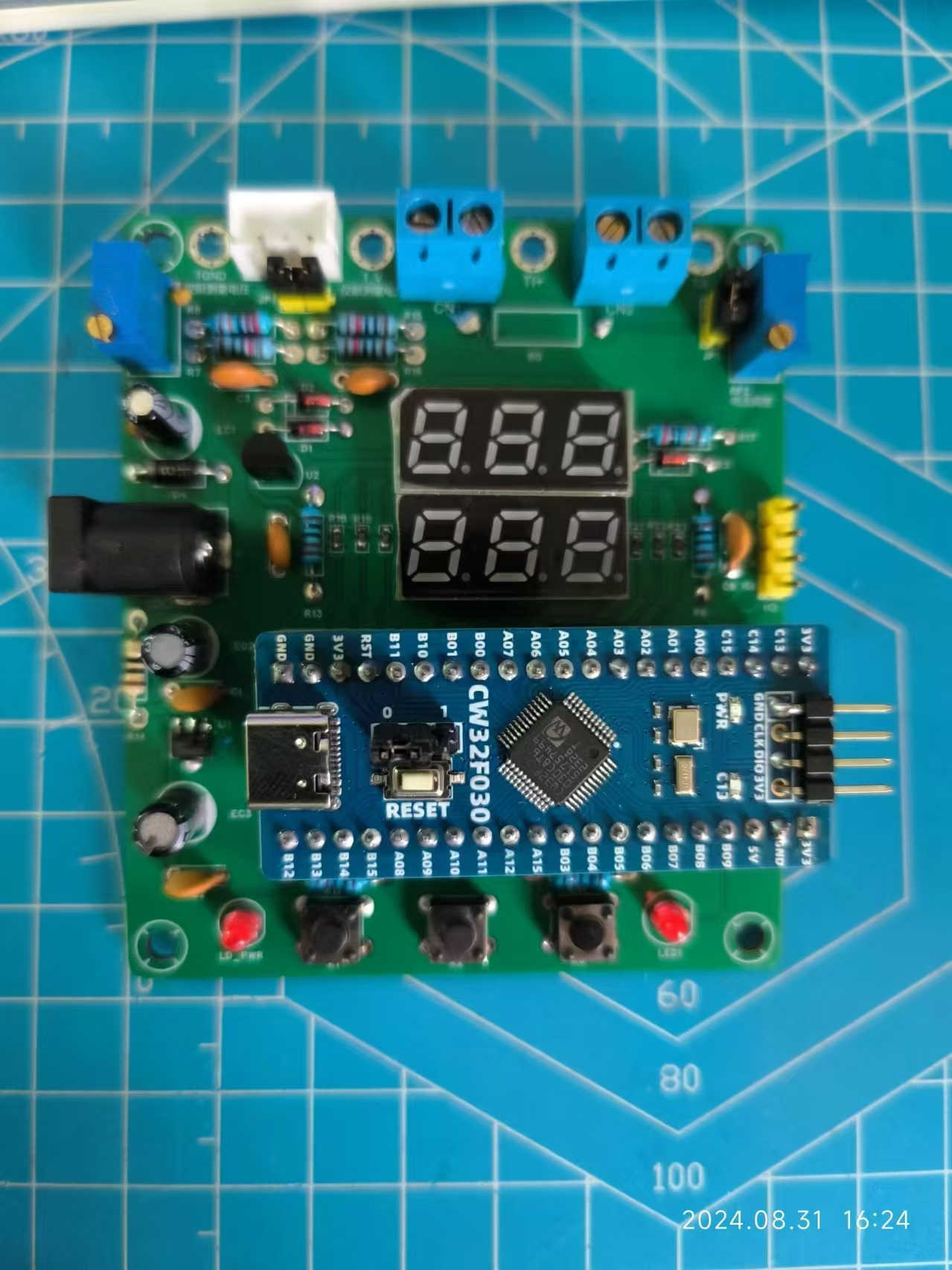
This project uses the CW32F030C8T6 MCU.
 
Key Advantages of the CW32 in this Project

: Wide operating temperature range: -40~105℃;
Wide operating voltage range: 1.65V~5.5V (STM32 only supports 3.3V systems);
Strong anti-interference: HBM ESD 8KV; All ESD reliability reaches the highest international standard level (STM32 ESD 2KV)
; Project Focus - Better ADC: 12-bit high-speed ADC, achieving ±1.0LSB INL 11.3ENOB; Multiple Vref reference voltages... (STM32 only supports VDD=Vref);
Stable and reliable eFLASH technology. (Flash0 waiting)

3.
Voltage Sampling Circuit
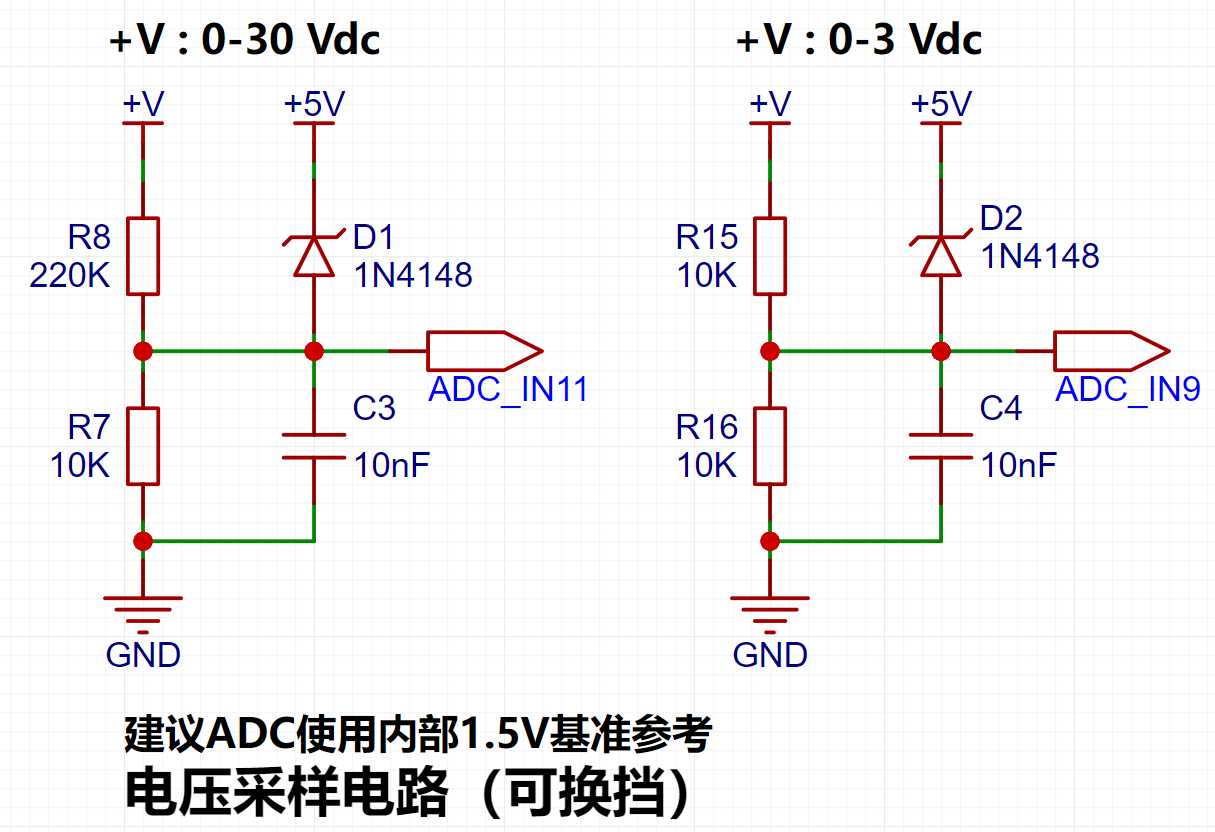
: A voltage divider circuit is used to achieve high voltage acquisition, capable of acquiring 100V. The voltage divider resistor is designed as 220K+10K, therefore the voltage division ratio is 22:1 (ADC_IN11).
4. Current Sampling Circuit:
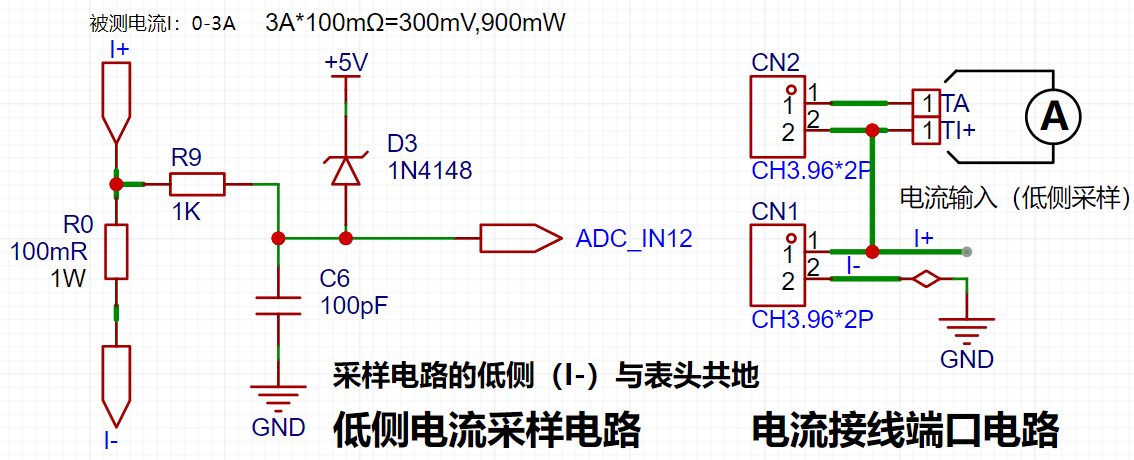
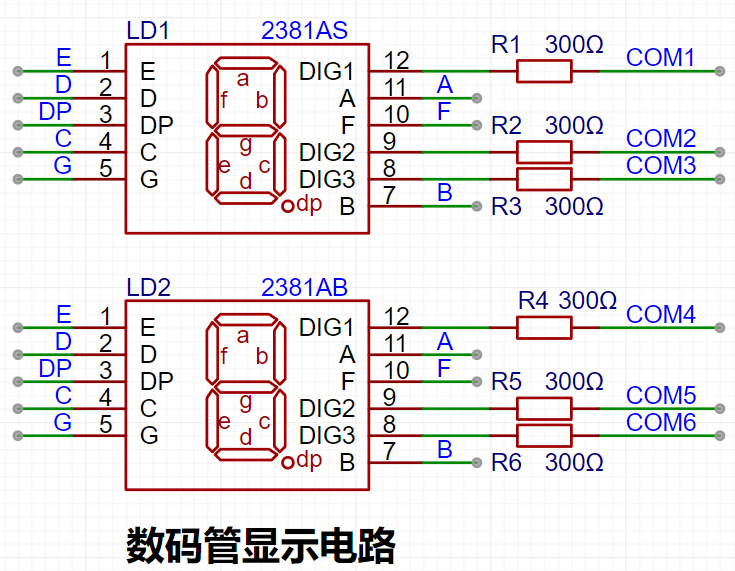
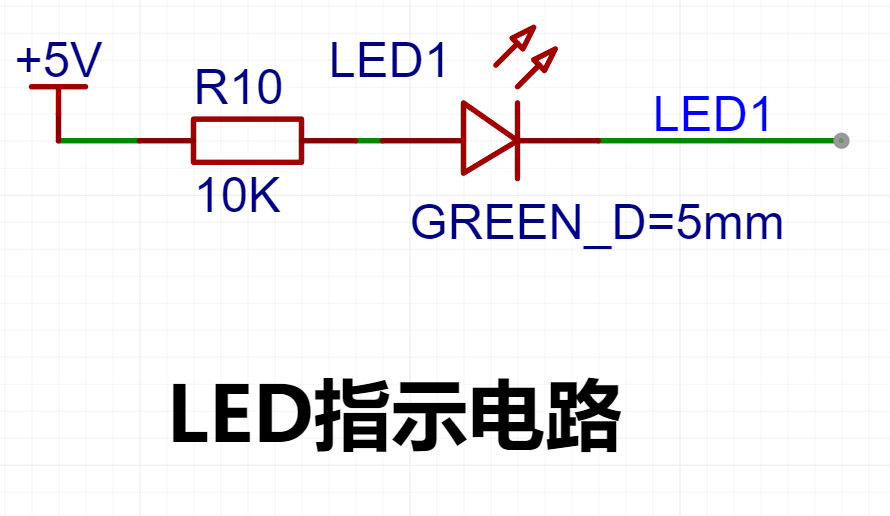
A low-side current sampling circuit is used for current detection. The low side of the sampling circuit shares a common ground with the development board's meter interface. The sampling current designed in this project is 3A, and the selected sampling resistor (R0) is 100mΩ. 5. Digital Tube Driver 6. Indicator Lights
7.
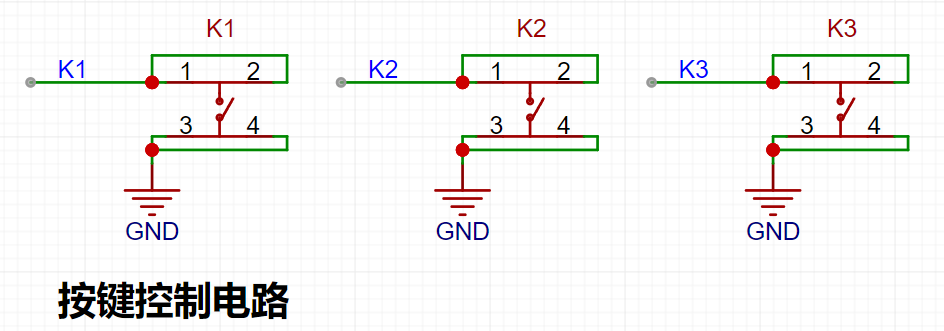
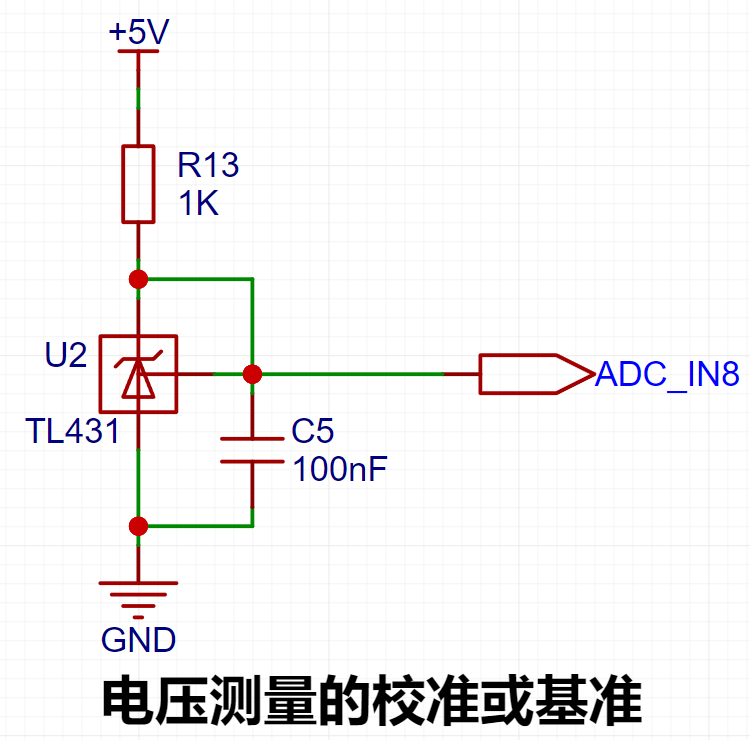
Button Circuit Design 8. TL431 Circuit Design
 
 
III. Button Functions
K1 key is used to switch display modes. K2 key sets the parameter value in the corresponding mode and saves it to FLASH. K3 key returns to mode 0.
Mode 0: Displays normal voltage and current values ​​(the upper row of digital tubes displays the voltage value *.V or .*V automatically switches, the lower row displays the current value, _.**A).
Mode 1: Voltage 5V calibration value setting. The upper row of digital tubes displays 5.05. The next row displays the current voltage value as _.V or ._V. In this mode, the multimeter should be set to 5.00V when measuring the measured position. Pressing the K2 key will calibrate the current value to 5V.
Mode 2: 15V voltage calibration setting. The previous row of the digital display shows 5.15. The next row displays the current voltage value as _.V or ._V. In this mode, the multimeter should be set to 15.0V when measuring the measured position. Pressing the K2 key will calibrate the current value to 15V.
Mode 3: 0.5A current calibration setting. The previous row of the digital display shows A.0.5. The next row displays the current current value as _.**A. Pressing the K2 key will calibrate the current value to 0.5A.
Mode 4: 1.5A current calibration setting. The previous row of the digital display shows A.1.5. The next row displays the current current value as *.**A. Pressing the K2 key will set the current value to 1.5A
 
.
参考设计图片
×
 
 
Search Datasheet?

Supported by EEWorld Datasheet

Forum More
Update:2026-03-26 02:07:35

EEWorld
subscription
account

EEWorld
service
account

Automotive
development
community

Robot
development
community

About Us Customer Service Contact Information Datasheet Sitemap LatestNews



Room 1530, 15th Floor, Building B, No.18 Zhongguancun Street, Haidian District, Beijing, Postal Code: 100190 China Telephone: 008610 8235 0740

Copyright © 2005-2024 EEWORLD.com.cn, Inc. All rights reserved 京ICP证060456号 京ICP备10001474号-1 电信业务审批[2006]字第258号函 京公网安备 11010802033920号