dEW3sYxKG

#9th LCSC Electronics Contest# Temperature and Humidity Measuring Instrument

 
Overview
 
* 1. Project Function Introduction

This project uses an STM32G030K6T6 chip as the main controller, acquiring data from a Sensory temperature and humidity sensor and displaying it on a digital tube. Considering power consumption, a sleep mode was implemented, which is off by default. The chip is woken up by a button to collect data and display it on the digital tube. The power module uses two AA batteries, providing approximately 3V. In our sleep/wake-up mode, these two batteries can last a very long time.
This project is very simple to replicate. I am a beginner myself, and the functionality is relatively basic. Experienced developers can add other functions and sensors.
This compact desktop temperature and humidity monitor doesn't take up much space; it can beautify your desktop as a small decorative item and also provide a fun way to check the current temperature and humidity. DIYing one is a great decision.
*2. Project Attributes

This project is being publicly disclosed for the first time, but it is not an original work; it is a replication of a solution provided by the LCSC platform. It has not yet won any awards.
 
* 3. Open Source

License: Public Domain: https://creativecommons.org/share-your-work/public-domain/
 
* 4. Hardware

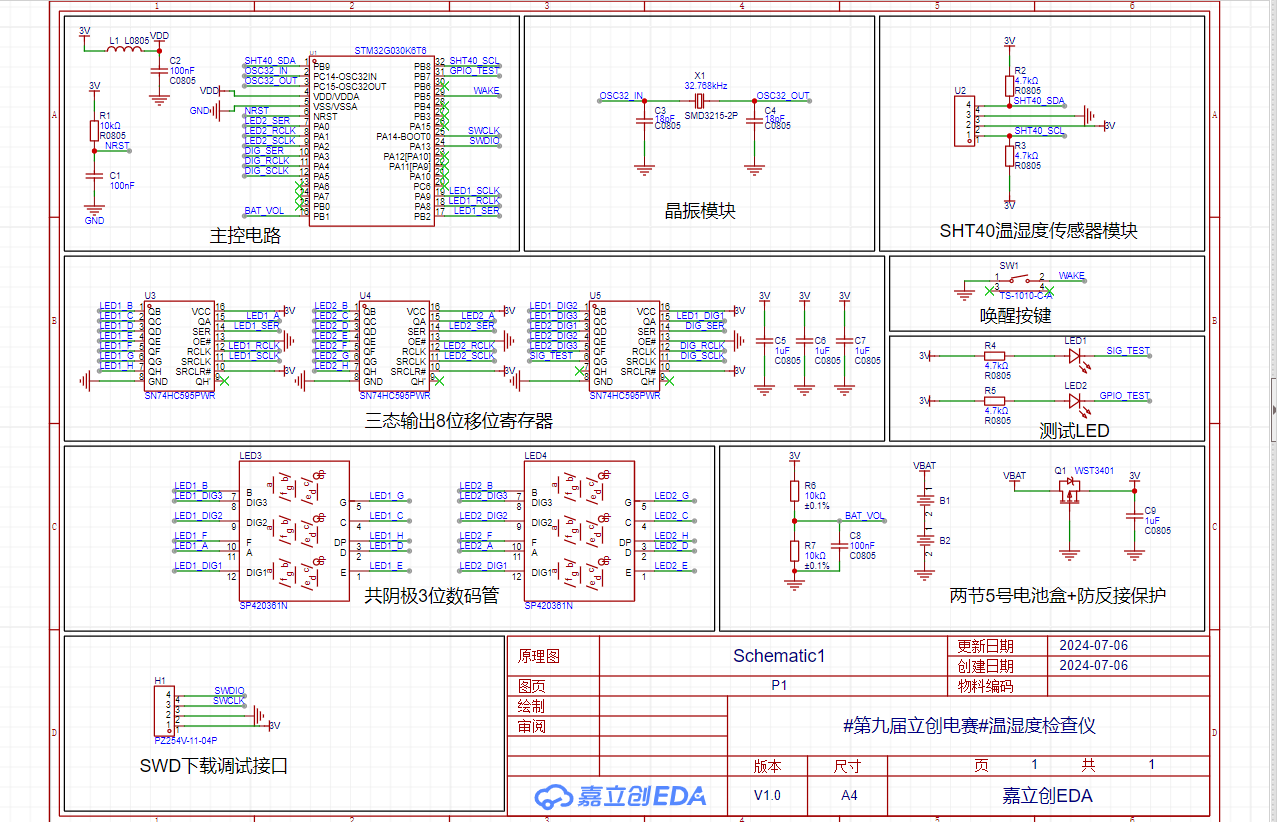
Schematic:
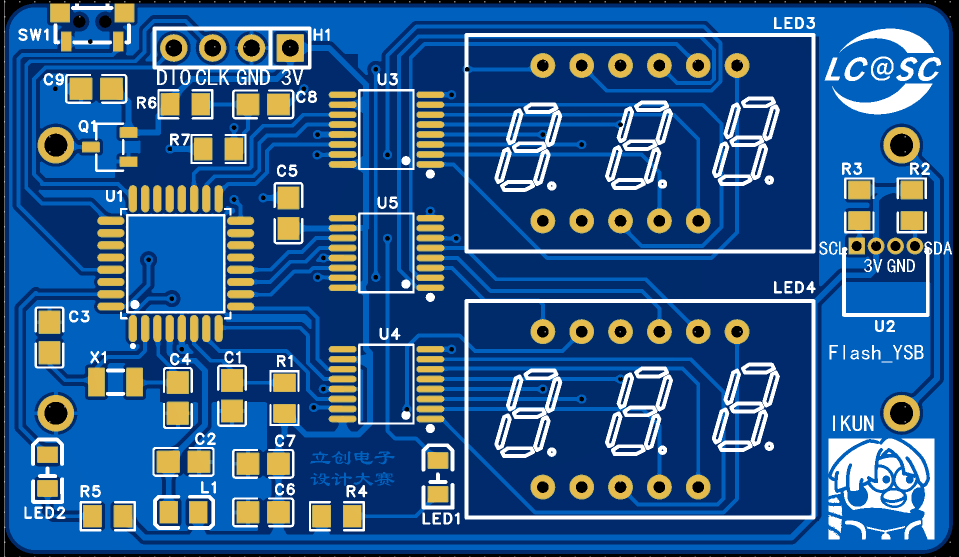
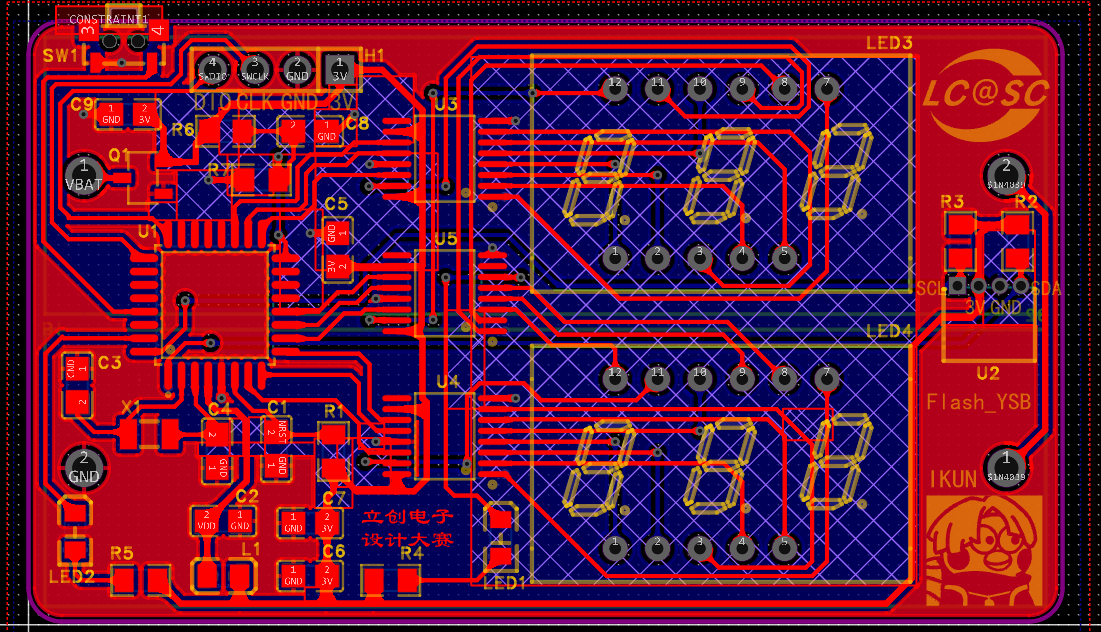
PCB:
2D Plane View:
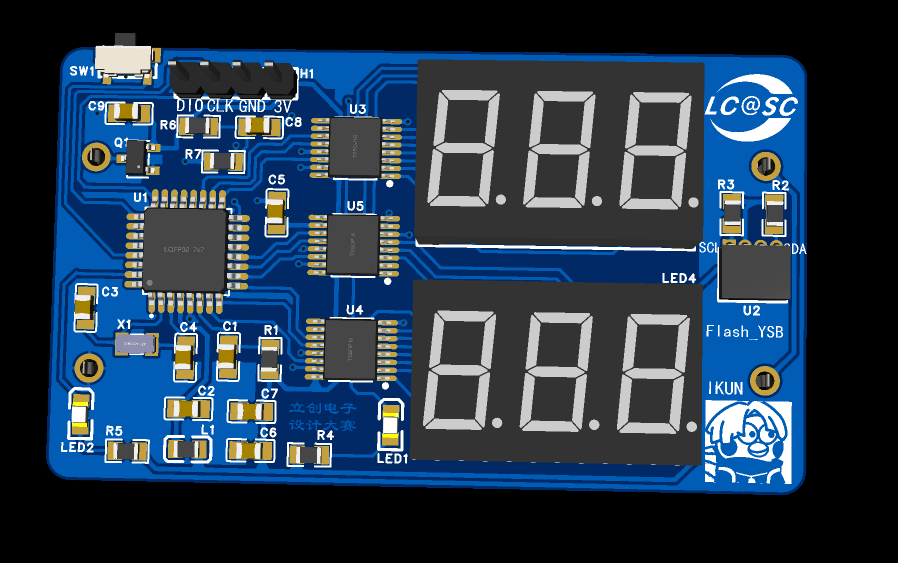
3D Front View:
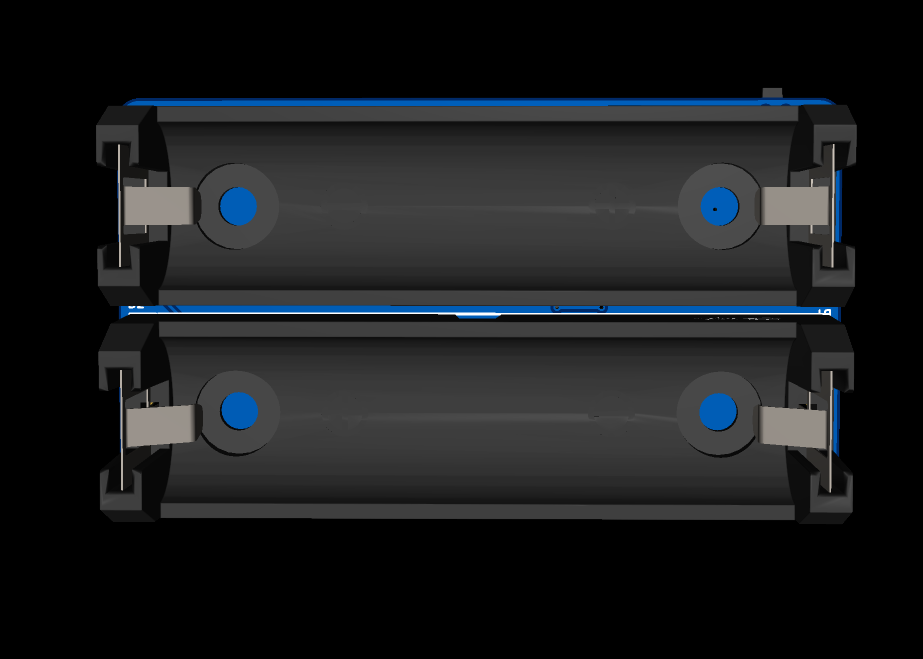
3D Back View:
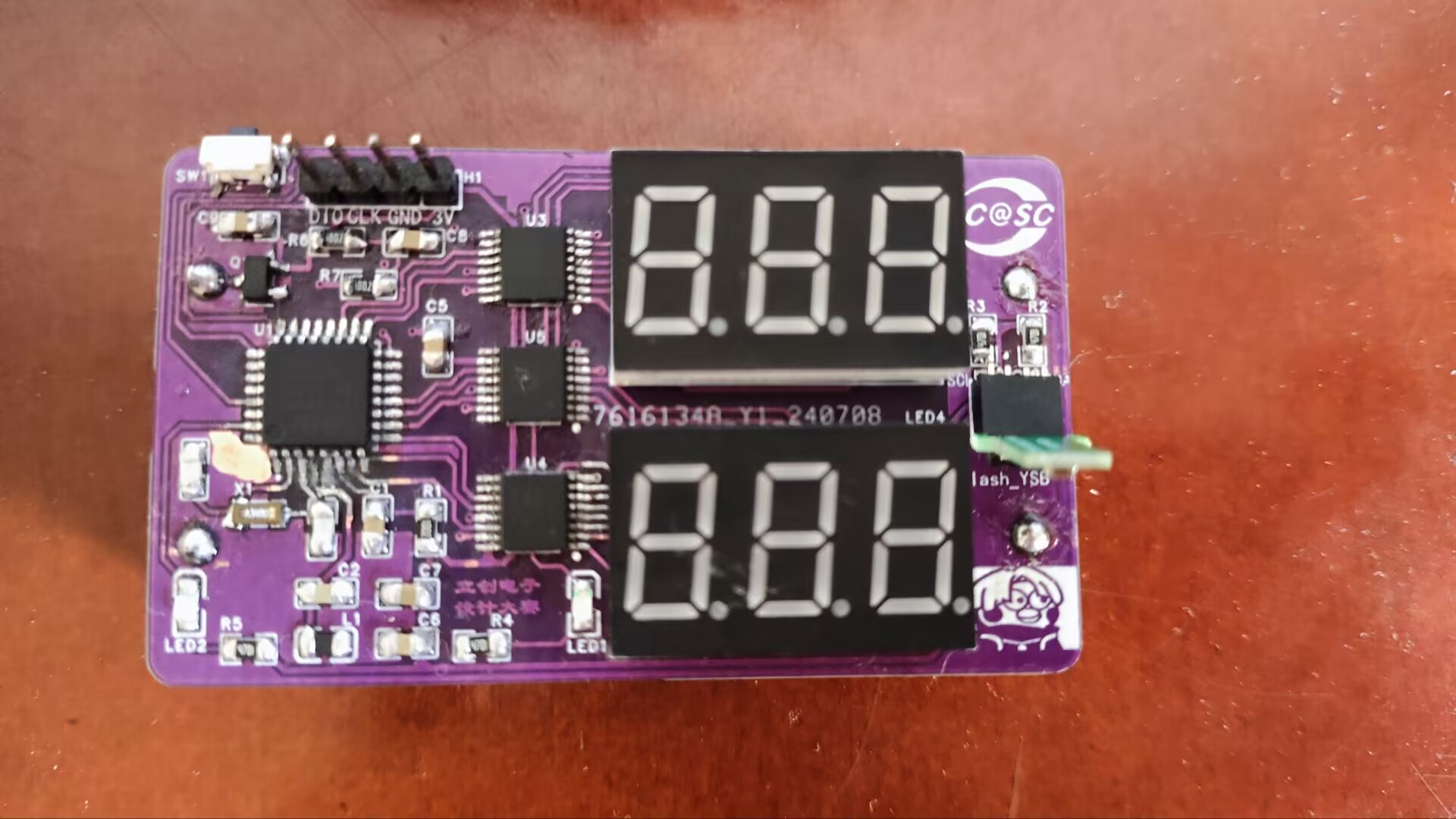
Actual Image:
 
* 5. Software:


Most of the code was debugged based on the code provided by Mr. Chen. Since I'm replicating it, there's almost nothing that needs modification. However, it's best to review the chip's sleep mode principle and code before programming. Otherwise, directly programming will cause significant problems, preventing you from programming again. You need to program within the few seconds of the active state. Also, check the crystal oscillator used. Inconsistent frequencies in the code can cause the chip to lock up; I encountered this problem. Next, let's look at the sleep modes:
The STM32G0 series has four sleep modes:

Low-power operation mode (reduces CPU frequency, but the system is still running)
, Sleep mode (the system enters sleep mode and can be woken up by any interrupt/event)
, Stop mode (the system enters stop mode and supports any external interrupt and RTC alarm wake-up) , and
Standby mode (the system enters standby mode and supports RTC alarm wake-up, WKUP, NRST pin wake-up, and IWDG reset wake-up; LSI and LSE are enabled).

Note that none of these modes can be used for debuggering, as the system clock is turned off; and after setting it to low-power mode, code cannot be downloaded until it is woken up. For detailed instructions, please refer to the specific datasheet.
Please set the modes according to your actual situation, and set the synthesis code to sleep mode.

 
*6. BOM list

is attached
 
*7. Competition LOGO verification

*8. Demonstrate your project and record a video to upload

(see attachment)
 
 
参考设计图片
×
 
 
Search Datasheet?

Supported by EEWorld Datasheet

Forum More
Update:2026-03-27 03:17:55

EEWorld
subscription
account

EEWorld
service
account

Automotive
development
community

Robot
development
community

About Us Customer Service Contact Information Datasheet Sitemap LatestNews



Room 1530, 15th Floor, Building B, No.18 Zhongguancun Street, Haidian District, Beijing, Postal Code: 100190 China Telephone: 008610 8235 0740

Copyright © 2005-2024 EEWORLD.com.cn, Inc. All rights reserved 京ICP证060456号 京ICP备10001474号-1 电信业务审批[2006]字第258号函 京公网安备 11010802033920号