Circuit Design
1. Power Supply Circuit Design
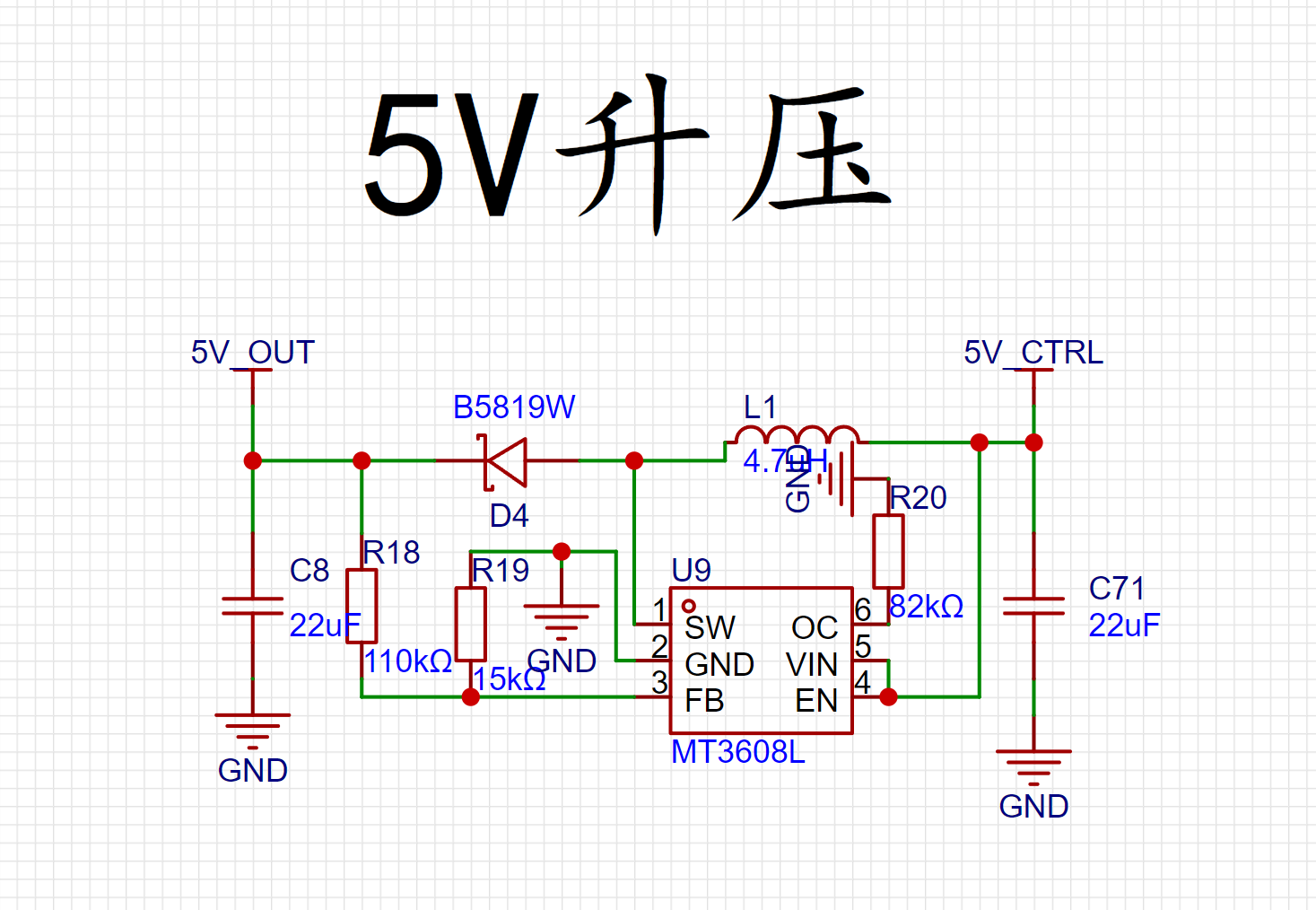
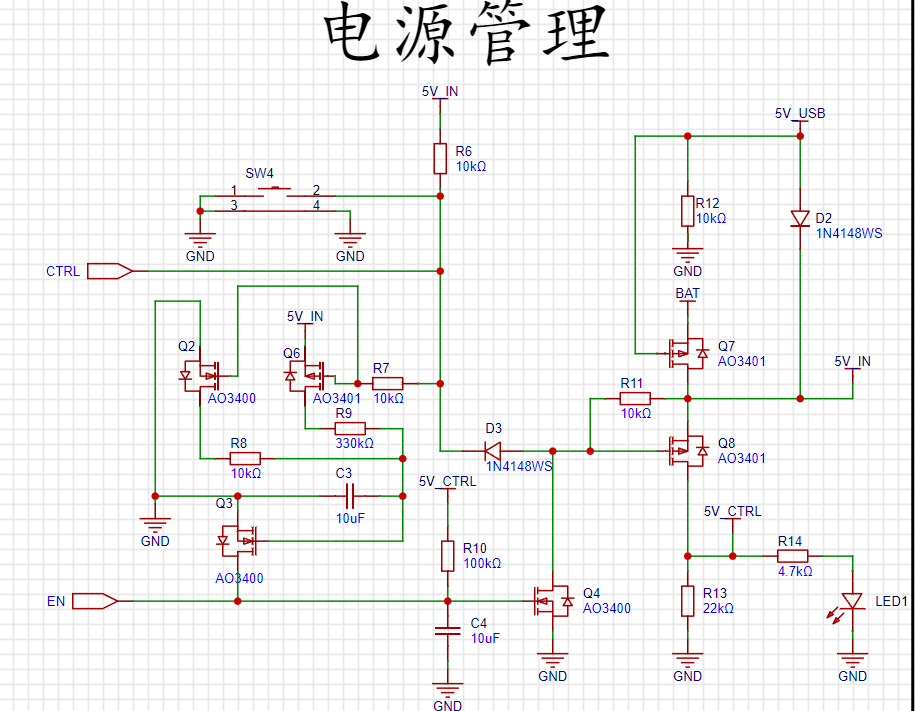
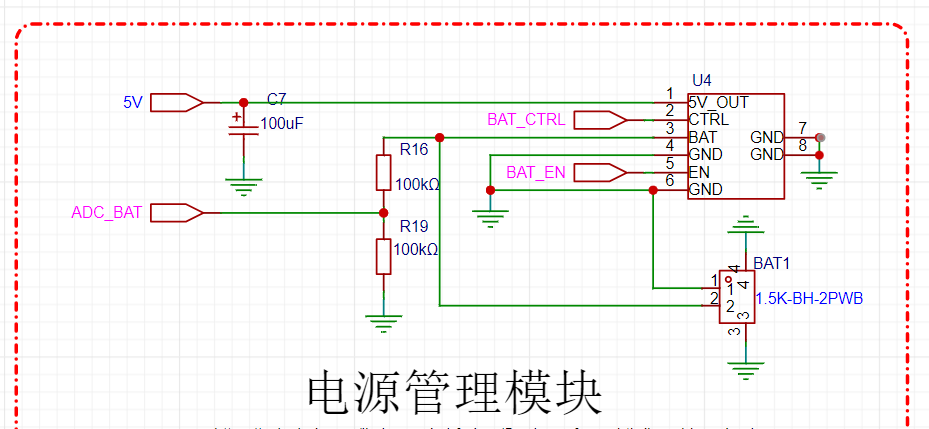
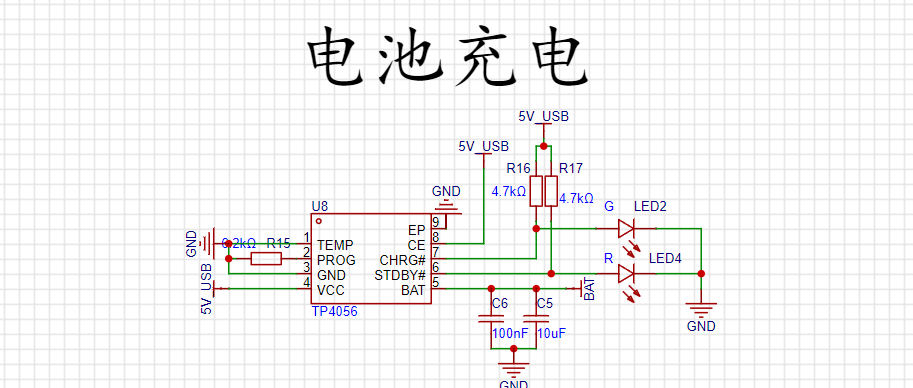
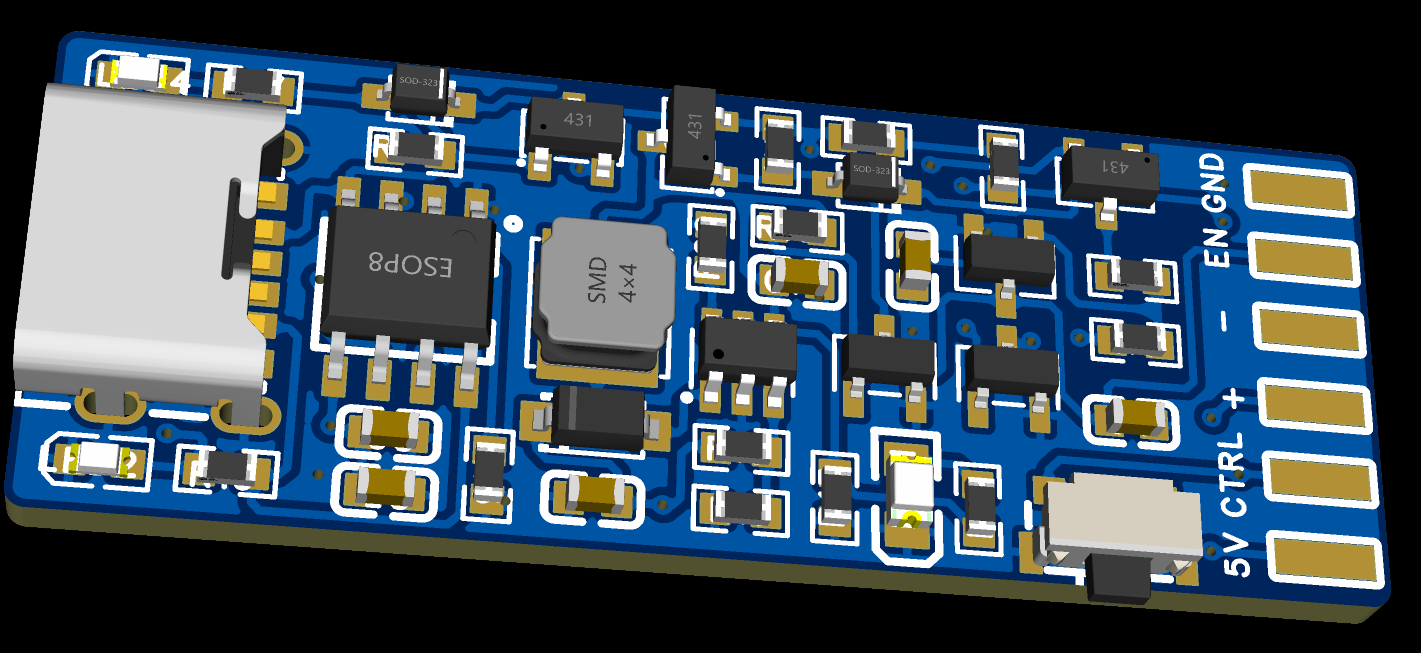
: Consulting the microcontroller schematic and chip manual, the Liangshanpai microcontroller supports 5V power supply, while other chips and peripherals are compatible with both 5V and 3V3 power supplies. A single 3.7V 300mAh lithium battery is selected for power supply. A 5V boost circuit boosts the voltage to 5V, which is then supplied to the entire game console system via the battery management circuit and lithium battery charging circuit. Using a built-in battery makes the game console portable and usable anytime, anywhere. The MT3608L high-efficiency boost chip provides a stable 5V output.
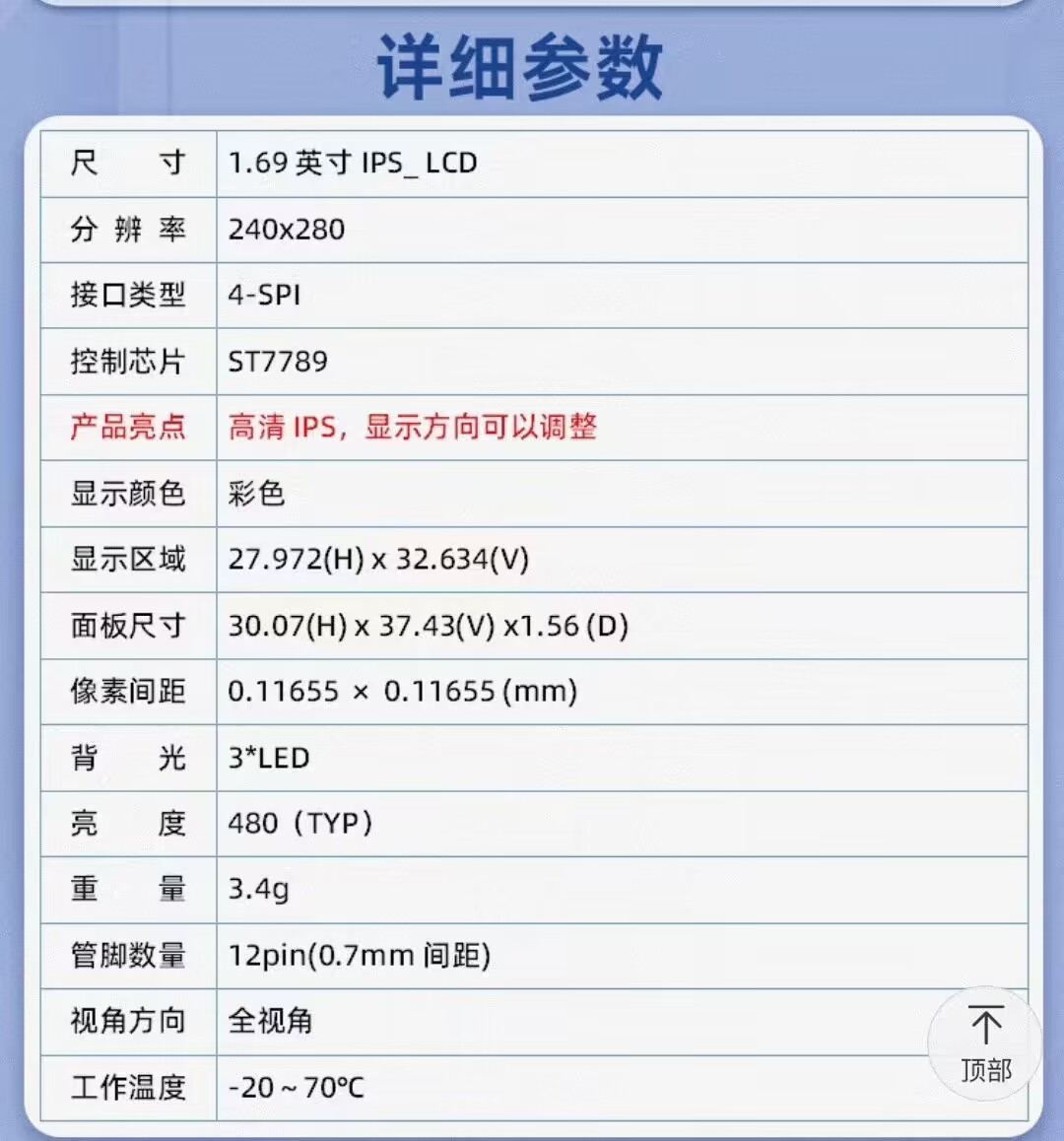
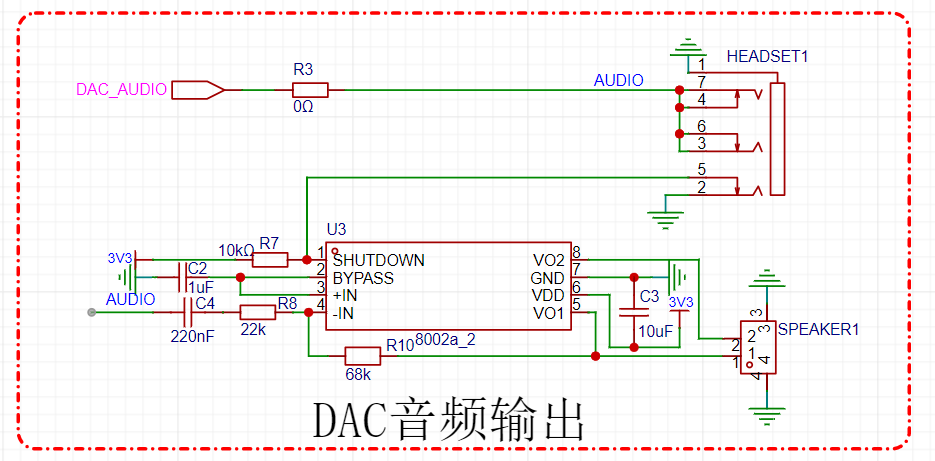
3. Audio Output Circuit Design:
The design incorporates a headphone jack and speaker output, satisfying both external sound output needs and allowing for headphone insertion. It is quiet, simple, and allows for easy switching. The circuit uses a microcontroller DAC for analog output, making driving convenient and simple.
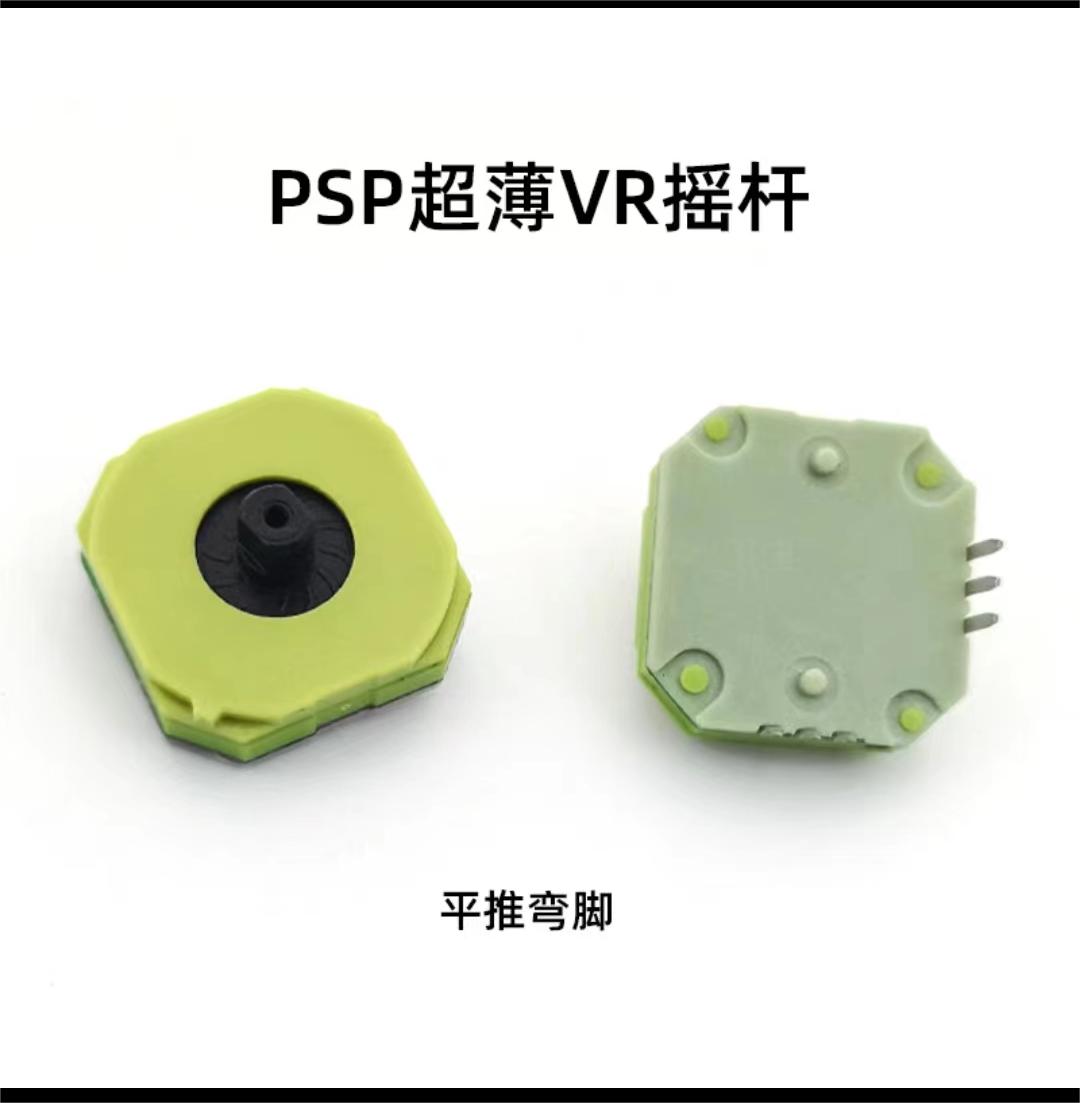
4. Directional control joystick circuit design.
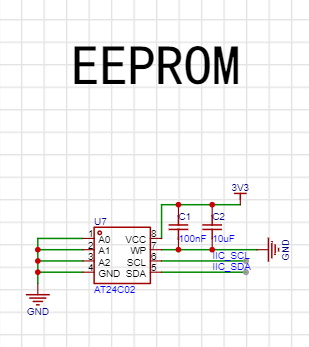
5. Storage circuit design:
A good game console needs to support various types of games, requiring sufficient memory. EEPROM is chosen because it has large capacity, fast storage, and simple driver operation.
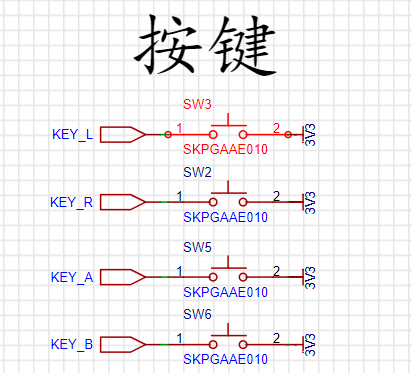
6. Button circuit design
: Design buttons to simulate action buttons in various games and to switch functions of the game console.
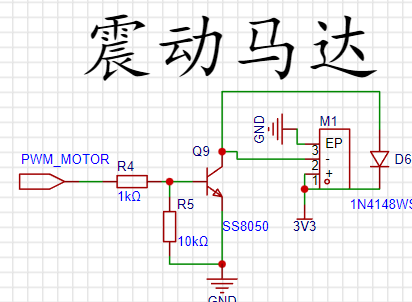
7. Vibration circuit design:
Implement a vibration motor to achieve the feedback effect of the game console.
8. Battery detection circuit:
The power supply is connected to the microcontroller pin through a resistor divider. The ADC function is used to monitor the battery level.
Code debugging ,
screen driver ,
buttons
, SPI and IIC communication,
ADC acquisition
, DAC analog output,
physical image.
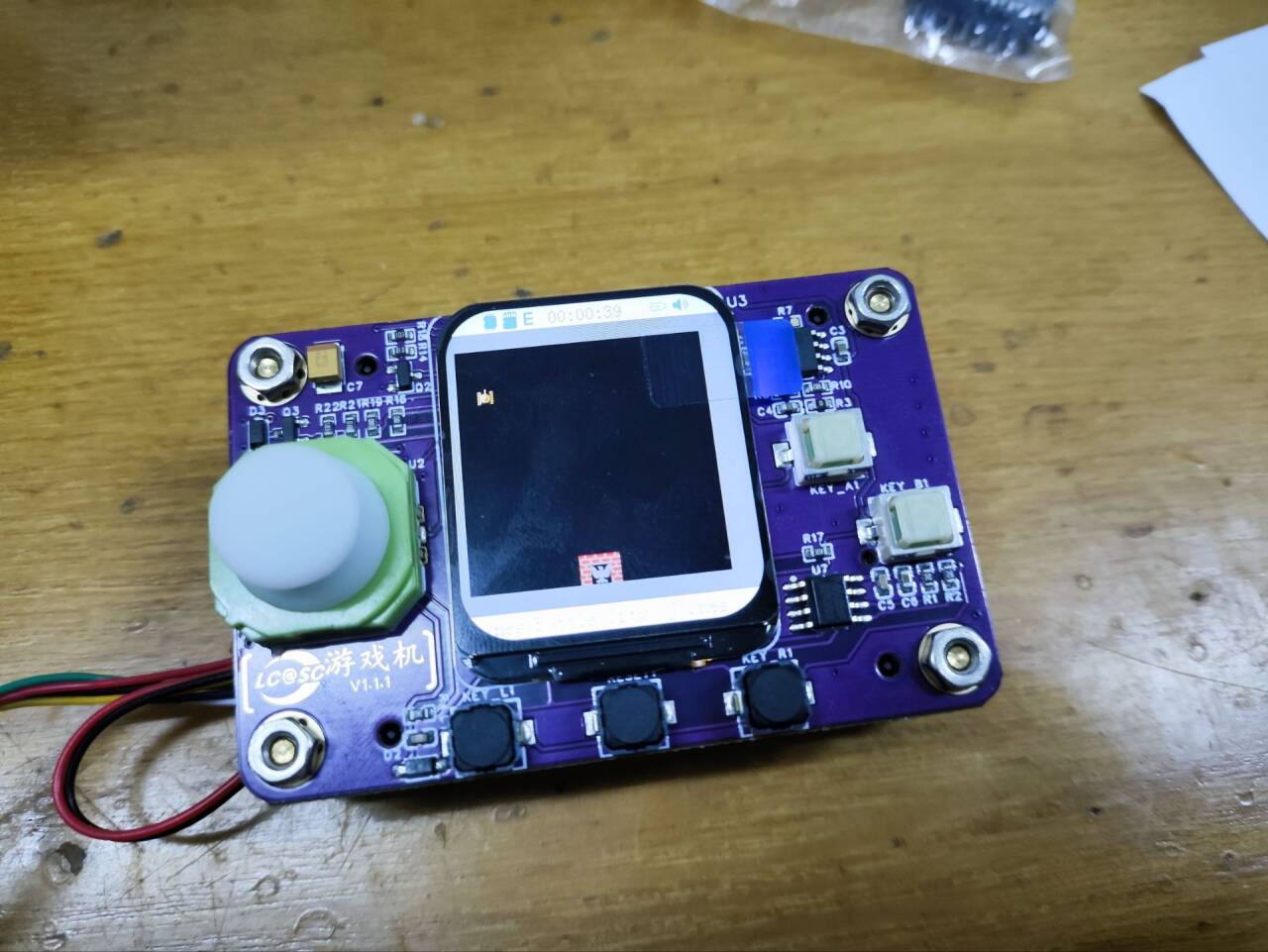
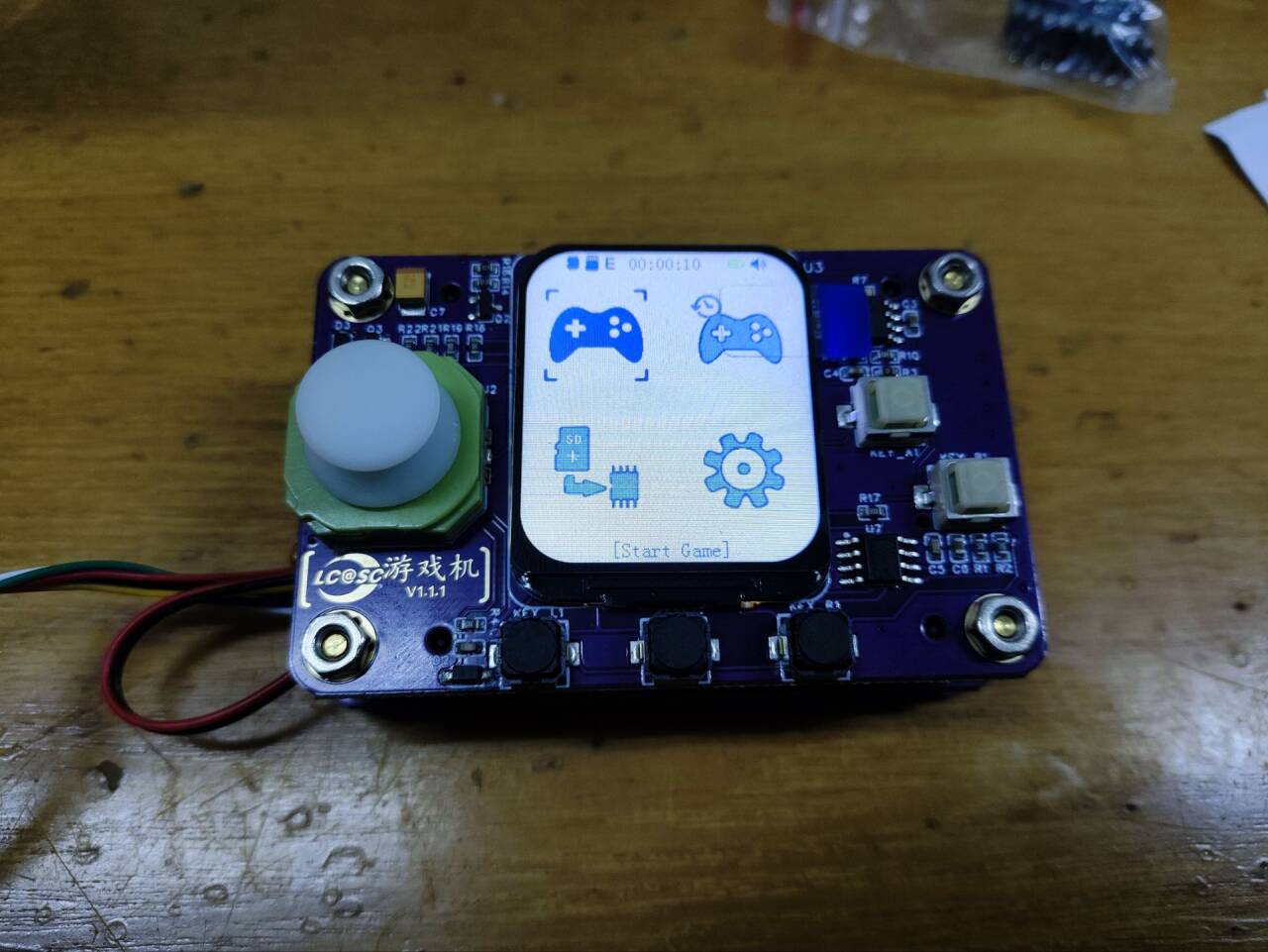
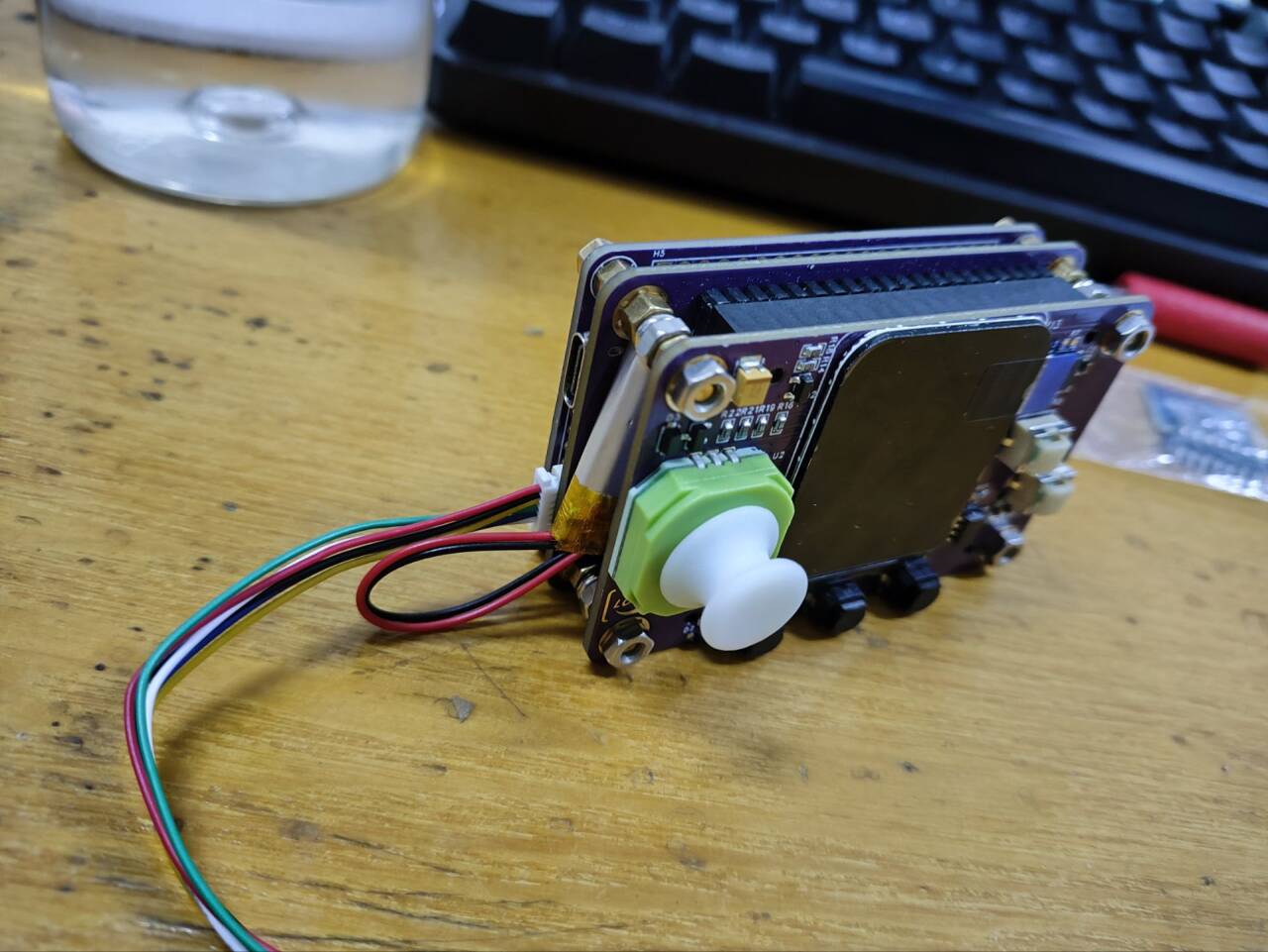
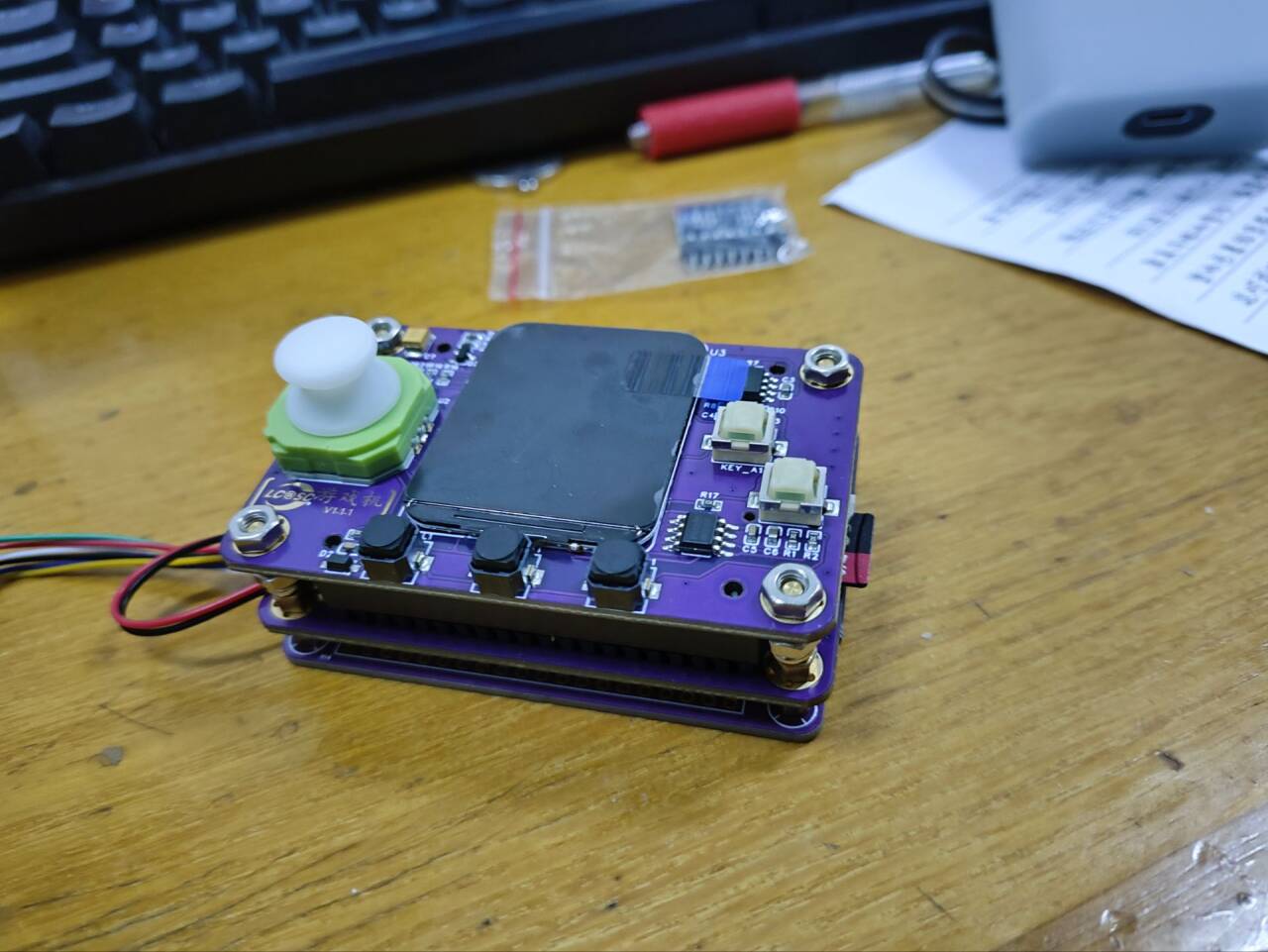
1. Learning objectives: Familiarize yourself with the development process of embedded projects, and master the ability to design a game console hardware circuit, software programming, and system debugging.
2. Function Introduction:
Displays game content on LCD;
controls character movement using five buttons; allows
independent button control for character actions;
includes sound output;
saves game data via flash memory;
3.7V lithium battery charging and discharging management.
3. Skills Mastery:
1. Hardware Development Capabilities
: 1.1 Embedded Project Circuit Analysis:
Read and understand classic embedded project schematics, such as game console hardware circuits.
Learn how to analyze key parts of a circuit, such as power supply, signal processing, and communication interfaces.
1.2 Component Selection and Datasheet Reading:
Learn how to select appropriate components based on requirements.
Read and understand component datasheets, understanding their basic characteristics, operating parameters, and limitations.
1.3 Schematic Design and PCB Design:
Use CAD software (such as Altium Designer, KiCad, etc.) for schematic design.
Learn PCB layout and routing rules, and perform PCB design.
1.4 Understanding Specific Circuit Design:
In-depth study of the working principles and design considerations of circuits such as SPI screens, analog buttons, and audio amplifiers.
1.5 Instrument Usage and Circuit Analysis Skills:
Master the use of instruments such as multimeters, oscilloscopes, signal generators, and student power supplies.
Learn to use these instruments for circuit analysis, troubleshooting, and performance optimization.
1.6 Component Soldering and Hardware Debugging:
Master the use of tools such as soldering irons and hot air guns.
Learn how to solder components, debug circuit boards, and troubleshoot.
2. Software Development Skills
: 2.1 GD32 Basic Functions and Peripheral Usage
: Learn the architecture, functions, and peripheral interfaces of the GD32 microcontroller.
Write code to initialize and communicate with peripherals such as GPIO, UART, and SPI.
2.2 ADC Acquisition Principles and Implementation
: Learn the working principle and configuration methods of ADCs (Analog-to-Digital Converters).
Write code to implement ADC acquisition for reading five-way button values and battery voltage.
2.3 DAC Principles and Audio Output
: Learn the working principle and audio encoding formats of DACs (Digital-to-Analog Converters).
Write code to implement audio output, such as playing game sound effects.
2.4 SPI Protocol and LCD Driver:
In-depth study of the SPI communication protocol and its application in LCD drivers. 2.5 Image Extraction and UI Interface Creation: Learn image extraction methods and convert images to a format displayable on the LCD. Use graphic design software (such as Photoshop, GIMP, etc.) to create the
game's UI interface. 2.6 Basic Working Principles of Game Consoles: Understand the basic working principles of game consoles, such as game logic, data storage and retrieval. Write code to implement the basic functions of the game console, such as character control and action execution. 2.7 Embedded Software Development and Debugging: Master the basic processes and methods of embedded software development. Learn to use debugging tools (such as J-Link, Keil, etc.) for code debugging and performance optimization. Learn how to read and modify open-source code to improve development efficiency and quality. 3. System Debugging and Integration : Integrate the hardware and software components and perform system debugging. Test whether the various functions of the game console are working properly, such as display, button control, audio output, etc. Troubleshoot and modify based on the test results until the game console is fully functional and stable. 4. Summary and Improvement: Summarize and reflect on the entire development process, identify shortcomings and areas for improvement. Continuously learn new technologies and knowledge to improve your embedded systems development capabilities. Participate in more real-world projects to accumulate experience and enhance your practical skills.








 京公网安备 11010802033920号


 AZ973-1A-12DC4D1



