Original post:
https://oshwhub.com/andyray/gu-tai-san-re-qi
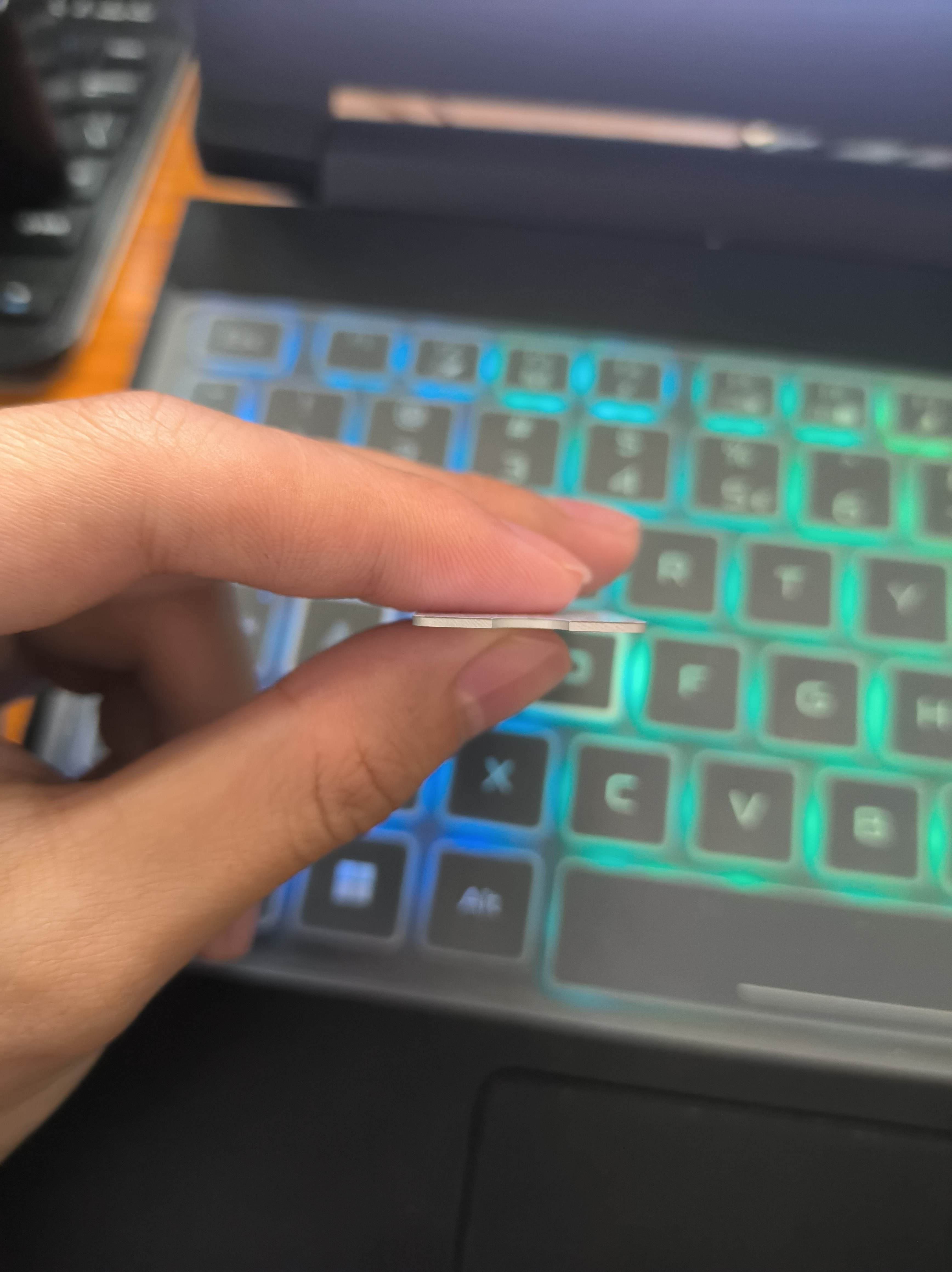
This is a really great idea I saw at LCSC Plaza; turning an aluminum substrate into a solid-state heatsink is simply amazing. My project is version 3.0, with improvements to the aesthetics: the silkscreen printing on the back can be erased, leaving no extra text on the front; the entire top layer is copper-plated, with solder mask openings for a more refined and smooth pattern.
The aluminum plate edges are sharp!! Please note when ordering!!! 1. If you are using your own editor, the copper layer may need to be modified (I have provided a direct PCB layout file that you can use to create it).
2. Select the aluminum substrate; select the thickness as needed, generally one millimeter.
3. Note that you need to select the specified location and add custom editing.

ProProject_PCB_Solid State Heatsink v3.0_2023-08-14_2024-02-17.epro
Gerber_PCB_Solid State Heatsink v3.0_2023-08-14_2024-02-17.zip
94756
LCSC Taishan Development Board Dot Screen
3.1-inch screen backlight driver + adapter board
Foreword:
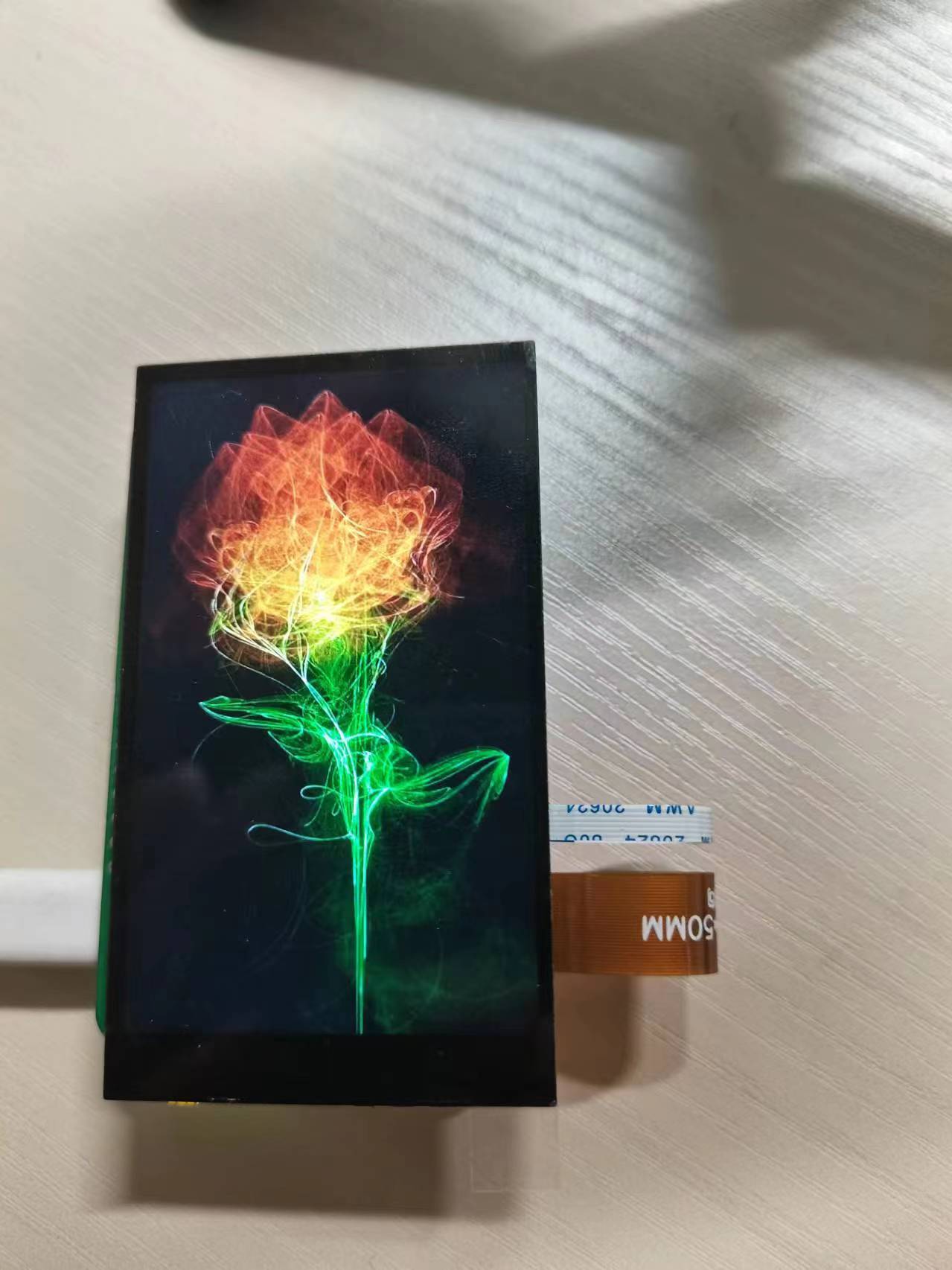
Following Master Wu's arduous journey, we successfully built and compiled the code for the Taishan School, completing the driver for this 3.1-inch screen. I tried compiling Debian for the first time and successfully flashed it to my Taishanpa (a
Chinese mobile phone
platform ). However, I only found one terminal working. So, I thought I'd follow a tutorial to compile an Android system, forgetting that I didn't have enough hard drive space. I'll try again when I upgrade my device. For now, I'll stick with Debian. Once the environment and code are compiled, I can flash it to Taishanpa. Even after deleting things in the virtual machine, the local hard drive space didn't decrease. So, I performed the following operations to free up some space (using VMvirtualBox virtual machine): 1. Clean up virtual machine disk space (for Linux virtual machines): Fill unused disk space to zero: `sudo dd if=/dev/zero of=/EMPTY bs=1M` `sudo rm -f /EMPTY` 2. Shut down the virtual machine. 3. Compress VDI files: 3.1 Locate the VMvirtualBox installation directory. It contains a built-in tool called VBoxManage. Record the directory of this tool. 3.2 Go to the virtual machine directory where you need to free up disk space, run the terminal as administrator, and enter the following command: "C:\Program The script `FilesOracleVirtualBoxVBoxManage.exe modifyhd mydisk.vdi --compact` may need to be modified in two ways: 1. The VBoxManage directory may be different. 2. The name of the virtual machine (mydisk) to be released may be different. 4. The cleanup is now complete. Reopen the virtual machine. If it opens normally, you're done. Otherwise, please see the following steps. 5. If the message "the root filesystem on /dev/sda1 requires a manual fsck" appears during boot, it means that the Linux system detected errors or inconsistencies in the root filesystem (/dev/sda1) during startup. The system believes that a manual filesystem check (fsck) is required to ensure the integrity and consistency of the filesystem. 5.1 Run fsck, `fsck /dev/sda1`, and select 'y' during the process to repair these problems. 5.2 If there are still problems after the first run, run the fsck command multiple times (it usually completes in one run). 5.3 Mount the root filesystem: `mount -o remount,rw /` 5.4 Reboot: `reboot` 5.5 Select Ubuntu to boot normally. Soldering that was really difficult! The Taishan-style MIPI connectors were so densely packed; I ruined several connectors. Thankfully, the driver provided by Feng Moxi ensured the code was correct. After constantly modifying the solder pads, it finally lit up. The screen casing isn't designed yet; I'm just waiting for the base plate to be assembled so I can finally put it together as a complete system.

video.mp4
PDF_LCSC Taishan Development Board Dot Screen.zip
Altium_LCSC Taishan Development Board Screen Dot.zip
PADS_LCSC Taishan Development Board Screen Dot.zip
BOM_LCSC Taishan Development Board Screen.xlsx
94757
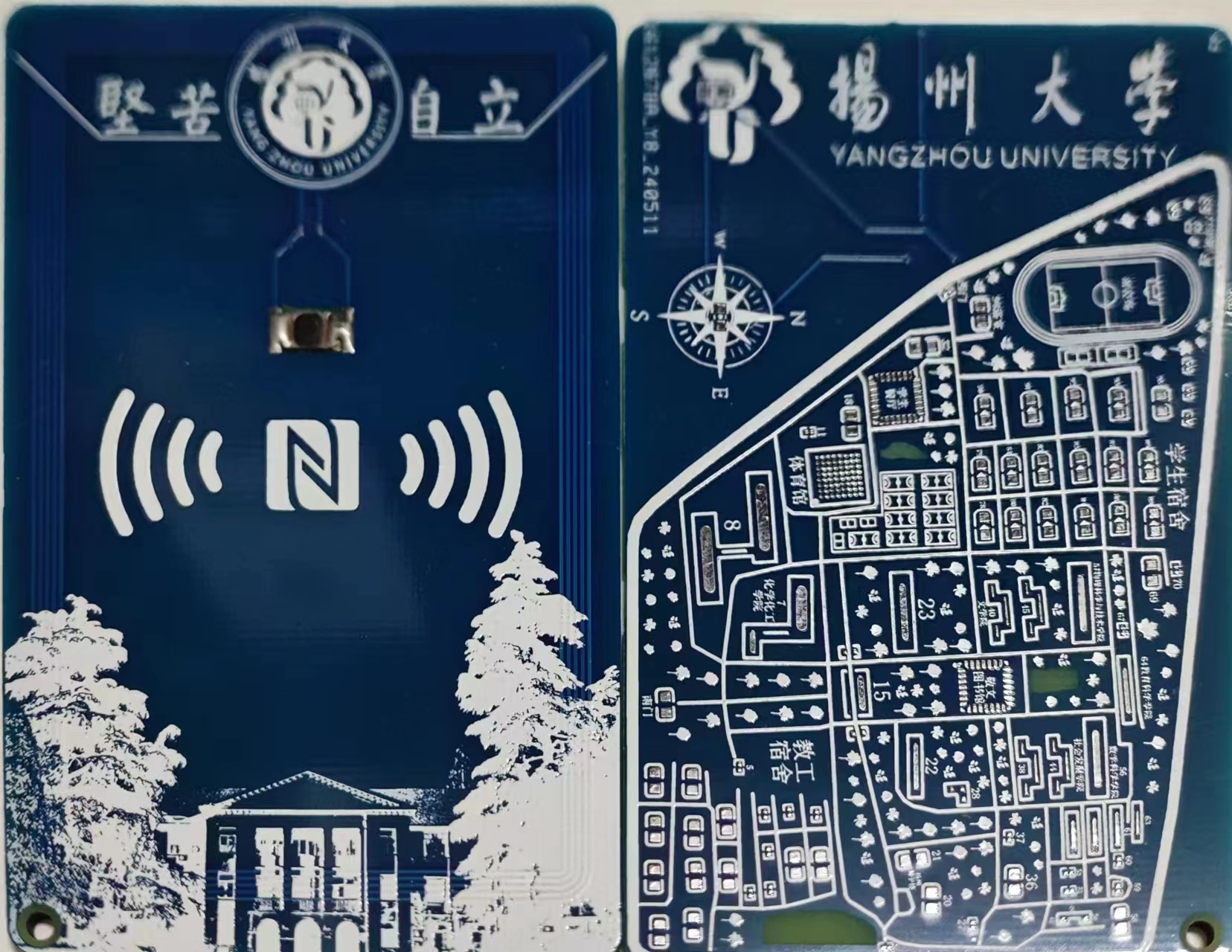
Yangzhou University Slender West Lake Campus Map NFC Card
Yangzhou may be small, but it's a city that creates legends. How could a college in Yangzhou not have its own campus NFC cards? Well, they're here today! But only the one for the Slender West Lake campus is available; I'll draw the ones for the other campuses when I have time, or you can draw them yourselves.
The description is nothing special; it's all borrowed from other community members. The map was drawn bit by bit from Gaode Maps. My aesthetic sense isn't great, but I've done my best to make it look like this. You can customize it yourself.
For the chip, you can use a COB213 chip or a CUID/UID, but it might not have campus card functionality. You can extract the chip from your campus card; you can search online for tutorials.
PDF_Yangzhou University Slender West Lake Campus Map NFC Card.zip
Altium_Yangzhou University Slender West Lake Campus Map NFC Card.zip
BOM_Yangzhou University Slender West Lake Campus Map NFC Card.xlsx
94758
4G power supply board
4G Internet module
4.6 The 4G Cat.1bis Internet access module adopts the ESP-IoT-Bridge solution. The ESP-IoT-Bridge solution is primarily designed for connectivity and communication between various network interfaces in IoT application scenarios, such as SPI, SDIO, USB, Wi-Fi, and Ethernet. In this solution, the Bridge device can provide internet access for other devices and also function as an independent device connecting to a remote server. The ESP-IoT-Bridge wired network card device can connect to the network by inserting an Ethernet cable into the router's LAN port and connect to a PC or MCU through multiple network interfaces (USB/SDIO/SPI) to provide internet access capabilities. One end of the USB cable connects to GPIO19/20 of the ESP32-S2/ESP32-S3, and the other end connects to the MCU.
4G Cat.1bis Internet Access Module Code (1).zip
PDF_4G Power Supply Board.zip
Altium_4G power supply board.zip
PADS_4G Power Supply Board.zip
BOM_4G Power Supply Board.xlsx
94760
electronic








 京公网安备 11010802033920号


 WSN2515R5170DEA



