1.
The author initially bought several LED strips for free, only to discover they required over 100 RMB of AC power and an additional power module. However, a quick search on Taobao revealed that while the LED strips themselves weren't expensive, a small driver cost 10 RMB. Unable to resist the temptation of freebies, the author decided to make their own.
2. Searching
online for "LED strip driver," the author found power conversion chips like the SP4403. They spent a significant amount (0.29 RMB after using a coupon) to purchase the chip and attempt to build a board, but the chip overheated, resulting in failure.
They then spent another significant amount (12 RMB) to buy a driver, disassembled it, and studied its principles. They were astonished to find that the internal circuit consisted of only two transistors and a transformer forming a self-excited boost circuit, plus a button chip to control the power on/off. This was incredibly profitable.
3. The principle
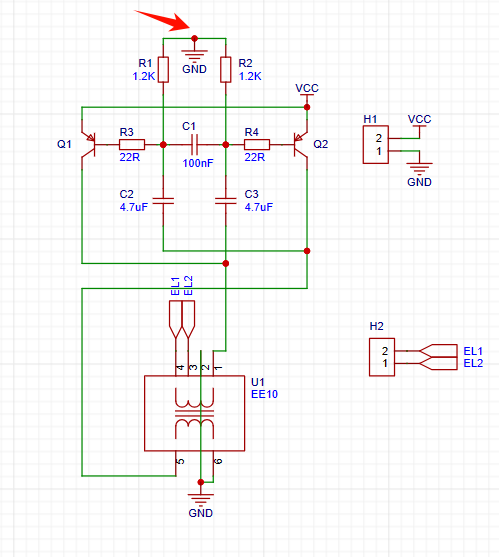
is straightforward; the author directly copied the board.
The arrow points to the original circuit's switch control node. A high-level circuit stops working, while a low-level circuit oscillates and boosts the voltage. The button chip controls the voltage at this point to achieve constant or flashing light. Since there's no need for lighting effects, this point is directly grounded. You can also modify the circuit to connect this point to other control circuits to control the lighting effects, but be careful about power isolation.
4.
For cost-saving reasons, a specific transformer model wasn't used; the author salvaged a 6-pin transformer from a discarded mobile phone charger. The pin definitions are slightly different, so a double-sided PCB was made for compatibility. Pay attention to the transformer pin orientation when replicating.
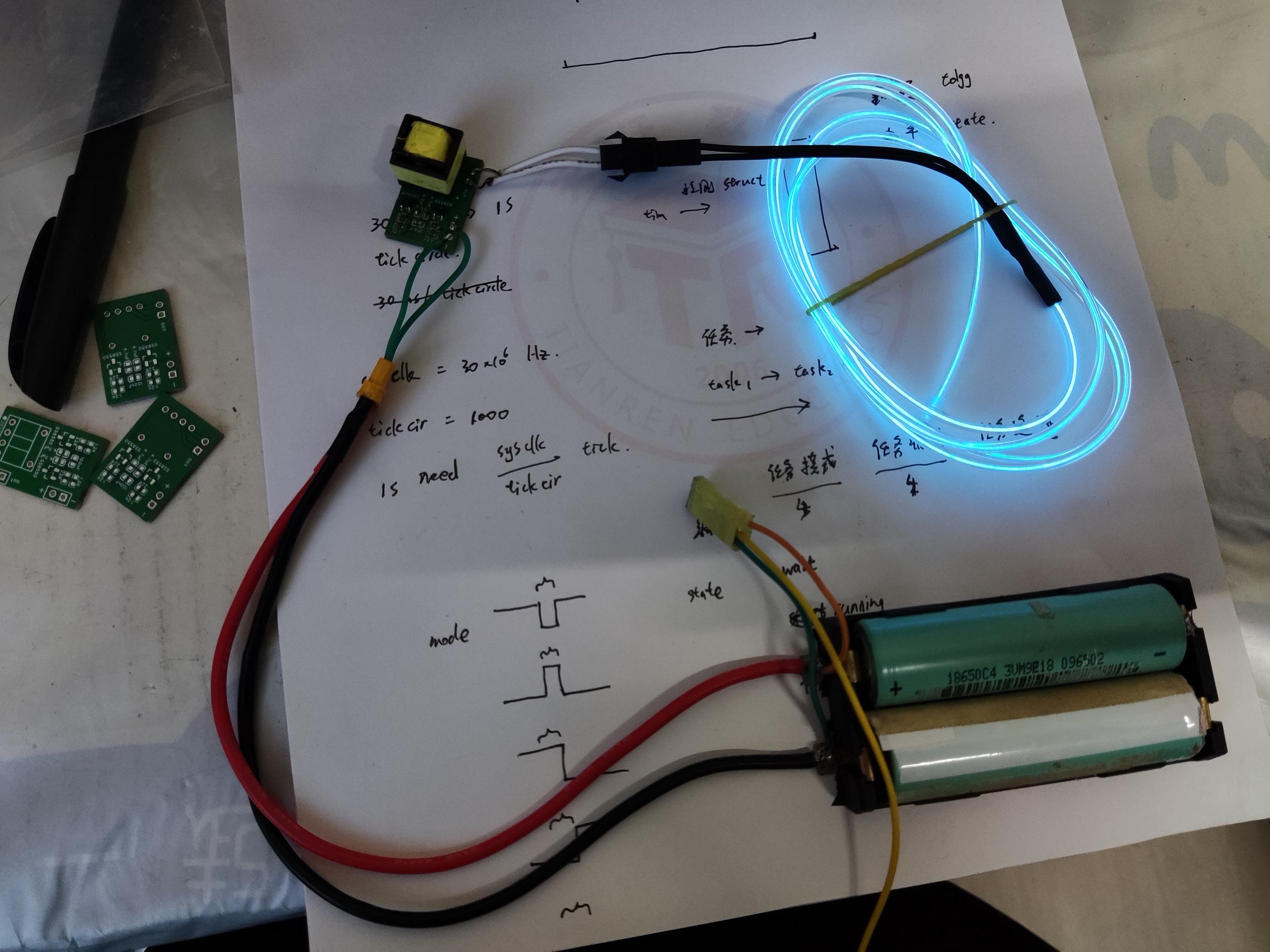
Different mobile phone charger transformers may have different turns ratios, and the required DC power supply voltage may also vary slightly, but it should all be within 10V. The author used two 18650 batteries (approximately 8.0V) to make the cold light glow normally.
-----
Let's look at the finished product.
PDF_Cold Light Lamp Driver.zip
Altium_cold light driver.zip
PADS_Cold Light Driver.zip
BOM_Cold Light Driver.xlsx
95381
Low-voltage uninterruptible power supply based on SLM6900 and TPS54302
Are you a student? Does your dorm room experience power outages and lights out? Does your monitor become useless after a power outage?
Do you want to DIY some circuits that require continuous power but can't find a suitable UPS?
Look here! With just a few parts and four 18650 capacitors, you can build a low-cost, low-voltage UPS.
The circuit uses an SLM6900 (a 4-cell battery step-down charging chip) and several TPS54302DDCRs (DC-DC step-down chips) to complete the battery charging and output voltage regulation functions. Considering size and power consumption, a unidirectional transistor circuit is used instead of diodes.
When the input voltage is high enough, the SLM6900 charges the four batteries and illuminates a red light; when fully charged, it illuminates a green light. All output DC-DC chips are powered by both the input voltage and the battery voltage through a unidirectional circuit (whichever is higher is used).
The battery protection circuit uses a DW01 chip, and the balancing circuit uses a HY2213 chip. Although not as efficient as a multi-cell integrated BMS chip, this circuit was used due to cost considerations. This results in a slight voltage drop across the transistors connected to the DW01, thus sacrificing a small amount of high-current capacity.
Regarding the load for balancing, this version uses a rather odd resistor washboard (top left of the image below)... If you have the patience to solder this, your soldering skills are definitely top-notch XD
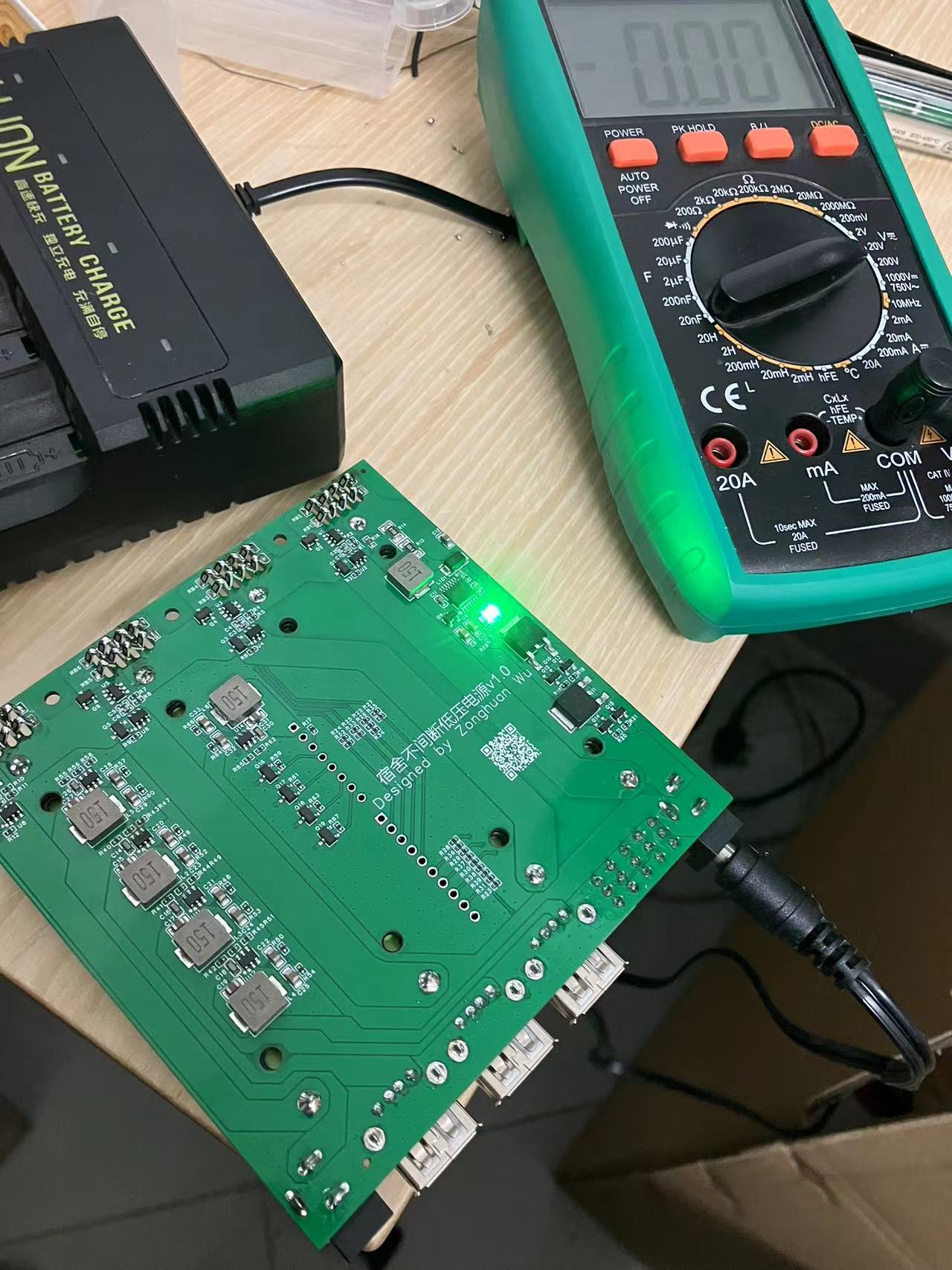
Of course, it doesn't have to be soldered like that... You can solder just one row of resistors, but you need to fully charge all four batteries beforehand, otherwise this situation will occur when the battery is very unbalanced...
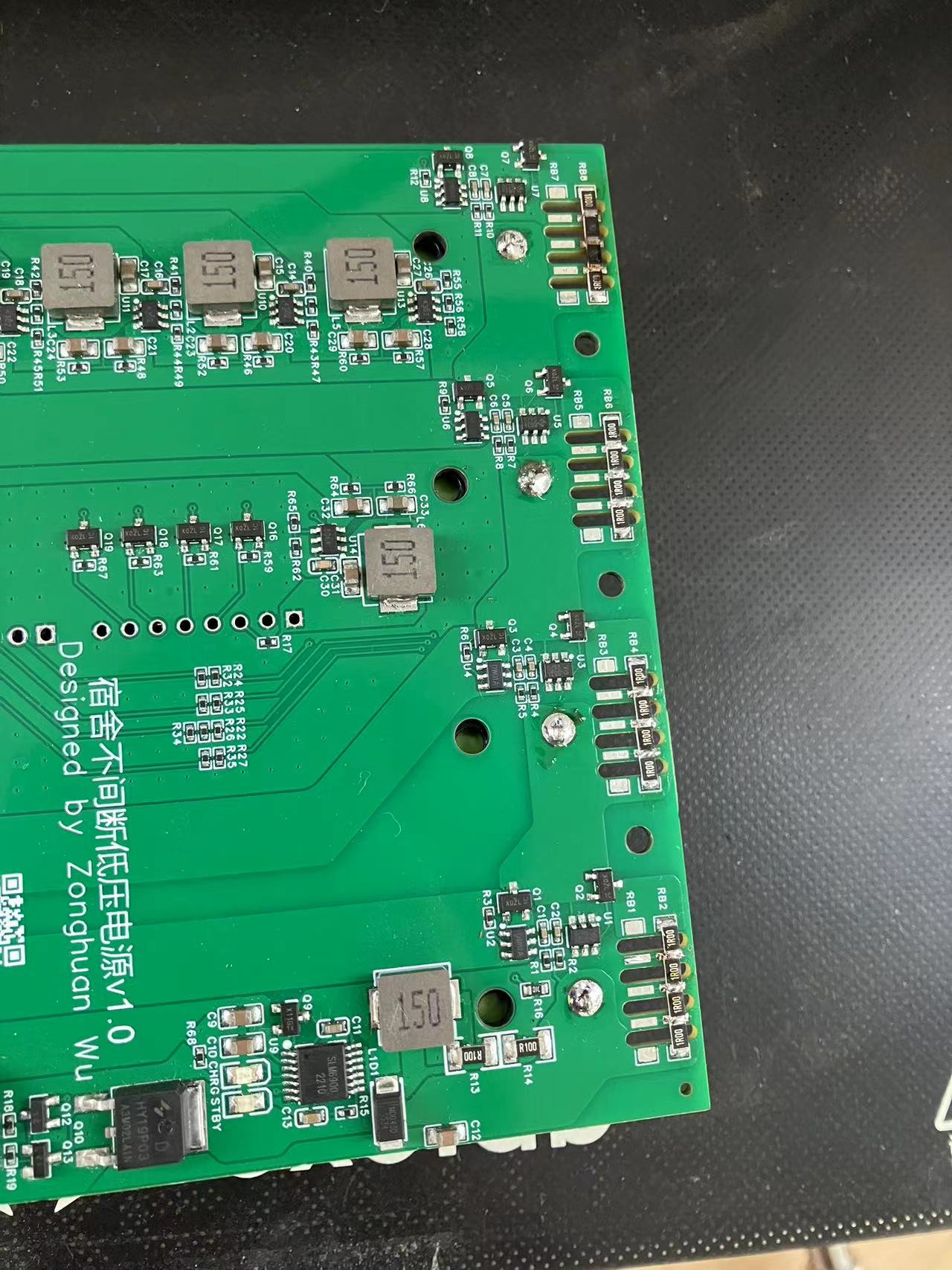
The one above works (so I gave it to my roommate, and he didn't seem to notice), the resistance value is fine, but it's best not to let the heat overflow.
Below are some electrical parameters:
Input interface: DC power supply port 17V-26V (maximum 28V) (cannot charge below 17V, not recommended below 13V)
Output interface: 12V1A - DC power supply port (maximum 3A)
5V2A x 3 - USB-A (2.0 square port) (maximum 3A)
3.3V1A - header (maximum 3A)
Note that each power supply has a corresponding switch, which can be used to control the corresponding output interface. In particular, the 12V output only outputs when a plug is inserted.
Additionally, two sets of pin headers are provided between the two batteries in the middle, corresponding to the voltage divider feedback for each battery and the enable control of the power chip (excluding the 3.3V power supply). This means that users can design their own board, plug it in, and use a microcontroller to monitor the input and output voltages and control the 5V and 12V outputs (the microcontroller's enable/disable signal and the switch's enable/disable signal are ORed, meaning the microcontroller can only control output when the switch allows output; similarly, the switch can only control output when the microcontroller allows output (default is allowed).
Of course, this is only the first version, and it's working well for me so far. It hasn't exploded, outputs around 20W, doesn't get hot with a fan, and gets a little warm without a fan. The PCB design still has flaws; the output voltage is not very stable and doesn't reach the chip's 3A current limit.
I plan to change the input to Type-C and use the PD/QC protocol to get 20V, so I won't need an external 24V charger. I'm currently working on a plug-in board to collect data on the heat generation and key voltage changes of several critical chips. I'll also connect some external sensors to collect data on temperature, humidity, air pressure, TVOC, and eCO2, storing it on an SD card. (There's actually another fun feature, but I'll keep that a secret for now. If I can find the time to develop it in the future, I'll open-source it.)
This is my first open-source hardware project, and I'm not very good at formatting. Thank you to everyone in the open-source community who read this far! Please leave your valuable suggestions so we can learn from each other!
version1_test1.mp4
PDF_Low-voltage uninterruptible power supply based on SLM6900 and TPS54302.zip
Altium - Low-voltage uninterruptible power supply based on SLM6900 and TPS54302.zip
PADS_Low-voltage Uninterruptible Power Supply Based on SLM6900 and TPS54302.zip
BOM_Low-voltage uninterruptible power supply based on SLM6900 and TPS54302.xlsx
95385
3D printer RP2040 fan expansion board
This 3D printer expansion board, based on the PR2040, expands to include 6 controllable fans, 6 normally running fans, 4 RGB channels, 3 RGB channels, and 3 thermal channels.
This is a fan expansion board for a 3D printer. The initial motivation was that the mainboard I was using had too few controllable fan and servo motor channels, insufficient for my DIY needs. Furthermore, during initial wiring, a short circuit in the fan burned out an MKS Beast 8 mainboard. It was heartbreaking.
Therefore, I decided to make an expansion board (or rather, a sub-control board) to manage the fans, servos, and LED strips—devices prone to short circuits due to wiring issues. Even if a short circuit occurs again, it's likely only a fuse will burn out; in extreme cases, the sub-control board might be destroyed. The overall price is just over 20 yuan, compared to a main control board that often costs several hundred yuan. This distributed control is obviously lower in risk and repair cost. In addition, it increases DIY possibilities. Create your own unique printer!
3724JT6L20KS@{IC`J_Z){E.png
20240406_205740.jpg
Screenshot_20240406_220546_Gallery(1).jpg
3D Printer Multi-Slave Machine: Flashing Klipper onto pr2040.docx
BOM_3D Printer RP2040 Fan Expansion Board.xlsx
95386
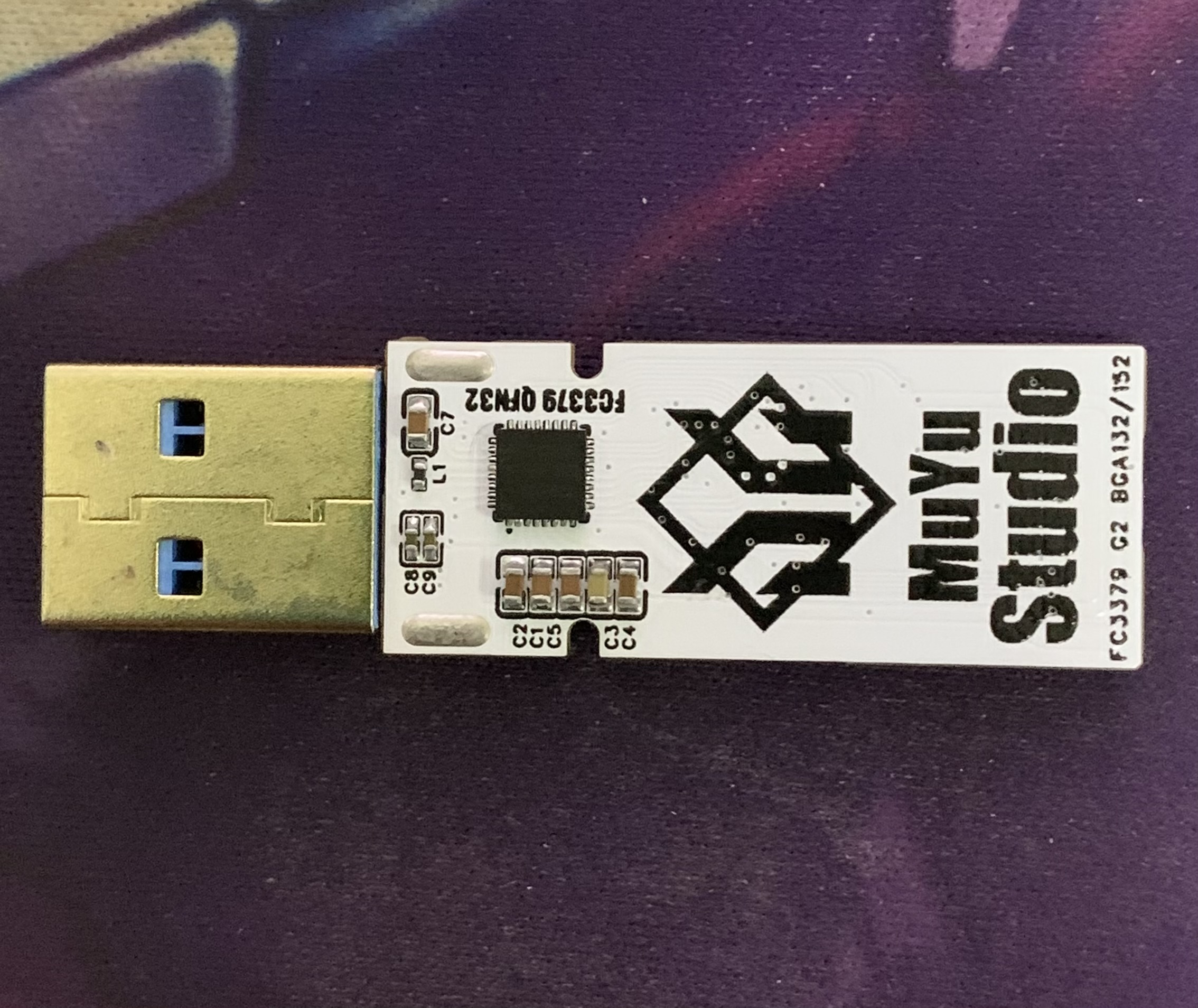
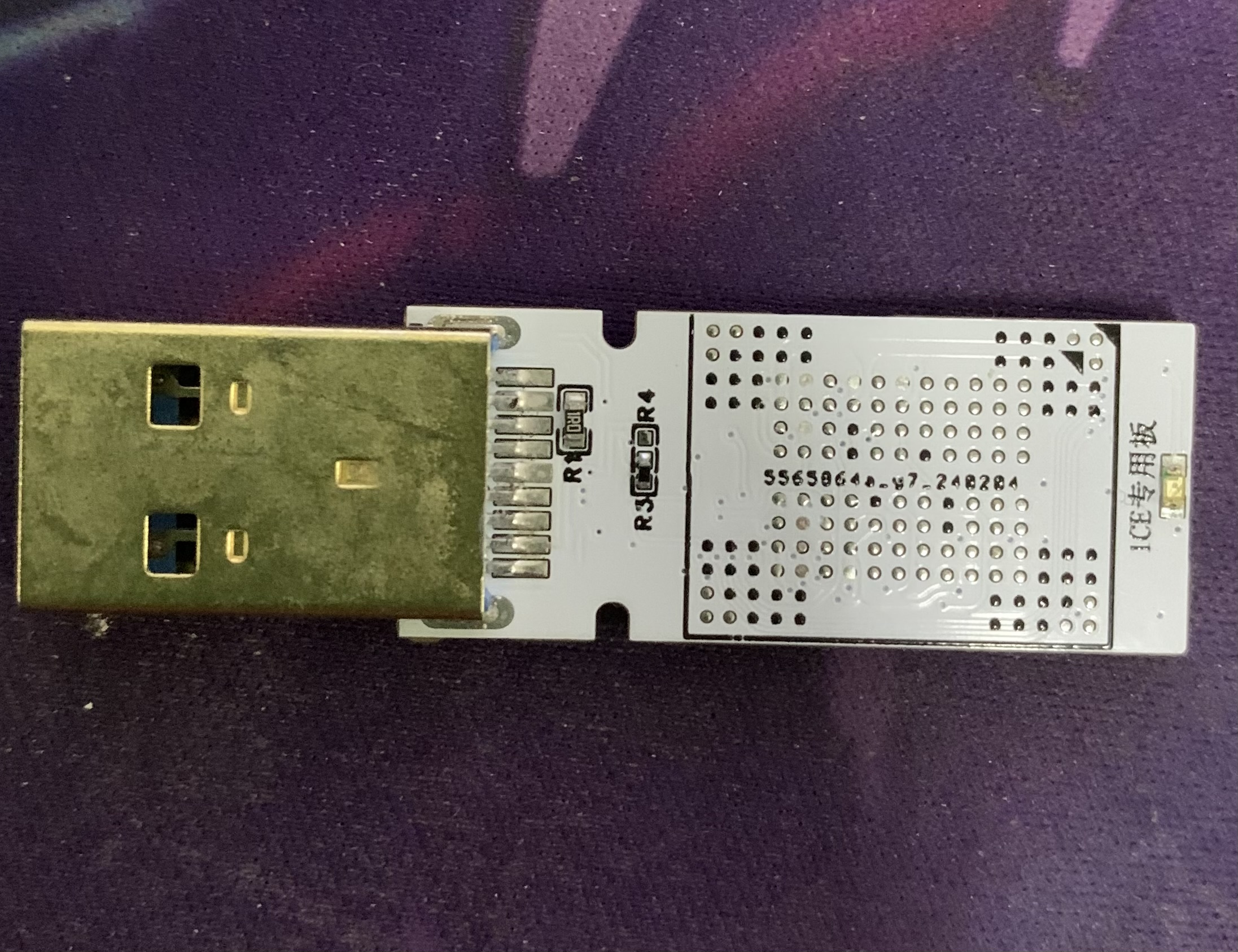
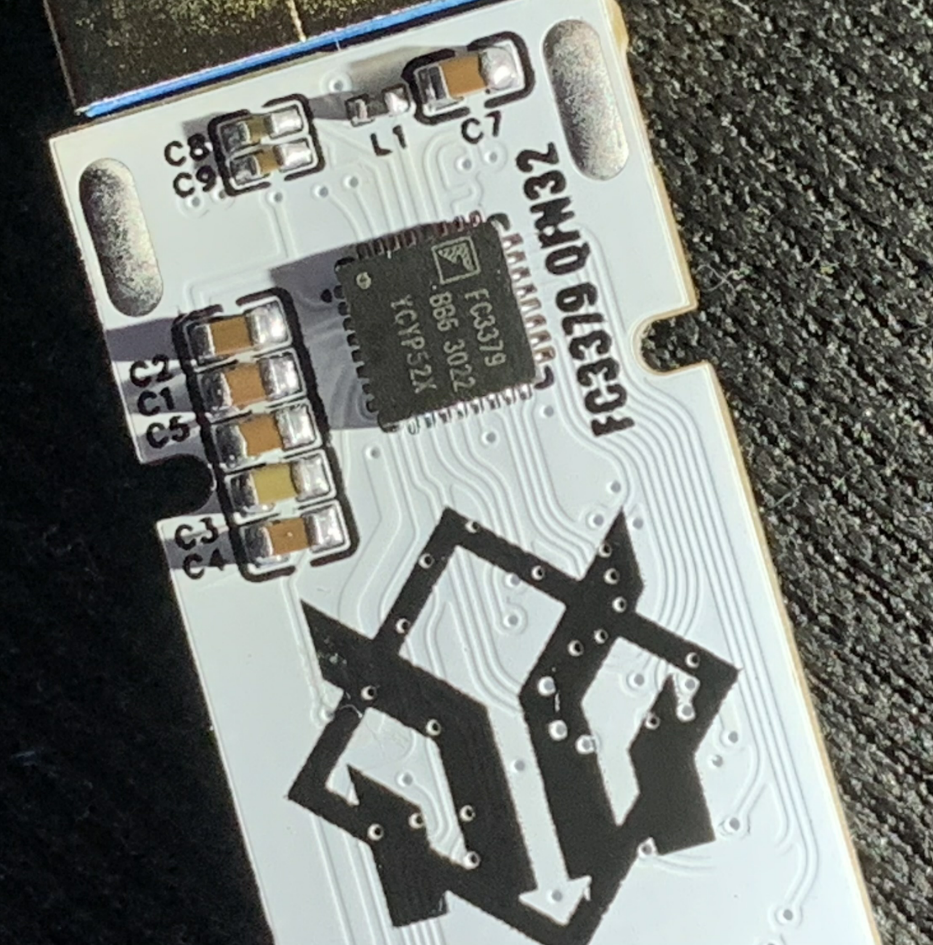
FC3379 QFN32 G2 Single BGA
This board is based on the open-source design by Lost_Terminal. It features a simpler circuit design, uses the FC3379 QFN32 microcontroller (a USB 3.0 controller supporting up to 1 CE), and is a modified single-BGA version with a double-layer G2 form factor.
I saw an open-source FC3379 QFN32 1CE single BGA 132/152 module
by the expert @Lost_Terminal in a group chat. The test results looked good. Here's the link: https://oshwhub.com/hellrock/fc3379g2-version-u-disk.
I bought a few FC3379 controller boards and modified his project to create a single BGA version, which is much simpler. The 4.7uF and 10uF capacitor pads were changed to 0603, making manual soldering easier; you can't just move the board directly anymore! ( See
attached image ) . Currently, I don't have suitable flash memory yet; I'm testing controller recognition and speed later...
FCMptools_U3_20220608_FC3379BB.rar
PDF_FC3379 QFN32 G2 Typeset Single BGA.zip
Altium_FC3379 QFN32 G2 form factor single BGA.zip
PADS_FC3379 QFN32 G2 BGA Template.zip
BOM_FC3379 QFN32 USB flash drive with single BGA152.xlsx
95387
Instruments and Meters
Replica of the Dot Crystal Multifunctional Test Pen
The replica multi-functional test pen uses
a CW32F030C8T6 main controller.
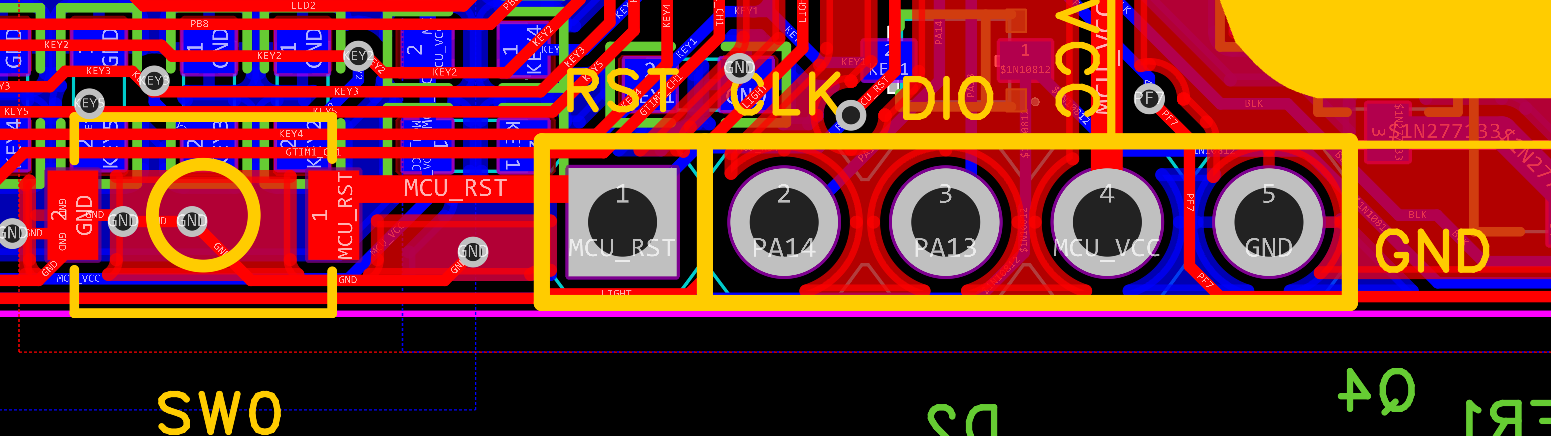
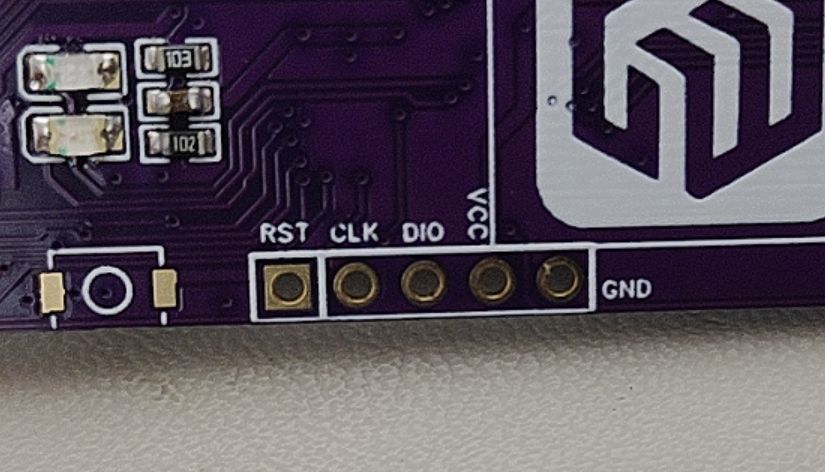
Vcc, GND, DIO, CLK, and REST are brought out separately for easy programming. A reset button is also included; this button doesn't necessarily need to be soldered on, but can be reset by shorting REST and GND with tweezers.
The signal output
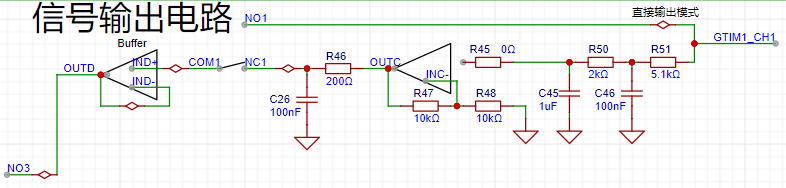
circuit can output DC signals or directly output PWM signals. Essentially, it directly outputs signals from the microcontroller. The DC output level is achieved by adjusting the duty cycle of the PWM (the set signal frequency is 20kHz; for other frequencies, the DC calibration value needs to be modified), and then converting it to a "DC" signal through two stages of low-pass filtering.
However, since the output voltage of the PWM-to-DC converter is lower than the high level of the PWM, it can only output voltages from 0 to (+3.3VX), which does not meet the 0-5V target I proposed in the design. Therefore, an operational amplifier was added to double the voltage output, ultimately allowing an output voltage from 0 to 6V, meeting the target requirement. The amplified output voltage is then passed through another low-pass filter to obtain a more ideal DC signal. (This uses a positive proportional amplifier circuit to amplify the signal transmitted from the front end by a factor of 2.)
III. Signal Input Circuit
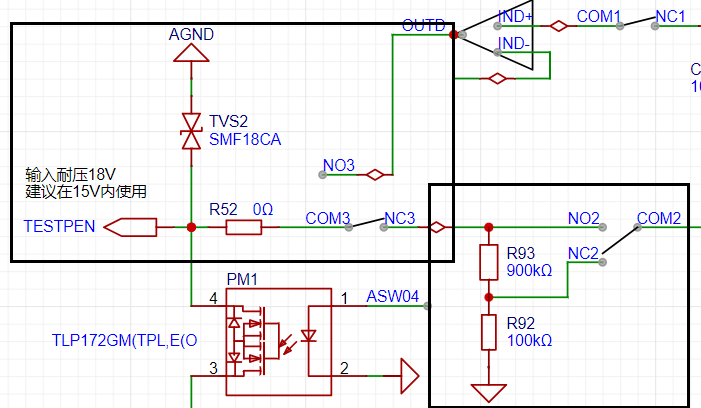
The above diagram (black box) shows the most basic signal input circuit. First, a bidirectional TVS diode protects the subsequent circuitry. Then, the signal can be selected as either input or output mode via analog switch 3 (COM3 and NC3, NO3) (default output mode). Analog switch 2 allows selection of whether the input signal is attenuated. The analog front end design is inspired by an oscilloscope, with an input impedance of 1MΩ. Like an oscilloscope, it allows selection of X1 and X10 ranges, with X10 selected by default. This design maximizes the safety of the subsequent circuitry, similar to how, when storing a multimeter with a separate power button, the range should be set to "AC voltage, maximum range".
IV. BLE Bluetooth Transmission
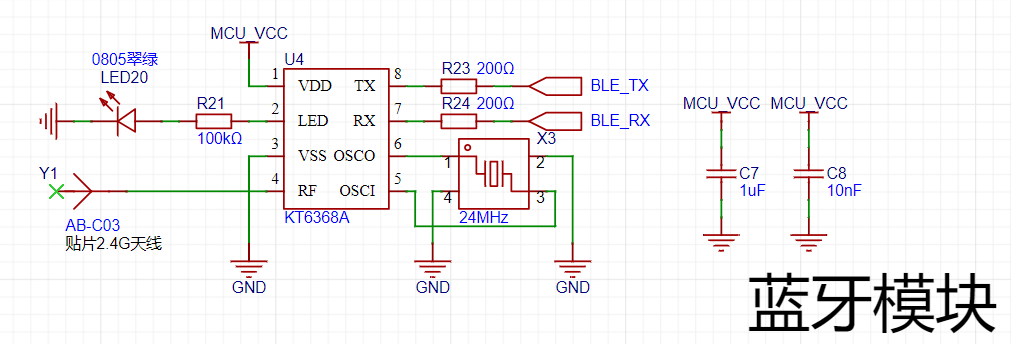
To facilitate connection between the test pen and a computer or mobile phone, I chose to use Bluetooth BLE technology for wireless data transmission.
The main reasons for not using the more common CH340 serial-to-USB converter for direct connection are as follows:
① The data cable has a certain weight and rigidity, making it less flexible to operate while wireless;
② It is not recommended to use the device with the data cable plugged in, as this will cause the floating ground of the test probes to become grounded, potentially causing a short circuit during testing;
③ Most importantly: safety! If a high voltage is input to the test probes due to operational error, and the protection circuit fails, causing the microcontroller to burn out, this high voltage could very likely travel along the data cable directly to the phone or computer, causing serious damage!
V. Physical Verification
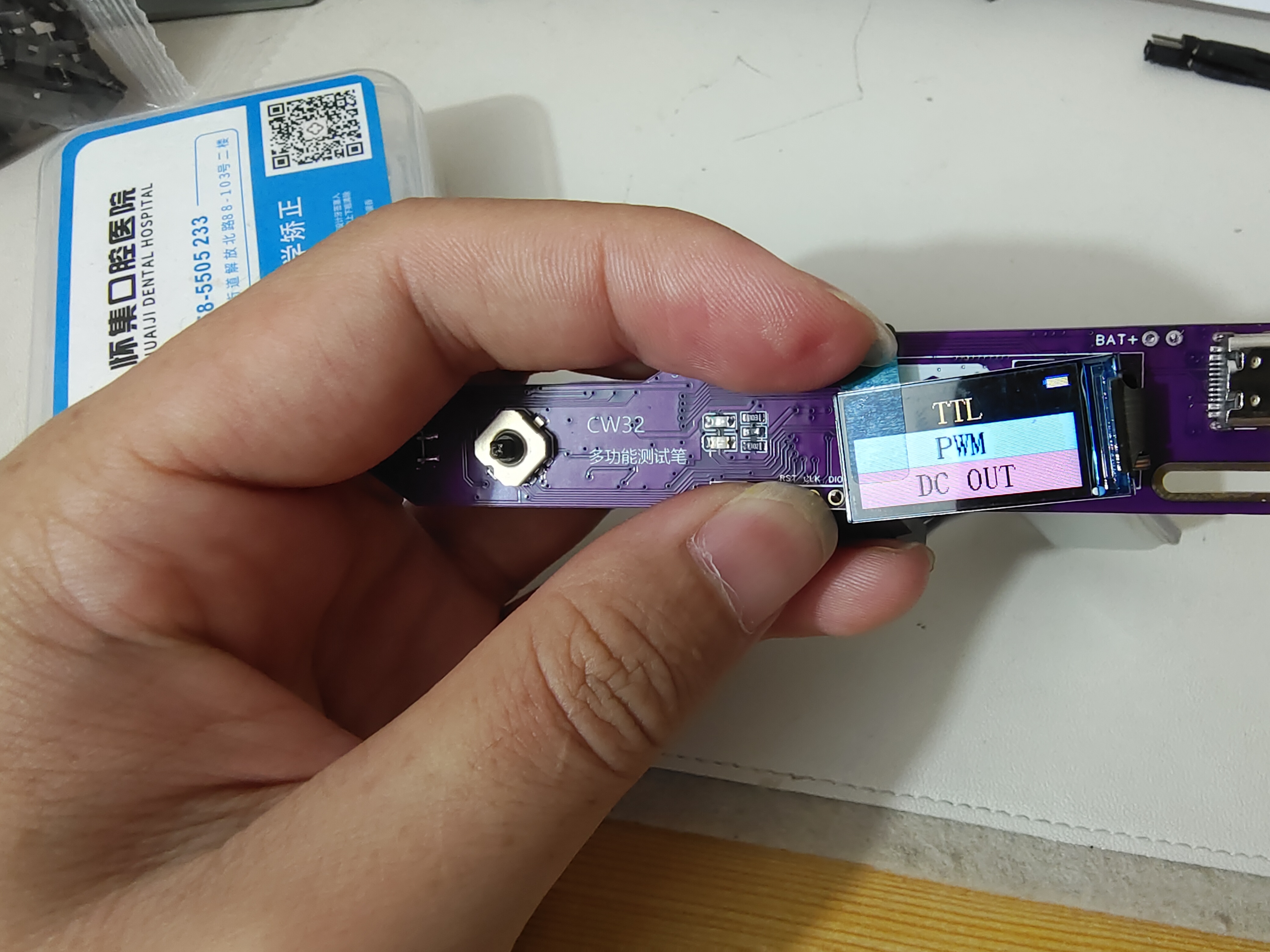
PDF_Instruments.zip
Altium_Instruments.zip
PADS_Instruments.zip
BOM_Instruments.xlsx
95388
#Bootcamp# Simple Oscilloscope Project Based on GD32 - 1745974A
As a complete beginner, I followed JLCPCB to build a simple oscilloscope. I went through the entire product development process, from schematic diagram, PCB, board fabrication, to 3D casing modeling. I did every step very carefully.
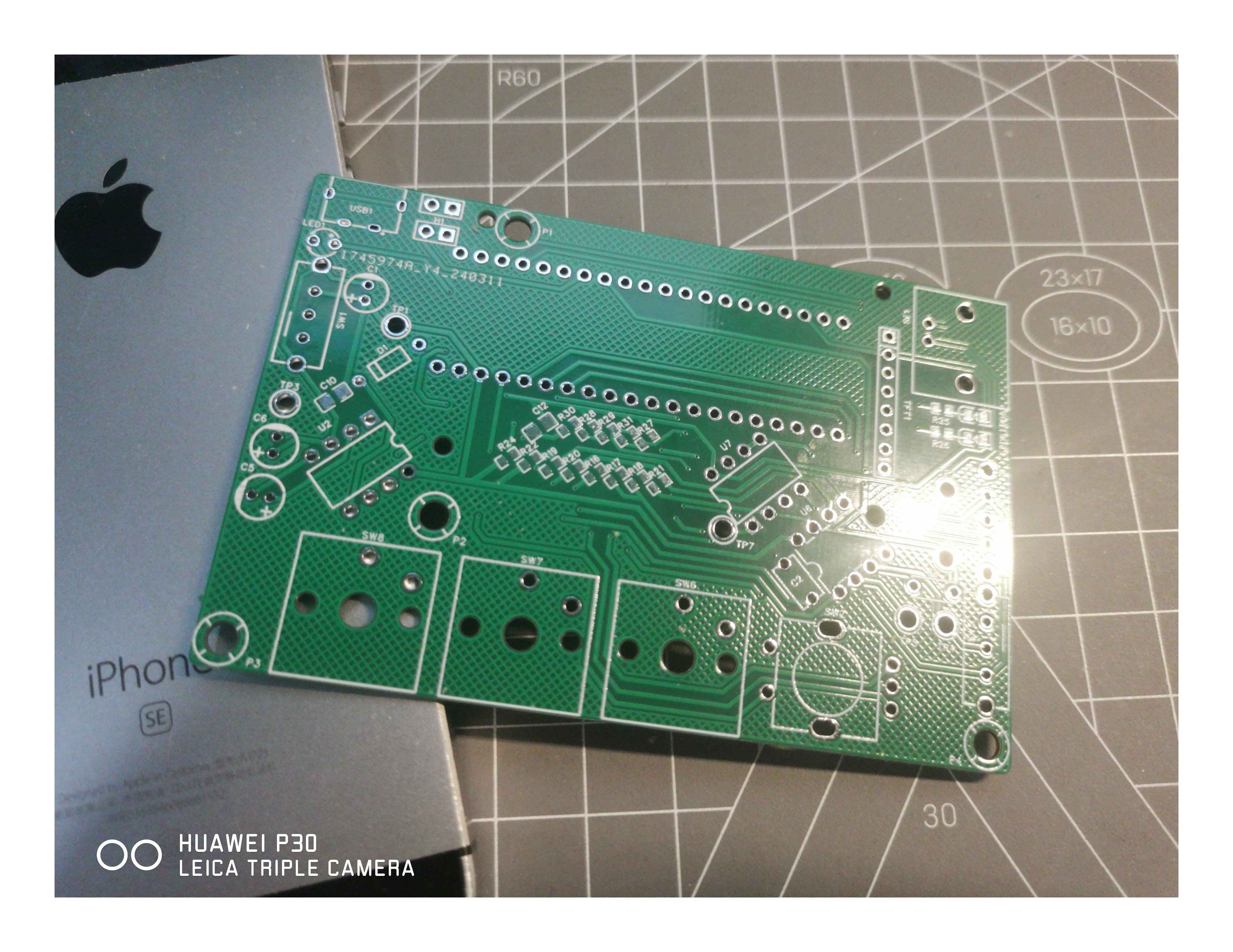
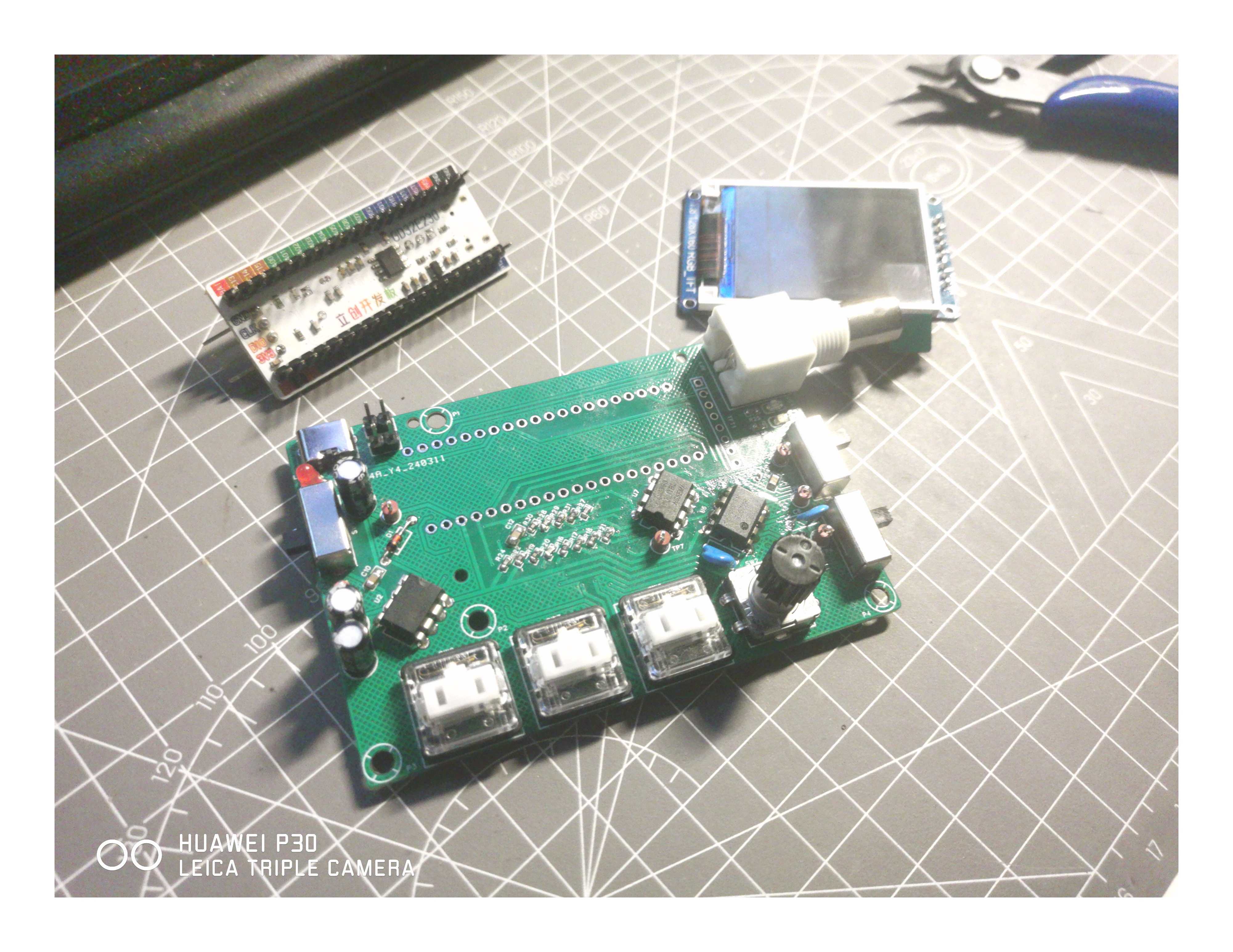
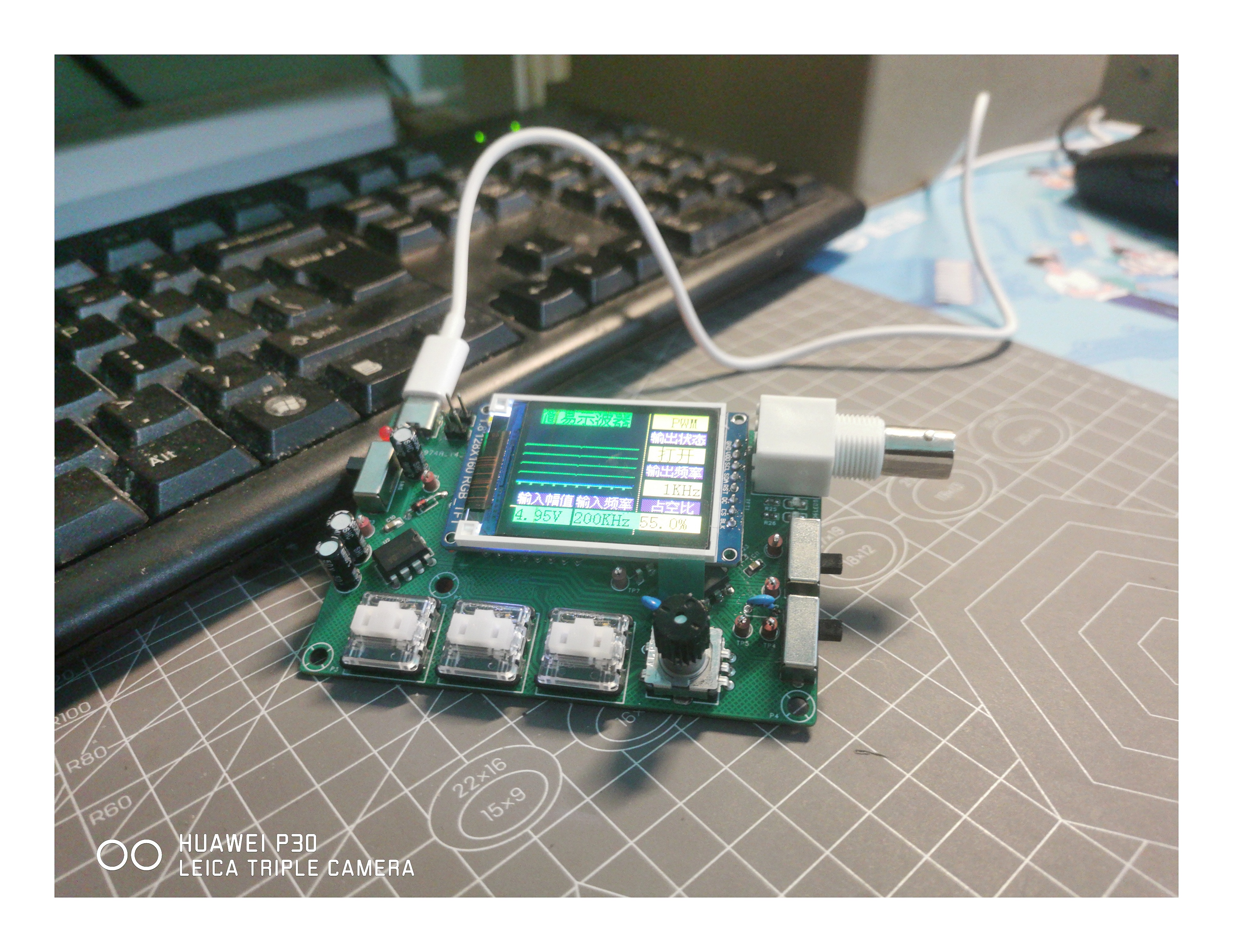
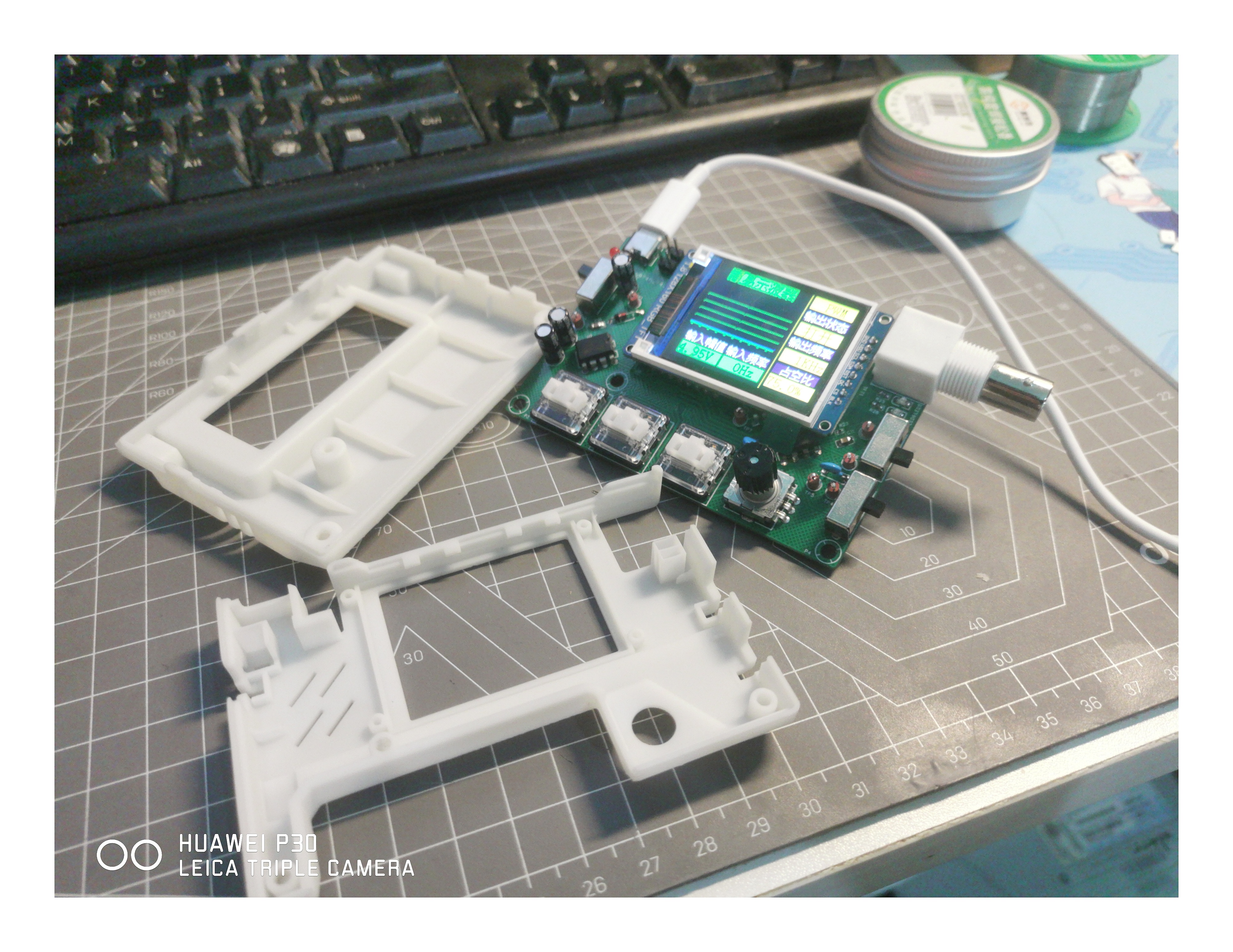
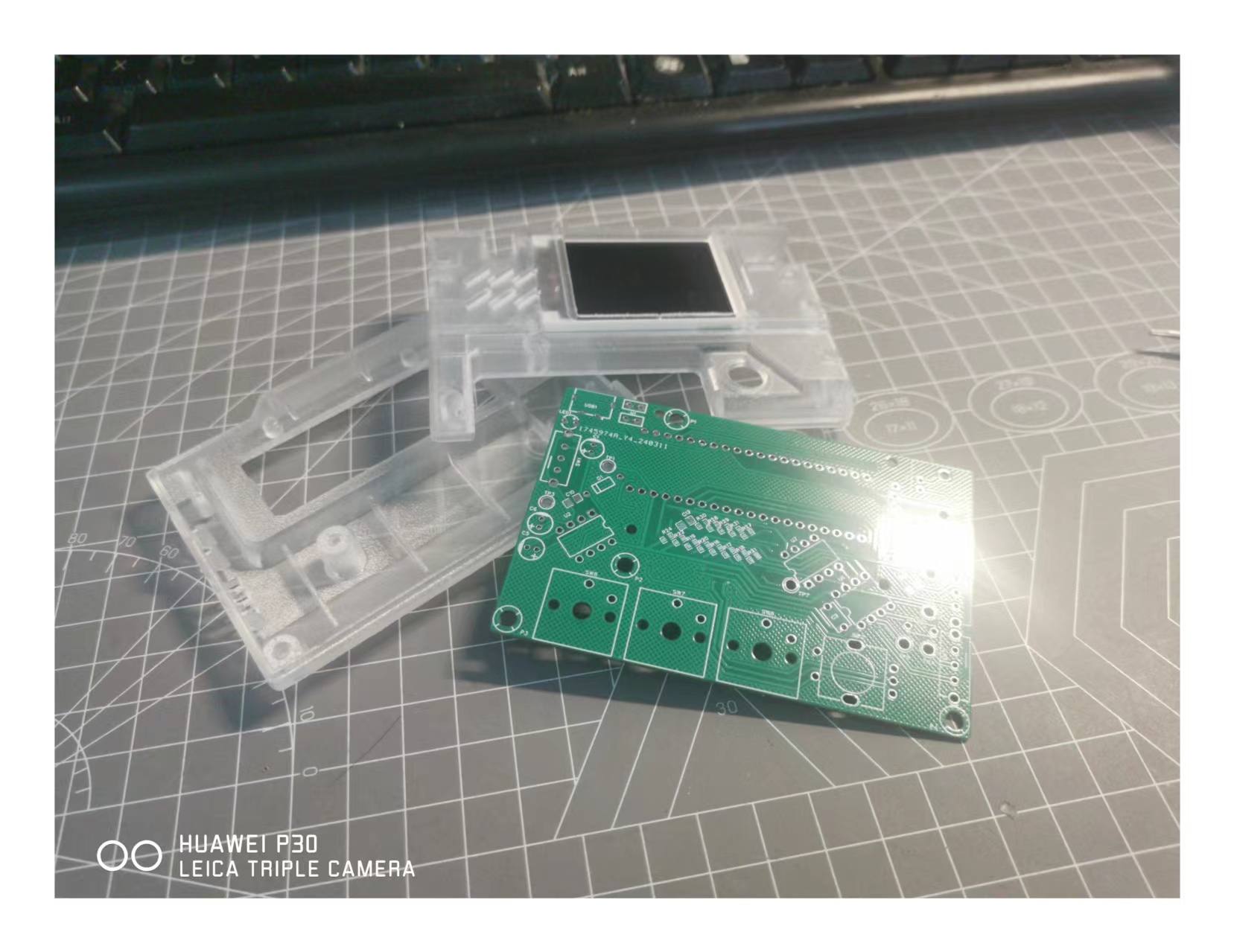
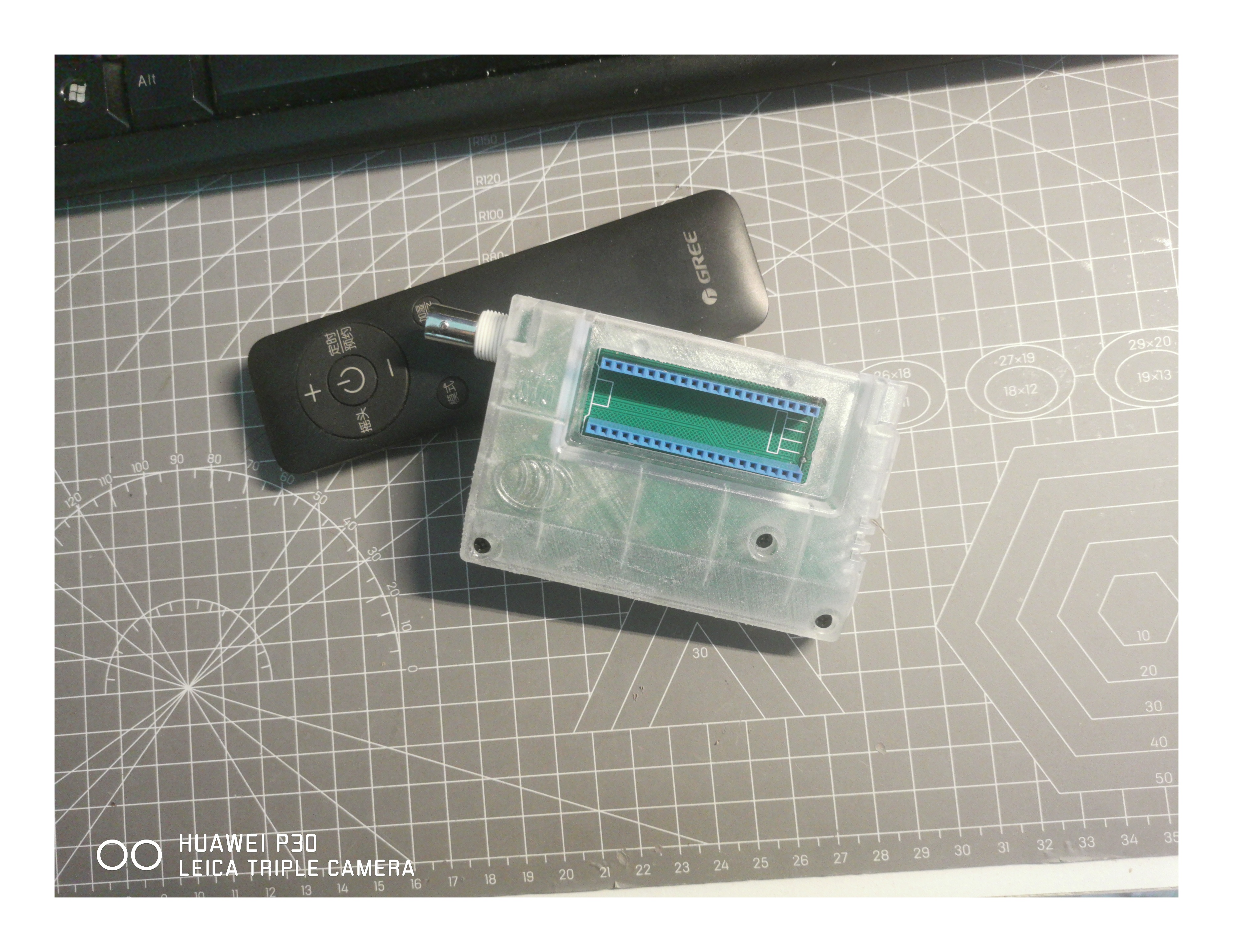
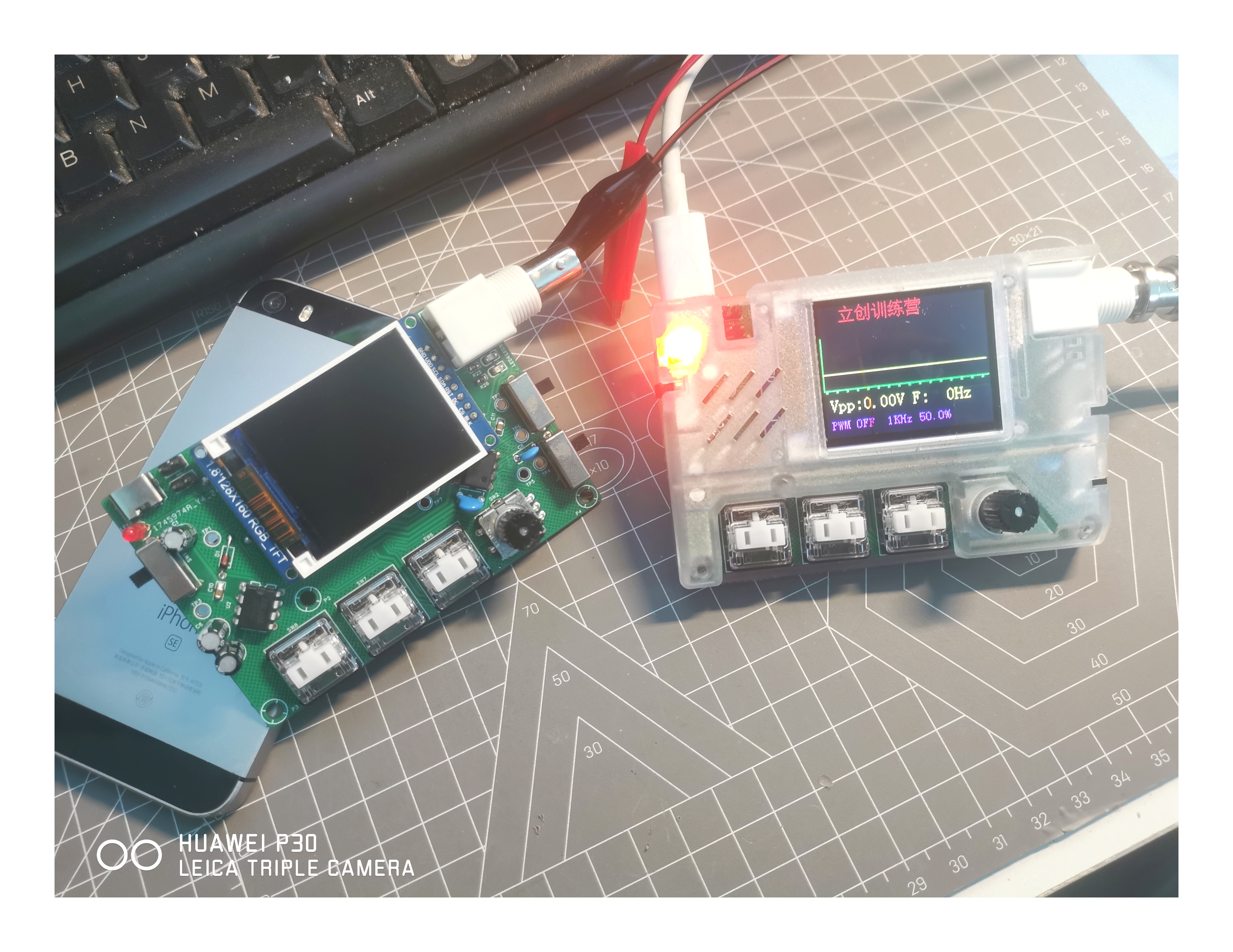
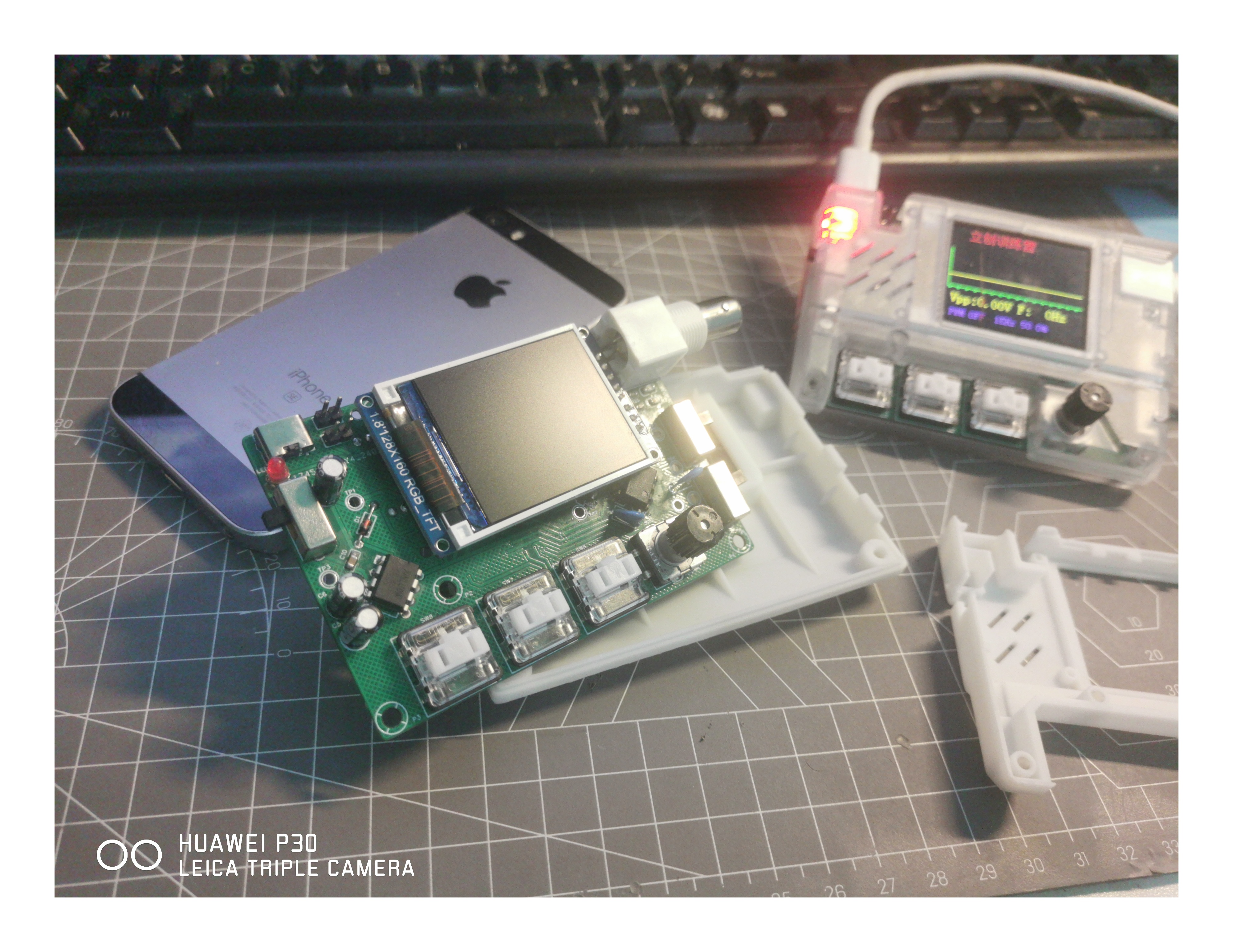
Table of Contents
Project Summary
Suggestions
Pitfalls Encountered During the Project
PCB Design:
Modeling:
Soldering:
Code
--------------------------------------------------------------------------------------------------------------------------------------------------------------
Project Summary:
First of all, I'm very grateful to JLCPCB for providing the platform and opportunity, allowing a novice like me to complete this project with the team. The project went relatively smoothly, perhaps due to good luck.
The first prototype of the casing couldn't be assembled because the capacitor height differed from the height of the model exported by JLCPCB. Also, I hadn't received the components yet, but I was eager to print the casing, resulting in a mismatch. It took a lot of time to design it, as it was done to meet mass production requirements. Later, I continued to complete the casing and even made a transparent prototype, which was exactly what I wanted.
Initially, I drew a PCB layout similar to the teacher's, but then felt it didn't suit my taste, so I modified it myself. Aesthetics are crucial. I also required myself to make a two-layer board, which was easy to achieve because the board area is large and the number of components is small.
Recommendations:
For those who want to replicate this simple oscilloscope, since I was a complete beginner myself, I'll offer some advice from a completely beginner's perspective:
The biggest challenge for most beginners is designing the PCB. When I was working on this project, I learned to design two PCBs on Bilibili beforehand, without soldering any components. This made the project much easier. If you've designed and built PCBs beforehand, you'll feel a great sense of accomplishment, which is very important. It boosts your confidence; you know how to design a PCB, and you'll have confidence. Furthermore, JLCPCB provides excellent resources, including free PCB fabrication. Think about it, since it's free, you don't have to worry about making mistakes. Just get the finished PCB and send it back for verification. Even without soldering components, it's still a real PCB, and having it there is very satisfying. Also, there are many free, high-quality JLCPCB EDA tutorials on Bilibili.
Don't get bogged down in programming knowledge. Since we're beginners, let's not worry about complex programming for now. Focus on building the device first. For programming, follow the instructor's videos. If you successfully flash the code, that's great. If not, don't be discouraged; you've taken the first step. You can gradually catch up on the programming knowledge later. Be flexible in your learning; don't get stuck on programming. It's not something you can learn in a short time. However, it's best to flash a complete code snippet. This allows you to test if the board has any problems. If not, you'll feel a greater sense of accomplishment. If there are problems, find and solve them.
Pitfalls encountered during the project:
PCB design: It's easy to make mistakes in the placement of positive and negative terminals in the schematic. My schematic was fine; the DRC was correct, and the instructor approved it. Later, after I finished the schematic and posted a screenshot in the group, someone pointed out that the capacitor's positive and negative terminals were reversed, which is quite a serious problem, according to the experienced members in the group. So, I suggest that beginners like me share our work with others, chat, and maybe an expert will spot the problem.
Modeling: I've already drawn two models. The first model was drawn ahead of time, before the components arrived, causing interference between the drawn model and the components, especially preventing the screen from being installed. I was too rushed in creating the 3D model; it's best to solder everything first and then draw the 3D model to avoid many problems. The second version is much better, except the holes for the rotary encoder were too small, which I fixed by sanding them down. I'll fix this issue in the uploaded model file later.
Soldering: I encountered many pitfalls during the process, too many to recall. The main issue I faced was in soldering. When soldering the board, you must pay close attention to the component models. I mixed up the positions of the capacitor and LED, but luckily someone pointed it out in the group chat; otherwise, the capacitor would have lit up instead of the LED. I'd also like to express my sincere gratitude to the enthusiastic members of the group for their
help with the code.
I followed the code development team for a long time, but lacking any prior experience and time, the project progressed slowly. We encountered numerous problems with the code, starting with software installation, which was quite troublesome for beginners like us. However, by following the tutorials, it was manageable, so patience is key. Code formatting and details are also prone to errors, such as semicolons and colons, and mixing up Chinese and English semicolons and colons. There are many details to pay attention to. If you're a beginner like me, I suggest flashing a complete code package first to test the board's functionality. Don't get bogged down in firmware; if your skills aren't up to par, flash a pre-built firmware – it will greatly enhance your sense of accomplishment.
I flashed firmware from a JLCPCB developer, and after that, the oscilloscope worked correctly, proving my board design was correct. I'm very grateful for their open-source firmware. Here's the link to their open-source project – it's excellent in every aspect, from the casing and firmware to the hardware; they are true masters. https://oshwhub.com/eos911/simple-oscilloscope
Finally, a big thank you to the teachers at JLCPCB! Reviewing so many documents and giving individual feedback is truly commendable. I sincerely hope JLCPCB continues to thrive.
Here's a Bilibili video: [JLCPCB - Simple Oscilloscope - Completed - Bilibili] https://b23.tv/VPnjxpv
Video demonstration-1.mp4
Full Process - 1.mp4
PDF_#bootcamp# Simple Oscilloscope Project Based on GD32 - 1745974A.zip
Altium_#bootcamp# Simple Oscilloscope Project Based on GD32 - 1745974A.zip
PADS_#bootcamp# Simple Oscilloscope Project Based on GD32 - 1745974A.zip
BOM_#Training Camp# Simple Oscilloscope Project Based on GD32 - 1745974A.xlsx
95390
INA282 Current Detection Module for the Electronic Design Contest
INA282 current sensing,
bidirectional current sensing, -2.5A to -2.5A (can be extended to -5A to 5A with a parallel resistor).
Wide common-mode range: -14V to 80V
bidirectional current detection -2.5A to 2.5A (can be extended to -5A to 5A via a parallel resistor).
External reference output connection:
Using TL431 as the external reference, the output is 2.5V.
Test results:
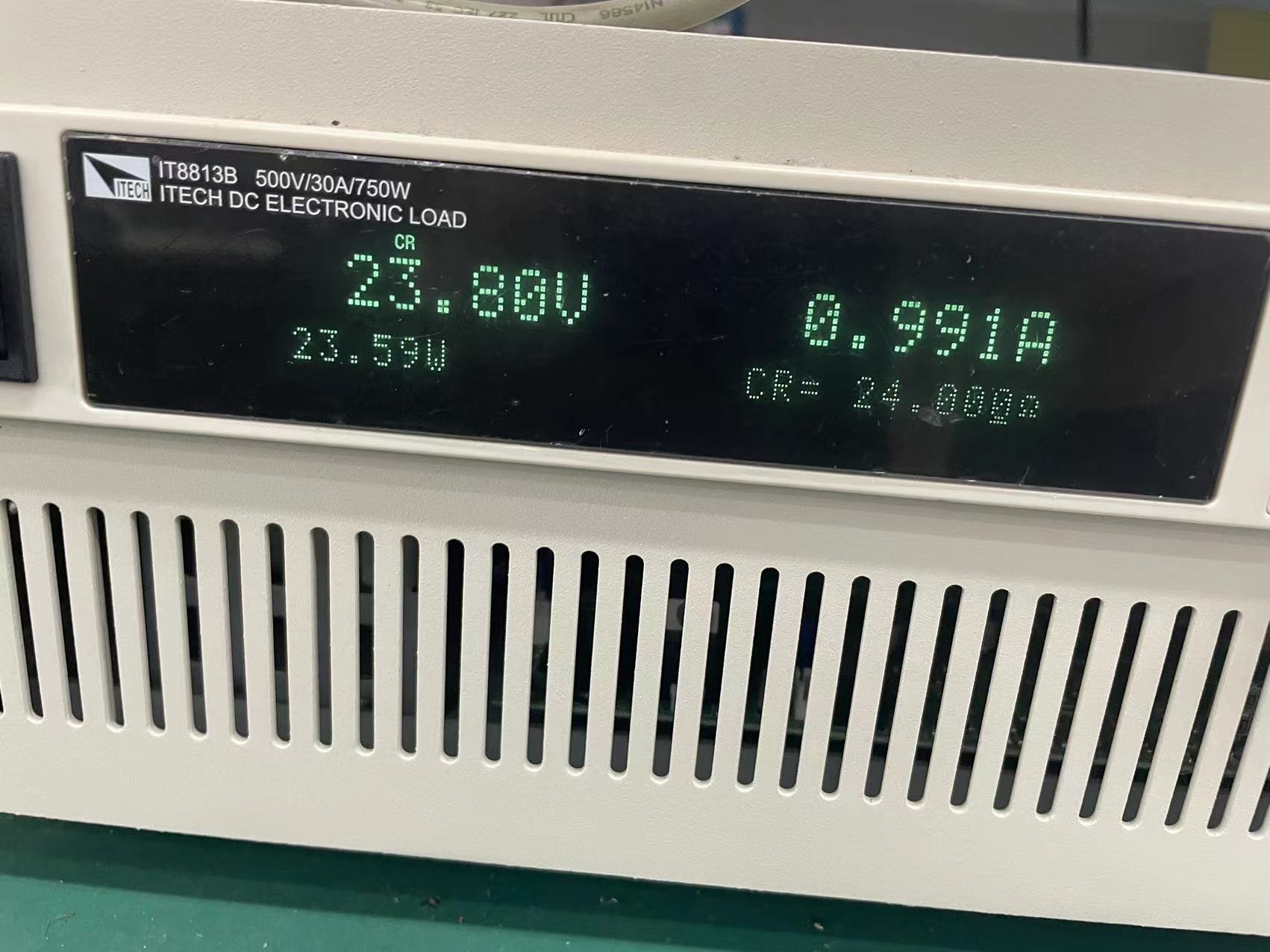
Under the detection conditions of 24V
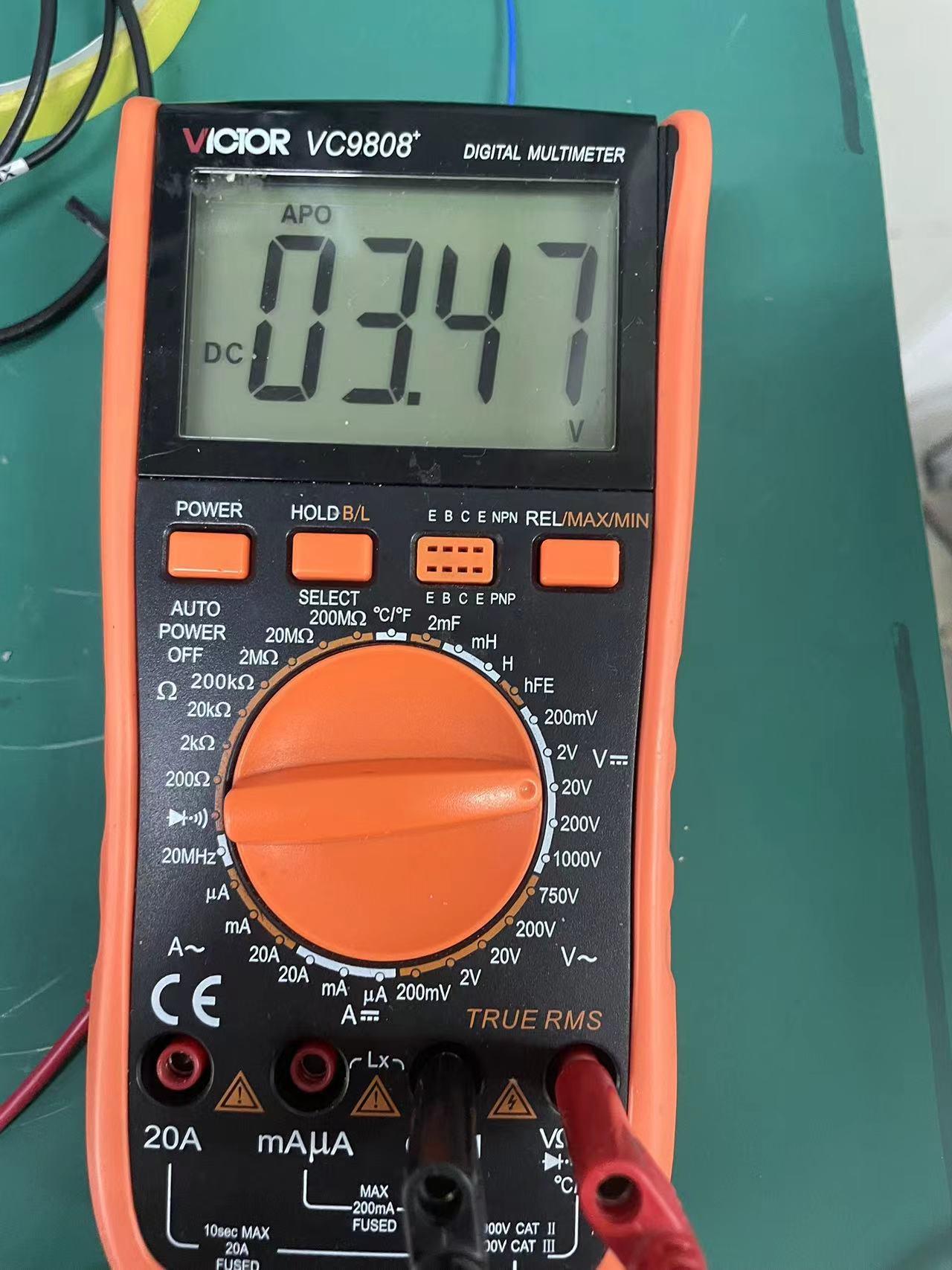
input current and a positive current of 1A, the INA282 output voltage is 3.47V.
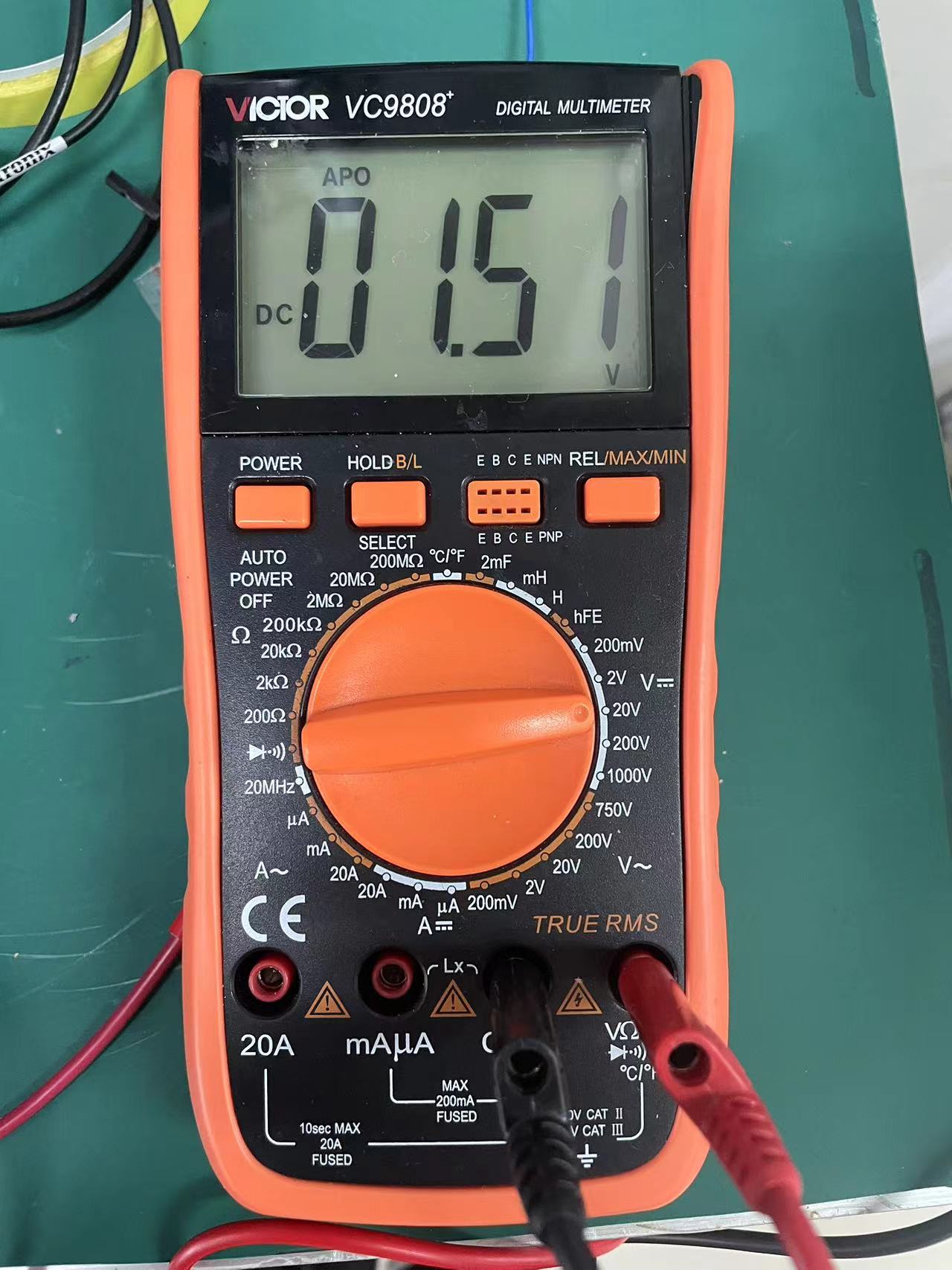
Under the input current of 1A in reverse, the INA282 output voltage is 1.51V.
PDF_INA282 Current Detection Module for the Electronic Design Contest.zip
Altium_Electronic Design Contest Module INA282 Current Detection.zip
PADS_INA282 Current Detection Module (Electronic Design Competition) .zip
BOM_INA282 Current Detection Module (Electronic Design Competition).xlsx
95391
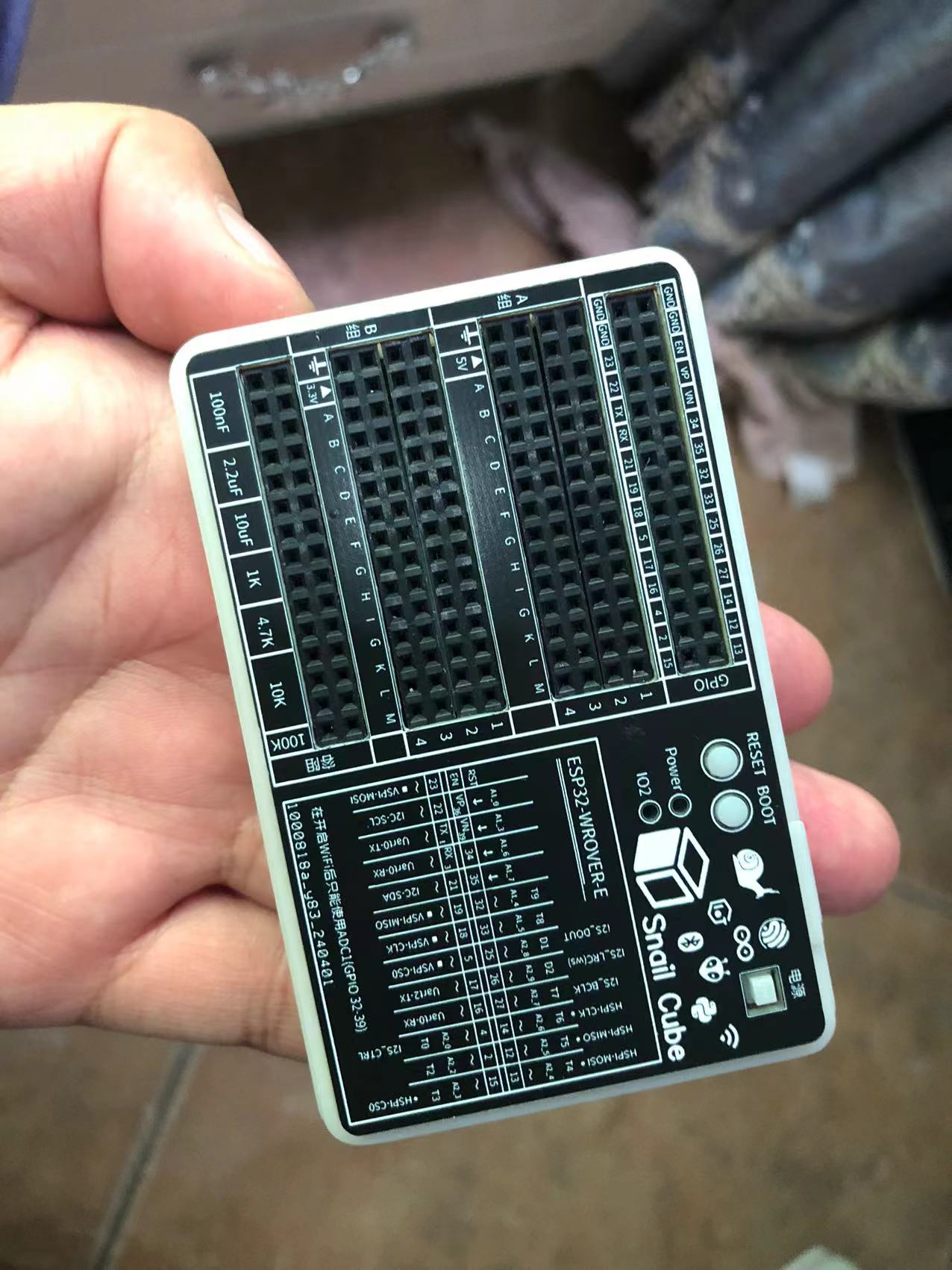
SnailCube
This is a toolbox that combines an ESP32 development board and a breadboard.
This is a development box that integrates an ESP32 development board, breadboard, and specific capacitors and resistors.
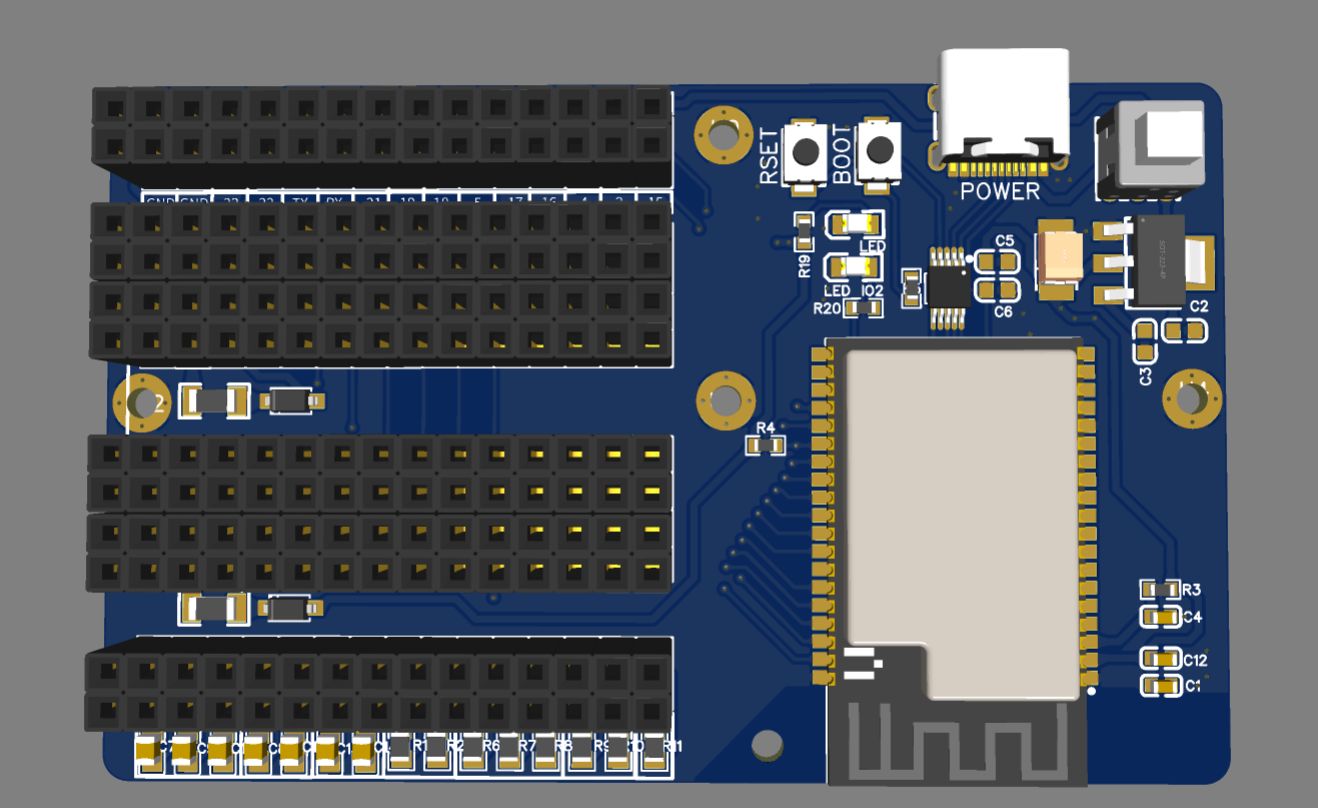
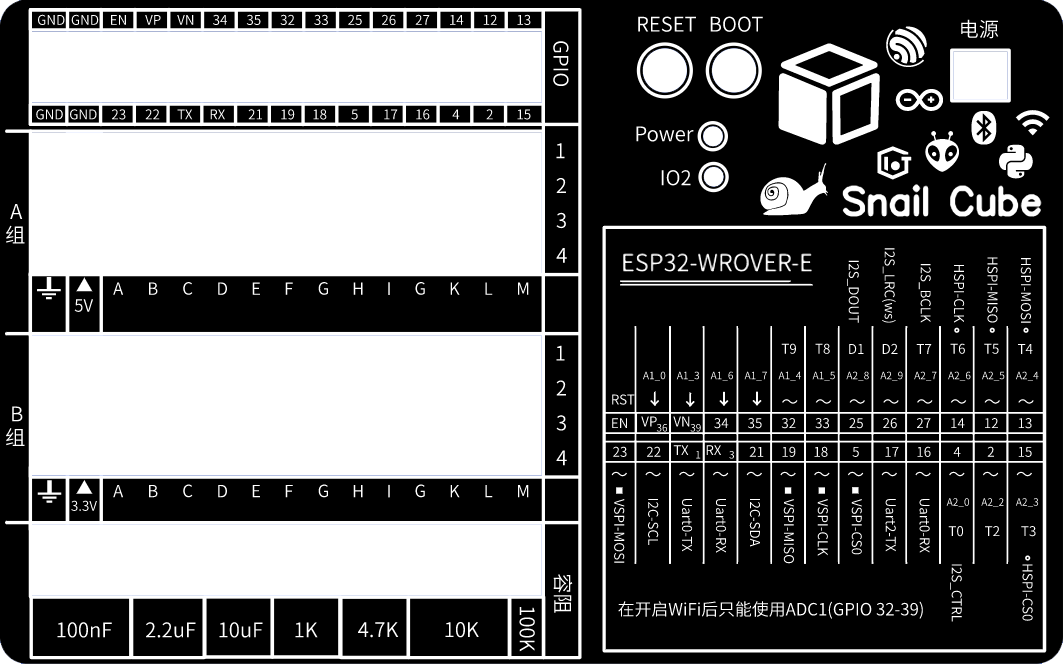
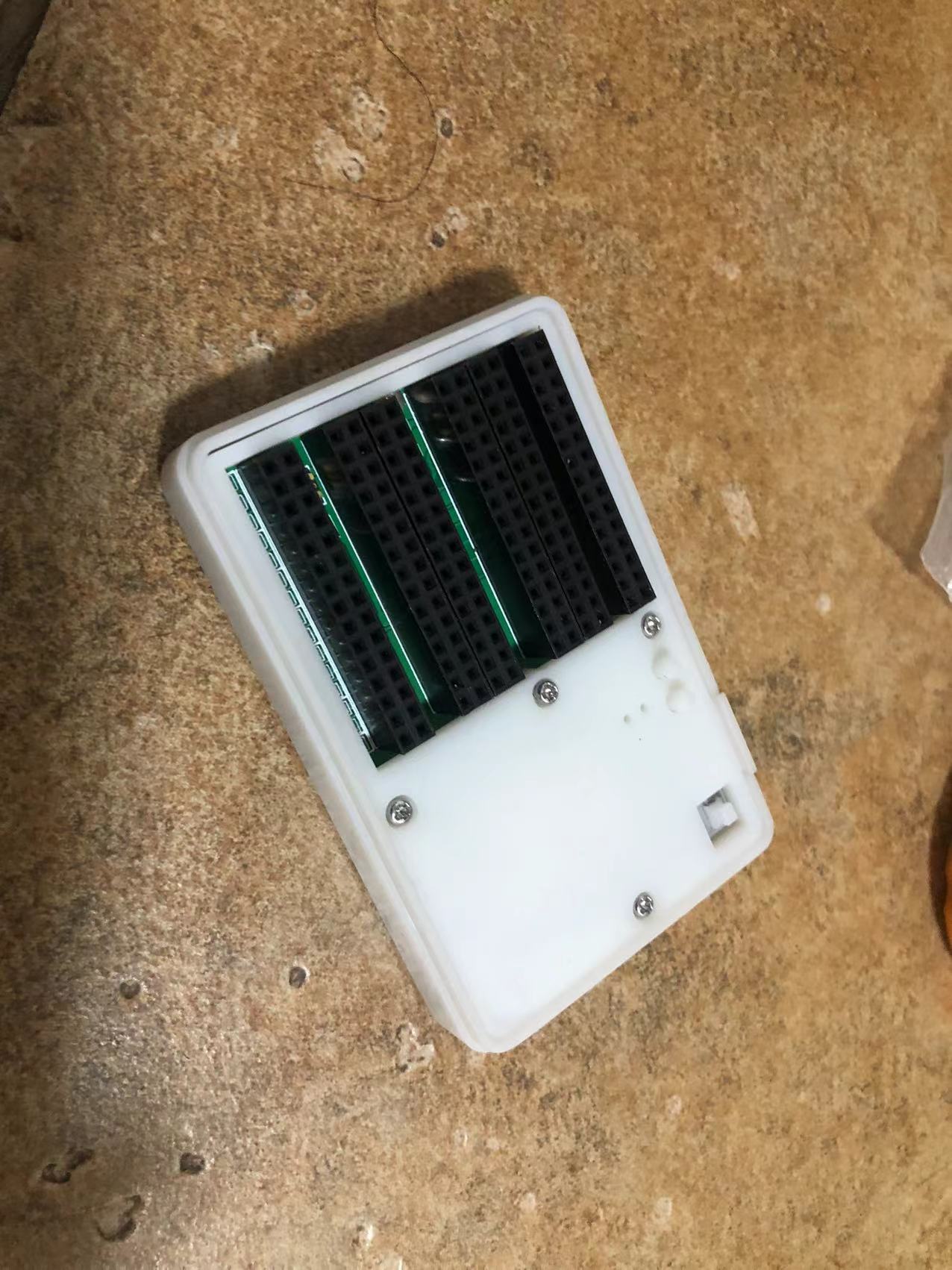
Thanks to LCSC for reviewing it. The panel PCB uses high-definition silkscreen printing, otherwise the effect would be much worse.
Shell.zip
BOM_SnailCube.xlsx
95392
The 15th Blue Bridge Cup EDA Competition Mock Test 2
Mock Exam Question 2 for the 15th Blue Bridge Cup EDA Competition (Provided by JLCPCB EDA, for reference only)
The second mock test for the 15th Blue Bridge Cup EDA competition is provided for participants to use for training and study.
The 15th Blue Bridge Cup EDA Competition Mock Test 2 (provided by JLCPCB EDA).zip
PDF_The 15th Blue Bridge Cup EDA Competition Mock Test II.zip
Altium_15th Blue Bridge Cup EDA Competition Mock Test 2.zip
PADS_15th Blue Bridge Cup EDA Competition Mock Test 2.zip
BOM_The 15th Blue Bridge Cup EDA Competition Mock Test II.xlsx
95393
electronic








 京公网安备 11010802033920号


 MC74LCX574DT



