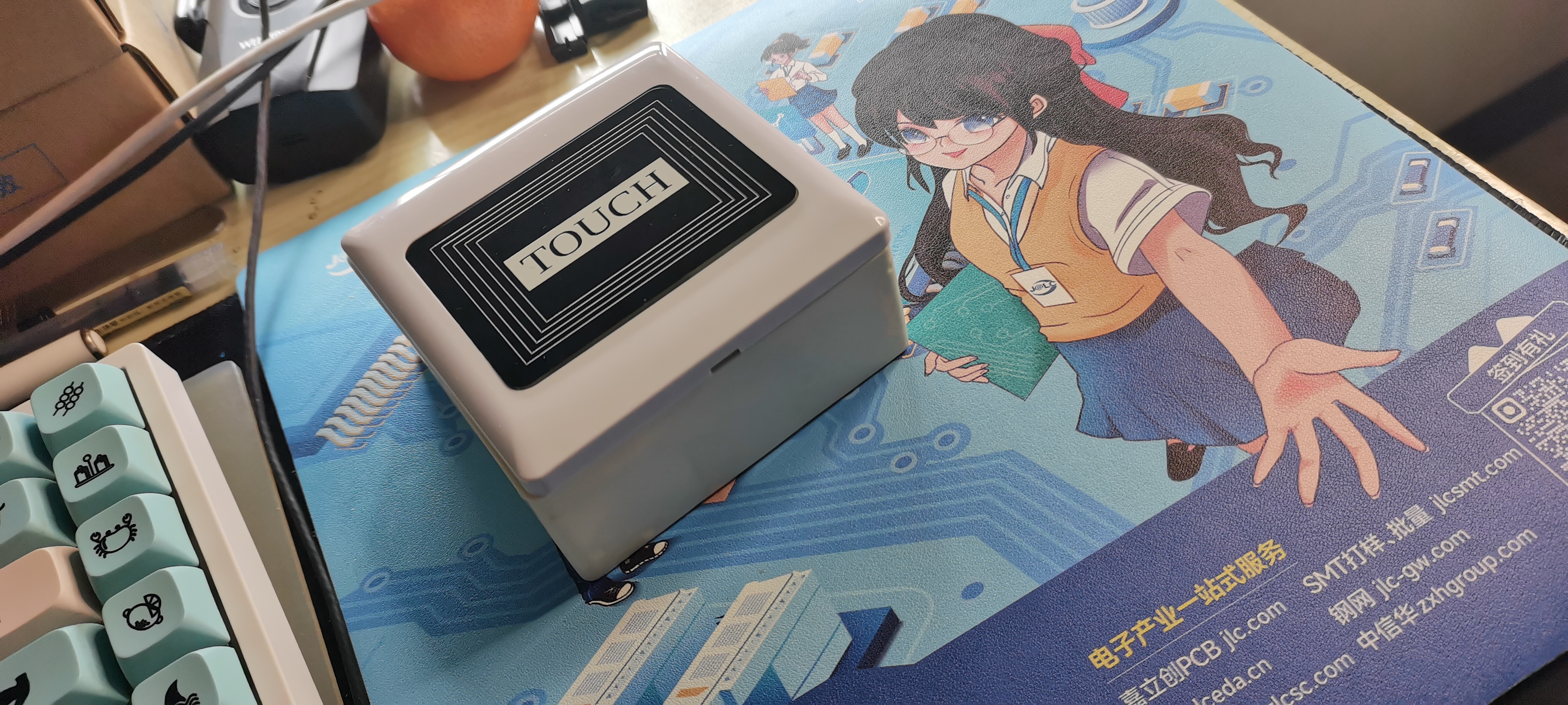
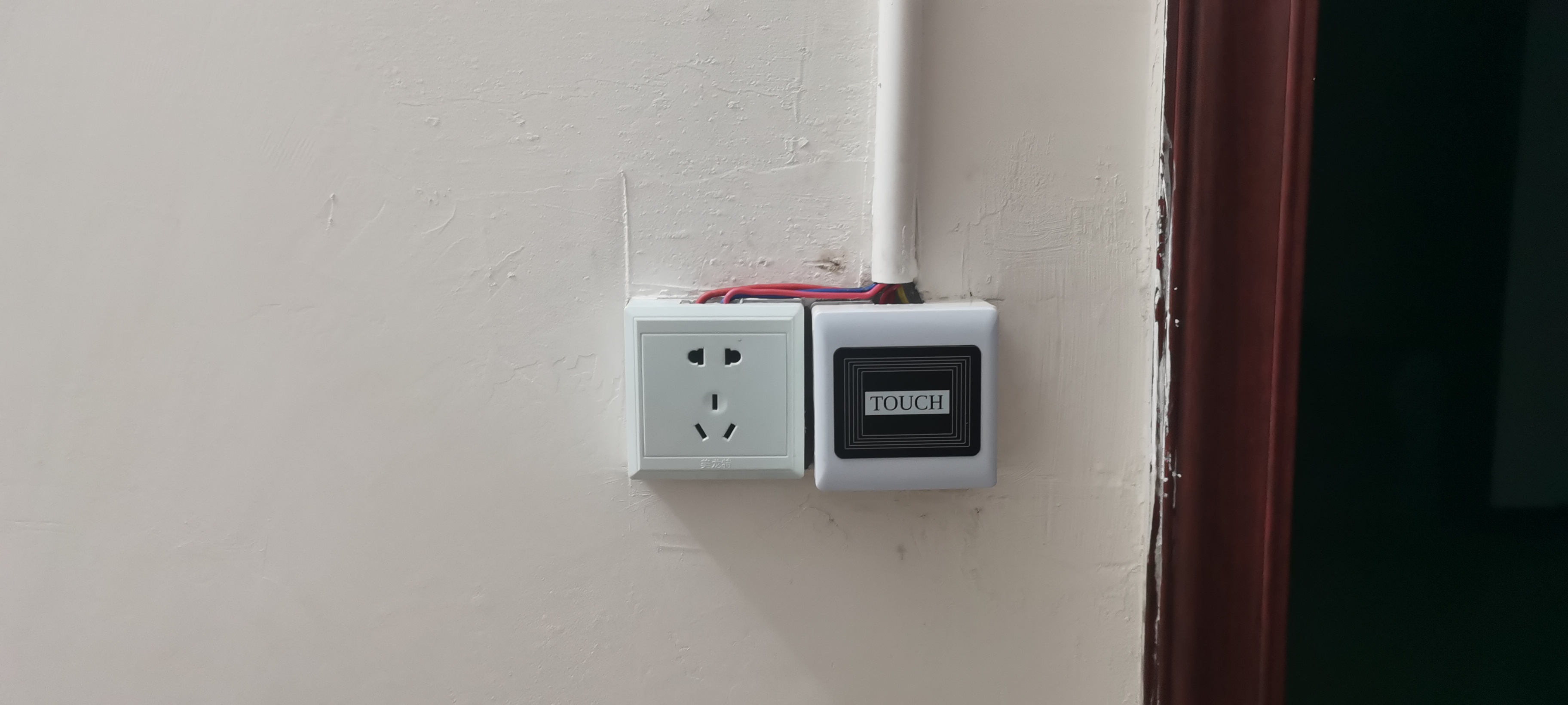
The "Type 86" IoT switch is a finished product demonstration project
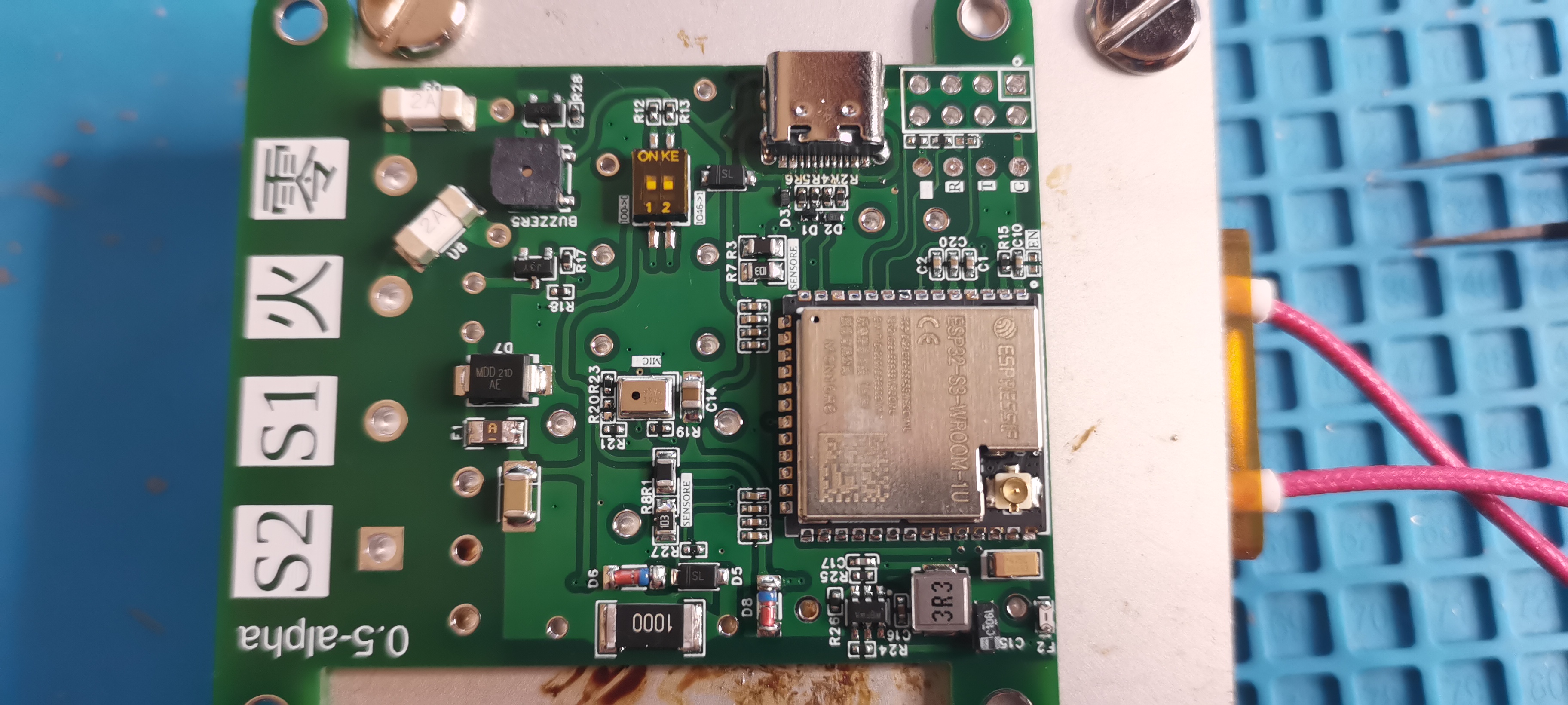
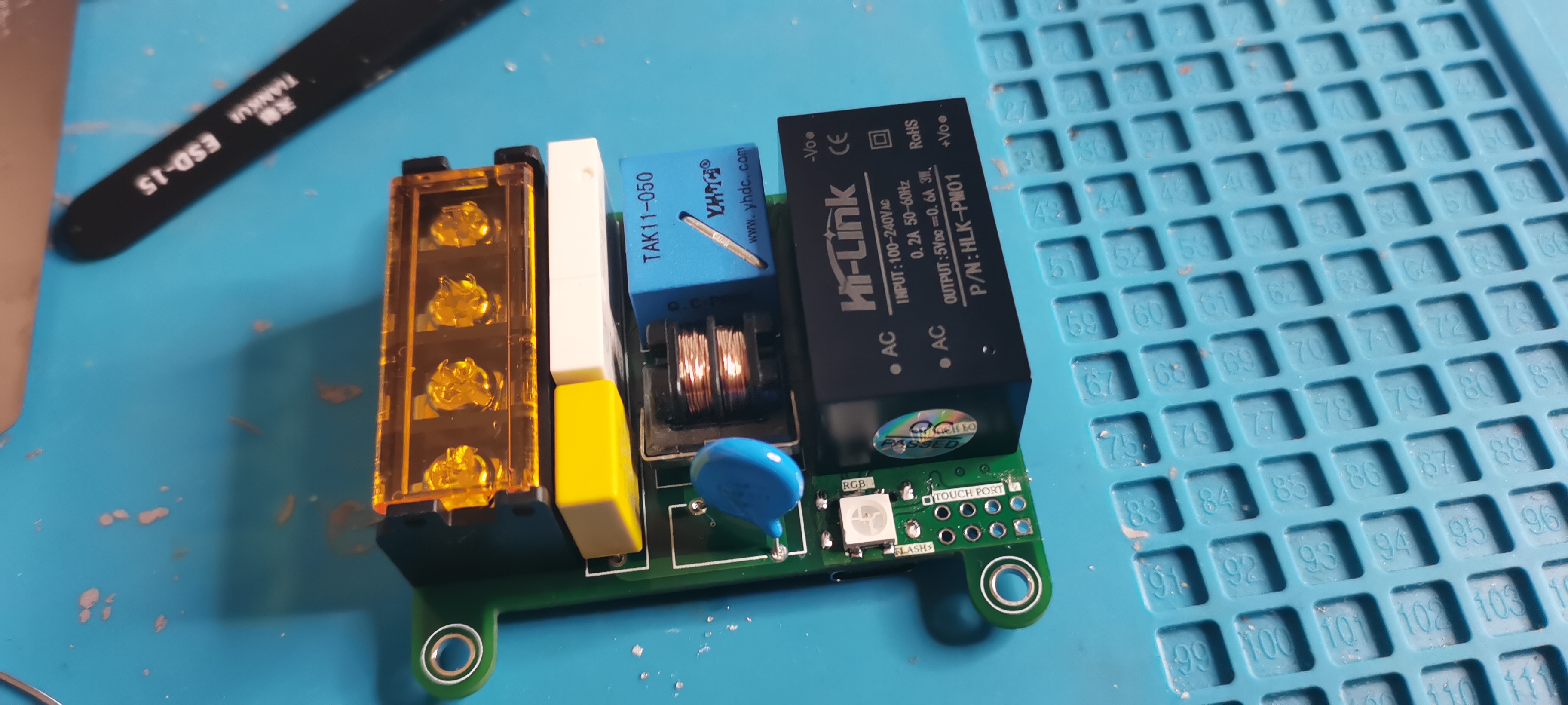
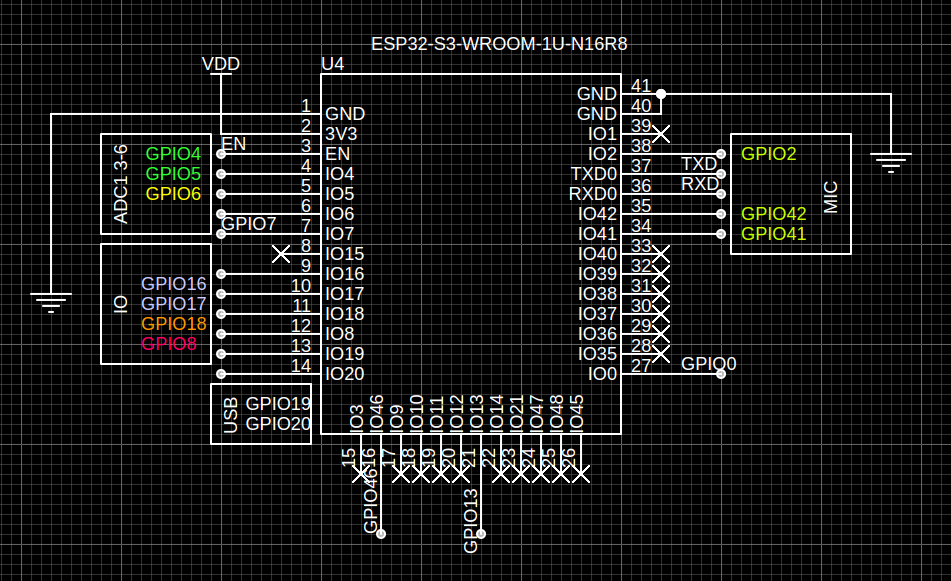
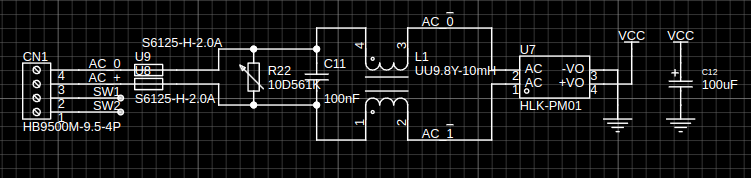
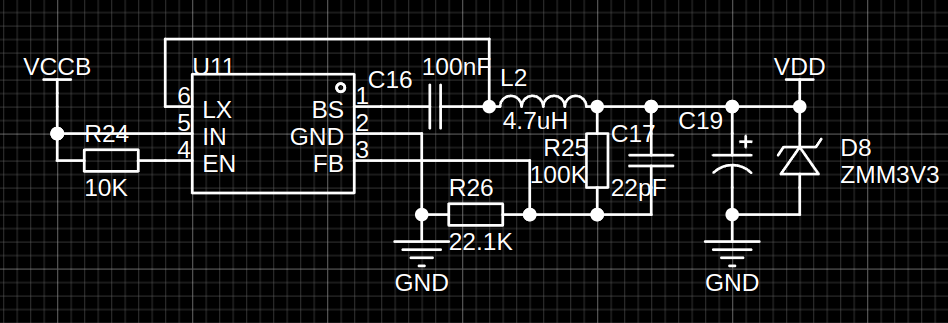
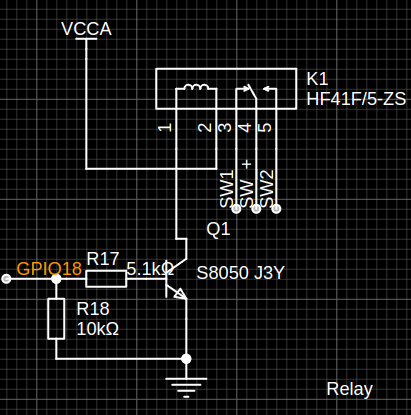
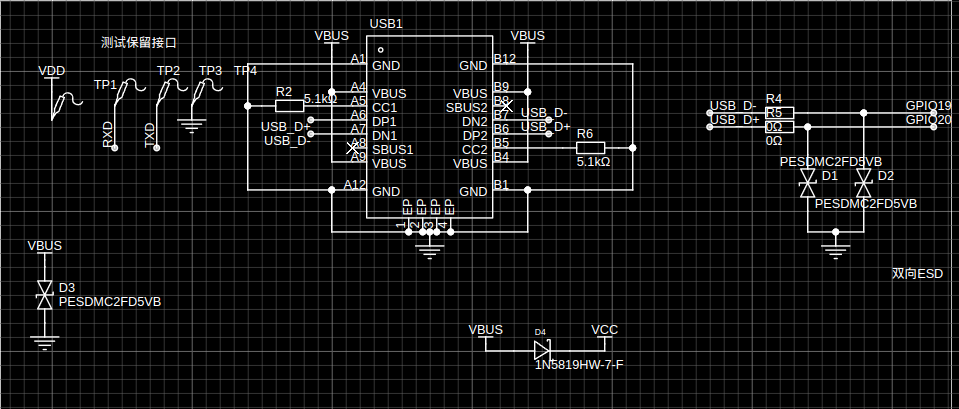
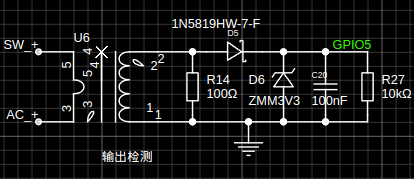
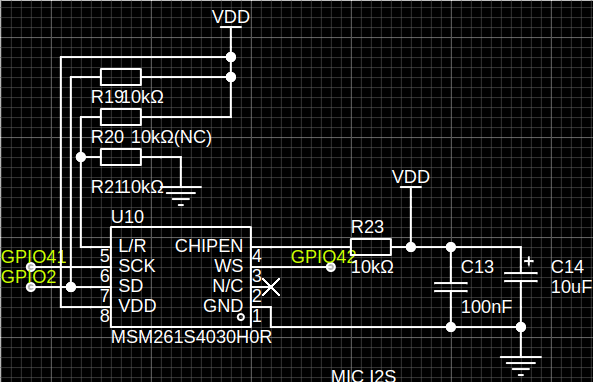
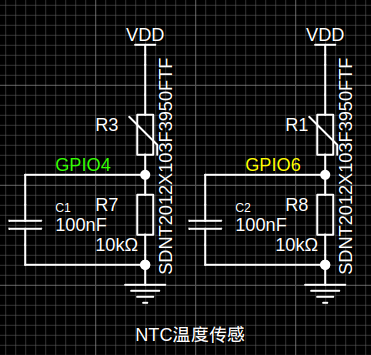
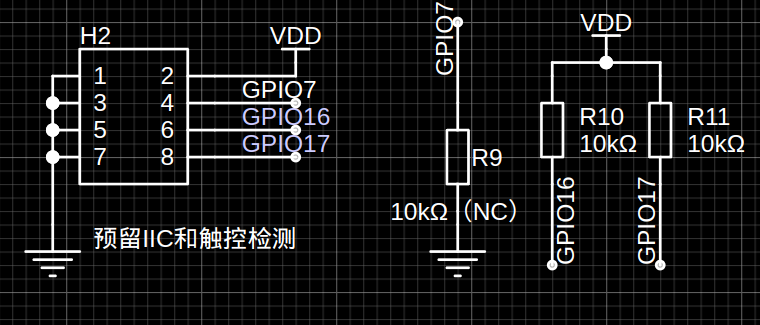
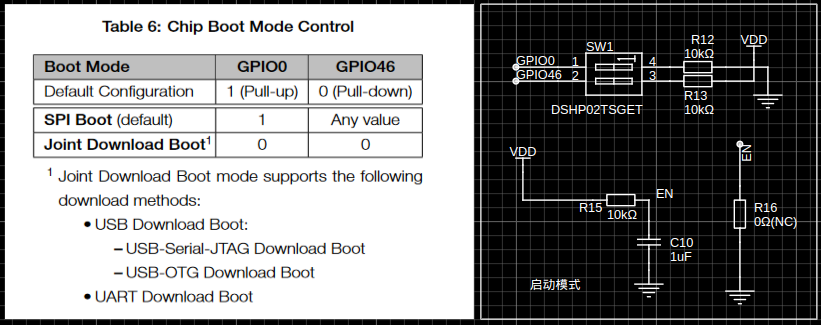
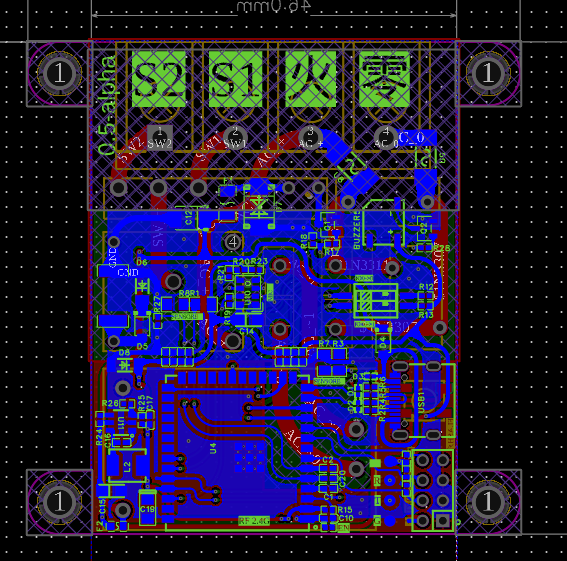
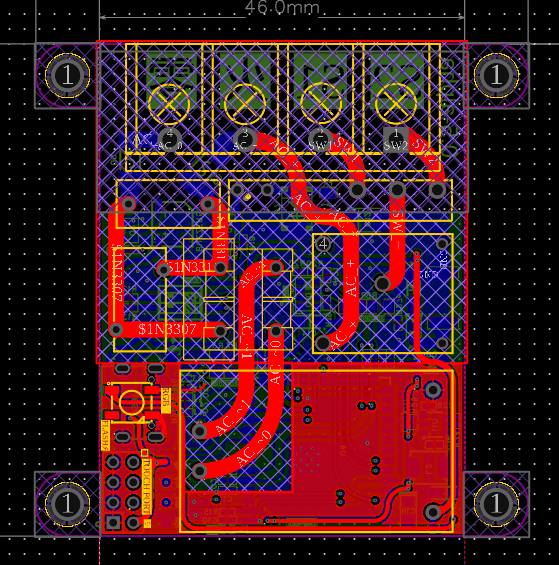
supporting QQ, WEB, touch, and voice control. The project consists of: switch hardware (IOTSwitch firmware based on ESP-IDF) , IoT Server (host computer based on Drogon, QtMqtt, Angular, and GoCqHttp) , switch hardware (back PCB, front PCB schematic design) , ESP32-S3 module, AC-DC isolated power supply module, DC-DC synchronous buck circuit , single-pole double-throw relay, USB-DEBUG circuit, current transformer output detection, I2S microphone circuit, NTC temperature sensor, touch interface, and BOOT. Optionally , the ESP32S3 module selected is the ESP32-S3-WROOM-1U-N16R8. The main control antenna of the ESP32-S3-WROOM-1U-N16R8 module uses an external interface and can be mounted on the back of the 86-type box. The AC-DC power supply uses a Hailingke HLK-PM01 as the isolated power supply, providing 220VAC->5VDC to power the relay. The DC-DC power supply uses a SY8120B1ABC synchronous step-down transformer, providing 3V AC from 5VAC to 3V AC to power the main control unit. A 4.7uH inductor is used. The 0420 package relay uses Hongfa's HF41F/5-ZS as the output control relay. The USB-DEBUG circuit omits a USB-TO-SERIAL circuit for DEBUG and program download output detection. This circuit is currently unavailable. A TAK11 current transformer is used due to PCB space constraints. Special thanks to Beijing Yaohua Dechang Electronics for shipping even when I ordered one or two; they were very helpful during my inquiry. The microphone uses an MSM261S4030H0R, referencing the ESP32-S3-EYE development board. Temperature sensing uses two thermistors to divide the voltage and measure the temperature, achieving high-temperature alarm touch detection . The ESP32-S3 uses GPIO7 as the default touch IO; the software allows setting the trigger threshold and protection time. The BOOT Option documentation is very detailed and will not be repeated here. // TODO Add Document link Other WS2812 MLT-5020 PCB design: The PCB uses a four-layer board: layer 1 for high voltage, layer 2 for internal power, and layers 3 and 4 for signals. Four-layer layout, one-layer layout, IO function overview. Hardware V0.5 Pin Target Announce P4 NTC_R3 ADC1_CH3 P5 CURR_SEN ADC1_CH4 P6 NTC_R1 ADC1_CH5 P7 TOUCH NAN P8 WS2812 NAN P13 BUZZER NAN P16 OUT_PORT NAN P17 OUT_PORT NAN P18 RELAY HIGH TO OPEN P2 MIC_SD NAN P41 MIC_SCK NAN P42 MIC_WS NAN IOTSwitch Function Overview MQTT Control Touchpad Control Voice Control Project Dependencies Component core support esp-idf >=5.0 espressif/esp-sr espressif/mdns espressif/esp-idf-cxx espressif/esp_mqtt_cxx espressif/led_strip bblanchon/arduinojson diam2023/ok_wifi If using espressif/esp-tflite-micro, refer to sheila_wake_up for details. See IOTSwitch/main/idf_component.yml for network configuration instructions. Refer to the OkWifi documentation (under development). MQTT instructions: Publish topic message format: devices/{SN}/status DeviceStatus {"status":bool} devices/{SN}/config DeviceConfig {"config...":"value..."}
Subscribe
topic
message
format
devices/{SN}/setting
DeviceSetting
{"setting...": "value..."}
devices/{SN}/action
DeviceAction
{"action": "..."}
Action List
action
value
sub data
announce
set status
setStatus
{"status": bool}
NON
system restart
restart
NON
NON
get status
getStatus
NON
publish status
get config
getConfig
NON
publish config
Configuration file list
referenceIOTSwitch/config/setting.json
{
"configVersion": "0.0.1",
"beepMute": false,
"voltageSensor": {
"outputThreshold": 50,
"temperatureThreshold": 2000
},
"touchpad": {
"notifyThreshold": 40000,
"touchLimitThreshold": 250
},
"wifi": {
"ssid": "×××",
"pwd": "×××"
},
"mqtt": {
"host": "mqtt://192.168.0.188",
"port": 1883
}
}
Configuration file description:
beepMute: Whether the buzzer is muted (ignore this option for alarms)
outputThreshold: Output detection threshold
temperatureThreshold: Temperature detection alarm threshold
notifyThreshold: Touchpad trigger threshold
touchLimitThreshold: Touch protection threshold
Wi-Fi: Network configuration data; if configured in advance, network configuration is not required.
MQTT Broker IP and PORT settings: Must be configured in advance.
Main control module replacement instructions
refer to partitions.csv. Select capacity
# Name, Type, SubType, Offset, Size, Flags
# Note: if you have increased the bootloader size, make sure to update the offsets to avoid overlap
nvs, data, nvs, 0x009000, 24k,
phy_init, data, phy, 0x00f000, 4k,
factory, app, factory, 0x010000, 4032k,
model, data, spiffs, 0x400000, 4096k,
config, data, spiffs, 0x800000, 512k,
fr, data, , 0x880000, 128k,
Deployment
# Clone project
git clone https://github.com/Diam2023/IOTSwitch IOTSwitch_local
cd IOTSwitch_local
# Compile
idf.py build
# Write to and monitor
idf.py flash monitor
Notes
If the serial port is not found or unstable during the first write, you can short-circuit IO0 to power on.
IOTServer
https://github.com/Diam2023/IOTServer
Description
Supports QQ and WEB controlled host computer, responsible for message listening and push (pushing to users, pushing to devices)
Uses MySQL to store account and device information, and Redis login cache
Configuration file: config/config.yaml
Docker configuration file: /*
Before deployment, you need to configure the CQ reverse WebSocket address under Docker. If you don't need QQ, you don't need
to depend on
Drogon. */A C++14/17/20 based HTTP web application framework running on Linux/macOS/Unix/Windows.
QtMqtt,
QtCore, and
QtWebSocket are recommended
for deployment
. Docker is best used for deployment; if not, try installing on an Arch-based system, as Debian is cumbersome.
Docker one-click deployment
git clone -b docker https://github.com/Diam2023/IOTServer
# Or switch to
cd ./IOTServer/docker
docker compose run *
# use -d if need
# docker compose stop
Local deployment
must rely on
MySQL (MariaDB)
Redis
yaml-cpp
Drogon
Yaml-Cpp
Arch
yay -S yaml-cpp
Debian
sudo apt install libyaml-cpp-dev
Install QtMqtt
https://github.com/KurtPattyn/QtMqtt
Arch
yay -S qt5-mqtt
Debian
git clone -b 5.12.3 git://code.qt.io/qt/qtmqtt.git qtmqtt
cd qtmqtt
mkdir build
cd build
qmake ..
make
sudo make install
###### Install Drogon
> https://github.com/drogonframework/drogon/wiki/ENG-02-Installation
* Arch
```shell
yay -S drogon
Debian
git clone https://github.com/drogonframework/drogon
cd drogon
./build
Build IOTServer
git clone https://github.com/Diam2023/IOTServer
cd IOTServer
# build angular
cd site
yarn install
yarn build
cd ..
# build IOTServer
./build # Build
cd build
# Run
./IOTServer
API Reference
QQ Control
Help
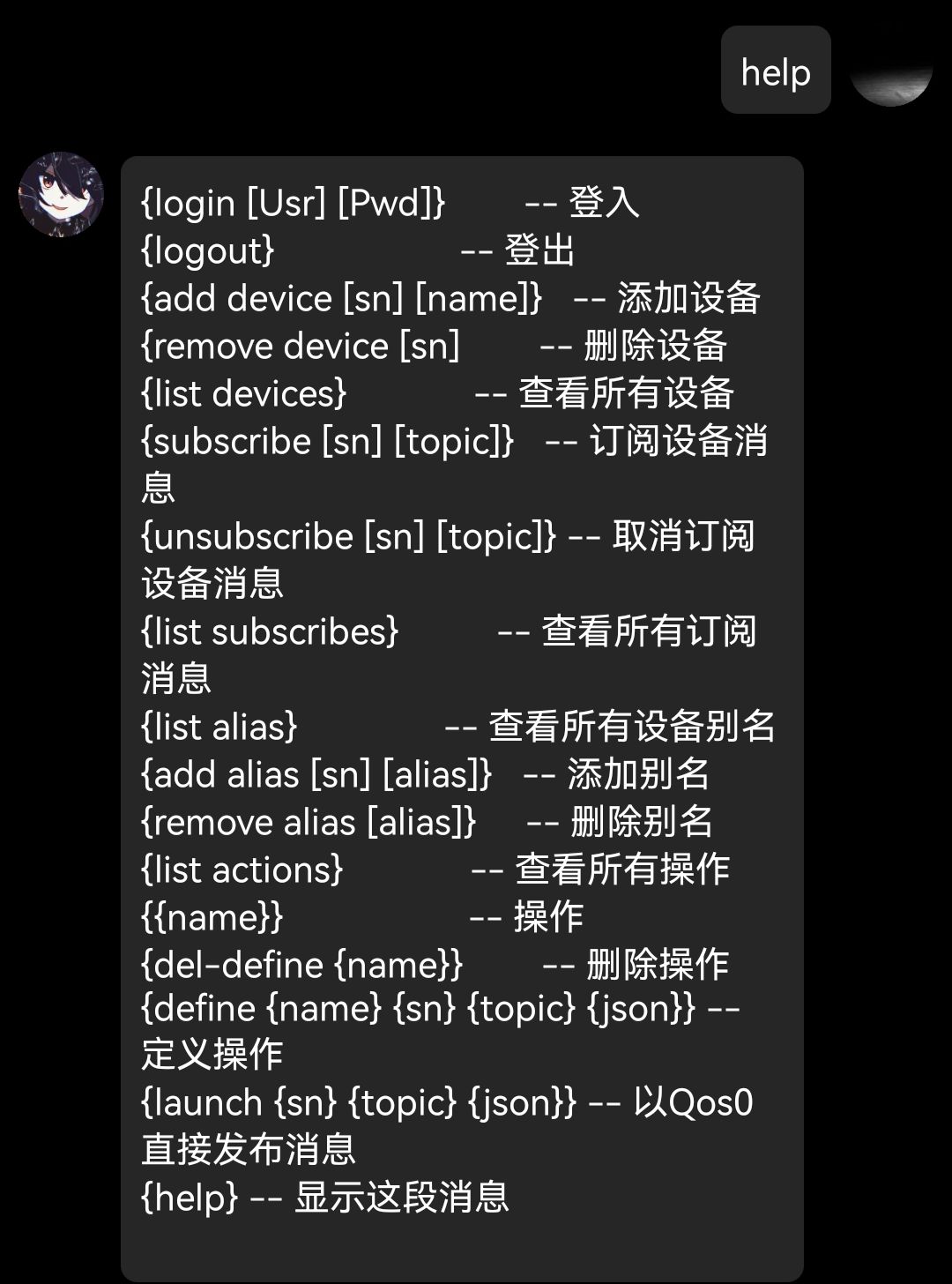
Add Devices and Behaviors
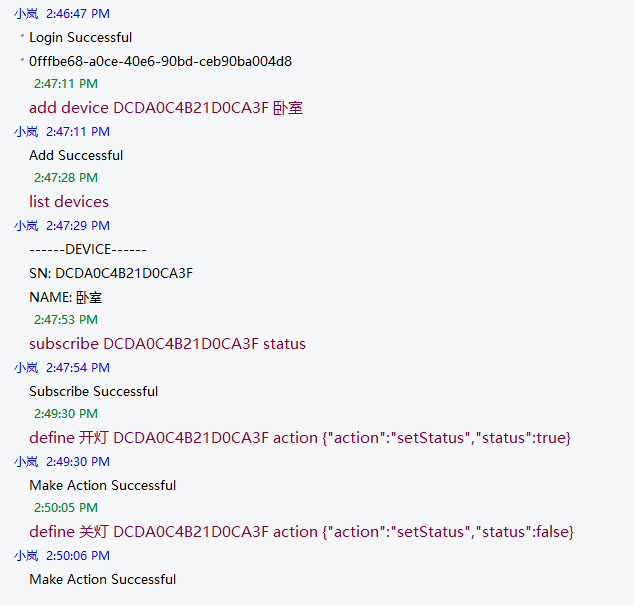
with Custom Behavior Reference
Define Operation {Operation Name} {Device Name/Alias} {subtopic} {JSON Data}
Http
root dir /api/
User Api
base dir user/
Path
Request Type
Request Body
Header
Status
Response Body
register
PUT
{ "user_name": "", "user_password": ""}
NAN
200 Successful500
login
POST
{ "key": "name/id", "pwd": "pwd" }
NAN
203 Need Authorize200 Successful401
{ "token": ""}
info
GET
NAN
Authorization: token
203 Need Authorize200 Successful401400
{ "user_id": 2, "user_name": "testUser10", "user_password": "", "user_permission_level": 100 }
logout
DELETE
NAN
Authorization: token
200 Successful500
Device Api
base dir device/
Path
Request Type
Request Body
Header
Status
Response Body
new
PUT
{ "device_sn": "DTESTSNDATA", "device_name": "TD", "device_comment": "TestComment","target_permission_level": 1}
Authorization: token
203 Need Authorize200 Successful400 Request Body Err500
delete
DELETE
{ "device_sn": "DTESTSNDATA"}
Authorization: token
203 Need Authorize200 Successful400 Request Body Err500
info
GET
{ "device_sn": "DTESTSNDATA"}
Authorization: token
203 Need Authorize200 Successful400 Request Body Err500
{ "device_id": 2, "device_name": "Name", "device_sn": "", "target_permission_level": 50 }
all
GET
NAN
Authorization: token
203 Need Authorize200 Successful500
[{ "device_id": 2, "device_name": "Name", "device_sn": "", "target_permission_level": 50 }]
Subscribe Api
base dir subscribe/
Path
Request Type
Request Body
Header
Status
Response Body
new
PUT
{ "device_sn": "TESESNDDT", "topic": "TestTopic"}
Authorization: token
203 Need Authorize200 Successful400 Request Body Err500
delete
DELETE
{ "device_sn": "TESESNDDT", "topic": "TestTopic"}
Authorization: token
203 Need Authorize200 Successful400 Request Body Err500
all
GET
NAN
Authorization: token
203 Need Authorize200 Successful500
{ "devices":[], "aliases":[]}
Alias Api
base dir alias/
Path
Request Type
Request Body
Header
Status
Response Body
new
PUT
{ "device_sn": "DTESTSNDATA", "alias": "testAlias"}
Authorization: token
203 Need Authorize200 Successful400 Request Body Err500
delete
DELETE
{ "alias": "MyRoom"}
Authorization: token
203 Need Authorize200 Successful400 Request Body Err500
all
GET
NAN
Authorization: token
203 Need Authorize200 Successful500
{ "devices":[], "aliases":[]}
Action Api
base dir action/
Path
Request Type
Request Body
Header
Status
Response Body
new
PUT
{ "action_name": "TA1", "device_sn": "TESESNDDT", "topic_name": "testTopic1", "action_json": {...}}
Authorization: token
203 Need Authorize200 Successful400 Request Body Err500
delete
DELETE
{ "action_name": "TA1"}
Authorization: token
203 Need Authorize200 Successful400 Request Body Err500
all
GET
NAN
Authorization: token
203 Need Authorize200 Successful500
{ "devices":[], "aliases":[], "actions":[]}
call
PUT
{ "action": "TA1"}
Authorization: token
203 Need Authorize200 Successful404
NAN
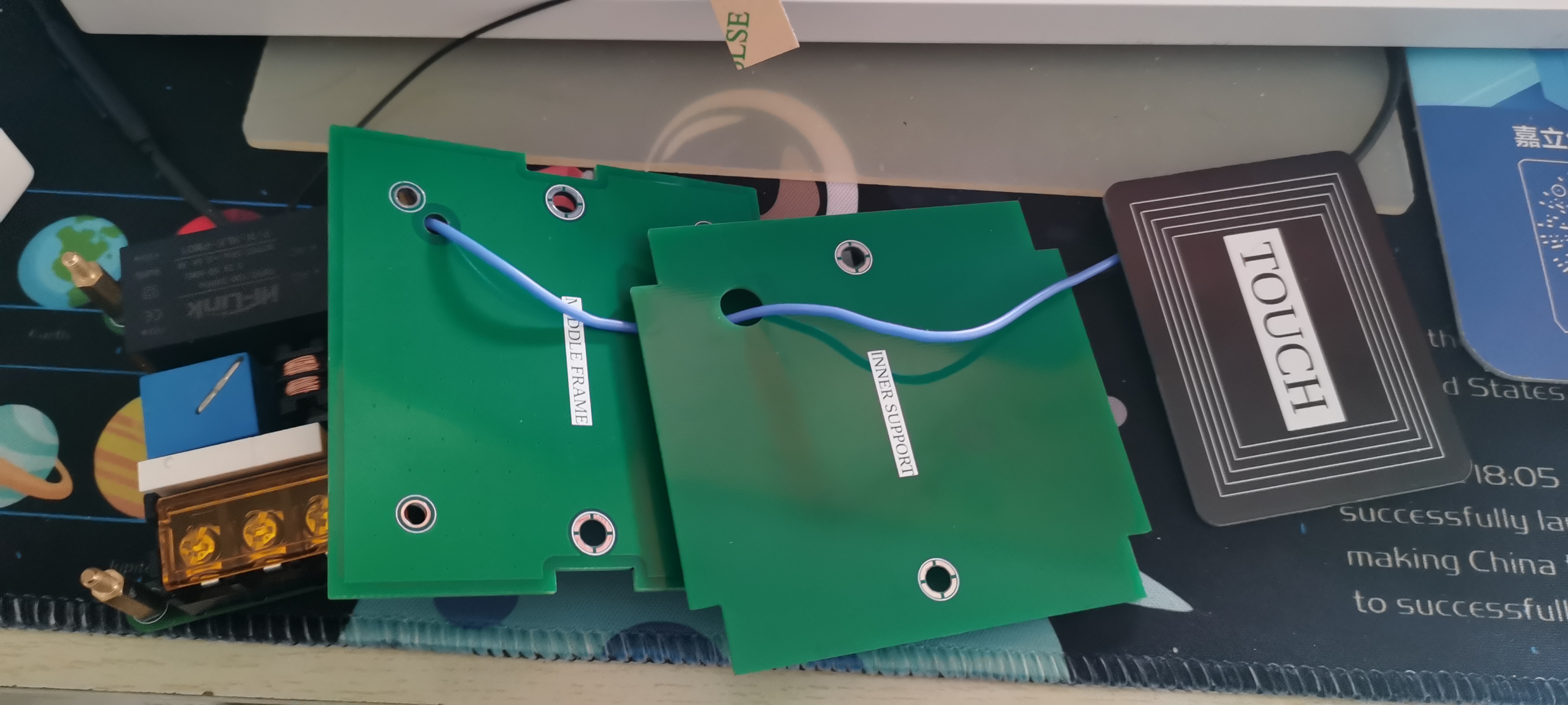
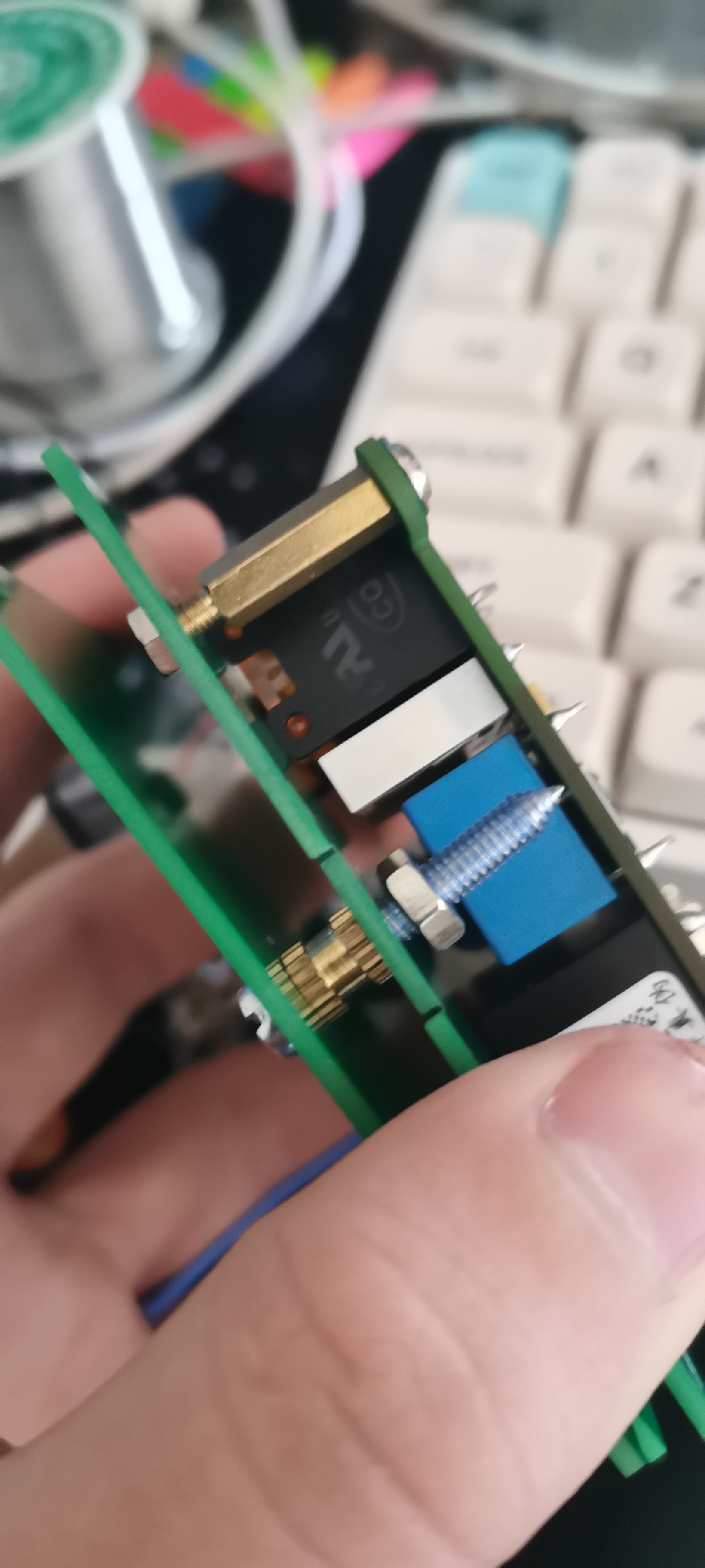
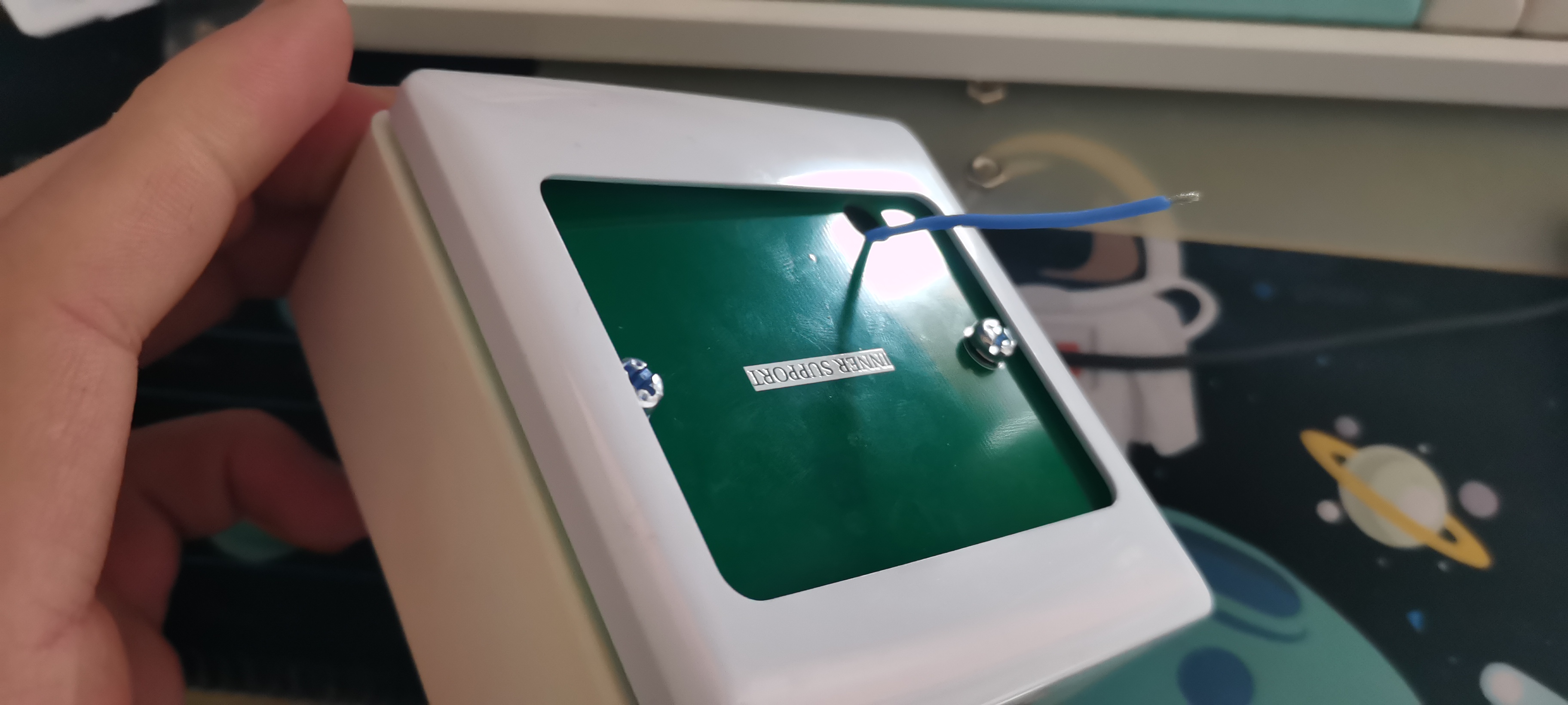
Assembly Instructions
Assembly Materials
M315+6 4
M466 Nuts*2
M4 Ordinary Nuts*2
PWM M35 4
2.4G Flexible Antenna IPEX
86 Blank Panel*1
86 Surface Mounted Box*1
Soldered Mainboard One
Middle Frame One
Outer Panel, One Inner Panel
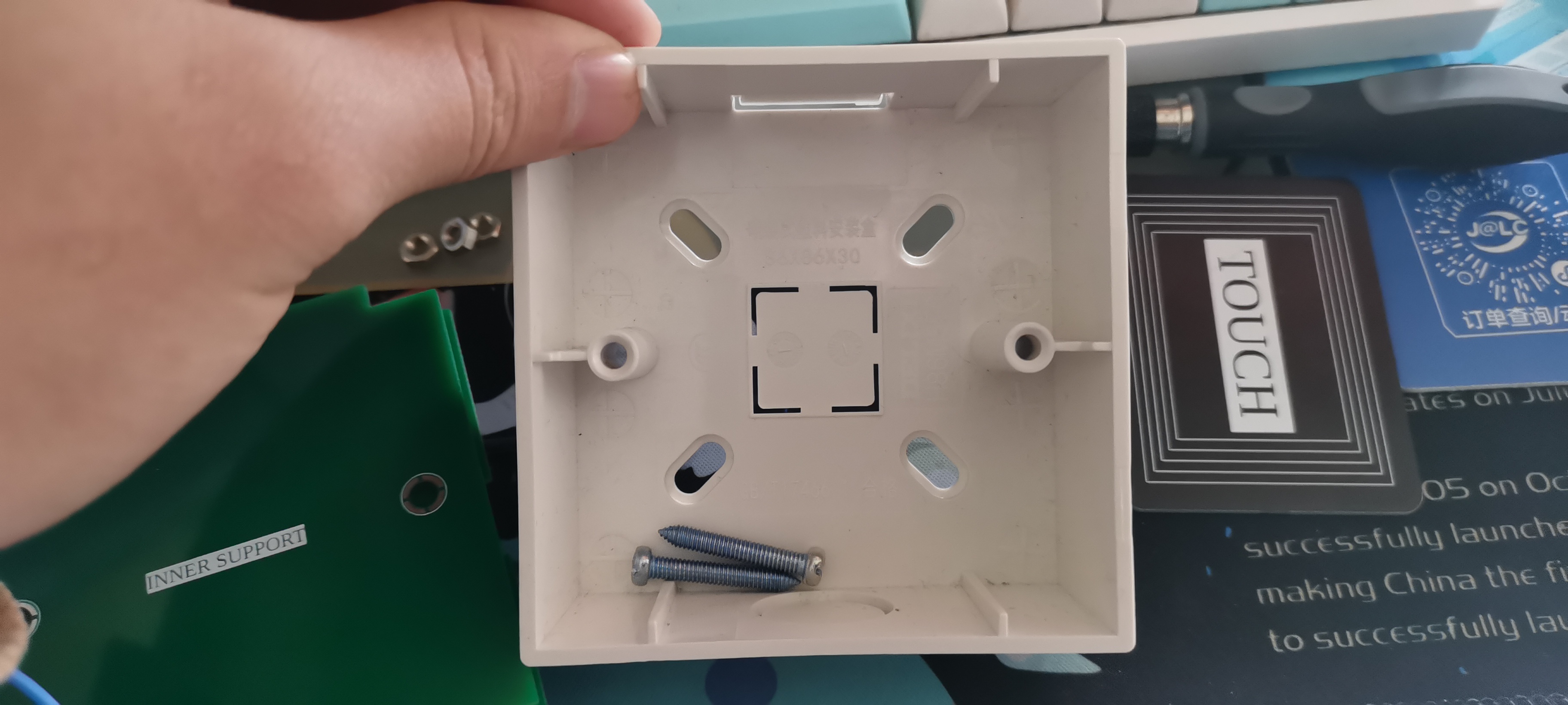
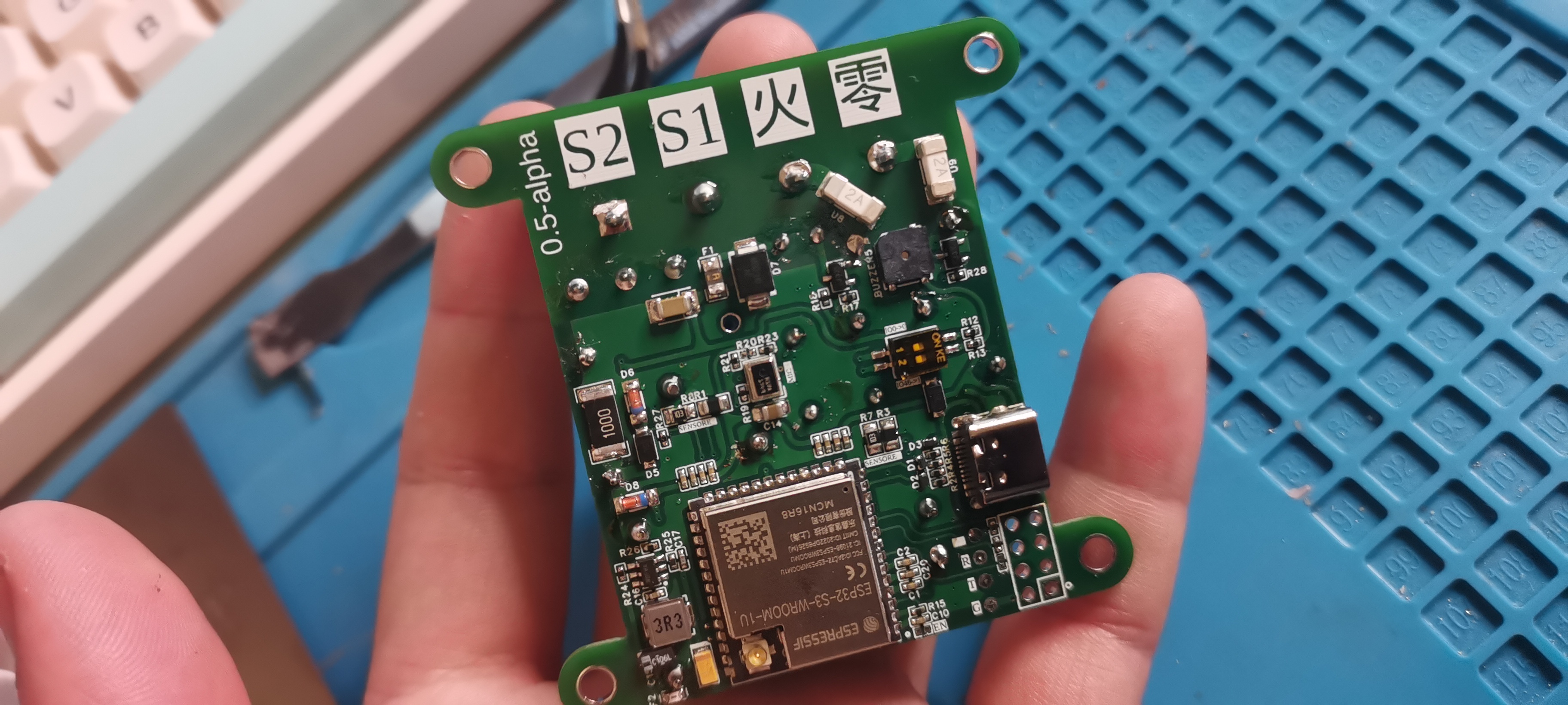
Assembly Order
Mainboard Leave Touch Line
for Testing
Install Antenna
Pre-connect AC Line
Install M3 Copper Pillar
Install Middle Frame and Inner Panel
Place in 86 Box
Install Outer Panel
Appendix
Custom Voice Recognition Reference: https://mp.weixin.qq.com/s/UBoRS0SMbWdV5tyQxxjH_g
The reason for not making a single-wire system
is mainly due to the fear of problems (ghosting) when used on some lights.
Thanks to JLCPCB, the Drogon project authors and the great open source community.
Thanks to my responsible teachers Wang and Sun at my school, and everyone who has helped me at school. Thank you.








 京公网安备 11010802033920号


 DQS-A16



