EkIyT9

USB-Can

 
Overview

The CANable open-source hardware and software project provides a fully open-source USB-CAN debugger
with support for both Windows and Linux stock CANs (driverless) and Python. For details, please refer to the following two links: [
Link 1: canable.io](link 2:
canable.io ) [Link 3:
Zhihu](link 4: Zhihu) Regarding firmware
and host computer support,
this debugger can be programmed using the DfuSeDemo software in DFU mode, but this method is cumbersome. It is recommended to use the online programming website provided by the CANable official website. Currently, it supports SLCAN, PCAN, and Candlelight firmware. For programming methods, please refer to the link above. For the three official firmwares, SLCAN supports the cangaroo host computer, PCAN supports PCAN View, BUSMASTER, and TSMASTER host computers, and Candlelight supports cangaroo, BUSMASTER, and TSMASTER host computers. [Link 5 : Custom Host Computer
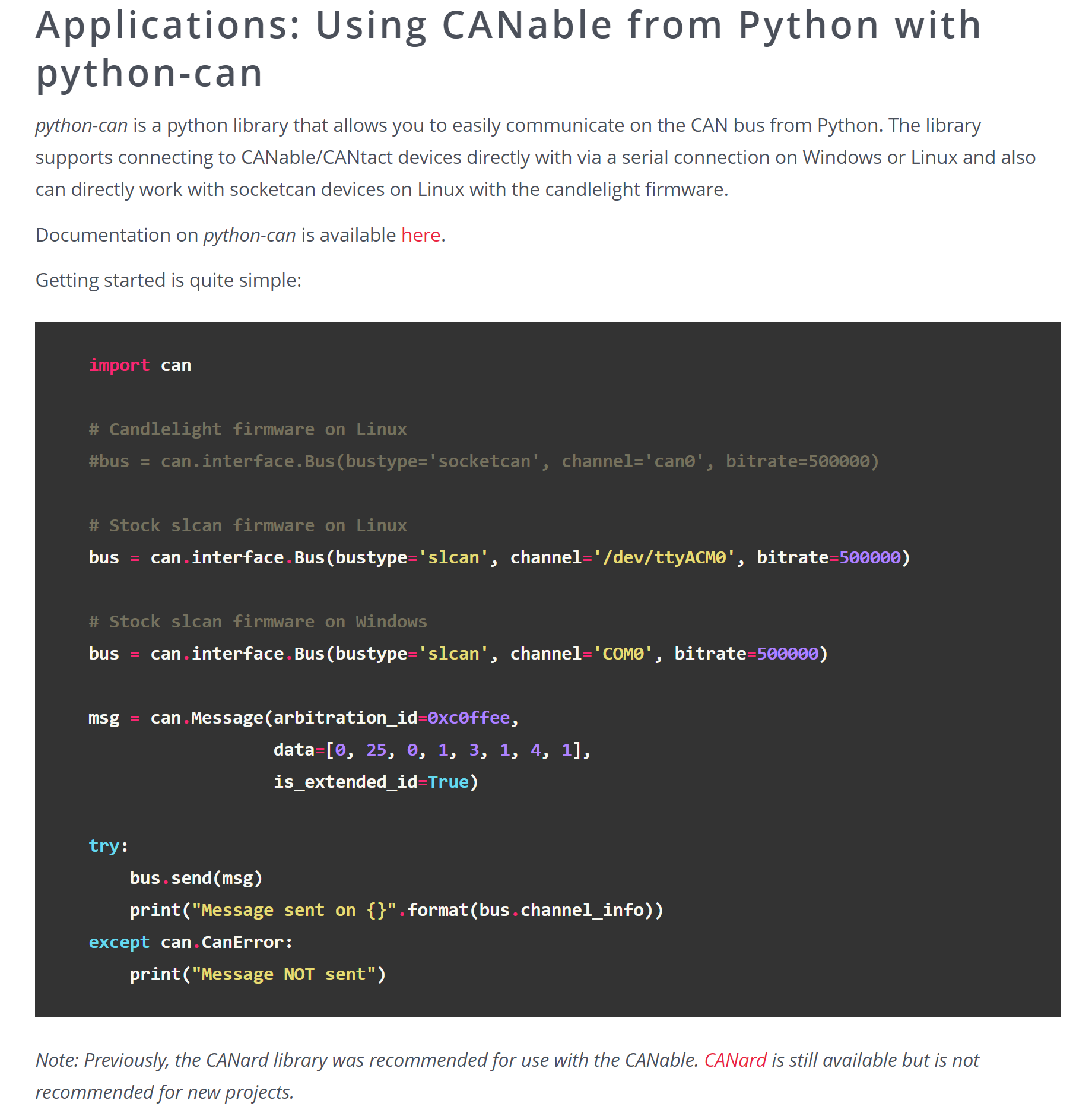
Support] Additionally, some firmware also supports Python-CAN control. After practical testing and verification, after flashing the SLCAN firmware and connecting the debugger to the computer, it will appear as a regular serial port device (e.g., COM5 serial device) in the Device Manager. The Python-Can library can be used to control the debugger to send and receive messages. Currently, the serial library has been used to search for serial port devices, and the python-can library has been used to control the CAN debugger. Combined with PyQT for interface design, a self-made host computer system that meets actual work requirements has been completed and is functioning normally. Other notes: 1. The hardware schematic is basically the same as the open-source hardware in CANable, but the PCB has been redrawn; 2. It uses a Micro USB port to connect to the PC, with three LEDs provided for software development. A pin header is used for DFU mode switching and matching resistor switching; 3. Both the USB and CAN interfaces have TVS diodes; these can be removed if not needed; 4. All components except the MCU were purchased from LCSC. The MCU was purchased from Taobao, costing approximately 10-12 RMB per unit; 5. After debugging, you can cover the PCB with heat shrink tubing with an inner diameter of about 15mm (for a better appearance); 6. The current silkscreen is a bit small; you can adjust it yourself; 7. Attachment 1: Cangaroo host computer; 8. Attachment 2: Drivers required for online programming via web page;


参考设计图片
×
 
 
Search Datasheet?

Supported by EEWorld Datasheet

Forum More
Update:2026-03-26 15:53:28

EEWorld
subscription
account

EEWorld
service
account

Automotive
development
community

Robot
development
community

About Us Customer Service Contact Information Datasheet Sitemap LatestNews



Room 1530, 15th Floor, Building B, No.18 Zhongguancun Street, Haidian District, Beijing, Postal Code: 100190 China Telephone: 008610 8235 0740

Copyright © 2005-2024 EEWORLD.com.cn, Inc. All rights reserved 京ICP证060456号 京ICP备10001474号-1 电信业务审批[2006]字第258号函 京公网安备 11010802033920号