U0rdaJR

STM32 Matrix Keyboard Calculator!

 
Overview
This STM32 matrix keyboard simple calculator

demonstration video
is requested to be liked, commented, and shared.
The hardware
components
include a custom PCB design by JLCPCB and
an STM32F103RCT6 chip

. Essentially, this project is just a matrix keyboard expansion board,
but the code is for a calculator and it works.
The structure is largely the same as others, except the interface locations correspond to those in this open-source project. You
can use your own development board with DuPont wires
or modify it to integrate the chip directly.

The matrix keyboard expansion board
hardware is based on the open-source project SCICAI, using an STM32 controller. Of course, it's not as

advanced as the original.

The STM32 development board consists of several modules: interface
communication download module,
matrix keyboard module,
battery management module,
lithium battery boost module , and
Type-C interface
. See the schematic and PCB for details.

The software (standard library) includes
a calculation
algorithm using postfix notation (Reverse Polish Notation),
encompassing functions for converting expressions to postfix notation, error checking, and calculation.
It can perform trigonometric functions, logarithmic functions, ln functions, exponentiation, and square root calculations.

The matrix keyboard scanning algorithm
uses row-by-row scanning, with 8 checks performed in the software (each with a 2ms interval). Level debouncing is implemented.

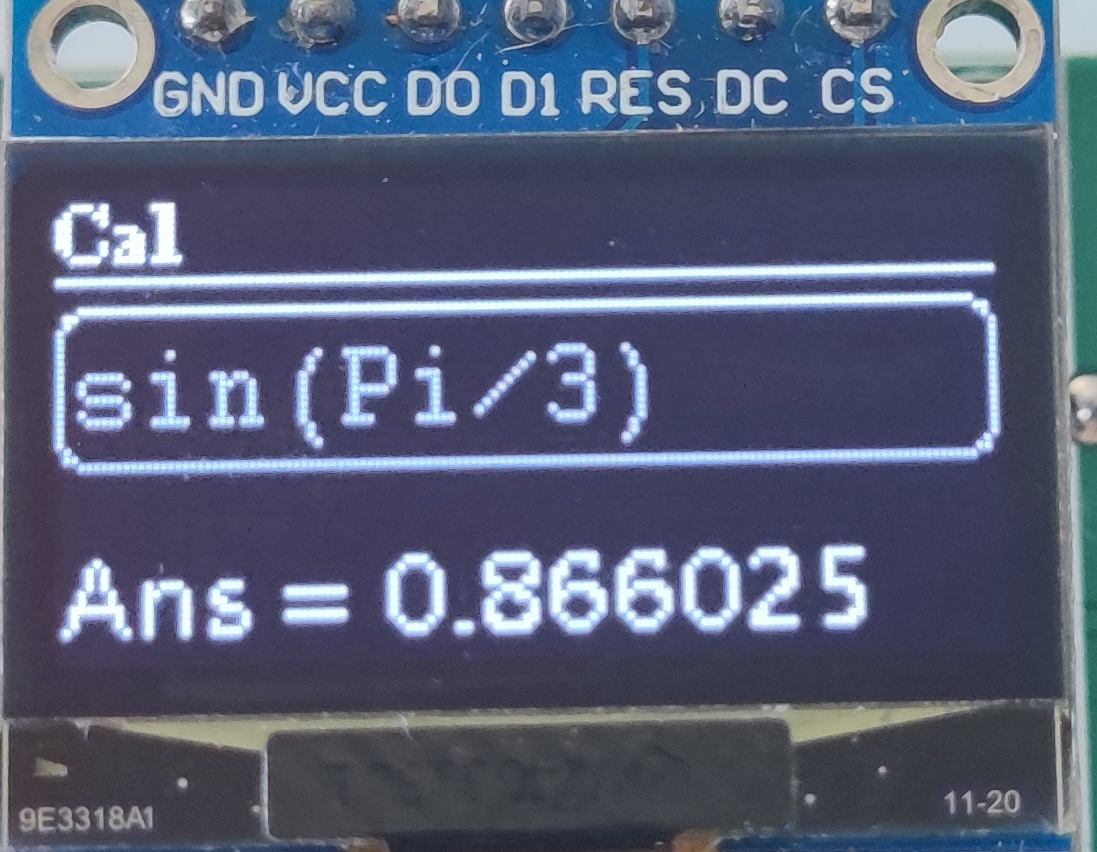
The UI design
, based on the u8g2 library,
is divided into three parts: a status bar, an expression bar, and a result bar.
The status bar displays a

CAL status indicator. (I originally wanted to add other functions, but I was too lazy to do it, haha.)
The Shift key is indicated by a vertical bar, which shows the Shift key is locked. The
left and right arrow keys indicate whether the expression is hidden before or after it, and the vertical arrow keys are for history, but I'm too lazy to type them out, haha.


The expression only shows the cursor, which can be moved using the left and right arrow keys on the matrix keypad.
The result display shows the calculation result and error information; it can scroll when the result is too long.

Other software includes serial port and RCC software, which I won't go into detail about.
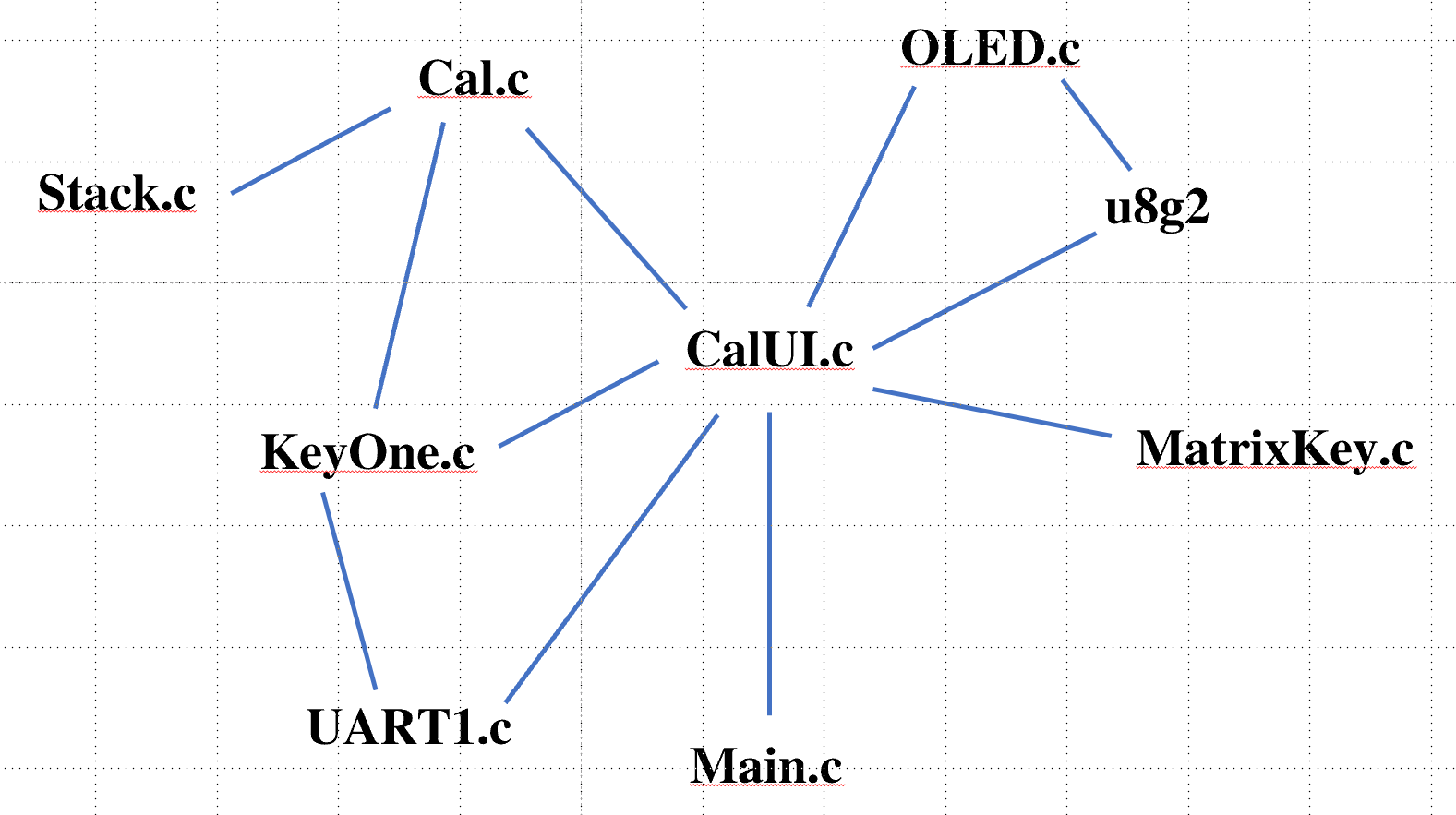
A software structure diagram is attached below.
参考设计图片
×
 
 
Search Datasheet?

Supported by EEWorld Datasheet

Forum More
Update:2026-03-25 23:51:57

EEWorld
subscription
account

EEWorld
service
account

Automotive
development
community

Robot
development
community

About Us Customer Service Contact Information Datasheet Sitemap LatestNews



Room 1530, 15th Floor, Building B, No.18 Zhongguancun Street, Haidian District, Beijing, Postal Code: 100190 China Telephone: 008610 8235 0740

Copyright © 2005-2024 EEWORLD.com.cn, Inc. All rights reserved 京ICP证060456号 京ICP备10001474号-1 电信业务审批[2006]字第258号函 京公网安备 11010802033920号