1. Introduction
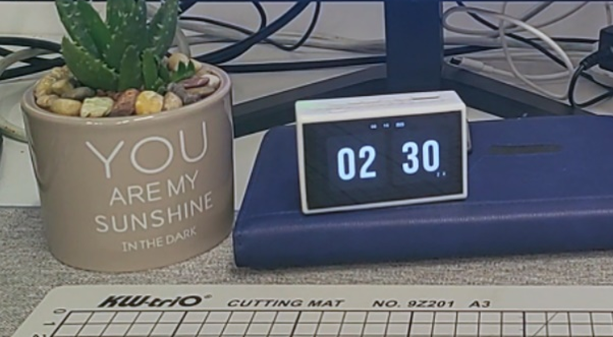
This is a "Little Dolphin" smartphone based on the LCSC Taishanpai Development Board and Android 11/Ubuntu 20.04.
V4 version demonstration video [Bilibili] I made a smartphone!!! Meeting daily needs?
V3 version demonstration video [Bilibili] I made a budget "phone" that can shoot videos? Play Genshin Impact?
2. Project Overview
project is a smartphone based on the LCSC Taishanpai Development Board, adapted for Android 11 and Ubuntu 20.04. It features built-in lithium battery management, 4G baseband, 3.1-inch touchscreen, camera, power amplifier, voice input, accelerometer, angular velocity sensor, magnetometer, and touch buttons. It can achieve lithium battery power supply, GNSS positioning, try out motion-sensing games, make calls, send text messages, take photos, videos, play music, and all common Android apps. Smartphones represent the pinnacle of embedded development, yet there are very few open-source smartphones currently available. DIY smartphones are the best project for learning and practicing circuit design, PCB layout, and soldering, enabling customized operating systems and drivers, and developing or modifying application software.
This project involves BGA package soldering, which is quite difficult for beginners. You can first learn about previous versions of this project. Link: [Little Dolphin Mobile Phone] Taishanpai 4G Internet Mini Phone - LCSC Open Source Hardware Platform (oshwhub.com)
The EC20 module consumes a lot of power, and the 4G module has an independent power supply output. The 4G module power supply switch is controlled by the 4G_PWREN_H pin, i.e., GPIO0 PA1. When 4G is not needed, this pin can be set to low level to save power.
The TP5100 lithium battery charging management chip is fragile. If the hardware design is not good, it is easy to burn out. Please strictly refer to its official design manual when designing! 4G
has its own voice output. After testing, the microphone can be used with Taishanpai, but the speaker cannot. If you need to use the function, please solder FPC7 and remove R41 and R42. And pull GPIO0 PA0 high within the device tree.
4. Software debugging
千古长夜丶/TSPiTSPiPhoneV4.1 - Gitee.com.
If you have modified the Taishanpai Android SDK, please revert to the original version.
Copy the binary library file lib/gps.default.so to the device/rockchip/rk356x directory.
Copy the Taishanpai Android SDK to the corresponding Git repository patch. For the corresponding hardware version V4.1, navigate to the corresponding Android SDK
patch/kernel.patch .
Then copy the patch files to the corresponding directories and use the following command:
`patch -p1 -N -d . < corresponding patch file.patch`.
`source build/envsetup.sh && lunch rk3566_tspi-userdebug`.
Compile (virtual machine memory should ideally be ≥16GB; if not, change to -j8).
. (Image shown
). Development stage:
2024-03-27 V1 Initial Design.
2024-04-22 V2 Optimized screen interface layout.
2024-05-28 V3 Added screen backlight circuit IC and optimized screen backlight heat dissipation.
2024-07-12 V4 Added lithium battery charging management, sensors, power amplifier, and touch buttons, and optimized details.
2024-08-01 V4.1 Fixed lithium battery charging circuit and optimized details. This is the first time
project has been publicly released; it is my original work. This project has not won any awards in other competitions.
This project follows the CC BY-NC-SA 4.0 open-source license; unauthorized reproduction and commercial use are prohibited.
1. [Little Dolphin Phone] Taishanpai 4G Internet Mini Phone - LCSC Open Source Hardware Platform (oshwhub.com)
2. Taishanpai 3.1-inch Screen Expansion Board - Integrated Power Supply, Audio, Serial Port, RTC - LCSC Open Source Hardware Platform (oshwhub.com)
3. LCSC Taishanpai Development Board 39Pin_Hub2.0_Ethernet Expansion Board
One-click switching, dual functionality: ESP-Dongle brings you the ultimate experience from wireless network card to USB flash drive.
This project is the Cyberry Potter Electromagic Wand, using an STM32 microcontroller as the main control chip. It employs a convolutional neural network for motion recognition and features a modular design with extremely high scalability.
This is a smart car, only the size of a palm, running the ROS1 robot system. It can perform basic LiDAR 2D mapping and navigation functions, and can be controlled with the assistance of a mobile APP. It also has extended functions such as radar tracking, visual recognition and tracking.
Project Description:
The Idea's Origin
In 2021, the Bilibili influencer "Zhihuijun" created a bicycle. I noticed he used the ROS system, enabling 2D map creation, path planning, and image recognition.
Zhejiang University's Fast-Lab also used the ROS robot system for its flying machine, performing various intelligent operations.
I initially thought ROS was extremely complex and difficult to understand. However, after some study, I discovered that ROS is like a slightly more advanced version of "Lego bricks." Experts encapsulate the code into various "function packages," much like Arduino's "libraries." I don't need to write navigation or mapping algorithms; I just need to download the corresponding code package from the official website, modify some parameters, and connect these packages to perform seemingly sophisticated operations like mapping and navigation.
Of course, there are still some differences between theory and practice.
To put this into practice, I considered buying a ready-made bicycle to learn ROS, but found the price too high… Even basic mapping functionality would cost over a thousand yuan. In the end, I still spent over 2400 yuan to buy one and studied it for a month.
After completing the basic learning, I found that the toy car was basically useless and was gathering dust on the side.

So, I had another idea!
I wondered if I could replicate what I had learned in the past month? Could I also make a low-cost and relatively compact smart car?
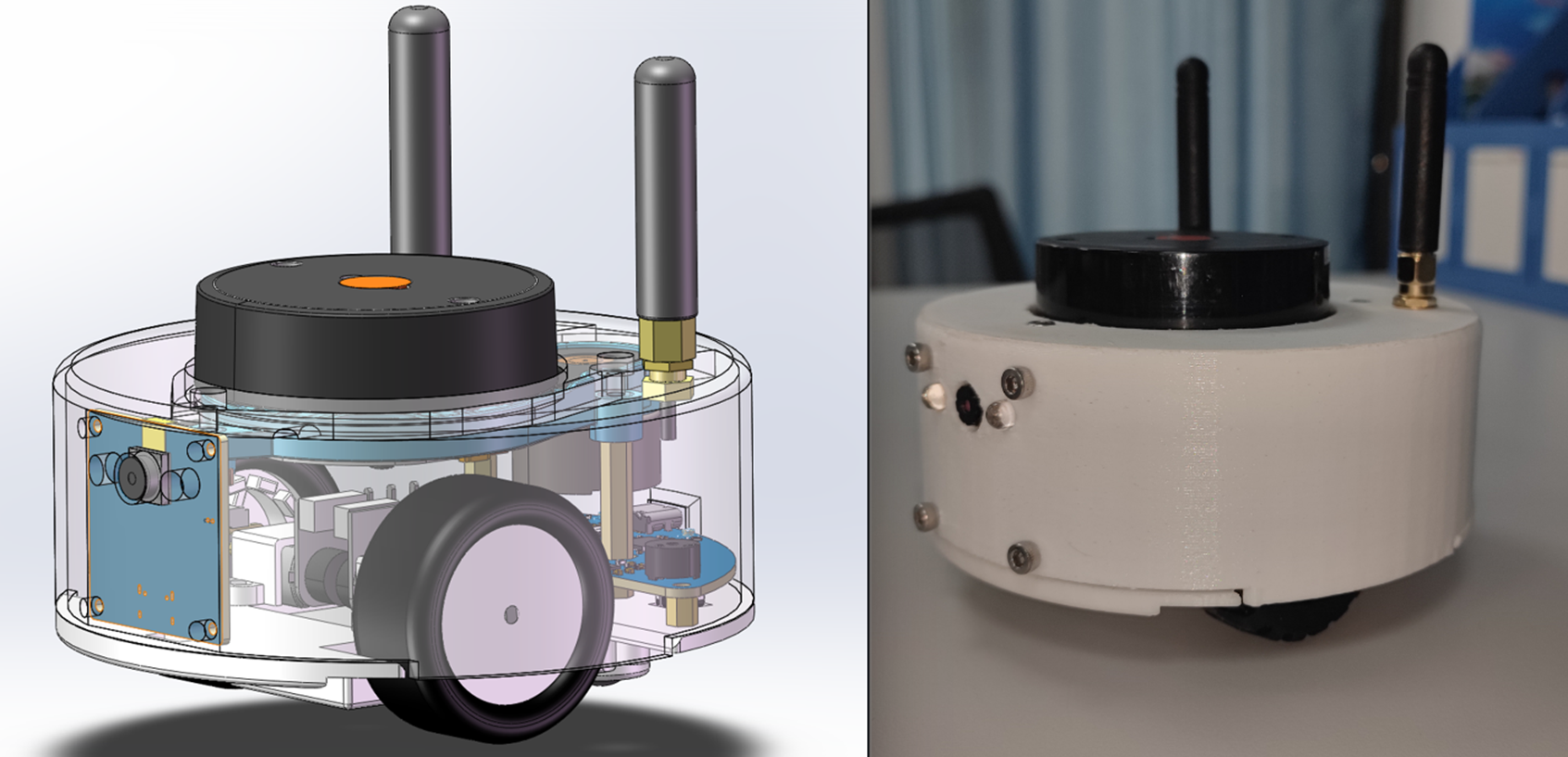
With this idea in mind, I started this project. In the end, the project was about the size of a palm, and the cost was controlled at around 260 yuan. The appearance was made more exquisite, so the shell had to be complete.
The
open-source license
is GPL 3.0.
This is the GNU General Public License. If a product under the GPL license is used in a project, then the project must also adopt the GPL license, which means it must be open source and free.
The starting point of GPL is the open source and free use of code, and the open source and free use of reference, modification, and derivative code, but it does not allow modified and derived code to be released and sold as closed-source commercial software.
The most significant characteristics of GPL are "viral distribution" and "disallowing closed-source commercial distribution". Linux, which we are familiar with, uses the GPL license.
Project-related functions:
main function completion status (7)
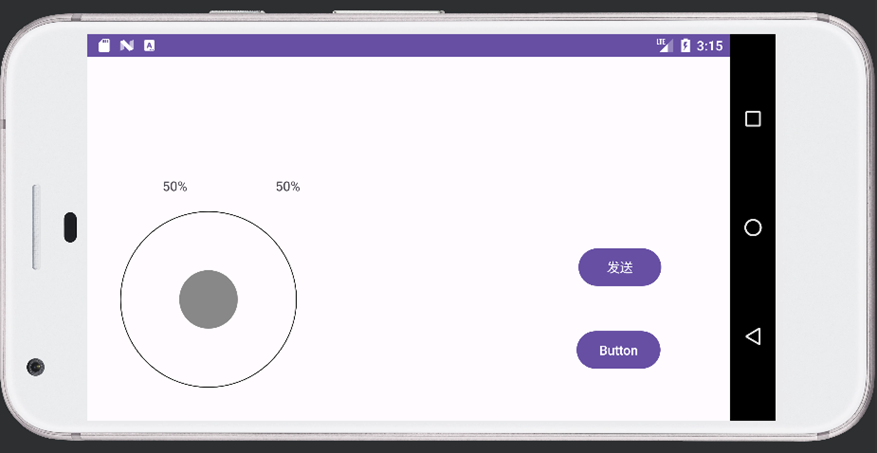
The car can be manually controlled by the mobile APP (completed)
Specific function: Two remote controls can be used to control the front and back and left and right independently, which has a better control effect and can also provide some simple data feedback.
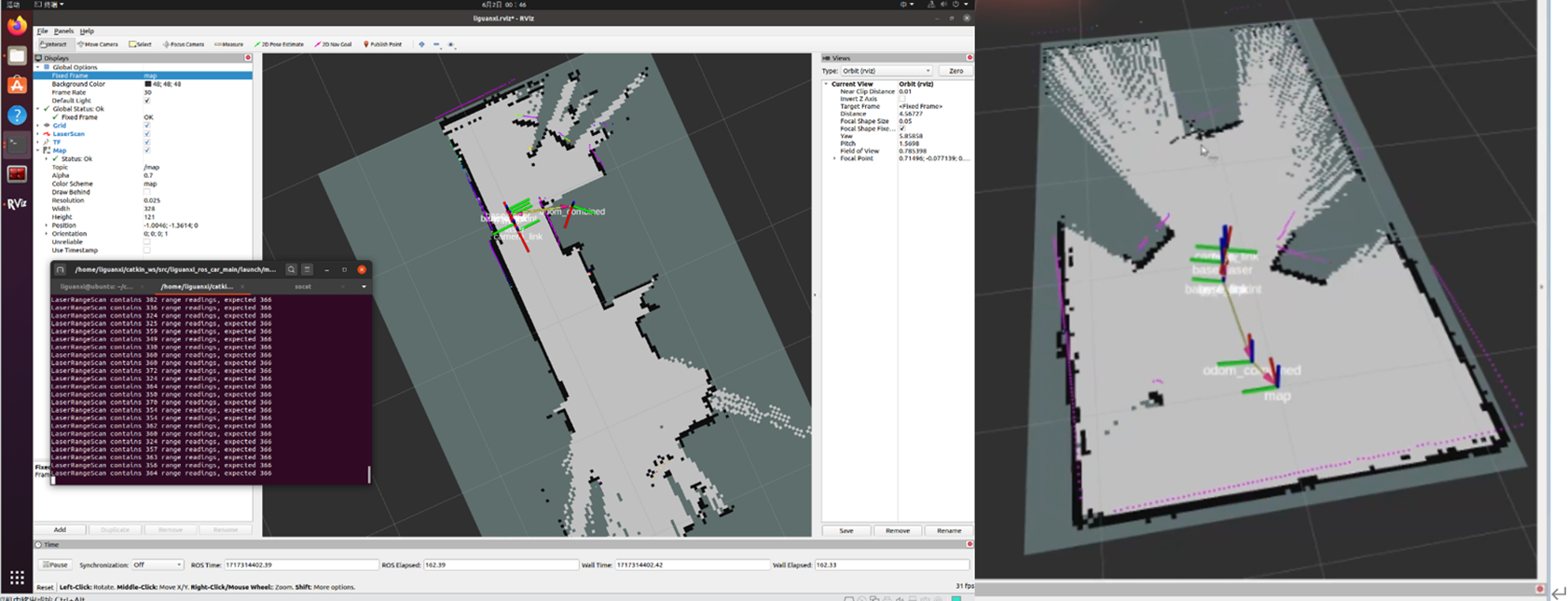
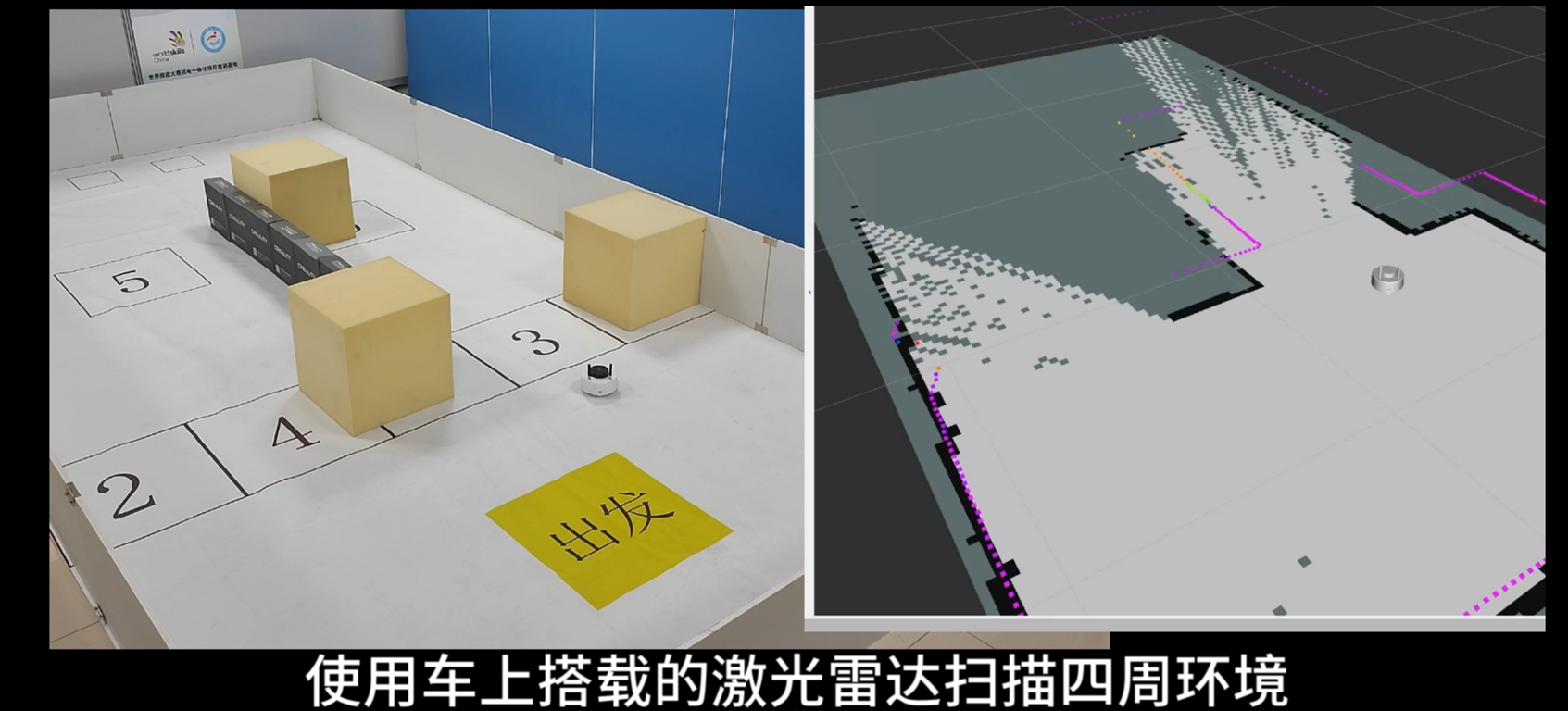
Use LiDAR for 2D mapping. Use RVIZ visualization tool to display (completed)
Specific function: Manually control the car to move and explore unknown locations, use LiDAR to draw the surrounding contours, and draw a 2D plane map.
Use LiDAR for navigation and use RVIZ visualization tool to display (completed)
Specific function: After running, the map drawn by the previous function will be opened. Mark any point in rviz, and the car will automatically plan the route and drive to the corresponding point. If an obstacle suddenly appears in the middle, it will automatically detour.
Use radar to track the target (completed)
Specific function: After running the function package, it will automatically follow the nearest object. It is still a bit useless and can only be used in relatively wide places, otherwise it is easy to lose track.
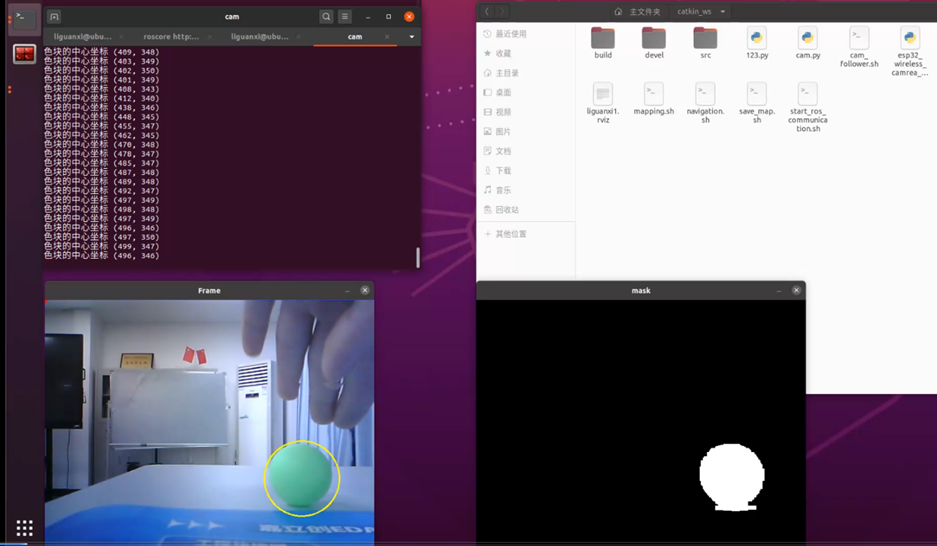
Use camera for HSV color block tracking (completed)
Specific function: This can only track color blocks. The main function is to convert the image to HSV. Each color has a different HSV value. The color block area is determined by the lookup value, and then the coordinates are output. Finally,
the target feature is identified by the camera based on the coordinates. (Completed)
The find_object_2d function package is used. After running, the screen and the generated feature points appear. The corresponding object is selected and identified. It can be
charged and discharged via USB. (Completed)
It can be charged via USB interface. Otherwise, it is more troublesome to remove the battery.
Additional functions are discarded. (3)
The mobile phone displays the mapping results and video screen. (Discarded)
Reason: The URL can only be read by one device at a time. Multiple forwarding will cause the screen to be severely laggy. (No solution found)
Simple obstacle avoidance is performed by relying on its own computing power without using a computer. (Discarded)
Reason: The data packet structure of the newly compatible X2 radar cannot be found and cannot be intercepted. It is read and forwarded directly to the host computer. This is more universal. One program can be compatible with multiple radars without switching programs.
RRT autonomous exploration mapping. (Discarded)
Reason: The exploration effect is poor. (No solution found)
Project attributes
This project is the first time it has been made public. It is my original project.
The chassis code framework is modified from the Liguanxi-UAV aircraft code, and the coding style is the same as the previous project.
Most of the knowledge used in this project was obtained from the Internet, and most of it is open and free information. The links are as follows:
CSDN Forum
JoystickView: Creating a Custom Game Controller Android Library - CSDN Blog
Implementing LiDAR-Based Target Following in ROS_Multi-Target Tracking Function Package in ROS - CSDN Blog
CMOS Debugging Experience_ov2640 Driver Initialization Imaging Blur - CSDN Blog
ROS-Machine Vision: Specific Object Recognition (find_object_2d Package)_Object Detection and Tracking ROS Function Package - CSDN Blog
ESP32 Arduino Learning (Part 1). Setting a Static IP_esp32 Static IP - CSDN Blog
ROS Publish and Subscribe to Images_ROS Subscribe to Images - CSDN Blog
Raspberry Pi Learning: Learning OpenCV + Using OpenCV to Get Raspberry Pi Mjpg Camera Video Stream_Raspberry Pi Video Stream - CSDN Blog
ESP32-CAM on Web Taking pictures and displaying images on a server - How to take pictures with ESP32Cam - CSDN Blog;
ESP32Cam camera + host computer OpenCV face recognition - OpenCV.js ESP32-Cam - CSDN Blog;
Mapping a serial port to a TCP server port using socat under Linux - Socat serial port - CSDN Blog;
Detecting seven colors in an image with OpenCV, distinguishing colors and corresponding positions - Color location in an image (CBCC) - CSDN Blog;
Mutual conversion between RGB and HSL colors - HSL to RGB - CSDN Blog
; [OpenCV] Common HSV color upper and lower limits - Threshold ranges for red, yellow, blue, and green colors - CSDN Blog;
Usage of HSV color space table and cv2.inRange() - HSV range - CSDN Blog;
OpenCV - Python extraction of laser images using corresponding HSV values - HSV hue extraction steps - CSDN Blog;
OpenCV tutorial: CV2 module - Image processing, HSV, hue, and brightness adjustment - cv2 hsv - CSDN Blog
Python: Color Block Detection, Tracking, and Printing Center Coordinates_Python Get Geolocation Color Block Center Point - CSDN Blog
Solidworks Export Two-DOF Servo Platform URDF for Gazebo Simulation_SW2022 Import Gazebo - CSDN Blog
Move Base Parameters and Global Planner, Local Planner Settings_MoveBase Local Cost Map Settings - CSDN Blog
DWA Parameter Adjustment 2_DWA Parameter Tuning - CSDN Blog
Github
https://github.com/YDLIDAR/YDLidar-SDK/blob/master/doc/howto/how_to_build_and_install.md
https://github.com/rauwuckl/ros_simple_follower
GitHub - ros/solidworks_urdf_exporter: SolidWorks to URDF Exporter
Bilibili Video Website
Robot Operating System ROS Quick Start Tutorial_Bilibili_bilibili
LCSC EDA Drawing 2.4GHz RF Double-Layer Board Fabrication - NanoVNA Debugging and Impedance Matching_Bilibili_bilibili
Books
"ROS Educational Robot Training Tutorial"
"Linux from Beginner to Expert 2nd Edition"
Project Progress
Overall project progress, application for project consumable costs is required!
January 15, 2024 - February 3, 2024: Project initiation and supplementation of basic knowledge in ROS and network communication.
February 4, 2024 - February 8, 2024: Building models using Soliworks, confirming the shape and component structure.
February 9, 2024 - February 12, 2024: Creating a new virtual machine to set up the ROS system and related compilation environment.
February 12, 2024 - February 17, 2024: Building the basic prototype of ESP32 code, peripheral code, and mobile APP remote control (first version, using the Arduino code editor and the DianDeng Technology APP).
February 18, 2024 - February 18, 2024: Determining specific component models, specific implementation direction, and establishing a JLCPCB project.
February 18, 2024 - February 23, 2024: Completing the first version of the PCB circuit.
February 23, 2024 - April 1, 2024 Due to work commitments, project development was temporarily suspended for a period of time.
April 1st - April 4th, 2024: Verified the feasibility of the UDP/TCP communication link; radar data could be observed using RVIZ.
April 5th - April 7th, 2024: Overturned the first version of the PCB and baseboard code design and redesigned the second version.
April 8th - April 11th, 2024: Modified the model to adapt to the new chassis auxiliary wheels.
April 12th - April 20th, 2024: Due to work commitments, project development was temporarily suspended for a period of time.
April 20th - April 22nd, 2024: Build the basic prototype of the ESP32 code, peripheral code, and mobile APP remote control (second version, using the ESPressif code editor, writing the Android APP from source code).
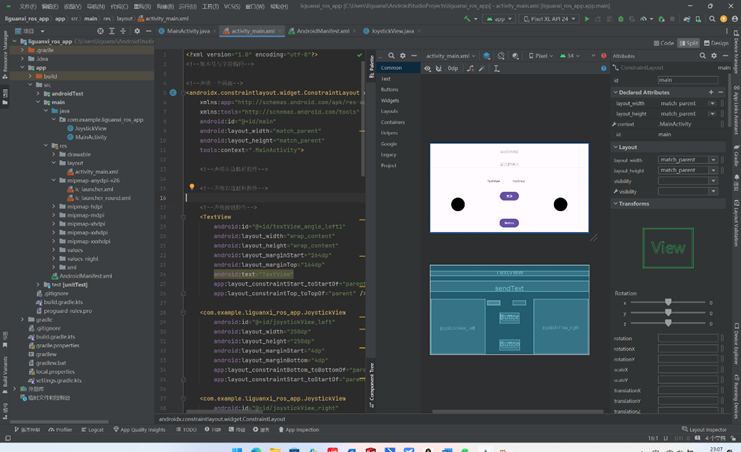
April 22nd - April 24th, 2024: Learned Android Studio to write a remote control APP program using Java
. April 24th - May 1, 2024: Completed the second version of the PCB, and carried out PCB and SMT production (JLCPCB reimbursed 1047.48 RMB). SMT costs were mostly for the PCB itself, not the components.
May 1 - May 3, 2024: Model adjustments, added antennas, and modified the camera.
May 4 - May 5, 2024: Successfully configured the function package and conducted drawing tests.
May 5 - May 12, 2024: Project development was temporarily suspended due to work reasons.
May 13 - May 18, 2024: PCB arrived; tested basic code; performed sensor reading and conversion on the chassis; and checked the circuit.
May 18 - May 22, 2024: PCB functionality malfunctioned; the antenna circuit was unusable. Supplemented RF circuit knowledge and high-speed circuit design specifications; redesigned the third version of the PCB and prototyped it.
May 23 - May 25, 2024 While waiting for the new PCB, joint debugging of the ROS system and chassis system was conducted to resolve several issues such as automatic reconnection and abnormal data transmission.
May 26, 2024 - May 26, 2024: The third version of the PCB arrived, and soldering and debugging were performed.
May 26, 2024 - May 28, 2024: Schematic diagramming was performed, but the connection remained unstable, and the WiFi signal was poor. Initial assessment indicated that the filtering circuit was not properly configured. Relevant knowledge was studied, and a network vector analyzer was purchased for adjustments.
May 28, 2024 - June 1, 2024: During schematic diagramming, it was discovered that the two auxiliary wheels caused the vehicle to sway with the radar rotation, which was structurally unreasonable. After referencing numerous differential cars, the chassis was modified to a three-wheeled design (two drive wheels and one auxiliary wheel), the battery was lowered, and the structure was simplified.
June 2, 2024 - June 2, 2024 Since the network vector analyzer hadn't arrived yet, I first performed simple calculations. Using a general-purpose network, the signal improved significantly. I then created a complete network map and saved it.
June 3, 2024 - June 3, 2024: Improved open-source documentation.
June 4, 2024 - June 5, 2024: Used a vector network analyzer with SmithV4.1 to adjust antenna circuit parameters, ultimately controlling the VSWR within ±1.3, and modified the WiFi channel.
June 5, 2024 - June 6, 2024: Optimized PCB routing, learned corresponding routing rules, and tried to comply with specifications.
June 6, 2024 - June 7, 2024: Switched all communication to TCP, modified positioning parameters, and significantly improved positioning performance.
June 8, 2024 - June 8, 2024: Created a BOM (Bill of Materials), a communication link diagram, and improved some open-source projects.
June 9, 2024 - June 10, 2024: Debugging navigation function, continuously adjusting cost map and car parameters, assembling the new vehicle body, and filming demonstration videos.
June 11, 2024 - June 15, 2024: PCB arrival, soldering verification.
June 16, 2024 - June 17, 2024: Optimized the car chassis, added motion closed-loop, and debugged the anonymous host computer.
June 18, 2024 - June 18, 2024: Improved open-source documentation.
June 19, 2024 - June 25, 2024: Verified the camera solution, using ESP32S3CAM to verify the communication link with ROS.
June 25, 2024 - June 30, 2024: Designed the first version of the camera circuit and PCB, and prototyped it.
July 1, 2024 - July 5, 2024: Project development was temporarily suspended due to work reasons.
July 6, 2024 - July 7, 2024: The camera PCB arrived; soldering and debugging were performed to achieve basic object feature recognition and detection.
July 7, 2024 - July 8, 2024 The high-speed circuit design had issues; the high-speed lines were too close together, causing coupling and resulting in stuttering and flickering purple or green interference lines. After supplementing relevant knowledge, the high-speed circuit was redrawn, adding GND shielding, increasing the distance between high-speed lines, shortening their length as much as possible, and inserting a GND wire in the middle
. (July 13th - July 14th, 2024: Second version of the camera PCB arrived and was soldered; the effect was quite good, achieving around 15 frames per second on VGA, appearing relatively smooth to the naked eye.) (
July 14th - July 18th, 2024: Radar tracking and visual tracking functionality were added. During debugging, some issues were found with the odometer; it was inaccurate and not precise when controlling the chassis. Because a fixed PWM conversion was used, the speed varied depending on the battery voltage, and the car could not travel in a straight line. Therefore, PID control was introduced to correct the odometer and IMU.) (
July 19th - July 22nd, 2024:) Modified the calibration of the odometer, changed the two-wheel speed of the car to PID control, tuned the PID parameters, and optimized the operation process
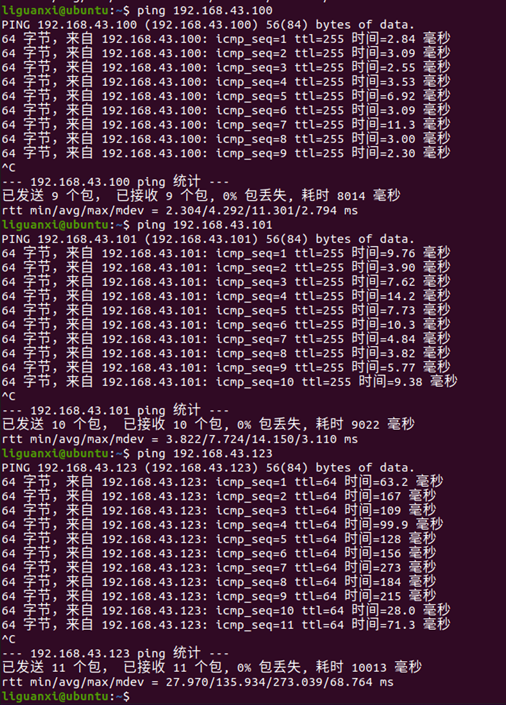
. (July 22, 2024 - July 23, 2024) Debugged radar tracking. Due to the instability of remote radar data, the tracking effect was not ideal, and the visual data was also unstable. Pinging the IP address revealed very high latency. Adjusting the network connection to rely on the router resulted in even higher latency, so the original connection had to be reverted.
(July 24, 2024) Achieved compatibility with the X2 radar. The data refresh rate was found to be faster but more unstable, with wall distortion during rotation, but it was still barely usable. The LD14 refresh rate was slow but relatively stable.
(July 25, 2024) Modified the outer shell and re-prototyped it. Modified the code to make it slightly cleaner, and then jointly debugged the vision module. (
July 26, 2024 - August 4, 2024) Project development was temporarily suspended due to work reasons. (
August 5, 2024 - August 6, 2024) When using radar follow, the radar intersection point kept fluctuating between 0 and 6.28, causing tracking failure. The TF tree was adjusted to correct the radar direction. The motion control section of the follow function package's internal code was modified to achieve basic radar follow.
(August 6th - August 7th, 2024) The visual follow function in the follow function package was too complex to understand. A custom function package was written to supplement visual knowledge, detect HSVs within a specific range, draw the color range, output coordinates, and bind to chassis speed to achieve basic color block tracking.
(August 8th - August 25th, 2024) Further study of ROS cost maps and path planning principles was conducted, and motion and navigation parameters were adjusted.
(August 8th - August 24th, 2024) Knowledge of video shooting was supplemented, including script writing, video shooting, and video editing. (
August 24th - August 26th, 2024) First, let me clarify that my knowledge is still limited, and
this project
aims to learn relevant knowledge during the construction process. This is my first time designing a relatively dense circuit, so please point out any errors in the comments section. Regarding the main
control chip
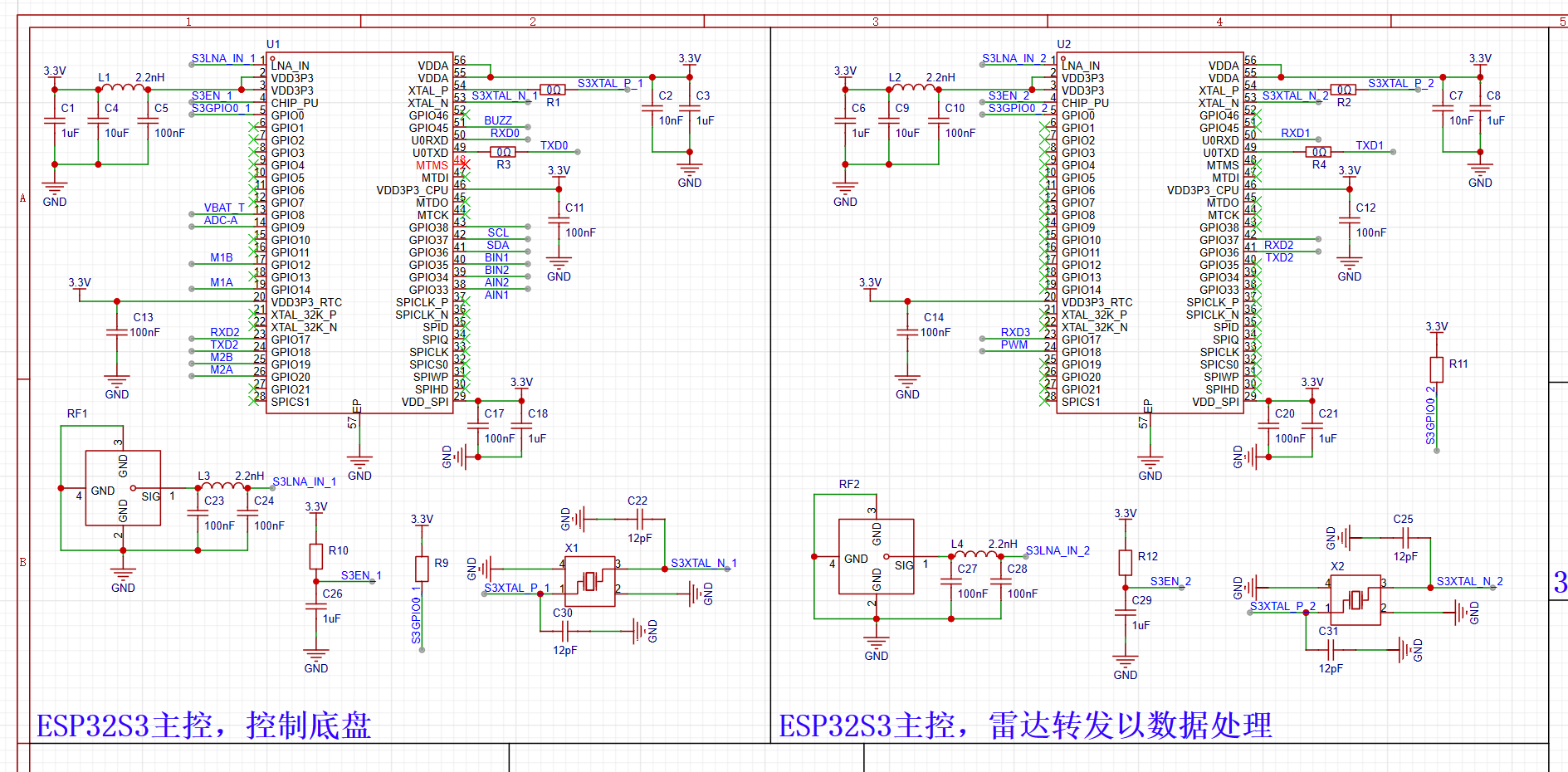
, generally speaking, robot systems like ROS need to run on microcomputers such as Raspberry Pi. However, I wanted to complete this project at the lowest possible cost, so I moved the computer running the ROS system from the onboard unit to a host computer, connecting it to the car via WiFi, thus saving the need for a microcomputer.
However! Radar data is transmitted approximately every 1ms, and one ESP32 is clearly insufficient! Therefore, I chose to use two ESP32s as the main controller.
One is dedicated to forwarding radar data,
and the other is used for motion control and reading sensor data.
A similar structure has been made using ROS, but it is relatively large and has lower circuit integration.
The
ESP32 antenna section is quite sophisticated. Since it involves high-speed circuits,
the first step is impedance matching. According to Espressif's hardware design guidelines, the RF section needs to be impedance matched
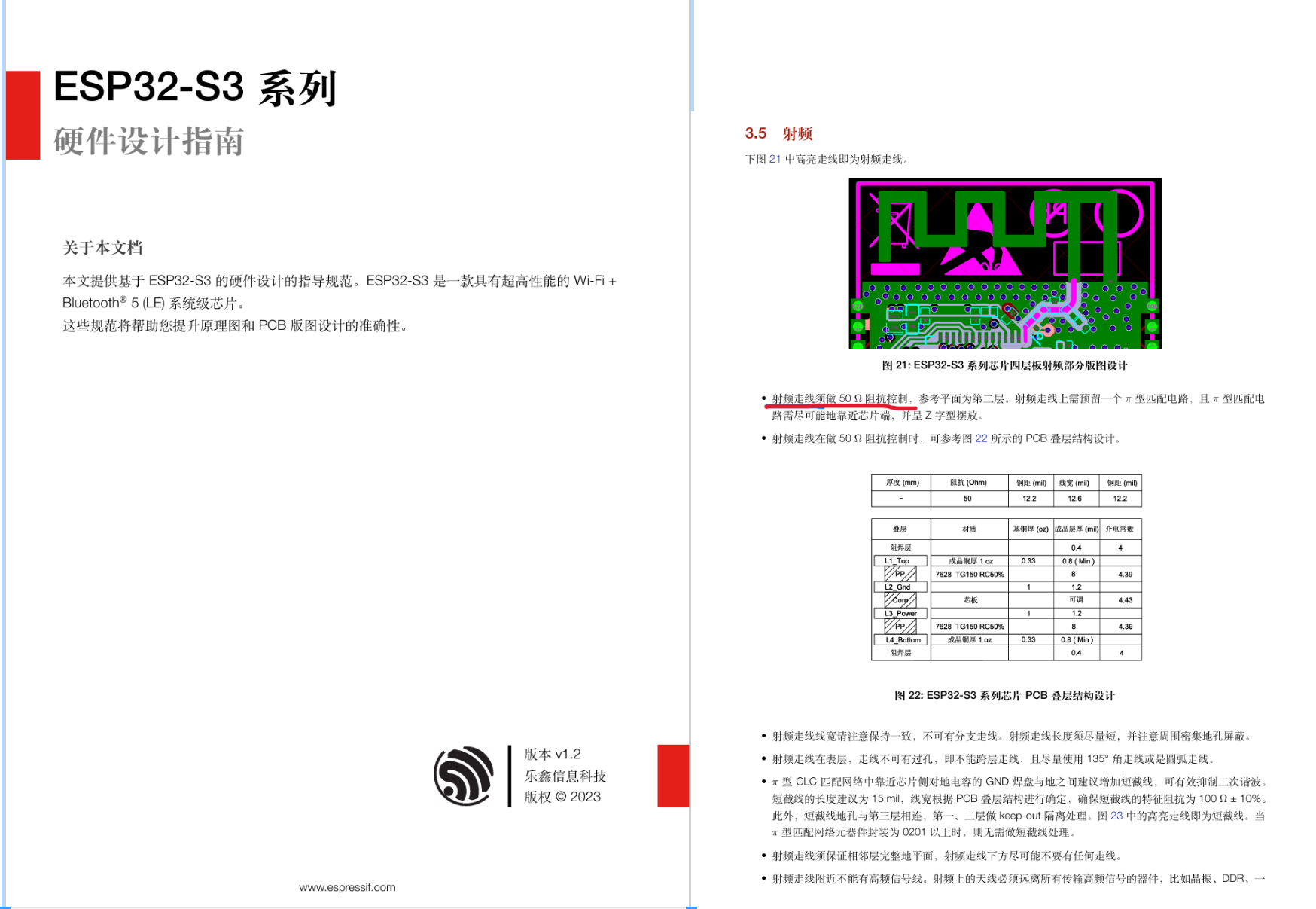
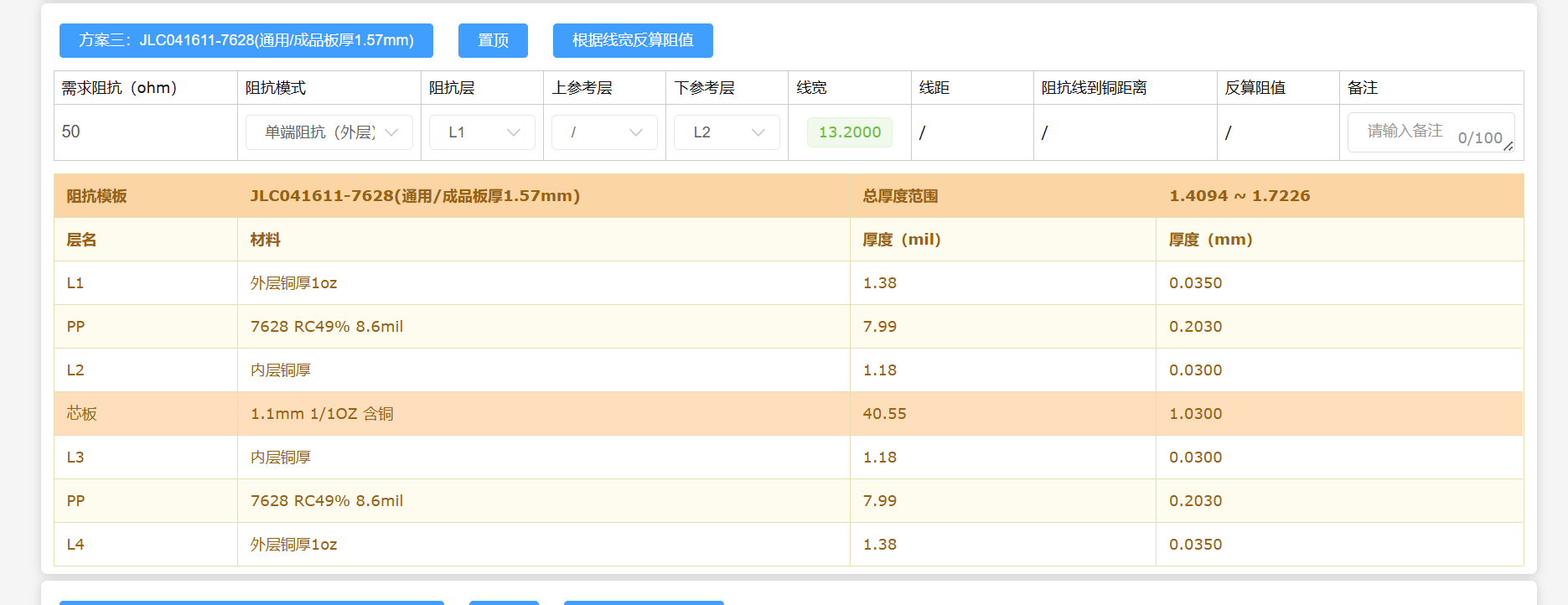
to 50R. Espressif also provided a PCB stack-up diagram, which I was still a bit confused about. I used JLCPCB's impedance calculator to calculate the copper foil thickness and line width corresponding to this impedance.
Finally, the JLC04161H-7628
4-layer board was selected, with a PCB thickness of 1.6 and a trace width of 32.2 mil.
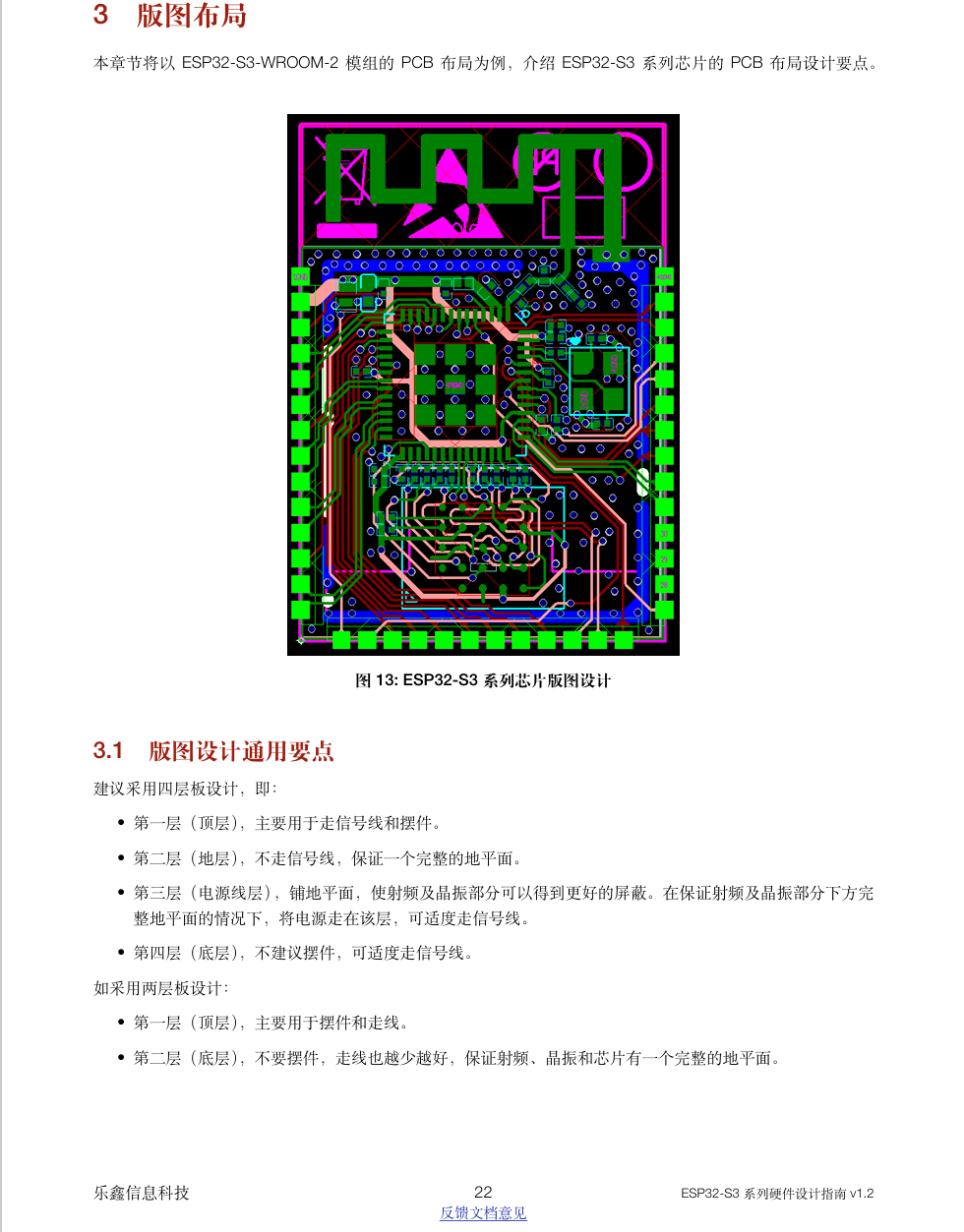
Component placement and routing planning
followed. Espressif's hardware design guide also provided an example
using a 4-layer board. Components were placed on the top layer, and most traces that could be routed on the top layer were routed there.
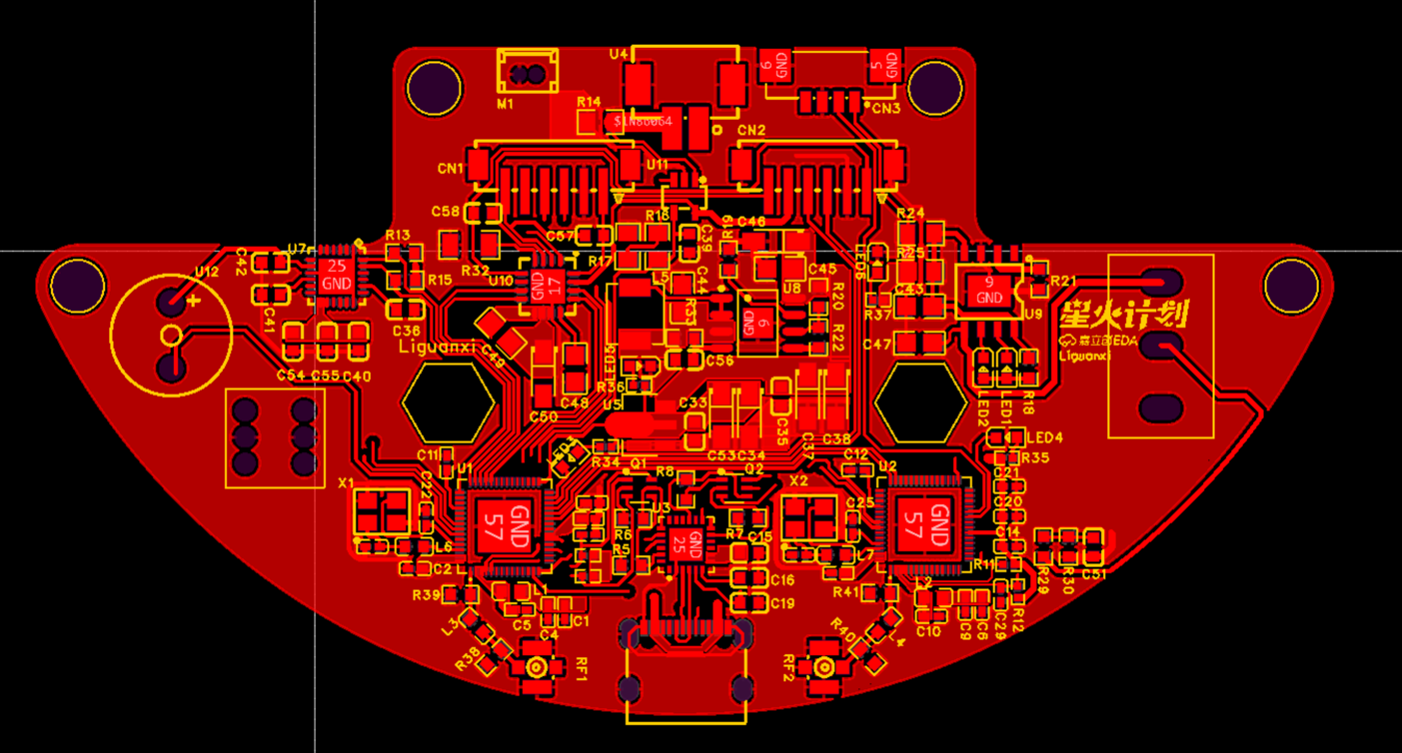
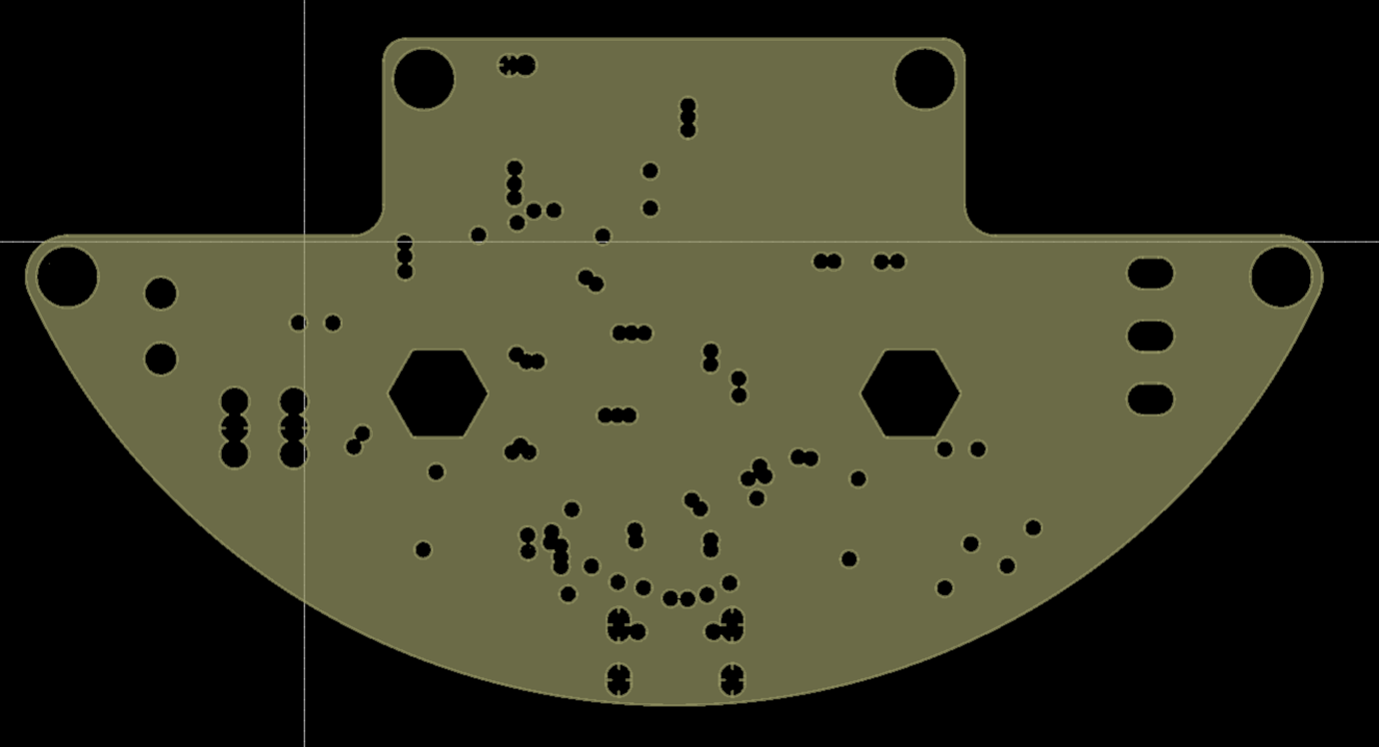
The inner layer 1 was fully copper-clad to ensure a complete ground plane.
Some signal lines were routed on the inner layer 2,
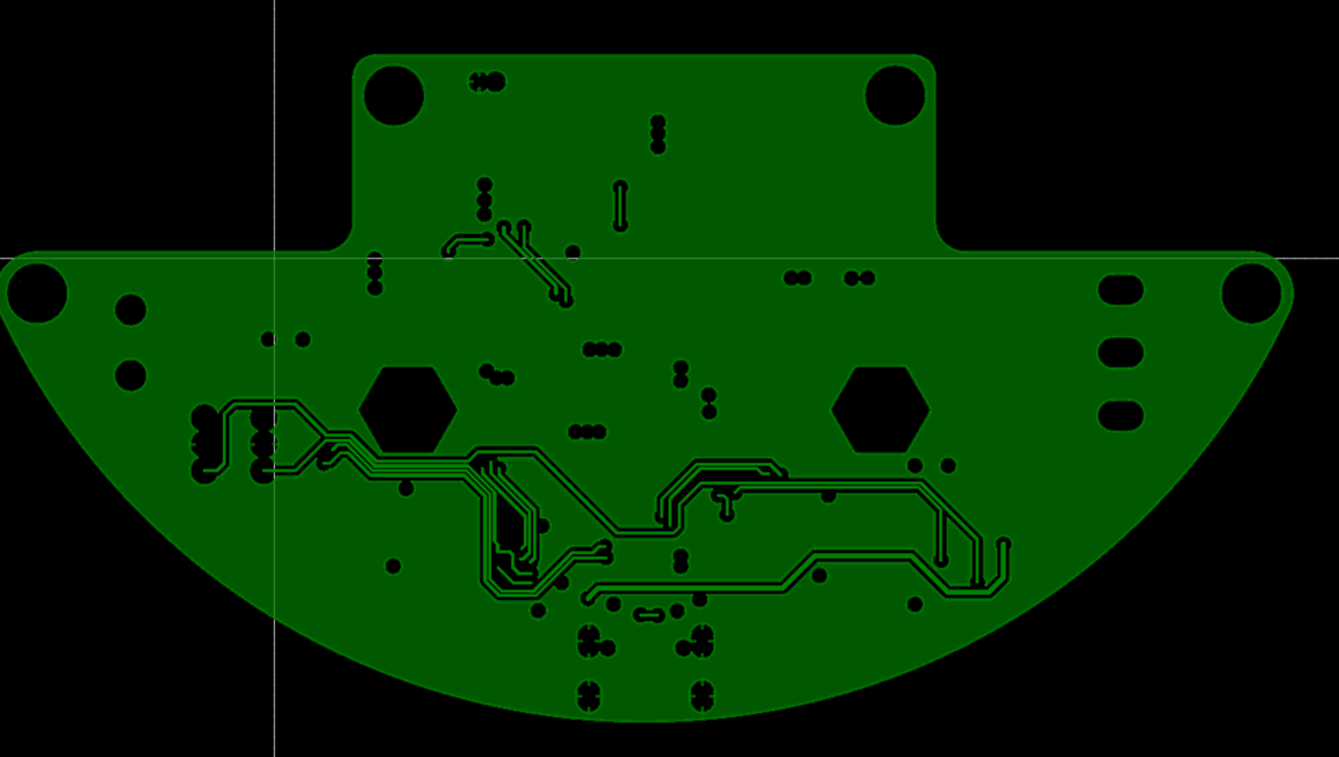
and power lines were routed on the bottom layer. Because the copper foil thickness of the bottom layer is 1 oz while that of the inner layer 2 is only 0.5 oz, the trace width on the inner layer 2 would need to be doubled compared to the bottom layer.
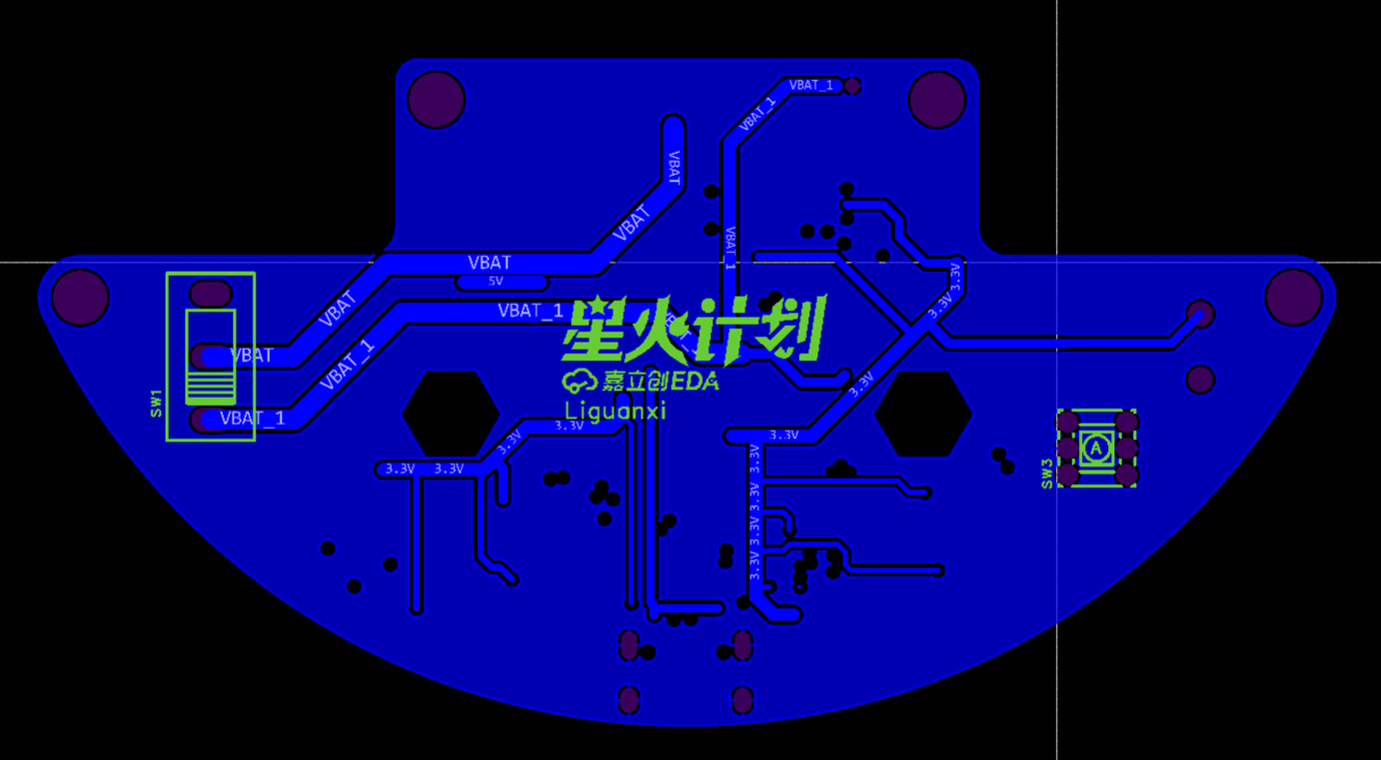
3D
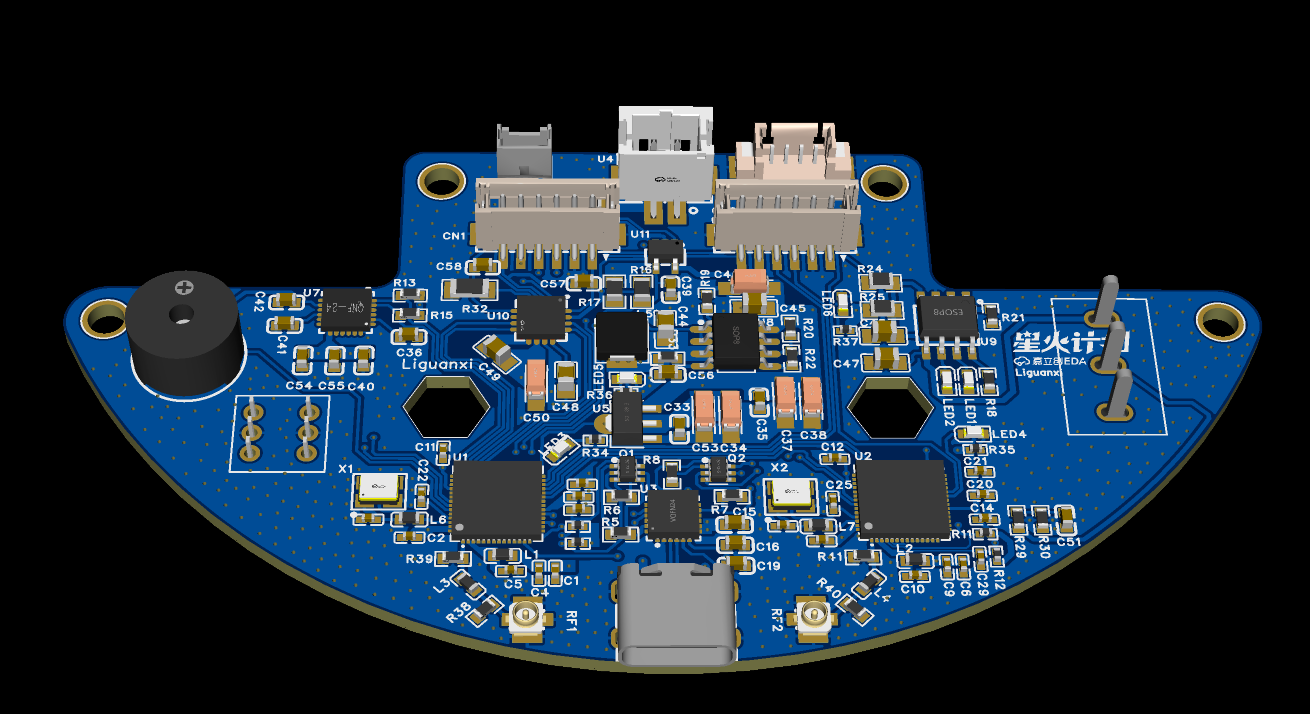
antenna parameter debugging was performed
, but the π-shaped circuit parameters at the antenna needed to be adjusted according to the actual design, so a network vector analyzer was used for testing and adjustment.
First, remove the chip. Solder the test leads to the antenna pins. Connect the initial parameters of the π-shaped filter circuit in series with an 0R resistor.
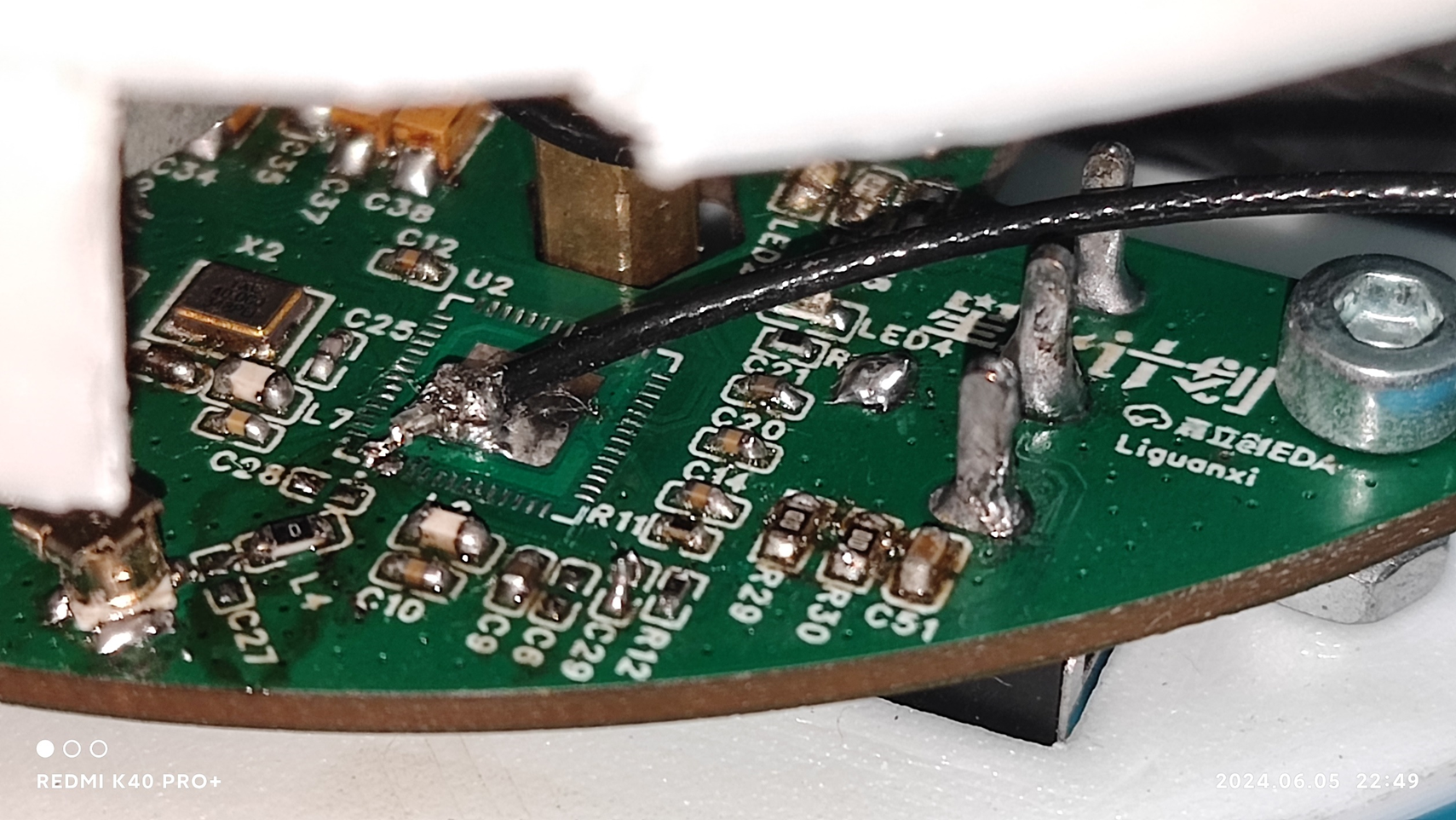
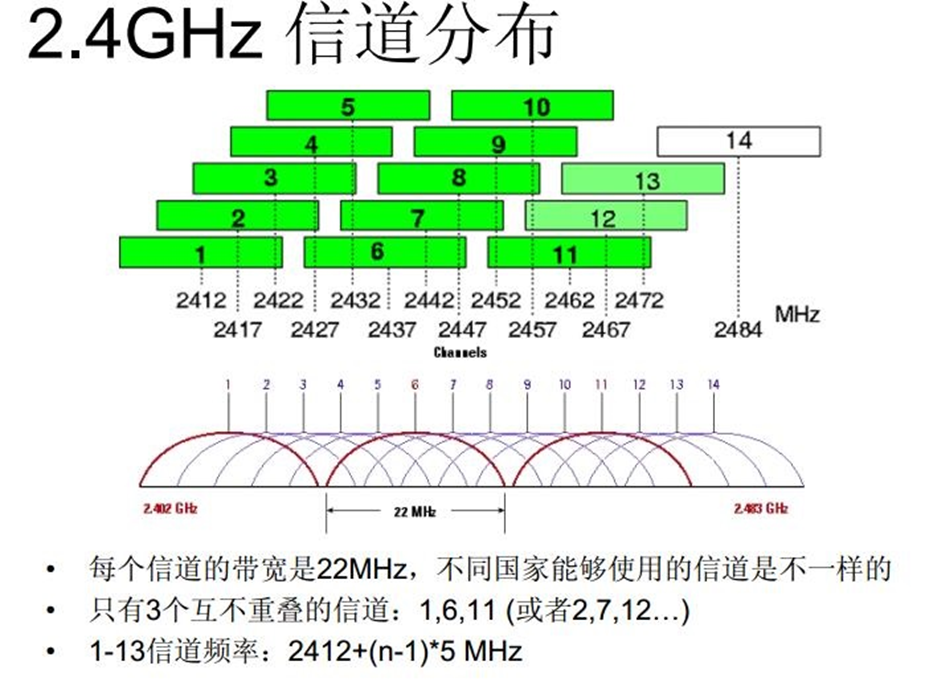
Connect the other end to the vector network analyzer. Set the scan start frequency to 2.4GHz and the end frequency to 2.5GHz. Adjust the cursor to 2.412GHz, because the car's AP mode uses WiFi channel 1, which corresponds to the 2.412GHz frequency.
After adjustment, as shown in the figure below, the antenna performance at the specified frequency is displayed: VSWR is 1.838, and Smith chart value is 79.26+. At j25.63Ω, the antenna
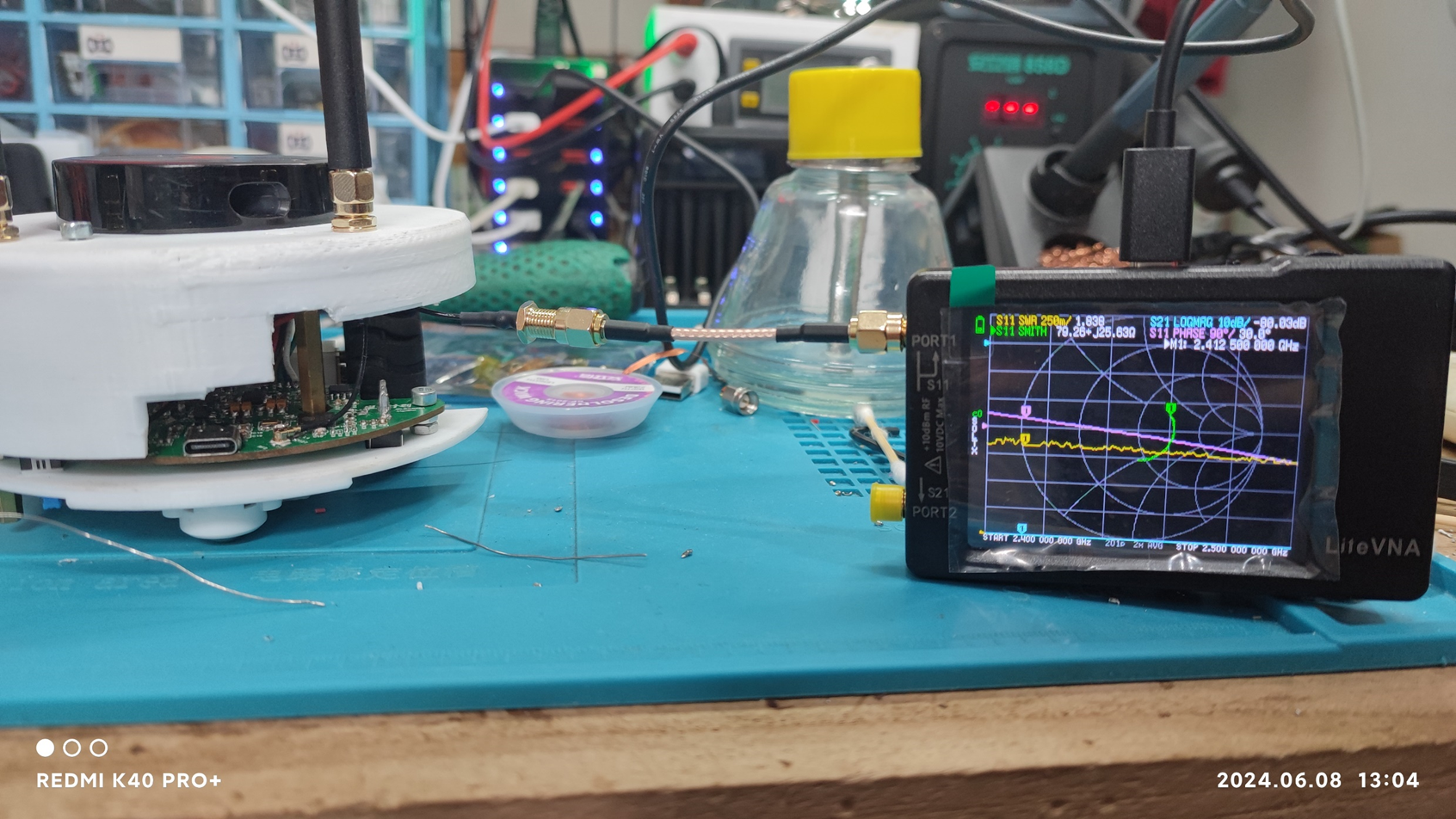
performs best with a VSWR of 1.0.
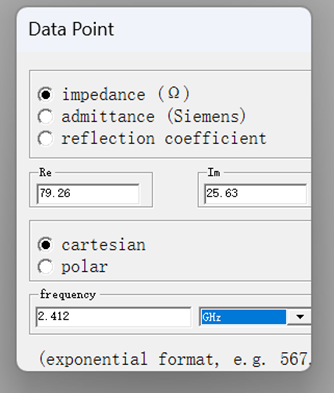
After confirming the input, the corresponding point is displayed, which roughly corresponds to the measurement on the instrument. The instrument displays a simplified version of the Smith circle, with the center of the large circle corresponding to a 50Ω impedance. The vector analyzer omits the small circle on the left.
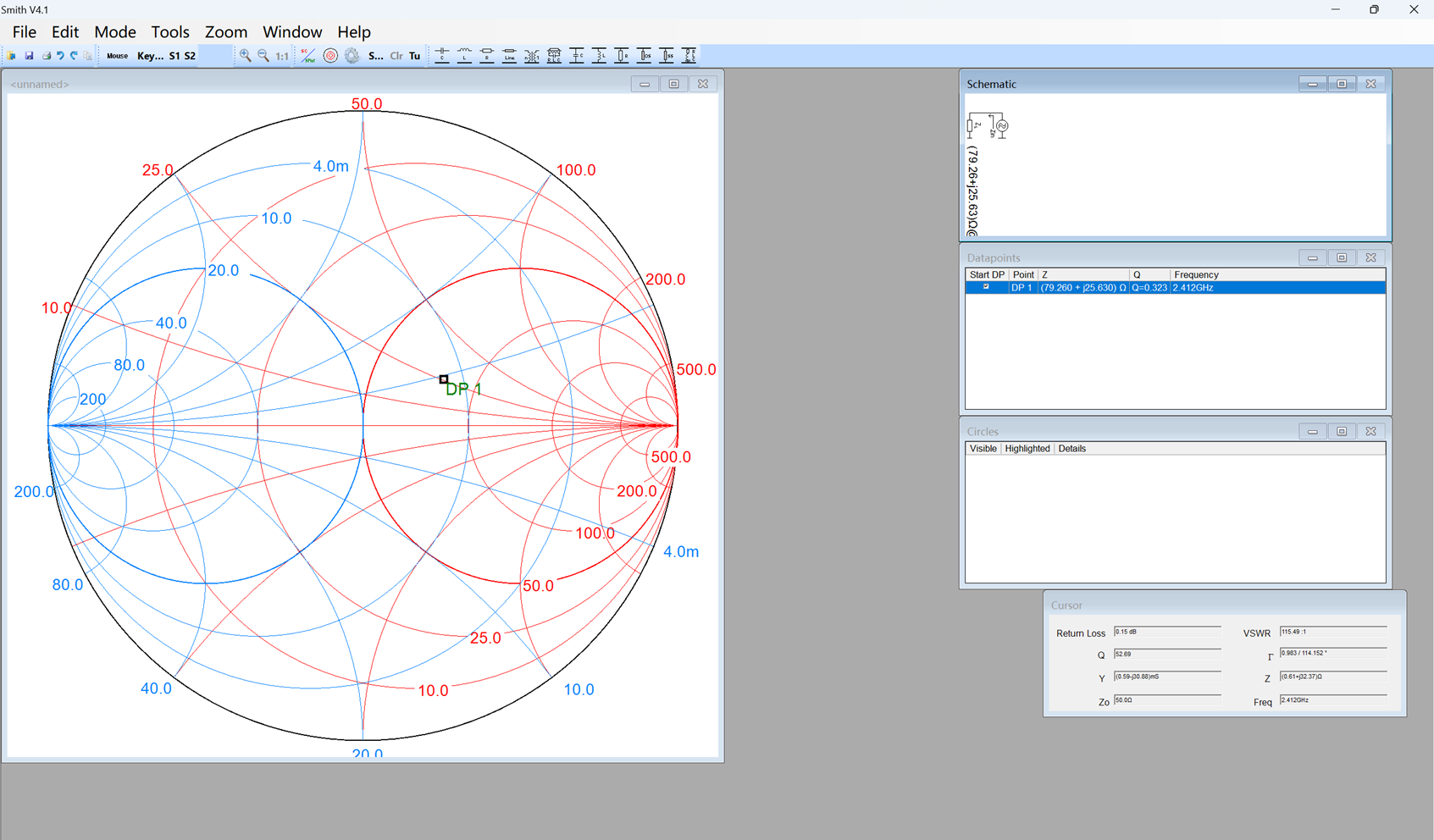
Add series or parallel capacitors or inductors via the toolbar in the upper right corner to bring the measurement point as close to the center as possible. Each connection method will have different characteristics.

Finally, it is calculated that a 1.5pF capacitor needs to be connected in series, and a 10.6nH inductor needs to be connected in parallel at the antenna end to achieve optimal antenna performance.
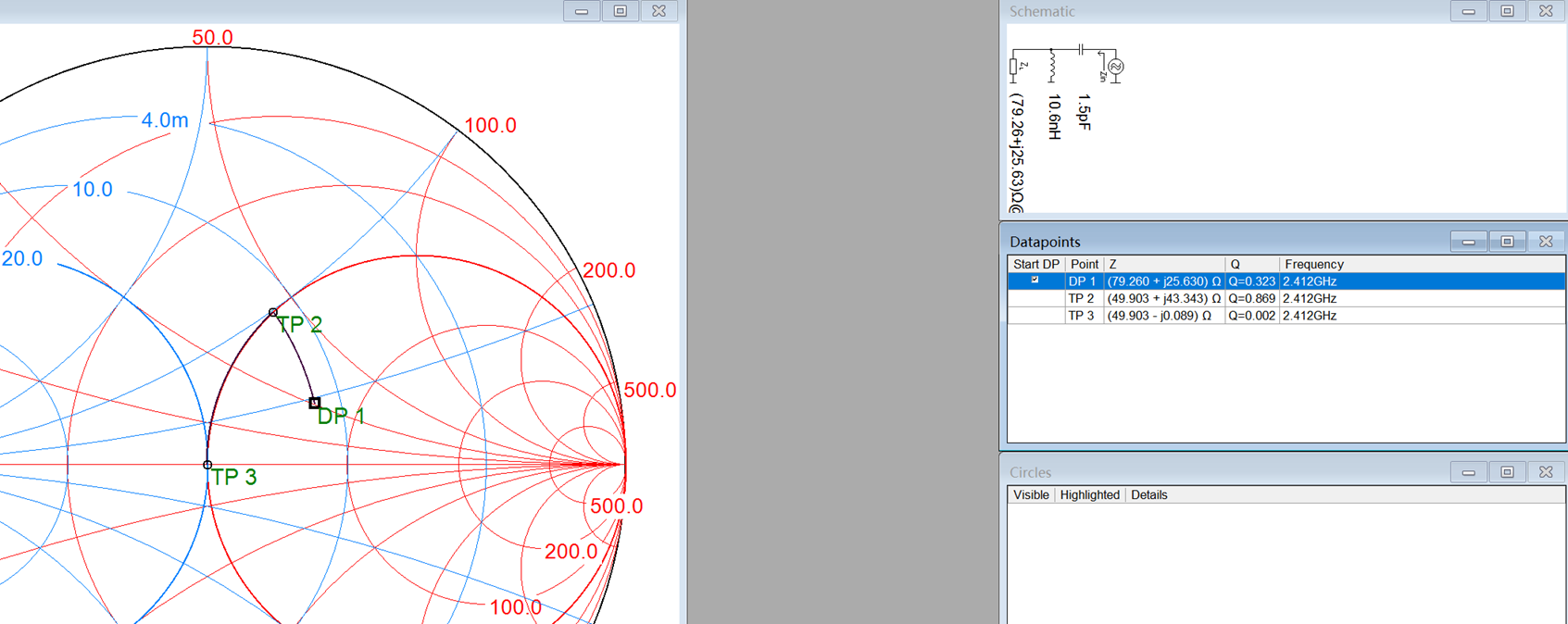
The software calculations are not entirely accurate and require slight adjustments after actual connection. First, replacing the 0Ω resistor with a 1.5pF Smith chip brought the value almost to the center, eliminating the need for a series inductor. Finally, testing showed that a 2.7pF series connection yielded the best results.
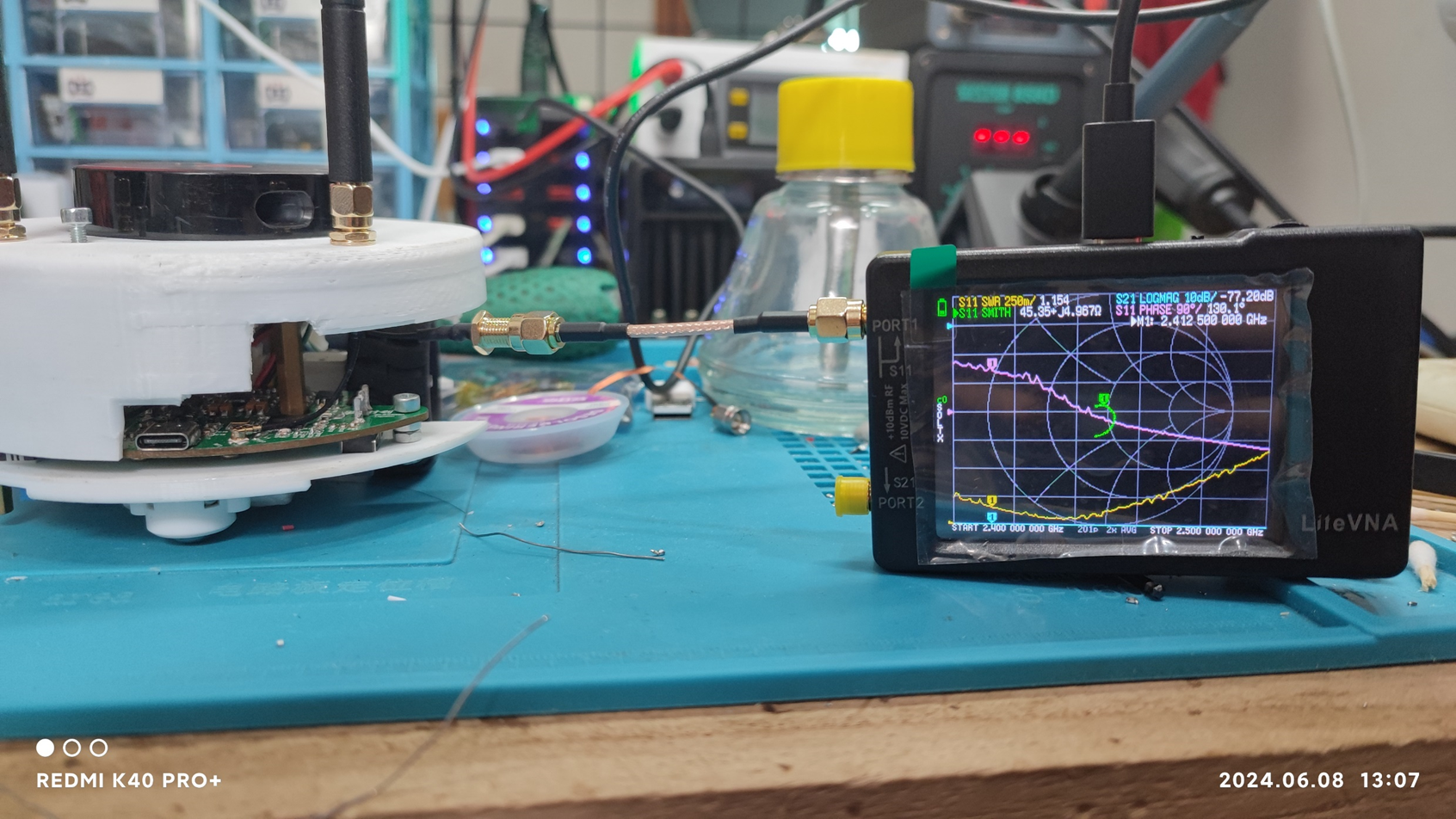
Antenna tuning was then complete; the antenna was removed, and the chip was installed.
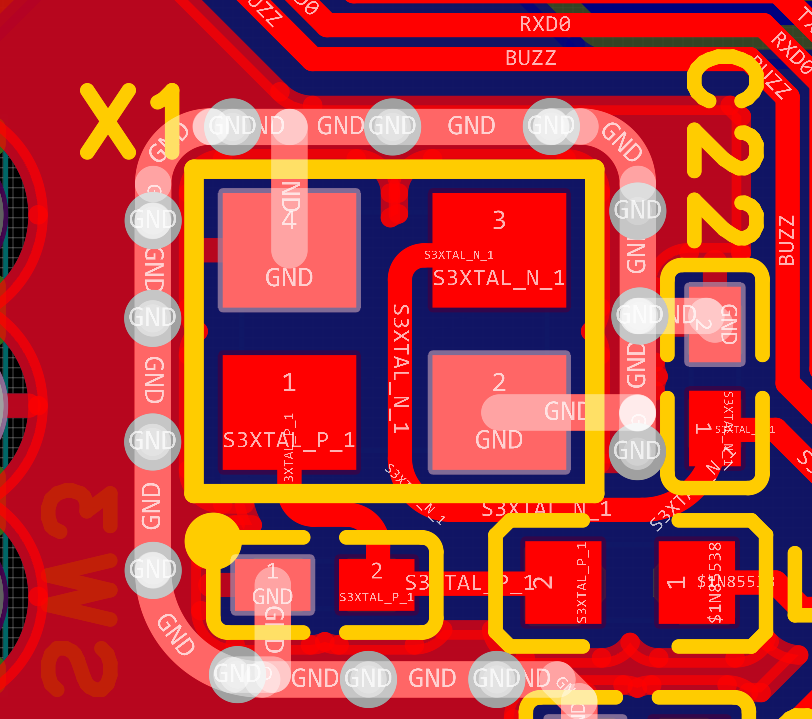
The crystal oscillator section is also a high-speed circuit, requiring a GND shielding layer, and rounded corners were used for the traces.
The battery is designed to be non-removable, so a charging circuit was added using a TP4056 charging chip. Referring to the datasheet, the circuit was drawn accordingly. The charging current was set to 400mA, adjusted based on the resistance of resistor R21.
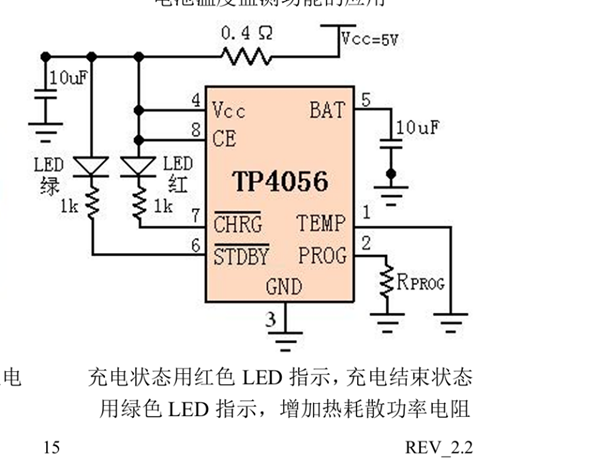
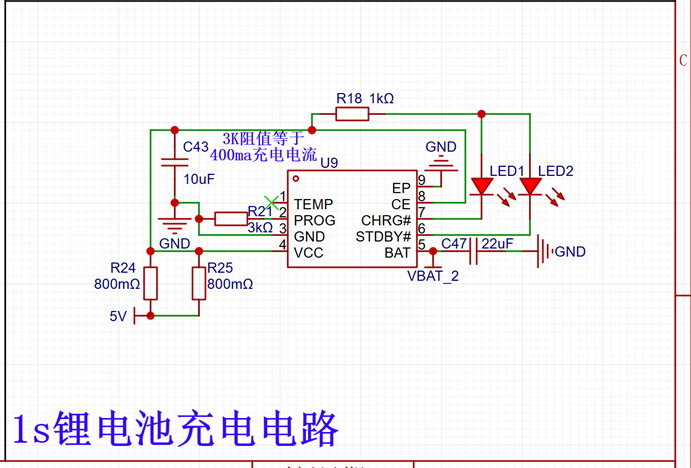
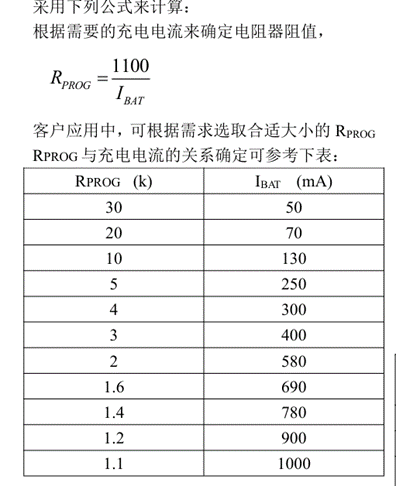
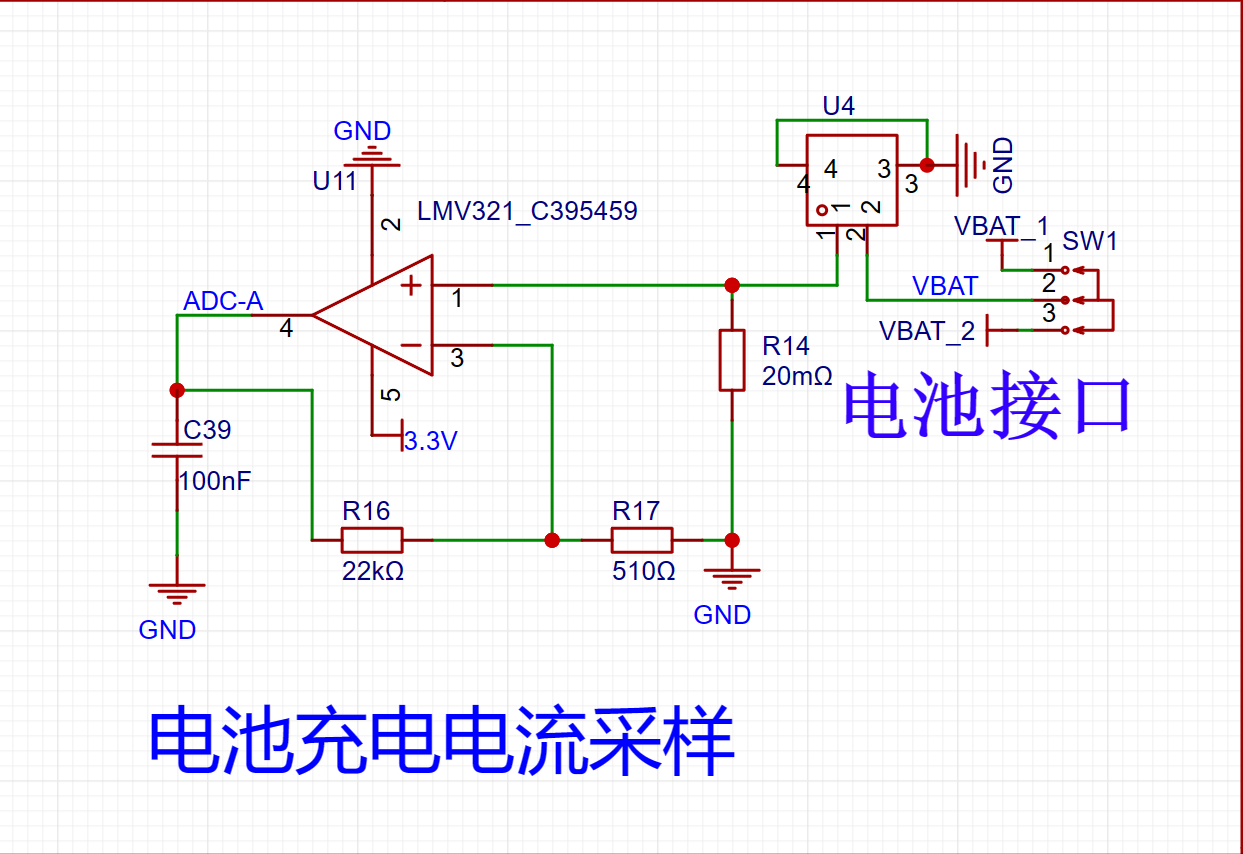
A switch at the battery interface controls charging, and a current detection circuit detects battery discharge and charging voltage. When no charger is connected, the switch controls power; when the charger is connected, the switch controls charging.
Current is detected via resistor R14. According to Ohm's Law, I=U/R... In other words, when current flows through a resistor, a voltage difference is generated across the resistor. This voltage difference divided by the resistance value of R14 equals the current flowing through the resistor. Since the voltage difference across the resistor is relatively small, an operational amplifier is used to amplify the voltage before supplying it to the microcontroller.
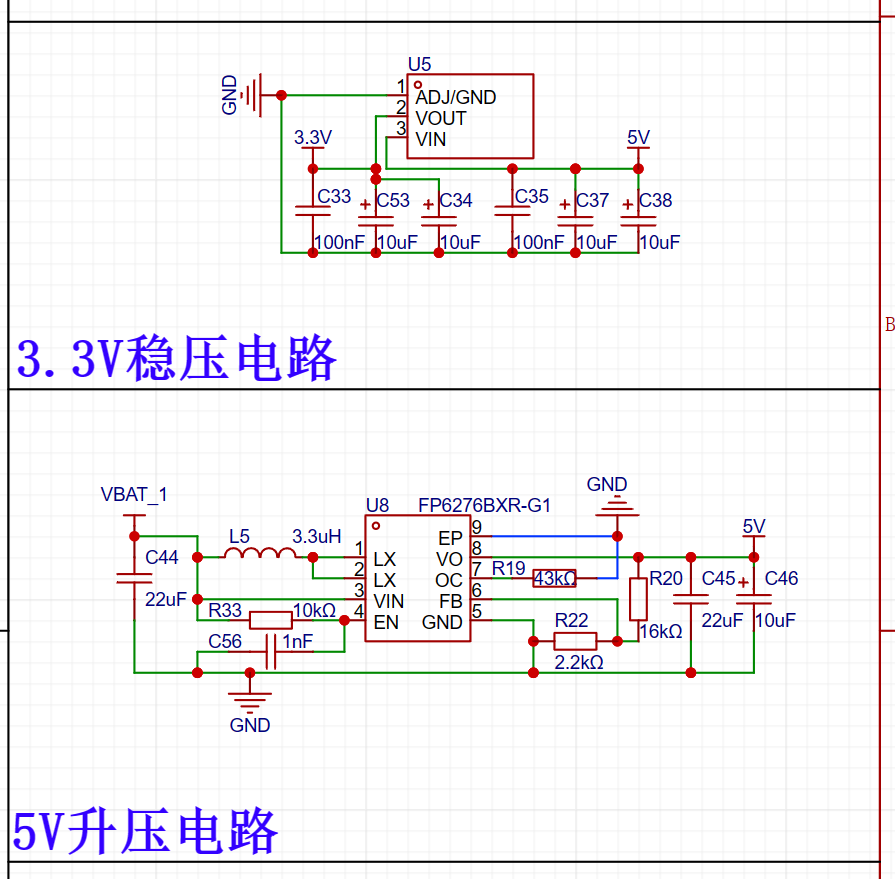
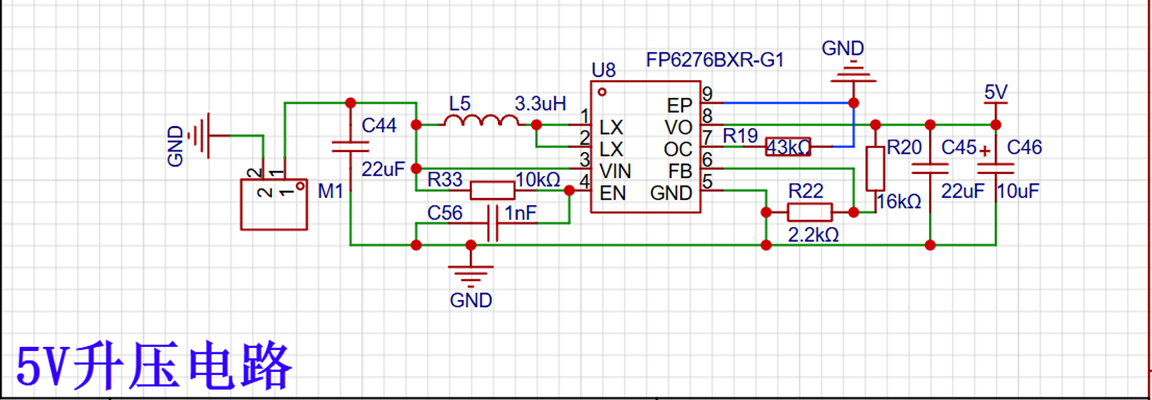
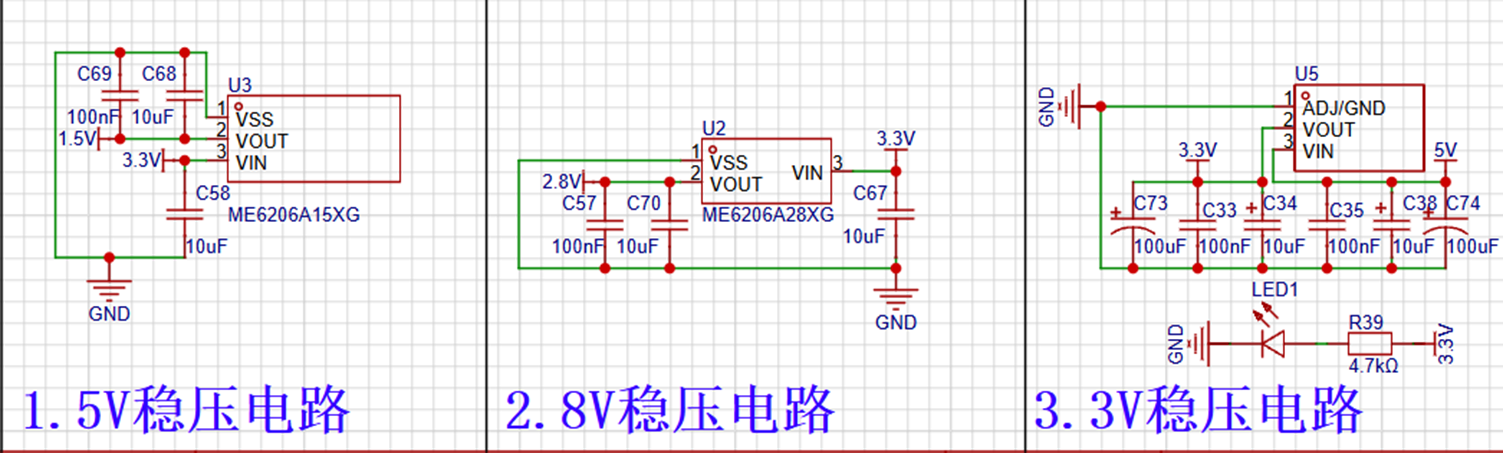
The power supply is first boosted to 5V and then regulated to 3.3V to power the microcontroller and sensor.
The download section uses the CH342F chip, which has two ports and can simultaneously download data to two microcontrollers via a single USB port. Considering the limited space, a DMMT3904 is used instead of two NPN transistors
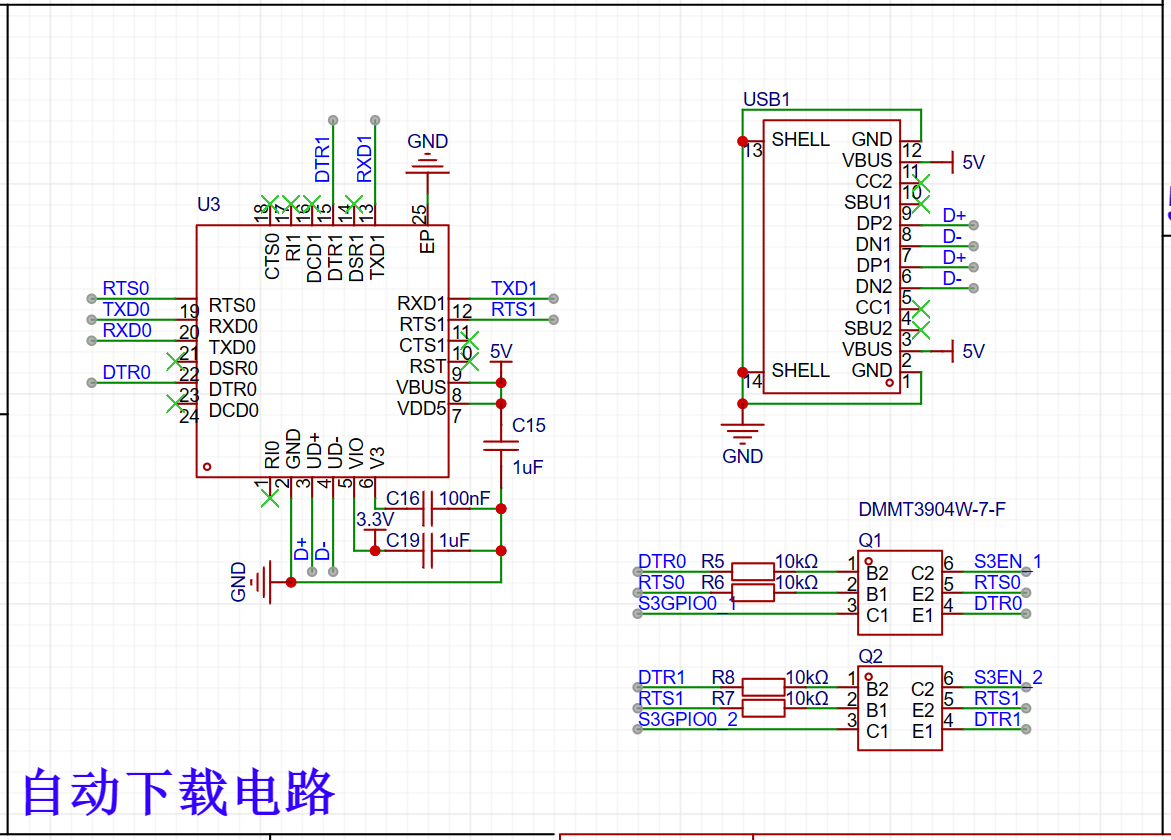
. The sensor uses an MPU6050,
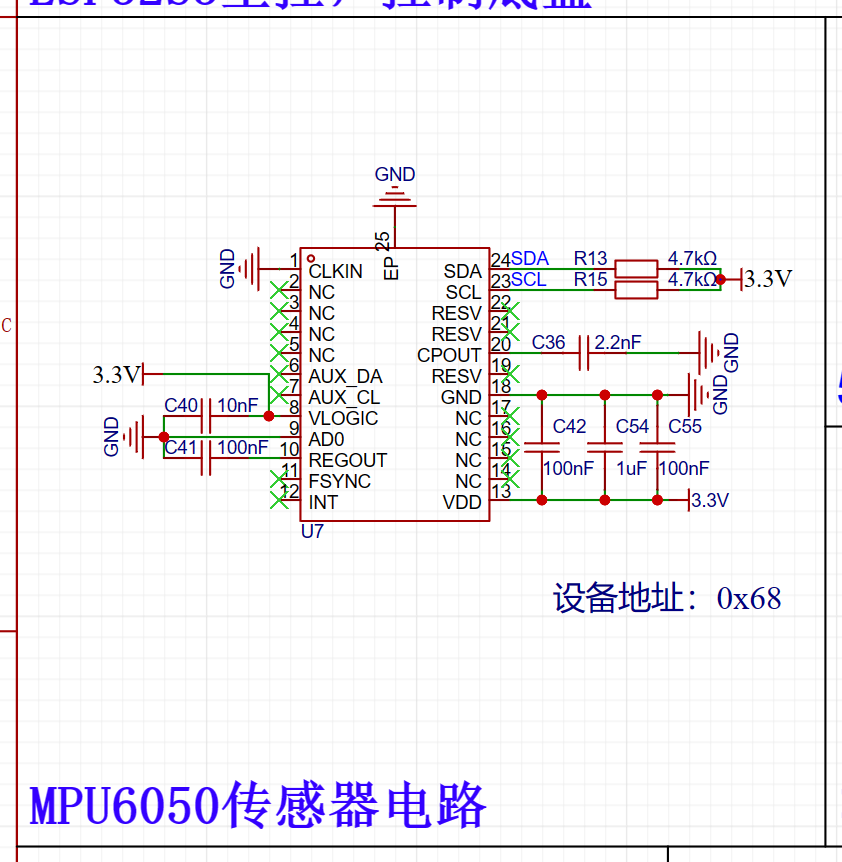
the motor driver uses a DRV8833 with two N20 motors
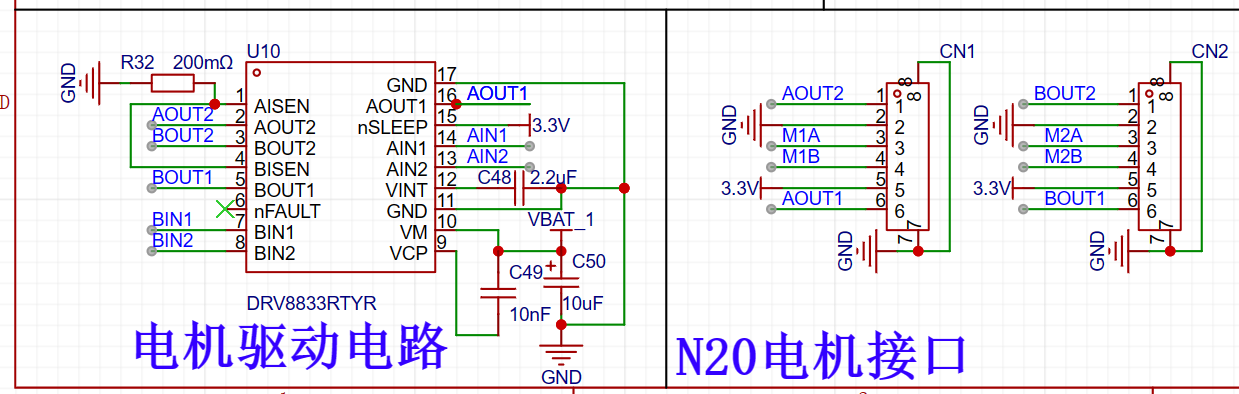
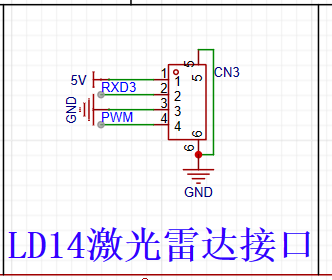
, and the lidar uses an LD14. The main advantage is its low price; used LD14 lidars can be bought for 25-60 RMB on Taobao or Xianyu (new ones cost around 250 RMB), but the quantity is relatively small.
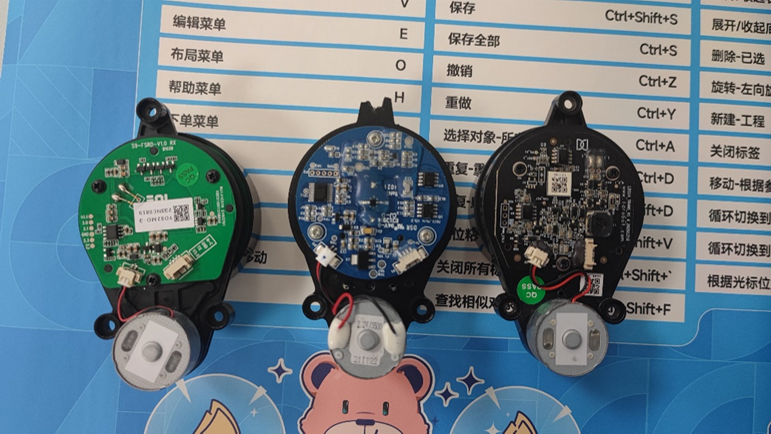
LiDARs compatible with the YDLIDAR X2 protocol are more common, costing 30-55 RMB. This includes not only YDLIDAR lidars but also lidars from other smaller manufacturers. Before buying, ask the seller if it is compatible with the EAI protocol. The two on the left in the image below are EAI. On the right is the LD14 hole position almost identical
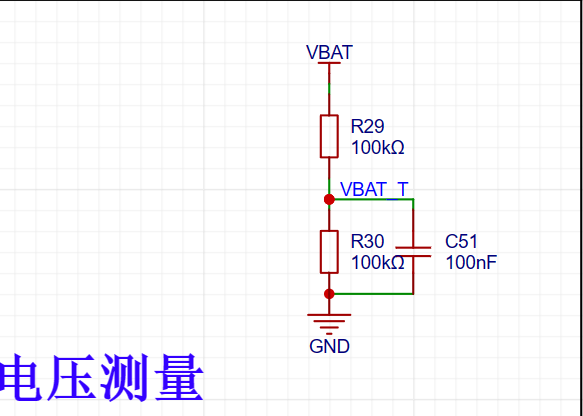
voltage measurement circuit, measuring battery voltage. A resistor divider is used to supply voltage to the ADC port
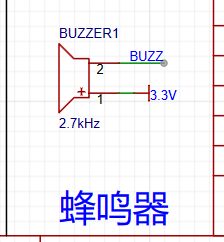
buzzer, intended for low battery alarm or other power-on prompts. The
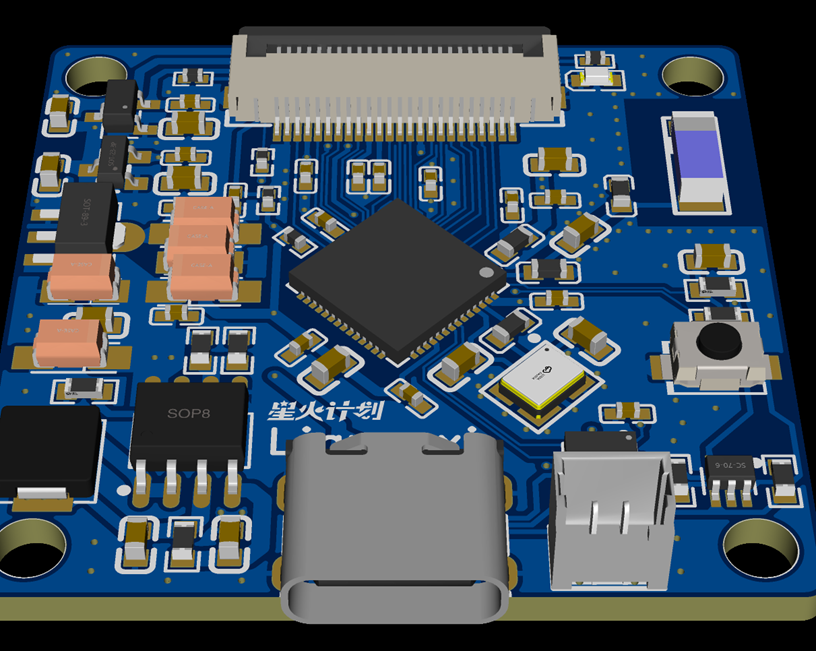
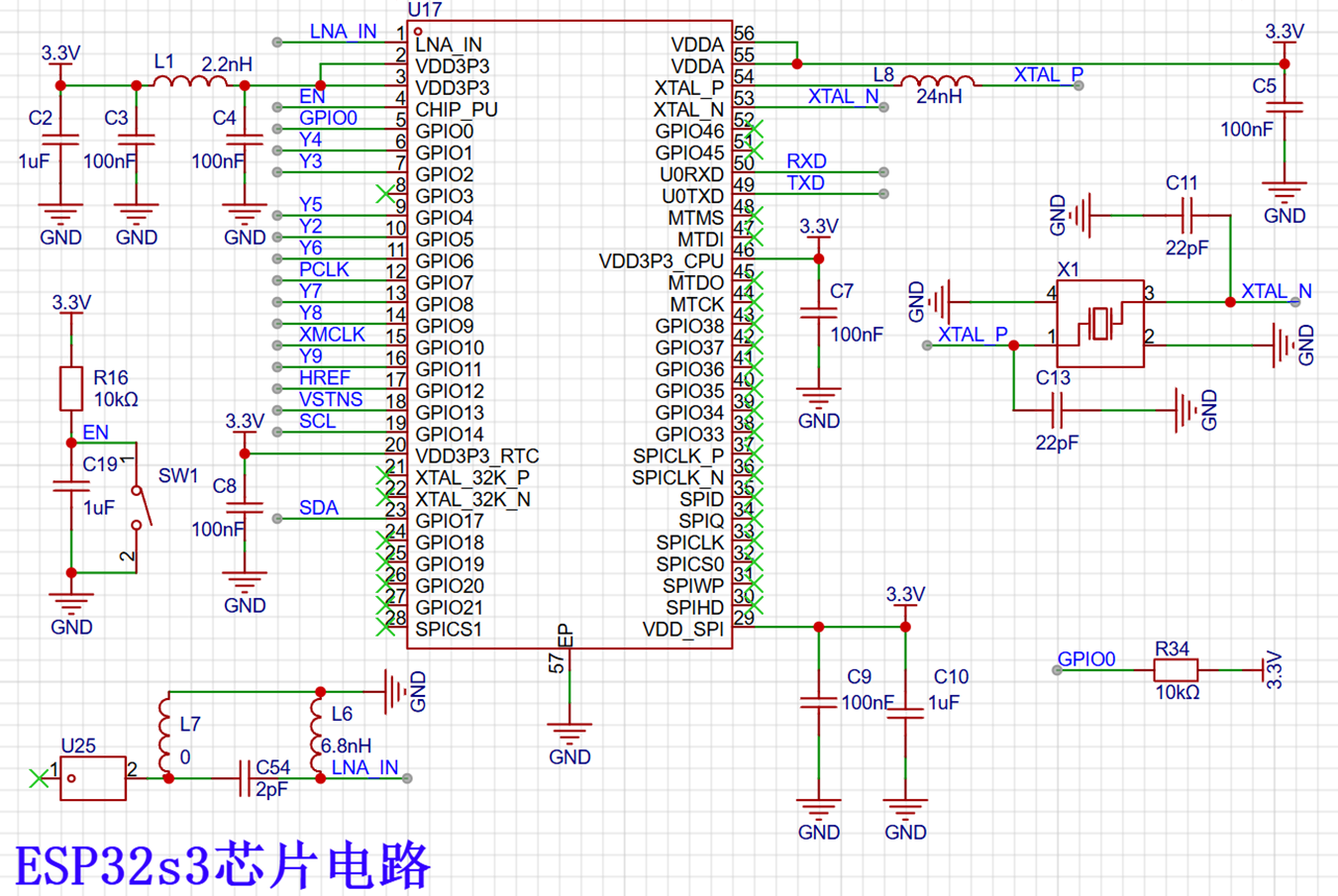
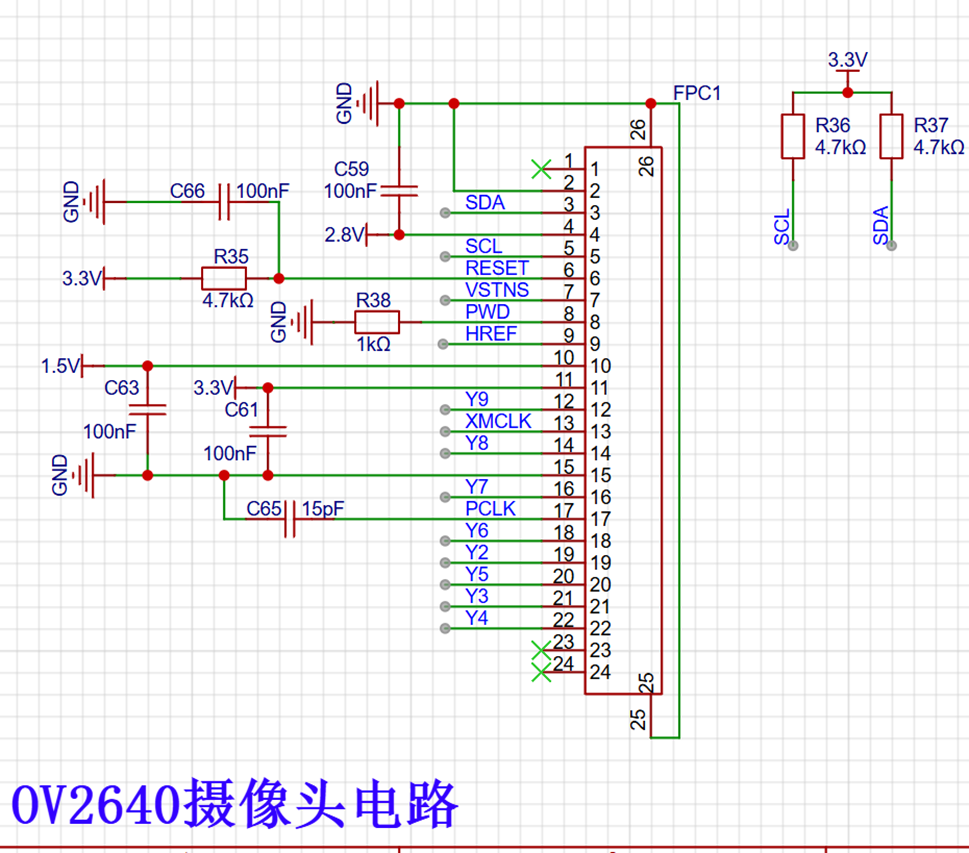
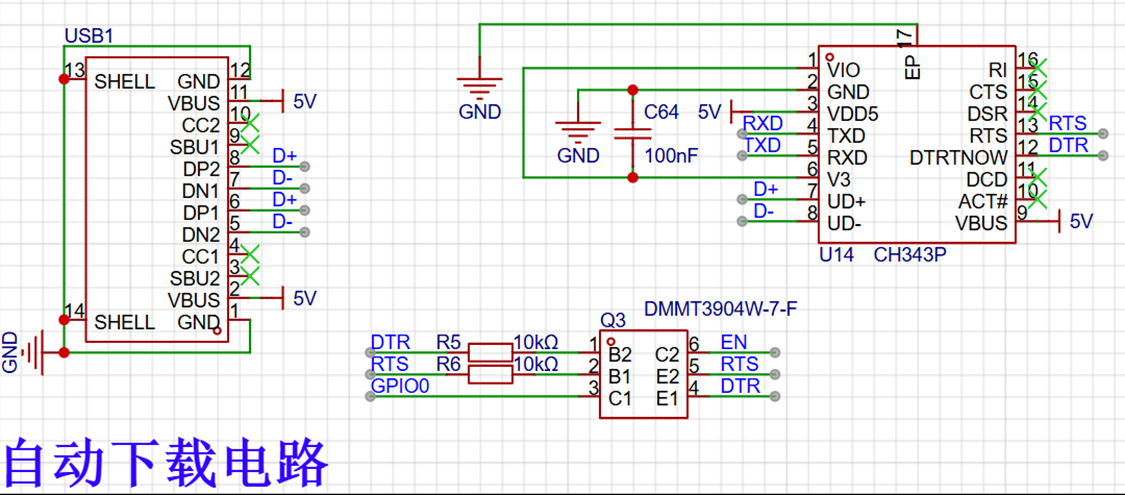
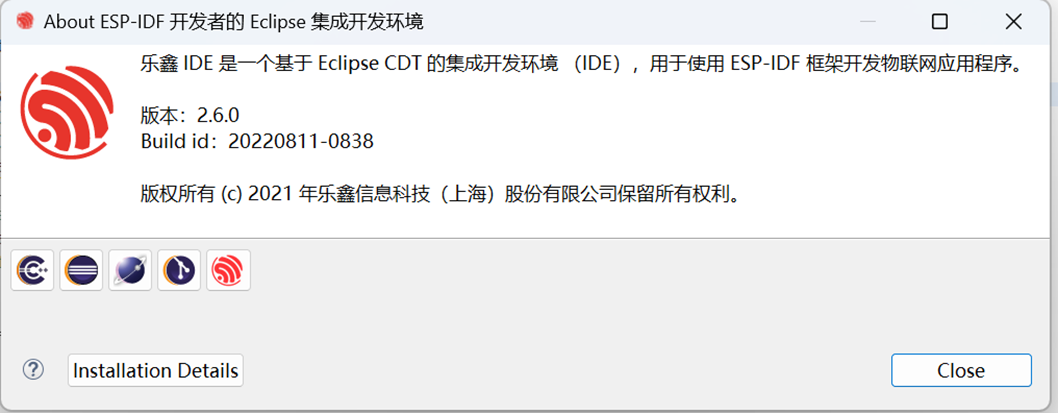
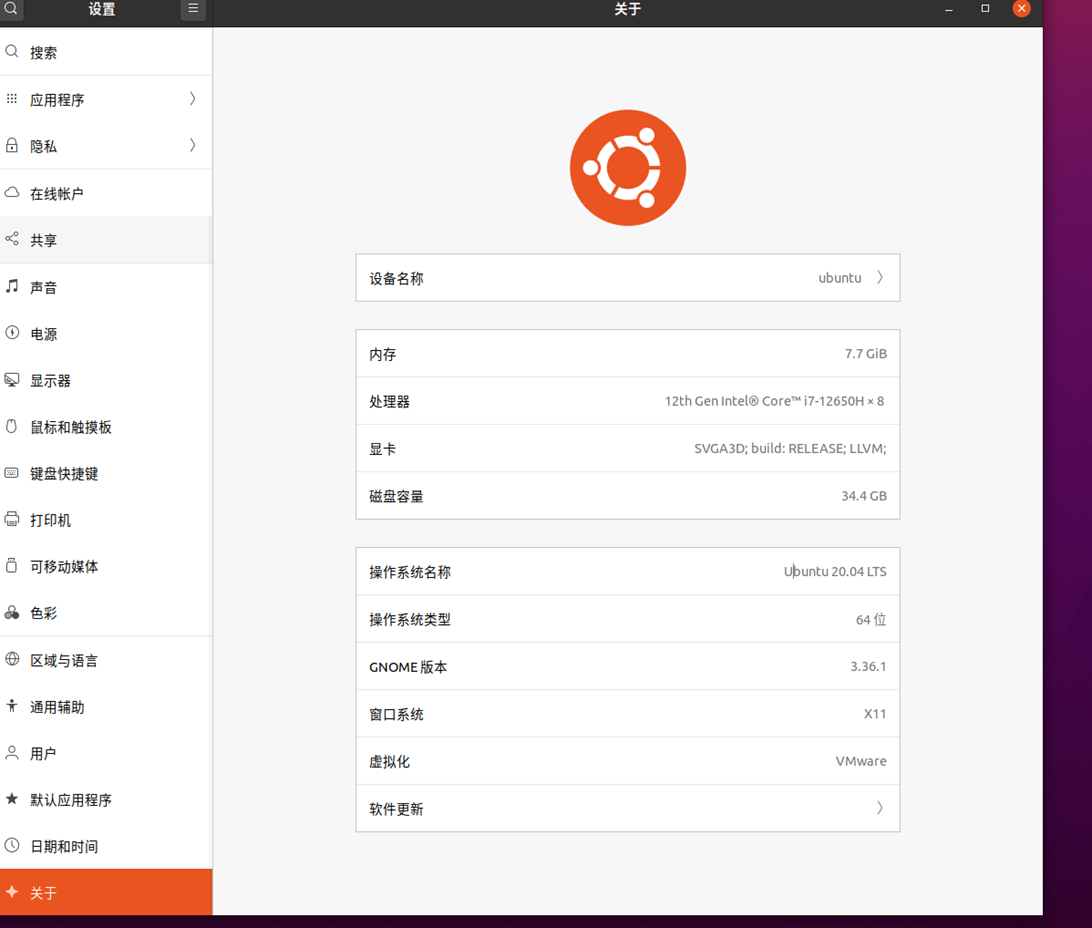
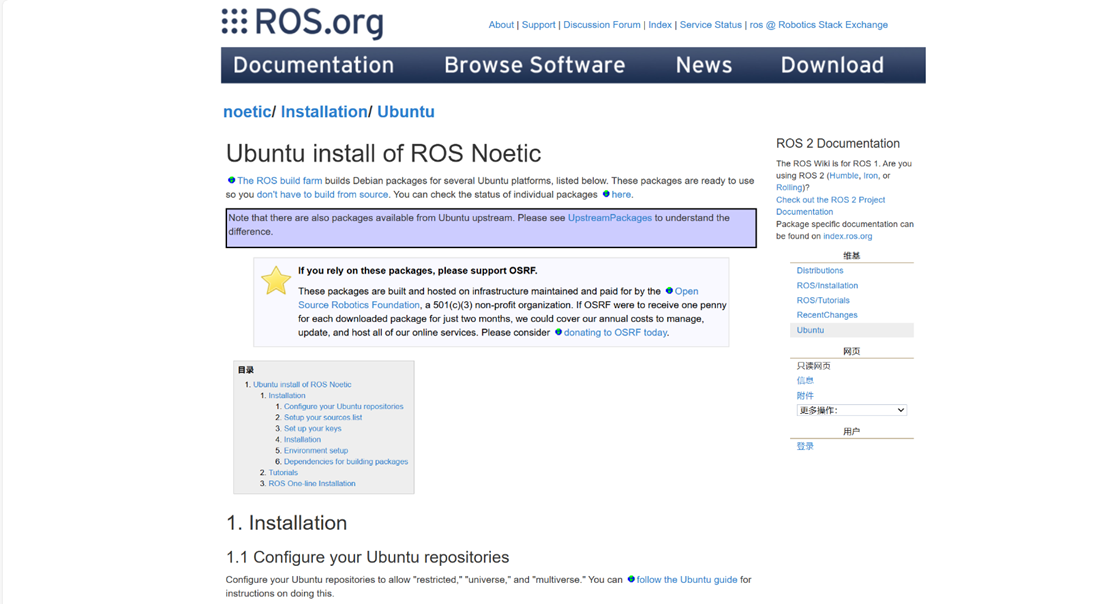
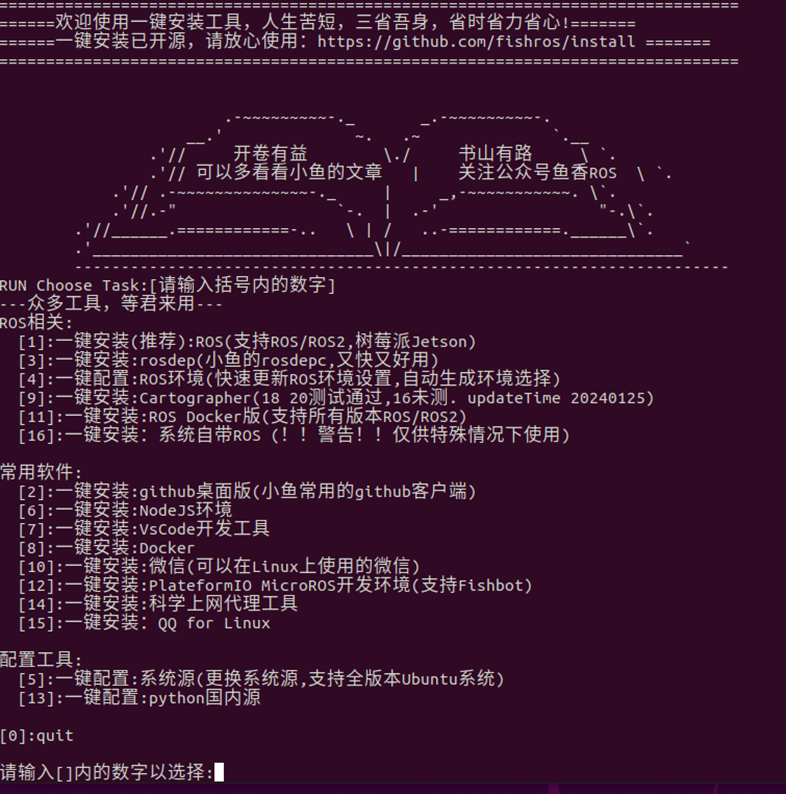
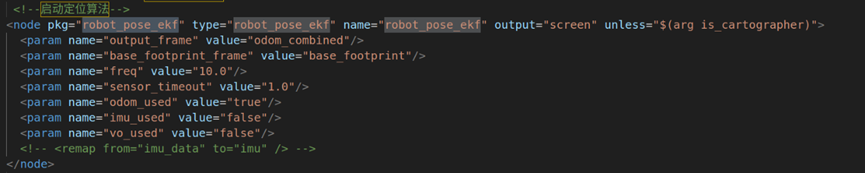
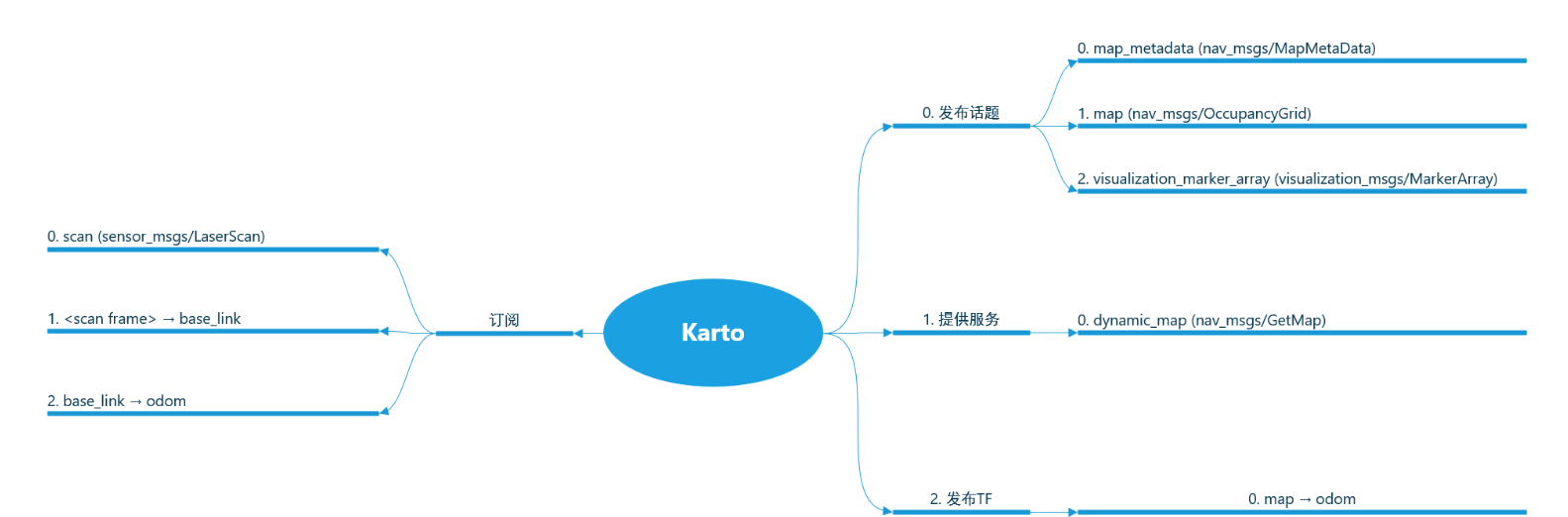
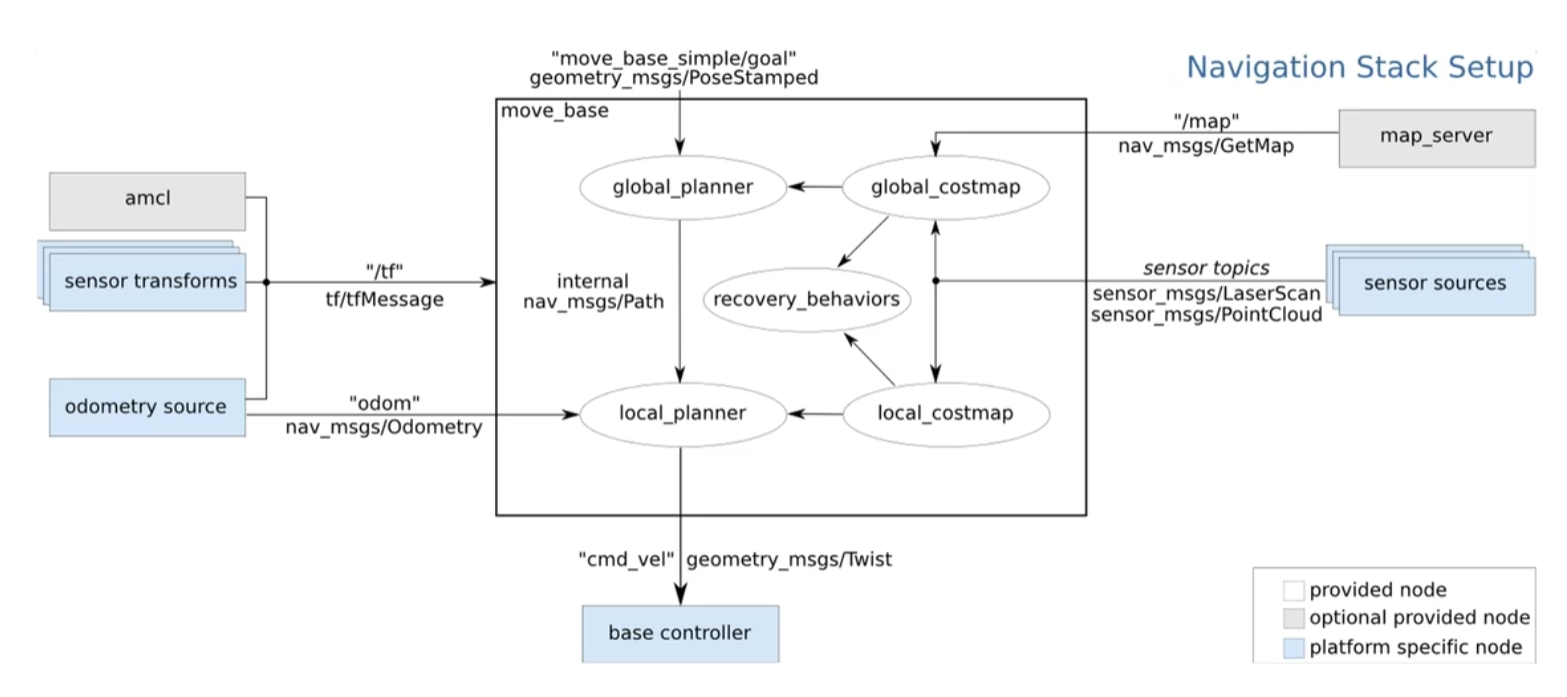
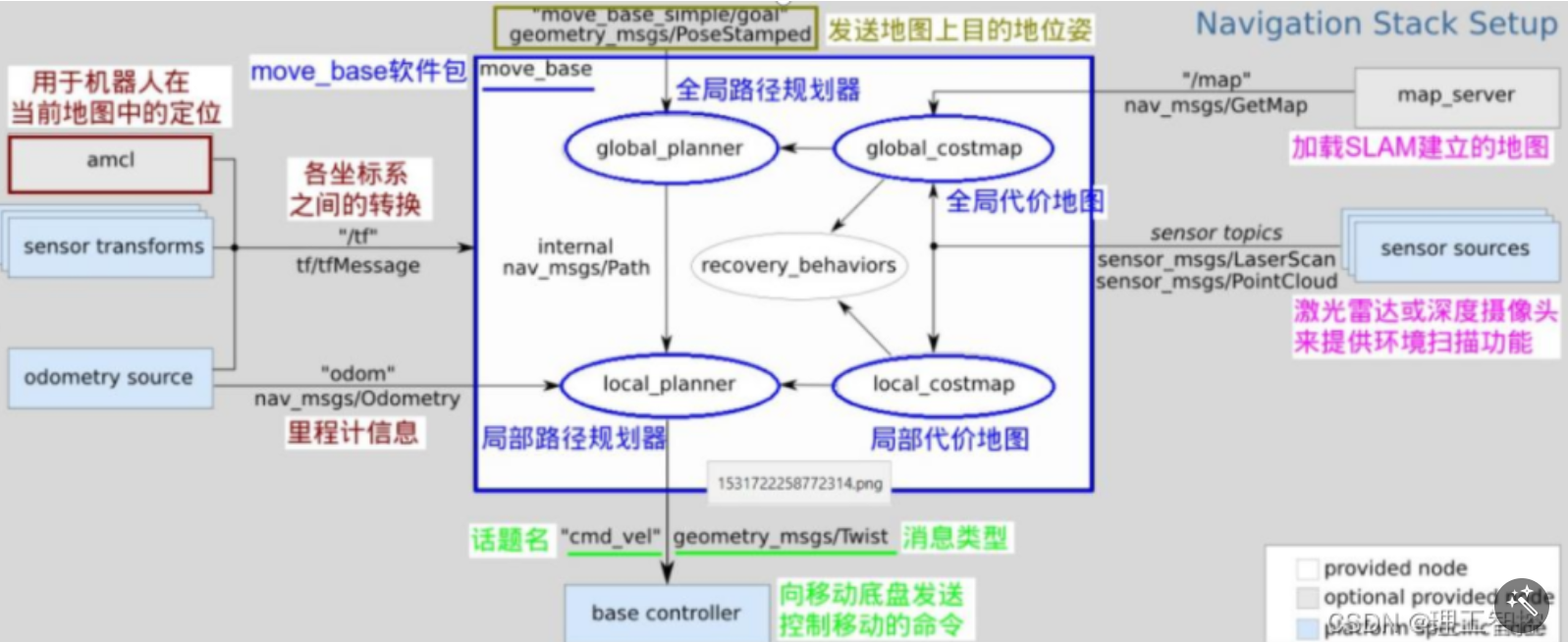
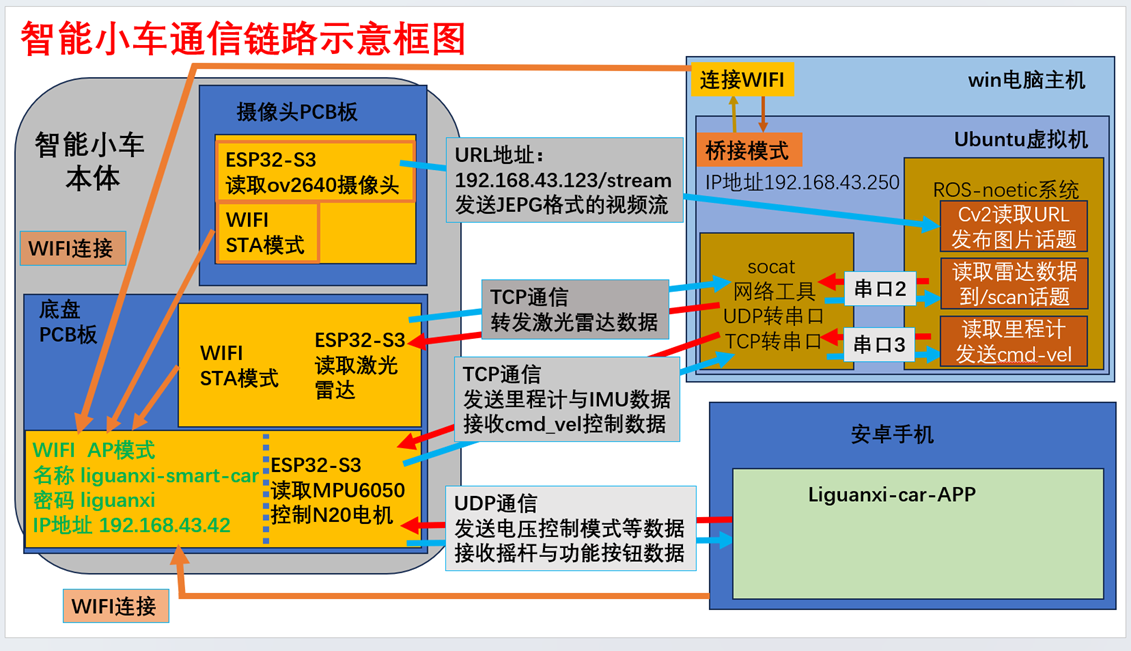
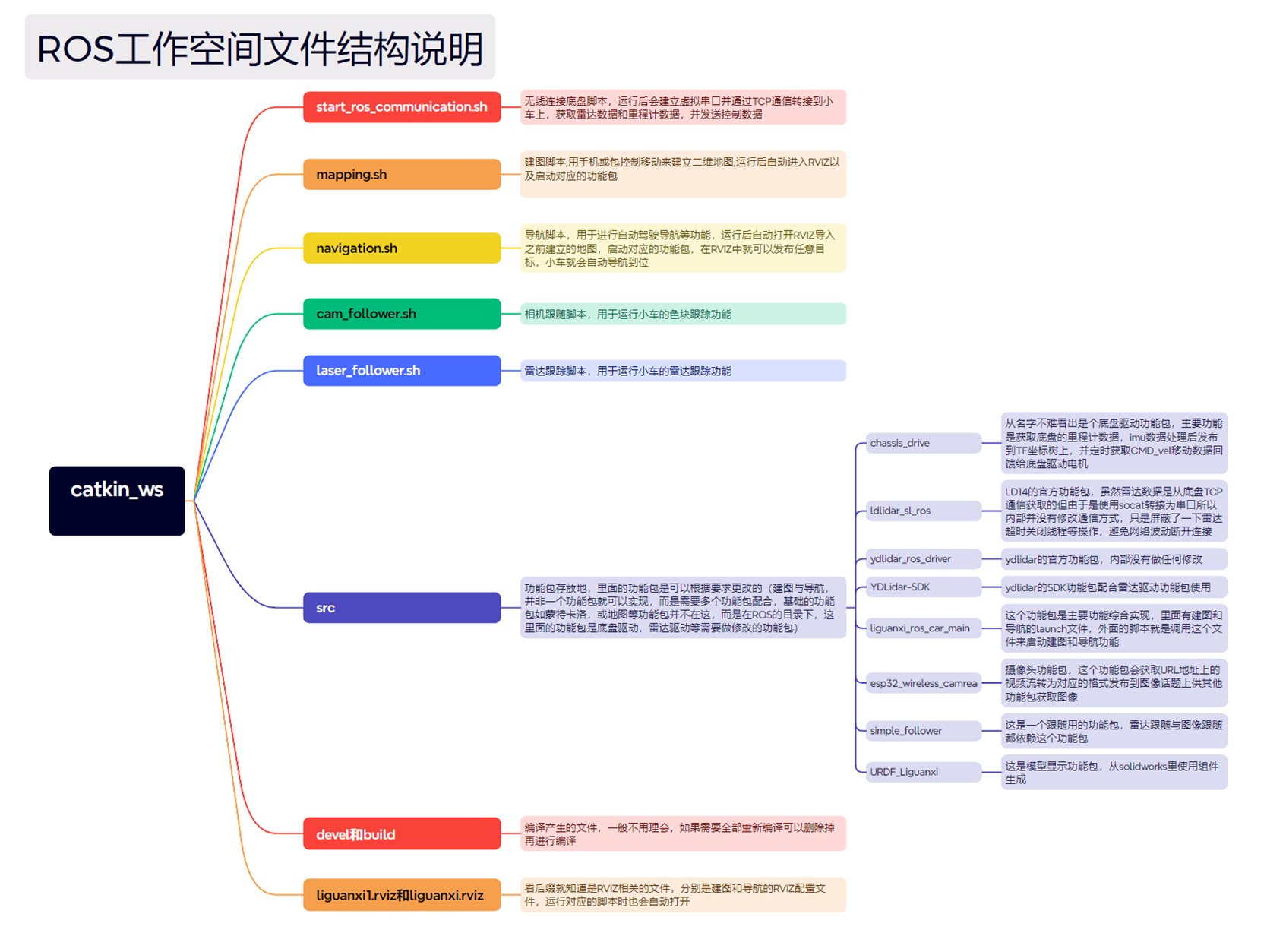
camera board 's wiring requires some attention. A GND wire needs to be sandwiched between the high-speed antenna lines, and the high-speed lines should be kept as far apart as possible. Minimize corners in the wiring, otherwise the camera image will be interfered with. ( Top layer, inner layer 1, inner layer 2, bottom layer 3D diagram). This camera board could actually be done with two layers, but the high-speed lines require complete ground shielding, and the antenna impedance needs to be matched. If a two-layer board were used, the antenna wiring width would need to be 100mil, which is unreasonable. Therefore, a four-layer board was ultimately used. The main control chip is ESP32S3, the antenna is a surface-mount ceramic antenna, and the camera uses an OV2640. The download circuit uses a CH343P power supply solution referenced from the chassis PCB. First, the voltage is boosted to 5V, then bucked to 3.3V for use, and then regulated to 1.2V and 2.8V respectively. 3.3V power supply for the camera and chip. Software description: Compilation environment: ESP32 uses espressif-IED version 2.6.0 to edit and compile code. Virtual machine: VM software is used to create the virtual machine system. System: Ubuntu 20.04. ROS system: ROS1 Noetic version . Installation method can be found on the noetic/Installation/Ubuntu - ROS Wiki website , but the official installation is cumbersome. You can use the Yuxiang ROS one-click installation tool, which is very easy to use (praise to the master) . Enter the command wget http://fishros.com/install -O fishros && . fishros. After entering the command, just click the numbers step by step to install ROS functions . ROS system uses the noetic version, which is still ROS1. This structure is not my first use. Yuxiang ROS and other masters have been using it for a long time. A more mature solution is to run ROS2 libraries on ESP32, so you can directly publish topics on ESP32. However, I only know a little about ROS1, and it is quite difficult to learn ROS2. Therefore, I used TCP to serial port conversion to be compatible with the original package. This way, the function can be completed with a simple operation. The localization algorithm uses robot_pose_ekf, relying solely on odometry and LiDAR for positioning. The mapping algorithm employs the Karto mapping algorithm, with default parameters. Navigation uses the Navigation architecture, which can be simply understood as follows: the AMCL adaptive Monte Carlo positioning package provides localization, the map server publishes the map data, and then, based on the target location published by RViz, it performs path planning, outputs the path and chassis movement data, and controls the vehicle to reach the target point. The chassis and computer are connected via Wi-Fi, and the specific communication link is shown in the diagram below. The communication latency is quite considerable. From top to bottom, it consists of the chassis, radar, and camera. The test uses the computer's built-in network card, with the vehicle approximately 20 meters away from the computer, separated by a chair and a table, completely obstructing the view. The test latency results are as follows: The ROS workspace file details its function and structure . The radar communication link uses TCP to forward data to the ROS host computer, then socat creates a virtual serial port for TCP-to-serial conversion, and finally the serial port input is sent to the radar's function package. The appropriate function package can be selected based on the radar you are using; you can choose LD14 or X2. The motion control board communicates with the ROS host computer via TCP, and then uses socat to create a virtual serial port for TCP-to-serial conversion. Finally, the serial output is processed by the chassis nodes, outputting TF and odometer readings. The value of cmd_vel is received and sent back to the chassis for motion control. The navigation map has three layers: the first layer is the original map (black areas are masked by color; an imported map is used); the second layer is the global cost map, aligned with the original map; and the third layer is the local cost map, 1.5m in length and width . The colors around the vehicle body have the following meanings: pink corresponds to the original map, representing an obstacle area; light blue extends from the vehicle's radius (e.g., if the radius is 0.05 meters, the width of this light blue area is 0.05 meters). The planned path of the car must not overlap with this area; overlap means a collision will occur during driving.
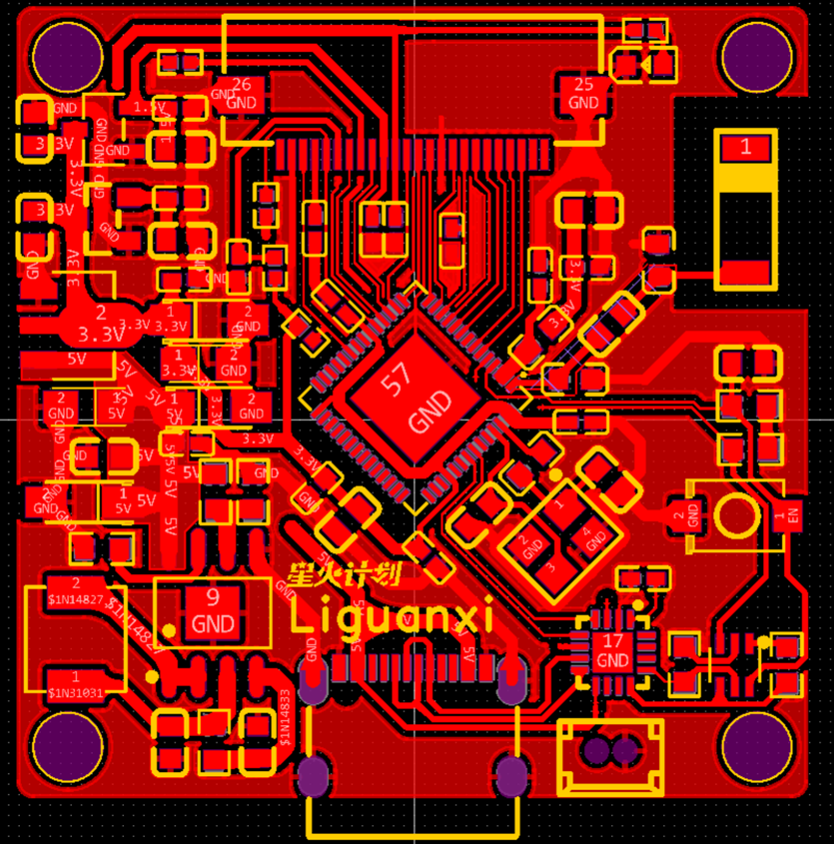
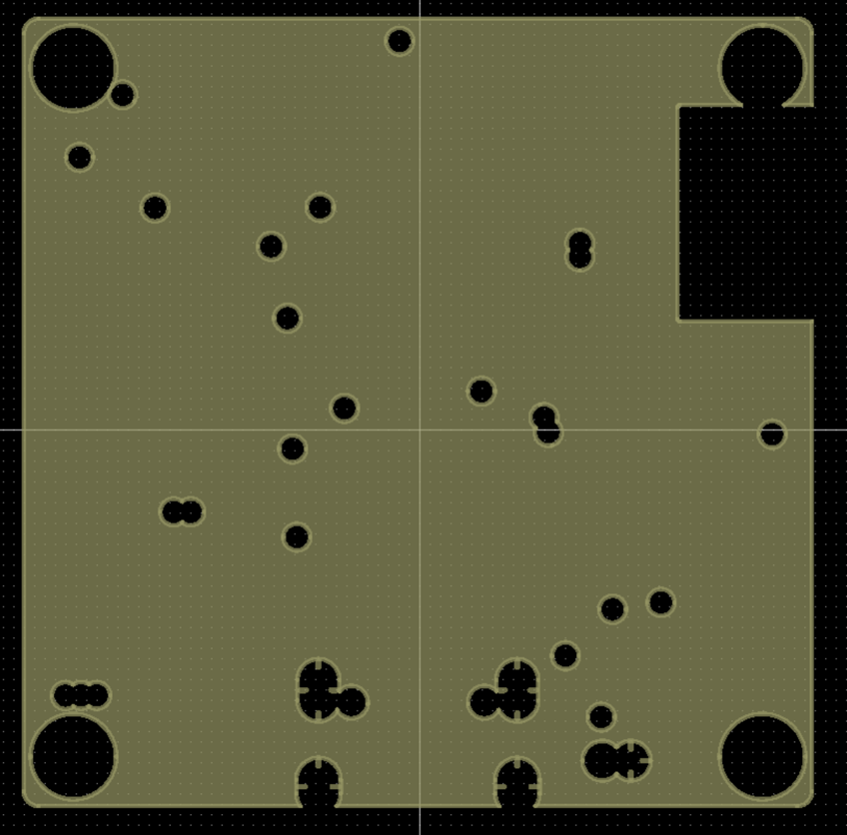
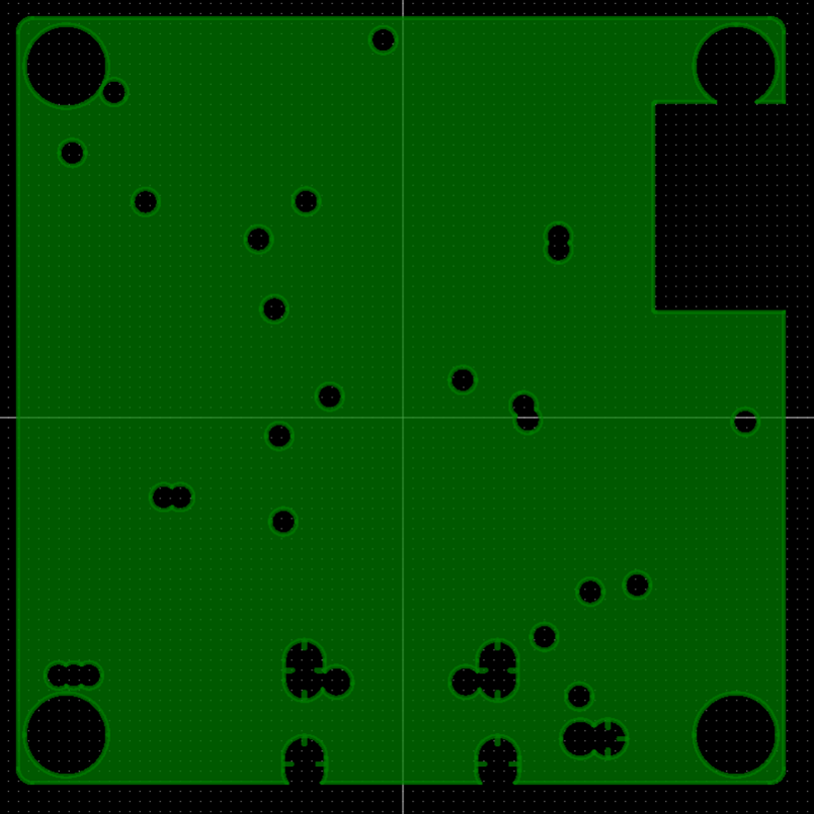
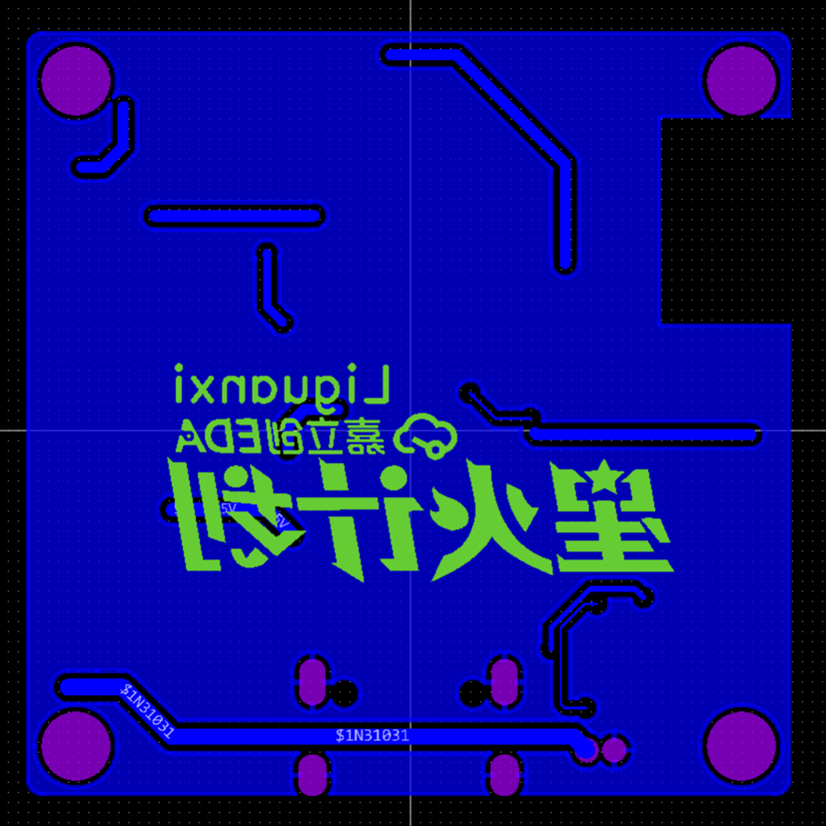
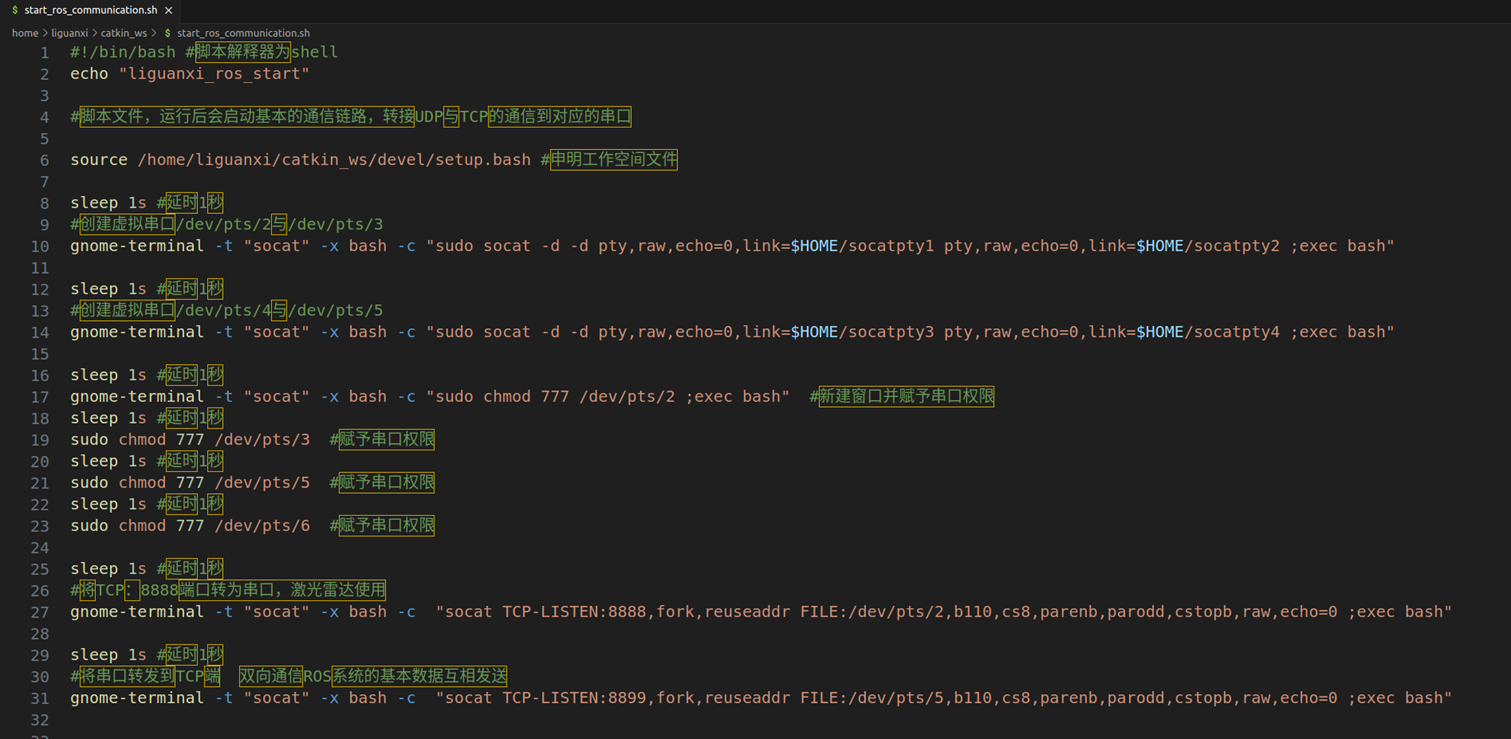
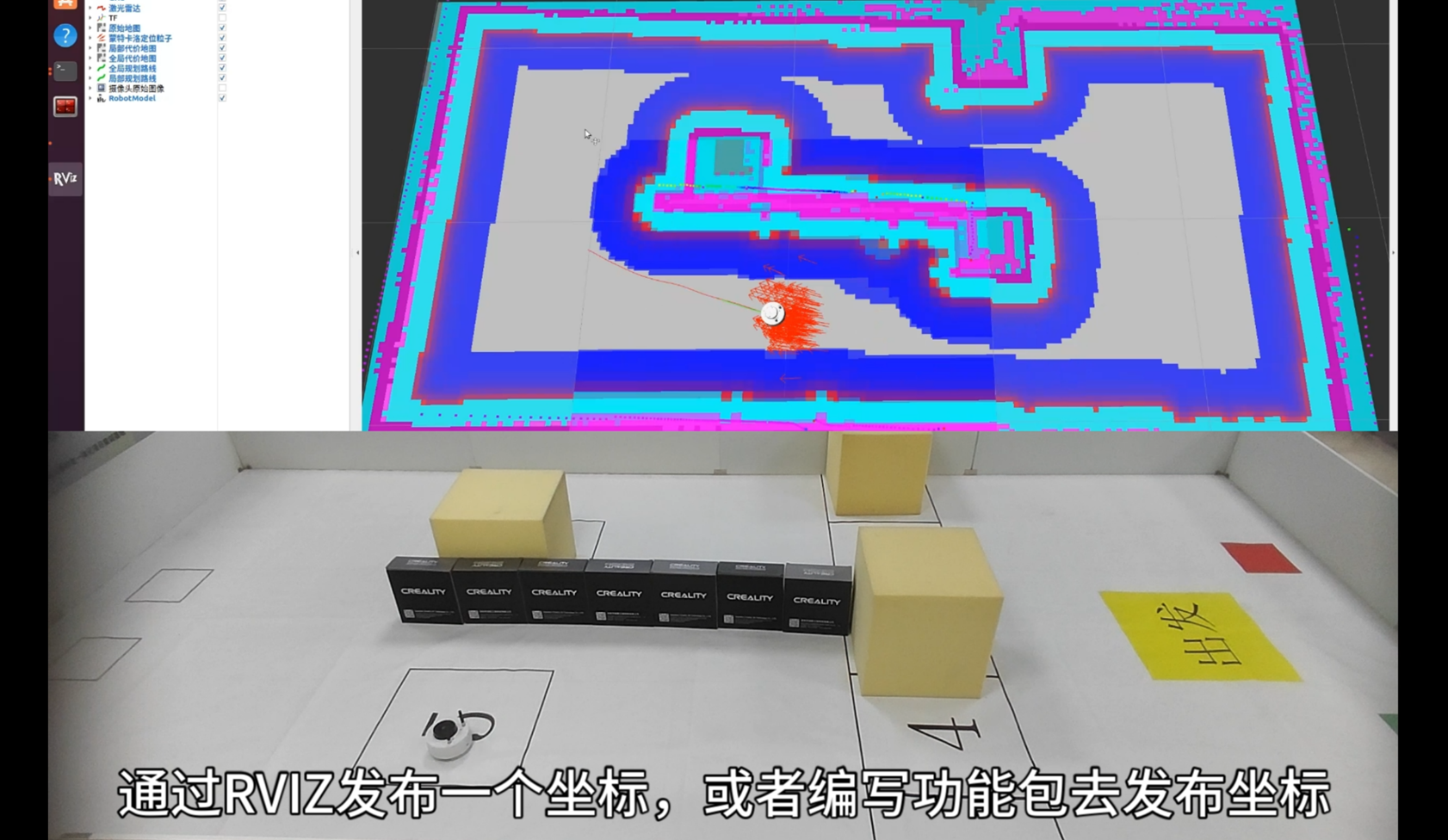
The dark blue area is set according to the planning strategy. If this area is not set, the car will plan its path along the light blue area. If the driving path deviates even slightly, it will collide. After setting this area, the car will try to avoid entering this area when planning its path. Note that it is not that it cannot enter the dark blue area, but that it will try to avoid it when planning the path. If two dark blue areas overlap, it will try to plan the path as close to the middle as possible.
Monte Carlo
positioning is indicated by the red arrows. The principle of Monte Carlo positioning is to first release a large number of particles, treating each particle as a possible location for the car. Then, as the car moves, it continuously judges which particle's position matches the current sensor judgment better. Then, it continuously removes particles with large deviations and releases particles with smaller deviations. Finally, the Monte Carlo particles will gather near the car's actual position.
Path planning:
Global path planning generates a path based on set coordinates, avoiding known obstacles (green) during mapping.
Local path planning: When encountering obstacles on the global path, a local path is planned to bypass them. If avoidance is impossible, global path planning is repeated (red).
DWA's
additional features:
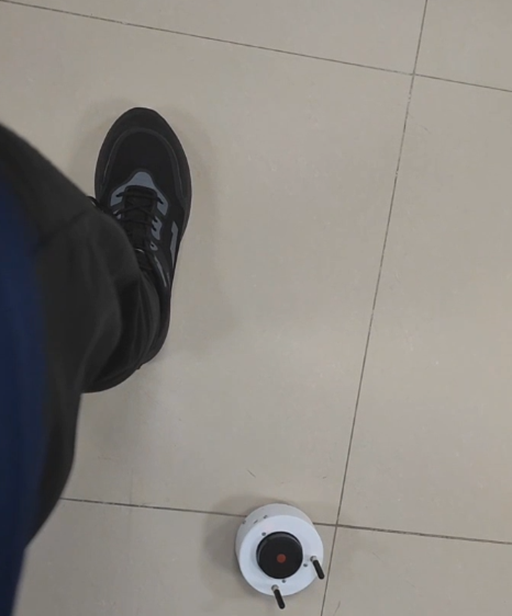
Radar tracking
allows you to create a simple follower.
Using the radar tracking function in the tracking package, it will follow the nearest object, recognizing and tracking it as soon as it gets close.
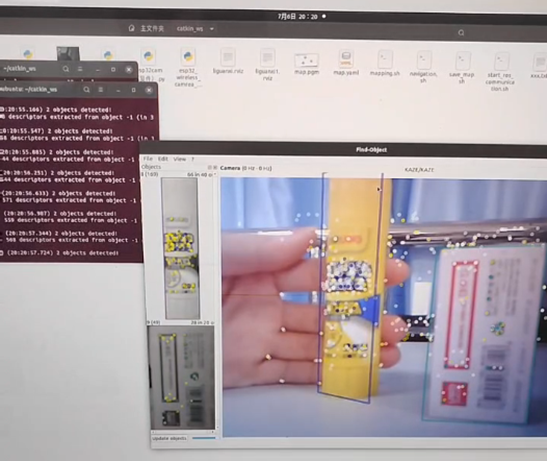
Visual feature recognition
allows for object feature identification, detecting multiple features on an object and then selecting the features to be recognized. For objects, feature points can be matched to identify complex objects.
Visual color block tracking
can also detect color blocks and track them by detecting HSV values. This is relatively simple: set the upper and lower limits of HSV, detect values in an image that fall within this range, then mark the selected area and output a coordinate bound to the chassis speed to follow the color block. The mobile
app
communicates with the ESP32 of the chassis driver via UDP. Many features were originally planned, but obstacle avoidance using its own computing power was abandoned, and image transmission was also not implemented. Therefore, the app is basically a blank slate, only able to control the movement of the vehicle. This will be considered a later project. The purpose of this project was to develop
an iterative version of an image
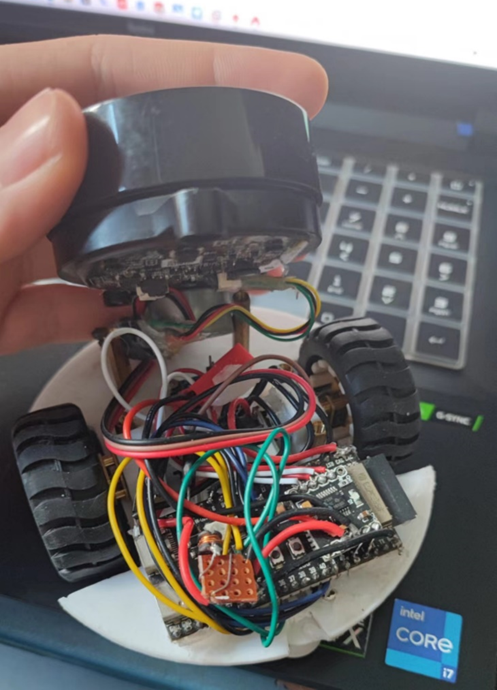
verification machine. Using a development board, the machine was directly built with wires to verify basic code
. A basic chassis was printed, and then wires were used with a perforated board and modules to verify the functionality of the following circuits. Next, the program for the motor, WiFi connection, and radar communication was written.
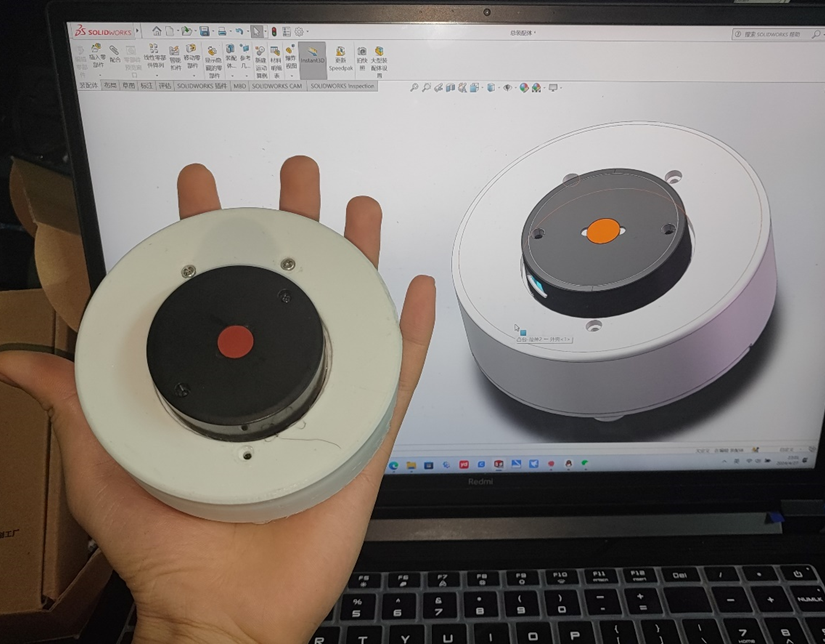
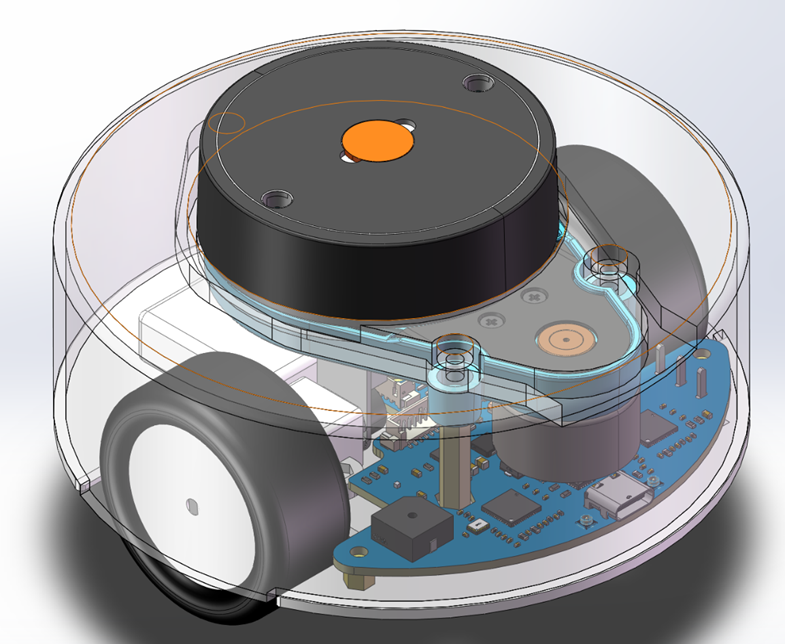
The first version used an internal antenna, resulting in a relatively clean design without any expansion modules. However, it was only functional; navigation was unstable.
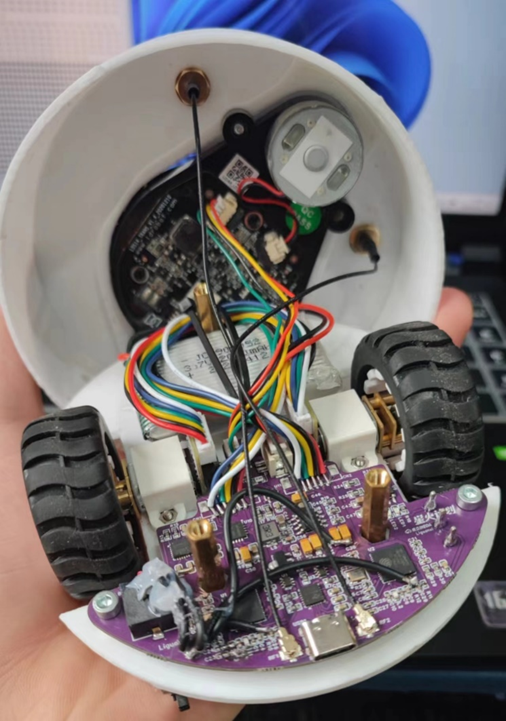
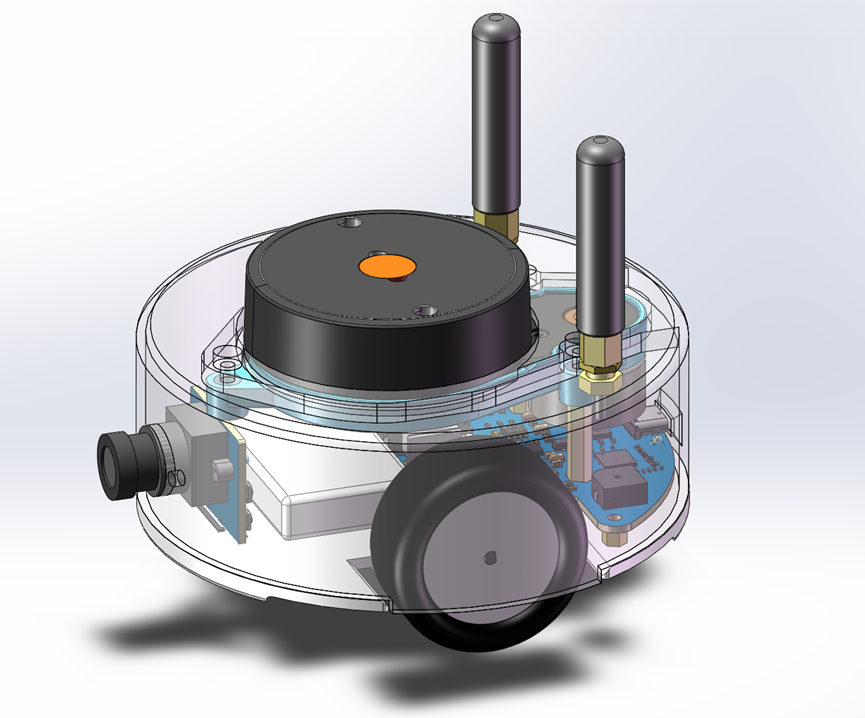
The second version added an external antenna and a camera with a lens.
The third version modified the camera to a patch type; using a large lens would be costly and aesthetically unappealing. The wheels were changed to a 3-point design. Although not centered, which is really annoying for perfectionists, it can adapt to most surfaces. Ultimately, practicality is the priority. The battery is recessed into the chassis, freeing up more space for the camera and cables, and the PCB area can also be increased.
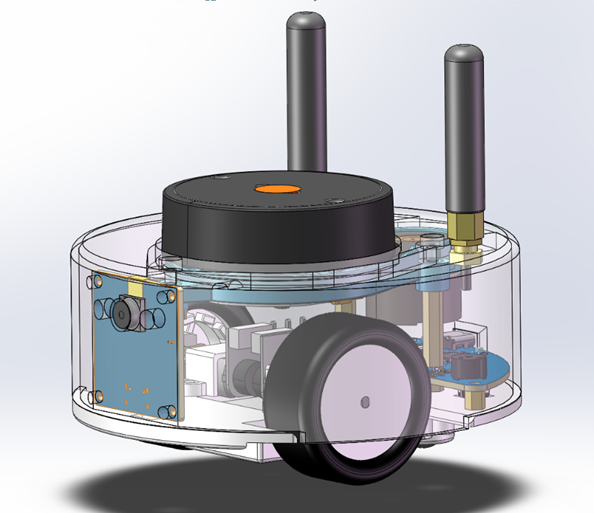
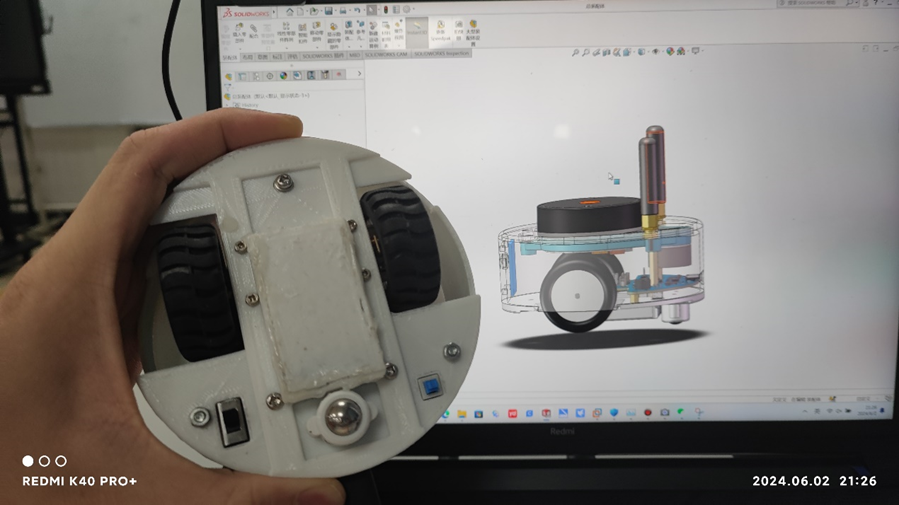
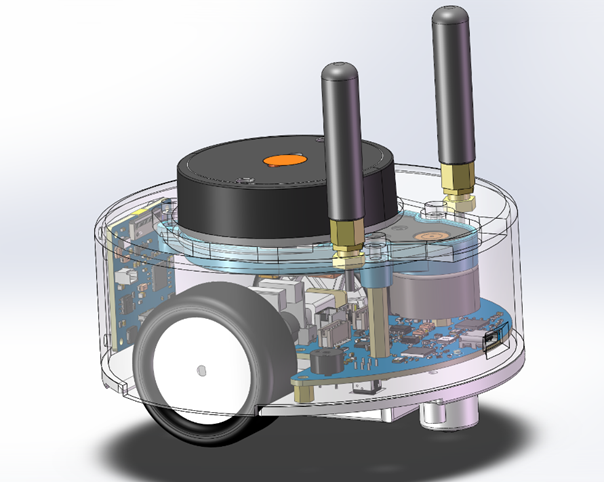
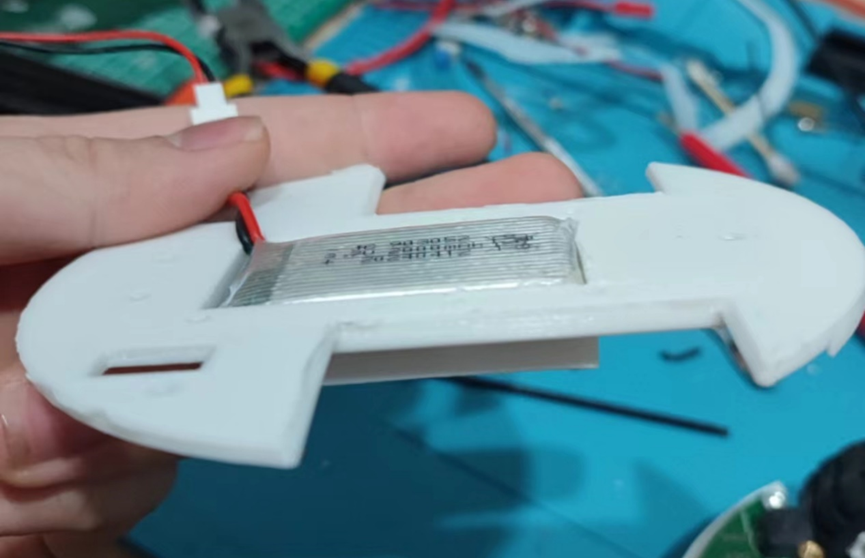
The BOM (Bill of Materials) was
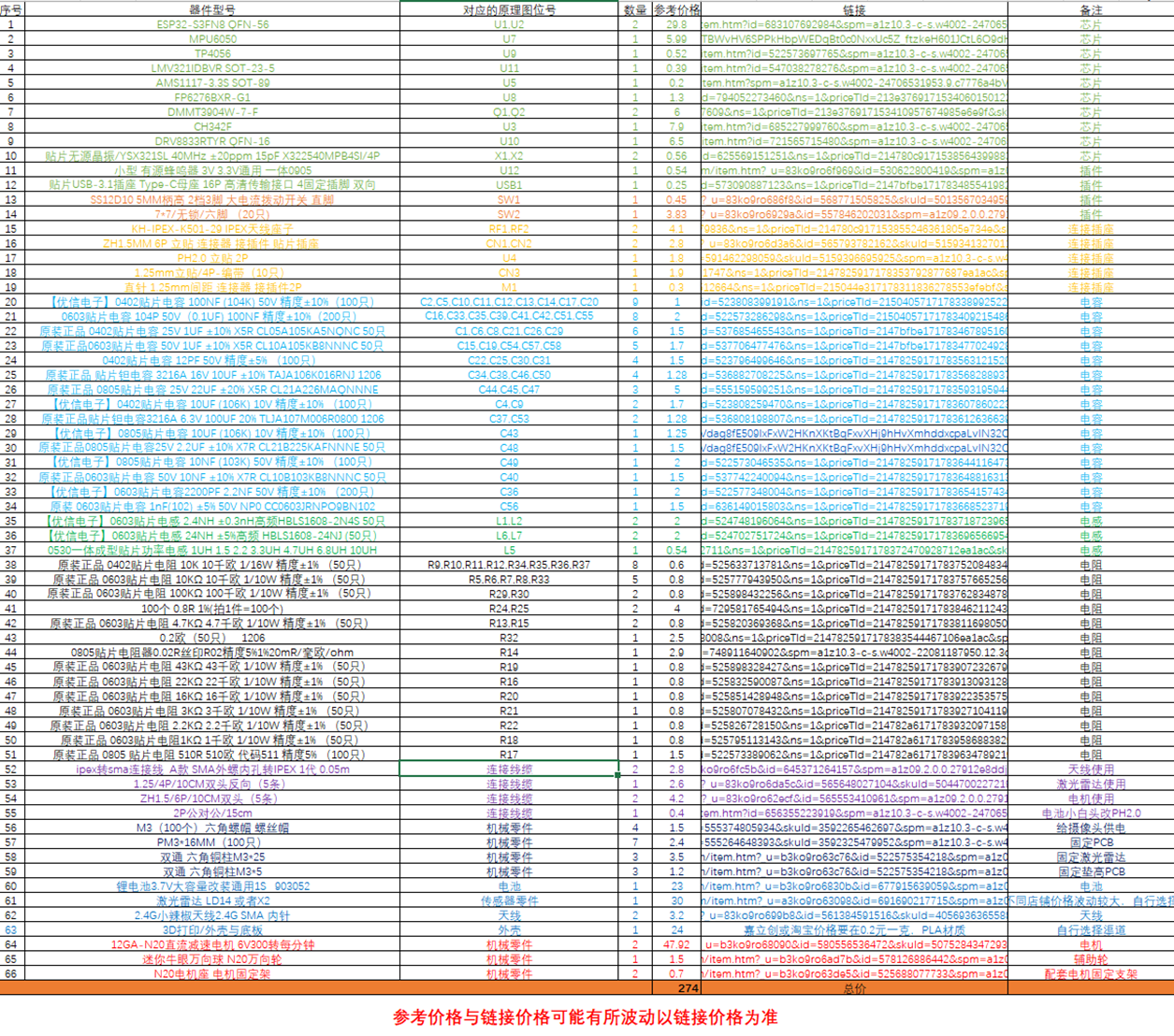
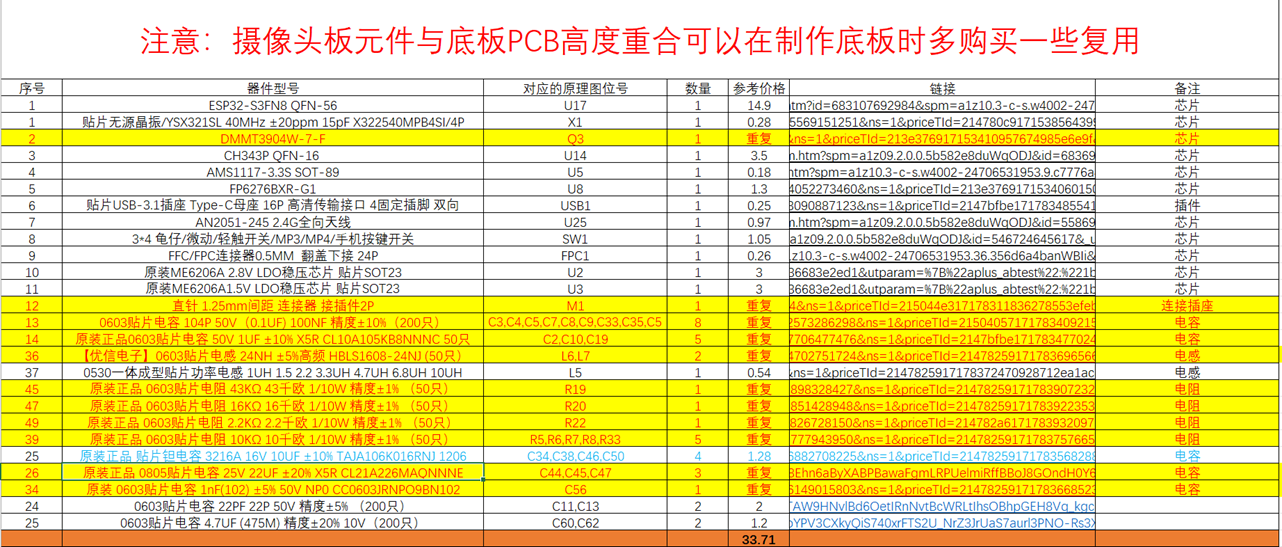
finally
calculated, and the budget was slightly exceeded, with the total price reaching 307 yuan. The above price is based on the fact that the maker has no resistors and capacitors in stock and needs to buy all of them from scratch. After completion, there will be a large number of resistors and capacitors left over. It is roughly estimated that there will be about 2600 resistors and capacitors left over after completion, as well as about a hundred screws, cables, and various mechanical parts, and a dozen chips.
If the maker has done other projects before and has resistors and capacitors in stock, the cost of the finished product can be reduced to 240 yuan. The
open-source
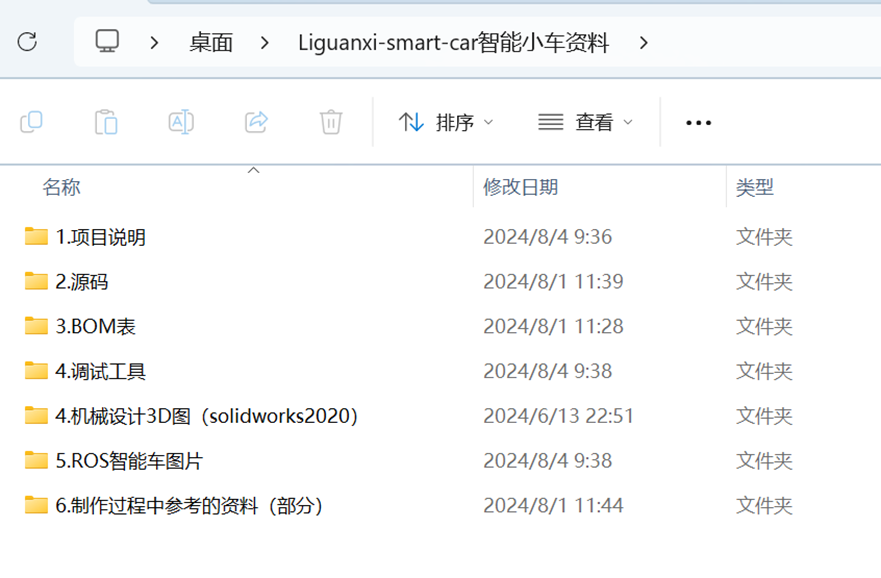
materials have been organized and put into the exchange group QQ group 263879824. Some of the materials are much larger than 50M, so they cannot be attached. At the same time, the materials in the QQ group will be updated in real time.
Precautions when replicating:
1. The circuit is relatively dense, and the maker needs to have a certain level of soldering skills and the ability to diagnose circuit faults. At least a basic soldering iron and heating plate are required. They don't need to be too expensive; a few tens of yuan will suffice.
2. There are many tutorials online about setting up the environment, so I won't go into detail here. Just set up the environment according to the version mentioned above and import the function packages to use it. However, pay close attention to the version, as different versions will cause various strange errors.
3. There are many components, and some links may be broken. The creator needs to have some component search skills to search for and purchase the necessary components based on their model numbers.
4. Note that although this is a low-voltage circuit, improper use of batteries and soldering tools can be risky. Users assume all risks themselves.
Other:
If you think this project is good, please like and save it to support it.
The complete design process video will be uploaded to Bilibili. All materials on the LCSC community are limited to 50MB in size.
Design process video: https://www.bilibili.com/video/BV1WZspefERu/
Reproduction tutorial video: https://www.bilibili.com/video/BV1MtsdebEQE/
Demo video: Demo videos can be uploaded as attachments. Attachments can only be uploaded to a maximum size of 50MB. Files larger than 50MB can be hosted on other cloud storage or video websites; simply include the link here.
Project attachments: Entries participating in the event must upload project-related program attachments to an open-source platform or personal code storage cloud. Attach
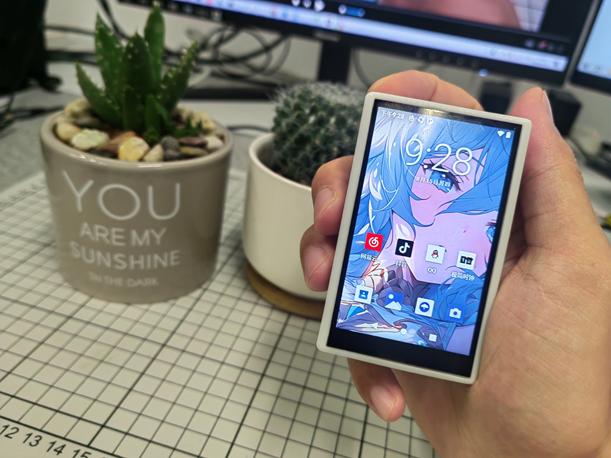
 V4 version demonstration video [Bilibili] I made a smartphone!!! Meeting daily needs?
 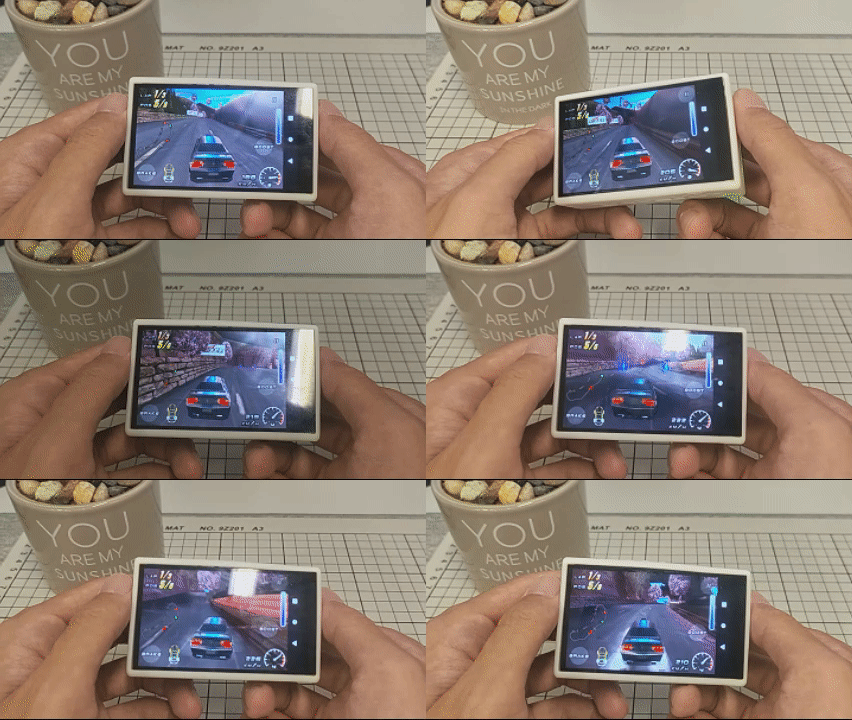 Motion-sensing game demo
 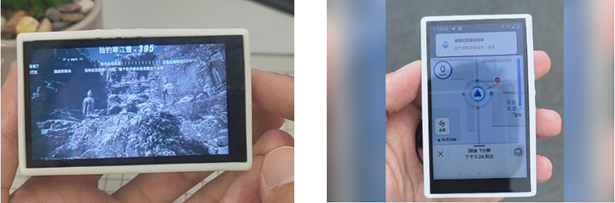 (a) Photography (b) Navigation and positioning
 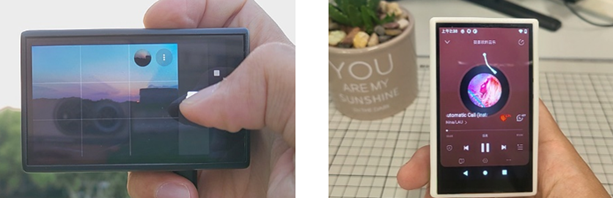 (c) Video playback (d) Music playback
 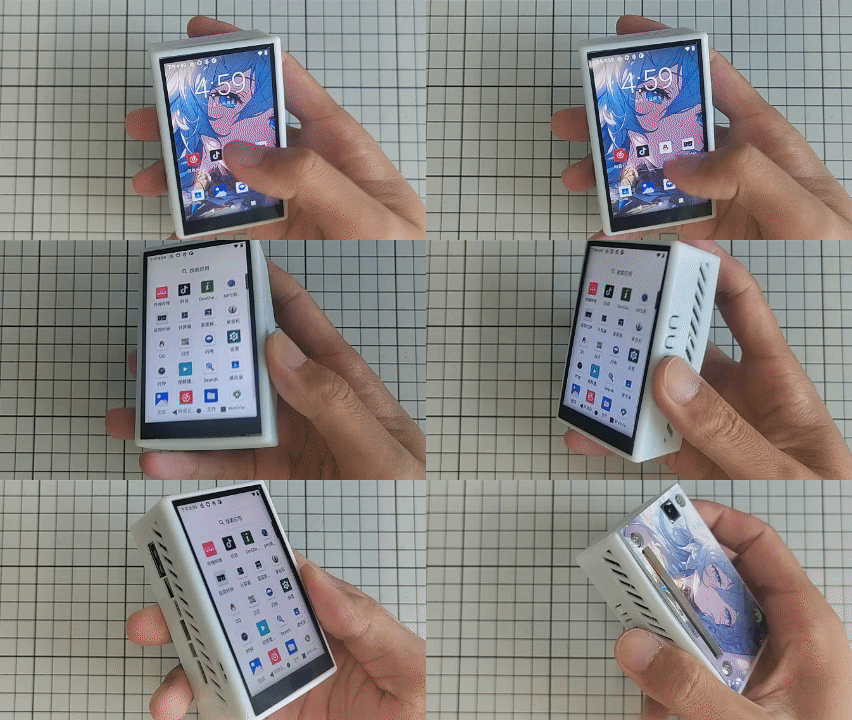 Overall project display
 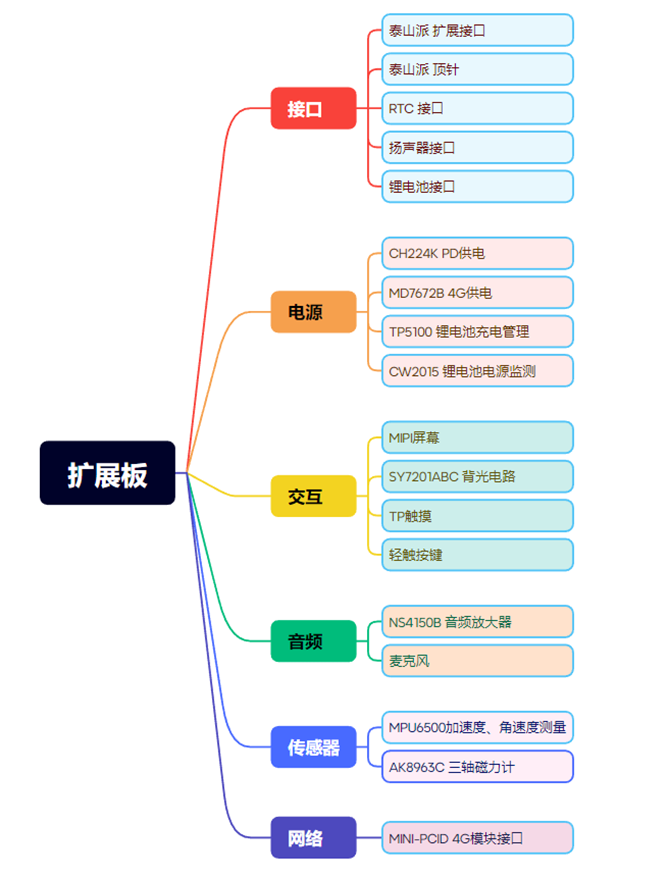 Hardware Label
 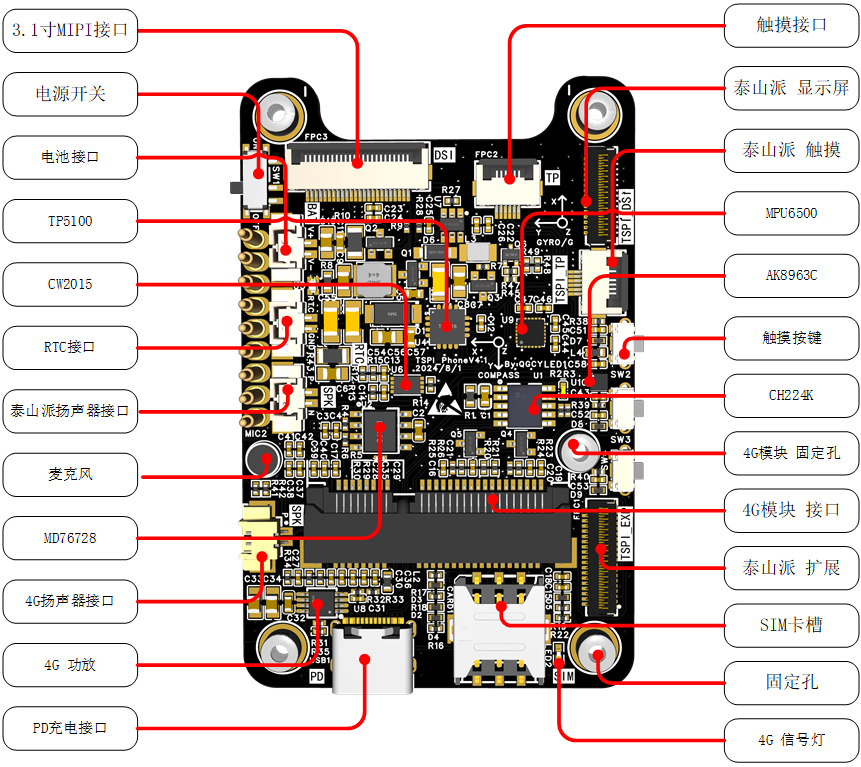 Hardware Design Details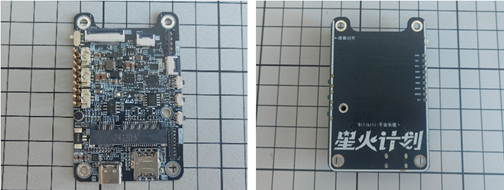
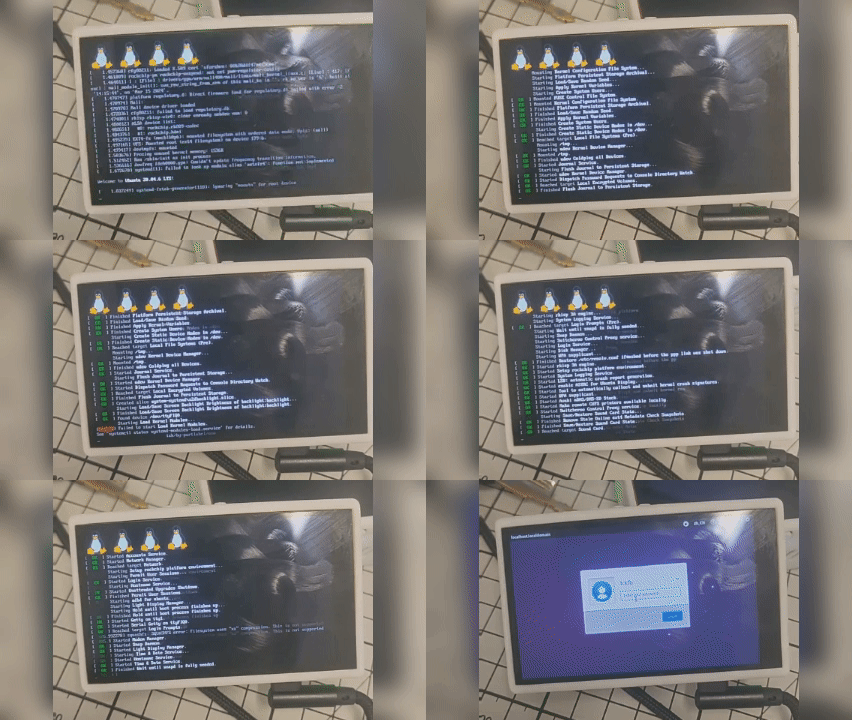
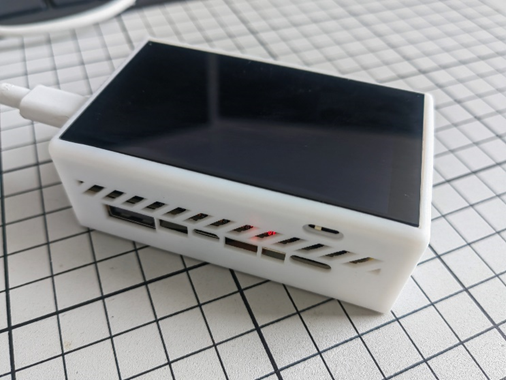
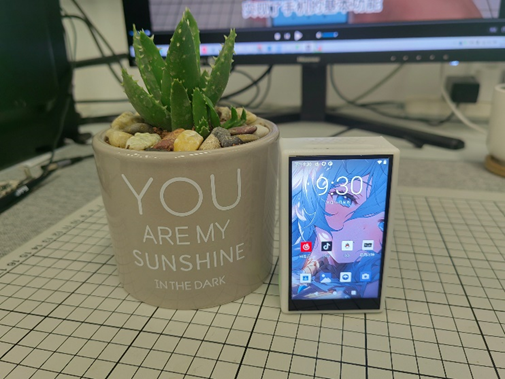 ). Development stage: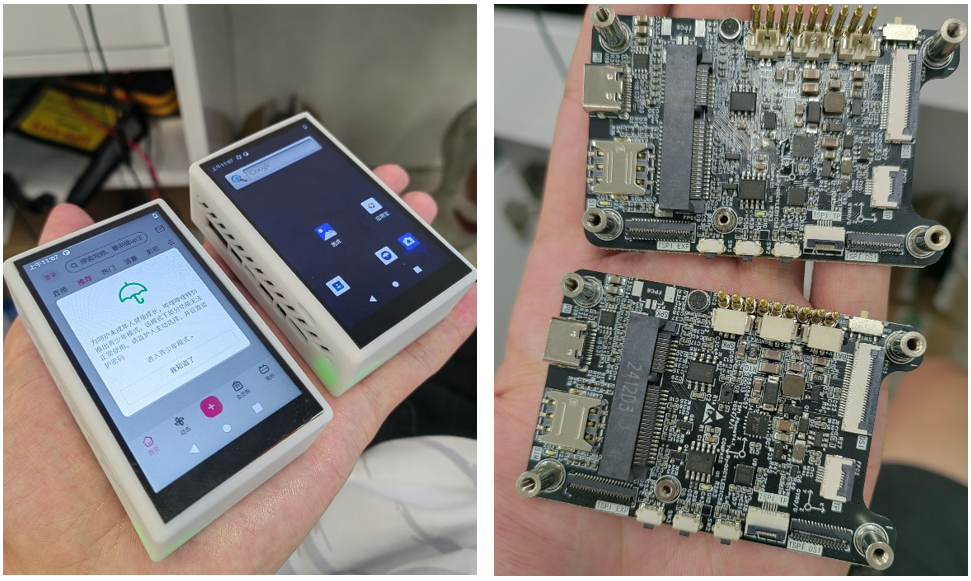
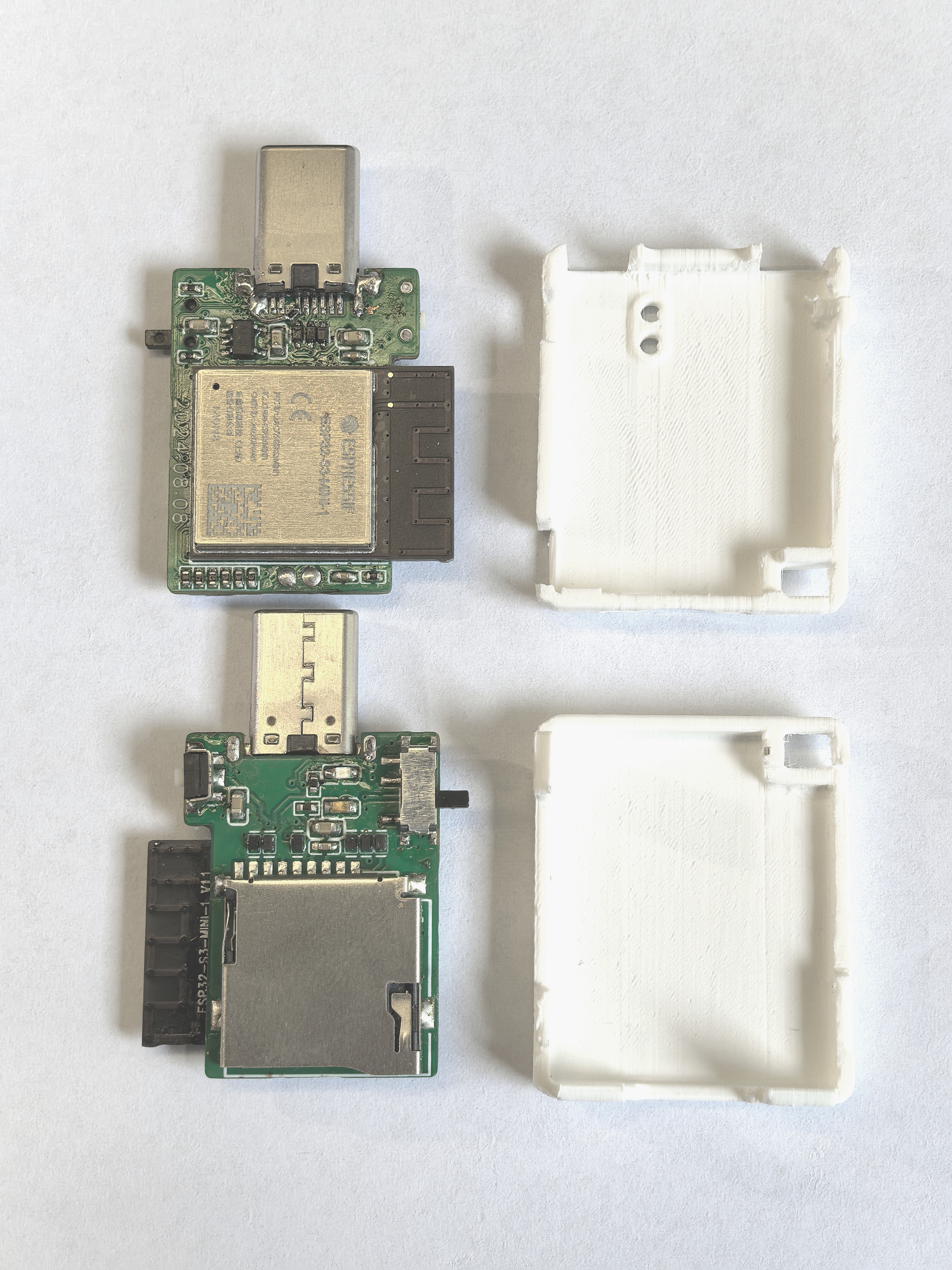
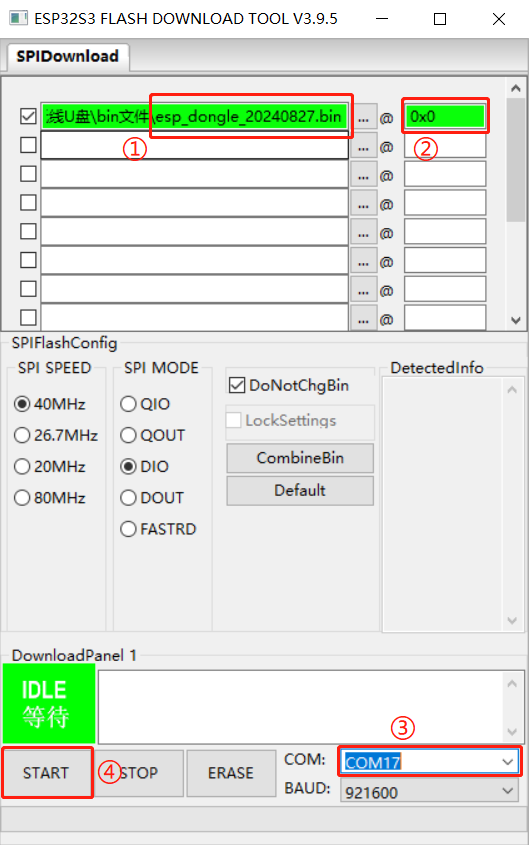
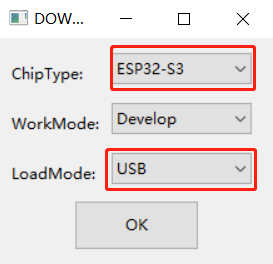 4. Open the software and directly burn the esp_dongle_20240827.bin file from the attachment into address 0x0. The steps are as follows.
  User Instructions for ESP-Dongle
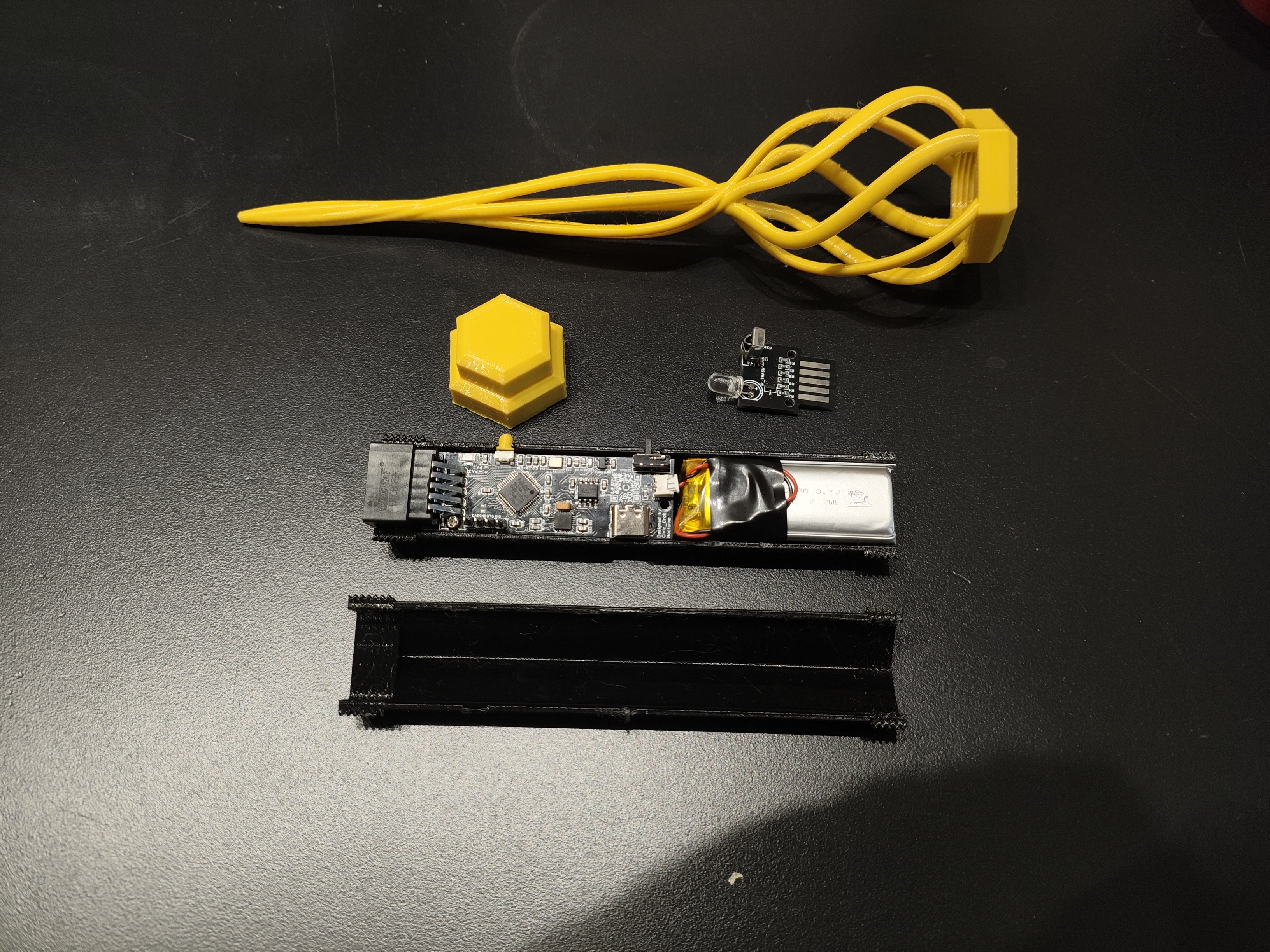
  Disassembly Status
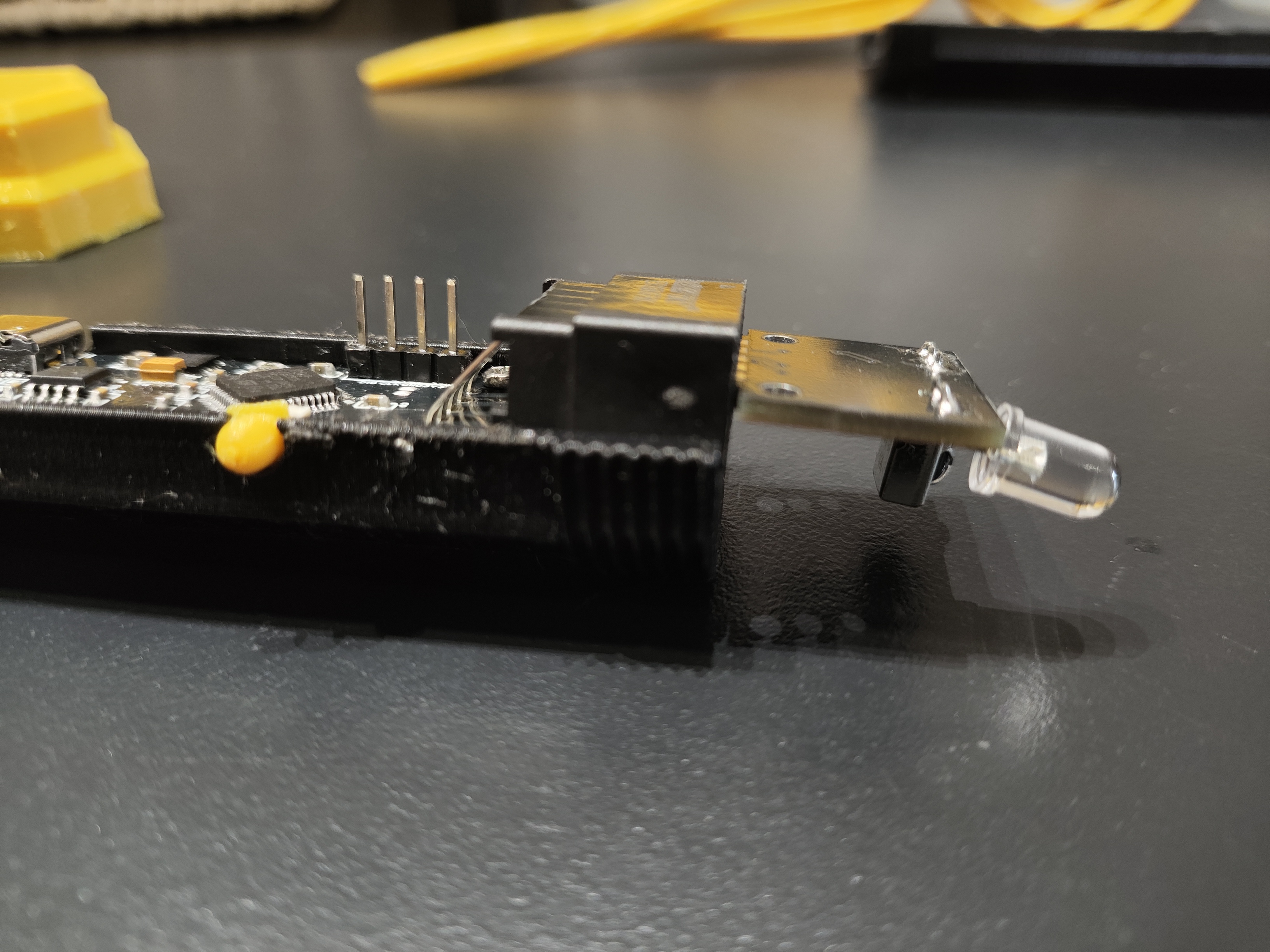
  Module Insertion Direction: Front Face Down
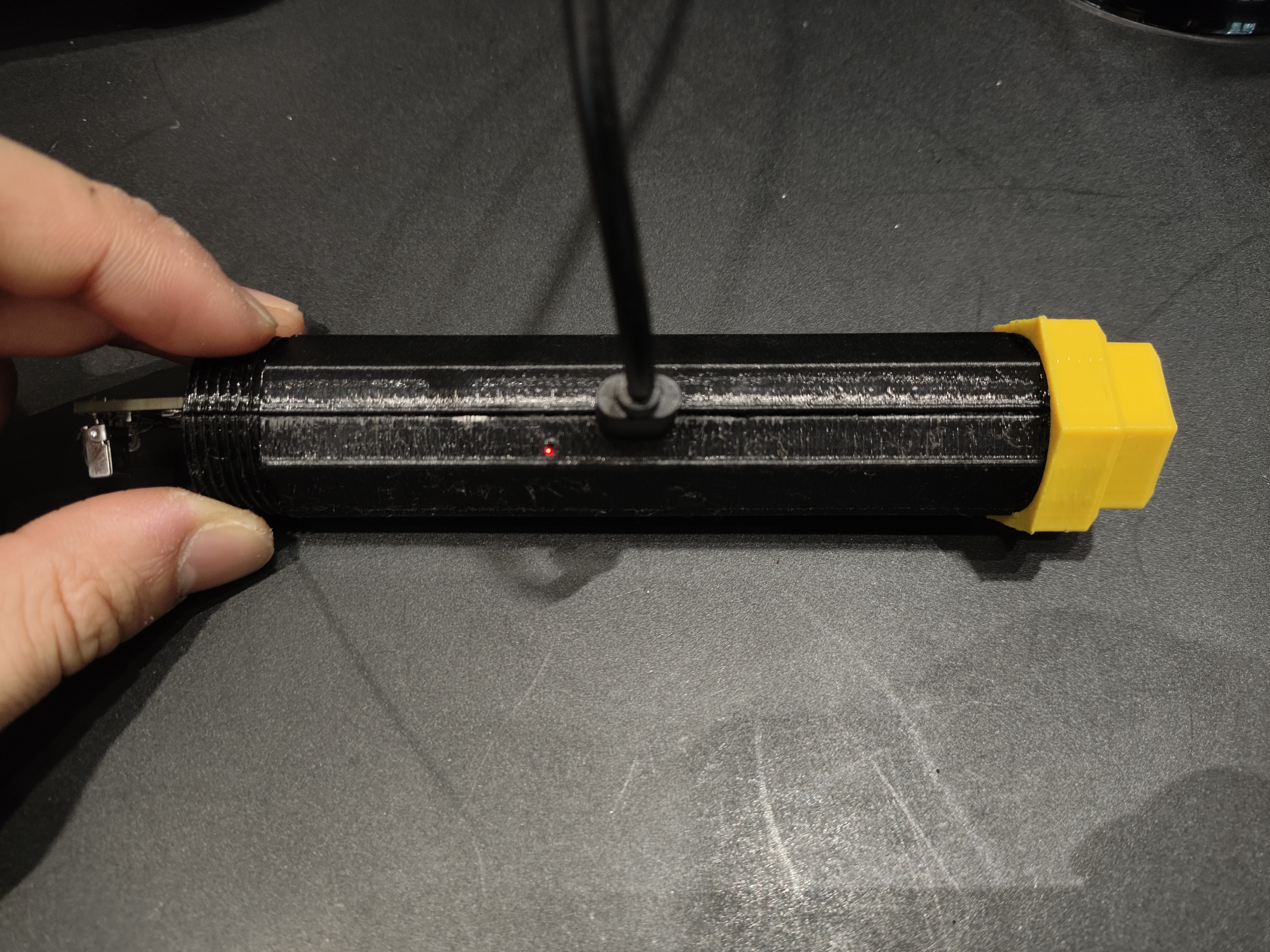
  The Type-C port can be used for charging and serial port debugging. The red light is on when charging, and the green light is on when fully charged
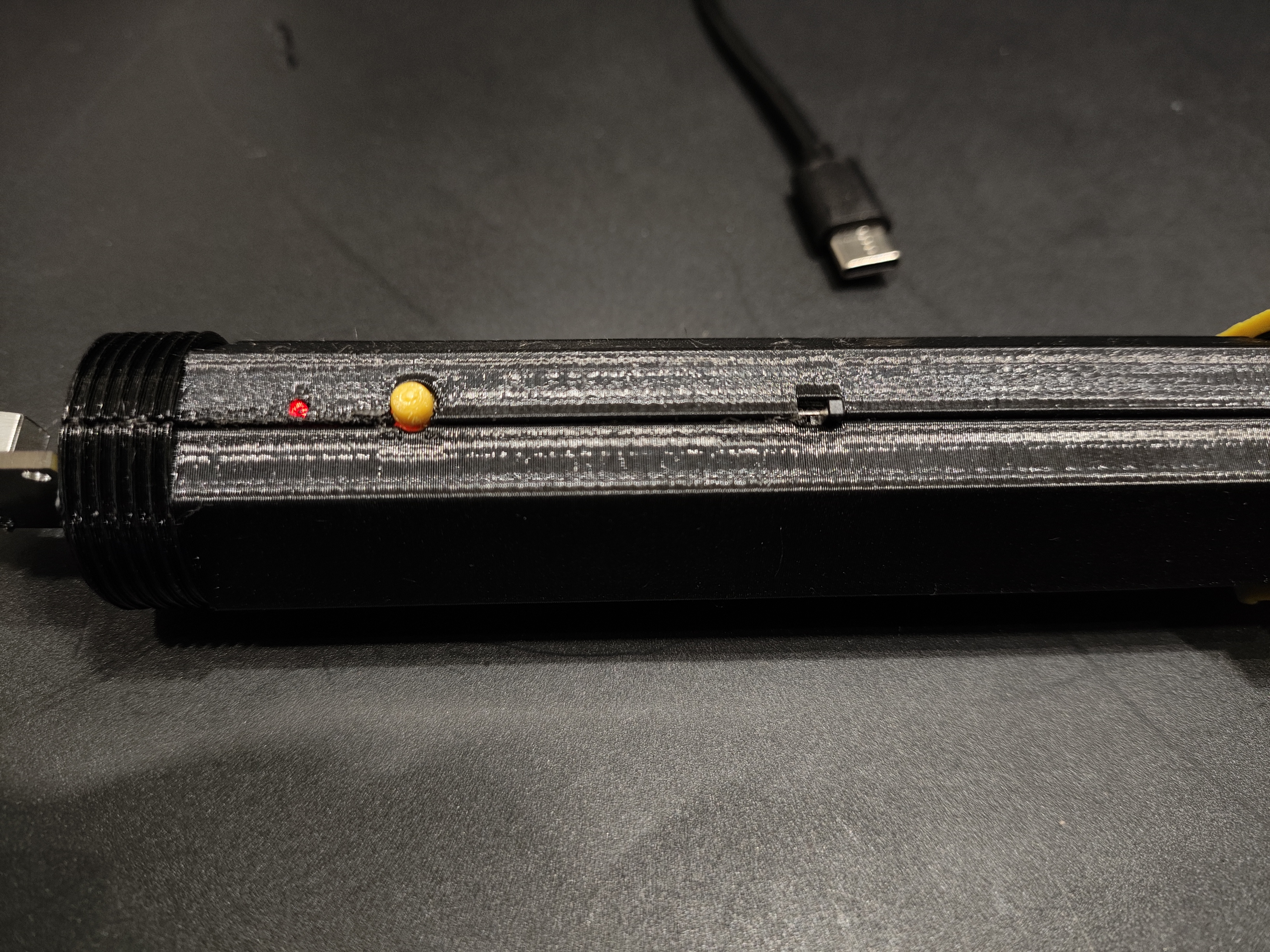
  . From left to right: status indicator, interactive button, power switch
  Project Function Introduction







 京公网安备 11010802033920号


 ECOS2TA101EL



