3g8R7OWa

RF Debugging Assistant

 
Overview
This open-source project is for learning and reference only. Please do not use it for commercial or illegal purposes. If you do not agree to these terms, please close this page.
Current version 1.0V
: 1. Buzzer changed to passive version
. 2. Added transmit/receive indicator lights.
3. Download method changed to USB to reduce component costs.
Project Introduction:
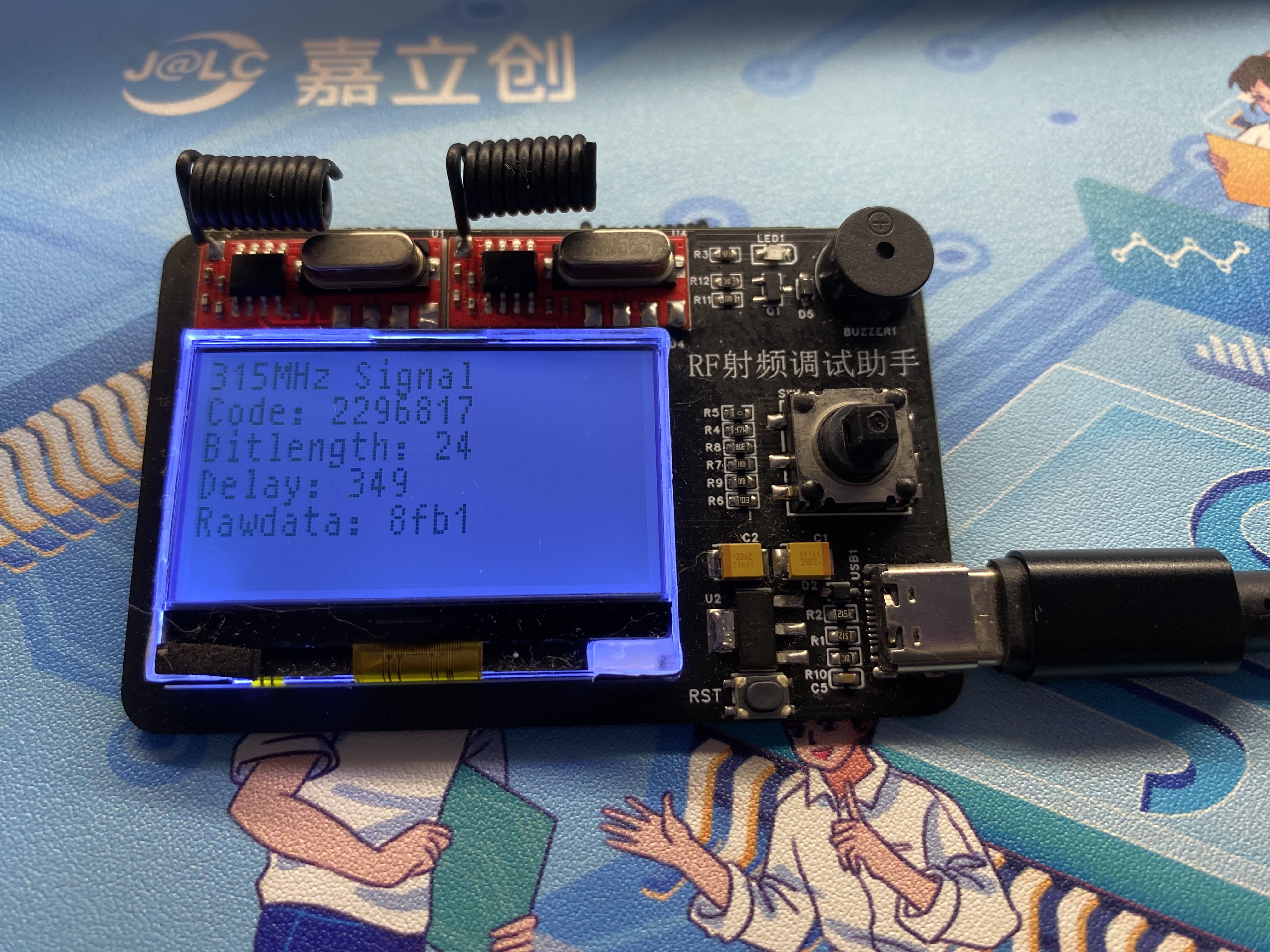
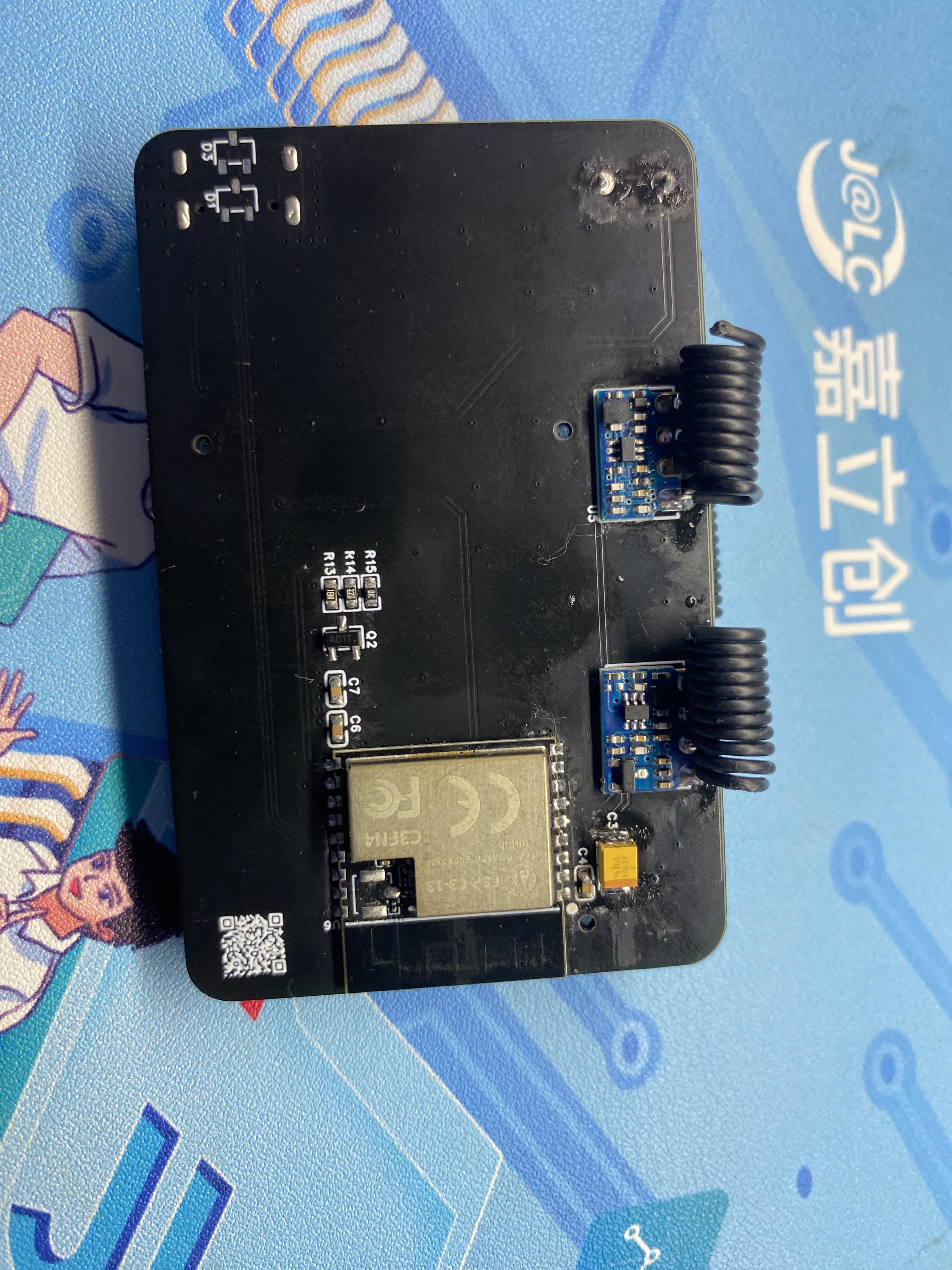
1. This open-source RF debugging assistant uses the ESP32-C3 as the main controller, acquiring 433MHz and 315MHz RF signals. It has onboard transmit and receive functions and is equipped with a low-power LCD screen and buzzer for debugging and verifying RF products. It is compact and portable.
Features:

USB download method for one-click download and debugging.
Low-power LCD screen for greater durability.
Dual-band transmit and receive, strong compatibility.
Five-way button supports menu and parameter settings and saving.

Instructions for Use:
1. After plugging in the power, the RF assistant will display a startup screen. After startup, it defaults to receiving mode. When it receives any 433MHz or 315MHz frequency band signal and displays it on the LCD screen, the screen mainly displays the source of the frequency band, data values, and other common RF parameters.
2. The menu button can be accessed via a five-way switch to select functions for RF product debugging.
3. USB powered, simple and convenient, plug and play; it can be powered by a charger plug or a power bank's USB plug. A battery expansion board can be designed for use if needed.
Physical Demonstration
Precautions:
1. When soldering, please pay attention to the soldering sequence to ensure correct power supply and avoid burning out subsequent circuits! The soldering sequence should follow the principle of from shortest to smallest, and from inside to outside.
2. The circuit has been verified. Solder according to the component parameters in the schematic diagram. It is recommended to solder the main controller first, as it is more difficult to solder; a heated soldering station is recommended
. 3. When using board cleaning fluid, be careful not to touch the buttons, as corrosion will make them difficult to use.
4. It is recommended to use the schematic diagram parameters; the BOM contains errors.
Acknowledgements:
Thank you for your patience in reading. Given my limited technical skills, if there are any omissions or errors, please provide valuable feedback.
参考设计图片
×
 
 
Search Datasheet?

Supported by EEWorld Datasheet

Forum More
Update:2026-03-28 05:52:51

EEWorld
subscription
account

EEWorld
service
account

Automotive
development
community

Robot
development
community

About Us Customer Service Contact Information Datasheet Sitemap LatestNews



Room 1530, 15th Floor, Building B, No.18 Zhongguancun Street, Haidian District, Beijing, Postal Code: 100190 China Telephone: 008610 8235 0740

Copyright © 2005-2024 EEWORLD.com.cn, Inc. All rights reserved 京ICP证060456号 京ICP备10001474号-1 电信业务审批[2006]字第258号函 京公网安备 11010802033920号




