This project describes
a video ambient lighting control system. It controls the color of the LED strip on the TV bezel based on the color of the edges of the video signal, creating a smooth visual transition and an atmosphere where the video content blends seamlessly with the surrounding environment.
Currently, commercially available systems primarily use Philips' Ambilight series TVs and the Hue system. Common open-source projects often involve complex software installations via Raspberry Pi or PC, requiring numerous configuration steps and hardware conversions. Their core principle involves capturing video streams from the network, analyzing and calculating the stream, extracting color information, and finally controlling programmable LEDs via GPIO ports or USB-to-serial adapters. This project's advantage lies in its simple device—requiring only a single controller for plug-and-play operation. The former approach has obvious drawbacks: complex hardware and software configurations, and the sequential processing of the software inevitably leads to a lag between the ambient light color and the video signal generation. This system, implemented using FPGA pure hardware circuitry, eliminates the delay caused by sequential software execution, resulting in a more seamless video ambient lighting experience. The project
is licensed
under the CERN Open Hardware License. Key
features include:
1) Integration of an HDMI 1-to-2 splitter controller, supporting mainstream 1080p and 4K@60Hz refresh rates;
2) Simultaneous support for 8 different LED strip configurations, controllable individually or in a splicing configuration;
3) Standard DC interface or stud terminal block wiring, 5-15V power input, compatible with WS2812 or WS2815 series LED strips;
4) Direct control of LED configuration via WeChat mini-program, adaptable to various application scenarios.
Project attributes:
This is the first public release of this project. It is an original project by the author and has not won any awards in other competitions.
Project Progress
2024-02-18 Design concept document complete
2024-02-22 Hardware engineering design in progress
2024-02-28 PCB completed, surface mount production
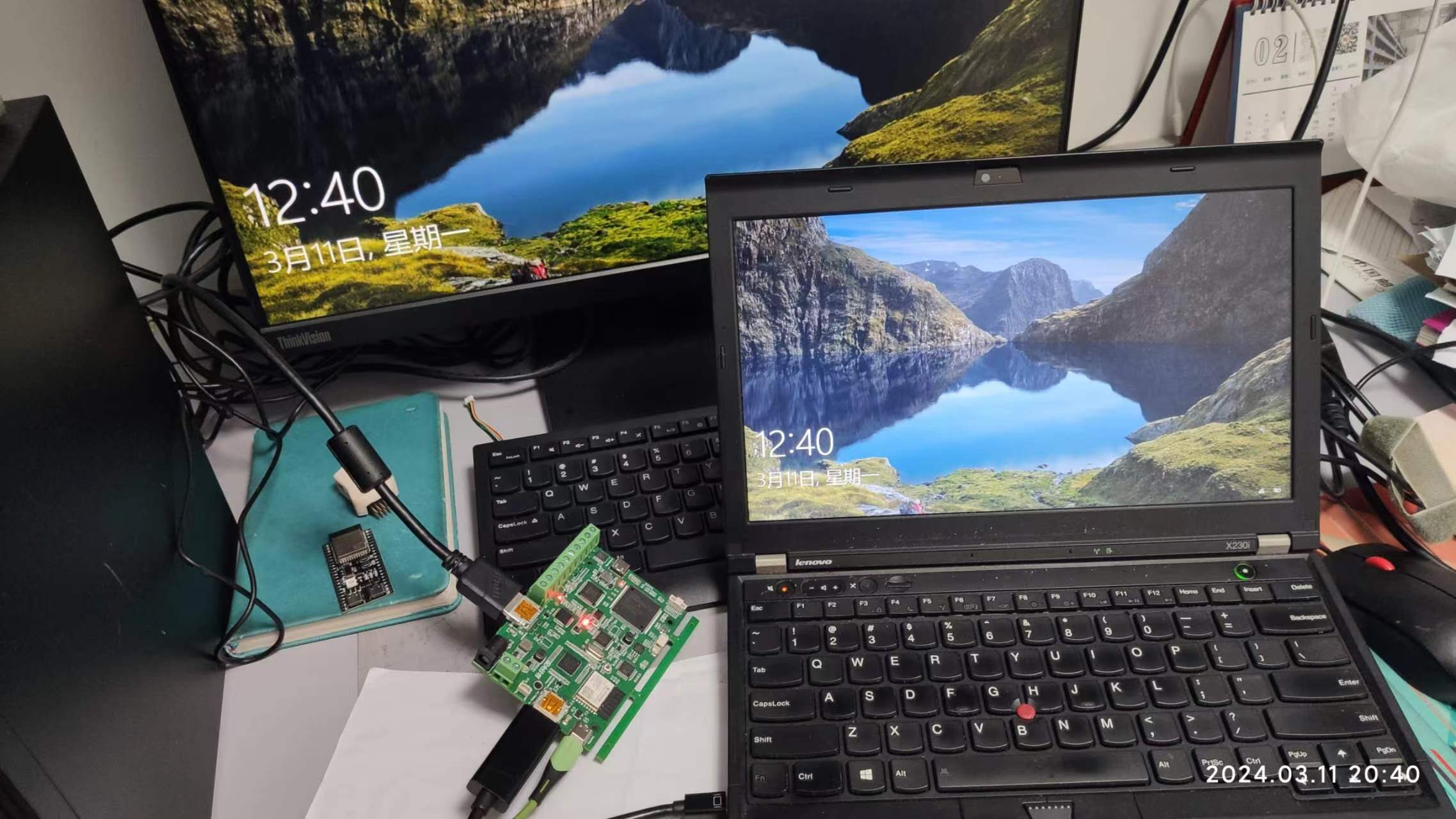
2024-03-15 Basic function debugging completed, can control light strip changes following video
2024-03-20 3D shell and sticker design completed
Design Principles
Hardware System Overall Design Block Diagram
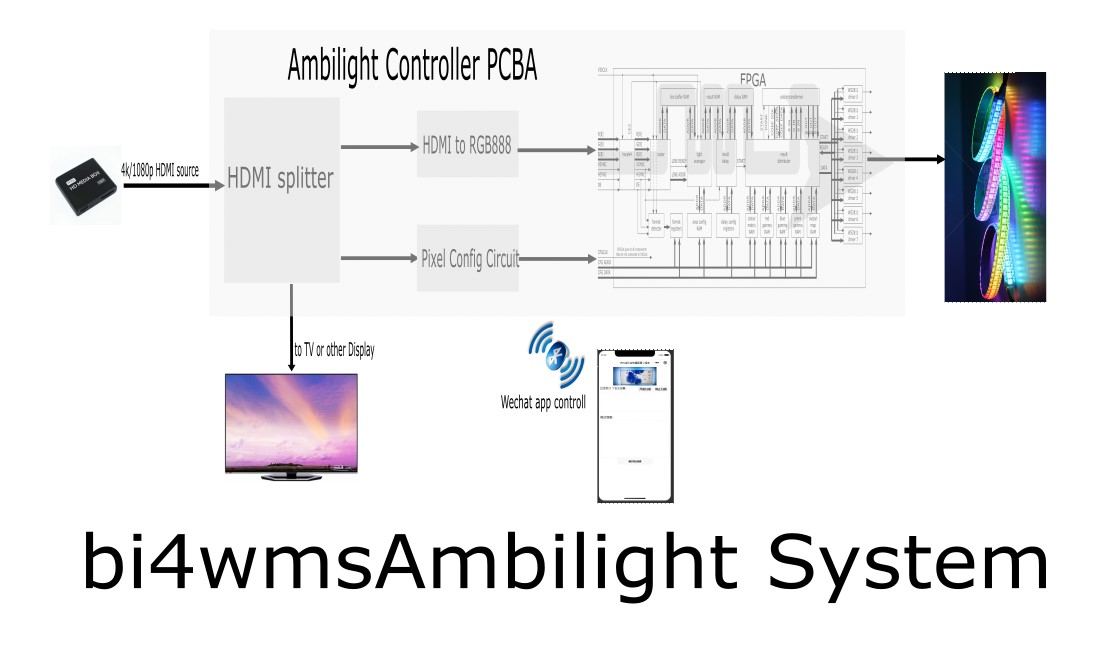
Software Description
The software part is mainly divided into two parts
: 1. FPGA processing code, which references the open-source project https://github.com/esar/hdmilight-v2
2. LED scene configuration code, divided into controller configuration code and WeChat mini-program user interaction setting code.
The FPGA module interacts with the outside world through serial port commands. Several important serial port interface commands are referenced as follows:
Set Area -------- SA index xmin xmax ymin ymax divshift* index (0-255): The index or range of indices of the area definition(s) that should be set* xmin (0-63): The left most column of the area's rectangle* xmax (0-63): The right most column of the area's rectangle* ymin (0-63): The upper row of the area's rectangle* ymax (0-63): The lower row of the area's rectangle* divshift (0-): The number of places to right-shift the accumulated R, G and B value for the area, or in other words the divisor used to calculate the average * 1 = divide by 2 * 2 = divide by 4 * 3 = divide by 8 * etc.
Get Output Map-------------------------- GO output light* output (0-7): The index or indices of the output channels whose mapping should be retrieved* light (0-511): The index or indices of the LED(s) whose mapping should be retrieved
Set Output Map-------------------------- SO output light area color gamma enable* output (0-7): The index or indices of the output channels whose mapping should be set* light (0-511): The index or indices of the LED(s) whose mapping should be set* area (0-255): The index of the area definition that the LED(s) should use* color (0-15): The index of the color matrix that the LED(s) should use* gamma (0-7): The index of the gamma table that the LED(s) should use* enable (0-1): * 1 = enabled * 0 = disabled
Key code for interaction between MCU and FPGA on the controller board
void SetLightToFrame(int LightNO, uint16_t yLEFT, uint16_t xUP, uint16_t yRIGHT, uint16_t xDOWN){
for (int i = 0; i { setOutput(LightNO, i, map(i, 0, yLEFT - 1, 32, 0))); }
for (int i = yLEFT; i { setOutput(LightNO, i, map(i, yLEFT, yLEFT + xUP - 1, 33, 92)); }
for (int i = yLEFT + xUP; i { setOutput(LightNO, i, map(i, yLEFT + xUP, yLEFT + xUP + yRIGHT - 1, 93, 125)); }
for (int i = yLEFT + xUP + yRIGHT; i { setOutput(LightNO, i, map(i, yLEFT + xUP + yRIGHT, yLEFT + xUP + yRIGHT + xDOWN - 1, 185, 126)); }}
Key code for interaction between the MCU and WeChat mini-program on the controller board
// Create the BLE Device BLEDevice::init("Radiant Controller");
// Create the BLE Server pServer = BLEDevice::createServer(); pServer->setCallbacks(new MyServerCallbacks());
// Create the BLE Service BLEService *pService = pServer->createService(SERVICE_UUID);
// Create a BLE Characteristic pTxCharacteristic = pService->createCharacteristic( CHARACTERISTIC_UUID_TX, BLECharacteristic::PROPERTY_NOTIFY );
pTxCharacteristic->addDescriptor(new BLE2902());
BLECharacteristic * pRxCharacteristic = pService->createCharacteristic( CHARACTERISTIC_UUID_RX, BLECharacteristic::PROPERTY_WRITE );
pRxCharacteristic->setCallbacks(new MyCallbacks());
// Start the service pService->start();
// Start advertising pServer->getAdvertising()->start();
Key code for interaction between WeChat applet and onboard MCU
//index.js
//Get application instance
const app = getApp()
function inArray(arr, key, val) {
for (let i = 0; i
if (arr[i][key] === val) {
return i;
}
}
return -1;
}
// Example of converting ArrayBuffer to hexadecimal string
function ab2hex(buffer) {
var hexArr = Array.prototype.map.call(
new Uint8Array(buffer),
function (bit) {
return ('00' + bit.toString(16)).slice(-2)
}
)
return hexArr.join('');
}
// ASCII code to hexadecimal
function strToHexCharCode(str) {
if (str === "") {
return "";
} else {
var hexCharCode = [];
hexCharCode.push("0x");
for (var i = 0; i
hexCharCode.push((str.charCodeAt(i)).toString(16));
}
return hexCharCode.join("");
}
}
// String to byte
function stringToBytes(str) {
var array = new Uint8Array(str.length);
for (var i = 0, l = str.length; i
array[i] = str.charCodeAt(i);
}
console.log(array);
return array.buffer;
}
Page({
data: {
devices:[],
connected: false,
chs: [],
sendData:"",
logs: [],
dataType: true,//false: HEX type,true: ASCII type
},
printLog:function(log) {
var logs = this.data.logs;
logs.push(log);
this.setData({log_list: logs.join('
')})
},
printInfo:function(info) {
wx.showToast({
title: info,
icon: 'none',
duration: 1200,
mask: true
})
},
// Start device discovery function
startBluetoothDevicesDiscovery() {
if(this._discoveryStarted) {
this.printLog("Discovering devices...")
return
}
this._discoveryStarted = true
wx.startBluetoothDevicesDiscovery({
allowDuplicatesKey: true,
success: (res) => {
this.printLog("Starting to discover devices...")
this.onBluetoothDeviceFound()
},
})
},
// Stop device discovery function
stopBluetoothDevicesDiscovery() {
this.printLog('Stop discovering devices')
this._discoveryStarted = false
wx.stopBluetoothDevicesDiscovery()
},
// Finding devices
onBluetoothDeviceFound() {
this.printLog('Discovering devices...')
wx.onBluetoothDeviceFound((res) => {
res.devices.forEach(device => {
if (!device.name && !device.localName) {
return
}
const foundDevices = this.data.devices
const idx = inArray(foundDevices, 'deviceId', device.deviceId)
const data = {}
if (idx === -1) {
data[`devices[${foundDevices.length}]`] = device
} else {
data[`devices[${idx}]`] = device
}
this.setData(data)
})
})
},
// Creating a connection
bindcreateBLEConnection(e) {
const ds = e.currentTarget.dataset
const deviceId = ds.deviceId
const name = ds.name
this.printLog("Starting to connect to device [" + name + "]")
wx.createBLEConnection({
deviceId,
success: (res) => {
this.setData({
connected: true,
name,
deviceId, }) this.getBLEDeviceServices(deviceId) } }) // this.stopBluetoothDevicesDiscovery() }, // Disconnect closeBLEConnection () { this.printLog("Disconnected") this.printInfo("Successfully disconnected device") wx.closeBLEConnection({ deviceId: this.data.setData({ connected: true, name, deviceId,
} )
this.getBLEDeviceServices (deviceId) } }) // this.stopBluetoothDevicesDiscovery() }, // Disconnect closeBLEConnection() { this.printLog("Disconnected") this.printInfo("Successfully disconnected device") wx.closeBLEConnection({ deviceId: this.data.setData ({ connected: true, name, deviceId, }) } }deviceId }) this.setData({
devices: [],
connected: false,
chs: [],
canWrite: false,
})
},
// Get the service of the device to connect to
getBLEDeviceServices(deviceId) {
this.printLog("Get device service: " + deviceId)
wx.getBLEDeviceServices({
deviceId,
success: (res) => {
for (let i = 0; i
if (res.services[i].isPrimary) {
this.getBLEDeviceCharacteristics(deviceId, res.services[i].uuid)
return
}
}
}
})
},
// Get the properties of the device to connect to
getBLEDeviceCharacteristics(deviceId, serviceId) {
this.printLog('Start getting device properties: ' + deviceId + serviceId)
wx.getBLEDeviceCharacteristics({
deviceId,
serviceId,
success: (res) => {
this.printLog('Successfully obtained device properties')
for (let i = 0; i
let item = res.characteristics[i]
if (item.properties.read) {
wx.readBLECharacteristicValue({
deviceId,
serviceId,
characteristicId: item.uuid,
})
}
if (item.properties.write) {
this.setData({
canWrite: true
})
this._deviceId = deviceId
this._serviceId = serviceId
this._characteristicId = item.uuid
// this.writeBLECharacteristicValue()
}
if (item.properties.notify || item.properties.indicate) {
wx.notifyBLECharacteristicValueChange({
deviceId,
serviceId,
characteristicId: item.uuid,
state: true,
})
}
}
},
fail(res) {
this.printLog('Device attribute acquisition failed')
}
})
// Listen before performing the operation to ensure data is obtained as soon as possible
wx.onBLECharacteristicValueChange((characteristic) => {
const idx = inArray(this.data.chs, 'uuid', characteristic.characteristicId)
const data = {}
if (idx === -1) {
data[`chs[${this.data.chs.length}]`] = {
uuid: characteristic.characteristicId,
value: ab2hex(characteristic.value)
}
} else {
data[`chs[${idx}]`] = {
uuid: characteristic.characteristicId,
value: ab2hex(characteristic.value)
}
}
data[`chs[${this.data.chs.length}]`] = {
uuid: characteristic.characteristicId,
value: ab2hex(characteristic.value)
}
this.setData(data)
})
},
writeBLECharacteristicValue() {
// Send a 0x00 hexadecimal data to the Bluetooth device
// let buffer = new ArrayBuffer(1)
// let dataView = new DataView(buffer)
// dataView.setUint8(0, Math.random() * 255 | 0)
var that = this;
if(this.data.dataType)
{
var buffer = stringToBytes(this.data.sendData)
that.printLog("Sent data: " + this.data.sendData)
console.log("ascii")
}
else
{
// var buffer = strToHexCharCode("rice")
// this.printLog("16: " + buffer)
console.log("hex")
}
wx.writeBLECharacteristicValue({
deviceId: this._deviceId,
serviceId: this._serviceId,
characteristicId: this._characteristicId,
value: buffer,
success (res) {
// that.printLog("Sent data: " + that.data.sendData)
// that.printLog("Sent data successfully");
},
fail (res) {
that.printLog("Sent data failed")
}
})
},
// Get data from the write control
bindWriteData (e) {
this.setData({
sendData: e.detail.value
})
},
// Select the data type to send
dataTypeSelect(e) {
var that = this
if(e.detail.value == "hex")
{
that.data.dataType = false
that.printLog("dataType: HEX")
}
else
{
that.data.dataType = true
that.printLog("dataType: ASCII")
} }
,
// Start scanning button
openBluetoothAdapter() {
this.printLog("Bluetooth adapter started...");
this.setData({
devices: [],
connected: false,
chs: [],
canWrite: false,
})
wx.openBluetoothAdapter({
success: (res) => {
this.printLog("Bluetooth started successfully, starting to discover devices");
this.startBluetoothDevicesDiscovery()
},
fail: (res) => {
this.printInfo("Please turn on Bluetooth first")
if (res.errCode === 10001) {
wx.onBluetoothAdapterStateChange(function (res) {
if (res.available) {
this.printLog("Bluetooth started successfully, starting to discover devices");
this.startBluetoothDevicesDiscovery()
}
})
}
}
})
},
// Stop scanning button
closeBluetoothAdapter() {
this.printLog("Scanning stopped");
wx.closeBluetoothAdapter()
this.stopBluetoothDevicesDiscovery()
this._discoveryStarted = false
},
onLoad: function () {
this.printInfo("Welcome to the Radiant Controller Configuration Mini Program");
},
})
2. Note: Software can be nested using code blocks. Explanation of all software components is unnecessary; only the essential parts need to be explained . A complete product
demonstration of
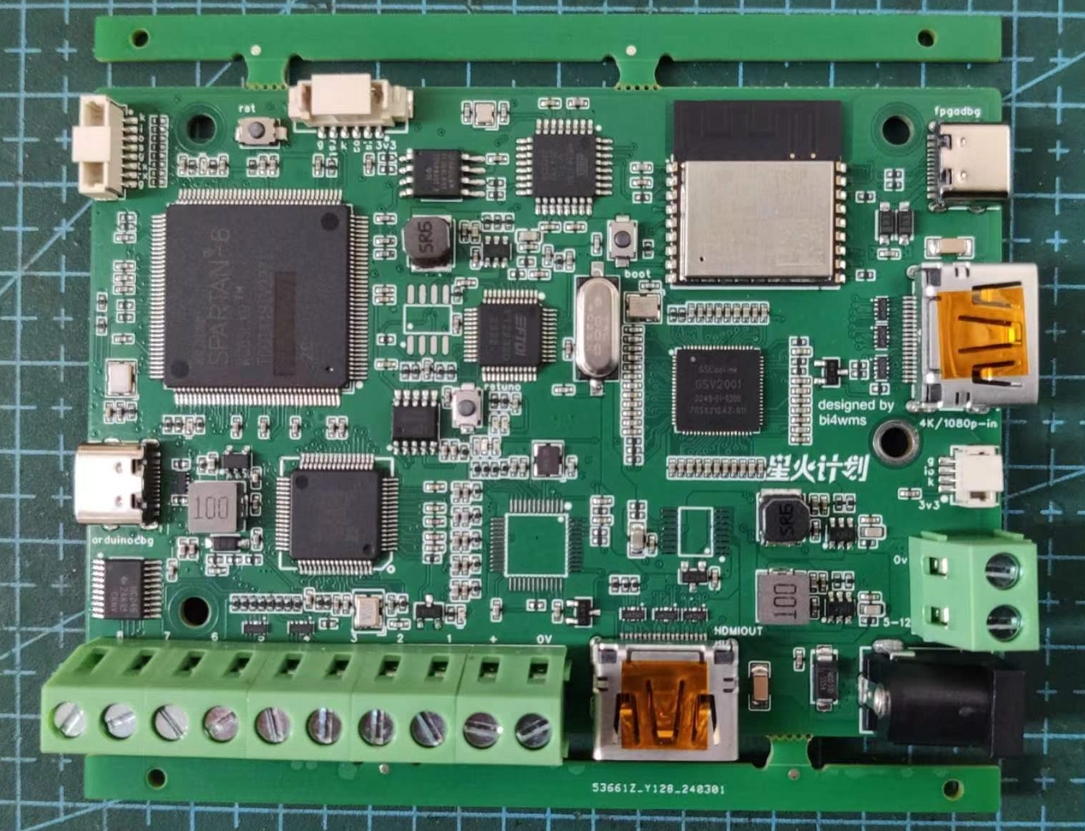
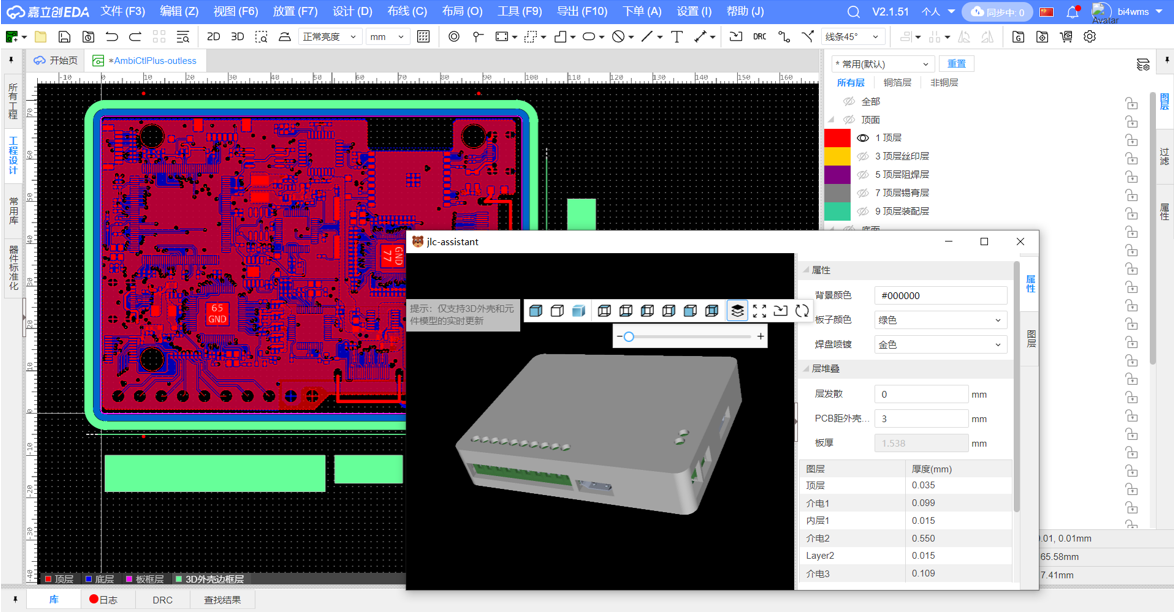
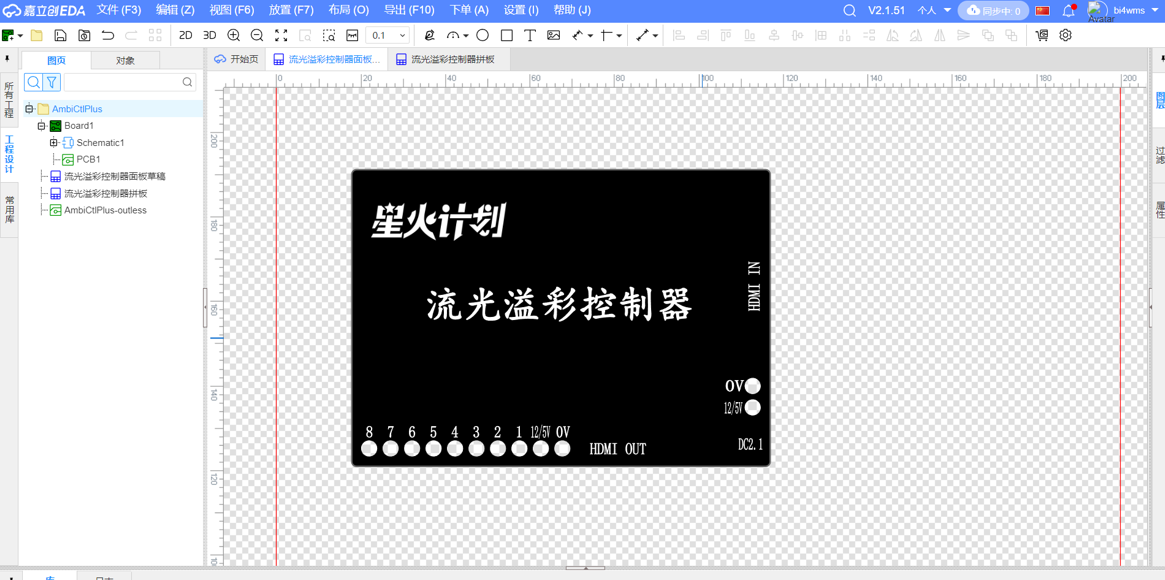
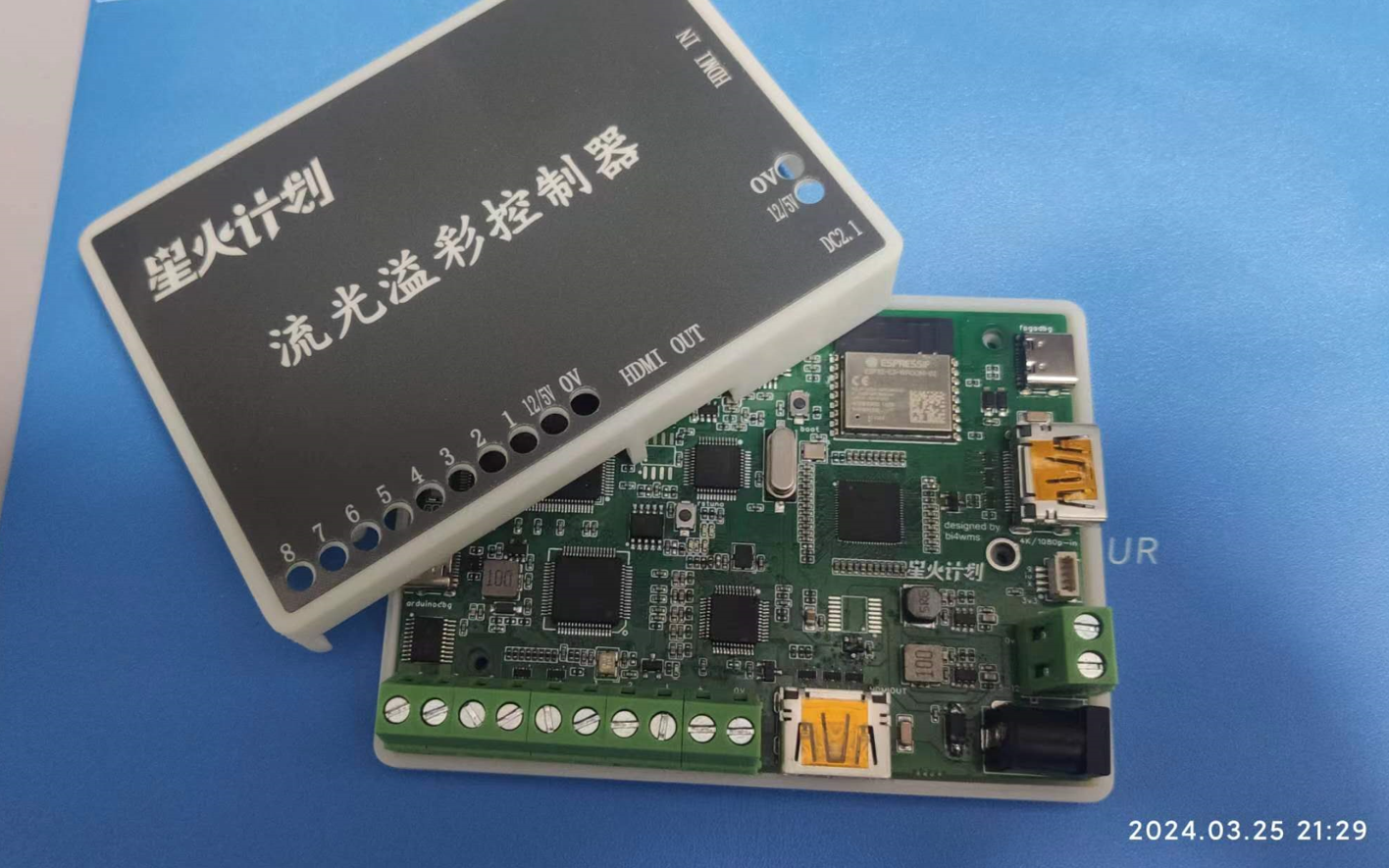
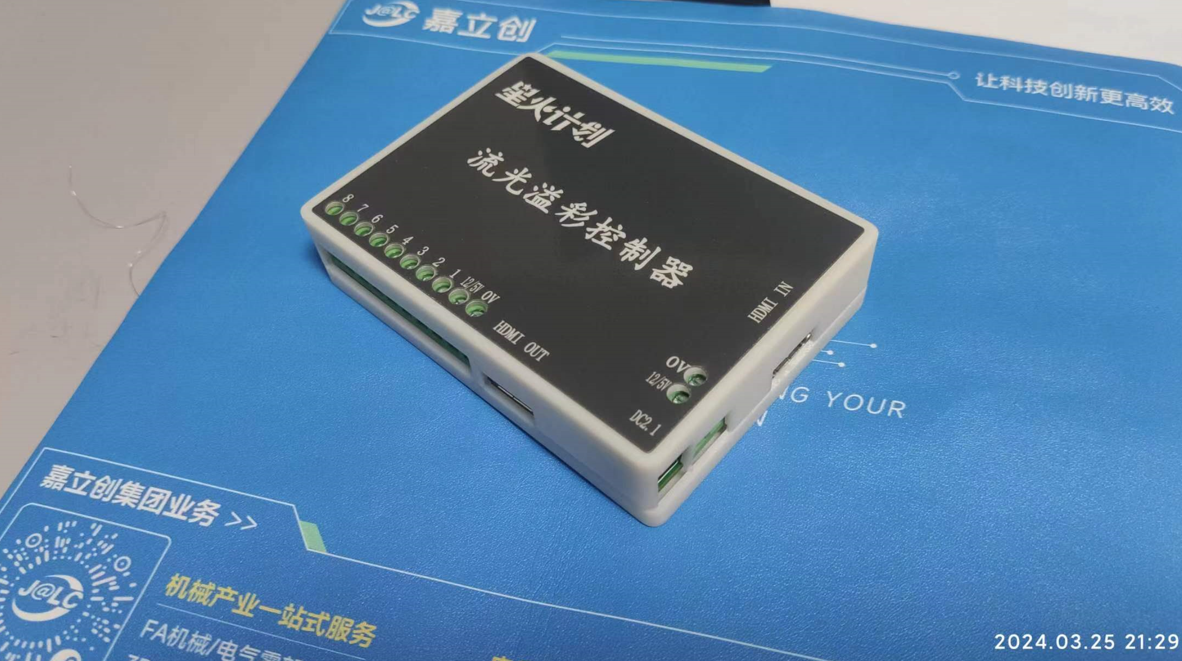
the HDMI 1-to-2 splitter function is required . A 3D shell design is necessary, which is relatively simple and can be done directly using LCSC EDA . In addition to the shell, a silkscreen panel is also required . Shell and silkscreen design considerations are also important. Note: This section outlines some important considerations during the production process (optional). Other demonstration videos: Upload demonstration videos as attachments. Attachments can be uploaded to a maximum of 50MB. Files larger than 50MB can be hosted on other cloud storage or video websites; simply include the link here. Project attachments: Entries participating in the event must upload all relevant program attachments to an open-source platform or personal code storage cloud. Attachments can be uploaded to a maximum of 50MB (do not upload to the LCSC workspace, as there are limitations).








 京公网安备 11010802033920号


 2SD1547



