[THKB] TouHou Keyboard: An affordable, low-latency customizable keyboard

. THKB is a customizable keyboard designed with affordability and low latency in mind. It supports full-key rollover, full-key customization, key combinations, three free key layers, ultra-low adjustable latency, and power-off memory retention. It supports modifying key values and latency on a host computer and includes testing tools and a user guide.
Mechanical switches support adjustable latency (minimum 20µs, maximum 50ms), while tactile switches have a 20ms latency. The host computer only supports Windows systems.
To download the host computer, please click on the distribution and select the latest version.
This Git project repository contains THKB's lower-level firmware, host computer software, PCB Gerber files, CAD design files, 3D models, and related documents.
For more information, please visit the Git project repository, which includes THKB's lower-level firmware, upper-level software, PCB Gerber files, CAD design files, 3D models, and related documents. Link: [THKB] TouHou Keyboard A cheap, low-latency custom keyboard~~~~
This project is licensed under the MIT open-source license, and you are free to download, clone, or fork this project for any purpose. If you intend to use this for commercial mass production, I would appreciate it if you could send me a sample. My contact email is 2401977049@qq.com.
I. Update Notes
2023.9.1 Update: Added a Type-C interface, eliminated redundant resistors in the circuit design, changed the PCB satellite axis to a steel plate satellite axis, and allowed the original 2U area to be replaced with two 1U buttons. Added several comments to the code.
2023.7.24 Update: First official release of the project, fixed some bugs in the test version.
2023.7.25 Update: Fixed the issue of the upper computer v0.1.0 window not displaying.
II. Project File Description
Firmware -v0.2.0
|-- THKB_fw Uses Keil5 C51 with the VS Code Keil Assistant plugin for writing.
|-- The THKB_fw.hex file in the Obj folder is the generated hex file, which can be used directly for downloading. Pulling down the P3.6 pin with a 20K resistor will enter ISP download mode. For download methods, please refer to the Qinheng official
Software -v0.2.0.
|-- THKB_host_software Host computer program, written in C#, using the .NET Framework 3.5 framework and WinForms. Developed using Visual Studio.
|-- fonts Contains fonts required for the host computer
. |-- pic Some image assets used in the host computer.
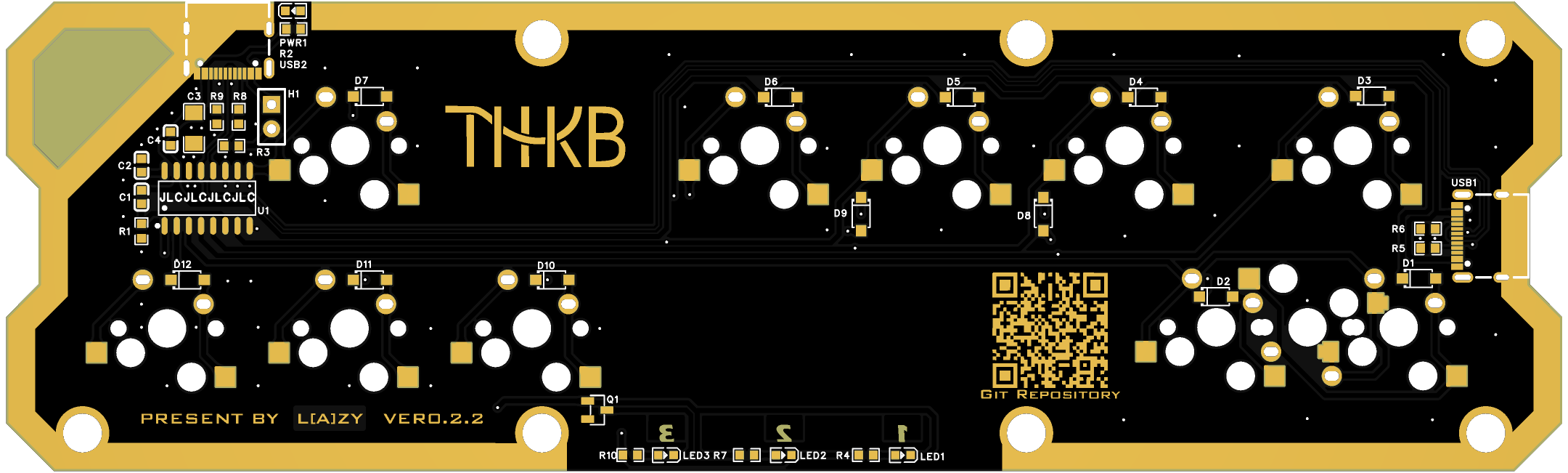
Hardware - v0.2.2
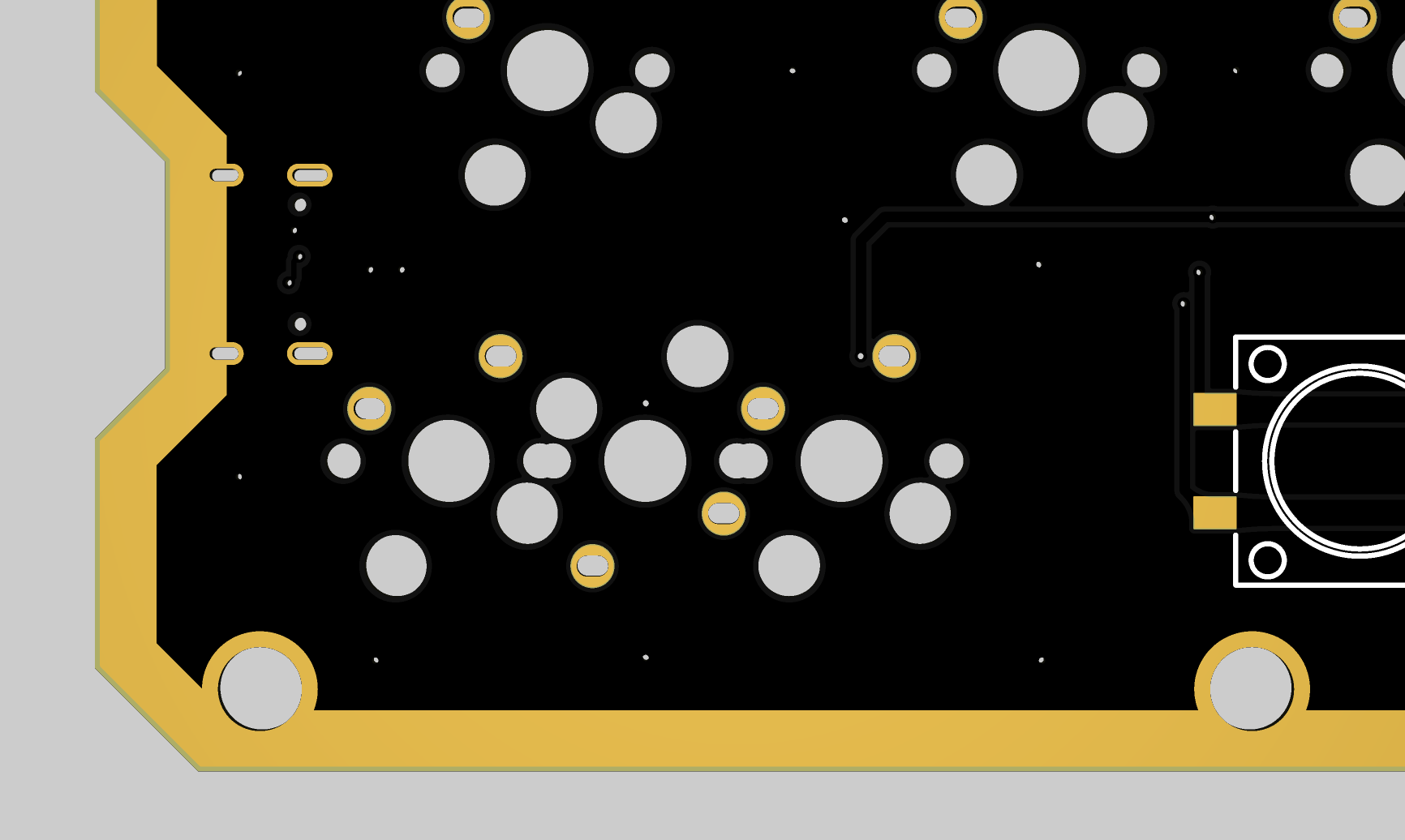
|-- pcb Contains PCB Gerber files, design files: THKB_main_v0.1.3 - JLCPCB EDA Open Source Hardware Platform (oshwhub.com)
|-- bom Bill of Materials and purchasing links
. CADs - v0.2.0
Contains CAD files for the top plate, bottom plate, and raised plate.
3D_Models - v0.2.0
3D models, containing parts and assemblies. This document, including the
Docs
logo, documents, renderings, and related documentation, was designed using Solidworks 2022. It is a
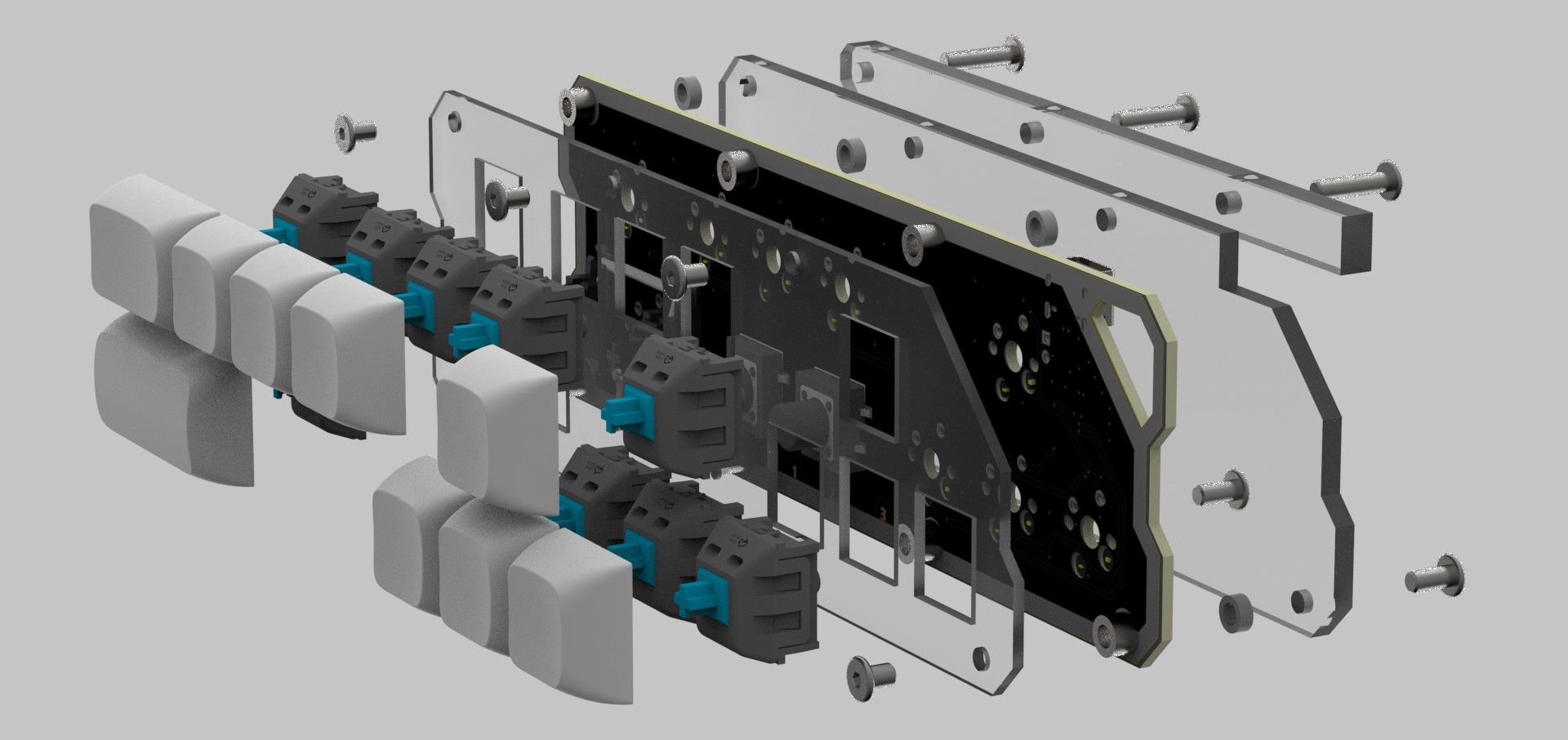
legacy version of the software firmware and is no longer maintained. III. Hardware Architecture Description 2.1 Design Concept To implement a low-cost design, all components and structures were cost-cutting while ensuring stability and usability. The keyboard has two tactile switches, supporting up to ten or even nine switches. The PCB supports both hot-swapping and soldering, allowing for adjustments based on application. The keyboard can be configured with nine 1U switches and one 1.5U switch, or seven 1U switches, one 1.5U switch, or one 2U switch. 2.2 Structural Design The keyboard tilt angle is approximately 6°. To save costs, the keyboard uses a sandwich structure, consisting of a 2mm acrylic top plate, an FR-4 fiberglass PCB, a 3mm acrylic bottom plate, and a 5mm acrylic support plate, all secured with M3 hex screws. For added stability, SMT studs are used to fix the keyboard to the PCB, making it non-removable. The top surface uses 4mm screws, while the bottom surface is secured with 8mm and 12mm screws respectively. A 2mm high through-hole post is used at the bottom to prevent the base plate from contacting components. Sandwich pads, under-switch pads, and other accessories can be added to improve the feel. The keyboard uses standard Cherry MX switches and PCB 2u stabilizers. It is recommended to use DSA, XDA, original, or OEM keycaps with lower profiles. 2.3 Chip Selection The CH551 51 microcontroller from Nanjing Qinheng was chosen. Priced at only one yuan, it supports USB FS 2.0, 128B DataFlash, and a 24MHz clock speed, making it ideal as the main control MCU for this project. The minimalist peripheral component design requires only a few resistors and capacitors, allowing for a minimal system setup. Furthermore, 51-core microcontrollers are generally robust and can withstand everyday static electricity. This enhanced robustness allows for more sophisticated PCB designs, such as exposing the tinned copper and drawing patterns. IV. Firmware Design The key scanning method is a traditional matrix scan, scanning from row to column. The keyboard consists of two rows and six columns, with a total of 12 keys. It uses the traditional 8051 mode, employing built-in pull-up resistors. Before scanning, the corresponding register is set to 1 to enable input functionality, and a 1N4148 is used to prevent crosstalk. All operations related to the host computer and USB interrupts are handled in the USB terminal service function. /*! * @brief Initialize keyboard * @param None * @return None */ void keyboard_init(void) { Port3Cfg(1,2);//R0 push-pull output Port1Cfg(1,4);//R1 push-pull output Port1Cfg(3,5);//C0 quasi -bidirectional input Port1Cfg(3,6);//C1 quasi-bidirectional input Port1Cfg(3,7);//C2 quasi-bidirectional input Port3Cfg(3,1);//C3 quasi-bidirectional input Port3Cfg(3,0);//C4 quasi-bidirectional input Port1Cfg(3,1);//C5 quasi-bidirectional input Port3Cfg(3,1);//C5 quasi-bidirectional input Port3Cfg(3,0);//C4 quasi-bidirectional input Port1Cfg(3,1);//C5 quasi-bidirectional input Port3Cfg(3,1);//C2 quasi-bidirectional input Port3Cfg(3,1);//C3 quasi-bidirectional input Port3Cfg(3,0);//C4 quasi-bidirectional input Port1Cfg(3,1);//C5 quasi-bidirectional input Port3Cfg(3,1);//C5 quasi-bidirectional input Port3Cfg(3,1);//C2 ...
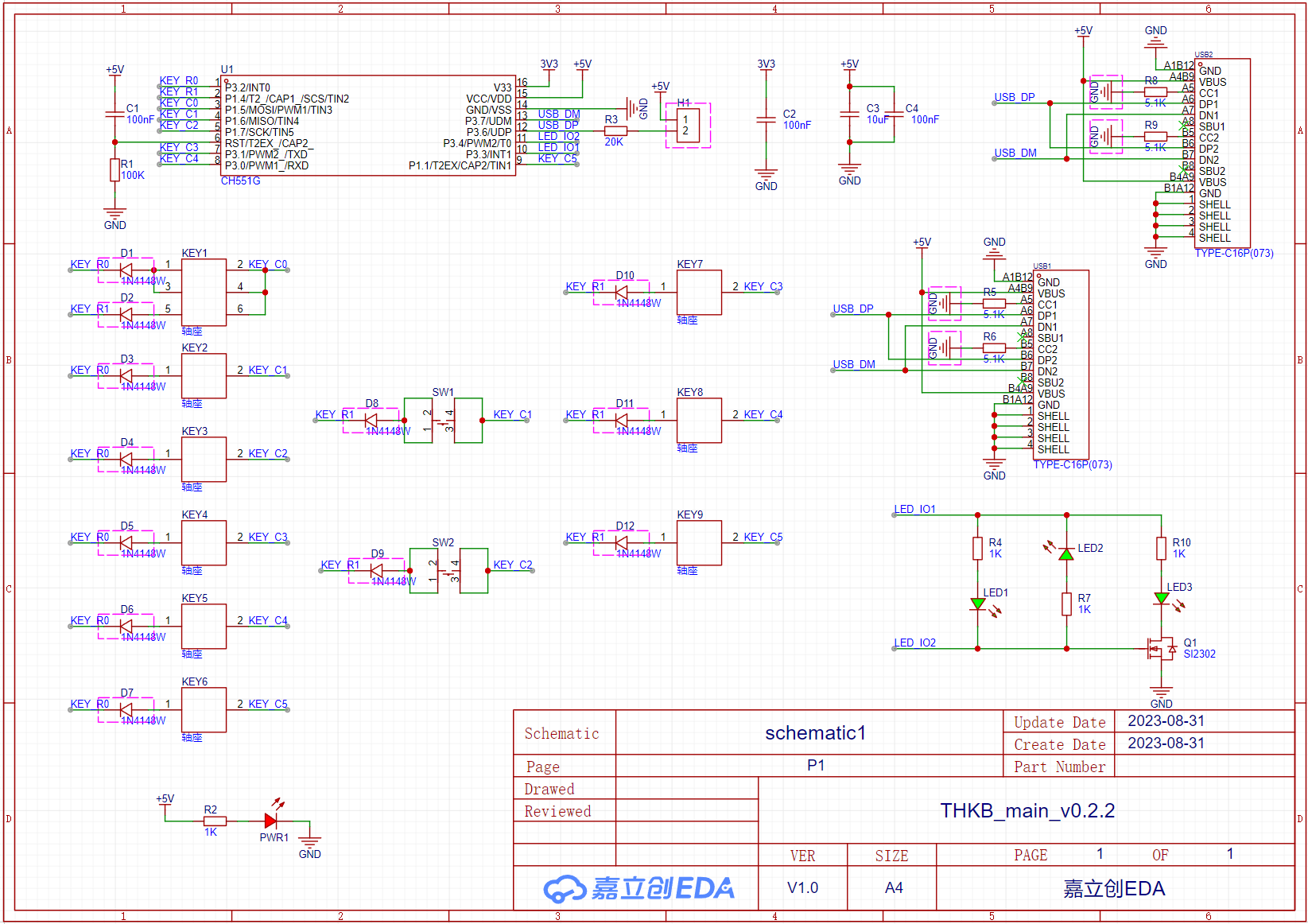
//8051 quasi-bidirectional mode, when IO is used as an output, it must be set to 1 first, otherwise the output will be low level.
IO_KEY_C0 =
1;
IO_KEY_C1 = 1;
IO_KEY_C2 = 1;
IO_KEY_C4 = 1; IO_KEY_C5 = 1;
memset(Keyboard_ScanBuf,0,KEY_NUM);//Initialize scan result
memset(Old_ScanBuf,0,KEY_NUM);//Initialize the previous scan result
memset(Layer_Keymap[1],0,KEYMAP_LEN);//Initialize key value
memset(Layer_Keymap[2],0,KEYMAP_LEN);//Initialize key value
memset(Layer_Keymap[3],0,KEYMAP_LEN);//Initialize key value
memcpy(Layer_Keymap[0],Layer0_Keymap,KEYMAP_LEN);
keyboard_load_keymap();//Read key values from flash
keyboard_get_delaytime();//Read delay time from flash
Current_Layer = 0;
led_off();//Turn off all indicator lights
mDelaymS(500);
}
Key scanning function:
/*!
* @brief Scan keyboard
* @note 12 keys, two rows and six columns, scan from row to column;
* @note Low level represents pressed, high level represents released
* @param None
* @return None
*/
void keyboard_scan(void)
{
memset(Keyboard_ScanBuf,0,KEY_NUM);
IO_KEY_R0 = 0;
IO_KEY_R1 = 1;
mDelayuS(10);
Keyboard_ScanBuf[0] = !IO_KEY_C0;//Default key Ctrl
Keyboard_ScanBuf[1] = !IO_KEY_C1;//Default key Shift
Keyboard_ScanBuf[2] = !IO_KEY_C2;//Default key Z
Keyboard_ScanBuf[3] = !IO_KEY_C3;//Default key X
Keyboard_ScanBuf[4] = !IO_KEY_C4;//Default key C
Keyboard_ScanBuf[5] = !IO_KEY_C5;//Default key Up
// Debouncing
if(Keyboard_ScanBuf[0]||Keyboard_ScanBuf[1]||
Keyboard_ScanBuf[2]||Keyboard_ScanBuf[3]||
Keyboard_ScanBuf[4]||Keyboard_ScanBuf[5])
{
keyboard_delay();
Keyboard_ScanBuf[0] &= !IO_KEY_C0;
Keyboard_ScanBuf[1] &= !IO_KEY_C1;
Keyboard_ScanBuf[2] &= !IO_KEY_C2;
Keyboard_ScanBuf[3] &= !IO_KEY_C3;
Keyboard_ScanBuf[4] &= !IO_KEY_C4;
Keyboard_ScanBuf[5] &= !IO_KEY_C5;
}
IO_KEY_R0 = 1;
IO_KEY_R1 = 0;
mDelayuS(10);
Keyboard_ScanBuf[6] = !IO_KEY_C0;//Default key Space
Keyboard_ScanBuf[7] = !IO_KEY_C1;//Default key Esc
Keyboard_ScanBuf[8] = !IO_KEY_C2;//Default key Fn
Keyboard_ScanBuf[9] = !IO_KEY_C3;//Default key Left
Keyboard_ScanBuf[10] = !IO_KEY_C4;//Default key Down
Keyboard_ScanBuf[11] = !IO_KEY_C5;//Default key Right
//Key debounce
if(Keyboard_ScanBuf[6]||Keyboard_ScanBuf[9]||
Keyboard_ScanBuf[10]||Keyboard_ScanBuf[11])
{
keyboard_delay();
Keyboard_ScanBuf[6] &= !IO_KEY_C0;
Keyboard_ScanBuf[9] &= !IO_KEY_C3;
Keyboard_ScanBuf[10] &= !IO_KEY_C4;
Keyboard_ScanBuf[11] &= !IO_KEY_C5;
}
if(Keyboard_ScanBuf[7]||Keyboard_ScanBuf[8])
{
mDelaymS(20);//Key debouncing, touch switch
Keyboard_ScanBuf[7] &= !IO_KEY_C1;
Keyboard_ScanBuf[8] &= !IO_KEY_C2;
}
}
The full-key rollover scheme references Zhihui Jun's remapping key value scheme, using enumeration, using negative numbers to represent special keys (such as Ctrl, Shift, etc.), enumerating ordinary keys from 0 to 128 in sequence, storing values with signed char, including the FN key layer switching key. If FN is pressed, the key layer is switched and waits for one second.
/*!
* @brief Remap key values
* @note Remap key values, mapping scan results to key values
* @param keyvalue Scan result
* @return None
*/
static void keyboard_remap(char keyvalue)
{
UINT8 index = 0 , bit_index = 0;
// Special key
if( keyvalue < 0)
{
Keyboard_RemapBuf[0] |= 12->3
V. Upper Computer Software Design
The upper computer software is written in C#, using the Winform framework and calling the Hidlibrary library. The design idea is that the main window contains four sub-windows. By clicking different buttons on the main window, the sub-windows can be switched to call different functions, such as mapping change, delay change, key test and settings. The lower left corner displays the current connection
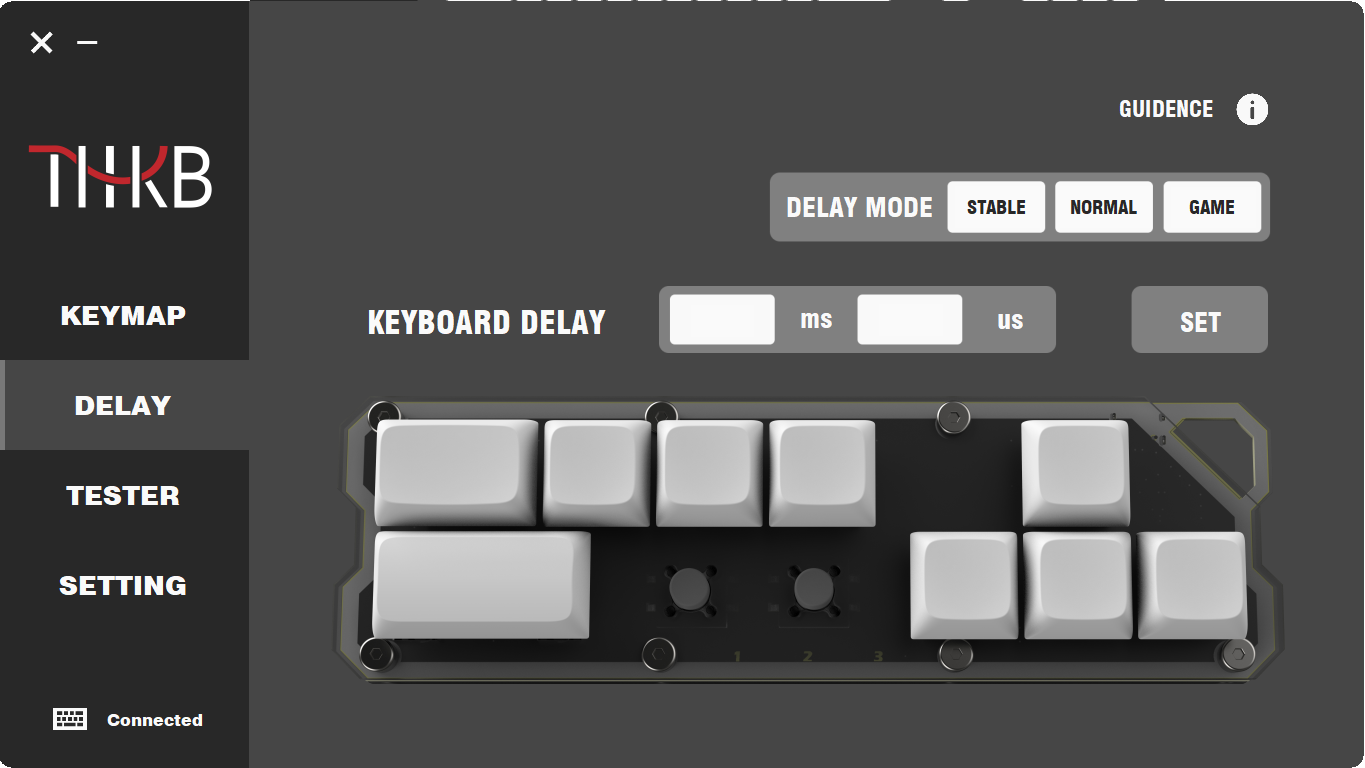
status The button delay supports 20µs to 50ms and can be adjusted by inputting a specific value. The different modes above are coded as follows: stable mode (5ms delay), normal mode (800µs delay), and game mode (50ms delay). In game mode, a hard press can cause a double hit. A delay greater than 50ms will prevent the button from triggering, while a delay less than 20µs will easily cause a double hit.
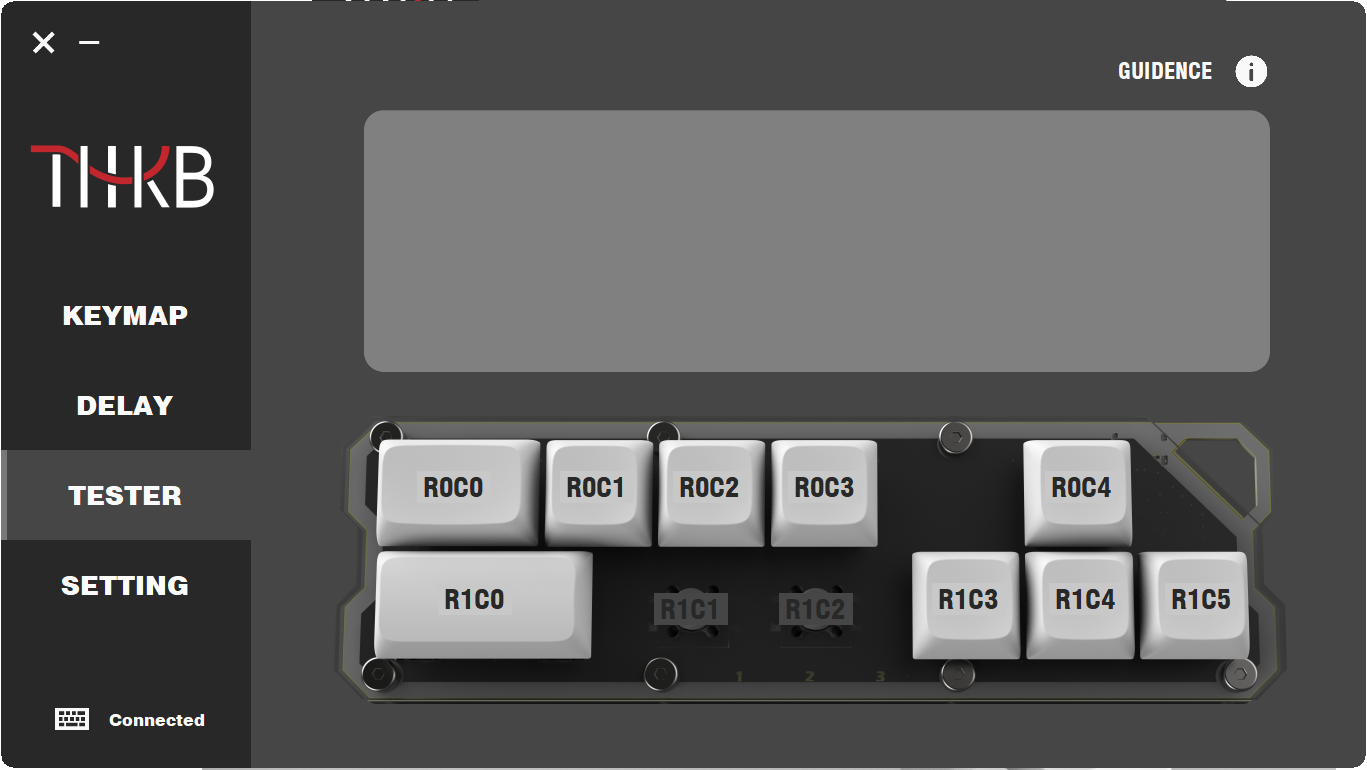
The settings interface is not yet developed, so it is currently blank.
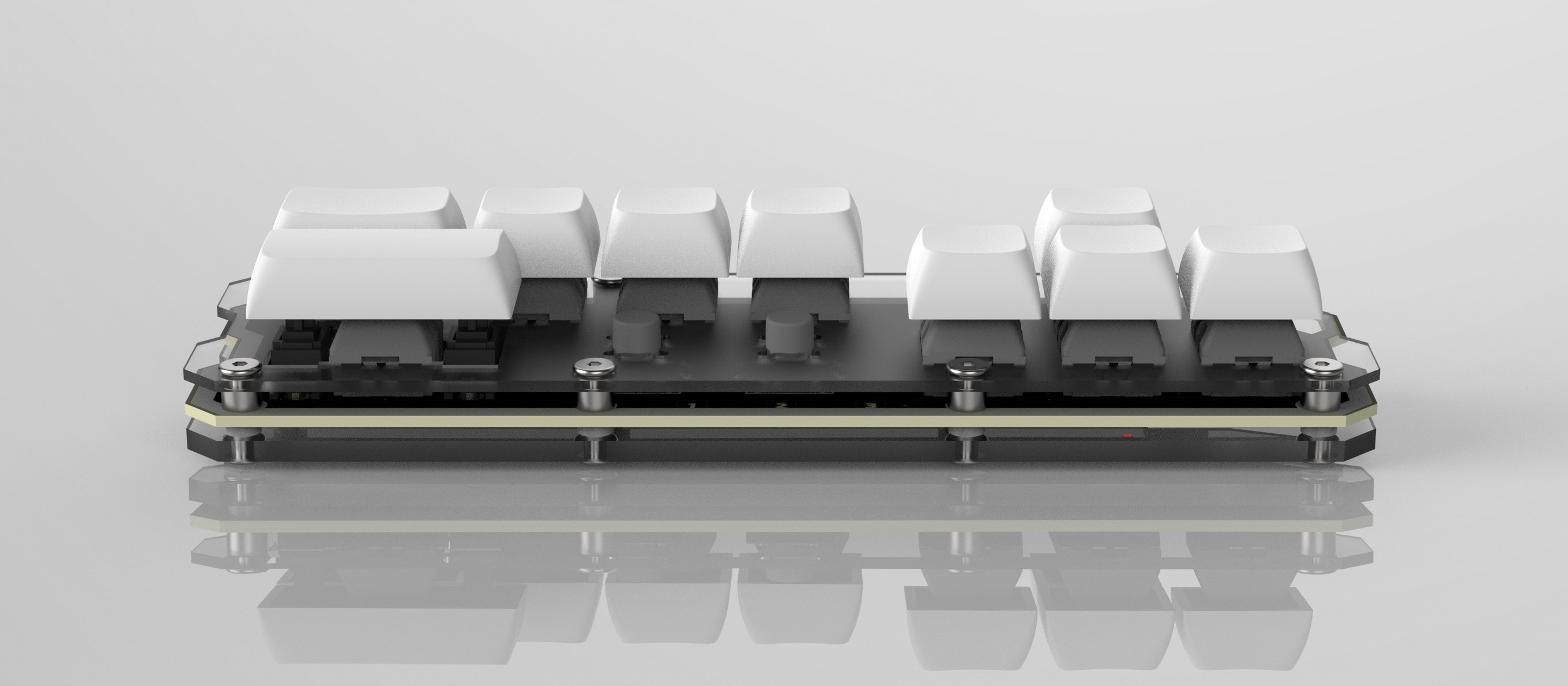
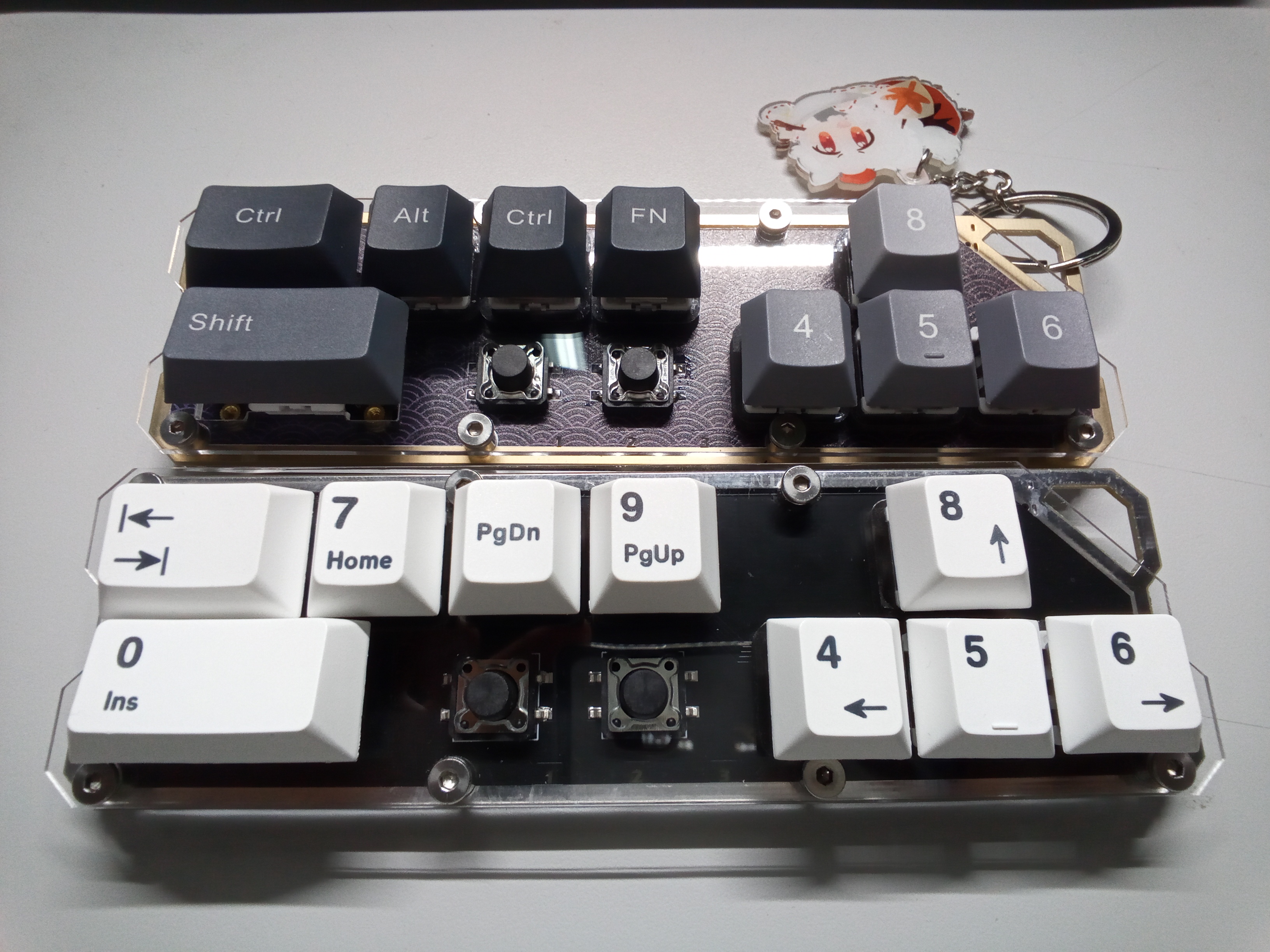
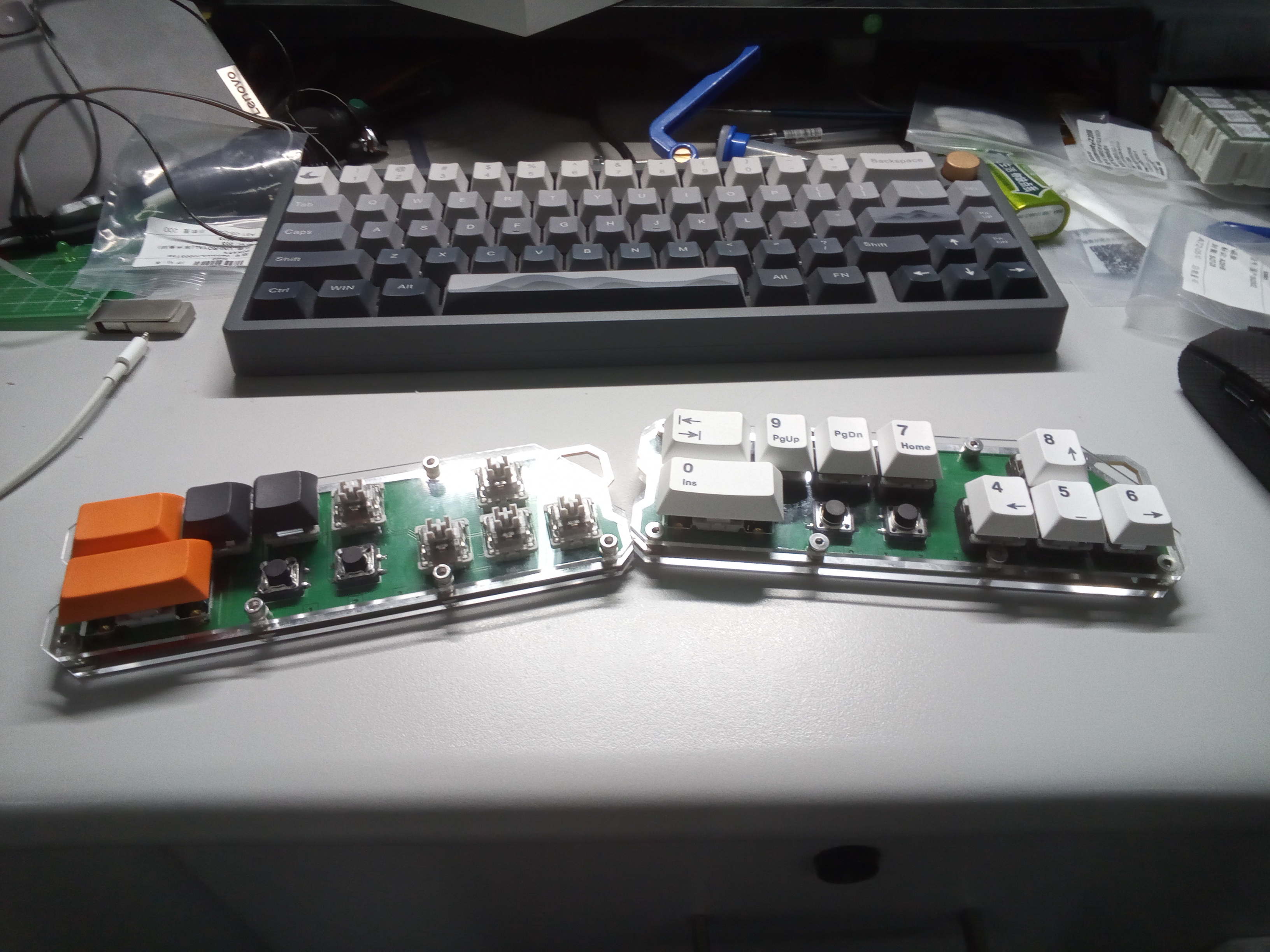
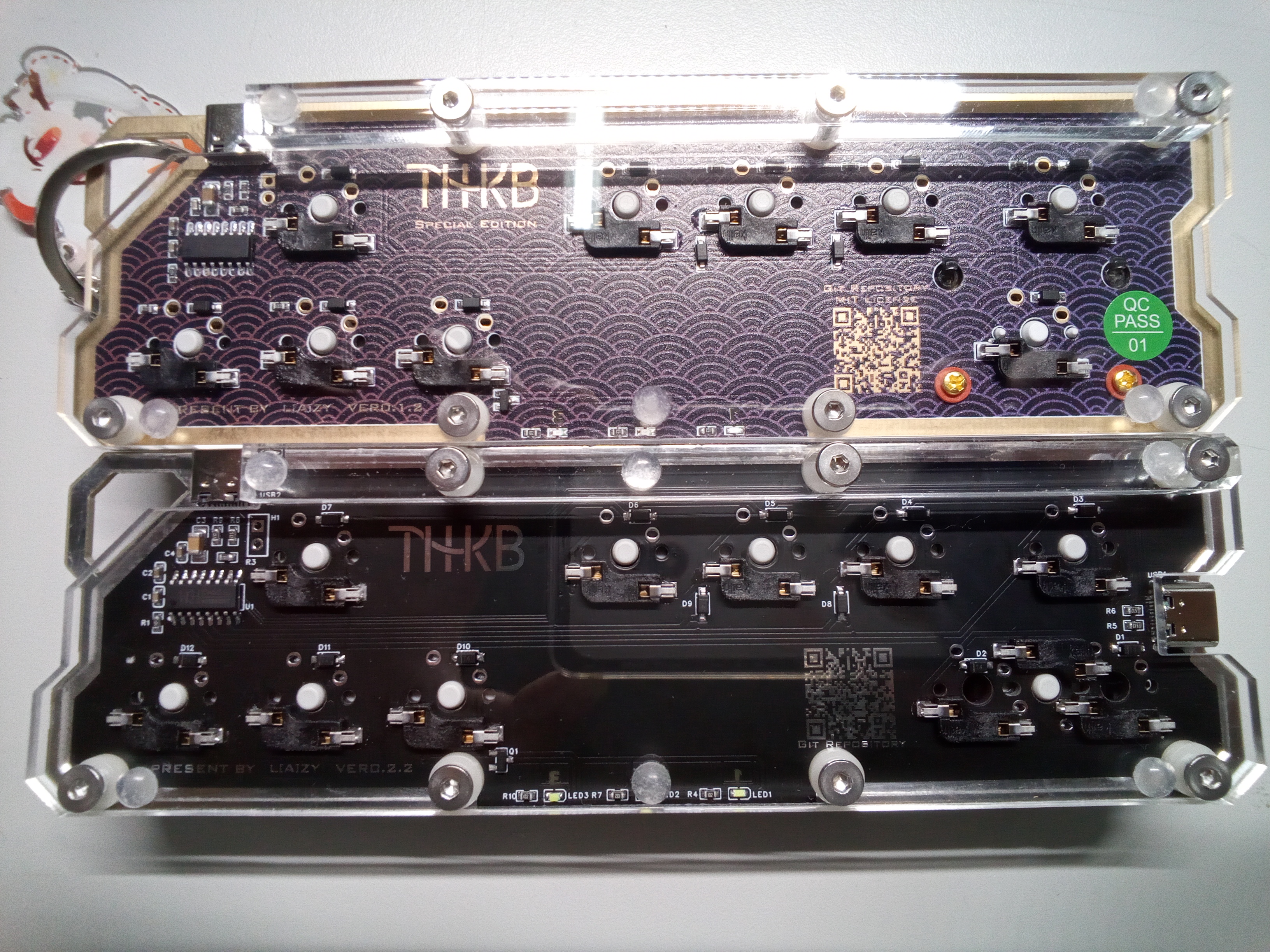
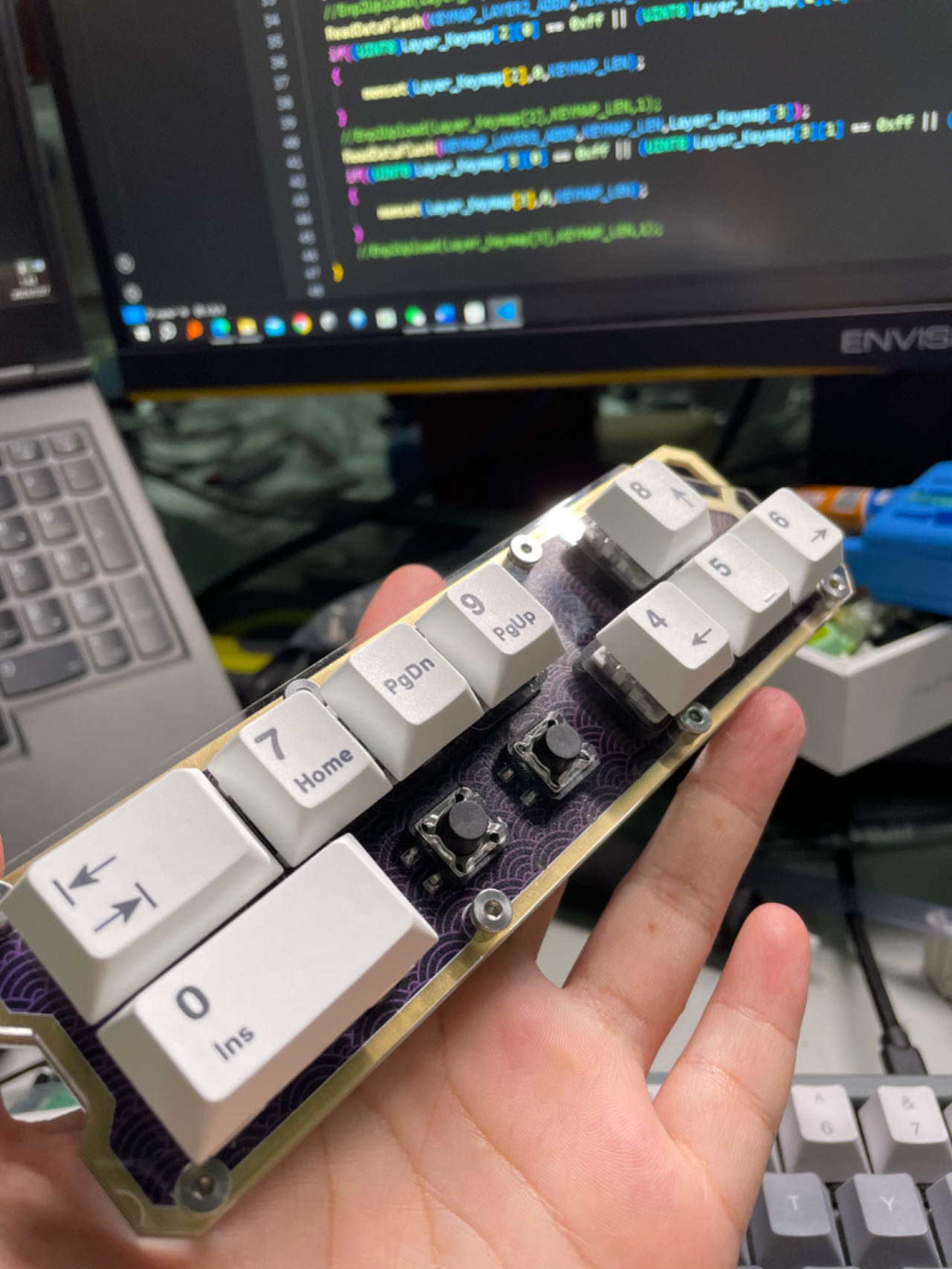
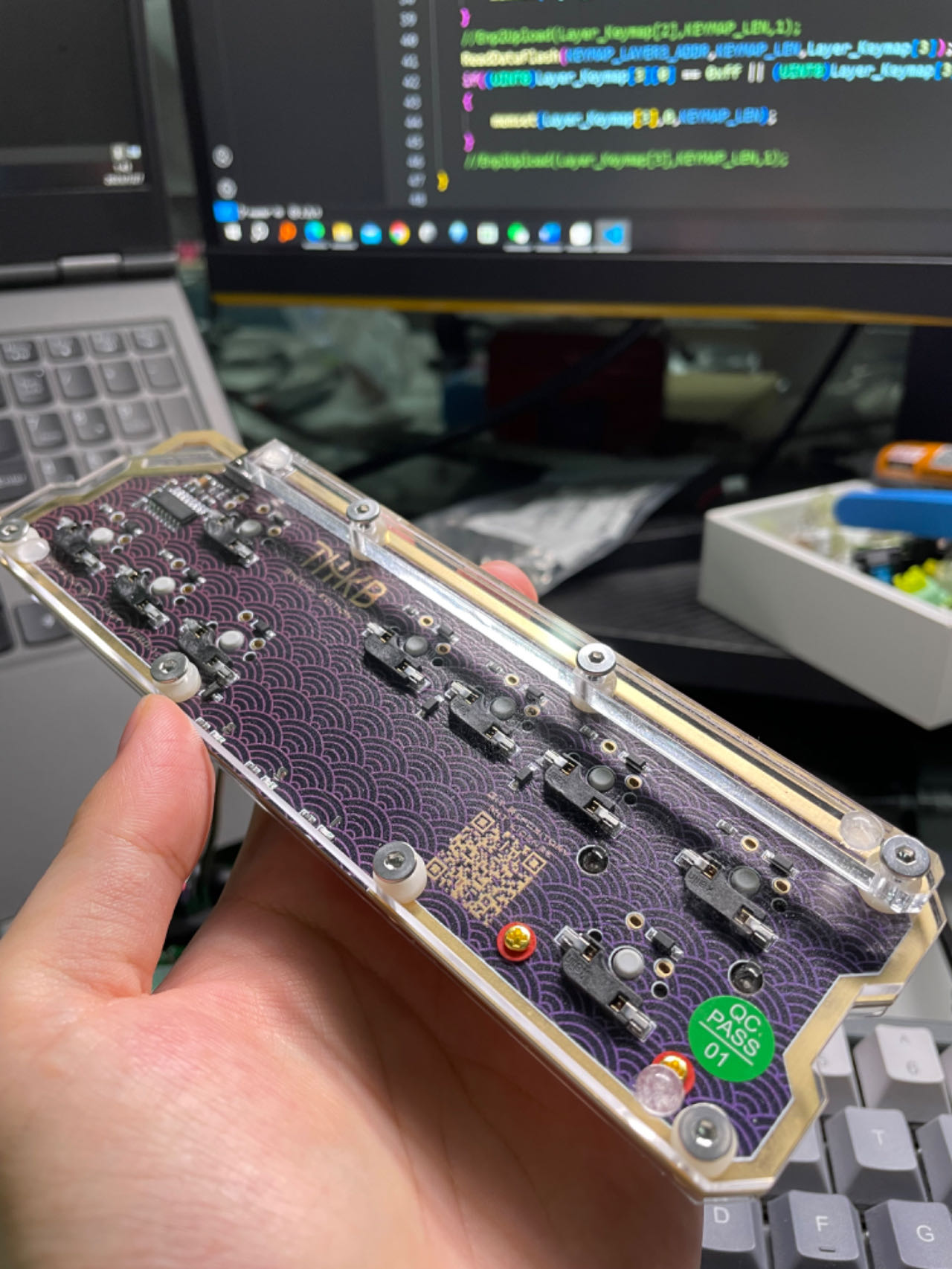
VI. Renderings and Real Shots
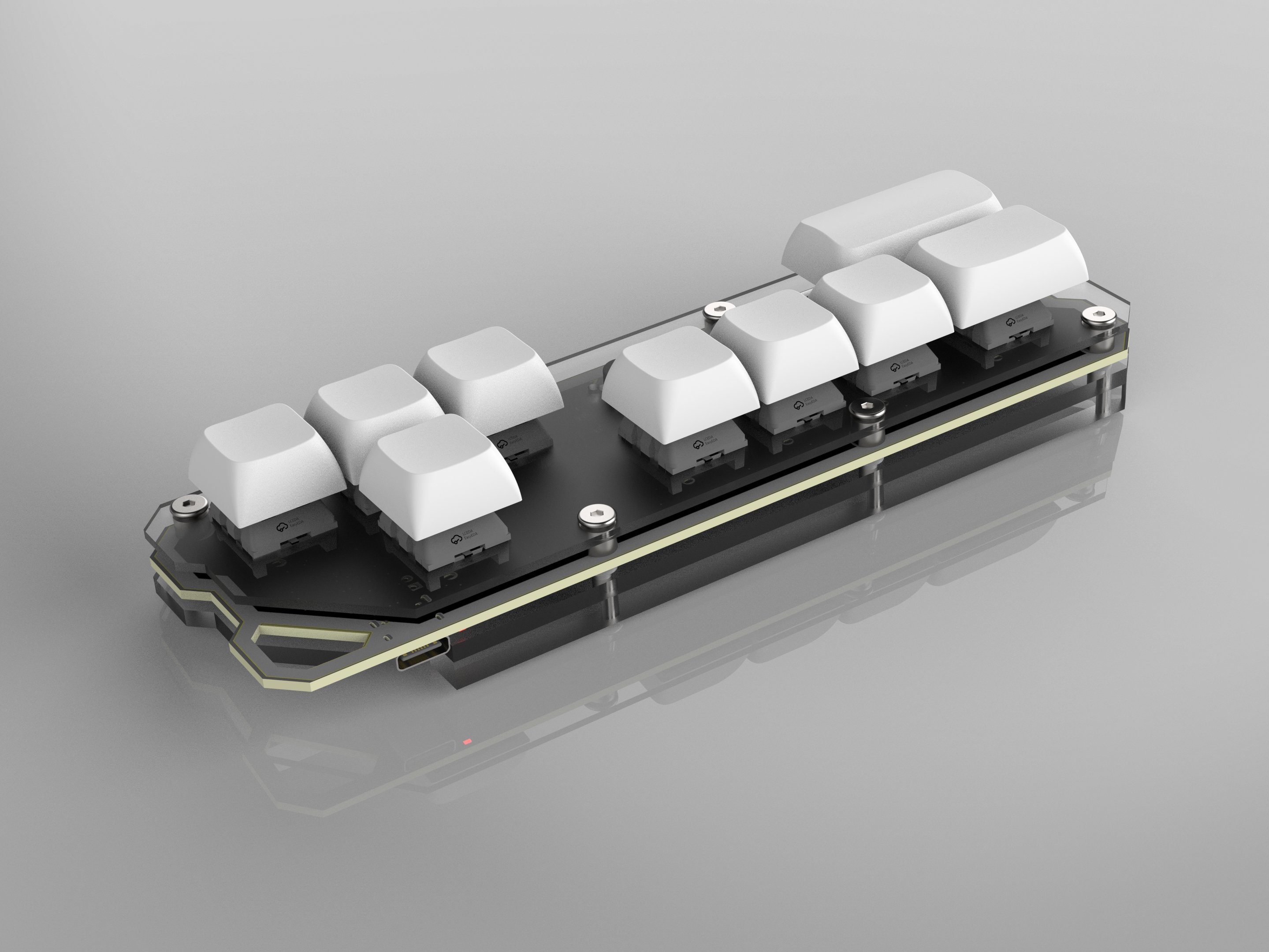
: Prototype v0.1.0
, v0.1.3 Special Edition (Purple Gold) and v0.2.2 (Black Silver)
v0.1.3 Special Edition
VII. License Terms and Conclusion:
This project uses the MIT open-source license, which means you can use it for commercial purposes or keep it closed-source. Due to the poor open-source environment in China, any open-source license is likely to be ignored in the end. Rather than letting others violate the license, it is better to grant permissions.
If you intend to mass-produce this project or use it commercially, while I don't need to obtain my permission again, please still email me to let me know. I sincerely hope my design can be mass-produced or seen by more people. This is just a starting point to provide more inspiration for keyboards and related products.
If you reference this project, I hope you can open-source the code; if you mass-produce this keyboard, I hope you can print the project's open-source repository on the product, using your own designed logo, or the one provided by THKB.
This project originated from an inspiration I had at the end of June. If you know the "Touhou Project" IP, I believe you can guess that this keyboard is specifically designed for STG (bullet hell shooter) games. Variable latency can adapt to different typing forces, and the latency can be minimized through fine-tuning to suit different users. Of course, this keyboard will definitely have many more uses, which awaits your development.
In this project, except for the 3D models and packaging of the components provided by LCSC EDA, all logos, code, images, PCB boards, CAD files, etc., were written or designed by me. I am a university student majoring in management, and my skills are limited; there are still many errors in the project. The actual development only took two and a half weeks, and because I needed to prepare for my postgraduate entrance exam, it was quite rushed. Please point out any mistakes, and I sincerely request your criticism and corrections.








 京公网安备 11010802033920号


 15KW110CCOX.160



