I've been looking for a coding game platform for young children lately, hoping to create some simple games with my son and cultivate his interest and ability in programming. Previously, we'd only used Scratch to make small computer games, which felt a bit monotonous. I wanted to introduce him to embedded programs or games to experience the fun of electronics. We tried the Micro Bit, but without a screen, it lacked depth. I stumbled upon Makecode Arcade's game device on Taobao. It allows programming through the Microsoft Arcade platform, using a drag-and-drop block system for easy 2D game creation. The official website also has some demos, making it a good option. I checked the platform and found it supports compiling code for the Raspberry Pi 2040, which is very cost-effective—the Raspberry Pi 2040 development board and screen cost less than 20 RMB. A quick search confirmed that it's indeed possible to create a programmable game device based on a Raspberry Pi Pico.
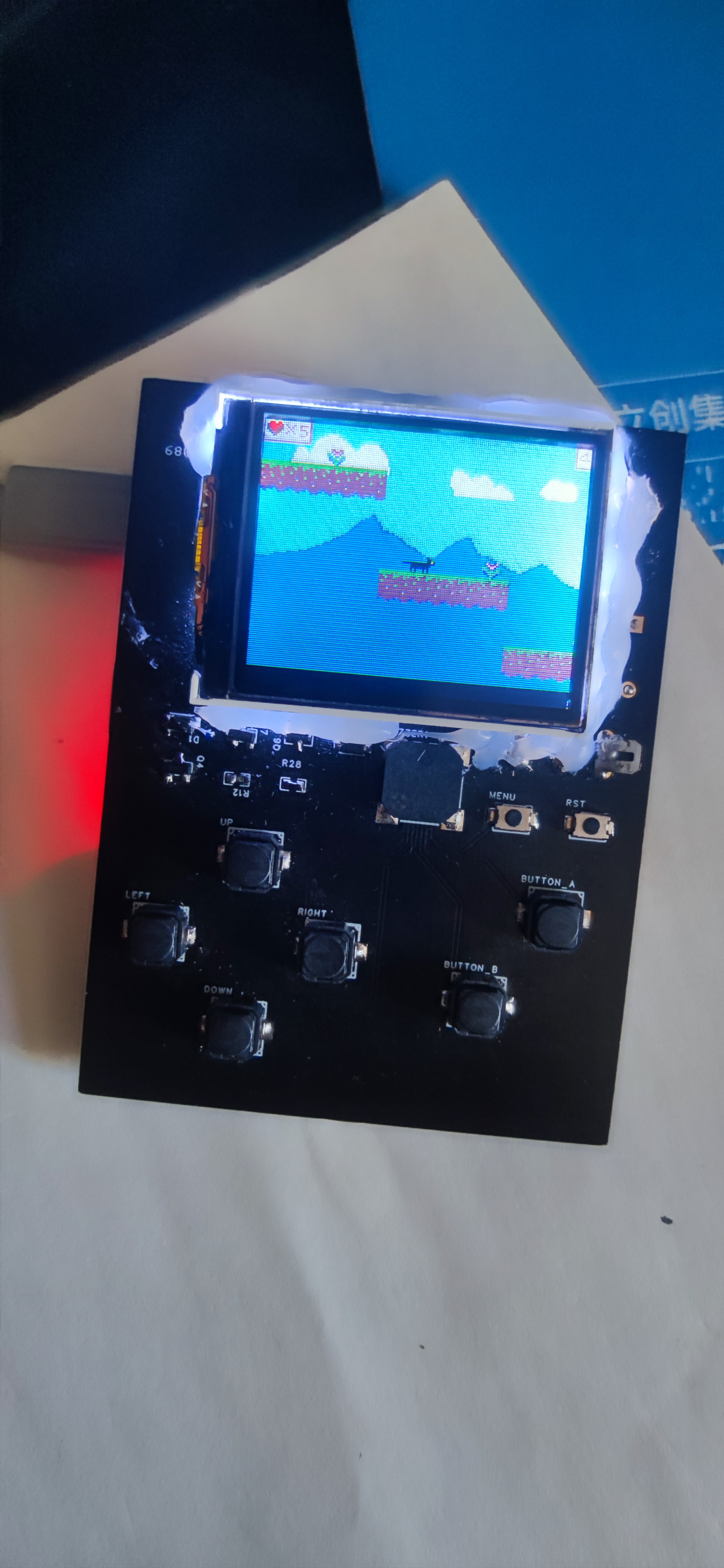
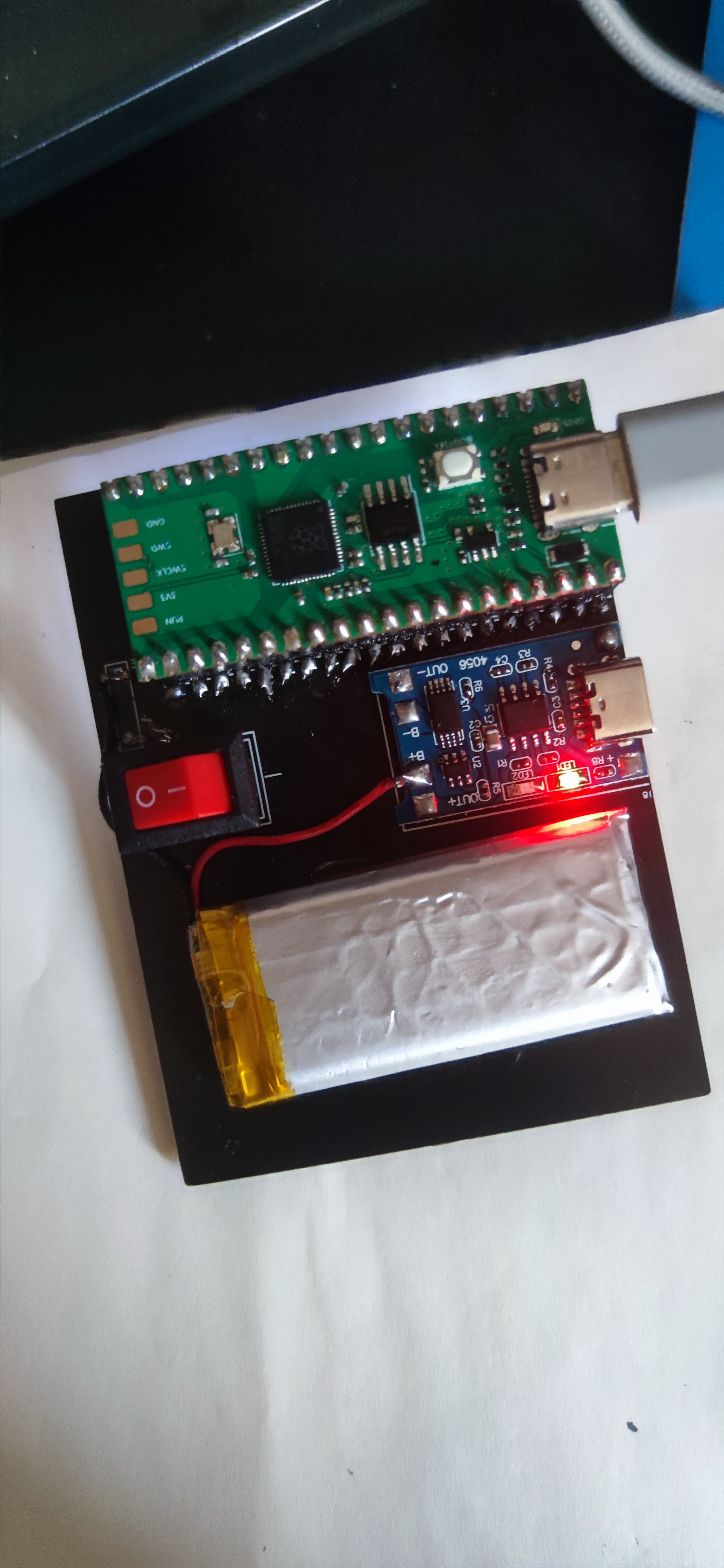
The entire device is based on RP-PICO, using a TP4056 for charging. Other components include a display, buttons, and a buzzer circuit. The TP4056 for charging was custom-designed with a slightly mismatched package, making soldering difficult. The rest is very simple and can be soldered with an inexpensive soldering iron. Additionally, the device's power switch is directly connected to the battery output, meaning it's always on and cannot be turned off when connected to a computer. To enable power-off when connected to a computer, the circuit needs to be modified by moving the power switch to the VSYS interface.
Makecode Arcade supports the RP2040; to do this, click the gear icon in the upper right corner, then click "Experiment" to access and enable experimental hardware.
Reference address:
https://forum.makecode.com/t/diy-arcade-console-with-rp2040-pico/22969/13
https://github.com/AqeeAqee/Arcade-Pico
BOM:
6*6*5 silicone buttons x6
tactile buttons x2
buzzer
x1 NMOS
tube x2 PMOS tube x1
rocker switch x1
diode x2
Raspberry Pi pico x1
TP4056 charging module x1
lithium battery x1
LCD x1
LCD Address:
【Taobao】https://m.tb.cn/h.g90OKBJzhiqNT63?tk=0sQS3d4p06S MF7997 "1.77-inch TFT LCD display 128X160 LCD serial port screen ST7735S full-color small screen SPI module"
Except for the LCD and battery, all other components can be purchased from Youxin Electronics on Taobao, including the charging module.
It can be used directly by plugging in without batteries, thus eliminating the need for a charging module, a diode, and a PMOS transistor.
Download the following programs:
The Arcade configuration is the attached file Arcade-Rp2040Pico_Aqee_v01.uf2
demo; the game is the attached file arcade-cat-jumper.uf2
. Download the Arcade configuration first, then download the game.
The configuration only needs to be downloaded once; updating the game does not require downloading the configuration again. Enter download mode by holding down the boot button and starting the computer. A storage device will appear on your computer; drag the uf2 file into it to begin the download.








 京公网安备 11010802033920号


 FBR18WD05-P



