This project describes
a PCB card based on a map of Fudan University's Handan campus. It includes NFC functionality and requires the soldering of three components. It can also be used as a decorative item without soldering any components. The project files include a standard silkscreen version (free PCB fabrication available, but immersion gold plating costs extra) and a color silkscreen version (50 RMB including immersion gold plating). Please choose according to your budget.
Finished Product Showcase
: 3D Preview Images:
Standard Silkscreen Version
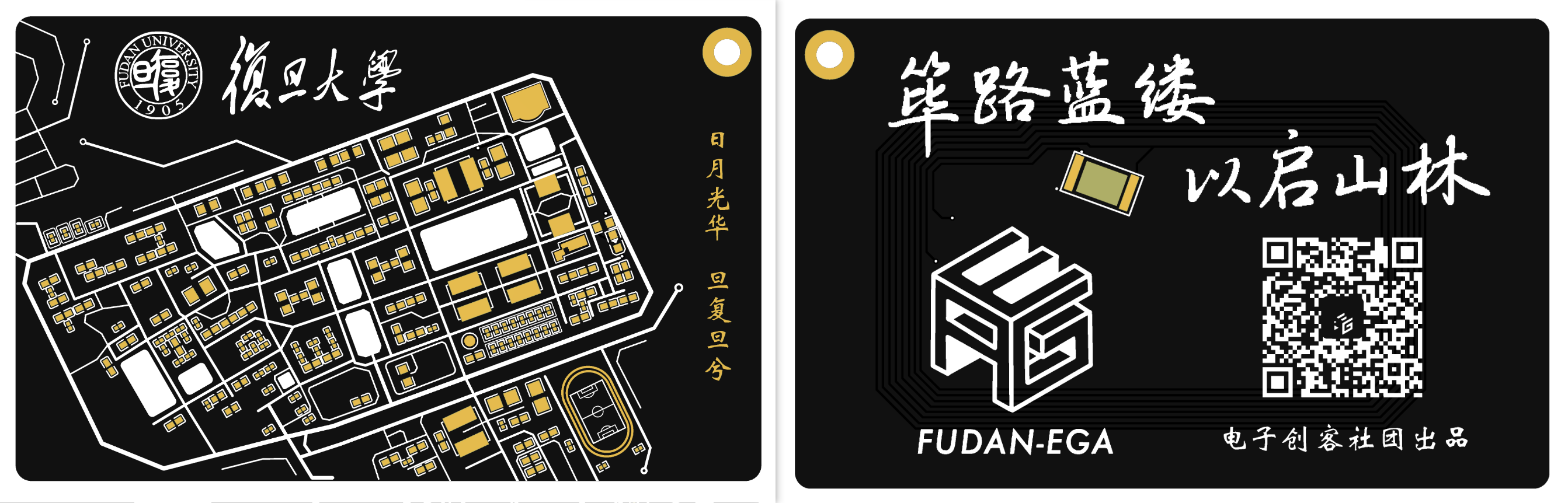
: Color Silkscreen Version:
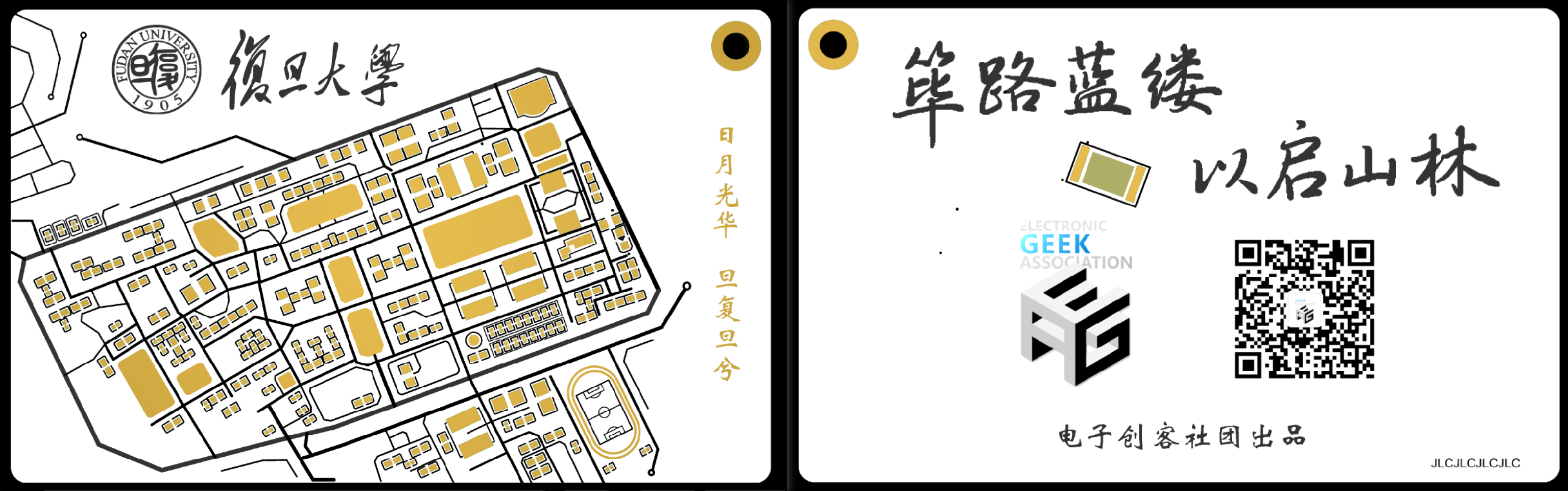
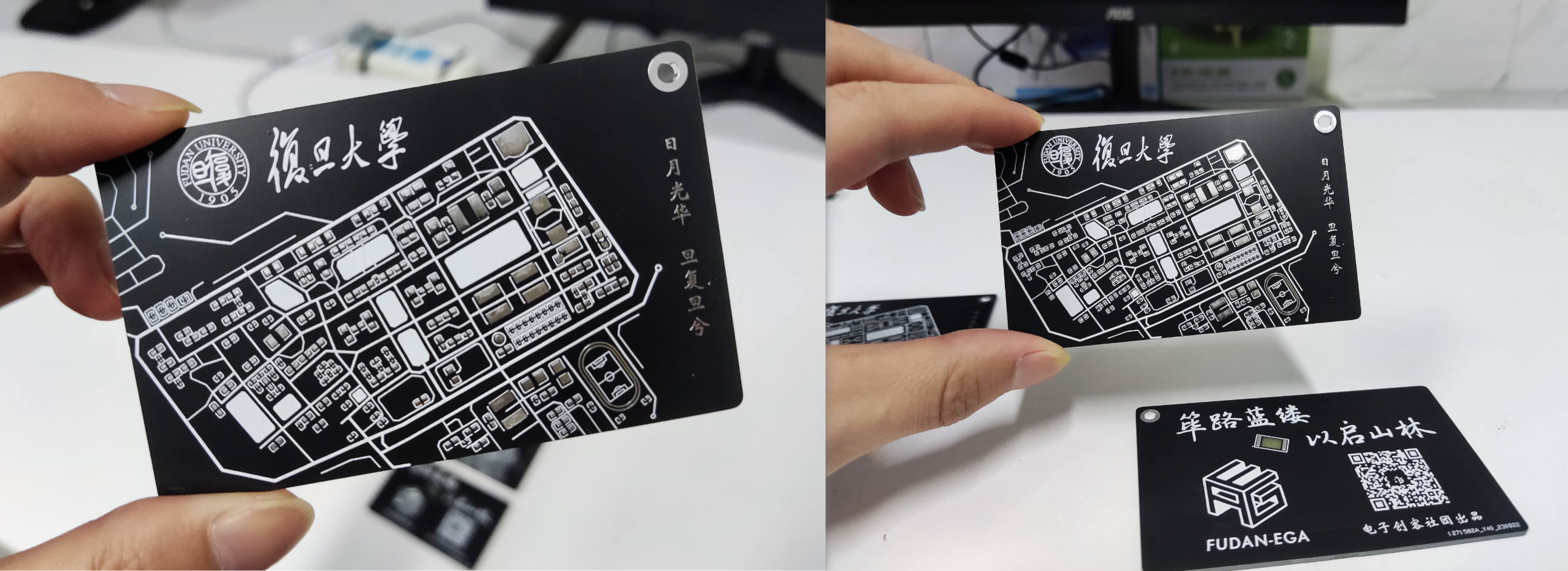
Physical Display
(Unsoldered Version, Free Tin Plating):
Immersion Gold Plating Physical Display:
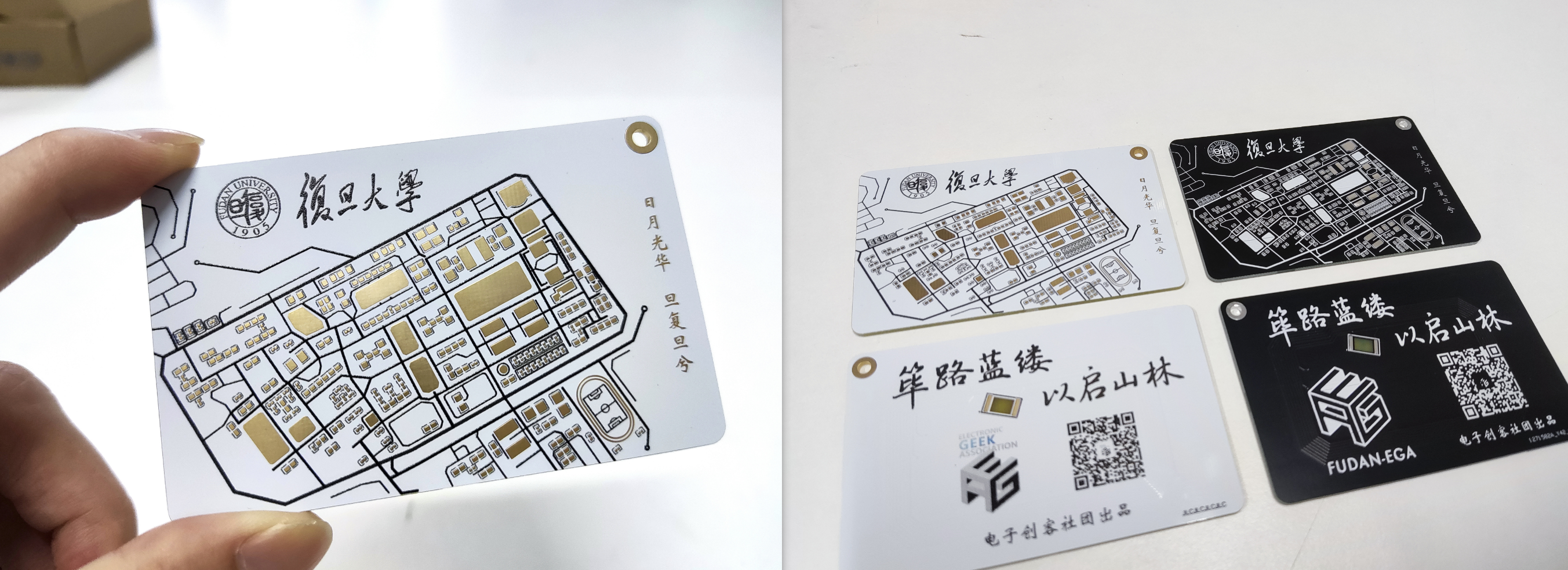
NFC Functionality Description :
To achieve NFC functionality and a lighting effect, three components need to be soldered: a COB-UID chip (available online), a 0603 surface mount resistor (around 1kΩ), and a 0603 LED. The soldering positions are shown in the image below.
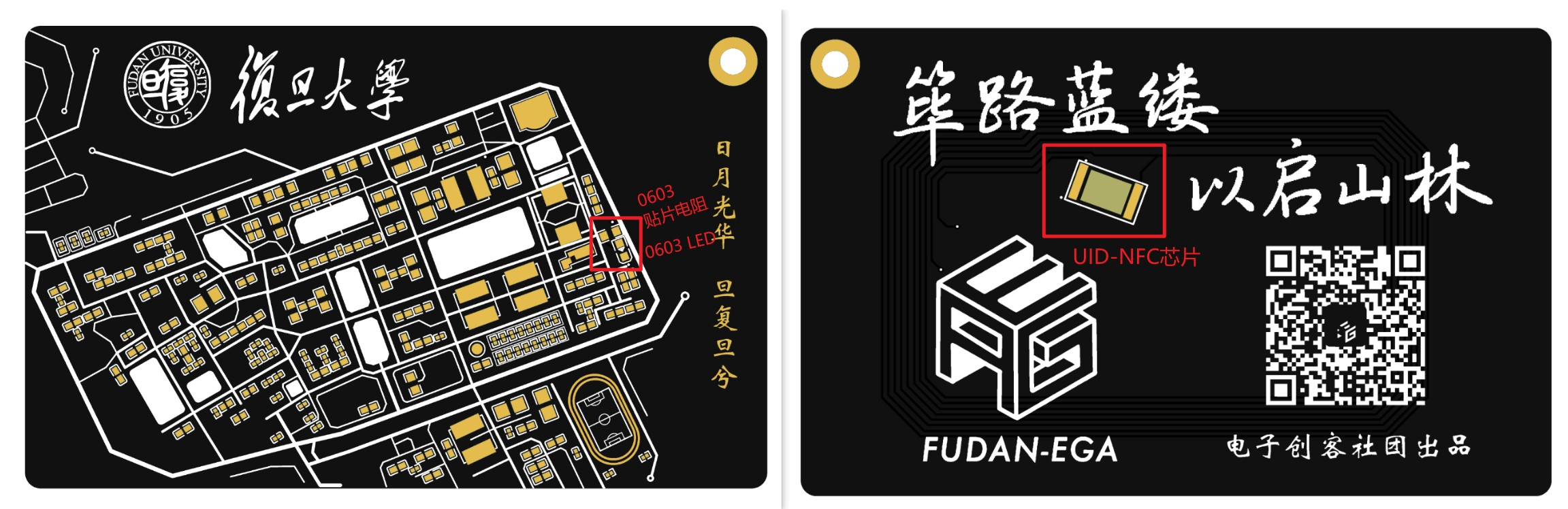
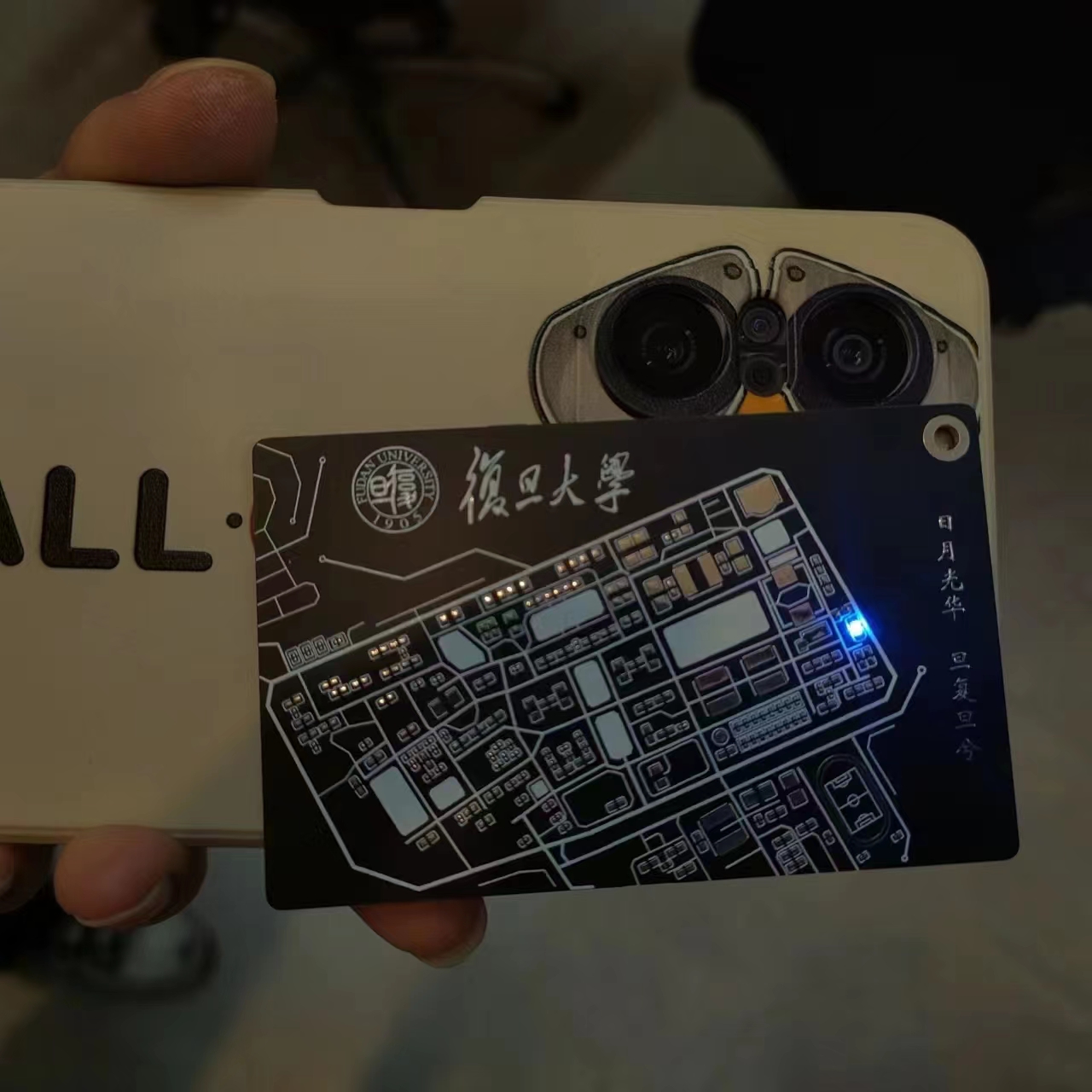
Using the purchased UID chip as an empty card, a simple access card function can be implemented using an NFC reader/writer module. Other functions can be explored independently. The final lighting effect is shown in the image below. The video at the end of the article also demonstrates its function as a campus card replacement.
Free ordering process
: The ordering tutorial has been published on our official WeChat account: https://mp.weixin.qq.com/s/83xuf8kCBW1OrjdyY2VXUA
Design Team: Fudan University Electronic Makers Club
The Fudan University Electronic Makers Club (hereinafter referred to as "Electronic Makers Club") was founded in 2015, dedicated to creating a university-wide platform for sharing scientific and technological innovations and exploring the application prospects of intelligent hardware.
Many members of the club have participated in various competitions such as electronic design competitions, optoelectronic design competitions, and the China-US Youth Maker Competition, possessing rich experience in participation and awards. The club can provide students with abundant hardware sharing resources, including various experimental equipment, soldering tools, instruments, 3D printers, microcontrollers, Raspberry Pi, etc.
Welcome to follow the club's official WeChat account: FudanEGA Electronic Makers Club
WeChat_20231108120730.mp4
PDF_Fudan Campus Map FudanMapPCBCard.zip
Altium_Fudan Campus Map FudanMapPCBCard.zip
PADS_Fudan Campus Map FudanMapPCBCard.zip
BOM_Fudan Campus Map FudanMapPCBCard.xlsx
91655
EEOne_ESP32 Development Board
This is a development board based on the ESP32S3, featuring an onboard buzzer, RGB lights, microphone, gyroscope, roller encoder, and a 1.54-inch color LCD screen. It is compact, exquisite, and easy to replicate, making it suitable for learning microcontrollers.
This is a development board that uses the ESP32S3 (optional ESP32S3R2 and ESP32S3R8, with a floating PSRAM pin on the circuit) as the main control chip. I used it for learning and developing example programs. It
has an exquisite appearance and a clear structure. The schematic diagram includes supplementary explanations of the circuit
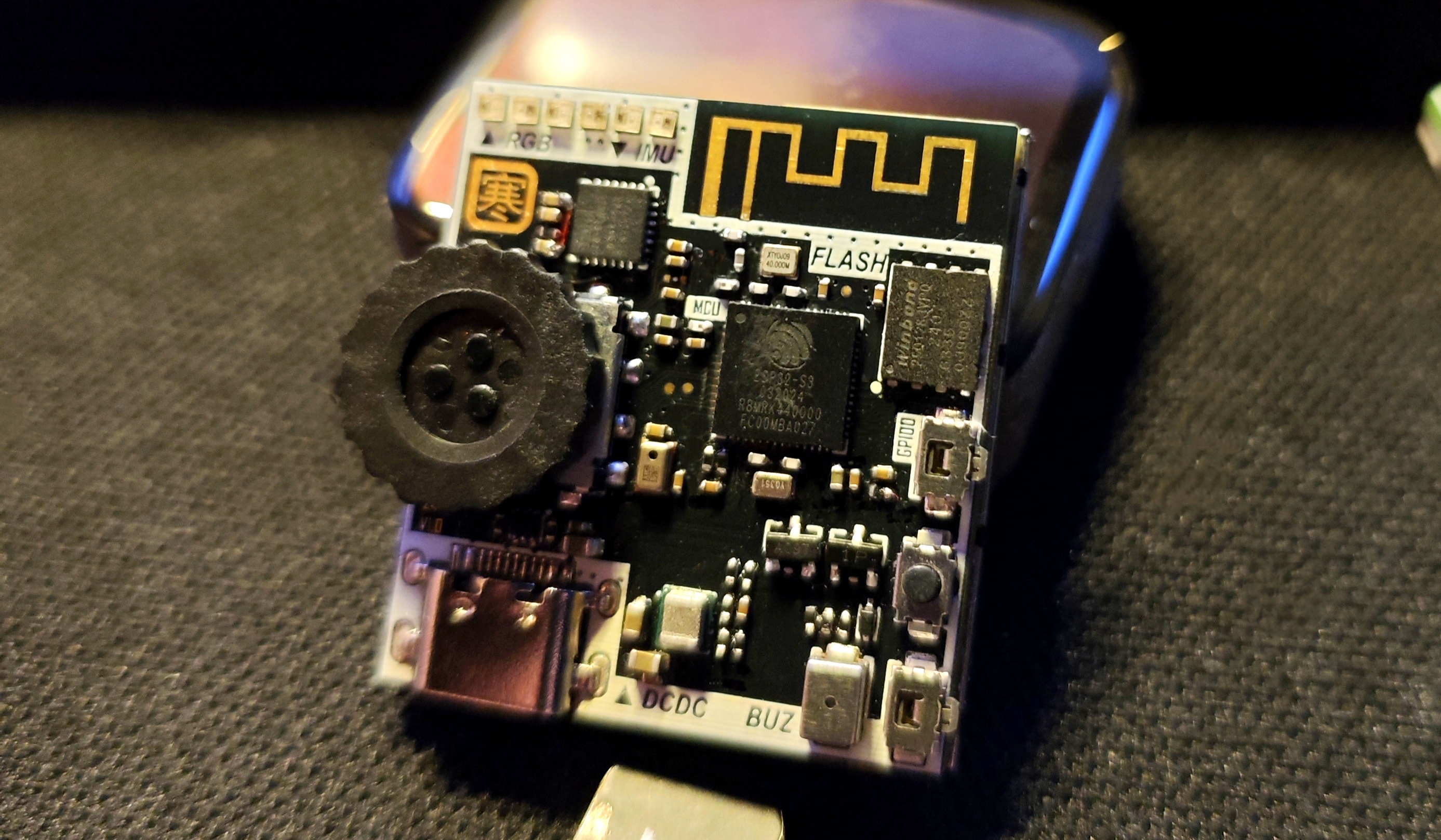
. Below are some suggestions for replicating it:
First, some component connections —>
Screen address (click)
Roller encoder address (click)
Buzzer address (click)
Microphone address (click)
RGB LEDs can be found on the LCSC website, model WS2812E-1313.
Note! If you only have a soldering iron and no heating element, you should reconsider.
This board cannot be soldered without a heating element. A recommended configuration is a soldering iron + heating element + hot air gun.
Remember to use enough flux! Remember to use enough flux! Remember to use enough flux!
Due to the board's design, all sides are slightly narrower than the screen. Therefore, please carefully align the components before assembling the screen. Applying tape will make it difficult to move
the board. The screen is a 12-pin soldering type; please do not purchase the wrong one. If you happen to have a 1.54-inch screen, you can check the pinout. Incorrect pinouts will make it difficult to remove
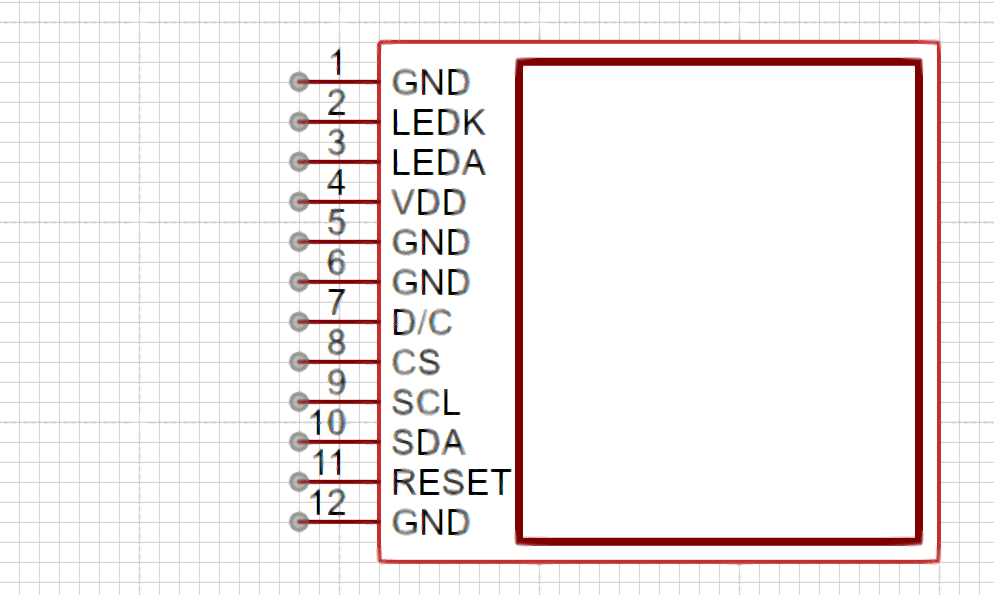
the screen without damage after soldering. The screen uses a MOSFET as the backlight adjustment switch, connected to GPIO14, which can be configured in the program to adjust the backlight brightness.
The FLASH chip used on the board has a smaller package than usual; it is a WSON8-6X5. You can choose between W25Q128JVPIQ and W25Q256JWPIQ for replacement.
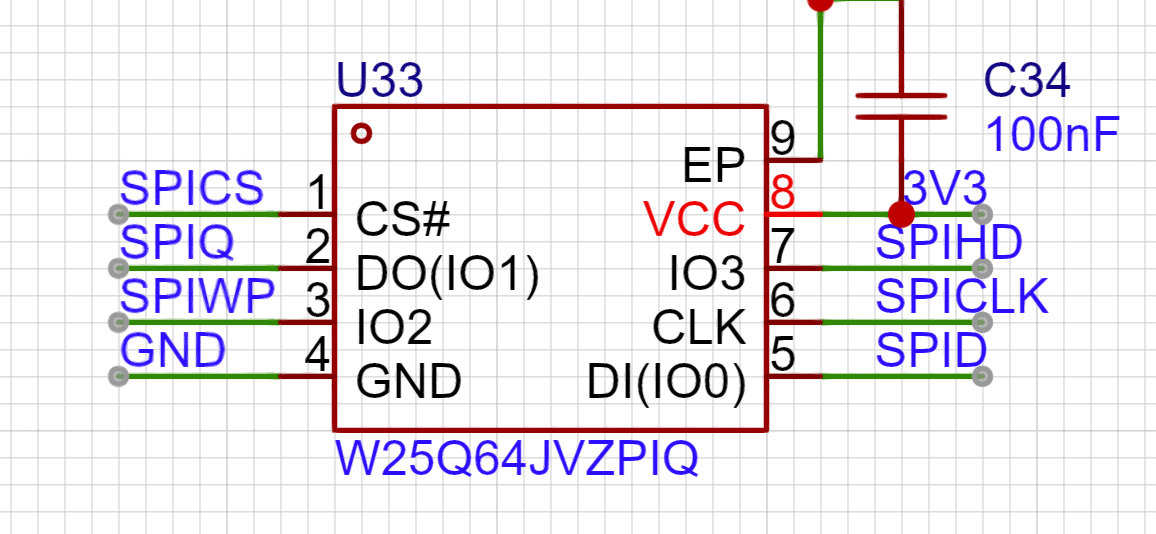
The microphone is a discontinued silicon microphone; I bought some unused ones when making small toys, so I'm using them as is.
The I2C pull-up resistor can be replaced with a 10K resistor, as long as it's not less than the specified value.
Regarding the power chip, the TI large inductor is used (it's really eye-catching). Its compact size belies its impressive output capability (3A current).
The formula for calculating the output voltage is as follows:
VOUT = VFB X (1 + R1 / R2) = 0.8VX (1 + R1 / R2).
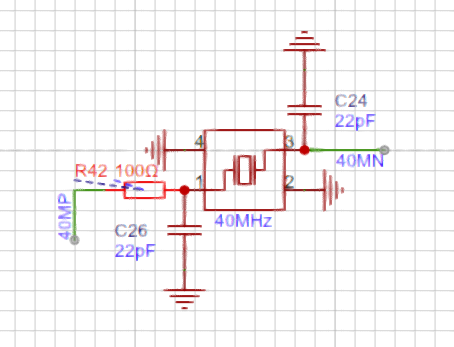
Due to the close proximity of the crystal oscillator to the antenna in the board design, I chose to place a resistor to weaken the crystal oscillator's driving capability, according to Espressif's official documentation. This resistor cannot be omitted or replaced with 0Ω, as shown in the diagram below.
Regarding the onboard buttons, besides the programmable scroll encoder,
GPIO46 and GPIO0 can be pulled down to enable the programming mode. EN enables the mode, and pulling it down stops it from working.
In other words, press and hold SW1 and SW2, then press SW3 to enter programming mode.
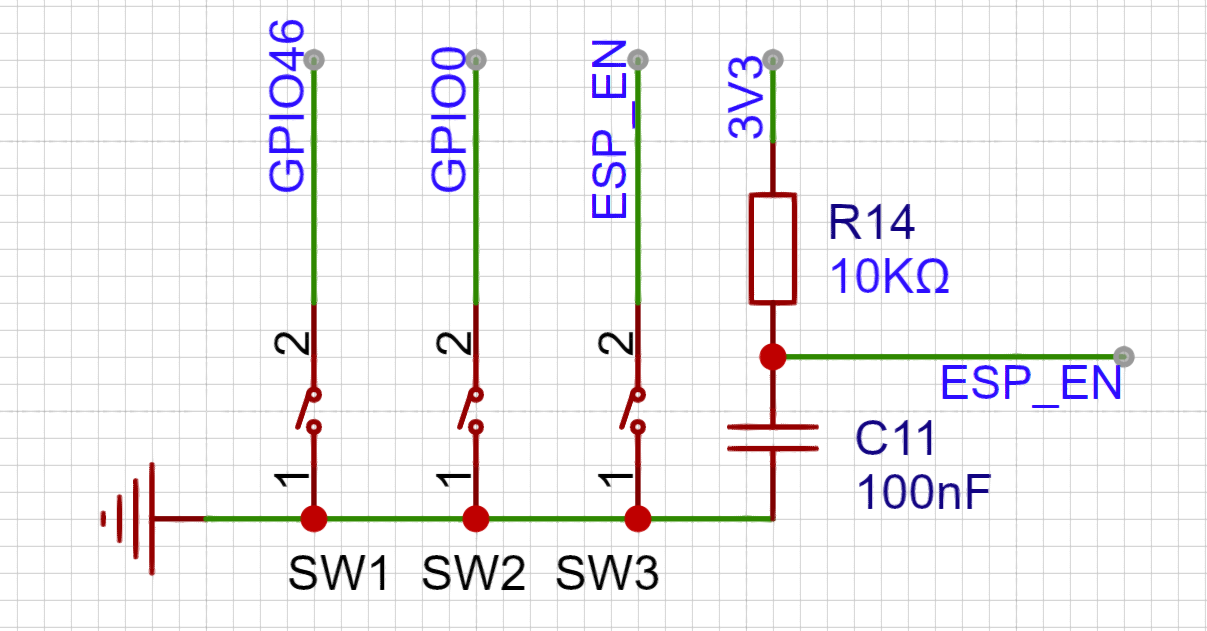
Normally, GPIO46 and GPIO0 can be configured separately.
(
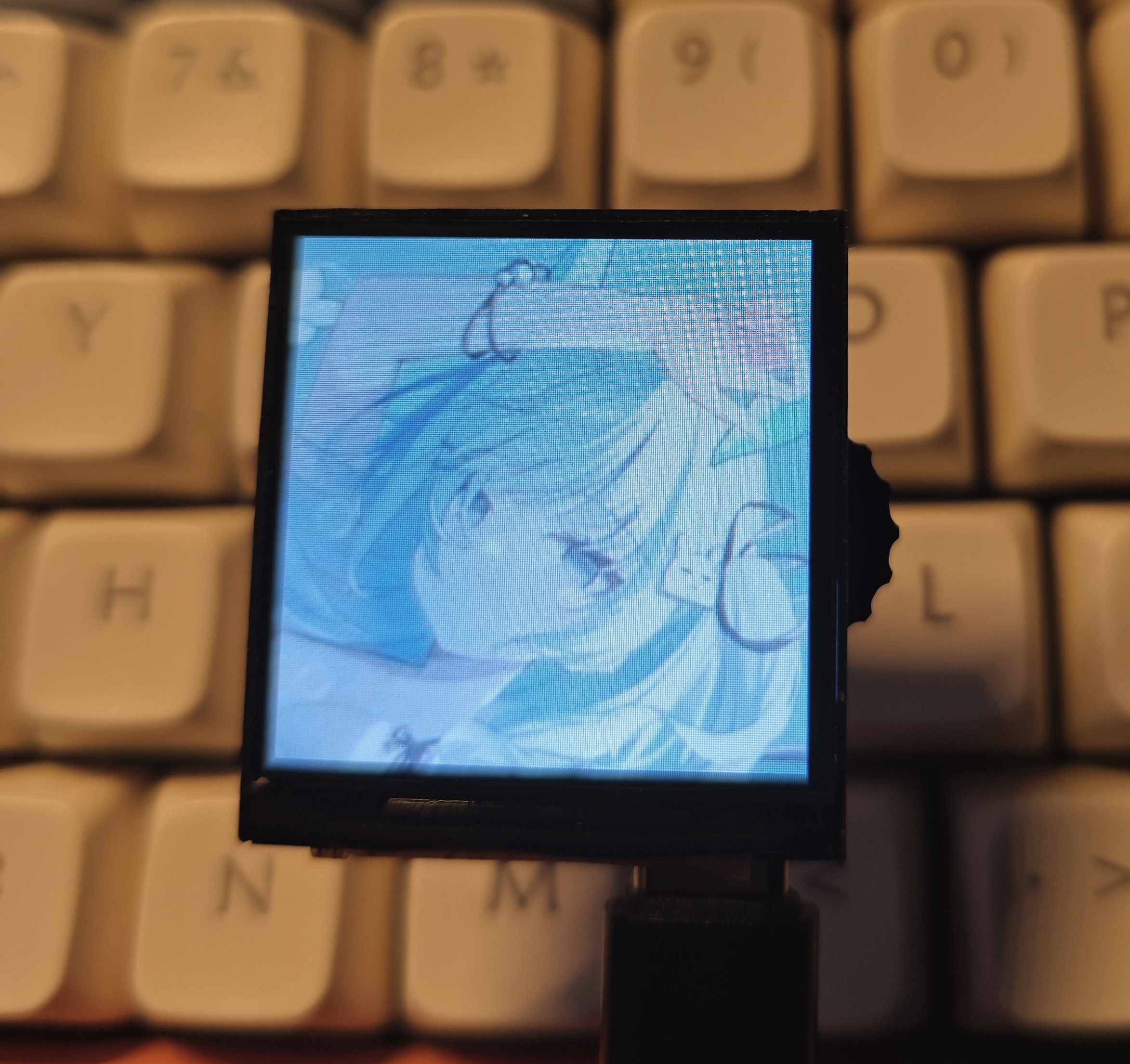
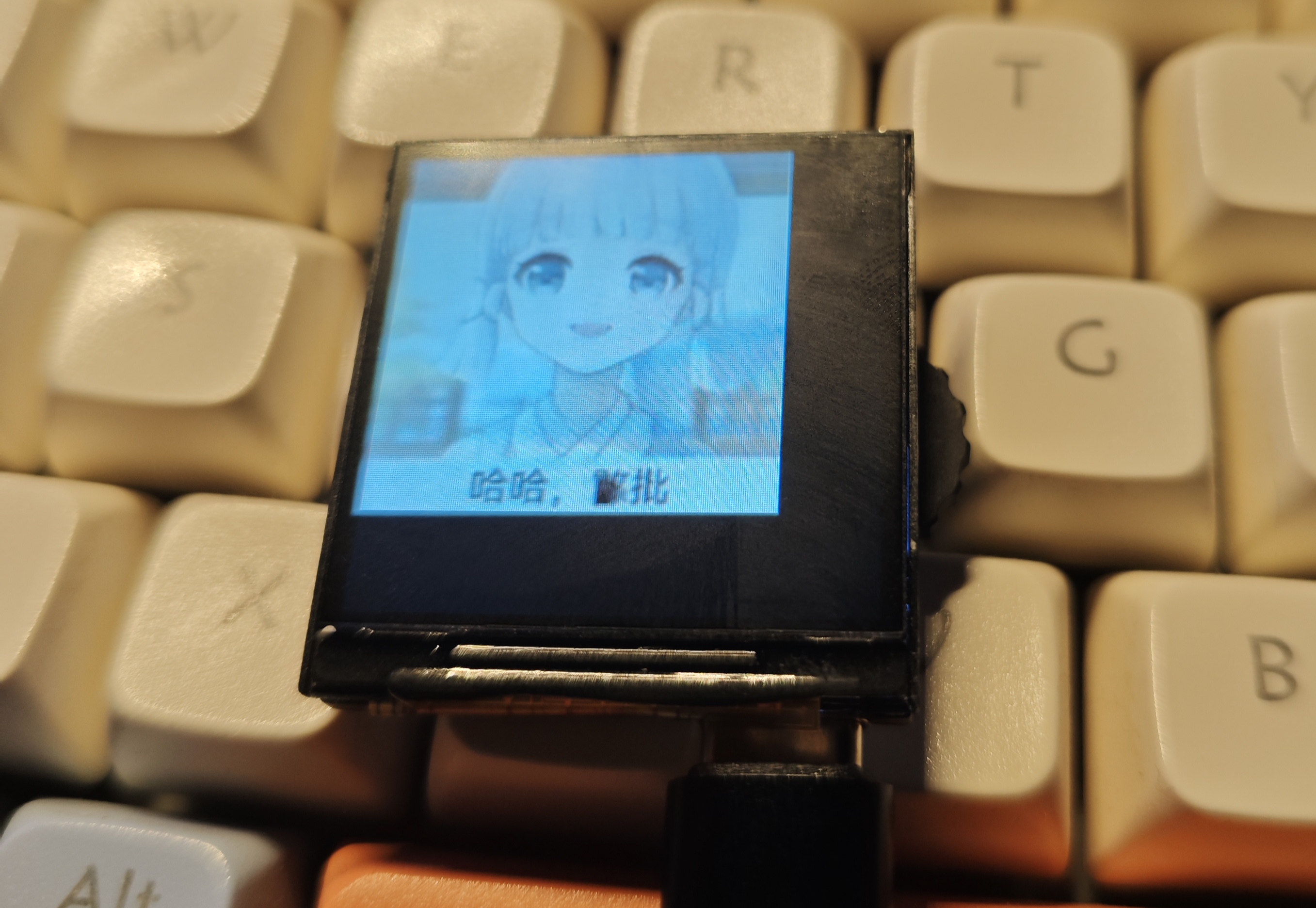
A
little note: When soldering, please solder resistors, capacitors, inductors, crystal oscillators, chips, transistors, MOSFETs, buzzers, and other heat-resistant components first.) After cleaning the flux, solder the RGB LEDs, scroll encoder, button switches, and microphone, which are easily damaged. This prevents repeated desoldering and heating from damaging the components. After checking that everything is correct and cleaning off the flux, power on and test all sensors to ensure they are working properly before soldering the screen.
Happy retouching!
I used Thonny to test the onboard sensors and screen, and obtained some libraries from GitHub. The relevant code will be uploaded to the attachment.
(Wanhan, August 4, 2024)
The demo will use a .zip file.
Marquee 1.mp4
Marquee 2.mp4
PDF_EEOne_ESP32 Development Board.zip
Altium_EEOne_ESP32 development board.zip
PADS_EEOne_ESP32 development board.zip
BOM_EEOne_ESP32 Development Board.xlsx
91656
Compatible with Zhengdian STM32F103ZET6 minimum system
Compatible with Zhengdian Atom STM32ZET6 minimum system board
Compatible with Zhengdian Atom STM32ZET6 minimum system board, 4-layer board design. Supports one-click serial port download.
The drawing isn't very good; you can affectionately call it "a lump."
Valuable suggestions are greatly appreciated .
JLCPCB doesn't check this page often; if you need it urgently, you can contact me via email: hhss30804981@163.com
VID_20241016_102533.mp4
VID_20241016_102405.mp4
October 16.mp4
PDF_Compatible with Zhengdian STM32F103ZET6 Minimum System.zip
Altium-compatible STM32F103ZET6 minimum system.zip
PADS_Compatible STM32F103ZET6 Minimum System.zip
BOM_Compatible with Zhengdian STM32F103ZET6 Minimum System.xlsx
91657
electronic








 京公网安备 11010802033920号


 SB10150CT_08



