This program obtains
a 3D printer pressure heated bed. The main controller uses PY32F002AF15P (Puran) and Air001 (Hezhou), which are essentially the same. The Arduino development environment is provided by Hezhou, and it can use either HX71708 or CS1237 (recommended) AD conversion chips.
The circuit is simple and easy to modify, and can be easily embedded into various other motherboards or project circuits.
Chip selectable data rates:
HX71708 10, 20, 80, 320
; CS1237 10, 40, 640, 1280.
The basic version
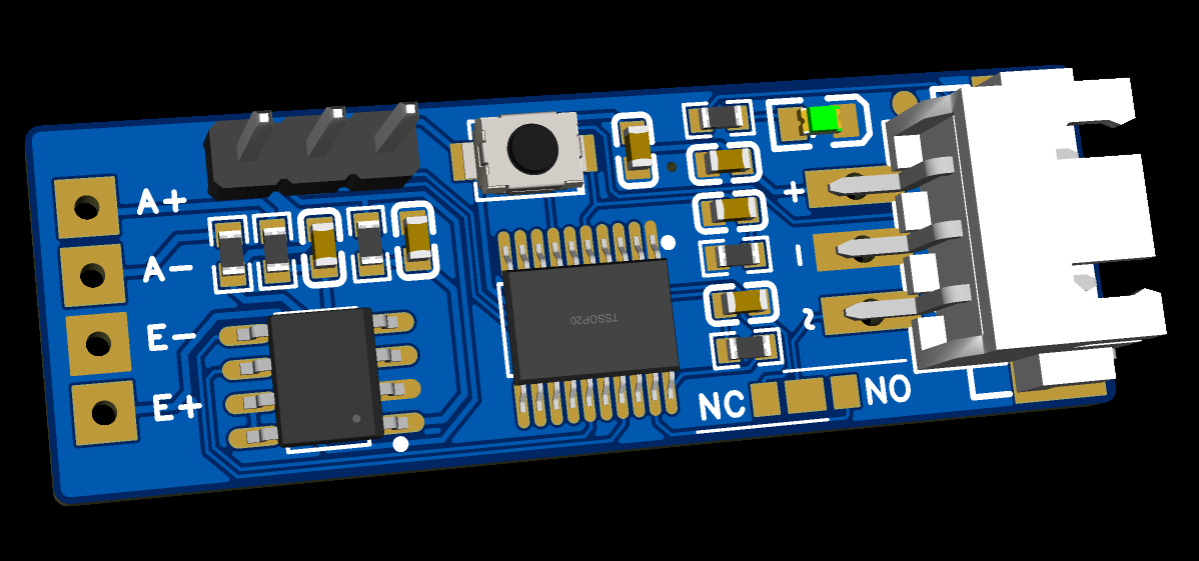
adds an RGB version with
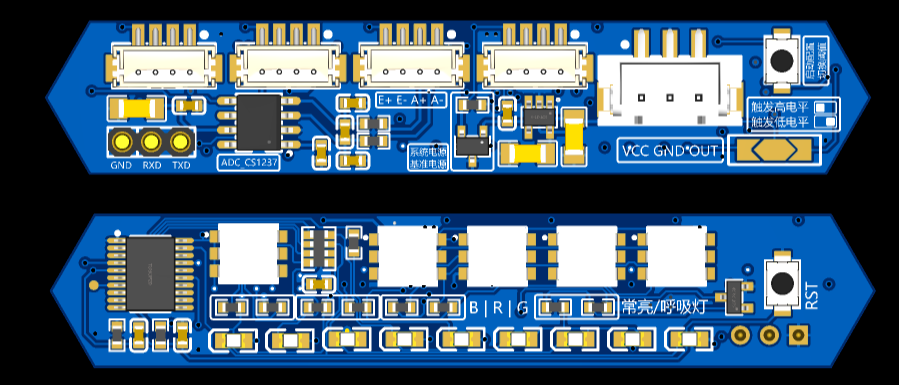
a 5-level LED progress bar display function, triggering progress to convert to percentage, controlling LED lighting from 30-100%.
One logo light, four text background lights, resistor jumper settings for color and constant or breathing light selection.
An external reference source chip can be used, or a 20R resistor can be used with an LDO as the reference source. An external reference source provides greater accuracy and stability.
At 1280Hz, the weight reading jump can be reduced from 30g to approximately 10g, resulting in a lower threshold and greater stability.
Refer to
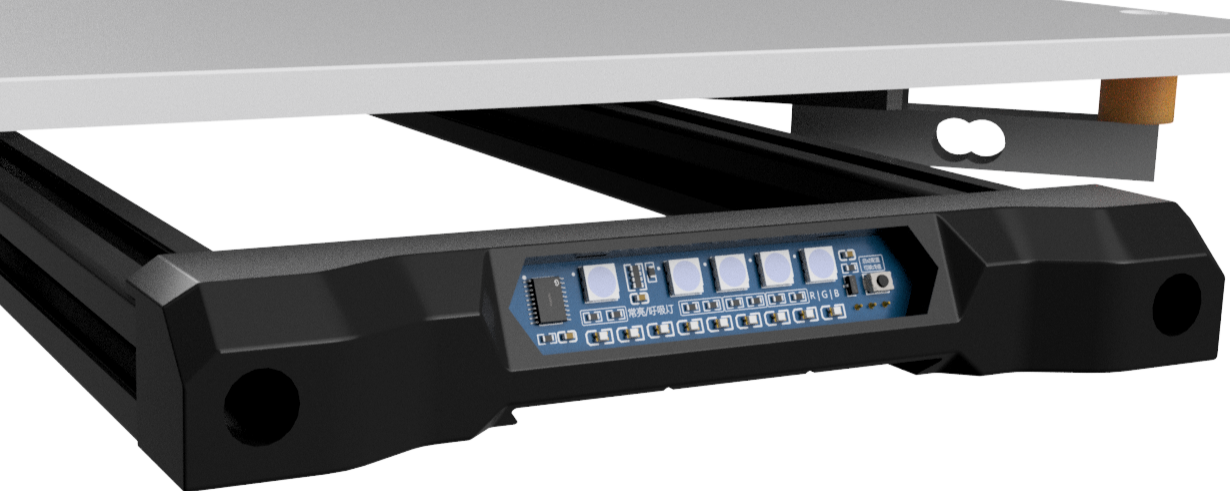
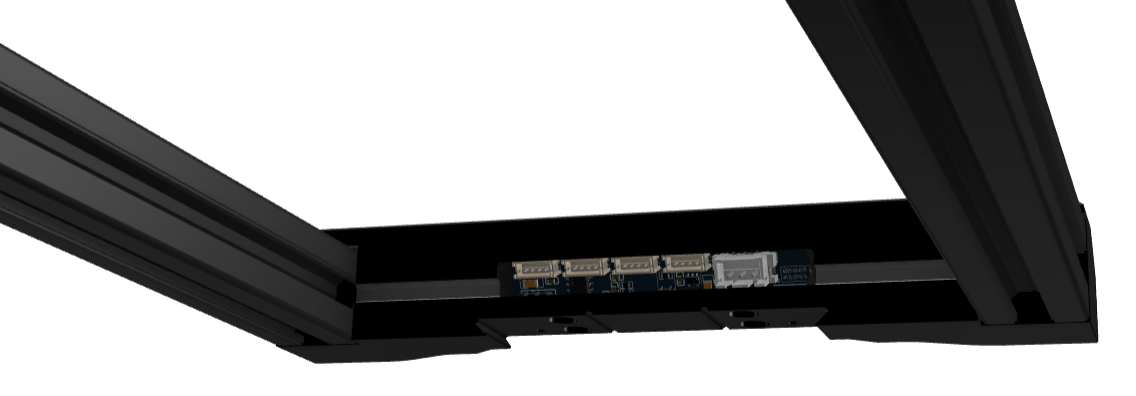
the RGB lighting instructions for
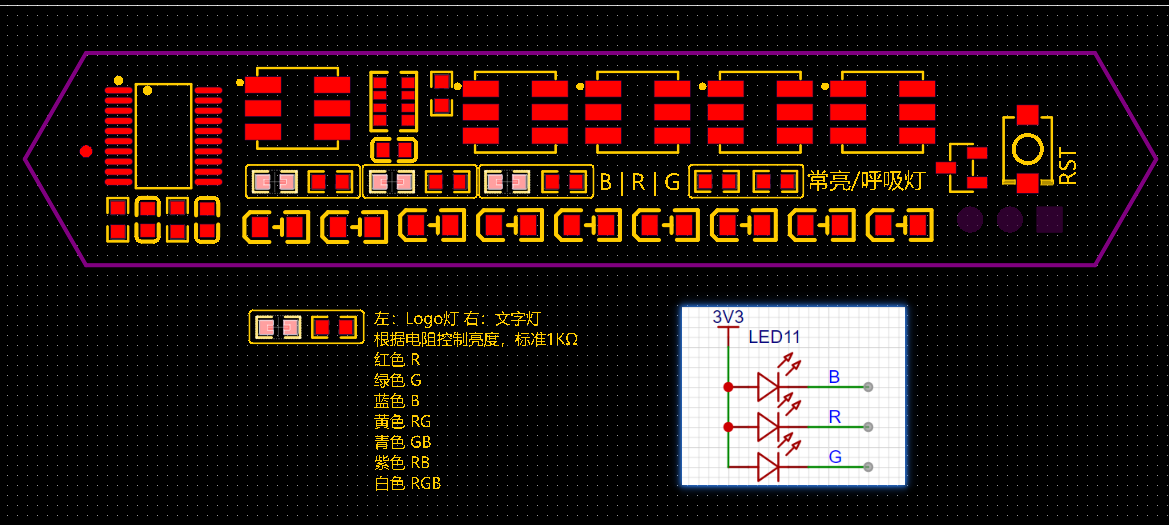
the trigger logic. The trigger logic
reads the pressure sensor data from the ADC chip in real time and converts it into a pressure value. At a maximum rate of 1280Hz,
a pressure value exceeding the filtered value triggers a level change in the two output pins. There is a maximum time limit; after exceeding this limit, the threshold is updated, returning to the non-triggered state.
The current static pressure value + preset threshold = trigger threshold. If there is no
sudden pressure change after a certain time, the trigger threshold is updated once. Slow increases or decreases in pressure over a long period will not cause false triggering; only sudden changes exceeding the preset threshold will trigger the trigger.
Test conditions: CS1237 1280Hz, 5mm/s speed, belt Z 80:20 reduction ratio, trigger weight 150g.
Accuracy test results after 10 consecutive repetitions:
Range
Deviation
0.0025.
0.001146
0.0025
0.001146
0.0050
0.001581
0.0050
0.001581
0.0025
0.001000
0.0075
0.001871
0.0050
0.002000
0.0050
0.001658
0.0050
0.001581
0.0050
0.001346
Klipper officially recommends that the repeatability range of the leveling probe be within 0.025. If using the HX711 with a maximum data rate of 80Hz, the speed must be reduced to barely meet this requirement. The high sampling rates of the HX71708 and CS1237 can significantly improve repeatability to obtain better probe data.
If the test results show a range value greater than 25 micrometers (0.025 millimeters), then the probe does not meet the accuracy requirements of a typical bed leveling procedure. Adjusting the probe speed and/or the probe start-up height can be tried to improve probe repeatability.
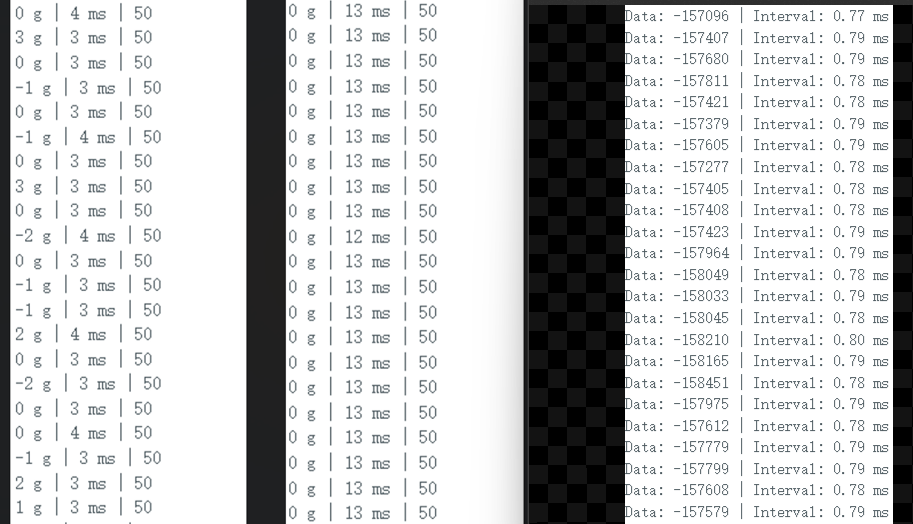
Comparing the data intervals of HX71708 (80Hz and 320Hz) and CS1237, the
download instructions
require a separate serial port programmer. Connect the pre-installed serial port pin header for downloading.
Configure the development environment according to the official tutorial of Hezhou. Air001 Arduino-based user manual
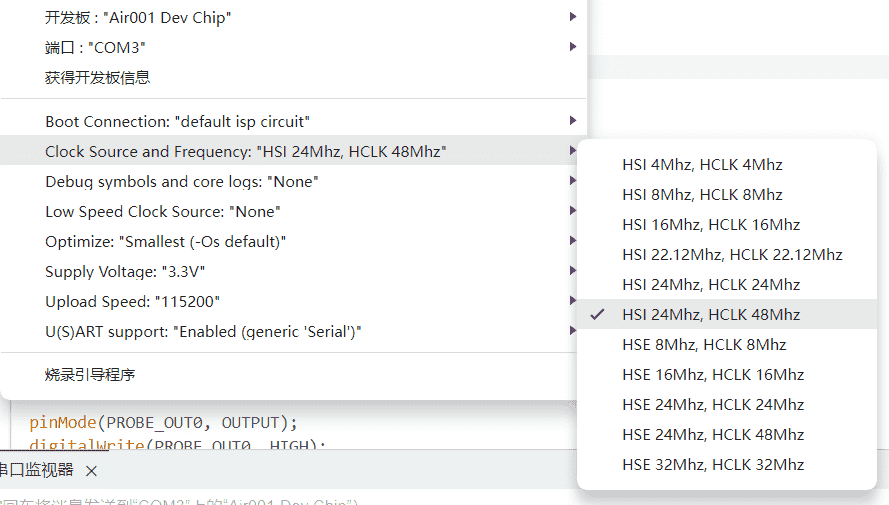
[Important]: Set the main frequency to 48MHz during download.
Program description:
All programs are from ChatGPT4.
Modify the code by using `const int THRESHOLDS[] = { 50, 150, 300 };` to customize the trigger threshold weight. The boot button can be used to switch during operation. Set
the serial port baud rate to 115200. Other settings and debugging can be modified using serial port commands.
Send HELP via serial port to get help information
using the command: `SET SPEED index`. This takes effect after restarting. This is used to modify the CS1237 data rate. Lowering it will result in a more accurate weight. 0=10, 1=40, 2=640, 3=1280.
Send the command `ADC value` via serial port. This value is a calibration factor used to convert the ADC (Analog-to-Digital Converter) reading into the actual weight. Different sensors will produce different results; you will need to test and modify the settings to obtain an accurate weighing result.
Use the command to enable SERIAL serial port output. The serial port will then continuously output the current weight reading in real time. Weigh an item of known weight, observe the reading, and adjust the calibration factor until the reading is close to the actual weight of the item. [Important] The air001's performance is insufficient for stable operation with serial port output at sampling rates above 640Hz. Use it only during debugging at a lower sampling rate. Be sure to disable it at high sampling rates
. Debugging instructions:
The SERIAL command enables real-time weight reading output, outputting three data points every 100ms: weight, filtered weight, and trigger threshold.
After enabling SERIAL output, you can use the Arduino IDE's serial port plotter to visualize the data using charts.
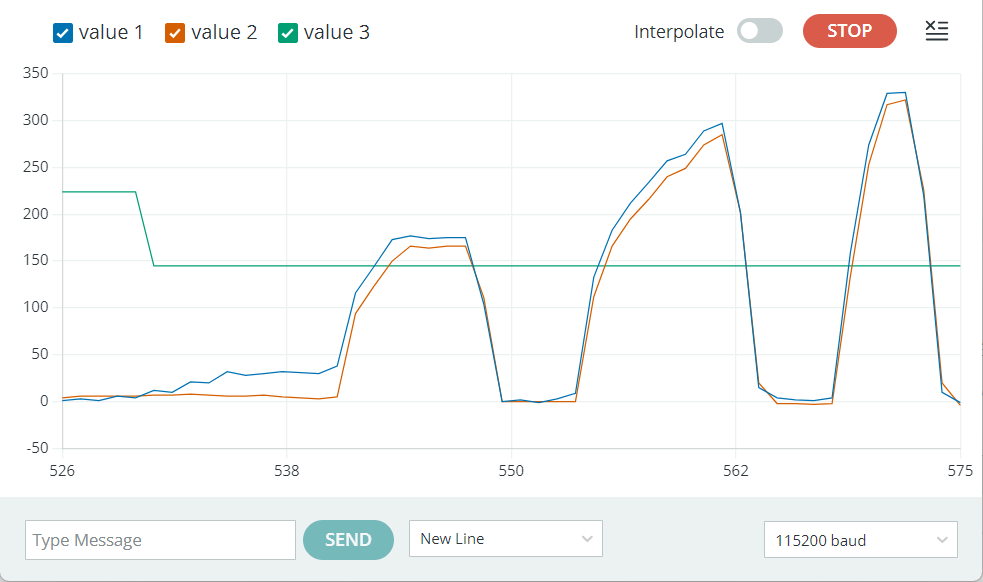
The RECORD command starts recording the highest and lowest weight readings, which can be used to observe reading fluctuations under no-load conditions or trigger force.
EMA is used to enable or disable the exponential moving average filter. This option is not saved after setting and is enabled by default.
These features are only available in the CS1237 version code; they are deprecated in HX71708. The following content is for reference only and is not recommended.
The HX711 library does not support modifying the data rate in HX71708. HX71708 has only one channel with a fixed gain, and the data rate is modified through code. HX711, however, modifies the rate through hardware and modifies the gain through code. Therefore, you need to modify the `scale.set_gain(64)` function in the `hx711.cpp` library file
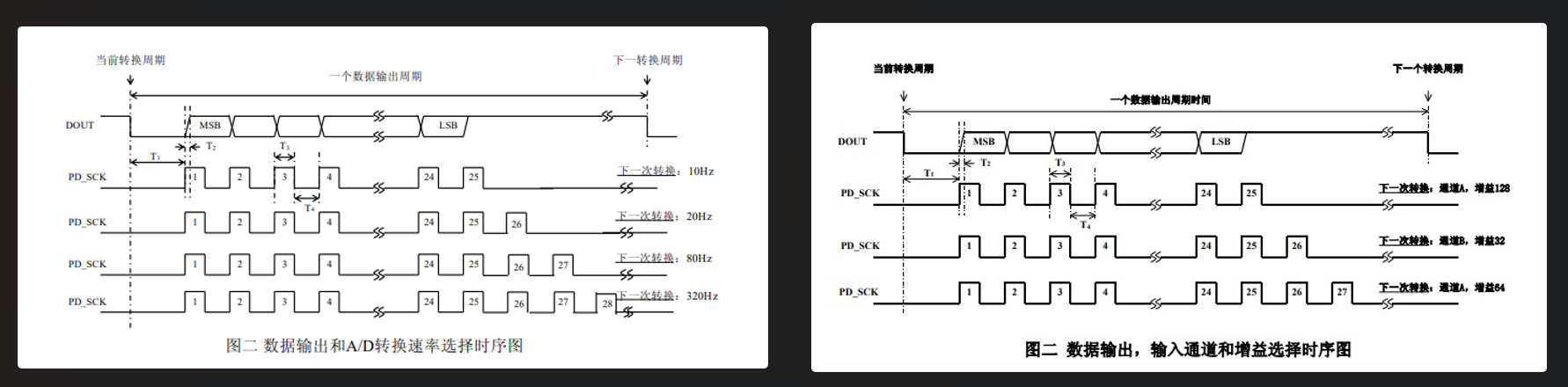
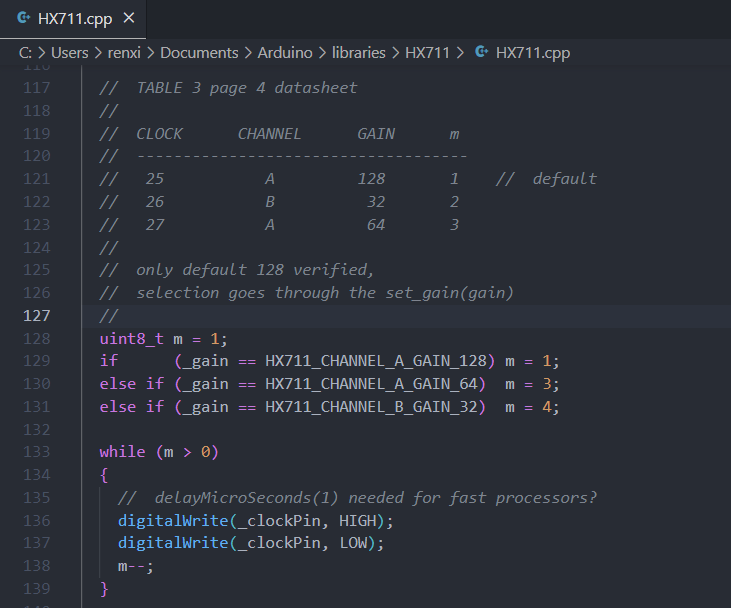
to set the gain, and then set the corresponding gain in `cp`. Changing the pulse count in the p library file to 4 enables data rate control.
The HX711 program uses absolute pressure values for judgment; triggering occurs when the pressure exceeds a threshold, and the reading resets to zero periodically.
The CS1237 uses relative pressure values for judgment, enabling dynamic detection of sudden pressure changes without resetting to zero. Triggering occurs when the real-time pressure value exceeds the reference value plus the threshold; the reference value is updated periodically. Slowly increasing weight reaching the threshold will not trigger a trigger.
Both use the Boot key to switch preset thresholds in the code
, outputting two opposite high and low level signals. For shorting jumpers,
it is recommended to use the CS1237, which is relatively cheaper, has better performance, and offers richer code debugging features.








 京公网安备 11010802033920号


 1N6267



