Magic Wand Project Functions:
Wand Mode: Users wave the wand to perform specific actions and recite spells (optional). The wand then controls home appliances via infrared remote control, simultaneously playing sound and light effects. The LCD displays the recognized graphic shape and related prompts.
Prophet Mode: Users press a button, speak their desired topic, and release the button. The wand connects to a large language model, acquires its output, converts it into speech, and plays the speech to the user. The LCD displays the prophet's image.
BLE Air Mouse: Simulates a BLE mouse device to control a TV or computer. The middle button is used for single or double clicks, and the up, down, left, and right buttons are used for auxiliary directional control.
Night Light: Automatically turns on LED lights when the illuminance is below a certain threshold and there is activity. The MCU operates in ULP ultra-low power mode throughout the process.
Automatic Lighting: Automatically turns on home lights via infrared remote control when the illuminance is below a certain threshold and there is activity (lights must support infrared remote control).
Wand: Waving the wand displays the selected graphic or text on an LED strip. Graphic or text styles can be automatically obtained by the MCU from the network (and the resolution is automatically reduced to suit the density of the LED strip).
Intercom mode: Two wands can communicate via voice over a 2.4G Mesh network.
Configuration mode: Connect to the MCU's Wi-Fi access point, open the specified address in a browser, and configure the specific parameters of the above functions through the web interface.
Voice control: Most of the above functions support voice control. The LCD will prompt the user with voice commands as needed.
Hardware Function Verification Status:
Main
Electronic Modules
Verification Completed
More Description:
Motion Perception
MPU6050
Yes
Voice Playback
ES8311, AW8010B
Yes Can
play MP3 files stored in Flash or MP3 data streams downloaded from the network
Voice Input
ES8311, ZTS6117 Yes
Used
for voice command recognition
Infrared Control
IR940F3
No (This circuit was verified using other models in the previous version)
Used to control the switching of home appliances
Infrared Receiver
DY-IRMHA384-T05-2KB
No
(This circuit was verified using other models in the previous version)
Used to learn infrared remote control commands for home appliances
LED Light
F8MM The 0.75W light source
is
used as a flashlight or night light.
The WS2812B LED strip
is
used to display light and shadow effects . The PT550F3
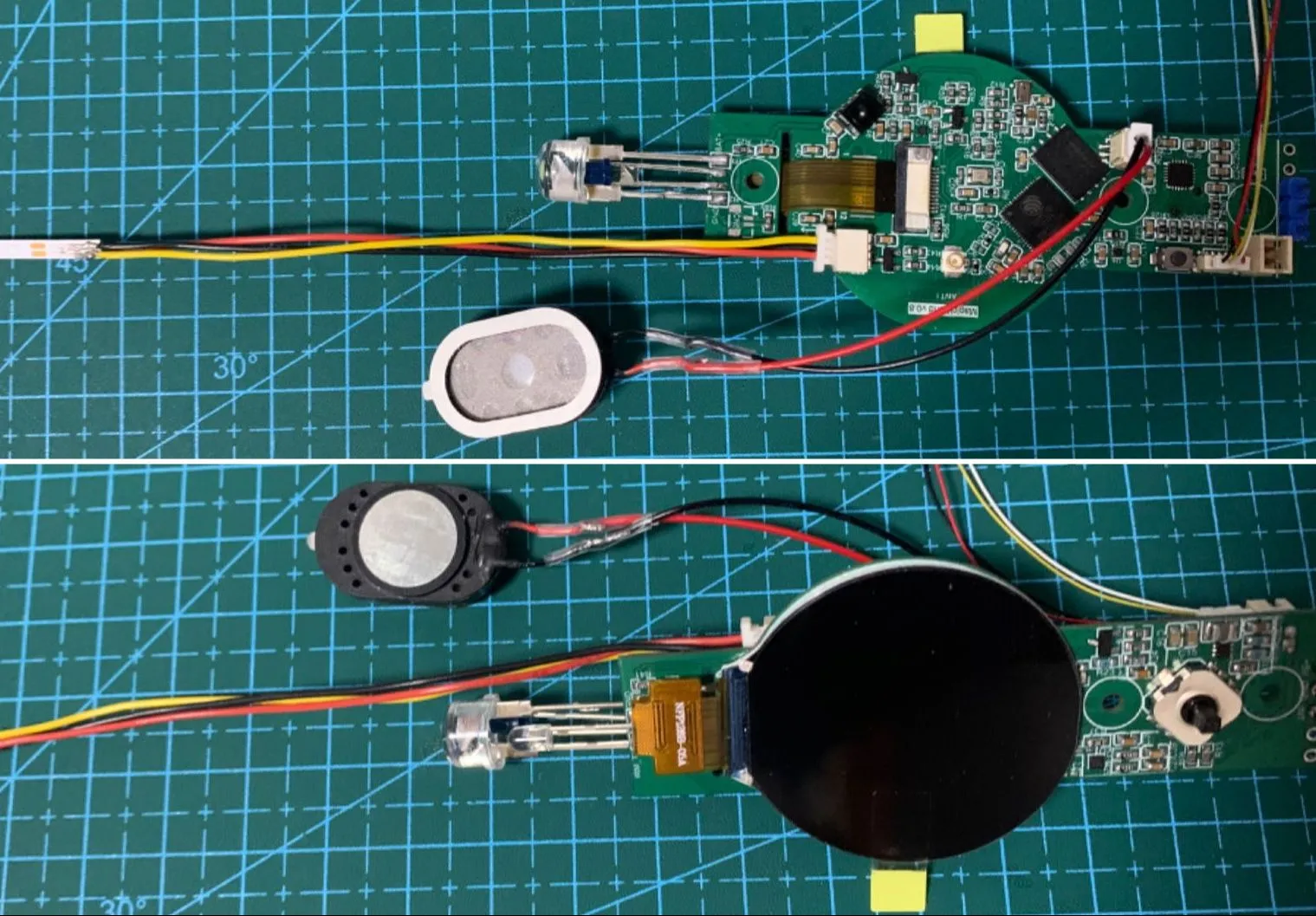
ambient light sensor is used to prevent daytime illumination in night light mode. The GMT128-01 (round screen) LCD display is used to display system status, animated characters, text, etc. The MG58F18 human presence sensor is used to automatically wake the wand when it is near, and to automatically turn on the light in night light mode. The five-way button has the middle button connected to GPIO0; it can be used as a BOOT button during startup, and its function is defined according to the wand mode during normal operation. The up, down, left, and right buttons use an ADC for input detection, and their functions are defined according to the wand's operating mode. The BLE air mouse ESP32S3R8 is a prophetic mode ESP32S3R8. The W25Q256JVEIQ is used for chatting with large language models. Battery voltage detection is used to report battery voltage. This version has an issue: the installation orientation of the human presence sensing radar module does not conform to the housing design requirements. External pull-up or pull-down resistors are not designed for the GPIO used to wake the MCU from deep sleep (to further reduce current during deep sleep).







 京公网安备 11010802033920号


 2N6476



