The Hozon ESP32-C3 was discontinued a few days ago, and this project will no longer be updated.
If you have any stock, you can try to
update it
to v1.5 to add a series connection function
. One main controller can control 49*n RGB lights!!! (not considering losses). Introduction
:
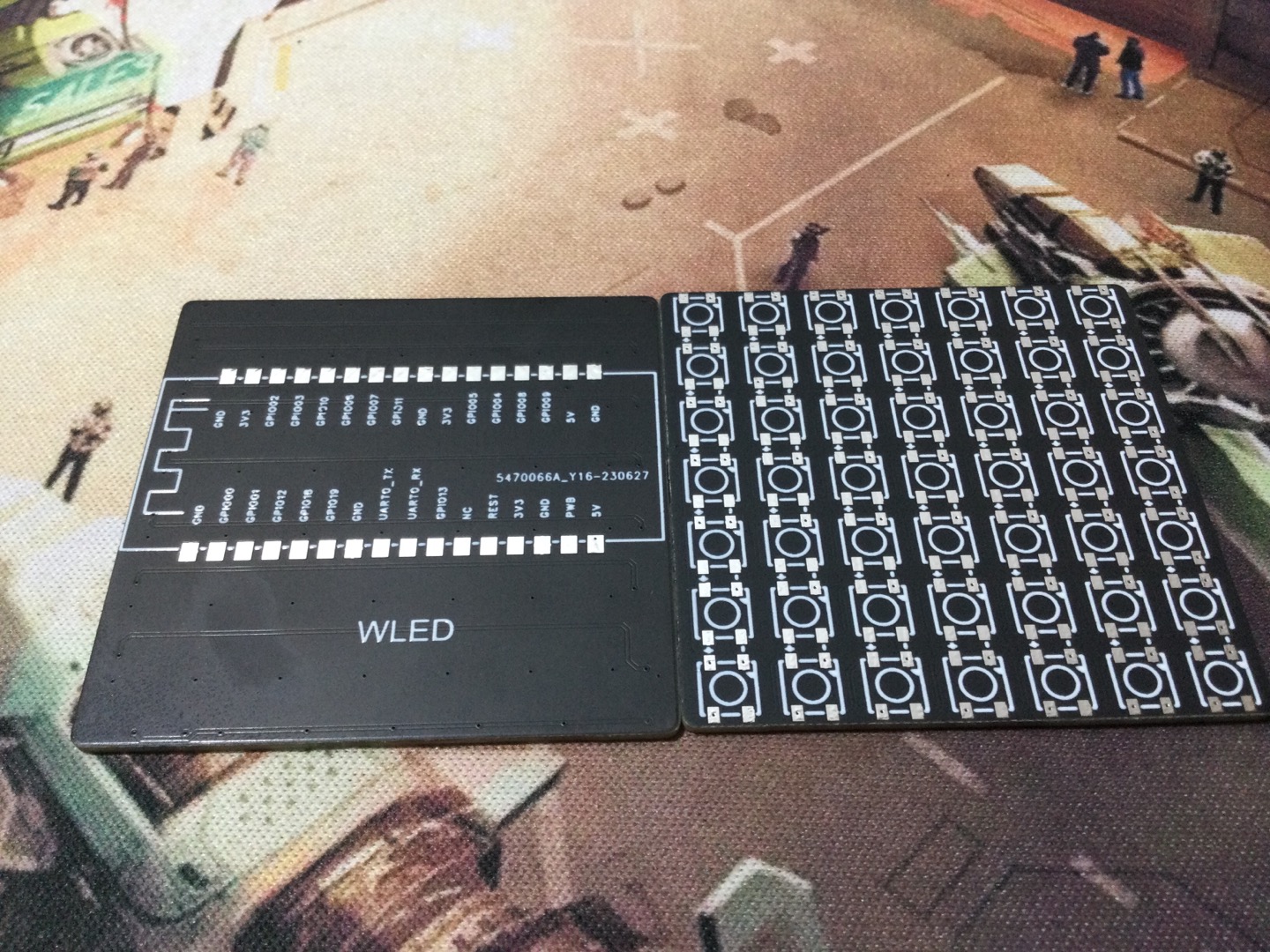
It is modified from https://oshwhub.com/xpya/WLED. The original main controller ESP32-PICO-D4 was replaced with Hozon ESP32-C3, the wiring was rerouted, the soldering was easier, the cost was lower, and it also has more expandability.
The "WLED" open source project can be said to have played with the control of RGB lights in an amazing way. It has more than 100 special effects, can make 250 presets, can be timed to turn off, can adjust the speed, etc. Most importantly, it can connect to WiFi, has a separate APP, and can be controlled by IP address web page. This way, when writing code, you can directly open the browser to set the brightness. The RGB light bead model is WS2812B (5050). Program: Three options: compile and flash the compressed package in the attachment (vscode can be used). Download the binary file from https://github.com/Aircoookie/WLED/releases and flash it from https://install.wled.me/. Flash the mobile app: https://github.com/Aircoookie/WLED-App (Android). For Apple, search for it in the App Store (WLED). Configure the network: After completing the above steps, connect the light strip and power. The 30 LEDs in the front of the light panel will light up orange. Then, take out your phone, go to Settings, find "WLED-AP" in WiFi, and connect. The password is "wled1234". After connecting, the configuration page will most likely pop up automatically. If it doesn't, open your browser, enter 4.3.2.1, and open it. Then click WIFI SETTINGS to set the WiFi account, password, and other information. At the most basic level, just fill in the account and password to connect to WiFi. For a more advanced setup, you can set a static IP address, so you can enter this IP address in your browser for future settings. Finally, don't forget to click save. To begin, open the WLED app on your phone. Connect your phone to the same Wi-Fi network as the controller. In the WLED app, tap the plus sign in the upper right corner, then tap "Discover lights...". When "Found WLED and..." is displayed, tap the checkmark in the upper right corner. You should then see the controller; tap to access it and you're ready to use it. You can also see the controller's IP address. Enter this IP address into a browser on a computer connected to the same network to open the web-based configuration page. Once in the configuration page, the first thing to do is set the length of your LED strip in "Config" under "LED Preferences" . Finally, don't forget to click save. In addition, after configuring the Wi-Fi, you can disable the board's AP mode in the Wi-Fi settings to prevent overheating. You can also add your own presets by finding "Apply preset" under "Defaults" in the LED settings to customize the default preset at startup; otherwise, the default orange color will always be displayed upon startup. P.S .: This section was only copied and pasted. If you are unsure, please refer to the original engineering drawing, which is version 1.0. Version 1.0 has been verified to have no series connection function . I am a newbie, so please don't criticize me too harshly!








 京公网安备 11010802033920号


 MCST2450DM



