Current version 1.1V
1. Fixed silkscreen error at the interface (TDX-->>TXD)
Current version 1.0V
1. Updated the test history in the data package
2. Online firmware upgrades may fail and firmware may be lost; in this case, the firmware needs to be reflashed.
The data has been uploaded as an attachment. If you have any questions, please leave a message at the bottom.
Video address: [Open Source] Hands-on Guide to Making a Mini Dual-Core Wireless Download Debugger ARM+RISC-V WCH-LinkW
Project Introduction
WCH-LinkW is a wired/wireless 2.4G dual-analog debugger that can be used for online debugging and
downloading , and also for online debugging and downloading of ARM chips with SWD/JTAG interfaces.
Mode
Status Indicator
Supported IDEs
Supported Chips
RISC-V
Blue light is off when idle
Mount River Studio
This company supports RISC-V core chips for single/dual-wire debugging
ARM
Blue light is on when idle
Keil/Moun River Studio
Supports ARM core chips with SWD/JTAG interfaces
For other models, please refer to the WCH-Link manual in the attachment.
The design has been reduced in size, making it more compact. A power pad is provided on the bottom for connecting an external power supply cable.
It adopts a 4-layer board design and uses a more professional CA-C03 antenna.
An acrylic protective shell is included to protect the downloader.
To save costs, I opted for hand soldering with a heating table. The chip was the most difficult part to solder; the rest was relatively easy to solder by hand. (Try challenging your soldering skills!) The wired
mode
requires only one WCH-LinkW. Connect the header pins to the MCU and the USB port to the computer for downloading and debugging.
The wireless mode requires two WCH-LinkWs: a WCH-LinkW master (connected to the computer) and a WCH-LinkW slave (connected to the MCU).
The wireless access address can be set using the WCH-LinkUtility tool.
Detailed parameter settings are provided in the attached WCH-Link user manual.
Instructions for Use
: Follow these steps using the attached data package:
Install the WCH-LINK driver package in administrator mode.
Press and hold BOOT and then power on. To burn the WCH-LINK firmware,
press and hold the Mode button and then power on. This will switch between ARM and RISC-V modes. In ARM mode, the blue light will remain constant.
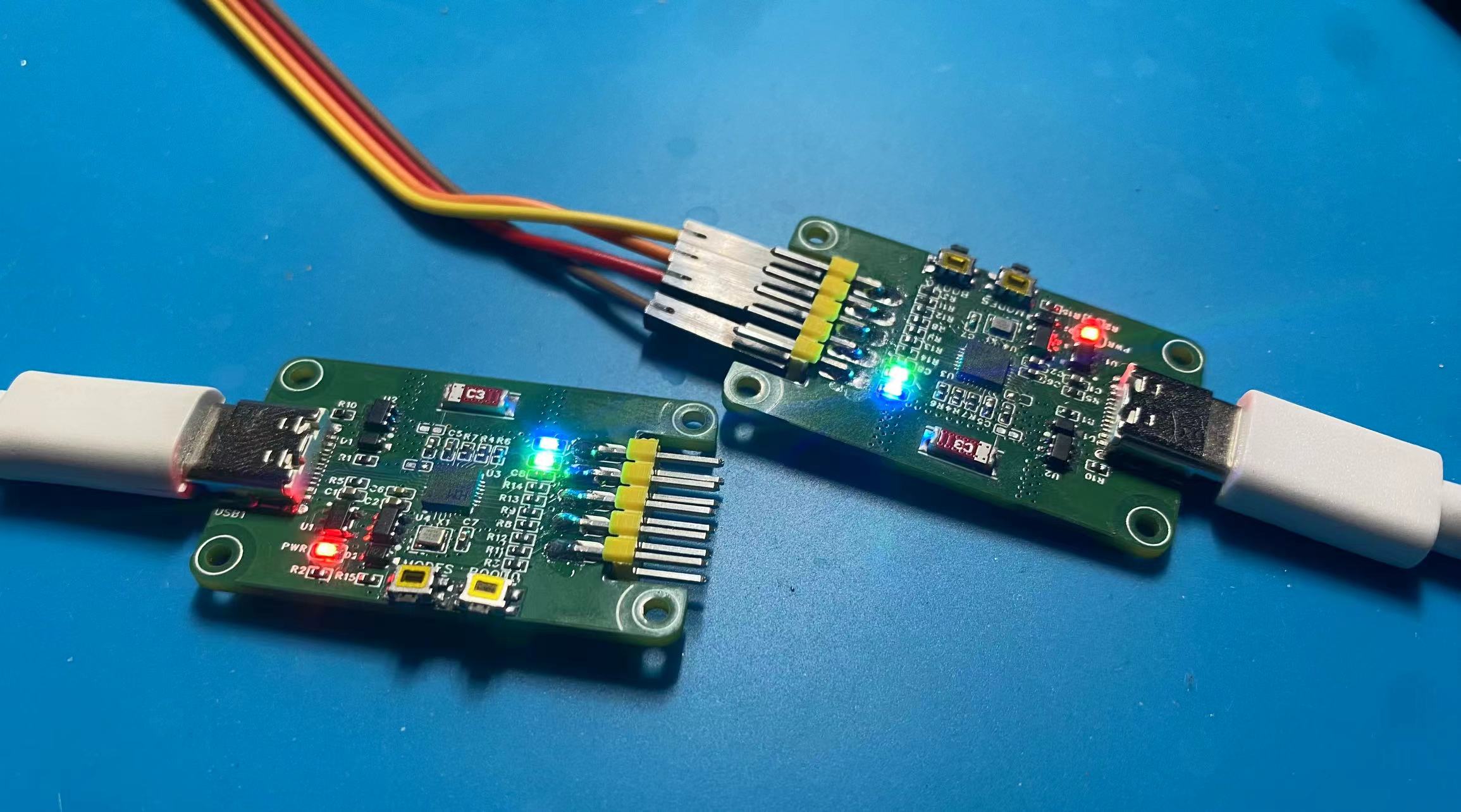
In wireless mode, pre-set the current burning mode. Then, power on the slave (connected to the target chip) burner first, and then power on the host (connected to the PC) burner. When you see the green lights on both burners constantly lit, it indicates that you are in wireless download mode.
Test Progress:
[x] Wired Download Test
[x] Wireless Download Test
Physical Demonstration
Precautions
: 1. When soldering, please pay attention to the soldering order to ensure the power supply is correct and to avoid burning out subsequent circuits! The soldering order should follow the principle of from shortest to smallest, and from inside to outside.
2. The circuit has been verified. Solder according to the component parameters in the schematic diagram. It is recommended to solder the main controller first, as it is more difficult to solder. It is recommended to use a heated soldering station.
3. When using the board cleaning solution, be careful not to touch the buttons, as corrosion will make it difficult to use.
4. It is recommended to use the schematic diagram parameters; the BOM table may contain errors.








 京公网安备 11010802033920号


 FR206G



