wBQwUEX

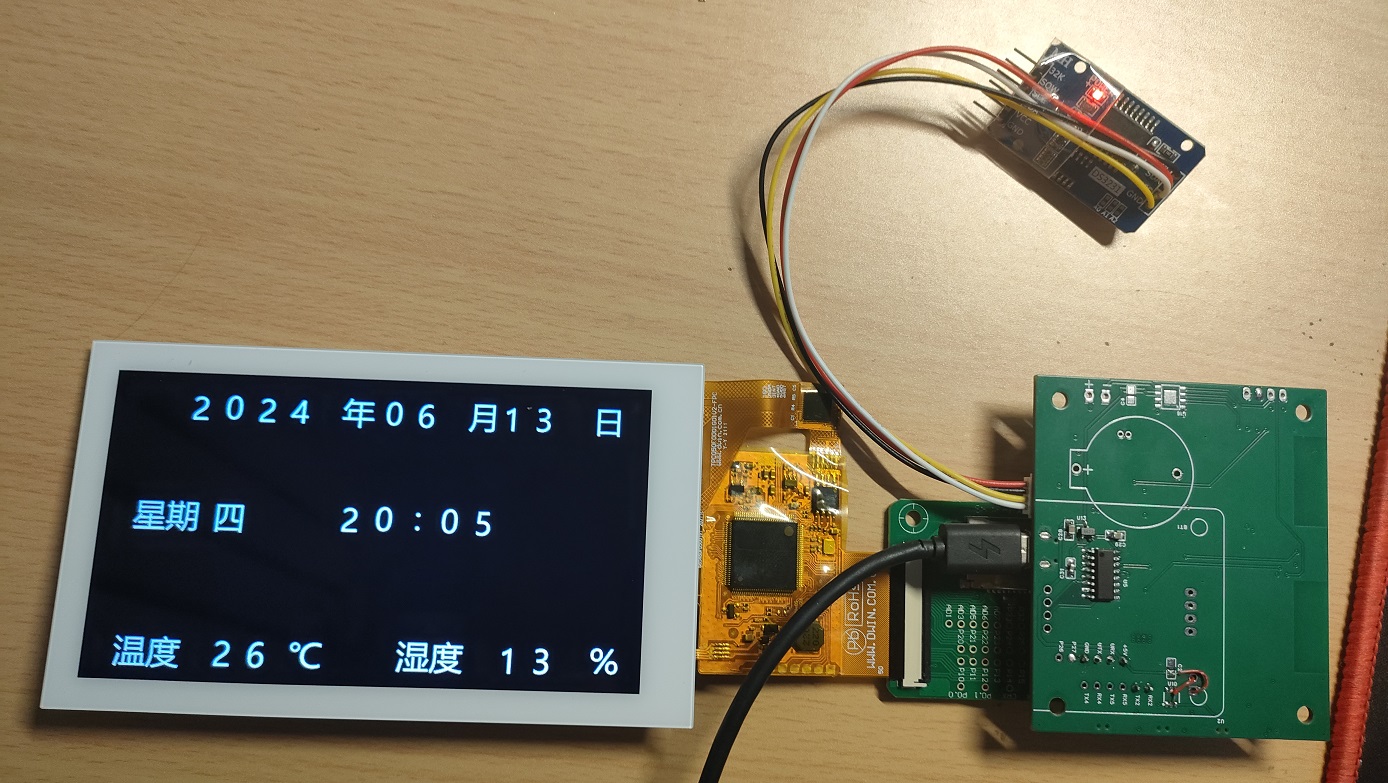
Temperature and humidity clock using DWIN serial port display and ESP8266 main controller.

 
Overview
Special thanks to LCSC Open Source for their support of the Summer Electronics Fun Activity. This
motivated me to utilize my previously idle 5-inch DWIN serial port COF screen to practice serial communication between a microcontroller and the screen. I also plan to integrate a previously borrowed graffiti module to implement a graffiti-enabled smart thermometer. The overall design is incomplete and is for reference only; it is not suitable for direct replication.
The
overall circuit is relatively simple and easy to understand. I originally considered using an ESP32 as the main controller, but later felt it would be wasteful, so I used an ESP8266 instead, which is easier to solder and has enough pins. It does not include a battery, making it convenient for long-term plug-in use.
The clock module circuit board includes a PCF8563, but an external clock module can also be connected via the reserved I2C interface; I used an existing DS3231 module. The temperature and humidity sensor can use the on-board SHT30 sensor, and an interface is also reserved for connecting an external DHT11 sensor. The circuit also includes an I2S audio output for the NS4168, as a backup audio output.
The software
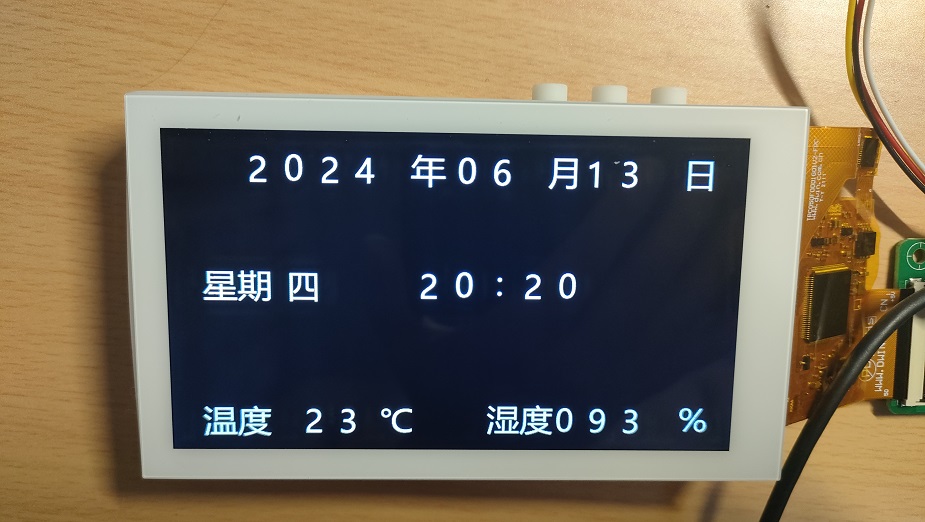
only implements basic temperature and humidity clock functions. After powering on, the WiFi manager starts network configuration, requiring the mobile phone to connect to the ESP8266's hotspot to configure WiFi. Upon successful configuration, the system automatically updates the DS3231 time to the network time, then reads and writes the DS3231 time and the temperature and humidity data from the SHT30 sensor and displays them on the DWIN screen. Other backup and audio functions are not yet implemented. The ESP8266 software is designed using Arduino IDE, while the DWIN screen uses the official software interface, referencing the open-source content of the DWIN forum post: http://inforum.dwin.com.cn:20080/forum.php?mod=viewthread&tid=5649&extra=page%3D1. Thanks to the poster. Regarding
the physical product demonstration and

precautions
: The casing currently has design issues and is not well-matched with the PCB. This is mainly due to the motherboard and DWIN screen adapter board connector pins being too high, preventing the screen from fully resting, and the button positions lacking spacing. These issues will be addressed in future updates.
In addition, the main controller of the DWIN screen generates a lot of heat, which affects temperature measurement and requires internal isolation.
参考设计图片
×
 
 
Search Datasheet?

Supported by EEWorld Datasheet

Forum More
Update:2026-03-26 18:57:10

EEWorld
subscription
account

EEWorld
service
account

Automotive
development
community

Robot
development
community

About Us Customer Service Contact Information Datasheet Sitemap LatestNews



Room 1530, 15th Floor, Building B, No.18 Zhongguancun Street, Haidian District, Beijing, Postal Code: 100190 China Telephone: 008610 8235 0740

Copyright © 2005-2024 EEWORLD.com.cn, Inc. All rights reserved 京ICP证060456号 京ICP备10001474号-1 电信业务审批[2006]字第258号函 京公网安备 11010802033920号




