# Project Name:
**Smartphone Project Based on the Taishanpai Development Board**
# Project Introduction:
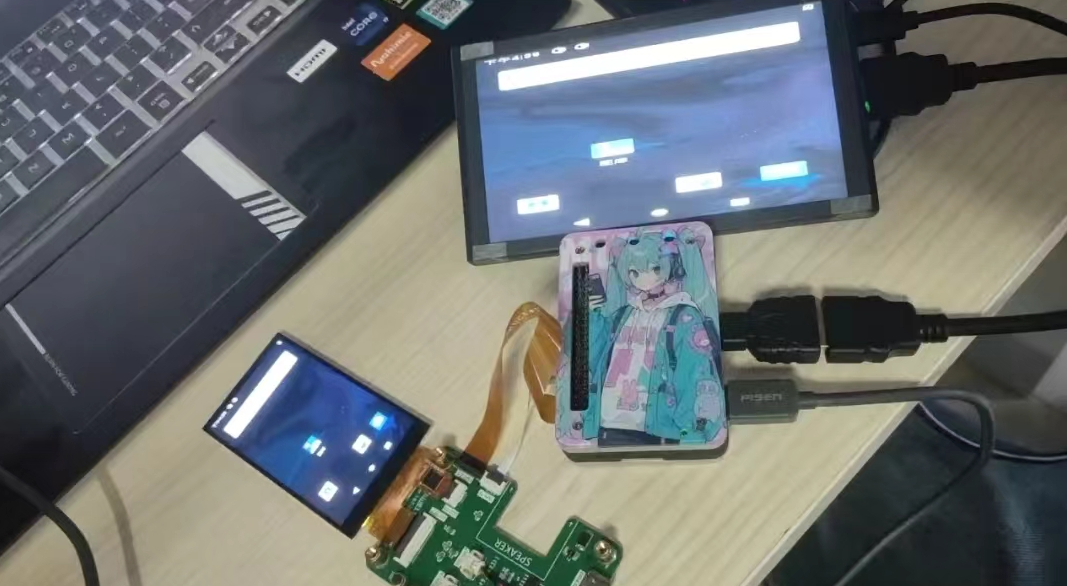
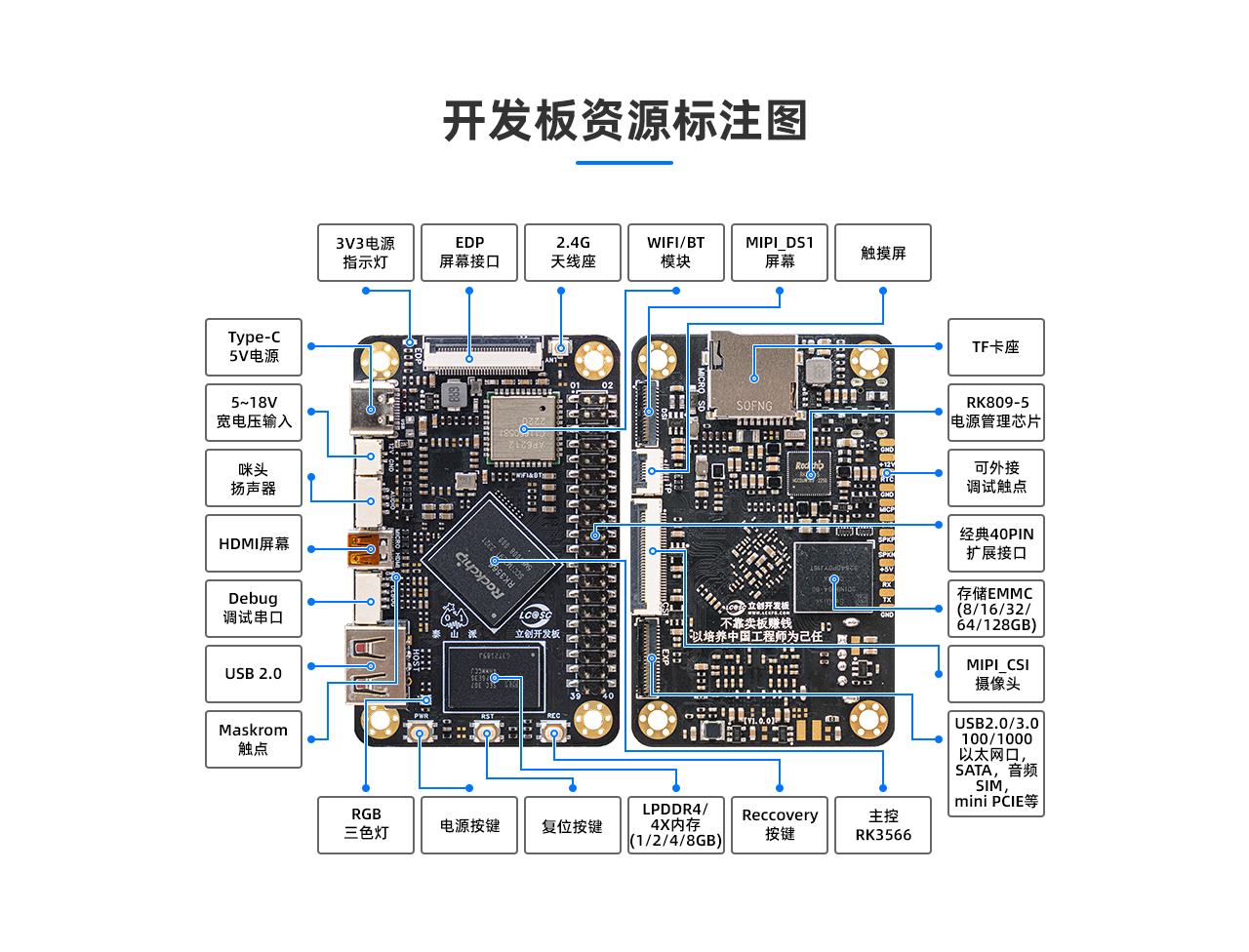
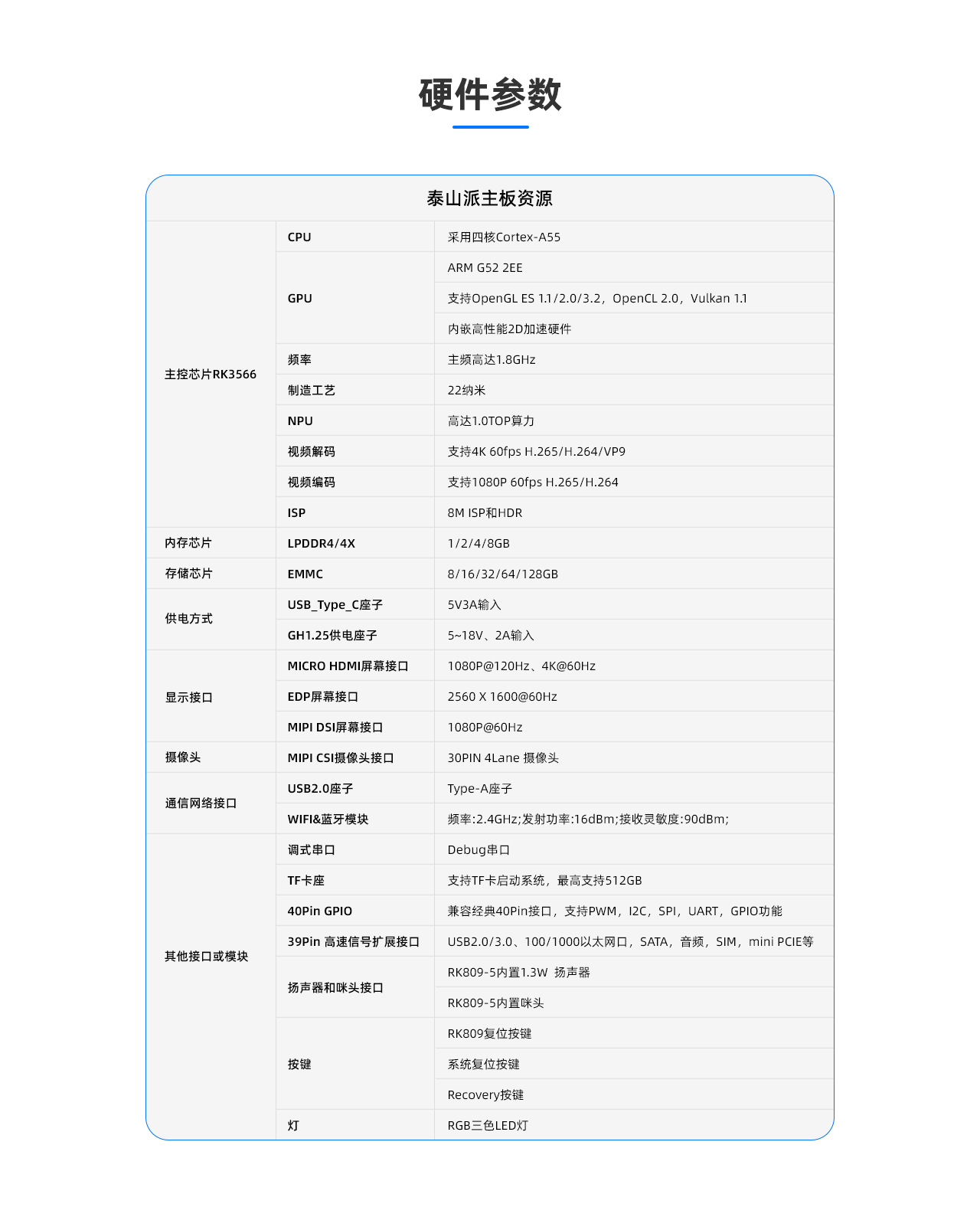
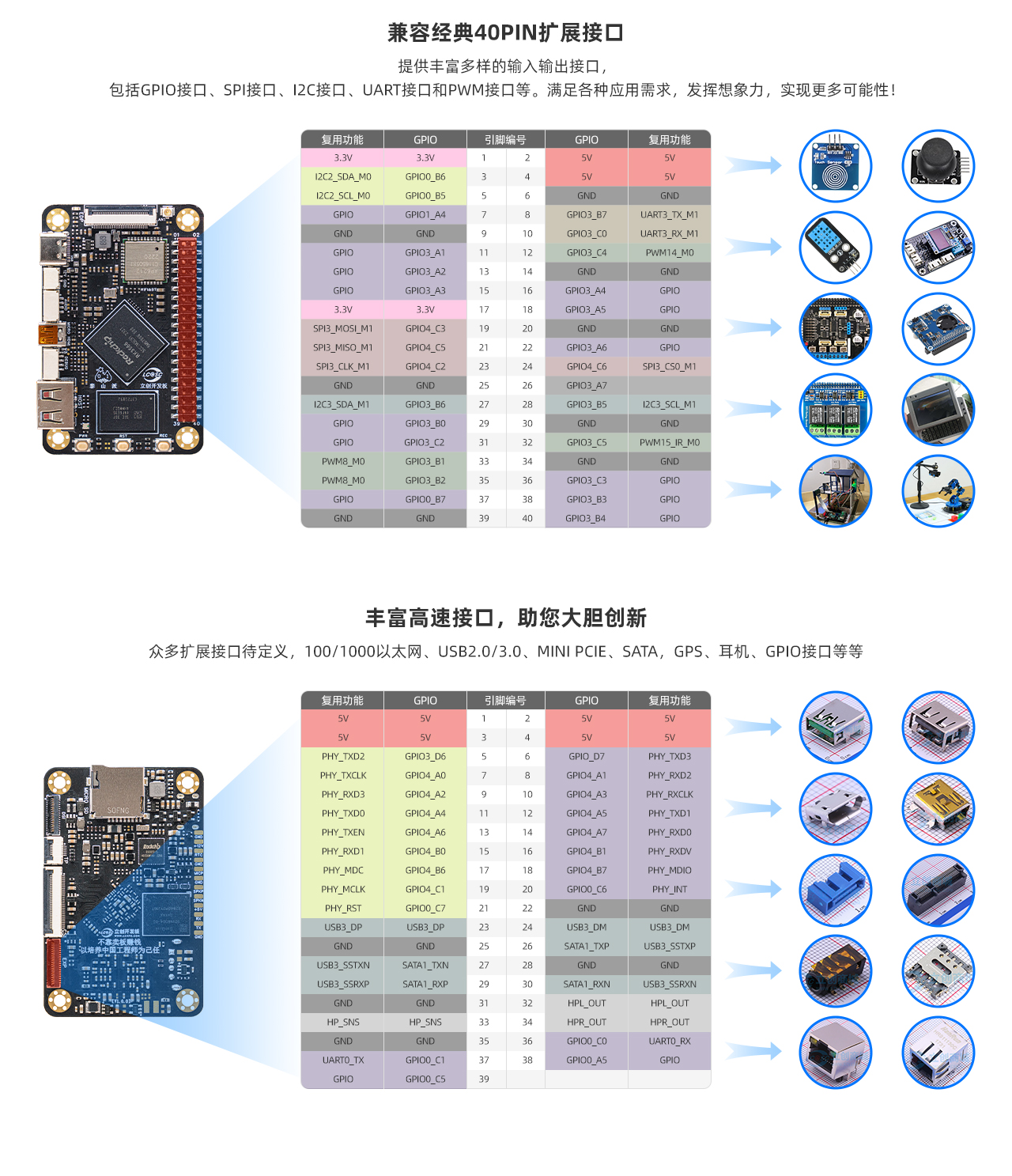
This smartphone project is based on the LCSC Taishanpai development board and training camp. It aims to utilize the powerful performance and rich interfaces of the Taishanpai to create a powerful, compact, and exquisite smartphone. The Taishanpai development board uses the RK3566 core, is equipped with 2GB DDR4 and 16GB eMMC, and provides a rich set of interfaces, providing a solid foundation for the smartphone project development.
# Consumables Request
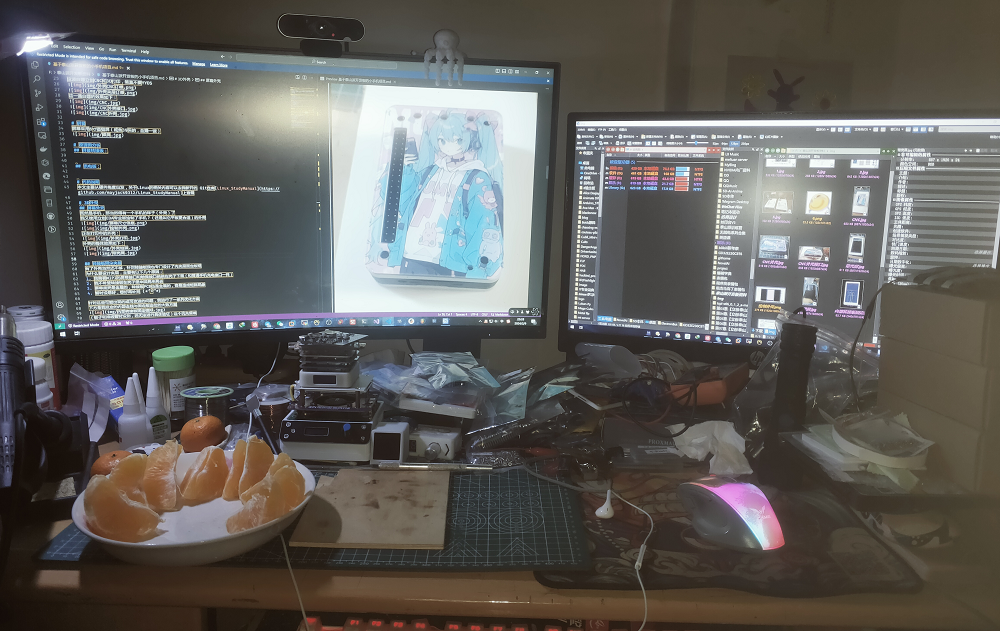
: - One i9-10900k (32GB + 2TB + RTX4060)
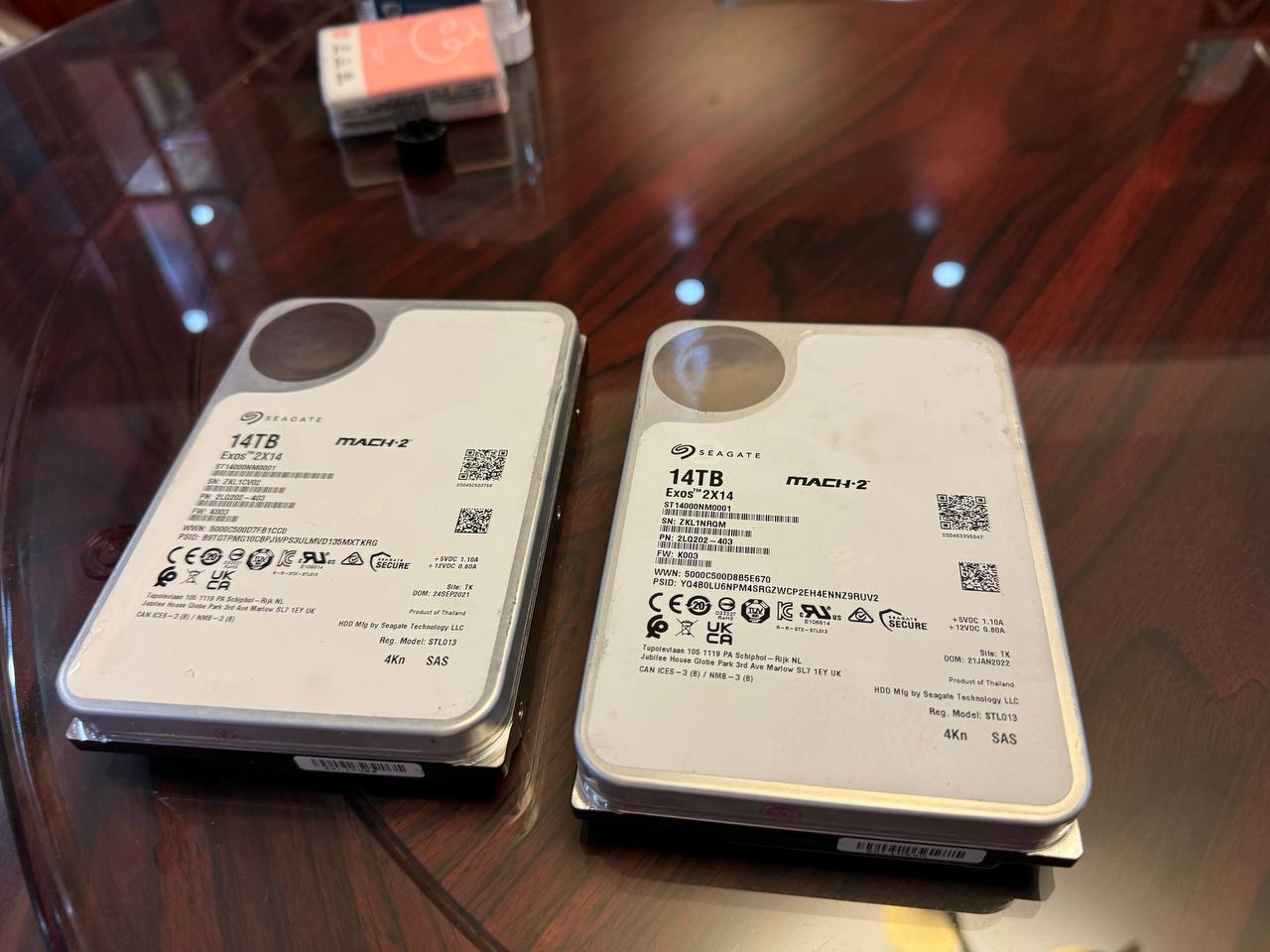
- Two Seagate 14TB HDDs
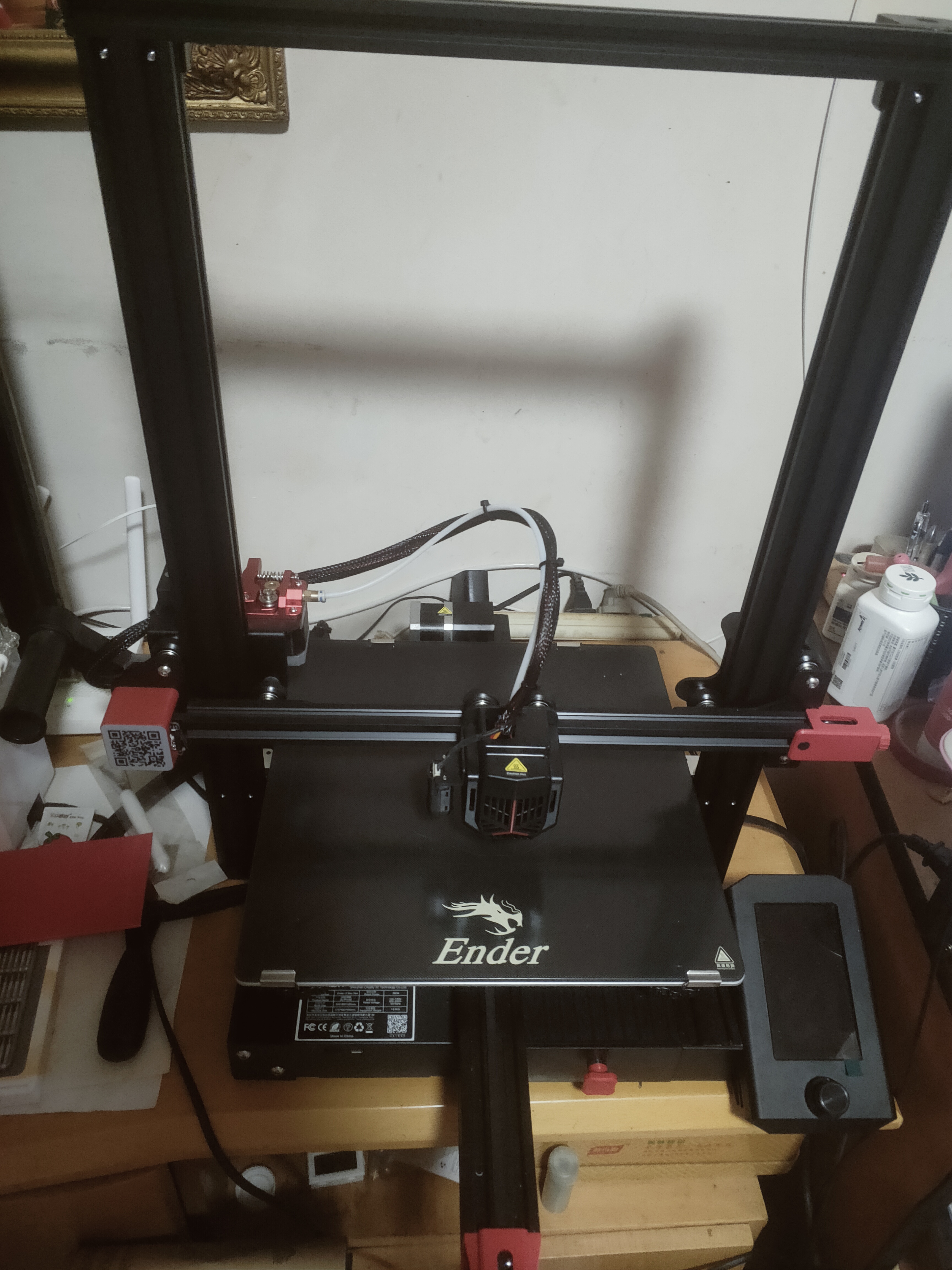
- One Creality 3D printer (Ender3MaxNeo)
- Several PCB freebie coupons, color screen printing coupons, 3D printing coupons, and SMT freebie coupons. (Note:
I don't have these; I'll have to ask LCSC for them!) ๑乛◡乛๑

# The Taishanpai shell
uses two modification schemes: `colored acrylic` and `metal CNC`.
The CNC was obtained for free from files shared by a master in a WeChat group. The panel is modified from the [Taishanpai CNC Shell and Taishanpai Panel](https://oshwhub.com/23studio/deng-tiao-mian-ban-ji-tai-shan-pai-mian-ban) by the master in the square 23studio.
The 3D sandwich can shrink by `0.1%` in actual testing. I don't know if it's because nylon expands a little after printing. During assembly, the edges will curl up slightly.
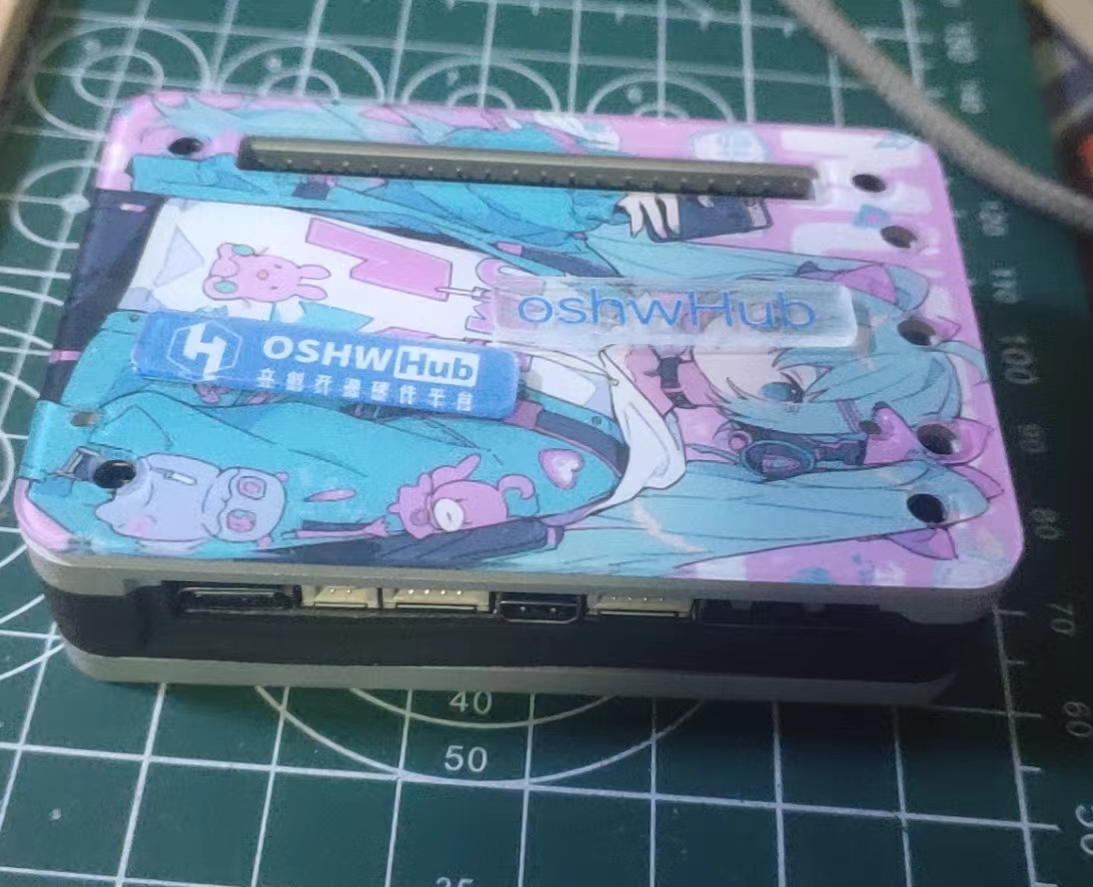
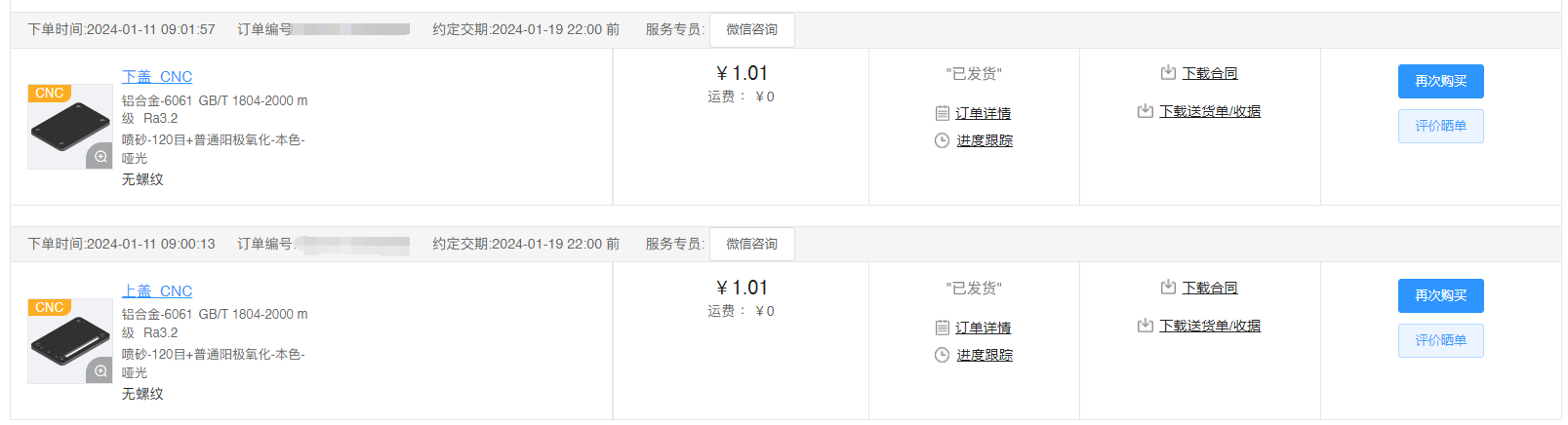
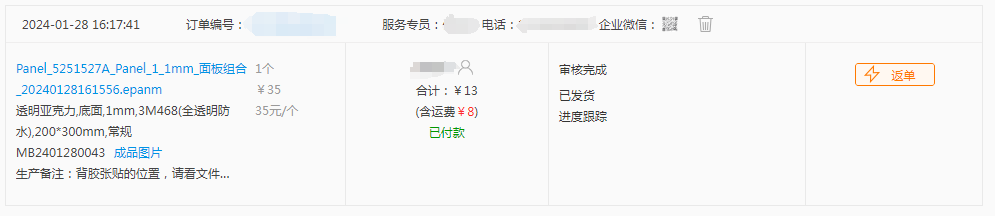
This freebie of LCSC CNC machining, panel printing, and 3D printing is simply amazing!

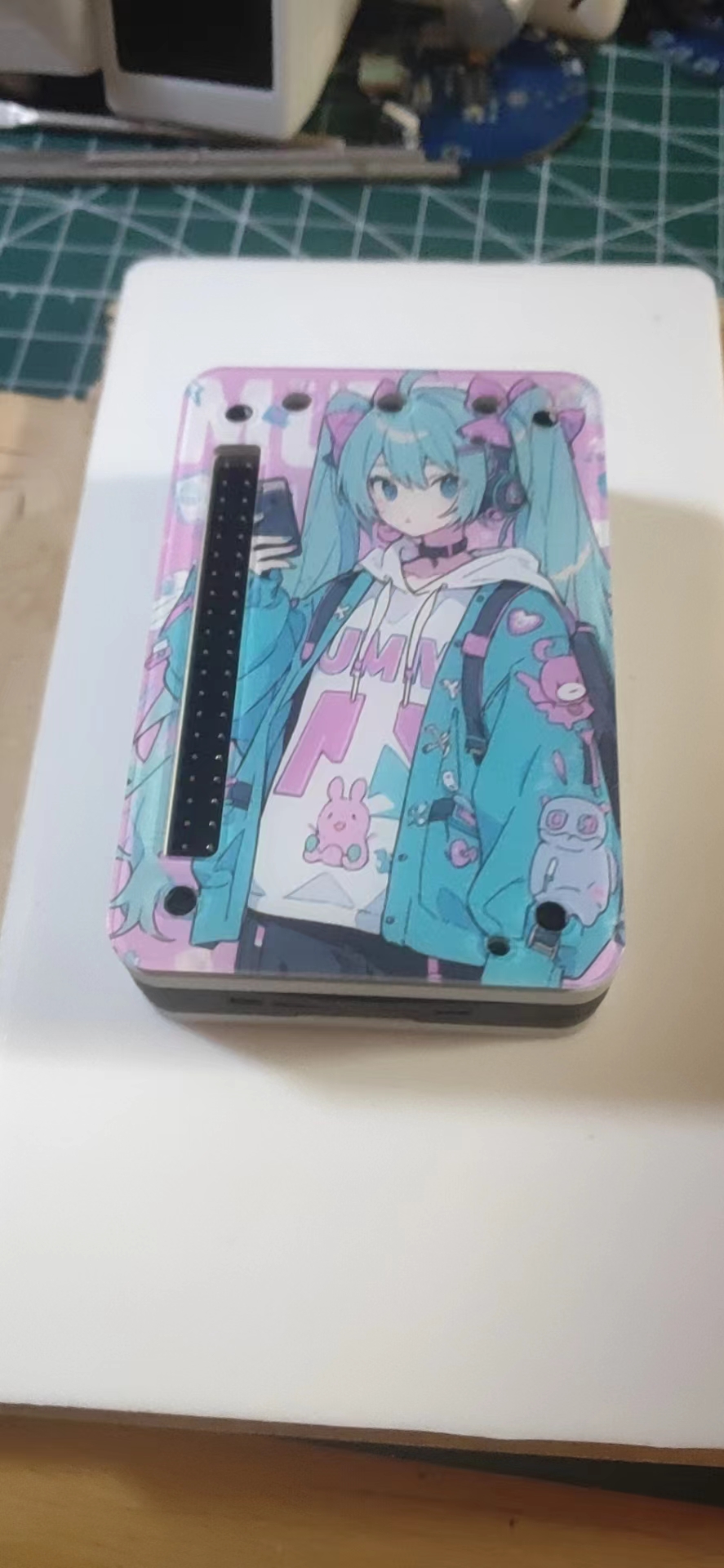
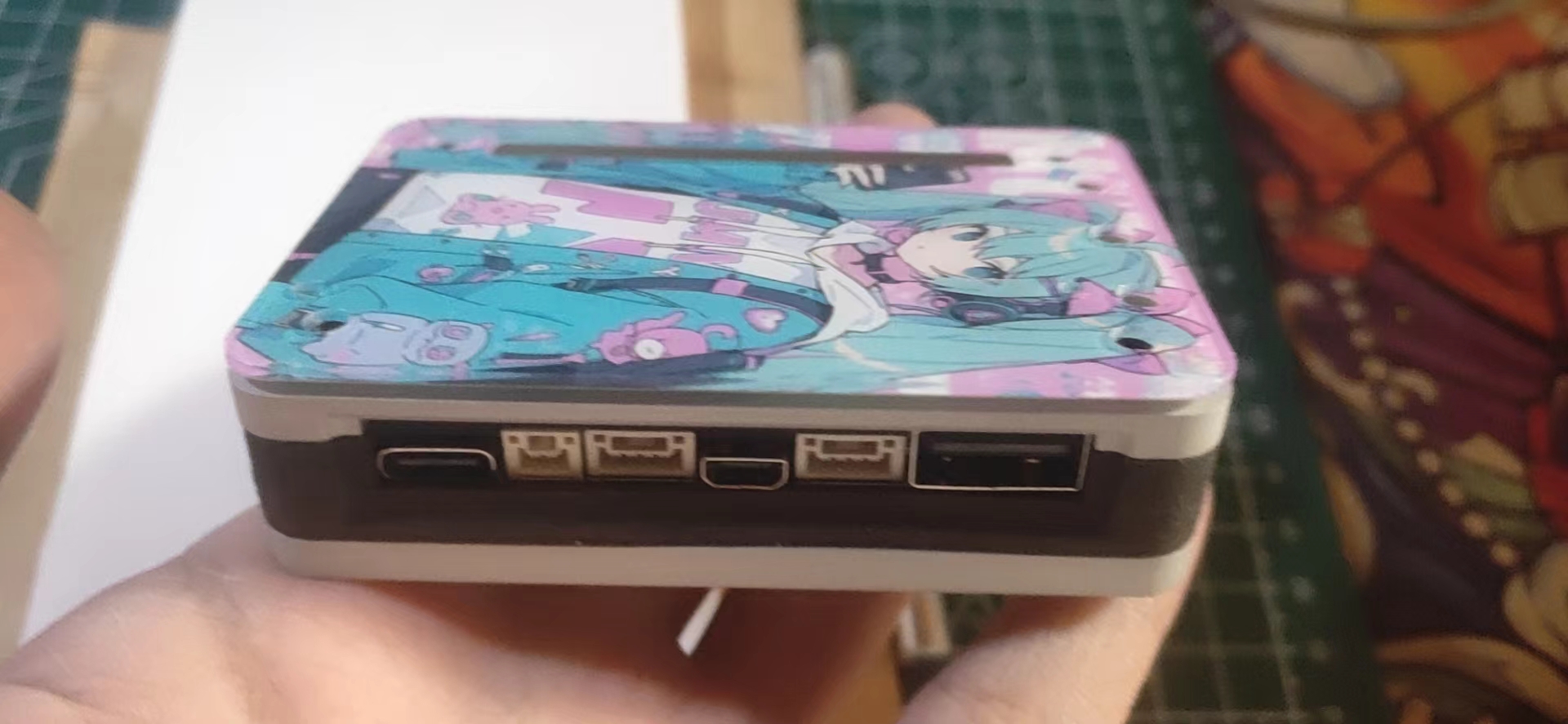
Here's the result:
## A little extra : Those of you who
got the free panel printing,
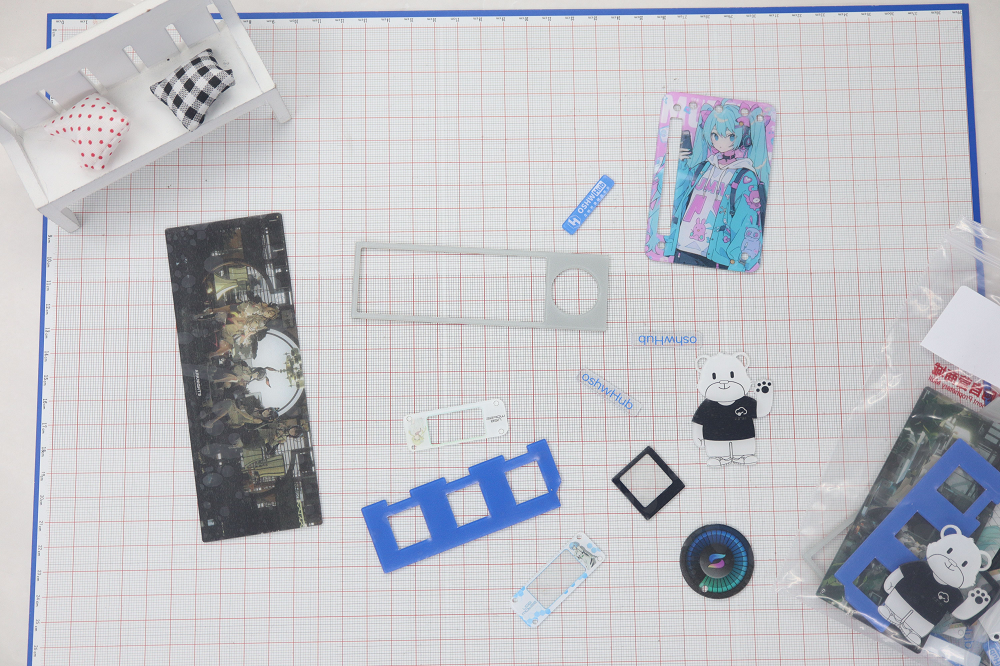
can guess how many projects are included in this project?
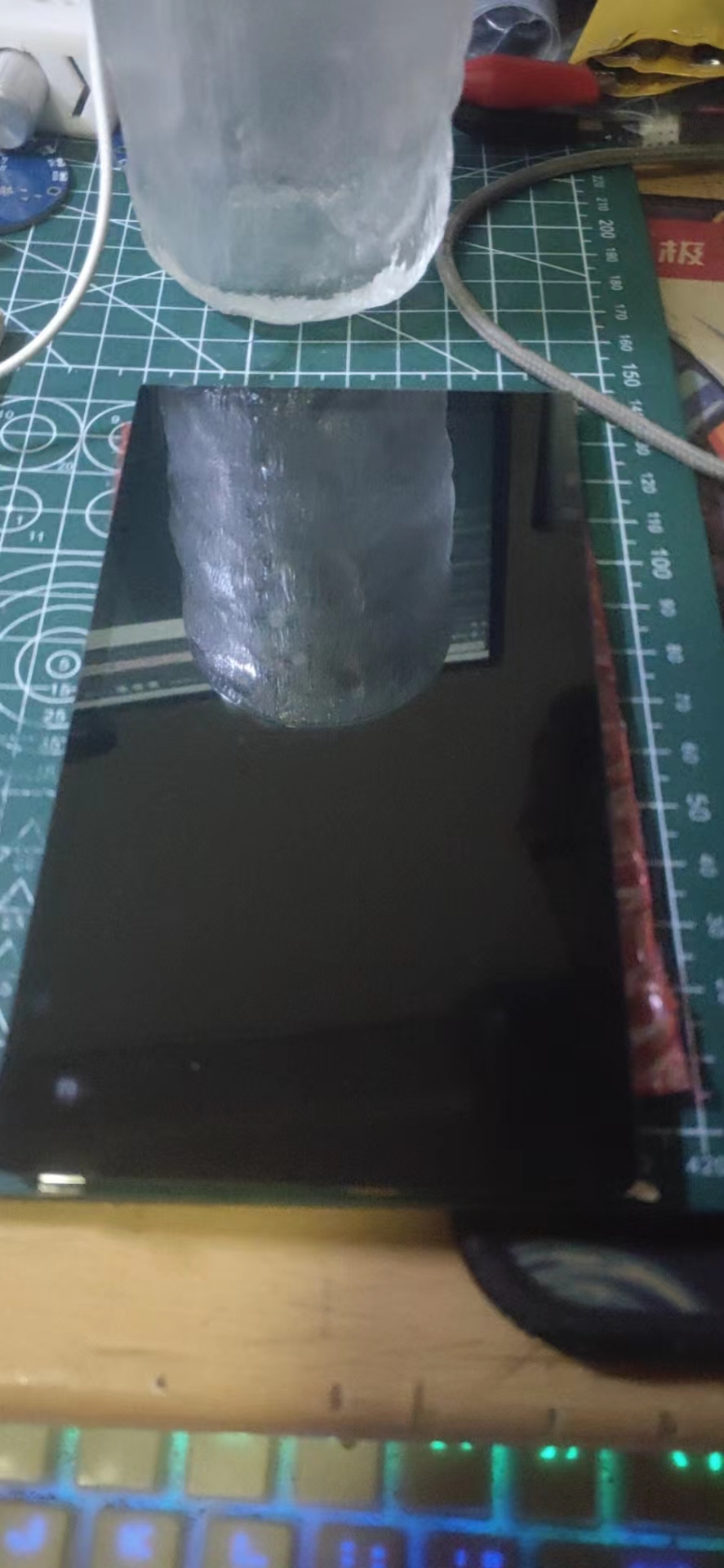
# The screen
is a 6-inch cat-themed screen (bought for 39 RMB on Xianyu, a steal!)
# Schematic analysis (in the spirit of getting freebies)
## Screen Adapter Board:
The adapter board solution adopts the open-source project [Taishan Pie 6-inch Screen Adapter Board [Luxury Version]](https://oshwhub.com/fengmoxi/taishan-pie-6-inch-screen-adapter-board-moat-version) by the open-source expert Fengmoxi.
Based on the work of the expert [leefei](https://oshwhub.com/leefei/taishan-pie-6-inch-display-screen-adapter-board), I added level conversion, impedance matching, and other functions.
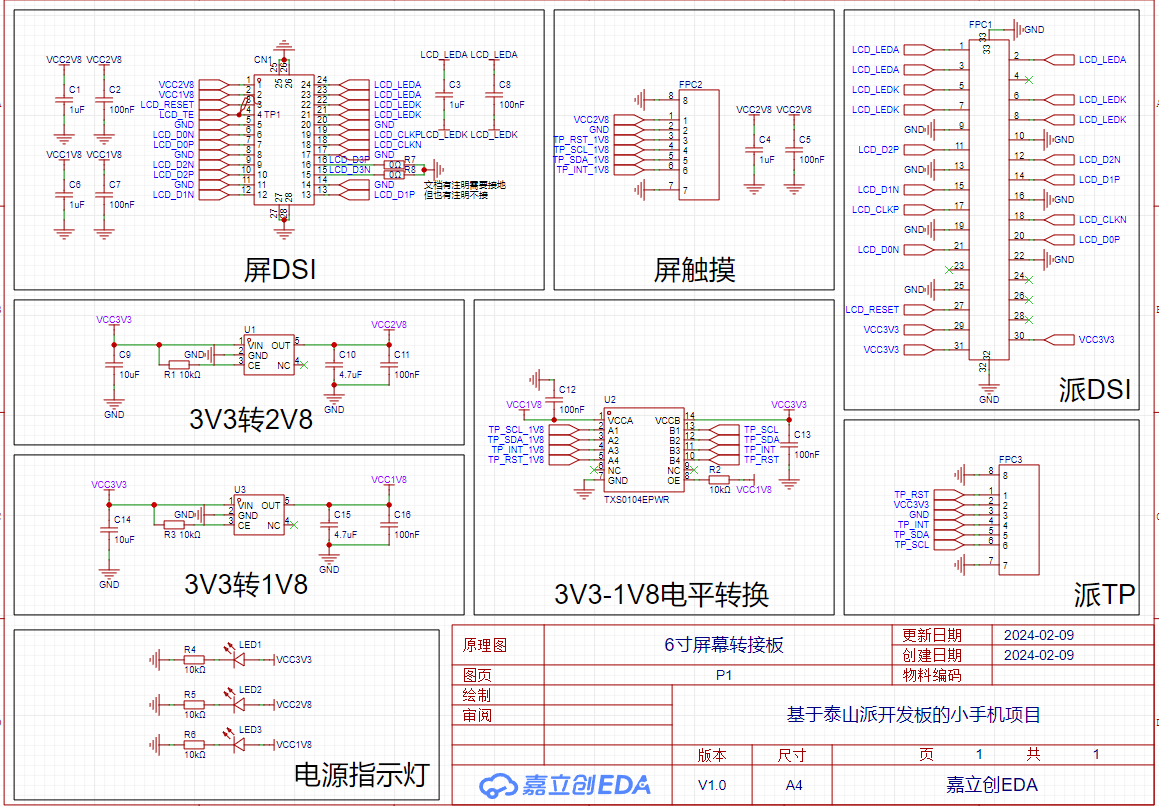
Similarly, based on Fengmoxi's work, I changed the four-layer board to a two-layer board (it's so satisfying to directly copy someone else's homework); ~~At the same time, I replaced the mysterious package `OK-06F024-04` with the common `CONN-SMD_24P-P0.40_XKB-CONNECTIVITY_X0400FVS-24-LPSN`. ~~Brothers, I made a mistake, this change doesn't work at all. (Re-producing the PCB) **o(╥﹏╥)o**
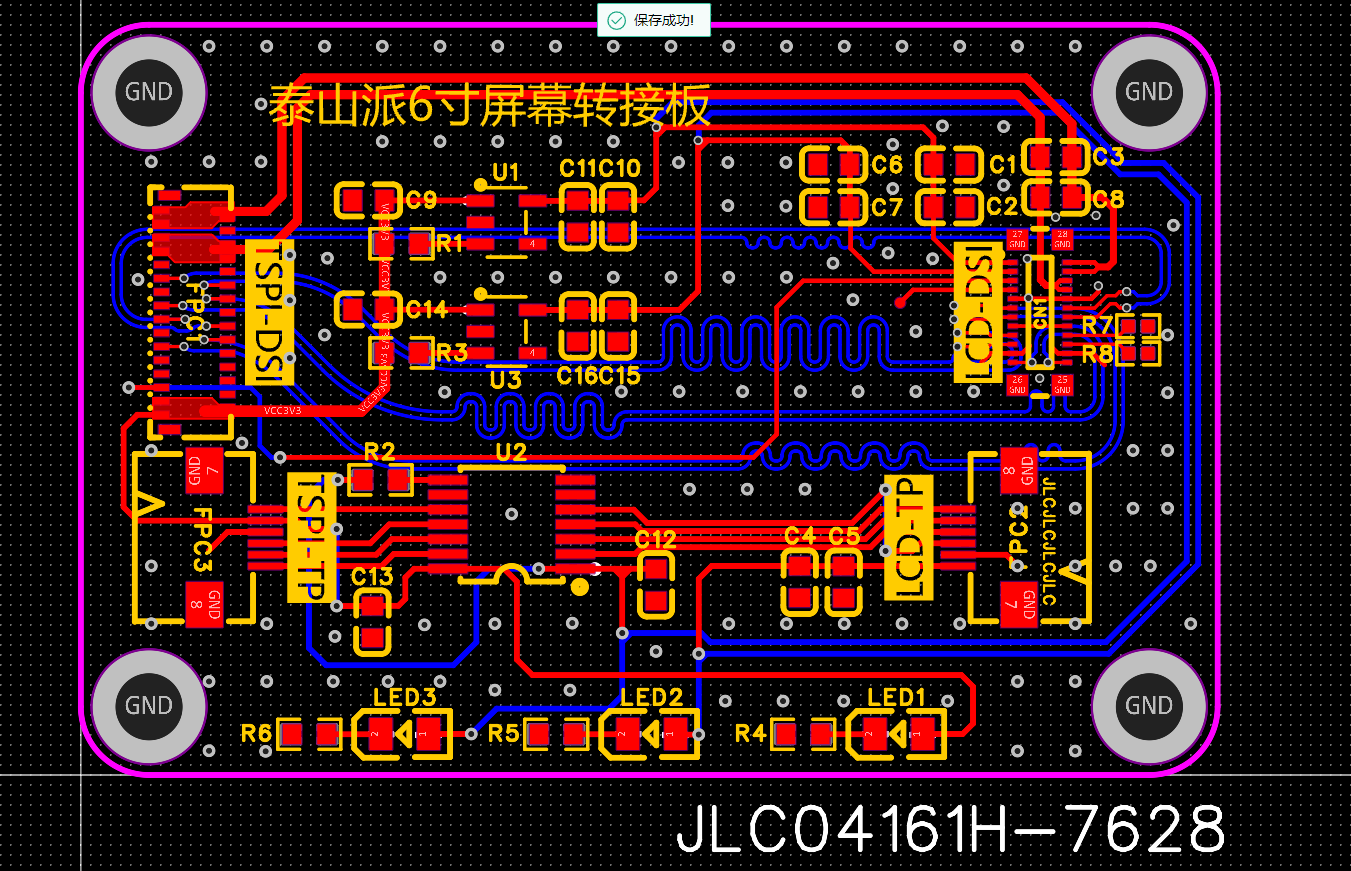
To make it easier for everyone to avoid displaying the customer code during PCB prototyping, I've added the character for adding the customer code at a specified location below the FPC connector. When you're making your PCB, simply add the note: `Custom code added at specified location, no need to confirm production draft`. You can directly enjoy the benefit of a clean PCB prototyping for free (again, thanks to LCSC for their support).
## Power Supply Board:
The power supply board solution was quite a coincidence; I discovered it while chatting with a friend in a WeChat group (Note: LCSC development board CNC expert), yes! The same expert who led everyone to get free CNC machining
has actually set his sights on FrostAutumn's [【霜秋凛然FRPS】Plug-and-play Server Power Supply Cage](https://oshwhub.com/frostautumn/re-cha-ba-csps-dian-yuan-bei-ban_copy) project ^_^
The Taishanpai supports 12V power input, and this project's adapter board happens to have four 12V outputs, NICE; so let's just use it out of the box.
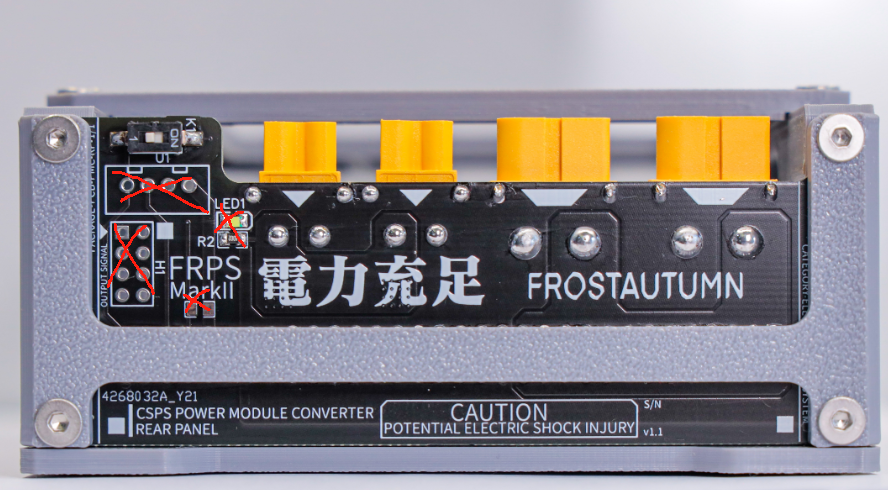
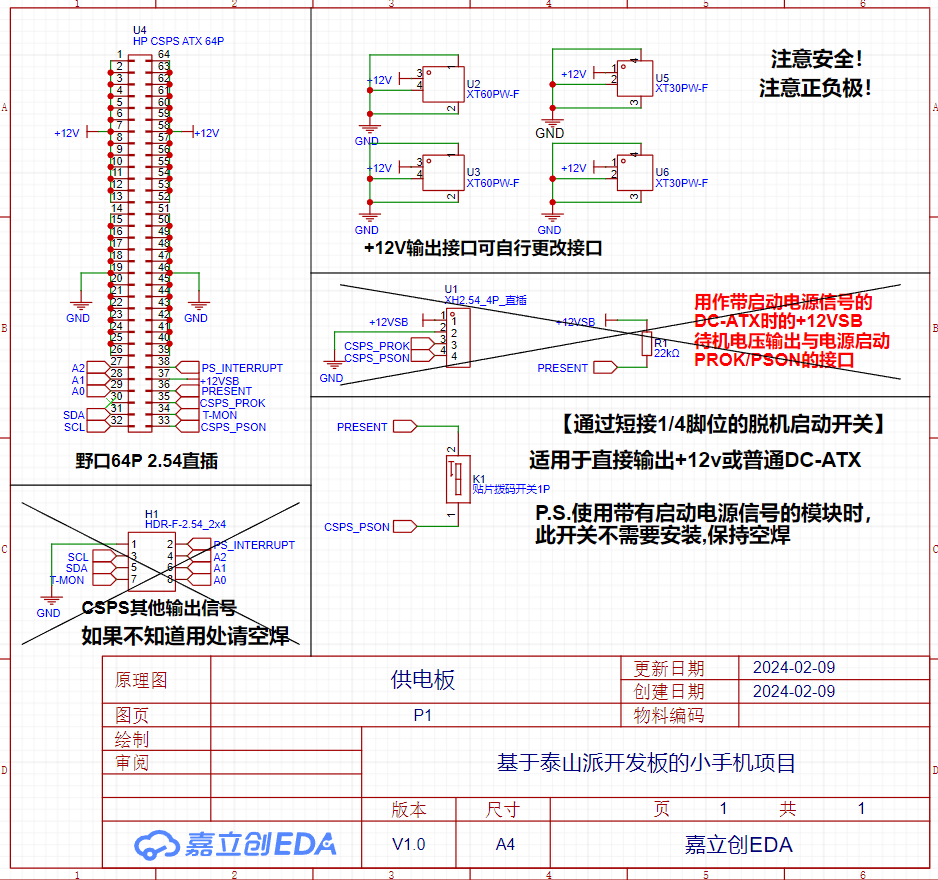
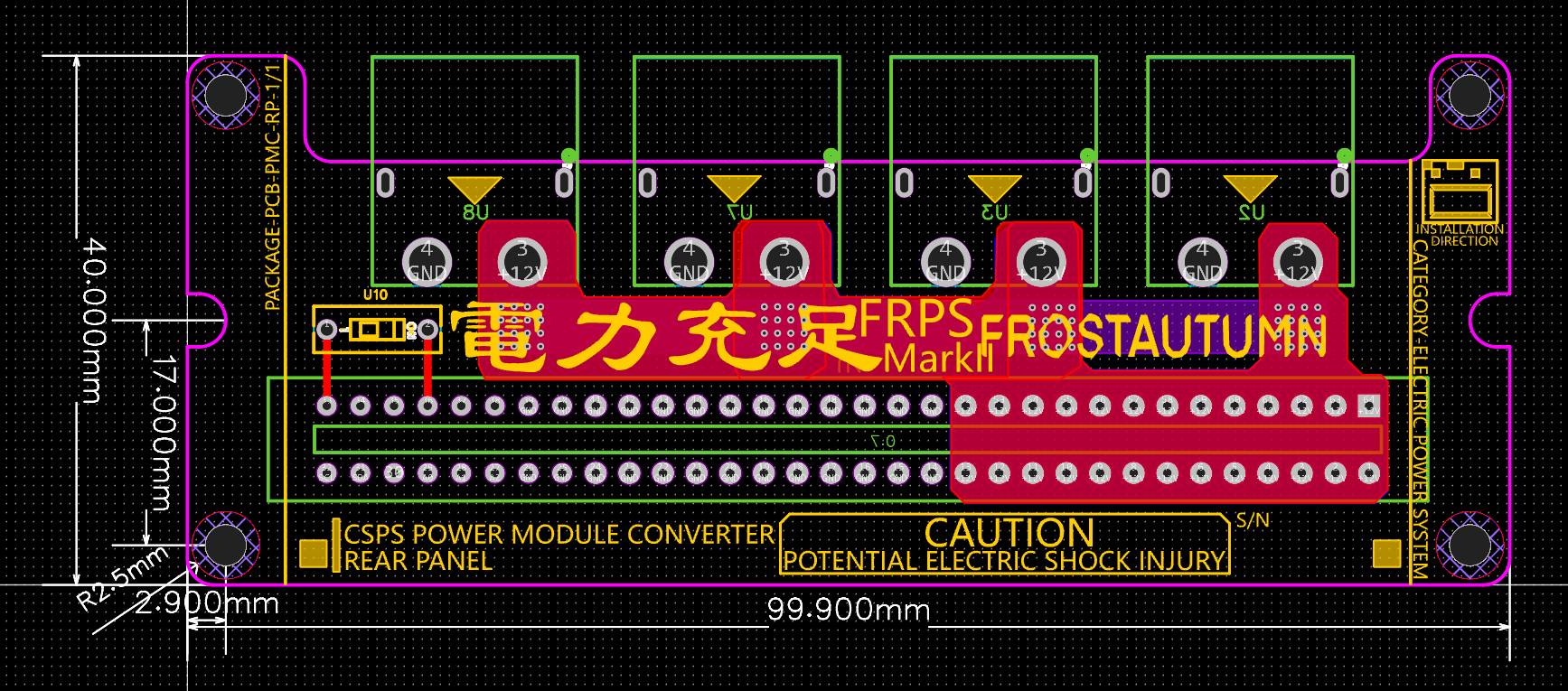
However, since it directly supplies power to the Taishanpai, the two wiring ports and indicator lights (already provided on the power supply) in the picture above are not very useful. So after discussing with the expert, the final modification plan is to remove these unnecessary functions, increase the board's space, and replace all two small `XT30` connectors with larger `XT60` connectors. Now we have four unified 12V output interfaces.
Below is the modified schematic and PCB:
I spent the next two days browsing Xianyu (a Chinese online marketplace) and stumbled upon a new solution,
so I decided to upgrade the power supply board. Let's call the new board the Power Supply Board Plus.
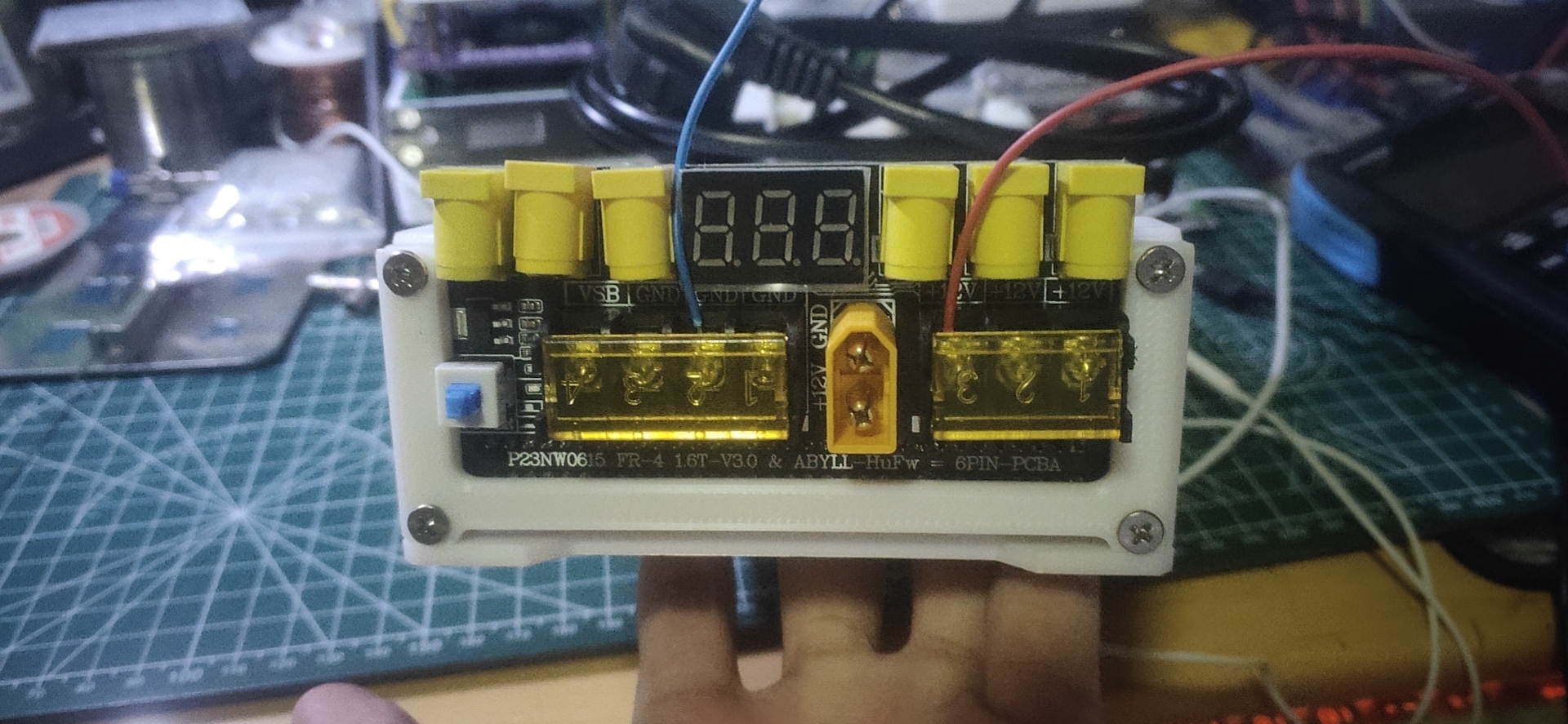
The initial draft is shown below. The Plus version provides 6 DC outputs, and the three bare wire terminals have been retained and brought out from the original VSB network. It also adds indicator lights and a voltmeter function, and the switch has been changed to a 6-pin self-locking switch (I'll just say, "This configuration is luxurious").
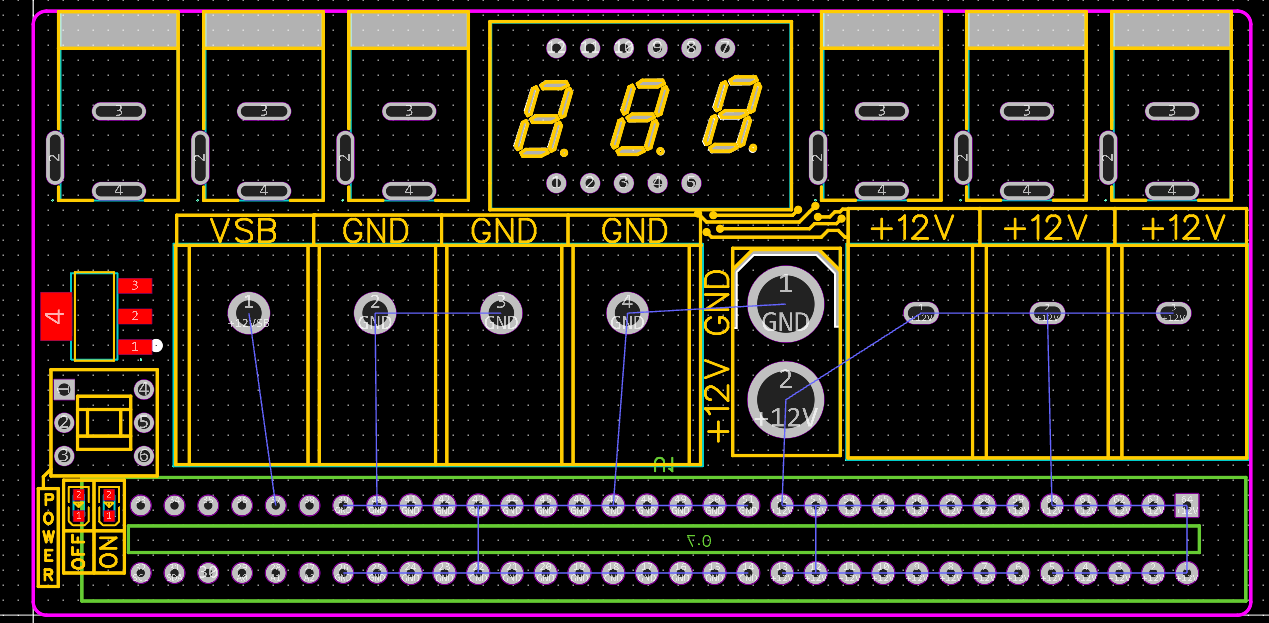
I tried to copy it and messed around with it, but it wasn't very aesthetically pleasing. More importantly, it didn't match the power supply cage shell of FrostAutumn. So, after some minor improvements, I got the final draft below. It's undeniably aesthetically pleasing, cough cough... except for the lack of wiring (lol). There's
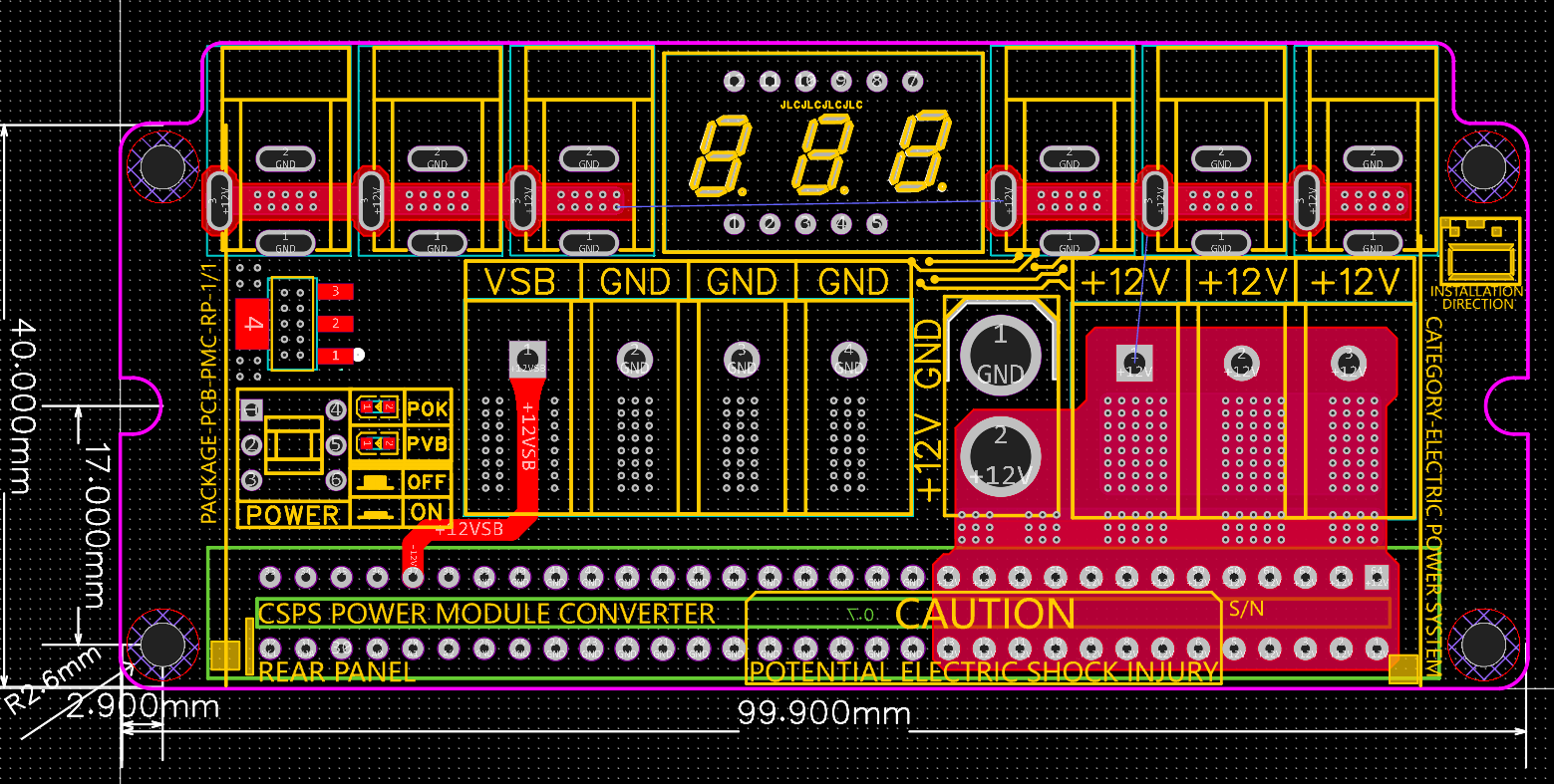
a hidden problem with the wiring here. I hope someone will continue to follow up and share it open source.
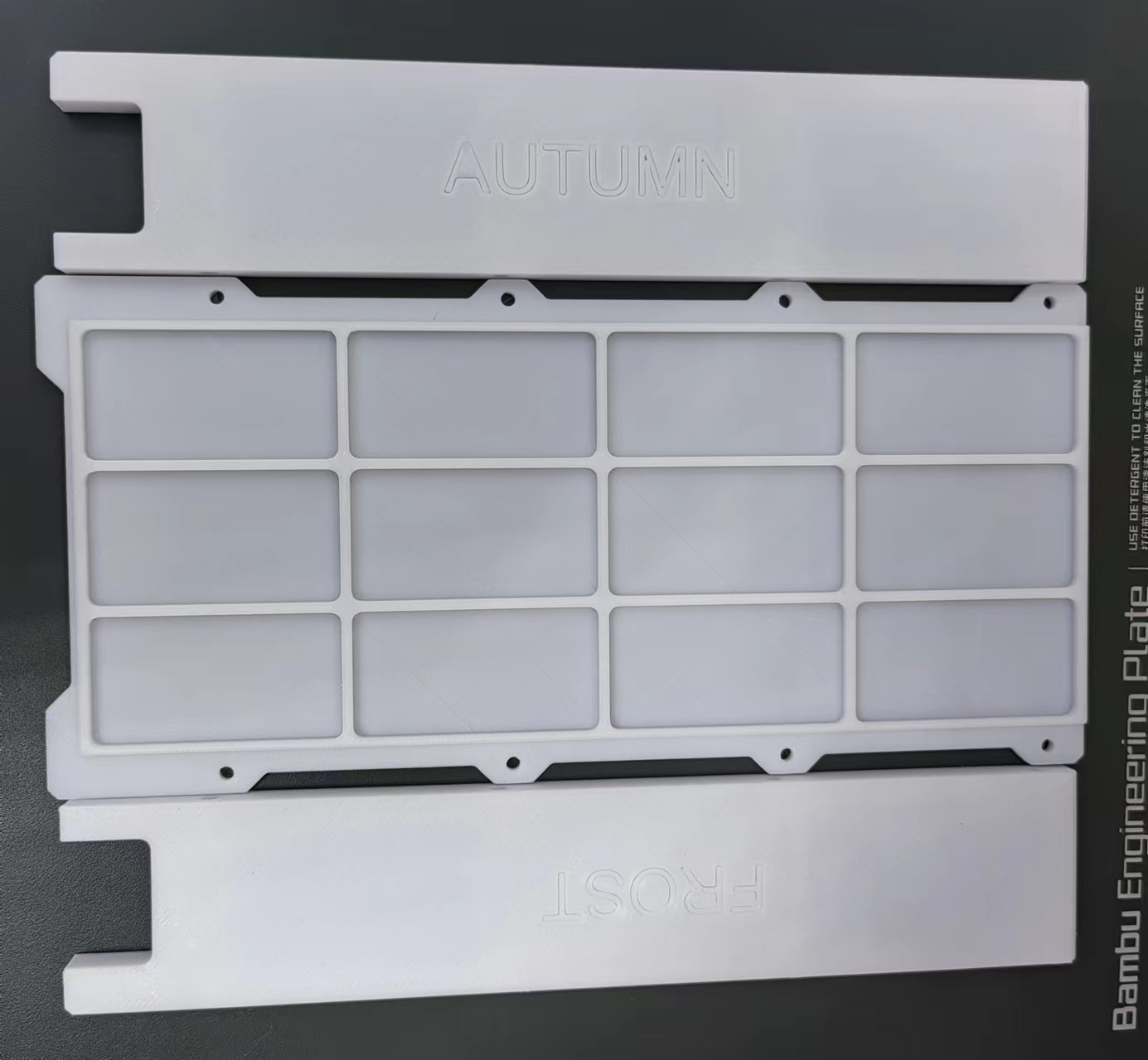
Most importantly, the size is just right (there's only one downside, which is the side panel). The original side panel wasn't suitable for the new power supply board
, so... we redesigned the side panel for the board.
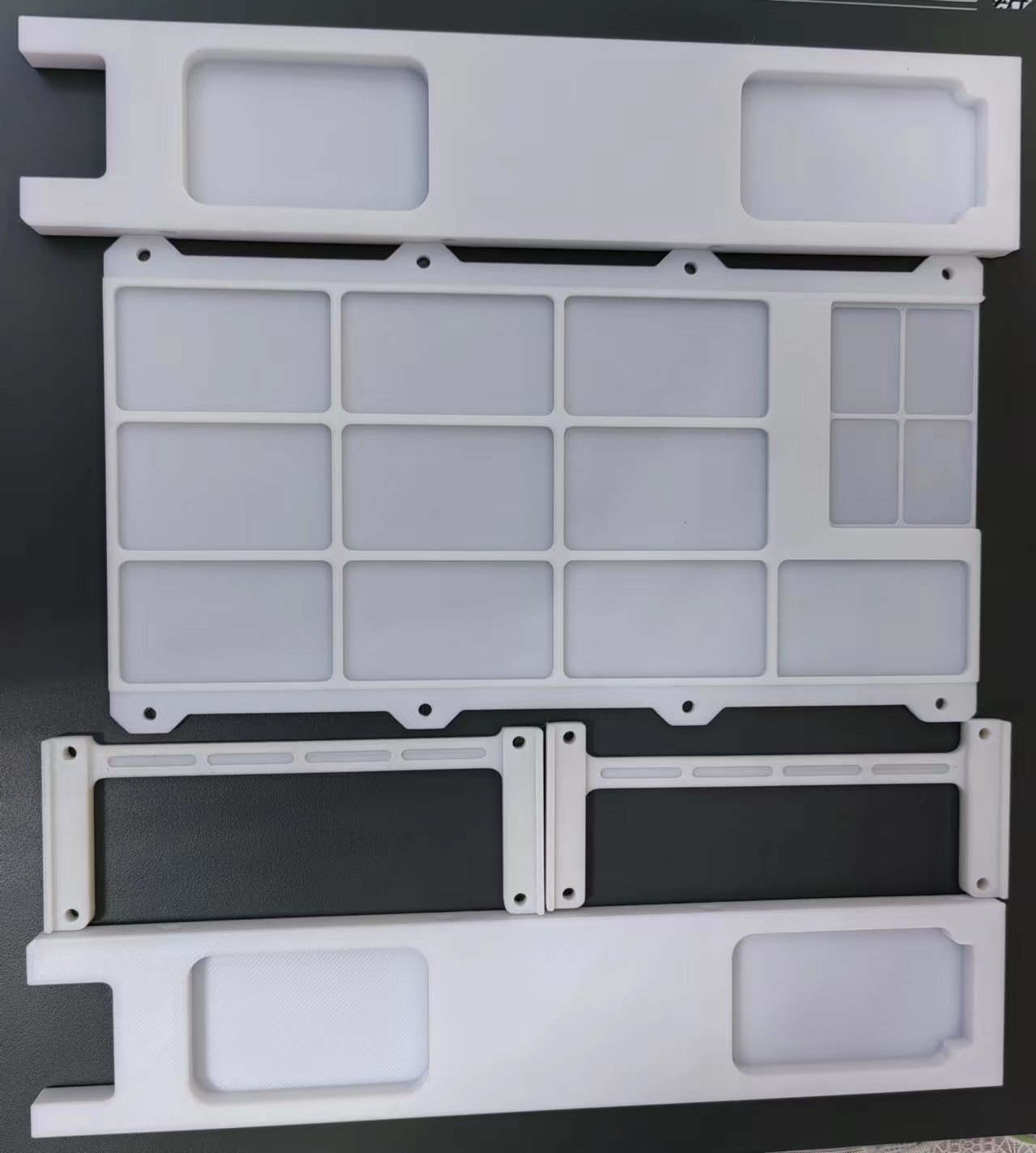
This is the overall effect of the adapter board.
## DC-DC_PD Module:
How can you have a power supply board without a PDDC charging module?
With the idea of browsing Xianyu again (this time I found this fun thing on Taobao),
I looked for small boards/modules that support DC12V input with regulated PD fast charging and 5V, 9V, 12V, and 20V output.
This scenario perfectly matched the requirements of the Taishanpai power supply board, so let's work on it!
**Continue** **"Copying Boards"**
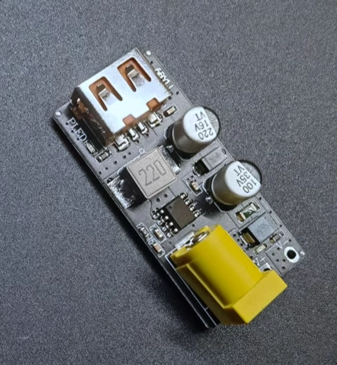
Actually, I did consider using two existing projects on the forum:
① DC-DC step-down module
② FS312 decoy module.
The main reason was: **Inconsistent Interfaces**
Through so much learning and board design, I've replaced the interfaces of most of my small gadgets with Type-C power supply.
And whenever I see something interesting on the forum, I prioritize Type-C when I'm working on it (although most of the open-source projects I work on directly use Type-C interfaces (*^▽^*)).
So, taking this opportunity, I want to unify all the interfaces related to Taishanpai (mainly to adapt to the plus power supply board mentioned above).
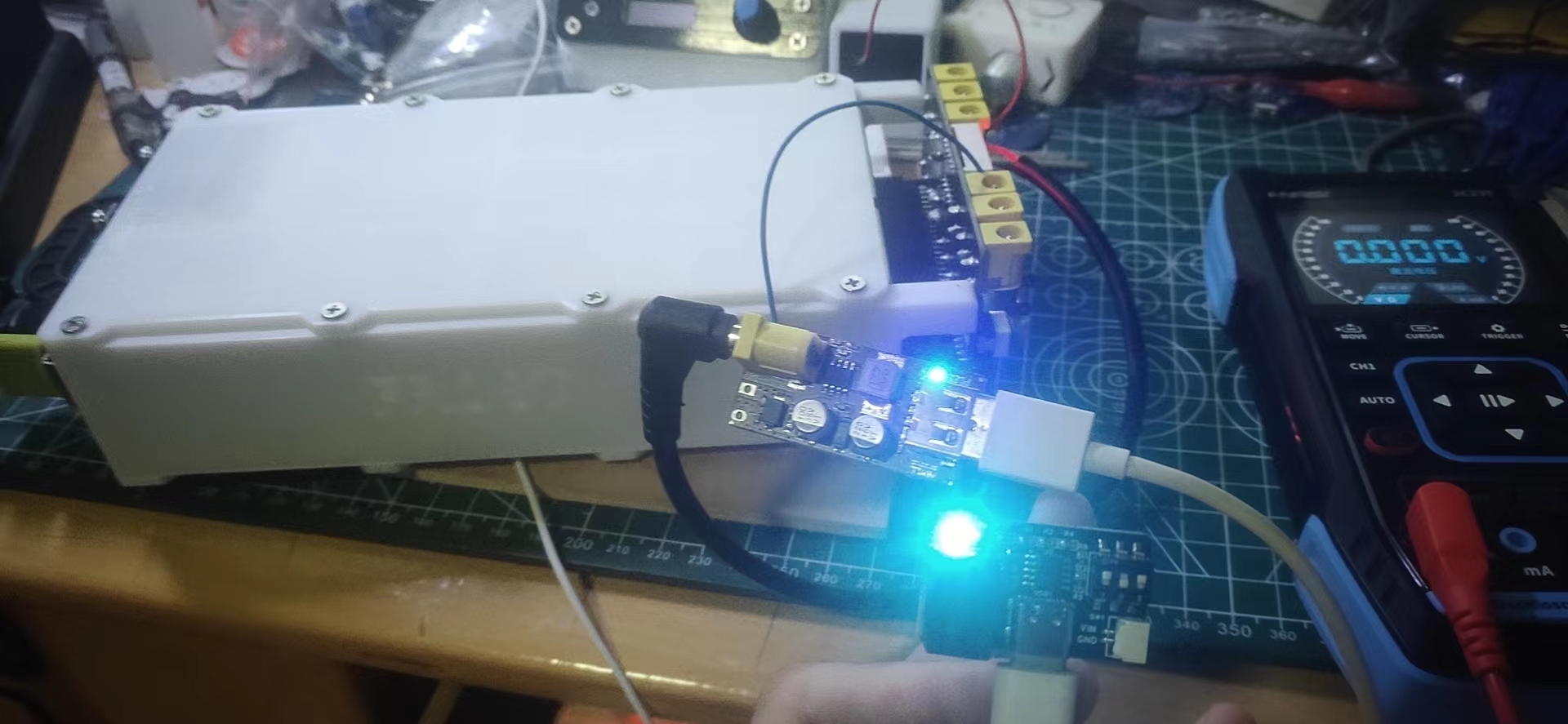
The solution was a success; the 750 standard 12V converter successfully recognized the 5V PD output
. I haven't quite figured out how to convert to PD yet, so I just copied a 12V to standard 5V converter. It's terrible
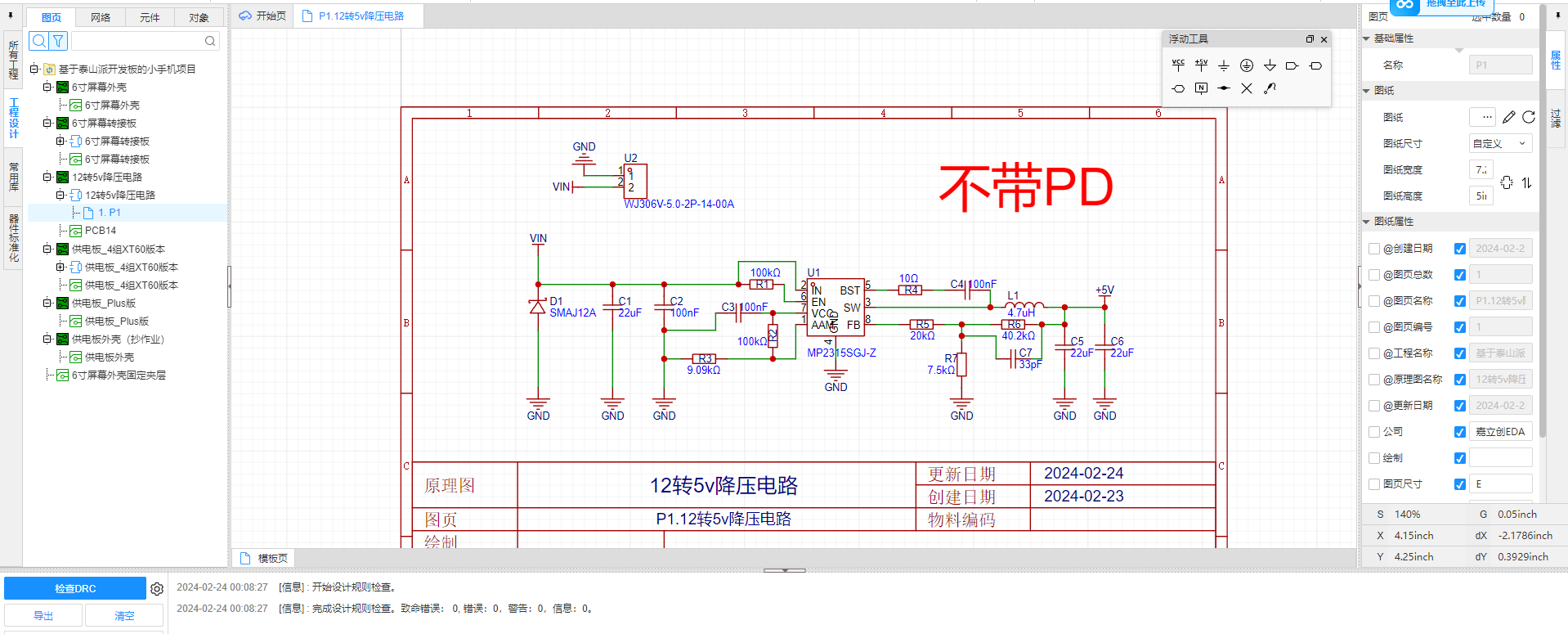
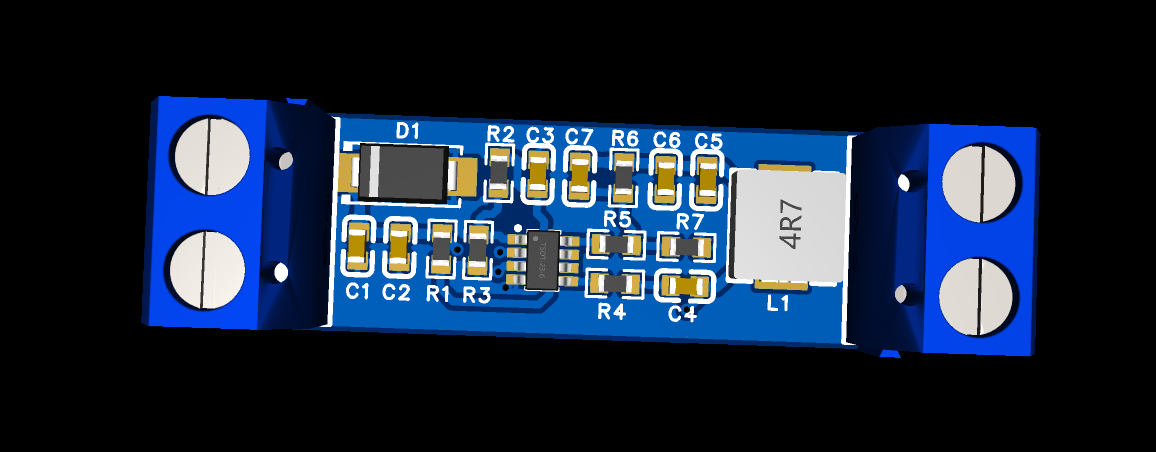
! Unverified, this is still a potential pitfall; experts are welcome to add more information in the comments section after verification!
#3DCasing
## While waiting for the screen casing
to be delivered
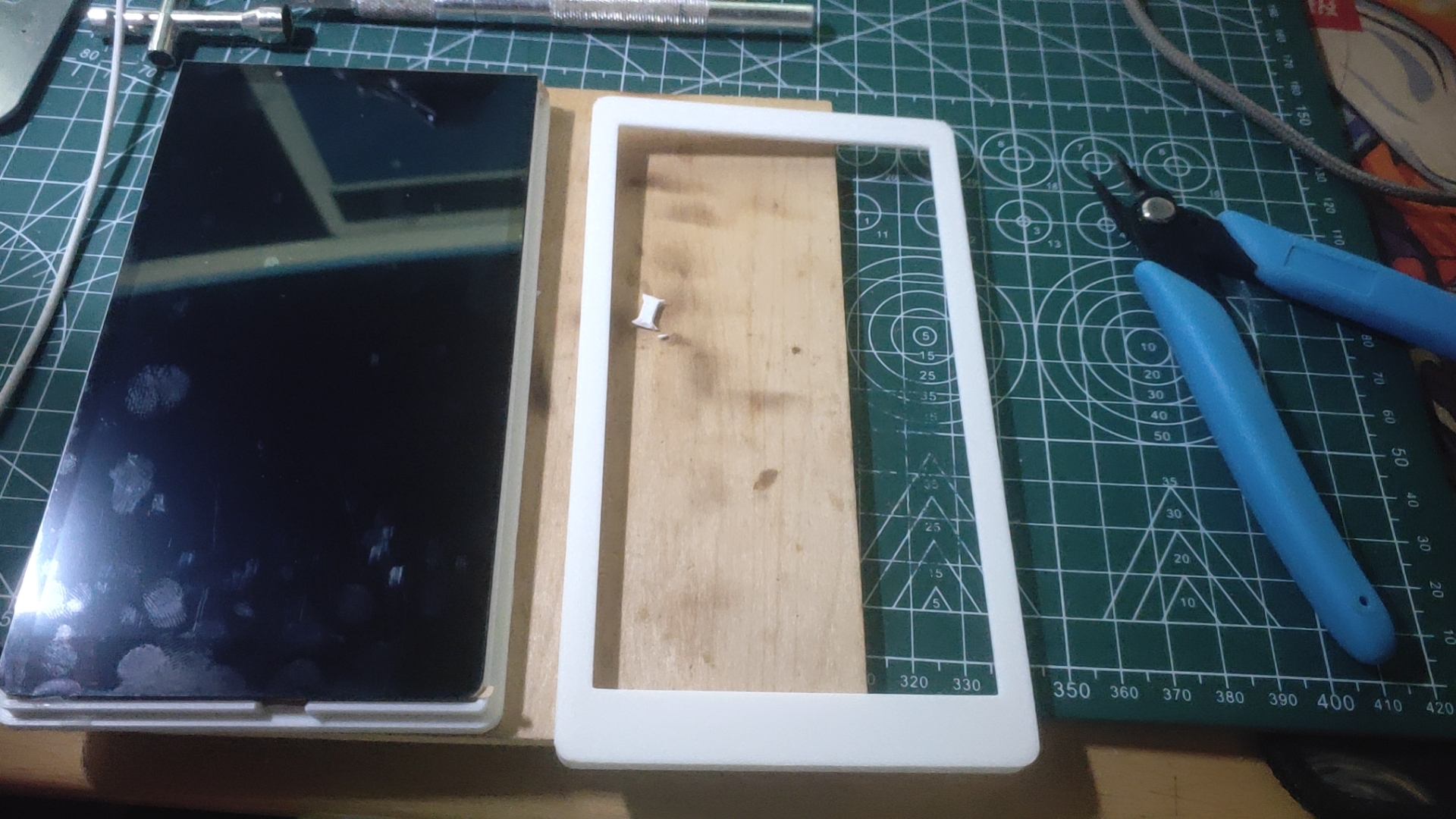
, since it's a phone, it naturally needs to look like a phone (casing).
While waiting for the delivery, I used LCSC EDA Professional Edition to draw a phone design. (It's more appropriate to call it a tablet) The casing (this is my first time using LCSC EDA professional version to design a casing, and I'm guessing I'll encounter various problems)
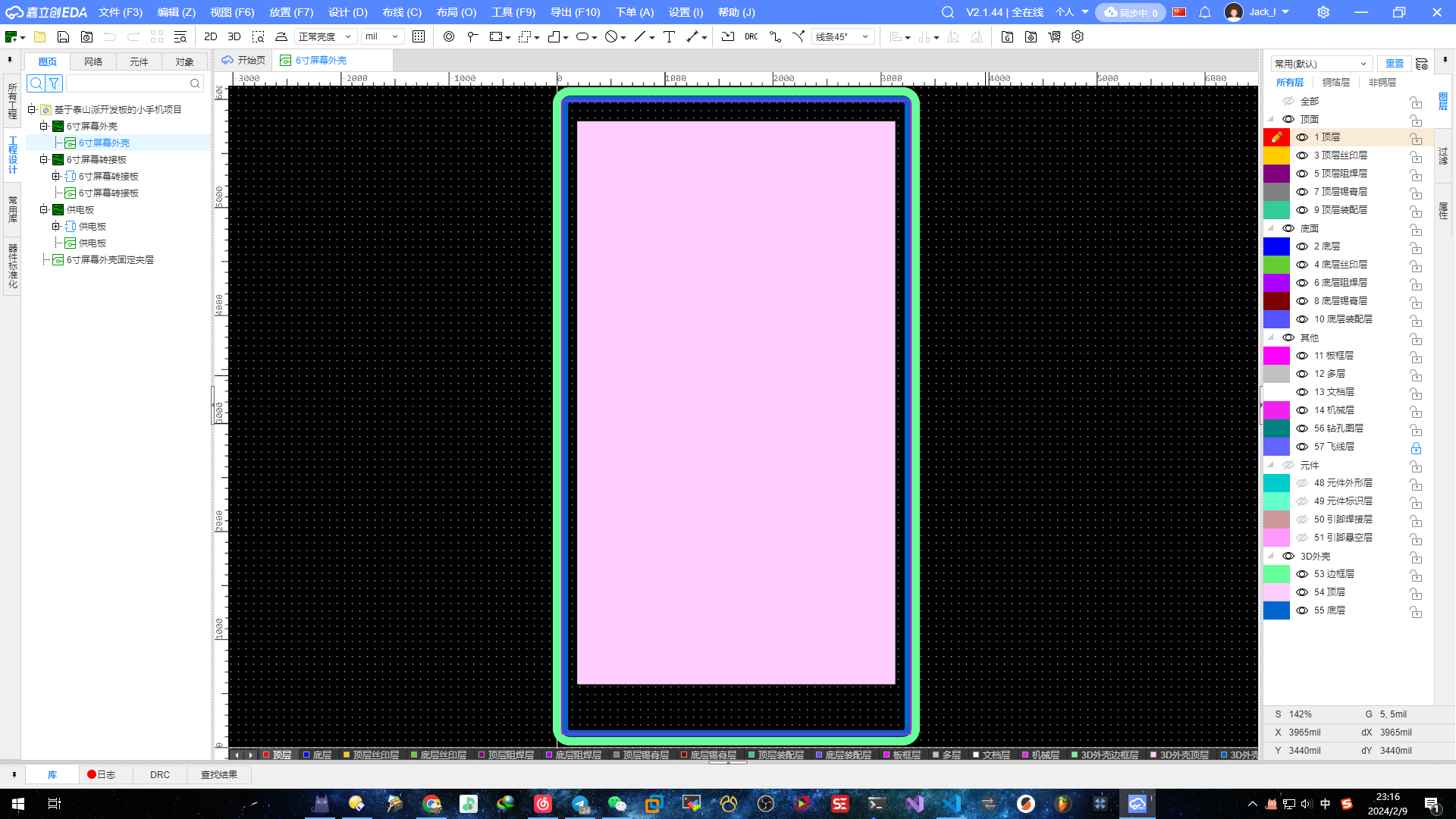
is currently being printed:
The overall effect of the casing is as follows:
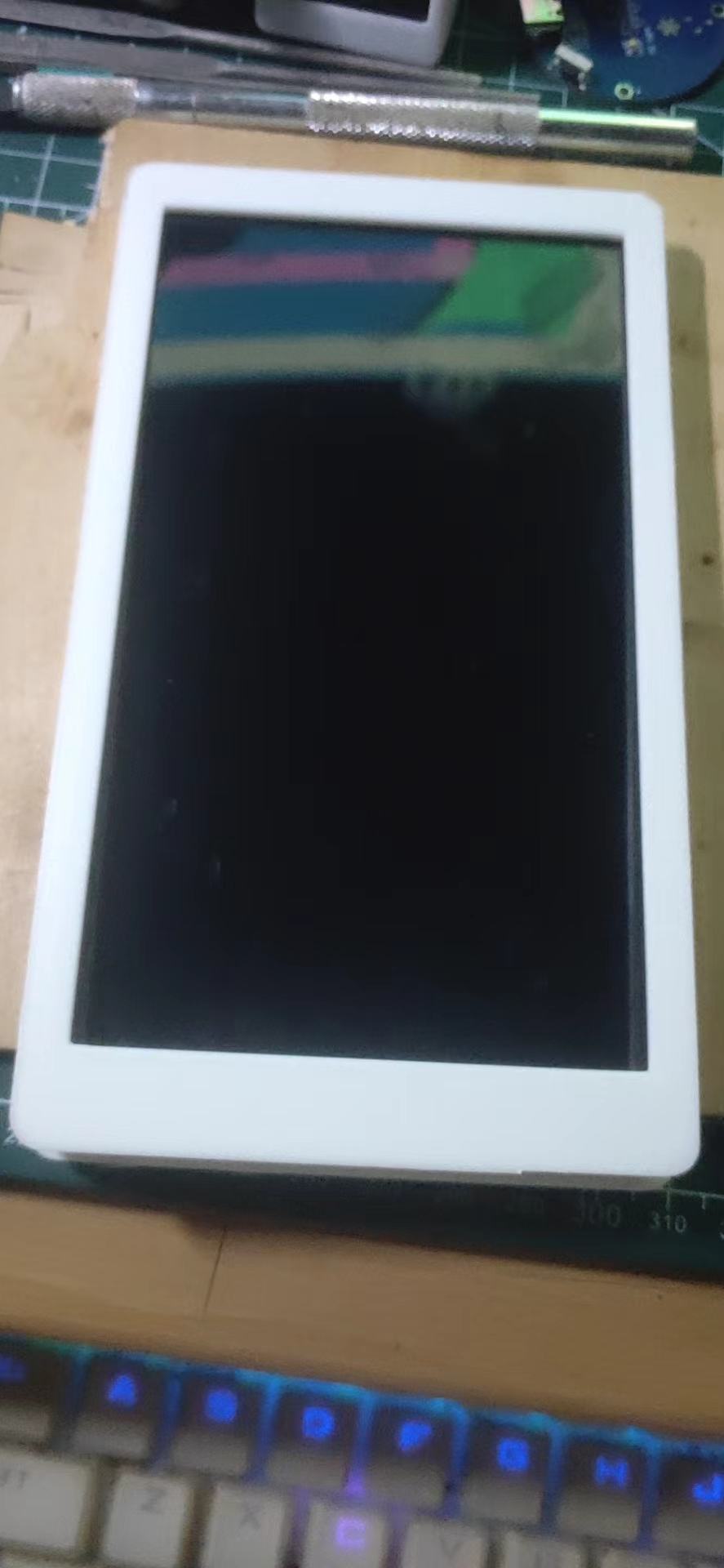
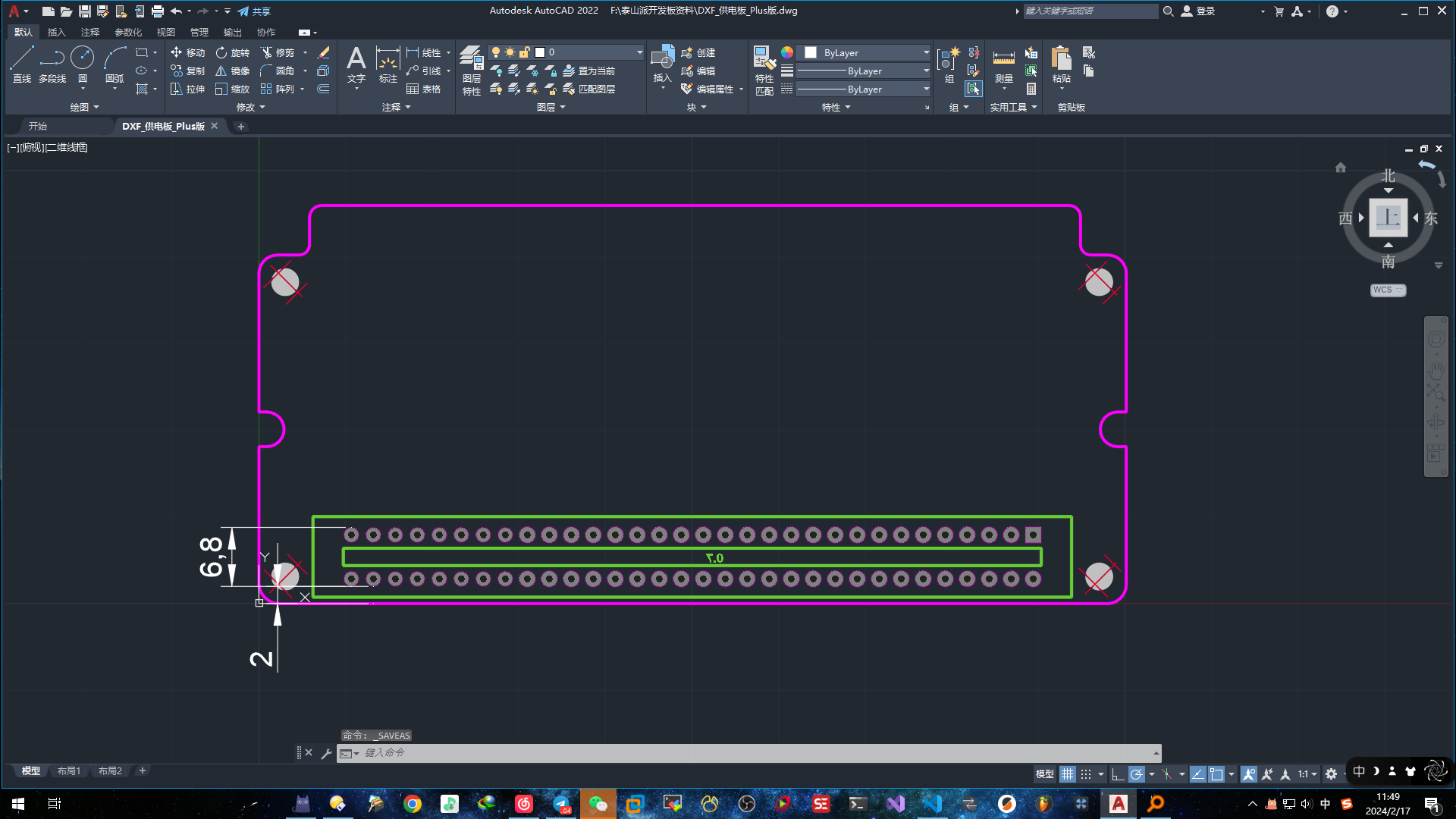
## Adapter Board Fixing Layer
Having a casing isn't enough, so I also designed an inner fixing layer frame specifically for the adapter board.
Why design a fixing layer? There are several reasons:
1. I need both the MIPI screen interface and touch interface to be under the casing (like a regular mobile phone charging interface).
2. I don't want the adapter board to wobble around inside the casing.
3. The screen bottom shell is metal, and the adapter board PCB is also metal, which can easily cause short circuits.
4. I haven't figured it out yet, I'll add more later (*^▽^*)
Regarding these potential or improveable issues, I've developed a series of optimization plans.
The image below shows my rough plan for internal wiring and fixed board positioning
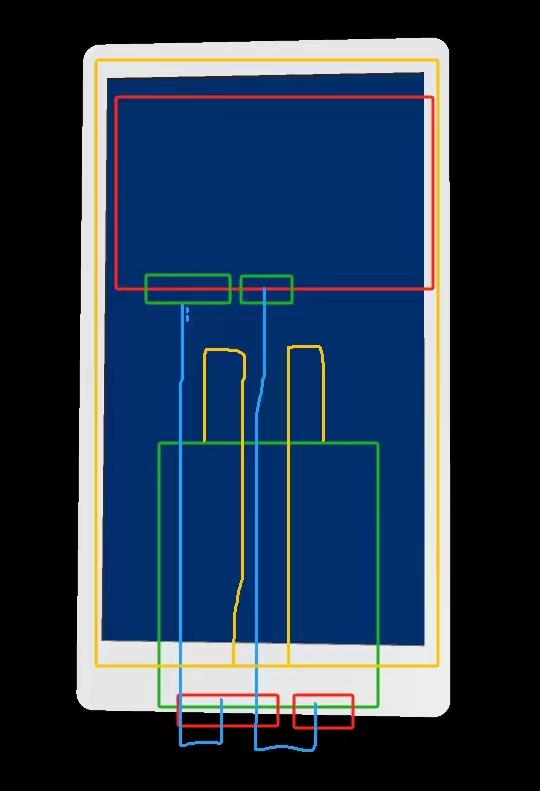
(the board and ribbon cable haven't arrived yet, so I can't verify it).
Waiting for the delivery during the Chinese New Year is indeed a patient process; I got numb from waiting, so I decided to give it a try and make a mezzanine myself (the origin of the problems below). It's because I haven't made many cases, and this was my first time using LCSC professional PCB design to draw a non-shell-like shell, so I had no experience. Please don't criticize me, experts.
I drew my first mezzanine out of boredom (and it failed).
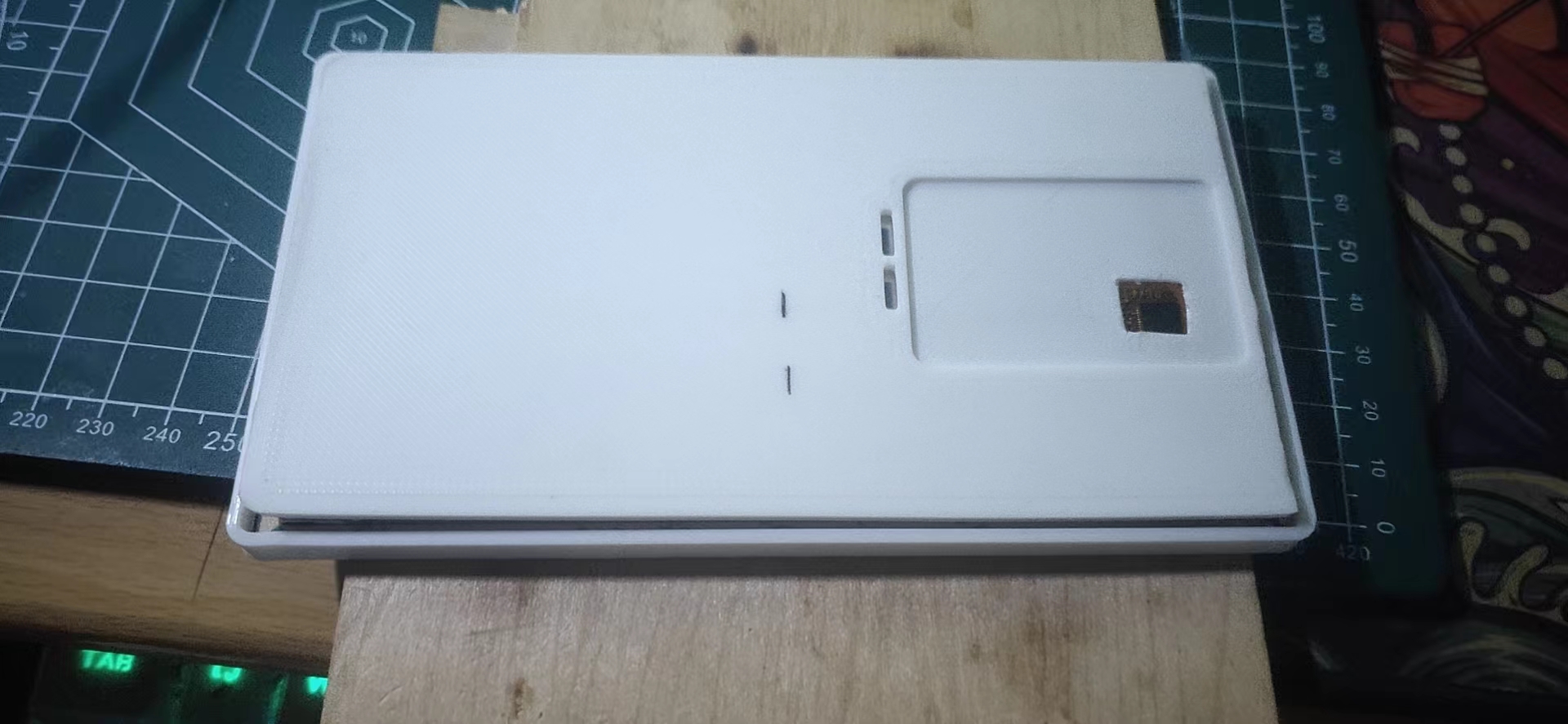
Failure scene (Time: 2:30 AM, February 14, 2024)
: 1. The touch IC wasn't considered, which is unsuitable (a square hole was drilled on the spot)
. 2. The two wires weren't placed symmetrically (the wire holes were made, but they were useless).
3. Because it's a mezzanine, I didn't consider the assembly after closing the cover, so the entire perimeter was made larger.
4. The two holes were too close to the PCB slots, making the fold line uneven (this was a problem discovered later, which I'll explain in detail later).
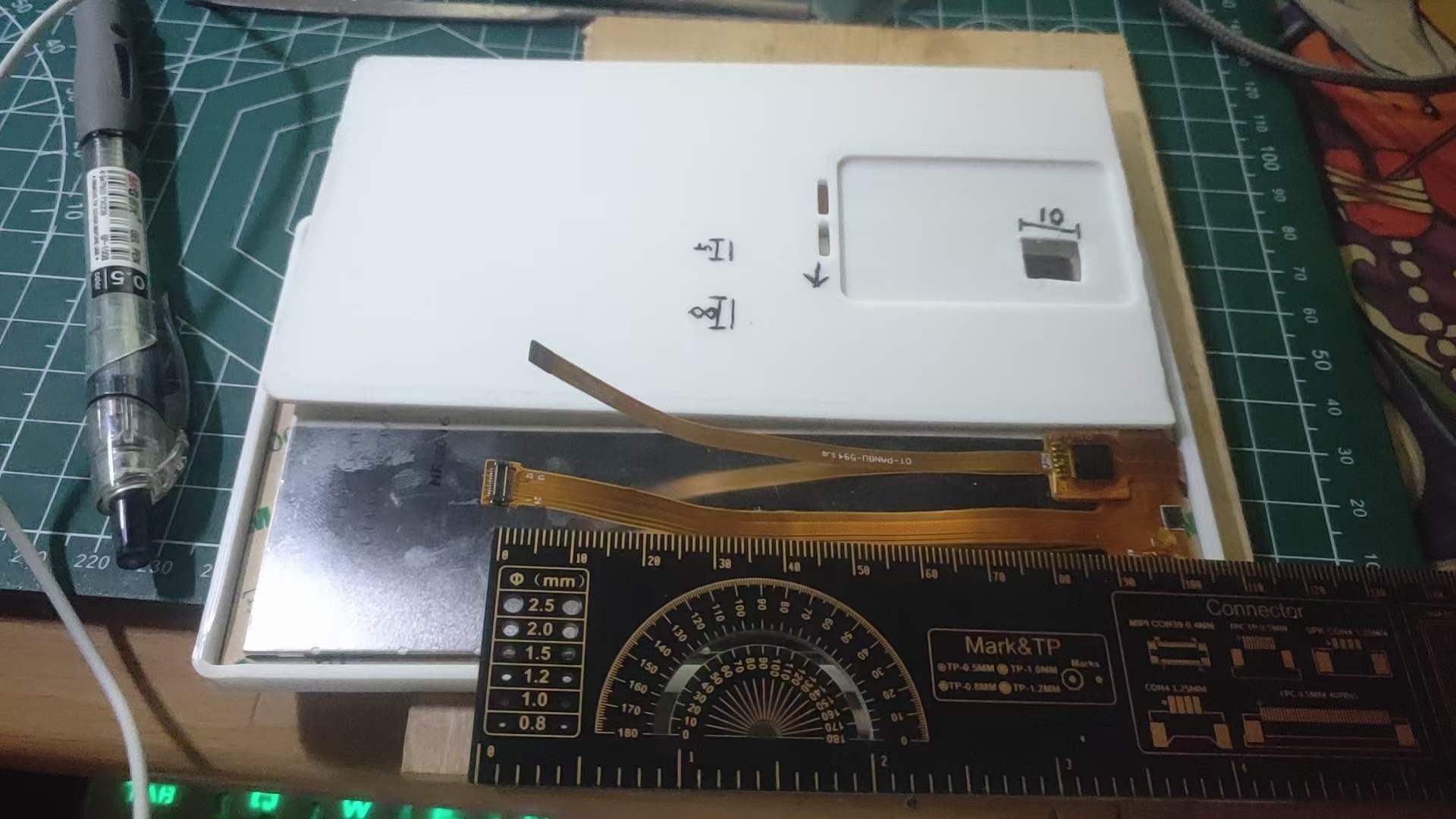
So... I drew and sketched,
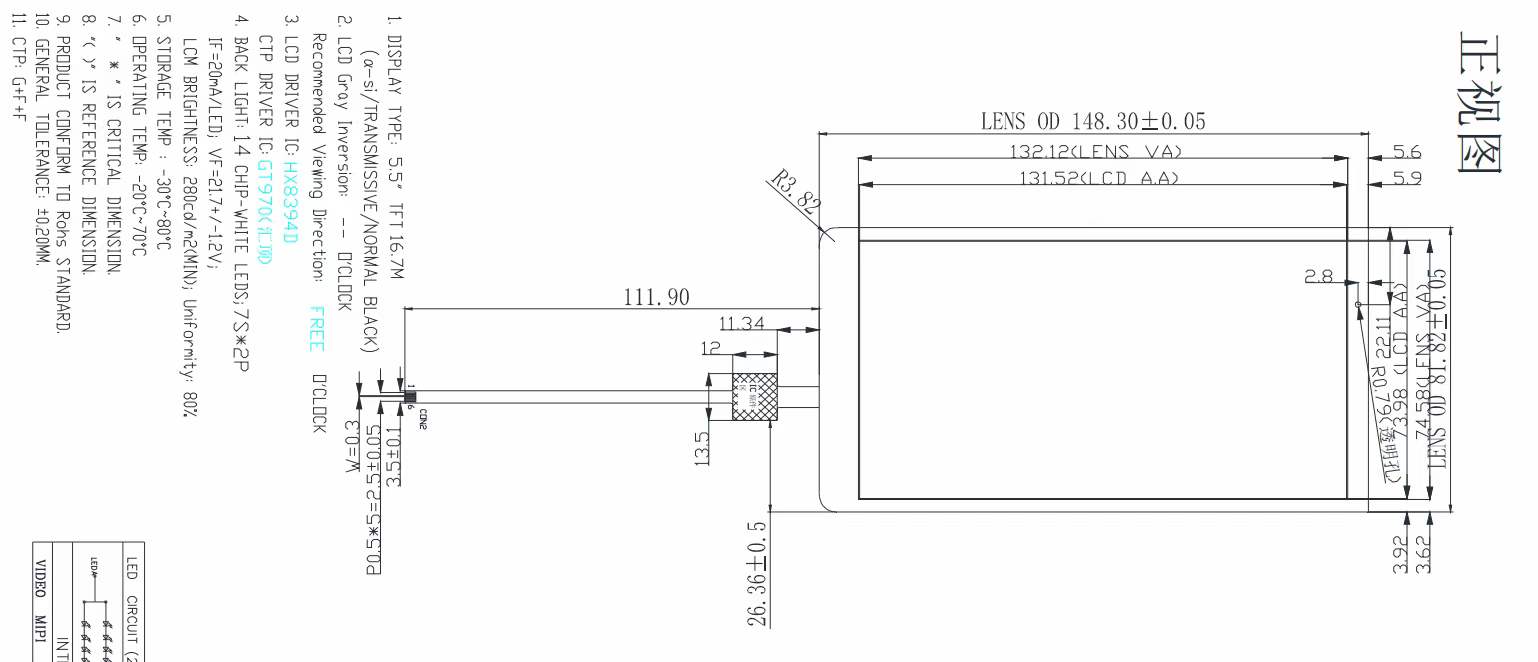
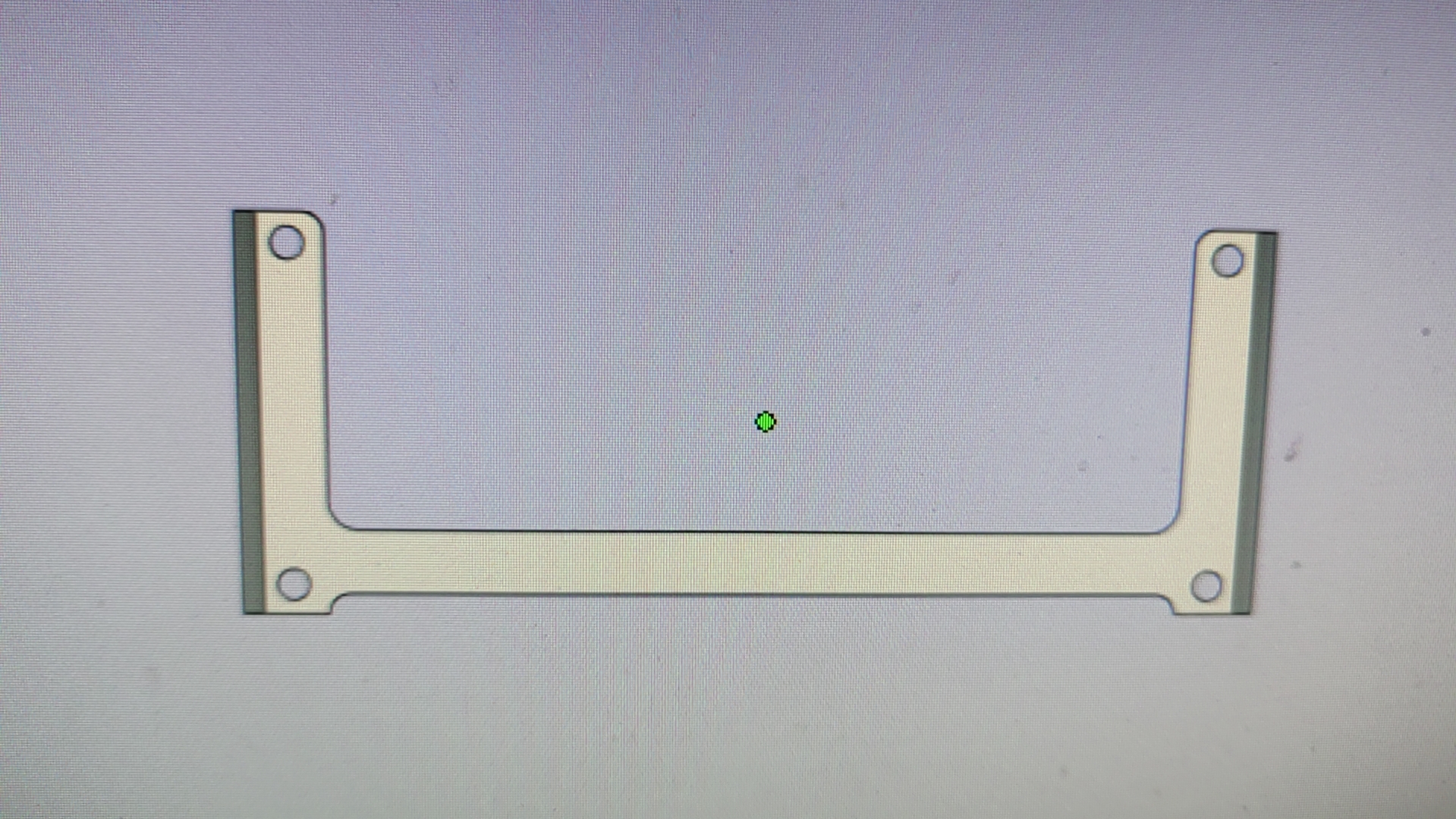
doing all sorts of calculations; finally, I just redrawn a new one. So, I redrawn a new mezzanine board based on the dimensions of the two wires and the existing casing (Time: 4:35 AM, February 14, 2024)
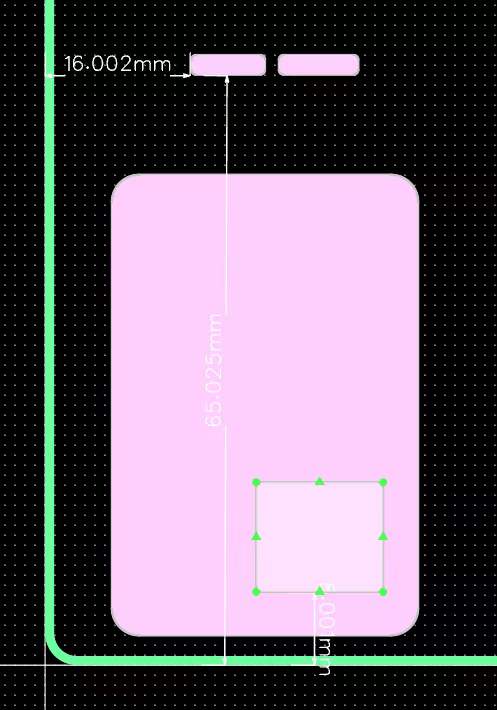
- This time, I considered the fold length of both wires (just consider this rambling).
The total length of the two wires is 112mm
, the interfaces are 8.5mm and 8.8mm,
the board is 10mm from the interface ,
the board length is 50mm, and
the board edge is 5mm (leaving space for the bottom cover inner wall and free space).
Including everything, a single-sided fold of about 65mm shouldn't be unreasonable.
The bottom casing is 4mm high and 2mm thick, with a mezzanine distance of 3mm.
The overall height of the top and bottom casings is 1cm. I estimate that the bottom casing and overall height need to be modified. The assembly height might not be enough.
The PCB thickness is 1mm this time
, but the PCBA thickness will probably reach 1.8-2mm (the interface might be even higher).
*In short:* **The previous outer shell will likely need further modifications after the courier arrives.**
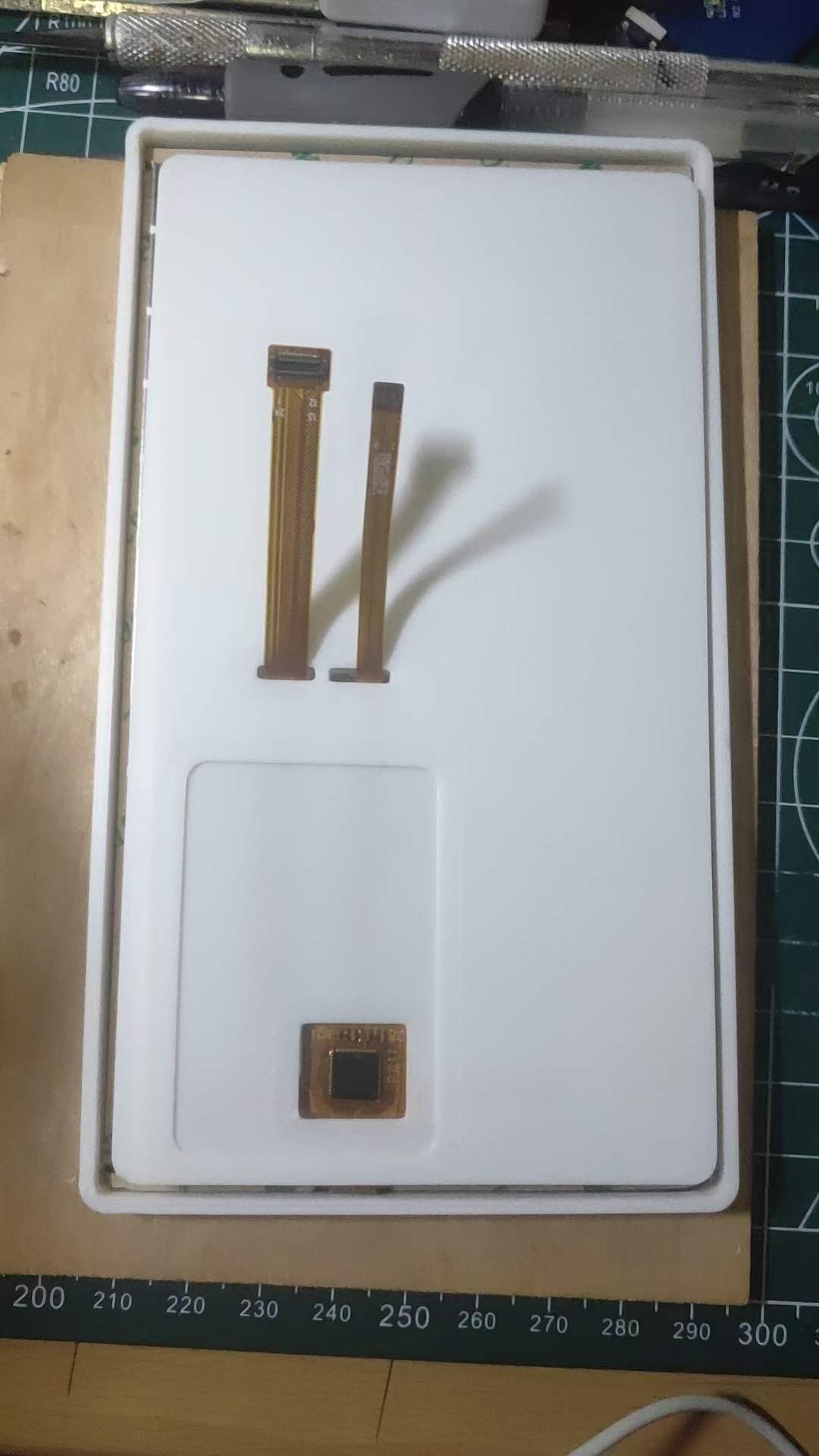
This is the modified inner layer; the effect is quite good after comparison, and it fits perfectly.
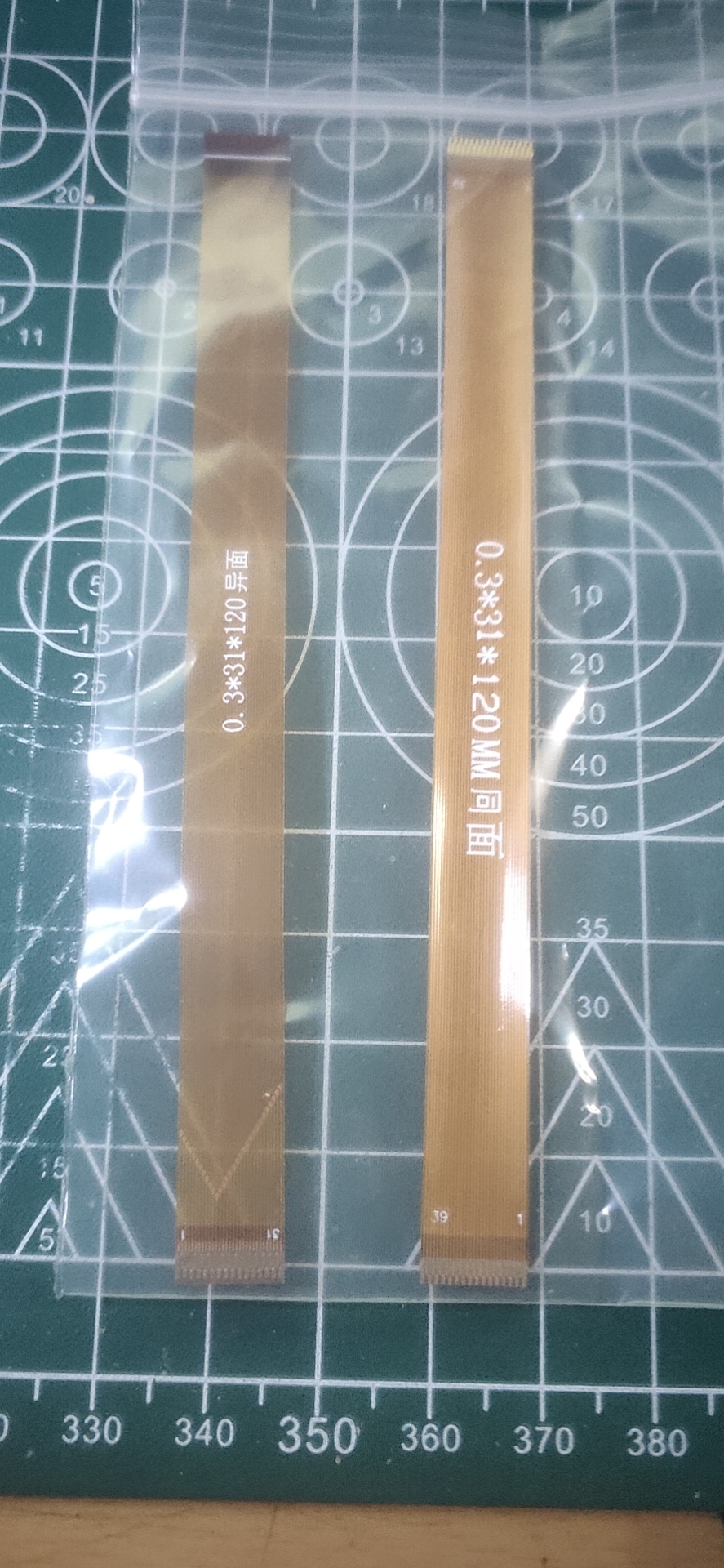
The two wires I waited a month for finally arrived today (February 20th)
(the board hasn't arrived yet, so I can't verify it). I've been busy tinkering with DaXian during this time, so I'll leave this project for later (I've already forgotten which project it is).
# DaXian 3.1
Here's a link to a Taishanpai VM virtual machine file (just unzip and import)
: https://pan.baidu.com/s/1EUZPPTkPt8FXSuqMvKTGpw?pwd=tspi Extraction code: tspi
Username: `tspi` Password: `root` (If I remember correctly, this is the one)
While waiting for the delivery, I tinkered with a small screen.
For the specific tinkering process, you can refer to the project of the expert [Taishanpai 3.1-inch screen expansion board](https://oshwhub.com/fengmoxi/tai-shan-pai-3-1-cun-ping-mu-kuo-zhan-ban).
The final result is also awesome.
# Continuing to plant seeds (official expansion boards)
I was bored in the dormitory and made a few official [HUB expansion boards](https://lceda001.feishu.cn/wiki/AYFHwYvMIifaB6k8YwYcsUASnqg).
One batch `0402`, you think about it, you really think about it. **(ಡωಡ)**
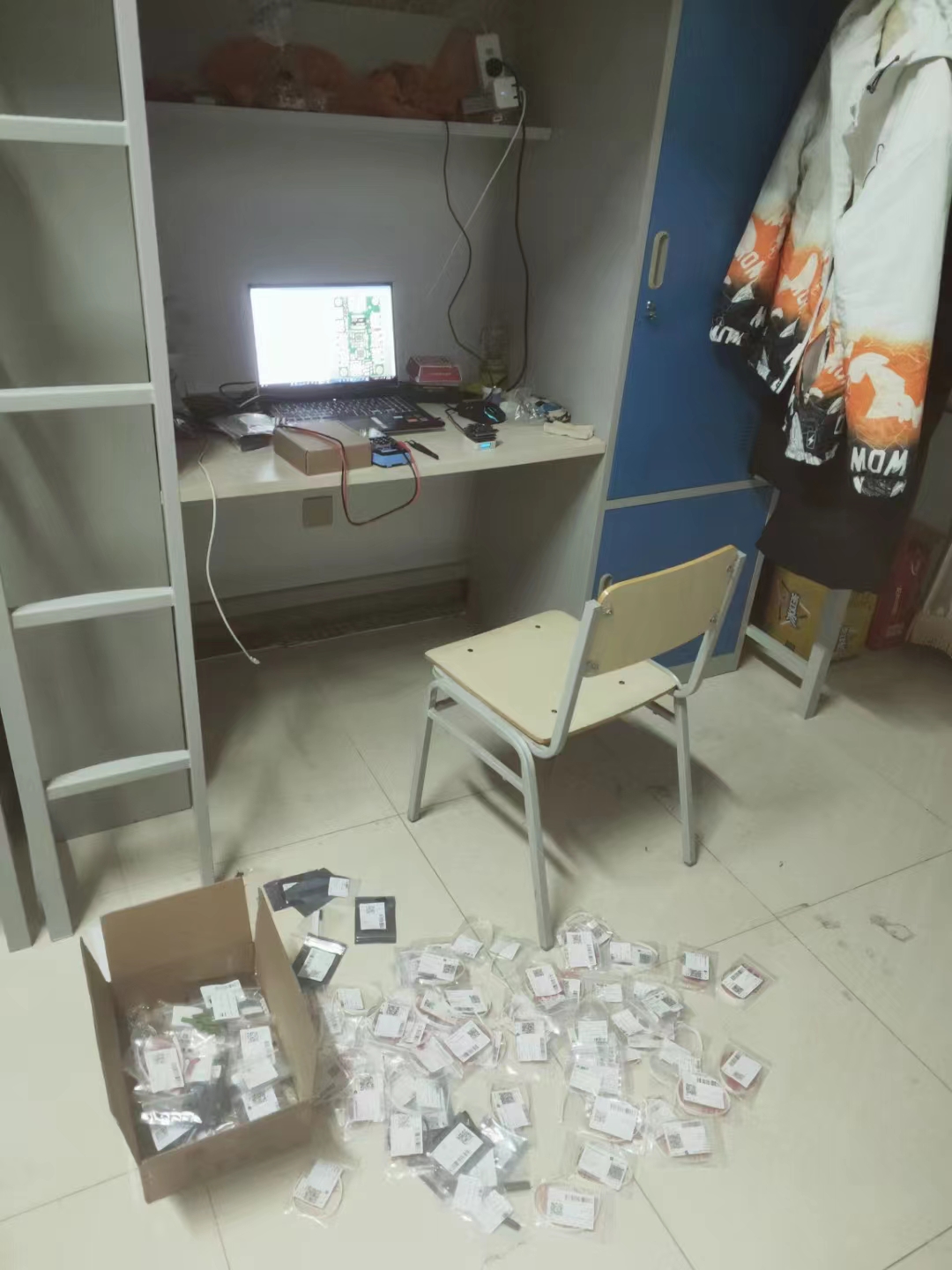
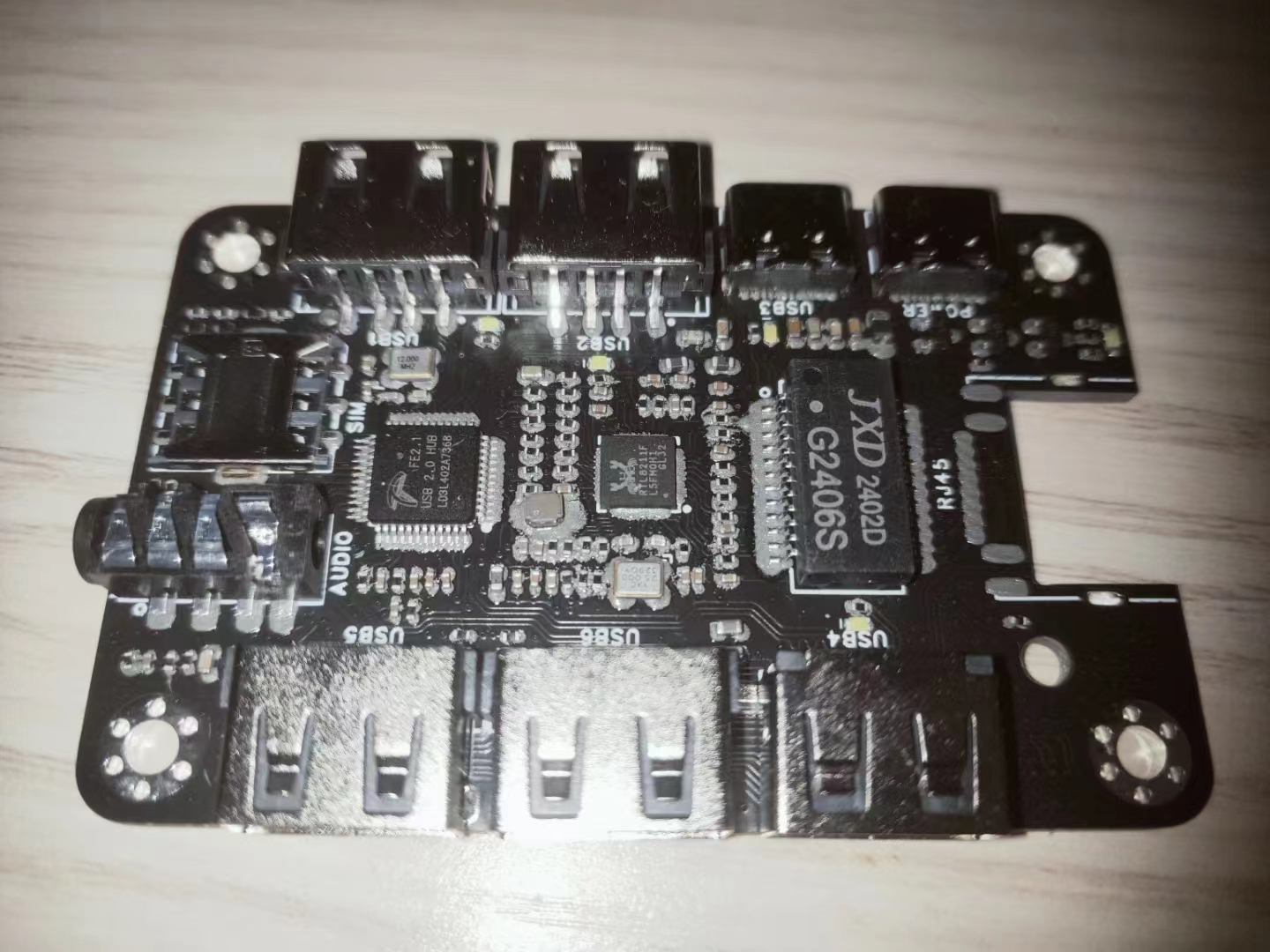
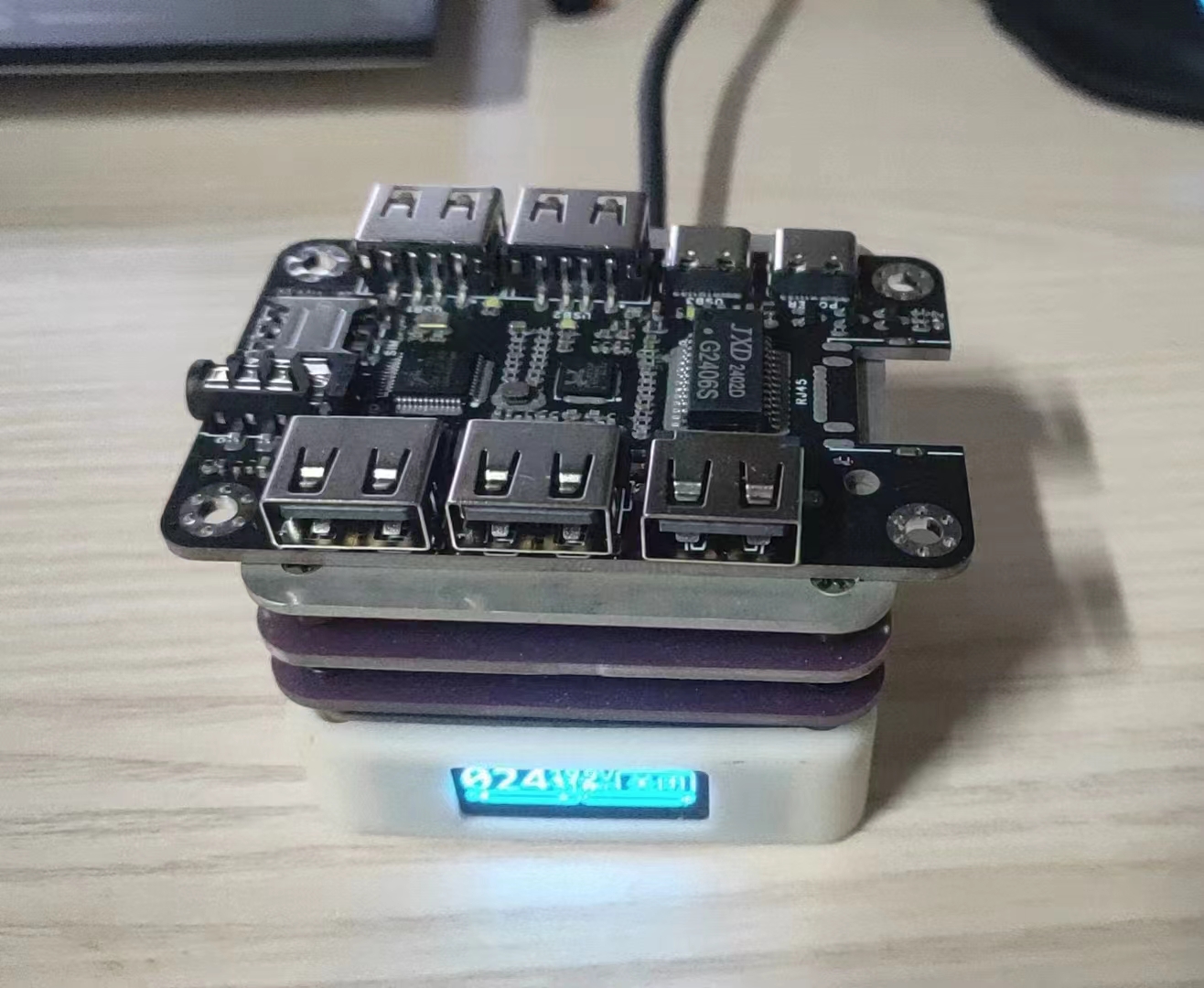
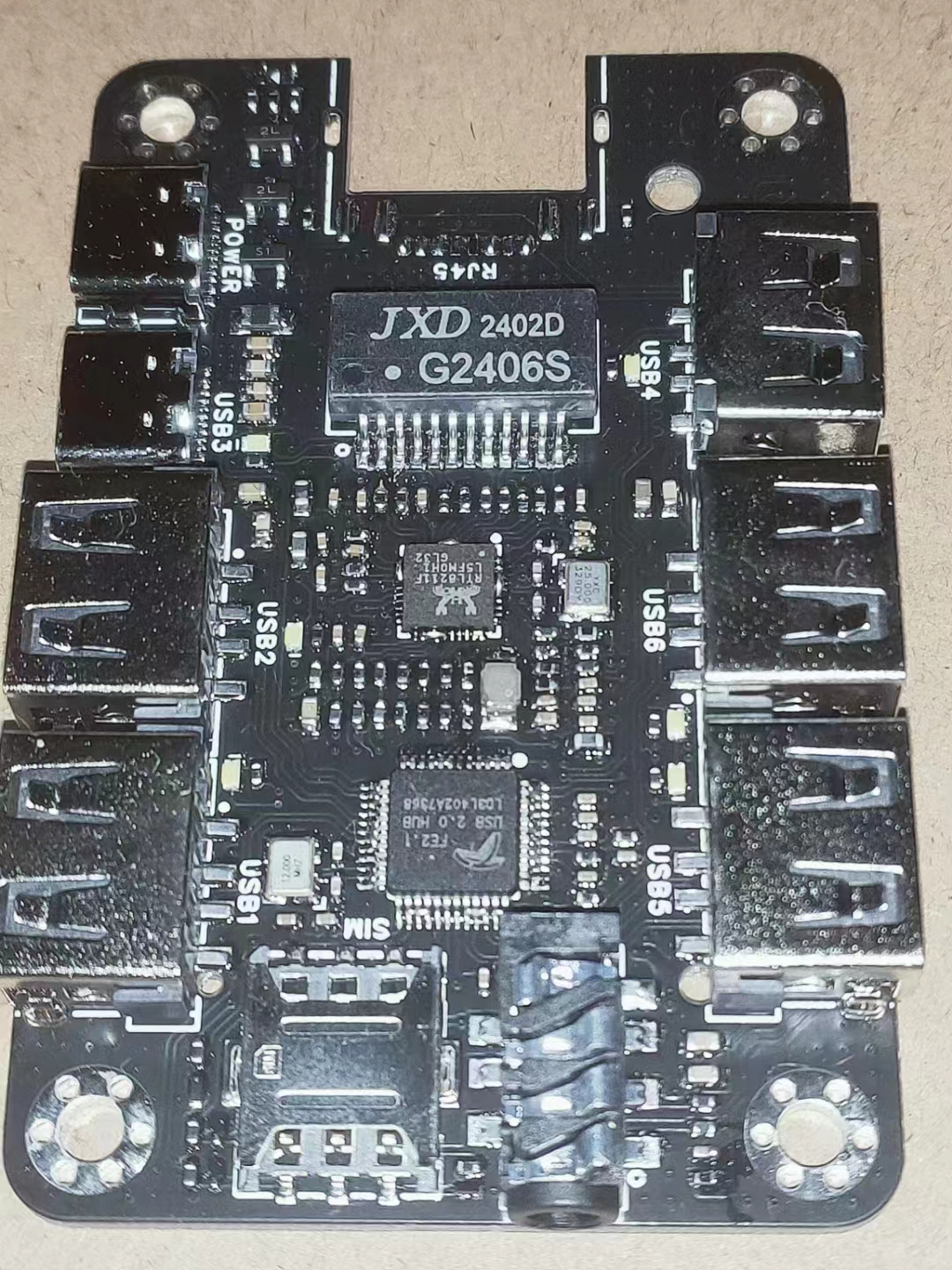
Because I brought the stencil from home to the company, it got crushed on the way and wasn't very flat. The effect after applying it was terrible, and in the end, there were a lot of solder joints, which had to be repaired separately... **o(╥﹏╥)o**
I already have For those interested in using the expansion board, you can refer to this post [【LCSC Taishan Development Board】39Pin Hub 2.0 Ethernet Expansion Board Adaptation Instructions](https://oshwhub.com/article/lichuang-taishan-development-board-39pinhub20-ethernet-expansion-board-adaptation-instructions) for configuration instructions (also by the user `风漠兮`).
# Code Explanation
This article mainly focuses on hardware aspects. For specific Linux learning content, please refer to my newly opened Git repository [Linux_StudyManual](https://github.com/mayjack0312/Linux_StudyManual) (which will be updated periodically).
## Virtual Machine Preparation
Based on official reference materials and existing virtual machine products, there are currently three common choices: `WSL2`, `VirtualBox`, and `VMware`.
Here, I recommend using `VMware 17 Pro`, which is also what I am currently using. The reasons for the recommendation are: it is simple, convenient, and easy to use (errors can be found), and it should also have the fewest errors among these three.
## Ubuntu Image Version Preparation
I tried `22.04.3`, but the compilation failed (`mksquashfs`), wasting a whole day o(╥﹏╥)o.
Finally, I reverted to `18.04.6`, and the compilation was perfectly normal, without any mysterious errors.
## VMware Installation and Usage (These are all posts I've been gathering dust in my CSDN bookmarks)
The following links are in no particular order:
https://blog.csdn.net/Python_0011/article/details/131619864
https://blog.csdn.net/weixin_74195551/article/details/127288338
https://blog.csdn.net/wzk4869/article/details/126775691
https://blog.csdn.net/leah126/article/details/131450225
## Common VMware Ubuntu Installation Issues
- Can't understand English in the software? No problem, I'll teach you how to directly change it to Chinese.
[
Links to various articles on VMware Tools installation and system installation are included
in the
original text
.]不慌
https://blog.csdn.net/Mr_wilson_liu/article/details/117408189
- 如何创建共享虚拟机目录位置(应该用不上,后面会装samba)
https://blog.csdn.net/qq_25427995/article/details/122689786
- 安装并配置ssh远程登录的相关问题
https://blog.csdn.net/weixin_44197719/article/details/119888235
https://blog.csdn.net/chao_shine/article/details/106966854
## 新系统的工具配置(常用的就这几个,其余的大家根据需要自行增加吧)
### vm-tools
属于VMware虚拟机系统装机必备的一个工具了,复制粘贴拖文件...,必不可少的工具
具体安装方法可以看:`VMware_Ubuntu安装常见问题整理` → The content in the link `**Questions about installing VMware Tools**` contains the
following: ### net-tools:
A tool for viewing network information in Ubuntu, essential for system administrators.
Installation command: `sudo apt install net-tools -y`, then enter your system password.
### vim:
One of the built-in editors in Linux, in my opinion... I don't use it at all. This is probably one of the best editors in Linux;
I'll need it to modify configuration files later
. Installation command: `sudo apt install vim -y`, then enter your system password.
### SSH:
An indispensable tool for remote system login, bar none, essential for system administrators.
For specific installation methods, see: `**Common VMware Ubuntu Installation Issues**` → `**Questions about installing and configuring SSH remote login**`.
### Samba
: A new tool I learned from the official documentation. I used to use SSH or FTP instead, but this is much better.
Installation command: `sudo apt install samba smbclient -y`, then enter your system password.
Use the `samba -V` command to check if the installation was successful
. Use `sudo cp`... The configuration file `/etc/samba/smb.conf` is backed up
using the command `/etc/samba/smb.conf.bak`. The `tspi` folder is created
using the command `sudo mkdir -p /home/tspi`. The folder permissions are set to 777
using the command `sudo chmod 777 /home/tspi`. The Samba configuration file is created using the command `sudo vim /etc/samba/smb.conf`.
Its content is:
```conf
[tspi]
path = /home/tspi
browseable = yes
writable = yes
comment = smb tspi_linux_sdk test
```
The `tspi` user is created using the command `sudo smbpasswd -a $tspi`. The user password is entered twice as prompted.
The Samba service is restarted using the command `sudo service smbd restart`.
Virtual machine folder mapping is performed using Windows system network mapping (refer to the documentation).
## SDK Compilation
Refer to the documentation for specific compilation methods (I used a full compilation).
https://lceda001.feishu.cn/wiki/Da5owUV4dipiqUkZycbcxckinvc
**Note: When selecting the power supply at the end of the compilation, choose 1 for 4 and 6, and 2 for the rest.**
**Recommendation:** Download and extract the `dl` package of `buildroot` before compiling. This can greatly shorten the compilation time.
- i9-10900k, virtual machine with about 24GB, actual testing shows that compiling Linux only takes half an hour
. ### Common Errors
Compiling `Python` resulted in the error:
```
/usr/bin/env: python: No such file or directory
```
Solution:
```
apt-get install python3 -y
whereis python3
sudo ln -s /usr/bin/python3 /usr/bin/python
```
Or try:
```
sudo apt install python-is-python3
```
### Screen porting
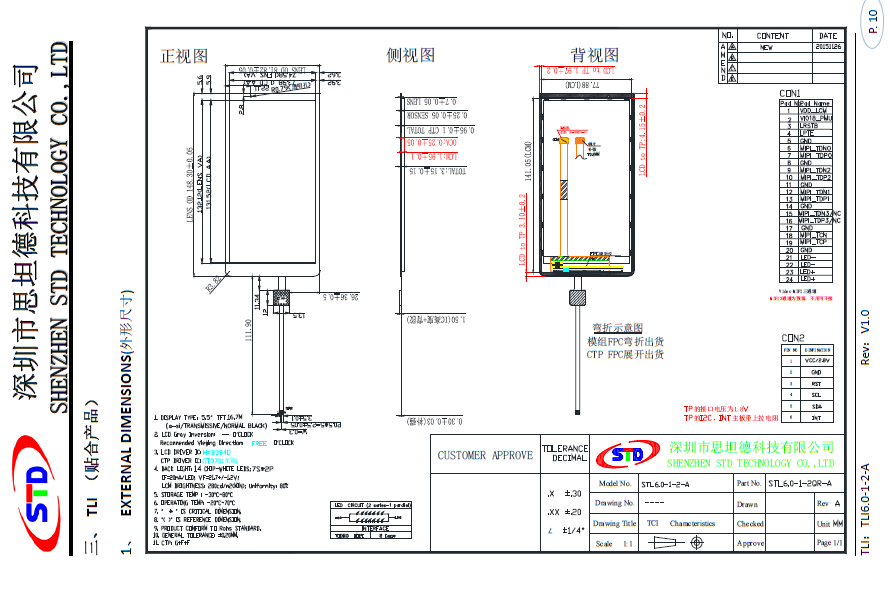
is similar to the adapter board, using a readily available 6-inch screen porting solution (the universal copy method).
Related materials have been open-sourced by a developer, see [Gitee](https://gitee.com/fengmoxi/tspi-stl6_0_1_2_a)
#### Patch file usage
```
// Download the patch file to the same directory as the SDK
wget https://gitee.com/fengmoxi/tspi-stl6_0_1_2_a/raw/master/linux-kernel-STL6_0_1_2_A.patch
// Linux SDK
patch -p1 -N -d tspi
```
- If you encounter a problem like `Hunk #1 FAILED at xxx(different line endings).`, please use `dos2unix` to convert the format of the corresponding file.
```
sudo apt install dos2unix
dos2unix tspi_linux_sdk/kernel/arch/arm64/boot/dts/rockchip/tspi-rk3566-dsi-v10.dtsi
```
#### Brief Description of Touch Driver
1. Set the content of the `gtp_dat_9_7` array in `/kernel/drivers/input/touchscreen/gt9xx/gt9xx_cfg.h` to
```
#include "GT970_Config_20240119_160927.cfg"
```
2. Copy `GT970_Config_20240119_160927.cfg` to `/kernel/drivers/input/touchscreen/gt9xx`.
Altium-based small mobile phone project using the Taishanpai development board. (zip file)
Based on the Liangshan School's four-wheeled Mecanum wheel remote control car, this version features a PS2 controller port and supports RoboMaster DJI remote control control. It incorporates four-motor speed closed-loop and gyroscope angle closed-loop control.
Based on the Liangshan School's four-wheeled Mecanum wheel remote control car, this version features a PS2 controller port and supports RoboMaster DJI remote control control. It incorporates four-motor speed closed-loop and gyroscope angle closed-loop control.
BOM_Based on the Liangshan School of Remote Control Four-Wheel Mecanum Wheel Car.xlsx
The closed-loop motor control scheme of STM32F405RGT6 uses a simple 3-axis robotic arm for engineering verification and can also be used as a development board.
Main control board resources (within 10*10, available for free board fabrication by JLCPCB):
0. Core board model: The author uses an existing core board, but you can also make your own. Below is a Taobao link: STM32F103RC F405RG F407ZE controller CAN MPU6050 MPU9250 - Taobao (taobao.com)
1. Debugging port: 2*5pin CMSIS DAP debugger interface (with one built-in UART1 serial port for data transmission and reception), the core board has an ST-Link debugger interface.
2. Serial port: Onboard, all 3 serial ports are brought out (UART1, UART2, UART3).
3. AD interface: Onboard, 3 AD interfaces (with optional external pull-up resistors), plus one infrared voltage divider interface, supporting voltage 0-6V (the author's infrared model is GP2Y0A21YK0F 10-80cm distance sensor).
4. Power supply: One each of 5V, 3.3V, and GND.
5. Encoder: Three encoder interfaces: ENCODER_A, ENCODER_B, and ENCODER_C.
6. Stepper Motor Driver: One 2*5pin horn-shaped connector interface, used for communication with the stepper motor driver board (one output controls whether the motor is powered on). The stepper motor driver board chip model is LV8731V-TLM-H (PWM constant current control stepper motor driver). The schematic diagram of the driver chip is also shown in the schematic diagram. Of course, for convenience, you can also purchase it directly. Here is a link to the driver board: Four-channel LV8731V stepper motor driver module D34A intelligent car driver module with 5V regulated output - Taobao (taobao.com)
7. Buttons: Four buttons with a normally high level.
8. CAN Interface: 1 channel. SPI Interface: 1 channel. Active Buzzer: 1 channel. All unused pins exposed: 8 channels.
9. Onboard storage: PROM (AT24C02) -> Hardware I2C interface, NOR-FLASH (W25Q128JVPIQ) -> Hardware SPI interface.
10.5V control signal: 3-channel transistor switching circuit (the collector resistor value of the transistor is selected according to the control signal; the author later changed it to a 200-ohm resistor based on personal project requirements).
Title: Following Mr. Wu's live-streamed board design for a small mobile phone based on the LCSC Taishanpai
board, I learned some high-speed signal design tips, which were quite useful.
Regarding software, the only Linux board I've worked with before was the I.MX6U, which was only good enough to turn on an LED. I tried using an old 6ULL virtual machine to install the Taishanpai compilation environment, but after several days of struggling to compile, I finally reinstalled it (I wish I hadn't been so lazy). By diligently following the videos and documentation, both Linux and Android compiled successfully. For
the physical soldering
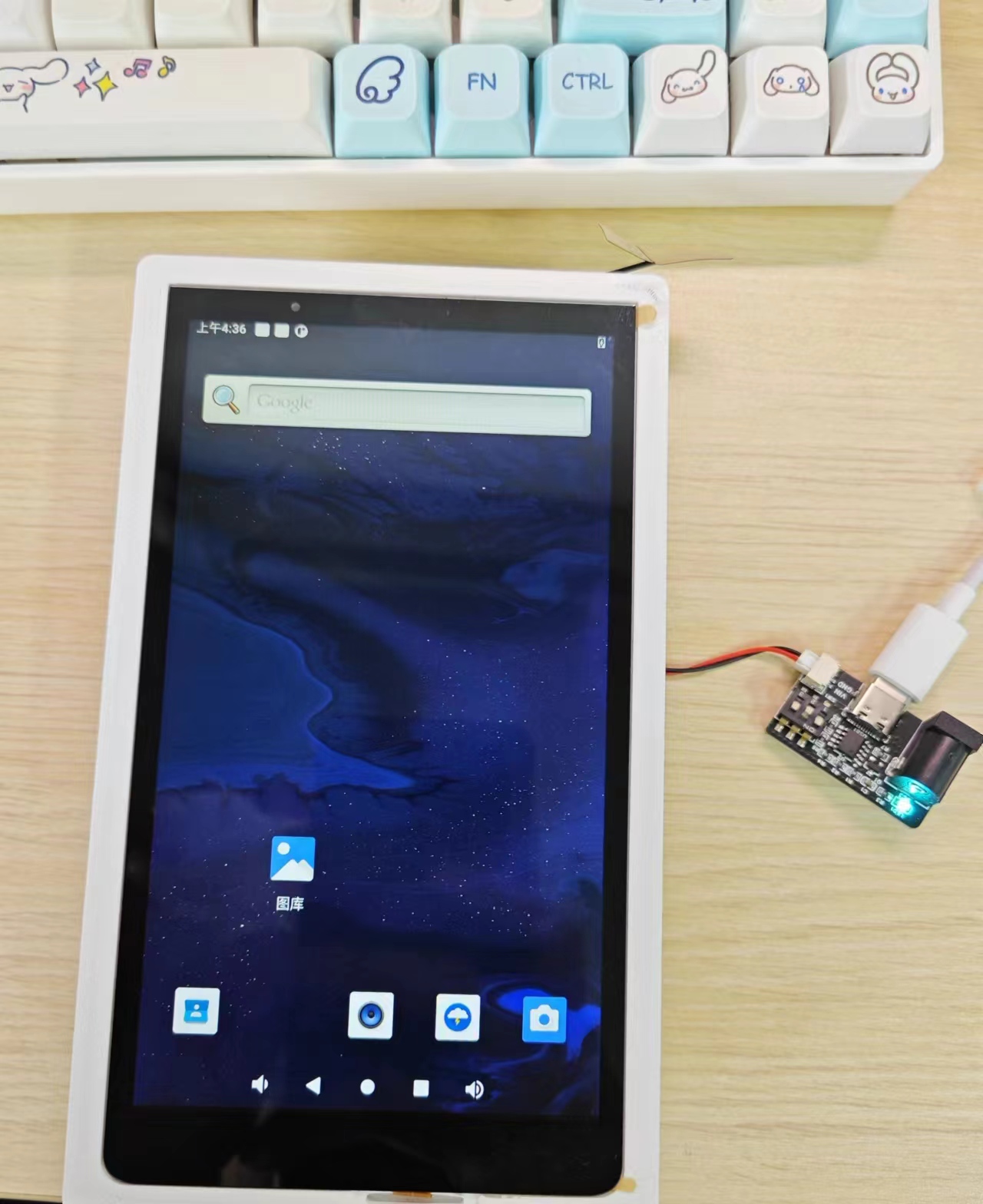
, since the 3.1-inch screen recommended by Mr. Wu hadn't arrived yet, I only soldered the board. In summary, don't use too much solder on the solder joints; just drag the soldering iron through once, but add plenty of flux!!! Before
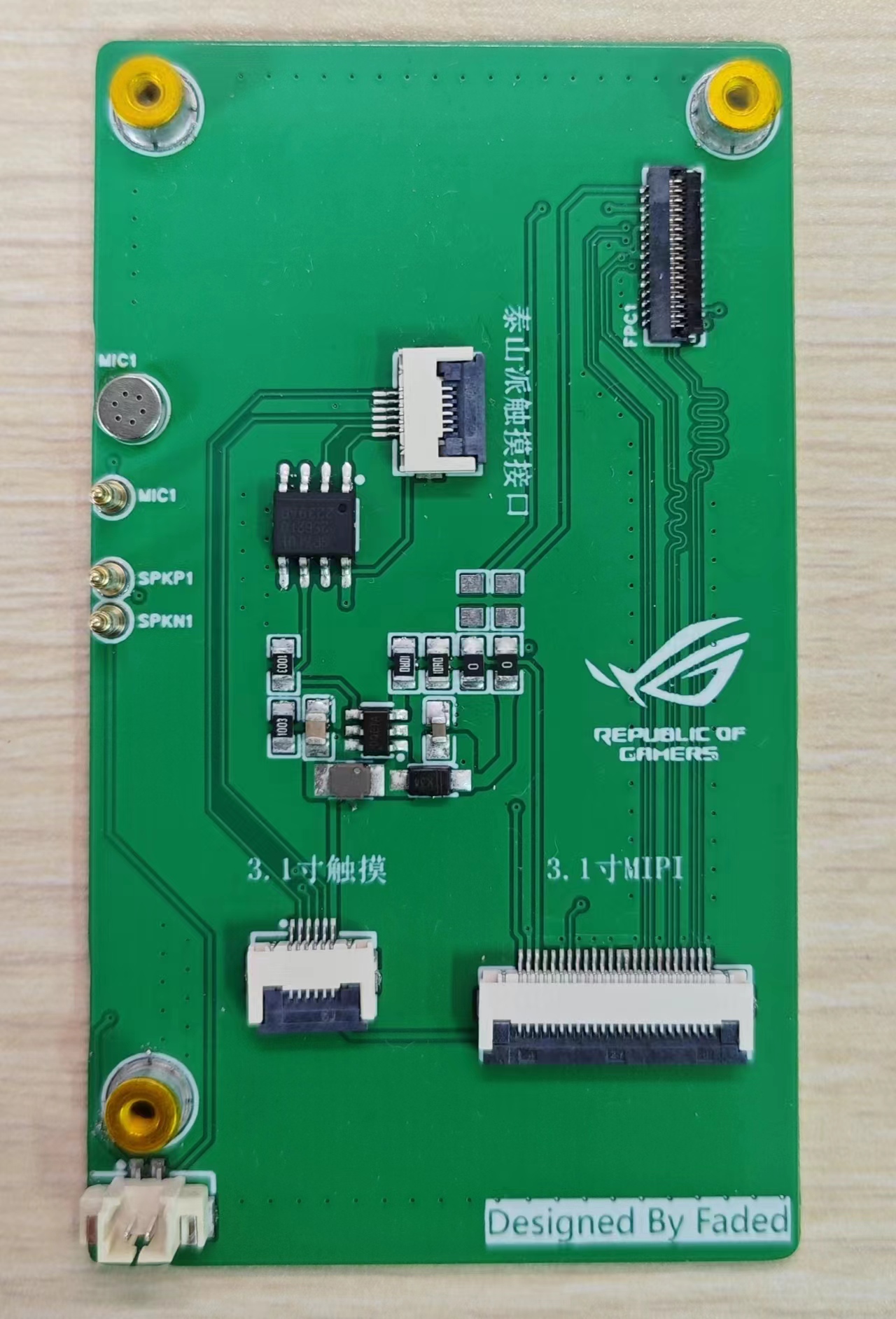
turning on the screen , I bought a 6-inch screen and adapter board for 39.9 yuan from a promotion on Maomao Screen
. I played around with it and roughly sketched the back of the 6-inch screen, measuring the holes for the touch and display cables with calipers. It's barely usable; it's attached.
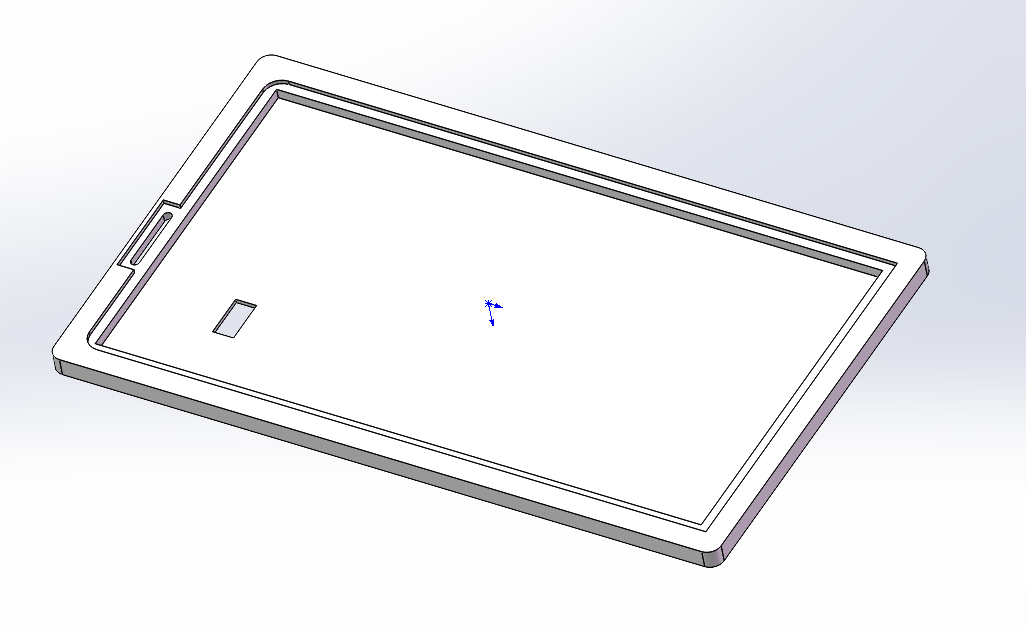
tsp screen bracket.STL
PDF_A small computer based on LCSC Taishanpai.zip
Altium - A small computer based on LCSC Taishanpai.zip
PADS_A small computer based on LCSC Taishanpai.zip
BOM_Based on LCSC Taishanpai Mini PC.xlsx
94602
A coaxial self-balancing scooter based on design
Coaxial Meile Balance Scooter Design Based on ESP32
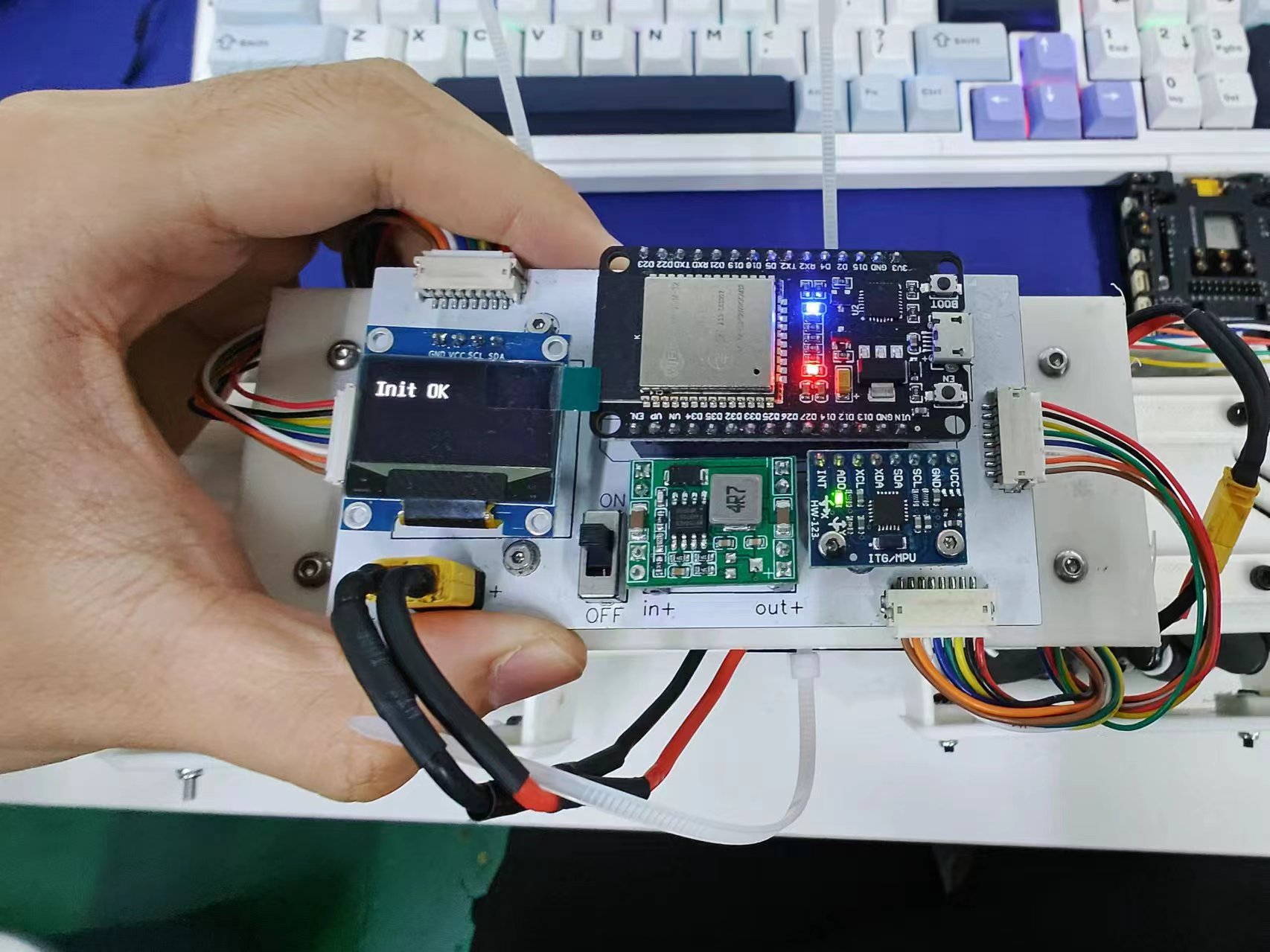
This design cleverly combines high-performance hardware components with efficient software algorithms, aiming to provide enthusiasts and the education market with an economical yet fully functional self-balancing scooter solution. The entire project cost is kept below 300 RMB, achieving a perfect balance between cost-effectiveness and playability. The design uses the ESP32-WROOM as the main controller, integrating an MPU6050 gyroscope for attitude control, and is equipped with an OLED display for real-time status information, as well as four motor encoder interfaces to ensure precise motion control. For a detailed design reference, please refer to the reference project: https://oshwhub.com/yuyxz/coaxial-wheat-wheel-balance-car
I. Project Background and Objectives With the advancement of technology and the rise of DIY culture, personal mobile devices such as self-balancing scooters are becoming increasingly popular. However, most self-balancing scooters on the market are expensive and lack transparency, making it inconvenient for enthusiasts to learn and customize. This project aims to break this limitation by providing a low-cost, highly customizable self-balancing scooter solution through open-source design, encouraging technological exploration and innovative practices.
II. Hardware Selection and Design ### Main Controller: ESP32-WROOM The ESP32-WROOM is an ideal choice for this design due to its integrated WiFi and Bluetooth functions, powerful processing capabilities (dual-core 32-bit processor), and abundant GPIO resources. It efficiently processes sensor data, motor control, and wireless communication tasks, providing a robust control core for the self-balancing scooter.
### Sensors: MPU6050 Gyroscope The MPU6050 is a high-performance 6-axis motion processor that integrates a three-axis gyroscope and a three-axis accelerometer, a key component for achieving balance control. Connected to the ESP32 via an I2C interface, the MPU6050 accurately measures the vehicle's attitude changes, providing real-time data for the balance algorithm.
### Display: OLED Display To enhance user experience and facilitate debugging, an OLED display is incorporated into the design. Its compact size and lightweight design clearly display battery level, operating mode, speed, and other information, providing users with a clear overview of the vehicle's status.
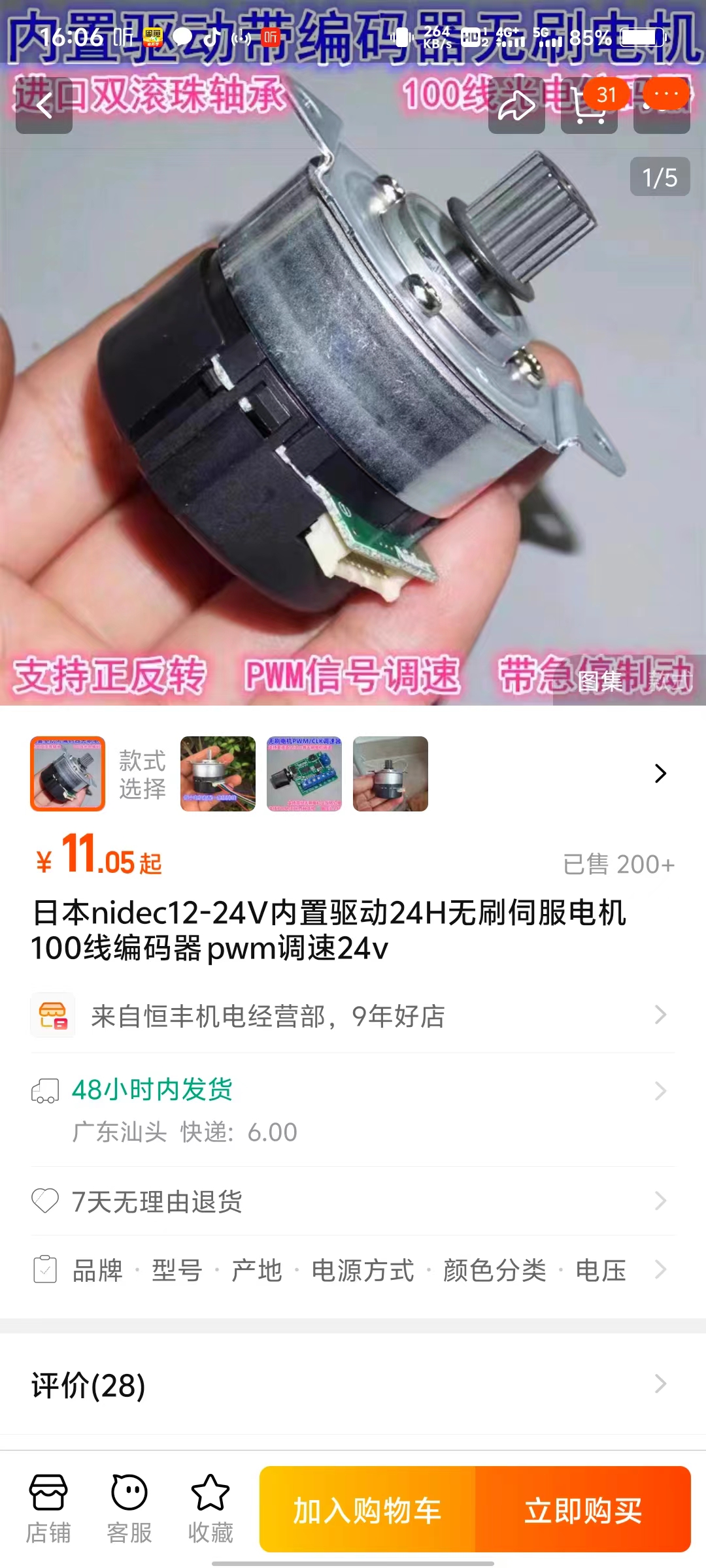
### Motors and Encoders The self-balancing scooter uses a four-motor drive system, with each motor equipped with an encoder. Precise measurement of wheel speed enables precise dynamic control of the vehicle. The motor encoder interface is directly connected to the GPIO of the ESP32, and the motor output is adjusted through a precise PID algorithm to ensure balance, stability, and flexible motion control. Using a second-hand Nidec motor greatly reduces the cost of the motor. Note: When purchasing wheels (I used 6mm couplings, 80mm diameter Mecanum wheels), you need to ask the seller if the motor shaft can be installed.
III. Software Design and Implementation The software part mainly includes sensor data processing, motor control algorithm, user interface development, and wireless communication functions.
1. **Attitude Control Algorithm**: Based on the data from the MPU6050, an extended Kalman filter (EKF) is used to fuse accelerometer and gyroscope data to achieve accurate attitude estimation. On this basis, a PID control algorithm is applied to adjust the motor output according to the deviation to maintain vehicle balance.
2. **OLED Display Interface**: Using a UTFT library or a similar graphics library, a simple and intuitive user interface is designed. The displayed content includes, but is not limited to, vehicle status, mode switching options, and fault prompts, enhancing the user experience.
3. **Wireless Communication:** Utilizing the Wi-Fi functionality of the ESP32, a mobile app or web interface can be developed to enable remote monitoring, parameter adjustment, and firmware upgrades, providing users with greater customization options.
IV. Cost Control and Optimization: Through careful material selection and design optimization, the overall cost was strictly controlled to within 300 RMB. Key factors included: - Selecting cost-effective components, such as the multi-functional ESP32-WROOM, reducing the need for additional modules. - Utilizing open-source hardware and software resources to reduce R&D costs. - Streamlining the design, eliminating unnecessary functions, and maintaining a simple and efficient system.
V. Conclusion: This design successfully creates a low-cost, fully functional coaxial balance scooter by integrating the powerful performance of the ESP32, the precise sensing of the MPU6050, the intuitive display of the OLED, and the high-efficiency motor encoder system. This open-source design not only provides enthusiasts with a practical platform for learning electronics, control theory, and programming, but also provides educational institutions with a high-quality teaching tool, promoting the popularization and innovation of technical knowledge. In the future, we look forward to the community further improving and innovating based on this design, jointly promoting the development of personal mobile device technology.
code(1).zip
Bluetooth remote control app (based on appinventor).zip
Materials List.docx
Protective frame 1.STL
Installation Instructions.docx
Protective frame 2.STL
Body connecting bracket modified .STL
Body connecting frame link.STL
Body connecting frame link 2.STL
Print instructions.txt
Motor bracket modified .STL
PDF_A design based on a coaxial wheel self-balancing scooter.zip
Altium - A coaxial wheel-based self-balancing scooter. (zip file)
BOM_A coaxial wheel self-balancing scooter based on design.xlsx
94603
Smartphone Project Based on the Taishan School
A smart phone made with a 6-inch cat screen and Taishan style.
This document outlines
my participation in the LCSC Taishan Training Camp project. Based on the project's learning content, I transformed a development board into a small smartphone. Considering I had already purchased a 6-inch screen, I modified the schematic and 3D printed model of the original 3.1-inch screen to meet the requirements.
I. Schematic :
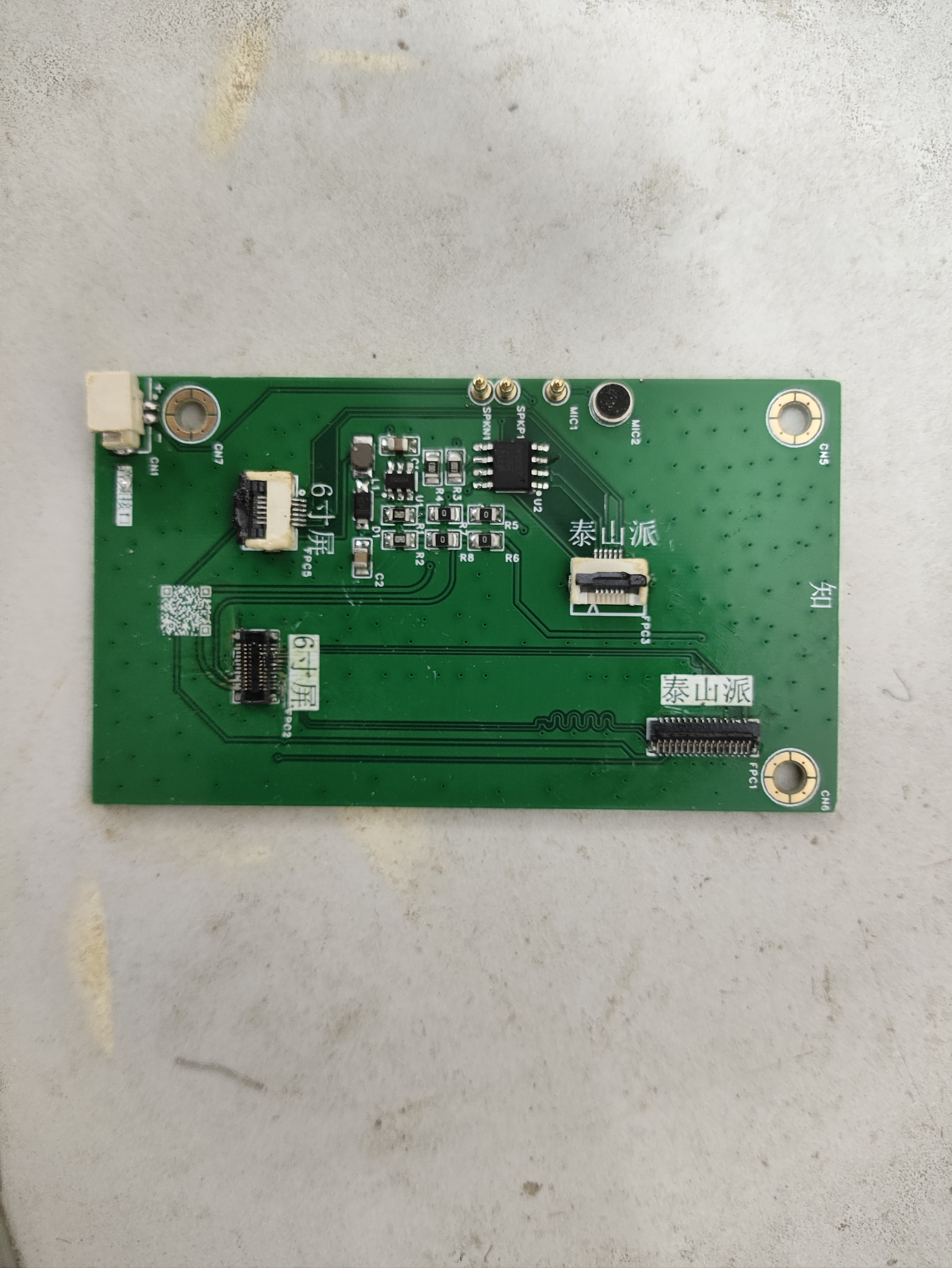
The connection relationship between the 6-inch and 3.1-inch screens is basically similar; only a few additional interfaces need to be added to accommodate the 6-inch screen. The schematic was modified to accommodate the screen's display. After modification, soldering was performed, as shown in the figure.
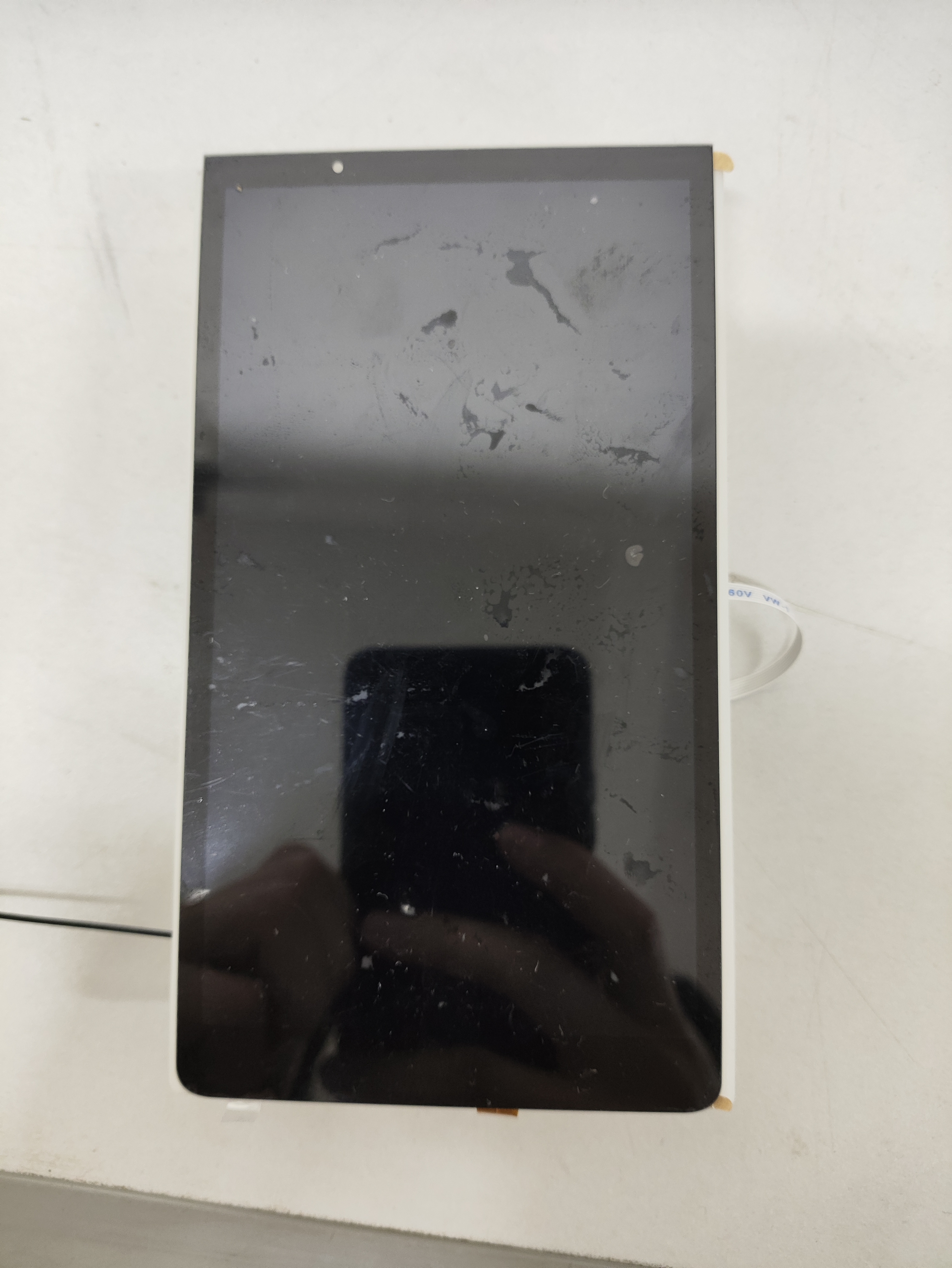
After soldering, the screen was connected to the development board.
II. Program:
Screen Display: Based on the learned content, the program needed to be rewritten according to the screen parameters. Download the attached file tspi-rk3566-dsi-v10.dtsi and manually replace the file kernel/arch/arm64/boot/dts/rockchip/tspi-rk3566-dsi-v10.dtsi to make the screen display correspond to the 6-inch screen.
For touchscreen, download and extract the gt9xx.zip attachment, manually replace the contents of the kernel/drivers/input/touchscreen/gt9xx folder, and
after completing the above steps, recompile the kernel and flash boot.img separately.
IMG_20240518_190007.jpg
IMG_20240518_190021.jpg
text.mp4
test.stl
Top Shell.STL
tspi-rk3566-dsi-v10.dtsi
gt9xx.zip
PDF_Smartphone Project Based on the Taishan School.zip
Altium_Smartphone Project Based on Taishanpai.zip
PADS_Smartphone Project Based on Taishan School.zip
BOM_Based on the Taishan School Smart Phone Project.xlsx
94604
electronic
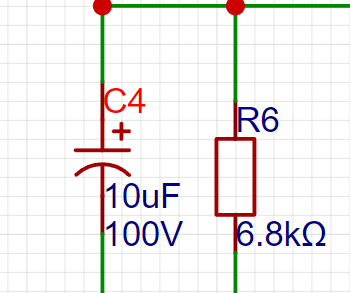
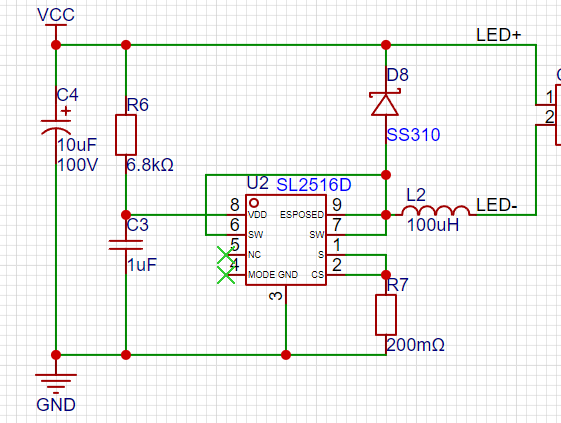
 The power input filter capacitor should be as large as possible with a low ESR, generally above 10uF/100V.
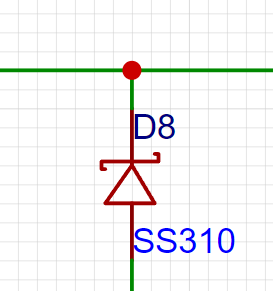
  2. A Schottky diode is required at the SW pin. If the supply voltage is below 100V, a 100V freewheeling diode with a current rating of at least 2A is needed; the SS310 is recommended.
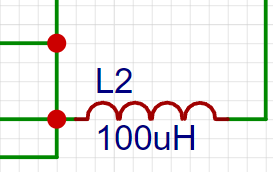
  3. The inductor selection is generally a 100uH integrated inductor with a saturation current of at least 1A. Wire-wound inductors can also be considered for cost considerations.
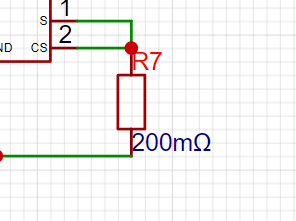
  4. Output Current Setting: Since the internal reference voltage is 200mV, the voltage of the sampling current pin is controlled at 200mV. Therefore, the output current equals 200mV divided by the value of the sampling resistor. The maximum output current of this chip is 1.5A, and the minimum sampling resistor value is approximately 133 milliohms.
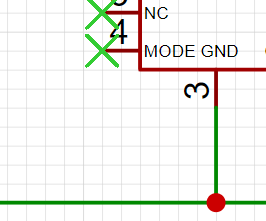
  5. High/Low Mode: By controlling MODE, connecting a 100K resistor in series with VCC to this pin reduces the output current by 50%, resulting in low brightness. Leaving it floating or grounded will result in 100% output current.
  The entire circuit consumes very few components; only 7 external components are needed to implement a constant current circuit, making the cost very low. The total number of components does not exceed 2.
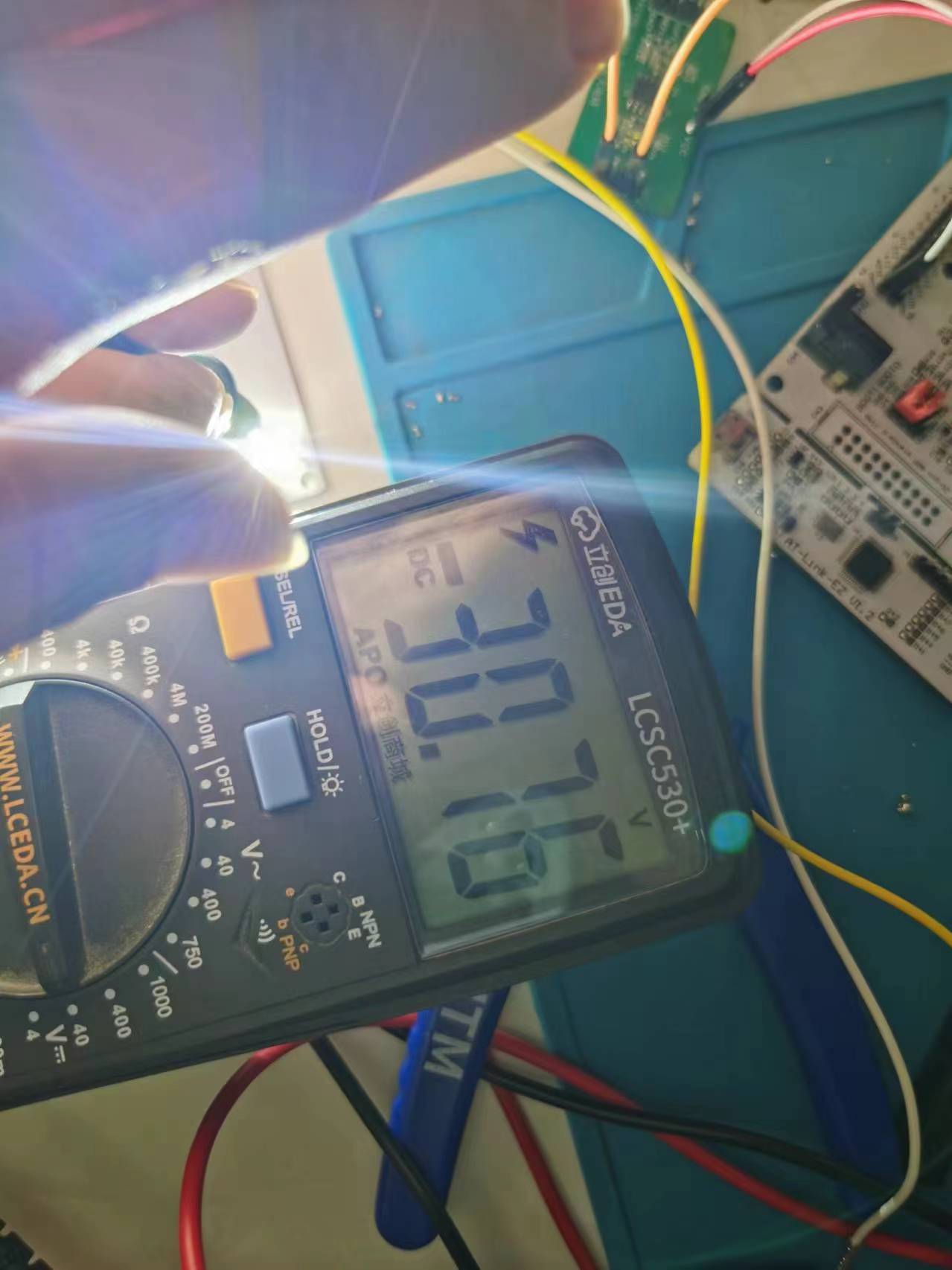
  Under 32V power supply, with an output current sampling resistor of 0.27R, the input power is 23.8W, the output voltage is 30.76V, and the LED overcurrent is 0.68A. The calculated efficiency is 87.8%, close to the 90% stated in the datasheet. However, there is a certain error between the actual output current and the calculated current, and the error deviation is relatively large.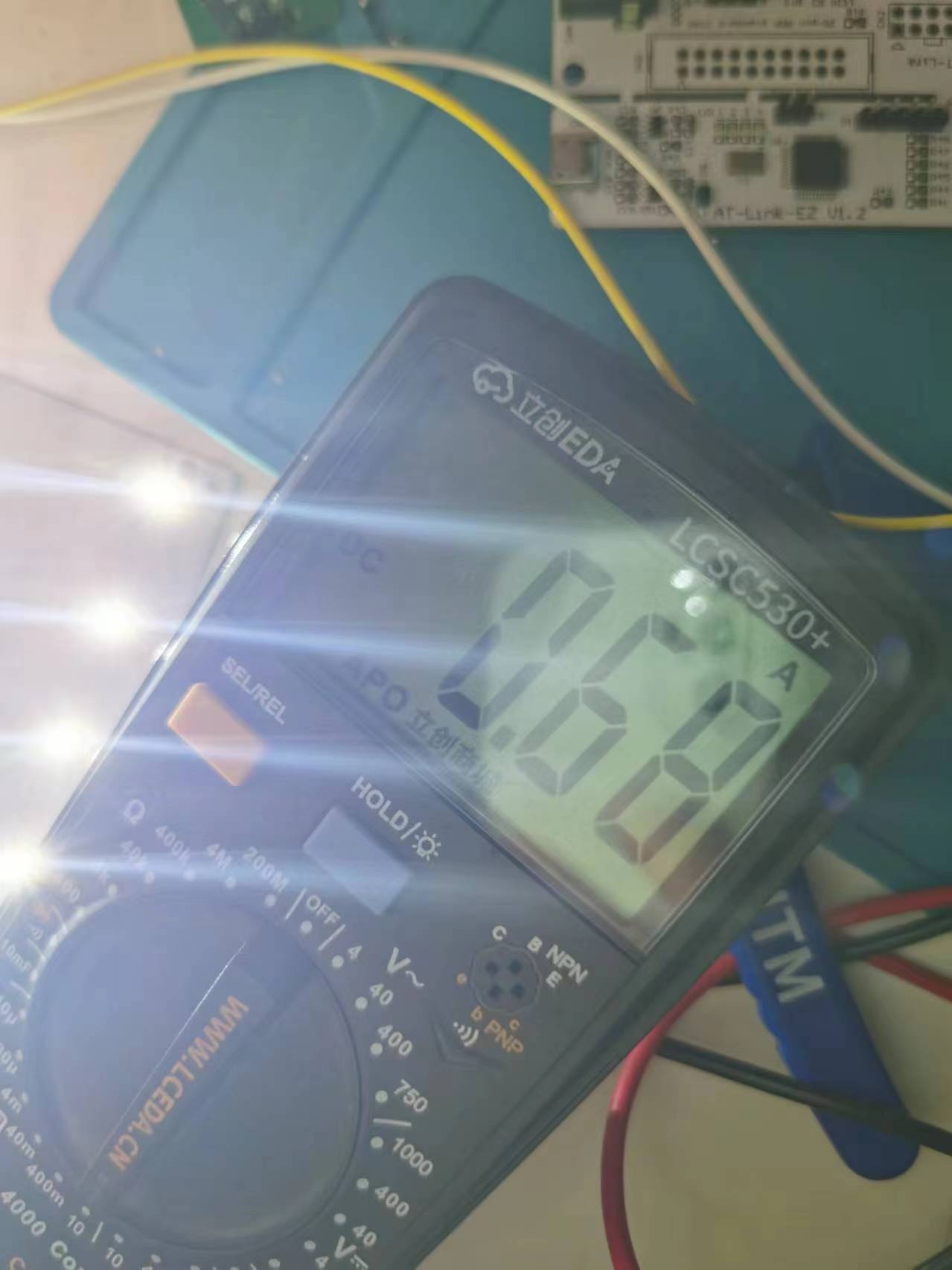
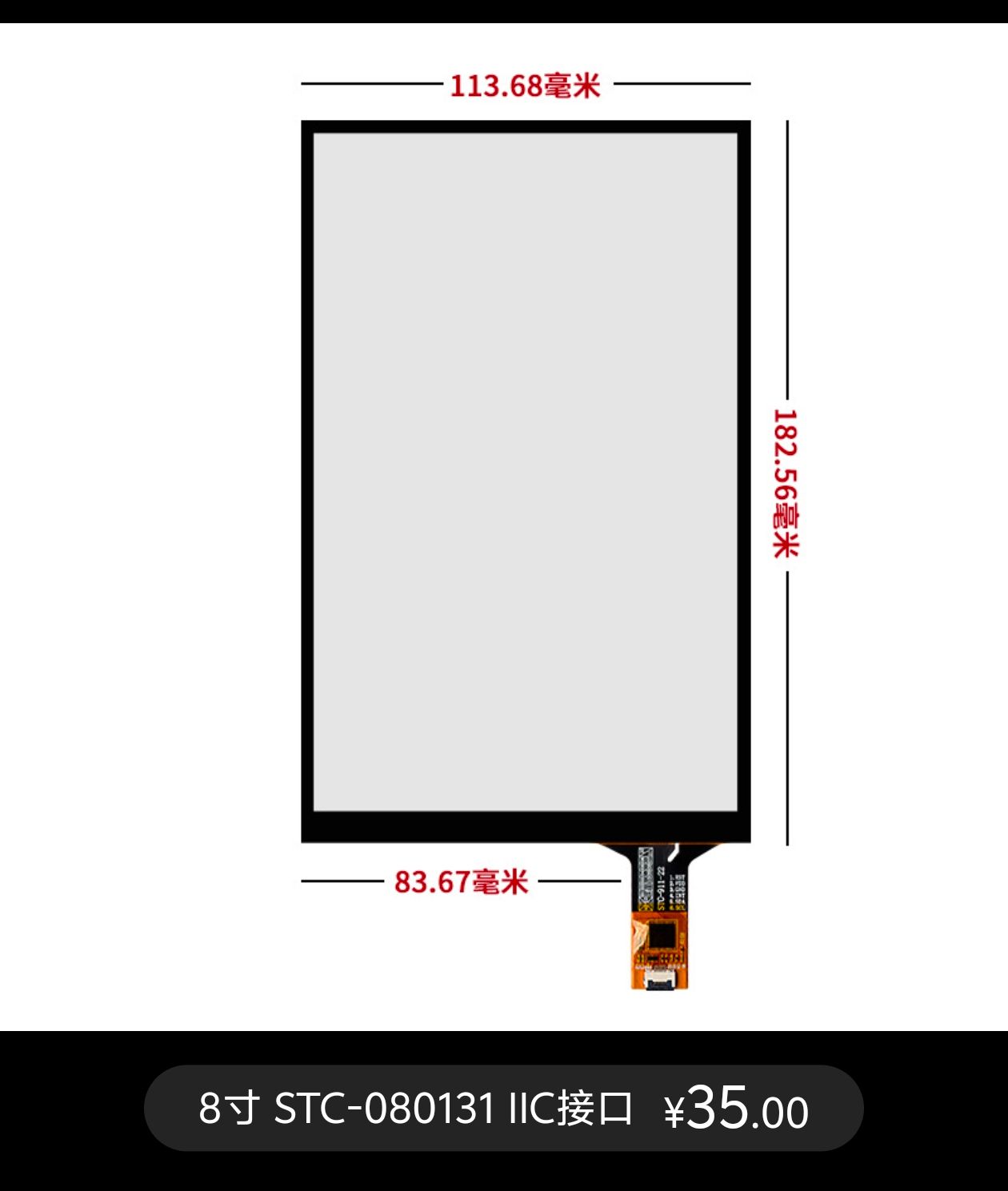
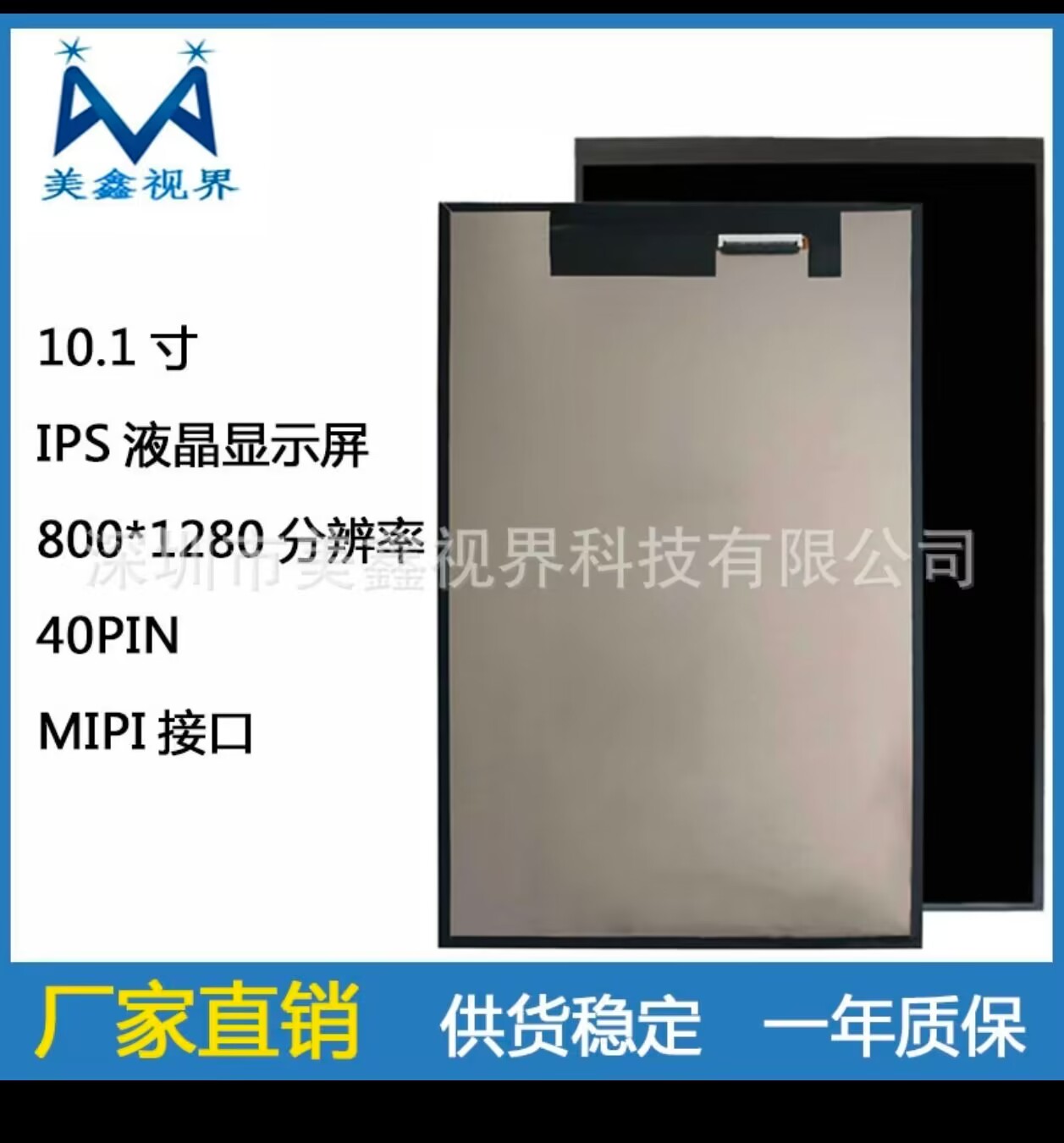 screen touch purchase link: https://qr.1688.com/s/EA4WHtbh
  For detailed development steps of the screen and touch driver, please refer to the official documentation: https://lceda001.feishu.cn/wiki/NiQKwDgsuiwLiHkCtFtcZnoFnFg. The driver code will be provided in the attachment.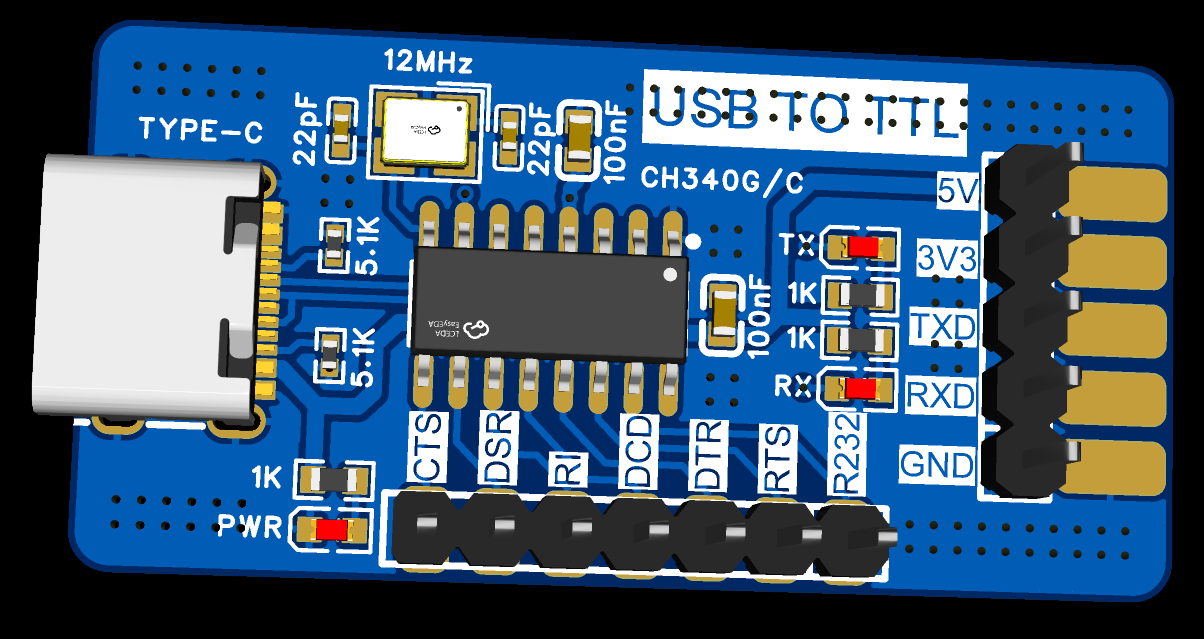








 京公网安备 11010802033920号


 IDT74FCT16827CTPV



