This is a very early PCB, and it functions perfectly.
* * *
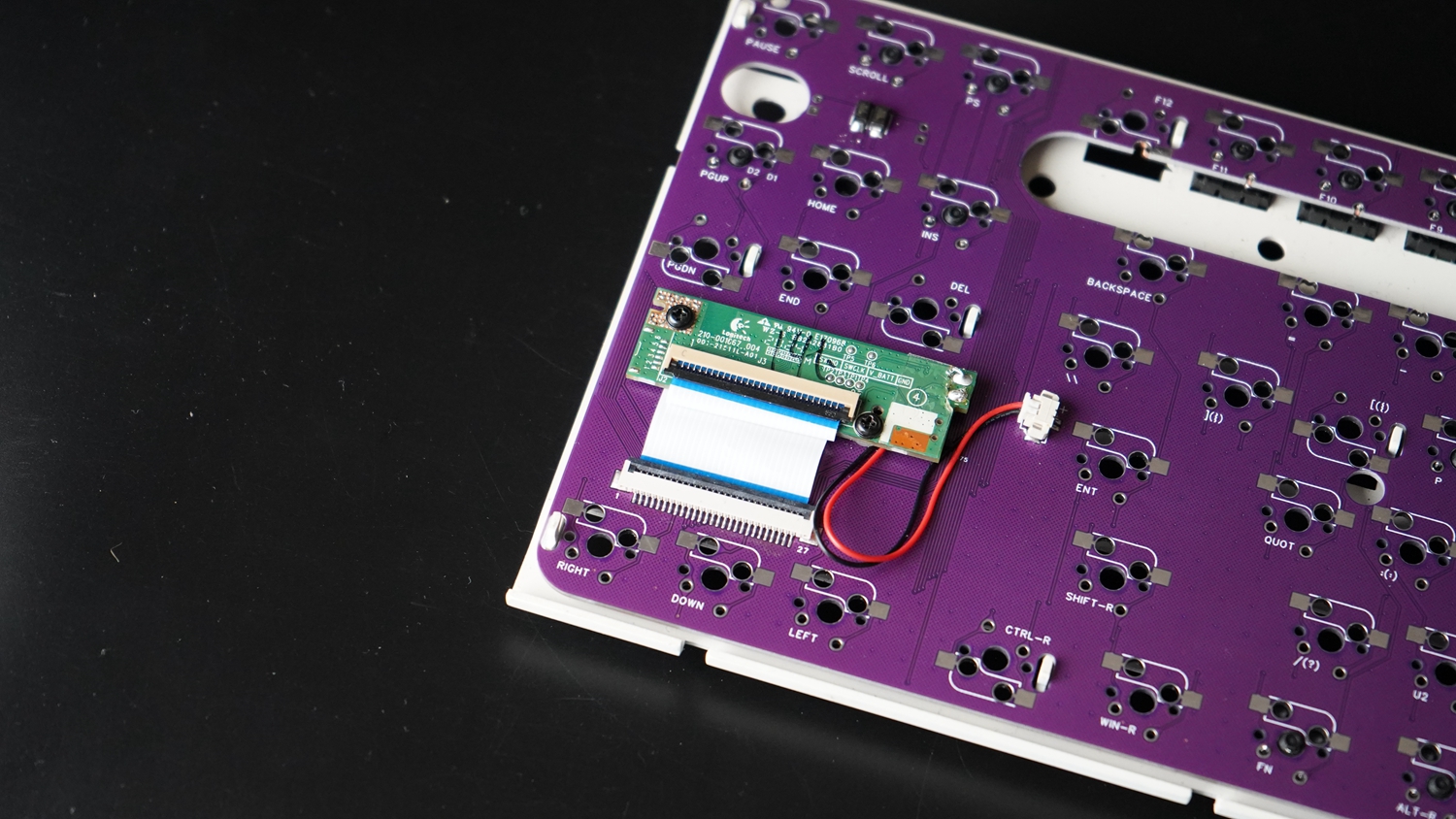
Some basic information about the PCB
:* The original mounting plate is required for modification, but all the clips on the original mounting plate need to be removed.
* It supports both soldering and hot-swapping, but probably no one will use soldering.
* A MINI USB connector is provided as decoration, but it has no function
.* The PCB uses two original dry-cell batteries for power; there is no onboard charging module
. The image is from the old version; the new board has modified the switch orientation
![DSC07781.JPG]
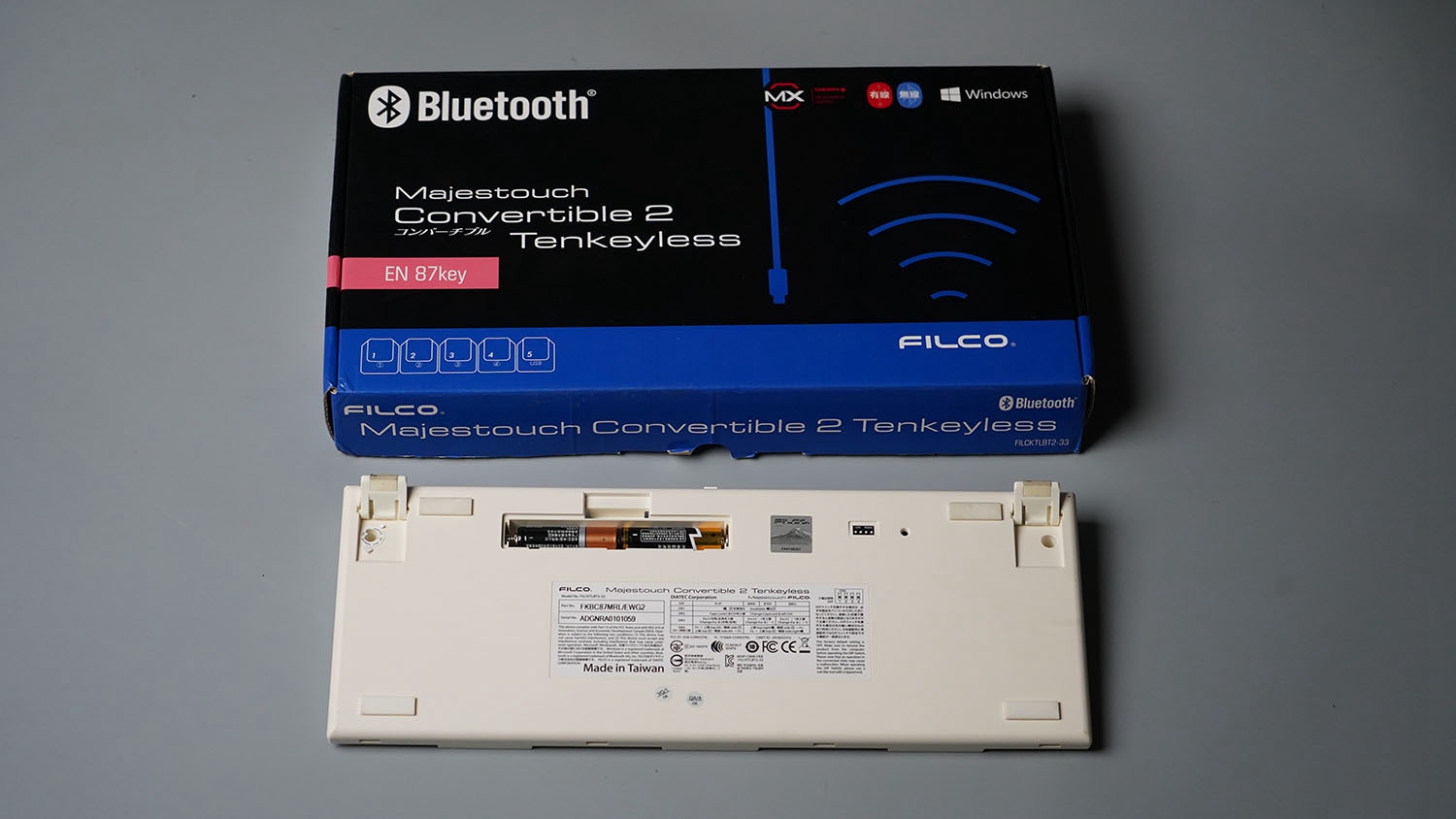
It is compatible with the following keyboard
![Filco87 Dual Mode_375S_01 (2).JPG]
PDF_Flico87 Dual-mode Modified 375 Dual-mode PCB.zip
Altium_Flico87 Dual-Mode Modified to 375 Dual-Mode PCB.zip
PADS_Flico87 Dual Mode Modified to 375 Dual Mode PCB.zip
BOM_Flico87 Dual-mode Modified to 375 Dual-mode PCB.xlsx
95520
Yobboy Custom Keyboard V4
The final version of this project, https://oshwhub.com/yobby/ke-zhi-hua-v3,
has now completed its basic functionalities.
Briefly,
this project has been delayed for a long time, mainly due to my severe procrastination, but it's finally finished.
It uses the same hardware circuit as Zhihui's, namely cascading HC165 for scanning. However, I didn't actually copy his circuit; I used this circuit for my graduation project to implement a light curtain sensor scan, and later tried using this principle to make a keyboard, using a column switch, haha.
Regarding the hardware, due to my limited skills, the wiring is just functional, so if you have the ability, you can optimize the wiring to improve stability.
The project includes a positioning board, which I printed using JLCPCB's aluminum substrate, and the feel is quite good (it costs around ¥180). I recommend using a tray mount structure. I will then draw a simple outer shell (I used a P1S printer, and printing the shell requires splicing). The shell file has been uploaded, and I will update the final product image later.
For software, you can use VS Code + ESPIDF plugin for editing; you need to configure the environment first, or you can directly flash the firmware . I
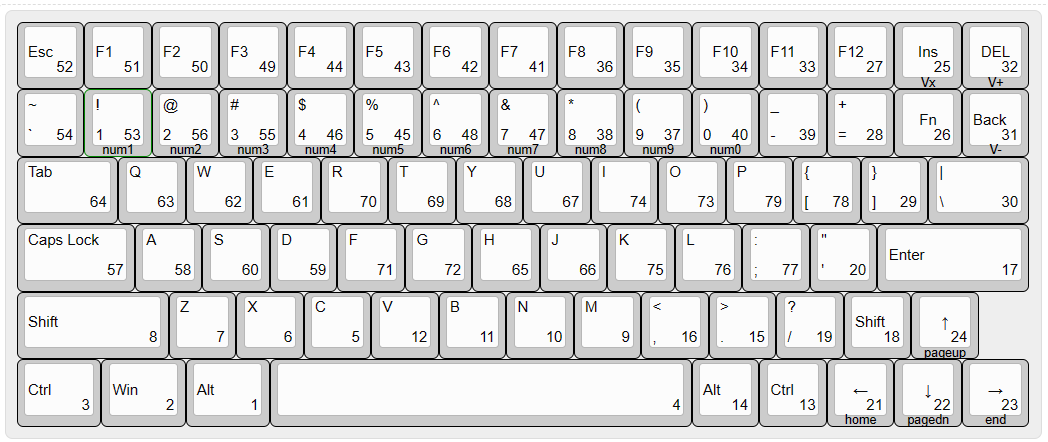
recommend printing on a white PCB. Thanks to zhang247906323 for reminding me to move the module to the bottom layer to prevent conflict with the satellite axes. The PCB has been updated, removing one USB port and retaining only the keyboard interface. The casing has also been updated, and the main controller uses the ESP32S3 chip, which has built-in USB functionality. The download circuit can actually be omitted, and programming can be performed directly using the keyboard interface. When code needs to be modified, the chip can be put into download mode (by pulling BOOT low during startup) to program the keyboard scanning part. Because it uses the parallel-to-serial converter chip 74HC165, if you are not familiar with the principle, you can refer to Hanwen Keyboard, where Zhihui Jun explains it very thoroughly. However, precisely because of this, low power consumption and wake-up are not easy to achieve. So, I simply used it as a wired keyboard . Currently, due to limited programming skills and to avoid the hassle, the BOOT button is used as a light switch after startup, so try not to omit this light and the button sequence is messed up because I want to shorten the total wiring length as much as possible. Software part: This is my first time using ESP-IDF to write a project, so my programming skills are relatively low. The programming principle is: as perfect as possible, as long as it works. Zhihuijun's method of scanning HC165 is using SPI, but I haven't figured it out, so I can only program according to the timing diagram. This may be the reason for the slow scanning speed. With only 80 keys, the actual test shows that it can only scan about 80 times per second. I haven't felt any delay during use yet, but I've seen that the slowest keyboard is 125Hz, which may be because row and column scanning does not need to pay attention to all keys. Although this keyboard is indeed full-key rollover, the problem is that I don't know how to write the message protocol, etc. I'm using TinyUSB in IDF, so apart from the modifiers, I can only achieve the reporting of six keys. These are all the keys in the default configuration. Except for V+V- and Vx (volume control), which I don't know why aren't they working, everything else is functional. Holding down Fn triggers the functions on the side engraving (I personally think that numeric keypad will still be useful, for example, in Flinggame and WeMod, DDDD). I'll add more later if I think of anything else. Welcome to reprint! If there are enough people, we can create a group and share printing services, which can save a lot of money.
keyboard-shell.3mf
Yobboy-keyboard.zip
PDF_Yobboy Custom Keyboard V4.zip
Altium_Yobboy Custom Keyboard V4.zip
PADS_Yobboy Custom Keyboard V4.zip
BOM_Yobboy's Custom Keyboard V4.xlsx
95521
An alarm clock that won't turn off - 7204516A
I've created a little alarm clock that can't be turned off. When the alarm goes off, the buzzer sounds and it doesn't automatically shut off. If you press the off button, it will prompt you to extend the alarm by one minute. It's perfect for pranking those who like to sleep in.
The time and alarm can be set via serial port.
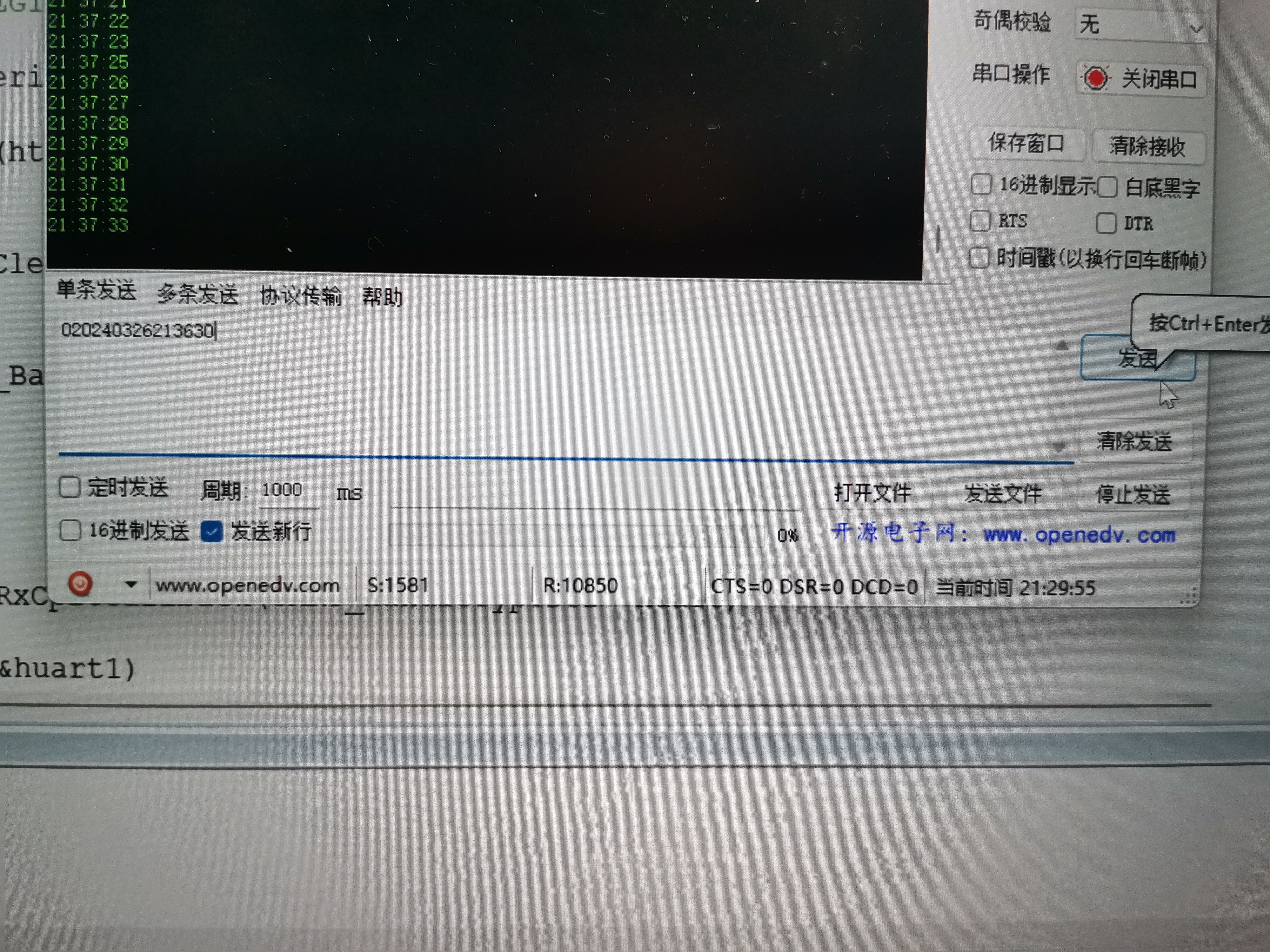
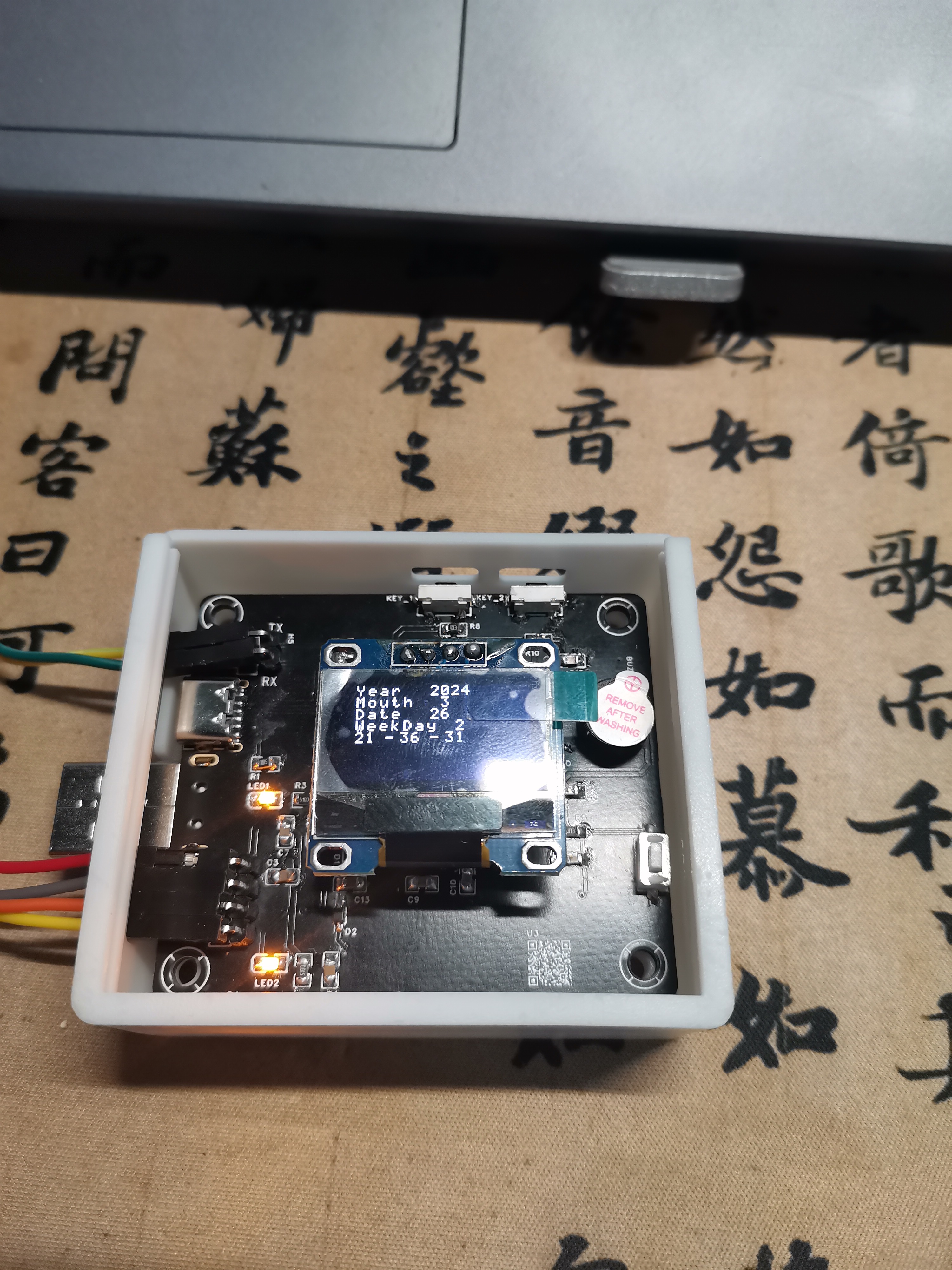
Modify the current time via serial port
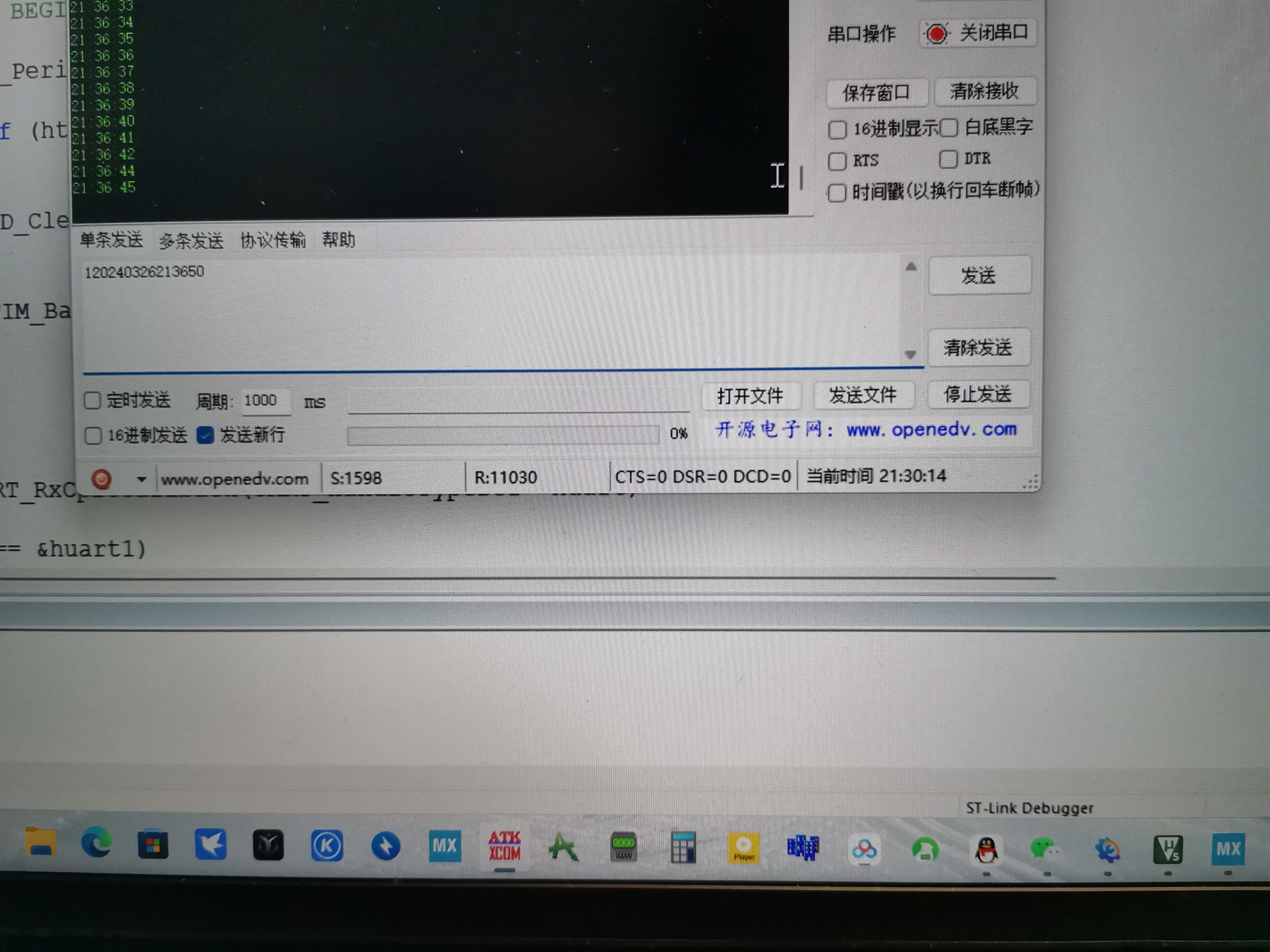
and set an alarm via serial port.
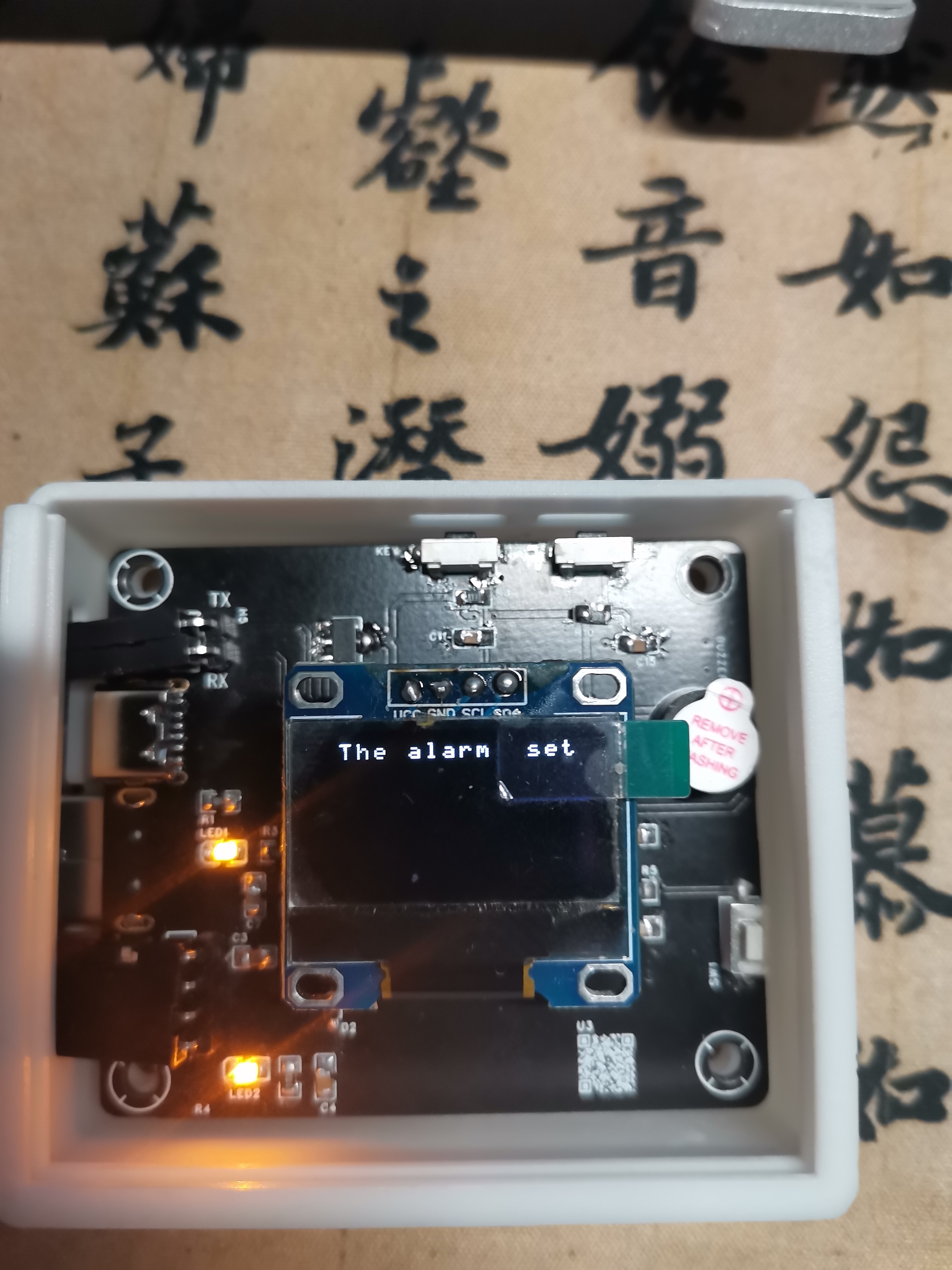
The alarm setting was successful.
A demonstration video is attached.
1f720050a773f6a543d5d74494b4645a.mp4
PDF_The Alarm Clock That Won't Turn Off - 7204516A.zip
Altium_The Alarm Clock That Won't Turn Off - 7204516A.zip
PADS_The Alarm Clock That Won't Turn Off - 7204516A.zip
BOM_The Alarm Clock That Won't Turn Off—7204516A.xlsx
95522
86-box reference board - human presence sensor
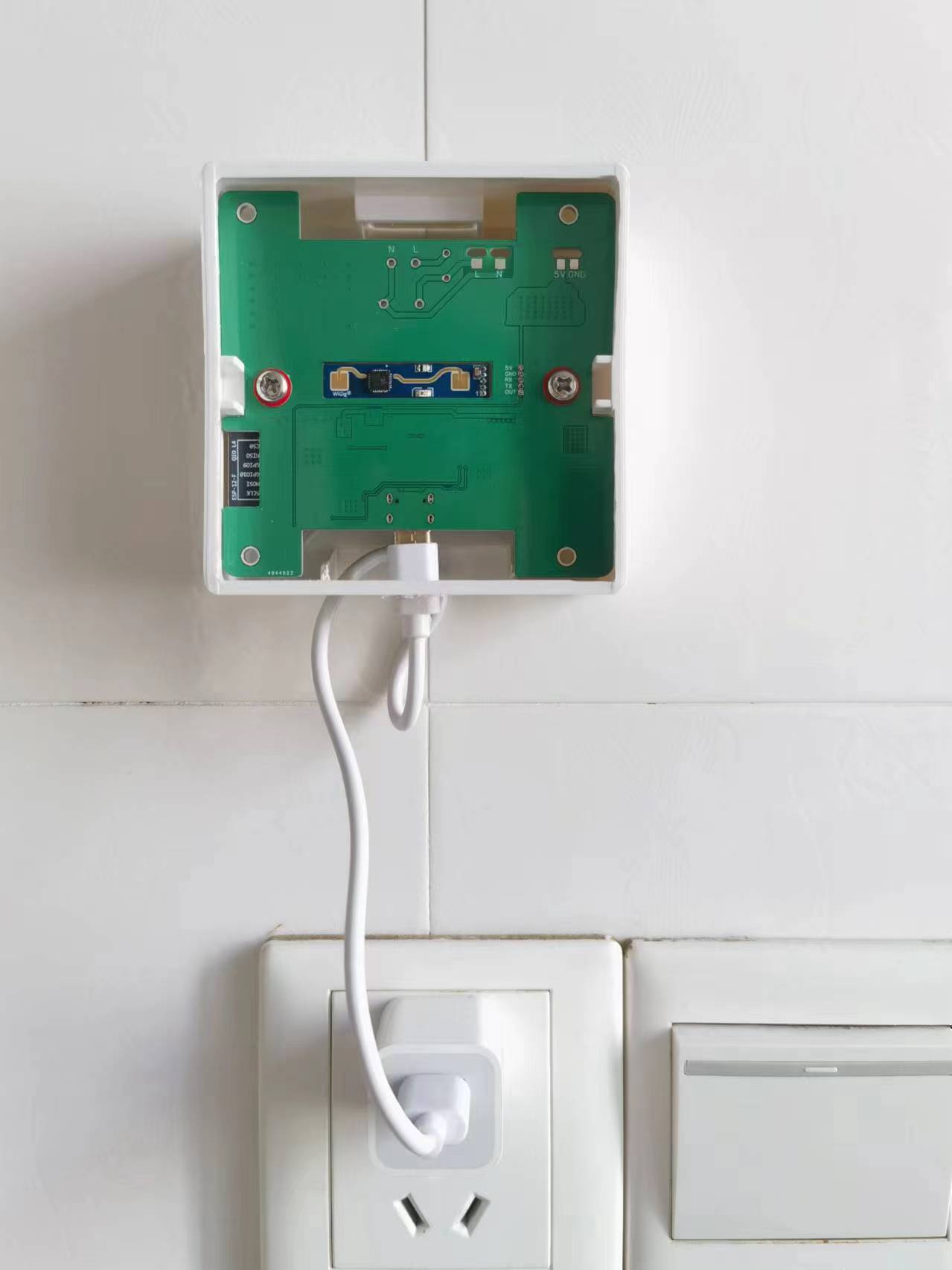
Using the HLK-LB2410B human body sensor, based on an 86-box installation.
The circuit can be powered by Type-C or AC power; simply choose one method to solder the components. The integrated human body sensor and temperature/humidity sensor
are described below:
U2 is a switching power supply module (link from Taobao)
, F1 is a 1A slow-blow fuse, and R3 is a 10D471K varistor. These two can be left unsoldered.
PDF_86 Box Baseline - Human Presence Sensor.zip
Altium_86 Box Baseline Board - Human Presence Sensor.zip
PADS_86 Box Baseline Board - Human Presence Sensor.zip
BOM_86 Box Reference Board - Human Presence Sensor.xlsx
95523
electronic








 京公网安备 11010802033920号


 CDLL5303



