
CsukFky

Remote power-on card_ESP01S

 
Overview
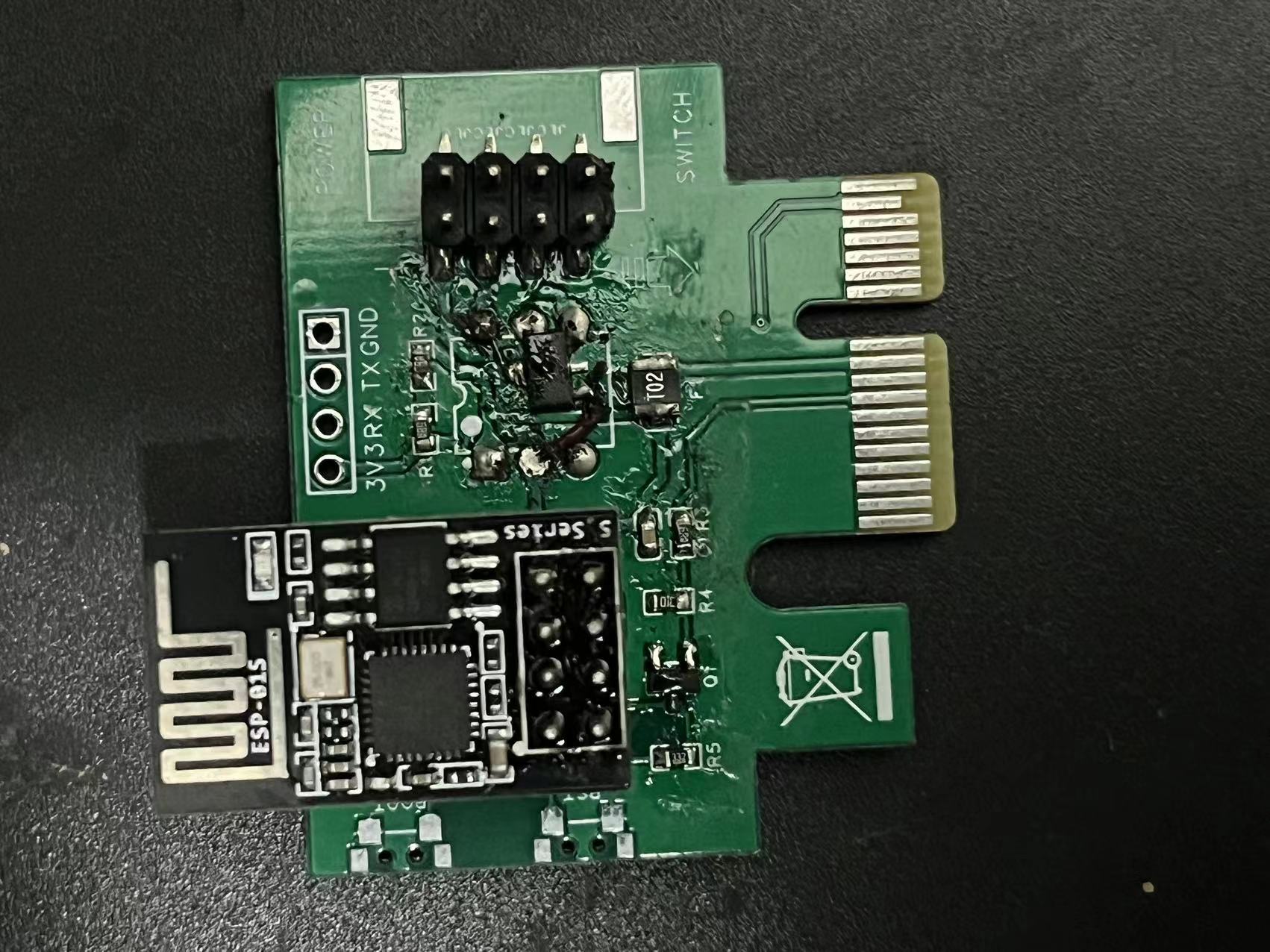
If you're broke
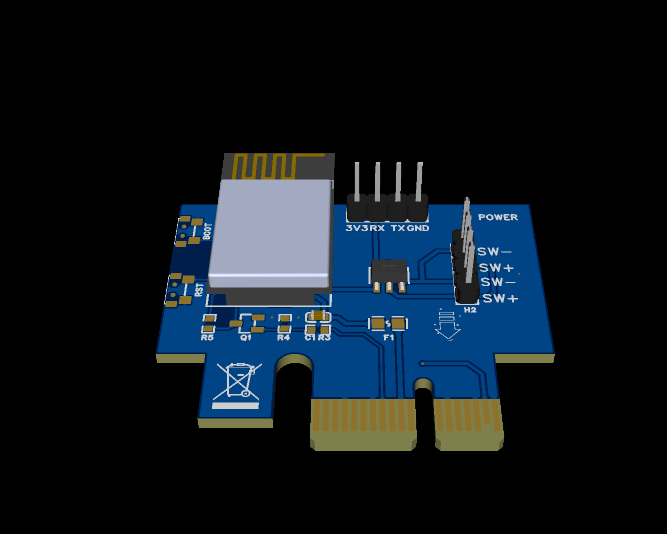
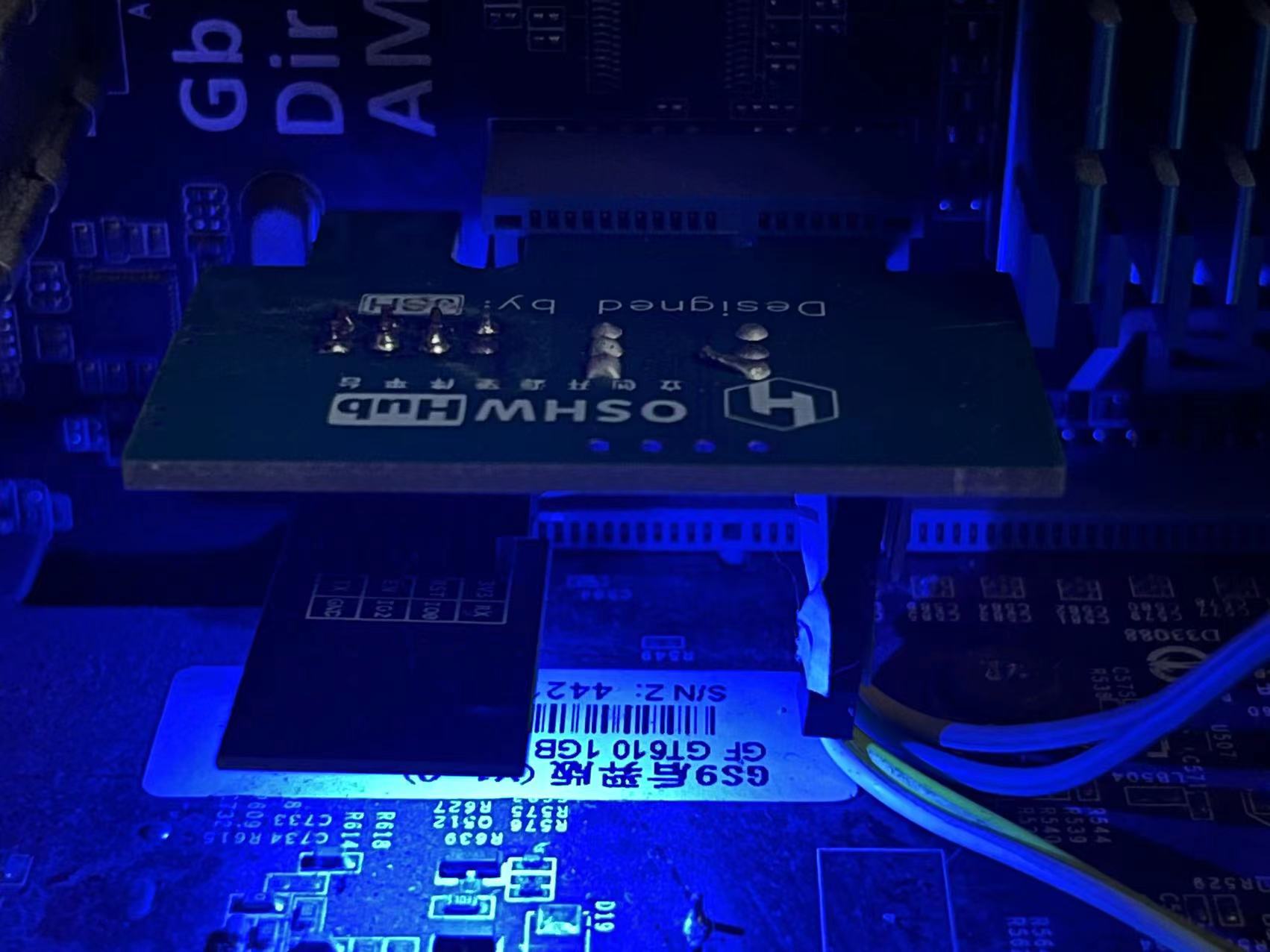
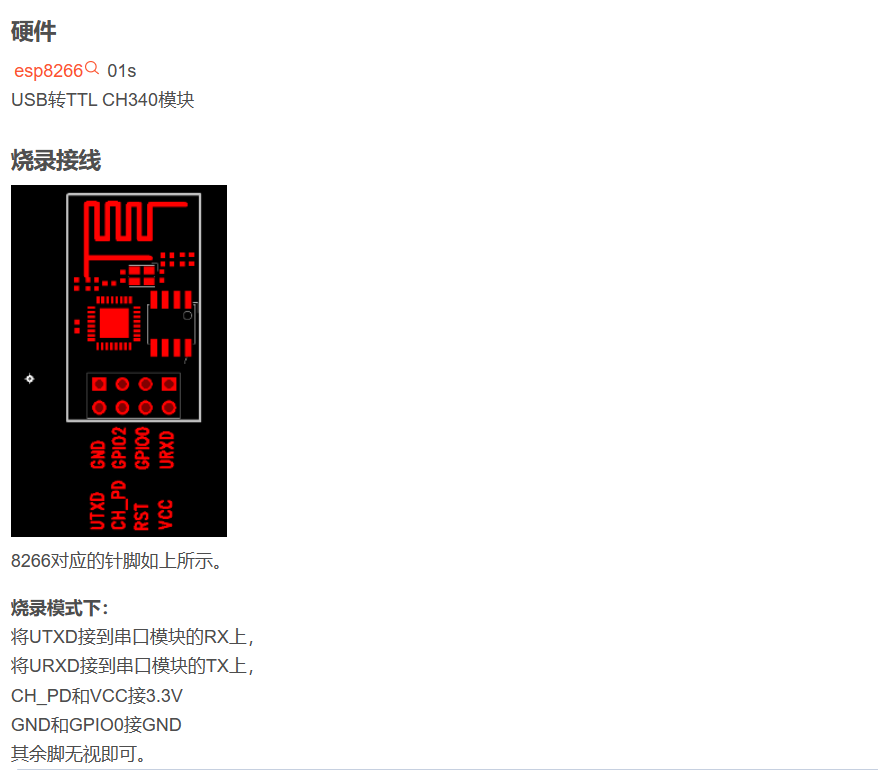
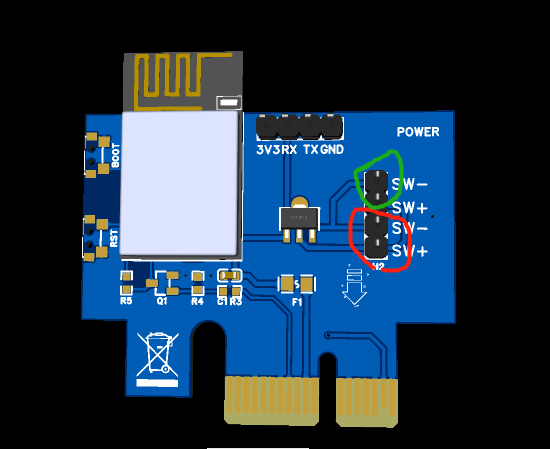
, you can check out my modified remote power-on module BOM: ESP82666 01s 4 resistors and capacitors (free from the company), 8050 transistors (free from the company), BCX53 transistors (previously in stock), 2.54 pin headers (free from the company), LCSC PCBs (free from the company), ESP82666 01s downloader 6. Total: 10. IO allocation and functions: IO0: BOOT button, used for program burning and long press for 5 seconds to reset network configuration information; IO1: Power-on detection input pin; IO2: Onboard LED displays network status, flashing when network configuration is successful or unsuccessful, and remaining lit after successful network connection and access to the Blinker server; IO3: Controls computer power on/off. Technical exchange group number: 230637099. Hardware verified by DianDeng Technology. Instructions: Go to learn how to create a device using DianDeng Blinker and import the Blinker interface configuration I uploaded. Next, flash the code and restart. The onboard LED will blink, and after 10 seconds, the NetWaker-WIFI network will be available. Connect to this WIFI, and a web configuration page will pop up. Enter the WIFI information and the key for the Blinker device, and then click save. If the information is correct, the onboard LED will blink and then stay on, and the Blinker device will show as online. Finally, shut down the computer and disconnect the power. Insert the power-on card into the PCIe slot, and connect the extension cable to the motherboard power-on port and the chassis power-on cable respectively. Power on the computer and observe the onboard LED status. If it is not lit, adjust the PCIe option of the power APM in the BIOS. If it blinks briefly and then stays on, it is basically OK. Use the Blinker to perform a power-on test. Download ESP8266: Find the .bin firmware file, add the software, and flash it. Connection method: Connect the computer's power-on jumper to the module's +/- pin as shown in the green circle below. Prepare a 2-pin DuPont wire and connect it to the computer motherboard and the module's +/- pin as shown in the red circle below.


参考设计图片
×
 
 
Search Datasheet?

Supported by EEWorld Datasheet

Forum More
Update:2026-03-22 07:20:10

EEWorld
subscription
account

EEWorld
service
account

Automotive
development
community

Robot
development
community

About Us Customer Service Contact Information Datasheet Sitemap LatestNews



Room 1530, 15th Floor, Building B, No.18 Zhongguancun Street, Haidian District, Beijing, Postal Code: 100190 China Telephone: 008610 8235 0740

Copyright © 2005-2024 EEWORLD.com.cn, Inc. All rights reserved 京ICP证060456号 京ICP备10001474号-1 电信业务审批[2006]字第258号函 京公网安备 11010802033920号




