This project is the second version of 9LEDGame, fixing some issues from the first version.
It's perfect as a New Year's gift for children or for family gatherings.
After a second drafting and debugging session, I have a deeper understanding of LCEDA, which is quite convenient to use.
Note: Please use the attached Gerber file to place your order, as the project has been modified and no backup was provided.
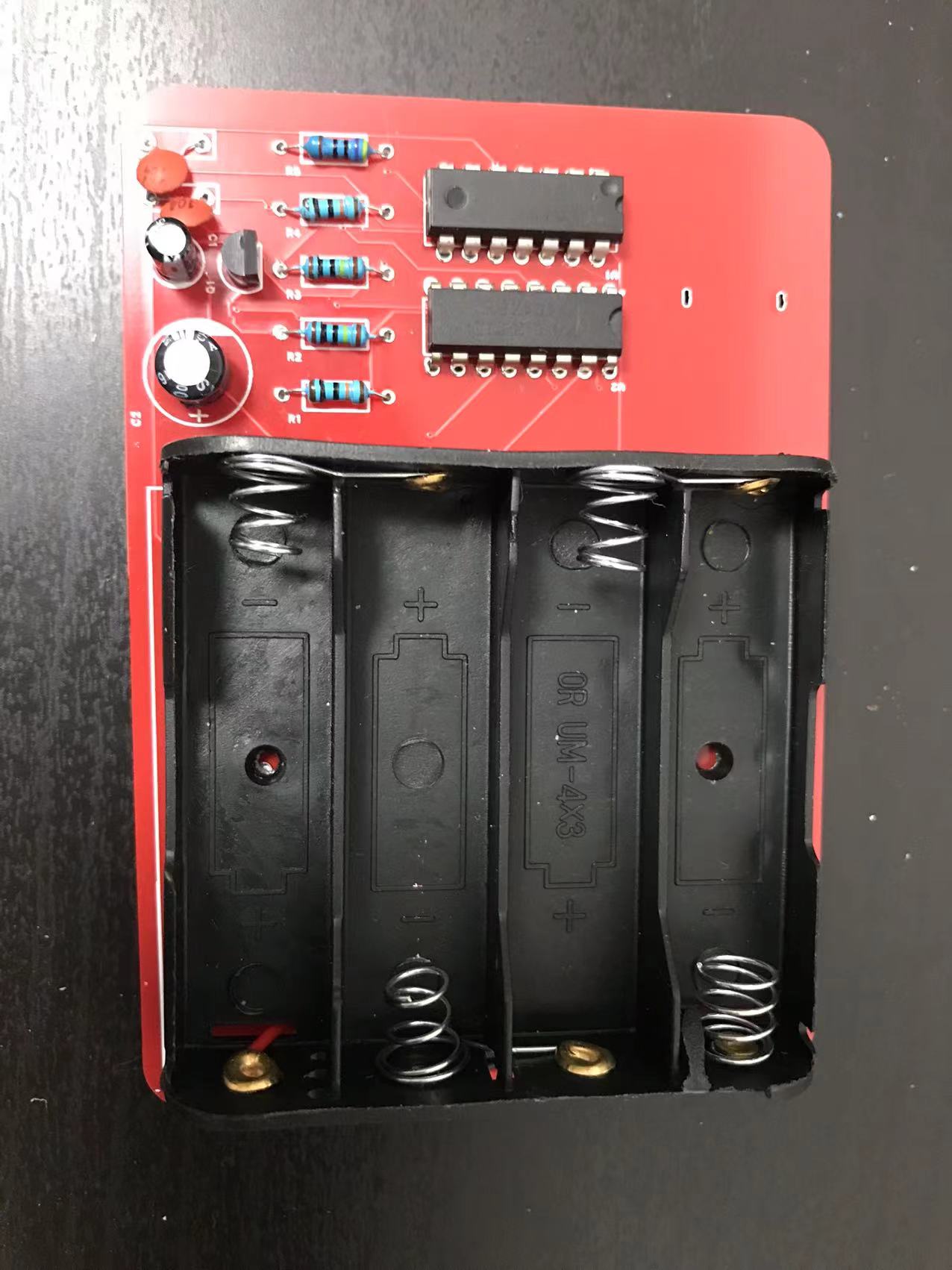
Automatic routing is used, and basic corrections have been performed.
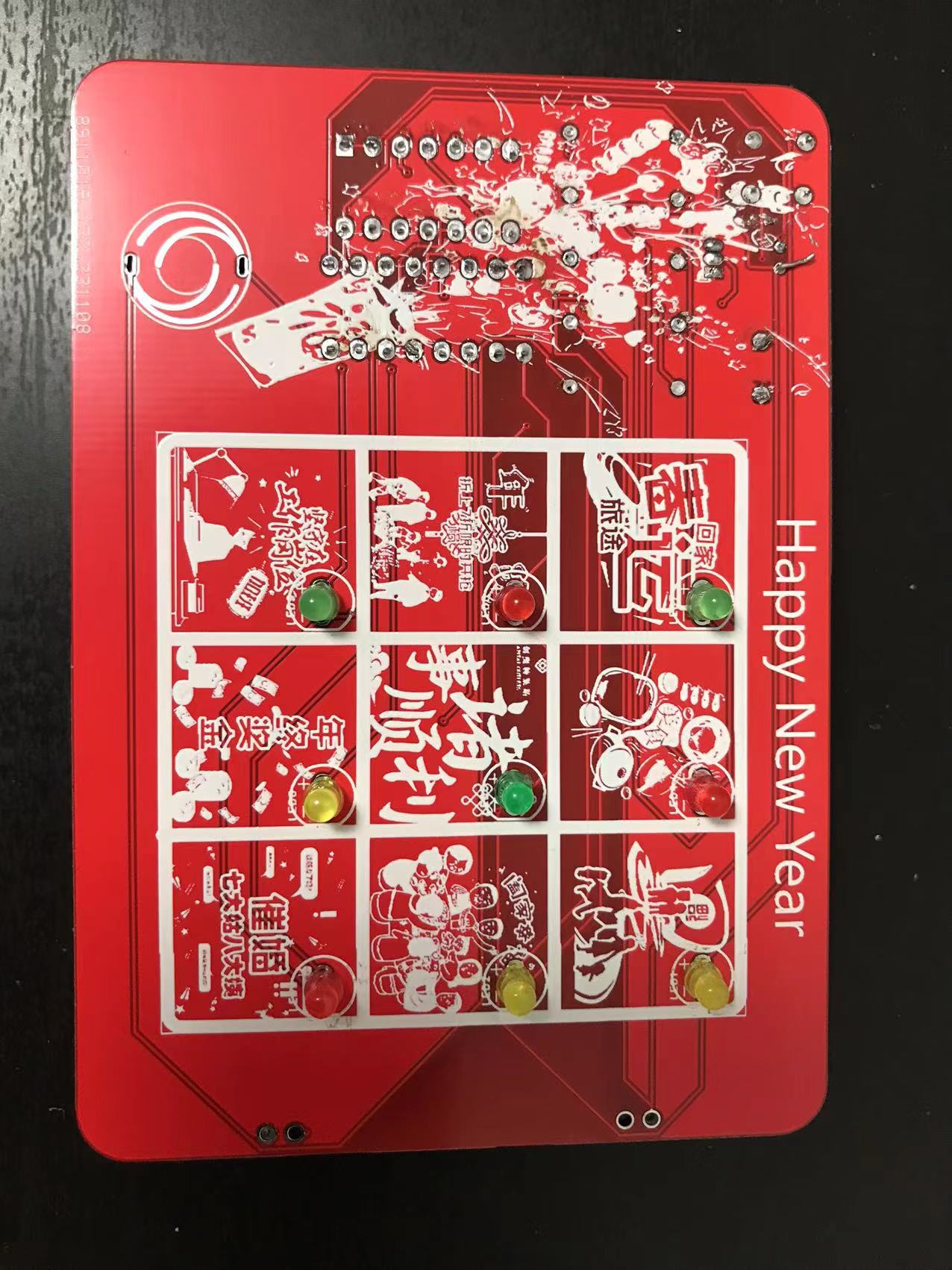
9LEDGuessGamePcbV2_20231108015953.zip
PDF_Happy New Year Game Console.zip
Altium_Happy New Year Game Console.zip
PADS_Happy New Year Game Console.zip
BOM_Happy New Year Game Console.xlsx
97273
Voron 12/24V, 3D printer aluminum substrate heated bed 100*100, compatible with Voron 0.1
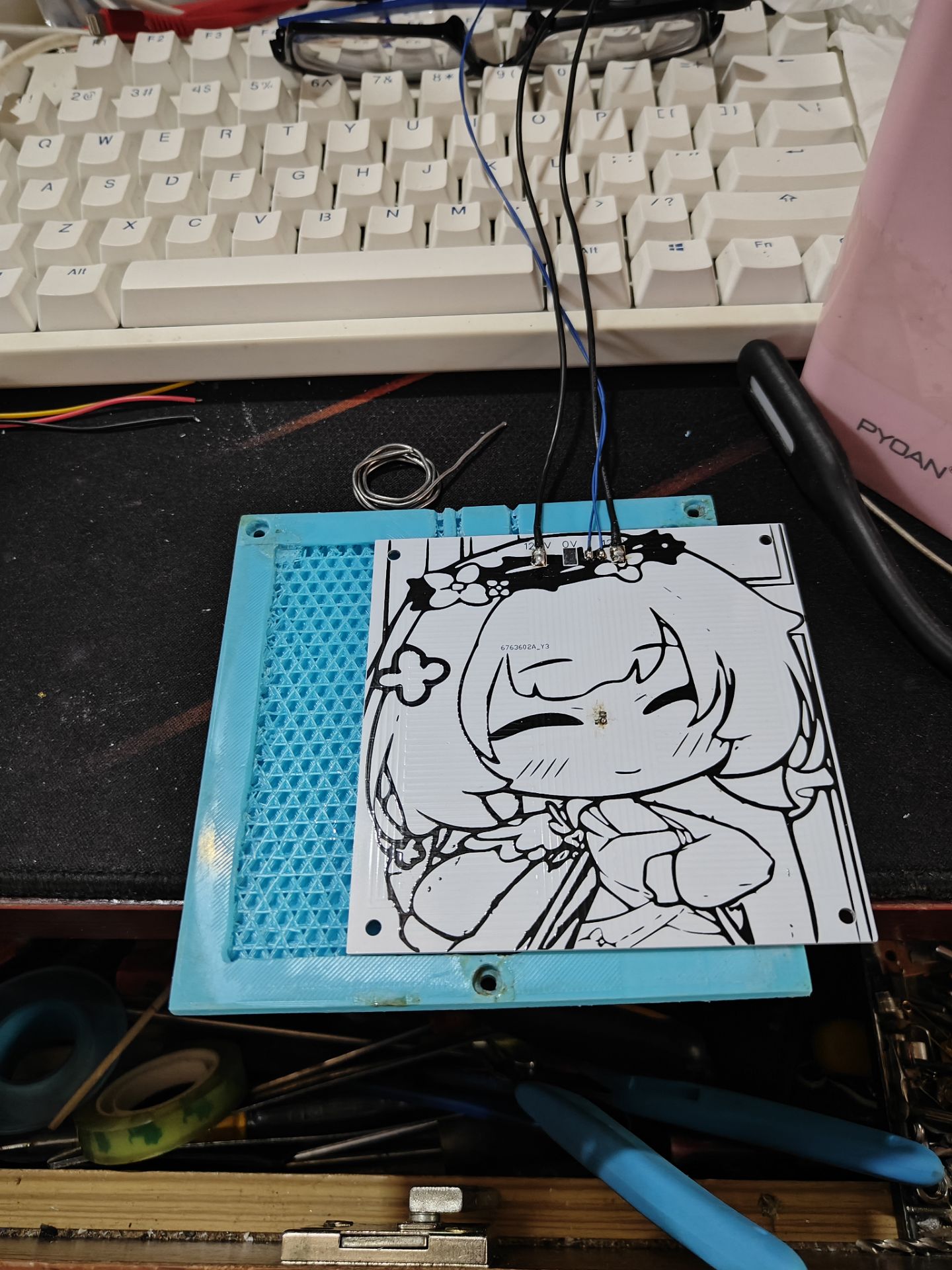
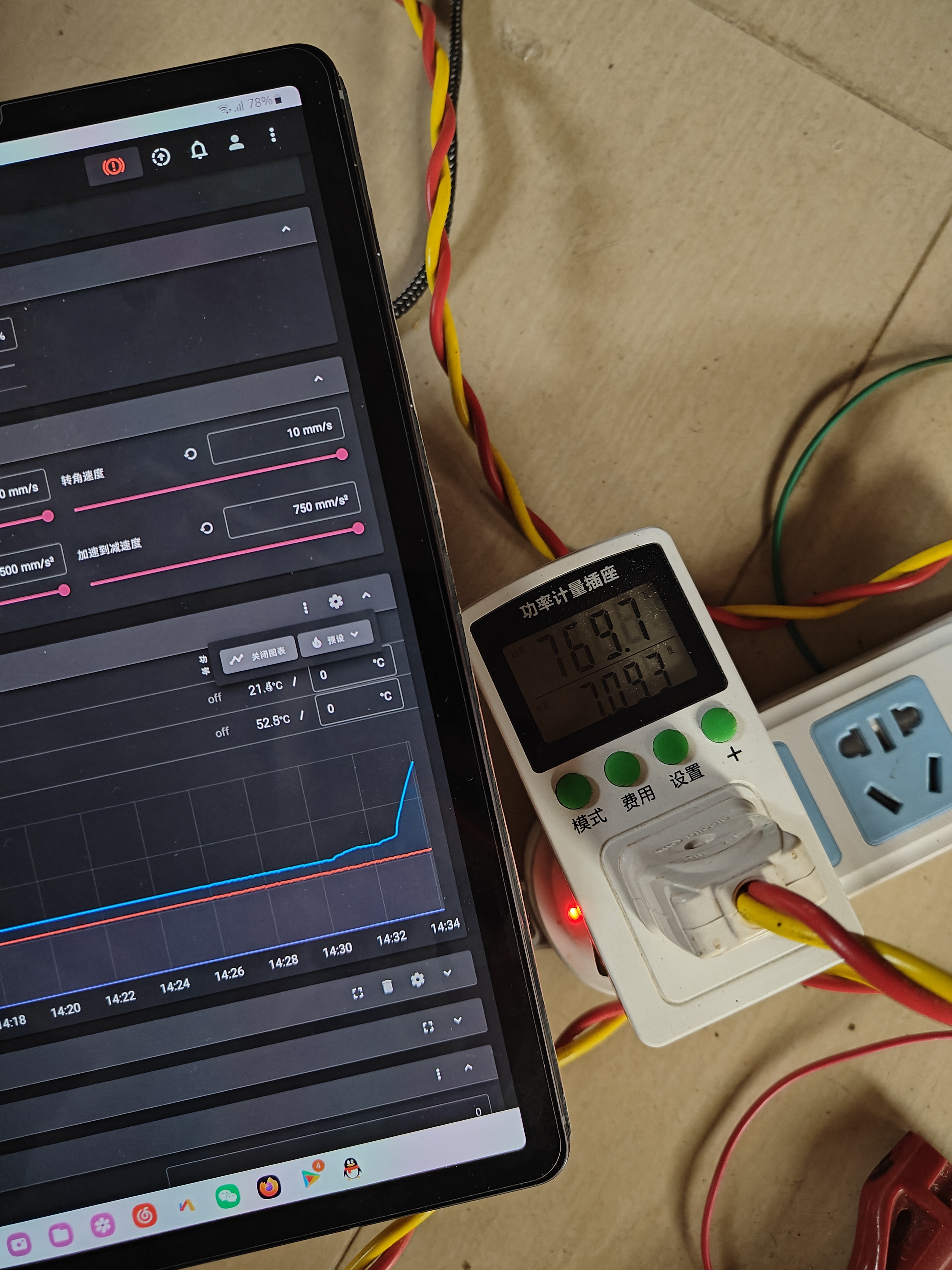
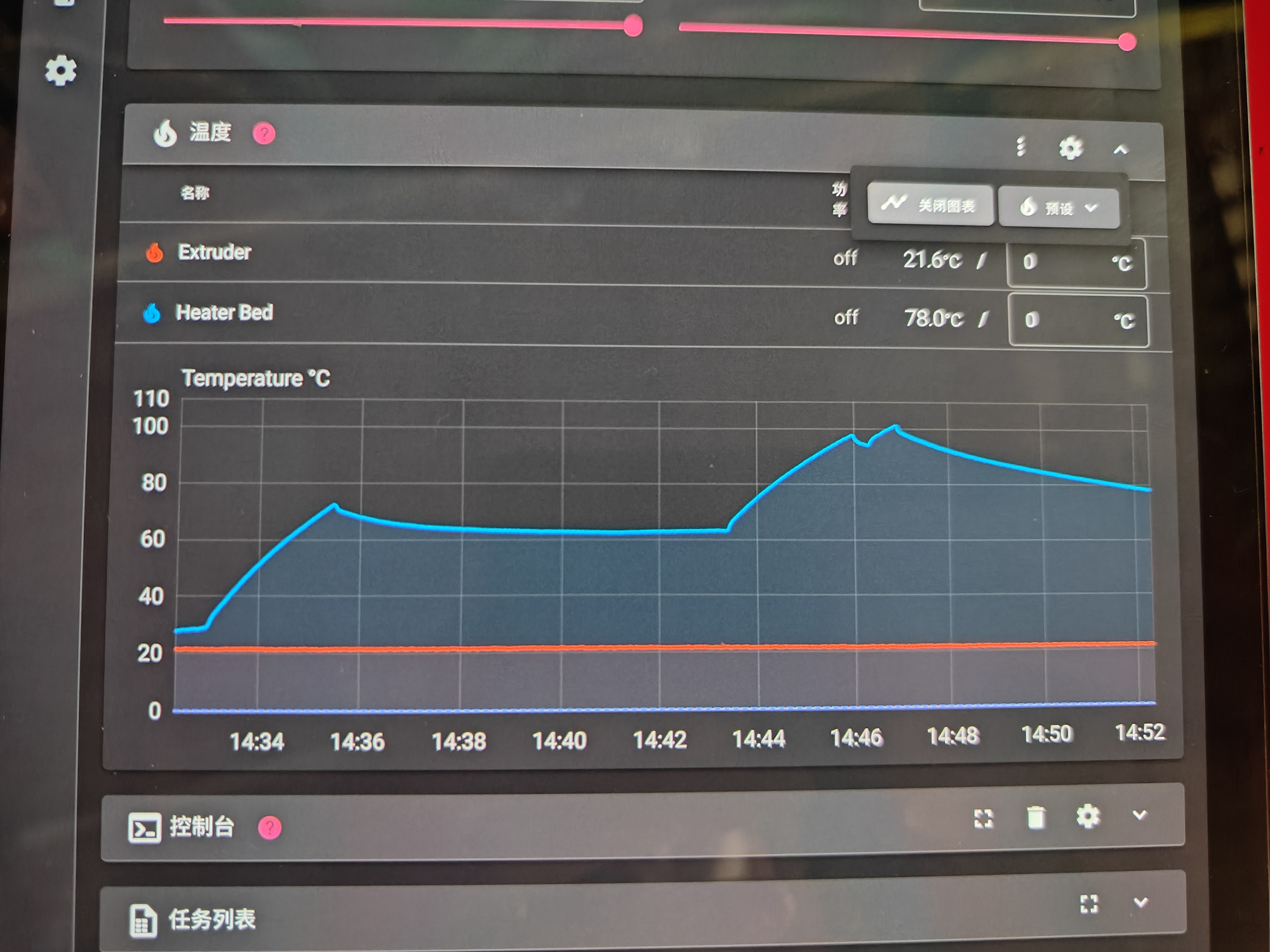
Based on designs by other authors, this board is compatible with 12/24V, has a 0603 surface mount resistor, and has a power rating of approximately 100 watts. In actual testing, it takes about 40 seconds to heat up from 30 degrees Celsius to 60 degrees Celsius.
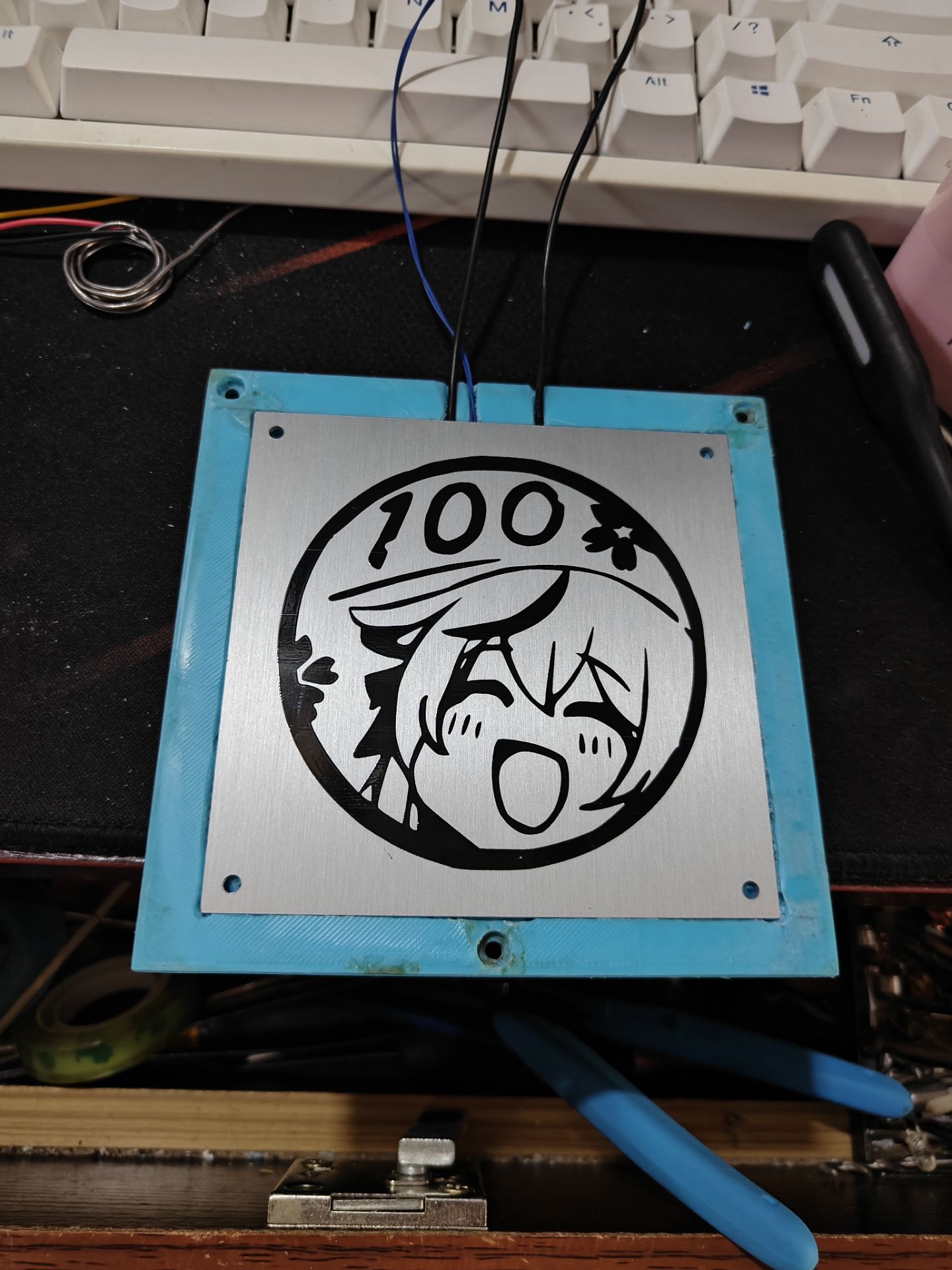
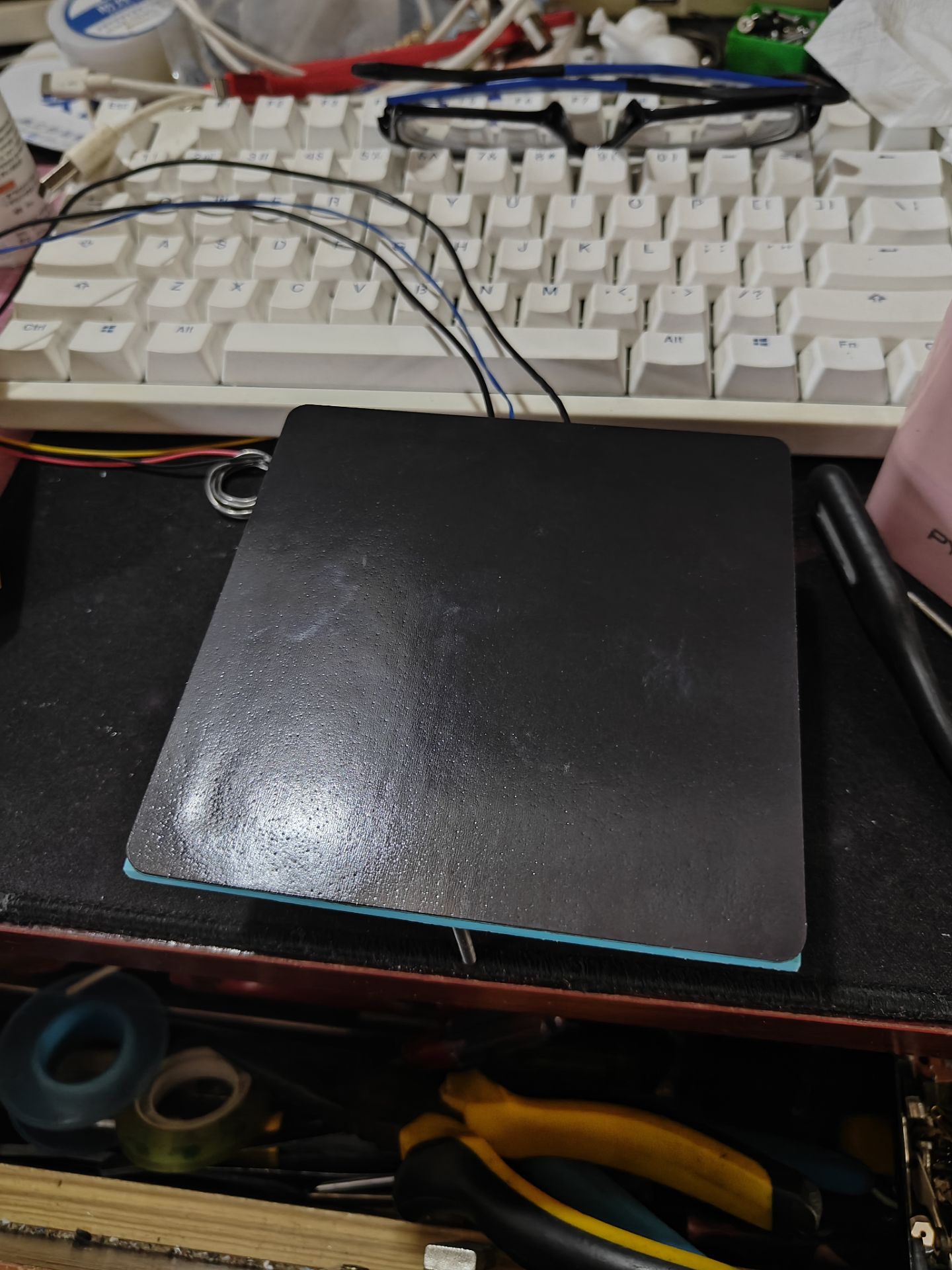
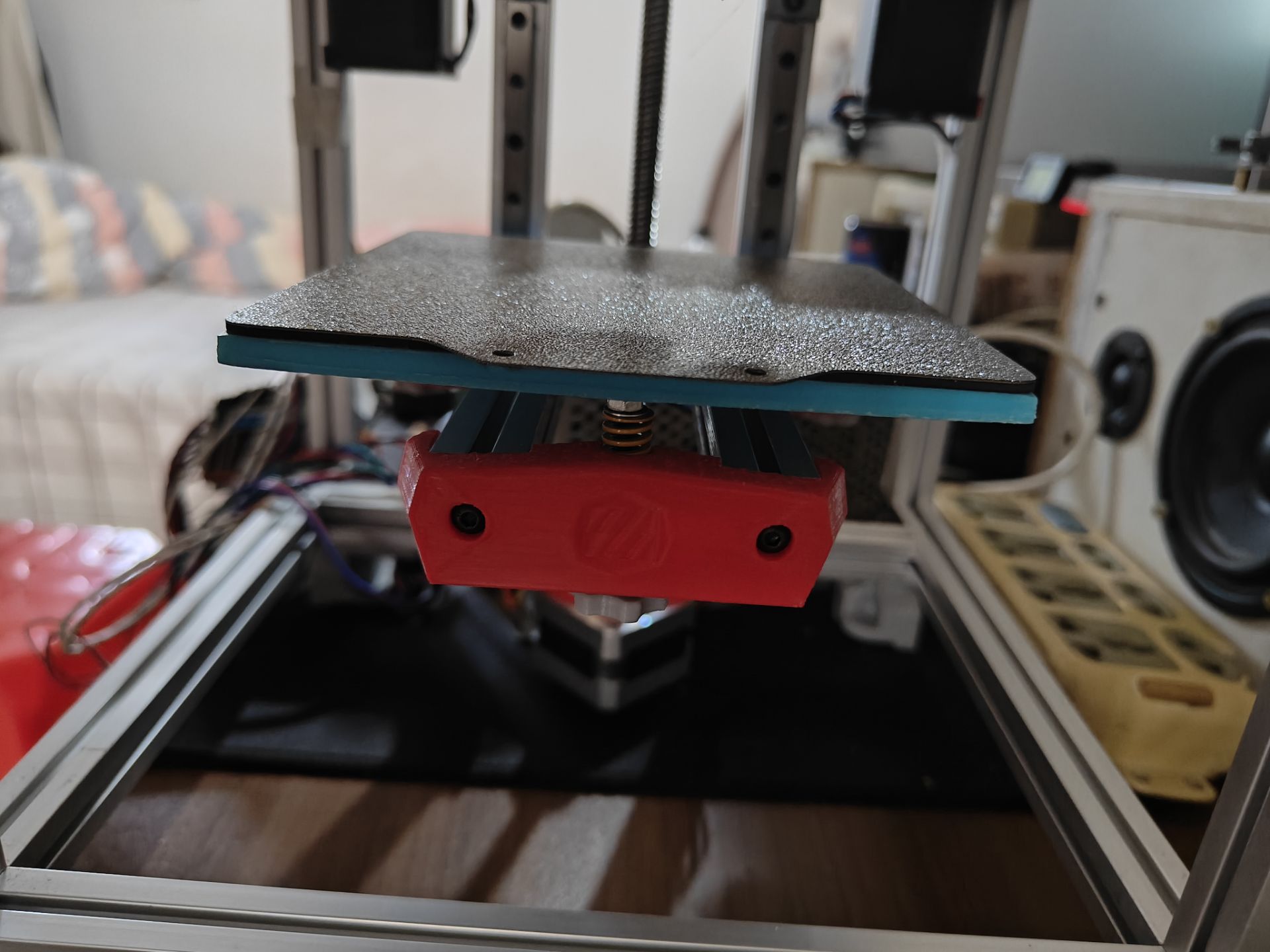
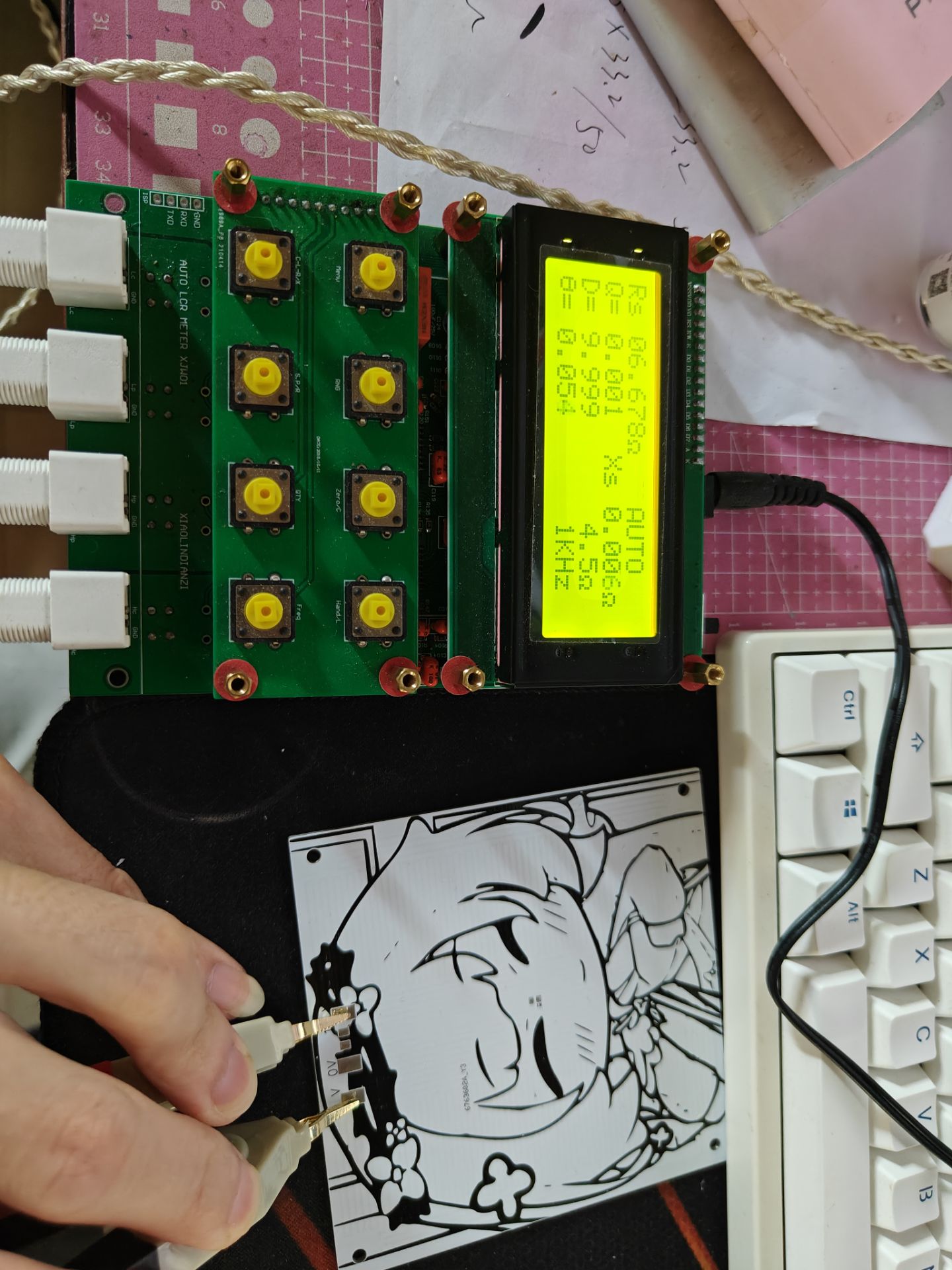
The title suggests a 12V/24V aluminum substrate heated bed. Seeing that no one on the open-source forum had made a 24V heated bed, I designed one based on other authors' boards. [Image of
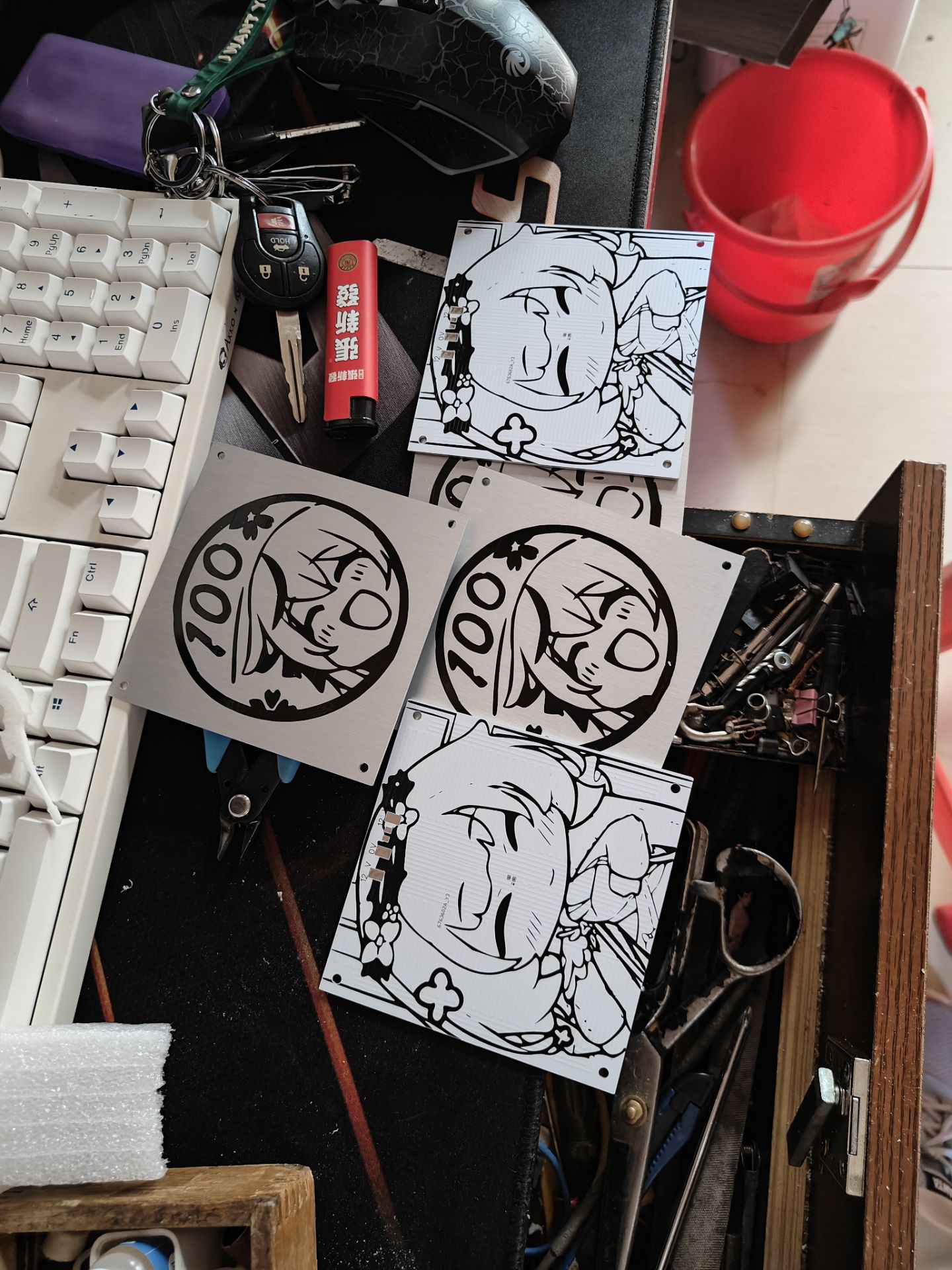
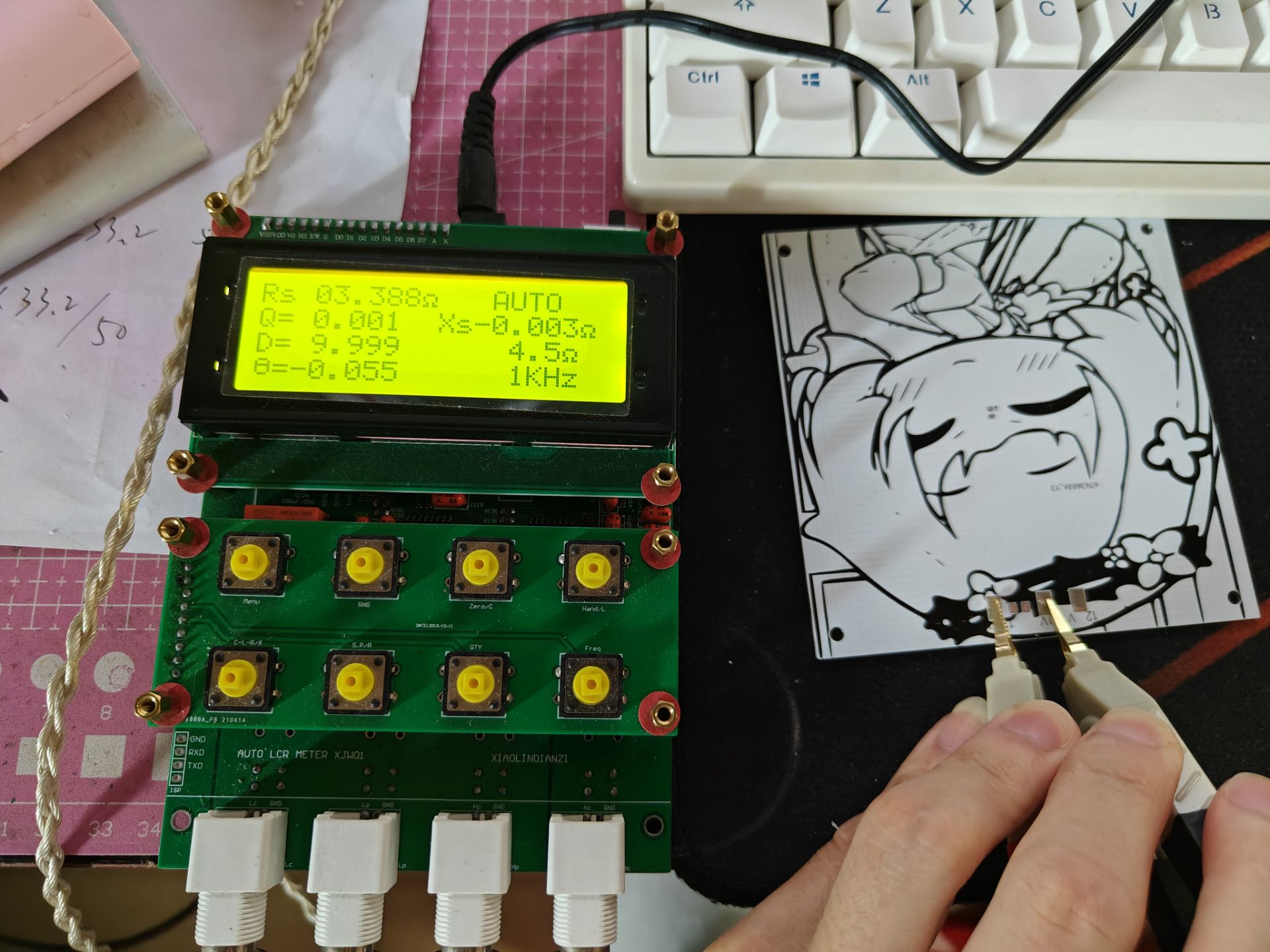
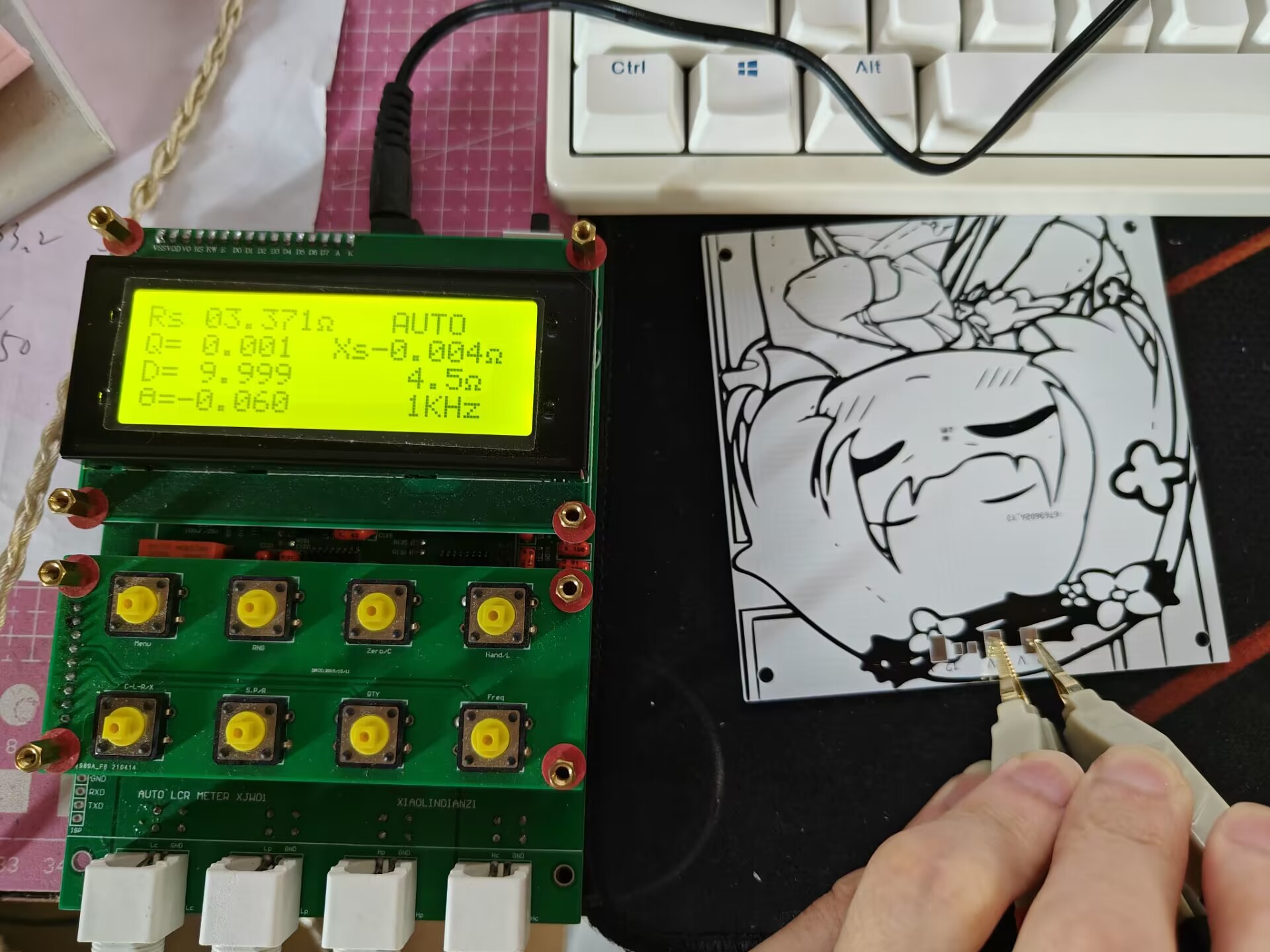
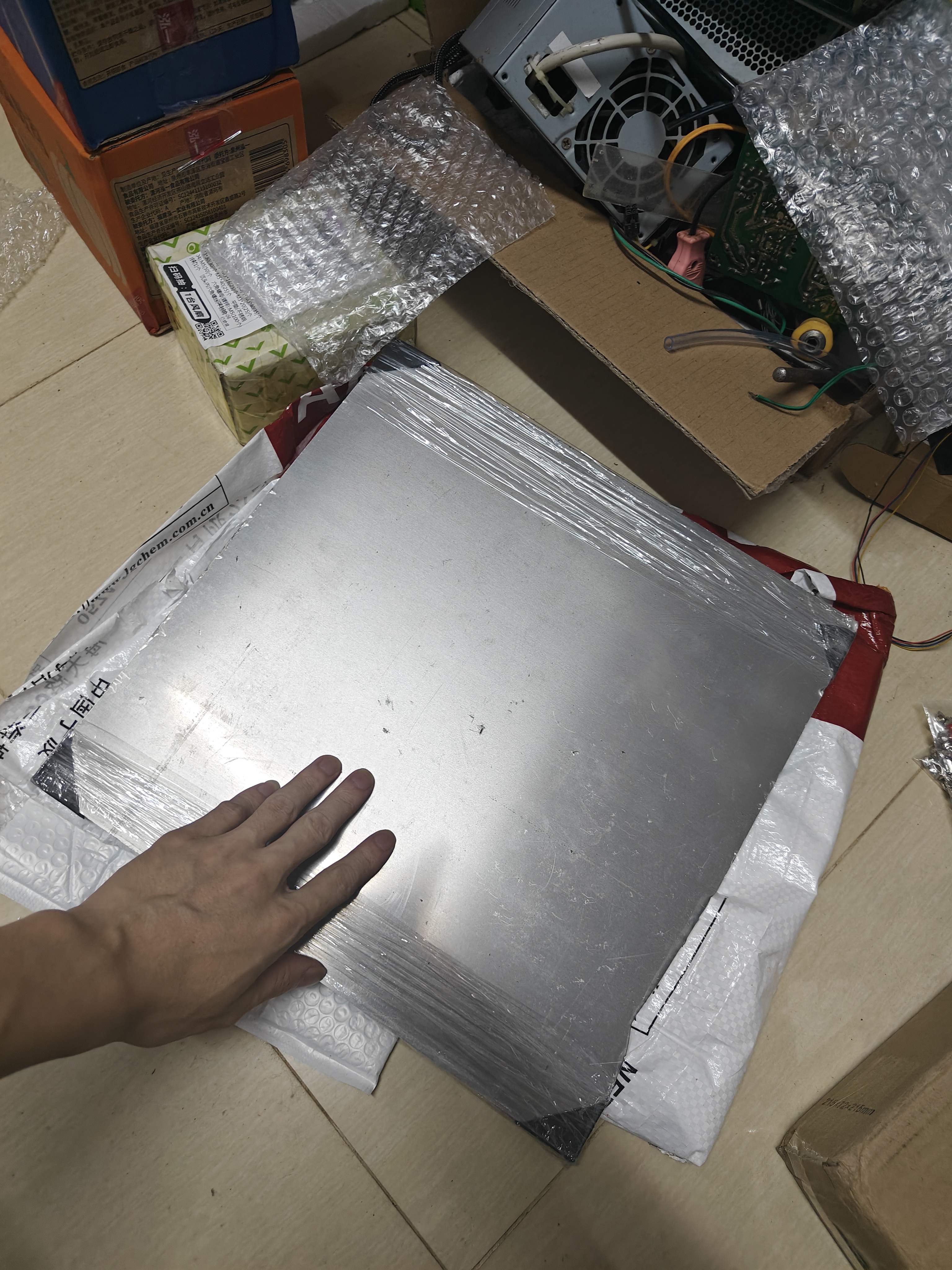
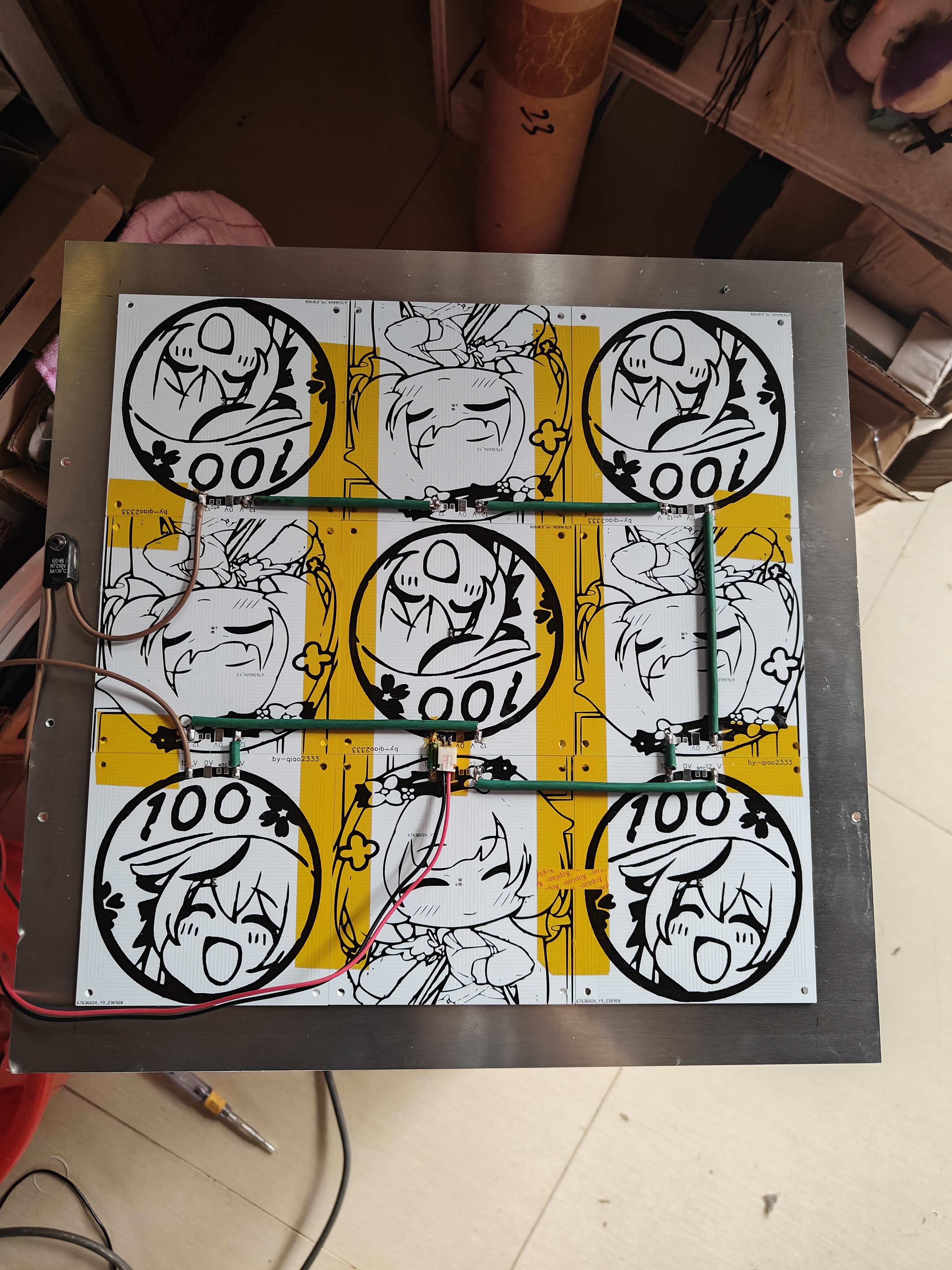
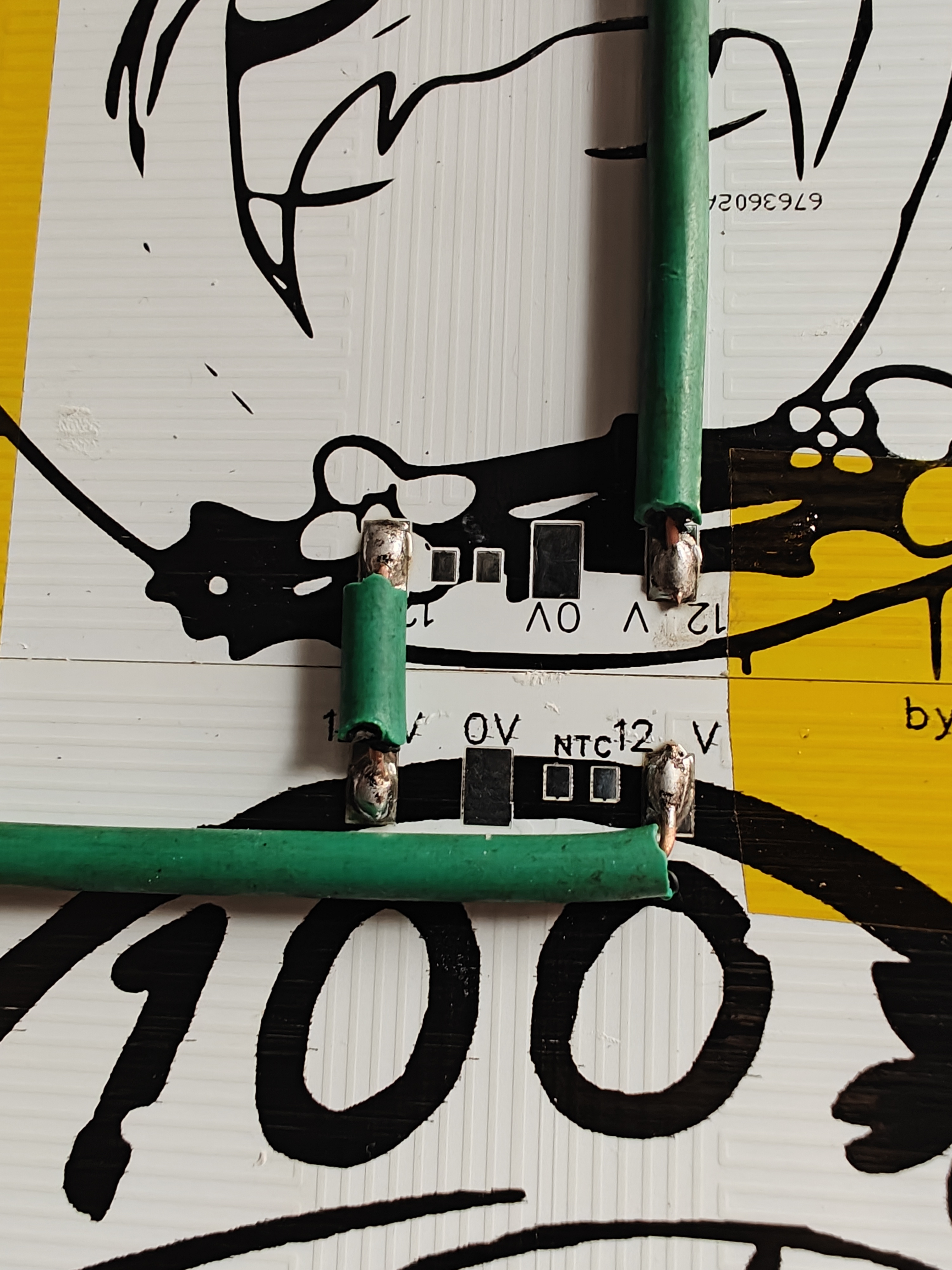
finished product]. The parameters are shown in the image. The resistance of the two circuits is roughly the same and acceptable. I haven't measured the actual power, but the total power consumption (24V) is around 100 watts, which is also acceptable. The blue bed board in the picture is made of ABS. Due to design flaws, it had grooves. Those who need it can make one themselves, or I will add it in a later update. However, the precision is a bit lacking, and it's prone to high-temperature deformation. The ideal method is to use a solid aluminum plate. For fixing, you can use double-sided tape or drill holes and screws. Remember to apply some thermal grease for better results. The downside is that it has all right-angle turns... [Adjust the thermistor parameters according to your needs]. Generally, it's an NTC100K. Inspired by a neighbor's 9-piece panel 350 heated bed, this board is theoretically applicable as well, although the series connection is a bit troublesome. 6.678 ohms * 9 equals approximately 60 ohms. If connected to 220V mains power, it would be about 800 watts... High voltage is dangerous, please operate with caution! ~~~~ Here comes the follow-up... Apply some glue before setting up! -------------- Ready to start the feast! Power on ---------- A note: some students who are not familiar with circuits may not know how to wire. Actually, the circuit of this board is equivalent to two 12V resistors connected in series. The 0V on the board represents the common terminal, which is the series connection point. When connected to a 12V power supply, the positive terminal is connected to the 0V terminal, and the negative terminal is connected to both 12V terminals. If only one 12V terminal is connected, only half of the circuit works. When connected to 24V, the positive and negative terminals are connected to the two 12V contacts respectively, and the 0V terminal can be ignored.
PDF_voron12-24v, 3D printer aluminum substrate heated bed 100_100, compatible with voron 0.1.zip
Altium_voron12_24v, 3D printer aluminum substrate heated bed 100_100, compatible with voron 0.1.zip
PADS_voron12_24v, 3D printer aluminum substrate heated bed 100_100, compatible with voron 0.1.zip
BOM_voron12_24v, 3D printer aluminum substrate heated bed 100_100, compatible with voron 0.1.xlsx
97274
elrs_8266_rx
ELRS, a low-cost receiver built using A28 and ESP_12F.
ELRS, a low-cost receiver built using the A28 and ESP_12F.
Flashed with the official Betafpv Nano RX firmware.
See details at: https://www.bilibili.com/video/BV1Uu4y1t7Fk/
PDF_elrs_8266_rx.zip
Altium_elrs_8266_rx.zip
PADS_elrs_8266_rx.zip
BOM_elrs_8266_rx.xlsx
97275
51 Development Board Color Version
Classics never go out of style, and 51 will never be out of fashion.
Looking back, my first development board was the 51 microcontroller. It successfully opened the door for me to learn microcontrollers. Today, I'm taking this opportunity to build a 51 development board. This board uses a fully through-hole design, making soldering easy. It also has very few components, making it easy to learn both PCB design and development board learning – a truly ingenious tool for beginners. Interface Simplified
Instructions:
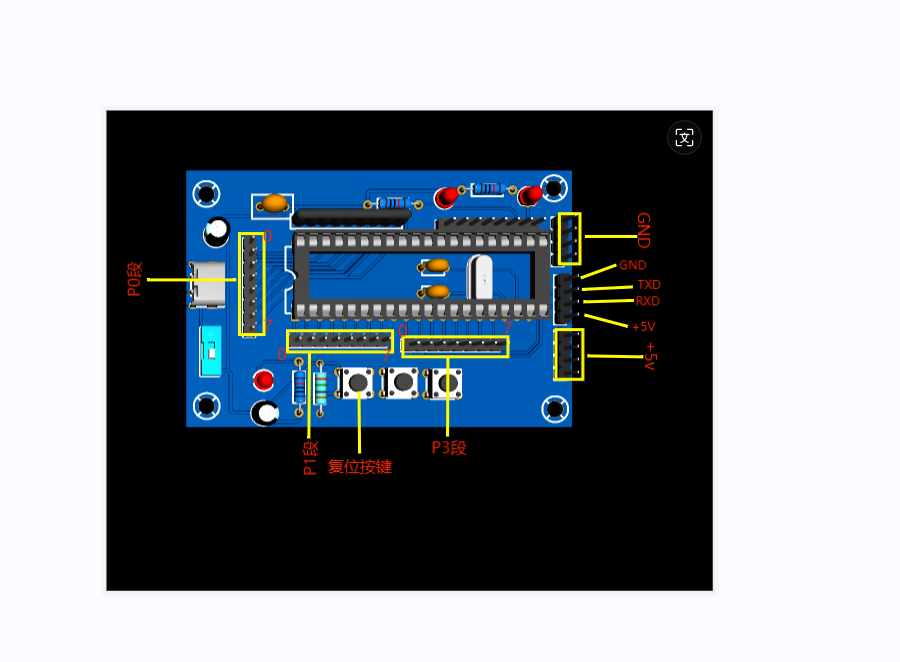
[Image of the board]
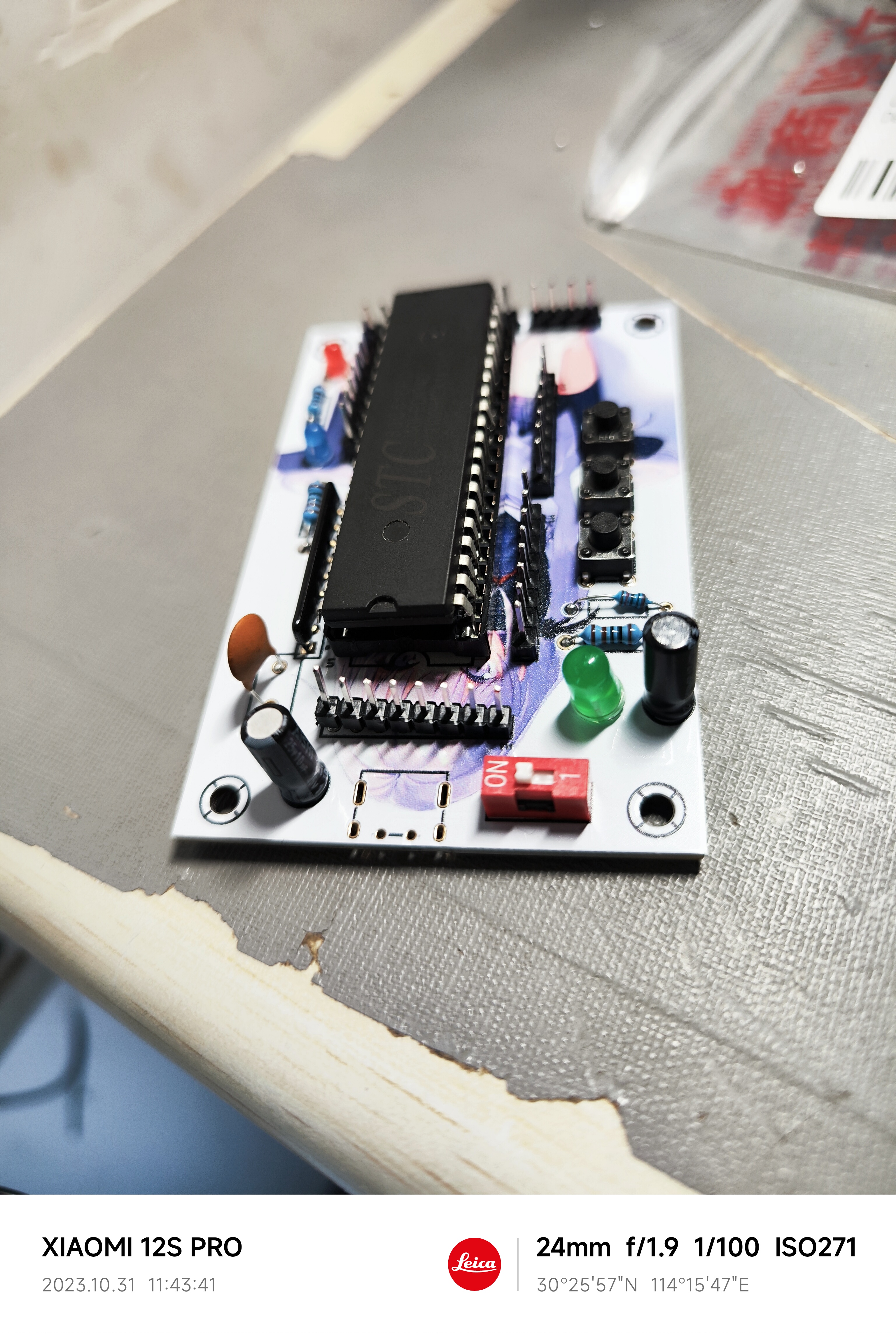
Soldering Instructions:
Regarding LEDs: The longer lead of the LED is positive, and the shorter lead is negative. When soldering, align the longer LED lead with the end marked with a plus sign on the pad, or align the shorter lead with the end with a notch on the pad.
Regarding electrolytic capacitors: Similar to LEDs, the longer lead is positive, and the shorter lead is negative. Align the longer lead with the end marked with a plus sign on the pad
. Regarding resistor arrays: Align the end of the resistor array with the end marked with a white dot on the pad. [
Verification Video]
Verification video.mp4
PDF_51 Development Board Color Version.zip
Altium_51 Development Board (Color Version).zip
PADS_51 Development Board (Color Version).zip
BOM_51 Development Board Color Version.xlsx
97276
CW32-based multi-functional test pen
"Dianjing" multi-functional test pen based on CW32F030C8T6
Replicated from https://oshwhub.com/heyh/dian-jing-testpen
He Gong, you did a great job!
0f257196c8c69c6ebd76 -original-original.gif
Demo video.zip
ceshibi.zip
PDF_Multifunctional Test Pen Based on CW32.zip
Altium_CW32-based Multifunctional Test Pen.zip
PADS_CW32-based Multifunctional Test Pen.zip
97277
Battery Internal Resistance Tester Based on CW32 Microcontroller
Battery Internal Resistance Tester Based on CW32 Microcontroller
The physical verification video
is available at https://www.bilibili.com/video/BV1Gc411X7Vt/?vd_source=c212050d120d3457e1f6d0cd79c641de.
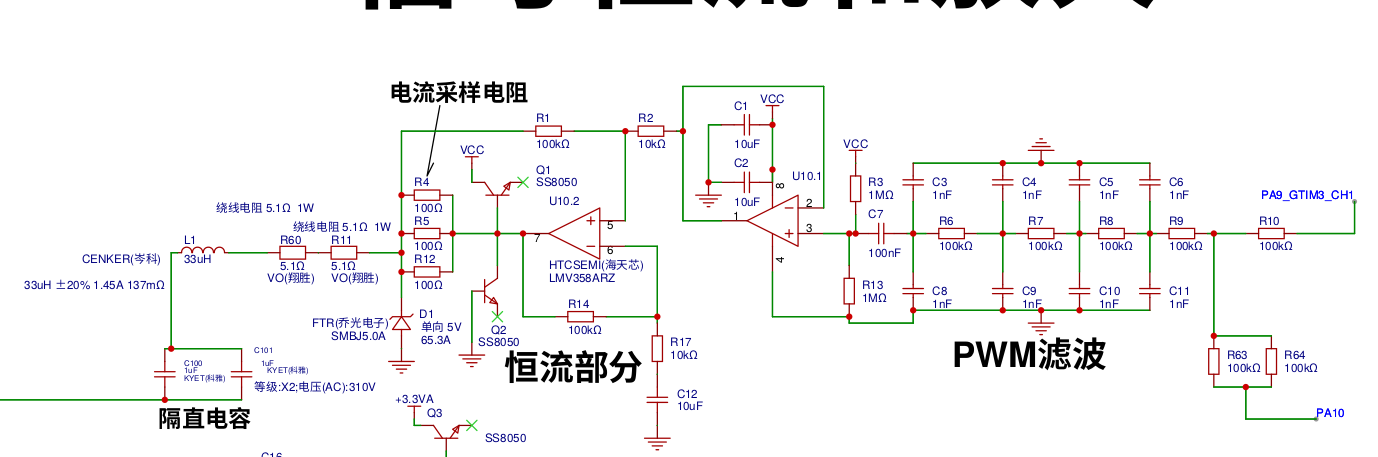
This is a battery internal resistance tester based on the CW32 microcontroller, using a 1kHz AC signal for excitation, with a constant current of 12mA. The withstand voltage has not been tested, but it is estimated to be capable of 300V. It has two ranges: 4 ohms (minimum resolution 0.1mΩ) and 400mΩ (minimum resolution 0.01mΩ), switchable via buttons.
The circuit mainly consists of a constant current excitation section and a signal amplification section.
The diagram below shows the signal excitation section. The microcontroller outputs a 1kHz PWM signal, which is converted to a sine wave via an RC circuit before entering the constant current circuit at 12mA. A TVS diode is used for protection, with a wire-wound resistor added before the TVS diode for protection. Two 1uF capacitors are connected in parallel as DC blocking capacitors.
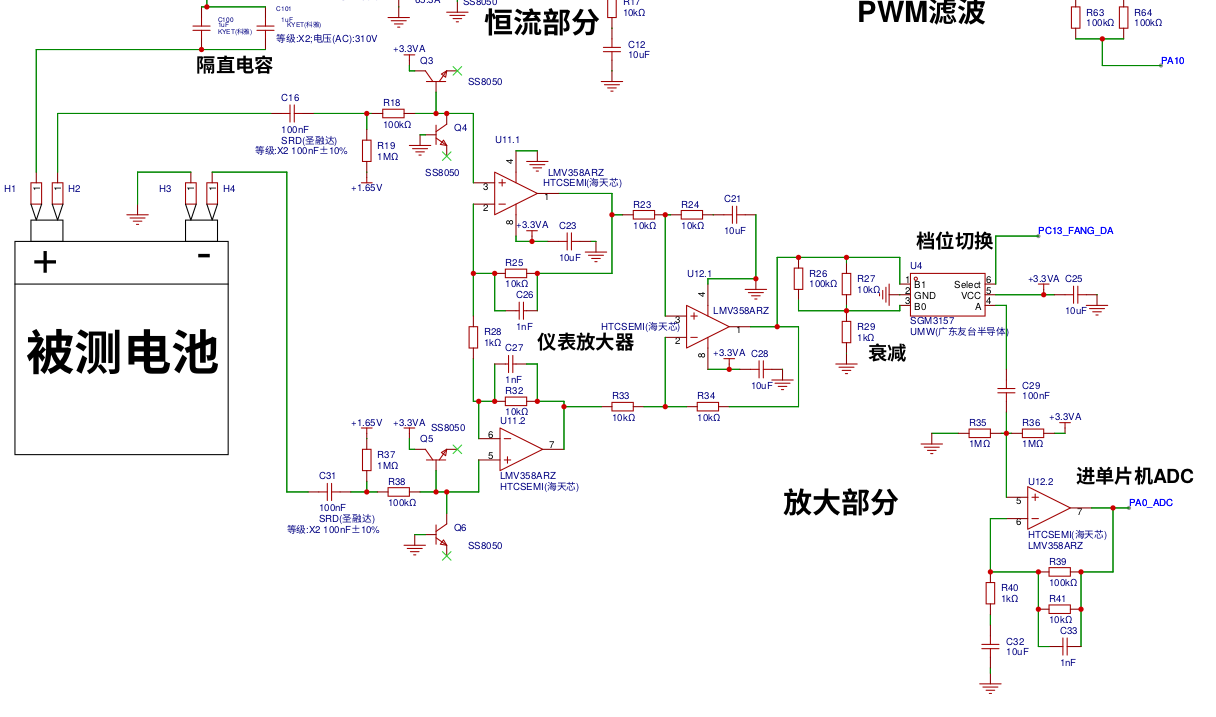
The diagram below shows the signal amplification section. DC is isolated by a 104 capacitor, then boosted to 1.65V. The transistor here is used as a diode for protection circuitry. A 100K resistor is connected in series for added safety. The signal then enters an instrumentation amplifier composed of three op-amps, amplifying 21 times (the ohm range amplifies 21 times). The final op-amp amplifies another 10 times. With the analog switch off, the attenuation amplification is 210 times, corresponding to the milliohm range.
The software section is available for download: source code and firmware in nei_zu_yi.zip (1.s is the source code, 1.bin is the firmware).
Calibration method:
The three calibration menus
display P-00 for short-circuit zeroing,
P-01 for phase calibration,
and P-02 for standard resistance calibration.
Press and hold the switch button while simultaneously pressing another button to enter calibration mode. The digital display shows P-00. Pressing the switch button will toggle between P-00, P-01, and P-02. Pressing both buttons simultaneously exits the calibration menu (END is displayed). Pressing the other button enters the displayed menu.
P-00 Short-circuit the clip. Set both buttons to 0 for addition and subtraction. First, adjust the ohm range. Press both buttons simultaneously to enter the milliohm range. After adjusting, press both buttons simultaneously to save to FLASH. Display END.
P-01 Clamp a resistor with a known phase. First, adjust the ohm range for phase calibration. Adjust it to the true phase of the resistor. I don't know the value of my resistor, so I adjusted it to 0 degrees. After adjusting, press both buttons simultaneously to enter the milliohm range for phase calibration. Adjust it as above, then press both buttons simultaneously to save to FLASH. Display END.
P-02 Clamp a standard resistor and adjust the reading to match the resistance. Also, first, adjust the ohm range. Press both buttons simultaneously to enter the milliohm range. After adjusting, press both buttons simultaneously to save to FLASH. Display END.
Microcontroller timer output 1 channel 1kHz PWM
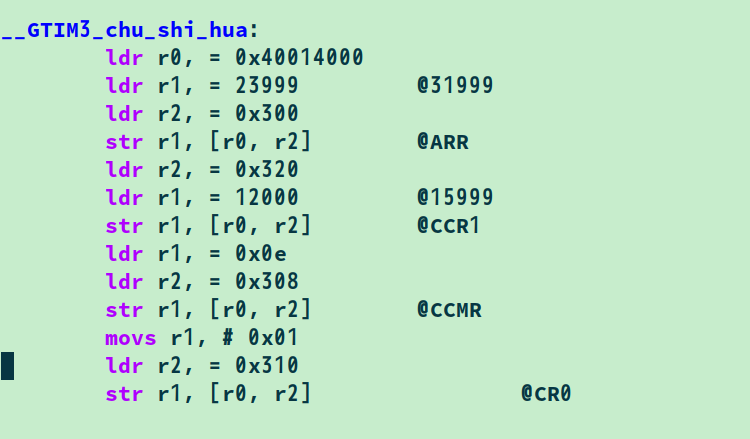
ADC. Set the sampling rate to 1MHz. Clock settings
:
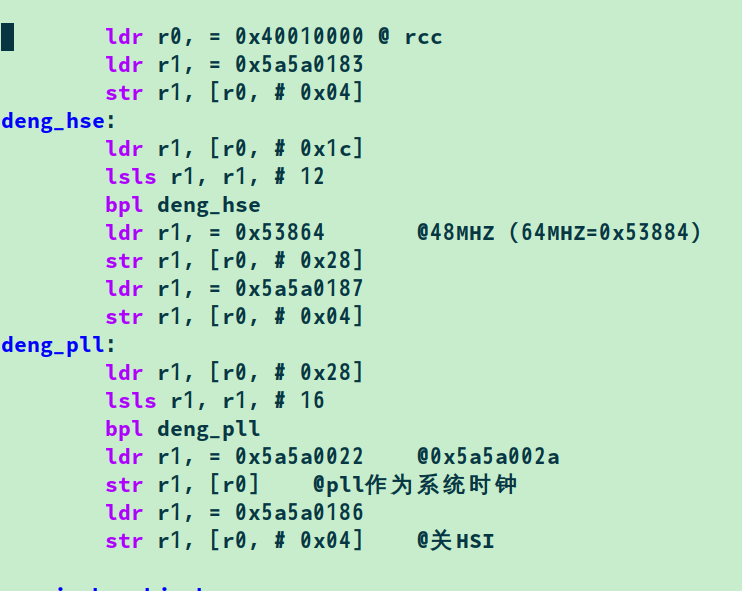
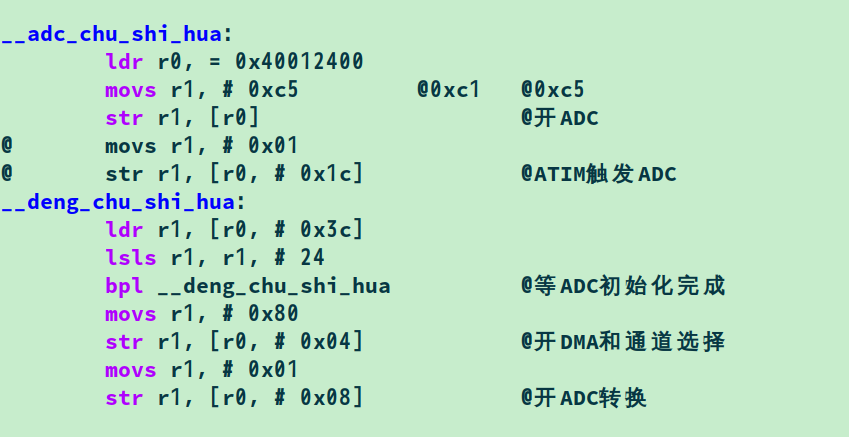
ADC settings.
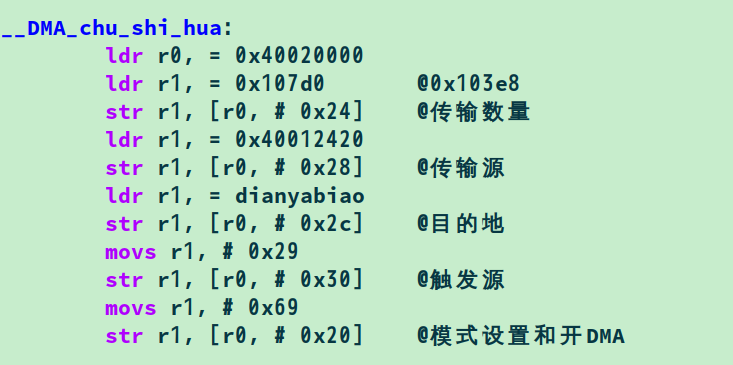
DMA settings: Transfer 2000 points to memory.
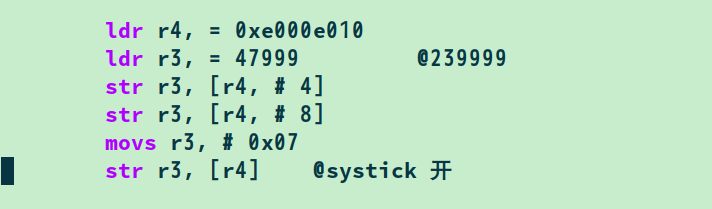
SYSTICK timer settings: Interrupt once every 2 milliseconds.
Enter the SYSTICK interrupt.
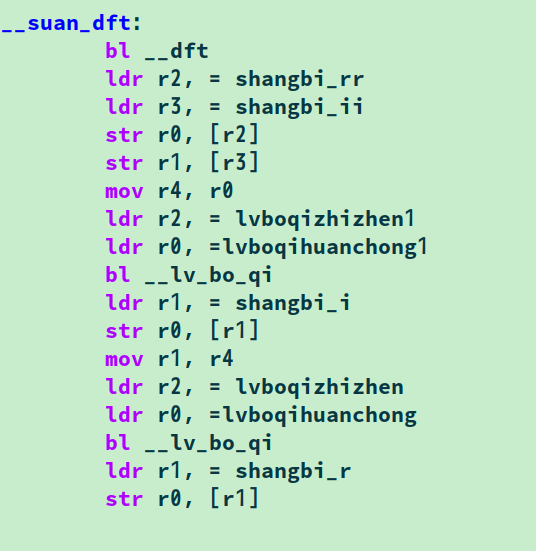
First, reinitialize the DMA
and calculate 2000 points of DFT. The real and imaginary parts are respectively entered into a 400-point sliding filter.
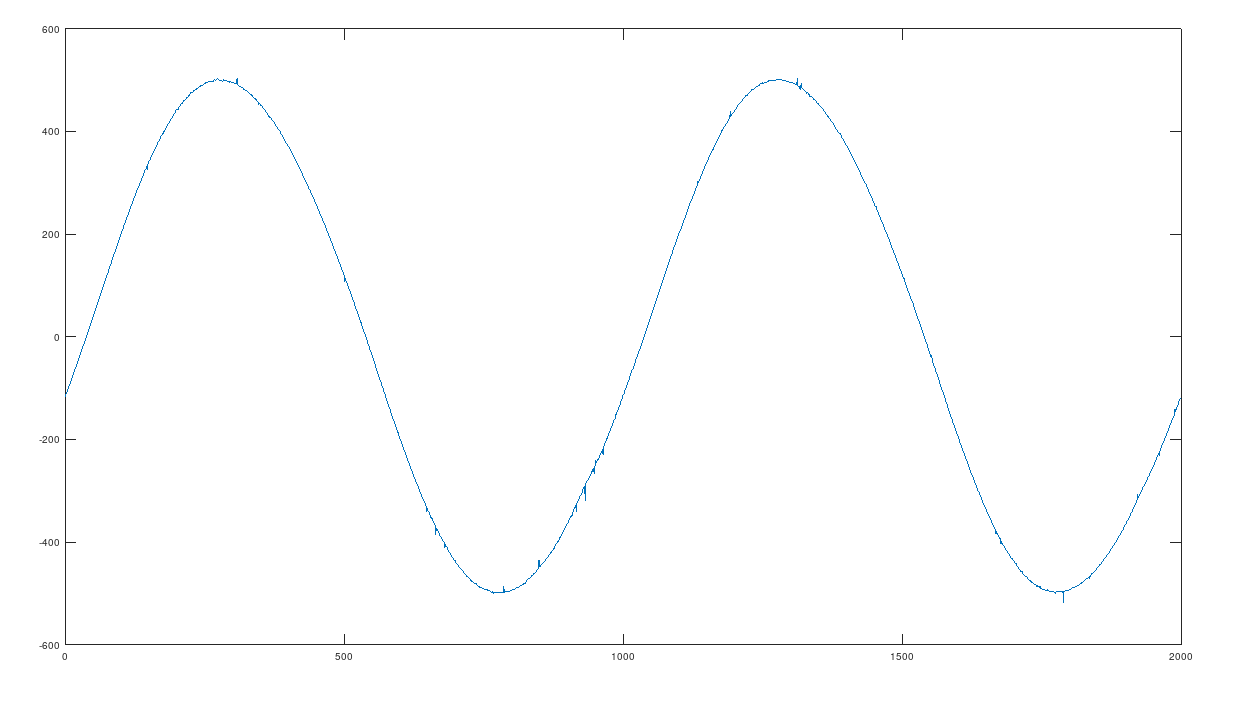
The collected data is put into OCTAVE.
a=[01932 01935 01937 01940 01943 01946 01950 0195201955 01958 01961 01964 01967 01971 01973 0197701980 01983 01986 01989 01992 01995 01998 0200102005 02007 02011 02015 02017 02020 02023 0202602030 02033 02035 02039 02042 02046 02048 0205202055 02058 02061 02064 02069 02071 02074 02078 02080 02083 02088 02090 02094 02097 02100 02103 02106 02110 02113 02117 02120 02123 02126 02130 02132 02136 02139 02143 02145 02149 02152 02155 02160 02162 02165 02168 02171 02174 02178 02181 02184 02188 02190 02195 02198 02200 02204 02207 02210 02213 02216 02219 02223 02226 02229 02231 02236 02238 02242 02245 02248 02251 02255 02257 02260 02264 02266 02270 02272 02275 02279 02281 02285 02287 02290 02293 02297 02300 02303 02303 02309 02312 02314 02317 02320 02322 02325 02328 02331 02334 02336 02338 02342 02344 02348 02350 02352 02355 02358 02360 02362 02366 02369 02372 02374 02376 02379 02374 02384 02386 02389 02391 02393 02396 02399 02401 02403 02405 02407 02410 02411 02414 02416 02419 02421 02423 02426 02428 02430 02432 02434 02436 02439 02440 02443 02443 02446 02449 02448 02452 02454 02456 02458 02460 02462 02463 02465 02466 02468 02471 02473 02474 02476 02478 02479 02481 02482 02485 02486 02491 02490 02490 02489 02492 02496 02496 02498 02499 02502 02501 02504 02505 02509 02508 02509 02510 02511 02512 02514 02514 02515 02517 02518 02520 02521 02524 02523 02524 02523 02525 02527 02528 02528 02529 02529 02530 02532 02532 02534 02534 02536 02535 02537 02538 02538 02538 02539 02540 02540 02541 02541 02543 02543 02544 02544 02544 02545 02544 02545 02546 02546 02546 02546 02546 02546 02549 02549 02547 02547 02548 02550 02551 02550 02548 02548 02548 02548 02548 02548 02546 02546 02546 02549 02546 02547 02548 02547 02547 02546 02546 02546 02546 02543 02545 02545 02544 02544 02543 02543 02543 02542 02542 02541 02541 02541 02541 02551 02539 02537 02536 02536 02536 02535 02535 02534 02534 02533 02531 02530 02530 02529 02528 02528 02528 02526 02525 02524 02523 02522 02521 02520 02520 02519 02517 02517 02515 02514 02513 02513 02511 02510 02509 02506 02506 02504 02500 02503 02501 02500 02498 02498 02496 02494 02493 02492 02490 02490 02487 02486 02485 02484 02482 02479 02476 02475 02477 02474 02473 02472 02470 02469 02467 02466 02464 02462 02461 02459 02458 02455 02453 02452 02450 02449 02448 02445 02443 02442 02439 02437 02436 0243402432 02430 02429 02425 02424 02422 02419 02418 02418 02414 02413 02411 02409 02407 02403 02403 02401 02398 02396 02394 02392 02390 02387 02384 02382 02381 02378 02377 02374 02372 02370 02367 02366 02362 02360 02358 02356 02353 02350 02349 02346 02344 02342 02339 02336 02334 02333 02329 02327 02325 02322 02320 02319 02316 02312 02310 02308 02305 02303 02300 02297 02294 02292 02289 02287 02285 02282 02279 02276 02274 02271 02269 02267 02264 02261 02258 02255 02253 02251 02247 02244 02241 02240 02236 02233 02230 02228 02224 02222 02219 02216 02213 02211 02208 02205 02202 02200 02197 02193 02190 02188 02184 02182 02179 02177 02173 02170 02167 02156 02162 02158 02155 02152 02150 02146 02143 02140 02137 02135 02131 02128 02125 02122 02119 02117 02113 02110 02106 02103 02101 02098 02094 02091 02087 02085 02082 02079 02075 02075 02069 02066 02063 02059 02056 02054 02050 02047 02044 02041 02037 02033 02030 02028 02024 02020 02018 02014 02011 02008 02005 02001 01999 01995 01991 01988 01986 01981 01977 01974 01972 01968 01964 01962 01959 01957 01951 01949 01946 01942 01939 01936 01933 01929 01924 01923 01920 01915 01913 01909 01908 01903 01900 01897 01893 01890 01887 01884 01882 01878 01876 01871 01869 01866 01862 01861 01855 01852 01849 01847 01844 01841 01838 01835 01831 01828 01826 01823 01820 01817 01814 01810 01808 01805 01802 01800 01796 01793 01790 01788 01784 01782 01779 01776 01774 01771 01768 01764 01762 01759 01757 01755 01752 01750 01746 01744 01741 01738 01734 01733 01730 01729 01725 01723 01720 01718 01707 01713 01710 01708 01706 01703 01701 01698 01693 01696 01692 01689 01687 01685 01682 01680 01662 01676 01674 01672 01670 01668 01665 01663 01659 01660 01656 01655 01653 01651 01650 01648 01637 01644 01640 01640 01639 01636 01633 01631 01629 01627 01626 01623 01622 01620 01618 01617 01615 01613 01613 01613 01608 01607 01606 01604 01603 01602 01600 01599 01597 01596 01594 01593 01592 01591 01590 01588 01587 01585 01585 01583 01581 01581 01579 01579 01577 01577 01574 01574 01573 01571 01571 01570 01569 01568 01568 01567 01566 01568 01565 01564 01563 01562 01562 01560 01560 01560 01559 01559 01558 01557 01557 01556 01555 01557 01554 01555 01554 01555 01553 01555 01553 01553 01552 01552 01550 01551 01551 01548 01551 01551 01550 01549 01550 01550 01549 01549 01549 01549 01550 01550 01549 01549 01549 01550 01550 0155001562 01550 01550 01551 01551 01552 01552 01552 01552 01553 01552 01553 01554 01554 01555 01555 01555 01555 01556 01556 01557 01558 01558 01559 01559 01561 01560 01561 01562 01562 01564 01565 01564 01566 01566 01566 01568 01568 01566 01569 01570 01572 01575 01576 01576 01577 01577 01579 01580 01581 01582 01584 01584 01586 01586 01587 01588 01590 01591 01592 01594 01595 01596 01614 01600 01600 01602 01603 01604 01606 01607 01608 01609 01610 01611 01613 01615 01617 01619 01619 01620 01623 01624 01626 01628 01627 01631 01632 01633 01636 01635 01639 01640 01643 01644 01646 01648 01650 01650 01652 01655 01658 01658 01661 01663 01664 01667 01670 01672 01674 01675 01678 01680 01682 01685 01686 01688 01691 01694 01696 01698 01701 01698 01705 01706 01710 01714 01714 01717 01719 01708 01724 01726 01729 01731 01733 01736 01739 01738 01743 01744 01748 01751 01754 01755 01757 01729 01762 01764 01766 01768 01770 01773 01774 01773 01779 01780 01783 01786 01786 01790 01792 01781 01796 01798 01808 01803 01805 01808 01810 01809 01814 01816 01819 01822 01824 01826 01829 01818 01834 01836 01839 01842 01845 01849 01849 01854 01856 01859 01861 01864 01867 01870 01872 01875 01878 01881 01886 01886 01887 01891 01897 01897 01902 01904 01907 01910 01913 01915 01919 01922 01924 01928 01932 01935 01936 01939 01943 01946 01949 01952 01954 01958 01961 01963 01967 01970 01974 01977 01980 01983 01985 01987 01990 01995 01997 02001 02004 02007 02010 02013 02016 02019 02023 02024 02029 02031 02034 02037 02041 02044 02047 02051 02054 02057 02060 02064 02066 02070 02072 02075 02079 02082 02086 02088 02092 02095 02099 02102 02106 02108 02112 02115 02118 02122 02126 02128 02131 02135 02138 02142 02145 02148 02151 02154 02158 02162 02165 02167 02171 02174 02177 02180 02182 02187 02189 02193 02196 02200 02202 02206 02208 02212 02216 02218 02222 02224 02227 02231 02234 02237 02240 02244 02246 02250 02253 02254 02257 02260 02262 02265 02269 02272 02276 02278 02281 02284 02287 02290 02293 02297 02299 02302 02305 02310 02311 02313 02316 02318 02322 02325 02326 02330 02333 02336 02339 02341 02344 02352 02349 02352 02354 02357 02360 02362 02365 02368 02370 02373 02375 02378 02381 02383 02385 02388 02391 02393 02396 02398 02400 02402 02405 02407 02410 02412 02414 02413 02418 02419 02423 02425 02427 02429 02431 02433 02436 02438 02441 02442 02445 02446 02450 0245002452 02454 02457 02459 02460 02461 02464 02465 02467 02469 02470 02473 02474 02487 02477 02478 02481 02482 02484 02486 02487 02489 02491 02492 02494 02496 02498 02499 02500 02502 02502 02504 02506 02507 02508 02510 02511 02512 02513 02514 02515 02518 02518 02518 02520 02522 02523 02523 02524 02525 02526 02529 02528 02529 02530 02530 02532 02533 02533 02534 02535 02536 02536 02537 02538 02538 02539 02541 02540 02541 02541 02543 02542 02542 02543 02543 02544 02544 02544 02545 02546 02547 02545 02546 02547 02547 02547 02547 02547 02546 02548 02548 02548 02548 02549 02548 02549 02549 02549 02549 02548 02548 02547 02547 02547 02547 02547 02546 02546 02546 02546 02546 02545 02544 02544 02543 02543 02543 02543 02543 02542 02541 02541 02541 02540 02539 02539 02551 02537 02536 02536 02535 02529 02533 02542 02533 02531 02530 02530 02528 02528 02527 02526 02525 02522 02524 02523 02520 02520 02519 02515 02517 02516 02516 02514 02514 02512 02509 0251002508 02507 02506 02503 02502 02501 02502 0250002498 02497 02496 02495 02493 02492 02491 0248902488 02486 02485 02483 02482 02480 02479 0247702477 02473 02473 02471 02470 02468 02466 0246502464 02462 02460 02459 02456 02454 02451 0245102449 02447 02446 02444 02445 02443 02441 02438 02436 02435 02433 02430 02429 02427 02425 02422 02420 02420 02417 02415 02413 02411 02409 02407 02405 02402 02400 02398 02396 02393 02392 02388 02388 02386 02383 02380 02379 02377 02374 02372 02370 02367 02364 02363 02360 02358 02355 02353 02350 02348 02346 02345 02342 02339 02336 02335 02332 02329 02327 02324 02322 02320 02317 02314 02312 02310 02307 02304 02302 02302 02297 02295 02292 02289 02286 02285 02281 02278 02276 02272 02271 02268 02266 02263 02260 02257 02255 02252 02250 02248 02244 02242 02239 02236 02233 02230 02227 02223 02221 02218 02216 02213 02209 02207 02204 02202 02199 02194 02193 02190 02187 02184 02181 02178 02176 02175 02169 02166 02163 02160 02162 02154 02151 02148 02145 02141 02139 02136 02133 02130 02127 02124 02122 02120 02116 02116 02109 02106 02102 02099 02096 02093 02090 02087 02083 02081 02080 02075 02072 02069 02066 02062 02059 02056 02053 02050 02045 02043 02040 02037 02035 02031 02027 02024 02020 02017 02014 02011 02008 02012 02001 01999 01993 01992 01988 01986 01981 01979 01977 01972 01969 01967 01963 01959 01956 01953 01948 0194601943 01940 01936 01934 01930 01927 01923 01920 01919 01914 01910 01907 01904 01901 01897 01894 01891 01888 01884 01881 01878 01875 01872 01870 01866 01863 01859 01857 01854 01850 01848 01844 01840 01838 01836 01833 01828 01826 01824 01820 01817 01814 01812 01808 01806 01802 01799 01796 01794 01791 01788 01784 01782 01779 01777 01774 01771 01767 01765 01763 01760 01757 01754 01751 01748 01746 01744 01741 01738 01736 01733 01731 01726 01725 01722 01720 01716 01715 01712 01710 01707 01704 01702 0170001698 01696 01694 01691 01688 01686 01683 0168201679 01677 01675 01672 01664 01668 01666 0166201661 01659 01657 01655 01656 01645 01650 0164601644 01643 01641 01639 01638 01635 01633 0163201630 01628 01627 01626 01623 01622 01620 01618 01617 01616 01614 01612 01613 01609 01607 01606 01605 01606 01600 01600 01599 01597 01595 01594 01592 01590 01590 01591 01587 01585 01585 01584 01583 01582 01582 01580 01579 01578 01576 01575 01574 01574 01572 01572 01570 01570 01568 01567 01566 01566 01566 01565 01564 01562 01564 01562 01561 01562 01560 01562 01559 01557 01558 01556 01556 01556 01556 01556 01555 01554 01554 01557 01553 01553 01553 01552 01552 01552 01552 01551 01551 01551 01551 01549 01548 01550 01551 01551 01551 01551 01551 01551 01551 01551 01551 01551 01552 01552 01552 01530 01553 01552 01553 01553 01553 01553 01553 01554 01554 01555 01556 01556 01557 01557 01558 01559 01559 01560 01559 01560 01561 01561 01562 01563 01563 01564 01564 01565 01566 01566 01568 01568 01570 01570 01571 01572 01573 01574 01574 01575 01576 01577 01578 01579 01580 01581 01577 01584 01584 01586 01586 01587 01588 01590 01591 01592 01592 01594 01596 01597 01598 01599 01601 01602 01604 01605 01606 01607 01609 01610 01612 01613 01615 01616 01618 01618 01621 01622 01624 01625 01626 01628 01630 01632 01635 01635 01637 01638 01641 01642 01644 01646 01647 01649 01650 01653 01654 01656 01659 01660 01662 01663 01666 01668 01670 01671 01673 01676 01678 01680 01683 01683 01686 01689 01691 01692 01694 01697 01699 01702 01704 01706 01708 01711 01713 01716 01718 01720 01722 01725 01727 01730 01741 01734 01736 01739 01741 01743 01746 01748 01751 01753 01757 01757 01759 01760 01763 01766 01768 01770 01773 01775 01777 01779 01782 01785 01786 01789 01791 01794 01794 01798 01801 01804 01806 01808 01811 01814 01816 01818 01821 01817 01826 01829 0183201834 01838 01839 01843 01844 01847 01851 01853 01855 01858 01862 01864 01868 01870 01873 01876 01878 01882 01883 01887 01889 01892 01894 01898 01908 01903 01906 01909 01912 01915 01918 01922 01924 01927 01930]
b = reshape(a',1,2000) b = b-2048 c = 0:1999 plot (c,b)
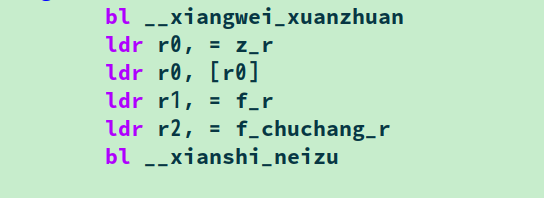
obtains the real and virtual parts, and after rotating the phase, displays
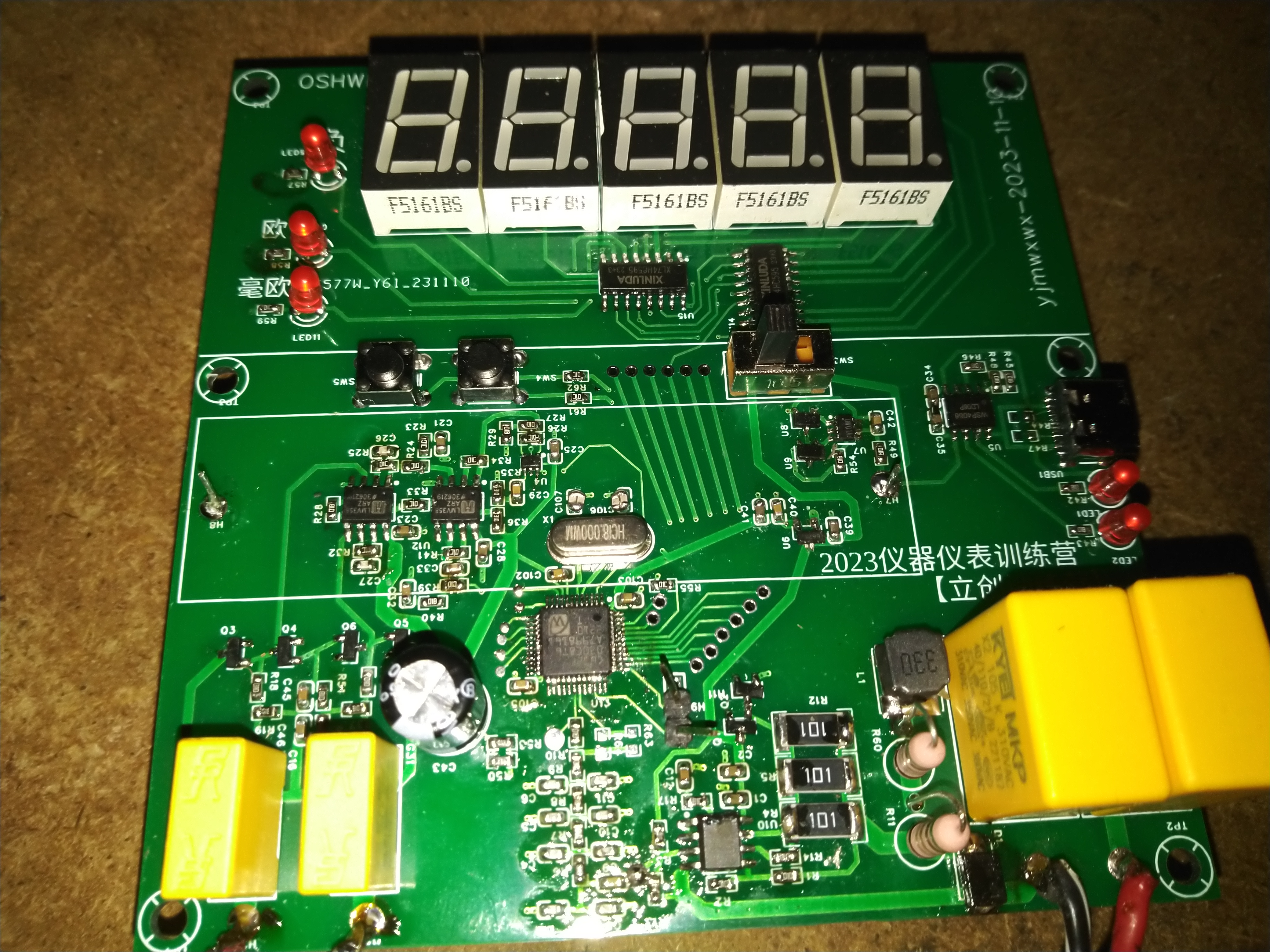
the actual internal resistance circuit board.
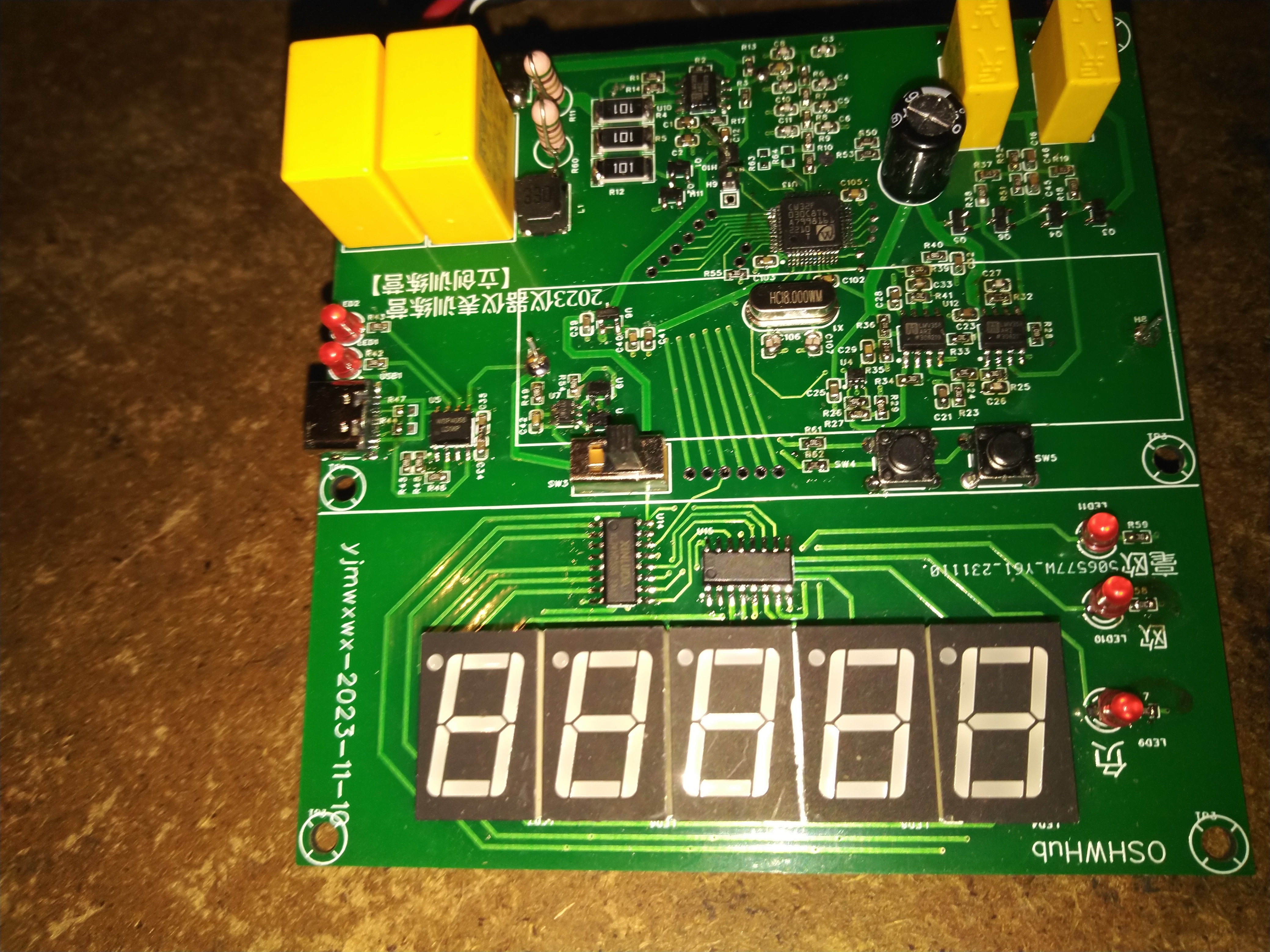
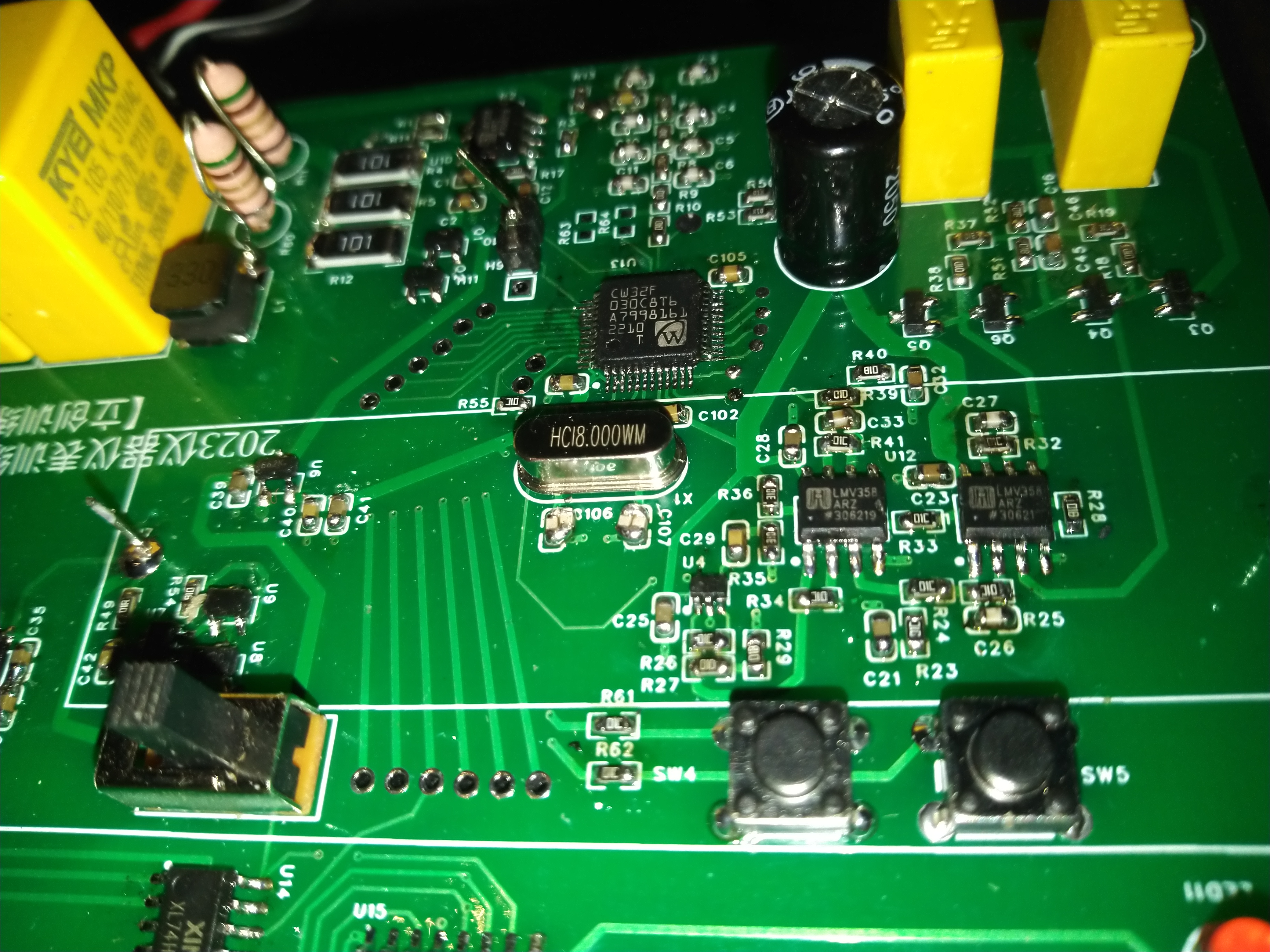
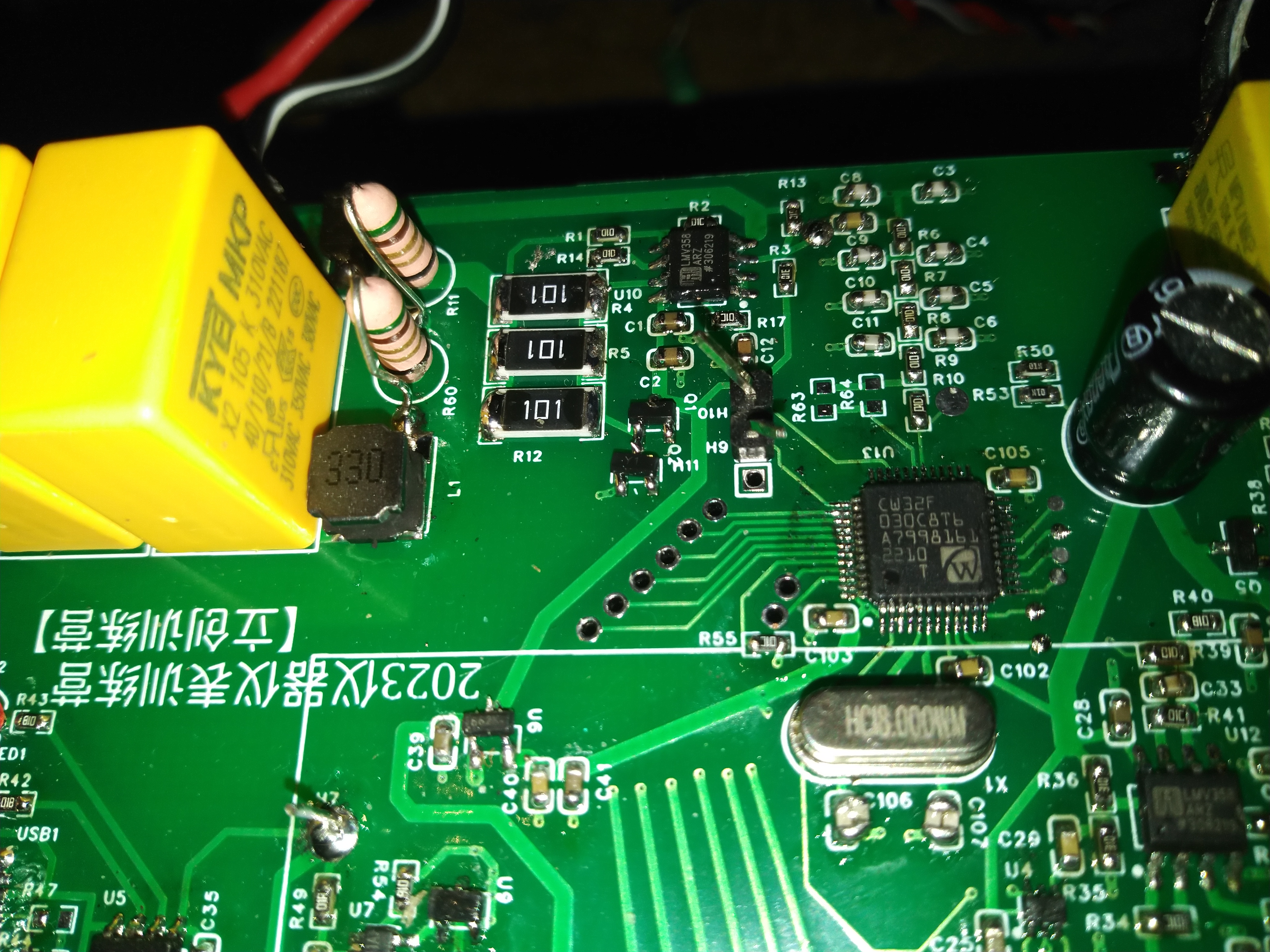
nei_zu_yi.zip
PDF_Battery Internal Resistance Tester Based on CW32 Microcontroller.zip
Altium_Battery Internal Resistance Tester Based on CW32 Microcontroller.zip
PADS_Battery Internal Resistance Tester Based on CW32 Microcontroller.zip
BOM_Battery Internal Resistance Tester Based on CW32 Microcontroller.xlsx
97278
USB expansion
A docking station built using MA8601 with four expansion ports and two power supply ports.
One day, I suddenly realized I didn't have enough USB ports on my computer. As an electronics enthusiast, how could I tolerate that? I decided to make a USB extender.
The schematic is based on an open-source platform, borrowed from a master. For the PCB design,
I'll just mention some important points:
1. PCB routing: Signal lines should be differential. I was in a rush here, and the crystal oscillator's length was slightly off, causing unstable speeds for USB drives, but it was sufficient for the mouse and keyboard. You can adjust this when you redesign yours.
2. When soldering, I recommend soldering the Type-C port first. This is the most difficult part of the board and is prone to solder bridging.
After soldering, I suggest short-circuiting it. Alternatively, you can use other interfaces instead of Type-C; the principle is the same. 3. After soldering all components, I recommend short-circuiting VCC, GND, and resistors and capacitors. Note that the fuse must provide continuity.
4. For the first power-on, I recommend using a power bank, as power banks have short-circuit protection. Then connect it to the computer.
Below are my test results for the keyboard and mouse; there was no lag when typing or drawing.
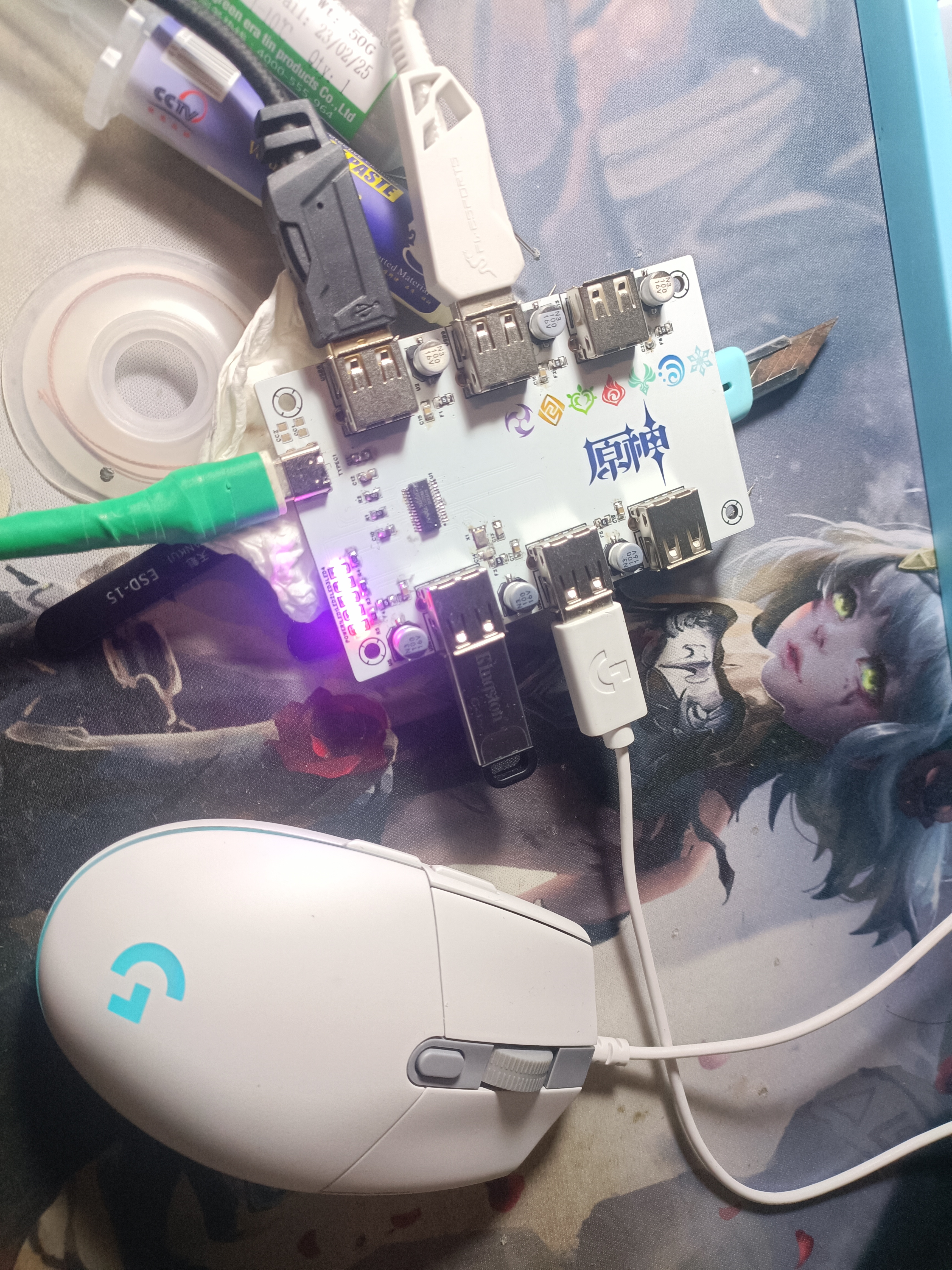
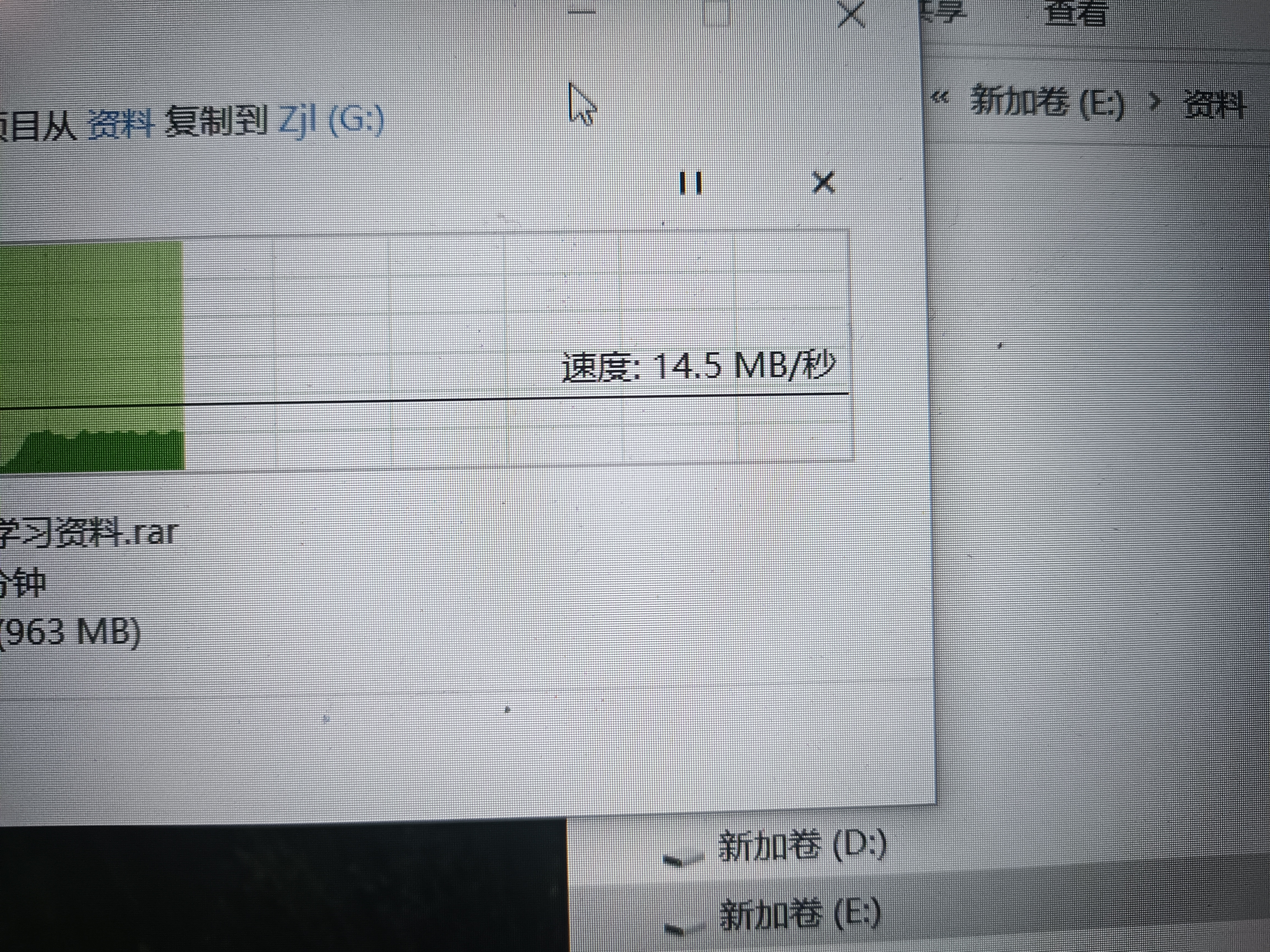
VID20231110134542.mp4
PDF_USB Extension.zip
Altium_USB extension.zip
PADS_USB Extensions.zip
BOM_USB Extension.xlsx
97281
LT7911D MIPI Development Board
TypeC [(e)DP] to MIPI video development board
Longxun LT7911D MIPI Development Board
[Commercial Use Prohibited] [Adjustable Resolution]
[Supported Devices (Tested): PC, Raspberry Pi, etc.]
[Unsupported Devices (Untested): Switch]
Updated to V1, supports EDID name renaming
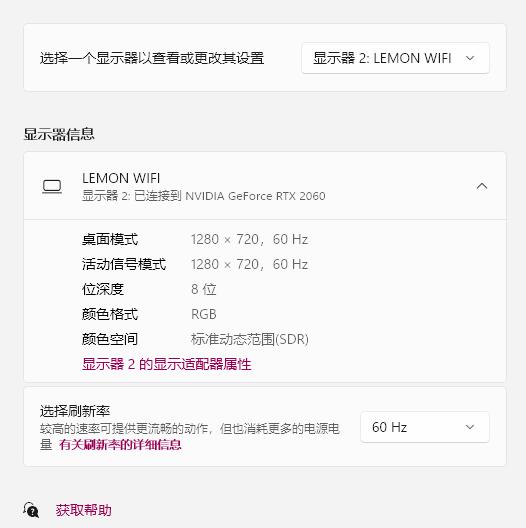
- Future Updates:
Planned support for
image sets (some are older images)
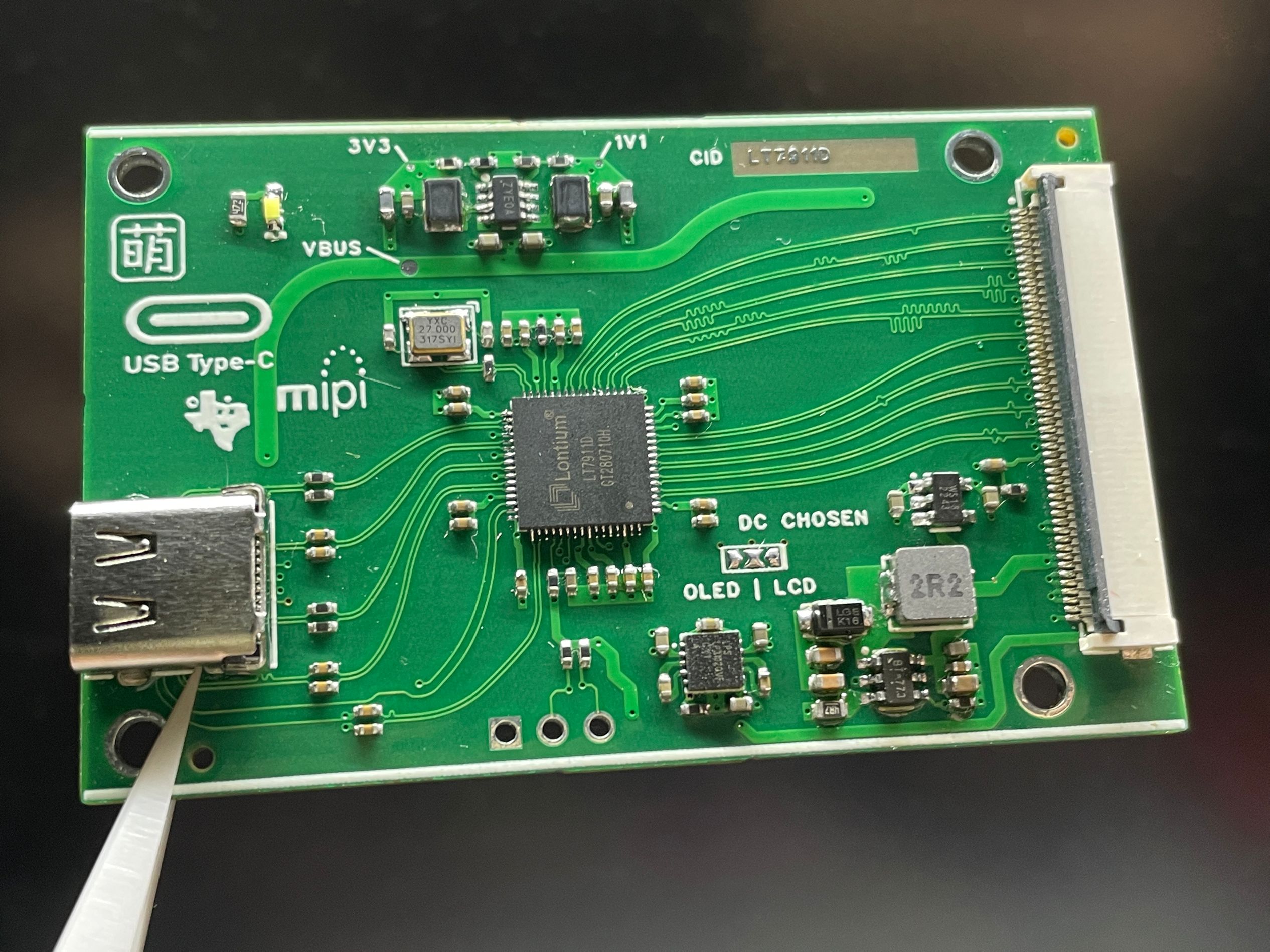
Notes
- 1. Requires a USB to I2C adapter for downloading. Refer to:
LT6911C Burning Instructions for detailed download steps.
- 2. The [J4] pad is used to adjust the LCD backlight driver or LCD positive/negative voltage backlight driver:
Default uses LCD backlight driver, jumper to the right.
- 3. Currently compatible screens:
[Amelin] [Discontinued]
[LT089CL02]
PDF_LT7911D MIPI Development Board.zip
Altium_LT7911D MIPI Development Board.zip
PADS_LT7911D MIPI Development Board.zip
BOM_LT7911D MIPI Development Board.xlsx
97283
SUN-ZGB-JN516X-CON
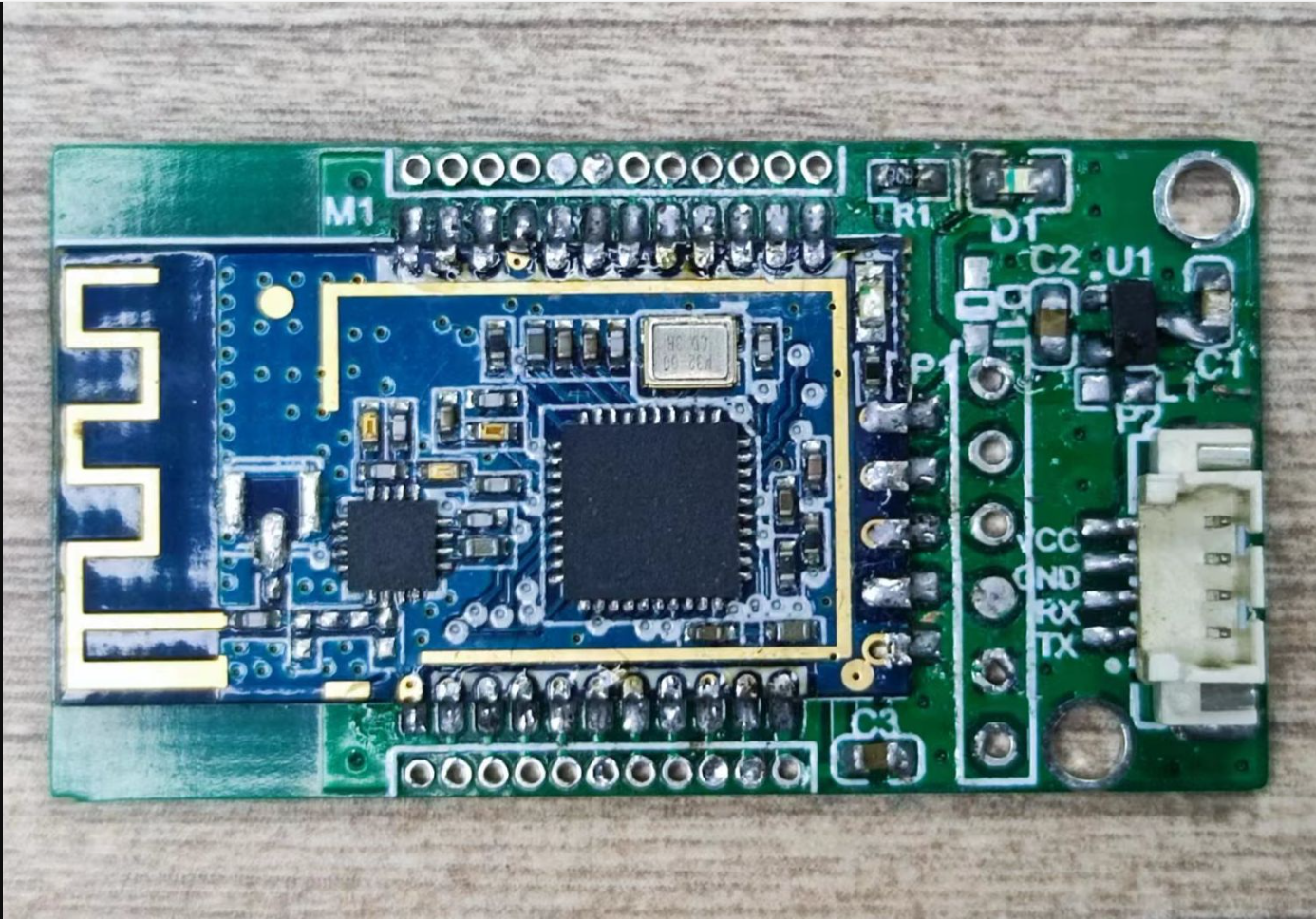
This development board is based on the NXP JN5169 Zigbee SOC module. It provides firmware for various IoT applications, such as Zigbee gateways, voice assistants, 86 switches, and universal infrared remote controls. The official website provides a wealth of source code examples (available for download from the official website or by contacting us).
I. Product Introduction
This is a development board based on the JN5169 Zigbee SOC module adapter. It provides standard firmware for various IoT applications (such as Zigbee gateways, door locks, voice assistants, 86 switches, RGB light strips, universal infrared remote controls) (contact me to obtain). The official website provides abundant source code examples (downloadable from the official website or obtainable by contacting us).
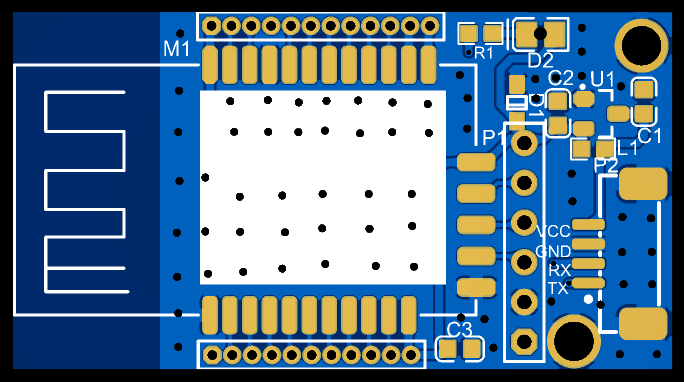
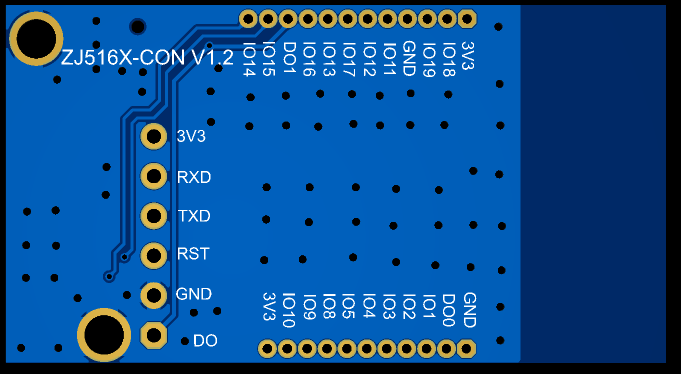
II. Application Scenarios
⚫ Smart home and industrial sensors;
⚫ Security systems, positioning systems; ⚫
Wireless remote controls, drones;
⚫ Wireless game controllers;
⚫ Healthcare products;
⚫ Wireless voice, wireless headsets;
⚫ Automotive industry applications.
III. Product Overview
Introduction to Zigbee Device Types
There are three logical device types in a ZigBee network: Coordinator, Router, and End-Device.
A ZigBee network consists of one Coordinator, multiple Routers, and multiple End-Devices.
The coordinator
is responsible for establishing and managing the network, controlling whether other nodes are allowed to join, and possesses all the functions of a routing device. Its main tasks are network management, uploading child node information to the host computer, forwarding packets, and authenticating the permissions of terminals requesting network access. The network will not crash when the coordinator is powered off; routers and dormant terminals will continue to operate normally within the network.
The router
allows other nodes to connect to the routing device to extend network coverage. Its main task is to forward packets, acting as a relay router, and it possesses all the functions of a terminal device. If multiple paths exist between two nodes, and one path fails, the network will automatically adjust to the other optimal path to ensure data delivery. Routers can create their own networks or join other networks. Routers are always active and therefore must be powered by the mains power supply.
End-Device
: When there is no data transmission or reception, the End-Device enters a sleep state (it can receive data). The sleep current is as low as about 0.2uA.
This module can be programmed to function as a Coordinator, Router, or End-Device, or any other device type.
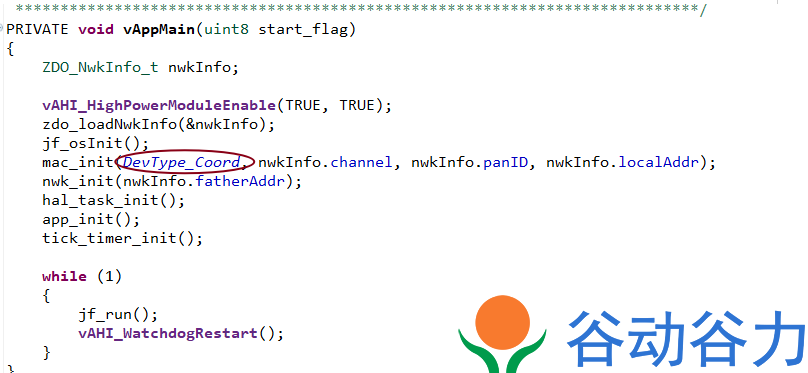
IV. Product Parameters
PCB Size: 42mm*28mm
PCB Layers: 4 layers for core module, 2 layers for adapter board
Operating Frequency Band: 2405~2480MHz
Maximum Transmit Power: 10dBm (without PA), 20dB (with PA)
Maximum Outdoor Unobstructed Communication Distance: 200m
Maximum Outdoor Unobstructed Networking Distance: 100m
Receiver Sensitivity: -97dBm
Operating Temperature: -40℃ ~ +125℃
Power Supply Voltage: +2.0V ~ +3.6V (Recommended value +3.3/V)
Standby Current:
10mA (without sleep)
Deep Sleep Current: 0.12μA
Operating Current: 35mA (TX),
25mA (RX)
Protocol: ZigBee HA/ZigBee Light Link/Zigbee 3.0
SUN-JN5169-PA Zigbee Module Specification Sheet:
https://docs.qq.com/doc/p/549b2e7b95ad5a964574e8e2946f8669aa783a8f
V. Instructions for Use
1. Connect the USB to serial port. Use the pull-down switch on DO1 to program the signal; otherwise, use the pull-up switch or leave it empty for normal operation.
2. Wait for power-on startup (approximately 1 second).
3. It can be used normally.
4. For development instructions, please refer to:
NXP Zigbee JN516X JN517x JN518X Development and Compilation with VS Code Studio Environment;
Introduction to NXP ZigBee JN516x Hardware Reference Design
[ZigBee Series]; NXP JN516x Low-Power Sleep and Wake-up Process
[ZigBee Series] | NXP-JN5169 ZigBee 3.0 Development Environment Setup and Compilation.
For more development instructions, please see the collection:
zigbee - Collection
Six. Test Video:
A Speech Misidentification Project Using This Module
https://www.bilibili.com/video/BV1jv4y1M7s1/?spm_id_from=333.999.0.0&vd_source=d126cc29f53992bfabbf878e3b116139
Introduction to the Zigbee Gateway (Coordinator) project:
https://www.bilibili.com/video/BV13V4y1y7gD/?spm_id_from=333.788.recommend_more_video.0&vd_source=d126cc29f53992bfabbf878e3b116139
For more projects, please contact us.
VII. Standard Firmware
Our standard firmware product solutions have been shipped for many years, with stable quality and performance.
Serial
Number Firmware Code
Product Function
1
LZ-V2-D-WindowCovering_BY-JN5169
Venetian Blinds
2
LZ-V2-D-WindowCovering_Persent-JN5169
Percentage Curtains
3
LZ-V3-D-WiressRepeater-JN5169
Wireless Signal Repeater
4
LZ-V4-A-Coordinator-JN5169
Gateway (Coordinator)
5
LZ-V4-D-IR-Convert-JN5169
Universal Infrared Remote Control (Infrared Converter)
6
LZ-V4-D-K1-Switch-JN5169
Firmware for a single-way switch (
7
LZ-V4-D-K2-Switch-JN5169), a dual-way switch ( 8 LZ-V4-D-K3-Switch-JN5169), a triple-way switch ( 9 LZ-V4-D-K4-Switch-JN5169) , and a quad-way switch (total number of products) is too numerous to upload individually. If you cannot find the product you need, please contact us. If the firmware product is not available, you can contact us for custom development.
PDF_SUN-ZGB-JN516X-CON.zip
Altium_SUN-ZGB-JN516X-CON.zip
PADS_SUN-ZGB-JN516X-CON.zip
BOM_SUN-ZGB-JN516X-CON.xlsx
97284
electronic








 京公网安备 11010802033920号


 JANTXV1N4118URTR-1



