This project is an electronic calendar based on the ESP32-S3 microcontroller, featuring time and date display, temperature and humidity detection, and VOC monitoring.
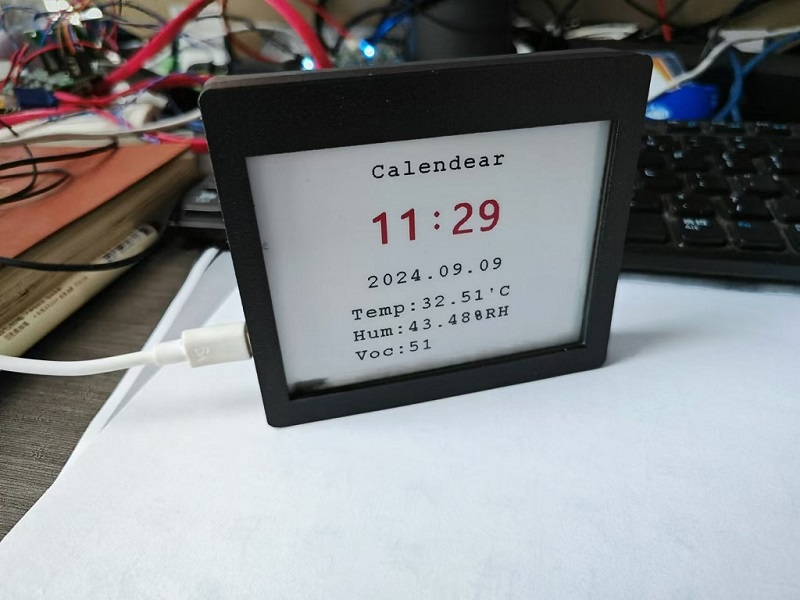
This design is an electronic calendar based on the ESP32-S3 microcontroller. In addition to its built-in e-ink screen display, it can also read temperature, humidity, time, and date data via a serial port connection to a serial debugging tool, and the time and date can be set via the serial port.
This design uses the AT24C02 memory chip, which can retain the set parameters even when the power is off;
this design uses a 4.2-inch e-ink screen display, which displays the time, date, temperature, humidity, and VOC value from top to bottom;
it selects the fully digital temperature and humidity sensor SHT40, which has a wide temperature measurement range and can meet general needs;
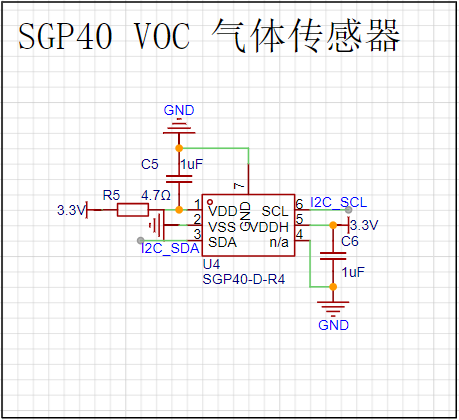
the SGP40 is a digital VOC (volatile organic compound) sensor, and combined with the VOC algorithm (part of the SGP40 VOC index driver package), the sensor signal can be directly used for indoor air quality assessment;
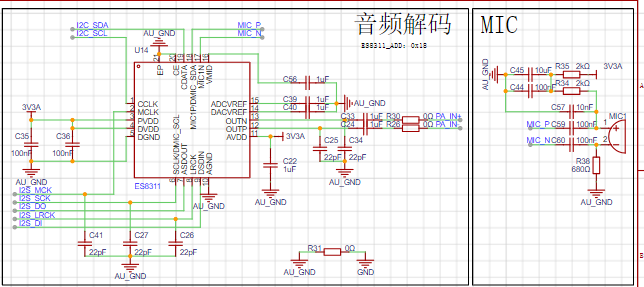
extended functions: SD card reader, ES8311 low-power mono audio codec, NS4150B audio power amplifier principle analysis (hardware description).
This project consists of the following parts: power supply, sensor, clock, e-ink screen display, main control, and voice recognition extension. This project mainly displays sensor and time information through an e-ink screen.
interface as the power supply interface. One uses the corresponding USB data pin to connect to the corresponding USB pin on S3 (USBD+ IO20), (USBD- IO19), allowing direct USB use for downloading and debugging without conversion to serial signals. 5.1K pull-down resistors are added to the CC1 and CC2 pins for easy identification and configuration by different hosts. The other uses a CH340K converter to convert to a serial signal, which can also be used for downloading and debugging communication.
LM66100 has an on-resistance of 79mΩ at 5V and a maximum continuous current of 1.5A.
Ideal diodes can achieve power switching with minimal voltage drop and prevent reverse power flow.
uses RT9193 and ME6217 to power audio and other circuits respectively; the discrete LDOs further reduce the impact of power supply noise on the audio circuit. The SHT40
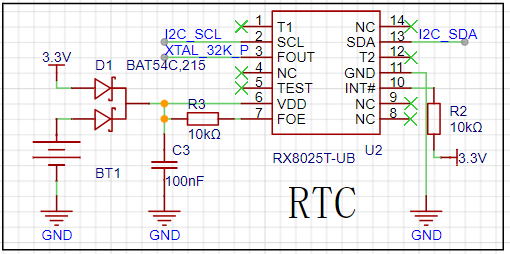
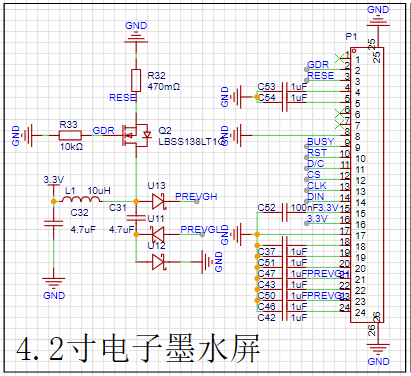
sensor measures relative humidity from 0 to 100% and temperature from -40°C to 125°C, achieving a humidity accuracy of ±1.8% and a temperature accuracy of ±0.2°C. The SGP40 , an upgraded version of the SGP30, is a VOC sensor featuring ultra-low power consumption (average power consumption as low as 2.6 mA / 3.3V), fast startup (<60S), and no calibration required. Most importantly, it incorporates a powerful VOC algorithm that converts the less intuitive VOC concentration into a VOC index that clearly indicates air quality. The RX8025T clock utilizes a built-in 32.768 kHz temperature-compensated crystal oscillator (DTCXO) for high timing accuracy. It provides a clock output, which, when connected to the ESP32-S3 pin, offers a more reliable low-frequency clock source. D1 enables backup battery power for continued clock operation after power failure. The e-ink screen driver is based on the relevant circuit design from MicroSnow Electronics and can be adjusted according to the specific screen type. The main control section uses the ESP32-S3-WROOM-1-N16R8 module, which can be directly connected to the pins, greatly reducing the design of peripheral circuits. The audio expansion section references the LCSC C3 development board and the Zhengdian Atom S3 development board; its functionality has not yet been verified. The software code example program is written in Arduino and implements the use of the e-ink screen, various sensors, SD card, clock, and serial port. Demonstration and content are attached. Important Notes: In PCB design, the analog ground of the audio section must be separated from the digital ground . The SHT40 is sensitive to heat sources; during layout, keep it as far away as possible from circuits that may generate heat, and avoid copper pours to reduce heat transfer. (See attached diagram.)
After seeing so many people make weather clocks, and various vendors selling them, I finally decided to make one myself.
Why I Wanted to Make a Weather Clock:
Everyone wants a weather clock. It's something every ESP32 beginner wants to make
. For beginners, it's a great learning project.
I originally bought a weather clock component (non-color screen) on Taobao, but coincidentally, LCSC EDA launched this ESP32 design competition. The hardware components
of the weather clock
are very simple. The main parts are the ESP32 C3 main controller (with built-in 4MB Flash) and a 2.8-inch display
. For the software, I directly used the code from the DUDU weather clock. Partly because I encountered various problems that caused project delays, and partly because the DUDU weather clock was such a good project to learn from! (Haha) At the beginning of
the construction process
, I felt that designing the antenna for the ESP32 C3, if I were to run the wires myself, would require considering too many details such as impedance matching, which stumped me. So when someone told me I could use a ceramic antenna, I thought it would be a simple and straightforward solution. I just drew a board. Then someone else told me that the ceramic antenna also needed to consider the distance from the main controller, and the wiring had to be curved. Issues included drilling holes for grounding along the wires. The antenna also needed impedance considerations, requiring inductors and capacitors.
This led to a redesign of the board, which wasted time. Feeling pressed for time, I moved the antenna closer to the side, significantly reducing the distance, but I'm still not entirely satisfied; it's still a bit far from the main controller. Hopefully, the antenna will work (and ultimately it will). The
crystal oscillator part was problematic. The crystal's impact on the antenna needs to be considered. I referenced many projects, some using 24nH inductors, but I didn't have time to buy those. I used a 0-ohm inductor for now. Initially,
I was stuck on firmware flashing and getting it to power on. It took me a whole day. I had previously worked with ESP32 development boards with pre-installed firmware. So, those boards connected directly to the computer, and the COM port in Device Manager remained stable. But mine wasn't; it kept appearing and disappearing. My first thought was that the chip was constantly rebooting, stuck in an infinite reboot loop. I also tried pressing BOOT and then RESET to enter flashing mode, but perhaps my technique wasn't correct, and it didn't work. This led me to suspect a problem with my board design, a faulty main controller solder joint, or other component issues. I spent half the day desoldering, resoldering, and repairing the board (which was actually fine). It wasn't until the next day when a member in the group told me that the blank chip itself would continuously restart that I realized I might have done something wrong.
Finally, I discovered that pressing the BOOT button while powering on (or RESET) worked perfectly!
Because of the event delay, I hastily used the DUDU clock code. I directly compiled and input the firmware,
modified the pins, turned on the backlight, registered an account and key for a weather website, compiled and burned the firmware, and configured Wi-Fi.
Everything went smoothly!
There are a few things to note during the compilation process:
You need to manually obtain the key from the weather website in common.h and fill it in.
You need to install the following libraries:
TFT_eSPI (you need to put User_Setup.h in),
ArduinoJson,
OneButton,
TaskScheduler
, and ArduinoZlib (downloaded from GitHub, extract to the library directory).
Hardware physical components.
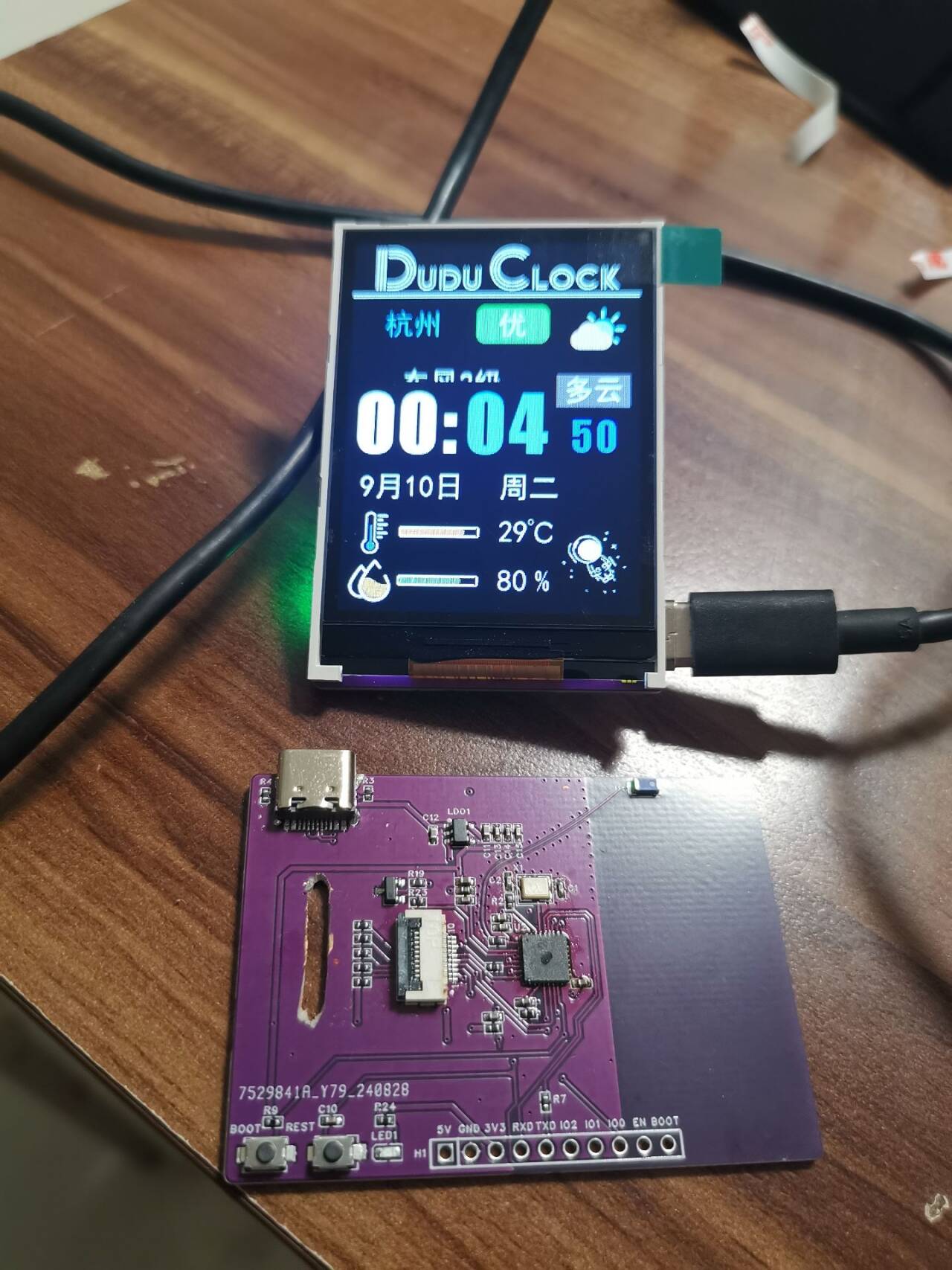
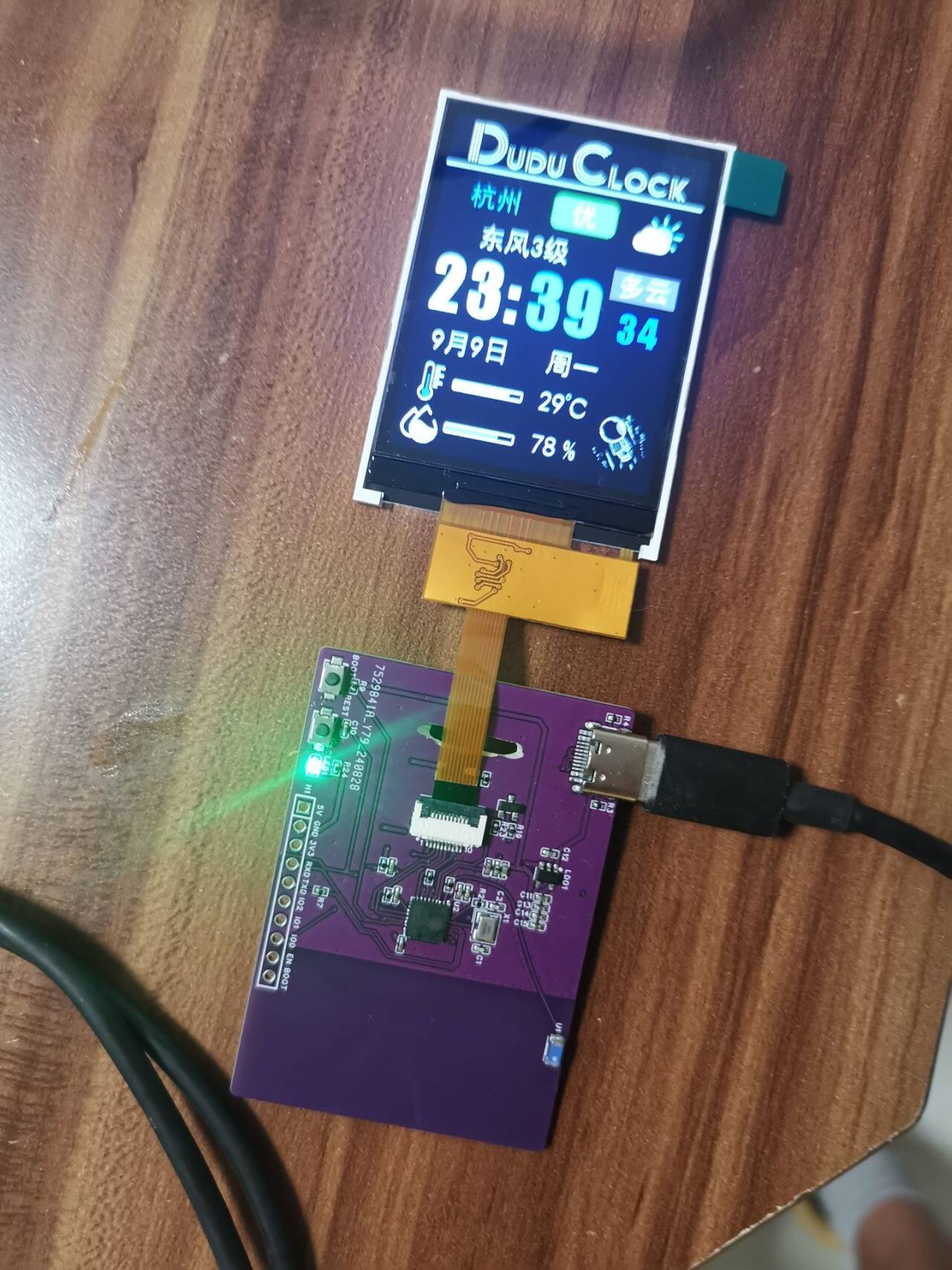
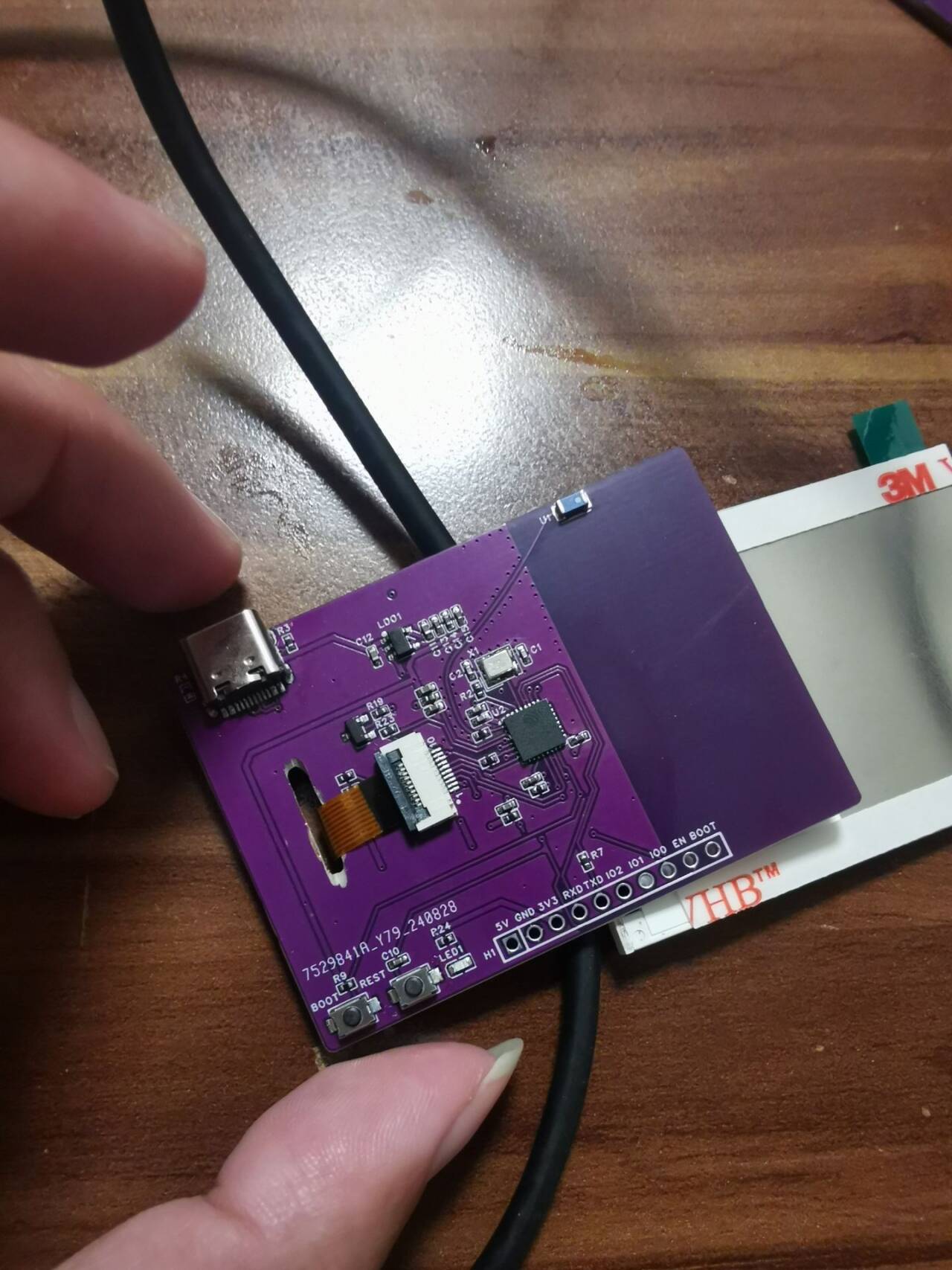
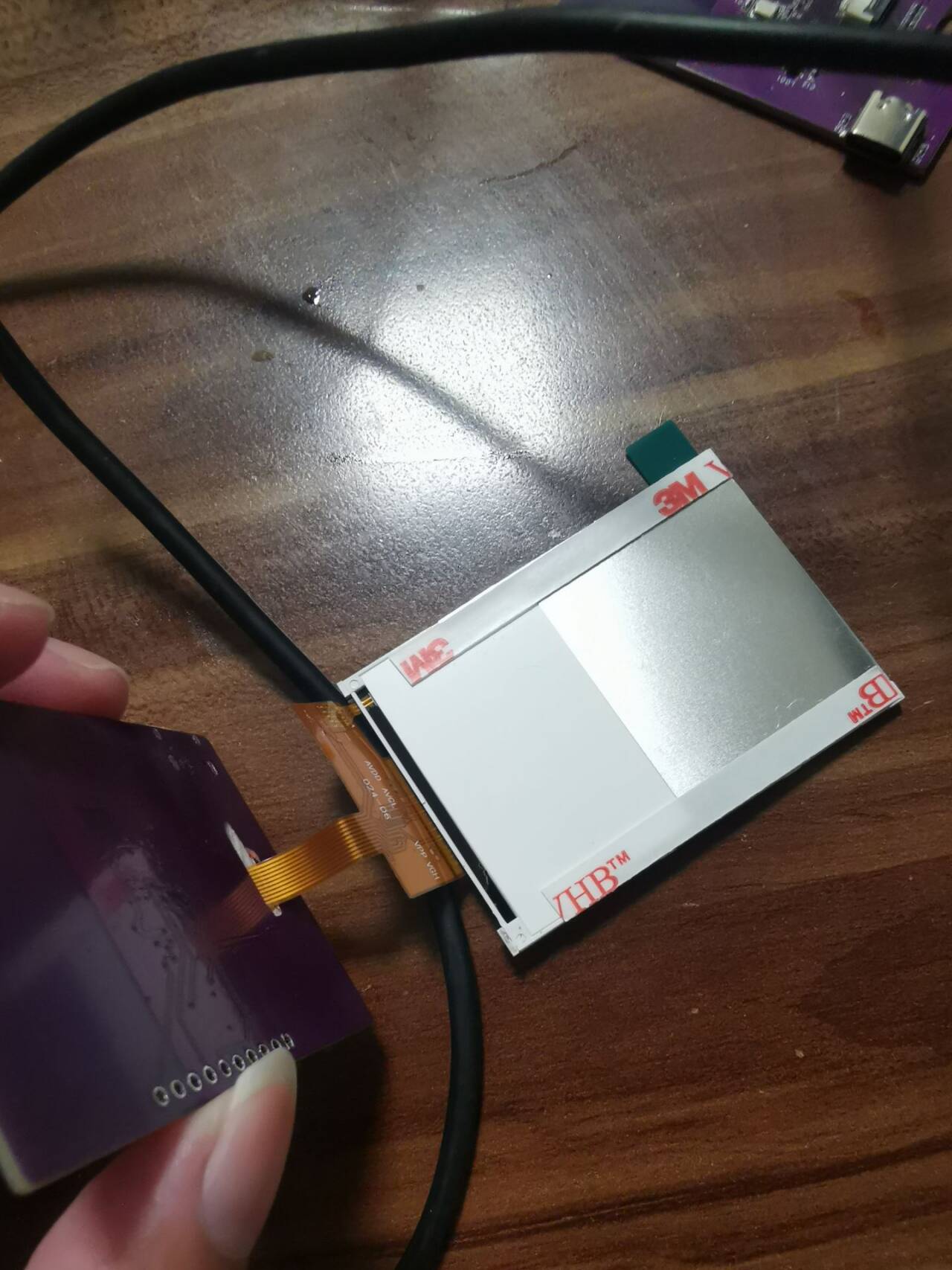
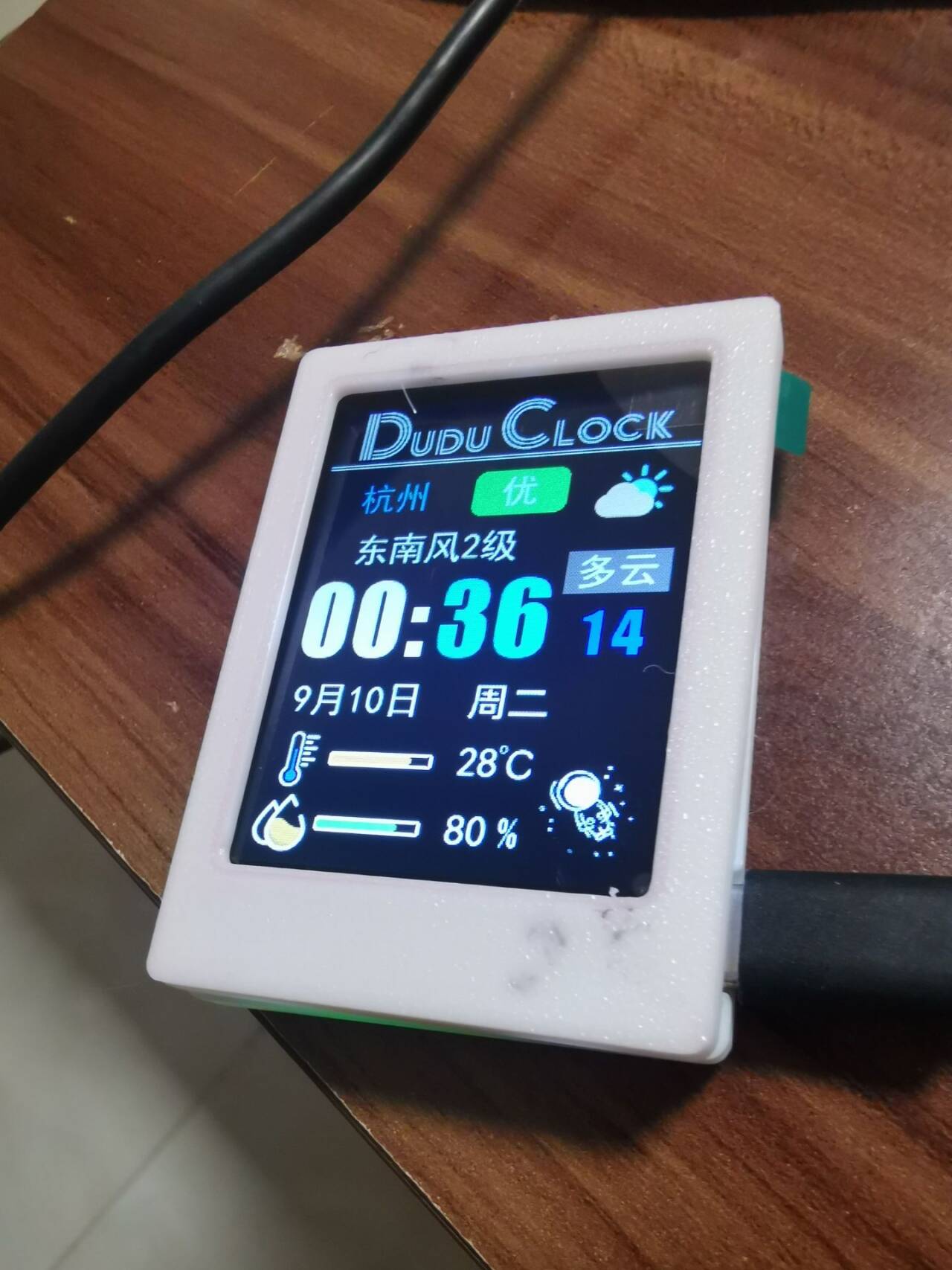
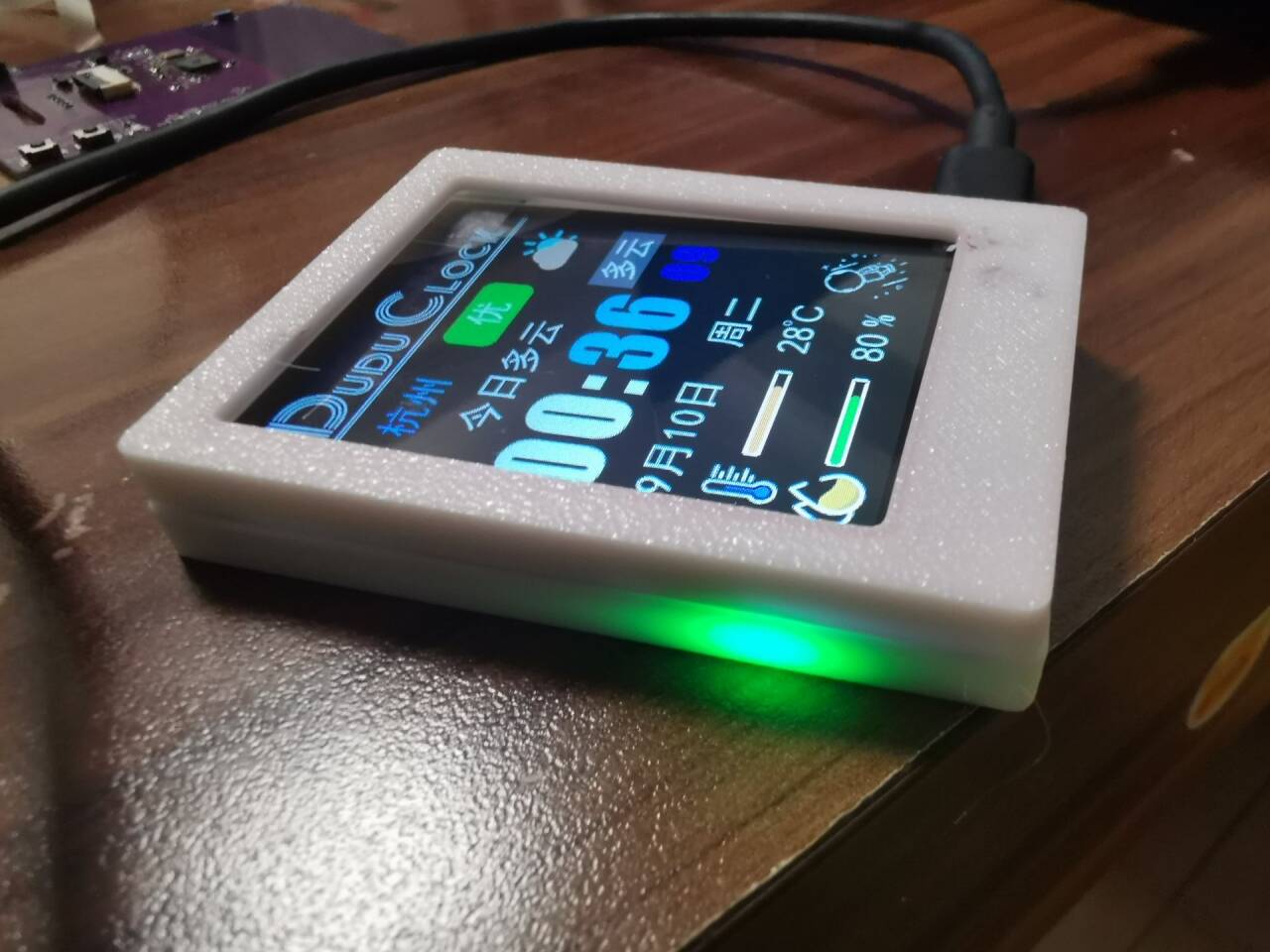
QQ Video 20240910000528.mp4
DuduClock 2.0 source code package (2.8-inch 10P) ST7789.zip
ArduinoZlib-main.zip
PDF_ESP32 Weather Clock.zip
Altium_ESP32 Weather Clock.zip
PADS_ESP32 Weather Clock.zip
BOM_ESP32 Weather Clock.xlsx
92367
ESP32-Vision Module
A simple TOF laser ranging and vision implementation
Project Introduction:
A simple TOF laser ranging and vision implementation
project. Functionality
: Vision ranging is currently not implemented.
Software code: `
from utils.cam import init_cam, cam_capture
from utils.wifi import enable_wifi
from utils.light import light
from utils.socket import Socket_data
from utils.task import Task
from libs.data import Data
import utime
import _thread
import ujson
import ubinascii
import camera
def main():
try:
enable_wifi()
s = Socket_data()
init_cam()
while True:
cam_buf = camera.capture()
# temp, humidity = dht22()
# distance = measure()
encoded_cam_buf = ubinascii.b2a_base64(cam_buf)
# print(encoded_cam_buf)
data = Data(
cam_buf=encoded_cam_buf,
temp=0,
humidity=0,
distance=0,
light=light(),
)
json_data =` ujson.dumps(data.__dict__)
s.send_json_data(data=json_data.encode('utf-8'))
# print(json_data)
# s.send_data(data=data)
except Exception as e:
print(f"err: {e}")
main()
The actual image
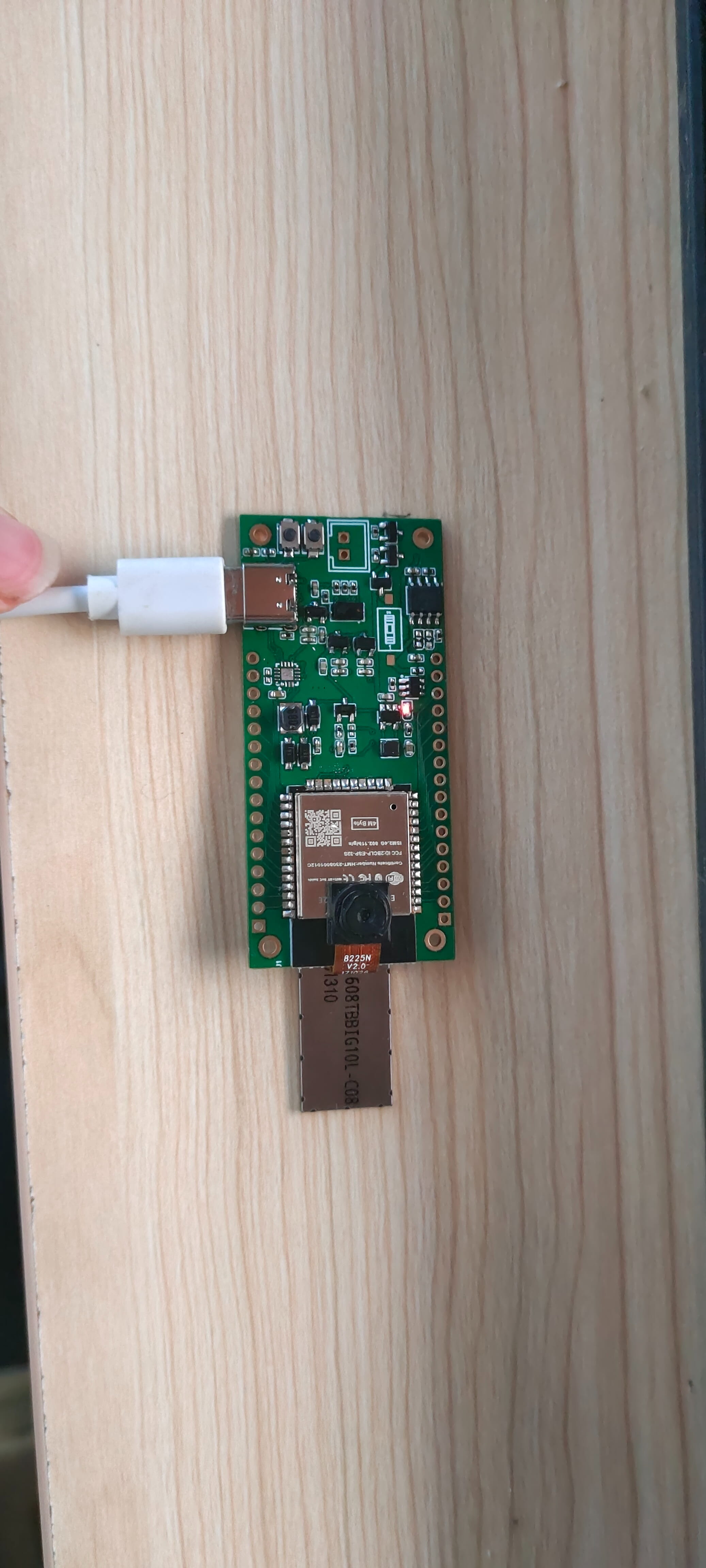
effect is displayed
. The OV5640 frame rate is impressive.
QQ2024910-75416.mp4
cam.zip
PDF_esp32-VisionModule.zip
Altium_esp32-VisionModule.zip
PADS_esp32-VisionModule.zip
BOM_esp32-VisionModule.xlsx
92368
ESP32 IoT Mini TV
This system, based on the ESP32-S3-WROOM-1-N16R8 module, monitors formaldehyde, carbon dioxide, TVOC, PM0.3~PM10, as well as temperature and humidity, and integrates a 2.8-inch capacitive touchscreen.
1. Hardware Design
1.1 Core Board Selection:
ESP32-S3-WROOM-1-N16R8: Serves as the main controller, responsible for data processing, wireless communication, and power management.
1.2 Sensor Selection
: TVOC sensor (e.g., CCS811);
Temperature and humidity sensor (e.g., DHT40).
1.3 Display:
2.8-inch capacitive touchscreen: Connected via SPI or I2C interface .
1.4 Power Supply System
: Type-C interface for direct power supply.
1.5 Circuit Design
: Design the PCB board, allocate I/O ports appropriately, and ensure correct connection of each sensor, display, power management module, etc.
Pay special attention to the ESP32's GPIO allocation to avoid conflicts.
2. Software Design
2.1 ESP32 Firmware Development
Environment Setup: Develop using ESP-IDF or Arduino IDE.
Sensor Drivers: Write or integrate driver code for each sensor to read data.
PDF_ESP32 IoT Mini TV.zip
Altium_ESP32 IoT Mini TV.zip
PADS_ESP32 IoT Mini TV.zip
BOM_ESP32 IoT Mini TV.xlsx
92369
Color screen printing - Immortal Totem
The immortal totem made using a color silkscreened coupon, with its gilded finish, might actually help you transcend life and death (just kidding).
The immortal totem made using a color silkscreened coupon, with a gold-plated finish, may actually help you transcend life and death (please do not attempt this).
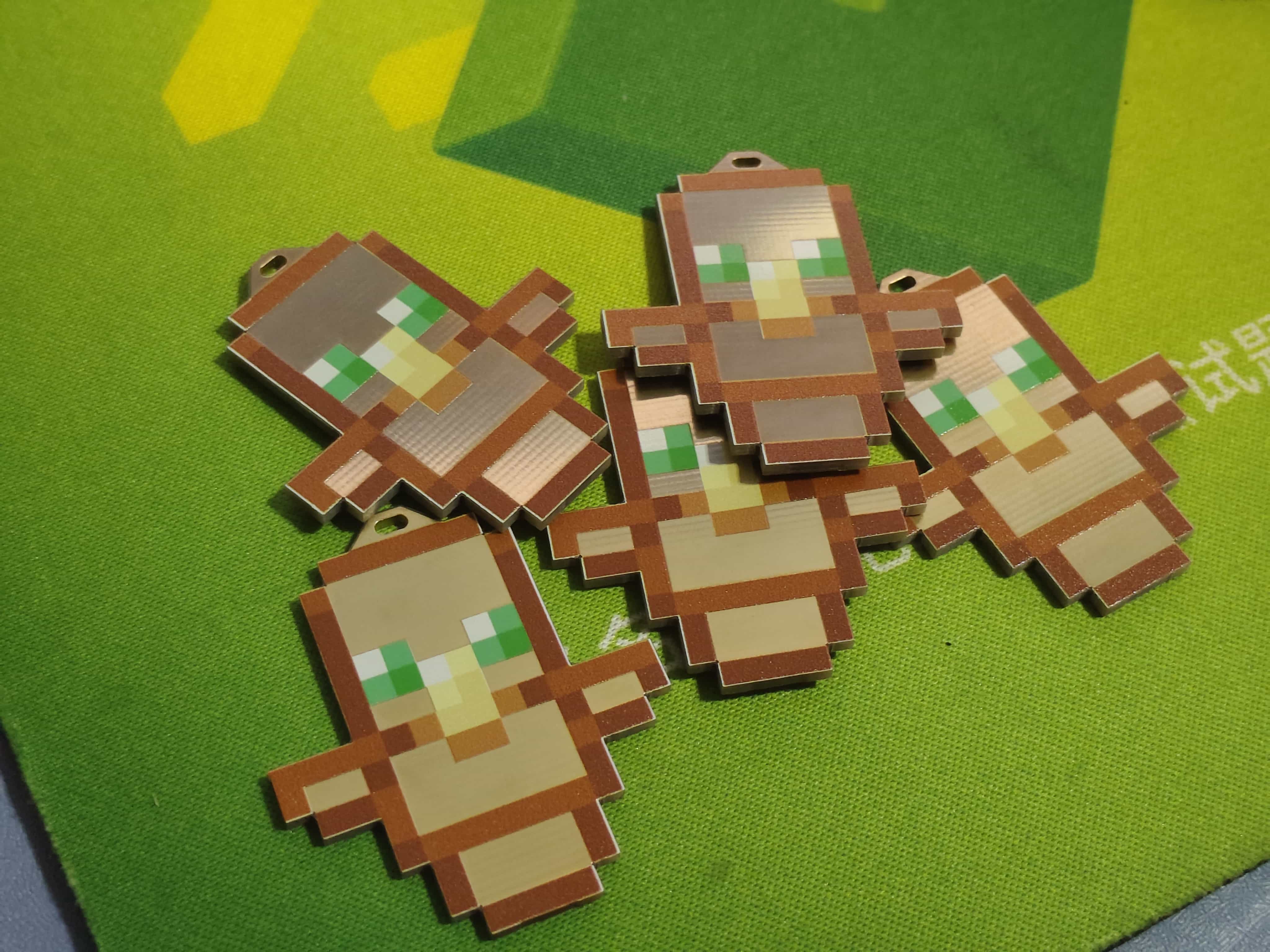

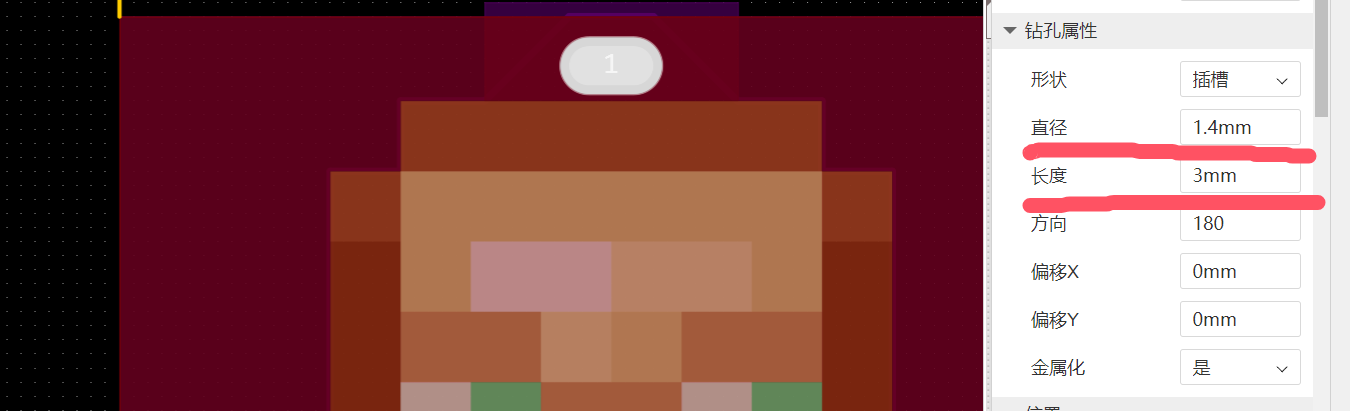
The top hole is 1.4mm high and 3mm wide for attaching a keychain.
PDF_Color Silkscreen - Immortal Totem.zip
Altium_Color Silkscreen-Immortal Totem.zip
PADS_Color Silkscreen - Immortal Totem.zip
PDF_Color Silkscreen - Immortal Totem.zip
Altium_Color Silkscreen-Immortal Totem.zip
PADS_Color Silkscreen - Immortal Totem.zip
92370
electronic
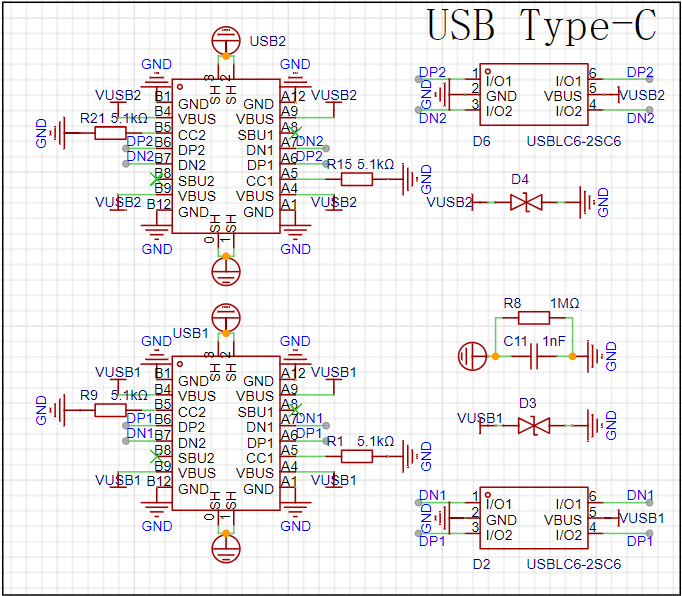 interface as the power supply interface. One uses the corresponding USB data pin to connect to the corresponding USB pin on S3 (USBD+ IO20), (USBD- IO19), allowing direct USB use for downloading and debugging without conversion to serial signals. 5.1K pull-down resistors are added to the CC1 and CC2 pins for easy identification and configuration by different hosts. The other uses a CH340K converter to convert to a serial signal, which can also be used for downloading and debugging communication.
 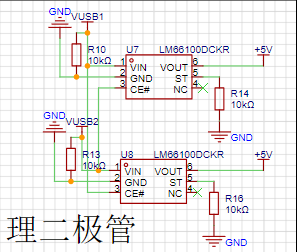 LM66100 has an on-resistance of 79mΩ at 5V and a maximum continuous current of 1.5A.
 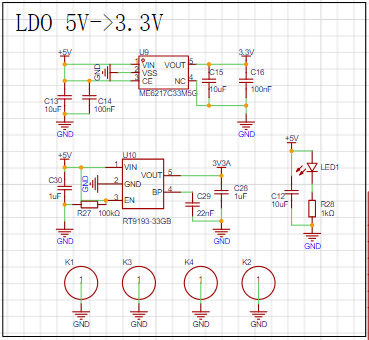 uses RT9193 and ME6217 to power audio and other circuits respectively; the discrete LDOs further reduce the impact of power supply noise on the audio circuit. The SHT40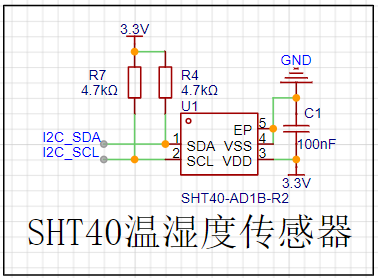








 京公网安备 11010802033920号


 SL2-022-S140/02-95



