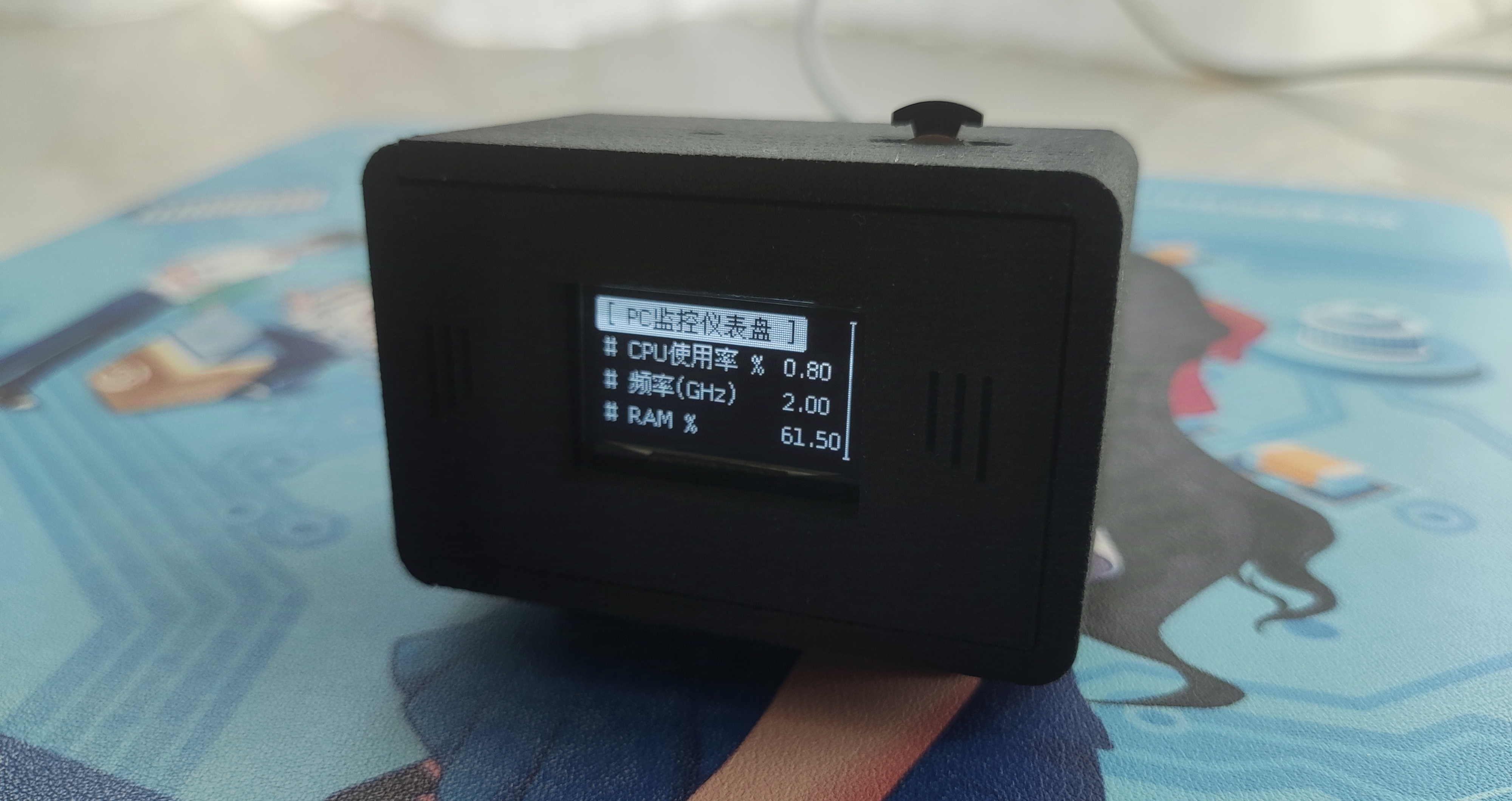
This is a desktop dashboard based on ESP32
. The project is available at:
https://github.com/vrxiaojie/ESP32-desktop-dashboard
and https://oshwhub.com/vrxiaojie/esp32-based-desktop-dashboard . It uses the
LCSC
ESP32S3R8N8 development board.
It can display various computer performance indicators in real time, and also features temperature and humidity detection, low-power sleep mode, automatic brightness, and OTA upgrades. The menu is based on WouoUI and is smooth and fluid.
2. Hardware
The hardware components required are as follows
: | Name | Quantity |
|:---:|:---:|
|LCSC ESP32-S3R8N8 Development Board|1|
| 0.96-inch OLED Screen 128*64 Resolution|1|
| BH1750 Module|1|
| SHT40 Module (Optional)|1|
3. Software
3.1 PC-side Python Program
import json
import psutil
import GPUtil
import random
import time
import paho.mqtt.client as mqtt_client
def PC_Info():
msg = dict()
msg["CPU_usage"] = str(psutil.cpu_percent(interval=1))
msg["CPU_Frequency"] = str(round(psutil.cpu_freq().current / 1000.0, 1))
msg["RAM_usage"] = str(psutil.virtual_memory().percent)
gpu = GPUtil.getGPUs()
for gpu in gpu:
msg["GPU_temp"] = str(gpu.temperature)
msg["GPU_memory"] = str(gpu.memoryUsed)
msg = json.dumps(msg, ensure_ascii=False)
# print(msg)
return msg
# Configure MQTT server
host = '192.168.50.111'
port = 1883
# Configure MQTT client
topic = "/python/esp32_mqtt" # Create topic, can be customized
client_id = f'python-mqtt-{random.randint(0, 100)}'
username = 'python'
password = '123456'
def publish(client, msg):
result = client.publish(topic, msg)
def connect_mqtt():
def on_connect(client, userdata, flags, rc):
if rc == 0:
print("Connected to MQTT Broker!")
else:
print("Failed to connect, return code %d
", rc)
client = mqtt_client.Client(client_id)
client.on_connect = on_connect
client.username_pw_set(username, password)
client.connect(host=host, port=port)
return client
def run():
client = connect_mqtt()
client.loop_start()
while True:
msg = str(PC_Info())
publish(client, msg)
time.sleep(0.5)
if __name__ == '__main__':
run()
3.2 There are currently two methods to obtain firmware for flashing
: 1.
Obtain the .bin file from the GitHub Release folder
: Clone the GitHub repository and manually configure the PlatformIO environment. 2. Compile and
flash:
Connect the development board to the computer using a Type-C cable. Use the flashing tool provided by Espressif (https://www.espressif.com.cn/zh-hans/support/download/other-tools)
. Download the firmware to the device using PlatformIO
(only for successful flashing once). Select OTA upgrade from the menu. Connect the computer to the device's Wi-Fi, open a webpage (192.168.4.1), and select the firmware downloaded from the Release folder.bin file upgrade
4 3D shell
The 3D shell was drawn using LCSC EDA. Please open and view the open-source link with an editor.
Nylon material is recommended; it's a bit pricey, but the appearance and texture are excellent.
5. Appearance Showcase
6. Acknowledgements:
UI based on WouoUI, original author's repository: https://github.com/RQNG/WouoUI








 京公网安备 11010802033920号


 FR307G



