PD Fast Charging + Fuel Meter Verification Board
1. Introduction:
Supports the PD fast charging protocol, allowing customization of PD protocol voltage and current parameters. It supports custom modification of charging current, cutoff voltage, and other parameters.
It also supports automatic switching between charging and discharging; plugging in a PD charger initiates charging, while plugging in a USB device or other electrical appliance discharges at 5V (a USB flash drive is a typical example).
This allows a single Type-C port to both charge the battery via PD and discharge via a USB device. Linux systems can then recognize the USB device.
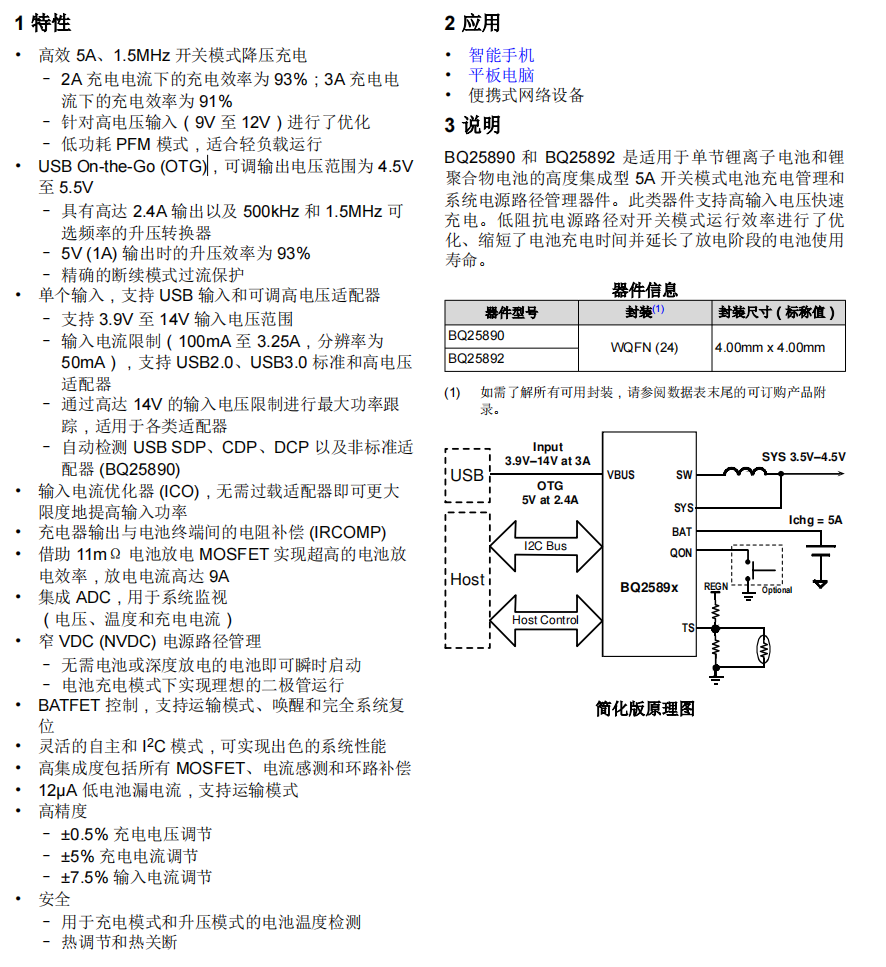
1.1 BQ25890
Charging IC: The BQ25890 features MaxCharge™ technology, enabling a high input voltage and adjustable voltage USB On-the-Go
boost mode I2C controlled single-cell 5A fast charger. In discharge mode, it delivers a maximum output of 5.5V + 2.4A, with adjustable device parameters.
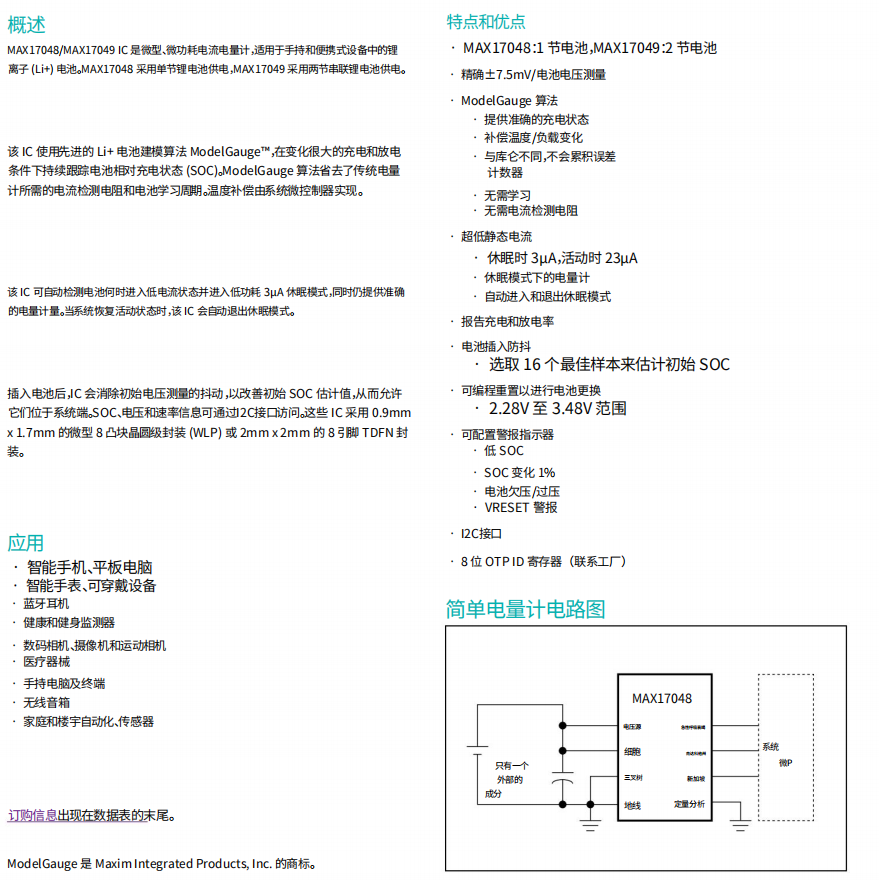
1.2 MAX17048G+T10
The MAX17048 is a miniature, low-power current/fuel meter suitable for lithium-ion (Li+) batteries in handheld and portable devices. Its
I2C communication interface is extremely simple and requires no voltage divider resistors.
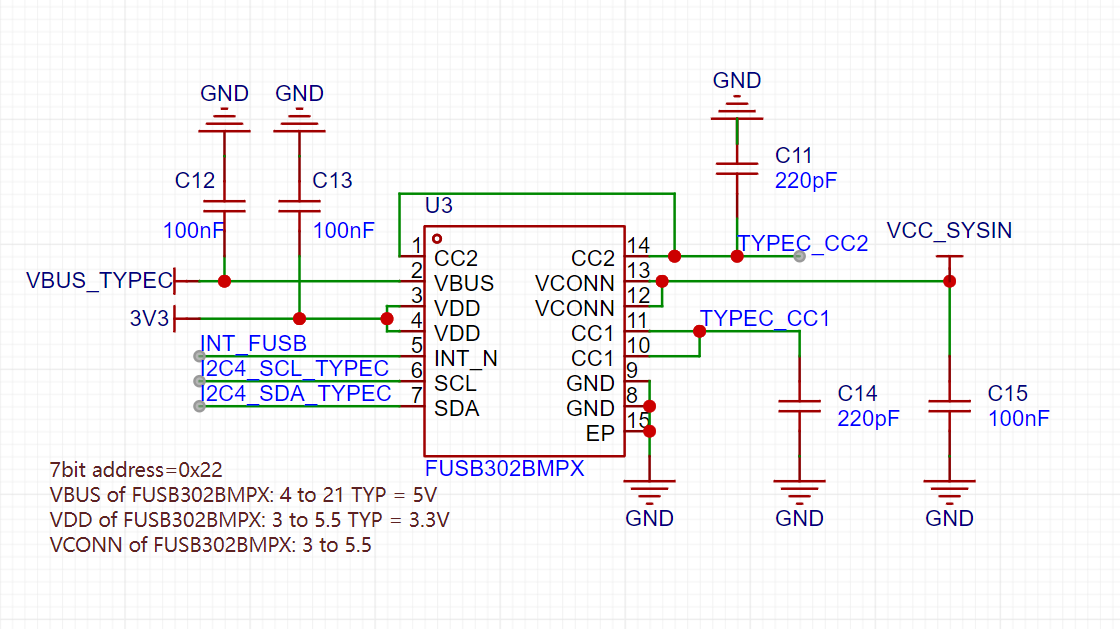
1.3 FUSB302BMPX
The Fusb302 is a programmable USB Type-C controller that supports the identification of various USB devices and their corresponding statuses; it also supports PD protocol up to 100W.
The Fusb302 communicates with the Type-C power adapter using the CC1/CC2 pins, setting the power adapter's output voltage and current via the PD protocol to control the charging voltage and current, thus achieving fast charging.
2. Verification Module Scheme Diagram
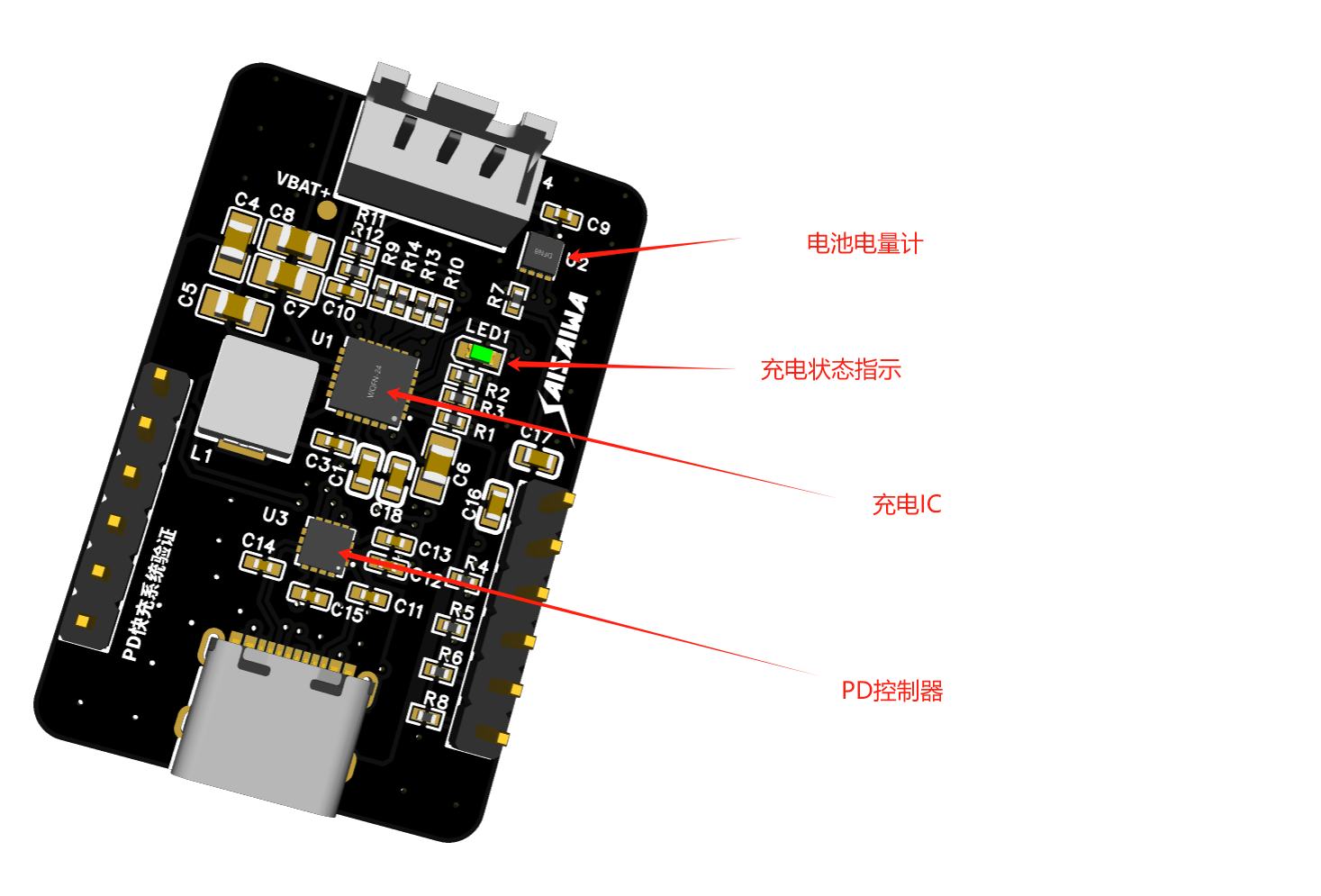
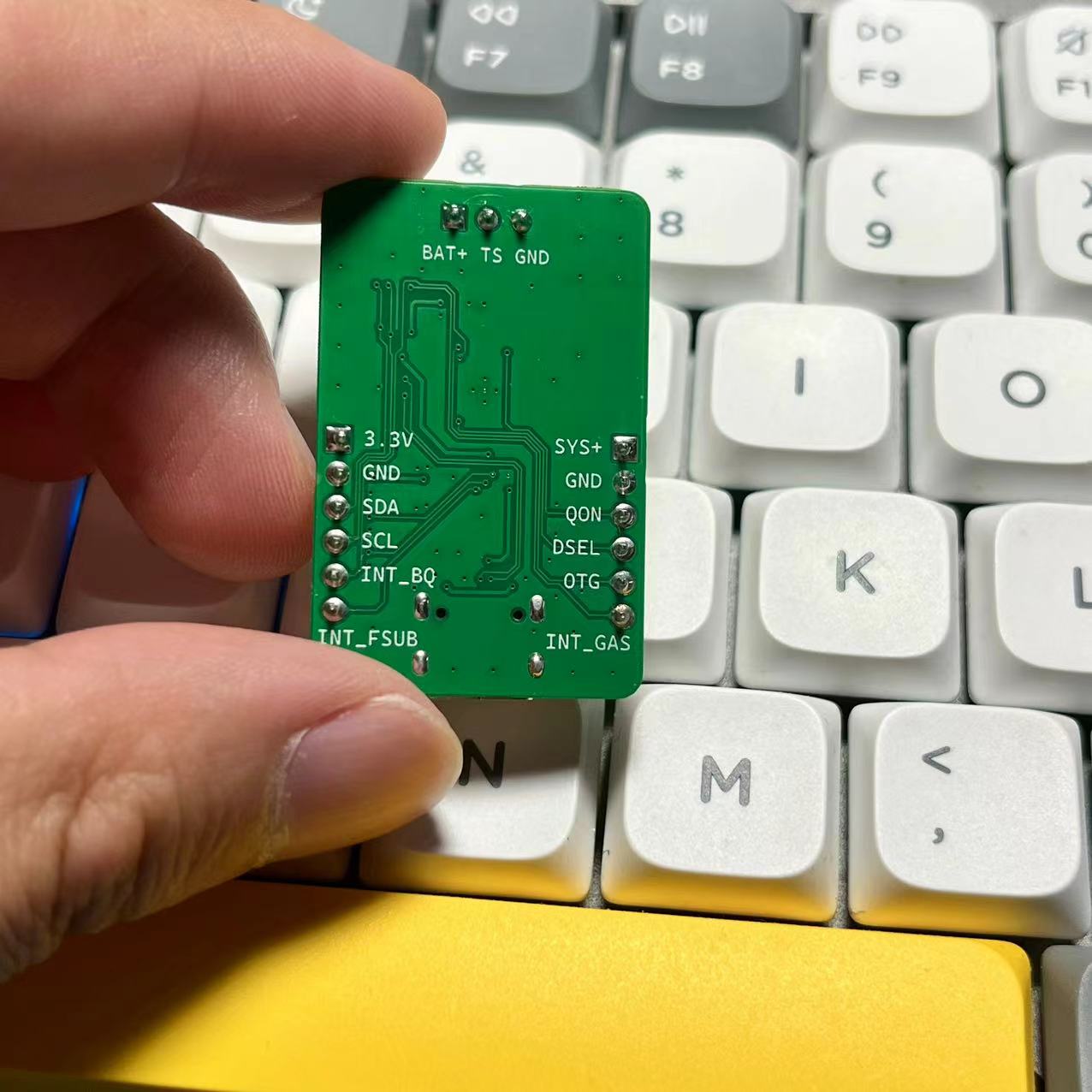
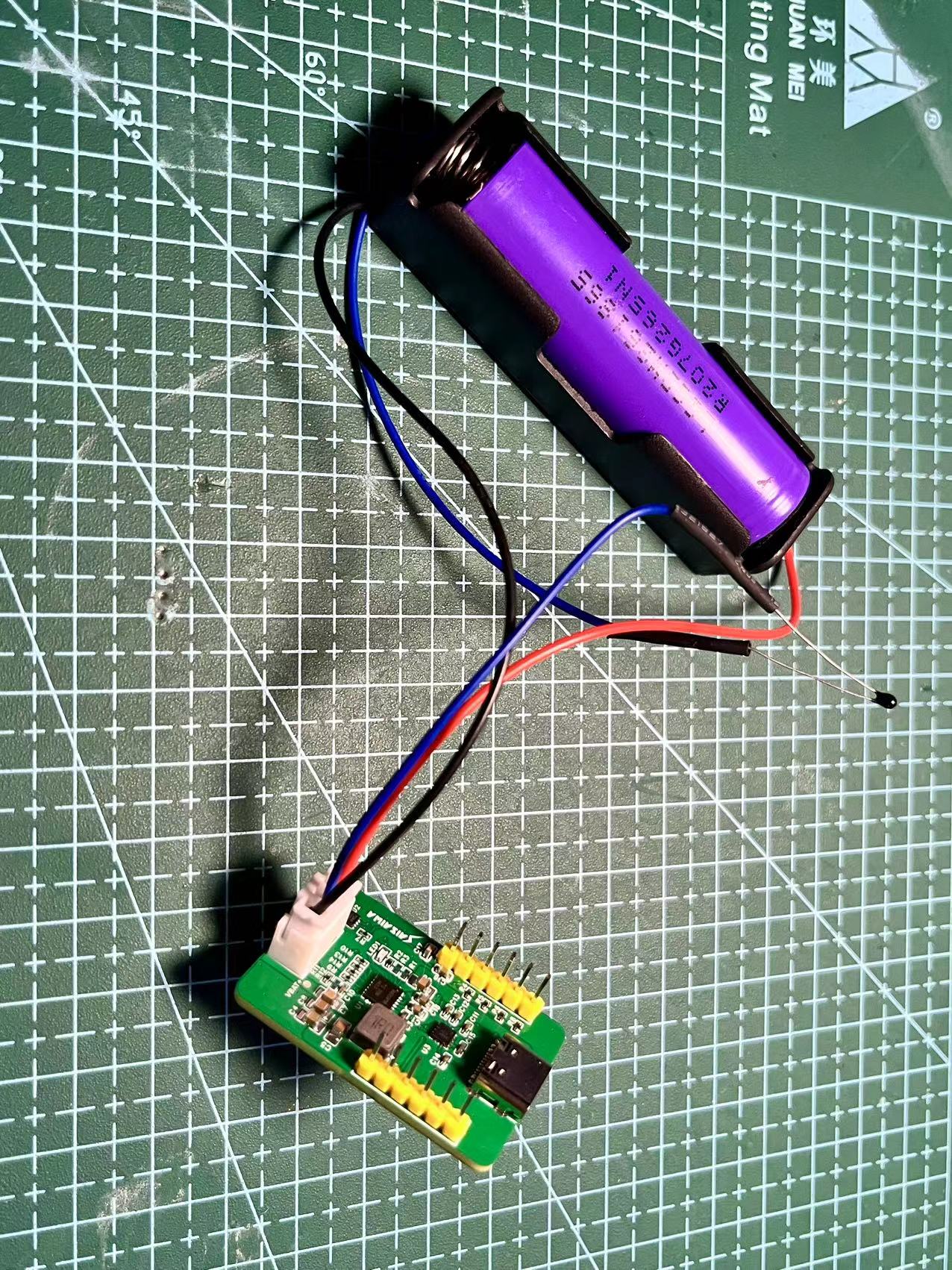
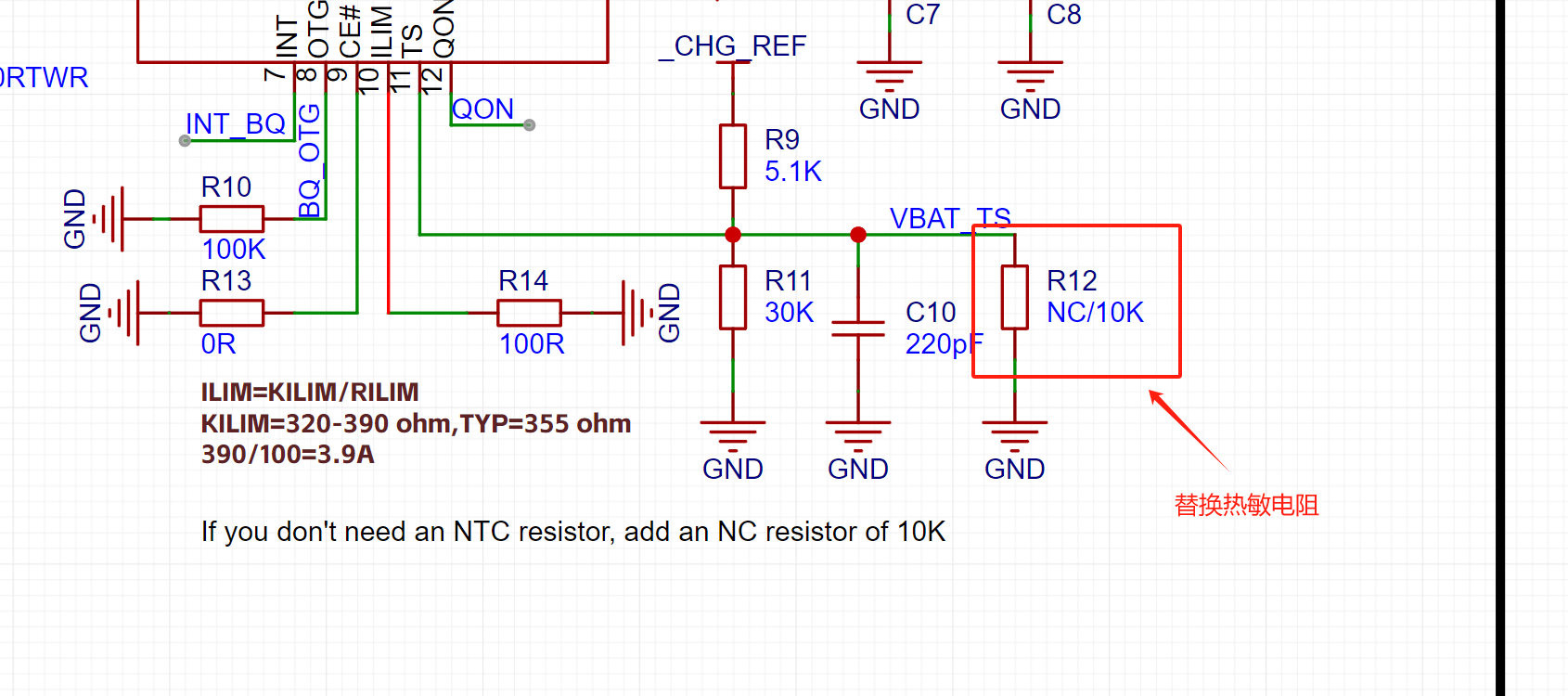
As shown in the diagram above, an external battery needs to be connected to a 10K thermistor for temperature protection. Ignoring this will result in the charging indicator light flashing rapidly, indicating an error.
If you don't want to connect a 10K thermistor, you can add the following resistor:
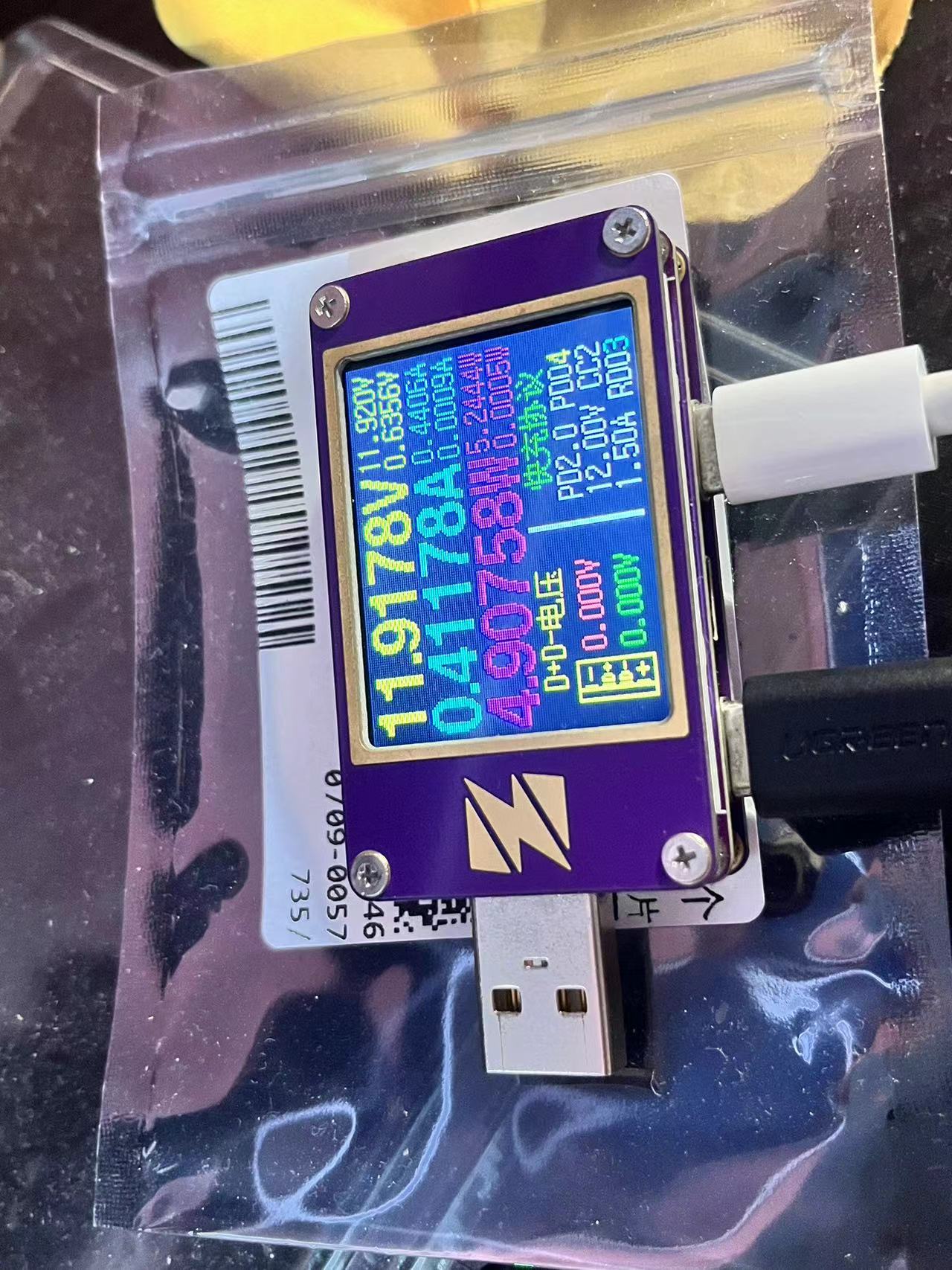
3. Test 12V PD request + charging power
4. Taishanpai successfully ported fuel meter driver printout information
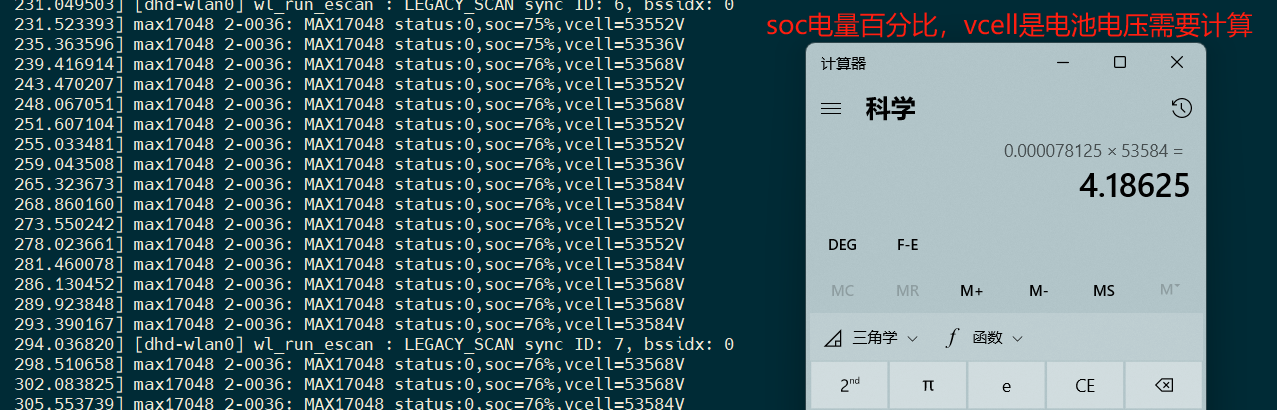
Use the Linux battery management subsystem to register the driver, you can view the voltage and SOC percentage in /sys/class/power_supply/battery/
5. Driver porting
This time we used Taishanpai I2C2 interface, the IO usage is shown in the figure below
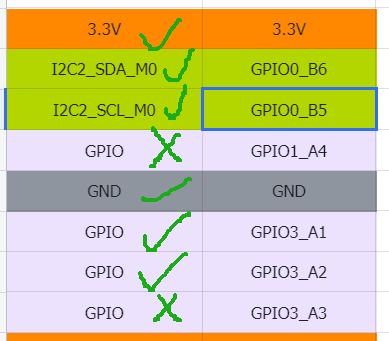
5.1 Modify device tree
Modify the file: tspi-rk3566-user-v10-linux.dts
Add the following code segment
&pinctrl {
........
fusb30 {
fusb0_int_: fusb0-int2 {
rockchip,pins = <3 RK_PA2 RK_FUNC_GPIO &pcfg_pull_up>;
};
};
bq25890_p{
bq25890_int: bq25890-int{
rockchip,pins = <3 RK_PA1 RK_FUNC_GPIO &pcfg_pull_up>;
};
};
//END
};
Add I2C node
//User I2C2
&i2c2 {
status = "okay";
..................
fusb0: fusb30x@22 {
compatible = "fairchild,fusb302";
reg = ";
status = "okay";
pinctrl-names = "default";
pinctrl-0 = <&fusb0_int_>;
interrupt-parent = <&gpio3>;
interrupts = ;
int-n-gpios = <&gpio3 RK_PA2 GPIO_ACTIVE_HIGH>;
// charge-dev = <&bq25890>;
};
bq25890:bq25890@6a{
status = "okay";
compatible = "ti,bq25890";
reg = �;
// extcon = <&fusb0>;
interrupt-parent = <&gpio3>;
interrupts = ;
pinctrl-names = "default";
pinctrl-0 = <&bq25890_int>;
ti,battery-regulation-voltage = <4200000>;
ti,charge-current = <2000000>;
ti,termination-current = <50000>;
ti,precharge-current = <128000>;
ti,minimum-sys-voltage = <3700000>;
ti,boost-voltage = <5000000>;
ti,boost-max-current = <3000000>;
ti,use-ilim-pin;
ti,thermal-regulation-threshold = <120>;
};
max17048:max17048@36{
status = "okay";
compatible = "max17048";
reg = 6;
};
};
Configure the kernel to enable driver support for bq25890.
In the kernel directory, execute the command: `make ARCH=arm64 menuconfig`. Enter/open the search bar for `bq25890` and enable "[*]" to compile into the kernel.
Execute: `make ARCH=arm64 saveddefconfig`
to overwrite the configuration: `mv defconfig arch/arm64/configs/rockchip_linux_defconfig`.
Copy the battery meter driver file (see attachment at the bottom) to the specified directory:
`kernel/drivers/power/supply/max17048_battery.c`
. Modify the file: `kernel/drivers/power/supply/Makefile`. Add the following to the last line:
`obj-y += max17048_battery.o`.
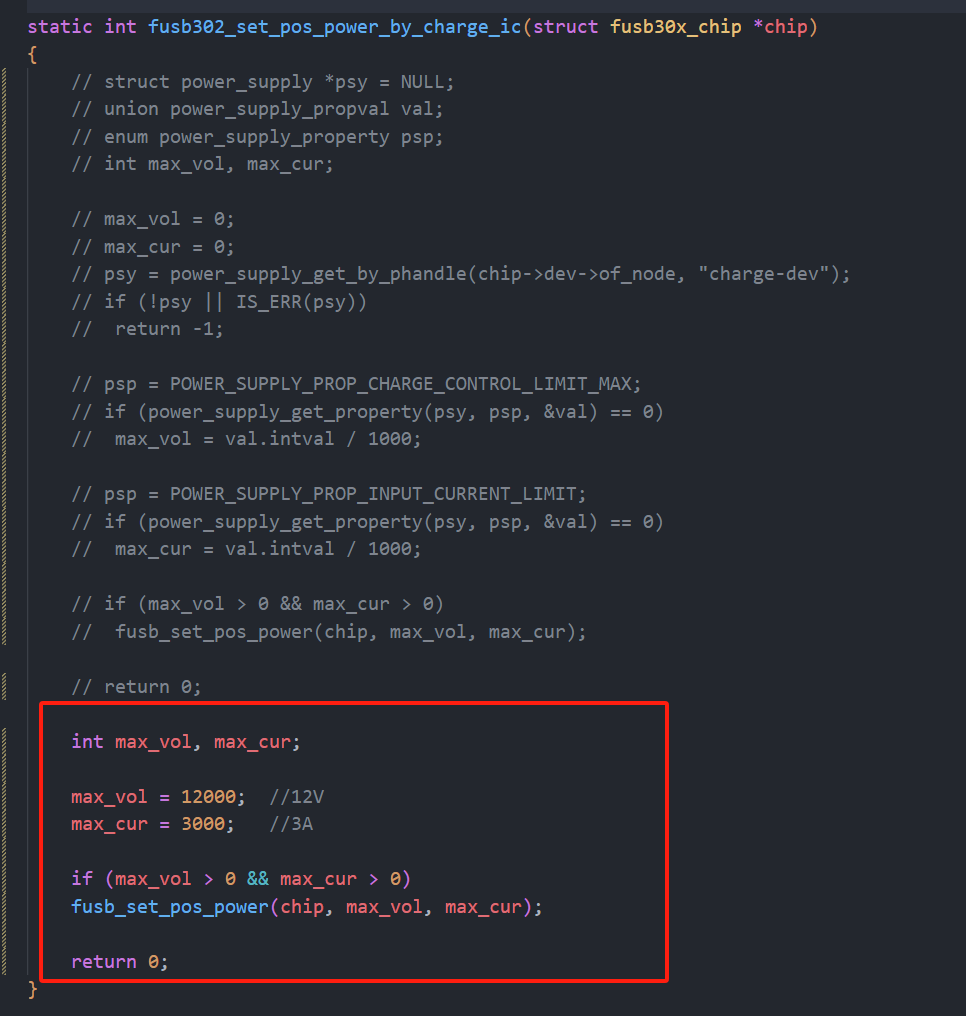
Modify the driver file: `kernel/drivers/mfd/fusb302.c`.
Modify the method name: `static int fusb302_set_pos_power_by_charge_ic(struct fusb30x_chip *chip)
int max_vol, max_cur;
max_vol = 12000; //12V
max_cur =` 3000; //3A
if (max_vol > 0 && max_cur > 0)
fusb_set_pos_power(chip, max_vol, max_cur);
return 0;
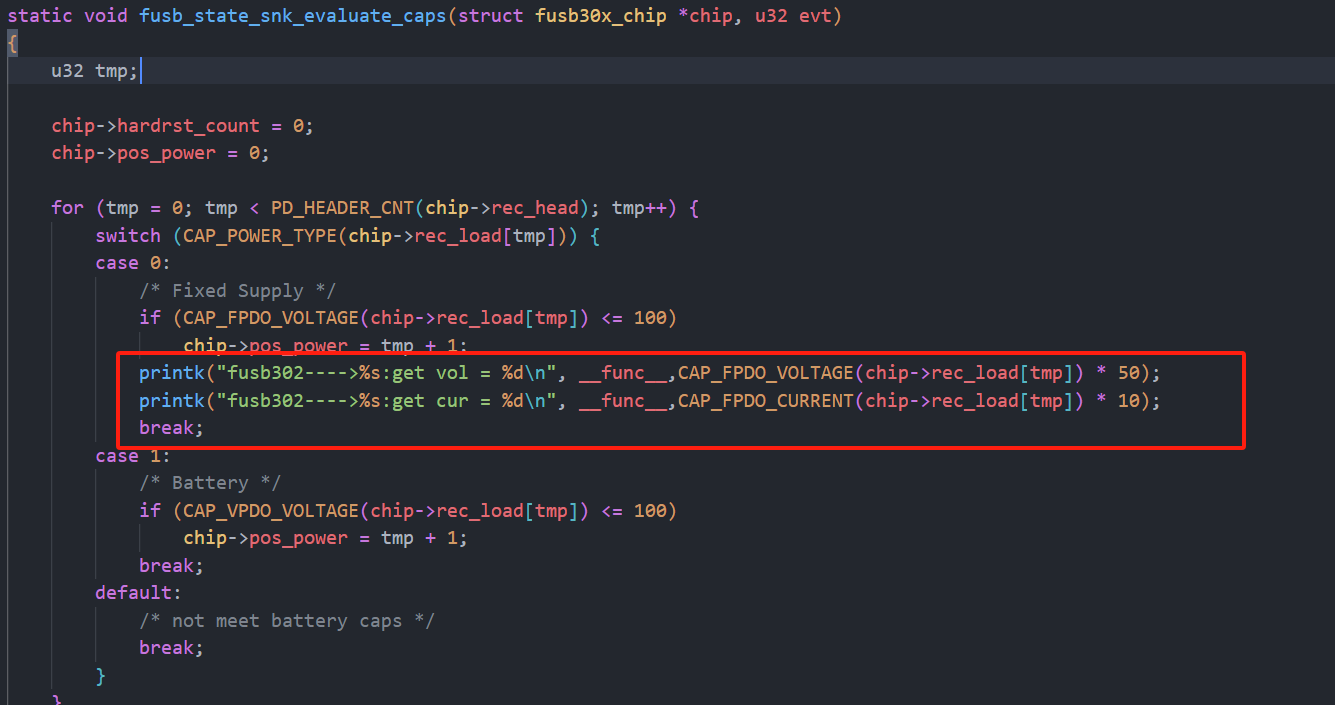
Add print information:
printk("fusb302---->%s:get vol = %d
", __func__,CAP_FPDO_VOLTAGE(chip->rec_load[tmp]) * 50);
printk("fusb302---->%s:get cur = %d
", __func__,CAP_FPDO_CURRENT(chip->rec_load[tmp]) * 10);
Compile the kernel: ./build.sh kernel
burn the boot image.
Start the development board and set the log printing level: dmesg -n 7
to view the fuel gauge print data.
2. Version Change Log
2.1 20240803: Modified driver to adapt to automatic charging + automatic external discharge capability.
The automatic external discharge function in the original bq25890 driver code is to obtain
the source code of the USB-PHY node listening ID event. It is written as follows:
/* OTG reporting */
//USB_PHY_TYPE_USB2 USB 2.0 PHY. This enumeration defines the USB PHY type used in the Linux kernel, describing the type of the PHY to which the USB controller is connected.
`bq->usb_phy = devm_usb_get_phy(dev, USB_PHY_TYPE_USB2);
` If `bq->usb_phy` is notified, then
`dev_info(dev, "USB controller found");
INIT_WORK(&bq->usb_work, bq25890_usb_work);
bq->usb_nb.notifier_call = bq25890_usb_notifier;
usb_register_notifier(bq->usb_phy, &bq->usb_nb);
` Otherwise, `
dev_info(dev, "USB controller not found %ld
",(unsigned long)bq->usb_phy);
`
A brief explanation of the original code:
The `Type` is obtained from the kernel as `USB_PHY_TYPE_USB2`. The USB 2.0 usbPhy driver.
If usbPhy is found, it registers a listener event, which listens for the USB pin ID being pulled low. Here's the problem: our Type-C interface is not MicroUSB and doesn't have an ID pin. Also, `bq->usb_phy` always returns "usbPhy device not found". I added log printing to the internal code loop and found that the loop wasn't even being entered, indicating that usbPhy internally hadn't registered any RK USB devices. I don't understand the specific reason why RK's internal USB driver uses some other method. I won't investigate it here because listening for the ID low event is impractical.
The source code implements automatic charging as follows:
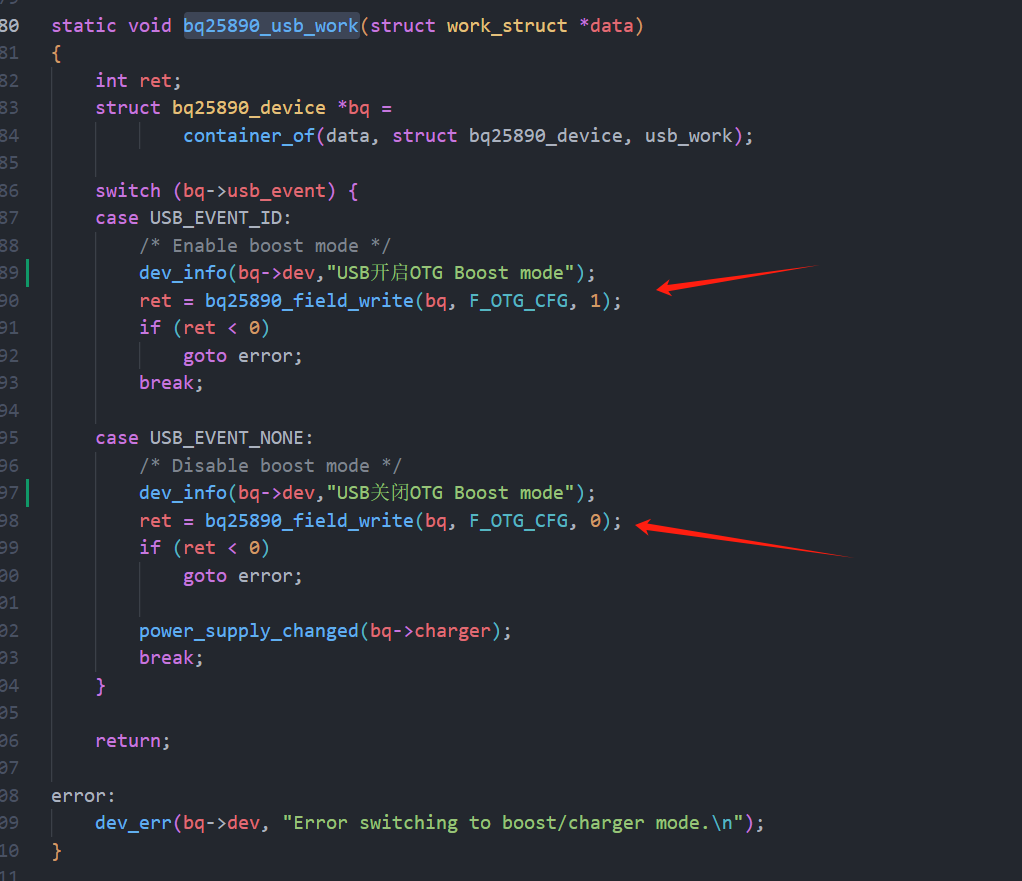
So how is the external output voltage implemented? I summarized it directly from the documentation: two points:
OTG pin high level && OTG_CFG register 1.If the condition is not met, it indicates charging mode.
Solution: By default, set OTG_CFG to 1, and then control the high and low states of the OTG pins to control charging and discharging.
However, a question arises: how do we know whether a charger or an electrical appliance (e.g., a USB flash drive) is plugged in?
Solution:
Utilize the internal implementation of the FUSB302 driver. Looking at a section of code within the FUSB302 driver,
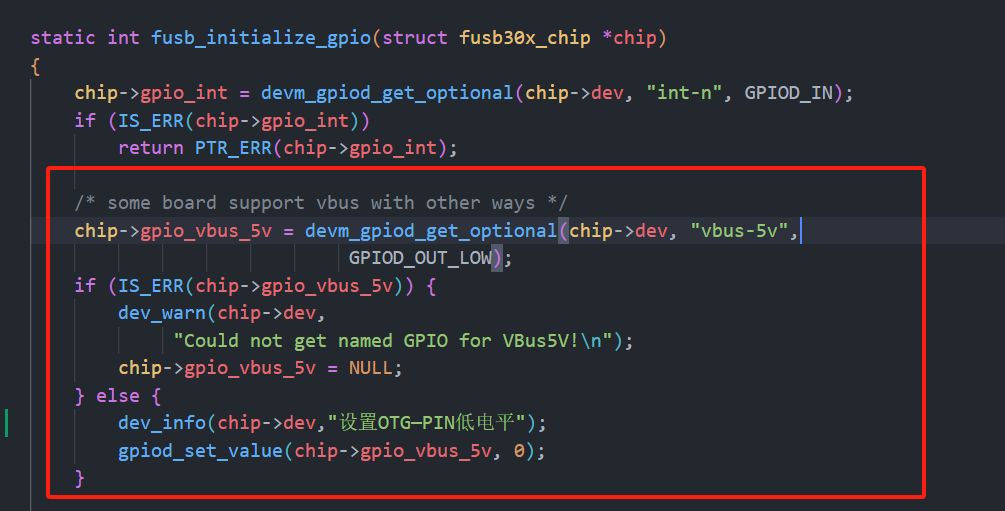
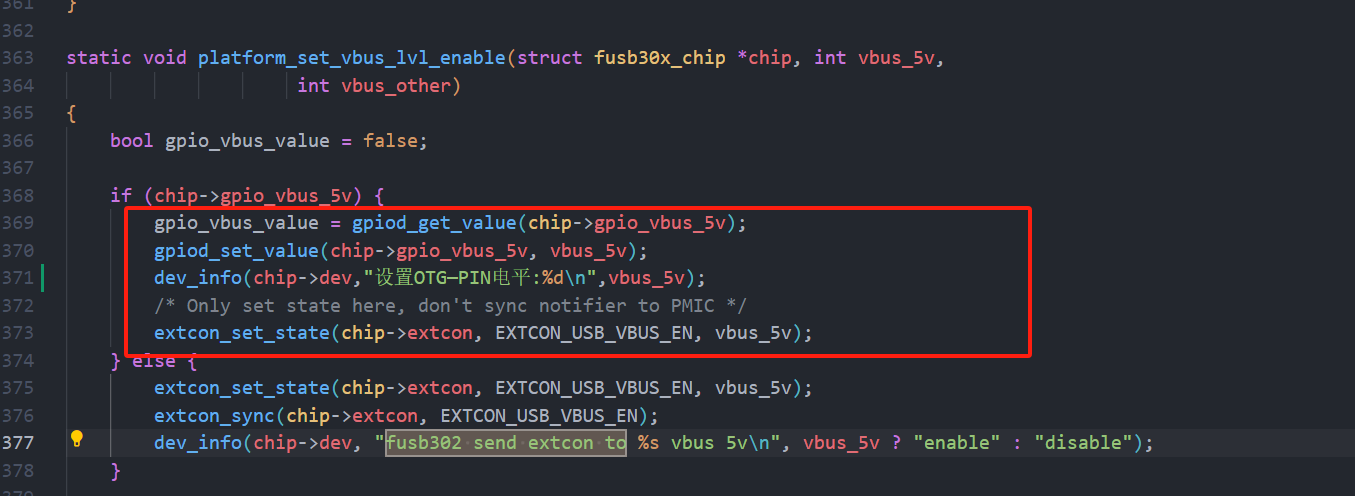
it turns out that the fusb302 has already anticipated this requirement, so it's already designed in.
We simply need to modify the bq25890 driver to set OTG_CFG to 1 by default, and then let FUSB control the OTG pins itself.
After figuring it out, it turns out it's so simple, wow~ so easy!
Here's the code modification part:
Modify the bq25890 path: kernel/drivers/power/supply/bq25890_charger.c.
Add the following code to the last line of the static int bq25890_probe(struct i2c_client client,const struct i2c_device_id id): dev_info(bq->dev,"USB enabled OTG Boost mode");
bq25890_field_write(bq, F_OTG_CFG, 1);
as shown in the image below
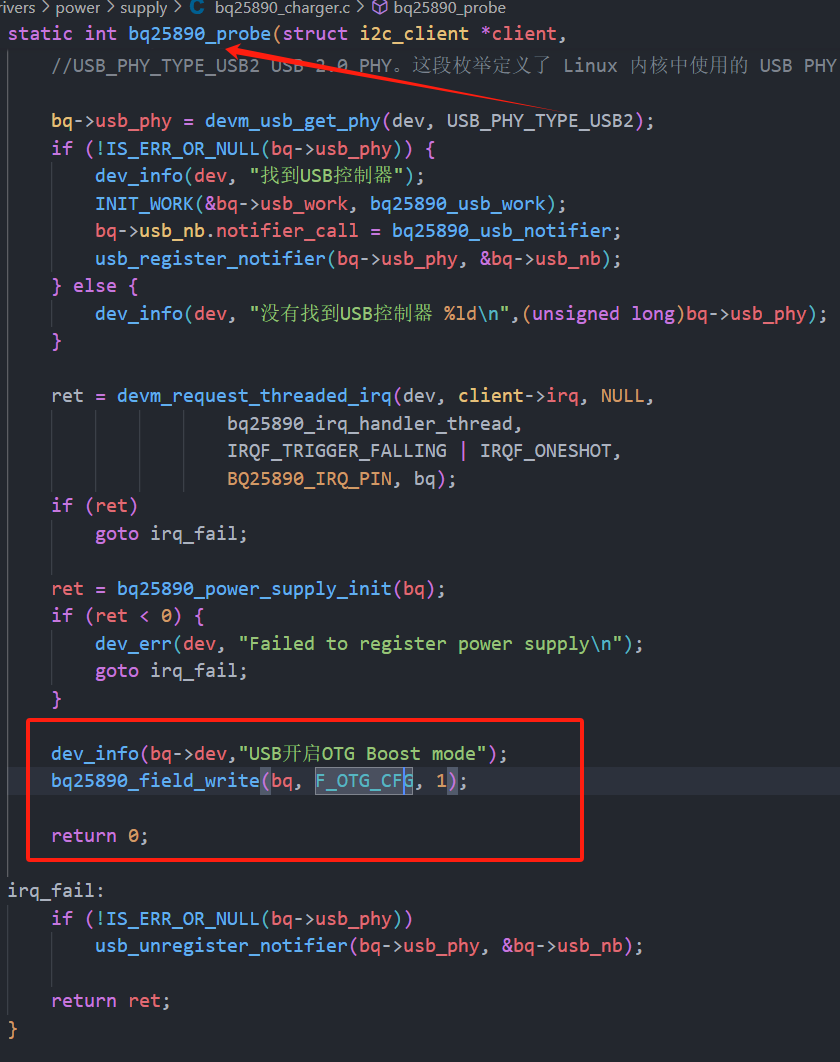
. Modify the device tree and add code in two places:
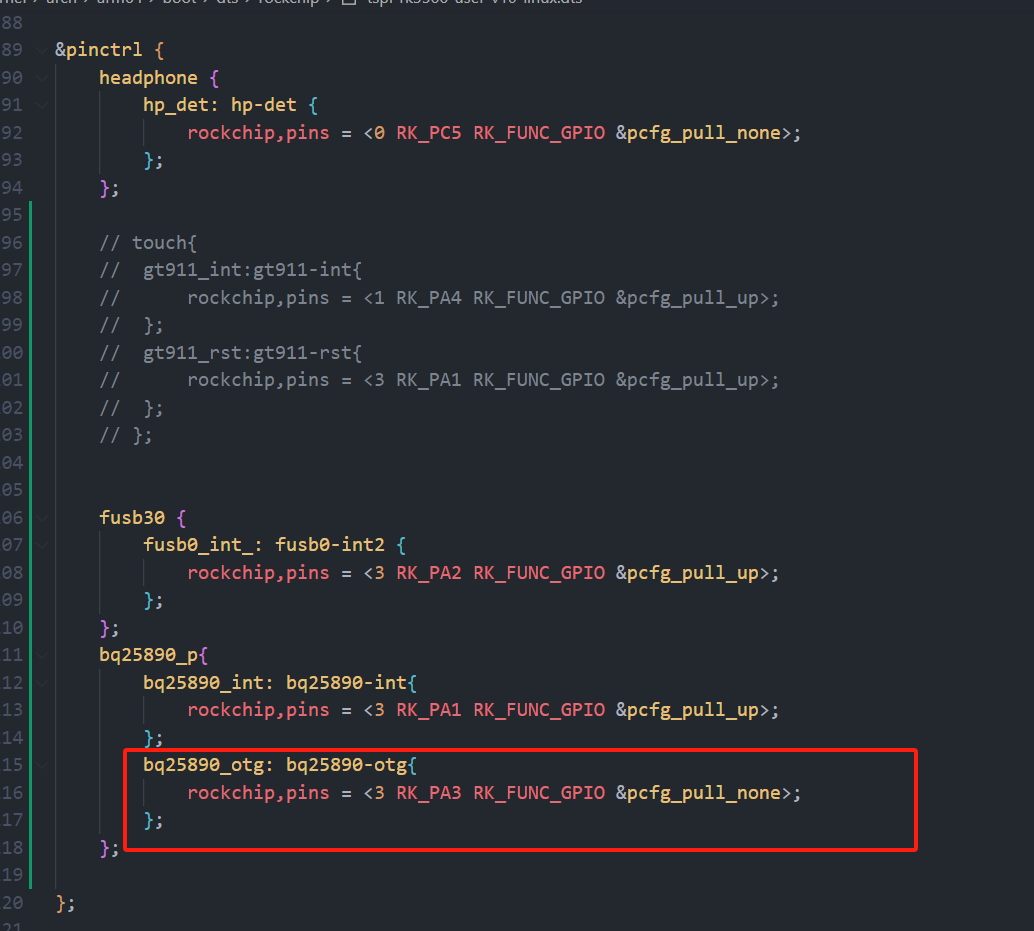
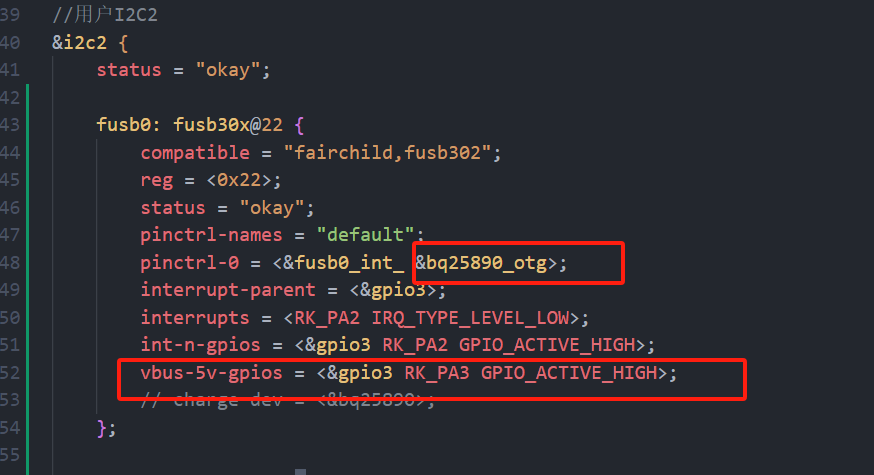
I tested C2C USB devices and it worked fine. Then I had a VFD screen with CC1 and CC2 connected to ground via 5.1K. I found that directly connecting to C2C could not trigger discharge, but if I added a C-to-A interface and plugged in the cable (A2C), it could discharge my device.
Then I also connected a solid-state enclosure to C2C and it discharged normally.
Discharge prompt upon insertion:
[3297.073050] fusb302 2-0022: Set OTG-PIN level: 1
[3297.073953] fusb302 2-0022: CC connected in CC1 as DFP








 京公网安备 11010802033920号


 IRF9Z32



