Design Ideas and Personal Introduction:
Given the ESP32's WiFi and Bluetooth capabilities, creating a Bluetooth speaker and WiFi radio device is an interesting and challenging project.
Based on the booming development of artificial intelligence technology in 2023 and the rise of numerous AI conversational products, I plan to DIY a simple chatbot of my own.
I am a self-taught programming enthusiast who has been working in this field for a year and a half. My programming journey began with MicroPython, where I learned how to program efficiently with limited resources and developed a strong interest in embedded systems development.
As my passion for programming grew, I began looking for more challenging projects, which led me to ESP-IDF. ESP-IDF is a development framework provided by Espressif Systems for their ESP32 chips, supporting development using C/C++. This platform opened the door to the Internet of Things (IoT), allowing me to create more complex and feature-rich projects, such as smart home devices, sensor networks, and other connected solutions.
This is my third time participating in this call for entries, and I feel both excited and proud. Every participation is an opportunity for learning and growth, allowing me to exchange ideas with other developers and showcase my achievements in my programming journey. I believe that through continuous learning and practice, I can continue to improve my skills and contribute to the open-source community.
Design Steps
: 1. Connect your computer or mobile phone via Bluetooth to enable audio playback.
2. Use WiFi to access your favorite radio stations on Dragonfly FM.
3. Simple chatbot steps:
3.1 Acquire sound via microphone and upload it to Baidu Voice-to-Text.
3.2 Transmit the converted text from Baidu to the Xunfei Xinghuo Dialogue Service
. 3.3 Receive the returned dialogue text from the "Xinghuo" platform.
3.4 Use TTS to convert the text of the dialogue content into speech. Use a speaker to achieve voice output.
Schematic Design Notes:
1. Note that RXD0 and TXD0 must be swapped in the automatic download circuit.
2. Use a 5-way switch button as the input operation.
PCB Design Notes:
1. Use a 4-layer board, separating the ground plane of ES8311 from that of ESP32 and connecting them with a 0Ω resistor.
2.5 Silkscreen markings around the switch button: M: MODE, S: SET, -: low volume, +: high volume. Press: Pause or play.
Software description:
Developed using Espressif's open-source ESP-IDF+ESP-ADF framework.
S: Pressing switches from smart dialogue mode to Bluetooth playback.
M: In Bluetooth mode, switches between Bluetooth and internet radio.
Press: Smart dialogue mode for dialogue, Bluetooth mode for pause, radio mode for switching stations
...
You can read the source code yourself
. Notes:
1. Most of the above text is written in AI.
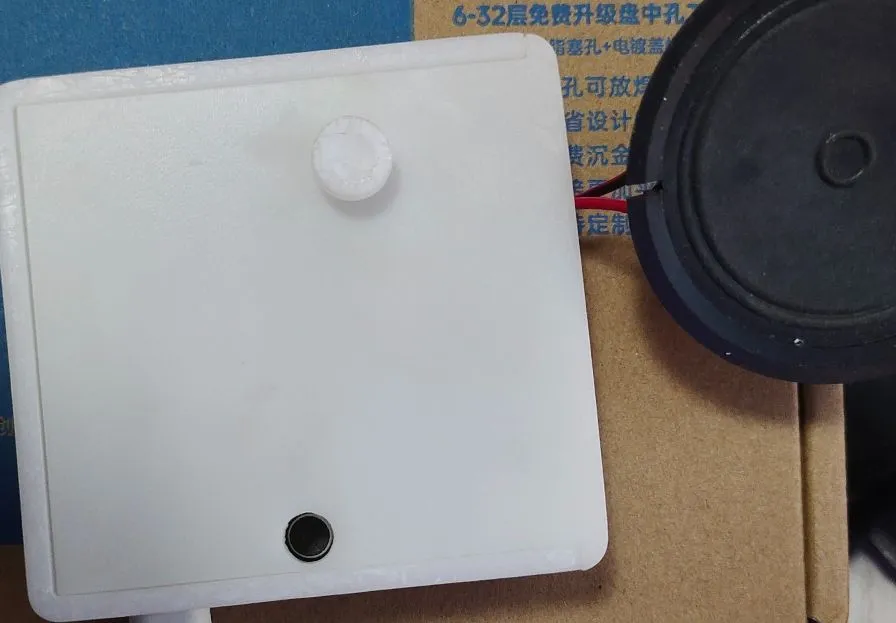
2. You need to draw the 3D printing of the button yourself.
3. The hole for the button on the shell needs to be adapted to your own button.
4. Remember to change the Wi-Fi account and password in my_wifi_and_ble.c.
5. The button may encounter pin mismatch issues; please use a multimeter to determine which pin is 5.







 京公网安备 11010802033920号


 390HS001N1510A6



