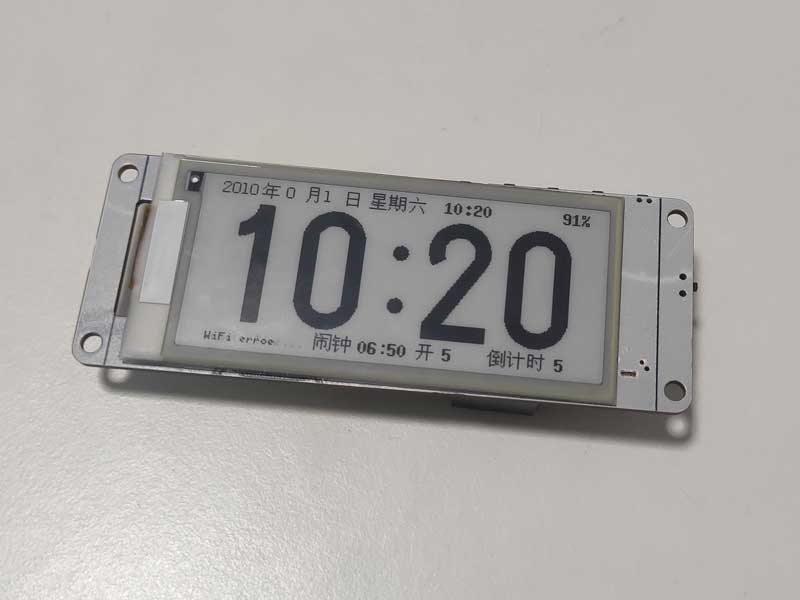
This is a pure e-ink clock based on the ESP32 chip, featuring basic alarm clock, one-button countdown, and voice-activated alarm settings. It boasts a low-power design, allows for online Wi-Fi time updates, and has a built-in web page for clock and time synchronization. It can
also be used offline without Wi-Fi. Many open-source e-ink clocks offer a wide range of features, but my requirements are simple: a basic clock display, alarm, and timer functions, while also considering power consumption, offline usability, and easy time setting.
Therefore, I designed this clock using the ESP32-WROOM-32D as the main controller. The ESP32 has abundant available I/O, and the peripheral circuitry only includes automatic downloading, lithium battery charging, an 8025 clock chip, a buzzer, e-ink driver, and button circuitry. The circuit is relatively simple and easy to replicate. The cost is also low; the main components are the ESP32 module and the e-ink screen. The 8025 clock chip is inexpensive and cost-effective. Without the ASRPRO offline voice module, the total cost should be below 30 yuan.
Low-power design: Upon power-on and connecting to Wi-Fi to update the time, the ESP32 enters Deepsleep mode. The 8025 clock chip generates an interrupt every minute to wake the ESP32 and update the e-ink display. After the update is complete, it immediately enters Deepsleep mode again. After pressing the settings button, wait only 2 minutes before automatically entering Deepsleep mode. Connecting to the built-in webpage to set the time and alarm must be completed within 2 minutes. Power is only supplied to the offline voice module after pressing the voice button. After 15 seconds of power supply, it automatically shuts off and enters Deepsleep mode. Voice commands must be spoken 3 seconds after pressing the button and completed within 15 seconds!
In testing, the time was updated via Wi-Fi once a week or once a month, and the time display remained very accurate. Therefore, the power consumption is mainly limited to the 8025 clock chip and the e-ink display. The 1000mAh battery has been tested for a month and still has power!
For a demonstration video, please visit Bilibili: https://www.bilibili.com/video/BV1664nenEhg
Known issue:
After pressing the voice button and powering on the offline voice module, it takes 2-3 seconds for the voice command to be recognized. This is likely due to a startup and loading time for the voice module.
After connecting via the clock's access point (AP), the webpage updates the time from 2024, but the clock displays 2042. What kind of bug is this?
Implemented features include:
1. Basic time display, alarm clock, and countdown reminder;
2. Network NTP time update function;
3. When there is no Wi-Fi, connecting to the clock AP and using the built-in webpage to synchronize time;
4. Button-based alarm and countdown
time setting function; 5. Clock's built-in webpage for setting alarm and countdown time
; 6. Selectable network time update frequency or no network time update function;
7. One-click countdown start function;
8. Offline voice setting of alarm and countdown time function; (optional function)
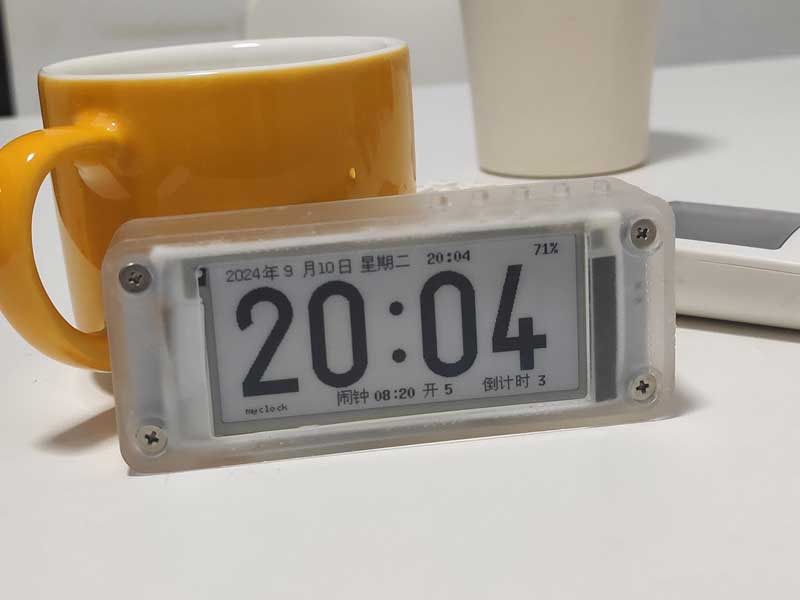
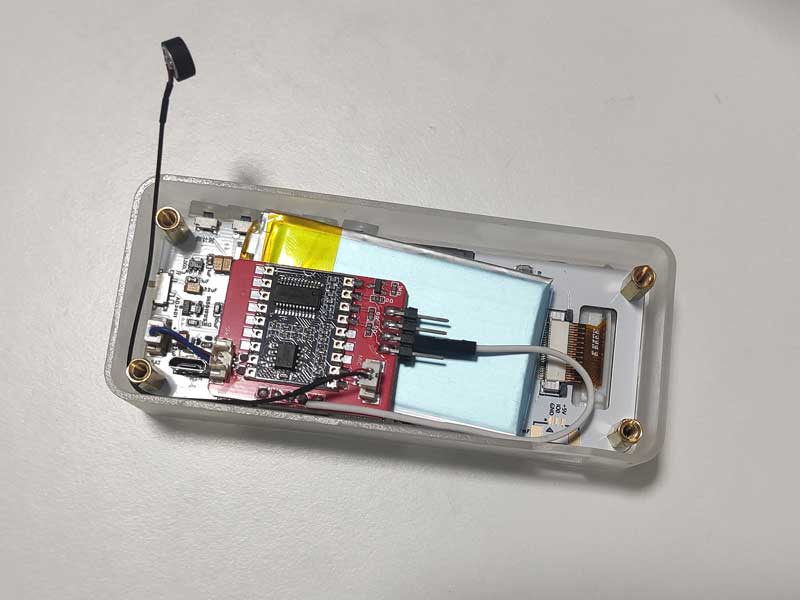
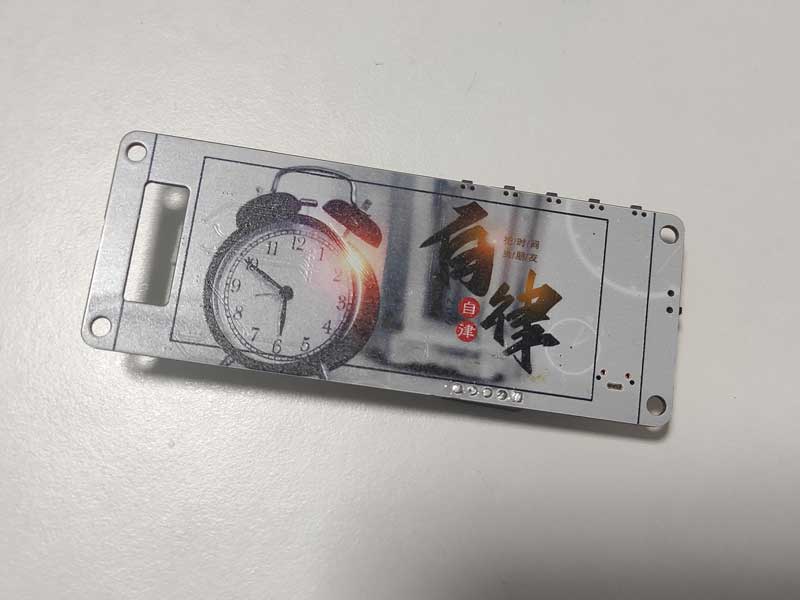
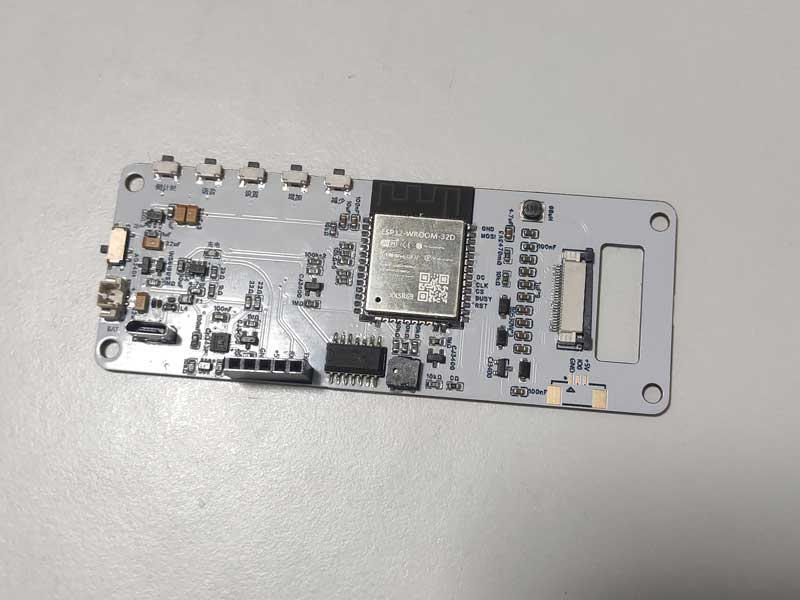
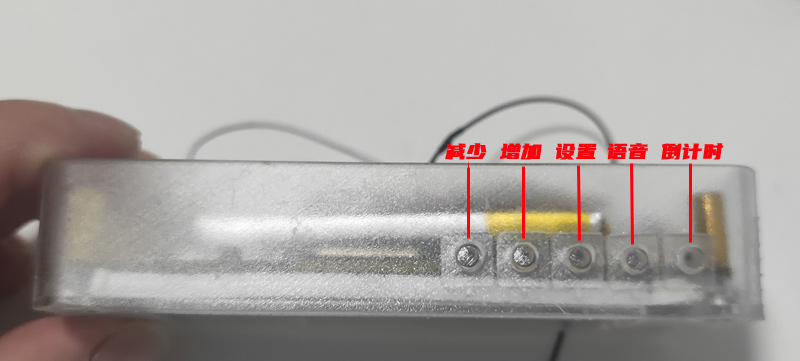
The five buttons' layout and functions:
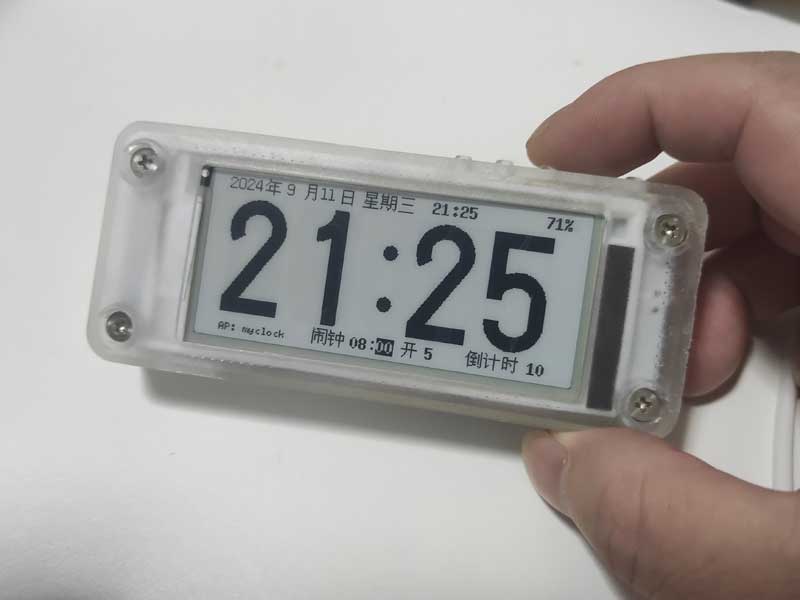
Pressing the set button will cycle through five configurable items: alarm hour, minute, alarm on/off, alarm mode, and countdown time. Pressing the increase and decrease buttons adjusts the value of the selected item. When the clock is in setup mode, it will simultaneously turn on its Wi-Fi and connect to the designated Wi-Fi network. Once connected, the clock's IP address will be displayed in the lower left corner. If not connected to Wi-Fi, the clock will create a hotspot named "myclock"
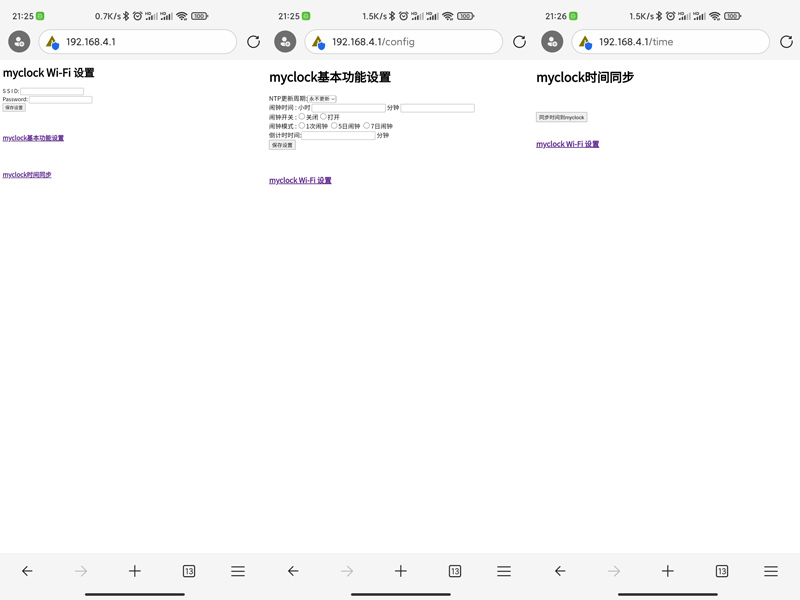
. After connecting to the "myclock" hotspot, access the settings page at 192.168.4.1. You can then access the following three built-in clock settings pages: Wi-Fi settings; clock, alarm, and countdown settings; and time synchronization.
One-click countdown function:
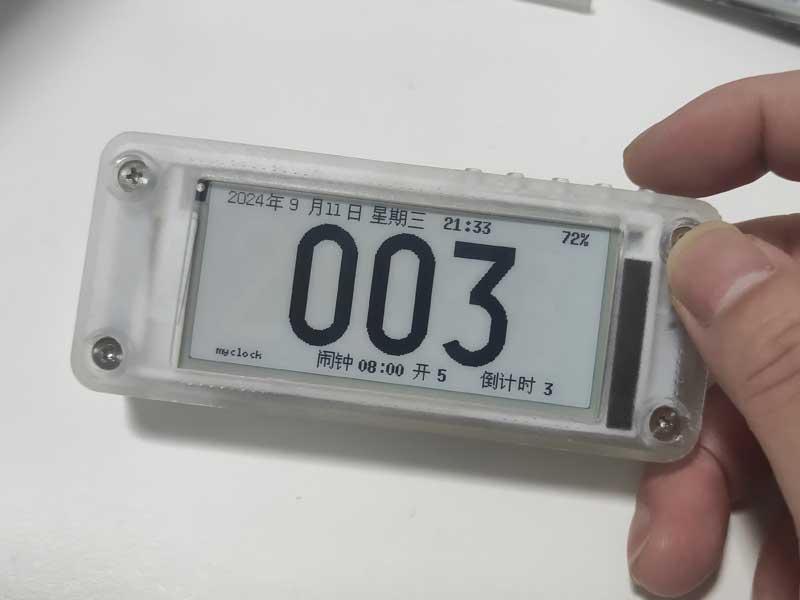
Alarm and countdown times can also be set offline via voice. For a demonstration, please see the demo video on Bilibili.
The voice function uses the ASRPRO offline voice module, and the programming software is Tianwen Block .
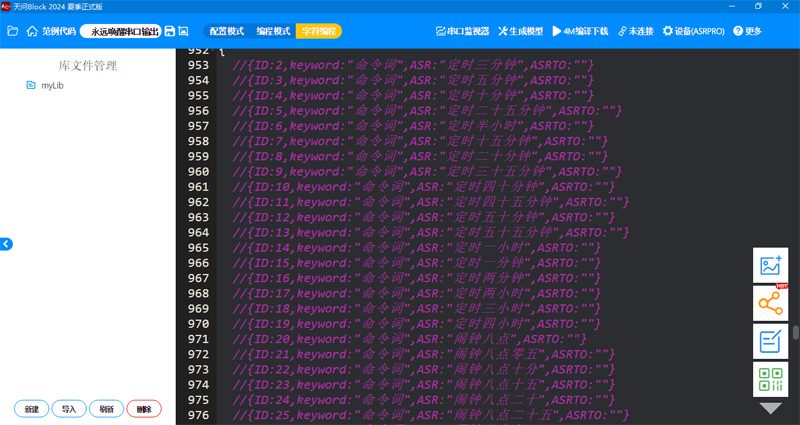
The ESP32 program uses the Arduino language, and the development tools are VSCode + Platformio.
The ESP32 source code, ASRPRO source code, and compiled firmware are all uploaded as attachments. The ASRPRO module firmware can be uploaded using Qiying Tailun's programming tool!








 京公网安备 11010802033920号


 3KP22
3KP22



